
Shop online for Digital Cameras and accessories | Camerafarm Australia
Camerafarm product archive #41324
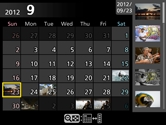
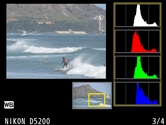
Note: Depending on the camera, there may be a limitation to the accessories that can be attached simultaneously with the WR-R10 Wireless Remote Controller. Attempting to forcibly attach accessories can damage the camera or accessory. Versatile playback functionsThe D5200 gives you a variety of playback display options that take advantage of the large 7.5-cm (3-in.) monitor. The number of images displayed at one time can be selected from 1, 4, 9 and 72, and calendar display arranges images in chronological order. You can also display histograms of a magnified area of an image and check the focus using playback zoom of face.
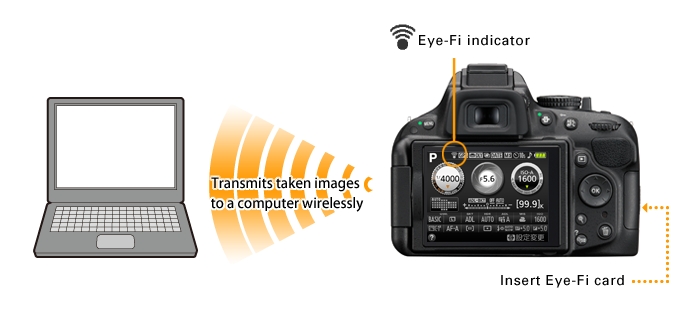
Transmits taken images from the camera to a computer wirelessly to expand your photographic creativity Eye-Fi card (on the market) compatibleThe D5200 can transmit taken image data (JPEG) from the camera to a computer wirelessly. You can also transmit images to online photo sharing and storage services such as "my Picturetown" and a computer automatically.
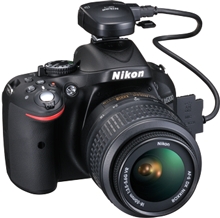
Note: The D5200 can turn Eye-Fi cards on and off, but may not support other Eye-Fi functions. Direct any inquiries to the manufacturer. Eye-Fi cards are for use only in the country of purchase (As of October, 2012). Observe all local laws concerning the use of wireless devices. Embeds location information on an image GP-1 GPS Unit (optional)The D5200 is compatible with the Nikon GP-1 GPS Unit that is able to embed location information on an image. Latitude, longitude and altitude of a shooting location are recorded as Exif data. Images with location information can be displayed on a GeoTag workspace of ViewNX 2 (supplied with the D5200). What's more, Nikon's image sharing and storage website my Picturetown, online image sharing services and commercially available digital mapping software are all there to enhance your photographic enjoyment.
High-capacity (SDXC), high-speed (UHS-I) SD memory card compatibleThe D5200 supports SDXC (Secure Digital eXtended Capacity) and UHS-I. Combined with the enhanced speed of the image-processing engine EXPEED 3, it processes and writes image data of 24.1 megapixels at high speed. In high-speed continuous shooting, this allows the shooting of 100 frames in JPEG (fine/Medium)*.
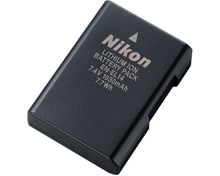
Long-life battery due to energy-saving design EN-EL14 Rechargeable Li-ion BatteryThe D5200's superior energy-saving design allows you to shoot approx. 500 shots per charge* with the EN-EL14 Rechargeable Li-ion Battery.
Nikon's photo sharing and storage service my PicturetownNikon's own image-sharing website, my Picturetown, allows you to easily store, manage and share your images with your family and friends, and post to social networking services (SNS). Membership is free and permits storage of up to 2 GB of photos and/or movies. And with an additional paid registration, you can expand your capacity to 200 GB*. Also, utilizing free applications compatible with a smart device, you can enjoy images using a PC or a smart device anytime, anywhere. Nikon Digital SLR Camera D5200 Specifications
Memory card capacityThe following table shows the approximate number of pictures that can be stored on an 8 GB SanDisk Extreme Pro SDHC UHS-I card at different image quality and size settings.
|


NA
|
|
21/02
|
|
Nikon D5200 Digital SLR Camera - 24.1MP (Black)- 3.0"TFT LCD, Airflow Control System, Live View, AF-Area Mode - 18-55mm VR +55-200mm VR |
||||||||||||||||||||||||||||||||||||||||||||||||||||||||||||||||||||||||||||||||||||||||||||||||||||||||||||||||||||||||||||||||||||||||||||||||||||||||||||||||||||||||||||||||||||||||||||||||||||||||||||||||||||||||||||||||||||||||||||||||||||||||||||||||||||||||||||||||||||||||||||||||||||||||||||||||||||||||||||||||||||||||||||||||||||||||||||||||||||||||||||||||||||||||||||||||||||||||||||||||||||||||||||||||||||||||||||||||||||||||||||||||||||||||||||||||||||||||||||||||||||||||||||||||||||||||||||||||||||||||||||||||||||||||||||||||||||||||||||||||||||||||||||||||||||||||||||||||||||||||||||||||||||||||||||||||||||||||||||||||||||||||||||||||||||||||||||||||||||||||||||||||||||||||||||||||||||||||||||||||||||||||||||||||||||||||||||||||||||||||||||||||||||||||||||||||||||||||||||||||||||||||||||||||||||||||||||||||||||||||||||||||||||||||||||||||||||||||||||||||||||||||||||||||||||||||||||||||||||||||||||||||||||||||||||||||||||||||||||||||||||||||||||||||||||||||||||||||||

























































 , but the camera exposure meter will not function
 (single frame),
  (continuous low speed),
  (continuous high speed),
  (self-timer),
  (delayed remote; ML-L3),
  (quick-response remote; ML-L3),
  (quiet shutter release); interval timer photography supported
 auto;
auto;  auto [flash off]); programmed auto with flexible program (
 ); shutter-priority auto (
 ); aperture-priority auto (
 ); manual (
 portrait;
  landscape;
  child;
  sports;
  close up;
  night portrait;
  night landscape;
  party/indoor;
  beach/snow;
  sunset;
  dusk/dawn;
  pet portrait;
  candlelight;
  blossom;
  autumn colors;
  food); special effects modes (
 night vision;
  color sketch;
  miniature effect;
  selective color;
  silhouette;
  high key;
  low key)
 (
(  ) button



|
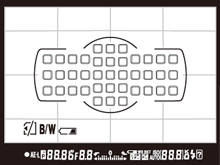
9 points
|
Choose when there is time to compose the photograph or when photographing subjects that are moving predictably.
|
|---|---|
|
21 points
|
Choose when photographing subjects that are moving unpredictably.
|
|
39 points
|
Choose when photographing subjects that are moving quickly and cannot be easily framed in the viewfinder.
|
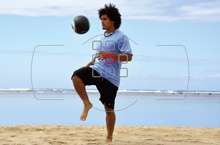
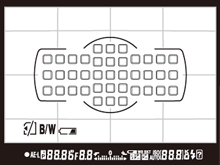
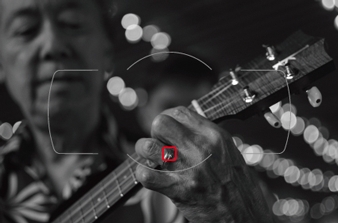
- 9 points
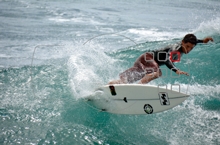
- 21 points
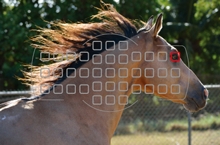
- 39 points
-3D-tracking mode
Suitable for shooting a moving subject. Pursues your subject using all 39 focus points. Once focusing is achieved with a selected focus point, the focus point automatically changes to track the subject according to its movement while the shutter-release button is pressed halfway.
Selectable when focus mode is set to AF-A or AF-C.
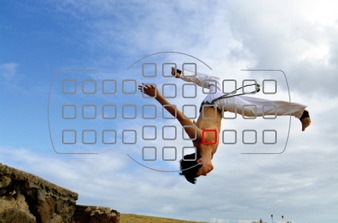
- 3D-tracking mode
-Auto-area AF mode
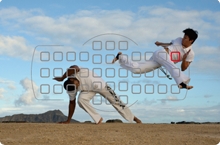
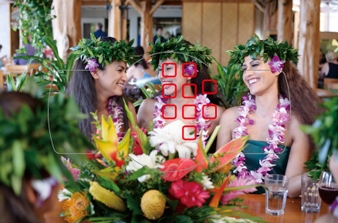
The D5200 detects the main subject using all 39 focus points and automatically focuses on it. The D5200 can recognize human skin tone using "subject identification" of the Scene Recognition System for improved human subject acquisition.
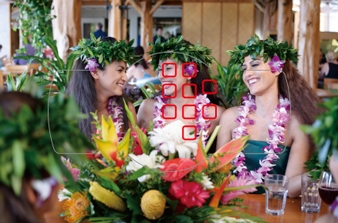
- Auto-area AF mode
Note: Only the selected focus point is shown on actual images. Also, if you select focus points in a peripheral area of an image when "9 points" or "21 points" is chosen, the number of focus points actually used may be less than 9 or 21.
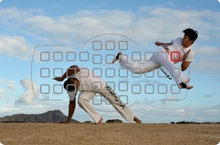
Captures the decisive moment release mode button that supports quick selection of release mode and approx. 5 fps high-speed continuous shooting
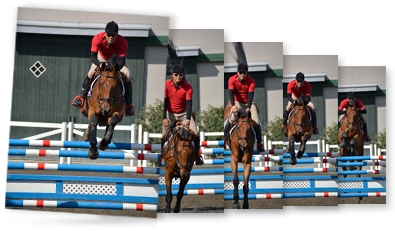
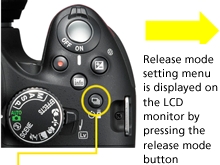
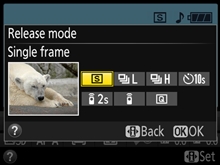
The release mode button is located next to the mode dial. The release mode setting menu is displayed on the LCD monitor by pressing the release mode button so that quick switching of modes is possible. For release modes, the D5200 employs quiet shutter-release mode, "Q", that allows shooting with reduced mirror movement sound. This is effective for occasions such as a ceremony or when taking pictures of insects or a sleeping child. Also, the D5200 realizes high-speed continuous shooting at approx. 5 fps, while approx. 3 fps is also selectable, which is optimal for capturing natural facial expressions. The number of shots in continuous shooting is up to 100 in JPEG. It does not miss a moment of a subject's movements or facial expression. The shutter unit is tested for approx. 100,000 cycles with the shutter actually loaded to prove its high durability.
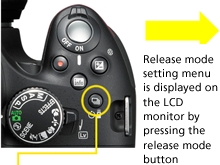
- Release mode button
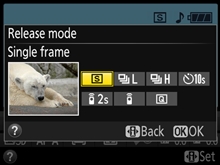
- Release mode setting menu
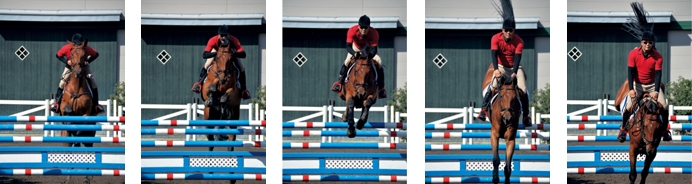
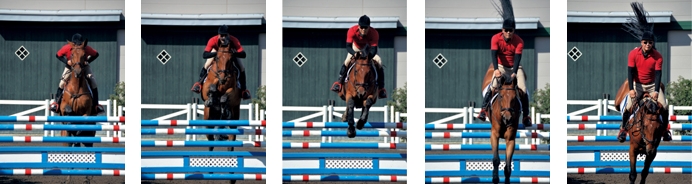
- Approx. 5 fps high-speed continuous shooting ensures you capture decisive moments.
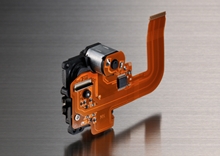
Shooting with the mirror in the up position is achieved in live view newly designed, independently driven mirror mechanism [NEW]
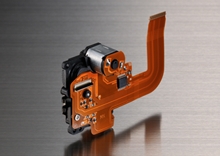
Nikon newly designed the high-speed and highly precise sequential control mechanism for the D5200. It contributes to high-speed continuous shooting at up to approx. 5 fps with a release time lag of approx. 0.09 s*. This new sequential control mechanism drives the mirror independently. In live view shooting, the shutter is released with the mirror in the up position. Because the impact of the mirror's up and down movement is eliminated, smooth and quiet shooting can be expected in single-frame and continuous shooting (low-speed/high-speed).
- *Based on CIPA Guidelines.
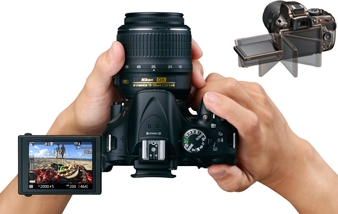
Live view shooting that enables accurate focusing using the large, east-to-see 7.5-cm (3-in.), approx. 921k-dot, vari-angle LCD monitor
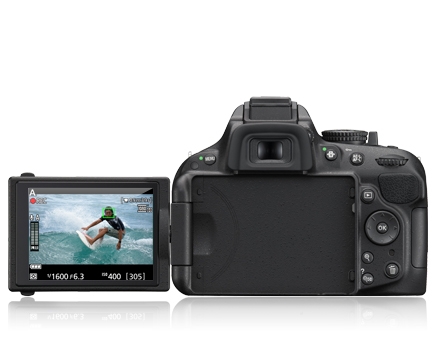
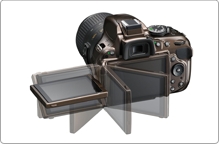
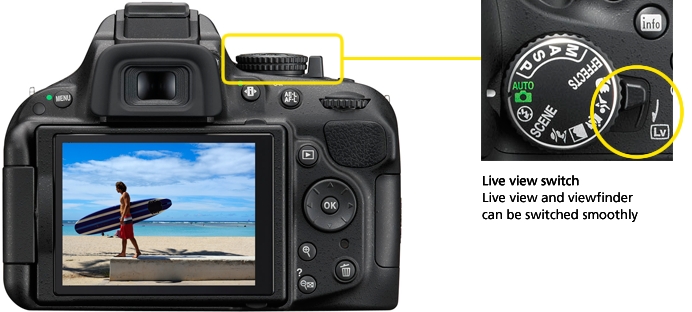
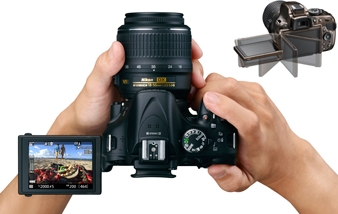
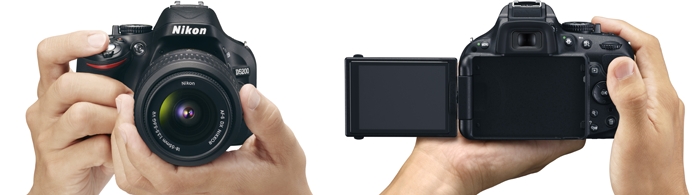
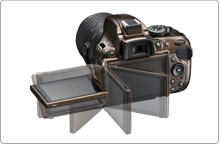
The D5200 incorporates a large, easy-to-see, 7.5-cm (3-in.), approx. 921k-dot (VGA), 170 viewing angle, movable vari-angle LCD monitor that realizes comfortable live view shooting. Approx. 100% frame coverage of the LCD monitor is effective when you want to compose your image firmly before shooting in a situation such as landscape or portrait shooting. Simply rotate the live view switch on top of the camera to shift from viewfinder shooting to live view shooting. The position of a focus point can be moved using a multi selector to focus on the desired point.
- More information about shooting with the vari-angle monitor
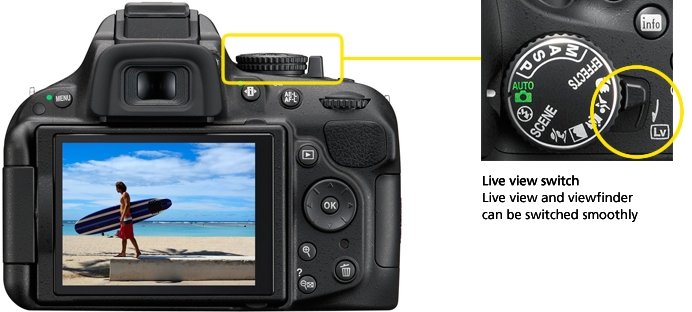
- 7.5-cm (3-in.), 921k-dot (VGA), 170 viewing angle LCD monitor
Three focus modes selectable focusing that suits your subject
-Single-servo AF (AF-S)
Suitable for a stationary subject such as landscapes, architecture or flowers.
-Full-time-servo AF (AF-F)
Convenient for shooting a moving subject which is usually difficult to focus on, such as a person or pet. Available in both live view mode and movie recording. Camera focuses continuously as the subject moves.
-Manual focus (MF)
Manual focusing. Suitable for a subject for which autofocus is difficult, such as an animal in a cage or a person in the shade with the sun in the background.
Four AF-area modes in live view selectable according to your subject
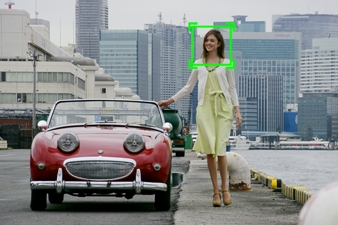
-Face-priority AF
Suitable for focusing on someone's face such as for a commemorative photo.
-Wide-area AF
Suitable for handheld shooting such as for a landscape. Focus point can be moved to a desired point within the frame.
-Normal-area AF
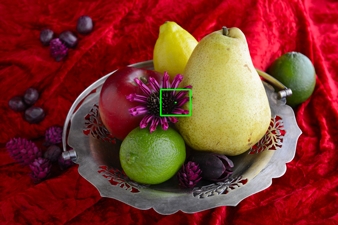
Convenient for shooting with pin-point focus such as for a close-up of a flower and other small subjects. Using a tripod is recommended for more precise focusing.
-Subject-tracking AF
After focusing is activated, focus point tracks the subject automatically. Suitable for a moving subject such as a child or pet.
Recommended combination of focus mode and AF-area mode
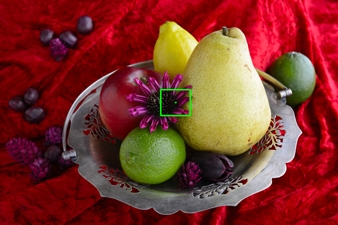
- Single-servo AF and normal-area AF
Suitable for a stationary subject
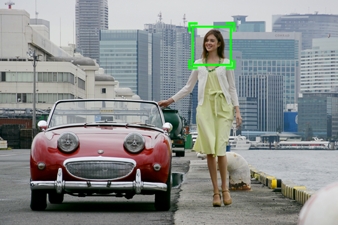
- Full-time-servo AF and subject-tracking AF
Suitable for a moving subject
Camera selects the optimal scene mode automatically Scene Auto Selector (only available in live view shooting)
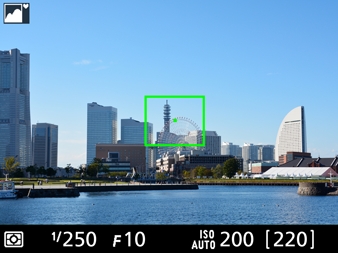
In live view shooting, if you point the camera at your subject, the camera automatically identifies the scene and selects the most appropriate scene mode from Portrait, Landscape, Close up and Night portrait*. Smooth shooting is achieved without setting the scene mode for each subject.
- *When mode dial is set to Auto or Auto (flash off) and using AF.
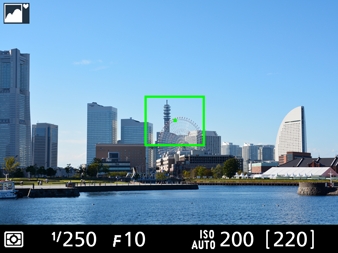
- Scene Auto Selector (Landscape)
-Scene Auto Selector employed on the D5200

Note: Selected when the camera identifies situations not covered by Portrait, Landscape, Close up or Night portrait mode, or for scenes suited to Auto or Auto (flash off).
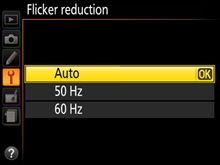
Flicker reduction function
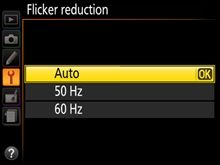
Flicker and banding visible in the monitor under fluorescent or mercury vapor light during live view or movie recording can be reduced using the flicker reduction function. When "Auto" mode is set in the flicker reduction menu, the camera can automatically identify the light source frequency for the appropriate exposure control. You can also manually switch between 50 Hz and 60 Hz according to your local area.
Creative expression
More advanced expression by combining creative angle and Special Effects
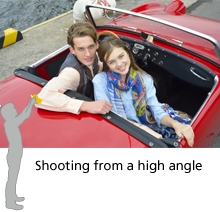
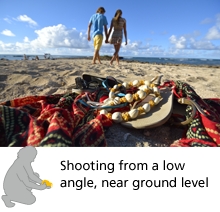
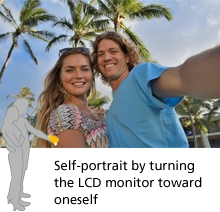
The D5200's LCD monitor opens horizontally from 0 to 180 and flips up and down from +180 to -90. It allows you to set the monitor at your preferred angle for the creative expression you desire in your composition. You can shoot comfortably from a high or low angle with a stable posture, when it would otherwise be difficult to shoot using the optical viewfinder. Even if shooting from ground level, it is possible to shoot confirming composition. Moreover, the vari-angle LCD monitor helps you to shoot more creative images than ever before in combination with the Special Effects, for both still images and movies.
- More information about Special Effects
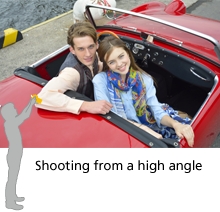
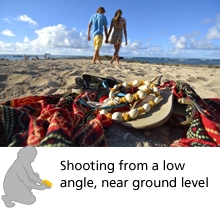
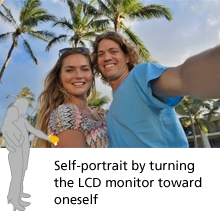
Enable you to confirm an effect in real time while shooting and deliver more creative expression Special Effects
The D5200 comes equipped with seven options of Special Effects. It is easy to shoot images applying various effects without using image-editing software. The result of an effect is displayed on the LCD monitor in real time, therefore you can set the effects while checking the appearance of your image. The wide range of effects greatly expands your creative possibilities in combination with the vari-angle LCD monitor for both still images and movies.
Special Effects incorporated in the D5200
Color sketch*, Miniature effect*, Selective color*, Silhouette, Night vision, High key, Low key
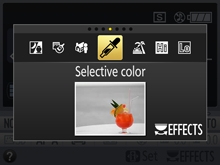
- *It is possible to apply these effects to still images after shooting using retouch menus.
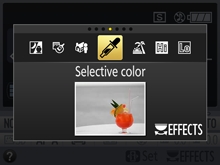
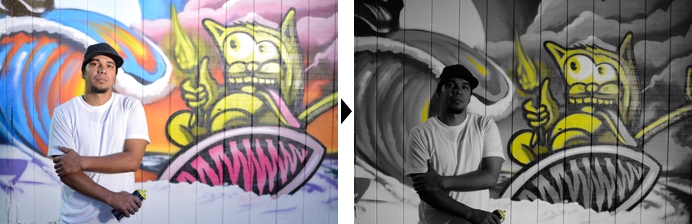
Ideal for movies to create a dynamic impression for a commercial or a cinematic effect [Selective color]
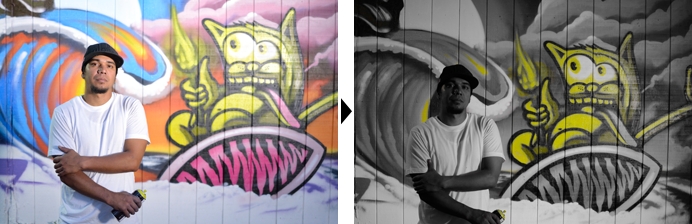
- All colors other than the color(s) you want to emphasize are recorded in black and white. Up to three colors are selectable and the color range can be adjusted in values between 1 to 7.
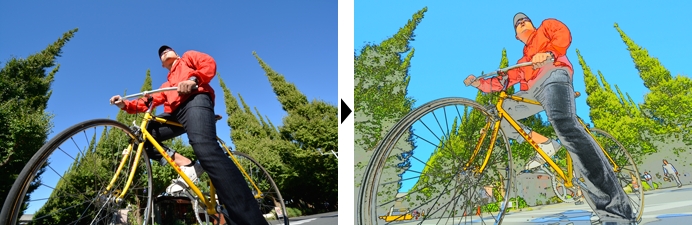
The image can be pop or artistic [Color sketch]
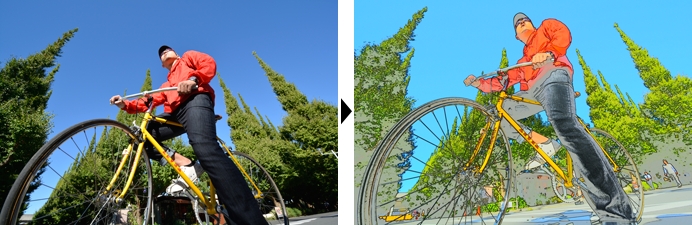
- The camera detects and colors subjects' outlines to create sketch-style images. Vividness of colors and density of outlines are adjustable.
Note: Movies shot in this mode play back like a slide show made up of a series of stills.
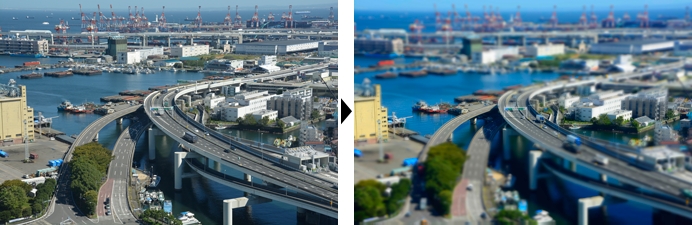
Landscape appears as if it is miniature scale model when shooting from a high place [Miniature effect]
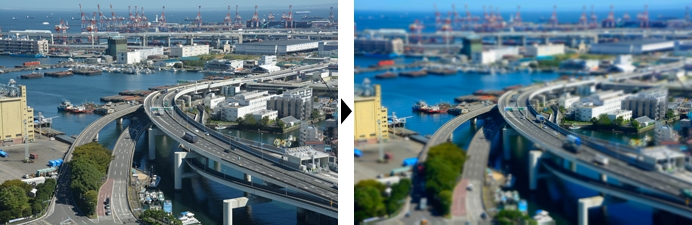
- Distant subjects appear as if they are miniature scale models. The position of the focus point remains sharp while the peripheral area is defocused.
Note: Miniature effect movies play back at high speed.
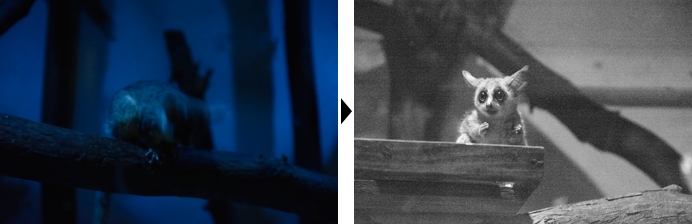
Easy to enjoy super-high sensitivity shooting [Night vision]
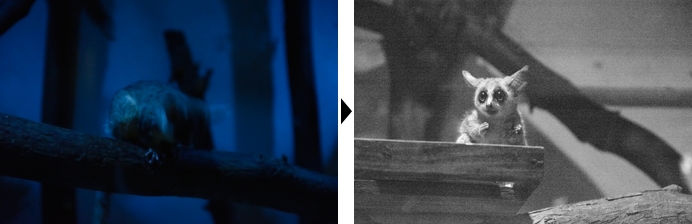
- Enables shooting in extremely low-light conditions. Records monochrome (black and white) images.
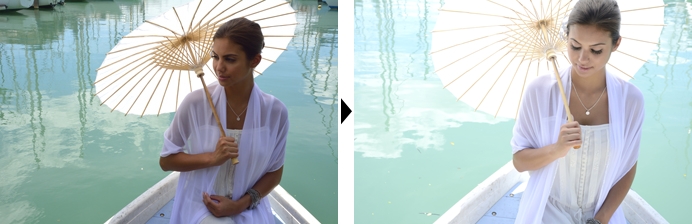
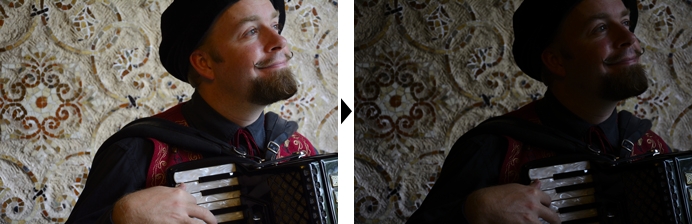
Renders a woman or child, for example, with a gentle and soft atmosphere [High key]
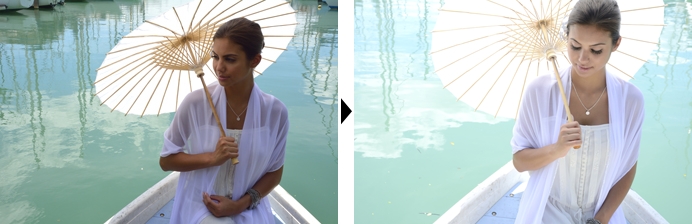
- Creates beautiful bright images filled with light by intentional overexposure.
Suitable for metallic materials or a portrait of a man with a dignified and somber atmosphere [Low key]
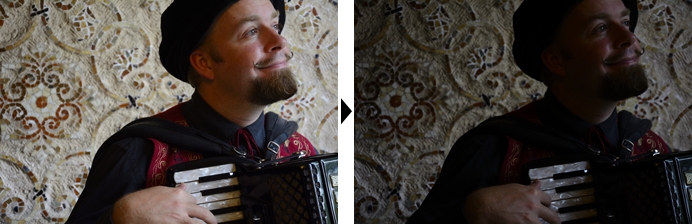
- Creates dark and somber images to emphasize highlights by intentional underexposure.
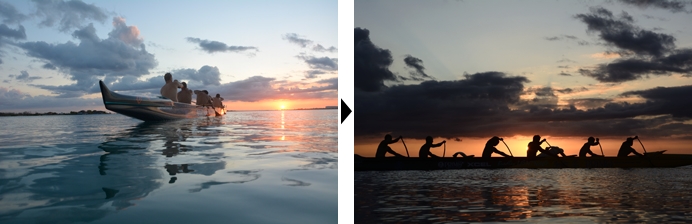
Creates a dramatic effect on a subject [Silhouette]
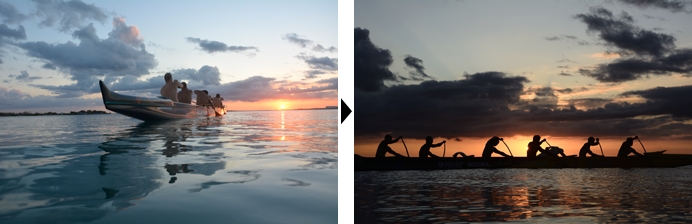
- Creates dramatic images with silhouettes of subjects against a bright background.
Shoots the scene beautifully and automatically 16 options of Scene Modes
If you select a mode according to the scene, the D5200 automatically chooses the most appropriate settings to deliver a beautiful image. Five frequently used Scene Modes such as Portrait and Landscape can be directly selected using the mode dial. For other modes such as Sunset, Dusk/dawn and Food, set the mode dial to SCENE and select the mode by rotating the command dial. You can capture scenes which previously had been difficult to shoot, easily and beautifully.
Scene Modes employed on the D5200
Portrait, Landscape, Child, Sports, Close up, Night portrait, Night landscape, Party/indoor, Beach/snow, Sunset, Dusk/dawn, Pet portrait, Candlelight, Blossom, Autumn colors, Food

- Sports
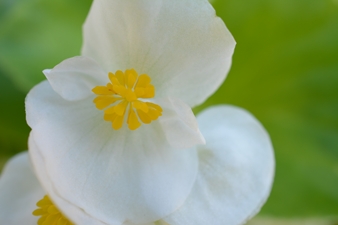
- Close up
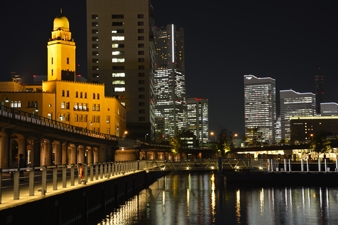
- Night landscape
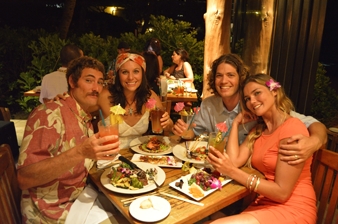
- Party/indoor
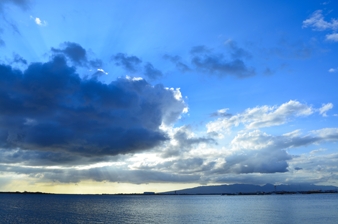
- Dusk/dawn
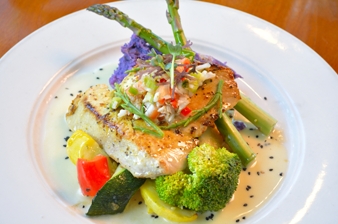
- Food
Customizes colors and tones of your movies and images to your preferences before shooting Picture Control
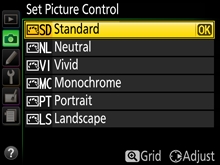
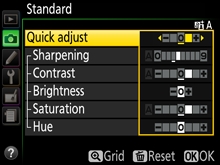
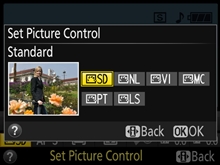
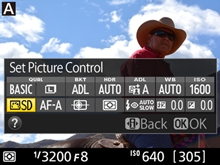
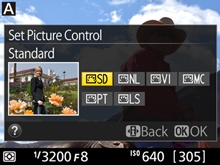
The D5200 employs six types of Picture Control, selectable according to your subjects and shooting scenes for both still images and movies. Selected Picture Control lets you fine-tune sharpening, contrast, etc. to match your own image creation ideas. Changes can be saved as custom Picture Controls and used with image-browsing/editing software ViewNX 2 (supplied) and image-editing software Capture NX 2 (optional).
Picture Control employed on the D5200
Standard, Neutral, Vivid, Monochrome, Portrait, Landscape
- More information
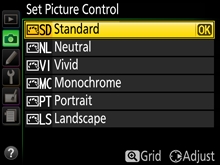
- Set Picture Control display
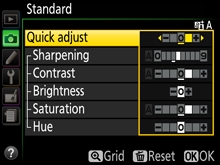
- Adjusting display
- Standard

- Standard processing for balanced results. Recommended for most situations.
- Neutral
- Minimal processing for natural results. Choose for photographs that will later be extensively processed or retouched.
- Vivid
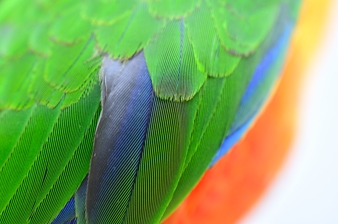
- Provides distinct, colorful, fresh-looking images. Choose for situations where you want to emphasize primary colors such as blue, red and green.
- Monochrome
- Gives you monochromatic shadings, such as black-and-white or sepia. You can select filter effects and toning.
- Portrait
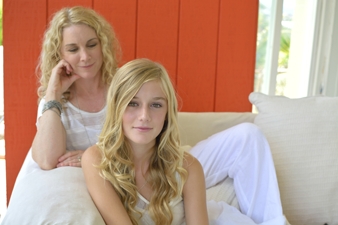
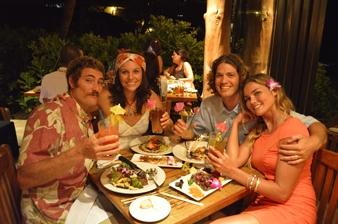
- Portrait delivers natural-appearing skin. Natural texture gives the skin of portrait subjects a smoother feel.
- Landscape
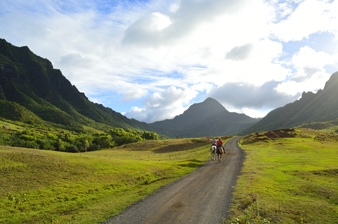
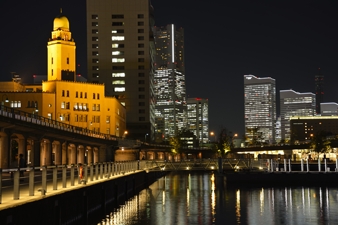
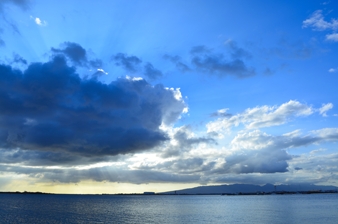
- Produces vibrant landscapes and cityscapes. Suitable for any kinds of nature scenes.
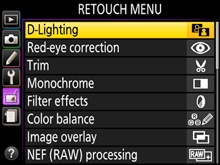
Easy in-camera image editing Retouch menus
The D5200 comes equipped with 19 kinds of image-editing functions. These in-camera functions let you retouch images easily. There are a variety of options such as Fisheye that produces effects similar to those obtained with a fisheye lens and Filter effects that achieve images similar to those taken with a filter. Edit movie allows you to delete unwanted parts by choosing the start or end point, or save a selected frame as a JPEG image. In each case, a duplicate image or movie is created, leaving the original securely intact.
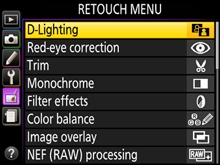
Retouch menus employed on the D5200
D-Lighting, Red-eye correction, Trim, Monochrome, Filter effects, Color balance, Image overlay, NEF (RAW) processing, Resize, Quick retouch, Straighten, Distortion control, Fisheye, Color outline, Color sketch*, Perspective control, Miniature effect*, Selective color*, Edit movie
- *It is possible to apply these effects to still images/movies prior to shooting using Special Effects.
- Straighten
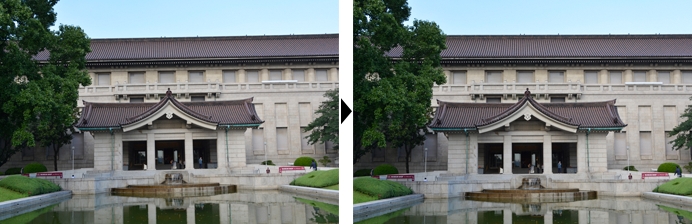
- Corrects inclination of the image within a range of 5 (in approx. 0.25 steps).
- Trim
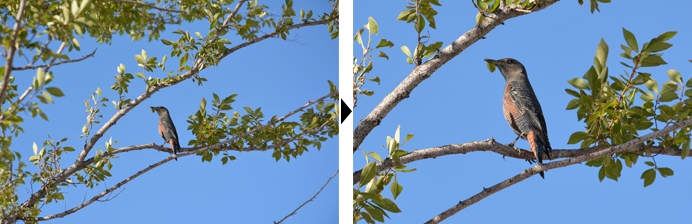
- The desired part of the image can be trimmed and enlarged.
- Fisheye
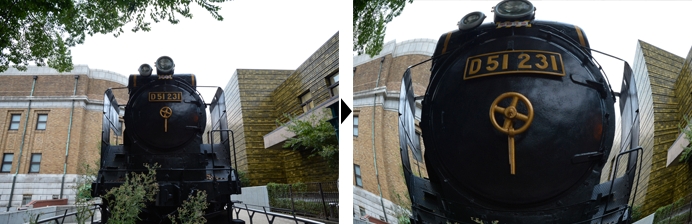
- Creates images that resemble those taken with a fisheye lens.
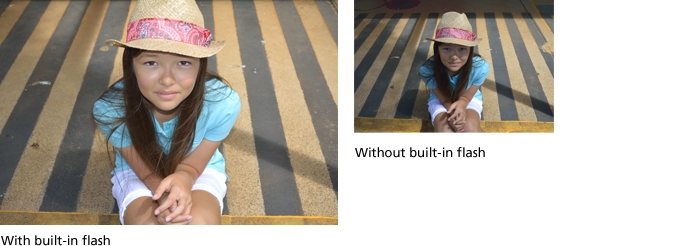
Effective for backlit or shaded conditions built-in flash
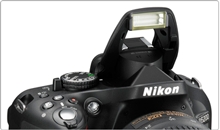
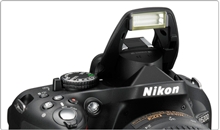
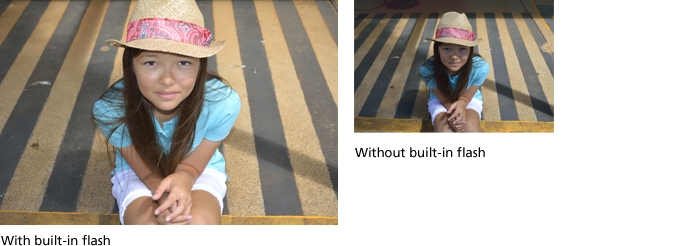
Even when the subject's face is backlit or, for example, shaded by a hat, you can shoot with appropriate brightness using the built-in flash. The D5200 detects the brightness situation of the subject, pops up* the built-in flash automatically and fires. Using i-TTL flash control that achieves high-precision metering, an optimal amount of light for the scene realizes naturally reproduced images.
- *When shooting mode is set to Auto, Portrait, Child, Close up, Night portrait, Party/indoor, Pet portrait or Color sketch.
Exclusive Nikon software expand your creativity
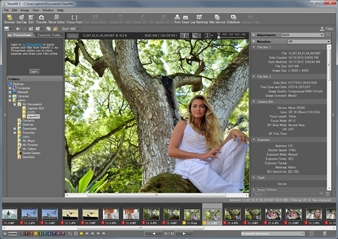
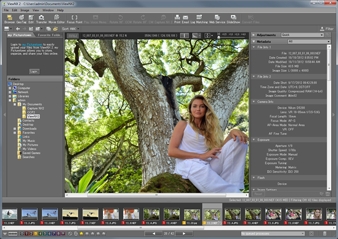
Your Imaging Toolbox ViewNX 2 (supplied)
This simple and intuitive software helps you get the most out of your images and movies after shooting. ViewNX 2 provides importing and browsing capability while also incorporating image-editing functions such as Resize, Brightness, Crop, Straighten and NEF (RAW) image processing. High-definition and high-quality RAW processing is achieved by utilizing the same processing algorithm as Capture NX 2 that faithfully reproduces Nikon image quality. Its movie-editing functions help you create your own original movies quickly and easily, and Nikon's smart photo sharing and storage service, my Picturetown, works smoothly with ViewNX 2, allowing you to log in directly from the software for easy uploading without activating a browser.
- More information
Quick and simple image-editing software with intuitive operation Capture NX 2 (optional)
Nikon's RAW images (NEF: Nikon Electronic Format) maintain extremely rich data. Only Nikon's Capture NX 2 can fully utilize this data with its optimized file format and software processing algorithms. With the enhanced speed of the algorithms, high-speed processing is achieved. This enables high-speed, stress-free editing even if the data size is large. Also, Capture NX 2 supports 64-bit (native) to realize a comfortable working environment. You can focus on editing with ease because it is possible to leave the original image intact with NEF editing. In addition to the intuitive and simple editing using Color Control Points, it incorporates various functions such as Auto Retouch brush, Batch Processing, Quick Fix, Straighten Tool, Vignette Control, Auto Color Aberration Control and Distortion Control.
- *Compared with conventional versions, under test conditions established by Nikon.
Note: For further details of the latest version or operating environment, please visit Nikon's website.
D-Movie
Reproduces even fast-moving scenes beautifully D-Movie compatible with 1920 x 1080 60i/50i
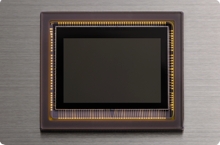
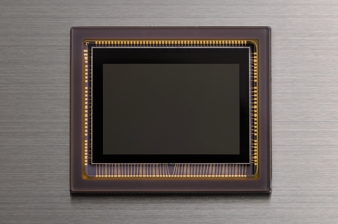
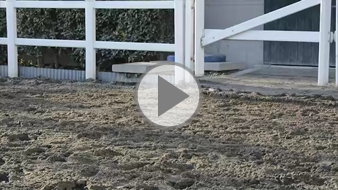
The D5200 allows you to record movie with sharpness, clarity and fluid motion easily. Utilizing the newly developed Nikon DX-format CMOS sensor and EXPEED 3, which is equivalent to that of higher models, the D5200 deliver movies with reduced noise, jaggies and moir. It renders various fast-moving scenes naturally, such as galloping horses, the splashing of water or the view from a moving car. The D5200 also employs subject-tracking AF that tracks and maintains focusing on a moving subject and face-priority AF that is optimal for portrait shooting. The movie-record button is located next to the shutter-release button. You can start/stop movie recording as if shooting still images while holding the camera stably and camera shake that may occur during operation is minimized. If you want to shoot according to your creative intention, it is possible to set the shutter speed and ISO sensitivity manually* (in mode M). In combination with unique shooting angles using the vari-angle LCD monitor and NIKKOR lenses that feature high resolution, you can enjoy advanced, creative movie recording by making clips, short films or video projects combining stills and video.
The D5200 also employs a variety of movie-editing features that can be accomplished easily inside the camera and without the need for a computer. It is possible to delete unwanted parts by choosing the start and end point in single frame units, and save a selected frame as a JPEG image with the same image size as that of the selected movie frame.
- Lens: AF-S DX NIKKOR 18-105mm f/3.5-5.6G ED VR
- Lens: AF-S DX NIKKOR 18-55mm f/3.5-5.6G VR
Note: The video shown here was taken in 1920 x 1080 60i, then converted to Flash Video format for ease of handling. Image quality varies from the original.
- *Selectable shutter speed varies according to the frame rate of the movie. ISO sensitivity can be set to values between ISO 100 to 6400 or Hi 0.3 to Hi 2.
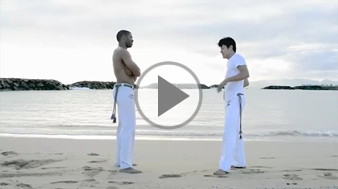
Sample movies utilizing the Special Effects of the D5200
- Selective color
- Lens: AF-S DX NIKKOR 18-55mm f/3.5-5.6G VR
- Low key
- Lens: AF-S DX NIKKOR 18-105mm f/3.5-5.6G ED VR
Note: The video shown here was taken using the D-Movie function, then converted to Flash Video format for ease of handling. Image quality varies from the original.
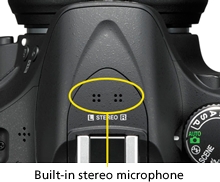
Built-in stereo microphone that enables you to record rich, high-quality sound [NEW]
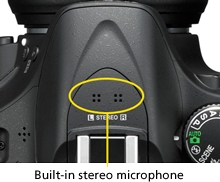
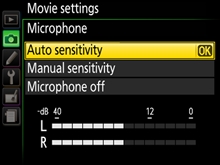
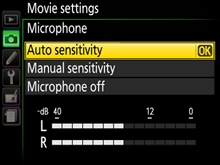
The D5200's built-in stereo microphone lets you enjoy recording rich, high-quality sound. The sensitivity level can be adjusted, choosing from auto and manual (1 to 20 steps) according to the shooting situation. Select low level (smaller value) for scenes in louder environments, such as a concert hall; high level (large value) for quieter environments, with more delicate ambient sounds, such as a murmuring stream.
ME-1 Stereo Microphone (optional) compatible
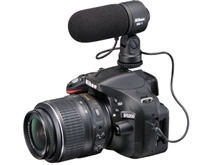
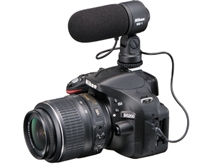
In addition to the built-in microphone, the D5200 lets you record stereo sound with the optional ME-1 Stereo Microphone. Using the ME-1 Stereo Microphone reduces noise caused by lens vibration recorded during autofocus shooting. You can select the microphone sensitivity setting in the same way as with the built-in stereo microphone.
Specifications
|
Frame size (pixels)
|
Frame rate*1
|
Maximum bit rate
(high quality/Normal) |
Maximum length
(high quality/Normal)*4 |
|---|---|---|---|
|
1920 x 1080
|
60i*2
|
24 Mbps/12 Mbps
|
20 min./29 min. 59 s
|
|
50i*2
|
|||
|
30p*2
|
|||
|
25p*3
|
|||
|
24p
|
|||
|
1280 x 720
|
60p*2
|
||
|
50p*2
|
|||
|
640 x 424
|
30p*2
|
8 Mbps/5 Mbps
|
29 min. 59 s/29 min. 59 s
|
|
25p*3
|
- *1Listed value. Actual frame rates for 60p, 50p, 30p, 25p, and 24p are 59.94, 50, 29.97, 25, and 23.976 fps respectively.
- *2Available when NTSC is selected for Video mode.
- *3Available when PAL is selected for Video mode.
- *4Movies recorded in miniature effect mode are up to three minutes long when played back.
Enables playback of still images and movies on High-Definition TV HDMI supported
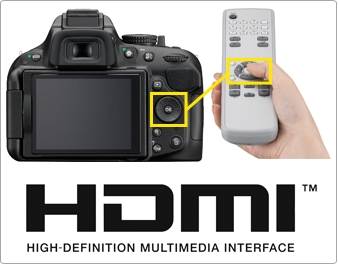
The D5200 supports HDMI (High-Definition Multimedia Interface) that allows you to play back still images and movies with High-Definition TV*1. HDMI mini connector is employed as the interface. Also, the D5200 is compatible with HDMI-CEC (Consumer Electric Control) that enables remote operation of the camera using a TV remote control*2.
- *1Requires optional commercially available HDMI connection cable (Type C) for playback.
- *2Remote control of HDMI-CEC supported TV.
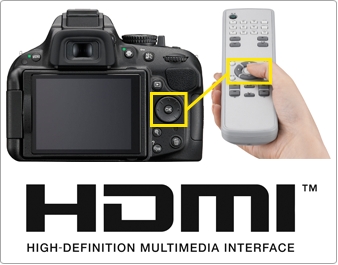
- HDMI-CEC enables remote operation of multi selector and OK button of the D5200 using a TV remote control.
Ease of use
Compact and lightweight body with three color variations and enhanced holding
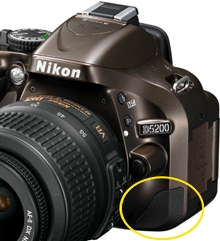
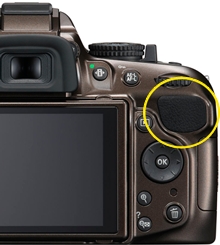
The D5200's compact and lightweight body of approx. 505 g (1 lb 1.8 oz)* is easy to carry around. A sub-grip is newly employed on the lower left of the front of the camera to improve holding in combination with the thumb pad on the upper right of the rear of the camera. You can shoot sharp images using 24.1 effective megapixels, without blur caused by camera shake. The color of the body can be chosen from black, red and bronze.
- *Body only.
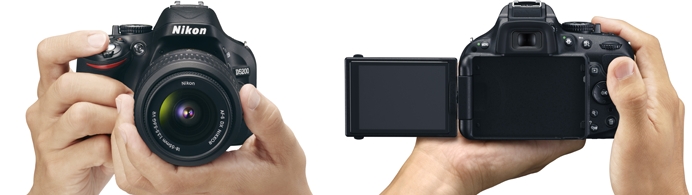
- Dimensions (W x H x D): approx. 129 x 98 x 78 mm/5.1 x 3.9 x 3.1 in.
Weight: approx. 555 g/1 lb 3.6 oz (including battery, SD memory card, excluding body cap), approx. 505 g/1 lb 1.8 oz (body only)
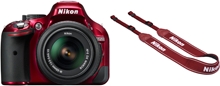
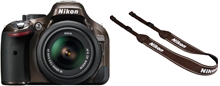
Selectable body colors
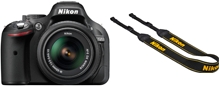
- Black
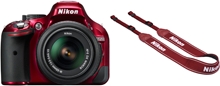
- Red
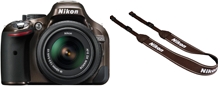
- Bronze
Sub-grip and thumb pad improve holding
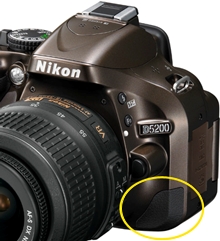
- Front
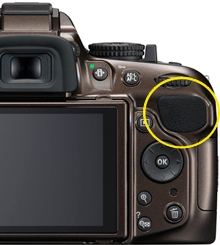
- Rear
Easier and more intuitive to operate newly designed GUI
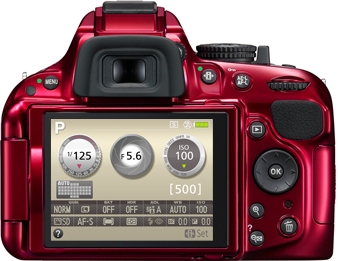
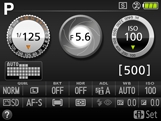
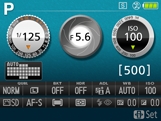
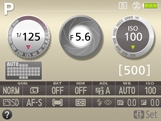
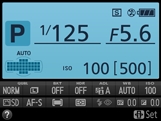
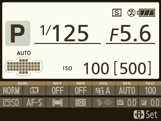
The D5200 incorporates an easier and more fluid new GUI, utilizing graphic-processing performance enhanced by EXPEED 3. For the info display design, you can choose from two options Classic or Graphic. Background color can be selected from black, blue and brown. A new design is also employed for each setting display.
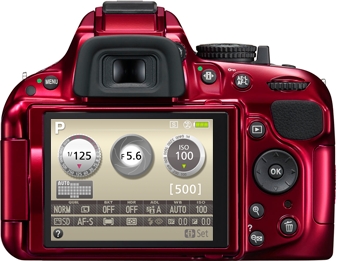
In optical viewfinder shooting
-Classic
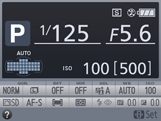
- Black
- Blue
- Brown
-Graphic
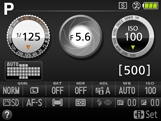
- Black
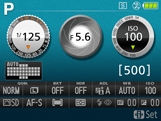
- Blue
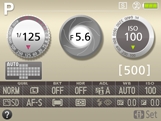
- Brown
In live view shooting
-Graphic
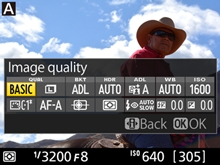
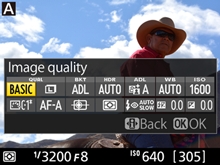
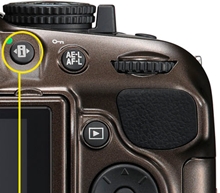
Information edit button
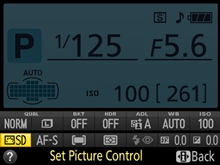
Pressing the information edit button when shooting information is displayed gives you direct access to the menu of the setting you would like to adjust.
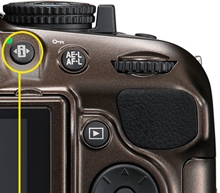
- Information edit button
In optical viewfinder shooting
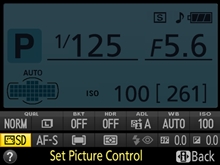
- Info display
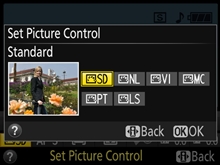
- Setting menu display
In live view shooting
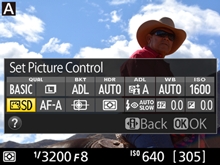
- Info display
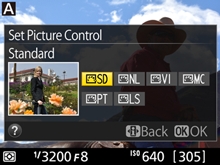
- Setting menu display
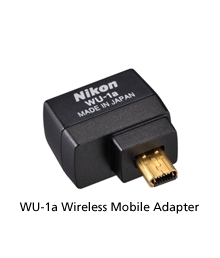
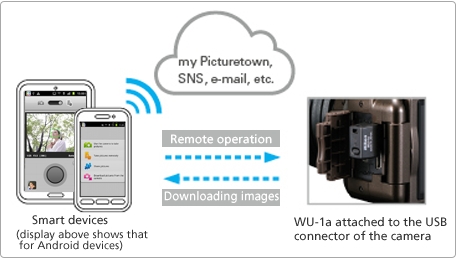
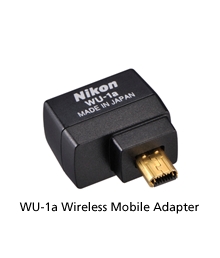
WU-1a Wireless Mobile Adapter (optional) that enables wireless transmission of images to a smart device, and remote shooting
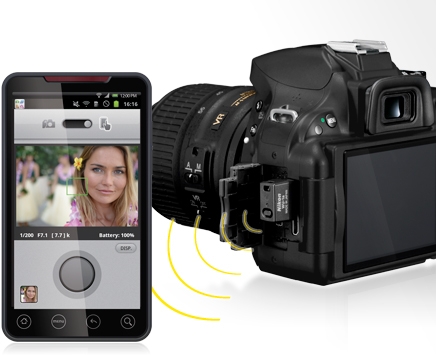
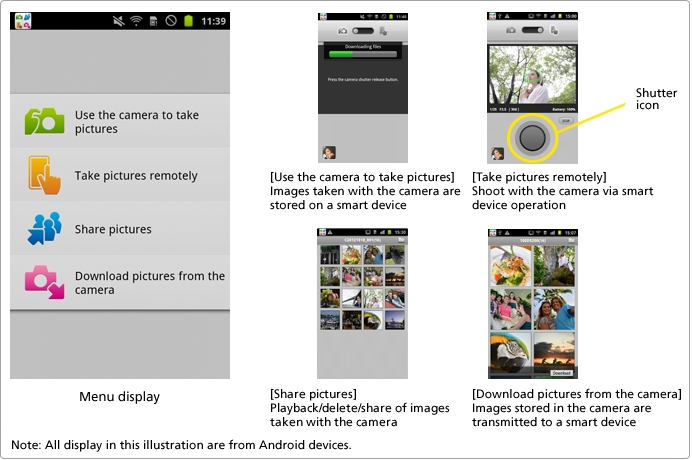
By attaching the optional WU-1a Wireless Mobile Adapter to the D5200's USB connector, two-way communication between the camera and a smart device such as a smartphone or tablet computer with Wi-Fi communication function is possible. With the remote shooting function that enables release of the shutter from a distance, you can use your smart device as a remote live view monitor, to confirm the best angle and shoot. Images can be transmitted wirelessly and you can easily upload them to SNS or attach them to a mail. The WU-1a is compatible with smart devices using the iOS or Android.
Note: This function requires installing of Wireless Mobile Adapter Utility to the smart device prior to use.
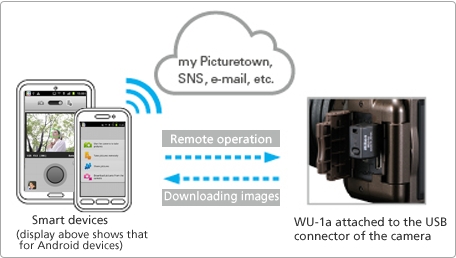
Wireless Mobile Adapter Utility
Wireless Mobile Adapter Utility is software enabling download of images from a camera to a smart device or operation of a camera from a smart device for taking an image by attaching the WU-1a Wireless Mobile Adapter.
Note: Can be downloaded from the application store of each smart device (free).
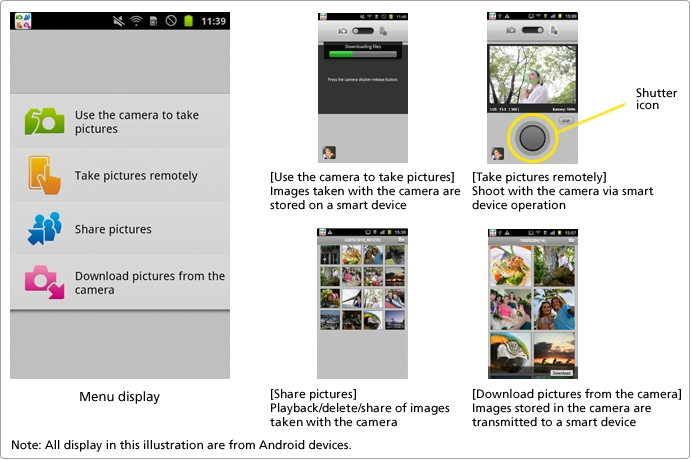
Comfortable remote control without worrying about obstacles in the way
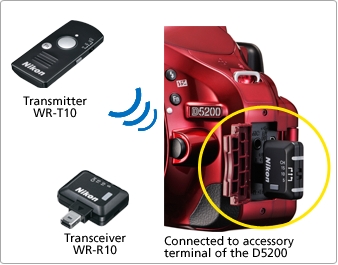
WR-R10/WR-T10 Wireless Remote Controllers (optional) that achieve multiple camera control [NEW]
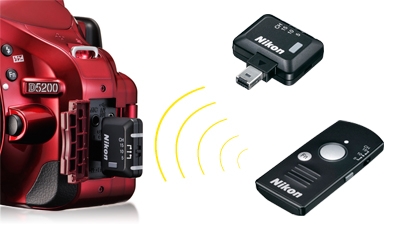
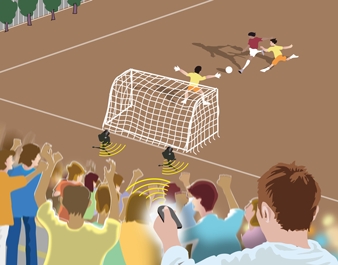
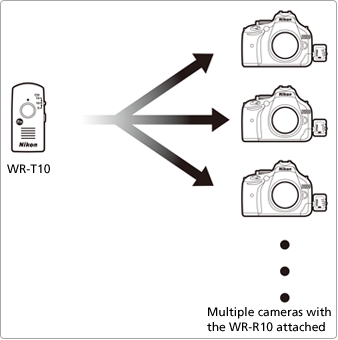
WR-R10/WR-T10 Wireless Remote Controllers expand the flexibility of remote control. Unlike remote controls using infrared light, it is possible to release the shutter even if there are obstacles such as a tree in the way. The communication distance for a combination of the WR-R10 with WR-T10 is approx. 20 m (66 ft). You can control a single or multiple cameras with the WR-R10 attached using the WR-T10 as a transmitter*. With the WR-R10/WR-T10, you can enjoy a variety of shooting, such as attaching different lenses to the cameras, changing angles for each camera, or shooting still images and movies simultaneously by switching channels.
- *WR-T10 and WR-R10(s) have to be set to the same channel and paired in advance to achieve simultaneous release. (For further information, please refer to the user's manual of the WR-R10/WR-T10.)
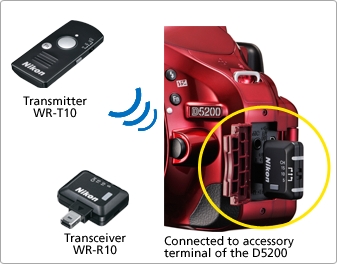
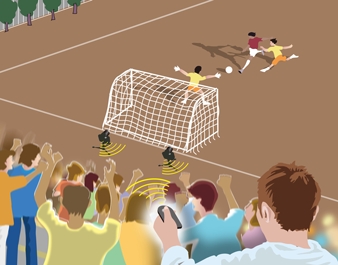
- Comfortable remote shooting is assured even if there are people or objects between the remote controller and camera.
Examples of use
Controlling multiple cameras with one WR-T10 (Simultaneous release)
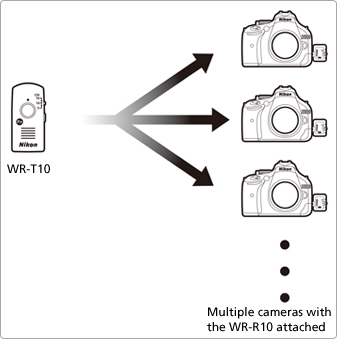
- The shutters on all cameras can be released simultaneously by pressing the WR-T10's shutter-release button all the way down.
Specifications of the WR-R10/WR-T10
|
|
WR-R10
|
WR-T10
|
|---|---|---|
|
Product images
|
 |
 |
|
Compatible cameras
|
D4*1, D3 series*1, D800 series*1, D700*1, D600, D300 series*1, D7000, D5200, D5100, D3200, D3100, etc., D-SLR cameras that employ a ten-pin remote terminal*1 or accessory terminal
|
-
|
|
Channels
|
5 (2.425 GHz), 10 (2.450 GHz), 15 (2.475 GHz)
|
|
|
Range (line of sight)
|
Approx. 50 m (164 ft) at height of about 1.2 m (4 ft) between WR-R10s*2
|
Approx. 20 m (66 ft) at height of about 1.2 m (4 ft) from WR-T10 to WR-R10
|
|
Pairing
|
Unlimited
|
|
|
Controllable functions
|
Live view*3, movie*3, continuous shooting, shutter-release button (half/full pressing available), possible to activate a function assigned to an Fn button*4
|
|
- *1Requires WR-A10 WR adapter. Cameras other than the D4 or D800 series that employ a ten-pin remote terminal, including F-SLRs, are capable of using the controller for half/full pressing of the shutter-release button only (except D1, D1H, D1X, D100 [+MB-D100])
- *2Only available when master D-SLR camera employs a ten-pin remote terminal.
- *3Available only with the D4, D800 series, D600, D5200 and D3200.
- *4Available only with the D4, D800 series and D5200.
Note: Depending on the camera, there may be a limitation to the accessories that can be attached simultaneously with the WR-R10 Wireless Remote Controller. Attempting to forcibly attach accessories can damage the camera or accessory.
Versatile playback functions
The D5200 gives you a variety of playback display options that take advantage of the large 7.5-cm (3-in.) monitor. The number of images displayed at one time can be selected from 1, 4, 9 and 72, and calendar display arranges images in chronological order. You can also display histograms of a magnified area of an image and check the focus using playback zoom of face.
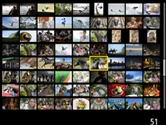
- 72-thumbnail display
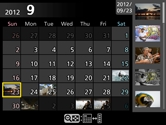
- Calendar display
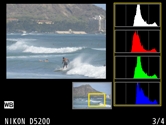
- Histogram display for magnified area

- Playback zoom of face
Transmits taken images from the camera to a computer wirelessly to expand your photographic creativity Eye-Fi card (on the market) compatible
The D5200 can transmit taken image data (JPEG) from the camera to a computer wirelessly. You can also transmit images to online photo sharing and storage services such as "my Picturetown" and a computer automatically.
- More information

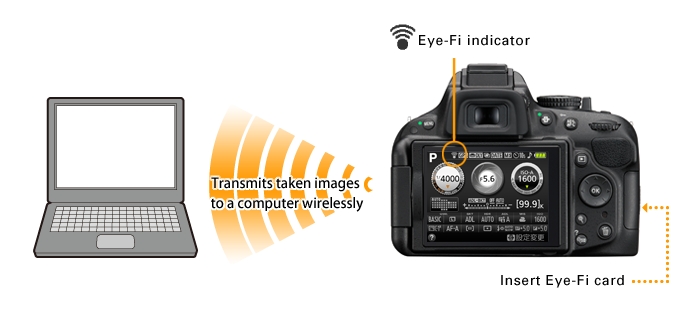
Note: The D5200 can turn Eye-Fi cards on and off, but may not support other Eye-Fi functions. Direct any inquiries to the manufacturer. Eye-Fi cards are for use only in the country of purchase (As of October, 2012). Observe all local laws concerning the use of wireless devices.
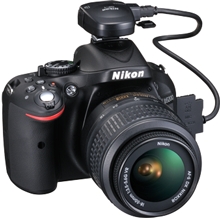
Embeds location information on an image GP-1 GPS Unit (optional)
The D5200 is compatible with the Nikon GP-1 GPS Unit that is able to embed location information on an image. Latitude, longitude and altitude of a shooting location are recorded as Exif data. Images with location information can be displayed on a GeoTag workspace of ViewNX 2 (supplied with the D5200). What's more, Nikon's image sharing and storage website my Picturetown, online image sharing services and commercially available digital mapping software are all there to enhance your photographic enjoyment.
- More information
High-capacity (SDXC), high-speed (UHS-I) SD memory card compatible
The D5200 supports SDXC (Secure Digital eXtended Capacity) and UHS-I. Combined with the enhanced speed of the image-processing engine EXPEED 3, it processes and writes image data of 24.1 megapixels at high speed. In high-speed continuous shooting, this allows the shooting of 100 frames in JPEG (fine/Medium)*.
- *With an 8 GB SanDisk Extreme Pro SDHC UHS-I card (SDSDXPA-008G). Results will vary with card type, camera settings, and scene recorded. The maximum number of exposures that can be stored in memory buffer at ISO 100; number drops when long-exposure noise reduction or auto distortion control is on.
Long-life battery due to energy-saving design EN-EL14 Rechargeable Li-ion Battery
The D5200's superior energy-saving design allows you to shoot approx. 500 shots per charge* with the EN-EL14 Rechargeable Li-ion Battery.
- *Based on CIPA Standards.
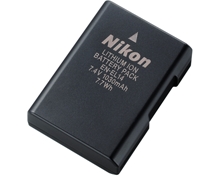
- EN-EL14 Rechargeable Li-ion Battery (supplied)
Nikon's photo sharing and storage service my Picturetown
Nikon's own image-sharing website, my Picturetown, allows you to easily store, manage and share your images with your family and friends, and post to social networking services (SNS). Membership is free and permits storage of up to 2 GB of photos and/or movies. And with an additional paid registration, you can expand your capacity to 200 GB*. Also, utilizing free applications compatible with a smart device, you can enjoy images using a PC or a smart device anytime, anywhere.
Nikon Digital SLR Camera D5200 Specifications
|
Type
|
|
|---|---|
|
Type
|
Single-lens reflex digital camera
|
|
Lens mount
|
Nikon F mount (with AF contacts)
|
|
Effective angle of view
|
Nikon DX format; focal length equivalent to approx. 1.5x that of lenses with FX-format angle of view
|
|
Effective pixels
|
|
|
Effective pixels
|
24.1 million
|
|
Image sensor
|
|
|
Image sensor
|
23.5 x 15.6 mm CMOS sensor
|
|
Total pixels
|
24.71 million
|
|
Dust-reduction system
|
Image sensor cleaning, Airflow Control System, Image Dust Off reference data (optional Capture NX 2 software required)
|
|
Storage
|
|
|
Image size (pixels)
|
|
|
File format
|
|
|
Picture Control System
|
Standard, Neutral, Vivid, Monochrome, Portrait, Landscape; selected Picture Control can be modified; storage for custom Picture Controls
|
|
Media
|
SD (Secure Digital) and UHS-I compliant SDHC and SDXC memory cards
|
|
File system
|
DCF (Design Rule for Camera File System) 2.0, DPOF (Digital Print Order Format), Exif (Exchangeable Image File Format for Digital Still Cameras) 2.3, PictBridge
|
|
Viewfinder
|
|
|
Viewfinder
|
Eye-level pentamirror single-lens reflex viewfinder
|
|
Frame coverage
|
Approx. 95% horizontal and 95% vertical
|
|
Magnification
|
Approx. 0.78x (50 mm f/1.4 lens at infinity, -1.0 m-1)
|
|
Eyepoint
|
17.9 mm (-1.0 m-1; from center surface of viewfinder eyepiece lens)
|
|
Diopter adjustment
|
-1.7 to +0.7 m-1
|
|
Focusing screen
|
Type B BriteView Clear Matte Mark VII screen
|
|
Reflex mirror
|
Quick return
|
|
Lens aperture
|
Instant return, electronically controlled
|
|
Lens
|
|
|
Compatible lenses
|
Autofocus is available with AF-S and AF-I lenses; autofocus is not available with other type G and D lenses, AF lenses (IX NIKKOR and lenses for the F3AF are not supported), and AI-P lenses; non-CPU lenses can be used in mode
 , but the camera exposure meter will not function , but the camera exposure meter will not functionThe electronic rangefinder can be used with lenses that have a maximum aperture of f/5.6 or faster |
|
Shutter
|
|
|
Type
|
Electronically controlled vertical-travel focal-plane shutter
|
|
Speed
|
1/4000 to 30 s in steps of 1/3 or 1/2 EV, bulb, time (requires optional ML-L3 Remote Control)
|
|
Flash sync speed
|
X=1/200 s; synchronizes with shutter at 1/200 s or slower
|
|
Release
|
|
|
Release modes
|
 (single frame), (single frame),  (continuous low speed), (continuous low speed),  (continuous high speed), (continuous high speed),  (self-timer), (self-timer),  (delayed remote; ML-L3), (delayed remote; ML-L3),  (quick-response remote; ML-L3), (quick-response remote; ML-L3),  (quiet shutter release); interval timer photography supported (quiet shutter release); interval timer photography supported |
|
Frame advance rate
|
Up to 3 fps (
) or 5 fps () |
|
Self-timer
|
2 s, 5 s, 10 s, 20 s; 1 to 9 exposures
|
|
Exposure
|
|
|
Metering mode
|
TTL exposure metering using 2016-pixel RGB sensor
|
|
Metering method
|
|
|
Range
(ISO 100, f/1.4 lens, 20C/68F) |
|
|
Exposure meter coupling
|
CPU
|
|
Exposure modes
|
Auto modes (
 auto; auto;  auto [flash off]); programmed auto with flexible program ( auto [flash off]); programmed auto with flexible program ( ); shutter-priority auto ( ); shutter-priority auto ( ); aperture-priority auto ( ); aperture-priority auto ( ); manual (); scene modes ( ); manual (); scene modes ( portrait; portrait;  landscape; landscape;  child; child;  sports; sports;  close up; close up;  night portrait; night portrait;  night landscape; night landscape;  party/indoor; party/indoor;  beach/snow; beach/snow;  sunset; sunset;  dusk/dawn; dusk/dawn;  pet portrait; pet portrait;  candlelight; candlelight;  blossom; blossom;  autumn colors; autumn colors;  food); special effects modes ( food); special effects modes ( night vision; night vision;  color sketch; color sketch;  miniature effect; miniature effect;  selective color; selective color;  silhouette; silhouette;  high key; high key;  low key) low key) |
|
Exposure compensation
|
Can be adjusted by -5 to +5 EV in increments of 1/3 or 1/2 EV in
, , and modes |
|
Exposure bracketing
|
3 shots in steps of 1/3 or 1/2 EV
|
|
Exposure lock
|
Luminosity locked at detected value with
 ( (  ) button ) button |
|
ISO sensitivity
(Recommended Exposure Index) |
ISO 100 to 6400 in steps of 1/3 EV; can also be set to approx. 0.3, 0.7, 1 or 2 EV (ISO 25600 equivalent) above ISO 6400; auto ISO sensitivity control available
|
|
Active D-Lighting
|
Auto, extra high, high, normal, low, off
|
|
ADL bracketing
|
2 shots
|
|
Focus
|
|
|
Autofocus
|
Nikon Multi-CAM 4800DX autofocus sensor module with TTL phase detection, 39 focus points (including 9 cross-type sensors), and AF-assist illuminator (range approx. 0.5 to 3 m/1 ft 8 in. to 9 ft 10 in.)
|
|
Detection range
|
-1 to +19 EV (ISO 100, 20C/68F)
|
|
Lens servo
|
|
|
Focus point
|
Can be selected from 39 or 11 focus points
|
|
AF-area modes
|
Single-point AF, 9-, 21- or 39-point dynamic-area AF, 3D-tracking, auto-area AF
|
|
Focus lock
|
Focus can be locked by pressing shutter-release button halfway (single-servo AF) or by pressing
( ) button |
|
Flash
|
|
|
Built-in flash
|
, , , , , , , : Auto flash with auto pop-up , , , , : Manual pop-up with button release |
|
Guide number
|
Approx. 12/39, 13/43 with manual flash (m/ft, ISO 100, 20C/68F)
|
|
Flash control
|
TTL: i-TTL flash control using 2016-pixel RGB sensor is available with built-in flash and SB-910, SB-900, SB-800, SB-700, SB-600 or SB-400; i-TTL balanced fill-flash for digital SLR is used with matrix and center-weighted metering, standard i-TTL flash for digital SLR with spot metering
|
|
Flash modes
|
Auto, auto with red-eye reduction, auto slow sync, auto slow sync with red-eye reduction, fill-flash, red-eye reduction, slow sync, slow sync with red-eye reduction, rear-curtain with slow sync, rear-curtain sync, off
|
|
Flash compensation
|
-3 to +1 EV in increments of 1/3 or 1/2 EV
|
|
Flash-ready indicator
|
Lights when built-in flash or optional flash unit is fully charged; flashes after flash is fired at full output
|
|
Accessory shoe
|
ISO 518 hot-shoe with sync and data contacts and safety lock
|
|
Nikon Creative Lighting
System (CLS) |
Advanced Wireless Lighting supported with SB-910, SB-900, SB-800 or SB-700 as a master flash or SU-800 as commander; Flash Color Information Communication supported with all CLS-compatible flash units
|
|
Sync terminal
|
AS-15 Sync Terminal Adapter (available separately)
|
|
White balance
|
|
|
White balance
|
Auto, incandescent, fluorescent (7 types), direct sunlight, flash, cloudy, shade, preset manual, all except preset manual with fine-tuning
|
|
White balance bracketing
|
3 shots in steps of 1
|
|
Live View
|
|
|
Lens servo
|
|
|
AF-area modes
|
Face-priority AF, wide-area AF, normal-area AF, subject-tracking AF
|
|
Autofocus
|
Contrast-detect AF anywhere in frame (camera selects focus point automatically when face-priority AF or subject-tracking AF is selected)
|
|
Automatic scene selection
|
Available in
and modes |
|
Movie
|
|
|
Metering
|
TTL exposure metering using main image sensor
|
|
Metering method
|
Matrix
|
|
Frame size (pixels)
and frame rate |
|
|
File format
|
MOV
|
|
Video compression
|
H.264/MPEG-4 Advanced Video Coding
|
|
Audio recording format
|
Linear PCM
|
|
Audio recording device
|
Built-in monaural or external stereo microphone; sensitivity adjustable
|
|
Maximum length
|
29 min. 59 s (3 min. in miniature effect mode)
|
|
ISO sensitivity
|
ISO 100 to 6400; can also be set to approx. 0.3, 0.7, 1, or 2 EV (ISO 25600 equivalent) above ISO 6400
|
|
Monitor
|
|
|
Monitor
|
7.5-cm (3-in.), approx. 921k-dot (VGA), vari-angle TFT monitor with 170 viewing angle, approx. 100% frame coverage, and brightness adjustment
|
|
Playback
|
|
|
Playback
|
Full-frame and thumbnail (4, 9, or 72 images or calendar) playback with playback zoom, movie playback, photo and/or movie slide shows, histogram display, highlights, auto image rotation, and image comment (up to 36 characters)
|
|
Interface
|
|
|
USB
|
Hi-Speed USB
|
|
Video output
|
NTSC, PAL
|
|
HDMI output
|
Type C mini-pin HDMI connector
|
|
Accessory terminal
|
Wireless remote controller: WR-R10 (available separately)
Remote cord: MC-DC2 (available separately) GPS unit: GP-1 (available separately) |
|
Audio input
|
Stereo mini-pin jack (3.5-mm diameter)
|
|
Supported languages
|
|
|
Supported languages
|
Arabic, Chinese (Simplified and Traditional), Czech, Danish, Dutch, English, Finnish, French, German, Greek, Hindi, Hungarian, Indonesian, Italian, Japanese, Korean, Norwegian, Polish, Portuguese (Portugal and Brazil), Romanian, Russian, Spanish, Swedish, Thai, Turkish, Ukrainian
|
|
Power source
|
|
|
Battery
|
One EN-EL14 Rechargeable Li-ion Battery
|
|
AC adapter
|
EH-5b AC Adapter; requires EP-5A Power Connector (available separately)
|
|
Tripod socket
|
|
|
Tripod socket
|
1/4 in. (ISO 1222)
|
|
Dimensions / weight
|
|
|
Dimensions
(W x H x D) |
Approx. 129 x 98 x 78 mm/5.1 x 3.9 x 3.1 in.
|
|
Weight
|
Approx. 555 g/1 lb 3.6 oz with battery and memory card but without body cap; approx. 505 g/1 lb 1.8 oz (camera body only)
|
|
Operating environment
|
|
|
Temperature
|
0 to 40C/32 to 104F
|
|
humidity
|
85% or less (no condensation)
|
|
Accessories
|
|
|
Supplied accessories
(may differ by country or area) |
EN-EL14 Rechargeable Li-ion Battery, MH-24 Battery Charger, DK-5 Eyepiece Cap, DK-20 Rubber Eyecup, UC-E17 USB Cable, EG-CP16 Audio Video Cable, AN-DC3 Camera Strap, BF-1B Body Cap, BS-1 Accessory Shoe Cover, ViewNX 2 CD-ROM
|
- The SD, SDHC and SDXC logos are trademark of the SD Card Association.
- PictBridge is a trademark.
- HDMI, the HDMI logo and High-Definition Multimedia Interface are trademarks or registered trademarks of HDMI Licensing, LLC.
- Google and Android are registered trademarks or trademarks of Google Inc.
- Products and brand names are trademarks or registered trademarks of their respective companies.
- Images in viewfinders, on LCDs and monitors shown in this site are simulated.
Memory card capacity
The following table shows the approximate number of pictures that can be stored on an 8 GB SanDisk Extreme Pro SDHC UHS-I card at different image quality and size settings.
|
Image quality
|
Image size
|
File size*1
|
No. of images*1
|
Buffer capacity*2
|
|---|---|---|---|---|
|
NEF (RAW) + JPEG fine*3
|
Large
Medium Small |
37.0 MB
32.2 MB 28.5 MB |
152
173 192 |
6
6 6 |
|
NEF (RAW) + JPEG normal*3
|
Large
Medium Small |
30.9 MB
28.4 MB 26.5 MB |
178
192 203 |
6
6 6 |
|
NEF (RAW) + JPEG basic*3
|
Large
Medium Small |
27.7 MB
26.6 MB 25.6 MB |
196
204 210 |
6
6 6 |
|
NEF (RAW)
|
-
|
24.6 MB
|
217
|
8
|
|
JPEG fine
|
Large
Medium Small |
12.2 MB
7.4 MB 3.8 MB |
507
853 1600 |
35
100 100 |
|
JPEG normal
|
Large
Medium Small |
6.2 MB
3.7 MB 1.9 MB |
1000
1600 3200 |
100
100 100 |
|
JPEG basic
|
Large
Medium Small |
3.0 MB
1.9 MB 1.0 MB |
1900
3200 6000 |
100
100 100 |
- *1All figures are approximate. Results will vary with card type, camera settings, and scene recorded.
- *2Maximum number of exposures that can be stored in memory buffer at ISO 100. Drops when long exposure noise reduction or auto distortion control is on.
- *3Image size applies to JPEG images only. Size of NEF (RAW) images cannot be changed. File size is the total for NEF (RAW) and JPEG images.
Approved memory cards
The following SD memory cards have been tested and approved for use in the D5200. Cards with class 6 or faster write speeds are recommended for movie recording. Recording may end unexpectedly when cards with slower write speeds are used.
|
|
SD memory cards
|
SDHC memory cards*2
|
SDXC memory cards*3
|
|
|---|---|---|---|---|
|
SanDisk
|
2GB*1
|
4 GB, 8 GB, 16 GB, 32 GB
|
64 GB
|
|
|
Toshiba
|
||||
|
Panasonic
|
4 GB, 6 GB, 8 GB, 12 GB,
16 GB, 24 GB, 32 GB |
48 GB, 64 GB
|
||
|
Lexar Media
|
4 GB, 8 GB, 16 GB, 32 GB
|
-
|
||
|
Platinum II
|
||||
|
Professional
|
64 GB, 128 GB
|
|||
|
Full-HD Video
|
-
|
4 GB, 8 GB, 16 GB
|
-
|
|
 |
Nikon D5200 Digital SLR Camera - 24.1MP (Black)
- 3.0"TFT LCD, Airflow Control System, Live View, AF-Area Mode
- 18-105mm Kit


Vari-angle display, built-in HDR, special effects and filters
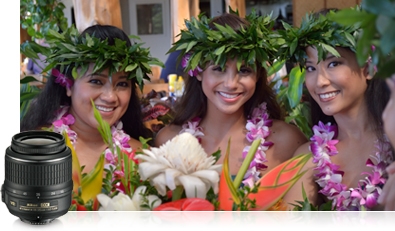
Creativity and flexibility were considered in every aspect of the D5200. It has a 921,000-dot Vari-angle display that lets you shoot from just about any position—hold the camera overhead for a view above a crowd, at ground level for an interesting close-up of a flower, or just enjoy easier video recording and self portraits. For shots that have both very dark and very bright areas, D5200 includes built-in HDR (high-dynamic range). It takes two shots at different exposures and blends them into one amazing image. And an exciting collection of built-in effects and filters opens new possibilities for expression: isolate a single color, explore black & white, posterize, miniaturize—the creative techniques pros spend years mastering are now conveniently at your command.
24.1 MP DX-format CMOS sensor and renowned NIKKOR lenses
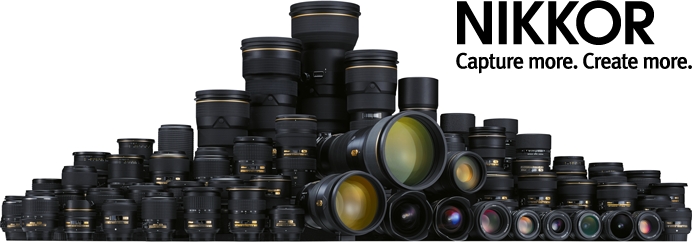
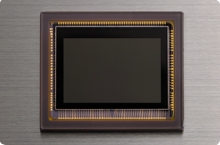
Perhaps your greatest inspiration will be the spectacular quality of every photo and video you shoot with the D5200. Its highly sensitive 24.1-megapixel DX-format CMOS image sensor captures your vision with lifelike brilliance—marvel at the vibrant colors and razor-sharp detail, even in low light. Legendary NIKKOR lenses, marvels of clarity and quality, are the perfect companion for the D5200, drawing peak performance out of the sensor. Our intelligent Scene Recognition System compares your shot against an onboard database for optimum exposure, and EXPEED 3, the processing power in our acclaimed D4, makes it all happen in an instant.


The D5200 includes Nikon's latest innovations for creating beautiful videos with virtually no choppiness. D-Movie mode now features Full HD 1080p 60i for visibly smoother sequences, a first for Nikon HD-SLRs. Full-time-servo AF (AF-F) and subject-tracking AF work together to keep moving subjects sharp and in focus, and face-priority AF instantly detects and tracks up to 35 faces in a scene. D5200 also has a built-in stereo microphone that can be controlled automatically or manually via 20 incremental steps, another first for Nikon HD-SLRs. Whether you shoot short clips or cinema-style movies, the D5200 makes it easy to take your projects to the next level.


Simple, intuitive operation
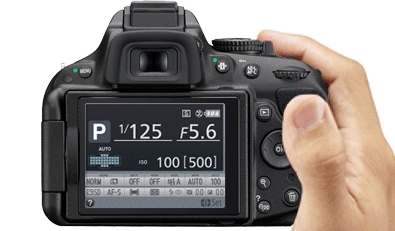
You'll be at home with the D5200 in no time. Using visual representations of each setting to show you exactly what's changing with each adjustment, a redesigned display groups your most frequently adjusted camera settings for faster access.

Whether you're shooting a group portrait (that includes you) or an intricate macro shot, a remote control is one of the most convenient accessories you can have. The new WR-R10 and WR-T10 Wireless Remote Controllers communicate using radio frequencies instead of Infrared, so you'll have control even when there's no direct line of sight between devices.


-
TypeSingle-lens reflex digital camera
-
Lens MountNikon F bayonet mount
-
Picture AngleNikon DX format
-
Effective Pixels24.1 million
-
Sensor Size23.5mm x 15.6mm
-
Image Sensor FormatDX
-
Image Sensor TypeCMOS
-
Total Pixels24.71 million
-
Dust-reduction systemImage sensor cleaning
Airflow Control System
Image Dust Off reference data (optional Capture NX 2 software required) -
Dust-Off Reference PhotoYes
-
Image Area (pixels)DX-format
(L) 6,000 x 4,000
(M) 4,496 x 3,000
(S) 2,992 x 2,000 -
File Format Still ImagesJPEG: JPEG-Baseline Compliant with fine (approx 1:4), Normal (approx 1:8) or Basic (approx 1:16) Compression
NEF (RAW): compressed 14 bit
NEF (RAW) + JPEG: Single Photograph Recorded in both NEF (RAW) and JPEG Formats -
Picture ControlLandscape
Monochrome
Neutral
Portrait
Standard
User-customizable Settings
Vivid -
Storage MediaSD
SDHC
SDXC -
Card Slot1 Secure Digital (SD)
-
File SystemCompliant with DCF (Design Rule for Camera File System) 2.0
DPOF (Digital Print Order Format)
EXIF 2.3 (Exchangeable Image File Format for Digital Still Cameras)
PictBridge -
ViewfinderEye-level Pentamirror Single-Lens Reflex viewfinder
-
Viewfinder Frame Coverage95% Horizontal
95% Vertical Approx. -
Viewfinder Magnification0.78x Approx.
-
Viewfinder Eyepoint17.9mm
-
Viewfinder Diopter Adjustment-1.7 to +0.7 m
-
Focusing ScreenType B BriteView Clear Matte Mark VII screen
-
Reflex MirrorQuick-return type
-
Lens ApertureInstant-return type
-
Lens Compatibility at a Glance***AF-S and AF-I CPU lenses only
-
Compatible LensesAutofocus is available with AF-S and AF-I lenses.
Autofocus is not available with other type G and D lenses, AF lenses (IX NIKKOR and lenses for the F3AF are not supported), and AI-P lenses.
Electronic Rangefinder can be used if Maximum Aperture is f/5.6 or Faster
Non-CPU: Can be used in mode M, but Exposure Meter does not Function; Electronic Rangefinder can be used if Maximum Aperture is f/5.6 or Faster -
Shutter typeElectronically controlled vertical-travel focal-plane
-
Shutter Speed1/4000 to 30 sec. in steps of 1/3 or 1/2 EV
Bulb -
Fastest Shutter Speed1/4000 sec.
-
Slowest Shutter Speed30 sec.
-
Flash Sync SpeedUp to 1/200 sec.
Synchronizes with shutter at 1/200s or slower -
Bulb Shutter SettingYes
-
Shutter Release ModesContinuous low-speed [CL] mode; 1-3 frames per second
Continuous high-speed [CH] mode; 1-5 frames per second
Delayed remote (ML-L3)
Interval timer photography supported
Quick-response remote (ML-L3)
Quiet shutter-release
Self-timer mode
Single-frame [S] mode -
Continuous Shooting OptionsDX-format
CH: Up to 5 frames per second
CL: Up to 1-3 frames per second -
Top Continuous Shooting Speed at full resolution5 frames per second
-
Self-timer2, 5, 10, 20 sec.; 1 to 9 exposures Timer duration electronically controlled
-
Exposure Metering SystemTTL exposure metering using 2,016-pixel RGB sensor
-
Metering MethodCenter-weighted: Weight of 75% given to 8mm circle in center of frame
Matrix: 3D color matrix metering II (type G and D lenses); color matrix metering II (other CPU lenses)
Spot: Meters 3.5mm circle (about 2.5% of frame) centered on selected focus point -
Metering Range0 to 20 EV (3D color matrix or center-weighted metering)
2 to 20 EV (spot metering) -
Exposure Meter CouplingCPU
-
Exposure ModesAperture-Priority (A)
Manual (M)
Programmed auto with flexible program (P)
Shutter-Priority (S) -
Scene ModesAutumn Colors
Beach / Snow
Blossom
Candlelight
Child
Close-up
Dusk / Dawn
Food
Landscape
Night Landscape
Night Portrait
Party / Indoor
Pet Portrait
Portrait
Sports
Sunset -
Exposure Compensation5 EV in increments of 1/3 or 1/2 EV
-
Exposure Bracketing3 frames in steps of 1/3 or 1/2 EV
-
Exposure LockYes
-
Mirror Lock UpYes
-
ISO SensitivityISO 100 - 6400
Hi-1 (ISO 12,800)
Hi-2 (ISO 25,600) -
Lowest Standard ISO Sensitivity100
-
Highest Standard ISO Sensitivity6400
-
Lowest Expanded ISO SensitivityISO 100 equivalent
-
Highest Expanded ISO SensitivityHi-2 (ISO 25,600 equivalent)
-
Expanded ISO Sensitivity OptionsHi-1 (ISO-12,800 equivalent)
Hi-2 (ISO 25600 equivalent) -
Long Exposure Noise ReductionYes
-
High ISO Noise ReductionLow
Normal
High
Off -
Active D-LightingAuto
Extra High
High
Normal
Low
Off -
D-Lighting Bracketing2 frames using selected value for one frame
-
Single-point AF ModeYes
-
Dynamic AF ModeNumber of AF points: 9, 21, 39 and 39 (3D-tracking)
-
Auto-area AF ModeYes
-
Autofocus SystemNikon Multi-CAM 4800DX autofocus sensor module with TTL phase detection
-
Detection Range-1 to 19 EV (ISO 100, 68F/20C)
-
Lens ServoAutofocus (AF): Single-servo AF (AF-S); Continuous-servo AF (AF-C); auto AF-S/AF-C selection (AF-A); predictive focus tracking activated automatically according to subject status
Manual focus (MF): Electronic rangefinder can be used -
Focus PointCan be selected from 39 or 11 focus points
-
AF-area mode9, 21 or 39 point Dynamic-area AF
Auto-area AF
Single-point AF
3D-tracking (39 points) -
Focus LockFocus can be locked by pressing AE-L/AF-L button
Focus can be locked by pressing shutter-release button halfway (single-servo AF) -
Focus ModesAuto AF-S/AF-C selection (AF-A)
Continuous-servo (AF-C)
Face-Priority AF available in Live View only and D-Movie only
Full-time Servo (AF-A) available in Live View only
Manual (M) with electronic rangefinder
Normal area
Single-servo AF (AF-S)
Wide area -
Maximum Autofocus Areas/Points39
-
Autofocus Sensitivity-1 to +19 EV (ISO 100, 20C/68F)
-
Built-in FlashYes
-
Built-in Flash Distance12/39, 13/43 with manual flash (m/ft, ISO 100, 20C/68F)
-
X-Sync Speed1/200
-
Flash ControlTTL: i-TTL flash control using 2,016-pixel RGB sensor are available with built-in flash and SB-910, SB-900, SB-700, or SB-400; i-TTL balanced fill-flash for digital SLR is used with matrix and center-weighting metering, standard i-TTL flash for digital SLR with spot metering
-
Flash Sync ModesAuto
Auto with red-eye reduction
Auto slow sync
Auto slow sync with red-eye reduction
Fill-flash
Rear-curtain sync
Rear-curtain with slow sync
Red-Eye reduction
Red-Eye reduction with slow sync
Slow sync
Off -
Flash Compensation-3 to +1 EV in increments of 1/3 or 1/2 EV
-
Flash-ready indicatorLights when optional flash unit such as SB-910, SB-900, SB-700, SB-400, SB-R200 is fully charged
-
Accessory ShoeYes
-
Nikon Creative Lighting System (CLS)Advanced Wireless Lighting supported with SB-910, SB-900, SB-800, or SB-700 as a master flash or SU-800 as commander; Flash Color Information Communication supported with all CLS-compatible flash units
-
Flash Sync TerminalSync Terminal Adapter AS-15 (available separately)
-
White BalanceAuto
Cloudy
Direct Sunlight
Flash
Fluorescent (7 types)
Incandescent
Preset Manual
Shade -
White Balance Bracketing3 shots in steps of 1
-
Live View ShootingPhotography Live View Mode
Movie Live View Mode -
Live View Lens servoAutofocus (AF): Single-servo AF (AF-S); full-time-servo AF (AF-F)
Manual focus (MF) -
Live View AF-area modeFace-priority AF
Wide-area AF
Normal-area AF
Subject-tracking AF -
Live View AutofocusContrast-detect AF anywhere in frame (camera selects focus point automatically when face-priority AF or subject-tracking AF is selected)
-
Live View Scene Auto SelectorAuto mode
Auto (flash off) mode -
Movie MeteringTTL exposure metering using main image sensor
-
Movie Maximum recording time20 minutes at highest quality
29 minutes 59 seconds at normal quality -
Movie File FormatMOV
-
Movie Video CompressionH.264/MPEG-4 Advanced Video Coding
-
Movie Audio recording formatLinear PCM
-
MovieHD 1,920x1,080 / 60i
HD 1,920x1,080 / 50i
HD 1,920x1,080 / 30 fps
HD 1,920x1,080 / 25 fps
HD 1,920x1,080 / 24 fps
HD 1,280x720 / 60 fps
HD 1,280x720 / 50 fps
VGA 640x424 / 30 fps
VGA 640x424 / 25 fps -
Movie AudioBuilt-in microphone, stereo
External stereo microphone (optional)
Microphone sensitivity can be adjusted -
Monitor Size3 in. diagonal
-
Monitor Resolution921,000 Dots
-
Monitor TypeWide Viewing Angle
Vari-angle TFT-LCD -
Monitor Angle of View170-degree wide-viewing angle
-
Monitor AdjustmentsBrightness, 3 levels
Brightness control using ambient brightness sensor -
Playback FunctionsAuto Image Rotation
Full-Frame and Thumbnail (4, 9, or 72 images or calendar)
Highlights
Histogram Display
Image Comment
Movie Playback
Movie Slideshow
Playback with Zoom
Slideshow -
In-Camera Image EditingColor Balance
Color Outline
Color Sketch
D-Lighting
Distortion Control
Edit Movie
Filter Effects
Fisheye
Image Overlay
Miniature Effect
Monochrome
NEF (RAW) Processing
Perspective Control
Quick Retouch
Red-Eye Correction
Resize
Selective Color
Side-by-Side Comparison
Straighten
Trim -
Image CommentYes
-
InterfaceAccessory Terminal: Remote Cord: MC-DC2 (available separately); GPS unit: GP-1 (available separately)
HDMI output: Type C mini-pin HDMI connector
Hi-speed USB
Stereo Microphone Input
WR-R10 wireless remote controller (available separately) -
Wi-Fi FunctionalityEye-Fi Compatible
WU-1b Wireless Mobile Adapter -
GPSGP-1 GPS unit
GP-1A GPS unit -
Total custom Settings22
-
My MenuYes with customization
-
Recent SettingsYes
-
Supported LanguagesArabic
Brazilian Portuguese
Chinese (Simplified and Traditional)
Czech
Danish
Dutch
English
Finnish
French
German
Greek
Hindi
Hungarian
Indonesian
Italian
Japanese
Korean
Norweigan
Polish
Portuguese
Romanian
Russian
Spanish
Swedish
Thai
Turkish
Ukrainian -
Date, Time and Daylight Savings Time SettingsYes
-
World Time SettingYes
-
Battery / BatteriesEN-EL14 Lithium-ion Battery
-
Battery Life (shots per charge)500 shots (CIPA)
-
AC AdapterEH-5b AC Adapter; requires EP-5A Power Connector (available separately)
-
Battery ChargerMH-24 Quick Charger
-
Tripod Socket1/4 in.
-
Approx. DimensionsWidth: 5.1 in. (129mm)
Height: 3.9 in. (98mm)
Depth: 3.1 in. (78mm) -
Approx. Weight17.8 oz. (505g)camera body only
-
Operating Environment040 C (+32104 F)
-
Supplied Accessories
- EN-EL14 Rechargeable Li-ion Battery
- MH-24 Quick Charger
- DK-20 Rubber Eyecup
- UC-E17 USB Cable
- EG-CP16 Audio Video Cable
- AN-DC3 Strap
- DK-5 Eyepiece Cap
- BF-1B Body Cap
- BS-1 Accessory Shoe Cap
- NikonView NX2 CD ROM
 |
Nikon Coolpix S9200 Digital Camera - Black
- 16.0MP, 18x Optical Zoom, 4.5-81.0mm (Angle Of View Equivalent To That Of 25-450mm Lens In 35mm [135] Format), 3.0" TFT LCD, Image Stabilization

A compact camera designed for easy portability with maximum versatility, the COOLPIX S9200 combines a powerful 18x wide-angle optical Zoom-NIKKOR glass lens and a 16.0 megapixel CMOS sensor for clear, sharp photos and videos—even in low light. Give your images a new creative look with extensive filter options and special effects. Capture a fleeting moment with high speed framing rates and Full HD (1080p) movie recording. Less than 1.5-inches slim and only 7.4 ounces, the S9200 is an ideal travel companion.


Now you can carry a portable camera with an amazing 18x zoom range from wide-angle (25mm) to telephoto (450mm). S9200’S remarkable Zoom-NIKKOR glass lens renders sharp, clear images every time. Plus, S9200’s built-in optical VR Image Stabilization system minimizes the effects of camera shake for incredible images and movies, even when zoomed all the way in.
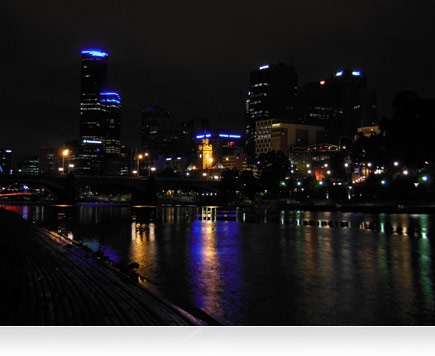
Great pictures are made after the sun sets. With S9200’s brilliant 16.0 megapixel CMOS sensor technology, you can capture all the night’s action with low noise for better images. Use the Night Landscape Mode and the camera will take a series of images and automatically combine them in the camera. The results are spectacular!
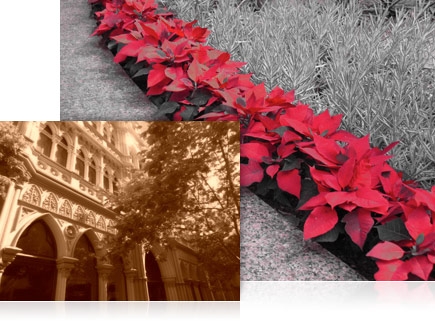
Powerful in-camera processing allows a myriad of creative effects. Special effects like Sepia, Monochrome, Selective color, Soft Low and High Key can be selected prior to shooting stills or movies, and filter effects like Miniature, Fisheye, Cross Screen, Soft and Selective Color can be selected after the still shot has been taken. Experiment for the special look that enhances the mood of the moment.
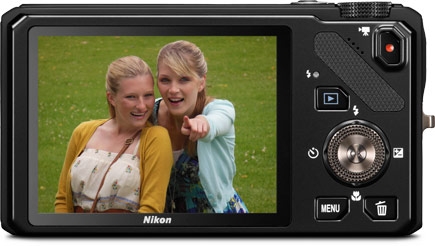
Tack-sharp image previewing
High-resolution 921,000-dot LCD monitor
High-speed continuous shooting
When a single photo won't tell the whole story, choose Continuous Shooting Mode and let the S9200 fire off more than six shots in approximately one second for a thrilling sequence of images. Freeze the action with a simple press of the shutter button to capture those once-in-a-lifetime moments.
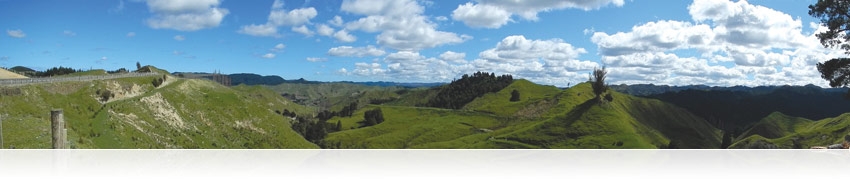
Easy Panorama Mode for stunning panoramic photos

Specifications
-
TypeCompact Digital Camera
-
Effective Pixels16 million
-
Image SensorCMOS
-
Sensor Size1/ 2.3 in.
-
Total Pixels16.79 million (approx.)
-
Lens18x optical Zoom, NIKKOR ED glass lens
-
Lens Focal Length4.5-81.0mm (angle of view equivalent to that of 25-450mm lens in 35mm [135] format)
-
Lens f/-numberf/3.5-5.9
-
Lens Construction11 elements in 10 groups
-
Lens Zoom18x
-
Digital ZoomUp to 4x (angle of view equivalent to that of approx. 1800mm lens in 35mm [135] format)
-
Vibration ReductionLens-shift VR
-
Autofocus (AF)Contrast-detect TTL AF
-
Autofocus (AF) Focus-area selectionAuto (9-area automatic selection)
Center
Face priority
Manual with 99 focus areas
Subject tracking -
Focus Range[W]: Approx. 1 ft. 8 in. (50 cm.) to infinity
[T]: Approx. 5 ft. (1.5 m.) to infinity
Macro close-up mode: [W]: Approx. 1.6 in. (4 cm.) to infinity -
Focus LockYes
-
Maximum Autofocus Areas/Points99
-
Monitor Size3.0 in. diagonal
-
Monitor TypeTFT-LCD with Anti-reflection coating
5-level brightness adjustment -
Monitor Resolution921,000-dots
-
Monitor Frame coverage (shooting mode)97% horizontal (Approx.)
97% vertical (Approx.) -
Monitor Frame coverage (playback mode)100% horizontal (Approx.)
-
Storage MediaSD memory card
SDHC memory card
SDXC memory card -
Internal MemoryApprox. 25MB
-
Storage File SystemDCF
EXIF 2.3
DPOF compliant -
Storage File formatsStill pictures: JPEG
Audio files: WAV
Movies: MOV (Video: MPEG-4 AVC/H.264, Audio: AAC stereo)
3D pictures: MPO -
MovieAudio file format: AAC stereo
Full HD: 1920x1080p / 30fps
HD: 1280x720p / 30fps
iFrame 540: 960x540 / 30fps
Movie file format: MPEG-4 AVC H.264
Standard TV: 640x480 / 30fps -
Voice Memo FunctionYes
-
Image Size (pixels)4608 x 3456 (16M)
-
ISO SensitivityISO 125 -3200
Auto (auto gain ISO 125-800)
Fixed range auto (ISO 125-400, 125-800) -
Lowest ISO Sensitivity125
-
Highest ISO Sensitivity3200
-
Exposure Metering256-segment matrix, center-weighted
-
Exposure ControlProgrammed auto exposure (shutter speed, ND filter selection and ISO sensitivity)
Flexible program with motion detection -
Exposure ModesProgrammed Auto
-
Scene ModesBeach
Close Up
Copy
Dusk/Dawn
Easy Panorama
Fireworks Show
Food
Landscape
Museum
Night Portrait
Party/Indoor
Pet Portrait
Portrait
Snow
Sports
Sunset
3D Photography -
In-Camera Image EditingCrop
D-Lighting
Filter Effects
Quick retouch
Rotate image
Skin softening
Small Picture -
Exposure Compensation2 EV in steps of 1/3
-
Exposure LockYes
-
Exposure BracketingNo
-
White BalanceAuto
Cloudy
Daylight
Flash
Fluorescent
Incandescent
Manual -
ShutterMechanical and CMOS electronic shutter
-
Shutter Speed1/2000-1 sec. (when ISO sensitivity set to Auto)
4 sec. (when scene mode is set to Fireworks show) -
Top Continuous Shooting Speed at full resolutionUp to 7 shots at approx. 6.9 frames per second
-
Continuous Shooting OptionsBest Shot Selector
Continuous H
Continuous H 60
Continuous H 120
Continuous L
Multi-shot 16
Pre-shooting cache -
ApertureElectronically controlled ND filter (-2.0 AV) insertion
-
Self-timerCan be selected from 10 or 2 seconds duration
-
Built-in flash Range (approx.) (ISO sensitivity: Auto)[W]: 0.5 to 5.1m (1ft 8in. to 16ft.)
[T]: 1.5 to 3.0m (5ft. to 9ft.10in.) -
Built-in Flash ControlTTL auto flash with monitor preflashes
-
Built-in FlashYes
-
InterfaceHi-speed USB
-
Interface Data transfer protocolMTP
PTP -
Video OutputNTSC
PAL -
HDMI OutputCan be selected from:
Auto
480p
720p
1080i -
I/O terminalAudio/video (A/V) output
Digital I/O (USB)
HDMI Mini Connector (HDMI output) -
Supported LanguagesArabic
Brazilian Portuguese
Chinese (Simplified and Traditional)
Czech
Danish
Dutch
English
Finnish
French
German
Greek
Hindi
Hungarian
Indonesian
Italian
Japanese
Korean
Norwegian
Polish
Portugese
Romanian
Russian
Spanish
Swedish
Thai
Turkish
Ukranian
Vietnamese -
Power SourcesOne Rechargeable Li-ion Battery EN-EL12 (supplied)
-
Charging Time3 hours and 20 minutes when battery is fully discharged (using Charging AC Adapter EH-69P/EH-69C) (Approx.)
-
Battery / BatteriesRechargeable Li-ion Battery EN-EL12
-
Battery Life (shots per charge)Still pictures*: Approx. 200 shots
*Based on Camera and Imaging Products Association (CIPA) standards for measuring the life of camera batteries. Measured at 23(-/+2)C (73(-/+4)F); zoom adjusted with each shot, flash fired with every other shot, image quality set to Normal, image size set to 4608 x 3456 (16M). Battery life may vary depending on shooting interval and length of time menus and images are displayed. -
Tripod Socketin.
-
Approx. DimensionsHeight: 2.4in. (59.8mm)
Width: 4.3in. (108.7mm)
Depth: 1.3in. (30.6mm)Excluding projections. Method of noting dimensions and weight is in accordance with CIPA DCG-005-2009 guideline. -
Approx. Weight7.4 oz. (209g)With battery and SD memory card. Method of noting dimensions and weight is in accordance with CIPA DCG-005-2009 guideline.
-
Operating environmentTemperature: 0 to 40C (32 to 104F)
-
Supplied Accessories
- AN-CP19 Strap
- UC-E6 USB Cable
- EG-CP16 Audio Video Cable
- EN-EL12 Rechargeable Li-ion Battery
- EH-69P AC Adapter/Charger
- Nikon View NX 2 CD-ROM
 |
Nikon D5200 Digital SLR Camera - 24.1MP (Black)
- 3.0" LCD, Expeed 3, Live View, 1080p Video Recording
- 18-55mm VR +55-300mm VR

- Special Effects that enable you to enjoy various creative expressions in still images and movies by setting prior to shoot. ..
- High-speed, multifunctional and high-performance image-processing engine "EXPEED 3", equivalent to that of the Nikon's flagship model, D4.
- Wide sensitivity range of ISO 100 to 6400 (expandable to ISO 25600 equivalent) that delivers sharp images with reduced image blur even in low-lit situations or sports scenes.
- High-speed continuous shooting at approx. 5 fps that surely captures decisive moments.
- Stereo microphone employed [NEW], Full HD (1920 x 1080) D-Movie with selectable 60i/50i frame rate.
- Easy-to-understand and easy-to-operate, new GUI that effectively utilizes graphic processing. [NEW]
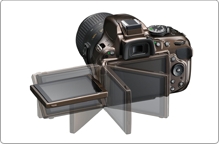
- Large, easy-to-view, approx. 921k-dot, wide viewing angle (170), 7.5-cm (3-in.) horizontal-opening vari-angle LCD monitor.
- Energy-saving design that achieves approx. 500 shots* per charge (with EN-EL14, in single-frame mode).
- *Based on CIPA Standards.
- Compatible with the WU-1a Wireless Mobile Adapter (optional) that enables transmission of images to smartphone or tablet PC wirelessly.
- Compatible with the WR-R10/WR-T10 Wireless Remote Controllers (optional). Remote control is ensured even if there are obstacles in the way. [NEW]
- 16 options of Scene Modes that enable selection of the most appropriate mode according to the shooting scene or subject.
- Variety of image-editing functions that allow you to retouch images easily after shooting, such as NEF (RAW) processing, Trim and Fisheye
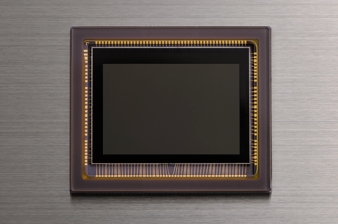
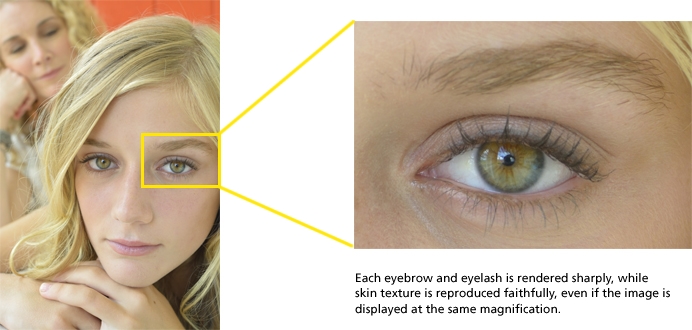
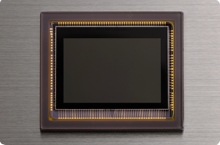
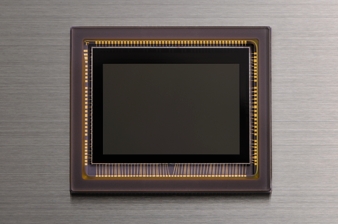
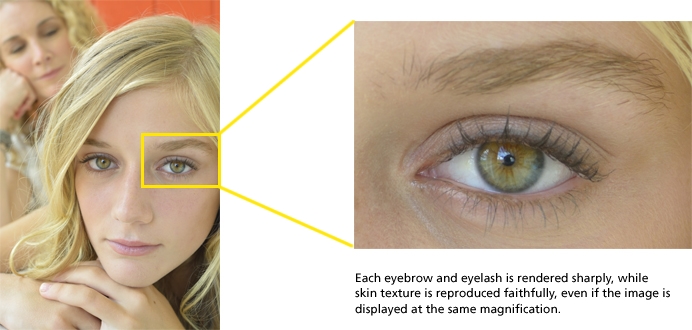
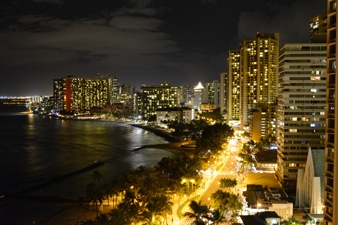
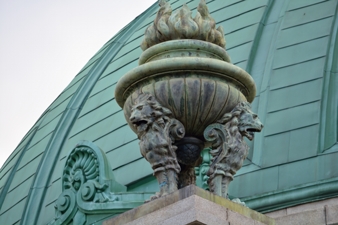
Reproduces minute details of the subject with the sharp depiction performance of NIKKOR lenses and high pixel count of the D5200 — Nikon DX-format CMOS sensor [NEW]
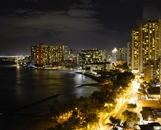
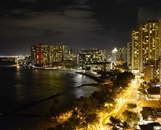
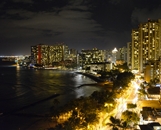

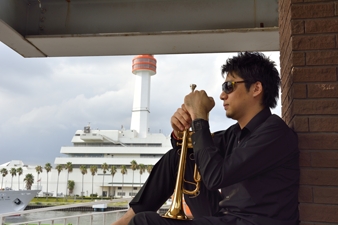
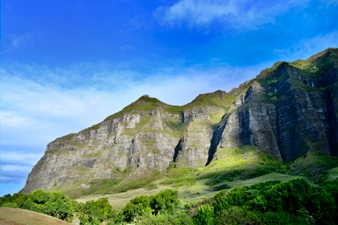

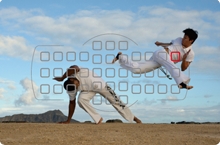
Precise subject acquisition
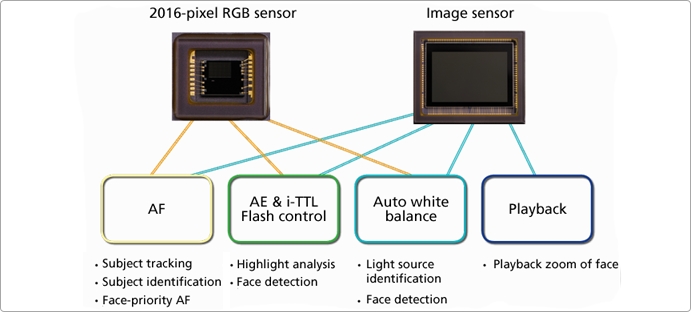
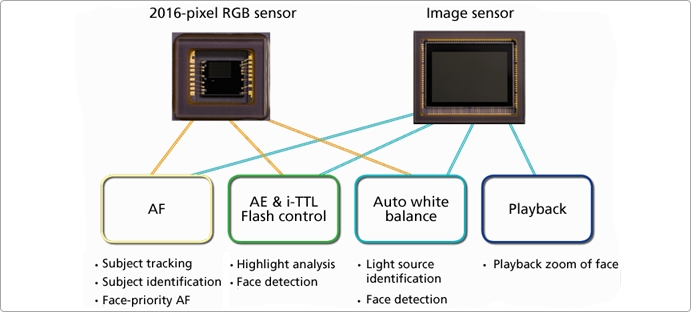
Faithfully reproduces the shooting scene as you see it high-precision Scene Recognition System that analyzes a subject more finely with the 2016-pixel RGB sensor
The Scene Recognition System determines the subject's situation accurately prior to shooting and enables highly precise auto control. The D5200 analyzes brightness and color information of the shooting scenes more finely with Nikon's original Scene Recognition System that utilizes the 2016-pixel RGB sensor, which has been incorporated in higher-end models. And applies that information to autofocus, auto exposure, i-TTL flash and auto white balance control. In 3D-tracking, it is possible to track even a moving subject accurately. Also, in subject identification, smaller subjects compared with the D5100 can be detected which contributes to the improvement of subject identification performance in auto-area AF. Furthermore, the D5200 detects up to 35 human faces utilizing the image sensor when using face-priority AF during live view and movie recording, and playback zoom of people's faces for still images.
Scene Recognition System
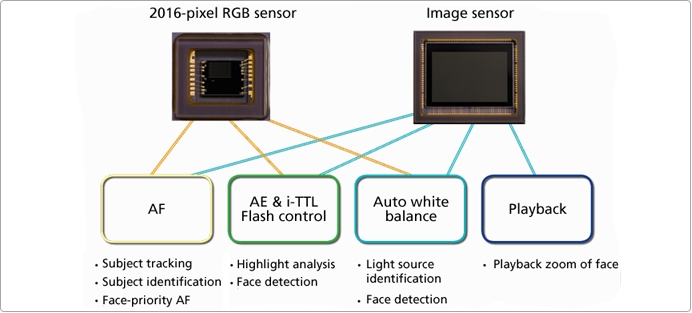
Accurate light source identification with Scene Recognition System auto white balance

The D5200 utilizes color and brightness information of the shooting scenes acquired by light source identification of the Scene Recognition System for auto white balance. It identifies the light source by referencing the in-camera database for auto white balance. In this way, it can determine the ideal white balance even with difficult light sources.
Captures even fast-moving scenes high-density 39-point AF system
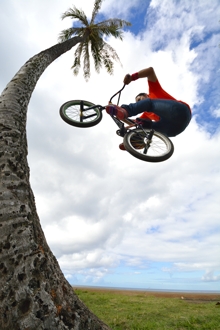
The D5200 incorporates the Multi-CAM 4800DX autofocus sensor module, the same as that used in the D7000. With their high density, the 39 focus points, the top level among models in this class, that widely cover the image area acquire and track even fast-moving subjects such as sports or action accurately. Nine cross-type sensors cover the most frequently used center area to deliver higher subject acquisition and focusing performance. There are selectable AF area modes according to the scene single-point AF, dynamic-area AF (9 points, 21 points and 39 points), 3D-tracking and auto-area AF. In 3D-tracking mode, the camera keeps tracking not only a subject in a changed composition but also a moving subject. This is very convenient when shooting a fast-moving subject. Combined with the Scene Recognition System utilizing a 2016-pixel RGB sensor, the D5200 shows further improved subject-tracking performance in 3D-tracking and subject-identification performance in auto-area AF.
You can also choose to shoot with 11 focus points for quicker focus-point selection. Additionally, in the viewfinder, it is possible to display grid lines that are effective for rigorous composition.
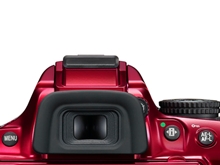
- Bright and easy-to-see viewfinder
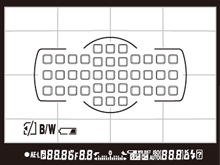
- Viewfinder display (framing grid)
Four selectable AF-area modes according to the subject in optical viewfinder shooting
The D5200 offers four AF-area modes. You can choose how the focus point for autofocus is selected according to the subject in viewfinder shooting.
-Single-point AF mode
Ideal for stationary subjects. You can focus on the subject selecting one of the 39 focus points according to your composition. It is effective to focus on an aimed point in situations such as shooting a flower or portrait.
- Single-point AF mode
-Dynamic-area AF mode
Suitable for capturing an erratically moving subject. Select one of the 39 focus points. If the subject briefly leaves the selected focus point, the camera will focus based on information from the surrounding points.
Selectable when focus mode is set to AF-A or AF-C.
|
9 points
|
Choose when there is time to compose the photograph or when photographing subjects that are moving predictably.
|
|---|---|
|
21 points
|
Choose when photographing subjects that are moving unpredictably.
|
|
39 points
|
Choose when photographing subjects that are moving quickly and cannot be easily framed in the viewfinder.
|
- 9 points
- 21 points
- 39 points
-3D-tracking mode
Suitable for shooting a moving subject. Pursues your subject using all 39 focus points. Once focusing is achieved with a selected focus point, the focus point automatically changes to track the subject according to its movement while the shutter-release button is pressed halfway.
Selectable when focus mode is set to AF-A or AF-C.
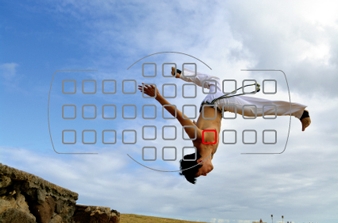
- 3D-tracking mode
-Auto-area AF mode
The D5200 detects the main subject using all 39 focus points and automatically focuses on it. The D5200 can recognize human skin tone using "subject identification" of the Scene Recognition System for improved human subject acquisition.
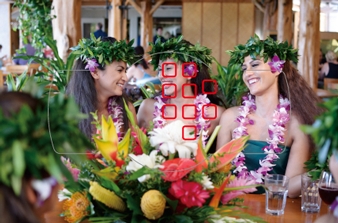
- Auto-area AF mode
Note: Only the selected focus point is shown on actual images. Also, if you select focus points in a peripheral area of an image when "9 points" or "21 points" is chosen, the number of focus points actually used may be less than 9 or 21.
Captures the decisive moment release mode button that supports quick selection of release mode and approx. 5 fps high-speed continuous shooting
The release mode button is located next to the mode dial. The release mode setting menu is displayed on the LCD monitor by pressing the release mode button so that quick switching of modes is possible. For release modes, the D5200 employs quiet shutter-release mode, "Q", that allows shooting with reduced mirror movement sound. This is effective for occasions such as a ceremony or when taking pictures of insects or a sleeping child. Also, the D5200 realizes high-speed continuous shooting at approx. 5 fps, while approx. 3 fps is also selectable, which is optimal for capturing natural facial expressions. The number of shots in continuous shooting is up to 100 in JPEG. It does not miss a moment of a subject's movements or facial expression. The shutter unit is tested for approx. 100,000 cycles with the shutter actually loaded to prove its high durability.
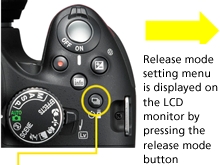
- Release mode button
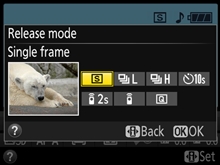
- Release mode setting menu
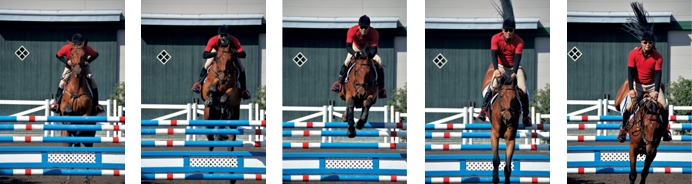
- Approx. 5 fps high-speed continuous shooting ensures you capture decisive moments.
Shooting with the mirror in the up position is achieved in live view newly designed, independently driven mirror mechanism [NEW]
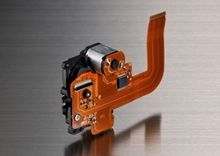
Nikon newly designed the high-speed and highly precise sequential control mechanism for the D5200. It contributes to high-speed continuous shooting at up to approx. 5 fps with a release time lag of approx. 0.09 s*. This new sequential control mechanism drives the mirror independently. In live view shooting, the shutter is released with the mirror in the up position. Because the impact of the mirror's up and down movement is eliminated, smooth and quiet shooting can be expected in single-frame and continuous shooting (low-speed/high-speed).
- *Based on CIPA Guidelines.
Live view shooting that enables accurate focusing using the large, east-to-see 7.5-cm (3-in.), approx. 921k-dot, vari-angle LCD monitor
The D5200 incorporates a large, easy-to-see, 7.5-cm (3-in.), approx. 921k-dot (VGA), 170 viewing angle, movable vari-angle LCD monitor that realizes comfortable live view shooting. Approx. 100% frame coverage of the LCD monitor is effective when you want to compose your image firmly before shooting in a situation such as landscape or portrait shooting. Simply rotate the live view switch on top of the camera to shift from viewfinder shooting to live view shooting. The position of a focus point can be moved using a multi selector to focus on the desired point.
- More information about shooting with the vari-angle monitor
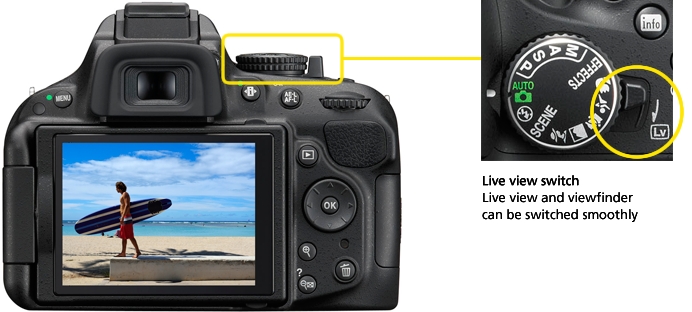
- 7.5-cm (3-in.), 921k-dot (VGA), 170 viewing angle LCD monitor
Three focus modes selectable focusing that suits your subject
-Single-servo AF (AF-S)
Suitable for a stationary subject such as landscapes, architecture or flowers.
-Full-time-servo AF (AF-F)
Convenient for shooting a moving subject which is usually difficult to focus on, such as a person or pet. Available in both live view mode and movie recording. Camera focuses continuously as the subject moves.
-Manual focus (MF)
Manual focusing. Suitable for a subject for which autofocus is difficult, such as an animal in a cage or a person in the shade with the sun in the background.
Four AF-area modes in live view selectable according to your subject
-Face-priority AF
Suitable for focusing on someone's face such as for a commemorative photo.
-Wide-area AF
Suitable for handheld shooting such as for a landscape. Focus point can be moved to a desired point within the frame.
-Normal-area AF
Convenient for shooting with pin-point focus such as for a close-up of a flower and other small subjects. Using a tripod is recommended for more precise focusing.
-Subject-tracking AF
After focusing is activated, focus point tracks the subject automatically. Suitable for a moving subject such as a child or pet.
Recommended combination of focus mode and AF-area mode
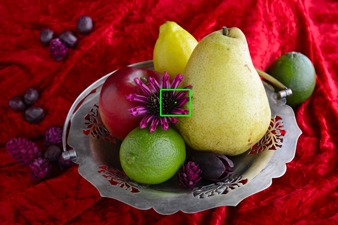
- Single-servo AF and normal-area AF
Suitable for a stationary subject
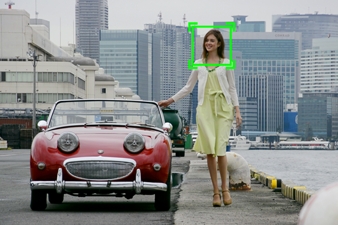
- Full-time-servo AF and subject-tracking AF
Suitable for a moving subject
Camera selects the optimal scene mode automatically Scene Auto Selector (only available in live view shooting)
In live view shooting, if you point the camera at your subject, the camera automatically identifies the scene and selects the most appropriate scene mode from Portrait, Landscape, Close up and Night portrait*. Smooth shooting is achieved without setting the scene mode for each subject.
- *When mode dial is set to Auto or Auto (flash off) and using AF.
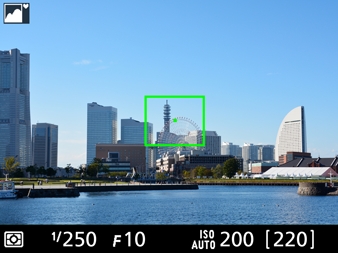
- Scene Auto Selector (Landscape)
-Scene Auto Selector employed on the D5200

Note: Selected when the camera identifies situations not covered by Portrait, Landscape, Close up or Night portrait mode, or for scenes suited to Auto or Auto (flash off).
Flicker reduction function
Flicker and banding visible in the monitor under fluorescent or mercury vapor light during live view or movie recording can be reduced using the flicker reduction function. When "Auto" mode is set in the flicker reduction menu, the camera can automatically identify the light source frequency for the appropriate exposure control. You can also manually switch between 50 Hz and 60 Hz according to your local area.
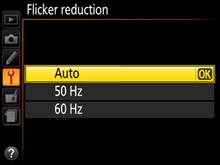
Creative expression
More advanced expression by combining creative angle and Special Effects
The D5200's LCD monitor opens horizontally from 0 to 180 and flips up and down from +180 to -90. It allows you to set the monitor at your preferred angle for the creative expression you desire in your composition. You can shoot comfortably from a high or low angle with a stable posture, when it would otherwise be difficult to shoot using the optical viewfinder. Even if shooting from ground level, it is possible to shoot confirming composition. Moreover, the vari-angle LCD monitor helps you to shoot more creative images than ever before in combination with the Special Effects, for both still images and movies.
- More information about Special Effects
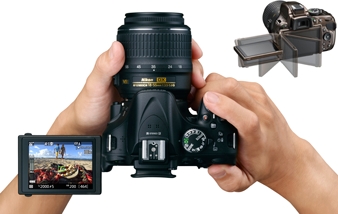
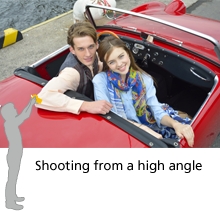
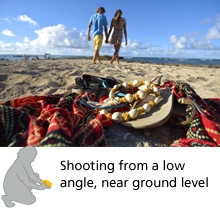
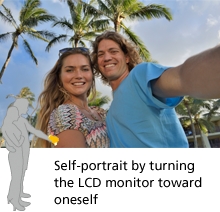
Enable you to confirm an effect in real time while shooting and deliver more creative expression Special Effects
The D5200 comes equipped with seven options of Special Effects. It is easy to shoot images applying various effects without using image-editing software. The result of an effect is displayed on the LCD monitor in real time, therefore you can set the effects while checking the appearance of your image. The wide range of effects greatly expands your creative possibilities in combination with the vari-angle LCD monitor for both still images and movies.
Special Effects incorporated in the D5200
Color sketch*, Miniature effect*, Selective color*, Silhouette, Night vision, High key, Low key
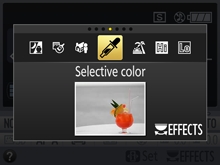
- *It is possible to apply these effects to still images after shooting using retouch menus.
Ideal for movies to create a dynamic impression for a commercial or a cinematic effect [Selective color]
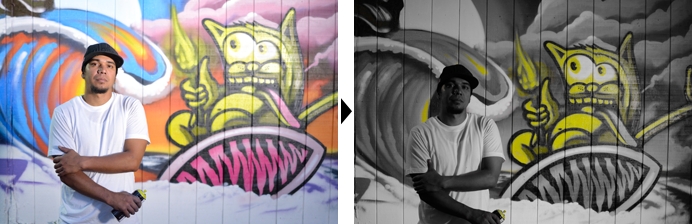
- All colors other than the color(s) you want to emphasize are recorded in black and white. Up to three colors are selectable and the color range can be adjusted in values between 1 to 7.
The image can be pop or artistic [Color sketch]
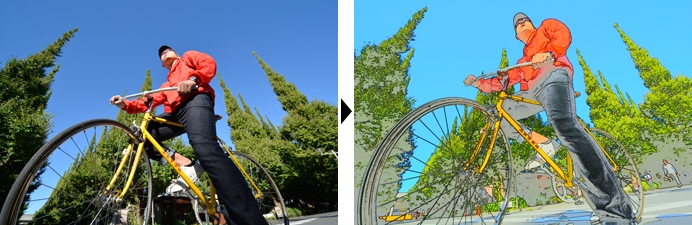
- The camera detects and colors subjects' outlines to create sketch-style images. Vividness of colors and density of outlines are adjustable.
Note: Movies shot in this mode play back like a slide show made up of a series of stills.
Landscape appears as if it is miniature scale model when shooting from a high place [Miniature effect]
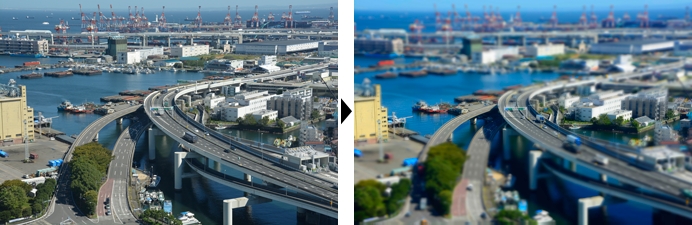
- Distant subjects appear as if they are miniature scale models. The position of the focus point remains sharp while the peripheral area is defocused.
Note: Miniature effect movies play back at high speed.
Easy to enjoy super-high sensitivity shooting [Night vision]
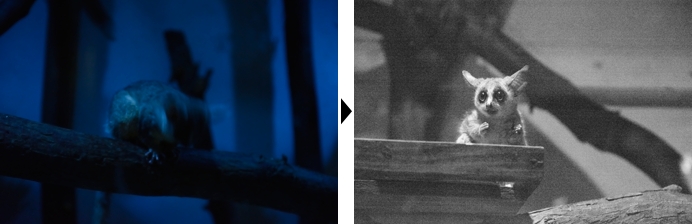
- Enables shooting in extremely low-light conditions. Records monochrome (black and white) images.
Renders a woman or child, for example, with a gentle and soft atmosphere [High key]
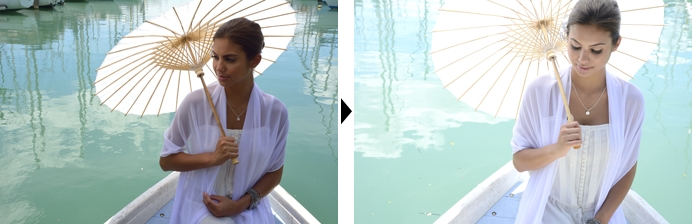
- Creates beautiful bright images filled with light by intentional overexposure.
Suitable for metallic materials or a portrait of a man with a dignified and somber atmosphere [Low key]
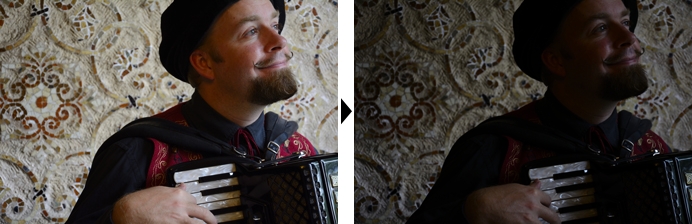
- Creates dark and somber images to emphasize highlights by intentional underexposure.
Creates a dramatic effect on a subject [Silhouette]
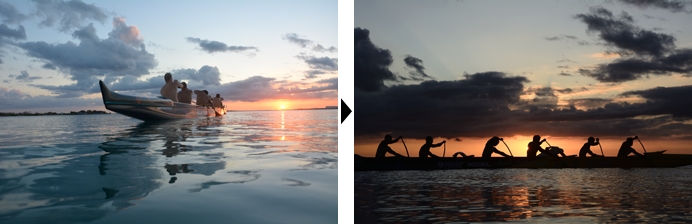
- Creates dramatic images with silhouettes of subjects against a bright background.
Shoots the scene beautifully and automatically 16 options of Scene Modes
If you select a mode according to the scene, the D5200 automatically chooses the most appropriate settings to deliver a beautiful image. Five frequently used Scene Modes such as Portrait and Landscape can be directly selected using the mode dial. For other modes such as Sunset, Dusk/dawn and Food, set the mode dial to SCENE and select the mode by rotating the command dial. You can capture scenes which previously had been difficult to shoot, easily and beautifully.
Scene Modes employed on the D5200
Portrait, Landscape, Child, Sports, Close up, Night portrait, Night landscape, Party/indoor, Beach/snow, Sunset, Dusk/dawn, Pet portrait, Candlelight, Blossom, Autumn colors, Food
- Sports
- Close up
- Night landscape
- Party/indoor
- Dusk/dawn
- Food
Customizes colors and tones of your movies and images to your preferences before shooting Picture Control
The D5200 employs six types of Picture Control, selectable according to your subjects and shooting scenes for both still images and movies. Selected Picture Control lets you fine-tune sharpening, contrast, etc. to match your own image creation ideas. Changes can be saved as custom Picture Controls and used with image-browsing/editing software ViewNX 2 (supplied) and image-editing software Capture NX 2 (optional).
Picture Control employed on the D5200
Standard, Neutral, Vivid, Monochrome, Portrait, Landscape
- More information
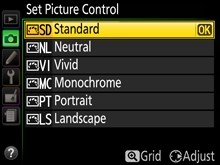
- Set Picture Control display
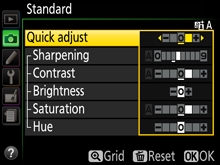
- Adjusting display
- Standard

- Standard processing for balanced results. Recommended for most situations.
- Neutral
- Minimal processing for natural results. Choose for photographs that will later be extensively processed or retouched.
- Vivid
- Provides distinct, colorful, fresh-looking images. Choose for situations where you want to emphasize primary colors such as blue, red and green.
- Monochrome
- Gives you monochromatic shadings, such as black-and-white or sepia. You can select filter effects and toning.
- Portrait
- Portrait delivers natural-appearing skin. Natural texture gives the skin of portrait subjects a smoother feel.
- Landscape
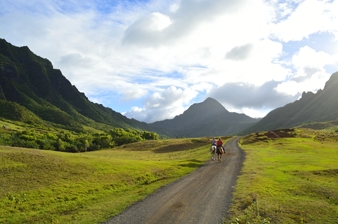
- Produces vibrant landscapes and cityscapes. Suitable for any kinds of nature scenes.
Easy in-camera image editing Retouch menus
The D5200 comes equipped with 19 kinds of image-editing functions. These in-camera functions let you retouch images easily. There are a variety of options such as Fisheye that produces effects similar to those obtained with a fisheye lens and Filter effects that achieve images similar to those taken with a filter. Edit movie allows you to delete unwanted parts by choosing the start or end point, or save a selected frame as a JPEG image. In each case, a duplicate image or movie is created, leaving the original securely intact.
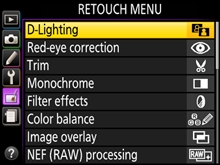
Retouch menus employed on the D5200
D-Lighting, Red-eye correction, Trim, Monochrome, Filter effects, Color balance, Image overlay, NEF (RAW) processing, Resize, Quick retouch, Straighten, Distortion control, Fisheye, Color outline, Color sketch*, Perspective control, Miniature effect*, Selective color*, Edit movie
- *It is possible to apply these effects to still images/movies prior to shooting using Special Effects.
- Straighten
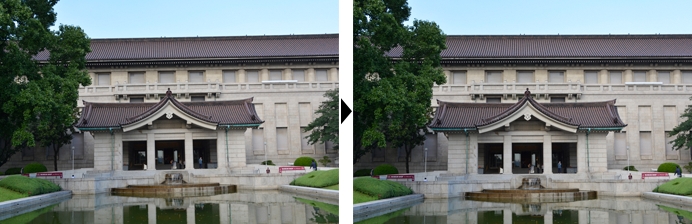
- Corrects inclination of the image within a range of 5 (in approx. 0.25 steps).
- Trim
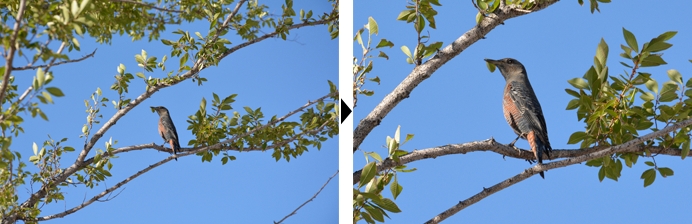
- The desired part of the image can be trimmed and enlarged.
- Fisheye
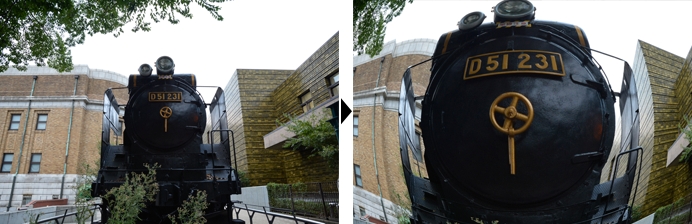
- Creates images that resemble those taken with a fisheye lens.
Effective for backlit or shaded conditions built-in flash
Even when the subject's face is backlit or, for example, shaded by a hat, you can shoot with appropriate brightness using the built-in flash. The D5200 detects the brightness situation of the subject, pops up* the built-in flash automatically and fires. Using i-TTL flash control that achieves high-precision metering, an optimal amount of light for the scene realizes naturally reproduced images.
- *When shooting mode is set to Auto, Portrait, Child, Close up, Night portrait, Party/indoor, Pet portrait or Color sketch.
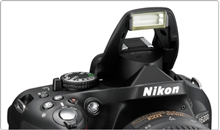
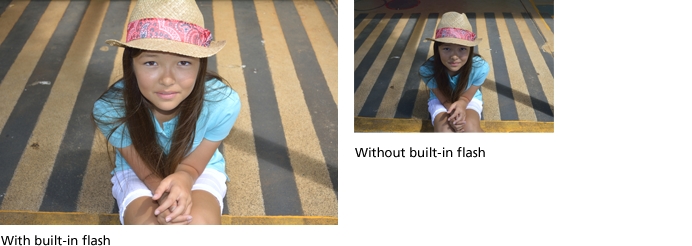
Exclusive Nikon software expand your creativity
Your Imaging Toolbox ViewNX 2 (supplied)
This simple and intuitive software helps you get the most out of your images and movies after shooting. ViewNX 2 provides importing and browsing capability while also incorporating image-editing functions such as Resize, Brightness, Crop, Straighten and NEF (RAW) image processing. High-definition and high-quality RAW processing is achieved by utilizing the same processing algorithm as Capture NX 2 that faithfully reproduces Nikon image quality. Its movie-editing functions help you create your own original movies quickly and easily, and Nikon's smart photo sharing and storage service, my Picturetown, works smoothly with ViewNX 2, allowing you to log in directly from the software for easy uploading without activating a browser.
- More information
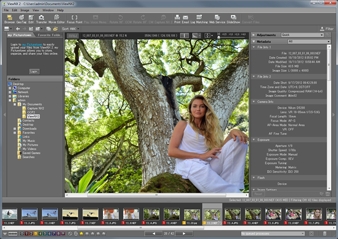
Quick and simple image-editing software with intuitive operation Capture NX 2 (optional)
Nikon's RAW images (NEF: Nikon Electronic Format) maintain extremely rich data. Only Nikon's Capture NX 2 can fully utilize this data with its optimized file format and software processing algorithms. With the enhanced speed of the algorithms, high-speed processing is achieved. This enables high-speed, stress-free editing even if the data size is large. Also, Capture NX 2 supports 64-bit (native) to realize a comfortable working environment. You can focus on editing with ease because it is possible to leave the original image intact with NEF editing. In addition to the intuitive and simple editing using Color Control Points, it incorporates various functions such as Auto Retouch brush, Batch Processing, Quick Fix, Straighten Tool, Vignette Control, Auto Color Aberration Control and Distortion Control.
- *Compared with conventional versions, under test conditions established by Nikon.
Note: For further details of the latest version or operating environment, please visit Nikon's website.
D-Movie
Reproduces even fast-moving scenes beautifully D-Movie compatible with 1920 x 1080 60i/50i
The D5200 allows you to record movie with sharpness, clarity and fluid motion easily. Utilizing the newly developed Nikon DX-format CMOS sensor and EXPEED 3, which is equivalent to that of higher models, the D5200 deliver movies with reduced noise, jaggies and moir. It renders various fast-moving scenes naturally, such as galloping horses, the splashing of water or the view from a moving car. The D5200 also employs subject-tracking AF that tracks and maintains focusing on a moving subject and face-priority AF that is optimal for portrait shooting. The movie-record button is located next to the shutter-release button. You can start/stop movie recording as if shooting still images while holding the camera stably and camera shake that may occur during operation is minimized. If you want to shoot according to your creative intention, it is possible to set the shutter speed and ISO sensitivity manually* (in mode M). In combination with unique shooting angles using the vari-angle LCD monitor and NIKKOR lenses that feature high resolution, you can enjoy advanced, creative movie recording by making clips, short films or video projects combining stills and video.
The D5200 also employs a variety of movie-editing features that can be accomplished easily inside the camera and without the need for a computer. It is possible to delete unwanted parts by choosing the start and end point in single frame units, and save a selected frame as a JPEG image with the same image size as that of the selected movie frame.
- Lens: AF-S DX NIKKOR 18-105mm f/3.5-5.6G ED VR
- Lens: AF-S DX NIKKOR 18-55mm f/3.5-5.6G VR
Note: The video shown here was taken in 1920 x 1080 60i, then converted to Flash Video format for ease of handling. Image quality varies from the original.
- *Selectable shutter speed varies according to the frame rate of the movie. ISO sensitivity can be set to values between ISO 100 to 6400 or Hi 0.3 to Hi 2.
Sample movies utilizing the Special Effects of the D5200
- Selective color
- Lens: AF-S DX NIKKOR 18-55mm f/3.5-5.6G VR
- Low key
- Lens: AF-S DX NIKKOR 18-105mm f/3.5-5.6G ED VR
Note: The video shown here was taken using the D-Movie function, then converted to Flash Video format for ease of handling. Image quality varies from the original.
Built-in stereo microphone that enables you to record rich, high-quality sound [NEW]
The D5200's built-in stereo microphone lets you enjoy recording rich, high-quality sound. The sensitivity level can be adjusted, choosing from auto and manual (1 to 20 steps) according to the shooting situation. Select low level (smaller value) for scenes in louder environments, such as a concert hall; high level (large value) for quieter environments, with more delicate ambient sounds, such as a murmuring stream.
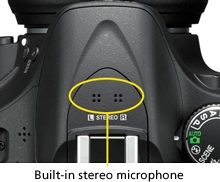
ME-1 Stereo Microphone (optional) compatible
In addition to the built-in microphone, the D5200 lets you record stereo sound with the optional ME-1 Stereo Microphone. Using the ME-1 Stereo Microphone reduces noise caused by lens vibration recorded during autofocus shooting. You can select the microphone sensitivity setting in the same way as with the built-in stereo microphone.
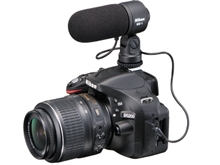
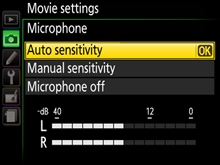
Specifications
|
Frame size (pixels)
|
Frame rate*1
|
Maximum bit rate
(high quality/Normal) |
Maximum length
(high quality/Normal)*4 |
|---|---|---|---|
|
1920 x 1080
|
60i*2
|
24 Mbps/12 Mbps
|
20 min./29 min. 59 s
|
|
50i*2
|
|||
|
30p*2
|
|||
|
25p*3
|
|||
|
24p
|
|||
|
1280 x 720
|
60p*2
|
||
|
50p*2
|
|||
|
640 x 424
|
30p*2
|
8 Mbps/5 Mbps
|
29 min. 59 s/29 min. 59 s
|
|
25p*3
|
- *1Listed value. Actual frame rates for 60p, 50p, 30p, 25p, and 24p are 59.94, 50, 29.97, 25, and 23.976 fps respectively.
- *2Available when NTSC is selected for Video mode.
- *3Available when PAL is selected for Video mode.
- *4Movies recorded in miniature effect mode are up to three minutes long when played back.
Enables playback of still images and movies on High-Definition TV HDMI supported
The D5200 supports HDMI (High-Definition Multimedia Interface) that allows you to play back still images and movies with High-Definition TV*1. HDMI mini connector is employed as the interface. Also, the D5200 is compatible with HDMI-CEC (Consumer Electric Control) that enables remote operation of the camera using a TV remote control*2.
- *1Requires optional commercially available HDMI connection cable (Type C) for playback.
- *2Remote control of HDMI-CEC supported TV.
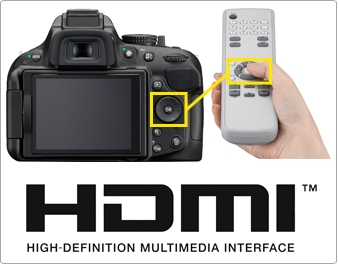
Ease of use
Compact and lightweight body with three color variations and enhanced holding
The D5200's compact and lightweight body of approx. 505 g (1 lb 1.8 oz)* is easy to carry around. A sub-grip is newly employed on the lower left of the front of the camera to improve holding in combination with the thumb pad on the upper right of the rear of the camera. You can shoot sharp images using 24.1 effective megapixels, without blur caused by camera shake. The color of the body can be chosen from black, red and bronze.
- *Body only.
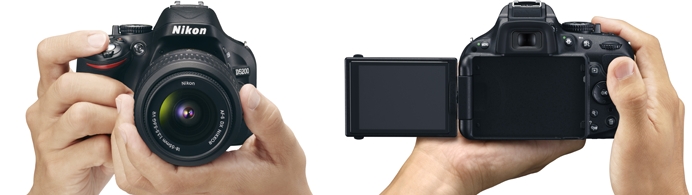
- Dimensions (W x H x D): approx. 129 x 98 x 78 mm/5.1 x 3.9 x 3.1 in.
Weight: approx. 555 g/1 lb 3.6 oz (including battery, SD memory card, excluding body cap), approx. 505 g/1 lb 1.8 oz (body only)
Selectable body colors
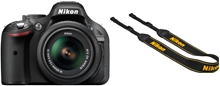
- Black
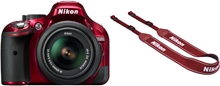
- Red
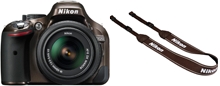
- Bronze
Sub-grip and thumb pad improve holding
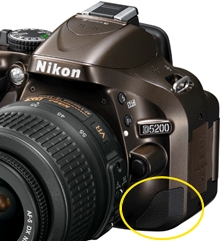
- Front
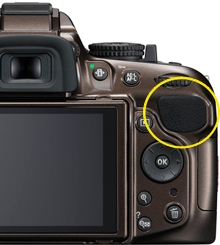
- Rear
Easier and more intuitive to operate newly designed GUI
The D5200 incorporates an easier and more fluid new GUI, utilizing graphic-processing performance enhanced by EXPEED 3. For the info display design, you can choose from two options Classic or Graphic. Background color can be selected from black, blue and brown. A new design is also employed for each setting display.
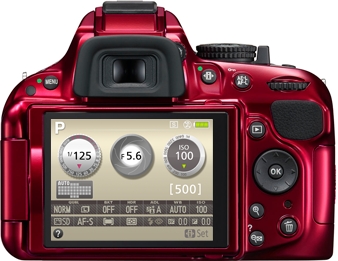
In optical viewfinder shooting
-Classic
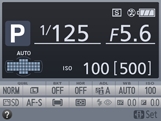
- Black
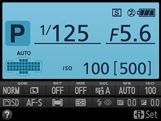
- Blue
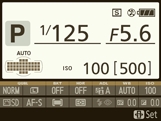
- Brown
-Graphic
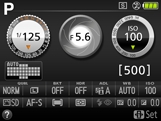
- Black
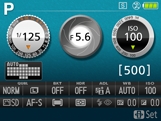
- Blue
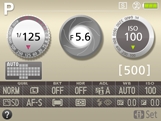
- Brown
In live view shooting
-Graphic
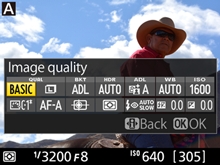
Information edit button
Pressing the information edit button when shooting information is displayed gives you direct access to the menu of the setting you would like to adjust.
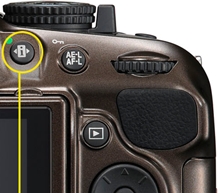
- Information edit button
In optical viewfinder shooting
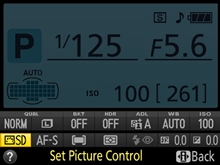
- Info display
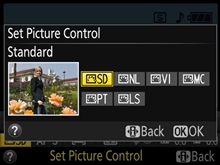
- Setting menu display
In live view shooting
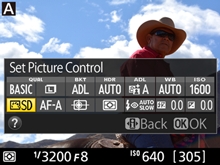
- Info display
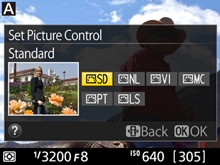
- Setting menu display
WU-1a Wireless Mobile Adapter (optional) that enables wireless transmission of images to a smart device, and remote shooting
By attaching the optional WU-1a Wireless Mobile Adapter to the D5200's USB connector, two-way communication between the camera and a smart device such as a smartphone or tablet computer with Wi-Fi communication function is possible. With the remote shooting function that enables release of the shutter from a distance, you can use your smart device as a remote live view monitor, to confirm the best angle and shoot. Images can be transmitted wirelessly and you can easily upload them to SNS or attach them to a mail. The WU-1a is compatible with smart devices using the iOS or Android.
Note: This function requires installing of Wireless Mobile Adapter Utility to the smart device prior to use.
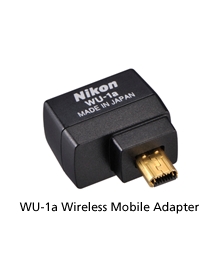
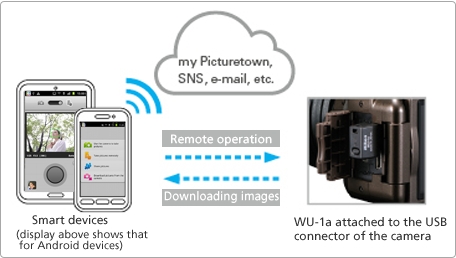
Wireless Mobile Adapter Utility
Wireless Mobile Adapter Utility is software enabling download of images from a camera to a smart device or operation of a camera from a smart device for taking an image by attaching the WU-1a Wireless Mobile Adapter.
Note: Can be downloaded from the application store of each smart device (free).
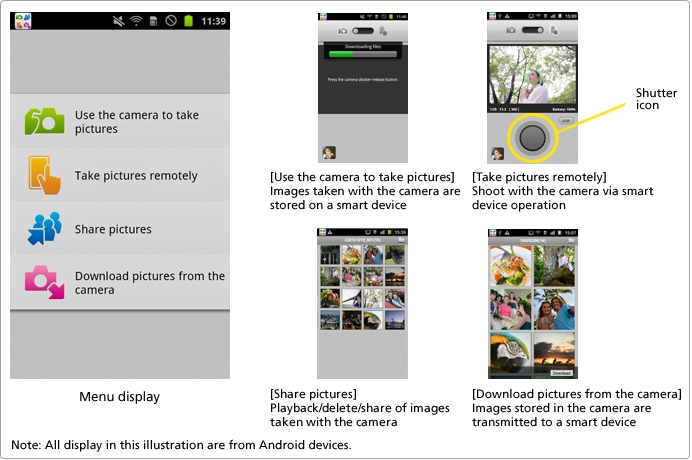
Comfortable remote control without worrying about obstacles in the way
WR-R10/WR-T10 Wireless Remote Controllers (optional) that achieve multiple camera control [NEW]
WR-R10/WR-T10 Wireless Remote Controllers expand the flexibility of remote control. Unlike remote controls using infrared light, it is possible to release the shutter even if there are obstacles such as a tree in the way. The communication distance for a combination of the WR-R10 with WR-T10 is approx. 20 m (66 ft). You can control a single or multiple cameras with the WR-R10 attached using the WR-T10 as a transmitter*. With the WR-R10/WR-T10, you can enjoy a variety of shooting, such as attaching different lenses to the cameras, changing angles for each camera, or shooting still images and movies simultaneously by switching channels.
- *WR-T10 and WR-R10(s) have to be set to the same channel and paired in advance to achieve simultaneous release. (For further information, please refer to the user's manual of the WR-R10/WR-T10.)
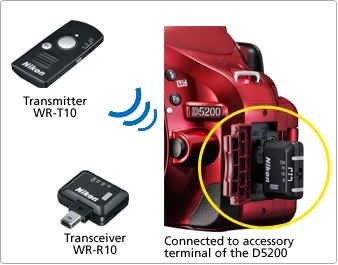
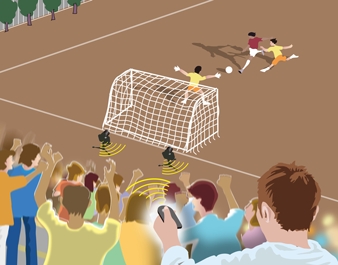
- Comfortable remote shooting is assured even if there are people or objects between the remote controller and camera.
Examples of use
Controlling multiple cameras with one WR-T10 (Simultaneous release)
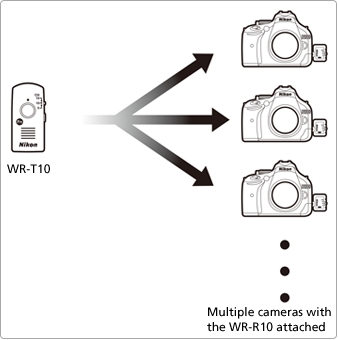
- The shutters on all cameras can be released simultaneously by pressing the WR-T10's shutter-release button all the way down.
Specifications of the WR-R10/WR-T10
|
|
WR-R10
|
WR-T10
|
|---|---|---|
|
Product images
|
 |
 |
|
Compatible cameras
|
D4*1, D3 series*1, D800 series*1, D700*1, D600, D300 series*1, D7000, D5200, D5100, D3200, D3100, etc., D-SLR cameras that employ a ten-pin remote terminal*1 or accessory terminal
|
-
|
|
Channels
|
5 (2.425 GHz), 10 (2.450 GHz), 15 (2.475 GHz)
|
|
|
Range (line of sight)
|
Approx. 50 m (164 ft) at height of about 1.2 m (4 ft) between WR-R10s*2
|
Approx. 20 m (66 ft) at height of about 1.2 m (4 ft) from WR-T10 to WR-R10
|
|
Pairing
|
Unlimited
|
|
|
Controllable functions
|
Live view*3, movie*3, continuous shooting, shutter-release button (half/full pressing available), possible to activate a function assigned to an Fn button*4
|
|
|
Type
|
|
|---|---|
|
Type
|
Single-lens reflex digital camera
|
|
Lens mount
|
Nikon F mount (with AF contacts)
|
|
Effective angle of view
|
Nikon DX format; focal length equivalent to approx. 1.5x that of lenses with FX-format angle of view
|
|
Effective pixels
|
|
|
Effective pixels
|
24.1 million
|
|
Image sensor
|
|
|
Image sensor
|
23.5 x 15.6 mm CMOS sensor
|
|
Total pixels
|
24.71 million
|
|
Dust-reduction system
|
Image sensor cleaning, Airflow Control System, Image Dust Off reference data (optional Capture NX 2 software required)
|
|
Storage
|
|
|
Image size (pixels)
|
|
|
File format
|
|
|
Picture Control System
|
Standard, Neutral, Vivid, Monochrome, Portrait, Landscape; selected Picture Control can be modified; storage for custom Picture Controls
|
|
Media
|
SD (Secure Digital) and UHS-I compliant SDHC and SDXC memory cards
|
|
File system
|
DCF (Design Rule for Camera File System) 2.0, DPOF (Digital Print Order Format), Exif (Exchangeable Image File Format for Digital Still Cameras) 2.3, PictBridge
|
|
Viewfinder
|
|
|
Viewfinder
|
Eye-level pentamirror single-lens reflex viewfinder
|
|
Frame coverage
|
Approx. 95% horizontal and 95% vertical
|
|
Magnification
|
Approx. 0.78x (50 mm f/1.4 lens at infinity, -1.0 m-1)
|
|
Eyepoint
|
17.9 mm (-1.0 m-1; from center surface of viewfinder eyepiece lens)
|
|
Diopter adjustment
|
-1.7 to +0.7 m-1
|
|
Focusing screen
|
Type B BriteView Clear Matte Mark VII screen
|
|
Reflex mirror
|
Quick return
|
|
Lens aperture
|
Instant return, electronically controlled
|
|
Lens
|
|
|
Compatible lenses
|
Autofocus is available with AF-S and AF-I lenses; autofocus is not available with other type G and D lenses, AF lenses (IX NIKKOR and lenses for the F3AF are not supported), and AI-P lenses; non-CPU lenses can be used in mode
 , but the camera exposure meter will not function , but the camera exposure meter will not functionThe electronic rangefinder can be used with lenses that have a maximum aperture of f/5.6 or faster |
|
Shutter
|
|
|
Type
|
Electronically controlled vertical-travel focal-plane shutter
|
|
Speed
|
1/4000 to 30 s in steps of 1/3 or 1/2 EV, bulb, time (requires optional ML-L3 Remote Control)
|
|
Flash sync speed
|
X=1/200 s; synchronizes with shutter at 1/200 s or slower
|
|
Release
|
|
|
Release modes
|
 (single frame), (single frame),  (continuous low speed), (continuous low speed),  (continuous high speed), (continuous high speed),  (self-timer), (self-timer),  (delayed remote; ML-L3), (delayed remote; ML-L3),  (quick-response remote; ML-L3), (quick-response remote; ML-L3),  (quiet shutter release); interval timer photography supported (quiet shutter release); interval timer photography supported |
|
Frame advance rate
|
Up to 3 fps (
) or 5 fps () |
|
Self-timer
|
2 s, 5 s, 10 s, 20 s; 1 to 9 exposures
|
|
Exposure
|
|
|
Metering mode
|
TTL exposure metering using 2016-pixel RGB sensor
|
|
Metering method
|
|
|
Range
(ISO 100, f/1.4 lens, 20C/68F) |
|
|
Exposure meter coupling
|
CPU
|
|
Exposure modes
|
Auto modes (
 auto; auto;  auto [flash off]); programmed auto with flexible program ( auto [flash off]); programmed auto with flexible program ( ); shutter-priority auto ( ); shutter-priority auto ( ); aperture-priority auto ( ); aperture-priority auto ( ); manual (); scene modes ( ); manual (); scene modes ( portrait; portrait;  landscape; landscape;  child; child;  sports; sports;  close up; close up;  night portrait; night portrait;  night landscape; night landscape;  party/indoor; party/indoor;  beach/snow; beach/snow;  sunset; sunset;  dusk/dawn; dusk/dawn;  pet portrait; pet portrait;  candlelight; candlelight;  blossom; blossom;  autumn colors; autumn colors;  food); special effects modes ( food); special effects modes ( night vision; night vision;  color sketch; color sketch;  miniature effect; miniature effect;  selective color; selective color;  silhouette; silhouette;  high key; high key;  low key) low key) |
|
Exposure compensation
|
Can be adjusted by -5 to +5 EV in increments of 1/3 or 1/2 EV in
, , and modes |
|
Exposure bracketing
|
3 shots in steps of 1/3 or 1/2 EV
|
|
Exposure lock
|
Luminosity locked at detected value with
 ( (  ) button ) button |
|
ISO sensitivity
(Recommended Exposure Index) |
ISO 100 to 6400 in steps of 1/3 EV; can also be set to approx. 0.3, 0.7, 1 or 2 EV (ISO 25600 equivalent) above ISO 6400; auto ISO sensitivity control available
|
|
Active D-Lighting
|
Auto, extra high, high, normal, low, off
|
|
ADL bracketing
|
2 shots
|
|
Focus
|
|
|
Autofocus
|
Nikon Multi-CAM 4800DX autofocus sensor module with TTL phase detection, 39 focus points (including 9 cross-type sensors), and AF-assist illuminator (range approx. 0.5 to 3 m/1 ft 8 in. to 9 ft 10 in.)
|
|
Detection range
|
-1 to +19 EV (ISO 100, 20C/68F)
|
|
Lens servo
|
|
|
Focus point
|
Can be selected from 39 or 11 focus points
|
|
AF-area modes
|
Single-point AF, 9-, 21- or 39-point dynamic-area AF, 3D-tracking, auto-area AF
|
|
Focus lock
|
Focus can be locked by pressing shutter-release button halfway (single-servo AF) or by pressing
( ) button |
|
Flash
|
|
|
Built-in flash
|
, , , , , , , : Auto flash with auto pop-up , , , , : Manual pop-up with button release |
|
Guide number
|
Approx. 12/39, 13/43 with manual flash (m/ft, ISO 100, 20C/68F)
|
|
Flash control
|
TTL: i-TTL flash control using 2016-pixel RGB sensor is available with built-in flash and SB-910, SB-900, SB-800, SB-700, SB-600 or SB-400; i-TTL balanced fill-flash for digital SLR is used with matrix and center-weighted metering, standard i-TTL flash for digital SLR with spot metering
|
|
Flash modes
|
Auto, auto with red-eye reduction, auto slow sync, auto slow sync with red-eye reduction, fill-flash, red-eye reduction, slow sync, slow sync with red-eye reduction, rear-curtain with slow sync, rear-curtain sync, off
|
|
Flash compensation
|
-3 to +1 EV in increments of 1/3 or 1/2 EV
|
|
Flash-ready indicator
|
Lights when built-in flash or optional flash unit is fully charged; flashes after flash is fired at full output
|
|
Accessory shoe
|
ISO 518 hot-shoe with sync and data contacts and safety lock
|
|
Nikon Creative Lighting
System (CLS) |
Advanced Wireless Lighting supported with SB-910, SB-900, SB-800 or SB-700 as a master flash or SU-800 as commander; Flash Color Information Communication supported with all CLS-compatible flash units
|
|
Sync terminal
|
AS-15 Sync Terminal Adapter (available separately)
|
|
White balance
|
|
|
White balance
|
Auto, incandescent, fluorescent (7 types), direct sunlight, flash, cloudy, shade, preset manual, all except preset manual with fine-tuning
|
|
White balance bracketing
|
3 shots in steps of 1
|
|
Live View
|
|
|
Lens servo
|
|
|
AF-area modes
|
Face-priority AF, wide-area AF, normal-area AF, subject-tracking AF
|
|
Autofocus
|
Contrast-detect AF anywhere in frame (camera selects focus point automatically when face-priority AF or subject-tracking AF is selected)
|
|
Automatic scene selection
|
Available in
and modes |
|
Movie
|
|
|
Metering
|
TTL exposure metering using main image sensor
|
|
Metering method
|
Matrix
|
|
Frame size (pixels)
and frame rate |
|
|
File format
|
MOV
|
|
Video compression
|
H.264/MPEG-4 Advanced Video Coding
|
|
Audio recording format
|
Linear PCM
|
|
Audio recording device
|
Built-in monaural or external stereo microphone; sensitivity adjustable
|
|
Maximum length
|
29 min. 59 s (3 min. in miniature effect mode)
|
|
ISO sensitivity
|
ISO 100 to 6400; can also be set to approx. 0.3, 0.7, 1, or 2 EV (ISO 25600 equivalent) above ISO 6400
|
|
Monitor
|
|
|
Monitor
|
7.5-cm (3-in.), approx. 921k-dot (VGA), vari-angle TFT monitor with 170 viewing angle, approx. 100% frame coverage, and brightness adjustment
|
|
Playback
|
|
|
Playback
|
Full-frame and thumbnail (4, 9, or 72 images or calendar) playback with playback zoom, movie playback, photo and/or movie slide shows, histogram display, highlights, auto image rotation, and image comment (up to 36 characters)
|
|
Interface
|
|
|
USB
|
Hi-Speed USB
|
|
Video output
|
NTSC, PAL
|
|
HDMI output
|
Type C mini-pin HDMI connector
|
|
Accessory terminal
|
Wireless remote controller: WR-R10 (available separately)
Remote cord: MC-DC2 (available separately) GPS unit: GP-1 (available separately) |
|
Audio input
|
Stereo mini-pin jack (3.5-mm diameter)
|
|
Supported languages
|
|
|
Supported languages
|
Arabic, Chinese (Simplified and Traditional), Czech, Danish, Dutch, English, Finnish, French, German, Greek, Hindi, Hungarian, Indonesian, Italian, Japanese, Korean, Norwegian, Polish, Portuguese (Portugal and Brazil), Romanian, Russian, Spanish, Swedish, Thai, Turkish, Ukrainian
|
|
Power source
|
|
|
Battery
|
One EN-EL14 Rechargeable Li-ion Battery
|
|
AC adapter
|
EH-5b AC Adapter; requires EP-5A Power Connector (available separately)
|
|
Tripod socket
|
|
|
Tripod socket
|
1/4 in. (ISO 1222)
|
|
Dimensions / weight
|
|
|
Dimensions
(W x H x D) |
Approx. 129 x 98 x 78 mm/5.1 x 3.9 x 3.1 in.
|
|
Weight
|
Approx. 555 g/1 lb 3.6 oz with battery and memory card but without body cap; approx. 505 g/1 lb 1.8 oz (camera body only)
|
|
Operating environment
|
|
|
Temperature
|
0 to 40C/32 to 104F
|
|
humidity
|
85% or less (no condensation)
|
|
Accessories
|
|
|
Supplied accessories
(may differ by country or area) |
EN-EL14 Rechargeable Li-ion Battery, MH-24 Battery Charger, DK-5 Eyepiece Cap, DK-20 Rubber Eyecup, UC-E17 USB Cable, EG-CP16 Audio Video Cable, AN-DC3 Camera Strap, BF-1B Body Cap, BS-1 Accessory Shoe Cover, ViewNX 2 CD-ROM
|
- The SD, SDHC and SDXC logos are trademark of the SD Card Association.
- PictBridge is a trademark.
- HDMI, the HDMI logo and High-Definition Multimedia Interface are trademarks or registered trademarks of HDMI Licensing, LLC.
- Google and Android are registered trademarks or trademarks of Google Inc.
- Products and brand names are trademarks or registered trademarks of their respective companies.
- Images in viewfinders, on LCDs and monitors shown in this site are simulated.
Memory card capacity
The following table shows the approximate number of pictures that can be stored on an 8 GB SanDisk Extreme Pro SDHC UHS-I card at different image quality and size settings.
|
Image quality
|
Image size
|
File size*1
|
No. of images*1
|
Buffer capacity*2
|
|---|---|---|---|---|
|
NEF (RAW) + JPEG fine*3
|
Large
Medium Small |
37.0 MB
32.2 MB 28.5 MB |
152
173 192 |
6
6 6 |
|
NEF (RAW) + JPEG normal*3
|
Large
Medium Small |
30.9 MB
28.4 MB 26.5 MB |
178
192 203 |
6
6 6 |
|
NEF (RAW) + JPEG basic*3
|
Large
Medium Small |
27.7 MB
26.6 MB 25.6 MB |
196
204 210 |
6
6 6 |
|
NEF (RAW)
|
-
|
24.6 MB
|
217
|
8
|
|
JPEG fine
|
Large
Medium Small |
12.2 MB
7.4 MB 3.8 MB |
507
853 1600 |
35
100 100 |
|
JPEG normal
|
Large
Medium Small |
6.2 MB
3.7 MB 1.9 MB |
1000
1600 3200 |
100
100 100 |
|
JPEG basic
|
Large
Medium Small |
3.0 MB
1.9 MB 1.0 MB |
1900
3200 6000 |
100
100 100 |
- *1All figures are approximate. Results will vary with card type, camera settings, and scene recorded.
- *2Maximum number of exposures that can be stored in memory buffer at ISO 100. Drops when long exposure noise reduction or auto distortion control is on.
- *3Image size applies to JPEG images only. Size of NEF (RAW) images cannot be changed. File size is the total for NEF (RAW) and JPEG images.
Approved memory cards
The following SD memory cards have been tested and approved for use in the D5200. Cards with class 6 or faster write speeds are recommended for movie recording. Recording may end unexpectedly when cards with slower write speeds are used.
|
|
SD memory cards
|
SDHC memory cards*2
|
SDXC memory cards*3
|
|
|---|---|---|---|---|
|
SanDisk
|
2GB*1
|
4 GB, 8 GB, 16 GB, 32 GB
|
64 GB
|
|
|
Toshiba
|
||||
|
Panasonic
|
4 GB, 6 GB, 8 GB, 12 GB,
16 GB, 24 GB, 32 GB |
48 GB, 64 GB
|
||
|
Lexar Media
|
4 GB, 8 GB, 16 GB, 32 GB
|
-
|
||
|
Platinum II
|
||||
|
Professional
|
64 GB, 128 GB
|
|||
|
Full-HD Video
|
-
|
4 GB, 8 GB, 16 GB
|
-
|
|
 |
Nikon Coolpix P310 Digital Camera - White
- 16.1MP, 4.2x Optical Zoom, 4.3-17.9mm (Angle Of View Equivalent To That Of 24-100mm Lens In 35mm [135] Format), 3.0" LCD, Image Stabbilization



- 16.1 Megapixel CMOS Sensor
- 4.2x Wide-Angle Optical Zoom NIKKOR Glass Lens
- 3.0" Ultra-High-Resolution (921,000-dot) LCD Monitor
- Full HD 1080p Movies with Stereo
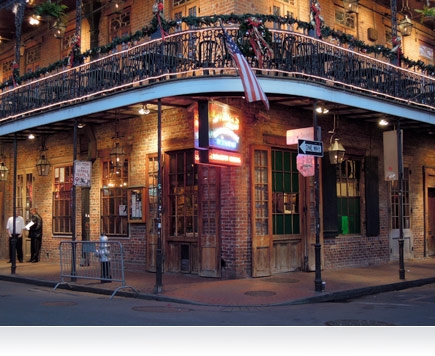
Ultra-fast, f/1.8 lens for astounding low-light performance
The world after sunset is an evocative and mysterious place. Capture it with the P310’s high-performance 24–100mm Zoom-NIKKOR f/1.8 maximum aperture glass lens. Rely on optical VR image stabilization to minimize blur in both photos and movies. Ideal for evening drama, this camera frames memorable, moody views.
Exceptional Nikon-quality images
With stunning image quality and intuitive functionality, the P310 delivers incredible performance despite its pocketsize dimensions. Its 16.1 megapixel CMOS sensor masterfully manages high-resolution imagery. World-class NIKKOR glass optics and EXPEED C2 image processing combine to help photographers produce their exacting visions. Work in four different exposure modes: Programmed, Shutter Priority, Aperture Priority or Manual.
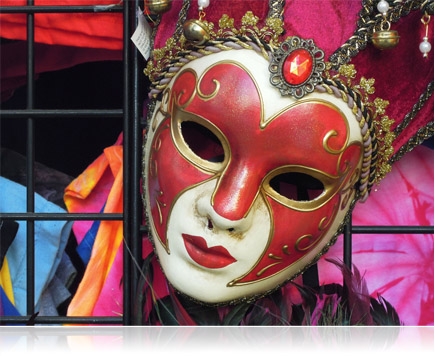
Full HD (1080p) movies with stereo sound
At the touch of a button, the P310 captures Full HD (1080p) movies with stereo sound. For a creative look, shoot movies in either Slow- or Fast-Motion. Change the mood with built-in Special Effects and shoot in dreamy Nostalgic Sepia or Selective Color modes. Explore new ways to inspire the inner artist in you.
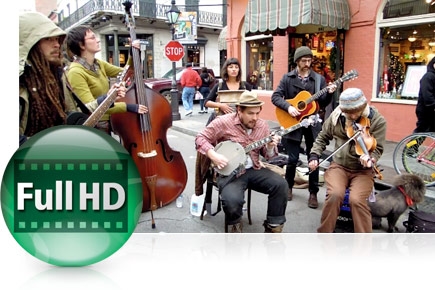
Shooting fast action can be difficult. With the P310, capture that elusive subject with quick start-up and high speed continuous shooting at up to 5 shots in approximately one second.
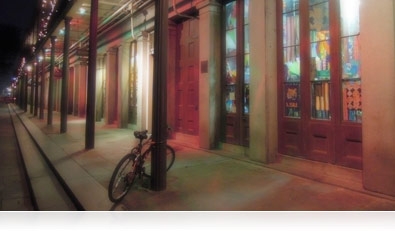
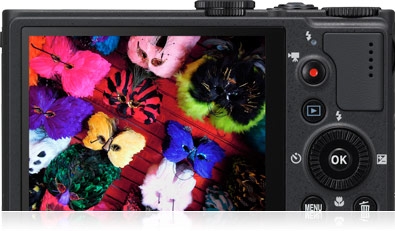
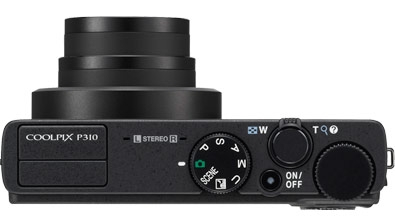
-
TypeCompact Digital Camera
-
Effective Pixels16.1 million
-
Image SensorCMOS
-
Sensor Size1/ 2.3 in.
-
Total Pixels16.79 million (approx.)
-
Lens4.2x optical Zoom, NIKKOR glass lens
-
Lens Focal Length4.3-17.9mm (angle of view equivalent to that of 24-100mm lens in 35mm [135] format)
-
Lens f/-numberf/1.8-4.9
-
Lens Construction7 elements in 6 groups
-
Lens Zoom4.2x
-
Digital ZoomUp to 2x (angle of view equivalent to that of approx. 200mm lens in 35mm [135] format)
-
Vibration ReductionLens-shift VR
-
Autofocus (AF)Contrast-detect TTL AF
-
Autofocus (AF) Focus-area selectionAuto (9-area automatic selection)
Center
Face priority
Manual with 99 focus areas
Subject tracking -
Focus Range[W]: Approx. 1 ft. (30 cm.) to infinity
[T]: Approx. 2 ft. (60 cm.) to infinity
Macro close-up mode: Approx. 0.8 in. (2 cm.) to infinity -
Focus LockYes
-
Maximum Autofocus Areas/Points99
-
Monitor Size3.0 in. diagonal
-
Monitor TypeTFT-LCD with Anti-reflection coating
5-level brightness adjustment -
Monitor Resolution921,000-dots
-
Monitor Frame coverage (shooting mode)100% horizontal (Approx.)
100% vertical (Approx.) -
Monitor Frame coverage (playback mode)100% horizontal (Approx.)
-
Storage MediaSD memory card
SDHC memory card
SDXC memory card -
Internal MemoryApprox. 90MB
-
Storage File SystemDCF
EXIF 2.3
DPOF compliant -
Storage File formatsStill pictures: JPEG
Audio files: WAV
Movies: MOV (Video: MPEG-4 AVC/H.264, Audio: AAC stereo)
3D pictures: MPO -
MovieAudio file format: AAC stereo
Full HD: 1920x1080p / 30fps
HD: 1280x720p / 30fps
iFrame 540: 960x540 / 30fps
Movie file format: MPEG-4 AVC H.264
Standard TV: 640x480 / 30fps -
Voice Memo FunctionYes
-
Image Size (pixels)4608 x 3456 (16M)
-
ISO SensitivityISO 100 -3200
Hi 1 (equivalent to 6400)
Auto (auto gain ISO 100-1600)
Fixed range auto (ISO 100-400, 100-800) -
Lowest ISO Sensitivity100
-
Highest ISO Sensitivity3200
-
Exposure Metering224-segment matrix, center-weighted
-
Exposure ControlProgrammed auto exposure with flexible program
aperture-priority auto
manual
shutter priority auto
motion detection -
Exposure ModesProgrammed Auto
-
Scene ModesBack Light
Beach
Close Up
Copy
Dusk/Dawn
Easy Panorama
Fireworks Show
Food
Landscape
Museum
Night Portrait
Panorama Assist
Party/Indoor
Pet Portrait
Portrait
Scene Auto Selector
Snow
Sports
Sunset
3D Photography -
In-Camera Image EditingBorder
Crop
D-Lighting
Filter Effects
Quick retouch
Rotate image
Selective Color
Skin softening
Small Picture -
Exposure Compensation2 EV in steps of 1/3
-
Exposure LockYes
-
Exposure BracketingYes
-
White BalanceAuto
Cloudy
Daylight
Flash
Fluorescent
Incandescent
Manual -
ShutterElectronically controlled mechanical and CMOS electronic shutter
-
Shutter Speed1/2000-1/2 sec: manual at ISO 3200
1/2000-1 sec: manual
1/2000-1 sec: auto (ISO 100 to 1600) (when ISO sensitivity set to Auto)
1/2000-1 sec: manual at 1600
1/2000-2 sec: manual at ISO 800
1/2000-4 sec: manual at ISO 100, ISO 200, ISO 400 -
Top Continuous Shooting Speed at full resolutionUp to 5 shots at approx. 7 frames per second
-
Continuous Shooting OptionsBest Shot Selector
Continuous H
Continuous H 60
Continuous H 120
Continuous L
Interval Timer
Multi-shot 16
Pre-shooting cache
Single -
ApertureElectronically-controlled 6-blade iris diaphragm
-
Self-timerCan be selected from 10 or 2 seconds duration
-
Built-in flash Range (approx.) (ISO sensitivity: Auto)[W]: 0.5 to 6.5m (1ft. 8in. to 21ft.)
[T]: 0.5 to 2.5m (1ft. 8in. to 8ft. 2in.) -
Built-in Flash ControlTTL auto flash with monitor preflashes
-
Built-in FlashYes
-
InterfaceHi-speed USB
-
Interface Data transfer protocolMTP
PTP -
Video OutputNTSC
PAL -
HDMI OutputCan be selected from:
Auto
480p
720p
1080i -
I/O terminalAudio/video (A/V) output
Digital I/O (USB)
HDMI Mini Connector (HDMI output) -
Supported LanguagesArabic
Brazilian Portuguese
Chinese (Simplified and Traditional)
Czech
Danish
Dutch
English
Finnish
French
German
Greek
Hindi
Hungarian
Indonesian
Italian
Japanese
Korean
Norwegian
Polish
Portugese
Romanian
Russian
Spanish
Swedish
Thai
Turkish
Ukranian
Vietnamese -
Power SourcesOne Rechargeable Li-ion Battery EN-EL12 (supplied)
-
Charging Time4 hours when battery is fully discharged (using Charging AC Adapter EH-69P/EH-69C) (Approx.)
-
Battery / BatteriesRechargeable Li-ion Battery EN-EL12
-
Battery Life (shots per charge)Still pictures*: Approx. 230 shots
*Based on Camera and Imaging Products Association (CIPA) standards for measuring the life of camera batteries. Measured at 23(-/+2)C (73(-/+4)F); zoom adjusted with each shot, flash fired with every other shot, image quality set to Normal, image size set to 4608 x 3456 (16M). Battery life may vary depending on shooting interval and length of time menus and images are displayed. -
Tripod Socketin.
-
Approx. DimensionsHeight: 2.3in. (58.3mm)
Width: 4.1in. (103.0mm)
Depth: 1.3in. (32.0mm)Excluding projections. Method of noting dimensions and weight is in accordance with CIPA DCG-005-2009 guideline. -
Approx. Weight6.9 oz. (194g)With battery and SD memory card. Method of noting dimensions and weight is in accordance with CIPA DCG-005-2009 guideline.
-
Operating environmentTemperature: 0 to 40C (32 to 104F)
-
Supplied Accessories
- AN-CP19 Strap
- UC-E16 USB Cable
- EG-CP16 Audio Video Cable
- EN-EL12 Rechargeable Li-ion Battery
- EH-69P AC Adapter/Charger
- NikonView NX 2 CD-ROM
 |
Nikon Coolpix S310 Digital Camera - Black
- 16.1MP, 4.2x Optical Zoom, 4.3-17.9mm (Angle Of View Equivalent To That Of 24-100mm Lens In 35mm [135] Format), 3.0" LCD, Image Stabilization

Imagine the beautiful imagery you can capture with a camera that provides incredible performance in low-light scenarios. Meet the COOLPIX P310: the serious photographer’s pocket companion when mobility is necessary and light is fleeting. The P310 will astound you with its incredible quality and versatility.


4.2x Wide-Angle Optical Zoom NIKKOR Glass Lens
3.0" Ultra-High-Resolution (921,000-dot) LCD Monitor
Full HD 1080p Movies with Stereo Sound
Exceptional Nikon-quality images
With stunning image quality and intuitive functionality, the P310 delivers incredible performance despite its pocketsize dimensions. Its 16.1 megapixel CMOS sensor masterfully manages high-resolution imagery. World-class NIKKOR glass optics and EXPEED C2 image processing combine to help photographers produce their exacting visions. Work in four different exposure modes: Programmed, Shutter Priority, Aperture Priority or Manual.
Full HD (1080p) movies with stereo sound
At the touch of a button, the P310 captures Full HD (1080p) movies with stereo sound. For a creative look, shoot movies in either Slow- or Fast-Motion. Change the mood with built-in Special Effects and shoot in dreamy Nostalgic Sepia or Selective Color modes. Explore new ways to inspire the inner artist in you.
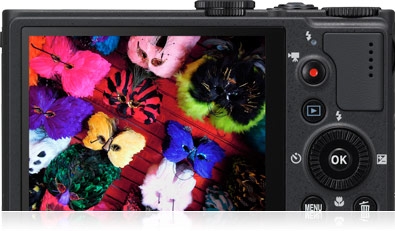
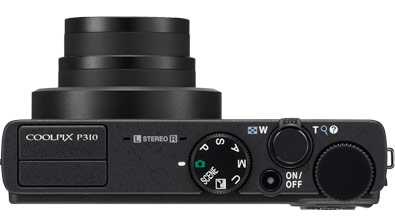
Specifications
-
TypeCompact Digital Camera
-
Effective Pixels16.1 million
-
Image SensorCMOS
-
Sensor Size1/ 2.3 in.
-
Total Pixels16.79 million (approx.)
-
Lens4.2x optical Zoom, NIKKOR glass lens
-
Lens Focal Length4.3-17.9mm (angle of view equivalent to that of 24-100mm lens in 35mm [135] format)
-
Lens f/-numberf/1.8-4.9
-
Lens Construction7 elements in 6 groups
-
Lens Zoom4.2x
-
Digital ZoomUp to 2x (angle of view equivalent to that of approx. 200mm lens in 35mm [135] format)
-
Vibration ReductionLens-shift VR
-
Autofocus (AF)Contrast-detect TTL AF
-
Autofocus (AF) Focus-area selectionAuto (9-area automatic selection)
Center
Face priority
Manual with 99 focus areas
Subject tracking -
Focus Range[W]: Approx. 1 ft. (30 cm.) to infinity
[T]: Approx. 2 ft. (60 cm.) to infinity
Macro close-up mode: Approx. 0.8 in. (2 cm.) to infinity -
Focus LockYes
-
Maximum Autofocus Areas/Points99
-
Monitor Size3.0 in. diagonal
-
Monitor TypeTFT-LCD with Anti-reflection coating
5-level brightness adjustment -
Monitor Resolution921,000-dots
-
Monitor Frame coverage (shooting mode)100% horizontal (Approx.)
100% vertical (Approx.) -
Monitor Frame coverage (playback mode)100% horizontal (Approx.)
-
Storage MediaSD memory card
SDHC memory card
SDXC memory card -
Internal MemoryApprox. 90MB
-
Storage File SystemDCF
EXIF 2.3
DPOF compliant -
Storage File formatsStill pictures: JPEG
Audio files: WAV
Movies: MOV (Video: MPEG-4 AVC/H.264, Audio: AAC stereo)
3D pictures: MPO -
MovieAudio file format: AAC stereo
Full HD: 1920x1080p / 30fps
HD: 1280x720p / 30fps
iFrame 540: 960x540 / 30fps
Movie file format: MPEG-4 AVC H.264
Standard TV: 640x480 / 30fps -
Voice Memo FunctionYes
-
Image Size (pixels)4608 x 3456 (16M)
-
ISO SensitivityISO 100 -3200
Hi 1 (equivalent to 6400)
Auto (auto gain ISO 100-1600)
Fixed range auto (ISO 100-400, 100-800) -
Lowest ISO Sensitivity100
-
Highest ISO Sensitivity3200
-
Exposure Metering224-segment matrix, center-weighted
-
Exposure ControlProgrammed auto exposure with flexible program
aperture-priority auto
manual
shutter priority auto
motion detection -
Exposure ModesProgrammed Auto
-
Scene ModesBack Light
Beach
Close Up
Copy
Dusk/Dawn
Easy Panorama
Fireworks Show
Food
Landscape
Museum
Night Portrait
Panorama Assist
Party/Indoor
Pet Portrait
Portrait
Scene Auto Selector
Snow
Sports
Sunset
3D Photography -
In-Camera Image EditingBorder
Crop
D-Lighting
Filter Effects
Quick retouch
Rotate image
Selective Color
Skin softening
Small Picture -
Exposure Compensation2 EV in steps of 1/3
-
Exposure LockYes
-
Exposure BracketingYes
-
White BalanceAuto
Cloudy
Daylight
Flash
Fluorescent
Incandescent
Manual -
ShutterElectronically controlled mechanical and CMOS electronic shutter
-
Shutter Speed1/2000-1/2 sec: manual at ISO 3200
1/2000-1 sec: manual
1/2000-1 sec: auto (ISO 100 to 1600) (when ISO sensitivity set to Auto)
1/2000-1 sec: manual at 1600
1/2000-2 sec: manual at ISO 800
1/2000-4 sec: manual at ISO 100, ISO 200, ISO 400 -
Top Continuous Shooting Speed at full resolutionUp to 5 shots at approx. 7 frames per second
-
Continuous Shooting OptionsBest Shot Selector
Continuous H
Continuous H 60
Continuous H 120
Continuous L
Interval Timer
Multi-shot 16
Pre-shooting cache
Single -
ApertureElectronically-controlled 6-blade iris diaphragm
-
Self-timerCan be selected from 10 or 2 seconds duration
-
Built-in flash Range (approx.) (ISO sensitivity: Auto)[W]: 0.5 to 6.5m (1ft. 8in. to 21ft.)
[T]: 0.5 to 2.5m (1ft. 8in. to 8ft. 2in.) -
Built-in Flash ControlTTL auto flash with monitor preflashes
-
Built-in FlashYes
-
InterfaceHi-speed USB
-
Interface Data transfer protocolMTP
PTP -
Video OutputNTSC
PAL -
HDMI OutputCan be selected from:
Auto
480p
720p
1080i -
I/O terminalAudio/video (A/V) output
Digital I/O (USB)
HDMI Mini Connector (HDMI output) -
Supported LanguagesArabic
Brazilian Portuguese
Chinese (Simplified and Traditional)
Czech
Danish
Dutch
English
Finnish
French
German
Greek
Hindi
Hungarian
Indonesian
Italian
Japanese
Korean
Norwegian
Polish
Portugese
Romanian
Russian
Spanish
Swedish
Thai
Turkish
Ukranian
Vietnamese -
Power SourcesOne Rechargeable Li-ion Battery EN-EL12 (supplied)
-
Charging Time4 hours when battery is fully discharged (using Charging AC Adapter EH-69P/EH-69C) (Approx.)
-
Battery / BatteriesRechargeable Li-ion Battery EN-EL12
-
Battery Life (shots per charge)Still pictures*: Approx. 230 shots
*Based on Camera and Imaging Products Association (CIPA) standards for measuring the life of camera batteries. Measured at 23(-/+2)C (73(-/+4)F); zoom adjusted with each shot, flash fired with every other shot, image quality set to Normal, image size set to 4608 x 3456 (16M). Battery life may vary depending on shooting interval and length of time menus and images are displayed. -
Tripod Socketin.
-
Approx. DimensionsHeight: 2.3in. (58.3mm)
Width: 4.1in. (103.0mm)
Depth: 1.3in. (32.0mm)Excluding projections. Method of noting dimensions and weight is in accordance with CIPA DCG-005-2009 guideline. -
Approx. Weight6.9 oz. (194g)With battery and SD memory card. Method of noting dimensions and weight is in accordance with CIPA DCG-005-2009 guideline.
-
Operating environmentTemperature: 0 to 40C (32 to 104F)
-
Supplied Accessories
- AN-CP19 Strap
- UC-E16 USB Cable
- EG-CP16 Audio Video Cable
- EN-EL12 Rechargeable Li-ion Battery
- EH-69P AC Adapter/Charger
- NikonView NX 2 CD-ROM
 |
Nikon JAA634DA Nikkor PCE MC85/2.8D LENS 85mm, Telephoto Lens - Black
- 85mm telephoto NIKKOR with +/-11.5mm shift and +/-8.5 tilt capability.
- Revolution +/-90 (in 30 increments).
- Nano Crystal coat reduces ghosting and flare.
- Aperture range of f/2.8 f/32.
- Preview button with electronic aperture control.
- Closest focusing distance: 0.39m.
- Maximum reproduction ratio: 1:2.
- Bayonet lens hood HB-22 and lens case CL-1120 included.
Specifications:
9
1/2
77mm
28.4 , 18.9 (DX-format)
Approx. 650 g
85 mm
Manual
0.39 m
f/2.8, f/32
6 elements in 5 groups
82.7107 mm
 |
Nikon JVA705DB 1 NIKKOR VR 10-100mm f/ 4.0-5.6, Compact, CX-Format Powerful Zoom Lens - White
1 NIKKOR VR 10-100mm f/4.0-5.6 White
This powerful zoom lens has a focal length range of 10100mm and maximum apertures of f/4.05.6, plus a Vibration Reduction function to ensure that stills stay crisp and movies are always steady.
With its classy, compact design and high-quality metallic exterior, this is an indispensable all-round lens that youll always enjoy using.
Minimum aperture
f/16
Diaphragm
Fully automatic
Type
1 mount lens
Filter-attachment size
55 mm (P=0.75 mm)
Maximum aperture
f/4-5.6
Aperture range
10 mm focal length: f/4 to f/16 100 mm focal length: f/5.6 to f/16
Lens construction
19 elements in 12 groups (including 3 aspherical lens elements, 2 ED lens elements, and HRI lens elements)
Diaphragm blades
7 (rounded diaphragm opening)
Weight
Approx. 298 g (10.5 oz)
Maximum reproduction ratio (35mm [135] equivalent ratio)
0.12x (Approx. 0.33x)
Focal length
10-100 mm
Dimensions
Approx. 60.5 mm diameter x 70.5 mm (distance from camera lens mount flange when lens is retracted)
Angle of view
77-910
Minimum focus distance
10 mm focal length: 0.35 m (1.1 ft) from focal plane 60 mm focal length: 1.0 m (3.3 ft) from focal plane 100 mm focal length: 0.65 m (2.1 ft) from focal plane
 |
Nikon JVA705DA 1 NIKKOR VR 10-100mm f/ 4.0-5.6, Compact, CX-Format Powerful Zoom Lens - Black
This powerful zoom lens has a focal length range of 10100mm and maximum apertures of f/4.05.6, plus a Vibration Reduction function to ensure that stills stay crisp and movies are always steady.
With its classy, compact design and high-quality metallic exterior, this is an indispensable all-round lens that youll always enjoy using.
 |
Toshiba 8GB Mini Flash Drive - Read 17.4MB/s, Write 16.8MB/s, USB2.0
PA5003A-1M8R - Toshiba Toshiba 8GB Mini USB 2.0 Flash Drive, Red Storage
Interface: USB1.1/USB2.0 compatible
Write Speed: up to 16.8 MBytes/s **
Read Speed: up to 17.4 MBytes/s **
Compatible with Microsoft Windows7, Windows Vista, Windows XP
Power Supply Voltage: Bus powered from USB port
Operating temp: 0 bis +50C (Recommended)
Storage temp: -20 bis +60C (Recommended)
Operational and storage humidity: 5% ~ 95% (non-condensing)

 |
Canon SX50 HS Digital Camera - Black
- 50x Optical Zoom, 4.3 (W) - 215.0 (T) mm (35mm film equivalent; 24-1200mm), 2.8" TFT LCD, HS System, DiG!C5, HD1080p, Intelligent IS
PowerShot SX50 HS
Imagine getting right down on the field to capture sports action, zeroing in on your child's expression on a crowded stage, and recording elusive wildlife shots. All this and more is possible with the PowerShot SX50 HS offering the world's first 50x Optical Zoom lens* in a compact digital camera, which goes all the way from a wide-angle 24mm to 1200mm (35mm equivalent) to capture any shot you choose. The PowerShot SX50 HS doesn't just get you up close to the action, it delivers spectacular image quality to every shot. The Canon HS SYSTEM, a combination of a 12.1 Megapixel High-Sensitivity CMOS sensor and the DIGIC 5 Image Processor, achieves beautiful images up to ISO 6400. Record your memorable moments in incredibly lifelike 1080p Full HD video with stereo sound and High Speed AF ensures you'll capture all the action with faster focusing speed and reduced shooting lag time. The PowerShot SX50 HS also features the additional benefit of Zoom Framing Assist Seek and Lock functions, for easy tracking of and keeping the subject centered in the frame until you capture the image. With powerful technologies that add convenience and advanced capabilities, PowerShot SX50 HS can help you capture more of life every day.


- World's first 50x Optical Zoom (24-1200mm) and 24mm Wide-Angle lens*1 with Optical Image Stabilizer delivers magnificent images whether you are up close or far away.
- 12.1 Megapixel High-Sensitivity CMOS sensor combined with a DIGIC 5 Image Processor creates the Canon HS SYSTEM for improved low-light performance up to ISO 6400 and enhanced image quality.
- Capture stunning 1080p Full HD video in stereo sound with a dedicated movie button; zoom while shooting and play back videos on an HDTV via the HDMI output.
- High Speed AF greatly improves focus speed and High-Speed Burst HQ allows for continuous capture at a maximum of 10 frames*2 while maintaining superb image quality.
- Intelligent IS automatically chooses from six different modes to optimize image stabilization for the shooting condition.
- Bright 2.8-inch Vari-angle LCD with 461,000 dots for shooting at a variety of angles, plus an Electronic Viewfinder.
- Smart AUTO intelligently selects the proper camera settings based on 58 predefined shooting situations and the Face ID function adjusts focus and exposure priority based on pre-registered faces.
- Full range of shooting and recording modes including RAW+JPEG for the ultimate creative control.
- Built-in hot shoe allows compatibility with optional Speedlite flashes for additional lighting options.
- Additional Features.


Compact digital still camera with built-in flash, 50x Optical, 4x Digital and 200x Combined Zoom with Optical Image Stabilizer
12.1 Megapixel, 1/2.3-inch CMOS
Total Pixels
Approx. 12.8 Megapixels
Effective Pixels
Approx. 12.1 Megapixels
Focal Length
4.3 (W) - 215.0 (T) mm (35mm film equivalent: 24-1200mm)
Digital Zoom
4.0x
Focusing Range
Normal: 2.0 in. (5cm) - infinity (W), 4.3 ft. (1.3m) - infinity (T)
Auto: 0 in (0cm) - infinity (W), 4.3 ft. (1.3m) - infinity (T)
Sports: 3.3 ft. (1m) - infinity (W), 43 ft. (13m) - infinity (T)
Macro AF: 0 in. - 1.6 ft. (0-50cm) (W)
Autofocus System
TTL Autofocus, Manual Focus
Viewfinders
Optical Viewfinder
Optical N/A.
Electronic Viewfinder (Approx. 202,000 dots)
LCD Monitor
2.8-inch TFT Color Vari-angle LCD with wide viewing angle
LCD Pixels
Approx. 461,000 dots
LCD Coverage
Approx. 100%
Aperture and Shutter
Maximum Aperture
f/3.4 (W), f/6.5 (T)
Shutter Speed
1-1/2000 sec.
15-1/2000 sec. (in Tv and M modes)
Exposure Control
Sensitivity
Auto, ISO 80/100/125/160/200/250/320/400/500/640/800/1000/1250/1600/ 2000/2500/3200/4000/5000/6400
Light Metering Method
Evaluative*, Center-weighted average, Spot**
* Facial brightness is evaluated in Face Detection AF
** Metering frame is fixed to the center
Exposure Control Method
Manual Exposure, Program Shift, Safety Shift, AE Lock
Exposure Compensation
Still Images: 3 stops in 1/3-stop increments
Videos: 3 stops in 1/3-stop increments (not available during shooting)
White Balance
White Balance Control
Auto*, Daylight, Cloudy, Tungsten, Fluorescent, Fluorescent H, Flash, Custom 1, Custom 2
* Camera automatically sets the optimal ISO speed according to shooting mode.
Flash
Built-in Flash
Auto, Flash On, Slow Synchro, Flash Off
- Facial brightness is also evaluated in Face Detect.
Flash Range
1.6 ft. - 18 ft. (W), 4.6 - 9.8 ft. (T) (50cm - 5.5m (W), (1.4m - 3.0m (T))
Image brightness may diminish depending on the shooting distance
Recycling Time
10 seconds or less (battery voltage: 7.4V)
Flash Exposure Compensation
+/-2 stops in 1/3-stop increments
Shooting Specifications
Shooting Modes
C1, C2, M, Av, Tv, P, Auto, Movie Digest, Sports, SCN*1, Creative Filters*2, Movie*3
- Shooting movies is possible with the movie button
*1 Portrait, Smooth Skin, Smart Shutter*4, High-Speed Burst HQ, Handheld NightScene, Snow, Fireworks, Stitch Assist
*2 High Dynamic Range, Fish-eye Effect, Miniature Effect, Toy Camera Effect, Soft Focus, Monochrome, Super Vivid, Poster Effect, Color Accent, Color Swap
*3 Standard, iFrame Movie, Super Slow Motion Movie
*4 Smile, Wink Self-timer, Face Self-timer
Photo Effects
My Colors Off, Vivid, Neutral, Sepia, Black & White, Positive Film, Lighter Skin Tone, Darker Skin Tone, Vivid Blue, Vivid Green, Vivid Red, Custom Color *
*Adjustment of contrast sharpness, saturation, red, green, blue and skin tone are available.
Self Timer
Custom*, Approx. 2-sec. delay, Approx. 10-sec. delay
* Delay time (0-15 sec. (in one-second increments), 20/25/30 sec.) and number of shots (1-10 shots (in one-shot increments)) can be specified.
Wireless Control
N/A
Continuous Shooting
1) Normal: Approx. 2.2 shots/sec. (in P mode)
Approx. 13 shots/sec.* (in High-Speed Burst HQ)
2) AF: Approx. 0.8 shots/sec. (in P mode)
Approx. 4.1 shots/sec.* (in High-Speed Burst HQ)
3) LV: Approx. 0.9 shots/sec. (in P mode)
- Under conditions where the flash does not fire automatically
- Differs depending on the zoom position.
* The maximum continuous capture is 10 frames.
Image Storage
Storage Media
SD Memory Card, SDHC Memory Card, SDXC Memory Card
File Format
Design rule for camera file system, DPOF Version 1.1 compliant
Image Recording Format
Superfine / Fine
JPEG Compression Mode
Still Image: Exif. 2.3 (JPEG)
Video: MOV (Image: H.264; Audio: Linear PCM (Stereo))
Number of Recording Pixels
Still Images:
1) 16:9 - Large: 4000 x 2248; Medium 1: 2816 x 1584; Medium 2: 1920 x 1080; Small: 640 x 360; RAW: 4000 x 2248
2) 3:2 - Large: 4000 x 2664; Medium 1: 2816 x 1880; Medium 2: 1600 x 1064; Small: 640 x 424; RAW: 4000 x 2664
3) 4:3 - Large: 4000 x 3000; Medium 1: 2816 x 2112; Medium 2: 1600 x 1200; Small: 640 x 480; Raw: 4000 x 3000
4) 1:1 - Large: 2992 x 2992; Medium 1: 2112 x 2112; Medium 2: 1200 x 1200; Small: 480 x 480; RAW: 2992 x 2992
5) 4:5 - Large: 2400 x 3000; Medium 1: 1696 x 2112; Medium 2: 960 x 1200; Small: 384 x 480; RAW: 2400 x 3000
Videos:
Full HD 1920 x 1080: 24 fps (23.976)
HD 1280 x 720: 30 fps (29.97)
iFrame Movie HD 1280 x 720: 30 fps (29.97)
Movie Digest HD 1280 x 720: 30 fps (29.97)
Miniature Effect HD 1280 x 720: 6 fps / 3 fps / 1.5 fps
Miniature Effect 640 x 480: 6 fps / 3 fps / 1.5 fps
Super Slow Motion Movie 640 x 480: 120 fps
Super Slow Motion Movie 320 x 240: 240 fps
640 x 480: 30 fps (29.97)
 Number of Recordable Images
Image data
| 16:9 | 3:2 | ||||||
| File Size (KB) | 8 GB | 32 GB | File Size (KB) | 8 GB | 32 GB | ||
| Large (L) | SF | 4,507 | 1,729 | 6,980 | 5,134 | 1,515 | 6,118 |
| F | 2,915 | 2,640 | 10,659 | 3,247 | 2,384 | 9,624 | |
| Medium 1 (M1) | SF | 2,630 | 2,923 | 11,801 | 2,914 | 2,640 | 10,659 |
| F | 1,814 | 4,234 | 17,091 | 1,945 | 3,961 | 15,989 | |
| Medium 2 (M2) | SF | 1,095 | 6,822 | 27,537 | 899 | 8,187 | 33,044 |
| F | 604 | 12,280 | 49,567 | 496 | 14,448 | 58,314 | |
| Small (S) | SF | 188 | 35,089 | 141,622 | 221 | 30,703 | 123,919 |
| F | 113 | 49,125 | 198,271 | 133 | 40,937 | 165,225 | |
| RAW | RAW | 17,680 | 442 | 1,788 | 17,585 | 444 | 1,798 |
| RAW+JPEG | RAW+JPEG | NA | NA | RAW+JPEG | NA | NA | |
| 4:3 | 1:1 | ||||||
| File Size (KB) | 8 GB | 32 GB | File Size (KB) | 4 GB | 16 GB | ||
| Large (L) | SF | 5,661 | 1,379 | 5,568 | 4,224 | 1,832 | 7,397 |
| F | 3,537 | 2,192 | 8,850 | 2,640 | 2,923 | 11,801 | |
| Medium 1 (M1) | SF | 3,173 | 2,431 | 9,814 | 2,365 | 3,274 | 13,217 |
| F | 2,073 | 3,721 | 15,020 | 1,549 | 4,912 | 19,826 | |
| Medium 2 (M2) | SF | 1,002 | 7,442 | 30,040 | 760 | 9,824 | 39,653 |
| F | 558 | 12,927 | 52,176 | 420 | 16,374 | 66,090 | |
| Small (S) | SF | 249 | 27,291 | 110,150 | 188 | 35,089 | 141,622 |
| F | 150 | 40,937 | 165,225 | 113 | 49,125 | 198,271 | |
| RAW | RAW | 17,529 | 446 | 1,804 | 17,415 | 448 | 1,814 |
| RAW+JPEG | RAW+JPEG | NA | NA | RAW+JPEG | NA | NA | |
| 4:5 | ||||
| File Size (KB) | 4 GB | 16 GB | ||
| Large (L) | SF | 3,396 | 2,273 | 9,178 |
| F | 2,121 | 3,611 | 14,578 | |
| Medium 1 (M1) | SF | 1,898 | 4,026 | 16,251 |
| F | 1,243 | 6,140 | 24,783 | |
| Medium 2 (M2) | SF | 608 | 12,280 | 49,567 |
| F | 336 | 20,468 | 82,612 | |
| Small (S) | SF | 150 | 40,937 | 165,225 |
| F | 90 | 61,406 | 247,838 | |
| RAW | RAW | 17,347 | 450 | 1,821 |
| RAW+JPEG | RAW+JPEG | NA | NA | |
Note: SF=Superfine F=Fine
*The approximate number of images recordable on memory cards other than the above can be calculated by using the above figures as a reference and extrapolating accordingly.
Time of Recordable Movies
Movie data
| iFrame Movie, Movie Digest Mode*1 | Miniature Effect | ||||||
| HD: 1280 x 720 | HD: 1280 x 720 | 640 x 480 | |||||
| 30 fps*2 | 5x | 10x | 20x | 5x | 10x | 20x | |
| 6 fps*3 | 3 fps*3 | 1.5 fps*3 | 6 fps*3 | 3 fps*3 | 1.5 fps*3 | ||
| Movie Size (KB/sec.) |
4701 | 573 | 287 | 143 | 246 | 123 | 61 |
| 8 GB | 27 min. 39 sec. | 3 hrs. 35 min. 27 sec. | 6 hrs. 49 min. 22 sec. | 11 hrs. 22 min. 17 sec. | 7 hrs. 34 min. 51 sec. | 13 hrs. 38 min. 45 sec. | 22 hrs. 44 min. 36 sec. |
| 32 GB | 1 hr. 51 min. 37 sec. | 14 hrs. 29 min. 36 sec. | 27 hrs. 32 min. 15 sec. | 45 hrs. 53 min. 45 sec. | 30 hrs. 35 min. 50 sec. | 55 hrs. 04 min. 31 sec. | 91 hrs. 47 min. 32 sec. |
| Super Slow Motion Movie | Other | ||||
| 640 x 480 | 320 x 240 |
Full HD: 1920 x 1080 |
HD: 1280 x 720 | 640 x 480 | |
| 120 fps*3 | 240 fps*3 | 24 fps*4 | 30 fps*2 | 30 fps*2 | |
| Movie size (KB/sec.) | 4914 | 2457 | 4355 | 3054 | 1416 |
| 8 GB | 26 min. 24 sec. | 52 min. 28 sec. | 29 min. 39 sec. | 42 min. 11 sec. | 1 hr. 28 min. 59 sec. |
| 32 GB | 1 hr. 46 min. 35 sec. | 3 hrs. 31 min. 49 sec. | 1 hr. 59 min. 43 sec. | 2 hrs. 50 min. 19 sec. | 5 hrs. 59 min. 10 sec. |
*2Actual frame rate is 29.97 fps.
*3Playback frame rate is 30 fps*2.
*4Actual frame rate is 23.976 fps.
Playback Specifications
Playback Modes File
Stills & Videos:
Auto Rotate (Automatic vertical/horizontal detection), Index Continuous Display, Image Advance (Operation Tools, Transition Effects, Scroll Display), Rotate, Favorites, My Category, Smart Shuffle, Group Playback, Movie Digest, Slideshow (Playback Interval, Repeat, Effect, Playlist)
Still Images:
Single, Index, Magnification (2-10x), Switch to other images while zoomed, Information Display, Red-eye Correction, i-Contrast, Photobook Setup, Trimming, Resize, My Colors, Face ID info, Focus Check, Histogram, RGB Histogram, Location Information, Overexposure Warning
Videos:
Normal Playback*1, Slow Motion, Skip Backward*2, Previous Frame*3, Next Frame*3, Skip Forward*2, Erase chapters, Editing
Using the software included with the camera (ImageBrowser EX), there are 8 levels (1/8x to 1x) of playback speed for Super Slow Motion Movies possible on a computer.
*1 Audio settings available in 5 levels
*2 Approximately 4 seconds
*3 Slow motion available
Erasing Specifications
Erase Modes
Select Image, Select Range, Select All Images
- The image data in the memory card stored with the Design rule for Camera File systems format can be erased (however, protected images cannot be erased).
- Using the Movie editing function, sections of the movie can be deleted.
Interfaces
Video Out
NTSC/PAL (dedicated connector (female) with unified type of digital, audio and video)
Mini-HDMI connector
Audio Out
Stereo (dedicated connector (female) with unified type of digital, audio and video)
Other
SD memory card slot; direct connection to Canon SELPHY, PIXMA Photo Printers & PictBridge compatible printers
Power Source
Battery Pack NB-10L, Compact Power Adapter CA-PS700 (included with AC Adapter Kit ACK-DC80)
Shooting Capacity
Approx. 315 shots when using LCD monitor
Approx. 335 shots when using Electronic Viewfinder
Playback Time
Approx. 7 hours
Physical Specifications
Operating Temperature
32-104F/0-40C
Operating Humidity
10-90%
Dimensions (W x H x D)
4.82 x 3.44 x 4.15 in. / 122.5 x 87.3 x 105.5mm
Weight
21.0 oz. / 595g (CIPA standard)
19.4 oz. / 551g (camera only)


All prices shown on camerafarm.com.au website are in $AUD and inclusive of GST.
Prices and availability are subject to change without prior notice. Images
displayed are accurate to the best of our knowledge and we will not be held
responsible for purchases based soley on these images. All brands and names
are trademarks of their respective companies.
We sell and ship to anywhere in Australia
.
© Techbuy Pty Ltd (camerafarm.com.au) 2026 All rights reserved. (site rev. 1.6b) For more
information, please see our usage policies.