Camerafarm product archive #41034
| Image |
Date |
Product description |
Price |
Buy |
|
07/05
|
Adobe Creative Suite 6 (CS6) Master Collection - PC, Mac - 1 Year Licence, 1 User, Education Edition Creative Suite 6 Master Collection - Education
Overview
Prepare the next generation for success
Adobe helps educators prepare students to excel by providing the tools to develop the critical digital communication and creativity skills needed in today’s workforce. With standards-aligned curriculums, certification, professional development, and flexible purchasing programs, schools of all sizes can ensure their students are set up for success.
Solutions for schools and institutions
Schools
Promote literacy, teach essential career skills, facilitate online learning, and streamline administrative processes.
- Career and technical education
- Cross-curricular education
- Collaboration and administration
Higher education
Improve campus efficiency, maximize budgets, and promote excellence in education.
- Administrator solutions
- Faculty solutions
Schools
Incorporate 21st century skills into classroom learning
Adobe offers teachers and administrators integrated software, curriculums, and instructional resources as well as certification options and professional development tools. Promote digital literacy, teach essential career skills, and streamline administrative processes.
Career and technical education
Help students develop the workforce skills and industry-standard software proficiency they need to succeed in higher education or on the job.
Cross-curricular education
Integrate technology across your curriculum to improve learning, problem solving, critical thinking, and 21st century skills. Student learning is greatly enhanced through cross-curricular education that brings the right technology into the experience.
Collaboration and administration
Bring digital efficiency into your district with Adobe's school administration software. Deploy online staff development and ePortfolio-based assessment, improve administrative processes, facilitate collaboration, and save valuable resources.
Enrich learning and boost campus efficiency
Transform your institution to reap the benefits of the digital age. With Adobe's industry-leading portfolio of technologies and services, you can help faculty, students, and staff deliver standout digital experiences that promote excellence campuswide.
Creativity and content authoring
Enhance teaching and learning with powerful tools that let faculty and students communicate, solve problems, and explore information in engaging and innovative ways.
Collaboration and productivity
Help all members of your campus community share knowledge and work together more effectively through online collaboration and distributed-learning solutions that reduce cost and waste.
Knowledge and web experience management
Gain insight into learning and communication strategy using robust content management and digital analytics tools.
Low prices that will inspire you
Get up to 80% off retail prices* for Adobe® Creative Suite® 6 software when you purchase Student and Teacher Editions. Now there's nothing holding you back from producing your best work. Imagine that.
Save on essential software
Adobe's most popular design and collaboration tools are available at up to 80% off the full retail price* for students, faculty, and staff. Adobe Student and Teacher Editions offer the same features as commercial versions at a price that won't break the budget.
Imagine how creative you can be
Produce your best work in and out of the classroom with the same software more and more professionals are using. Create amazing reports and portfolios, collaborate on assignments, and more with Adobe's award-winning tools for design, web, video, and mobile.
|


|
|
|
07/05
|
Adobe Creative Suite 6 (CS6) Master Collection - PC, MAC - 1 Year Licences, 1 User Adobe Creative Suite 6 Master Collection
Overview
What is Master Collection?
Adobe Creative Suite 6 Master Collection software delivers unprecedented performance with blazing-fast 64-bit native support and GPU acceleration. Groundbreaking new creative tools provide innovative ways to design for the latest devices. With exceptional power and precision, you can create inspiring experiences that go anywhere.
See the top new features in CS6 Master Collection
With groundbreaking new creative tools, you can deliver inspirational experiences virtually anywhere. Master Collection features 64-bit native support and GPU acceleration for unprecedented power across core components.
Design without limits
Tackle any creative challenge that comes your way. Use the ultimate professional toolset to explore new ways to design amazing print, web, and video experiences.
Work at the speed of your imagination
Work fluidly on your most complex projects with tools newly optimized for speed and performance. Reengineered features let you create with significantly fewer steps for maximum efficiency.
Deliver virtually anywhere
Reach more people in more places by designing to the latest web, mobile, and video standards. Create stunning, responsive experiences that fluidly adapt to virtually all screen sizes and form factors.
What's inside
 Photoshop CS6 Extended
 Illustrator CS6
 InDesign CS6
 Acrobat X Pro
 Flash Professional CS6
 Flash Builder 4.6 Premium Edition
 Dreamweaver CS6
 Fireworks CS6
 Adobe Premiere Pro CS6
 After Effects CS6
 Adobe Audition CS6
 SpeedGrade CS6
 Prelude CS6
 Encore CS6
 Bridge CS6
 Media Encoder CS6
Features:
Design without limits
Tackle any creative challenge with Adobe Creative Suite 6 Master Collection software. Explore groundbreaking ways to design for tablets and smartphones, speed up image editing, enhance high-end motion, and deliver stunning experiences. Express your vision without bounds thanks to the ultimate design environment.
Content-aware technologies in Photoshop Extended
Retouch images with astonishing ease, control, and precision in Adobe Photoshop® Extended. Remove or move selected image objects, and Content-Aware technology magically fills, patches, extends, or recomposes your image with stunning results.
Simplified 3D design in Photoshop Extended
Dive into 3D artwork creation with intuitive on-canvas and in-context scene editing. Drag shadows into place, animate 3D objects, and give 3D objects a sketched look.
Intuitive video creation in Photoshop Extended
Bring image-editing power to video. Enhance any clip using the full range of familiar tools in Photoshop Extended, and then combine clips and stills with transitions, audio, and effects.
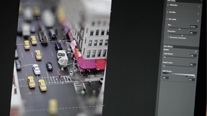
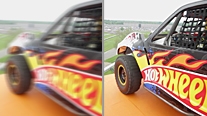
Blur Gallery in Photoshop Extended
Quickly create photographic blur effects using a simple interface with on-image controls. Create tilt-shift effects, sharpen one focal point, or vary the blur among many focal points.
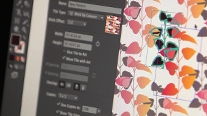
Seamless vector pattern creation in Illustrator
Easily create seamlessly tiled vector patterns in Adobe Illustrator®. Experiment freely with different types of repeating patterns that can be edited at any time for maximum design flexibility.
Powerful image tracing in Illustrator
Confidently convert raster images to editable vectors with a powerful tracing engine in Illustrator. Get clean lines, accurate fitting, and reliable results using simple, intuitive controls.
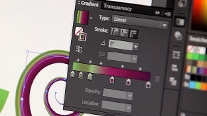
Gradients applied to strokes in Illustrator
Apply gradients to your strokes — along the length, across the width, or within the stroke itself — all with complete control over gradient placement and opacity.
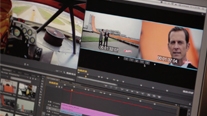
Adobe Premiere Pro multicam editing
Easily edit 16-plus camera multicam shoots, apply effects that span multiple clips using adjustment layers, and kick-start color correction with the Three-Way Color Corrector in Adobe Premiere® Pro.
Dynamic timeline trimming in Adobe Premiere Pro
Finesse your edits with precision using advanced trimming tools in Adobe Premiere Pro CS6. Trim clips directly in the timeline via keyboard entry or in the Program monitor using JKL shortcuts.
Video stabilizing tools
Remove unwanted movement from footage using the powerful Warp Stabilizer in Adobe After Effects® and Adobe Premiere Pro. Use rolling shutter removal to eliminate skew and wobble without forcing stabilization
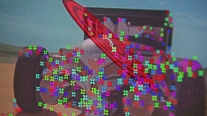
3D Camera Tracker in After Effects
Track elements in 3D space with depth of field, shadows, and reflections. Automatically analyze and place 3D track points onto 2D footage while you work, in the background.
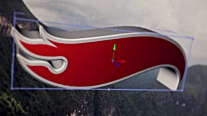
Ray-traced, extruded text and shapes in After Effects
Extrude fully ray-traced text and shapes natively and take full advantage of reflections, environment maps, and more.
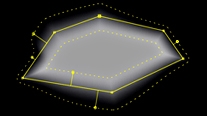
Variable mask feathering in After Effects
Create a separate set of splines to precisely control mask feathering. Get the exact shape you want with the proper degree of softness at any point along the mask edge, resulting in a big boost to creative flexibility.
Work at the speed of your imagination
With new power under the hood, you can work fluidly on your most complex projects using tools optimized for speed and performance. Reengineered features let you design with significantly fewer steps. Fast, intuitive access to your favorites helps keep your creativity flowing.
Adobe Mercury Graphics Engine in Photoshop Extended
See near-instant results when editing with key tools such as Liquify and Puppet Warp. The new Mercury Graphics Engine delivers unprecedented responsiveness for a fluid feel as you work.*
Adobe Mercury Performance System in Illustrator CS6
Work with precision, speed, and rock-solid stability on large, complex files due to native 64-bit support on Mac OS and Windows with RAM and overall performance optimization.
More about the Mercury Performance System
Global Performance Cache in After Effects
After Effects CS6 takes 64-bit performance to a new level with new Global Performance Cache, which optimizes and stores your previews so you're beating deadlines instead of waiting for updates. More about Global Performance Cache
Blazing-fast FTP performance in Dreamweaver
Transfer large files with blazing speed using a specifically engineered, multithreaded File Transfer Protocol in Adobe Dreamweaver.
Mercury Playback Engine in Adobe Premiere Pro
Get amazing performance from the 64-bit Adobe Mercury Playback Engine on desktops and laptops, GPU optional. Adobe Premiere Pro CS6 adds support for MacBook Pro OpenCL-based GPUs and NVIDIA Maximus dual-GPU configurations.
New, modern interfaces
Work with sleek, intuitive, and newly redesigned user interfaces in Photoshop Extended CS6, Illustrator CS6, and Adobe Premiere Pro CS6. Benefit from hundreds of design touches for a smoother, more consistent experience.
New and reengineered design tools in Photoshop Extended
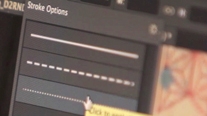
Create superior designs faster in Adobe Photoshop CS6 Extended with consistent formatting of type styles, vector layers with strokes and gradients, custom strokes and dashed lines, and more.
Accelerated, nondestructive image cropping in Photoshop Extended
Crop using the most-used tool in Photoshop Extended, which includes hardware acceleration and a modern interface that lets you manipulate your image on canvas and see it happen live.
Linked content in InDesign
Link content within or across Adobe InDesign documents, so that changes made to the parent text or object are applied to all linked children objects. Even changes to interactivity are applied to linked content.
Content Collector tools in InDesign
Grab text and objects from an existing layout using the Content Collector in InDesign. In a new layout, use the Content Placer to add those items in the order you want them to appear on the page.
Efficient, fluid video editing in Adobe Premiere Pro
Take advantage of powerful, flexible nonlinear video editing in Adobe Premiere Pro CS6 to tell your most compelling stories. Edit virtually any type of media in native formats, from video shot on a phone to 5K and beyond.
After Effects and Illustrator integration
Instantly convert Illustrator vector art (AI and EPS formats) into shape layers in After Effects. Easily animate vector art in 2D or extrude to 3D.
Rolling shutter repair in After Effects
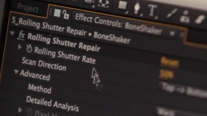
Remove rolling shutter artifacts such as skew and wobble without forcing stabilization, using an improved version of technology originally introduced with Warp Stabilizer.
Advanced motion tracking in After Effects
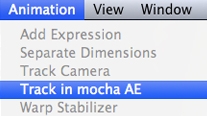
Handle even the trickiest tracking jobs with the 2D planar tracking tools in mocha for After Effects CS6 (included; English user interface only) from Imagineer Systems Ltd., with tracking masks and variable feather via mocha shape.
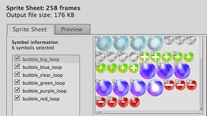
Sprite sheet generation in Flash Professional
Export symbols and animation sequences from Adobe Flash Professional to instantly generate CSS sprite sheets that improve workflow and performance.
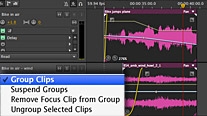
Faster, more precise audio editing in Adobe Audition
Speed up your audio editing workflow with new and improved tools in Adobe Audition. Perform precise cleanup, quickly align and edit dialogue, change clip pitch and speed, automate mixes, and more.
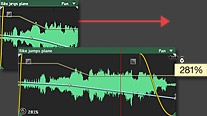
Real-time clip stretching in Adobe Audition
Stretch audio clips nondestructively in real time. Preview changes and settings, and render for higher quality results. Easily adjust pitch and speed together using varispeed mode.
Real-time performance in SpeedGrade
Experience real-time feedback while you design looks for your video and grade your footage. The GPU-accelerated, 64-bit Lumetri Deep Color Engine is optimized for performance, regardless of resolution or frame size.
Footage ingest and logging with Prelude
Manage preproduction efficiently with Adobe Prelude CS6. Ingest nearly any file-based format and begin logging immediately with searchable temporal markers that flow through post-production, allowing you to work faster and stay organized.
Auto-save and recovery in Photoshop Extended
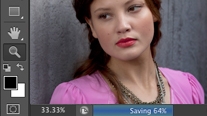
Let auto-save work behind the scenes without interruption, even saving your largest files in the background. Count on automatic recovery of your work in the event of an unexpected shutdown
Deliver virtually anywhere
Deliver robust, engaging web and mobile experiences with support for the latest advancements in HTML5 and CSS3. Create complex, responsive designs that can fluidly adapt to virtually all screen sizes and form factors, and across iOS, Android, and other popular platforms.
Alternate and Liquid Layout in InDesign
Efficiently create and design multiple versions of a layout within a single InDesign file. Apply liquid page rules to automatically adapt content when you create an alternate layout with a different size or orientation.
Fluid Grid Layout for devices in Dreamweaver
Design and develop confidently for mobile devices with advanced tools in Dreamweaver CS6, including CSS3-based layouts that scale adaptively to all screen sizes and form factors.
Support for the latest HTML5/CSS3 standards in Dreamweaver
Take advantage of updates to the newest industry technologies using Dreamweaver CS6, including CSS3 transitions for animating changes and WebKit support.
jQuery and PhoneGap support in Dreamweaver
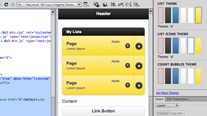
Create compelling websites and apps for smartphones, tablets, and desktop computers. Take advantage of integrated support for jQuery Mobile and Adobe PhoneGap to streamline your development of mobile apps.
Broad format support in Adobe Premiere Pro
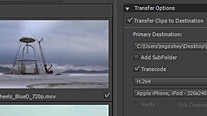
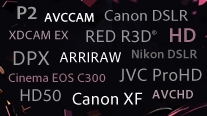
Edit virtually any format in Adobe Premiere Pro CS6 including DV, HDV, RED, DPX, Sony XDCAM, XDCAM 50, XDCAM EX and XDCAM HD, Panasonic P2, DVCPRO HD, AVCHD, AVC-Intra, and footage from DSLR cameras.
PDF forms within InDesign
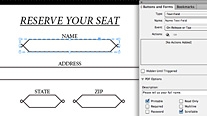
Create form fields directly within InDesign, before you export to PDF, so that your forms can look as good as the rest of your designs.
Common Library elements in Fireworks
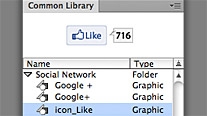
Mock up your designs and themes for iOS, Android, and social networks using new mobile app templates, state-of-the-arts symbols, and components in the Common Library in Adobe Fireworks CS6.
Mobile platform and device support in Flash Professional
Create content in Flash Professional for delivery across a wide variety of devices with support for the Flash Player 11.2 and Adobe AIR 3.2 runtimes; and for platforms including iOS, Android, and Adobe Digital Home.
Single-codebase mobile applications in Flash Builder Premium
Rapidly develop cross-platform web, desktop, and mobile applications using Adobe Flash Builder 4.6 Premium. Leverage a common Flex or ActionScript codebase to write for iOS, Android, and BlackBerry.
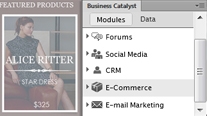
Business Catalyst integration
Use the integrated Adobe Business Catalyst panel in Dreamweaver to connect and edit sites you build with Business Catalyst (available separately). Build e-commerce sites with the hosted solution.
Integration with other tools and services
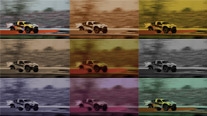
Enjoy direct integration with Adobe Digital Publishing Suite, Adobe Creative Cloud, and Adobe Touch Apps within core components of Master Collection.
Specifications:
System requirements
Windows
|
|
|
|
07/05
|
Adobe Speed Grade CS6 - 2 Years New Upgrade Plan - 1 User, 24 Month Licence, Government Edition OnlyGOVT Adobe Speed Grade ALL; Multiple Platforms; New Upgrade Plan; 2Y; 1 USER; 1+; 24 Months
|

|
|
|
Previous Page
|
Next Page
|
|