Camerafarm product archive #40989
| Image |
Date |
Product description |
Price |
Buy |
|
23/03
|
Team 32GB Micro SDHC Card - Class 6, Read 12MB/s, Write 6MB/s
- Includes SD Card Adapter Team Micro SDHC 32GB Class 6
Team Micro SDHC 32GB Class 6 Includes SD Card Adapter
Read: Up to 12-18MB/s (80X)
Write: Up to 6-9MB/s (40X)
Retail Packaging
Note: Speed may vary due to host hardware, software and usage
[TG032G0MC26A]
- Includes SD Card Adapter
- Read: Up to 12MB/s
- Write: Up to 6MB/s
|


|
|
|
23/03
|
Team 2GB Flash Drive - Activity LED, Ready Boost, USB2.0 - Jelly Pink Team 2GB USB 2.0 Drive - Jelly Pink
Interface: USB 2.0
Color: Pink
Team Retail: Pack
Dimensions: 54.3mm x 17.1mm x 7.15mm
Weight: 14g
Activity LED, Ready Boost
[TG002GJ100PX
- Jelly Pink Colour
- Inspired by Fruit Jelly Colours
- Attractive Retail Packaging
- Perfect Mix of Style, Colour and Storage
|
|
|
|
23/03
|
Corel Draw Graphics Suite X6 - Education CorelDRAW Graphics Suite X6\
Professional Graphic Design Software
- Superior vector illustration & page layout
- Versatile drawing and tracing tools
- Professional photo editing-capabilities
- Powerful website design software
Please Note:
- Download versions are available immediately.
- Boxed products are available for pre-order and shipping will begin end of March!
Your credit card will not be charged until your product ships.
Overview
Versatile and powerful graphic design software
Whether youre an aspiring artist or an experienced designer, CorelDRAW Graphics Suite X6 is your trusted graphic design software solution. With its content-rich environment and professional graphic design, photo-editing and website design software, you have everything you need to express your style and creativity with endless possibilities.
Quickly feel at home with built-in help, training videos and professionally designed templates. Then, create with confidenceeverything from distinctive logos and signs to custom websites, web graphics, billboards, car wraps, flyers and more! Show your true design style!
-
Set up and start smoothly
Enrich your designs with extensive built-in learning tools, allowing you to start quickly and design with confidence. Gain new knowledge from valuable video tutorials and tips, insights from experts and an inspiring guidebook.
-
Create layouts with ease
Give your projects a high-quality look with over 1,000 premium fonts, 1,000 professional, high-resolution digital photos, 10,000 versatile clipart and 350 professional templates. Efficiently organize your design assets with Corel CONNECT X6, a content finder that instantly locates content on your computer, local network and websites.
-
Design with style and creativity
Create beautiful designs for print and web with a complete set of drawing, bitmap-to-vector tracing, photo- editing and web graphics tools. Manage styles and colors easily with property dockers and convenient features, such as Style Sets and Color Harmonies.
-
Work faster and more efficiently
Save time and money with all of the powerful applications in one complete graphic design suite. Plus, enjoy the speed of multi-core processing and native 64-bit support, allowing you to quickly process larger files and images.
Easy sharing with market-leading compatibility
Output to a broad variety of mediafrom signs and flyers, to business cards, car wraps, web graphics and much more. Re-purpose and share your creations with support for over 100 file formats, including AI, PSD, PDF, JPG, PNG, EPS, TIFF, DOCX and PPT.
CorelDRAW Graphics Suite X6 is your trusted graphic design software.
What's New
This is the upgrade youve been waiting for! CorelDRAW Graphics Suite X6 makes everyday tasks faster and easier, delivering new time-savers that help you create with confidence. So many features worth waiting for! CorelDRAW Graphics Suite X6 offers the tools, the features and the power to enhance all of your design needs.
Take a closer look at the 10 most important reasons to upgrade your graphics software:
New! Advanced OpenType support
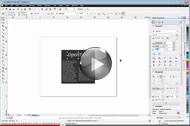
Create beautiful text with advanced OpenType typography features, such as contextual and stylistic alternates, ligatures, ornaments, small caps, swash variants and more. Ideal for cross-platform design work, OpenType offers comprehensive language support, allowing you to customize characters to suit the language youre working with. Control all your OpenType options from a centralized menu and make contextual changes with interactive OpenType features.
New! Custom-built Color Harmonies
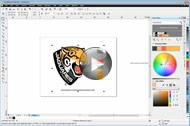
Easily create a complementary color palette for your design. The new Color Harmonies tool, accessed from the Color Styles docker, combines Color Styles into a Harmony, allowing you to modify colors collectively. It also analyzes colors and hues to deliver complementary color schemesa great way for you to satisfy clients with variety!
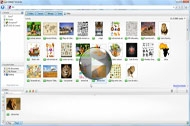
New! Multiple trays in Corel CONNECT X6
Instantly find images on your local network and search iStockPhoto, Fotolia and Flickr websites. Easily access your content, using the multiple trays now available within Corel CONNECT. And organize content by type or project in trays that are shared between CorelDRAW, Corel PHOTO-PAINT and Corel CONNECT for maximum efficiency.
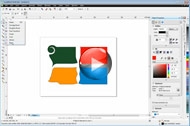
New! Creative vector shaping tools
Creatively add effects to your vector artwork! CorelDRAW X6 introduces four shaping tools that provide new creative options for refining your vector objects. The new Smear tool lets you shape an object by pulling extensions or making indents along its outline. The new Twirl tool lets you apply twirl effects to objects. And you can use the new Attract and Repel tools to shape curves by attracting or separating nodes.
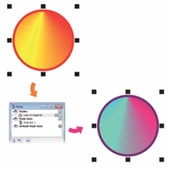
New! Document styles
Manage styles and colors easily! The new Object Styles docker centralizes style creation and management, featuring all the tools you need in one location. Create and apply Outline, Fill, Paragraph, Character and Text Frame styles to your objects. Group your favorite styles together in Style Sets, allowing you to format many objects at once for speed and consistency. Or let Default Style Sets remove the guesswork and save time.
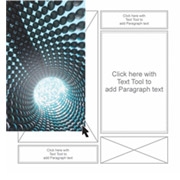
New! Page layout tools
Reserve a place for text or graphics using new empty PowerClip frames. Use the new Placeholder Text command to mock up a page layout and get a good sense of how the text will look. Plus, easily add page numbers with the Insert Page Number command.
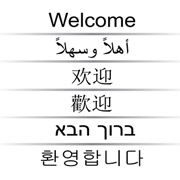
Enhanced! Complex script support
Guarantee the proper typesetting and appearance of Asian and Middle Eastern languages. Complex script support acts the same way as OpenType fonts, modifying characters as you type to deliver contextual accuracy.
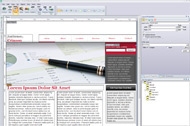
New! Website design software
Effortlessly build professional-looking websites, design web pages and manage web content with Corel Website Creator X6. Its Site Wizard, templates, drag-and-drop functionality and seamless integration with XHTML, CSS, JavaScript and XML make website design easy! (A Corel account is required to download the application).
Enhanced Speed! Native 64-bit and multi-core support
Enjoy the speed of multi-core processing power and native 64-bit support. The enhanced speed allows you to quickly process larger files and images. Plus, your system will be more responsive when running several applications simultaneously.
New! Bitmap and vector pattern fills
New support for transparent backgrounds in vector pattern fills! We've introduced a collection of fills, including new bitmap fills and, for the first time ever, vector pattern fills with transparent backgrounds.
Features
Embrace the design power of CorelDRAW® Graphics Suite X6, offering you content-rich images and fonts, professional graphic design tools, photo-editing capabilities and website design software. Plus, the enhanced speed of 64-bit support allows you to quickly process larger files and images. Show your true design style!
What's Included
-
CorelDRAW X6Intuitive vector illustration and page-layout application
-
Corel PHOTO-PAINT X6Professional image-editing application
-
Corel PowerTRACE X6Accurate bitmap-to-vector tracing tool
-
Corel Website Creator X6*Powerful do-it-yourself website design software
-
Corel CAPTURE X6Simple one-click screen capture utility
-
Corel CONNECT X6Instant content finder
-
PhotoZoom Pro 2**Convenient PHOTO-PAINT plug-in to enlarge digital images
-
ConceptShareInteractive online collaboration tool
Content
- 10,000 high quality clipart and digital images
- 1,000 professional, high-resolution digital photos
- 1,000 OpenType fonts, including premium fonts such as Helvetica
- 350 professionally designed templates
- 2,000 vehicle templates
- 800 frames and patterns
*Corel.com account required to download this application
**Registration required
Supporting applications
Barcode wizard, Duplexing wizard and Bitstream Font Navigator
Training
Over 2 hours of training videos (internet connection required)
Documentation
Online guidebook with expert design tips and insights (hard cover, full-color, printed Guidebook available with the box version), Quick-reference card (printed version available with the box version), Help files
Set up and start smoothly
Get a jump-start on your projects with an array of built-in learning tools and tutorials, plus start your designs off right with professionally designed templates, quality clipart, royalty-free photos and premium fonts. Whether youre an accomplished designer or a budding artist, theres always something new to learn.

New Features! Corel CONNECT X6
Speed up your workflow with Corel CONNECT, a built-in content search tool that helps you find graphics, templates, fonts and images instantly on your computer.
-
New! Multiple trays allow you to work with several trays concurrently; giving you increased flexibility for organizing assets for multiple projects. These time-saving trays will help you efficiently gather content photos, graphics or bitmap icons from various folders or online sources, and share them between CorelDRAW, Corel PHOTO-PAINT, and Corel CONNECT.
-
New! Search capability allows you to extract images instantly from a clients web site by simply typing a web address in the Search box. Corel CONNECT immediately gathers all the defined images with an HTML <img> tag from the website. Based on search terms or a folder path, Corel CONNECT can also scour your PC, network, or other online resources for content.
-
New! Relevant learning resources
Discover all the enriching learning tools you need to start smoothly and design with confidence, including valuable video tutorials, a hints docker with videos and tips, insights from experts and an inspiring guidebook.
-
New & Enhanced! High-value digital content
Design with valuable content, including 10,000 clipart images, 1,000 high-quality, royalty-free photos, 1,000 professional fonts, 1,000 OpenType fonts, including premium fonts such as Helvetica, 350 professional design templates, 2,000 vehicle templates, and 800 frames and patterns.
-
Enhanced! Hints docker
View interactive hints, including video tips, that will help you get you started quickly and provide step-by-step instruction on the suite's powerful tools.
-
Professionally designed templates
Choose from 350 professionally designed templates, plus 2,000 vehicle templates that give you a head start on all types of creative deliverables, from business cards and flyers to web graphics and sales collateral.
Design with style and creativity
With its rebuilt styles engine, new Object Styles docker, new Color Styles implementation, new Color Harmony functionality, and content-ready picture frames, CorelDRAW Graphics Suite X6 helps you focus on bringing your unique sense of style and creativity to your designs.
-
New! Styles engine and docker
The revised styles engine offers a new Object Styles docker that simplifies the creation, application, and management of styles. Take advantage of Style Sets that make it easier to apply consistent formatting across multiple objects, produce iterative versions, and implement formatting with speed and consistency. 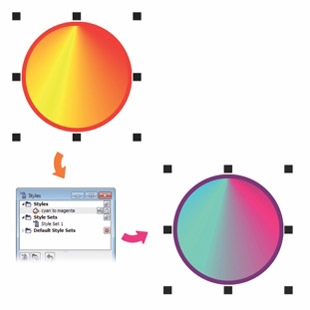
You can use Style Sets to quickly modify objects that share formatting attributes.
-
New! Color Styles
Add the colors used in a document as color styles, making it easier than ever to implement a color change throughout a project. Create a color style and have the color instantly applied to all objects linked to it.
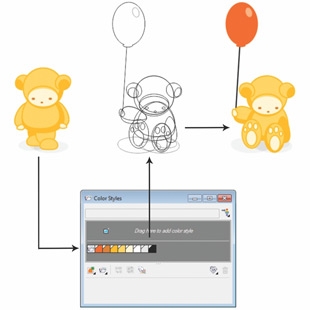
The new Color Styles docker makes it easy to manage the colors used in a document.
-
New! Color Harmonies
Group a documents color styles together so that you can quickly and easily produce recurring designs with varying color schemes. Combine two or more color styles into a harmony to link the colors into a hue-based relationship, which you can then modify collectively or individually.
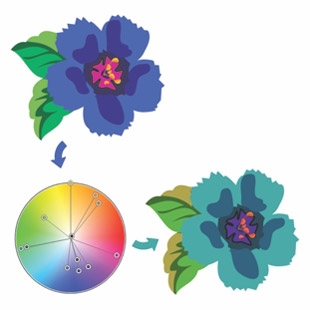
Color harmonies make it easy to change combinations of colors.
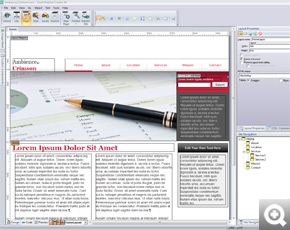
New! Corel Website Creator X6
With Corel Website Creator and its dozens of templates and Site Styles, you can easily design, build, and maintain a web presence without having to learn how to code.
-
New! Interactive websites
With a collection of Asynchronous JavaScript and XML (AJAX) widgets, Corel Website Creator X6 makes it easy to design websites that feature dynamic user interactivity. You can instantly add customizable page elements, such as accordions, tabbed panels, and toggle panes, which provide a more interactive experience for website visitors.
-
New! Integrated web development
The website workspace supports a wide range of the latest web development technologies, such as RSS feeds, CSS, XHTML, PHP, ASP.NET, ColdFusion, and JSP. Take advantage of a WYSIWYG design environment that offers the simplicity of wizards along with advanced HTML object and CSS inspectors.
-
New! Drag-and-drop web design
Corel Website Creator X6 provides drag-and-drop design capability. Place images, text, or other page elements exactly where you want them.
-
Enhanced! Timeline Editor
Within the website creator, there is a Timeline Editor that helps you give life to static website content, such as text, photos, graphics, and video. You can easily create sophisticated animations using the familiar drag-and-drop editing environment.
Create layouts with ease
With new and improved Master Layer functionality, new temporary Alignment Guides, new advanced OpenType support, and enhanced complex script support for working with foreign language text, CorelDRAW Graphics Suite X6 makes it easier than ever before to lay out your project.
-
New and Enhanced! Master Layers
Create page-specific designs for your multi-page documents with the new and improved Master Layers. Its now a breeze to incorporate page-specific headers, footers, and page numbers for brochures or flyers.
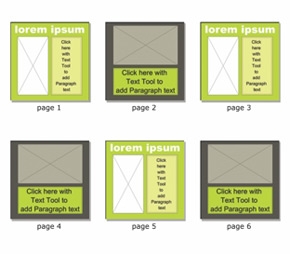
CorelDRAW X6 page layouts with differing odd- and even-page master layers.
-
New! Alignment Guides
Position objects more quickly with suggested alignments to the existing artwork on your page. The temporary guidelines appear when you create, resize, or move objects in relation to the center or edges of other nearby objects. Plus, the guides interactively connect the centers and the edges of objects. 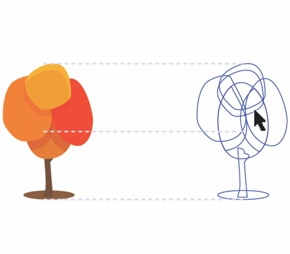
The new Alignment Guides appear as you move an object, helping you position objects more quickly.
-
New! Placeholder Text
Quickly populate any text frame with the new Insert Placeholder Text command, making it easier to view the appearance of your document before finalizing its content. For convenience and flexibility, you can also use custom placeholder text in any language supported by CorelDRAW.
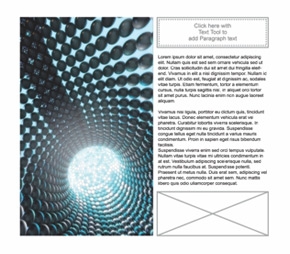
You can instantly add placeholder text to preview layouts before finalizing content.
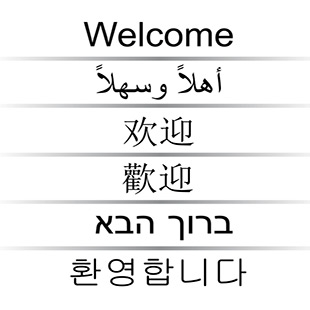
Support for complex scripts ensures that multilingualglyphs display correctly in your documents
New! Page numbering
Instantly add page numbers on all pages of a document, starting on a specific page, or starting with a particular number. Choose from alphabetic, numeric, or roman formats. Display page numbers in lower or uppercase lettering and the numbers are automatically updated when you add or delete pages in your document.
New! Interactive frames
Efficiently generate mock-ups of design ideas with interactive frames. The new empty PowerClip and text frame functionality let you populate your designs with placeholder PowerClip and text frames, making it easier to preview a layout before finalizing its individual content components.
New! Advanced OpenType support
A reengineered text engine lets you take advantage of advanced OpenType typography features, letting you choose alternative appearances for individual characters, or glyphs, to suit your stylistic preference, provided that the font supports advanced OpenType.
Enhanced! Complex script support
Now its easier to work with foreign language text, so you can create layouts that resonate and engage your audience no matter where they reside.
Interactive table tool
Create and import organized tables to provide a structured framework for text and graphics.
Work faster and more efficiently
From organizing project assets and accessing the suites vast collection of content anywhere that you have an internet connection, to more quickly identifying available formatting options and removing unwanted areas in photos, CorelDRAW Graphics Suite X6 offers several workflow innovations that help you be more efficient and productive.
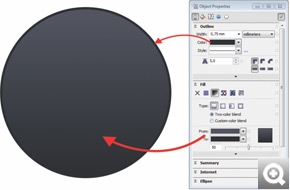
The redesigned Object Properties docker groups all object settings in one location.

The new Smart Carver makes it easy to remove unwanted areas and adjust the photos aspect ratio.
New! Object Properties docker
The redesigned Object Properties docker offers object-dependent formatting options and properties. By grouping all object settings in one location, this time-saving docker helps you fine-tune your designs faster than ever before.
New! Native 64-bit support
Provides full support for 64-bit processors, which lets you work faster than ever before with large files in CorelDRAW and large images in Corel PHOTO-PAINT.
Enhanced! Corel PHOTO-PAINT X6
Enrich your photos with a powerful photo editing tool that provides exciting photos effects such as Vibrance, Grayscale and Photo Filter, plus this editing tool supports RAW format for over 300 types of cameras, giving you improved flexibility and greater artistic control over your final photos.
Corel PHOTO-PAINT X6 also includes:
- New! Smart Carver tool slice away unwanted areas from a photo
- Image Adjustment Lab adjust and control all photos options in one lab
- Photo Touch-up - remove flaws in images and see the improved photo in real time
- Histogram Feedback - preview changes and instantly compare the results as you adjust image tones, apply effects or process RAW camera files
- Spot Color Channels create and modify images that contain spot colors
- Cut Out Lab - eliminate pieces of a picture from its background and maintain fine details
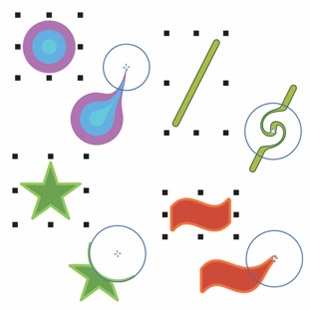
The new shaping tools provide creative options for refining vector objects; for example, smearing an object, adding a twirl effect, using the attract tool, and using the repel tool.
New! Shape tools
Introducing four additional shaping tools that provide new creative options for refining your vector objects. The new Smear tool lets you shape an object by dragging its outline, the Twirl tool lets you apply twirl effects to objects, and the Attract and Repel tools shape curves by attracting or pushing nodes away.
New! Freehand Pick tool
This new tool helps you save time by giving you greater control over object selection and transformation. Especially useful for selecting curved objects and non-linear shapes, the Freehand Pick tool lets you drag a freehand marquee around the objects or shapes you want to select.
New! Create clip mask
Apply a clip mask on a group of objects without modifying the individual objects within the group.
New! Pass through merge mode
Gain more control when applying a lens or effect to groups in Corel PHOTO-PAINT X6.
Prepare for output with confidence
After putting the finishing touches on your designs, the next step is to output your projects, upload your files to a printer or share your files. CorelDRAW Graphics Suite X6 provides extensive media and file support options so you can literally send your work anywhere.
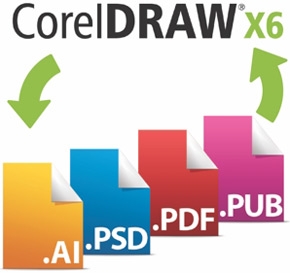
Expanded! Application compatibility
Spread the reach of your projects, knowing your designs will be compatible with the latest versions of Adobe Illustrator, Adobe Photoshop and Adobe Acrobat files.
Collect for Output option
Simply gather your project assetsfonts, color profiles, and other file information with the Collect for Output option that makes it a snap to share your work with a print service provider
File sharing and support
Re-purpose and share your creations anywhere with support for more than 100 file formats, including AI, PSD, PDF, JPG, PNG, EPS, TIFF, DOCX and PPT
Export Dialog box
Use the Export Dialog box to customize color profiles, file types and file sizes for print or web export
Media options
Output to a wide variety of media, including signs, flyers, business cards, web banners, websites, print ads, brochures, billboards, digital signs and web graphics and so much more!
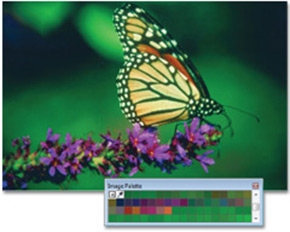
A custom color palette is created on the fly for each project.
Color Management engine
Control color consistency across different media and generate a distinct color palette for each document. The Color Management engine introduces greater color accuracy, plus support for new color profiles from PANTONE. Minimize your ecological footprint and reduce costly reprints by knowing that your colors are accurate before you print.
- Custom Color Palettes - access previously used colors in order to create and save for a new design
- Primary Color Mode - control the default color mode of a document on export, including the default palette colors (RGB or CMYK)
- Document Color Settings - adjust color settings that apply only to the current document
- PANTONE Color Profiles - view accurate, step-by-step color representation with the latest color profiles from PANTONE, including Fashion+Home and the PANTONE Goe system
- Hex Color Support - choose colors by using their hexadecimal (hex) value and view hex color values from multiple locations
Specifications:
System Requirements
- Microsoft Windows 7 (32-bit or 64-bit Editions) , Windows Vista (32-bit or 64-bit Editions), or Windows XP (32-bit), all with latest service packs installed
- Intel Pentium 4, AMD Athlon 64 or AMD Opteron
- 1GB RAM
- 1.5GB hard disk space (for typical installation without content - additional disk space is required during installation)
- Mouse or tablet
- 1024 x 768 screen resolution
- DVD drive
- Microsoft Internet Explorer 7 or higher
|
|
|
|
23/03
|
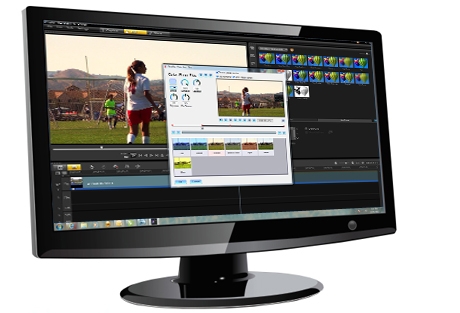
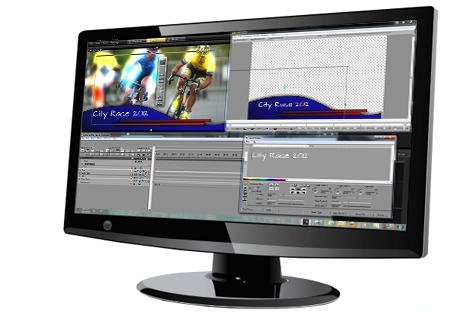
Corel VideoStudio Pro X5 Ultimate - Upgrade Asia VideoStudio Pro X5 Ultimate Upgrade - Asia
Superior Video Editing Software
- Outstanding valuehundreds of bonus effects,
filters, transitions and templates!
- New screen recording
- New HTML5 authoring
- New 14 additional multimedia tracks
Overview
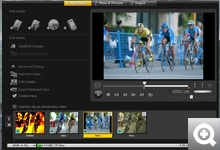
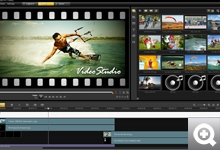
New video-editing tools and bonus software
Corel VideoStudio Pro X5 Ultimate is our most complete video-editing collection, combining ultra-fast performance, intuitive editing tools, advanced effects and screen recording, with bonus plug-ins from proDAD, Boris FX and NewBlue. Captivate any audience with broadcast-quality effects, multi-layered graphics, and 2D and 3D titling. Fix even the shakiest video with image correction tools and rock-steady video stabilization. Apply animated pen effects to maps, graphics and photos. Plus, get more innovative sharing options with HTML5 support and enhanced disc authoring tools.
- NewBlue Video Essentials
20 high-end filters and effects
- Boris Graffiti 5.4
Template-driven, broadcast-quality titles and effects
- proDAD Mercalli SE
Advanced image correction and rock-steady video stabilization
- proDAD VitaScene V2 LE
100+ fully customizable, high-speed effects, transitions and filters
- proDAD RotoPen
Exclusive to VideoStudio Pro X5 Ultimate!
Apply animated pen effects to maps, graphics and photos
- Free download! WinZip Pro
File compression, file sharing, file encryption and data backup
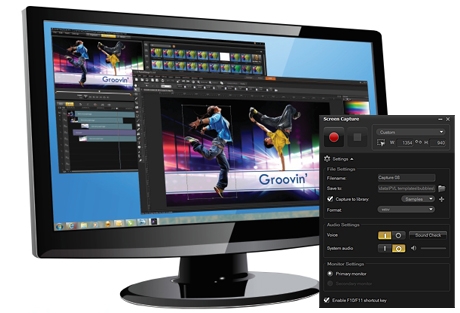
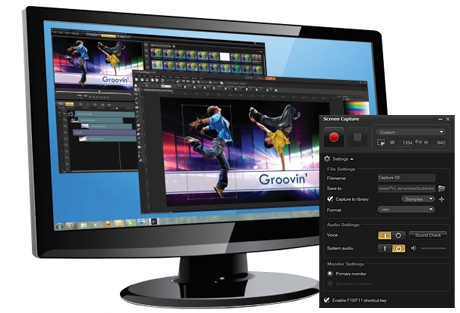
New complete screen recording
Make a video featuring anything you do on your desktop, including slideshows, tutorials, product demos, game recordings, how-to videos and more.
Enhanced performance
Get started faster with Instant Projects and templatesand finish faster thanks to high-speed rendering and support for GPU and multi-core processing.
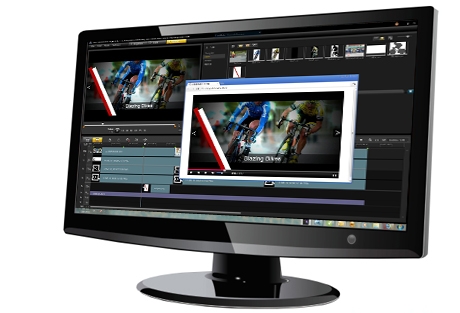
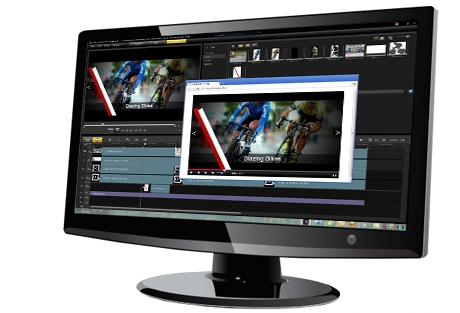
New HTML authoring
Create interactive web video with integrated hyperlinks, onscreen graphics and titles with built-in HTML5 support and HTML5 Instant Projects.
More editing tracks
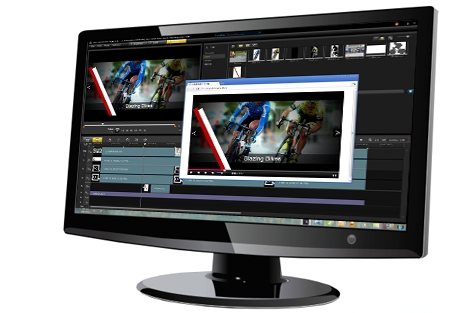
Be more creative with 21 multimedia tracks, support for multi-layer graphics and advanced drag-and-drop visual effects.
What's New
Bonus! NewBlue Video Essentials and NewBlue TitlerEX
Get quick-to-apply filters and great-looking titles with this outstanding combination of video tools from NewBlueFX. NewBlue Video Essentials is NewBlues best-selling filter collection featuring 20 highly practical effects. You also get NewBlue TitlerEX, the easy-to-use titling solution that lets you create beautiful, complex and compelling 2D and 3D title graphics.
Bonus! Boris Graffiti 5.4
Innovative and user-friendly titling is at your fingertips with Boris Graffiti Version 5.4. Create broadcast-quality titles and graphics without importing or exporting. Easily add sophisticated title animations, including type on text, text on a path, jitter, and randomization, and create 3D text with bump maps and reflections. Now enhanced with templated looks for superior ease-of-use!
Bonus! proDAD Mercalli SE
Get rock-steady video stabilization, no matter how fast the action. This version includes revolutionary 3D video stabilization, plus rolling-shutter compensation that will remove wobble and skew caused when panning with some cameras.
Bonus! proDAD VitaScene V2 LE
Get over 100 fully customizable effects that can be used independently—all rendered at top speed by your GPU. With an interactive preview, proDAD VitaScene V2 LE offers an easy and fast way to add high-quality transitions, text effects, filters, image enhancements and more to your videos.
Bonus! proDAD RotoPen – animated pen effects
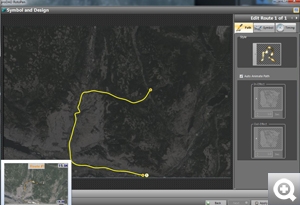
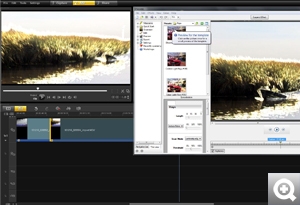
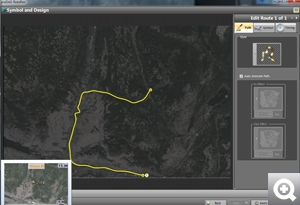
Only in VideoStudio Pro X5 Ultimate! Draw on maps, illustrate with light or video, or apply animated pen effects to any path with the new proDAD RotoPen.
NEW! Screen recording
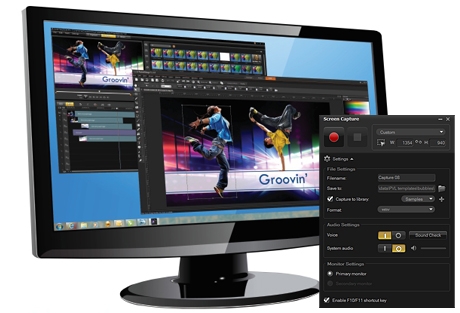
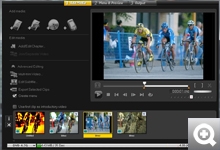
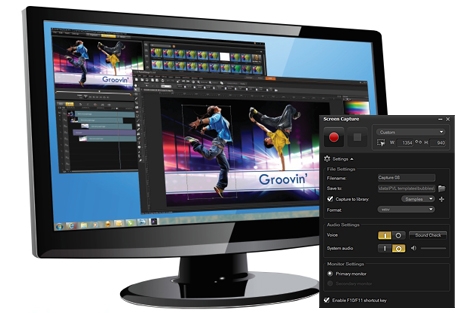
Create screen recordings for less than one-third of the cost of the leading screen recording software. Record slideshows, tutorials, product demonstrations, gameplay, how-to videos and more directly from your screen in one easy capture interface.
NEW! HTML5 support
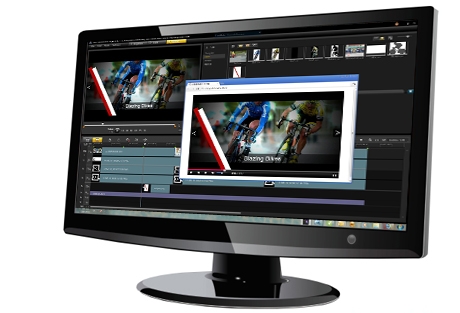
Create interactive video with onscreen graphics, integrated hyperlinks and titles directly in VideoStudio® Pro X5 thanks to built-in HTML5 support and HTML5 Instant Projects.
Enhanced! Faster performance
Harness the full power of your PC with GPU and multi-core acceleration. VideoStudio® Pro X5 runs more processes simultaneously for faster rendering than ever.
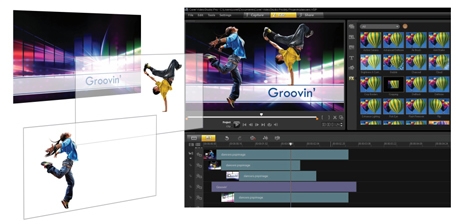
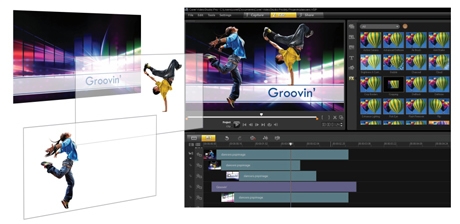
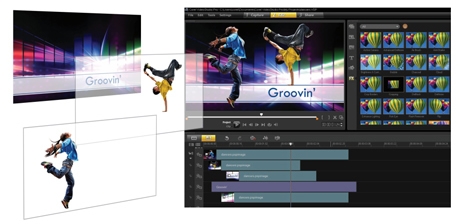
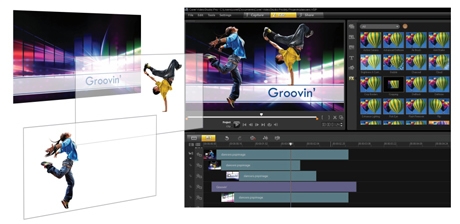
NEW! Import multi-layer graphics
Support for Corel® PaintShop™ Pro layers means you can now import individual layers of a multi-layer image file on to individual tracks, so you can layer clips to create effects that wow your audience.
NEW! Template library
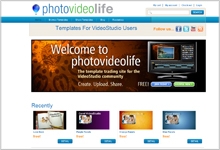
Drag a template directly from the library to the Timeline to jumpstart your production. Make your own templates, download them from the Corel Guide or from the free PhotoVideoLife.com community (English only).
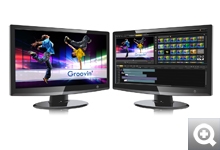
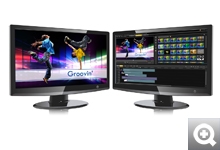
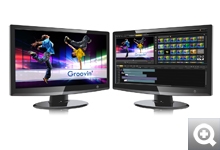
Enhanced! Workspace scalability
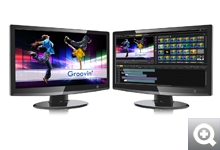
Now you can scale VideoStudio® Pro X5 on the main screen. Undock, drag and place your interface any way you want.
Enhanced! DVD authoring
Dramatic improvements in DVD and Blu-ray™ authoring in VideoStudio Pro X5 mean you can edit and create DVD subtitles to show or hide, burn from an ISO disc image and more.
Enhanced! Download and trade templates, plus get free tutorials
Sign in to the enhanced Corel Guide to download movie templates, free tutorial content, graphics and much more. Plus, PhotoVideoLife.com offers a blog and free template trading, along with affordable premium templates and effects.
Enhanced! Support for more cameras
VideoStudio® Pro X5 works with your footage from advanced cameras, including more 3D cameras than ever before. This version includes 3D camcorder support, along with support for Canon DSLRs that shoot stop motion. VideoStudio® Pro X5 also supports the frame rates found in newer HD camcorders, so you can edit in 50 or 60fps mode, which is ideal for higher quality and slow motion sports effects in footage.
NEW! 21 multimedia tracks
Make content-rich videos with 21 tracks for media, graphics and titles. Plus, use new Track Visibility controls to hide or show tracks when editing or outputting, which is especially useful for adding subtitles in multiple languages.
Features:
Outstanding valuehundreds of bonus effects, filters, transitions and templates!
Bonus! NewBlue® Video Essentials and NewBlue® TitlerEX
Streamline your workflow with NewBlue® Video Essentials, a best-selling collection featuring 20 highly practical effects. You also get NewBlue® TitlerEX, the easy-to-use titling solution that lets you create beautiful, complex and compelling 2D and 3D title graphics.
Bonus! Boris Graffiti 5.4
Innovative and user-friendly titling is at your fingertips with Boris Graffiti Version 5.4. Create broadcast-quality titles and graphics without importing or exporting. Easily add sophisticated title animations, including type on text, text on a path, jitter, and randomization, and create 3D text with bump maps and reflections.
Bonus! proDAD Mercalli SE
Get rock-steady video stabilization, no matter how fast the action. This version includes revolutionary 3D video stabilization, plus rolling-shutter compensation that will remove wobble and skew caused when panning with some cameras.
Bonus! proDAD VitaScene V2 LE
Get over 100 fully customizable effects that can be used independently and are rendered at top speed by a graphics card’s GPU. With an interactive preview, proDAD VitaScene V2 LE offers an easy and fast way to add high-quality transitions, text effects, filters, image enhancements and more to your videos.
Bonus! proDAD RotoPen – animated pen effects
Draw on maps, illustrate with light or video, or apply animated pen effects to any path with the new proDAD RotoPen.
Specifications:
System Requirements
- Microsoft Windows 7, Windows Vista or Windows XP with latest service packs installed (32-bit or 64-bit editions)
- Intel Core Duo 1.83 GHz, AMD Dual-Core 2.0 GHz (multi-core processor recommended)
- 2 GB RAM (4 GB or higher recommended)
- 128 MB VGA VRAM or higher (1 GB or higher recommended)
- 3 GB of free hard drive space
- Minimum display resolution: 1024 x 768
- Windows-compatible sound card
- Windows-compatible DVD-ROM drive for installation
- Recordable Blu-ray drive required for creating Blu-ray discs
- Internet connection required for online features and tutorial videos
- Internet connection may be required to verify the serial number during installation
Input/Output Devices Supported
- 1394 FireWire cards for use with DV/D8/HDV camcorders
- Support for OHCI Compliant IEEE-1394
- USB Video Class (UVC) DV cameras
- Analog capture cards for analog camcorders (VFW WDM support for Windows XP and Broadcast Driver Architecture support for Windows Vista and Windows 7)
- Analog and Digital TV capture devices (Broadcast Driver Architecture support)
- USB capture devices: Web cameras and disc/memory/hard drive camcorders
- Windows-compatible Blu-ray, DVD-R/RW, DVD+R/RW,
- DVD-RAM or CD-R/RW drive
- Apple iPhone, iPad, iPod classic with video, iPod touch, Sony PlayStation Portable, Pocket PC, smartphones
Input Formats Supported
- Video: AVI, MPEG-1, MPEG-2, AVCHD, MPEG-4, H.264, BDMV, DV, HDV, DivX, QuickTime, RealVideo, Windows Media Format, MOD (JVC MOD File Format), M2TS, M2T, TOD, 3GPP, 3GPP2
- Audio: Dolby Digital Stereo, Dolby Digital 5.1, MP3, MPA, WAV, QuickTime, Windows Media Audio
- Images: BMP, CLP, CUR, EPS, FAX, FPX, GIF, ICO, IFF, IMG, J2K, JP2, JPC, JPG, PCD, PCT, PCX, PIC, PNG, PSD, PSPImage, PXR, RAS, RAW, SCT, SHG, TGA, TIF, UFO, UFP, WMF
- Disc: DVD, Video CD (VCD), Super Video CD (SVCD)
Some format support may require third-party software.
Output Formats Supported
- Video: AVI, MPEG-2, AVCHD, MPEG-4, H.264, BDMV, HDV, QuickTime, RealVideo, Windows Media Format, 3GPP,
- 3GPP2,WebM, HTML5
- Audio: Dolby Digital Stereo, Dolby Digital 5.1, MPA, WAV, QuickTime, Windows Media Audio, Ogg Vorbis
- Images: BMP, JPG
- Disc: DVD (DVD-Video/DVD-R/AVCHD), Blu-ray Disc (BDMV)
- Media: CD-R/RW, DVD-R/RW, DVD+R/RW, DVD-R Dual Layer, DVD+R Double Layer, BD-R/RE
Some format support may require third-party software.
|
|
|
|
23/03
|
Corel VideoStudio Pro X5 - Ultimate Asia VideoStudio Pro X5 Ultimate
Superior Video Editing Software
- Outstanding valuehundreds of bonus effects,
filters, transitions and templates!
- Fast & easy HD video editing
- Advanced visual effects
- Complete screen recording
- Innovative sharing
Please Note:
- Download versions are available immediately.
- Boxed products are available for pre-order and shipping will begin end of March!
Overview
Our Ultimate video-editing collection
Corel VideoStudio Pro X5 Ultimate is our most complete video-editing collection, combining ultra-fast performance, intuitive editing tools, advanced effects and screen recording, with bonus plug-ins from proDAD, Boris FX and NewBlue. Captivate any audience with broadcast-quality effects, multi-layered graphics, and 2D and 3D titling. Fix even the shakiest video with image correction tools and rock-steady video stabilization. Apply animated pen effects to maps, graphics and photos. Plus, get more innovative sharing options with HTML5 support and enhanced disc authoring tools.
- NewBlue Video Essentials
20 high-end filters and effects
- Boris Graffiti 5.4
Template-driven, broadcast-quality titles and effects
- proDAD Mercalli SE
Advanced image correction and rock-steady video stabilization
- proDAD VitaScene V2 LE
100+ fully customizable, high-speed effects, transitions and filters
- proDAD RotoPen
Exclusive to VideoStudio Pro X5 Ultimate!
Apply animated pen effects to maps, graphics and photos
- Free download! WinZip Pro
File compression, file sharing, file encryption and data backup
Fast & easy HD video
Get started fast with Instant Projects and templatesand finish fast thanks to high-speed rendering and support for GPU and multi-core processing.
Advanced visual effects
Get creative with 21 multimedia tracks, support for multi-layer graphics and advanced visual effects.
Complete screen recording
Make a video featuring anything you do on your desktop, including slideshows, tutorials, product demos, game recordings, how-to videos and more.
Innovative sharing
Create interactive online video and quickly burn pro-quality discs complete with menus, titles and transitions.
What's New
Bonus! NewBlue® Video Essentials and NewBlue® TitlerEX
Get quick-to-apply filters and great-looking titles with this outstanding combination of video tools from NewBlueFX. NewBlue® Video Essentials is NewBlue’s best-selling filter collection featuring 20 highly practical effects. You also get NewBlue® TitlerEX, the easy-to-use titling solution that lets you create beautiful, complex and compelling 2D and 3D title graphics.
Bonus! Boris Graffiti 5.4
Innovative and user-friendly titling is at your fingertips with Boris Graffiti Version 5.4. Create broadcast-quality titles and graphics without importing or exporting. Easily add sophisticated title animations, including type on text, text on a path, jitter, and randomization, and create 3D text with bump maps and reflections. Now enhanced with templated looks for superior ease-of-use!
Bonus! proDAD Mercalli SE
Get rock-steady video stabilization, no matter how fast the action. This version includes revolutionary 3D video stabilization, plus rolling-shutter compensation that will remove wobble and skew caused when panning with some cameras.
Bonus! proDAD VitaScene V2 LE
Get over 100 fully customizable effects that can be used independently—all rendered at top speed by your GPU. With an interactive preview, proDAD VitaScene V2 LE offers an easy and fast way to add high-quality transitions, text effects, filters, image enhancements and more to your videos.
Bonus! proDAD RotoPen – animated pen effects
Only in VideoStudio Pro X5 Ultimate! Draw on maps, illustrate with light or video, or apply animated pen effects to any path with the new proDAD RotoPen.
NEW! Screen recording
Create screen recordings for less than one-third of the cost of the leading screen recording software. Record slideshows, tutorials, product demonstrations, gameplay, how-to videos and more directly from your screen in one easy capture interface.
NEW! HTML5 support
Create interactive video with onscreen graphics, integrated hyperlinks and titles directly in VideoStudio Pro X5 thanks to built-in HTML5 support and HTML5 Instant Projects.
Enhanced! Faster performance
Harness the full power of your PC with GPU and multi-core acceleration. VideoStudio® Pro X5 runs more processes simultaneously for faster rendering than ever.
NEW! Import multi-layer graphics
Support for Corel® PaintShop™ Pro layers means you can now import individual layers of a multi-layer image file on to individual tracks, so you can layer clips to create effects that wow your audience.
NEW! Template library
Drag a template directly from the library to the Timeline to jumpstart your production. Make your own templates, download them from the Corel Guide or from the free PhotoVideoLife.com community (English only).
Enhanced! Workspace scalability
Now you can scale VideoStudio Pro X5 on the main screen. Undock, drag and place your interface any way you want.
Enhanced! DVD authoring
Dramatic improvements in DVD and Blu-ray authoring in VideoStudio Pro X5 mean you can edit and create DVD subtitles to show or hide, burn from an ISO disc image and more.
Enhanced! Download and trade templates, plus get free tutorials
Sign in to the enhanced Corel Guide to download movie templates, free tutorial content, graphics and much more. Plus, PhotoVideoLife.com offers a blog and free template trading, along with affordable premium templates and effects.
Enhanced! Support for more cameras
VideoStudio® Pro X5 works with your footage from advanced cameras, including more 3D cameras than ever before. This version includes 3D camcorder support, along with support for Canon DSLRs that shoot stop motion. VideoStudio® Pro X5 also supports the frame rates found in newer HD camcorders, so you can edit in 50 or 60fps mode, which is ideal for higher quality and slow motion sports effects in footage.
NEW! 21 multimedia tracks
Make content-rich videos with 21 tracks for media, graphics and titles. Plus, use new Track Visibility controls to hide or show tracks when editing or outputting, which is especially useful for adding subtitles in multiple languages.
Specifications:
System Requirements
- Microsoft Windows 7, Windows Vista or Windows XP with latest service packs installed (32-bit or 64-bit editions)
- Intel Core Duo 1.83 GHz, AMD Dual-Core 2.0 GHz (multi-core processor recommended)
- 2 GB RAM (4 GB or higher recommended)
- 128 MB VGA VRAM or higher (1 GB or higher recommended)
- 3 GB of free hard drive space
- Minimum display resolution: 1024 x 768
- Windows-compatible sound card
- Windows-compatible DVD-ROM drive for installation
- Recordable Blu-ray drive required for creating Blu-ray discs
- Internet connection required for online features and tutorial videos
- Internet connection may be required to verify the serial number during installation
Input/Output Devices Supported
- 1394 FireWire cards for use with DV/D8/HDV camcorders
- Support for OHCI Compliant IEEE-1394
- USB Video Class (UVC) DV cameras
- Analog capture cards for analog camcorders (VFW WDM support for Windows XP and Broadcast Driver Architecture support for Windows Vista and Windows 7)
- Analog and Digital TV capture devices (Broadcast Driver Architecture support)
- USB capture devices: Web cameras and disc/memory/hard drive camcorders
- Windows-compatible Blu-ray, DVD-R/RW, DVD+R/RW,
- DVD-RAM or CD-R/RW drive
- Apple iPhone, iPad, iPod classic with video, iPod touch, Sony PlayStation Portable, Pocket PC, smartphones
Input Formats Supported
- Video: AVI, MPEG-1, MPEG-2, AVCHD, MPEG-4, H.264, BDMV, DV, HDV, DivX, QuickTime, RealVideo, Windows Media Format, MOD (JVC MOD File Format), M2TS, M2T, TOD, 3GPP, 3GPP2
- Audio: Dolby Digital Stereo, Dolby Digital 5.1, MP3, MPA, WAV, QuickTime, Windows Media Audio
- Images: BMP, CLP, CUR, EPS, FAX, FPX, GIF, ICO, IFF, IMG, J2K, JP2, JPC, JPG, PCD, PCT, PCX, PIC, PNG, PSD, PSPImage, PXR, RAS, RAW, SCT, SHG, TGA, TIF, UFO, UFP, WMF
- Disc: DVD, Video CD (VCD), Super Video CD (SVCD)
Some format support may require third-party software.
Output Formats Supported
- Video: AVI, MPEG-2, AVCHD, MPEG-4, H.264, BDMV, HDV, QuickTime, RealVideo, Windows Media Format, 3GPP,
- 3GPP2,WebM, HTML5
- Audio: Dolby Digital Stereo, Dolby Digital 5.1, MPA, WAV, QuickTime, Windows Media Audio, Ogg Vorbis
- Images: BMP, JPG
- Disc: DVD (DVD-Video/DVD-R/AVCHD), Blu-ray Disc (BDMV)
- Media: CD-R/RW, DVD-R/RW, DVD+R/RW, DVD-R Dual Layer, DVD+R Double Layer, BD-R/RE
Some format support may require third-party software.
|
|
|
|
23/03
|
Corel VideoStudio Pro X5 - Upgrade Asia VideoStudio Pro X5
Powerful Video Editing Software
- New screen recording
- Faster performance
- New HTML5 authoring
- New 14 more multimedia editing tracks
Please Note:
- Download versions are available immediately.
- Boxed products are available for pre-order and shipping will begin end of March!
Your credit card will not be charged until your product ships.
Overview
Faster video-editing software
Corel VideoStudio Pro X5 is ultra-fast and more comprehensive than ever with tools for screen recording, interactive web video and total disc authoring. Create everything from family movies and slideshows, to fun stop motion animations, and screen recordings of presentations, tutorials and more. Tap into the full power of your multi-core processor with unprecedented speed. And share everywhere with native HTML5 video support, and enhanced DVD and Blu-ray authoring.
New complete screen recording
Make a video featuring anything you do on your desktop, including slideshows, tutorials, product demos, game recordings, how-to videos and more.
Enhanced performance
Get started faster with Instant Projects and templatesand finish faster thanks to high-speed rendering and support for GPU and multi-core processing.
New HTML authoring
Create interactive web video with integrated hyperlinks, onscreen graphics and titles with built-in HTML5 support and HTML5 Instant Projects.
More editing tracks
Be more creative with 21 multimedia tracks, support for multi-layer graphics and advanced drag-and-drop visual effects.
What's New
NEW! Screen recording
Create screen recordings for less than one-third of the cost of the leading screen recording software. Record slideshows, tutorials, product demonstrations, gameplay, how-to videos and more directly from your screen in one easy-capture interface.
NEW! HTML5 support
Create interactive video with onscreen graphics, integrated hyperlinks and titles directly in VideoStudio® Pro X5 thanks to built-in HTML5 support and HTML5 Instant Projects.
Enhanced! Faster performance
Harness the full power of your PC with GPU and multi-core acceleration. VideoStudio Pro X5 runs more processes simultaneously for faster rendering than ever.
NEW! Import multi-layer graphics
Support for Corel® PaintShop™ Pro layers means you can now import individual layers of a multi-layer image file on to individual tracks, so you can layer clips to create effects that wow your audience.
NEW! Template library
Drag a template directly from the library to the Timeline to jumpstart your production. Make your own templates, download them from the Corel Guide or from the free PhotoVideoLife.com community (English only).
Enhanced! Workspace scalability
Now you can scale VideoStudio® Pro X5 on the main screen. Undock, drag and place your interface any way you want.
Enhanced! DVD authoring
Dramatic improvements in DVD and Blu-ray™ authoring in VideoStudio Pro X5 mean you can edit and create DVD subtitles to show or hide, burn from an ISO disc image and more.
Enhanced! Download and trade templates, plus get free tutorials
Sign in to the enhanced Corel Guide to download movie templates, free tutorial content, graphics and much more. Plus, PhotoVideoLife.com offers a blog and free template trading, along with affordable premium templates and effects.
Enhanced! Support for more cameras
VideoStudio® Pro X5 works with your footage from a huge variety of cameras, from camcorders to mobile phones, to iPod® and iPad®, and advanced HD cameras. This version includes 3D camcorder support, along with support for Canon DSLRs that shoot stop motion. VideoStudio® Pro X5 also supports the frame rates found in newer HD camcorders, so you can edit in 50 or 60fps mode, which is ideal for higher quality and slow motion effects in sports footage.
NEW! 21 multimedia tracks
Make content-rich videos with 21 tracks for media, graphics and titles. Plus, use new Track Visibility controls to hide or show tracks when editing or outputting, which is especially useful for adding subtitles in multiple languages.
Specifications:
System Requirements
- Microsoft Windows 7, Windows Vista or Windows XP with latest service packs installed (32-bit or 64-bit editions)
- Intel Core Duo 1.83 GHz, AMD Dual-Core 2.0 GHz (multi-core processor recommended)
- 2 GB RAM (4 GB or higher recommended)
- 128 MB VGA VRAM or higher (1 GB or higher recommended)
- 3 GB of free hard drive space
- Minimum display resolution: 1024 x 768
- Windows-compatible sound card
- Windows-compatible DVD-ROM drive for installation
- Recordable Blu-ray drive required for creating Blu-ray discs
- Internet connection required for online features and tutorial videos
- Internet connection may be required to verify the serial number during installation
Input/Output Devices Supported
- 1394 FireWire cards for use with DV/D8/HDV camcorders
- Support for OHCI Compliant IEEE-1394
- USB Video Class (UVC) DV cameras
- Analog capture cards for analog camcorders (VFW WDM support for Windows XP and Broadcast Driver Architecture support for Windows Vista and Windows 7)
- Analog and Digital TV capture devices (Broadcast Driver Architecture support)
- USB capture devices: Web cameras and disc/memory/hard drive camcorders
- Windows-compatible Blu-ray, DVD-R/RW, DVD+R/RW,
- DVD-RAM or CD-R/RW drive
- Apple iPhone, iPad, iPod classic with video, iPod touch, Sony PlayStation Portable, Pocket PC, smartphones
Input Formats Supported
- Video: AVI, MPEG-1, MPEG-2, AVCHD, MPEG-4, H.264, BDMV, DV, HDV, DivX, QuickTime, RealVideo, Windows Media Format, MOD (JVC MOD File Format), M2TS, M2T, TOD, 3GPP, 3GPP2
- Audio: Dolby Digital Stereo, Dolby Digital 5.1, MP3, MPA, WAV, QuickTime, Windows Media Audio
- Images: BMP, CLP, CUR, EPS, FAX, FPX, GIF, ICO, IFF, IMG, J2K, JP2, JPC, JPG, PCD, PCT, PCX, PIC, PNG, PSD, PSPImage, PXR, RAS, RAW, SCT, SHG, TGA, TIF, UFO, UFP, WMF
- Disc: DVD, Video CD (VCD), Super Video CD (SVCD)
Some format support may require third-party software.
Output Formats Supported
- Video: AVI, MPEG-2, AVCHD, MPEG-4, H.264, BDMV, HDV, QuickTime, RealVideo, Windows Media Format, 3GPP,
- 3GPP2,WebM, HTML5
- Audio: Dolby Digital Stereo, Dolby Digital 5.1, MPA, WAV, QuickTime, Windows Media Audio, Ogg Vorbis
- Images: BMP, JPG
- Disc: DVD (DVD-Video/DVD-R/AVCHD), Blu-ray Disc (BDMV)
Some format support may require third-party software.
|
|
|
|
23/03
|
Corel VideoStudio Pro X5 - Asia VideoStudio Pro X5
Powerful Video Editing Software
- Fast & easy HD video creation
- Advanced visual effects
- Complete screen recording
- Innovative sharing
Please Note:
- Download versions are available immediately.
- Boxed products are available for pre-order and shipping will begin end of March!
Your credit card will not be charged until your product ships.
Overview
Powerful video-editing software with screen recording
Corel VideoStudio Pro X5 is an all-in-one video editor that brings together creative editing, advanced effects, screen recording, interactive web video and total disc authoring. Ultra-fast and packed with intuitive tools, it lets you create everything from family movies and slideshows, to fun stop motion animations, and screen recordings of presentations, tutorials and more. Get creative with advanced compositing and stellar creative effects. Tap into the full power of your multi-core processor with unprecedented speed. And share everywhere with native HTML5 video support, and enhanced DVD and Blu-ray authoring.
Fast & easy HD video
Get started faster with Instant Projects and templatesand finish faster thanks to high-speed rendering and support for GPU and multi-core processing.
Advanced visual effects
Be more creative with 21 multimedia editing tracks, support for multi-layer graphics and advanced drag-and-drop visual effects.
Complete screen recording
Make a video featuring anything you do on your desktop, including slideshows, tutorials, product demos, game recordings, how-to videos and more.
Innovative sharing
Create interactive online video and quickly burn pro-quality discs, complete with menus, titles and transitions.
What's New
NEW! Screen recording
Create screen recordings for less than one-third of the cost of the leading screen recording software. Record slideshows, tutorials, product demonstrations, gameplay, how-to videos and more directly from your screen in one easy-capture interface.
NEW! HTML5 support
Create interactive video with onscreen graphics, integrated hyperlinks and titles directly in VideoStudio Pro X5 thanks to built-in HTML5 support and HTML5 Instant Projects.
Enhanced! Faster performance
Harness the full power of your PC with GPU and multi-core acceleration. VideoStudio® Pro X5 runs more processes simultaneously for faster rendering than ever.
NEW! Import multi-layer graphics
Support for Corel® PaintShop™ Pro layers means you can now import individual layers of a multi-layer image file on to individual tracks, so you can layer clips to create effects that wow your audience.
NEW! Template library
Drag a template directly from the library to the Timeline to jumpstart your production. Make your own templates, download them from the Corel Guide or from the free PhotoVideoLife.com community (English only).
Enhanced! Workspace scalability
Now you can scale VideoStudio Pro X5 on the main screen. Undock, drag and place your interface any way you want.
Enhanced! DVD authoring
Dramatic improvements in DVD and Blu-ray™ authoring in VideoStudio Pro X5 mean you can edit and create DVD subtitles to show or hide, burn from an ISO disc image and more.
Enhanced! Download and trade templates, plus get free tutorials
Sign in to the enhanced Corel Guide to download movie templates, free tutorial content, graphics and much more. Plus, PhotoVideoLife.com offers a blog and free template trading, along with affordable premium templates and effects.
Enhanced! Support for more cameras
VideoStudio® Pro X5 works with your footage from a huge variety of cameras, from camcorders to mobile phones, to iPod® and iPad®, and advanced HD cameras. This version includes 3D camcorder support, along with support for Canon DSLRs that shoot stop motion. VideoStudio® Pro X5 also supports the frame rates found in newer HD camcorders, so you can edit in 50 or 60fps mode, which is ideal for higher quality and slow motion effects in sports footage.
NEW! 21 multimedia tracks
Make content-rich videos with 21 tracks for media, graphics and titles. Plus, use new Track Visibility controls to hide or show tracks when editing or outputting, which is especially useful for adding subtitles in multiple languages.
Specifications:
System Requirements
- Microsoft Windows 7, Windows Vista or Windows XP with latest service packs installed (32-bit or 64-bit editions)
- Intel Core Duo 1.83 GHz, AMD Dual-Core 2.0 GHz (multi-core processor recommended)
- 2 GB RAM (4 GB or higher recommended)
- 128 MB VGA VRAM or higher (1 GB or higher recommended)
- 3 GB of free hard drive space
- Minimum display resolution: 1024 x 768
- Windows-compatible sound card
- Windows-compatible DVD-ROM drive for installation
- Recordable Blu-ray drive required for creating Blu-ray discs
- Internet connection required for online features and tutorial videos
- Internet connection may be required to verify the serial number during installation
Input/Output Devices Supported
- 1394 FireWire cards for use with DV/D8/HDV camcorders
- Support for OHCI Compliant IEEE-1394
- USB Video Class (UVC) DV cameras
- Analog capture cards for analog camcorders (VFW WDM support for Windows XP and Broadcast Driver Architecture support for Windows Vista and Windows 7)
- Analog and Digital TV capture devices (Broadcast Driver Architecture support)
- USB capture devices: Web cameras and disc/memory/hard drive camcorders
- Windows-compatible Blu-ray, DVD-R/RW, DVD+R/RW,
- DVD-RAM or CD-R/RW drive
- Apple iPhone, iPad, iPod classic with video, iPod touch, Sony PlayStation Portable, Pocket PC, smartphones
Input Formats Supported
- Video: AVI, MPEG-1, MPEG-2, AVCHD, MPEG-4, H.264, BDMV, DV, HDV, DivX, QuickTime, RealVideo, Windows Media Format, MOD (JVC MOD File Format), M2TS, M2T, TOD, 3GPP, 3GPP2
- Audio: Dolby Digital Stereo, Dolby Digital 5.1, MP3, MPA, WAV, QuickTime, Windows Media Audio
- Images: BMP, CLP, CUR, EPS, FAX, FPX, GIF, ICO, IFF, IMG, J2K, JP2, JPC, JPG, PCD, PCT, PCX, PIC, PNG, PSD, PSPImage, PXR, RAS, RAW, SCT, SHG, TGA, TIF, UFO, UFP, WMF
- Disc: DVD, Video CD (VCD), Super Video CD (SVCD)
Some format support may require third-party software.
Output Formats Supported
- Video: AVI, MPEG-2, AVCHD, MPEG-4, H.264, BDMV, HDV, QuickTime, RealVideo, Windows Media Format, 3GPP,
- 3GPP2,WebM, HTML5
- Audio: Dolby Digital Stereo, Dolby Digital 5.1, MPA, WAV, QuickTime, Windows Media Audio, Ogg Vorbis
- Images: BMP, JPG
- Disc: DVD (DVD-Video/DVD-R/AVCHD), Blu-ray Disc (BDMV)
Some format support may require third-party software.
|
|
|
|
23/03
|
Corel VideoStudio Pro X5 - Academic Asia Corel VideoStudio Pro X5 Academic Asia
Overview
Powerful video-editing software with screen recording
Corel VideoStudio Pro X5 is an all-in-one video editor that brings together creative editing, advanced effects, screen recording, interactive web video and total disc authoring. Ultra-fast and packed with intuitive tools, it lets you create everything from family movies and slideshows, to fun stop motion animations, and screen recordings of presentations, tutorials and more. Get creative with advanced compositing and stellar creative effects. Tap into the full power of your multi-core processor with unprecedented speed. And share everywhere with native HTML5 video support, and enhanced DVD and Blu-ray authoring.
Fast & easy HD video
Get started faster with Instant Projects and templatesand finish faster thanks to high-speed rendering and support for GPU and multi-core processing.
Advanced visual effects
Be more creative with 21 multimedia editing tracks, support for multi-layer graphics and advanced drag-and-drop visual effects.
Complete screen recording
Make a video featuring anything you do on your desktop, including slideshows, tutorials, product demos, game recordings, how-to videos and more.
Innovative sharing
Create interactive online video and quickly burn pro-quality discs, complete with menus, titles and transitions.
System Requirements
- Microsoft Windows 7, Windows Vista or Windows XP with latest service packs installed (32-bit or 64-bit editions)
- Intel Core Duo 1.83 GHz, AMD Dual-Core 2.0 GHz (multi-core processor recommended)
- 2 GB RAM (4 GB or higher recommended)
- 128 MB VGA VRAM or higher (1 GB or higher recommended)
- 3 GB of free hard drive space
- Minimum display resolution: 1024 x 768
- Windows-compatible sound card
- Windows-compatible DVD-ROM drive for installation
- Recordable Blu-ray drive required for creating Blu-ray discs
- Internet connection required for online features and tutorial videos
- Internet connection may be required to verify the serial number during installation
Input/Output Devices Supported
- 1394 FireWire cards for use with DV/D8/HDV camcorders
- Support for OHCI Compliant IEEE-1394
- USB Video Class (UVC) DV cameras
- Analog capture cards for analog camcorders (VFW WDM support for Windows XP and Broadcast Driver Architecture support for Windows Vista and Windows 7)
- Analog and Digital TV capture devices (Broadcast Driver Architecture support)
- USB capture devices: Web cameras and disc/memory/hard drive camcorders
- Windows-compatible Blu-ray, DVD-R/RW, DVD+R/RW,
- DVD-RAM or CD-R/RW drive
- Apple iPhone, iPad, iPod classic with video, iPod touch, Sony PlayStation Portable, Pocket PC, smartphones
Input Formats Supported
- Video: AVI, MPEG-1, MPEG-2, AVCHD, MPEG-4, H.264, BDMV, DV, HDV, DivX, QuickTime, RealVideo, Windows Media Format, MOD (JVC MOD File Format), M2TS, M2T, TOD, 3GPP, 3GPP2
- Audio: Dolby Digital Stereo, Dolby Digital 5.1, MP3, MPA, WAV, QuickTime, Windows Media Audio
- Images: BMP, CLP, CUR, EPS, FAX, FPX, GIF, ICO, IFF, IMG, J2K, JP2, JPC, JPG, PCD, PCT, PCX, PIC, PNG, PSD, PSPImage, PXR, RAS, RAW, SCT, SHG, TGA, TIF, UFO, UFP, WMF
- Disc: DVD, Video CD (VCD), Super Video CD (SVCD)
Some format support may require third-party software.
Output Formats Supported
- Video: AVI, MPEG-2, AVCHD, MPEG-4, H.264, BDMV, HDV, QuickTime, RealVideo, Windows Media Format, 3GPP,
- 3GPP2,WebM, HTML5
- Audio: Dolby Digital Stereo, Dolby Digital 5.1, MPA, WAV, QuickTime, Windows Media Audio, Ogg Vorbis
- Images: BMP, JPG
- Disc: DVD (DVD-Video/DVD-R/AVCHD), Blu-ray Disc (BDMV)
Some format support may require third-party software.
|
|
|
|
Previous Page
|
Next Page
|
|