Camerafarm product archive #40691
| Image |
Date |
Product description |
Price |
Buy |
|
30/05
|
Adobe Creative Suite 5.5 (CS5.5) Master Collection - Windows, Student Edition Only
Serial Number is given by Post Verification from Adobe
Warning : Before Purchase Please Check OS Compatibility
What's inside
Flash Builder 4.5 Premium Edition
What is Master Collection?
|
Adobe Creative Suite 5.5 Master Collection software is a comprehensive set of professional creative tools for delivery of design across media. Make an impact with work for virtually any screen mobile to tablet to HD display all with one value-packed offering.
|
Create without boundaries
Get it all with Adobe Creative Suite 5.5 Master Collection software. Create in new ways for mobile, video, print, and online media with the ultimate design environment, fully loaded with Adobes professional tools.
Industry-standard image editing
Make an impact with your images using Adobe Photoshop CS5 Extended, the digital imaging standard preferred by professionals worldwide for its powerful state-of-the-art editing, compositing, painting, and effects capabilities.

Vector graphics that work across media
Create compelling graphics in Adobe Illustrator CS5, the vector-drawing environment used by design professionals worldwide. Experiment freely and design efficiently with powerful tools for drawing, color, creative effects, and typography.

High-quality layout and production for print
Generate stunning page layouts quickly and efficiently in InDesign CS5.5 with precise control over typography, built-in creative tools, and an intuitive workflow. Take your designs to print reliably with less risk of error.
PDF Portfolios in Acrobat Pro
Assemble layouts, drawings, images, video, audio, and other files into a single dynamic PDF Portfolio. Customize the PDF Portfolio interface using professionally designed templates and interactive navigation.

Best-of-breed video editing and effects tools
Work efficiently and with maximum creativity using the best video editing and effects workflow on the market. Deliver reliably for broadcast, film, or online experiences with Adobe Premiere Pro CS5.5, After Effects CS5.5, and more.

Rich interactive content with Flash Professional
Work with an animation model that makes Flash Professional easier to learn for new users, adds efficiency for proficient users, and provides even greater control for creating immersive interactive experiences.
Professional audio production
Design sound at a professional level with cross-platform Adobe Audition CS5.5. Record, mix, edit, and master with tools that match the creativity and impact of your video and motion graphics.
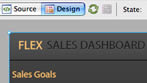
Premium tools for Flex developers
Use Adobe Flash Builder 4.5 Premium Edition to make the most of your Flex framework. Profilers, network monitoring, automated testing, and more can help you rapidly develop rich interactive content.
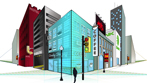
Innovative vector drawing and painting
Quickly and accurately represent depth and distance using perspective tools in Adobe Illustrator CS5. Use the Bristle Brush to draw with the expressive quality of watercolors, oils, and pastels, but with the scalability of vectors.
File-based workflows in video production
Work natively with pristine file-based footage in Adobe Premiere Pro CS5.5 and Adobe After Effects CS5.5. Edit file-based media formats using industry-leading workflows to save valuable production time transcoding or rewrapping.
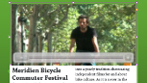
Interactive documents and presentations
Create memorable documents and presentations with interactivity, motion, sound, and video in InDesign CS5.5. Enhance layouts with rich media using motion presets and support for FLV and MP3 audio file import to engage your audiences.

Blob Brush tool in Illustrator
Sketch with a brush that generates a single clean vector shape, even when strokes overlap. Draw naturally using the Blob Brush tool together with the Eraser and Smooth tools.
Content-Aware Scaling in Photoshop Extended
Use the revolutionary Content-Aware Scaling feature to automatically recompose an image as you resize it, preserving vital areas as the image adapts to the new dimensions. Get the perfect image in one step without cropping and retouching.

Beautiful strokes with variable widths
Dynamically create and edit strokes in Adobe Illustrator CS5 that have infinitely adjustable widths. Precisely position and scale arrowheads and dashes, and finely control the scaling of art brushes along a path.
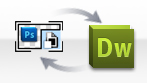
Photoshop Smart Objects in Dreamweaver
Insert any Photoshop PSD document in Dreamweaver to create an image Smart Object tightly linked to the source file. Make changes to the source image, and then update your image in Dreamweaver without opening Photoshop.
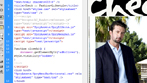
Live View in Dreamweaver
Design your web pages under real-world browser conditions with Live View in Dreamweaver while still retaining direct access to the code. Changes to the code are instantly reflected in the rendered display.
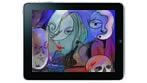
Enhanced creative freedom on the go
Take your creativity beyond the desktop. Use mobile devices like the iPad with Adobe Ideas sketching software and additional companion apps as they become available for Photoshop CS5 Extended.3 See all mobile apps
3D, motion, and compositing
Produce engaging video experiences by leveraging innovative 3D workflows enhanced editing, animation, and compositing all with a unified user interface that makes moving between components fluid and intuitive.
Comprehensive reach of the Flash Platform
Realize your vision online with the capabilities of the Adobe Flash Platform. Use Flash Catalyst CS5.5 to design interactive content without writing code, Flash Professional CS5.5 to create ultra-expressive content, and Flash Builder 4.5 Premium to develop rich Internet applications.
Efficient editing with Adobe Premiere Pro
Take advantage of scalable and flexible nonlinear video-editing capabilities to tell your most compelling stories. Native support for tapeless workflows, batch encoding in the background, and numerous enhancements help make editing more efficient.
Optimized graphics for the web and devices
Rapidly prototype websites, application interfaces, and other interactive designs. Design and prototype complete web pages and then export them as CSS-standard HTML, complete with external style sheets.
Work efficiently and with precision
To the top
Do more in less time. Do more in real time. Tap into the power of performance and take advantage of a wealth of new efficiencies, from mobile design to animation to HD video.
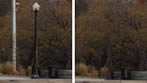
Content-Aware Fill
Remove any image detail or object and watch as Content-Aware Fill magically fills in the space left behind. This breakthrough technology matches lighting, tone, and noise so it looks as if the removed content never existed.

Video workflow efficiency with Dynamic Link
Save time on video projects thanks to roundtrip editing and Adobe Dynamic Link, which eliminates intermediate rendering as you refine assets between After Effects, Adobe Premiere Pro, and Encore.

Fast object selection and transformation
Select an object in InDesign CS5.5 and perform transformations with ease. Efficiency-optimizing tools and on-object controls speed up and simplify repetitive, everyday layout tasks.

Smooth designer-developer workflows
Work in parallel on the same Flex based project using Flash Catalyst CS5.5 and Flash Builder 4.5 Premium. Designers can make creative edits while developers manipulate code, and files flow easily back and forth for a fast, smooth workflow.
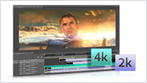
Mercury Playback Engine and 64-bit performance
Work fluidly with high-resolution video footage thanks to the Adobe Mercury Playback Engine, which speeds up effects processing and rendering. Plus, work smoothly with very large images in Photoshop Extended thanks to 64-bit support and GPU acceleration.
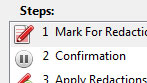
Action Wizard in Acrobat Pro
Automate routine, multistep PDF tasks more easily in Adobe Acrobat X Pro. The Action Wizard guides you through creating an Action, which is an automated sequence of steps that can be applied to a single PDF or batches of files.
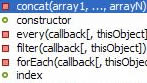
Robust jQuery support
Build rich content for a variety of devices with support for the jQuery Mobile framework in Dreamweaver CS5.5. Take advantage of mobile templates, contextual code hinting, and the ability to quickly insert objects into a design.

Truer Edge selection technology
Get better masking results in less time when selecting even the trickiest image elements, like hair, in Photoshop CS5 Extended. Truer Edge provides amazing edge detection and selection quality when using the Quick Selection tool.
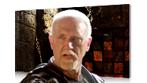
Roto Brush
Rotoscope in a fraction of the time with the revolutionary Roto Brush in After Effects CS5.5. Isolating moving foreground elements from their backgrounds with automatic transparency is dramatically fast.
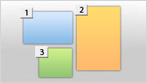
Multiple artboards in Illustrator
Create files containing up to 100 artboards of varying sizes and display them how you want overlapping, side by side, or stacked. Save, export, and print artboards independently or together. Save a range of artboards as a multipage PDF file.
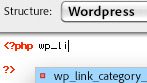
Support for evolving web trends
Create dynamic websites easily using Dreamweaver CS5.5 with full support for the leading content management frameworks, including Joomla!, Drupal, and WordPress.
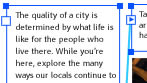
Type enhancements for the web
Create sophisticated typography for the web with support for bidirectional and vertical text, flowable text layouts, and support for more than 30 writing systems including Arabic, Chinese, Hebrew, and more in Flash Professional CS5.5.
Smooth image navigation in Photoshop Extended
Navigate gracefully to any area of an image with new, ultra-smooth zooming and panning. Just click to turn your canvas for distortion-free viewing at any angle no more tilting your head while painting and drawing.
Object-based animation in Flash Professional
With object-based animation in Flash Professional, create simple but engaging animations in as few as two steps.
Smart Objects in Dreamweaver
Insert any Photoshop PSD document in Dreamweaver to create an image Smart Object tightly linked to the source file. Make changes to the source image and update your image in Dreamweaver without opening Photoshop.
Project intelligence with XMP metadata support
Take advantage of the efficiency of XMP metadata. For example, Speech Search technology in Adobe Premiere Pro uses metadata to enable spoken words to become searchable, making it easy to find particular clips and making video assets searchable.
InDesign export for Flash Professional
Export InDesign documents to the XFL format and open them in Flash Professional with the visual fidelity of your original layout maintained.
Customizable Links panel in InDesign
Find, sort, and manage all of your documents placed files in the customizable Links panel. View attributes that are most critical to your workflow, such as scale, rotation, and resolution.
|


|
|
|
30/05
|
Tucano BCLK-XS-BX Extra Small Digital Camera Bag - Burgandy LINK - Digi-Cam Extra Small (Red)
BCLK-XS-BX
Description
Soft touch, compact design, rounded shape. With a printed circuit-like design on the top side, Link collection is made of neoprene and is also a great accessory for travellers who love to shoot anything special without missing the moment. The padded inner pouch wraps up the camera tightly while an extra small inner pocket protects your memory cards.
|
|
|
|
30/05
|
Sanyo Interactive Module Camera - For Sanyo PLC-WL2503 ProjectorPLCWL2503 INTERACTIVE MODULE (CAMERA) Interactive Modeule (Camera) to suit PLCWL2503
|

|
|
|
30/05
|
Sanyo PLC-WL2503 Short Throw Focus Mobile LCD Projector - 1280x800, 2500 Lumens, 500;1, VGA, HDMI, 1xRJ45, Speakers PLC-WL2503
SHORT THROW FOCUS MOBILE PROJECTOR
Is the PLC-WL2500 short throw data projector and also includes an Interactive Function
- Works on a regular screen or whiteboard
- Write text, graphics or lines onto projected screen images
- Save the revised images in JPEG format
- A mouse function lets you operate the PC right from the screen
- Includes the Interactive sensor, Interactive Pen, Interactive Pointer and USB Cable plus software
| System |
RGB liquid crystal shutter projection system |
| LCD panel system |
| Size |
0.59 inch x 3, Aspect Ratio 16:10 |
| Pixel Count |
1,024,000 (1280 x 800) x 3; Total pixels 3,072,000 |
|
| Projection lens |
Fixed / Manual focus, f=6.68 mm, F=1.8 |
| Light source |
230W NSHA lamp |
| Screen size (Projection distance) |
60 inch (min.) - 110 inch (max.); 0.64 m - 1.20 m; 80 inch: 0.86 m |
| Brightness*1 |
2,500 lumens*2 |
| Contrast ratio (Full on/Full off)*1 |
500:1*3 |
| Fan noise |
29dBA (Lamp mode "Eco") |
| Uniformity*1 |
80% |
| Colour reproducibility |
Full colour (16.77 million colors) |
| Audio output |
10 W mono |
| Scanning frequency (Input) |
Horizontal: 15 - 100 kHz, Vertical: 50 - 100 Hz, Dot Clock: 140 MHz or less (Analog) |
| Resolution (when using RGB signal) |
1280 x 800 dots (WUXGA dot resizing possible) |
| Terminals |
| PC Input/Output |
Digital input ; HDMI x 1 (Ver. 1.3 compatible)
Analog RGB input; Mini D-sub 15 x 2 (can be used for component input with a component to D-sub cable, sold separately). Analog RGB output: Mini D-sub 15 x 1 (same as analog RGB input terminal). Audio input: Stereo mini jack x 1 (computer/component) |
| Video input |
Video input: RCA x 1, S-Video x 1. Audio input: RCA x 2 (stereo) |
| Controller Input/Ouput and Other |
Control port: D-sub 9 (RS-232C) x 1, Audio output (variable) (for both computer/video): Stereo mini jack x 1, Wired LAN terminal: RJ-45 x 1 |
|
| Operating temperature |
5 - 35C |
| Power source |
AC 100-120V / 200-240V(10%), 50/60Hz |
| Power consumption |
100-120 V AC: 339.2 W / 227.4 W (Lamp mode: Normal/Eco), 5.94 W / 0.42 W (Standby: Network/Eco), 200-240 V AC: 316.2 W / 217.3 W (Lamp mode: Normal/Eco), 7.9 W / 0.78 W (Standby: Network/Eco) |
| Dimensions (W x H x D) |
350 x 129.4 x 381.9 mm (not including protruding parts) |
| Weight |
4.7kg |
| Main accessories |
Removable power cord x 1; D-sub 15 cable x 1, PIN code-locking seal, Owner's manual (Quick Manual & CD-ROM), Remote control x1 (AAA battery x 2) |
Measurement, measuring conditions, and method of notation all comply with ISO 21118 international standards
When Lamp Mode: Normal is selected
When Lamp Mode: Normal, and Image Mode: Dynamic are selected
|
|
|
|
30/05
|
Thinktank StreetWalker Pro
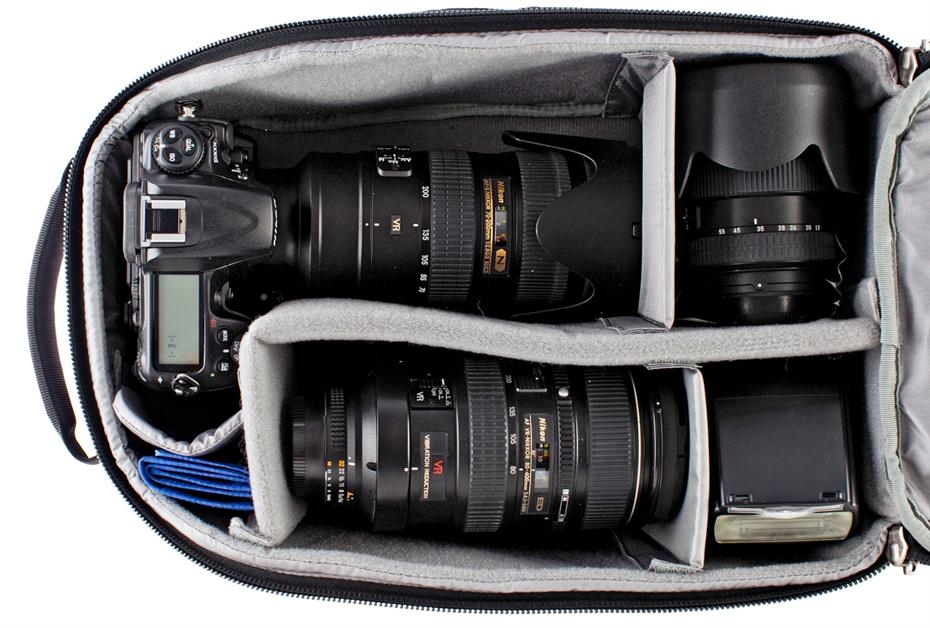
- Fits most 400 f2.8 lenses with a pro size DSLR body attached Designed for use in urban and crowded environments, this slim, lightweight backpack is sized as an international travel carry-on. It will hold most 400 f2.8 lenses with a pro size DSLR camera body attached.
- Vertically thin design with contoured curved top
- Unisex harness for both men and women
- Air channel on back of the bag
- Monopod/tripod mounting system
Gear Profile:
- Holds Pro Size DSLR with 70-200 2.8 attached and hood in position ready to shoot
- Holds most 400 f2.8 lenses with a pro size DSLR camera body attached
Technical Specifications:
- ID: 9.5 W x 16.5 H x 7D (24 x 42 x 18 cm)
ED: 10W x 17.5 H x 7.5 D (25 x 45 x 19 cm)
- 2.63.4 lbs (1.21.5 kg)
- Lifetime Warranty
Features:
- Vertically thin design with contoured curved top
- Holds most 400 f2.8 lenses with a pro size DSLR camera body attached (compare dimensions of your camera and lens with backpack dimensions in overview tab)
- Holds pro size DSLR and 70-200 2.8 attached; lens hood can also remain attached in shooting position
- Bottom front pocket can be used to carry a tripod or monopod (accessory straps included)
- A pop out tripod cup is built in for carrying a larger tripod
- Pro Speed Belt (sold separately) can be attached for carrying Modular, Skin or Multimedia components, to keep gear easily accessible
- Airflow channel with breathable mesh liner keeps the back cool while wearing the backpack
- Removable seam-sealed rain cover
- Upper organizer pocket for pens, memory cards, passports, and more
- A zippered side pocket with an outer stretchable pocket are on both sides of the backpack
- Removable webbing waist belt detaches easily
- Shoulder harness pockets, D Rings, and sternum strap
- Clear business card holder for quick identification
- Compatible with Camera Support Straps (sold separately)
- Lockable YKK zipper sliders (padlock not included)
|
|
|
|
Previous Page
|
Next Page
|
|