
Shop online for Digital Cameras and accessories | Camerafarm Australia
Camerafarm product archive #40652
Soften backgrounds |
||||||||||||||||||||||||||||||||||||||||||||||||||||||||||||||||||||||||||||||||||||||||||||||||||||||||||||||||||||||||||||||||||||||||||||||||||||||||||||||||||||||||||||||||||||||||||||||||||||||||||||||||||||||||||||||||||||||||||||||||||||||||||||||||||||||||||||||||||||||||||||||||||||||||||||||||||||||||||||||||||||||||||||||||||||||||||||||||||||||||||||||||||||||||||||||||||||||||||||||||||||||||||||||||||||||||||||||||||||||||||||||||||||||||||||||||||||||||||||||||||||||||||||||||||||||||||||||||||||||||



















|
Frame size (pixels)
|
Frame rate
|
Maximun recording time
|
|---|---|---|
|
1,920 x 1080 (Full HD)
|
24p (23.976fps)
|
10 min
|
|
1,280 x 720 (HD)
|
30p (29.97fps)
|
10 min
|
|
1,280 x 720 (HD)
|
25p (25fps)
|
10 min
|
|
1,280 x 720 (HD)
|
24p (23.976fps)
|
10 min
|
|
640 x 424 (SD)
|
24p (23.976fps)
|
10 min
|
|
File format
|
MOV
|
|---|---|
|
Video compression
|
H.264/MPEG-4 Advanced Video Coding
|
|
Audio recording format
|
Linear PCM
|
|
Audio recording device
|
Built-in monaural microphone
|
Live View - Live View with new AF modes and large 7.5-cm (3-in.) monitor
- Live View gives you an intuitive, familiar way to photograph playful pets or children on the move. Just flip a switch and you're ready to go. When Live View is activated and new full-time-servo AF (AF-F) is selected, the camera keeps subjects in focus without having to press the shutter-release button - convenient for photos and movies. There is also new face-priority AF that locks focus on faces, even on people not directly facing the camera. Live View makes D3100 as easy to use as a compact camera.

AF Mode for Live View and Movie Shooting
- New autofocus (AF) modes help capture moving subjects
- Three AF modes - single-servo AF (AF-S), full-time-servo AF (AF-F) and manual focus (MF) - are available when using Live View or shooting movies.
For movies, use AF-F with subject-tracking AF. These help maintain focus on a selected subject and work together to continuously track a subject as it moves through the frame, realizing camcorder-like focusing.
[NEW]
Full-time-servo AF (AF-F)

- Autofocus automatically begins after Live View is activated, tracking the subject continuously without having to press the shutter-release button.
Note: When shooting movies, noise from the lens motor may be recorded.
Single-servo AF (AF-S)

- Great for stationary subjects. Focus locks when the shutter-release button is pressed halfway.
Manual focus (MF)

- Focus manually.
AF-area modes for live view and movies - Four modes to capture subject
When using Live View or shooting movies, choose from four AF-area modes depending on the subject: normal-area AF, wide-area AF, face-priority AF, and subject-tracking AF.
Normal-area AF

- Offers pinpoint precision when focusing on a small area - ideal when using a tripod.
Wide-area AF

- A good all-round choice for a variety of subjects, both moving and stationary. It is especially well-suited for handheld shooting.
Face-priority AF

- The camera can recognize up to 35 faces at a time then focus on the face that is determined to be nearest. Even if people in the frame move, the camera continues tracking and focusing.
[NEW]
Subject-tracking AF
Note: Autofocus operation is interrupted while the camera is tracking the subject.
Automatic
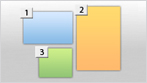
11-point AF system - Quick, accurate autofocus ready for the decisive moment
D3100's precision high-speed autofocus responds immediately to changes in scene or composition, maintaining tack-sharp focus to capture fleeting expressions and fast-moving sports. The all-important central focus point features a cross-type sensor while the new superimposed display achieves a clear, uncluttered viewfinder. Various autofocus modes cover nearly any situation, including auto-area AF that automatically selects the subject on which to focus, and 3D-tracking (11 points)* that maintains focus on a subject regardless of changes in composition as long as the shutter-release button is pressed halfway.
* When autofocus is set to AF-A or AF-C.

- 11 AF points Note: The 11 AF points shown here are for illustration
purposes only. Actual appearance differs.
Single-point AF

- Manually select an autofocus point with the multi-selector, compose, and shoot. This is a great way to maintain focus on static, off-center subjects.
Dynamic-area AF

- Capturing fast moving subjects has never been easier. Select a focus area and the corresponding autofocus points combine to produce sharp results.
Auto-area AF

- Unsure of what mode to use? Let the D3100 decide for you. It automatically changes autofocus modes depending on whether the subject is static or dynamic.
3D-tracking (11 points)

- Select an autofocus point on a moving subject and the D3100 locks on, utilizing all autofocus points to keep the subject in sharp focus even as the composition changes.
Advanced white balance control - More natural whites
The Improved Scene Recognition system offers outstanding auto white balance performance that nearly rivals the precision of the D3s, Nikon's flagship camera. White is reproduced more faithfully while maintaining stable color balance regardless of light source.

Built-in pop-up flash - Additional light whenever needed
- When the light gets low or you find yourself shooting in tricky backlit lighting, use the built-in pop-up flash to brighten the scene. It activates automatically when needed depending on exposure mode*, or can be enabled manually. In addition, support for i-TTL flash control increases exposure accuracy.
* When Scene Mode is set to Auto, Portrait, Child, Close-up or Night portrait


Convenient and powerful Speedlight SB-400 (sold separately)
- Bouncing flash off ceilings or walls is easy with optional Speedlight SB-400. Supplementing D3100's built-in flash, SB-400 gives you the means to produce photos with softer, more natural-looking lighting.


- Shooting with direct flash

- Shooting with bounce flash
Scene Recognition System - Intelligent operation in any setting
- Nikon's exclusive Scene Recognition System utilizes a 420-pixel RGB sensor to analyze a composition immediately before you take the shot. It then automatically optimizes exposure, autofocus, and white balance, allowing you to obtain beautiful photos without the hassle of making complicated camera adjustments yourself. Face detection also benefits from Scene Recognition System, exhibiting improved recognition accuracy and definition as well as enabling instant zoom-to-face in playback mode.

Expression
Ample image and movie editing functions - In-camera image and movie editing
Heighten your photographic enjoyment with D3100's wide range of image and movie editing functions. Operations like Red-eye correction, Quick retouch, and Filter effects can be done in-camera via the Retouch menu, eliminating the need for a PC and enhancing convenience. You can also extract still images from movies and trim unnecessary frames.
The Retouch Menu
D-Lighting Red-eye correction Trim (3:2, 4:3, 5:4, 1:1, 16:9) Monochrome (Black-and-white, Sepia, and Cyanotype) Filter effects (Skylight, Warm filter, Red intensifier, Green intensifier, Blue intensifier, Cross screen and Soft) Color balance Small picture Image overlay NEF (RAW) processing Quick retouch Straighten Distortion control Fisheye Color outline Perspective control Miniature effect Edit movie
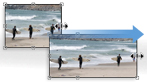
Miniature effect
-
Makes pictures appear as if they are photos of miniature scale models; especially effective when shooting landscapes from above.

- Original image

Color outline
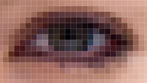
Converts a photo into an outline image, which can be printed then hand-colored.

- Original image

Perspective control
Corrects the perspective of shapes (like buildings) for a more natural look.

- Original image

Color balance
Adjust color balance over the entire image with the multi selector.

- Original image

Monochrome (Sepia)
Create monochrome photos with a classic feel.

- Original image

Fisheye
Create surreal photos that look as if shot with a fisheye lens.

- Original image

Filter effects (Cross screen)
Add starburst effects to light sources.

- Original image

Soft filter
Produces images similar to ones shot with a soft filter.

- Original image

NEF(RAW) processing
Now, convert images saved as RAW data to JPEG images in-camera. Change image quality, image size, exposure compensation and other settings while retaining the original RAW data.

- Original image

- -1EV
High-performance NIKKOR lenses
- The right choice for amazing photos and full HD movies.
- Capture more. Create more.
Each day is full of special moments.
To capture those precious moments and keep them forever.
To take the joy of photo-imaging experience even further, NIKKOR lenses combine Nikon's passion with its world-leading imaging innovations.
Feel the satisfaction of total control over the light.
Experience the exhilaration of perfectly expressing your vision.
Embrace the pride that comes from owning one of the most sophisticated lenses in the world.
NIKKOR lenses always elevate your passion for photography and life.
NIKKORLENSES

As the eye of the camera, the lens is critical to any photographic application. In fact, the beauty of a picture is closely tied to the performance of the lens.
5.5x telephoto zoom lens with VR - Capture faces from afar

-
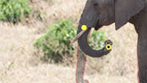
Compact and lightweight, this telephoto zoom lens covers a broad focal-length range. It is ideal for zooming in on distant subjects or discreetly capturing natural facial expressions, and excels in sports and animal photography. Built-in Vibration Reduction (VR II) provides a clear viewfinder image - a big plus that aids in composition and delivers beautiful images with minimal blur and color bleed even at maximum focal length.

- 55mm

- 200mm

- 300mm
Versatile macro ideal for a diverse range of situations, including close-ups, portraits and scenics.

- This compact, lightweight macro lens - equipped with Vibration Reduction (VR II)* to minimize blur both in the viewfinder and image - lets even beginners capture striking close-ups brimming with texture and presence. The fixed 85mm focal length provides natural perspective and beautiful background defocus for lovely scenics and portraits.

Wide-angle zoom full of potential for stunning, dynamic expression.

- Photographing people up close at smaller focal lengths while including large areas of background adds a dramatic, dynamic feel to images. An ideal choice as a standard lens, it has excellent close-focus capability and is well suited for shooting buildings, scenics and when in small rooms. It is also outstanding for exaggerating perspective.

35mm prime lens produces lovely defocused backgrounds.

- Shooting wide-open at f/1.8 increases handheld shooting possibilities in dimly lit settings and provides lovely defocused backgrounds. This fixed-focal length lens is perfect for portraits of people and landscapes in which you want the main subject to stand out against a softly defocused background.

Nikon's original VR system - Less camera-shake blur in images and viewfinder
- NIKKOR VR lenses reduce* blur in photos and full HD movies caused by camera-shake that often occurs when shooting at slow shutter speeds, such as in dimly lit environments or when using micro or telephoto lenses. Unlike in-camera image stabilization systems, Nikon's VR is in the lens, which allows it to correct blur in the viewfinder thereby aiding composition and focusing since the image remains stable.

- Without in-lens camera-shake correction

- With Nikon's in-lens VR system
Basic Performance
Compact and lightweight - Easy operation and take-anywhere portability
At only approx. 505 g (1lb. 1.8 oz.)*, the compact and lightweight D3100 goes where you go. And it's so easy to use thanks to the ergonomic grip that simplifies shooting, both in horizontal and vertical positions. New dedicated controls for frequently used functions like Live View, D-Movie and shutter release modes further enhance ease of use.
* With battery and memory card but without body cap.


Continuous 3 fps shooting - Catch the decisive moment
D3100 can shoot approximately 3 frames per second - great for capturing dynamic motion and elusive facial expressions that are a challenge for any photographer. Simply rotate the release-mode selector and shoot away.

Eye-Fi support - Transfer photos and movies wirelessly
- Support for optional Eye-Fi SD cards lets you transfer photos and movies from the camera to a PC via wireless LAN. This eliminates the need for removing the memory card or USB connections to transfer data.
Note:
See the manual provided with the Eye-Fi card, and direct any inquiries to the manufacturer. The camera can be used to turn Eye-Fi cards on and off, but may not support other Eye-Fi functions.
As of June 2010, the following cards can be used: 2 GB SD Eye-Fi cards in the Share, Home, and Explore product categories, 4 GB SDHC Eye-Fi cards in the Anniversary, Share Video, Explore Video, and Connect 2 product categories, and 8 GB SDHC cards in the Pro 2 and Explore 2 product categories. Eye-Fi cards are for use only in the country of purchase. Be sure the Eye-Fi card firmware has been updated to the latest version.

Easy-to-view finder - New superimposed indicators for a better view
During autofocus, D3100's superimposed indicators and BriteView Clear Matte Mark screen provide a cleaner, less cluttered view from corner to corner.

New shutter mechanism - Quiet shooting, even with Live View
D3100 employs a newly developed shutter that is ideal for both Live View and movie shooting. The lightweight and compact design coupled with the ability to operate while the mirror is up during Live View shooting contributes to quiet, energy-efficient performance. It is also highly durable, having been tested to 100,000 cycles.

Rangefinder - Quick and easy focusing
- When focusing manually, the electronic rangefinder helps you quickly achieve proper focus. It is especially useful when shooting in dimly lit settings.

Nikon Integrated Dust Reduction System - Prevent dust from ruining photos
- D3100 is equipped with Nikon's Integrated Dust Reduction System. This solution includes a special Airflow Control System that redirects dust away from the low-pass filter located in front of the image sensor. Additionally, when powering the camera on or off, the filter automatically vibrates at precise frequencies to release image-degrading dust that may adhere to it.

Image playback with transitions [NEW] - View photos with striking special effects
- Choose from a series of special transitions when viewing photos. For slideshows, enjoy interesting effects like Zoom/fade and Cube. When viewing photos individually, you can employ Slide in and Zoom/fade. In addition, the large, bright LCD monitor makes playback a joy.
Convenient playback - Find images instantly by date
- The D3100's playback options make it easy to select pictures for viewing or retouching. You can view pictures one at a time or in groups of 4, 9, or 72. A Calendar view is also available, which organizes photos by shooting date and time then displays them in a handsome calendar format.


Date imprint - Stamp photos with shooting date
- Know the exact date you took a photo. The position of the date changes automatically depending on camera orientation.


Long-lasting lithium-ion battery [NEW] - Plenty of stamina for plenty of photos
The new Rechargeable Li-ion battery EN-EL14 delivers up to approximately 550 frames on a single charge*. Now you can focus on getting the shot rather than worrying about battery power.
* Based on CIPA standards.

Software
ViewNX 2 software [NEW] - Your imaging toolbox (bundled)
- Smart image management with a PC
- ViewNX 2 is the convenient way to manage images, providing functions for storing, browsing, editing and sharing photos as well as movies. You can also attach labels to images to facilitate searches. This bundled software offers a wide range of editing functions, including rotate, re-size, crop, straighten, auto red-eye correction and more. Movie editing functions include the ability to delete scenes. ViewNX 2 integrates seamlessly with my Picturetown for simple, drag-and-drop uploads and online browsing.

Capture NX 2 software - Expanded creative control (sold separately)
- Intuitive operation for the finishing touch

- Capture NX 2's easy-to-learn editing tools unlock image potential without degrading original image quality. This software is ideal for optimizing Nikon NEF (RAW) files as well as JPEG and TIFF images. With award-winning U PointR
technology, tedious editing procedures are easier than ever.
http://www.capturenx.com

- Original

my Picturetown - Free image sharing and storage
- Share photos and movies on the web

- Nikon's own image sharing website allows you to easily store, manage and share images with family and friends worldwide. Membership is free and permits storage of up to 2 GB of photos and/or movies. (Pay an additional fee and get up to 200 GB of storage*). The service supports MOV and AVI movie files in addition to JPEG and RAW (NEF, NRW) still image files. Heighten your photographic enjoyment with my Picturetown!
http://www.mypicturetown.com/
* Availability and fee may vary depending on country.

- Note: Website design may change without prior notice
Nikon Digital SLR Camera D3100 Specifications
|
Type
|
|
|---|---|
|
Type
|
Single-lens reflex digital camera
|
|
Lens mount
|
Nikon F mount (with AF contacts)
|
|
Effective angle of view
|
Approx. 1.5 x lens focal length (Nikon DX format)
|
|
Effective pixels
|
|
|
Effective pixels
|
14.2 million
|
|
Image sensor
|
|
|
Image sensor
|
23.1 x 15.4 mm CMOS sensor
|
|
Total pixels
|
14.8 million
|
|
Dust-reduction system
|
Image sensor cleaning, Airflow Control System, Image Dust Off reference data (optional Capture NX 2 software required)
|
|
Storage
|
|
|
Image size (pixels)
|
" 4,608 x 3,072 [L] " 3,456 x 2,304 [M] " 2,304 x 1,536 [S]
|
|
File format
|
" NEF (RAW)
" JPEG: JPEG-Baseline compliant with fine (approx. 1:4), normal (approx. 1:8), or basic (approx. 1:16) compression " NEF (RAW) + JPEG: Single photograph recorded in both NEF (RAW) and JPEG formats |
|
Picture Control System
|
Standard, Neutral, Vivid, Monochrome, Portrait, Landscape; selected Picture Control can be modified
|
|
Media
|
SD (Secure Digital), SDHC and SDXC memory cards
|
|
File system
|
DCF (Design Rule for Camera File System) 2.0, DPOF (Digital Print Order Format), Exif 2.21 (Exchangeable Image File Format for Digital Still Cameras), PictBridge
|
|
Viewfinder
|
|
|
Viewfinder
|
Eye-level pentamirror single-lens reflex viewfinder
|
|
Frame coverage
|
Approx. 95% horizontal and 95% vertical
|
|
Magnification
|
Approx. 0.8 x (50 mm f/1.4 lens at infinity, -1.0 m-1)
|
|
Eyepoint
|
18 mm (-1.0 m-1)
|
|
Diopter adjustment
|
-1.7 to +0.5 m-1
|
|
Focusing screen
|
Type B BriteView Clear Matte Mark VII screen
|
|
Reflex mirror
|
Quick return
|
|
Lens aperture
|
Instant return, electronically controlled
|
|
Lens
|
|
|
Compatible lenses
|
" AF-S and AF-I: All functions supported.
" Type G or D AF NIKKOR without built-in autofocus motor: All functions except autofocus supported. IX NIKKOR lenses not supported. " Other AF NIKKOR: All functions supported except autofocus and 3D color matrix metering II. Lenses for F3AF not supported. " Type D PC NIKKOR: All functions supported except autofocus and some shooting modes. " AI-P NIKKOR: All functions supported except autofocus and 3D color matrix metering II. " Non-CPU: Autofocus not supported. Can be used in exposure mode M, but exposure meter does not function. Note: Electronic rangefinder can be used if lens has a maximum aperture of f/5.6 or faster. |
|
Shutter
|
|
|
Type
|
Electronically controlled vertical-travel focal-plane shutter
|
|
Speed
|
1/4000 to 30 s in steps of 1/3 EV, Bulb
|
|
Flash sync speed
|
X=1/200 s; synchronizes with shutter at 1/200 s or slower
|
|
Release
|
|
|
Release mode
|
  (single frame), (single frame), (continuous), (continuous), (self-timer), (self-timer), (quiet shutter release) (quiet shutter release) |
|
Frame advance rate
|
Up to 3 fps (manual focus, mode M or S, shutter speed 1/250 s or faster, and other settings at default values)
|
|
Self-timer
|
2 s, 10 s
|
|
Exposure
|
|
|
Metering
|
TTL exposure metering using 420-pixel RGB sensor
|
|
Metering method
|
" Matrix: 3D color matrix metering II (type G and D lenses); color matrix metering II (other CPU lenses)
" Center-weighted: Weight of 75% given to 8-mm circle in center of frame " Spot: Meters 3.5-mm circle (about 2.5% of frame) centered on selected focus point |
|
Range
(ISO 100, f/1.4 lens, 20C/68F) |
" Matrix or center-weighted metering: 0 to 20 EV
" Spot metering: 2 to 20 EV |
|
Exposure meter coupling
|
CPU
|
|
Exposure modes
|
Auto modes (auto, auto [flash off]); scene modes (portrait; landscape; child; sports; close up; night portrait);
programmed auto with flexible program (P); shutter-priority auto (S); aperture-priority auto (A); manual (M) |
|
Exposure compensation
|
-5 to +5 EV in increments of 1/3 EV
|
|
Exposure lock
|
Luminosity locked at detected value with AE-L/AF-L button
|
|
ISO sensitivity
(Recommended Exposure Index) |
ISO 100 to 3200 in steps of 1 EV; can also be set to approx. 1 EV above ISO 3200 (ISO 6400 equivalent) or to
approx. 2 EV above ISO 3200 (ISO 12800 equivalent); auto ISO sensitivity control available |
|
Active D-Lighting
|
On, Off
|
|
Focus
|
|
|
Autofocus
|
Nikon Multi-CAM 1000 autofocus sensor module with TTL phase detection, 11 focus points (including one
cross-type sensor), and AF-assist illuminator (range approx. 0.5 to 3m/1 ft. 8 in. to 9 ft. 10 in.) |
|
Detection range
|
-1 to +19 EV (ISO 100, 20C/68F)
|
|
Lens servo
|
" Autofocus (AF): Single-servo AF (AF-S); continuous-servo AF (AF-C); auto AF-S/AF-C selection (AF-A); predictive focus tracking activated automatically according to subject status
" Manual focus (MF): Electronic rangefinder can be used |
|
Focus point
|
Can be selected from 11 focus points
|
|
AF-area mode
|
Single-point AF, dynamic-area AF, auto-area AF, 3D-tracking (11 points)
|
|
Focus lock
|
Focus can be locked by pressing shutter-release button halfway (single-servo AF) or by pressing AE-L/AF-L button
|
|
Flash
|
|
|
Built-in flash
|
Auto, Portrait, Child, Close up, Night portrait: Auto flash with auto pop-up
P, S, A, M: Manual pop-up with button release |
|
Guide number
|
Approx. 12/39, 13/43 with manual flash (m/ft, ISO 100, 20C/68F)
|
|
Flash control
|
" TTL: i-TTL balanced fill-flash and standard i-TTL flash for digital SLR using 420-pixel RGB sensor are available with built-in flash and SB-900, SB-800, SB-600, or SB-400 (i-TTL balanced fill-flash is available when matrixor center-weighted metering is selected)
" Auto aperture: Available with SB-900/SB-800 and CPU lens " Non-TTL auto: Supported flash units include SB-900, SB-800, SB-80DX, SB-28DX, SB-28, SB-27, and SB-22S " Distance-priority manual: Available with SB-900 and SB-800 |
|
Flash mode
|
Auto, auto with red-eye reduction, fill-flash, auto slow sync, auto slow sync with red-eye correction, and rear curtain with slow sync
|
|
Flash compensation
|
-3 to +1 EV in increments of 1/3 EV
|
|
Flash-ready indicator
|
Lights when built-in flash or optional flash unit such as SB-900, SB-800, SB-600, or SB-400 is fully charged; blinks for 3 s after flash is fired at full output
|
|
Accessory shoe
|
ISO 518 hot-shoe with sync and data contacts and safety lock
|
|
Nikon Creative Lighting
System (CLS) |
Advanced Wireless Lighting supported with SB-900, SB-800, or SU-800 as commander; Flash Color Information Communication supported with built-in flash and all CLS-compatible flash units
|
|
Sync terminal
|
Sync Terminal Adapter AS-15 (available separately)
|
|
White balance
|
|
|
White balance
|
Auto, incandescent, fluorescent (7 types), direct sunlight, flash, cloudy, shade, preset manual, all except preset manual with fine tuning. |
|
Live View
|
|
|
Lens servo
|
" Autofocus (AF): Single-servo AF (AF-S); full-time-servo AF (AF-F)
" Manual focus (MF) |
|
AF-area mode
|
Face-priority AF, wide-area AF, normal-area AF, subject-tracking AF
|
|
Autofocus
|
Contrast-detect AF anywhere in frame (camera selects focus point automatically when face-priority AF or subject-tracking AF is selected)
|
|
Scene Auto Selector
|
Available in auto and auto (flash off) modes
|
|
Movie
|
|
|
Metering
|
TTL exposure metering using main image sensor
|
|
Metering method
|
Matrix
|
|
Frame size (pixels)
and frame rate |
" 1,920 x 1,080 (24p): 24 fps (23.976 fps) " 1,280 x 720 (30p): 30 fps (29.97 fps)
" 1,280 x 720 (25p): 25 fps " 1,280 x 720 (24p): 24 fps (23.976 fps) " 640 x 424 (24p): 24 fps (23.976 fps) |
|
Maximum recording time
|
10 min.
|
|
File format
|
MOV
|
|
Video compression
|
H.264/MPEG-4 Advanced Video Coding
|
|
Audio recording format
|
Linear PCM
|
|
Audio recording device
|
Built-in monaural microphone
|
|
Monitor
|
|
|
LCD monitor
|
7.5-cm/3-in., approx. 230 k-dot TFT LCD with brightness adjustment
|
|
Playback
|
|
|
Playback function
|
Full-frame and thumbnail (4, 9, or 72 images or calendar) playback with playback zoom, movie playback, slide show, histogram display, highlights, auto image rotation, and image comment (up to 36 characters)
|
|
Interface
|
|
|
USB
|
Hi-Speed USB
|
|
Video output
|
NTSC, PAL
|
|
HDMI output
|
Type C mini-pin HDMI connector
|
|
Accessory terminal
|
" Remote cord: MC-DC2 (available separately)
" GPS unit: GP-1 (available separately) |
|
Supported languages
|
|
|
Supported languages
|
Chinese (Simplified and Traditional), Czech, Danish, Dutch, English, Finnish, French, German, Indonesian, Italian, Japanese, Korean, Norwegian, Polish, Portuguese, Russian, Spanish, Swedish, Turkish
|
|
Power source
|
|
|
Battery
|
One Rechargeable Li-ion Battery EN-EL14
|
|
AC adapter
|
AC adapter EH-5a; requires power connector EP-5A (available separately)
|
|
Tripod socket
|
|
|
Tripod socket
|
1/4 in. (ISO 1222)
|
|
Dimensions / weight
|
|
|
Dimensions (W x H x D)
|
Approx. 124 x 96 x 74.5 mm (4.9 x 3.8 x 2.9 in.)
|
|
Weight
|
Approx. 455 g / 1lb. (camera body only); Approx. 505 g (1lb. 1.8 oz.) with battery and memory card but without body cap
|
|
Operating environment
|
|
|
Temperature
|
0 to 40C (32 to 104F)
|
|
Humidity
|
Less than 85% (no condensation)
|
|
Accessories
|
|
|
Supplied accessories
(may differ by country or area) |
Rechargeable Li-ion Battery EN-EL14, Battery Charger MH-24, Eyepiece Cap DK-5, Rubber Eyecap DK-20,
Camera Strap AN-DC3, Accessory Shoe Cover BS-1, Body Cap BF-1B, ViewNX 2 CD-ROM, Ferrite Core (2 types) |
- * Microsoft and Windows, Windows 7 are either registered trademarks or trademarks of Microsoft Corporation in the United States and/or other countries.
- * Macintosh and QuickTime are registered trademarks or trademarks of Apple Inc. in the United States and/or other countries.
- * The SD logo is a trademark of the SD Card Association.
- * The SDXC logo is a trademark.
- * PictBridge is a trademark.
- * HDMI, the HDMI logo and High-Definition Multimedia Interface are trademarks or registered trademarks of HDMI Licensing LLC.
- * Products and brand names are trademarks or registered trademarks of their respective companies.
- * Images in viewfinders, on LCDs and monitors shown in this website are simulated.
Memory card capacity*1
The following table shows the approximate number of pictures that can be stored on a 4 GB SanDisk Extreme SDHC card at different image quality and size settings.
|
Image quality
|
Image size
|
File size*1
|
No. of images*1
|
Buffer capacity*2
|
|---|---|---|---|---|
|
NEF (RAW) +
JPEG fine*3 |
L
|
19.8 MB
|
151
|
9
|
|
NEF (RAW)
|
-
|
12.9 MB
|
226
|
13
|
|
JPEG fine
|
L
M S |
6.8 MB
3.9 MB 1.8 MB |
460
815 1700 |
100
100 100 |
|
JPEG normal
|
L
M S |
3.4 MB
2.0 MB 0.9 MB |
914
1500 3300 |
100
100 100 |
|
JPEG basic
|
L
M S |
1.7 MB
1.0 MB 0.5 MB |
1700
3000 6000 |
100
100 100 |
- *1 : All figures are approximate. File size varies with scene recorded.
- *2 : Maximum number of exposures that can be stored in memory buffer at ISO 100.
Drops when noise reduction is on. - *3 : Image size applies to JPEG images only. Size of NEF (RAW) images can not be changed. File size is the total for
NEF (RAW) and JPEG images.
Approved memory cards
The following SD memory cards have been tested and approved for use in the D3100. Cards with class 6 write speeds are recommended for movie recording. Recording may end unexpectedly when cards with slower write speeds are used.
|
SD memory cards
|
SDHC memory cards*2
|
SDXC memory cards*3
|
|
|---|---|---|---|
|
SanDisk
|
512 MB1GB2GB*1
|
4GB8GB16GB
|
64GB
|
|
Toshiba
|
512 MB1GB2GB*1
|
4GB8GB16GB32GB
|
64GB
|
|
Panasonic
|
512 MB1GB2GB*1
|
4GB6GB8GB12GB16GB32GB
|
48GB64GB
|
|
LEXAR MEDIA
|
512 MB1GB2GB*1
|
4GB8GB
|
-
|
|
Platinum II
|
512 MB1GB2GB*1
|
4GB8GB
|
-
|
|
Professional
|
512 MB1GB2GB*1
|
4GB8GB16GB32GB
|
-
|
- *1 : Check that any card readers or other devices with which the card will be used support 2 GB cards.
- *2 : Check that any card readers or other devices with which the card will be used are SDHC-compliant.
- *3 : Check that any card readers or other devices with which the card will be used are SDXC-compliant.
Notes:
- * Please check with the SD card manufacturer regarding features, specifications, warranty, and other items.
Nikon cannot assure compatibility with SD cards not listed above. - * Limited to cards tested at the time of July 2010. Additional cards may be fully compatible.
Contact Nikon Customer Service for additional information.


 |
Adobe After Effects CS5.5 - Mac, Retail
What is After Effects?
Adobe After Effects CS5.5 software is the industry-leading solution for creating sophisticated motion graphics and cinematic visual effects. Transform moving images for delivery to theaters, living rooms, personal computers, and mobile devices.
Animate and composite flexibly in 2D and 3D

2D and 3D element combination
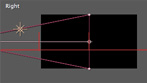
3D camera data import
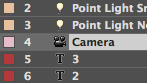
Multiple 3D cameras per composition

Light falloff
Streamlined design of 3D compositions
Multiple 3D lights with shadows
Material options for each 3D layer
Parenting
Stencil, Silhouette, and Preserve Transparency
Adjustment lights
Projection layers and colored shadows
Nested compositions
Unified Camera tool
Adjustment layers
Collapse Transformations
Timeline editing tools
Create and animate text and vector graphics
Intuitive text creation and animation
Shape Layers
Web-ready text animations
Text conversion to shapes or masks
Continuous rasterization
Solid layers
Shape path operators
Creative text animation tools
Choose among extensive visual effects
Color-correction effects
Camera Lens Blur

Digieffects FreeForm

Stereoscopic 3D workflow improvements
Blur and Sharpen effects, including new Camera Lens Blur
Distortion effects
Generation effects
Cycore effects
Stylized effects
Simulation effects
3D channel effects
Channel effects
Perspective effects
Noise and grain management effects
Time effects
Text effects
Utility effects
Transition effects
Placeholders for missing effects
Effects & Presets panel
Support for Adobe Pixel Bender
Turbulent Noise
System requirements
Mac OS
- Multicore Intel processor with 64-bit support
- Mac OS X v10.5.8 or v10.6
- 2GB of RAM
- 4GB of available hard-disk space plus 2GB of space for optional content; additional free space required during installation (cannot install on a volume that uses a case-sensitive file system or on removable flash storage devices)
- 1280x800 display with OpenGL 2.0compatible graphics card
- DVD-ROM drive
- QuickTime 7.6.2 software required for QuickTime features
- Broadband Internet connection required for online services and to validate Subscription Edition (if applicable) on an ongoing basis*
 |
Adobe After Effects CS5.5 - Windows, Retail
What is After Effects?
Adobe After Effects CS5.5 software is the industry-leading solution for creating sophisticated motion graphics and cinematic visual effects. Transform moving images for delivery to theaters, living rooms, personal computers, and mobile devices.
Animate and composite flexibly in 2D and 3D
2D and 3D element combination
3D camera data import
Multiple 3D cameras per composition
Light falloff
Streamlined design of 3D compositions
Multiple 3D lights with shadows
Material options for each 3D layer
Parenting
Stencil, Silhouette, and Preserve Transparency
Adjustment lights
Projection layers and colored shadows
Nested compositions
Unified Camera tool
Adjustment layers
Collapse Transformations
Timeline editing tools
Create and animate text and vector graphics
Intuitive text creation and animation
Shape Layers
Web-ready text animations
Text conversion to shapes or masks
Continuous rasterization
Solid layers
Shape path operators
Creative text animation tools
Choose among extensive visual effects
Color-correction effects
Camera Lens Blur
Digieffects FreeForm
Stereoscopic 3D workflow improvements
Blur and Sharpen effects, including new Camera Lens Blur
Distortion effects
Generation effects
Cycore effects
Stylized effects
Simulation effects
3D channel effects
Channel effects
Perspective effects
Noise and grain management effects
Time effects
Text effects
Utility effects
Transition effects
Placeholders for missing effects
Effects & Presets panel
Support for Adobe Pixel Bender
Turbulent Noise
System requirements
Windows
- Intel Pentium 4 or AMD Athlon 64 processor (Intel Core i3, i5, or i7 or AMD Phenom II recommended); 64-bit support required
- 64-bit operating system required: Microsoft Windows Vista Home Premium, Business, Ultimate, or Enterprise with Service Pack 1 or Windows 7
- 2GB of RAM
- 3GB of available hard-disk space plus 2GB of space for optional content; additional free space required during installation (cannot install on removable flash storage devices)
- 1280x800 display with OpenGL 2.0compatible graphics card
- DVD-ROM drive
- QuickTime 7.6.2 software required for QuickTime features
- Broadband Internet connection required for online services and to validate Subscription Edition (if applicable) on an ongoing basis*
 |
Adobe Upgrade Only - Upgrade To: Flash Pro CS5.5 - From: Flash Pro CS4/Flash Pro CS3/Macromedia Flash Pro 8 - 1 User, Mac
 |
Adobe Upgrade Only - Upgrade To: Flash Pro CS5.5 - From: Flash Pro CS4/Flash Pro CS3/Macromedia Flash Pro 8 - 1 User, Windows
 |
Adobe Upgrade Only - Upgrade To: Flash Pro CS5.5 - From: Flash Pro CS5 - 1 User, Mac
 |
Adobe Upgrade Only - Upgrade To: Flash Pro CS5.5 - From: Flash Pro CS5 - 1 User, Windows
 |
Adobe Flash Pro CS5.5 - Mac, Media Only
- No Licence Included
 |
Adobe Flash Pro CS5.5 - Windows, Media Only
- No Licence Included
 |
Adobe Flash Pro CS5.5 - Mac, Educational Only
What is Flash Professional?
Adobe Flash Professional CS5.5 software is the industry-leading authoring environment for producing expressive interactive content. Create immersive experiences that present consistently to audiences across desktops, smartphones, tablets, and televisions.
Create once, deploy virtually anywhere
Efficiently manage multiple FLA files that target various devices and platforms. Use Adobe Flash Professional CS5 software to create content for desktops, smartphones, tablets, and televisions.

Expanded platform and device support
Reach audiences on the latest Adobe Flash Player and Adobe AIR runtimes and on Android and iOS devices.
Efficient workflows for mobile development
Manage FLA project files that target multiple devices. Share code and assets across documents and device targets to efficiently create, test, package, and deploy content for a wide range of screens and devices.
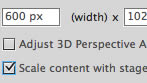
Content scaling when resizing stage
Save time when sharing symbols and motion paths across documents that are optimized for different screen sizes.
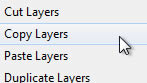
Enhanced layer control
Preserve important document structure when copying layers across multiple files and projects.
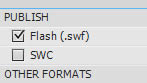
Streamlined Publish Settings dialog box
Publish content quickly and more efficiently with a redesigned Publish Settings dialog box.

Mobile content development
Use Adobe Device Central to plan, preview, and test content for a wide array of mobile and consumer devices.

Cross-platform support
Work on your operating system of choice: Mac OS or Windows.
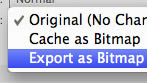
Symbol rasterization and better performance
Use new tooling options, on-stage symbol rasterization, and the Property Inspector to improve CPU, battery, and rendering performance on mobile devices.

Integration with CS Live online services
Work more efficiently through integration with Adobe CS Live online services 1, 2, including Acrobat.com, Adobe CS Review, and SiteCatalyst NetAverages.
Incremental compilation
Use asset caching to reduce the compile time of documents that use embedded fonts and sound files, and deploy rich content faster.
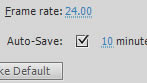
Auto-save and file recovery
Ensure consistency and integrity of your files, even after computer crashes or power outages.
Design with expression
Clearly communicate your creative vision and exceed expectations with typographic precision, layout fidelity, and expressive motion-editing capabilities in Adobe Flash Professional CS5.5 software.

Advanced drawing tools
Design artwork precisely and efficiently with smart shapes and powerful design tools.

Industry-leading animation tools
Create and edit motion tweens using the Timeline and Motion Editor, and use inverse kinematics to create natural motion for character animation.
Professional video tools
Easily incorporate video into your projects, and convert video clips efficiently with the included Adobe Media Encoder application.
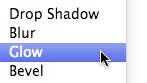
Filter and Blend effects
Add interesting visual effects to text, buttons, and movie clips to create expressive content.

Object-based animation
Gain control over individual animation attributes, and apply tweens directly to objects instead of to keyframes. Easily make changes to motion with Bezier handles.
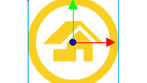
3D transformation
Animate 2D objects through 3D space with exciting new 3D translation and rotation tools, which allow you to animate along the x, y, and z axes. Apply local or global transformations to any object.

Spring for the Bone tool
Add expressive, lifelike animation properties like spring and bounce with motion attributes for the Bone tool. An improved inverse kinematics engine provides more realistic and complex physics movements within a simple, familiar interface.

Deco drawing brushes
Add advanced animation effects with a comprehensive set of brushes for the Deco tool. Quickly create movement for particle phenomena like clouds or rain, and draw stylized lines or patterns with multiple objects.

Easy video integration
Streamline video embedding and encoding processes with on-stage video scrubbing and the cue points property inspector. See and play back FLV components directly on the stage.
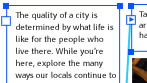
Advanced text engine
Get global bidirectional language support and advanced print-quality typography APIs via the Text Layout Framework. Format text in columns and maintain layout with greater fidelity when importing content from other Adobe products.
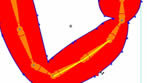
Inverse kinematics pinning support
Lock inverse kinematics bones to the stage and set stage level movement restrictions to selected bones. Create multiple spans per layer, and define more complex movement of armatures, such as walk cycles.
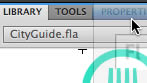
Unified Creative Suite interface
Boost your efficiency with intuitive panel docking and spring-loaded behaviors that streamline your interaction with tools throughout the Adobe Creative Suite editions.
Creative Suite integration
Perform roundtrip edits of bitmap images with Adobe Photoshop CS5, import FLA files directly from Adobe InDesign CS5.5, and integrate closely with Adobe Flash Builder 4.5.
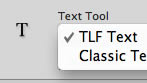
Customer-inspired enhancements
Benefit from numerous user-requested improvements, including improved controls for the Text Layout Framework.
Write code quickly and easily
Quickly and efficiently write code with powerful authoring tools and integration with Adobe Flash Builder 4.5 software. Visually inject extensible code snippets optimized for mobile.
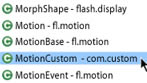
ActionScript editor
Speed up development with the built-in ActionScript editor that features custom class code hinting and code completion. Quickly grasp the fundamentals of ActionScript, and efficiently reference your own or external code libraries.

Seamless mobile testing
Perform source-level debugging on Adobe AIR enabled devices that are connected with a USB cable, running content directly on the device.
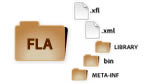
XML-based FLA source files
Collaborate on projects more easily with a new XML-based implementation of the FLA file format. Uncompressed projects appear and act like folders, allowing you to quickly manage and modify assets such as images.
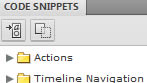
Code Snippets panel
Speed up project completion by using convenient prewritten code snippets for common actions, animation, multitouch gestures, and more. Also discover an easier way to learn the ActionScript 3.0 language.
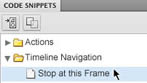
Enhanced code snippets handling
Use the new pick whip to preview and visually add more than 20 new code snippets, including ones for creating mobile and AIR applications, use of the accelerometer, and multitouch gestures.
Flash Builder integration
Work more closely with developers who can use your Flash project files with Flash Builder to test, debug, and publish your content more efficiently.
System requirements
Mac OS
- Multicore Intel processor
- Mac OS X v10.5.8 or v10.6
- 1GB of RAM (2GB recommended)
- 4GB of available hard-disk space for installation; additional free space required during installation (cannot install on a volume that uses a case-sensitive file system or on removable flash storage devices)
- 1024x768 display (1280x800 recommended) with 16-bit video card
- DVD-ROM drive
- QuickTime 7.6.2 software required for multimedia features
- Broadband Internet connection required for online services and to validate Subscription Edition (if applicable) on an ongoing basis*
 |
Adobe Flash Pro CS5.5 - Windows, Educational Only
What is Flash Professional?
Adobe Flash Professional CS5.5 software is the industry-leading authoring environment for producing expressive interactive content. Create immersive experiences that present consistently to audiences across desktops, smartphones, tablets, and televisions.
Create once, deploy virtually anywhere
Efficiently manage multiple FLA files that target various devices and platforms. Use Adobe Flash Professional CS5 software to create content for desktops, smartphones, tablets, and televisions.
Expanded platform and device support
Reach audiences on the latest Adobe Flash Player and Adobe AIR runtimes and on Android and iOS devices.
Efficient workflows for mobile development
Manage FLA project files that target multiple devices. Share code and assets across documents and device targets to efficiently create, test, package, and deploy content for a wide range of screens and devices.
Content scaling when resizing stage
Save time when sharing symbols and motion paths across documents that are optimized for different screen sizes.
Enhanced layer control
Preserve important document structure when copying layers across multiple files and projects.
Streamlined Publish Settings dialog box
Publish content quickly and more efficiently with a redesigned Publish Settings dialog box.
Mobile content development
Use Adobe Device Central to plan, preview, and test content for a wide array of mobile and consumer devices.
Cross-platform support
Work on your operating system of choice: Mac OS or Windows.
Symbol rasterization and better performance
Use new tooling options, on-stage symbol rasterization, and the Property Inspector to improve CPU, battery, and rendering performance on mobile devices.
Integration with CS Live online services
Work more efficiently through integration with Adobe CS Live online services 1, 2, including Acrobat.com, Adobe CS Review, and SiteCatalyst NetAverages.
Incremental compilation
Use asset caching to reduce the compile time of documents that use embedded fonts and sound files, and deploy rich content faster.
Auto-save and file recovery
Ensure consistency and integrity of your files, even after computer crashes or power outages.
Design with expression
Clearly communicate your creative vision and exceed expectations with typographic precision, layout fidelity, and expressive motion-editing capabilities in Adobe Flash Professional CS5.5 software.
Advanced drawing tools
Design artwork precisely and efficiently with smart shapes and powerful design tools.
Industry-leading animation tools
Create and edit motion tweens using the Timeline and Motion Editor, and use inverse kinematics to create natural motion for character animation.
Professional video tools
Easily incorporate video into your projects, and convert video clips efficiently with the included Adobe Media Encoder application.
Filter and Blend effects
Add interesting visual effects to text, buttons, and movie clips to create expressive content.
Object-based animation
Gain control over individual animation attributes, and apply tweens directly to objects instead of to keyframes. Easily make changes to motion with Bezier handles.
3D transformation
Animate 2D objects through 3D space with exciting new 3D translation and rotation tools, which allow you to animate along the x, y, and z axes. Apply local or global transformations to any object.
Spring for the Bone tool
Add expressive, lifelike animation properties like spring and bounce with motion attributes for the Bone tool. An improved inverse kinematics engine provides more realistic and complex physics movements within a simple, familiar interface.
Deco drawing brushes
Add advanced animation effects with a comprehensive set of brushes for the Deco tool. Quickly create movement for particle phenomena like clouds or rain, and draw stylized lines or patterns with multiple objects.
Easy video integration
Streamline video embedding and encoding processes with on-stage video scrubbing and the cue points property inspector. See and play back FLV components directly on the stage.
Advanced text engine
Get global bidirectional language support and advanced print-quality typography APIs via the Text Layout Framework. Format text in columns and maintain layout with greater fidelity when importing content from other Adobe products.
Inverse kinematics pinning support
Lock inverse kinematics bones to the stage and set stage level movement restrictions to selected bones. Create multiple spans per layer, and define more complex movement of armatures, such as walk cycles.
Unified Creative Suite interface
Boost your efficiency with intuitive panel docking and spring-loaded behaviors that streamline your interaction with tools throughout the Adobe Creative Suite editions.
Creative Suite integration
Perform roundtrip edits of bitmap images with Adobe Photoshop CS5, import FLA files directly from Adobe InDesign CS5.5, and integrate closely with Adobe Flash Builder 4.5.
Customer-inspired enhancements
Benefit from numerous user-requested improvements, including improved controls for the Text Layout Framework.
Write code quickly and easily
Quickly and efficiently write code with powerful authoring tools and integration with Adobe Flash Builder 4.5 software. Visually inject extensible code snippets optimized for mobile.
ActionScript editor
Speed up development with the built-in ActionScript editor that features custom class code hinting and code completion. Quickly grasp the fundamentals of ActionScript, and efficiently reference your own or external code libraries.
Seamless mobile testing
Perform source-level debugging on Adobe AIR enabled devices that are connected with a USB cable, running content directly on the device.
XML-based FLA source files
Collaborate on projects more easily with a new XML-based implementation of the FLA file format. Uncompressed projects appear and act like folders, allowing you to quickly manage and modify assets such as images.
Code Snippets panel
Speed up project completion by using convenient prewritten code snippets for common actions, animation, multitouch gestures, and more. Also discover an easier way to learn the ActionScript 3.0 language.
Enhanced code snippets handling
Use the new pick whip to preview and visually add more than 20 new code snippets, including ones for creating mobile and AIR applications, use of the accelerometer, and multitouch gestures.
Flash Builder integration
Work more closely with developers who can use your Flash project files with Flash Builder to test, debug, and publish your content more efficiently.
System requirements
Windows
- Intel Pentium 4 or AMD Athlon 64 processor
- Microsoft Windows XP with Service Pack 2 (Service Pack 3 recommended); Windows Vista Home Premium, Business, Ultimate, or Enterprise with Service Pack 1; or Windows 7
- 1GB of RAM (2GB recommended)
- 3.5GB of available hard-disk space for installation; additional free space required during installation (cannot install on removable flash storage devices)
- 1024x768 display (1280x800 recommended) with 16-bit video card
- DVD-ROM drive
- QuickTime 7.6.2 software required for multimedia features
- Broadband Internet connection required for online services and to validate Subscription Edition (if applicable) on an ongoing basis*
 |
Adobe Flash Pro CS5.5 - Mac, Retail
What is Flash Professional?
Adobe Flash Professional CS5.5 software is the industry-leading authoring environment for producing expressive interactive content. Create immersive experiences that present consistently to audiences across desktops, smartphones, tablets, and televisions.
Create once, deploy virtually anywhere
Efficiently manage multiple FLA files that target various devices and platforms. Use Adobe Flash Professional CS5 software to create content for desktops, smartphones, tablets, and televisions.
Expanded platform and device support
Reach audiences on the latest Adobe Flash Player and Adobe AIR runtimes and on Android and iOS devices.
Efficient workflows for mobile development
Manage FLA project files that target multiple devices. Share code and assets across documents and device targets to efficiently create, test, package, and deploy content for a wide range of screens and devices.
Content scaling when resizing stage
Save time when sharing symbols and motion paths across documents that are optimized for different screen sizes.
Enhanced layer control
Preserve important document structure when copying layers across multiple files and projects.
Streamlined Publish Settings dialog box
Publish content quickly and more efficiently with a redesigned Publish Settings dialog box.
Mobile content development
Use Adobe Device Central to plan, preview, and test content for a wide array of mobile and consumer devices.
Cross-platform support
Work on your operating system of choice: Mac OS or Windows.
Symbol rasterization and better performance
Use new tooling options, on-stage symbol rasterization, and the Property Inspector to improve CPU, battery, and rendering performance on mobile devices.
Integration with CS Live online services
Work more efficiently through integration with Adobe CS Live online services 1, 2, including Acrobat.com, Adobe CS Review, and SiteCatalyst NetAverages.
Incremental compilation
Use asset caching to reduce the compile time of documents that use embedded fonts and sound files, and deploy rich content faster.
Auto-save and file recovery
Ensure consistency and integrity of your files, even after computer crashes or power outages.
Design with expression
Clearly communicate your creative vision and exceed expectations with typographic precision, layout fidelity, and expressive motion-editing capabilities in Adobe Flash Professional CS5.5 software.
Advanced drawing tools
Design artwork precisely and efficiently with smart shapes and powerful design tools.
Industry-leading animation tools
Create and edit motion tweens using the Timeline and Motion Editor, and use inverse kinematics to create natural motion for character animation.
Professional video tools
Easily incorporate video into your projects, and convert video clips efficiently with the included Adobe Media Encoder application.
Filter and Blend effects
Add interesting visual effects to text, buttons, and movie clips to create expressive content.
Object-based animation
Gain control over individual animation attributes, and apply tweens directly to objects instead of to keyframes. Easily make changes to motion with Bezier handles.
3D transformation
Animate 2D objects through 3D space with exciting new 3D translation and rotation tools, which allow you to animate along the x, y, and z axes. Apply local or global transformations to any object.
Spring for the Bone tool
Add expressive, lifelike animation properties like spring and bounce with motion attributes for the Bone tool. An improved inverse kinematics engine provides more realistic and complex physics movements within a simple, familiar interface.
Deco drawing brushes
Add advanced animation effects with a comprehensive set of brushes for the Deco tool. Quickly create movement for particle phenomena like clouds or rain, and draw stylized lines or patterns with multiple objects.
Easy video integration
Streamline video embedding and encoding processes with on-stage video scrubbing and the cue points property inspector. See and play back FLV components directly on the stage.
Advanced text engine
Get global bidirectional language support and advanced print-quality typography APIs via the Text Layout Framework. Format text in columns and maintain layout with greater fidelity when importing content from other Adobe products.
Inverse kinematics pinning support
Lock inverse kinematics bones to the stage and set stage level movement restrictions to selected bones. Create multiple spans per layer, and define more complex movement of armatures, such as walk cycles.
Unified Creative Suite interface
Boost your efficiency with intuitive panel docking and spring-loaded behaviors that streamline your interaction with tools throughout the Adobe Creative Suite editions.
Creative Suite integration
Perform roundtrip edits of bitmap images with Adobe Photoshop CS5, import FLA files directly from Adobe InDesign CS5.5, and integrate closely with Adobe Flash Builder 4.5.
Customer-inspired enhancements
Benefit from numerous user-requested improvements, including improved controls for the Text Layout Framework.
Write code quickly and easily
Quickly and efficiently write code with powerful authoring tools and integration with Adobe Flash Builder 4.5 software. Visually inject extensible code snippets optimized for mobile.
ActionScript editor
Speed up development with the built-in ActionScript editor that features custom class code hinting and code completion. Quickly grasp the fundamentals of ActionScript, and efficiently reference your own or external code libraries.
Seamless mobile testing
Perform source-level debugging on Adobe AIR enabled devices that are connected with a USB cable, running content directly on the device.
XML-based FLA source files
Collaborate on projects more easily with a new XML-based implementation of the FLA file format. Uncompressed projects appear and act like folders, allowing you to quickly manage and modify assets such as images.
Code Snippets panel
Speed up project completion by using convenient prewritten code snippets for common actions, animation, multitouch gestures, and more. Also discover an easier way to learn the ActionScript 3.0 language.
Enhanced code snippets handling
Use the new pick whip to preview and visually add more than 20 new code snippets, including ones for creating mobile and AIR applications, use of the accelerometer, and multitouch gestures.
Flash Builder integration
Work more closely with developers who can use your Flash project files with Flash Builder to test, debug, and publish your content more efficiently.
System requirements
Mac OS
- Multicore Intel processor
- Mac OS X v10.5.8 or v10.6
- 1GB of RAM (2GB recommended)
- 4GB of available hard-disk space for installation; additional free space required during installation (cannot install on a volume that uses a case-sensitive file system or on removable flash storage devices)
- 1024x768 display (1280x800 recommended) with 16-bit video card
- DVD-ROM drive
- QuickTime 7.6.2 software required for multimedia features
- Broadband Internet connection required for online services and to validate Subscription Edition (if applicable) on an ongoing basis*
 |
Adobe Flash Pro CS5.5 - Windows, Retail
What is Flash Professional?
Adobe Flash Professional CS5.5 software is the industry-leading authoring environment for producing expressive interactive content. Create immersive experiences that present consistently to audiences across desktops, smartphones, tablets, and televisions.
Create once, deploy virtually anywhere
Efficiently manage multiple FLA files that target various devices and platforms. Use Adobe Flash Professional CS5 software to create content for desktops, smartphones, tablets, and televisions.
Expanded platform and device support
Reach audiences on the latest Adobe Flash Player and Adobe AIR runtimes and on Android and iOS devices.
Efficient workflows for mobile development
Manage FLA project files that target multiple devices. Share code and assets across documents and device targets to efficiently create, test, package, and deploy content for a wide range of screens and devices.
Content scaling when resizing stage
Save time when sharing symbols and motion paths across documents that are optimized for different screen sizes.
Enhanced layer control
Preserve important document structure when copying layers across multiple files and projects.
Streamlined Publish Settings dialog box
Publish content quickly and more efficiently with a redesigned Publish Settings dialog box.
Mobile content development
Use Adobe Device Central to plan, preview, and test content for a wide array of mobile and consumer devices.
Cross-platform support
Work on your operating system of choice: Mac OS or Windows.
Symbol rasterization and better performance
Use new tooling options, on-stage symbol rasterization, and the Property Inspector to improve CPU, battery, and rendering performance on mobile devices.
Integration with CS Live online services
Work more efficiently through integration with Adobe CS Live online services 1, 2, including Acrobat.com, Adobe CS Review, and SiteCatalyst NetAverages.
Incremental compilation
Use asset caching to reduce the compile time of documents that use embedded fonts and sound files, and deploy rich content faster.
Auto-save and file recovery
Ensure consistency and integrity of your files, even after computer crashes or power outages.
Design with expression
Clearly communicate your creative vision and exceed expectations with typographic precision, layout fidelity, and expressive motion-editing capabilities in Adobe Flash Professional CS5.5 software.
Advanced drawing tools
Design artwork precisely and efficiently with smart shapes and powerful design tools.
Industry-leading animation tools
Create and edit motion tweens using the Timeline and Motion Editor, and use inverse kinematics to create natural motion for character animation.
Professional video tools
Easily incorporate video into your projects, and convert video clips efficiently with the included Adobe Media Encoder application.
Filter and Blend effects
Add interesting visual effects to text, buttons, and movie clips to create expressive content.
Object-based animation
Gain control over individual animation attributes, and apply tweens directly to objects instead of to keyframes. Easily make changes to motion with Bezier handles.
3D transformation
Animate 2D objects through 3D space with exciting new 3D translation and rotation tools, which allow you to animate along the x, y, and z axes. Apply local or global transformations to any object.
Spring for the Bone tool
Add expressive, lifelike animation properties like spring and bounce with motion attributes for the Bone tool. An improved inverse kinematics engine provides more realistic and complex physics movements within a simple, familiar interface.
Deco drawing brushes
Add advanced animation effects with a comprehensive set of brushes for the Deco tool. Quickly create movement for particle phenomena like clouds or rain, and draw stylized lines or patterns with multiple objects.
Easy video integration
Streamline video embedding and encoding processes with on-stage video scrubbing and the cue points property inspector. See and play back FLV components directly on the stage.
Advanced text engine
Get global bidirectional language support and advanced print-quality typography APIs via the Text Layout Framework. Format text in columns and maintain layout with greater fidelity when importing content from other Adobe products.
Inverse kinematics pinning support
Lock inverse kinematics bones to the stage and set stage level movement restrictions to selected bones. Create multiple spans per layer, and define more complex movement of armatures, such as walk cycles.
Unified Creative Suite interface
Boost your efficiency with intuitive panel docking and spring-loaded behaviors that streamline your interaction with tools throughout the Adobe Creative Suite editions.
Creative Suite integration
Perform roundtrip edits of bitmap images with Adobe Photoshop CS5, import FLA files directly from Adobe InDesign CS5.5, and integrate closely with Adobe Flash Builder 4.5.
Customer-inspired enhancements
Benefit from numerous user-requested improvements, including improved controls for the Text Layout Framework.
Write code quickly and easily
Quickly and efficiently write code with powerful authoring tools and integration with Adobe Flash Builder 4.5 software. Visually inject extensible code snippets optimized for mobile.
ActionScript editor
Speed up development with the built-in ActionScript editor that features custom class code hinting and code completion. Quickly grasp the fundamentals of ActionScript, and efficiently reference your own or external code libraries.
Seamless mobile testing
Perform source-level debugging on Adobe AIR enabled devices that are connected with a USB cable, running content directly on the device.
XML-based FLA source files
Collaborate on projects more easily with a new XML-based implementation of the FLA file format. Uncompressed projects appear and act like folders, allowing you to quickly manage and modify assets such as images.
Code Snippets panel
Speed up project completion by using convenient prewritten code snippets for common actions, animation, multitouch gestures, and more. Also discover an easier way to learn the ActionScript 3.0 language.
Enhanced code snippets handling
Use the new pick whip to preview and visually add more than 20 new code snippets, including ones for creating mobile and AIR applications, use of the accelerometer, and multitouch gestures.
Flash Builder integration
Work more closely with developers who can use your Flash project files with Flash Builder to test, debug, and publish your content more efficiently.
System requirements
Windows
- Intel Pentium 4 or AMD Athlon 64 processor
- Microsoft Windows XP with Service Pack 2 (Service Pack 3 recommended); Windows Vista Home Premium, Business, Ultimate, or Enterprise with Service Pack 1; or Windows 7
- 1GB of RAM (2GB recommended)
- 3.5GB of available hard-disk space for installation; additional free space required during installation (cannot install on removable flash storage devices)
- 1024x768 display (1280x800 recommended) with 16-bit video card
- DVD-ROM drive
- QuickTime 7.6.2 software required for multimedia features
- Broadband Internet connection required for online services and to validate Subscription Edition (if applicable) on an ongoing basis*
 |
Adobe Upgrade Only - Upgrade To; Premiere Pro CS5.5 - From; Premiere Pro CS5 - 1 User, Mac
 |
Adobe Upgrade Only - Upgrade To: Premiere Pro CS5.5 - From: Premiere Pro CS4/Premiere Pro CS3 - 1 User, Windows
 |
Adobe Upgrade Only - Upgrade To: Premiere Pro CS5.5 - From: Premiere Pro CS4/Premiere Pro CS3 - 1 User, Mac


All prices shown on camerafarm.com.au website are in $AUD and inclusive of GST.
Prices and availability are subject to change without prior notice. Images
displayed are accurate to the best of our knowledge and we will not be held
responsible for purchases based soley on these images. All brands and names
are trademarks of their respective companies.
We sell and ship to anywhere in Australia
.
© Techbuy Pty Ltd (camerafarm.com.au) 2026 All rights reserved. (site rev. 1.6b) For more
information, please see our usage policies.