Camerafarm product archive #40651
| Image |
Date |
Product description |
Price |
Buy |
|
20/04
|
Nikon D5100 Digital SLR Camera - 16.2MP (Black)
- 3.0" TFT LCD, Live View, Image Sensor Cleaning, DX-Format CMOS Sensor, 1080p Full HD
- 18-55mm & 55-300mm VR Lens Nikon D5100 Digital SLR Camera - 18-55mm & 55-300mm VR Lens
Creativity from any point of view. Pictures that amaze. Movies that inspire.
The Nikon D5100 and its included AF-S 18-55mm VR lens offer a host of new photographic and video tools including a 16.2 MP DX-format CMOS sensor, 4 fps continuous shooting and breathtaking Full 1080p HD Movies with full time autofocus.
Overview
Creativity from any point of view
Stimulate your creativity. The NIKON D5100 offers a host of new photographic and video tools that deliver superior performance and exceptional image quality with surprising versatility. With 16.2 megapixels, a swivel Vari-Angle LCD monitor, full HD movie capabilities, new EFFECTS Mode and new HDR setting, you hold the power and performance to capture beautiful moments and the freedom to get creative.
Vari-angle LCD Monitor
Creativity from any point of view
Take pictures or record movies from a unique viewpoint, the D5100's 3.0 inch, super sharp, 921,000-dot Vari-angle LCD monitor allows for versatile high quality viewing and playback. Explore every angle, with overhead shots, waist level candids, ground level and fun self portraits; you will never miss a shot. This Vari-angle monitor allows you to be creative from any point of view.
Effects mode
More fun and artistic pictures and movies
The D5100 incorporates an amazing array of special effects for use when taking still pictures or recording D-Movie Full HD movies. Selective Color isolates any color within the scene; capture details in places too dark for your own eyes using Night Vision; create bright, glowing images filled with atmosphere with High Key; emphasize the mood of a scene using Low Key; Miniature Effect makes a scene look like a miniature scale model; and Color Sketch creates color outlines of the subject that are played back as a series of stills in a slide show.
Tell better stories
Full HD 1080p D-Movie with Sound
The D5100 delivers exceptionally high-quality movie performance due to its full HD capability while the latest in Full-time autofocus takes the guess work out of tracking your subjects while in motion. Effortless moviemaking is at your fingertip thanks to D5100's ergonomically placed Live View and Movie start button. Your D-Movies will come to life thanks to D5100's sound recording capability - get stereo sound with Nikon's optional ME-1 Stereo Microphone.
HDR (High Dynamic Range)
Exquisite detail in highlight and shadowIn scenes with extreme contrasts, such as bright, sunlit clouds and a foreground deep in shadow, it was once quite difficult to render the textures of both equally. Not any more. D5100 combines two exposures to create an image revealing an extremely wide dynamic range, but with less noise and richer color gradation than ever before.
Stunning image quality
Image quality in a class of its own
Incorporating the latest Nikon D-SLR technologies such as the 16.2MP DX-format CMOS sensor and EXPEED 2 image processing engine, the D5100 delivers outstanding image quality. Its CMOS sensor offers a remarkably wide ISO range (ISO 100 to 6400) with reduced noise which enables you to shoot at faster shutter speeds and capture scenes and subjects with less blur. Handheld shooting and full HD movies come out looking great even in low light.
Speed and performance that delivers
With high-speed continuous shooting at approx. 4 frames per second, you'll never miss a moment and with D5100's large optical viewfinder providing accurate and realistic composition, you'll get a precise view and focus in every situation.
Capture your subjects precisely
D5100's 11-point AF system provides flexibility to compose the shot you want ensuring your subject is captured sharply wherever it's located in the frame. Working together with the Scene Recognition System, the camera can keep your main subject in focus even if the composition changes using Nikon's exclusive 3D-tracking.
Brilliance whenever needed
Vital for dark or backlit subjects, the D5100's built-in pop-up flash automatically brightens your subject even when shooting outdoors in bright sunlight. Expect natural looking results thanks to intelligent flash control.
NIKKOR lenses expand your vision
From wide angle to telephoto, from prime to Micro, the NIKKOR interchangeable lens lineup offers more choices to see and capture still images and D-Movies of the world from your perspective.
Specifications
-
Lens Mount
Nikon F bayonet mount
-
Picture Angle
Effective picture angle 1.5x (Approx.) conversion factor (Nikon DX format)
-
Effective Pixels
16.2 million
-
Sensor Size
23.6 x 15.6mm
-
Image Sensor Format
DX
-
Image Sensor Type
CMOS
-
Total Pixels
16.9 million
-
Dust-reduction system
Image sensor cleaning
-
Image Area (pixels)
DX-format
(L) 4928 x 3264
(M) 3696 x 2448
(S) 2464 x 1632
-
File Format
Compressed 14-bit NEF (RAW)
JPEG (Baseline Compliant)
MOV
-
Picture Control
Landscape
Monochrome
Neutral
Portrait
Standard
User-customizable Settings
Vivid
-
Storage Media
SD
SDHC
SDXC
-
Card Slot
1 Secure Digital (SD)
-
File System
Compliant with DCF (Design Rule for Camera File System) 2.0
DPOF (Digital Print Order Format)
EXIF 2.3 (Exchangeable Image File Format for Digital Still Cameras
-
Viewfinder
Eye-level pentamirror single-lens reflex viewfinder
-
Viewfinder Frame Coverage
95% Approx.
-
Viewfinder Magnification
0.78x Approx.
-
Viewfinder Eyepoint
17.9mm
-
Viewfinder Diopter Adjustment
-1.7 to +0.7 m
-
Focusing Screen
Type B BriteView Clear Matte Mark VII screen
-
Reflex Mirror
Quick-return type
-
Lens Aperture
Instant-return type
-
Lens Compatibility at a Glance***
AF-S Lens Required for Autofocus
-
Compatible Lenses
AF-S, AF-I: All functions supported
AI-P NIKKOR: All functions supported except 3D color matrix metering II
IX NIKKOR lenses can not be used
Non-CPU: Can be used in mode M, but exposure meter does not function; Electronic Rangefinder can be used if maximum aperture is f/5.6 or faster
Other AF NIKKOR (Excluding lenses for F3AF): All functions supported except 3D color matrix metering II
Type G or D AF NIKKOR not equipped with an autofocus motor: All functions supported except autofocus
Type D PC NIKKOR: All functions supported except autofocus and some shooting modes.
-
Shutter type
Electronically controlled vertical-travel focal-plane
-
Shutter Speed
1/4000 to 30 sec. in steps of 1/3 EV
-
Fastest Shutter Speed
1/4000 sec. in steps of 1/3
1/2
1 EV
-
Slowest Shutter Speed
30 sec. in steps of 1/3
1/2
1 EV
-
Flash Sync Speed
Up to 1/200 sec.
-
Bulb Shutter Setting
Yes
-
Shutter Release Modes
Continuous
Delayed remote
Quick Response Remote Mode
Quiet shutter-release
Self-timer mode
Single-frame [S] mode
-
Top Continuous Shooting Speed at full resolution
4 frames per second
-
Self-timer
2, 5, 10, 20 sec. Timer duration electronically controlled
-
Exposure Metering System
TTL exposure metering using 420-pixel RGB sensor
-
Metering Method
Matrix: 3D color matrix metering II (type G and D lenses); color matrix metering II (other CPU lenses)
-
Metering Range
0 to 20 EV (3D color matrix or center-weighted metering)
2 to 20 EV (spot metering)
-
Exposure Meter Coupling
CPU
-
Exposure Modes
Advanced Scene Modes
Aperture-Priority (A)
Auto
Auto (flash off)
Manual (M)
Programmed Auto with flexible Program (P)
Shutter-Priority Auto (S)
Special Effects Mode
-
Advanced Scene Modes
Autumn Colors
Beach / Snow
Blossom
Candlelight
Child
Close-up
Dusk / Dawn
Food
Landscape
Night Landscape
Night Portrait
Party / Indoor
Pet Portrait
Portrait
Sports
Sunset
-
Exposure Compensation
5 EV in increments of 1/3 or 1/2 EV
-
Exposure Bracketing
3 frames 2 EV in 1/3 or 1/2 steps
-
Exposure Lock
Yes
-
Mirror Lock Up
Yes (for image sensor cleaning)
-
ISO Sensitivity
ISO 100 - 6400
Hi-0.3
Hi-0.7
Hi-1 (ISO 12,800)
Hi-2 (ISO 25,600)
-
Lowest Standard ISO Sensitivity
100
-
Highest Standard ISO Sensitivity
6400
-
Highest Expanded ISO Sensitivity
HI-2 (ISO 25,600 equivalent)
-
Long Exposure Noise Reduction
Yes
-
High ISO Noise Reduction
Low
Normal
High
Off
-
Active D-Lighting
On
-
D-Lighting Bracketing
2 exposures
-
Single-point AF Mode
Yes
-
Dynamic AF Mode
Number of AF points: 11 (3D-tracking)
-
Auto-area AF Mode
Yes
-
Autofocus System
Nikon Multi-CAM 1000 autofocus sensor module with TTL phase detection
-
Lens Servo
Autofocus (AF): Single-servo AF (AF-S); continuous-servo AF (AF-C); auto AF-S/AF-C selection (AF-A); predictive focus tracking activated automatically according to subject status
-
Focus Point
Can be selected from 11 focus points
-
Focus Lock
Focus can be locked by pressing shutter-release button halfway (single-servo AF)
-
Focus Modes
Auto AF-S/AF-C selection (AF-A)
Continuous-servo (AF-C)
Face-Priority AF available in Live View only and D-Movie only
Full-time Servo (AF-A) available in Live View only
Manual focus (M): Electronic rangefinder can be used
Normal area
Single-servo AF (AF-S)
Wide area
-
Maximum Autofocus Areas/Points
11
-
Autofocus Sensitivity
-1 to +19 EV (ISO 100, 20C/68F)
-
Built-in Flash
Yes
-
Guide Number
Approx. 39/12, 43/13 with manual flash (ft/m, ISO 100, 68F/20C)
-
Flash Control
Auto aperture: Available with SB-900/SB-800 and CPU lens
Distance priority manual: Available with SB-900, SB-800 and SB-700
i-TTL Balanced fill-flash, standard i-TTL flash for digital SLR
Non-TTL auto: Supported flash units include SB-900, SB-800, SB-80DX, SB-28DX, SB-28, SB-27, and SB-22S
-
Flash Sync Modes
Front-curtain sync (normal)
Slow sync
Rear-curtain sync
Red-eye reduction
Red-eye reduction with slow sync
-
Flash Compensation
-3 to +1 EV in increments of 1/3 or 1/2 EV
-
Accessory Shoe
Yes
-
Nikon Creative Lighting System (CLS)
CLS Supported
-
White Balance
Auto
Cloudy
Direct Sunlight
Flash
Fluorescent (7 types)
Incandescent
Preset Manual
Shade
-
White Balance Bracketing
3 exposures
-
Live View Shooting
Yes
-
Live View Lens servo
Autofocus (AF): Single-servo AF (AF-S); full-time-servo AF (AF-F)
-
Live View AF-area mode
Face-priority AF
Wide-area AF
Normal-area AF
Subject-tracking AF
-
Live View Scene Auto Selector
Auto mode
-
Movie Metering
TTL exposure metering using main image sensor
-
Movie Maximum recording time
20 min.
-
Movie File Format
MOV
-
Movie Video Compression
H.264/MPEG-4 Advanced Video Coding
-
Movie Audio recording format
Linear PCM
-
Movie
HD 1,920x1,080 / 30 fps
HD 1,9201,080 / 24 fps
HD 1,280720 / 30 fps
HD 1,280720 / 24 fps
VGA 640424 / 30 fps
-
Movie Audio
Built-in microphone, monaural
Optional external stereo mini-pin jack (3.5mm diameter)
-
Monitor Size
3.0 in. diagonal
-
Monitor Resolution
921,000 Dots
-
Monitor Type
Wide Viewing Angle
Vari-angle TFT-LCD
-
Monitor Angle of View
170-degree wide-viewing angle
-
Monitor Adjustments
Brightness, 7 levels
-
Playback Functions
Auto image rotation
Calendar
Full frame
Highlight point display
Histogram display
Movie Playback
Shooting data
Slideshow
Sound playback
Thumbnail (4, 9 or 72 images)
Zoom
-
In-Camera Image Editing
Color Balance
Color Outline
Color Sketch
D-Lighting
Distortion Control
Edit Movie
Filter Effects
Fisheye
Image Overlay
Miniature Effect
Monochrome
NEF (RAW) Processing
Perspective Control
Quick Retouch
Red-eye Correction
Resize
Side-by-Side Comparison
Straighten
Trim
-
Image Comment
Yes
-
Interface
Audio/Video out
HDMI output: Type C mini-pin HDMI connector
Hi-speed USB
NTSC
Stereo Microphone Input
-
WiFi Functionality
Eye-Fi Compatible
-
GPS
GP-1 GPS unit
-
Total custom Settings
20
-
My Menu
Yes with customization
-
Recent Settings
Yes
-
Supported Languages
Arabic
Chinese (Simplified and Traditional)
Danish
Dutch
English
Spanish
Finnish
French
Italian
German
Indonesian
Japanese
Korean
Polish
Portuguese
Russian
Spanish
Swedish
Czech
Norweigan
Thai
Turkish
-
Date, Time and Daylight Savings Time Settings
Yes
-
World Time Setting
Yes
-
Battery / Batteries
EN-EL14 Rechargeable Li-ion Battery
-
Battery Life (shots per charge)
660 shots (CIPA)
-
AC Adapter
EH-5a AC Adapter
-
Battery Charger
MH-24 Quick Charger
-
Tripod Socket
1/4 in. (ISO1222)
-
Approx. Dimensions
Width 5.0 in. (127mm)
Height 3.8 in. (96.5mm)
Depth 3.1 in. (78.7mm)
-
Approx. Weight
19.7 oz. (560g)
camera body only
-
Supplied Software
ViewNX 2 CD-ROM
-
Supplied Accessories
- EN-EL14 Rechargeable Li-ion Battery
- MH-24 Quick Charger
- DK-20 Rubber Eyecup;
- UC-E6 USB Cable
- EG-CP14 Audio Video Cable
- AN-DC3 Camera Strap
- DK-5 Eyepiece Cap
- BF-1B Body Cap
- BS-1 Accessory Shoe Cover
- Nikon ViewNX 2 CD-ROM
*Supplied accessories may differ depending on country or area.
*ESP (Estimated Selling Price) listed only as an estimate. Actual prices are set by dealers and are subject to change at any time.
**Specifications and equipment are subject to change without any notice or obligation on the part of the manufacturer.
***Refer to the product manual or the Compatible Lenses Specification for additional details.
|


|
|
|
20/04
|
Nikon D5100 Digital SLR Camera - 16.2MP (Black)
- 3.0" TFT LCD, Live View, Image Sensor Cleaning, DX-Format CMOS Sensor, 1080p Full HD
- 18-55mm & 55-200mm VR Lens Nikon D5100 Digital SLR Camera - 18-55mm & 55-200mm VR Lens
Creativity from any point of view. Pictures that amaze. Movies that inspire.
The Nikon D5100 and its included AF-S 18-55mm VR lens offer a host of new photographic and video tools including a 16.2 MP DX-format CMOS sensor, 4 fps continuous shooting and breathtaking Full 1080p HD Movies with full time autofocus.
Overview
Creativity from any point of view
Stimulate your creativity. The NIKON D5100 offers a host of new photographic and video tools that deliver superior performance and exceptional image quality with surprising versatility. With 16.2 megapixels, a swivel Vari-Angle LCD monitor, full HD movie capabilities, new EFFECTS Mode and new HDR setting, you hold the power and performance to capture beautiful moments and the freedom to get creative.
Vari-angle LCD Monitor
Creativity from any point of view
Take pictures or record movies from a unique viewpoint, the D5100's 3.0 inch, super sharp, 921,000-dot Vari-angle LCD monitor allows for versatile high quality viewing and playback. Explore every angle, with overhead shots, waist level candids, ground level and fun self portraits; you will never miss a shot. This Vari-angle monitor allows you to be creative from any point of view.
Effects mode
More fun and artistic pictures and movies
The D5100 incorporates an amazing array of special effects for use when taking still pictures or recording D-Movie Full HD movies. Selective Color isolates any color within the scene; capture details in places too dark for your own eyes using Night Vision; create bright, glowing images filled with atmosphere with High Key; emphasize the mood of a scene using Low Key; Miniature Effect makes a scene look like a miniature scale model; and Color Sketch creates color outlines of the subject that are played back as a series of stills in a slide show.
Tell better stories
Full HD 1080p D-Movie with Sound
The D5100 delivers exceptionally high-quality movie performance due to its full HD capability while the latest in Full-time autofocus takes the guess work out of tracking your subjects while in motion. Effortless moviemaking is at your fingertip thanks to D5100's ergonomically placed Live View and Movie start button. Your D-Movies will come to life thanks to D5100's sound recording capability - get stereo sound with Nikon's optional ME-1 Stereo Microphone.
HDR (High Dynamic Range)
Exquisite detail in highlight and shadowIn scenes with extreme contrasts, such as bright, sunlit clouds and a foreground deep in shadow, it was once quite difficult to render the textures of both equally. Not any more. D5100 combines two exposures to create an image revealing an extremely wide dynamic range, but with less noise and richer color gradation than ever before.
Stunning image quality
Image quality in a class of its own
Incorporating the latest Nikon D-SLR technologies such as the 16.2MP DX-format CMOS sensor and EXPEED 2 image processing engine, the D5100 delivers outstanding image quality. Its CMOS sensor offers a remarkably wide ISO range (ISO 100 to 6400) with reduced noise which enables you to shoot at faster shutter speeds and capture scenes and subjects with less blur. Handheld shooting and full HD movies come out looking great even in low light.
Speed and performance that delivers
With high-speed continuous shooting at approx. 4 frames per second, you'll never miss a moment and with D5100's large optical viewfinder providing accurate and realistic composition, you'll get a precise view and focus in every situation.
Capture your subjects precisely
D5100's 11-point AF system provides flexibility to compose the shot you want ensuring your subject is captured sharply wherever it's located in the frame. Working together with the Scene Recognition System, the camera can keep your main subject in focus even if the composition changes using Nikon's exclusive 3D-tracking.
Brilliance whenever needed
Vital for dark or backlit subjects, the D5100's built-in pop-up flash automatically brightens your subject even when shooting outdoors in bright sunlight. Expect natural looking results thanks to intelligent flash control.
NIKKOR lenses expand your vision
From wide angle to telephoto, from prime to Micro, the NIKKOR interchangeable lens lineup offers more choices to see and capture still images and D-Movies of the world from your perspective.
Specifications
-
Lens Mount
Nikon F bayonet mount
-
Picture Angle
Effective picture angle 1.5x (Approx.) conversion factor (Nikon DX format)
-
Effective Pixels
16.2 million
-
Sensor Size
23.6 x 15.6mm
-
Image Sensor Format
DX
-
Image Sensor Type
CMOS
-
Total Pixels
16.9 million
-
Dust-reduction system
Image sensor cleaning
-
Image Area (pixels)
DX-format
(L) 4928 x 3264
(M) 3696 x 2448
(S) 2464 x 1632
-
File Format
Compressed 14-bit NEF (RAW)
JPEG (Baseline Compliant)
MOV
-
Picture Control
Landscape
Monochrome
Neutral
Portrait
Standard
User-customizable Settings
Vivid
-
Storage Media
SD
SDHC
SDXC
-
Card Slot
1 Secure Digital (SD)
-
File System
Compliant with DCF (Design Rule for Camera File System) 2.0
DPOF (Digital Print Order Format)
EXIF 2.3 (Exchangeable Image File Format for Digital Still Cameras
-
Viewfinder
Eye-level pentamirror single-lens reflex viewfinder
-
Viewfinder Frame Coverage
95% Approx.
-
Viewfinder Magnification
0.78x Approx.
-
Viewfinder Eyepoint
17.9mm
-
Viewfinder Diopter Adjustment
-1.7 to +0.7 m
-
Focusing Screen
Type B BriteView Clear Matte Mark VII screen
-
Reflex Mirror
Quick-return type
-
Lens Aperture
Instant-return type
-
Lens Compatibility at a Glance***
AF-S Lens Required for Autofocus
-
Compatible Lenses
AF-S, AF-I: All functions supported
AI-P NIKKOR: All functions supported except 3D color matrix metering II
IX NIKKOR lenses can not be used
Non-CPU: Can be used in mode M, but exposure meter does not function; Electronic Rangefinder can be used if maximum aperture is f/5.6 or faster
Other AF NIKKOR (Excluding lenses for F3AF): All functions supported except 3D color matrix metering II
Type G or D AF NIKKOR not equipped with an autofocus motor: All functions supported except autofocus
Type D PC NIKKOR: All functions supported except autofocus and some shooting modes.
-
Shutter type
Electronically controlled vertical-travel focal-plane
-
Shutter Speed
1/4000 to 30 sec. in steps of 1/3 EV
-
Fastest Shutter Speed
1/4000 sec. in steps of 1/3
1/2
1 EV
-
Slowest Shutter Speed
30 sec. in steps of 1/3
1/2
1 EV
-
Flash Sync Speed
Up to 1/200 sec.
-
Bulb Shutter Setting
Yes
-
Shutter Release Modes
Continuous
Delayed remote
Quick Response Remote Mode
Quiet shutter-release
Self-timer mode
Single-frame [S] mode
-
Top Continuous Shooting Speed at full resolution
4 frames per second
-
Self-timer
2, 5, 10, 20 sec. Timer duration electronically controlled
-
Exposure Metering System
TTL exposure metering using 420-pixel RGB sensor
-
Metering Method
Matrix: 3D color matrix metering II (type G and D lenses); color matrix metering II (other CPU lenses)
-
Metering Range
0 to 20 EV (3D color matrix or center-weighted metering)
2 to 20 EV (spot metering)
-
Exposure Meter Coupling
CPU
-
Exposure Modes
Advanced Scene Modes
Aperture-Priority (A)
Auto
Auto (flash off)
Manual (M)
Programmed Auto with flexible Program (P)
Shutter-Priority Auto (S)
Special Effects Mode
-
Advanced Scene Modes
Autumn Colors
Beach / Snow
Blossom
Candlelight
Child
Close-up
Dusk / Dawn
Food
Landscape
Night Landscape
Night Portrait
Party / Indoor
Pet Portrait
Portrait
Sports
Sunset
-
Exposure Compensation
5 EV in increments of 1/3 or 1/2 EV
-
Exposure Bracketing
3 frames 2 EV in 1/3 or 1/2 steps
-
Exposure Lock
Yes
-
Mirror Lock Up
Yes (for image sensor cleaning)
-
ISO Sensitivity
ISO 100 - 6400
Hi-0.3
Hi-0.7
Hi-1 (ISO 12,800)
Hi-2 (ISO 25,600)
-
Lowest Standard ISO Sensitivity
100
-
Highest Standard ISO Sensitivity
6400
-
Highest Expanded ISO Sensitivity
HI-2 (ISO 25,600 equivalent)
-
Long Exposure Noise Reduction
Yes
-
High ISO Noise Reduction
Low
Normal
High
Off
-
Active D-Lighting
On
-
D-Lighting Bracketing
2 exposures
-
Single-point AF Mode
Yes
-
Dynamic AF Mode
Number of AF points: 11 (3D-tracking)
-
Auto-area AF Mode
Yes
-
Autofocus System
Nikon Multi-CAM 1000 autofocus sensor module with TTL phase detection
-
Lens Servo
Autofocus (AF): Single-servo AF (AF-S); continuous-servo AF (AF-C); auto AF-S/AF-C selection (AF-A); predictive focus tracking activated automatically according to subject status
-
Focus Point
Can be selected from 11 focus points
-
Focus Lock
Focus can be locked by pressing shutter-release button halfway (single-servo AF)
-
Focus Modes
Auto AF-S/AF-C selection (AF-A)
Continuous-servo (AF-C)
Face-Priority AF available in Live View only and D-Movie only
Full-time Servo (AF-A) available in Live View only
Manual focus (M): Electronic rangefinder can be used
Normal area
Single-servo AF (AF-S)
Wide area
-
Maximum Autofocus Areas/Points
11
-
Autofocus Sensitivity
-1 to +19 EV (ISO 100, 20C/68F)
-
Built-in Flash
Yes
-
Guide Number
Approx. 39/12, 43/13 with manual flash (ft/m, ISO 100, 68F/20C)
-
Flash Control
Auto aperture: Available with SB-900/SB-800 and CPU lens
Distance priority manual: Available with SB-900, SB-800 and SB-700
i-TTL Balanced fill-flash, standard i-TTL flash for digital SLR
Non-TTL auto: Supported flash units include SB-900, SB-800, SB-80DX, SB-28DX, SB-28, SB-27, and SB-22S
-
Flash Sync Modes
Front-curtain sync (normal)
Slow sync
Rear-curtain sync
Red-eye reduction
Red-eye reduction with slow sync
-
Flash Compensation
-3 to +1 EV in increments of 1/3 or 1/2 EV
-
Accessory Shoe
Yes
-
Nikon Creative Lighting System (CLS)
CLS Supported
-
White Balance
Auto
Cloudy
Direct Sunlight
Flash
Fluorescent (7 types)
Incandescent
Preset Manual
Shade
-
White Balance Bracketing
3 exposures
-
Live View Shooting
Yes
-
Live View Lens servo
Autofocus (AF): Single-servo AF (AF-S); full-time-servo AF (AF-F)
-
Live View AF-area mode
Face-priority AF
Wide-area AF
Normal-area AF
Subject-tracking AF
-
Live View Scene Auto Selector
Auto mode
-
Movie Metering
TTL exposure metering using main image sensor
-
Movie Maximum recording time
20 min.
-
Movie File Format
MOV
-
Movie Video Compression
H.264/MPEG-4 Advanced Video Coding
-
Movie Audio recording format
Linear PCM
-
Movie
HD 1,920x1,080 / 30 fps
HD 1,9201,080 / 24 fps
HD 1,280720 / 30 fps
HD 1,280720 / 24 fps
VGA 640424 / 30 fps
-
Movie Audio
Built-in microphone, monaural
Optional external stereo mini-pin jack (3.5mm diameter)
-
Monitor Size
3.0 in. diagonal
-
Monitor Resolution
921,000 Dots
-
Monitor Type
Wide Viewing Angle
Vari-angle TFT-LCD
-
Monitor Angle of View
170-degree wide-viewing angle
-
Monitor Adjustments
Brightness, 7 levels
-
Playback Functions
Auto image rotation
Calendar
Full frame
Highlight point display
Histogram display
Movie Playback
Shooting data
Slideshow
Sound playback
Thumbnail (4, 9 or 72 images)
Zoom
-
In-Camera Image Editing
Color Balance
Color Outline
Color Sketch
D-Lighting
Distortion Control
Edit Movie
Filter Effects
Fisheye
Image Overlay
Miniature Effect
Monochrome
NEF (RAW) Processing
Perspective Control
Quick Retouch
Red-eye Correction
Resize
Side-by-Side Comparison
Straighten
Trim
-
Image Comment
Yes
-
Interface
Audio/Video out
HDMI output: Type C mini-pin HDMI connector
Hi-speed USB
NTSC
Stereo Microphone Input
-
WiFi Functionality
Eye-Fi Compatible
-
GPS
GP-1 GPS unit
-
Total custom Settings
20
-
My Menu
Yes with customization
-
Recent Settings
Yes
-
Supported Languages
Arabic
Chinese (Simplified and Traditional)
Danish
Dutch
English
Spanish
Finnish
French
Italian
German
Indonesian
Japanese
Korean
Polish
Portuguese
Russian
Spanish
Swedish
Czech
Norweigan
Thai
Turkish
-
Date, Time and Daylight Savings Time Settings
Yes
-
World Time Setting
Yes
-
Battery / Batteries
EN-EL14 Rechargeable Li-ion Battery
-
Battery Life (shots per charge)
660 shots (CIPA)
-
AC Adapter
EH-5a AC Adapter
-
Battery Charger
MH-24 Quick Charger
-
Tripod Socket
1/4 in. (ISO1222)
-
Approx. Dimensions
Width 5.0 in. (127mm)
Height 3.8 in. (96.5mm)
Depth 3.1 in. (78.7mm)
-
Approx. Weight
19.7 oz. (560g)
camera body only
-
Supplied Software
ViewNX 2 CD-ROM
-
Supplied Accessories
- EN-EL14 Rechargeable Li-ion Battery
- MH-24 Quick Charger
- DK-20 Rubber Eyecup;
- UC-E6 USB Cable
- EG-CP14 Audio Video Cable
- AN-DC3 Camera Strap
- DK-5 Eyepiece Cap
- BF-1B Body Cap
- BS-1 Accessory Shoe Cover
- Nikon ViewNX 2 CD-ROM
*Supplied accessories may differ depending on country or area.
*ESP (Estimated Selling Price) listed only as an estimate. Actual prices are set by dealers and are subject to change at any time.
**Specifications and equipment are subject to change without any notice or obligation on the part of the manufacturer.
***Refer to the product manual or the Compatible Lenses Specification for additional details.
|
|
|
|
20/04
|
Nikon D5100 Digital SLR Camera - 16.2MP (Black)
- 3.0" TFT LCD, Live View, Image Sensor Cleaning, DX-Format CMOS Sensor, 1080p Full HD
- 18-55mm VR Lens Nikon D5100 Digital SLR Camera - 18-55mm VR Lens
Creativity from any point of view. Pictures that amaze. Movies that inspire.
The Nikon D5100 and its included AF-S 18-55mm VR lens offer a host of new photographic and video tools including a 16.2 MP DX-format CMOS sensor, 4 fps continuous shooting and breathtaking Full 1080p HD Movies with full time autofocus.
Overview
Creativity from any point of view
Stimulate your creativity. The NIKON D5100 offers a host of new photographic and video tools that deliver superior performance and exceptional image quality with surprising versatility. With 16.2 megapixels, a swivel Vari-Angle LCD monitor, full HD movie capabilities, new EFFECTS Mode and new HDR setting, you hold the power and performance to capture beautiful moments and the freedom to get creative.
Vari-angle LCD Monitor
Creativity from any point of view
Take pictures or record movies from a unique viewpoint, the D5100's 3.0 inch, super sharp, 921,000-dot Vari-angle LCD monitor allows for versatile high quality viewing and playback. Explore every angle, with overhead shots, waist level candids, ground level and fun self portraits; you will never miss a shot. This Vari-angle monitor allows you to be creative from any point of view.
Effects mode
More fun and artistic pictures and movies
The D5100 incorporates an amazing array of special effects for use when taking still pictures or recording D-Movie Full HD movies. Selective Color isolates any color within the scene; capture details in places too dark for your own eyes using Night Vision; create bright, glowing images filled with atmosphere with High Key; emphasize the mood of a scene using Low Key; Miniature Effect makes a scene look like a miniature scale model; and Color Sketch creates color outlines of the subject that are played back as a series of stills in a slide show.
Tell better stories
Full HD 1080p D-Movie with Sound
The D5100 delivers exceptionally high-quality movie performance due to its full HD capability while the latest in Full-time autofocus takes the guess work out of tracking your subjects while in motion. Effortless moviemaking is at your fingertip thanks to D5100's ergonomically placed Live View and Movie start button. Your D-Movies will come to life thanks to D5100's sound recording capability - get stereo sound with Nikon's optional ME-1 Stereo Microphone.
HDR (High Dynamic Range)
Exquisite detail in highlight and shadowIn scenes with extreme contrasts, such as bright, sunlit clouds and a foreground deep in shadow, it was once quite difficult to render the textures of both equally. Not any more. D5100 combines two exposures to create an image revealing an extremely wide dynamic range, but with less noise and richer color gradation than ever before.
Stunning image quality
Image quality in a class of its own
Incorporating the latest Nikon D-SLR technologies such as the 16.2MP DX-format CMOS sensor and EXPEED 2 image processing engine, the D5100 delivers outstanding image quality. Its CMOS sensor offers a remarkably wide ISO range (ISO 100 to 6400) with reduced noise which enables you to shoot at faster shutter speeds and capture scenes and subjects with less blur. Handheld shooting and full HD movies come out looking great even in low light.
Speed and performance that delivers
With high-speed continuous shooting at approx. 4 frames per second, you'll never miss a moment and with D5100's large optical viewfinder providing accurate and realistic composition, you'll get a precise view and focus in every situation.
Capture your subjects precisely
D5100's 11-point AF system provides flexibility to compose the shot you want ensuring your subject is captured sharply wherever it's located in the frame. Working together with the Scene Recognition System, the camera can keep your main subject in focus even if the composition changes using Nikon's exclusive 3D-tracking.
Brilliance whenever needed
Vital for dark or backlit subjects, the D5100's built-in pop-up flash automatically brightens your subject even when shooting outdoors in bright sunlight. Expect natural looking results thanks to intelligent flash control.
NIKKOR lenses expand your vision
From wide angle to telephoto, from prime to Micro, the NIKKOR interchangeable lens lineup offers more choices to see and capture still images and D-Movies of the world from your perspective.
Specifications
-
Lens Mount
Nikon F bayonet mount
-
Picture Angle
Effective picture angle 1.5x (Approx.) conversion factor (Nikon DX format)
-
Effective Pixels
16.2 million
-
Sensor Size
23.6 x 15.6mm
-
Image Sensor Format
DX
-
Image Sensor Type
CMOS
-
Total Pixels
16.9 million
-
Dust-reduction system
Image sensor cleaning
-
Image Area (pixels)
DX-format
(L) 4928 x 3264
(M) 3696 x 2448
(S) 2464 x 1632
-
File Format
Compressed 14-bit NEF (RAW)
JPEG (Baseline Compliant)
MOV
-
Picture Control
Landscape
Monochrome
Neutral
Portrait
Standard
User-customizable Settings
Vivid
-
Storage Media
SD
SDHC
SDXC
-
Card Slot
1 Secure Digital (SD)
-
File System
Compliant with DCF (Design Rule for Camera File System) 2.0
DPOF (Digital Print Order Format)
EXIF 2.3 (Exchangeable Image File Format for Digital Still Cameras
-
Viewfinder
Eye-level pentamirror single-lens reflex viewfinder
-
Viewfinder Frame Coverage
95% Approx.
-
Viewfinder Magnification
0.78x Approx.
-
Viewfinder Eyepoint
17.9mm
-
Viewfinder Diopter Adjustment
-1.7 to +0.7 m
-
Focusing Screen
Type B BriteView Clear Matte Mark VII screen
-
Reflex Mirror
Quick-return type
-
Lens Aperture
Instant-return type
-
Lens Compatibility at a Glance***
AF-S Lens Required for Autofocus
-
Compatible Lenses
AF-S, AF-I: All functions supported
AI-P NIKKOR: All functions supported except 3D color matrix metering II
IX NIKKOR lenses can not be used
Non-CPU: Can be used in mode M, but exposure meter does not function; Electronic Rangefinder can be used if maximum aperture is f/5.6 or faster
Other AF NIKKOR (Excluding lenses for F3AF): All functions supported except 3D color matrix metering II
Type G or D AF NIKKOR not equipped with an autofocus motor: All functions supported except autofocus
Type D PC NIKKOR: All functions supported except autofocus and some shooting modes.
-
Shutter type
Electronically controlled vertical-travel focal-plane
-
Shutter Speed
1/4000 to 30 sec. in steps of 1/3 EV
-
Fastest Shutter Speed
1/4000 sec. in steps of 1/3
1/2
1 EV
-
Slowest Shutter Speed
30 sec. in steps of 1/3
1/2
1 EV
-
Flash Sync Speed
Up to 1/200 sec.
-
Bulb Shutter Setting
Yes
-
Shutter Release Modes
Continuous
Delayed remote
Quick Response Remote Mode
Quiet shutter-release
Self-timer mode
Single-frame [S] mode
-
Top Continuous Shooting Speed at full resolution
4 frames per second
-
Self-timer
2, 5, 10, 20 sec. Timer duration electronically controlled
-
Exposure Metering System
TTL exposure metering using 420-pixel RGB sensor
-
Metering Method
Matrix: 3D color matrix metering II (type G and D lenses); color matrix metering II (other CPU lenses)
-
Metering Range
0 to 20 EV (3D color matrix or center-weighted metering)
2 to 20 EV (spot metering)
-
Exposure Meter Coupling
CPU
-
Exposure Modes
Advanced Scene Modes
Aperture-Priority (A)
Auto
Auto (flash off)
Manual (M)
Programmed Auto with flexible Program (P)
Shutter-Priority Auto (S)
Special Effects Mode
-
Advanced Scene Modes
Autumn Colors
Beach / Snow
Blossom
Candlelight
Child
Close-up
Dusk / Dawn
Food
Landscape
Night Landscape
Night Portrait
Party / Indoor
Pet Portrait
Portrait
Sports
Sunset
-
Exposure Compensation
5 EV in increments of 1/3 or 1/2 EV
-
Exposure Bracketing
3 frames 2 EV in 1/3 or 1/2 steps
-
Exposure Lock
Yes
-
Mirror Lock Up
Yes (for image sensor cleaning)
-
ISO Sensitivity
ISO 100 - 6400
Hi-0.3
Hi-0.7
Hi-1 (ISO 12,800)
Hi-2 (ISO 25,600)
-
Lowest Standard ISO Sensitivity
100
-
Highest Standard ISO Sensitivity
6400
-
Highest Expanded ISO Sensitivity
HI-2 (ISO 25,600 equivalent)
-
Long Exposure Noise Reduction
Yes
-
High ISO Noise Reduction
Low
Normal
High
Off
-
Active D-Lighting
On
-
D-Lighting Bracketing
2 exposures
-
Single-point AF Mode
Yes
-
Dynamic AF Mode
Number of AF points: 11 (3D-tracking)
-
Auto-area AF Mode
Yes
-
Autofocus System
Nikon Multi-CAM 1000 autofocus sensor module with TTL phase detection
-
Lens Servo
Autofocus (AF): Single-servo AF (AF-S); continuous-servo AF (AF-C); auto AF-S/AF-C selection (AF-A); predictive focus tracking activated automatically according to subject status
-
Focus Point
Can be selected from 11 focus points
-
Focus Lock
Focus can be locked by pressing shutter-release button halfway (single-servo AF)
-
Focus Modes
Auto AF-S/AF-C selection (AF-A)
Continuous-servo (AF-C)
Face-Priority AF available in Live View only and D-Movie only
Full-time Servo (AF-A) available in Live View only
Manual focus (M): Electronic rangefinder can be used
Normal area
Single-servo AF (AF-S)
Wide area
-
Maximum Autofocus Areas/Points
11
-
Autofocus Sensitivity
-1 to +19 EV (ISO 100, 20C/68F)
-
Built-in Flash
Yes
-
Guide Number
Approx. 39/12, 43/13 with manual flash (ft/m, ISO 100, 68F/20C)
-
Flash Control
Auto aperture: Available with SB-900/SB-800 and CPU lens
Distance priority manual: Available with SB-900, SB-800 and SB-700
i-TTL Balanced fill-flash, standard i-TTL flash for digital SLR
Non-TTL auto: Supported flash units include SB-900, SB-800, SB-80DX, SB-28DX, SB-28, SB-27, and SB-22S
-
Flash Sync Modes
Front-curtain sync (normal)
Slow sync
Rear-curtain sync
Red-eye reduction
Red-eye reduction with slow sync
-
Flash Compensation
-3 to +1 EV in increments of 1/3 or 1/2 EV
-
Accessory Shoe
Yes
-
Nikon Creative Lighting System (CLS)
CLS Supported
-
White Balance
Auto
Cloudy
Direct Sunlight
Flash
Fluorescent (7 types)
Incandescent
Preset Manual
Shade
-
White Balance Bracketing
3 exposures
-
Live View Shooting
Yes
-
Live View Lens servo
Autofocus (AF): Single-servo AF (AF-S); full-time-servo AF (AF-F)
-
Live View AF-area mode
Face-priority AF
Wide-area AF
Normal-area AF
Subject-tracking AF
-
Live View Scene Auto Selector
Auto mode
-
Movie Metering
TTL exposure metering using main image sensor
-
Movie Maximum recording time
20 min.
-
Movie File Format
MOV
-
Movie Video Compression
H.264/MPEG-4 Advanced Video Coding
-
Movie Audio recording format
Linear PCM
-
Movie
HD 1,920x1,080 / 30 fps
HD 1,9201,080 / 24 fps
HD 1,280720 / 30 fps
HD 1,280720 / 24 fps
VGA 640424 / 30 fps
-
Movie Audio
Built-in microphone, monaural
Optional external stereo mini-pin jack (3.5mm diameter)
-
Monitor Size
3.0 in. diagonal
-
Monitor Resolution
921,000 Dots
-
Monitor Type
Wide Viewing Angle
Vari-angle TFT-LCD
-
Monitor Angle of View
170-degree wide-viewing angle
-
Monitor Adjustments
Brightness, 7 levels
-
Playback Functions
Auto image rotation
Calendar
Full frame
Highlight point display
Histogram display
Movie Playback
Shooting data
Slideshow
Sound playback
Thumbnail (4, 9 or 72 images)
Zoom
-
In-Camera Image Editing
Color Balance
Color Outline
Color Sketch
D-Lighting
Distortion Control
Edit Movie
Filter Effects
Fisheye
Image Overlay
Miniature Effect
Monochrome
NEF (RAW) Processing
Perspective Control
Quick Retouch
Red-eye Correction
Resize
Side-by-Side Comparison
Straighten
Trim
-
Image Comment
Yes
-
Interface
Audio/Video out
HDMI output: Type C mini-pin HDMI connector
Hi-speed USB
NTSC
Stereo Microphone Input
-
WiFi Functionality
Eye-Fi Compatible
-
GPS
GP-1 GPS unit
-
Total custom Settings
20
-
My Menu
Yes with customization
-
Recent Settings
Yes
-
Supported Languages
Arabic
Chinese (Simplified and Traditional)
Danish
Dutch
English
Spanish
Finnish
French
Italian
German
Indonesian
Japanese
Korean
Polish
Portuguese
Russian
Spanish
Swedish
Czech
Norweigan
Thai
Turkish
-
Date, Time and Daylight Savings Time Settings
Yes
-
World Time Setting
Yes
-
Battery / Batteries
EN-EL14 Rechargeable Li-ion Battery
-
Battery Life (shots per charge)
660 shots (CIPA)
-
AC Adapter
EH-5a AC Adapter
-
Battery Charger
MH-24 Quick Charger
-
Tripod Socket
1/4 in. (ISO1222)
-
Approx. Dimensions
Width 5.0 in. (127mm)
Height 3.8 in. (96.5mm)
Depth 3.1 in. (78.7mm)
-
Approx. Weight
19.7 oz. (560g)
camera body only
-
Supplied Software
ViewNX 2 CD-ROM
-
Supplied Accessories
- EN-EL14 Rechargeable Li-ion Battery
- MH-24 Quick Charger
- DK-20 Rubber Eyecup;
- UC-E6 USB Cable
- EG-CP14 Audio Video Cable
- AN-DC3 Camera Strap
- DK-5 Eyepiece Cap
- BF-1B Body Cap
- BS-1 Accessory Shoe Cover
- Nikon ViewNX 2 CD-ROM
*Supplied accessories may differ depending on country or area.
*ESP (Estimated Selling Price) listed only as an estimate. Actual prices are set by dealers and are subject to change at any time.
**Specifications and equipment are subject to change without any notice or obligation on the part of the manufacturer.
***Refer to the product manual or the Compatible Lenses Specification for additional details.
|
|
|
|
20/04
|
Adobe Premiere Pro CS5.5 - Mac, Educational Only
Warning : Before Purchase Please Check OS Compatibility
What is Adobe Premiere Pro?
Adobe Premiere Pro CS5.5 software lets you edit faster with true native format support. Get breakthrough performance on workstations and laptops; streamline collaboration; and boost productivity with an efficient, robust, cross-platform editing workflow.
Experience industry-leading performance
Work smoothly with the enhanced 64-bit Adobe Mercury Playback Engine, now on workstations and laptops; GPU acceleration; and the ability to adjust playback resolution in the Source or Program Monitor in Adobe Premiere Pro CS5.5 software.

Mercury Playback Engine
Get amazing performance from the Mercury Playback Engine on both desktops and laptops (Windows and Mac OS). Natively 64-bit and optimized for modern CPUs, Mercury delivers astounding performance with or without GPU acceleration.
More on performance

Variable playback resolution
Edit high-resolution projects on lower spec computers with the ability to adjust the playback resolution in the Source or Program Monitor. Separate Playback and Pause resolutions give you more control over monitoring.

GPU-accelerated effects
Speed up your creative workflow by seeing the results of even more effects without having to render them first, thanks to GPU acceleration and the enhanced 64-bit Adobe Mercury Playback Engine, now on workstations and laptops.

Video preview format and resolution settings
Adjust the video preview format and resolution to promote smooth playback when your computer's hardware is unable to play back the full sequence frame size in real time.
Take advantage of GPU-accelerated effects to control frame rate, aspect ratio, field order, alpha channels, pull-down removal, real-time keying, time remapping, transitions, and more.
GPU-accelerated Ultra keyer
Easily achieve complex keys on challenging footage with GPU-accelerated Ultra, which typically keys in real time (using NVIDIA graphics cards, depending on system configuration and file types).
GPU-accelerated media processing
Correct issues caused by mismatched media, media with varying types of alpha channels, and more with GPU-accelerated effects that compensate for differences in frame rate, field order, and pixel aspect ratio.
Speed change effects
Create high-quality slow motion or fast motion and play clips backwards using GPU-accelerated time remapping, speed change, and backwards effects.
Field options
Eliminate unwanted interlacing artifacts with GPU-accelerated effects that give you control over field order, interlacing, deinterlacing, and flicker removal.
GPU-accelerated transitions
Transition between clips using Additive Dissolve to add the color information from clip B to clip A, and then subtract the color information of clip A from clip B. Get a film-like transition with Film Dissolve.
Blur effects
Quickly add blur to large areas of your clips using GPU-accelerated Fast Blur, create the illusion of motion using Directional Blur, and see the results in real time thanks to GPU acceleration.
Streamline production with a native file-based workflow
Maximize quality and eliminate time-consuming transcoding and rewrapping. Adobe Premiere Pro provides native support for P2; XDCAM EX, HD, and HD50; JVC ProHD, AVCHD, and AVCCAM; DPX; and Canon and Nikon DSLR cameras as well as enhanced RED R3D and Canon XF support.

Native RED EPIC camera support
Edit up to 5K footage shot from RED EPIC cameras without transcoding or rewrapping, and access RED parameters directly from the enhanced Source Settings dialog box. The EPIC importer plug-in will be available soon as a download from Adobe Labs.

Expanded RED support
Work natively with RED footage, with support for RED Rocket, Mysterium X, and the latest Color Science and Firmware for RED ONE cameras. The Source Settings dialog box gives you full control over RED parameters and allows RMD files to be imported and exported.

Extensive native file-based workflow
Eliminate time-consuming transcoding and rewrapping and maximize quality thanks to native support for P2; XDCAM EX, HD, and HD50; JVC ProHD, AVCHD, and AVCCAM; DPX; and Canon and Nikon DSLR cameras as well as enhanced support for RED R3D, Canon XF, and more.
More on native file-based workflows

Native support for Nikon DSLR cameras
Easily import and edit video shot with Nikon D90, D300s, and D3000 DSLR cameras. Native format support preserves the original file's pristine quality by eliminating transcoding and rewrapping, allowing you to start working immediately.

Enhanced Canon XF native support
Preview Canon XF footage in the Media Browser panel and utilize camera metadata throughout your preproduction and post-production workflows. Spanned clips are displayed as a single asset in the Media Browser, reducing clutter.
Panasonic P2 export
Export content in Panasonic P2 format, either to P2 media for use in a P2 workflow or to hard disk for archiving. Choose from DVCPRO HD and AVC-Intra codecs.
Tapeless HDV support
Edit content natively from Sony HDV cameras that record directly to removable media. Use the Media Browser to find clips and organize them using metadata, and then import content directly without transcoding or rewrapping.
Native AVCHD support
Import and natively edit AVCHD content from Sony, Panasonic, and Canon cameras without transcoding or rewrapping the content. Use the Media Browser to browse clips and view metadata including metadata from Panasonic AVCCAM cameras.
Media Browser panel for file-based workflows
Easily find content on tapeless cameras by viewing all your clips, along with a customizable view of the metadata associated with the content. Open clips and image files in the Source Monitor directly from the Media Browser panel.
Native support for Canon DSLR cameras
Easily import and edit video shot with Canon DSLR cameras, including the EOS 5D Mark II and 7D, using a complete, easy-to-use toolset. Native format support eliminates transcoding and rewrapping, preserving the source file's pristine quality.
Panasonic P2 native support
Natively edit content from Panasonic cameras in DVCPRO, DVCPRO HD, and AVC-Intra formats and across multiple P2 cards. View metadata in the Media Browser, and edit content from the P2 card or transfer it to hard disk for best performance.
Broad Sony XDCAM native format support
Edit all types of Sony XDCAM content natively, without rewrapping or transcoding. Browse and organize clips using the Media Browser. Edit from the SxS card via the camera or card reader (XDCAM EX only), or transfer to hard disk for best performance.
DPX file import and export
Work with DPX frame sequences that include embedded timecode as footage in Adobe Premiere Pro CS5.5. Full control over parameters like black point, bit depth, and log/linear space allows nondestructive changes to be made at any time.
Native AVC-Intra support
Import, play back, and edit AVC-Intra clips natively with no transcoding or rewrapping. A true file-based workflow supports both 50Mbps and 100Mbps bitrates at all common frame rates. The Media Browser lets you view clips directly.
Native support for JVC ProHD
Edit footage shot on JVC ProHD video cameras and stored as either MOV or MP4 files. Native support eliminates time-consuming transcoding or rewrapping and preserves the original pristine quality of the source footage.
Take advantage of broad format support
Import and export major video, audio, and graphic file formats, and combine them all in the Adobe Premiere Pro timeline. Adobe Premiere Pro also supports a wide range of hardware, so you can build the editing system that meets your needs and budget.
Expanded RED support
Work natively with RED footage, with support for RED Rocket, Mysterium X, and the latest Color Science and Firmware for RED ONE cameras. The Source Settings dialog box gives you full control over RED parameters and allows RMD files to be imported and exported.
Mixed-format timeline support
Combine content from all supported formats in the Adobe Premiere Pro timeline without restrictions. High-quality scaling and flexible footage interpretation rules make it easy to produce exceptional output from mixed-format footage.
Support for all major media types
Import and export major video, audio, and graphic file formats, including FLV, F4V, MPEG-2, QuickTime, Windows Media, AVI, BWF, AIFF, JPEG, PNG, PSD, TIFF, and more.
DPX file support
Use native DPX file import and export to create a 10-bit uncompressed DI workflow. Timecode is preserved throughout import, editing, and export.
Still-image file support
Import still-image files in major formats, including PSD, BMP, GIF, EPS, JPEG, PCX, PICT, PNG, and TIFF. Export in BMP, GIF, TARGA, and TIFF formats.
ASIO compatibility
Record and play back audio through any multichannel audio card or hardware that supports the industry-standard ASIO protocol (Windows only).
Video hardware support
Choose from a wide range of capture cards and other hardware to build the HD, SD, or DV editing system that meets your needs and budget.
10-bit display support
Output and view full 10-bit color without the need for separate video playback hardware thanks to support for the 10-bit DisplayPort on certain NVIDIA Quadro cards (Windows only).
Enjoy the convenience of Adobe integration
Effortlessly move assets between Adobe Premiere Pro and other Adobe applications, including Adobe After Effects, Photoshop Extended, Illustrator, Flash Catalyst, Adobe Audition, and Adobe OnLocation.

Unparalleled Adobe integration
Effortlessly move assets between Adobe Premiere Pro and other Adobe Creative Suite Production Premium components Adobe After Effects, Photoshop Extended, Illustrator, Flash Catalyst, and, new in CS5.5, Adobe Audition.
More on integration

Roundtrip workflows with Adobe Audition
Get a fast, flexible roundtrip audio workflow with Adobe Audition CS5.5 software. Pass individual audio clips and multitrack mixes or complete video sequences between Adobe Premiere Pro CS5.5 and Adobe Audition for editing and sweetening.

Direct integration with Adobe Story
Speed up your editing workflow by importing scripts with metadata from Adobe Story, an Adobe CS Live online service,1,2 into Adobe Premiere Pro CS5.5. Eliminate hours of routine work using Speech Search and other metadata to quickly find footage.

Adobe OnLocation integration
Record SD and HD video to hard disk and log metadata while shooting using Adobe OnLocation. Transfer content directly to Adobe Premiere Pro, maintaining all metadata and clip information, including in and out points set in Adobe OnLocation.
Dynamic Link
Use Adobe Dynamic Link to open sequences "live" in Adobe Encore software without rendering first. Any changes made in Adobe Premiere Pro are automatically reflected in Encore. Native 64-bit support improves Dynamic Link performance.
Adobe After Effects integration
Drag and drop or copy and paste clips and timelines between Adobe Premiere Pro and After Effects. Open complete Adobe Premiere Pro projects, including nested sequences, in After Effects.
Extensive Adobe Photoshop integration
Import Photoshop files that contain video without rendering them first. Control how they look by choosing which layers to import and how to import them. Apply keyframeable Photoshop blend modes to clips on the timeline.
Group clip transfer
Transfer groups of clips to After Effects using a single command. Adobe Premiere Pro re-creates the structure of your clips in an After Effects composition and then imports the composition into the timeline using Dynamic Link.
Adobe Illustrator integration
Open Illustrator files in Adobe Premiere Pro. When you scale an image in Adobe Premiere Pro, the image is continuously rasterized, so image quality remains pristine.
Direct export from Adobe Premiere Pro
Save time by exporting media directly from Adobe Premiere Pro without first adding it to the Adobe Media Encoder queue.
Achieve creative excellence
Realize your creative vision with Adobe Premiere Pro CS 5.5, taking advantage of real-time stereoscopic 3D editing, support for closed captioning, time remapping, precise keyframe controls, and more.

Closed-captioning support
Play back and display 608 and 708 closed captions, synced to your video sequence and viewable in the Program Monitor.
Real-time steroscopic 3D editing
Edit 3D content in real time thanks to 64-bit performance and world-class integration with CineForm Neo 3D, which provides a smoother workflow than Final Cut Pro.
Multicam editing
View multiple-camera shoot tracks, easily sync via timecode, and edit by switching between tracks in real time. Rerecord sections of your edit, make fine editing adjustments, and adjust color across multiple shots, even after editing.
Time remapping
Use high-quality slow motion to create dramatic effects that focus on the action. With a streamlined, on-clip interface, the time remapping feature makes it easy to speed up, slow down, reverse, and hold frames with precision.
Precise keyframe controls
Control audio and video effect parameters using comprehensive keyframe controls. Get precise control using Bezier handles to finesse the shape of parameter curves.
Robust color-correction tools
Use primary and secondary color-correction tools, and see results instantly with GPU acceleration. Match shots; change colors; correct exposure; and modify highlights, midtones, and shadows across clips, sequences, or entire projects.
Integrated titling
Create sophisticated text and graphics titles from scratch, professionally designed templates, or user-defined styles.
Auto-color adjustment
Instantly improve your video image quality with effects like those in Adobe Photoshop, including Auto Color, Auto Contrast, and Shadows/Highlights.
Lighting Effects
Add a spot, directional, or omni light to your video footage. Create multiple lights to see different looks on different parts of a scene.
Animated track-matte workflow
Easily create traveling mattes by applying effects and animation to individual track-matte clips.
Clip and timeline effects
Apply powerful, built-in visual and motion effects to clips. Create custom effects presets. Increase your options with an extensive range of After Effects compatible plug-ins. Get GPU-accelerated real-time feedback for many effects.
Audio keyframing
Create smooth audio crossfades and other audio changes with a minimal number of keyframes. By creating fewer audio keyframes over a given time interval, Adobe Premiere Pro simplifies the editing process.
Collaborate through third-party workflow integration
Work in an open, extensible production environment. Write scripts collaboratively. Efficiently gather feedback from clients and teammates. Easily exchange projects with Final Cut Pro and Avid software, as well as other Adobe software.

Streamlined collaboration
Collaborate more easily thanks to enhanced integration with Final Cut Pro and Avid Media Composer, and with Adobe CS Review, a separate CS Live online service1,2. Save time by background encoding files for CS Review using new presets in Adobe Media Encoder.
Native editing of QuickTime formats
Import and edit all the popular QuickTime formats natively (including Apple ProRes and MOV files captured by Canon 5D and 7D cameras), with full access to clip metadata no transcoding, rewrapping, logging, or transferring required.
Final Cut Pro project import and export
Roundtrip projects between Adobe Premiere Pro and Final Cut Pro without conversion or re-rendering, preserving commonly used effects and transitions. Bring the creative benefits of Adobe tools to any post-production workflow.
Avid NLE project AAF import and export
Use AAF import and export to share projects with Avid NLEs without conversion or re-rendering, preserving commonly used effects and transitions. You can also import and export CMX3600 format Edit Decision Lists (EDLs).
OMF file export
Export your audio in Open Media Framework (OMF) format for interchange with audio workstations. Then import the final audio back into Adobe Premiere Pro and use direct audio channel routing to preserve the final mix.
Get better output faster with Adobe Media Encoder
Create output more quickly for any video format or device, including web, phone, and tablet, with 64-bit Adobe Media Encoder. Use intuitive presets and context menus to configure multiple outputs from Adobe Premiere Pro and batch encode.

Fast, reliable multiscreen delivery
Output your work for computers, smartphones, tablets, and television with Adobe Media Encoder CS5.5. Use intuitive presets and contextual menus to set up sequences once for multiple formats, and batch encode while you keep editing.
Easy presets for popular devices and formats
Save time and encode content more easily by using Adobe Media Encoder CS5.5 presets that help ensure your video looks great on widely used output formats and devices, including mobile devices and HDTV.
Match Sequence Settings
Make encoding settings match the original Adobe Premiere Pro source sequence or After Effects composition. With Match Sequence Settings, you save time by not having to recheck all encoding options even when you aren't changing them.
Drag-and-drop encoding
Drag and drop sequences from Adobe Premiere Pro and compositions from After Effects directly into Adobe Media Encoder CS5.5, which can then encode them immediately. This saves many steps compared with Adobe Media Encoder CS5.
Enhanced watch folder workflow
Set up Adobe Media Encoder CS5.5 to watch a folder. Automatically encode files arriving in the folder to a format you specify. Multiple watch folders can encode to different formats and to the same destination folder.
Improved user interface and workflow
Take advantage of a clearer user interface, new presets, and new contextual menus that improve your Adobe Media Encoder workflow. Expand Queue items to check formats, progress, and encoding settings. Monitor job status in the new Watch Folders section.
Metadata output templates
Preserve metadata in Adobe Media Encoder output to make production more efficient and enhance usability, or clear metadata before output to protect confidential production data before distributing content to external audiences.
Bitrate based on source frame size
Help ensure video looks great on screens of all sizes by automatically setting the encoding bitrate level based on source (instead of destination) frame dimensions in Adobe Media Encoder for selected Adobe Flash and Blu-ray Disc output formats.
Crop and trim control
Easily crop the frame size and trim the in and out points of a clip or sequence in Adobe Media Encoder.
Automatic still image sequencing
Automatically encode still images as a video sequence. When you import a numbered series of still images into Adobe Media Encoder CS5.5, it intelligently recognizes them as stills and offers to encode them as one video sequence.
XMP cue points from metadata
Add XMP cue points in Adobe Media Encoder read from metadata in FLV or F4V source files, as well as manually prior to encoding.
Audible alerts when jobs are completed
Hear alerts when Adobe Media Encoder finishes jobs in the background, so you can keep working without having to watch the queue. Different sounds indicate whether jobs have been completed successfully or with errors.
Settings Summary
Get more visual feedback using the Settings Summary dialog box in Adobe Media Encoder. Show information for output and source content, and use tool tips to see the output settings for items being encoded.
Adobe Media Encoder CS Review presets
Save time with new Adobe Media Encoder presets that are optimized for output to Adobe CS Review, a CS Live online service1,2.
Benefit from an end-to-end metadata workflow
Make the most of your metadata, whether youre turning spoken dialogue into written transcripts with RapidFind, synchronizing scripts to footage, or finding clips with human faces. Customize the way metadata is displayed to match your workflow.
Speech Analysis
Turn spoken dialogue into timecode-accurate transcripts. Use RapidFind to jump to a specific area by searching for keywords within the dialogue, or even cut video based on the transcript. Reference scripts, such as an Adobe Story script, increase accuracy.
Face detection
Rapidly find interview sound bites without having to play through each clip in your project. Run the Content Analysis process on clips in your project, and then use the search tool to find clips with human faces in them.
Metadata views in the Project panel
Get immediate access to metadata that is important to your production. Customize and save the way XMP metadata is displayed in the Project panel, with control over individual fields and the ability to import custom metadata schemas.
Metadata panel
View and edit metadata for selected items using the Metadata panel. Control how individual fields are displayed, customize schemas, apply changes to selected files, and save configurations for later use. Locate metadata fast with RapidFind.
Be more productive thanks to an efficient metadata-driven workflow enabled by Adobe OnLocation
Take control of your footage with powerful shot logging and management features and the fast, intuitive Adobe OnLocation interface. Easily place comment markers during recording, and manage metadata across assets.
File browsing from disk
Find the files you need quickly by opening any supported media files directly in the Adobe OnLocation Monitor window. Play and scrub files, and add in and out points using the fast, intuitive Adobe OnLocation interface.
Easy access to Take and Shot recording
Switch between Take and Shot recording modes using a dedicated control in the Shot List that provides immediate visual confirmation of the current mode.
Custom metadata schemas
Promote consistent logging by multiple users, and across productions, by importing precreated metadata schema files that include specific field values.
Powerful Shot List management
Save time using powerful options to break out scenes into multiple clips and camera angles. Import Adobe Story scripts to create complete Shot Lists in Adobe OnLocation that retain metadata, including dialogue, characters, and more.
Tapeless recording and logging
Use the powerful logging options in Adobe OnLocation with tapeless cameras: Tell Adobe OnLocation which shot is recording and log comments. When the tapeless clips are imported, the information is automatically merged.
Timesaving XMP metadata
Speed up your post-production workflow with metadata acquired during preproduction and production.
Speed up video capture and editing with Adobe OnLocation
Accomplish more while youre recording or importing footage. Log live action accurately while recording, and analyze imported files quickly. Check the contents of tapeless camera media without importing it, and browse project contents in the Media Browser.

Professional on-set monitoring
Maximize camera image quality during shoots by using Adobe OnLocation to quickly calibrate your camera, check levels, and monitor signals. The virtual waveform monitor and vectorscope help you avoid problems and improve quality.
Imported file scan and analysis
Analyze imported files with the same alert system used during live disk recording. Adobe OnLocation quickly scans imported media for problems with audio pops and clipping and video overbrights.
Poster frames
Find clips visually more efficiently by assigning a poster frame for each clip.
Camera browsing without importing
Use Adobe OnLocation to check the contents offile-based camera media without having to copy to the hard drive or import content into the Adobe OnLocation project.
Project browsing in the Media Browser
Find media used in Adobe OnLocation projects without opening the projects. View the project contents in the Media Browser as if the project were a folder of media, and then drag and drop files directly into the current project.
File-based camera support
Work with tapeless cameras using all the Adobe OnLocation capabilities for on-set logging and clip analysis. Import Sony XDCAM, XDCAM HD, XDCAM EX, Panasonic P2, AVCHD, AVC-Intra, and HDV media without transcoding or rewrapping.
Timecode-accurate playhead placement
Position the playhead exactly where you need it using timecode controls that allow scrubbing of timecode or direct entry of specific values.
Audible playback while scrubbing
Find the section you need more quickly by listening to audio during scrubbing and frame advance.
Recording and logging without wires
Add comments and metadata to clips being recorded on a tapeless camera thats not connected to Adobe OnLocation. Specify which shot is recording and log comments. Data is automatically merged with the corresponding clips on import.
Sub-project export
Export the takes that are tagged "wanted" in the Adobe OnLocation Shot List. Access the sub-project's folder from the Media Browser panel in Adobe Premiere Pro. Clips with in and out points form a rough cut when added to a sequence.
Convenient missing media relinking
Reconnect broken file references in your Adobe OnLocation project quickly and easily.
Shot List publishing
Keep everyone up to date during production by publishing your Adobe OnLocation Shot List as a CSV file that can be viewed on a variety of software and devices, including iPod touch and iPhone.
Direct-to-disk recording
Bypass tape completely during shooting with Adobe OnLocation. Connect your camera to your laptop and start recording directly to hard disk. Review footage immediately, and then quickly bring it into Adobe Premiere Pro for editing.
Realize your vision with powerful Encore authoring tools
Send Adobe Premiere Pro projects directly to Adobe Encore without rendering. In Encore, efficiently create DVDs, Blu-ray discs, and web DVDs, all from a single project. Use flowcharts to define and view the navigation of your project.

Integrated search for web DVD titles
Offer viewers a more engaging experience with the ability to search by keyword within a web DVD. Encore uses metadata from speech analysis, subtitles, and menu and button names to make web DVD titles automatically searchable.
More on searchable web DVDs
Single project, multiformat delivery
Efficiently create DVDs, Blu-ray discs, and web DVDs, all from a single Encore project file. With support for pop-up menus and subtitles, viewers of web DVD titles enjoy all the benefits of the Blu-ray experience delivered online.
Dynamic Link integration
Send your Adobe Premiere Pro projects directly to Encore without rendering first. Changes in the timeline are reflected immediately in Encore thanks to Adobe Dynamic Link.
Flowchart
Define and view the navigation of your DVD, Blu-ray Disc, and web DVD projects by using a visual flowchart representation of all points and links. Independent variable zoom functionality streamlines your authoring workflow.
Adobe Photoshop integration
Create DVD and Blu-ray Disc menus in the Photoshop file format using technology built into Encore. Edit menus in Photoshop and see your changes instantly in your Encore project.
Sleek interface for web DVD titles
Create web DVDs that have a sleek playback interface, offering easy-to-use playback controls plus the option to watch HD video in full-screen mode.
Background transcoding
Work more efficiently when transcoding files. Adobe Media Encoder transcodes files in the background, keeping Encore free to focus on authoring tasks. This is particularly important with 4K workflows that normally tax your system.
Third-party encoding integration
Choose the right encoder for the job without sacrificing workflow efficiency. Integrate third-party encoders you already own with the Encore authoring workflow to take advantage of the latest advancements in GPU-accelerated encoding.
Cross-platform projects
Share Encore projects without worrying about platform compatibility. Encore projects can be moved between Windows and Mac platforms freely, without conversion.
24p support
Maintain the 24p look all the way to output with native 24p project support. Encore supports 24p frame rates for Blu-ray, DVD, and web DVD titles, with correct display of 24p timecode in the timeline.
4K mastering
Take 4K productions directly to high-definition Blu-ray Disc using a workflow that maintains the original 4K content all the way to output. Use Dynamic Link to open Adobe Premiere Pro 4K sequences in Encore without rendering first.
DDP master support
Create replicated discs from Encore using direct DDP master support for DVD discs. The outputted file can then be sent via FTP directly to the mastering facility.
Deliver engaging experiences practically anywhere
Create video optimized for smartphone, tablet, and PC screens. From capture to delivery, use metadata to make assets easier to find in production, create engaging experiences, and make online content easier for audiences to discover through search engines.

Batch encoding in the background
Automate the process of creating multiple encoded versions of your content using the batch features in Adobe Media Encoder. Maximize your productivity by continuing to work while files encode in the background.
Metadata-rich assets for online delivery
Incorporate metadata that makes your content more discoverable online and the viewing experience more engaging. Metadata stays with the assets you create in Creative Suite Production Premium components.
FLV/F4V cue points with name/value pairs
Create FLV/F4V cue points with name/value pairs using markers directly in the timeline. With Adobe Media Encoder, create, check, and adjust cue point information and then use it for further interactive design in Adobe Flash Professional.
Mobile phone and device output
Optimize video for viewing on the latest delivery platforms with Adobe Device Central CS5.5. Find the best settings for encoding as well as information about device capabilities, and then simulate playback on those devices to check quality.
Streamlined encoding
Deliver content in virtually any format with Adobe Media Encoder. Use any combination of sequences and clips, and encode to formats and codecs, such as FLV, F4V, Windows Media, QuickTime, MPEG-2, MPEG-4, H.264, AVC-Intra, and DPX.
Flexible timeline marker controls
Easily control marker attributes. Set Encore chapter markers, URL web links, and FLV cue points, all using a single dialog box.
Edit faster with a robust editing toolset
Boost your productivity with the industry's best cross-platform, native filebased workflows. With the 64-bit, GPU-accelerated Adobe Mercury Playback Engine and an unparalleled toolset, Adobe Premiere Pro CS5.5 sets a new standard in editing efficiency.
Multiple Project panels
Display assets in multiple Project panels, each with its own graphical or text view setting. With control over metadata views within the Project panels, organizing and viewing your assets is fast and efficient.
Individualized keyboard shortcuts
Personalize Adobe Premiere Pro by creating multiple keyboard maps for different tasks or to support multiple users. By exporting your own shortcut sets, you can be productive immediately when working on other systems.
Project Manager
Easily archive media, reclaim drive space, and move between offline and online environments. Consolidate projects by selecting and moving actual media used in a project to a single location for archiving and storage management.
Export Frame button
Quickly export a still video frame from the Program or Source Monitor via the Export Frame button without having to initiate an export via Adobe Media Encoder.
Customizable user interface
Adjust the Adobe Premiere Pro interface to fit almost any editing workflow or environment. Arrange the docked interface for multiple monitors, resize all the windows simultaneously, and save configurations as preset workspaces.
In-line search for assets
Find assets within the Project panel quickly using a search field that is updated as you type. Search on individual metadata fields or across them all to display groups of similar items.
Scrolling timeline
Set the timeline to scroll smoothly under a stationary indicator during playback, or adjust it to advance one page as the playback indicator reaches the edge of the window.
Nestable timelines
Manage large projects more easily by editing each section in its own timeline. Place (nest) each timeline inside a master timeline while maintaining full access to every edit.
Multitrack targeting and sync lock controls
Easily control clip placement, saving time and preserving the placement of other clips in the timeline with powerful track targeting options. Choose which tracks remain in sync after ripple and insert edits with sync lock controls.
Clip replacement
Easily replace any clip in the timeline with a new one that preserves the original's attributes. All effects and keyframes are retained, and, if necessary, the new clip is trimmed to fit the duration of the original one.
32-bit internal color processing
Maintain maximum image quality with subtle and dramatic changes to color, contrast, and exposure, free of the banding and artifacts caused by lower bit-depth processing.
Professional internal scopes
Monitor luma and chroma levels on every line with the built-in waveform monitor and vectorscope. Display Waveform IRE information in standard, YCbCr Parade, RGB Parade, or combined modes.
Target output resolution
Set your project to any resolution and work with it throughout production great for creating video banner ads, content for small screens, and more.
Increase productivity with timesaving editing features
Get more done in less time with features that make your work more efficient, whether youre removing gaps between clips, placing effects keyframes, applying a transition to multiple clips, or extending the duration of a clip.
Automatic scene detection for HDV tapes
Use automatic scene detection to create separate clips from HDV tapes.
Find Gaps command
Clean up sequences quickly with commands for finding and removing gaps between clips on the timeline.
Field display settings
Set the Source and Program Monitors to display the first field, second field, or both fields for interlaced footage.
Keyframe and vertical clip snapping
Place effects keyframes precisely. As you move them, keyframes snap to sequence markers, the playhead, clip edges, and other video or audio keyframes. Use vertical snapping to keep clips in sync when moving them between tracks.
Timesaving options with multiple clips
Easily apply a transition to multiple clips using cut and paste, while maintaining destination attributes like duration. Adjust speed, duration, and audio gain, or apply effects to multiple clips simultaneously.
Faster clip pasting and subclip creation
Save time when pasting clips into the timeline. The playhead jumps to the end of a pasted clip so that subsequent pasted clips are placed directly after it. Create subclips by dragging content from the timeline to the Project panel.
Previous zoom-level shortcut
Use smart zoom in the timeline to switch between detailed and global views of your content with one key press. Press to zoom the timeline to show the entire contents of your sequence. Press again to return to the previous zoom level.
Remove All Effects command
Quickly clear all effects from one or multiple selected clips using a single command.
Extend Edit shortcut
Extend the duration of a clip on a target track to the current position on the timeline using an assignable keyboard shortcut.
Manage projects, sequences, and clips efficiently
Keep your projects running smoothly with fast RapidFind search results, clip instances that are updated automatically when you update the asset they reference, nested sequence, immediate playback, and more.
RapidFind search
Type what you're looking for into the RapidFind search box and see updated results as you type. RapidFind is available in the Effects, Project, and Metadata panels and makes finding matching content fast and efficient.
Per-sequence settings
Mix content freely by assigning different settings to individual sequences. By nesting those sequences into a single master sequence, you can manage assets more easily and quickly create multiple versions of the project.
Immediate Project window playback
Keep your focus on the timeline and get immediate playback from a clip you dragged from the Project window.
Media locations saved in project
Manage projects more efficiently. File location preferences are saved on a per-project basis, making it easy to set up partitions for particular projects.
Individual sequence import
Combine content from multiple projects more easily by choosing any combination of sequences to import.
Individual sequence trimming
Avoid trimming redundant content in the Project Manager with the ability to select any combination of sequences for trimming.
Task-based Project panel configurations
Create workspace configurations using Project panel column configurations optimized for the task at hand.
A/V offline master clip linking
Link an A/V offline master clip to media that has only video or audio present.
Trimmed clip archiving
Archive projects more efficiently. Use the Project Manager to include offline clips in trimmed projects with lower storage requirements.
Gain precise audio control
Take control of your audio with sample-level audio editing, direct waveform scrubbing, and flexible audio channel mapping for offline clips. View audio waveforms in greater detail.
Vertical waveform zoom in the Source Monitor
View audio waveforms in greater detail in the Source Monitor. Zoom both channels independently or together.
Broadcast WAV support
Pass source timecode through to audio applications thanks to Broadcast WAV support for easier linking to externally recorded media and tighter workflows with digital audio workstations such as Pro Tools and Pyramix.
Audio channel mapping for offline clips
Set and adjust audio channel mapping for offline clips at any time. Change batch capture behavior easily by routing source audio channels to various audio track configurations, before or after bringing them into a project.
Audio-only or video-only clip recapture
Change recapture settings for offline clips without having to recapture them first.
Audio level monitoring
View audio levels coming from FireWire devices during capture using the audio level meters panel.
Direct waveform scrubbing
Navigate with precision within the Source Monitor when working with audio-only clips. Use the playhead to scrub the waveform directly.
Video or audio display default setting
Customize display settings by turning video or audio keyframe, opacity, and clip volume display on or off by default.
Track Normalize
Save time by using volume settings to normalize all the clips in a sequence track.
Merge Clips
Easily create subclips that match audio and video from separate sources. The Merge Clips feature supports dual-system sound by allowing high-quality audio to be synced with video shot on a separate device, such as a DSLR or RED camera.
Sample-level audio editing
Adjust audio clips with sample precision up to 1/96,000 of a second. Set precise L- and J-cuts. Eliminate small pops, crackles, and other unwanted audio elements.
Extend options with integrated online services
Speed up editing and collaboration thanks to Adobe Premiere Pro integration with Adobe Story, Acrobat.com, Adobe CS Review, and other CS Live online services.1, 2
c
Direct integration with Adobe Story
Speed up your editing workflow by importing scripts with metadata from Adobe Story, an Adobe CS Live online service,1,2 into Adobe Premiere Pro CS5.5. Eliminate hours of routine work using Speech Search and other metadata to quickly find footage.
Powerful Shot List management
Save time using powerful options to break out scenes into multiple clips and camera angles. Import Adobe Story scripts to create complete Shot Lists in Adobe OnLocation that retain metadata, including dialogue, characters, and more.
Client reviews made simple
Collaborate more efficiently on works in progress using Adobe CS Review, a CS Live online service1,2 that allows you to share video sequences for review without burning discs or sending large files back and forth.
Acrobat.com integration
Streamline the way you work and collaborate by using Acrobat.com, a CS Live online service1,2. Acrobat.com includes online Workspaces, document sharing and storage, PDF file conversion, web conferencing, and online office applications.
Mac OS
- Multicore Intel processor with 64-bit support
- Mac OS X v10.5.8 or v10.6.3 or higher; Mac OS X v10.6.3 or higher required for GPU-accelerated performance
- 2GB of RAM (4GB or more recommended)
- 10GB of available hard-disk space for installation; additional free space required during installation (cannot install on a volume that uses a case-sensitive file system or on removable flash storage devices)
- 7200 RPM hard drive for editing compressed video formats; RAID 0 for uncompressed
- 1280x900 display with OpenGL 2.0compatible graphics card
- Adobe-certified GPU card for GPUaccelerated performance; visit www.adobe.com/go/premiere_systemreqs for the latest list of supported cards
- Core Audiocompatible sound card
- DVD-ROM drive compatible with dual-layer DVDs (SuperDrive for burning DVDs; external Blu-ray burner for creating Blu-ray Disc media)
- QuickTime 7.6.2 or higher software required for QuickTime features
- Adobe Flash Player 10 software required to play back DVD projects exported as SWF files
- Broadband Internet connection required for online services and to validate Subscription Edition (if applicable) on an ongoing basis*
|
|
|
|
20/04
|
Nikon D5100 Digital SLR Camera - 16.2MP (Black)
- 3.0" TFT LCD, Live View, Image Sensor Cleaning, DX-Format CMOS Sensor, 1080p Full HD
- Body Only Nikon D5100 Digital SLR Camera - Body Only
Creativity from any point of view. Pictures that amaze. Movies that inspire.
The Nikon D5100 and its included AF-S 18-55mm VR lens offer a host of new photographic and video tools including a 16.2 MP DX-format CMOS sensor, 4 fps continuous shooting and breathtaking Full 1080p HD Movies with full time autofocus.
Overview
Creativity from any point of view
Stimulate your creativity. The NIKON D5100 offers a host of new photographic and video tools that deliver superior performance and exceptional image quality with surprising versatility. With 16.2 megapixels, a swivel Vari-Angle LCD monitor, full HD movie capabilities, new EFFECTS Mode and new HDR setting, you hold the power and performance to capture beautiful moments and the freedom to get creative.
Vari-angle LCD Monitor
Creativity from any point of view
Take pictures or record movies from a unique viewpoint, the D5100's 3.0 inch, super sharp, 921,000-dot Vari-angle LCD monitor allows for versatile high quality viewing and playback. Explore every angle, with overhead shots, waist level candids, ground level and fun self portraits; you will never miss a shot. This Vari-angle monitor allows you to be creative from any point of view.
Effects mode
More fun and artistic pictures and movies
The D5100 incorporates an amazing array of special effects for use when taking still pictures or recording D-Movie Full HD movies. Selective Color isolates any color within the scene; capture details in places too dark for your own eyes using Night Vision; create bright, glowing images filled with atmosphere with High Key; emphasize the mood of a scene using Low Key; Miniature Effect makes a scene look like a miniature scale model; and Color Sketch creates color outlines of the subject that are played back as a series of stills in a slide show.
Tell better stories
Full HD 1080p D-Movie with Sound
The D5100 delivers exceptionally high-quality movie performance due to its full HD capability while the latest in Full-time autofocus takes the guess work out of tracking your subjects while in motion. Effortless moviemaking is at your fingertip thanks to D5100's ergonomically placed Live View and Movie start button. Your D-Movies will come to life thanks to D5100's sound recording capability - get stereo sound with Nikon's optional ME-1 Stereo Microphone.
HDR (High Dynamic Range)
Exquisite detail in highlight and shadowIn scenes with extreme contrasts, such as bright, sunlit clouds and a foreground deep in shadow, it was once quite difficult to render the textures of both equally. Not any more. D5100 combines two exposures to create an image revealing an extremely wide dynamic range, but with less noise and richer color gradation than ever before.
Stunning image quality
Image quality in a class of its own
Incorporating the latest Nikon D-SLR technologies such as the 16.2MP DX-format CMOS sensor and EXPEED 2 image processing engine, the D5100 delivers outstanding image quality. Its CMOS sensor offers a remarkably wide ISO range (ISO 100 to 6400) with reduced noise which enables you to shoot at faster shutter speeds and capture scenes and subjects with less blur. Handheld shooting and full HD movies come out looking great even in low light.
Speed and performance that delivers
With high-speed continuous shooting at approx. 4 frames per second, you'll never miss a moment and with D5100's large optical viewfinder providing accurate and realistic composition, you'll get a precise view and focus in every situation.
Capture your subjects precisely
D5100's 11-point AF system provides flexibility to compose the shot you want ensuring your subject is captured sharply wherever it's located in the frame. Working together with the Scene Recognition System, the camera can keep your main subject in focus even if the composition changes using Nikon's exclusive 3D-tracking.
Brilliance whenever needed
Vital for dark or backlit subjects, the D5100's built-in pop-up flash automatically brightens your subject even when shooting outdoors in bright sunlight. Expect natural looking results thanks to intelligent flash control.
NIKKOR lenses expand your vision
From wide angle to telephoto, from prime to Micro, the NIKKOR interchangeable lens lineup offers more choices to see and capture still images and D-Movies of the world from your perspective.
Specifications
-
Lens Mount
Nikon F bayonet mount
-
Picture Angle
Effective picture angle 1.5x (Approx.) conversion factor (Nikon DX format)
-
Effective Pixels
16.2 million
-
Sensor Size
23.6 x 15.6mm
-
Image Sensor Format
DX
-
Image Sensor Type
CMOS
-
Total Pixels
16.9 million
-
Dust-reduction system
Image sensor cleaning
-
Image Area (pixels)
DX-format
(L) 4928 x 3264
(M) 3696 x 2448
(S) 2464 x 1632
-
File Format
Compressed 14-bit NEF (RAW)
JPEG (Baseline Compliant)
MOV
-
Picture Control
Landscape
Monochrome
Neutral
Portrait
Standard
User-customizable Settings
Vivid
-
Storage Media
SD
SDHC
SDXC
-
Card Slot
1 Secure Digital (SD)
-
File System
Compliant with DCF (Design Rule for Camera File System) 2.0
DPOF (Digital Print Order Format)
EXIF 2.3 (Exchangeable Image File Format for Digital Still Cameras
-
Viewfinder
Eye-level pentamirror single-lens reflex viewfinder
-
Viewfinder Frame Coverage
95% Approx.
-
Viewfinder Magnification
0.78x Approx.
-
Viewfinder Eyepoint
17.9mm
-
Viewfinder Diopter Adjustment
-1.7 to +0.7 m
-
Focusing Screen
Type B BriteView Clear Matte Mark VII screen
-
Reflex Mirror
Quick-return type
-
Lens Aperture
Instant-return type
-
Lens Compatibility at a Glance***
AF-S Lens Required for Autofocus
-
Compatible Lenses
AF-S, AF-I: All functions supported
AI-P NIKKOR: All functions supported except 3D color matrix metering II
IX NIKKOR lenses can not be used
Non-CPU: Can be used in mode M, but exposure meter does not function; Electronic Rangefinder can be used if maximum aperture is f/5.6 or faster
Other AF NIKKOR (Excluding lenses for F3AF): All functions supported except 3D color matrix metering II
Type G or D AF NIKKOR not equipped with an autofocus motor: All functions supported except autofocus
Type D PC NIKKOR: All functions supported except autofocus and some shooting modes.
-
Shutter type
Electronically controlled vertical-travel focal-plane
-
Shutter Speed
1/4000 to 30 sec. in steps of 1/3 EV
-
Fastest Shutter Speed
1/4000 sec. in steps of 1/3
1/2
1 EV
-
Slowest Shutter Speed
30 sec. in steps of 1/3
1/2
1 EV
-
Flash Sync Speed
Up to 1/200 sec.
-
Bulb Shutter Setting
Yes
-
Shutter Release Modes
Continuous
Delayed remote
Quick Response Remote Mode
Quiet shutter-release
Self-timer mode
Single-frame [S] mode
-
Top Continuous Shooting Speed at full resolution
4 frames per second
-
Self-timer
2, 5, 10, 20 sec. Timer duration electronically controlled
-
Exposure Metering System
TTL exposure metering using 420-pixel RGB sensor
-
Metering Method
Matrix: 3D color matrix metering II (type G and D lenses); color matrix metering II (other CPU lenses)
-
Metering Range
0 to 20 EV (3D color matrix or center-weighted metering)
2 to 20 EV (spot metering)
-
Exposure Meter Coupling
CPU
-
Exposure Modes
Advanced Scene Modes
Aperture-Priority (A)
Auto
Auto (flash off)
Manual (M)
Programmed Auto with flexible Program (P)
Shutter-Priority Auto (S)
Special Effects Mode
-
Advanced Scene Modes
Autumn Colors
Beach / Snow
Blossom
Candlelight
Child
Close-up
Dusk / Dawn
Food
Landscape
Night Landscape
Night Portrait
Party / Indoor
Pet Portrait
Portrait
Sports
Sunset
-
Exposure Compensation
5 EV in increments of 1/3 or 1/2 EV
-
Exposure Bracketing
3 frames 2 EV in 1/3 or 1/2 steps
-
Exposure Lock
Yes
-
Mirror Lock Up
Yes (for image sensor cleaning)
-
ISO Sensitivity
ISO 100 - 6400
Hi-0.3
Hi-0.7
Hi-1 (ISO 12,800)
Hi-2 (ISO 25,600)
-
Lowest Standard ISO Sensitivity
100
-
Highest Standard ISO Sensitivity
6400
-
Highest Expanded ISO Sensitivity
HI-2 (ISO 25,600 equivalent)
-
Long Exposure Noise Reduction
Yes
-
High ISO Noise Reduction
Low
Normal
High
Off
-
Active D-Lighting
On
-
D-Lighting Bracketing
2 exposures
-
Single-point AF Mode
Yes
-
Dynamic AF Mode
Number of AF points: 11 (3D-tracking)
-
Auto-area AF Mode
Yes
-
Autofocus System
Nikon Multi-CAM 1000 autofocus sensor module with TTL phase detection
-
Lens Servo
Autofocus (AF): Single-servo AF (AF-S); continuous-servo AF (AF-C); auto AF-S/AF-C selection (AF-A); predictive focus tracking activated automatically according to subject status
-
Focus Point
Can be selected from 11 focus points
-
Focus Lock
Focus can be locked by pressing shutter-release button halfway (single-servo AF)
-
Focus Modes
Auto AF-S/AF-C selection (AF-A)
Continuous-servo (AF-C)
Face-Priority AF available in Live View only and D-Movie only
Full-time Servo (AF-A) available in Live View only
Manual focus (M): Electronic rangefinder can be used
Normal area
Single-servo AF (AF-S)
Wide area
-
Maximum Autofocus Areas/Points
11
-
Autofocus Sensitivity
-1 to +19 EV (ISO 100, 20C/68F)
-
Built-in Flash
Yes
-
Guide Number
Approx. 39/12, 43/13 with manual flash (ft/m, ISO 100, 68F/20C)
-
Flash Control
Auto aperture: Available with SB-900/SB-800 and CPU lens
Distance priority manual: Available with SB-900, SB-800 and SB-700
i-TTL Balanced fill-flash, standard i-TTL flash for digital SLR
Non-TTL auto: Supported flash units include SB-900, SB-800, SB-80DX, SB-28DX, SB-28, SB-27, and SB-22S
-
Flash Sync Modes
Front-curtain sync (normal)
Slow sync
Rear-curtain sync
Red-eye reduction
Red-eye reduction with slow sync
-
Flash Compensation
-3 to +1 EV in increments of 1/3 or 1/2 EV
-
Accessory Shoe
Yes
-
Nikon Creative Lighting System (CLS)
CLS Supported
-
White Balance
Auto
Cloudy
Direct Sunlight
Flash
Fluorescent (7 types)
Incandescent
Preset Manual
Shade
-
White Balance Bracketing
3 exposures
-
Live View Shooting
Yes
-
Live View Lens servo
Autofocus (AF): Single-servo AF (AF-S); full-time-servo AF (AF-F)
-
Live View AF-area mode
Face-priority AF
Wide-area AF
Normal-area AF
Subject-tracking AF
-
Live View Scene Auto Selector
Auto mode
-
Movie Metering
TTL exposure metering using main image sensor
-
Movie Maximum recording time
20 min.
-
Movie File Format
MOV
-
Movie Video Compression
H.264/MPEG-4 Advanced Video Coding
-
Movie Audio recording format
Linear PCM
-
Movie
HD 1,920x1,080 / 30 fps
HD 1,9201,080 / 24 fps
HD 1,280720 / 30 fps
HD 1,280720 / 24 fps
VGA 640424 / 30 fps
-
Movie Audio
Built-in microphone, monaural
Optional external stereo mini-pin jack (3.5mm diameter)
-
Monitor Size
3.0 in. diagonal
-
Monitor Resolution
921,000 Dots
-
Monitor Type
Wide Viewing Angle
Vari-angle TFT-LCD
-
Monitor Angle of View
170-degree wide-viewing angle
-
Monitor Adjustments
Brightness, 7 levels
-
Playback Functions
Auto image rotation
Calendar
Full frame
Highlight point display
Histogram display
Movie Playback
Shooting data
Slideshow
Sound playback
Thumbnail (4, 9 or 72 images)
Zoom
-
In-Camera Image Editing
Color Balance
Color Outline
Color Sketch
D-Lighting
Distortion Control
Edit Movie
Filter Effects
Fisheye
Image Overlay
Miniature Effect
Monochrome
NEF (RAW) Processing
Perspective Control
Quick Retouch
Red-eye Correction
Resize
Side-by-Side Comparison
Straighten
Trim
-
Image Comment
Yes
-
Interface
Audio/Video out
HDMI output: Type C mini-pin HDMI connector
Hi-speed USB
NTSC
Stereo Microphone Input
-
WiFi Functionality
Eye-Fi Compatible
-
GPS
GP-1 GPS unit
-
Total custom Settings
20
-
My Menu
Yes with customization
-
Recent Settings
Yes
-
Supported Languages
Arabic
Chinese (Simplified and Traditional)
Danish
Dutch
English
Spanish
Finnish
French
Italian
German
Indonesian
Japanese
Korean
Polish
Portuguese
Russian
Spanish
Swedish
Czech
Norweigan
Thai
Turkish
-
Date, Time and Daylight Savings Time Settings
Yes
-
World Time Setting
Yes
-
Battery / Batteries
EN-EL14 Rechargeable Li-ion Battery
-
Battery Life (shots per charge)
660 shots (CIPA)
-
AC Adapter
EH-5a AC Adapter
-
Battery Charger
MH-24 Quick Charger
-
Tripod Socket
1/4 in. (ISO1222)
-
Approx. Dimensions
Width 5.0 in. (127mm)
Height 3.8 in. (96.5mm)
Depth 3.1 in. (78.7mm)
-
Approx. Weight
19.7 oz. (560g)
camera body only
-
Supplied Software
ViewNX 2 CD-ROM
-
Supplied Accessories
- EN-EL14 Rechargeable Li-ion Battery
- MH-24 Quick Charger
- DK-20 Rubber Eyecup;
- UC-E6 USB Cable
- EG-CP14 Audio Video Cable
- AN-DC3 Camera Strap
- DK-5 Eyepiece Cap
- BF-1B Body Cap
- BS-1 Accessory Shoe Cover
- Nikon ViewNX 2 CD-ROM
*Supplied accessories may differ depending on country or area.
*ESP (Estimated Selling Price) listed only as an estimate. Actual prices are set by dealers and are subject to change at any time.
**Specifications and equipment are subject to change without any notice or obligation on the part of the manufacturer.
***Refer to the product manual or the Compatible Lenses Specification for additional details.
|
|
|
|
20/04
|
Adobe Premiere Pro CS5.5 - Windows, Media Only
- No Licence Included Please Note: Media Only - No Licence Included
|
|
|
|
20/04
|
Adobe Premiere Pro CS5.5 - Mac, Media Only
- No Licence Included Please Note: Media Only - No Licence Included
|
|
|
|
20/04
|
Adobe Premiere Pro CS5.5 - Mac, Retail Warning : Before Purchase Please Check OS Compatibility
What is Adobe Premiere Pro?
Adobe Premiere Pro CS5.5 software lets you edit faster with true native format support. Get breakthrough performance on workstations and laptops; streamline collaboration; and boost productivity with an efficient, robust, cross-platform editing workflow.
Experience industry-leading performance
Work smoothly with the enhanced 64-bit Adobe Mercury Playback Engine, now on workstations and laptops; GPU acceleration; and the ability to adjust playback resolution in the Source or Program Monitor in Adobe Premiere Pro CS5.5 software.
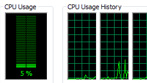
Mercury Playback Engine
Get amazing performance from the Mercury Playback Engine on both desktops and laptops (Windows and Mac OS). Natively 64-bit and optimized for modern CPUs, Mercury delivers astounding performance with or without GPU acceleration.
More on performance
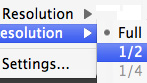
Variable playback resolution
Edit high-resolution projects on lower spec computers with the ability to adjust the playback resolution in the Source or Program Monitor. Separate Playback and Pause resolutions give you more control over monitoring.

GPU-accelerated effects
Speed up your creative workflow by seeing the results of even more effects without having to render them first, thanks to GPU acceleration and the enhanced 64-bit Adobe Mercury Playback Engine, now on workstations and laptops.
Video preview format and resolution settings
Adjust the video preview format and resolution to promote smooth playback when your computer's hardware is unable to play back the full sequence frame size in real time.
Take advantage of GPU-accelerated effects to control frame rate, aspect ratio, field order, alpha channels, pull-down removal, real-time keying, time remapping, transitions, and more.
GPU-accelerated Ultra keyer
Easily achieve complex keys on challenging footage with GPU-accelerated Ultra, which typically keys in real time (using NVIDIA graphics cards, depending on system configuration and file types).
GPU-accelerated media processing
Correct issues caused by mismatched media, media with varying types of alpha channels, and more with GPU-accelerated effects that compensate for differences in frame rate, field order, and pixel aspect ratio.
Speed change effects
Create high-quality slow motion or fast motion and play clips backwards using GPU-accelerated time remapping, speed change, and backwards effects.
Field options
Eliminate unwanted interlacing artifacts with GPU-accelerated effects that give you control over field order, interlacing, deinterlacing, and flicker removal.
GPU-accelerated transitions
Transition between clips using Additive Dissolve to add the color information from clip B to clip A, and then subtract the color information of clip A from clip B. Get a film-like transition with Film Dissolve.
Blur effects
Quickly add blur to large areas of your clips using GPU-accelerated Fast Blur, create the illusion of motion using Directional Blur, and see the results in real time thanks to GPU acceleration.
Streamline production with a native file-based workflow
Maximize quality and eliminate time-consuming transcoding and rewrapping. Adobe Premiere Pro provides native support for P2; XDCAM EX, HD, and HD50; JVC ProHD, AVCHD, and AVCCAM; DPX; and Canon and Nikon DSLR cameras as well as enhanced RED R3D and Canon XF support.
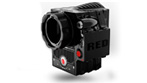
Native RED EPIC camera support
Edit up to 5K footage shot from RED EPIC cameras without transcoding or rewrapping, and access RED parameters directly from the enhanced Source Settings dialog box. The EPIC importer plug-in will be available soon as a download from Adobe Labs.

Expanded RED support
Work natively with RED footage, with support for RED Rocket, Mysterium X, and the latest Color Science and Firmware for RED ONE cameras. The Source Settings dialog box gives you full control over RED parameters and allows RMD files to be imported and exported.

Extensive native file-based workflow
Eliminate time-consuming transcoding and rewrapping and maximize quality thanks to native support for P2; XDCAM EX, HD, and HD50; JVC ProHD, AVCHD, and AVCCAM; DPX; and Canon and Nikon DSLR cameras as well as enhanced support for RED R3D, Canon XF, and more.
More on native file-based workflows
Native support for Nikon DSLR cameras
Easily import and edit video shot with Nikon D90, D300s, and D3000 DSLR cameras. Native format support preserves the original file's pristine quality by eliminating transcoding and rewrapping, allowing you to start working immediately.

Enhanced Canon XF native support
Preview Canon XF footage in the Media Browser panel and utilize camera metadata throughout your preproduction and post-production workflows. Spanned clips are displayed as a single asset in the Media Browser, reducing clutter.
Panasonic P2 export
Export content in Panasonic P2 format, either to P2 media for use in a P2 workflow or to hard disk for archiving. Choose from DVCPRO HD and AVC-Intra codecs.
Tapeless HDV support
Edit content natively from Sony HDV cameras that record directly to removable media. Use the Media Browser to find clips and organize them using metadata, and then import content directly without transcoding or rewrapping.
Native AVCHD support
Import and natively edit AVCHD content from Sony, Panasonic, and Canon cameras without transcoding or rewrapping the content. Use the Media Browser to browse clips and view metadata including metadata from Panasonic AVCCAM cameras.
Media Browser panel for file-based workflows
Easily find content on tapeless cameras by viewing all your clips, along with a customizable view of the metadata associated with the content. Open clips and image files in the Source Monitor directly from the Media Browser panel.
Native support for Canon DSLR cameras
Easily import and edit video shot with Canon DSLR cameras, including the EOS 5D Mark II and 7D, using a complete, easy-to-use toolset. Native format support eliminates transcoding and rewrapping, preserving the source file's pristine quality.
Panasonic P2 native support
Natively edit content from Panasonic cameras in DVCPRO, DVCPRO HD, and AVC-Intra formats and across multiple P2 cards. View metadata in the Media Browser, and edit content from the P2 card or transfer it to hard disk for best performance.
Broad Sony XDCAM native format support
Edit all types of Sony XDCAM content natively, without rewrapping or transcoding. Browse and organize clips using the Media Browser. Edit from the SxS card via the camera or card reader (XDCAM EX only), or transfer to hard disk for best performance.
DPX file import and export
Work with DPX frame sequences that include embedded timecode as footage in Adobe Premiere Pro CS5.5. Full control over parameters like black point, bit depth, and log/linear space allows nondestructive changes to be made at any time.
Native AVC-Intra support
Import, play back, and edit AVC-Intra clips natively with no transcoding or rewrapping. A true file-based workflow supports both 50Mbps and 100Mbps bitrates at all common frame rates. The Media Browser lets you view clips directly.
Native support for JVC ProHD
Edit footage shot on JVC ProHD video cameras and stored as either MOV or MP4 files. Native support eliminates time-consuming transcoding or rewrapping and preserves the original pristine quality of the source footage.
Take advantage of broad format support
Import and export major video, audio, and graphic file formats, and combine them all in the Adobe Premiere Pro timeline. Adobe Premiere Pro also supports a wide range of hardware, so you can build the editing system that meets your needs and budget.
Expanded RED support
Work natively with RED footage, with support for RED Rocket, Mysterium X, and the latest Color Science and Firmware for RED ONE cameras. The Source Settings dialog box gives you full control over RED parameters and allows RMD files to be imported and exported.
Mixed-format timeline support
Combine content from all supported formats in the Adobe Premiere Pro timeline without restrictions. High-quality scaling and flexible footage interpretation rules make it easy to produce exceptional output from mixed-format footage.
Support for all major media types
Import and export major video, audio, and graphic file formats, including FLV, F4V, MPEG-2, QuickTime, Windows Media, AVI, BWF, AIFF, JPEG, PNG, PSD, TIFF, and more.
DPX file support
Use native DPX file import and export to create a 10-bit uncompressed DI workflow. Timecode is preserved throughout import, editing, and export.
Still-image file support
Import still-image files in major formats, including PSD, BMP, GIF, EPS, JPEG, PCX, PICT, PNG, and TIFF. Export in BMP, GIF, TARGA, and TIFF formats.
ASIO compatibility
Record and play back audio through any multichannel audio card or hardware that supports the industry-standard ASIO protocol (Windows only).
Video hardware support
Choose from a wide range of capture cards and other hardware to build the HD, SD, or DV editing system that meets your needs and budget.
10-bit display support
Output and view full 10-bit color without the need for separate video playback hardware thanks to support for the 10-bit DisplayPort on certain NVIDIA Quadro cards (Windows only).
Enjoy the convenience of Adobe integration
Effortlessly move assets between Adobe Premiere Pro and other Adobe applications, including Adobe After Effects, Photoshop Extended, Illustrator, Flash Catalyst, Adobe Audition, and Adobe OnLocation.
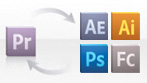
Unparalleled Adobe integration
Effortlessly move assets between Adobe Premiere Pro and other Adobe Creative Suite Production Premium components Adobe After Effects, Photoshop Extended, Illustrator, Flash Catalyst, and, new in CS5.5, Adobe Audition.
More on integration
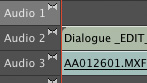
Roundtrip workflows with Adobe Audition
Get a fast, flexible roundtrip audio workflow with Adobe Audition CS5.5 software. Pass individual audio clips and multitrack mixes or complete video sequences between Adobe Premiere Pro CS5.5 and Adobe Audition for editing and sweetening.
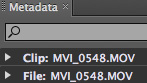
Direct integration with Adobe Story
Speed up your editing workflow by importing scripts with metadata from Adobe Story, an Adobe CS Live online service,1,2 into Adobe Premiere Pro CS5.5. Eliminate hours of routine work using Speech Search and other metadata to quickly find footage.
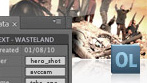
Adobe OnLocation integration
Record SD and HD video to hard disk and log metadata while shooting using Adobe OnLocation. Transfer content directly to Adobe Premiere Pro, maintaining all metadata and clip information, including in and out points set in Adobe OnLocation.
Dynamic Link
Use Adobe Dynamic Link to open sequences "live" in Adobe Encore software without rendering first. Any changes made in Adobe Premiere Pro are automatically reflected in Encore. Native 64-bit support improves Dynamic Link performance.
Adobe After Effects integration
Drag and drop or copy and paste clips and timelines between Adobe Premiere Pro and After Effects. Open complete Adobe Premiere Pro projects, including nested sequences, in After Effects.
Extensive Adobe Photoshop integration
Import Photoshop files that contain video without rendering them first. Control how they look by choosing which layers to import and how to import them. Apply keyframeable Photoshop blend modes to clips on the timeline.
Group clip transfer
Transfer groups of clips to After Effects using a single command. Adobe Premiere Pro re-creates the structure of your clips in an After Effects composition and then imports the composition into the timeline using Dynamic Link.
Adobe Illustrator integration
Open Illustrator files in Adobe Premiere Pro. When you scale an image in Adobe Premiere Pro, the image is continuously rasterized, so image quality remains pristine.
Direct export from Adobe Premiere Pro
Save time by exporting media directly from Adobe Premiere Pro without first adding it to the Adobe Media Encoder queue.
Achieve creative excellence
Realize your creative vision with Adobe Premiere Pro CS 5.5, taking advantage of real-time stereoscopic 3D editing, support for closed captioning, time remapping, precise keyframe controls, and more.

Closed-captioning support
Play back and display 608 and 708 closed captions, synced to your video sequence and viewable in the Program Monitor.
Real-time steroscopic 3D editing
Edit 3D content in real time thanks to 64-bit performance and world-class integration with CineForm Neo 3D, which provides a smoother workflow than Final Cut Pro.
Multicam editing
View multiple-camera shoot tracks, easily sync via timecode, and edit by switching between tracks in real time. Rerecord sections of your edit, make fine editing adjustments, and adjust color across multiple shots, even after editing.
Time remapping
Use high-quality slow motion to create dramatic effects that focus on the action. With a streamlined, on-clip interface, the time remapping feature makes it easy to speed up, slow down, reverse, and hold frames with precision.
Precise keyframe controls
Control audio and video effect parameters using comprehensive keyframe controls. Get precise control using Bezier handles to finesse the shape of parameter curves.
Robust color-correction tools
Use primary and secondary color-correction tools, and see results instantly with GPU acceleration. Match shots; change colors; correct exposure; and modify highlights, midtones, and shadows across clips, sequences, or entire projects.
Integrated titling
Create sophisticated text and graphics titles from scratch, professionally designed templates, or user-defined styles.
Auto-color adjustment
Instantly improve your video image quality with effects like those in Adobe Photoshop, including Auto Color, Auto Contrast, and Shadows/Highlights.
Lighting Effects
Add a spot, directional, or omni light to your video footage. Create multiple lights to see different looks on different parts of a scene.
Animated track-matte workflow
Easily create traveling mattes by applying effects and animation to individual track-matte clips.
Clip and timeline effects
Apply powerful, built-in visual and motion effects to clips. Create custom effects presets. Increase your options with an extensive range of After Effects compatible plug-ins. Get GPU-accelerated real-time feedback for many effects.
Audio keyframing
Create smooth audio crossfades and other audio changes with a minimal number of keyframes. By creating fewer audio keyframes over a given time interval, Adobe Premiere Pro simplifies the editing process.
Collaborate through third-party workflow integration
Work in an open, extensible production environment. Write scripts collaboratively. Efficiently gather feedback from clients and teammates. Easily exchange projects with Final Cut Pro and Avid software, as well as other Adobe software.
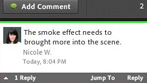
Streamlined collaboration
Collaborate more easily thanks to enhanced integration with Final Cut Pro and Avid Media Composer, and with Adobe CS Review, a separate CS Live online service1,2. Save time by background encoding files for CS Review using new presets in Adobe Media Encoder.
Native editing of QuickTime formats
Import and edit all the popular QuickTime formats natively (including Apple ProRes and MOV files captured by Canon 5D and 7D cameras), with full access to clip metadata no transcoding, rewrapping, logging, or transferring required.
Final Cut Pro project import and export
Roundtrip projects between Adobe Premiere Pro and Final Cut Pro without conversion or re-rendering, preserving commonly used effects and transitions. Bring the creative benefits of Adobe tools to any post-production workflow.
Avid NLE project AAF import and export
Use AAF import and export to share projects with Avid NLEs without conversion or re-rendering, preserving commonly used effects and transitions. You can also import and export CMX3600 format Edit Decision Lists (EDLs).
OMF file export
Export your audio in Open Media Framework (OMF) format for interchange with audio workstations. Then import the final audio back into Adobe Premiere Pro and use direct audio channel routing to preserve the final mix.
Get better output faster with Adobe Media Encoder
Create output more quickly for any video format or device, including web, phone, and tablet, with 64-bit Adobe Media Encoder. Use intuitive presets and context menus to configure multiple outputs from Adobe Premiere Pro and batch encode.
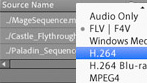
Fast, reliable multiscreen delivery
Output your work for computers, smartphones, tablets, and television with Adobe Media Encoder CS5.5. Use intuitive presets and contextual menus to set up sequences once for multiple formats, and batch encode while you keep editing.
Easy presets for popular devices and formats
Save time and encode content more easily by using Adobe Media Encoder CS5.5 presets that help ensure your video looks great on widely used output formats and devices, including mobile devices and HDTV.
Match Sequence Settings
Make encoding settings match the original Adobe Premiere Pro source sequence or After Effects composition. With Match Sequence Settings, you save time by not having to recheck all encoding options even when you aren't changing them.
Drag-and-drop encoding
Drag and drop sequences from Adobe Premiere Pro and compositions from After Effects directly into Adobe Media Encoder CS5.5, which can then encode them immediately. This saves many steps compared with Adobe Media Encoder CS5.
Enhanced watch folder workflow
Set up Adobe Media Encoder CS5.5 to watch a folder. Automatically encode files arriving in the folder to a format you specify. Multiple watch folders can encode to different formats and to the same destination folder.
Improved user interface and workflow
Take advantage of a clearer user interface, new presets, and new contextual menus that improve your Adobe Media Encoder workflow. Expand Queue items to check formats, progress, and encoding settings. Monitor job status in the new Watch Folders section.
Metadata output templates
Preserve metadata in Adobe Media Encoder output to make production more efficient and enhance usability, or clear metadata before output to protect confidential production data before distributing content to external audiences.
Bitrate based on source frame size
Help ensure video looks great on screens of all sizes by automatically setting the encoding bitrate level based on source (instead of destination) frame dimensions in Adobe Media Encoder for selected Adobe Flash and Blu-ray Disc output formats.
Crop and trim control
Easily crop the frame size and trim the in and out points of a clip or sequence in Adobe Media Encoder.
Automatic still image sequencing
Automatically encode still images as a video sequence. When you import a numbered series of still images into Adobe Media Encoder CS5.5, it intelligently recognizes them as stills and offers to encode them as one video sequence.
XMP cue points from metadata
Add XMP cue points in Adobe Media Encoder read from metadata in FLV or F4V source files, as well as manually prior to encoding.
Audible alerts when jobs are completed
Hear alerts when Adobe Media Encoder finishes jobs in the background, so you can keep working without having to watch the queue. Different sounds indicate whether jobs have been completed successfully or with errors.
Settings Summary
Get more visual feedback using the Settings Summary dialog box in Adobe Media Encoder. Show information for output and source content, and use tool tips to see the output settings for items being encoded.
Adobe Media Encoder CS Review presets
Save time with new Adobe Media Encoder presets that are optimized for output to Adobe CS Review, a CS Live online service1,2.
Benefit from an end-to-end metadata workflow
Make the most of your metadata, whether youre turning spoken dialogue into written transcripts with RapidFind, synchronizing scripts to footage, or finding clips with human faces. Customize the way metadata is displayed to match your workflow.
Speech Analysis
Turn spoken dialogue into timecode-accurate transcripts. Use RapidFind to jump to a specific area by searching for keywords within the dialogue, or even cut video based on the transcript. Reference scripts, such as an Adobe Story script, increase accuracy.
Face detection
Rapidly find interview sound bites without having to play through each clip in your project. Run the Content Analysis process on clips in your project, and then use the search tool to find clips with human faces in them.
Metadata views in the Project panel
Get immediate access to metadata that is important to your production. Customize and save the way XMP metadata is displayed in the Project panel, with control over individual fields and the ability to import custom metadata schemas.
Metadata panel
View and edit metadata for selected items using the Metadata panel. Control how individual fields are displayed, customize schemas, apply changes to selected files, and save configurations for later use. Locate metadata fast with RapidFind.
Be more productive thanks to an efficient metadata-driven workflow enabled by Adobe OnLocation
Take control of your footage with powerful shot logging and management features and the fast, intuitive Adobe OnLocation interface. Easily place comment markers during recording, and manage metadata across assets.
File browsing from disk
Find the files you need quickly by opening any supported media files directly in the Adobe OnLocation Monitor window. Play and scrub files, and add in and out points using the fast, intuitive Adobe OnLocation interface.
Easy access to Take and Shot recording
Switch between Take and Shot recording modes using a dedicated control in the Shot List that provides immediate visual confirmation of the current mode.
Custom metadata schemas
Promote consistent logging by multiple users, and across productions, by importing precreated metadata schema files that include specific field values.
Powerful Shot List management
Save time using powerful options to break out scenes into multiple clips and camera angles. Import Adobe Story scripts to create complete Shot Lists in Adobe OnLocation that retain metadata, including dialogue, characters, and more.
Tapeless recording and logging
Use the powerful logging options in Adobe OnLocation with tapeless cameras: Tell Adobe OnLocation which shot is recording and log comments. When the tapeless clips are imported, the information is automatically merged.
Timesaving XMP metadata
Speed up your post-production workflow with metadata acquired during preproduction and production.
Speed up video capture and editing with Adobe OnLocation
Accomplish more while youre recording or importing footage. Log live action accurately while recording, and analyze imported files quickly. Check the contents of tapeless camera media without importing it, and browse project contents in the Media Browser.
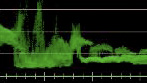
Professional on-set monitoring
Maximize camera image quality during shoots by using Adobe OnLocation to quickly calibrate your camera, check levels, and monitor signals. The virtual waveform monitor and vectorscope help you avoid problems and improve quality.
Imported file scan and analysis
Analyze imported files with the same alert system used during live disk recording. Adobe OnLocation quickly scans imported media for problems with audio pops and clipping and video overbrights.
Poster frames
Find clips visually more efficiently by assigning a poster frame for each clip.
Camera browsing without importing
Use Adobe OnLocation to check the contents offile-based camera media without having to copy to the hard drive or import content into the Adobe OnLocation project.
Project browsing in the Media Browser
Find media used in Adobe OnLocation projects without opening the projects. View the project contents in the Media Browser as if the project were a folder of media, and then drag and drop files directly into the current project.
File-based camera support
Work with tapeless cameras using all the Adobe OnLocation capabilities for on-set logging and clip analysis. Import Sony XDCAM, XDCAM HD, XDCAM EX, Panasonic P2, AVCHD, AVC-Intra, and HDV media without transcoding or rewrapping.
Timecode-accurate playhead placement
Position the playhead exactly where you need it using timecode controls that allow scrubbing of timecode or direct entry of specific values.
Audible playback while scrubbing
Find the section you need more quickly by listening to audio during scrubbing and frame advance.
Recording and logging without wires
Add comments and metadata to clips being recorded on a tapeless camera thats not connected to Adobe OnLocation. Specify which shot is recording and log comments. Data is automatically merged with the corresponding clips on import.
Sub-project export
Export the takes that are tagged "wanted" in the Adobe OnLocation Shot List. Access the sub-project's folder from the Media Browser panel in Adobe Premiere Pro. Clips with in and out points form a rough cut when added to a sequence.
Convenient missing media relinking
Reconnect broken file references in your Adobe OnLocation project quickly and easily.
Shot List publishing
Keep everyone up to date during production by publishing your Adobe OnLocation Shot List as a CSV file that can be viewed on a variety of software and devices, including iPod touch and iPhone.
Direct-to-disk recording
Bypass tape completely during shooting with Adobe OnLocation. Connect your camera to your laptop and start recording directly to hard disk. Review footage immediately, and then quickly bring it into Adobe Premiere Pro for editing.
Realize your vision with powerful Encore authoring tools
Send Adobe Premiere Pro projects directly to Adobe Encore without rendering. In Encore, efficiently create DVDs, Blu-ray discs, and web DVDs, all from a single project. Use flowcharts to define and view the navigation of your project.
Integrated search for web DVD titles
Offer viewers a more engaging experience with the ability to search by keyword within a web DVD. Encore uses metadata from speech analysis, subtitles, and menu and button names to make web DVD titles automatically searchable.
More on searchable web DVDs
Single project, multiformat delivery
Efficiently create DVDs, Blu-ray discs, and web DVDs, all from a single Encore project file. With support for pop-up menus and subtitles, viewers of web DVD titles enjoy all the benefits of the Blu-ray experience delivered online.
Dynamic Link integration
Send your Adobe Premiere Pro projects directly to Encore without rendering first. Changes in the timeline are reflected immediately in Encore thanks to Adobe Dynamic Link.
Flowchart
Define and view the navigation of your DVD, Blu-ray Disc, and web DVD projects by using a visual flowchart representation of all points and links. Independent variable zoom functionality streamlines your authoring workflow.
Adobe Photoshop integration
Create DVD and Blu-ray Disc menus in the Photoshop file format using technology built into Encore. Edit menus in Photoshop and see your changes instantly in your Encore project.
Sleek interface for web DVD titles
Create web DVDs that have a sleek playback interface, offering easy-to-use playback controls plus the option to watch HD video in full-screen mode.
Background transcoding
Work more efficiently when transcoding files. Adobe Media Encoder transcodes files in the background, keeping Encore free to focus on authoring tasks. This is particularly important with 4K workflows that normally tax your system.
Third-party encoding integration
Choose the right encoder for the job without sacrificing workflow efficiency. Integrate third-party encoders you already own with the Encore authoring workflow to take advantage of the latest advancements in GPU-accelerated encoding.
Cross-platform projects
Share Encore projects without worrying about platform compatibility. Encore projects can be moved between Windows and Mac platforms freely, without conversion.
24p support
Maintain the 24p look all the way to output with native 24p project support. Encore supports 24p frame rates for Blu-ray, DVD, and web DVD titles, with correct display of 24p timecode in the timeline.
4K mastering
Take 4K productions directly to high-definition Blu-ray Disc using a workflow that maintains the original 4K content all the way to output. Use Dynamic Link to open Adobe Premiere Pro 4K sequences in Encore without rendering first.
DDP master support
Create replicated discs from Encore using direct DDP master support for DVD discs. The outputted file can then be sent via FTP directly to the mastering facility.
Deliver engaging experiences practically anywhere
Create video optimized for smartphone, tablet, and PC screens. From capture to delivery, use metadata to make assets easier to find in production, create engaging experiences, and make online content easier for audiences to discover through search engines.
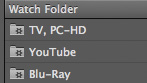
Batch encoding in the background
Automate the process of creating multiple encoded versions of your content using the batch features in Adobe Media Encoder. Maximize your productivity by continuing to work while files encode in the background.
Metadata-rich assets for online delivery
Incorporate metadata that makes your content more discoverable online and the viewing experience more engaging. Metadata stays with the assets you create in Creative Suite Production Premium components.
FLV/F4V cue points with name/value pairs
Create FLV/F4V cue points with name/value pairs using markers directly in the timeline. With Adobe Media Encoder, create, check, and adjust cue point information and then use it for further interactive design in Adobe Flash Professional.
Mobile phone and device output
Optimize video for viewing on the latest delivery platforms with Adobe Device Central CS5.5. Find the best settings for encoding as well as information about device capabilities, and then simulate playback on those devices to check quality.
Streamlined encoding
Deliver content in virtually any format with Adobe Media Encoder. Use any combination of sequences and clips, and encode to formats and codecs, such as FLV, F4V, Windows Media, QuickTime, MPEG-2, MPEG-4, H.264, AVC-Intra, and DPX.
Flexible timeline marker controls
Easily control marker attributes. Set Encore chapter markers, URL web links, and FLV cue points, all using a single dialog box.
Edit faster with a robust editing toolset
Boost your productivity with the industry's best cross-platform, native filebased workflows. With the 64-bit, GPU-accelerated Adobe Mercury Playback Engine and an unparalleled toolset, Adobe Premiere Pro CS5.5 sets a new standard in editing efficiency.
Multiple Project panels
Display assets in multiple Project panels, each with its own graphical or text view setting. With control over metadata views within the Project panels, organizing and viewing your assets is fast and efficient.
Individualized keyboard shortcuts
Personalize Adobe Premiere Pro by creating multiple keyboard maps for different tasks or to support multiple users. By exporting your own shortcut sets, you can be productive immediately when working on other systems.
Project Manager
Easily archive media, reclaim drive space, and move between offline and online environments. Consolidate projects by selecting and moving actual media used in a project to a single location for archiving and storage management.
Export Frame button
Quickly export a still video frame from the Program or Source Monitor via the Export Frame button without having to initiate an export via Adobe Media Encoder.
Customizable user interface
Adjust the Adobe Premiere Pro interface to fit almost any editing workflow or environment. Arrange the docked interface for multiple monitors, resize all the windows simultaneously, and save configurations as preset workspaces.
In-line search for assets
Find assets within the Project panel quickly using a search field that is updated as you type. Search on individual metadata fields or across them all to display groups of similar items.
Scrolling timeline
Set the timeline to scroll smoothly under a stationary indicator during playback, or adjust it to advance one page as the playback indicator reaches the edge of the window.
Nestable timelines
Manage large projects more easily by editing each section in its own timeline. Place (nest) each timeline inside a master timeline while maintaining full access to every edit.
Multitrack targeting and sync lock controls
Easily control clip placement, saving time and preserving the placement of other clips in the timeline with powerful track targeting options. Choose which tracks remain in sync after ripple and insert edits with sync lock controls.
Clip replacement
Easily replace any clip in the timeline with a new one that preserves the original's attributes. All effects and keyframes are retained, and, if necessary, the new clip is trimmed to fit the duration of the original one.
32-bit internal color processing
Maintain maximum image quality with subtle and dramatic changes to color, contrast, and exposure, free of the banding and artifacts caused by lower bit-depth processing.
Professional internal scopes
Monitor luma and chroma levels on every line with the built-in waveform monitor and vectorscope. Display Waveform IRE information in standard, YCbCr Parade, RGB Parade, or combined modes.
Target output resolution
Set your project to any resolution and work with it throughout production great for creating video banner ads, content for small screens, and more.
Increase productivity with timesaving editing features
Get more done in less time with features that make your work more efficient, whether youre removing gaps between clips, placing effects keyframes, applying a transition to multiple clips, or extending the duration of a clip.
Automatic scene detection for HDV tapes
Use automatic scene detection to create separate clips from HDV tapes.
Find Gaps command
Clean up sequences quickly with commands for finding and removing gaps between clips on the timeline.
Field display settings
Set the Source and Program Monitors to display the first field, second field, or both fields for interlaced footage.
Keyframe and vertical clip snapping
Place effects keyframes precisely. As you move them, keyframes snap to sequence markers, the playhead, clip edges, and other video or audio keyframes. Use vertical snapping to keep clips in sync when moving them between tracks.
Timesaving options with multiple clips
Easily apply a transition to multiple clips using cut and paste, while maintaining destination attributes like duration. Adjust speed, duration, and audio gain, or apply effects to multiple clips simultaneously.
Faster clip pasting and subclip creation
Save time when pasting clips into the timeline. The playhead jumps to the end of a pasted clip so that subsequent pasted clips are placed directly after it. Create subclips by dragging content from the timeline to the Project panel.
Previous zoom-level shortcut
Use smart zoom in the timeline to switch between detailed and global views of your content with one key press. Press to zoom the timeline to show the entire contents of your sequence. Press again to return to the previous zoom level.
Remove All Effects command
Quickly clear all effects from one or multiple selected clips using a single command.
Extend Edit shortcut
Extend the duration of a clip on a target track to the current position on the timeline using an assignable keyboard shortcut.
Manage projects, sequences, and clips efficiently
Keep your projects running smoothly with fast RapidFind search results, clip instances that are updated automatically when you update the asset they reference, nested sequence, immediate playback, and more.
RapidFind search
Type what you're looking for into the RapidFind search box and see updated results as you type. RapidFind is available in the Effects, Project, and Metadata panels and makes finding matching content fast and efficient.
Per-sequence settings
Mix content freely by assigning different settings to individual sequences. By nesting those sequences into a single master sequence, you can manage assets more easily and quickly create multiple versions of the project.
Immediate Project window playback
Keep your focus on the timeline and get immediate playback from a clip you dragged from the Project window.
Media locations saved in project
Manage projects more efficiently. File location preferences are saved on a per-project basis, making it easy to set up partitions for particular projects.
Individual sequence import
Combine content from multiple projects more easily by choosing any combination of sequences to import.
Individual sequence trimming
Avoid trimming redundant content in the Project Manager with the ability to select any combination of sequences for trimming.
Task-based Project panel configurations
Create workspace configurations using Project panel column configurations optimized for the task at hand.
A/V offline master clip linking
Link an A/V offline master clip to media that has only video or audio present.
Trimmed clip archiving
Archive projects more efficiently. Use the Project Manager to include offline clips in trimmed projects with lower storage requirements.
Gain precise audio control
Take control of your audio with sample-level audio editing, direct waveform scrubbing, and flexible audio channel mapping for offline clips. View audio waveforms in greater detail.
Vertical waveform zoom in the Source Monitor
View audio waveforms in greater detail in the Source Monitor. Zoom both channels independently or together.
Broadcast WAV support
Pass source timecode through to audio applications thanks to Broadcast WAV support for easier linking to externally recorded media and tighter workflows with digital audio workstations such as Pro Tools and Pyramix.
Audio channel mapping for offline clips
Set and adjust audio channel mapping for offline clips at any time. Change batch capture behavior easily by routing source audio channels to various audio track configurations, before or after bringing them into a project.
Audio-only or video-only clip recapture
Change recapture settings for offline clips without having to recapture them first.
Audio level monitoring
View audio levels coming from FireWire devices during capture using the audio level meters panel.
Direct waveform scrubbing
Navigate with precision within the Source Monitor when working with audio-only clips. Use the playhead to scrub the waveform directly.
Video or audio display default setting
Customize display settings by turning video or audio keyframe, opacity, and clip volume display on or off by default.
Track Normalize
Save time by using volume settings to normalize all the clips in a sequence track.
Merge Clips
Easily create subclips that match audio and video from separate sources. The Merge Clips feature supports dual-system sound by allowing high-quality audio to be synced with video shot on a separate device, such as a DSLR or RED camera.
Sample-level audio editing
Adjust audio clips with sample precision up to 1/96,000 of a second. Set precise L- and J-cuts. Eliminate small pops, crackles, and other unwanted audio elements.
Extend options with integrated online services
Speed up editing and collaboration thanks to Adobe Premiere Pro integration with Adobe Story, Acrobat.com, Adobe CS Review, and other CS Live online services.1, 2
c
Direct integration with Adobe Story
Speed up your editing workflow by importing scripts with metadata from Adobe Story, an Adobe CS Live online service,1,2 into Adobe Premiere Pro CS5.5. Eliminate hours of routine work using Speech Search and other metadata to quickly find footage.
Powerful Shot List management
Save time using powerful options to break out scenes into multiple clips and camera angles. Import Adobe Story scripts to create complete Shot Lists in Adobe OnLocation that retain metadata, including dialogue, characters, and more.
Client reviews made simple
Collaborate more efficiently on works in progress using Adobe CS Review, a CS Live online service1,2 that allows you to share video sequences for review without burning discs or sending large files back and forth.
Acrobat.com integration
Streamline the way you work and collaborate by using Acrobat.com, a CS Live online service1,2. Acrobat.com includes online Workspaces, document sharing and storage, PDF file conversion, web conferencing, and online office applications.
Mac OS
- Multicore Intel processor with 64-bit support
- Mac OS X v10.5.8 or v10.6.3 or higher; Mac OS X v10.6.3 or higher required for GPU-accelerated performance
- 2GB of RAM (4GB or more recommended)
- 10GB of available hard-disk space for installation; additional free space required during installation (cannot install on a volume that uses a case-sensitive file system or on removable flash storage devices)
- 7200 RPM hard drive for editing compressed video formats; RAID 0 for uncompressed
- 1280x900 display with OpenGL 2.0compatible graphics card
- Adobe-certified GPU card for GPUaccelerated performance; visit www.adobe.com/go/premiere_systemreqs for the latest list of supported cards
- Core Audiocompatible sound card
- DVD-ROM drive compatible with dual-layer DVDs (SuperDrive for burning DVDs; external Blu-ray burner for creating Blu-ray Disc media)
- QuickTime 7.6.2 or higher software required for QuickTime features
- Adobe Flash Player 10 software required to play back DVD projects exported as SWF files
- Broadband Internet connection required for online services and to validate Subscription Edition (if applicable) on an ongoing basis*
|
|
|
|
20/04
|
Sony HDR-PJ50V Camcorder - Black
- 220GB HDD, HD 1080p, 12x Optical Zoom, 3.0" Touchscreen LCD, Image Stabilization, Intelligent Auto, Built-In Projector 220GB HD Camcorder with Projector
Model number: HDR-PJ50V
Highlights: 1920 x 1080 Full HD 60p recording, built-in projector, 220GB HDD (up to 91 hours recording in LP mode), wide angle G lens, "Exmor R" CMOS sensor, 42x extended zoom, 3.0" touch screen.
Overview
Captivating Creations Deserve an Audience
Present your creations virtually anywhere by transforming your HDR-PJ50V Handycam camcorder into a mobile theater capable of projecting up to a 60" diagonal image. Relive the action with powerful speakers and S-Master amplifier technology. Shoot in 1920x1080 Full HD 60p or opt for more nostalgic 24p film-like quality, all while collecting stunning stills. Record and store up to 91 hours of footage (LP mode) directly on the massive 220GB hard disk drive (HDD).
The Makings of a Masterpiece
Immortalize precious moments in time by shooting in exquisitely rich Full HD and make special occasions even better the second time around. Direct your next documentary in gorgeous 1920x1080 HD with 60p or give it a more film-like feel by shooting in 24p. Use the Dual Record mode to simultaneously capture crystal clear stills of up to 5.3MP.
Ready, Set, Project
Light up the room and everyone in it by sharing treasured memories whenever and wherever you choose with nothing more than the camcorder you used to record them. Transform your camcorder into a mobile theater capable of projecting up to a 60" diagonal image via the built-in high-contrast projector.
Savor the Sound
From a whisper of excitement to the roar of the crowd, enjoy the true-to-life sound the S-Master digital amplifier technology provides during playback with Clear Phase stereo speakers. Enjoy the oohs and ahhs of your audience without worrying they'll drown out any of the action.
Have It All
Capture and store up to 91 hours of footage (LP mode) thanks to the whopping 220GB hard disk drive (HDD)1. Keeping more in one place makes it even easier to share later.
Better Shots in Low Light
Experience stunning low-light sensitivity with improved image clarity and drastically reduced grain with the back-illuminated "Exmor R" CMOS sensor. Engineered specifically for compact cameras and camcorders, the "Exmor R" CMOS sensor is designed to let you shoot video in lower lighting conditions with better results.
Put Things in Perspective
Experience the pinnacle of Sony lens technology. The professional quality G Lens literally widens your perspective allowing you to capture more of what you care about by fitting more of each scene into every shot. Engineered for truly extraordinary optical performance, expect brilliant, accurate color reproduction and sharp, amazingly detailed images.
Features
Share your memories virtually anywhere using the HDR-PJ50V Handycam camcorder's built-in, high-contrast projector. This mobile theatre can project up to a 60" (diag.) image on any flat surface, and with powerful stereo speakers, you'll hear all the action. Record your 1920x1080/60p/24p Full HD video for film-like videos. A back-illuminated "Exmor R" CMOS sensor delivers superior low-light video while the wide angle Sony G Lens lets you capture more of the action with sharp images and brilliant, accurate colors. Record and store up to 91 hours of high definition video footage (HD LP mode) directly to the massive 220GB hard disk drive (HDD).
1920x1080 Full HD 60p/24p Recording w/7MP still image
The Sony HDR-PJ50V offers 1920 x 1080 high definition resolution letting you record your memories in exceptional Full High Definition quality. Capable of 60p recording and playback via HDMI (cable sold separately) and compatible HDTV providing stunning clarity and incredibly detailed and smoother playback of your memories. If youre looking for a film-like quality look to your video, 24p recording is available for you.
Wide Angle G lens to capture everything you want
Experience the pinnacle of Sony lens technology with the professional-quality G Lens. Engineered for superior optical performance, Sony G lenses deliver brilliant, accurate color reproduction and sharp, amazingly detailed images. In addition, the 27.4mm focal length in Photo Mode and 29.8mm in Video Mode offers a broader perspective for enhanced wide angle shooting.
3.0 touch-screen Clear Photo LCD Plus display (230K)
The 3.0 Clear Photo LCD Plus screen displays sharp, bright, vivid images, letting you compose a shot more easily -- even outdoors, while enabling you to change settings to best represent the scene.
5.1ch Surround mic for vivid and dynamic surround sound.
Dolby Digital 5.1 channel recording captures active sounds coming from all directions, so you can experience your home movies the way you experienced them while recording.
Active Interface Shoe to attach intelligent accessories
The Active Interface Shoe lets you mount Intelligent Accessories, such as external lights and microphones, which can help extend the capabilities of your camcorder.
Clear Phase stereo speakers for true and dynamic sound
Bring your video alive with Clear Phase stereo speakers. Drawing on Sonys high-end audio expertise, renown S-Master digital amplifier technology is utilized to produce more true-to-life sound.
Built-in USB cable for easy file transfer/charge
The high-speed, built-in USB 2.0 cable allows for easy connection to your computer for charging or file transfer without having to remember separate cables. It also fits conveniently into the hand strap so its out of the way until you need it.
Built-in Flash
The built-in flash sheds more light on your subject when shooting still photos.
Built-in High-Contrast Projector
The high-contrast projector built-in to the LCD panel gives you the freedom to share your favorite memories virtually anywhere. Powerful enough to project up to a 60 diagonal screen, this small mobile theater packs a powerful punch. Combined with advanced Clear Phase stereo speakers, your memories will come alive for you and those youre sharing with.
Optical SteadyShot image stabilization w/ Active Mode
Optical SteadyShot image stabilization with Active Mode compensates for greater degrees of camera shake to deliver stunningly smooth video from wide angle to full telephoto shooting. In addition, innovative 3-Way Shake-Canceling adds electronic roll stability for even smoother video capture.
Tracking Focus follows selected subjects
Tracking Focus works as an extension of Face Detection to allow you to select an object with a touch of the LCD and have the focus follow the selected object.
Expanded recording/monitoring with mic/headphone jack
Features dedicated mic and headphone inputs for expanded audio recording options and convenient monitoring of audio with headphones (external microphones and headphones sold separately).
Highlight Playback creates movies with transitions for you
Why spend hours editing your movies when you can let your camcorder do it for you? Highlight Playback identifies and compiles key scenes into a short, entertaining movie complete with music and transitions. You can even pinpoint the exact scene you want to include in the highlight reel.
Direct Copy to external HDD without PC13
Store your memories in a whole new way with the ability to copy videos from your camcorder directly to an external hard disk drive13 (sold separately), all without a computer. Your camcorder can also access videos stored on the external hard drive for playback on your HDTV4, allowing you to utilize the camcorders handy playback features.
Golf Shot
Building on the slow-motion capture capabilities of Smooth Slow Record, Golf Shot captures a few seconds of motion as a sequence of up to 22 still images, which can be viewed/printed individually or as a composite sequence shot image, perfect for analyzing the nuances of a golf swing, tennis serve, and other fast action.
220GB Hard Disk Drive for up to 91 hours of recording1
The built-in 220GB1 Hard Disk Drive can record and store up to 91 hours of high definition video footage (LP mode).
Back-illuminated "Exmor R" CMOS sensor for superb low-light video
Experience stunning low-light sensitivity with improved image clarity and drastically reduced grain with Sonys back-illuminated "Exmor R" CMOS sensor. Designed for compact cameras and camcorders, the "Exmor R" sensor relocates the photo diodes above the support circuitry, maximizing the light gathering area per pixel so you can shoot with better results in lower lighting conditions.
17x Extended Zoom to get even closer to the action
Extended Zoom works in conjunction with 12x optical zoom to get even closer to the action while maintaining HD image quality.
Wind noise reduction for clear voice recording
Wind Reduction reduces noise and interference that is produced when wind passes over the microphone, giving you a clearer and more enjoyable sound experience.
Event Browse groups photos/videos for you for easy reference
Event Browse conveniently groups your images and videos together for easier viewing. The date range that Event Browse groups your pictures and videos is easily adjusted to suit your needs. When used with the Highlight Playback feature, making and sharing a highlight reel from your event is easy and fun.
Geotagging with built-in GPS receiver & NAVTEQ maps7
A built-in GPS receiver7 makes the HDR-PJ50V an ideal choice for travelers. The receiver gives you the ability to view your current location on the LCD map display, as well as "tag" your shooting locations. Tagged videos and still images can be reviewed and played back using the Map Index function on the camcorder or once downloaded to your PC using the supplied PMB (Picture Motion Browser) software9. Additionally, the receiver automatically adjusts your camcorder's clock to the proper time zone.
Intelligent Auto (90 different scene combinations possible)
Intelligent Auto mode goes a step beyond traditional auto modes by analyzing your shot and then automatically selecting the appropriate settings from ten distinct scene modes (90 different combinations possible): Landscape, Backlight, Twilight, Spotlight, Low light, Macro, Portrait, Baby, Walk, Tripod.
Product Specifications
Weights and Measurements
- Dimensions (Approx.) : Approx. 2 5/8inch x 2 5/8inch x 5 1/8inch (64mm x 66mm x 128mm)
- Weight (Approx.) : Approx. 15.9oz(NP-FV50) (Supplied battery); Approx.1lb 1.5oz(NP-FV70); Approx.1lb 5.0oz(NP-FV100)
Exposure System
- Metering Modes : Multi-segment / Spot
- Exposure Compensation : AE Shift (Touch Panel)
- Exposure Settings : Auto; Flexible Spot (Touch Panel)
- Scene Mode(s) : Auto / Twilight / Twilight Portrait (Photo Mode only) / Sunrise & Sunset / Fireworks / Landscape / Portrait / Spotlight / Beach / Snow
- D-Range Optimizer : Yes
- Noise Reduction : Yes
- White Balance Mode : Auto / Onepush / Outdoor / Indoor
- Minimum Illumination : Standard: 11 lux (1/60 Shutter Speed); Low Lux: 3 lux (1/30 Shutter Speed)
- Auto Iris Control : F1.8 - F10.0
- Backlight Compensation : Yes (Auto)
- Gain Control : Auto
- LOW LUX Mode : Yes
Advanced Features
- Embedded GPS : Yes (Current Position Display (Your Location))
- Face Detection : Yes
- Smile Shutter technology : Dual Capture / Always On / Off
- Golf Shot : Yes
- Image Stabilization : Optical SteadyShot Image stabilization w/ Active mode (Wide to Tele)
- Intelligent Auto : Portrait / Baby / Walk / Tripod / Backlight / Landscape / Spotlight / Twilight / Macro / Low light
- x.v.Color : Yes
- Audio Level Display : Yes
- Priority Setting (for Face Detection) : Auto / Child Priority / Adult Priority
- S-Master : Yes
- Smooth Slow Rec : Yes
Imaging Sensor
- Imaging Sensor : 1/4" (4.5mm) Back-illuminated "Exmor R" CMOS Sensor
- Processor : BIONZ Image processor
- Pixel Gross : Approx. 4200K pixels
- Effective Picture Resolution : Approx. 3540K pixels (4:3)
- Color Filter System : ClearVid array
LCD Display
- LCD Type : 3.0" Clear Photo LCD PLUS display (230K)
- Angle Adjustment : Opening Angle: max. 90 deg., Turning Angle: max. 270 deg.
- Brightness Control : Yes (Menu)
- Coverage : 1
- Live View : Yes
- Grid Display : Guide Frame
- Touch Panel : Yes
Software
- Supplied Software : PMB Ver. 5.5 Supports Windows XP Service Pack3 (SP3) (32bit), Windows Vista Service Pack2 (SP2) (32bit/ 64bit), Windows 7. PMB software is not supported by Mac OS.
- Operating System Compatibility : Windows XP SP3 * /Windows Vista SP2 ** /Windows7 * 64-bit editions and Starter (Edition) are not supported. The Windows Image Mastering API (IMAPI) Ver. 2.0 or later is required to use the function for creating discs. ** Starter (Edition) are not supported. Standard installation is required. Operation is not assured if the above OS has been upgraded or in a multi-boot environment.
Projector
- Endurance (Battery Life) : Approx. 1.5 hours (Supplied Battery)
- Light Output : Up to 10 lumens
- Resolution Output : 640 x 360
- Screen Coverage : 10" - 60"
- Throw Distance : Approx. 0.5m - 3m
Drive System
- Drive Mode : Photo Mode: Single-shot / Self-timer
- Shutter Speeds : Auto Control Range: 1 / 8-1 / 1000; Smooth Slow Rec: 1 / 250 - 1 / 1000; Self-timer: Approx. 10sec. (Still Image); Standard: 1 / 60-1 / 1000; Auto: 1 / 60 - 1 / 1000; Scene Selection: 1 / 8 - 1 / 1000; LOW LUX: 1 / 30 - 1 / 1000; Auto (Auto Slow Shutter OFF): 1 / 60 - 1 / 1000
Focus Control
- Focus System : Contrast AF
- AF Modes : Auto / Manual (Touch Panel)
- Focus Area : Full range Focus / Spot Focus
- Focus Features : Tracking Focus
- AF Illuminator : Yes
Camera
- Camera Type : Digital HD Video Camera Recorder
Convenience Features
- Quick On : Yes (Power On by LCD)
- Manual / Auto Lens Cover : Auto
- S/S & Zoom button on LCD : Yes (Touch Panel)
- Red-Eye Reduction : Yes (On / Off)
- Fader Effect(s) : White / Black
- Date / Time Stamp : Yes (Rec Date and Time, Camera info, Coordinates)
- Erase/Protect : Yes / Yes
- Media/Battery Indicator : Yes (recordable time, free and used media space) / Yes (recordable time, remaining capacity)
- Power Save Mode : Auto Shut-off (5minutes)
- Still Image Playback Options : Slide Show; Playback Zoom (1.1x-5x) (TouchPanel + Zoom Lever)
- Video Playback Options : Highlight Playback (HD Movie Only); Highlight Playback Save and Share (Translate into STD quality); Highlight Scenario (Save/Playback/Erase); Highlight BGM (Preinstalled 4 music files, Music transfer)
- Built-in USB Cable : Yes (USB Charge Available)
- Multiple Language Display : English; Simplified English; Brazilian Portugese; Canadian French; Latin American Spanish
- One Touch Disc Burn : Yes (Menu)
- View & Index : Event / MAP
Recording
- Media Type : Internal HDD; Memory Stick PRO Duo; Memory Stick PRO Duo (High Speed); Memory Stick PRO Duo (Mark 2); Memory Stick PRO-HG; SD/SDHC/SDXC Memory Card (Class 4 or Higher)
- Still Image Mode : JPEG
- Still Image Max Effective Resolution : 7.1 megapixels
- Still Image Size 16:9 : Movie mode: 5.3 megapixels 16:9 (3072x1728); Photo mode: 5.3 megapixels 16:9 (3072x1728)
- Still Image Size 4:3 : Movie Mode: 4.0 megapixels 4:3 (2304x1728); Photo Mode: 7.1 megapixels 4:3 (3072x2304)
- Video Format : HD: MPEG4-AVC/H.264 AVCHD format compatible (1080/60p:original format); STD: MPEG2-PS
- Video Mode : HD PS: Approx. 28Mbps / FX: Approx. 24Mbps / FH: Approx. 17Mbps / HQ: Approx. 9Mbps / LP: Approx. 5Mbps; STD HQ: 9Mbps
- Video Resolution : HD: 1920x1080/60p,24p,60i (FX,FH), 1440x1080/60i (HQ,LP); STD: 720x480/60i
- Video Actual (Pixel) : Approx. 2650K pixels (16:9), Approx. 1990K pixels (4:3)
- Video Signal : NTSC color, EIA standards
- Recording and Playback Times : HD PS: Approx. 18h10m (Approx. 18h10m); HD FX: Approx. 21h30m (Approx. 21h30m); HD FH: Approx. 29h20m (Approx. 29h20m); HD HQ: Approx. 52h10m (Approx. 39h30m); HD LP: Approx. 91h50m (Approx. 74h50m); STD HQ: Approx. 54h30m (Approx. 50h10m)
- Photo Capture from Movie : 2.1 megapixels 16:9 (1920x1080); 307K pixels 4:3 (640x480); 230K pixels 16:9 (640x360)
- Dual Record : 5.3 megapixels 16:9 (3072 x 1728); 4.0 megapixels 4:3 (2304 x 1728)
- Audio Format : Dolby Digital 5.1ch, Dolby Digital 5.1Creater; Dolby Digital 2ch Stereo, Dolby Digital Stereo Creator
- Microphone/Speaker : Built-in Zoom Microphone; Clear Phase Stereo Speaker
- Internal Media : HDD 220GB1 (HDD Smart Protection)
- Mic Level Control : Yes (2steps)
- Recording and Playback Times (in Internal Media)(5.1ch) : HD PS: Approx. 18h0m; HD FX: Approx. 21h20m; HD FH: Approx. 29h0m; HD HQ: Approx. 51h10m; HD LP: Approx. 91h30m; STD HQ: Approx. 53h0m
- Still Image File Format : DCF Ver. 2.0 compatible, Exif Ver. 2.3 compatible, MPF Baseline compatible
- Wind Noise Reduction : Yes (Off/On (Advanced reduction))
- Wind Position : Yes (Auto)
Inputs and Outputs
- HD Output : HDMI Out (mini) (sold separately); Component Video Out (Component A/V cable (supplied))
Weights and Measurements
- Dimensions (Approx.) : Approx. 2 5/8inch x 2 5/8inch x 5 1/8inch (64mm x 66mm x 128mm)
- Weight(Approx) (Main unit only) : Approx. 14.1 oz
Power
- Battery Type : InfoLITHIUM with AccuPower Meter System (NP-FV50)
- Power Requirements : 7.2V (battery pack); 8.4V (AC Adaptor)
Service and Warranty Information
- Limited Warranty Term : Limited Warranty --- 1 Year Parts; 90 Days Labor
Flash
- Flash Type : Built-in Flash
- Flash Metering System : Pre-flash TTL
- Flash Modes : Auto / Forced / Prohibited
- Flash Compensation : Yes (3 steps)
- Flash Coverage : Approx. 0.3m - 1.5m
Optics/Lens
- Lens Type : G Lens
- Lens Stabilization : Optical SteadyShot Image stabilization w/ Active mode (Wide to Tele)
- Aperture : F1.8-3.4
- Optical Zoom : 12x
- Digital Zoom : 160x
- Focal Length (35mm equivalent) : Photo Mode: 29.8mm - 357.6mm (16:9), 27.4mm - 328.8mm (4:3); Movie Mode: 29.8mm - 357.6mm (16:9), 36.5mm - 438mm (4:3)
- Filter Diameter : 30mm
- Minimum Focus Distance : Approx. 1cm (Wide), Approx. 80cm (Tele), Approx. 25cm (Tele Macro)
- Extended Zoom : 17x
- Focal Distance : f = 2.9mm - 34.8mm
- Steady Shot Mode:Active : 31.2mm - 531mm (16:9), 38.2mm - 650mm (4:3)
Interface
- Memory Card Slot : Memory Stick PRO Duo and SD/ SDHC/ SDXC media compatible
- SD Output : Composite Video Out (A/V connecting cable (supplied)); Component Video Out (Component A/V cable (supplied)); S Video Out (A/V connecting cable with S Video (sold separately))
- HD Output : HDMI Out (mini) (sold separately); Component Video Out (Component A/V cable (supplied))
- USB Port(s) : TypeA, mini-AB/USB2.0 Hi-speed (mass-storage/MTP)
- BRAVIA Sync : Yes
- PhotoTV HD : Yes
- DVDirect : Yes (DVDirect Express, DVD Writer supported (sold separately))
- Headphone Jack : Stereo Minijack
- Microphone Input : Stereo Minijack
- Remote Jack : Integrated into A/V Remote terminal
- Remote Commander : Yes
- Direct Copy : Yes
- Accessory Shoe : Yes (Active Interface Shoe)
- A/V Remote Terminal : Video / S Video / Audio / Component Out / Remote
- DC IN : Yes
- HDMI Terminal : Yes (mini)
In the Box
- Power Cord (1)
- USB Connection Support Cable (1)
- "Operating Guide" (1)
- Rechargeable Battery Pack (NP-FV50) (1)
- Component A/V Cable (1)
- CD-ROM ("Handycam" Application Software) (1)
- AC adaptor (AC-L200) (1)
- A/V Connecting Cable (1)
- Remote Commander (RMT-835 with Battery (CR2025)) (1)
|
|
|
|
20/04
|
Adobe Premiere Pro CS5.5 - Windows, Retail Warning : Before Purchase Please Check OS Compatibility
What is Adobe Premiere Pro?
Adobe Premiere Pro CS5.5 software lets you edit faster with true native format support. Get breakthrough performance on workstations and laptops; streamline collaboration; and boost productivity with an efficient, robust, cross-platform editing workflow.
Experience industry-leading performance
Work smoothly with the enhanced 64-bit Adobe Mercury Playback Engine, now on workstations and laptops; GPU acceleration; and the ability to adjust playback resolution in the Source or Program Monitor in Adobe Premiere Pro CS5.5 software.
Mercury Playback Engine
Get amazing performance from the Mercury Playback Engine on both desktops and laptops (Windows and Mac OS). Natively 64-bit and optimized for modern CPUs, Mercury delivers astounding performance with or without GPU acceleration.
More on performance
Variable playback resolution
Edit high-resolution projects on lower spec computers with the ability to adjust the playback resolution in the Source or Program Monitor. Separate Playback and Pause resolutions give you more control over monitoring.
GPU-accelerated effects
Speed up your creative workflow by seeing the results of even more effects without having to render them first, thanks to GPU acceleration and the enhanced 64-bit Adobe Mercury Playback Engine, now on workstations and laptops.
Video preview format and resolution settings
Adjust the video preview format and resolution to promote smooth playback when your computer's hardware is unable to play back the full sequence frame size in real time.
Take advantage of GPU-accelerated effects to control frame rate, aspect ratio, field order, alpha channels, pull-down removal, real-time keying, time remapping, transitions, and more.
GPU-accelerated Ultra keyer
Easily achieve complex keys on challenging footage with GPU-accelerated Ultra, which typically keys in real time (using NVIDIA graphics cards, depending on system configuration and file types).
GPU-accelerated media processing
Correct issues caused by mismatched media, media with varying types of alpha channels, and more with GPU-accelerated effects that compensate for differences in frame rate, field order, and pixel aspect ratio.
Speed change effects
Create high-quality slow motion or fast motion and play clips backwards using GPU-accelerated time remapping, speed change, and backwards effects.
Field options
Eliminate unwanted interlacing artifacts with GPU-accelerated effects that give you control over field order, interlacing, deinterlacing, and flicker removal.
GPU-accelerated transitions
Transition between clips using Additive Dissolve to add the color information from clip B to clip A, and then subtract the color information of clip A from clip B. Get a film-like transition with Film Dissolve.
Blur effects
Quickly add blur to large areas of your clips using GPU-accelerated Fast Blur, create the illusion of motion using Directional Blur, and see the results in real time thanks to GPU acceleration.
Streamline production with a native file-based workflow
Maximize quality and eliminate time-consuming transcoding and rewrapping. Adobe Premiere Pro provides native support for P2; XDCAM EX, HD, and HD50; JVC ProHD, AVCHD, and AVCCAM; DPX; and Canon and Nikon DSLR cameras as well as enhanced RED R3D and Canon XF support.
Native RED EPIC camera support
Edit up to 5K footage shot from RED EPIC cameras without transcoding or rewrapping, and access RED parameters directly from the enhanced Source Settings dialog box. The EPIC importer plug-in will be available soon as a download from Adobe Labs.
Expanded RED support
Work natively with RED footage, with support for RED Rocket, Mysterium X, and the latest Color Science and Firmware for RED ONE cameras. The Source Settings dialog box gives you full control over RED parameters and allows RMD files to be imported and exported.
Extensive native file-based workflow
Eliminate time-consuming transcoding and rewrapping and maximize quality thanks to native support for P2; XDCAM EX, HD, and HD50; JVC ProHD, AVCHD, and AVCCAM; DPX; and Canon and Nikon DSLR cameras as well as enhanced support for RED R3D, Canon XF, and more.
More on native file-based workflows
Native support for Nikon DSLR cameras
Easily import and edit video shot with Nikon D90, D300s, and D3000 DSLR cameras. Native format support preserves the original file's pristine quality by eliminating transcoding and rewrapping, allowing you to start working immediately.
Enhanced Canon XF native support
Preview Canon XF footage in the Media Browser panel and utilize camera metadata throughout your preproduction and post-production workflows. Spanned clips are displayed as a single asset in the Media Browser, reducing clutter.
Panasonic P2 export
Export content in Panasonic P2 format, either to P2 media for use in a P2 workflow or to hard disk for archiving. Choose from DVCPRO HD and AVC-Intra codecs.
Tapeless HDV support
Edit content natively from Sony HDV cameras that record directly to removable media. Use the Media Browser to find clips and organize them using metadata, and then import content directly without transcoding or rewrapping.
Native AVCHD support
Import and natively edit AVCHD content from Sony, Panasonic, and Canon cameras without transcoding or rewrapping the content. Use the Media Browser to browse clips and view metadata including metadata from Panasonic AVCCAM cameras.
Media Browser panel for file-based workflows
Easily find content on tapeless cameras by viewing all your clips, along with a customizable view of the metadata associated with the content. Open clips and image files in the Source Monitor directly from the Media Browser panel.
Native support for Canon DSLR cameras
Easily import and edit video shot with Canon DSLR cameras, including the EOS 5D Mark II and 7D, using a complete, easy-to-use toolset. Native format support eliminates transcoding and rewrapping, preserving the source file's pristine quality.
Panasonic P2 native support
Natively edit content from Panasonic cameras in DVCPRO, DVCPRO HD, and AVC-Intra formats and across multiple P2 cards. View metadata in the Media Browser, and edit content from the P2 card or transfer it to hard disk for best performance.
Broad Sony XDCAM native format support
Edit all types of Sony XDCAM content natively, without rewrapping or transcoding. Browse and organize clips using the Media Browser. Edit from the SxS card via the camera or card reader (XDCAM EX only), or transfer to hard disk for best performance.
DPX file import and export
Work with DPX frame sequences that include embedded timecode as footage in Adobe Premiere Pro CS5.5. Full control over parameters like black point, bit depth, and log/linear space allows nondestructive changes to be made at any time.
Native AVC-Intra support
Import, play back, and edit AVC-Intra clips natively with no transcoding or rewrapping. A true file-based workflow supports both 50Mbps and 100Mbps bitrates at all common frame rates. The Media Browser lets you view clips directly.
Native support for JVC ProHD
Edit footage shot on JVC ProHD video cameras and stored as either MOV or MP4 files. Native support eliminates time-consuming transcoding or rewrapping and preserves the original pristine quality of the source footage.
Take advantage of broad format support
Import and export major video, audio, and graphic file formats, and combine them all in the Adobe Premiere Pro timeline. Adobe Premiere Pro also supports a wide range of hardware, so you can build the editing system that meets your needs and budget.
Expanded RED support
Work natively with RED footage, with support for RED Rocket, Mysterium X, and the latest Color Science and Firmware for RED ONE cameras. The Source Settings dialog box gives you full control over RED parameters and allows RMD files to be imported and exported.
Mixed-format timeline support
Combine content from all supported formats in the Adobe Premiere Pro timeline without restrictions. High-quality scaling and flexible footage interpretation rules make it easy to produce exceptional output from mixed-format footage.
Support for all major media types
Import and export major video, audio, and graphic file formats, including FLV, F4V, MPEG-2, QuickTime, Windows Media, AVI, BWF, AIFF, JPEG, PNG, PSD, TIFF, and more.
DPX file support
Use native DPX file import and export to create a 10-bit uncompressed DI workflow. Timecode is preserved throughout import, editing, and export.
Still-image file support
Import still-image files in major formats, including PSD, BMP, GIF, EPS, JPEG, PCX, PICT, PNG, and TIFF. Export in BMP, GIF, TARGA, and TIFF formats.
ASIO compatibility
Record and play back audio through any multichannel audio card or hardware that supports the industry-standard ASIO protocol (Windows only).
Video hardware support
Choose from a wide range of capture cards and other hardware to build the HD, SD, or DV editing system that meets your needs and budget.
10-bit display support
Output and view full 10-bit color without the need for separate video playback hardware thanks to support for the 10-bit DisplayPort on certain NVIDIA Quadro cards (Windows only).
Enjoy the convenience of Adobe integration
Effortlessly move assets between Adobe Premiere Pro and other Adobe applications, including Adobe After Effects, Photoshop Extended, Illustrator, Flash Catalyst, Adobe Audition, and Adobe OnLocation.
Unparalleled Adobe integration
Effortlessly move assets between Adobe Premiere Pro and other Adobe Creative Suite Production Premium components Adobe After Effects, Photoshop Extended, Illustrator, Flash Catalyst, and, new in CS5.5, Adobe Audition.
More on integration
Roundtrip workflows with Adobe Audition
Get a fast, flexible roundtrip audio workflow with Adobe Audition CS5.5 software. Pass individual audio clips and multitrack mixes or complete video sequences between Adobe Premiere Pro CS5.5 and Adobe Audition for editing and sweetening.
Direct integration with Adobe Story
Speed up your editing workflow by importing scripts with metadata from Adobe Story, an Adobe CS Live online service,1,2 into Adobe Premiere Pro CS5.5. Eliminate hours of routine work using Speech Search and other metadata to quickly find footage.
Adobe OnLocation integration
Record SD and HD video to hard disk and log metadata while shooting using Adobe OnLocation. Transfer content directly to Adobe Premiere Pro, maintaining all metadata and clip information, including in and out points set in Adobe OnLocation.
Dynamic Link
Use Adobe Dynamic Link to open sequences "live" in Adobe Encore software without rendering first. Any changes made in Adobe Premiere Pro are automatically reflected in Encore. Native 64-bit support improves Dynamic Link performance.
Adobe After Effects integration
Drag and drop or copy and paste clips and timelines between Adobe Premiere Pro and After Effects. Open complete Adobe Premiere Pro projects, including nested sequences, in After Effects.
Extensive Adobe Photoshop integration
Import Photoshop files that contain video without rendering them first. Control how they look by choosing which layers to import and how to import them. Apply keyframeable Photoshop blend modes to clips on the timeline.
Group clip transfer
Transfer groups of clips to After Effects using a single command. Adobe Premiere Pro re-creates the structure of your clips in an After Effects composition and then imports the composition into the timeline using Dynamic Link.
Adobe Illustrator integration
Open Illustrator files in Adobe Premiere Pro. When you scale an image in Adobe Premiere Pro, the image is continuously rasterized, so image quality remains pristine.
Direct export from Adobe Premiere Pro
Save time by exporting media directly from Adobe Premiere Pro without first adding it to the Adobe Media Encoder queue.
Achieve creative excellence
Realize your creative vision with Adobe Premiere Pro CS 5.5, taking advantage of real-time stereoscopic 3D editing, support for closed captioning, time remapping, precise keyframe controls, and more.
Closed-captioning support
Play back and display 608 and 708 closed captions, synced to your video sequence and viewable in the Program Monitor.
Real-time steroscopic 3D editing
Edit 3D content in real time thanks to 64-bit performance and world-class integration with CineForm Neo 3D, which provides a smoother workflow than Final Cut Pro.
Multicam editing
View multiple-camera shoot tracks, easily sync via timecode, and edit by switching between tracks in real time. Rerecord sections of your edit, make fine editing adjustments, and adjust color across multiple shots, even after editing.
Time remapping
Use high-quality slow motion to create dramatic effects that focus on the action. With a streamlined, on-clip interface, the time remapping feature makes it easy to speed up, slow down, reverse, and hold frames with precision.
Precise keyframe controls
Control audio and video effect parameters using comprehensive keyframe controls. Get precise control using Bezier handles to finesse the shape of parameter curves.
Robust color-correction tools
Use primary and secondary color-correction tools, and see results instantly with GPU acceleration. Match shots; change colors; correct exposure; and modify highlights, midtones, and shadows across clips, sequences, or entire projects.
Integrated titling
Create sophisticated text and graphics titles from scratch, professionally designed templates, or user-defined styles.
Auto-color adjustment
Instantly improve your video image quality with effects like those in Adobe Photoshop, including Auto Color, Auto Contrast, and Shadows/Highlights.
Lighting Effects
Add a spot, directional, or omni light to your video footage. Create multiple lights to see different looks on different parts of a scene.
Animated track-matte workflow
Easily create traveling mattes by applying effects and animation to individual track-matte clips.
Clip and timeline effects
Apply powerful, built-in visual and motion effects to clips. Create custom effects presets. Increase your options with an extensive range of After Effects compatible plug-ins. Get GPU-accelerated real-time feedback for many effects.
Audio keyframing
Create smooth audio crossfades and other audio changes with a minimal number of keyframes. By creating fewer audio keyframes over a given time interval, Adobe Premiere Pro simplifies the editing process.
Collaborate through third-party workflow integration
Work in an open, extensible production environment. Write scripts collaboratively. Efficiently gather feedback from clients and teammates. Easily exchange projects with Final Cut Pro and Avid software, as well as other Adobe software.
Streamlined collaboration
Collaborate more easily thanks to enhanced integration with Final Cut Pro and Avid Media Composer, and with Adobe CS Review, a separate CS Live online service1,2. Save time by background encoding files for CS Review using new presets in Adobe Media Encoder.
Native editing of QuickTime formats
Import and edit all the popular QuickTime formats natively (including Apple ProRes and MOV files captured by Canon 5D and 7D cameras), with full access to clip metadata no transcoding, rewrapping, logging, or transferring required.
Final Cut Pro project import and export
Roundtrip projects between Adobe Premiere Pro and Final Cut Pro without conversion or re-rendering, preserving commonly used effects and transitions. Bring the creative benefits of Adobe tools to any post-production workflow.
Avid NLE project AAF import and export
Use AAF import and export to share projects with Avid NLEs without conversion or re-rendering, preserving commonly used effects and transitions. You can also import and export CMX3600 format Edit Decision Lists (EDLs).
OMF file export
Export your audio in Open Media Framework (OMF) format for interchange with audio workstations. Then import the final audio back into Adobe Premiere Pro and use direct audio channel routing to preserve the final mix.
Get better output faster with Adobe Media Encoder
Create output more quickly for any video format or device, including web, phone, and tablet, with 64-bit Adobe Media Encoder. Use intuitive presets and context menus to configure multiple outputs from Adobe Premiere Pro and batch encode.
Fast, reliable multiscreen delivery
Output your work for computers, smartphones, tablets, and television with Adobe Media Encoder CS5.5. Use intuitive presets and contextual menus to set up sequences once for multiple formats, and batch encode while you keep editing.
Easy presets for popular devices and formats
Save time and encode content more easily by using Adobe Media Encoder CS5.5 presets that help ensure your video looks great on widely used output formats and devices, including mobile devices and HDTV.
Match Sequence Settings
Make encoding settings match the original Adobe Premiere Pro source sequence or After Effects composition. With Match Sequence Settings, you save time by not having to recheck all encoding options even when you aren't changing them.
Drag-and-drop encoding
Drag and drop sequences from Adobe Premiere Pro and compositions from After Effects directly into Adobe Media Encoder CS5.5, which can then encode them immediately. This saves many steps compared with Adobe Media Encoder CS5.
Enhanced watch folder workflow
Set up Adobe Media Encoder CS5.5 to watch a folder. Automatically encode files arriving in the folder to a format you specify. Multiple watch folders can encode to different formats and to the same destination folder.
Improved user interface and workflow
Take advantage of a clearer user interface, new presets, and new contextual menus that improve your Adobe Media Encoder workflow. Expand Queue items to check formats, progress, and encoding settings. Monitor job status in the new Watch Folders section.
Metadata output templates
Preserve metadata in Adobe Media Encoder output to make production more efficient and enhance usability, or clear metadata before output to protect confidential production data before distributing content to external audiences.
Bitrate based on source frame size
Help ensure video looks great on screens of all sizes by automatically setting the encoding bitrate level based on source (instead of destination) frame dimensions in Adobe Media Encoder for selected Adobe Flash and Blu-ray Disc output formats.
Crop and trim control
Easily crop the frame size and trim the in and out points of a clip or sequence in Adobe Media Encoder.
Automatic still image sequencing
Automatically encode still images as a video sequence. When you import a numbered series of still images into Adobe Media Encoder CS5.5, it intelligently recognizes them as stills and offers to encode them as one video sequence.
XMP cue points from metadata
Add XMP cue points in Adobe Media Encoder read from metadata in FLV or F4V source files, as well as manually prior to encoding.
Audible alerts when jobs are completed
Hear alerts when Adobe Media Encoder finishes jobs in the background, so you can keep working without having to watch the queue. Different sounds indicate whether jobs have been completed successfully or with errors.
Settings Summary
Get more visual feedback using the Settings Summary dialog box in Adobe Media Encoder. Show information for output and source content, and use tool tips to see the output settings for items being encoded.
Adobe Media Encoder CS Review presets
Save time with new Adobe Media Encoder presets that are optimized for output to Adobe CS Review, a CS Live online service1,2.
Benefit from an end-to-end metadata workflow
Make the most of your metadata, whether youre turning spoken dialogue into written transcripts with RapidFind, synchronizing scripts to footage, or finding clips with human faces. Customize the way metadata is displayed to match your workflow.
Speech Analysis
Turn spoken dialogue into timecode-accurate transcripts. Use RapidFind to jump to a specific area by searching for keywords within the dialogue, or even cut video based on the transcript. Reference scripts, such as an Adobe Story script, increase accuracy.
Face detection
Rapidly find interview sound bites without having to play through each clip in your project. Run the Content Analysis process on clips in your project, and then use the search tool to find clips with human faces in them.
Metadata views in the Project panel
Get immediate access to metadata that is important to your production. Customize and save the way XMP metadata is displayed in the Project panel, with control over individual fields and the ability to import custom metadata schemas.
Metadata panel
View and edit metadata for selected items using the Metadata panel. Control how individual fields are displayed, customize schemas, apply changes to selected files, and save configurations for later use. Locate metadata fast with RapidFind.
Be more productive thanks to an efficient metadata-driven workflow enabled by Adobe OnLocation
Take control of your footage with powerful shot logging and management features and the fast, intuitive Adobe OnLocation interface. Easily place comment markers during recording, and manage metadata across assets.
File browsing from disk
Find the files you need quickly by opening any supported media files directly in the Adobe OnLocation Monitor window. Play and scrub files, and add in and out points using the fast, intuitive Adobe OnLocation interface.
Easy access to Take and Shot recording
Switch between Take and Shot recording modes using a dedicated control in the Shot List that provides immediate visual confirmation of the current mode.
Custom metadata schemas
Promote consistent logging by multiple users, and across productions, by importing precreated metadata schema files that include specific field values.
Powerful Shot List management
Save time using powerful options to break out scenes into multiple clips and camera angles. Import Adobe Story scripts to create complete Shot Lists in Adobe OnLocation that retain metadata, including dialogue, characters, and more.
Tapeless recording and logging
Use the powerful logging options in Adobe OnLocation with tapeless cameras: Tell Adobe OnLocation which shot is recording and log comments. When the tapeless clips are imported, the information is automatically merged.
Timesaving XMP metadata
Speed up your post-production workflow with metadata acquired during preproduction and production.
Speed up video capture and editing with Adobe OnLocation
Accomplish more while youre recording or importing footage. Log live action accurately while recording, and analyze imported files quickly. Check the contents of tapeless camera media without importing it, and browse project contents in the Media Browser.
Professional on-set monitoring
Maximize camera image quality during shoots by using Adobe OnLocation to quickly calibrate your camera, check levels, and monitor signals. The virtual waveform monitor and vectorscope help you avoid problems and improve quality.
Imported file scan and analysis
Analyze imported files with the same alert system used during live disk recording. Adobe OnLocation quickly scans imported media for problems with audio pops and clipping and video overbrights.
Poster frames
Find clips visually more efficiently by assigning a poster frame for each clip.
Camera browsing without importing
Use Adobe OnLocation to check the contents offile-based camera media without having to copy to the hard drive or import content into the Adobe OnLocation project.
Project browsing in the Media Browser
Find media used in Adobe OnLocation projects without opening the projects. View the project contents in the Media Browser as if the project were a folder of media, and then drag and drop files directly into the current project.
File-based camera support
Work with tapeless cameras using all the Adobe OnLocation capabilities for on-set logging and clip analysis. Import Sony XDCAM, XDCAM HD, XDCAM EX, Panasonic P2, AVCHD, AVC-Intra, and HDV media without transcoding or rewrapping.
Timecode-accurate playhead placement
Position the playhead exactly where you need it using timecode controls that allow scrubbing of timecode or direct entry of specific values.
Audible playback while scrubbing
Find the section you need more quickly by listening to audio during scrubbing and frame advance.
Recording and logging without wires
Add comments and metadata to clips being recorded on a tapeless camera thats not connected to Adobe OnLocation. Specify which shot is recording and log comments. Data is automatically merged with the corresponding clips on import.
Sub-project export
Export the takes that are tagged "wanted" in the Adobe OnLocation Shot List. Access the sub-project's folder from the Media Browser panel in Adobe Premiere Pro. Clips with in and out points form a rough cut when added to a sequence.
Convenient missing media relinking
Reconnect broken file references in your Adobe OnLocation project quickly and easily.
Shot List publishing
Keep everyone up to date during production by publishing your Adobe OnLocation Shot List as a CSV file that can be viewed on a variety of software and devices, including iPod touch and iPhone.
Direct-to-disk recording
Bypass tape completely during shooting with Adobe OnLocation. Connect your camera to your laptop and start recording directly to hard disk. Review footage immediately, and then quickly bring it into Adobe Premiere Pro for editing.
Realize your vision with powerful Encore authoring tools
Send Adobe Premiere Pro projects directly to Adobe Encore without rendering. In Encore, efficiently create DVDs, Blu-ray discs, and web DVDs, all from a single project. Use flowcharts to define and view the navigation of your project.
Integrated search for web DVD titles
Offer viewers a more engaging experience with the ability to search by keyword within a web DVD. Encore uses metadata from speech analysis, subtitles, and menu and button names to make web DVD titles automatically searchable.
More on searchable web DVDs
Single project, multiformat delivery
Efficiently create DVDs, Blu-ray discs, and web DVDs, all from a single Encore project file. With support for pop-up menus and subtitles, viewers of web DVD titles enjoy all the benefits of the Blu-ray experience delivered online.
Dynamic Link integration
Send your Adobe Premiere Pro projects directly to Encore without rendering first. Changes in the timeline are reflected immediately in Encore thanks to Adobe Dynamic Link.
Flowchart
Define and view the navigation of your DVD, Blu-ray Disc, and web DVD projects by using a visual flowchart representation of all points and links. Independent variable zoom functionality streamlines your authoring workflow.
Adobe Photoshop integration
Create DVD and Blu-ray Disc menus in the Photoshop file format using technology built into Encore. Edit menus in Photoshop and see your changes instantly in your Encore project.
Sleek interface for web DVD titles
Create web DVDs that have a sleek playback interface, offering easy-to-use playback controls plus the option to watch HD video in full-screen mode.
Background transcoding
Work more efficiently when transcoding files. Adobe Media Encoder transcodes files in the background, keeping Encore free to focus on authoring tasks. This is particularly important with 4K workflows that normally tax your system.
Third-party encoding integration
Choose the right encoder for the job without sacrificing workflow efficiency. Integrate third-party encoders you already own with the Encore authoring workflow to take advantage of the latest advancements in GPU-accelerated encoding.
Cross-platform projects
Share Encore projects without worrying about platform compatibility. Encore projects can be moved between Windows and Mac platforms freely, without conversion.
24p support
Maintain the 24p look all the way to output with native 24p project support. Encore supports 24p frame rates for Blu-ray, DVD, and web DVD titles, with correct display of 24p timecode in the timeline.
4K mastering
Take 4K productions directly to high-definition Blu-ray Disc using a workflow that maintains the original 4K content all the way to output. Use Dynamic Link to open Adobe Premiere Pro 4K sequences in Encore without rendering first.
DDP master support
Create replicated discs from Encore using direct DDP master support for DVD discs. The outputted file can then be sent via FTP directly to the mastering facility.
Deliver engaging experiences practically anywhere
Create video optimized for smartphone, tablet, and PC screens. From capture to delivery, use metadata to make assets easier to find in production, create engaging experiences, and make online content easier for audiences to discover through search engines.
Batch encoding in the background
Automate the process of creating multiple encoded versions of your content using the batch features in Adobe Media Encoder. Maximize your productivity by continuing to work while files encode in the background.
Metadata-rich assets for online delivery
Incorporate metadata that makes your content more discoverable online and the viewing experience more engaging. Metadata stays with the assets you create in Creative Suite Production Premium components.
FLV/F4V cue points with name/value pairs
Create FLV/F4V cue points with name/value pairs using markers directly in the timeline. With Adobe Media Encoder, create, check, and adjust cue point information and then use it for further interactive design in Adobe Flash Professional.
Mobile phone and device output
Optimize video for viewing on the latest delivery platforms with Adobe Device Central CS5.5. Find the best settings for encoding as well as information about device capabilities, and then simulate playback on those devices to check quality.
Streamlined encoding
Deliver content in virtually any format with Adobe Media Encoder. Use any combination of sequences and clips, and encode to formats and codecs, such as FLV, F4V, Windows Media, QuickTime, MPEG-2, MPEG-4, H.264, AVC-Intra, and DPX.
Flexible timeline marker controls
Easily control marker attributes. Set Encore chapter markers, URL web links, and FLV cue points, all using a single dialog box.
Edit faster with a robust editing toolset
Boost your productivity with the industry's best cross-platform, native filebased workflows. With the 64-bit, GPU-accelerated Adobe Mercury Playback Engine and an unparalleled toolset, Adobe Premiere Pro CS5.5 sets a new standard in editing efficiency.
Multiple Project panels
Display assets in multiple Project panels, each with its own graphical or text view setting. With control over metadata views within the Project panels, organizing and viewing your assets is fast and efficient.
Individualized keyboard shortcuts
Personalize Adobe Premiere Pro by creating multiple keyboard maps for different tasks or to support multiple users. By exporting your own shortcut sets, you can be productive immediately when working on other systems.
Project Manager
Easily archive media, reclaim drive space, and move between offline and online environments. Consolidate projects by selecting and moving actual media used in a project to a single location for archiving and storage management.
Export Frame button
Quickly export a still video frame from the Program or Source Monitor via the Export Frame button without having to initiate an export via Adobe Media Encoder.
Customizable user interface
Adjust the Adobe Premiere Pro interface to fit almost any editing workflow or environment. Arrange the docked interface for multiple monitors, resize all the windows simultaneously, and save configurations as preset workspaces.
In-line search for assets
Find assets within the Project panel quickly using a search field that is updated as you type. Search on individual metadata fields or across them all to display groups of similar items.
Scrolling timeline
Set the timeline to scroll smoothly under a stationary indicator during playback, or adjust it to advance one page as the playback indicator reaches the edge of the window.
Nestable timelines
Manage large projects more easily by editing each section in its own timeline. Place (nest) each timeline inside a master timeline while maintaining full access to every edit.
Multitrack targeting and sync lock controls
Easily control clip placement, saving time and preserving the placement of other clips in the timeline with powerful track targeting options. Choose which tracks remain in sync after ripple and insert edits with sync lock controls.
Clip replacement
Easily replace any clip in the timeline with a new one that preserves the original's attributes. All effects and keyframes are retained, and, if necessary, the new clip is trimmed to fit the duration of the original one.
32-bit internal color processing
Maintain maximum image quality with subtle and dramatic changes to color, contrast, and exposure, free of the banding and artifacts caused by lower bit-depth processing.
Professional internal scopes
Monitor luma and chroma levels on every line with the built-in waveform monitor and vectorscope. Display Waveform IRE information in standard, YCbCr Parade, RGB Parade, or combined modes.
Target output resolution
Set your project to any resolution and work with it throughout production great for creating video banner ads, content for small screens, and more.
Increase productivity with timesaving editing features
Get more done in less time with features that make your work more efficient, whether youre removing gaps between clips, placing effects keyframes, applying a transition to multiple clips, or extending the duration of a clip.
Automatic scene detection for HDV tapes
Use automatic scene detection to create separate clips from HDV tapes.
Find Gaps command
Clean up sequences quickly with commands for finding and removing gaps between clips on the timeline.
Field display settings
Set the Source and Program Monitors to display the first field, second field, or both fields for interlaced footage.
Keyframe and vertical clip snapping
Place effects keyframes precisely. As you move them, keyframes snap to sequence markers, the playhead, clip edges, and other video or audio keyframes. Use vertical snapping to keep clips in sync when moving them between tracks.
Timesaving options with multiple clips
Easily apply a transition to multiple clips using cut and paste, while maintaining destination attributes like duration. Adjust speed, duration, and audio gain, or apply effects to multiple clips simultaneously.
Faster clip pasting and subclip creation
Save time when pasting clips into the timeline. The playhead jumps to the end of a pasted clip so that subsequent pasted clips are placed directly after it. Create subclips by dragging content from the timeline to the Project panel.
Previous zoom-level shortcut
Use smart zoom in the timeline to switch between detailed and global views of your content with one key press. Press to zoom the timeline to show the entire contents of your sequence. Press again to return to the previous zoom level.
Remove All Effects command
Quickly clear all effects from one or multiple selected clips using a single command.
Extend Edit shortcut
Extend the duration of a clip on a target track to the current position on the timeline using an assignable keyboard shortcut.
Manage projects, sequences, and clips efficiently
Keep your projects running smoothly with fast RapidFind search results, clip instances that are updated automatically when you update the asset they reference, nested sequence, immediate playback, and more.
RapidFind search
Type what you're looking for into the RapidFind search box and see updated results as you type. RapidFind is available in the Effects, Project, and Metadata panels and makes finding matching content fast and efficient.
Per-sequence settings
Mix content freely by assigning different settings to individual sequences. By nesting those sequences into a single master sequence, you can manage assets more easily and quickly create multiple versions of the project.
Immediate Project window playback
Keep your focus on the timeline and get immediate playback from a clip you dragged from the Project window.
Media locations saved in project
Manage projects more efficiently. File location preferences are saved on a per-project basis, making it easy to set up partitions for particular projects.
Individual sequence import
Combine content from multiple projects more easily by choosing any combination of sequences to import.
Individual sequence trimming
Avoid trimming redundant content in the Project Manager with the ability to select any combination of sequences for trimming.
Task-based Project panel configurations
Create workspace configurations using Project panel column configurations optimized for the task at hand.
A/V offline master clip linking
Link an A/V offline master clip to media that has only video or audio present.
Trimmed clip archiving
Archive projects more efficiently. Use the Project Manager to include offline clips in trimmed projects with lower storage requirements.
Gain precise audio control
Take control of your audio with sample-level audio editing, direct waveform scrubbing, and flexible audio channel mapping for offline clips. View audio waveforms in greater detail.
Vertical waveform zoom in the Source Monitor
View audio waveforms in greater detail in the Source Monitor. Zoom both channels independently or together.
Broadcast WAV support
Pass source timecode through to audio applications thanks to Broadcast WAV support for easier linking to externally recorded media and tighter workflows with digital audio workstations such as Pro Tools and Pyramix.
Audio channel mapping for offline clips
Set and adjust audio channel mapping for offline clips at any time. Change batch capture behavior easily by routing source audio channels to various audio track configurations, before or after bringing them into a project.
Audio-only or video-only clip recapture
Change recapture settings for offline clips without having to recapture them first.
Audio level monitoring
View audio levels coming from FireWire devices during capture using the audio level meters panel.
Direct waveform scrubbing
Navigate with precision within the Source Monitor when working with audio-only clips. Use the playhead to scrub the waveform directly.
Video or audio display default setting
Customize display settings by turning video or audio keyframe, opacity, and clip volume display on or off by default.
Track Normalize
Save time by using volume settings to normalize all the clips in a sequence track.
Merge Clips
Easily create subclips that match audio and video from separate sources. The Merge Clips feature supports dual-system sound by allowing high-quality audio to be synced with video shot on a separate device, such as a DSLR or RED camera.
Sample-level audio editing
Adjust audio clips with sample precision up to 1/96,000 of a second. Set precise L- and J-cuts. Eliminate small pops, crackles, and other unwanted audio elements.
Extend options with integrated online services
Speed up editing and collaboration thanks to Adobe Premiere Pro integration with Adobe Story, Acrobat.com, Adobe CS Review, and other CS Live online services.1, 2
c
Direct integration with Adobe Story
Speed up your editing workflow by importing scripts with metadata from Adobe Story, an Adobe CS Live online service,1,2 into Adobe Premiere Pro CS5.5. Eliminate hours of routine work using Speech Search and other metadata to quickly find footage.
Powerful Shot List management
Save time using powerful options to break out scenes into multiple clips and camera angles. Import Adobe Story scripts to create complete Shot Lists in Adobe OnLocation that retain metadata, including dialogue, characters, and more.
Client reviews made simple
Collaborate more efficiently on works in progress using Adobe CS Review, a CS Live online service1,2 that allows you to share video sequences for review without burning discs or sending large files back and forth.
Acrobat.com integration
Streamline the way you work and collaborate by using Acrobat.com, a CS Live online service1,2. Acrobat.com includes online Workspaces, document sharing and storage, PDF file conversion, web conferencing, and online office applications.
|
|
|
|
20/04
|
Adobe Upgrade Only - Upgrade To: InDesign CS5.5 - From: InDesign CS4/InDesign CS3/InDesign CS2 - 1 User, Windows Please Note: This is an Upgrade Only - Upgrade To: InDesign CS5.5 - From: InDesign CS4/InDesign CS3/InDesign CS2 - 1 User, Windows
|
|
|
|
20/04
|
Adobe Upgrade Only - Upgrade To: InDesign CS5.5 - From: InDesign CS4/InDesign CS3/InDesign CS2 - 1 User, Mac Please Note: This is an Upgrade Only - Upgrade To: InDesign CS5.5 - From: InDesign CS4/InDesign CS3/InDesign CS2 - 1 User, Windows
|
|
|
|
20/04
|
Adobe Upgrade Only - Upgrade To: InDesign CS5.5 - From: InDesign CS5 - 1 User, Windows Please Note: This is an Upgrade Only - Upgrade To: InDesign CS5.5 - From: InDesign CS5 - 1 User, Windows
|
|
|
|
20/04
|
Adobe Upgrade Only - Upgrade To: InDesign CS5.5 - From: InDesign CS5 - 1 User, Mac Please Note: This is an Upgrade Only - Upgrade To: InDesign CS5.5 - From: InDesign CS5 - 1 User, Mac
|
|
|
|
20/04
|
Adobe InDesign CS5.5 - Mac, Media Only
- No Licence Included Please Note: Media Only - No Licence Included
|
|
|
|
20/04
|
Adobe InDesign CS5.5 - Windows, Media Only
- No Licence Included Please Note: Media Only - No Licence Included
|
|
|
|
20/04
|
Adobe InDesign CS5.5 - Mac, Educational Only Warning : Before Purchase Please Check OS Compatibility
What is InDesign?
Adobe InDesign CS5.5 software lets you design and preflight engaging page layouts for print or digital distribution with built-in creative tools and precise control over typography. Integrate interactivity, video, and audio for playback on tablets, smartphones, and computers.
Create powerful, innovative digital documents
Engage, inform, and attract readers with documents you create in Adobe InDesign CS5.5 software, which integrate interactivity, video, and sound. Develop stronger, more compelling messages with rich interactive publications.

Folio Producer tools
Create and preview digital magazines, newspapers, and catalogs with engaging elements such as 360 object rotation and image panoramas for a wide variety of tablets. Upload to Adobe Digital Publishing Suite1 for further production and distribution.
Access to Adobe Digital Publishing Suite
Access the hosted services of Adobe Digital Publishing Suite from within InDesign to publish engaging digital documents for a range of tablet devices.1

Interactive documents and presentations
Add interactivity, motion, sound, and video to documents and presentations, exporting directly to SWF for playback in the Adobe Flash Player runtime.
Export to Flash Professional
Export InDesign documents to Flash Professional to add sophisticated interactivity, animation, and navigation to complex layouts.
Create better eBooks with ePUB export enhancements
To the top
Design compelling eBooks while reducing your dependence on developers. Include video and audio in your eBooks, as well as images that resize to fit virtually any screen. Retain greater control of content and typography when exporting documents to the EPUB format.
Enhanced eBook authoring
Create more engaging eBooks, with less need for developers. Use a smoother workflow as you include refined typography and images that resize to fit virtually any screen. Even add video and audio for eBook reader applications that support HTML5 video and audio tags.2

Embedded video and audio in eBooks
Include video and audio in InDesign layouts you export to EPUB format to create more engaging digital books. Embedded audio and video play on mobile devices that support HTML5, like the iPad.2

Articles panel
Control the sequence of text, images, and graphics when you export to EPUB or HTML without changing your InDesign layout. Organize your content by dragging it into the new Articles panel to define the export order.
Styles mapped to tags in EPUB export
More easily create standards-compliant digital documents with improved basic typography with no manual code changes required. Map paragraph and character styles directly to HTML, EPUB, and PDF tags so they export using appropriate specifications.
Dynamic image resizing
Design and publish an EPUB eBook whose imagery will look good on virtually any size screen on which it is played from a desktop monitor to a smartphone making the content accessible and enjoyable on any device.
Do more in less time
To the top
Create, edit, and publish documents faster. New productivity features make page layout simpler and speedier, even when creating PDF documents that meet federal accessibility requirements.
Linked text
Maintain consistency more easily when working with content thats duplicated throughout a document. Link identical text blocks within a layout so that changes to the parent block are automatically made in all the others.

Dragging and dropping of anchored objects
Add inline graphics and other anchored objects quickly and intuitively by simply dragging them to the desired anchor location in the text.
PDF accessibility enhancements
Reduce the time it takes to create PDF documents that are more accessible to people with disabilities. More easily add, edit, and view Alt text attributes associated with an image or object.
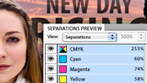
Preflight and production tools
Speed up production, increase print reliability, and deliver error-free documents with live preflighting, document-installed fonts, JDF technology, background PDF export, and enhanced support for PDF/X standards.
Multiple page sizes
Create pages with different sizes in a single document.
Paragraphs that span or split columns
Quickly create text that spans or splits into multiple columns in just a few steps.

Simplified object selection and editing
Perform repetitive layout tasks efficiently using convenient tools and on-object controls.
Document-installed fonts
Help eliminate font substitution issues with document-installed fonts.
Track Text Changes
Mark up text directly in InDesign, easily tracking copy revisions.

Integration with Adobe CS Review
Create and share reviews online while working in InDesign through integration with Adobe CS Review, a CS Live online service.3,4 See feedback in the context of your page layout.
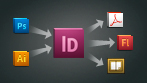
Integration with other Adobe solutions
Move projects smoothly from design to print or digital output, thanks to tight integration with industry-leading Adobe software such as Adobe Photoshop, Illustrator, Acrobat, Flash Professional, and Digital Editions.
Integration with online services
Build engaging interactive documents for tablets and improve the efficiency of design processes using essential Adobe Digital Publishing Suite1 and Adobe CS Live online services,3,4 directly accessible from InDesign.
Productivity tools
Produce sophisticated page layouts using customer-inspired productivity features such as Smart Guides, rapid table creation, multiple-file placement, on-object controls, and the ability to create pages of different sizes in a single file.
Built-in creative tools
Explore creative possibilities directly within InDesign using integrated drawing tools, nondestructive effects, built-in Adobe Photoshop effects, finer transparency controls, and support for 3D Photoshop artwork.
Adobe Mini Bridge
Find and drag images into page layouts from Adobe Mini Bridge without leaving InDesign.

Live captions
Generate static or live captions automatically from image metadata.

Automation
Create powerful automated workflows using standards-based XML features to lay out pages with text and images. Incorporate database-driven content for greater efficiency when publishing across channels.
Collaboration in editorial workflows
Improve collaboration between design and editorial teams with tight integration between InDesign CS5.5 and Adobe InCopy CS5.5.
Extensibility
For custom publishing using InDesign Markup Language (IDML), an XML-based file format that enables developers to create or modify files using standard XML tools.
Robust text composition
Create beautiful, sophisticated text for any medium with professional typography features including styles, text wrap, the Paragraph Composer, OpenType support, drop caps, andthe ability to map styles to tags in EPUB export.

Enhanced PDF export options
Export PDF files that meet the PDF/X-4:2010, PDF/X-5:2010, and PDF/VT-1 standards for tight integration with Adobe Acrobat X and Adobe PDF Print Engine 2.5.
Comprehensive Layers panel
Easily manage page items with a Layers panel that is similar to the one in Adobe Photoshop and Illustrator.
|
|
|
|
20/04
|
Adobe InDesign CS5.5 - Windows, Educational Only Warning : Before Purchase Please Check OS Compatibility
What is InDesign?
Adobe InDesign CS5.5 software lets you design and preflight engaging page layouts for print or digital distribution with built-in creative tools and precise control over typography. Integrate interactivity, video, and audio for playback on tablets, smartphones, and computers.
Create powerful, innovative digital documents
Engage, inform, and attract readers with documents you create in Adobe InDesign CS5.5 software, which integrate interactivity, video, and sound. Develop stronger, more compelling messages with rich interactive publications.
Folio Producer tools
Create and preview digital magazines, newspapers, and catalogs with engaging elements such as 360 object rotation and image panoramas for a wide variety of tablets. Upload to Adobe Digital Publishing Suite1 for further production and distribution.
Access to Adobe Digital Publishing Suite
Access the hosted services of Adobe Digital Publishing Suite from within InDesign to publish engaging digital documents for a range of tablet devices.1
Interactive documents and presentations
Add interactivity, motion, sound, and video to documents and presentations, exporting directly to SWF for playback in the Adobe Flash Player runtime.
Export to Flash Professional
Export InDesign documents to Flash Professional to add sophisticated interactivity, animation, and navigation to complex layouts.
Create better eBooks with ePUB export enhancements
To the top
Design compelling eBooks while reducing your dependence on developers. Include video and audio in your eBooks, as well as images that resize to fit virtually any screen. Retain greater control of content and typography when exporting documents to the EPUB format.
Enhanced eBook authoring
Create more engaging eBooks, with less need for developers. Use a smoother workflow as you include refined typography and images that resize to fit virtually any screen. Even add video and audio for eBook reader applications that support HTML5 video and audio tags.2
Embedded video and audio in eBooks
Include video and audio in InDesign layouts you export to EPUB format to create more engaging digital books. Embedded audio and video play on mobile devices that support HTML5, like the iPad.2
Articles panel
Control the sequence of text, images, and graphics when you export to EPUB or HTML without changing your InDesign layout. Organize your content by dragging it into the new Articles panel to define the export order.
Styles mapped to tags in EPUB export
More easily create standards-compliant digital documents with improved basic typography with no manual code changes required. Map paragraph and character styles directly to HTML, EPUB, and PDF tags so they export using appropriate specifications.
Dynamic image resizing
Design and publish an EPUB eBook whose imagery will look good on virtually any size screen on which it is played from a desktop monitor to a smartphone making the content accessible and enjoyable on any device.
Do more in less time
To the top
Create, edit, and publish documents faster. New productivity features make page layout simpler and speedier, even when creating PDF documents that meet federal accessibility requirements.
Linked text
Maintain consistency more easily when working with content thats duplicated throughout a document. Link identical text blocks within a layout so that changes to the parent block are automatically made in all the others.
Dragging and dropping of anchored objects
Add inline graphics and other anchored objects quickly and intuitively by simply dragging them to the desired anchor location in the text.
PDF accessibility enhancements
Reduce the time it takes to create PDF documents that are more accessible to people with disabilities. More easily add, edit, and view Alt text attributes associated with an image or object.
Preflight and production tools
Speed up production, increase print reliability, and deliver error-free documents with live preflighting, document-installed fonts, JDF technology, background PDF export, and enhanced support for PDF/X standards.
Multiple page sizes
Create pages with different sizes in a single document.
Paragraphs that span or split columns
Quickly create text that spans or splits into multiple columns in just a few steps.
Simplified object selection and editing
Perform repetitive layout tasks efficiently using convenient tools and on-object controls.
Document-installed fonts
Help eliminate font substitution issues with document-installed fonts.
Track Text Changes
Mark up text directly in InDesign, easily tracking copy revisions.
Integration with Adobe CS Review
Create and share reviews online while working in InDesign through integration with Adobe CS Review, a CS Live online service.3,4 See feedback in the context of your page layout.
Integration with other Adobe solutions
Move projects smoothly from design to print or digital output, thanks to tight integration with industry-leading Adobe software such as Adobe Photoshop, Illustrator, Acrobat, Flash Professional, and Digital Editions.
Integration with online services
Build engaging interactive documents for tablets and improve the efficiency of design processes using essential Adobe Digital Publishing Suite1 and Adobe CS Live online services,3,4 directly accessible from InDesign.
Productivity tools
Produce sophisticated page layouts using customer-inspired productivity features such as Smart Guides, rapid table creation, multiple-file placement, on-object controls, and the ability to create pages of different sizes in a single file.
Built-in creative tools
Explore creative possibilities directly within InDesign using integrated drawing tools, nondestructive effects, built-in Adobe Photoshop effects, finer transparency controls, and support for 3D Photoshop artwork.
Adobe Mini Bridge
Find and drag images into page layouts from Adobe Mini Bridge without leaving InDesign.
Live captions
Generate static or live captions automatically from image metadata.
Automation
Create powerful automated workflows using standards-based XML features to lay out pages with text and images. Incorporate database-driven content for greater efficiency when publishing across channels.
Collaboration in editorial workflows
Improve collaboration between design and editorial teams with tight integration between InDesign CS5.5 and Adobe InCopy CS5.5.
Extensibility
For custom publishing using InDesign Markup Language (IDML), an XML-based file format that enables developers to create or modify files using standard XML tools.
Robust text composition
Create beautiful, sophisticated text for any medium with professional typography features including styles, text wrap, the Paragraph Composer, OpenType support, drop caps, andthe ability to map styles to tags in EPUB export.
Enhanced PDF export options
Export PDF files that meet the PDF/X-4:2010, PDF/X-5:2010, and PDF/VT-1 standards for tight integration with Adobe Acrobat X and Adobe PDF Print Engine 2.5.
Comprehensive Layers panel
Easily manage page items with a Layers panel that is similar to the one in Adobe Photoshop and Illustrator.
|
|
|
|
20/04
|
Adobe InDesign CS5.5 - Mac, Retail Warning : Before Purchase Please Check OS Compatibility
What is InDesign?
Adobe InDesign CS5.5 software lets you design and preflight engaging page layouts for print or digital distribution with built-in creative tools and precise control over typography. Integrate interactivity, video, and audio for playback on tablets, smartphones, and computers.
Create powerful, innovative digital documents
Engage, inform, and attract readers with documents you create in Adobe InDesign CS5.5 software, which integrate interactivity, video, and sound. Develop stronger, more compelling messages with rich interactive publications.
Folio Producer tools
Create and preview digital magazines, newspapers, and catalogs with engaging elements such as 360 object rotation and image panoramas for a wide variety of tablets. Upload to Adobe Digital Publishing Suite1 for further production and distribution.
Access to Adobe Digital Publishing Suite
Access the hosted services of Adobe Digital Publishing Suite from within InDesign to publish engaging digital documents for a range of tablet devices.1
Interactive documents and presentations
Add interactivity, motion, sound, and video to documents and presentations, exporting directly to SWF for playback in the Adobe Flash Player runtime.
Export to Flash Professional
Export InDesign documents to Flash Professional to add sophisticated interactivity, animation, and navigation to complex layouts.
Create better eBooks with ePUB export enhancements
To the top
Design compelling eBooks while reducing your dependence on developers. Include video and audio in your eBooks, as well as images that resize to fit virtually any screen. Retain greater control of content and typography when exporting documents to the EPUB format.
Enhanced eBook authoring
Create more engaging eBooks, with less need for developers. Use a smoother workflow as you include refined typography and images that resize to fit virtually any screen. Even add video and audio for eBook reader applications that support HTML5 video and audio tags.2
Embedded video and audio in eBooks
Include video and audio in InDesign layouts you export to EPUB format to create more engaging digital books. Embedded audio and video play on mobile devices that support HTML5, like the iPad.2
Articles panel
Control the sequence of text, images, and graphics when you export to EPUB or HTML without changing your InDesign layout. Organize your content by dragging it into the new Articles panel to define the export order.
Styles mapped to tags in EPUB export
More easily create standards-compliant digital documents with improved basic typography with no manual code changes required. Map paragraph and character styles directly to HTML, EPUB, and PDF tags so they export using appropriate specifications.
Dynamic image resizing
Design and publish an EPUB eBook whose imagery will look good on virtually any size screen on which it is played from a desktop monitor to a smartphone making the content accessible and enjoyable on any device.
Do more in less time
To the top
Create, edit, and publish documents faster. New productivity features make page layout simpler and speedier, even when creating PDF documents that meet federal accessibility requirements.
Linked text
Maintain consistency more easily when working with content thats duplicated throughout a document. Link identical text blocks within a layout so that changes to the parent block are automatically made in all the others.
Dragging and dropping of anchored objects
Add inline graphics and other anchored objects quickly and intuitively by simply dragging them to the desired anchor location in the text.
PDF accessibility enhancements
Reduce the time it takes to create PDF documents that are more accessible to people with disabilities. More easily add, edit, and view Alt text attributes associated with an image or object.
Preflight and production tools
Speed up production, increase print reliability, and deliver error-free documents with live preflighting, document-installed fonts, JDF technology, background PDF export, and enhanced support for PDF/X standards.
Multiple page sizes
Create pages with different sizes in a single document.
Paragraphs that span or split columns
Quickly create text that spans or splits into multiple columns in just a few steps.
Simplified object selection and editing
Perform repetitive layout tasks efficiently using convenient tools and on-object controls.
Document-installed fonts
Help eliminate font substitution issues with document-installed fonts.
Track Text Changes
Mark up text directly in InDesign, easily tracking copy revisions.
Integration with Adobe CS Review
Create and share reviews online while working in InDesign through integration with Adobe CS Review, a CS Live online service.3,4 See feedback in the context of your page layout.
Integration with other Adobe solutions
Move projects smoothly from design to print or digital output, thanks to tight integration with industry-leading Adobe software such as Adobe Photoshop, Illustrator, Acrobat, Flash Professional, and Digital Editions.
Integration with online services
Build engaging interactive documents for tablets and improve the efficiency of design processes using essential Adobe Digital Publishing Suite1 and Adobe CS Live online services,3,4 directly accessible from InDesign.
Productivity tools
Produce sophisticated page layouts using customer-inspired productivity features such as Smart Guides, rapid table creation, multiple-file placement, on-object controls, and the ability to create pages of different sizes in a single file.
Built-in creative tools
Explore creative possibilities directly within InDesign using integrated drawing tools, nondestructive effects, built-in Adobe Photoshop effects, finer transparency controls, and support for 3D Photoshop artwork.
Adobe Mini Bridge
Find and drag images into page layouts from Adobe Mini Bridge without leaving InDesign.
Live captions
Generate static or live captions automatically from image metadata.
Automation
Create powerful automated workflows using standards-based XML features to lay out pages with text and images. Incorporate database-driven content for greater efficiency when publishing across channels.
Collaboration in editorial workflows
Improve collaboration between design and editorial teams with tight integration between InDesign CS5.5 and Adobe InCopy CS5.5.
Extensibility
For custom publishing using InDesign Markup Language (IDML), an XML-based file format that enables developers to create or modify files using standard XML tools.
Robust text composition
Create beautiful, sophisticated text for any medium with professional typography features including styles, text wrap, the Paragraph Composer, OpenType support, drop caps, andthe ability to map styles to tags in EPUB export.
Enhanced PDF export options
Export PDF files that meet the PDF/X-4:2010, PDF/X-5:2010, and PDF/VT-1 standards for tight integration with Adobe Acrobat X and Adobe PDF Print Engine 2.5.
Comprehensive Layers panel
Easily manage page items with a Layers panel that is similar to the one in Adobe Photoshop and Illustrator.
|
|
|
|
20/04
|
Adobe InDesign CS5.5 - Windows, Retail Warning : Before Purchase Please Check OS Compatibility
What is InDesign?
Adobe InDesign CS5.5 software lets you design and preflight engaging page layouts for print or digital distribution with built-in creative tools and precise control over typography. Integrate interactivity, video, and audio for playback on tablets, smartphones, and computers.
Create powerful, innovative digital documents
Engage, inform, and attract readers with documents you create in Adobe InDesign CS5.5 software, which integrate interactivity, video, and sound. Develop stronger, more compelling messages with rich interactive publications.
Folio Producer tools
Create and preview digital magazines, newspapers, and catalogs with engaging elements such as 360 object rotation and image panoramas for a wide variety of tablets. Upload to Adobe Digital Publishing Suite1 for further production and distribution.
Access to Adobe Digital Publishing Suite
Access the hosted services of Adobe Digital Publishing Suite from within InDesign to publish engaging digital documents for a range of tablet devices.1
Interactive documents and presentations
Add interactivity, motion, sound, and video to documents and presentations, exporting directly to SWF for playback in the Adobe Flash Player runtime.
Export to Flash Professional
Export InDesign documents to Flash Professional to add sophisticated interactivity, animation, and navigation to complex layouts.
Create better eBooks with ePUB export enhancements
To the top
Design compelling eBooks while reducing your dependence on developers. Include video and audio in your eBooks, as well as images that resize to fit virtually any screen. Retain greater control of content and typography when exporting documents to the EPUB format.
Enhanced eBook authoring
Create more engaging eBooks, with less need for developers. Use a smoother workflow as you include refined typography and images that resize to fit virtually any screen. Even add video and audio for eBook reader applications that support HTML5 video and audio tags.2
Embedded video and audio in eBooks
Include video and audio in InDesign layouts you export to EPUB format to create more engaging digital books. Embedded audio and video play on mobile devices that support HTML5, like the iPad.2
Articles panel
Control the sequence of text, images, and graphics when you export to EPUB or HTML without changing your InDesign layout. Organize your content by dragging it into the new Articles panel to define the export order.
Styles mapped to tags in EPUB export
More easily create standards-compliant digital documents with improved basic typography with no manual code changes required. Map paragraph and character styles directly to HTML, EPUB, and PDF tags so they export using appropriate specifications.
Dynamic image resizing
Design and publish an EPUB eBook whose imagery will look good on virtually any size screen on which it is played from a desktop monitor to a smartphone making the content accessible and enjoyable on any device.
Do more in less time
To the top
Create, edit, and publish documents faster. New productivity features make page layout simpler and speedier, even when creating PDF documents that meet federal accessibility requirements.
Linked text
Maintain consistency more easily when working with content thats duplicated throughout a document. Link identical text blocks within a layout so that changes to the parent block are automatically made in all the others.
Dragging and dropping of anchored objects
Add inline graphics and other anchored objects quickly and intuitively by simply dragging them to the desired anchor location in the text.
PDF accessibility enhancements
Reduce the time it takes to create PDF documents that are more accessible to people with disabilities. More easily add, edit, and view Alt text attributes associated with an image or object.
Preflight and production tools
Speed up production, increase print reliability, and deliver error-free documents with live preflighting, document-installed fonts, JDF technology, background PDF export, and enhanced support for PDF/X standards.
Multiple page sizes
Create pages with different sizes in a single document.
Paragraphs that span or split columns
Quickly create text that spans or splits into multiple columns in just a few steps.
Simplified object selection and editing
Perform repetitive layout tasks efficiently using convenient tools and on-object controls.
Document-installed fonts
Help eliminate font substitution issues with document-installed fonts.
Track Text Changes
Mark up text directly in InDesign, easily tracking copy revisions.
Integration with Adobe CS Review
Create and share reviews online while working in InDesign through integration with Adobe CS Review, a CS Live online service.3,4 See feedback in the context of your page layout.
Integration with other Adobe solutions
Move projects smoothly from design to print or digital output, thanks to tight integration with industry-leading Adobe software such as Adobe Photoshop, Illustrator, Acrobat, Flash Professional, and Digital Editions.
Integration with online services
Build engaging interactive documents for tablets and improve the efficiency of design processes using essential Adobe Digital Publishing Suite1 and Adobe CS Live online services,3,4 directly accessible from InDesign.
Productivity tools
Produce sophisticated page layouts using customer-inspired productivity features such as Smart Guides, rapid table creation, multiple-file placement, on-object controls, and the ability to create pages of different sizes in a single file.
Built-in creative tools
Explore creative possibilities directly within InDesign using integrated drawing tools, nondestructive effects, built-in Adobe Photoshop effects, finer transparency controls, and support for 3D Photoshop artwork.
Adobe Mini Bridge
Find and drag images into page layouts from Adobe Mini Bridge without leaving InDesign.
Live captions
Generate static or live captions automatically from image metadata.
Automation
Create powerful automated workflows using standards-based XML features to lay out pages with text and images. Incorporate database-driven content for greater efficiency when publishing across channels.
Collaboration in editorial workflows
Improve collaboration between design and editorial teams with tight integration between InDesign CS5.5 and Adobe InCopy CS5.5.
Extensibility
For custom publishing using InDesign Markup Language (IDML), an XML-based file format that enables developers to create or modify files using standard XML tools.
Robust text composition
Create beautiful, sophisticated text for any medium with professional typography features including styles, text wrap, the Paragraph Composer, OpenType support, drop caps, andthe ability to map styles to tags in EPUB export.
Enhanced PDF export options
Export PDF files that meet the PDF/X-4:2010, PDF/X-5:2010, and PDF/VT-1 standards for tight integration with Adobe Acrobat X and Adobe PDF Print Engine 2.5.
Comprehensive Layers panel
Easily manage page items with a Layers panel that is similar to the one in Adobe Photoshop and Illustrator.
|
|
|
|
Previous Page
|
Next Page
|
|



