Shop online for Digital Cameras and accessories | Camerafarm Australia
Camerafarm product archive #40468
Image
Date
Product description
Price
Buy
19/10
QNAP Systems VS-6020 Pro VioStor NVR
- 6x3.5" SATA Bay, RAID 0,1,5,6, Hot-Swappable, Lockable, 20-Channel NVR, 5xUSB2.0, 2xGigLAN
Features
Powered by dual-core Intel Atom CPU and 1GB memory, the VS-6020 Pro VioStor NVR is the high performance network surveillance system for monitoring, video recording and playback from multiple IP cameras. The Linux-based system supports PC-less quick configuration, monitoring of IP cameras over the network, and video playback by connecting a monitor to the built-in VGA connector, a USB keyboard, and a USB mouse. The VioStor NVR supports simultaneous megapixel recording (up to 8-megapixel) and unique multi-server monitoring, a feature which allows monitoring of up to 120 IP cameras from multiple QNAP NVR servers at the same time. No extra software is required on the PC. In order to enhance system security, the NVR provides advanced event management feature for the administrator to define more handling options when different events or alarms are triggered.
The VioStor NVR supports diversified recording features, such as scheduled recording, alarm recording by multiple alarm events, alarm recording schedule, and pre-alarm and post-alarm recordings. An intuitive user interface is provided for the users to view the monitoring screens, connection and recording status, and network bandwidth. Video search by intelligent video analytics (IVA), such as motion detection, foreign object, missing object, out of focus, and camera occlusion is also available for more efficient search of recording data.
Other class-leading server features of the VioStor NVR include advanced data protection by RAID 1/ 5/ 6, Online RAID Capacity Expansion, Online RAID Level Migration, dual Giga LAN ports for network failover, load-balancing, and multi-IP setting, and so on. Moreover, the VioStor NVR can be easily set up in 6 simple steps by the IE browser. All the powerful features can also be maintained by the web-based interface.
Powerful Features of VioStor NVR (Network Video Recorder):
Real-time monitoring and recording (video/audio) from multiple IP cameras (up to 20 channels)
High quality H.264, MPEG-4, M-JPEG, and MxPEG recording (depending on the camera models)
Complete recording features
Megapixel recording (up to 8-megapixel)
PC-less network surveillance by HD local display
Multi-server monitoring (up to 120 channels)
Dual display mode
Video search by date and time, timeline, and event
Intelligent video analytics (IVA)
Multi-view playback from multiple NVR servers
Digital watermarking
Advanced event management
Real-time SMS and email alert
Live monitoring on Windows PDA phone by VSMobile
Trouble-free installation
Linux-embedded, highly reliable standalone NVR
Advanced RAID with hot-swappable hard drives design
Online RAID capacity expansion and online RAID level migration
UPS Support for 24/7 service
Intelligent auto power on after power recovery
Energy-saving design (only 25W in operation)
Surveillance Features
Complete Recording Functions High Quality H.264, MPEG-4, M-JPEG and MxPEG Recording (depending on the camera models) All-in-one Recording Functions
Audio recording * You can set different recording schedules for different cameras.
High Performance Megapixel Recording VioStor NVR supports high performance megapixel recording (up to 8-megapixel) from various IP cameras.
Generic IP Cameras Support VioStor NVR provides an interface for the users to enter the JPEG CGI command of their IP cameras to retrieve the video and audio data from the IP cameras.
PC-less Network Surveillance by HD Local Display via VGA Connector Diversified Modes for Local Monitoring
1/4/6/8/9/10/12-channel display mode
Sequential display mode
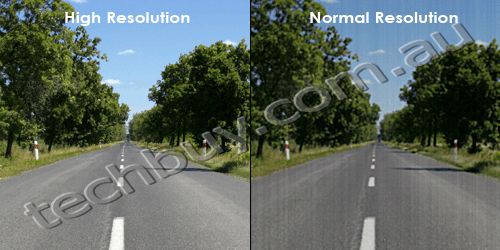
High Resolution Local Display VioStor NVR supports widescreen VGA monitor or TV of different resolutions, up to full HD (1920 x 1080).
Convenient Control of PTZ and Speed Dome Cameras You can adjust the PTZ cameras directly and view the preset positions of the IP cameras on the local display interface of VioStor NVR.
Digital Zoom You can zoom in or zoom out the video image on the monitoring and playback interfaces.
On-screen Event Alert When an event occurs, an alert icon will be shown instantly on local monitoring page. You can click the icon to view the alert details.
Video Search VioStor NVR supports convenient video search by date and time on the local playback interface.
Local Video Playback on VGA Monitor or TV VioStor NVR supports video playback on a VGA monitor or TV.
Quick System Setup You can set up VioStor NVR in simple steps on the local display interface.
Network Surveillance by Web-based Interface (IE Browser) Real-time Remote Monitoring Multi-server Monitoring You can connect to one VioStor NVR and monitor up to 120 channels from other VioStor NVR servers over LAN or WAN by an IE browser.
Diversified Remote Monitoring Modes
1/4/6/8/9/10/12/16/20/25/36/42-channel and sequential display mode
Exclusive Picture-in-Picture mode
Multi-display mode
Smart Control of PTZ & Speed Dome Cameras You can adjust the PTZ cameras directly by the web user interface of VioStor NVR.
Preset Position Control and Auto Cruising You can view the preset positions of an IP camera by clicking the corresponding number buttons on the monitoring page. You can also choose the preset positions and configure the time interval on the PTZ cameras for periodic monitoring.
Instant Event Notification When alarm recording is enabled and an event occurs, an alarm icon is shown instantly on the monitoring page. You can click the icon to view the alert details.
Digital Zoom You can zoom in or zoom out the video image on the monitoring and playback interfaces.
E-map VioStor NVR provides exclusive E-map function for users to upload the pictures of the monitoring locations.
Remote Video Playback Multi-view Playback You can use the multi-view playback feature to divide a video equally into multiple sessions for playback in a multi-view window, or play the videos of multiple IP cameras in the multi-view window simultaneously.
Video Search by Date and Time, Timeline, Event, Intelligent Video Analytics (IVA) VioStor NVR supports quick video search by date and time, timeline, event, and intelligent video analytics (IVA), including motion detection, foreign object, missing object, out of focus, and camera occlusion. How to use intelligent video analytics on playback
Digital Watermarking VioStor NVR supports digital watermarking to protect the exported videos and snapshots from unauthorized modification. You can use the Watermark Proof utility to verify whether or not the videos and snapshots are original.
Event Management Advanced Event Management VioStor NVR supports various event handling options for different kinds of events.
Actions: Video recording, email alert, SMS alert, buzzer, PTZ camera control, alarm output, and user-defined action.
Real-time SMS and Email Alert You can configure the SMTP server and SMSC server settings on the NVR in order to receive instant system warning or error messages by email and/or SMS.
Convenient Backup Solution Scheduled Remote Replication VioStor NVR supports scheduled remote replication for secure data backup to a remote QNAP NAS on the local network.
One-Touch-Auto-Video-Backup You can configure the one-touch-auto-video-backup button on the front of the NVR to copy the data from the NVR to an external storage device when the button is pressed.
Security Control Authority Management You can create multiple users on VioStor NVR. The users created on the NVR can be assigned to different user groups (administrator/system manager/user) with different rights of monitoring, playback, PTZ control, and audio monitoring.
Auto Logoff VioStor NVR supports automatic user logoff from idling configuration pages. The administrator can set the timeout period to log off the users when the idling time has reached.
Host Access Control You can specify the host or IP connections to be allowed and denied to access NVR.
On-line User List You can view the record of users currently logged on and previously logged on to the NVR.
Detailed Event Logs VioStor NVR provides detailed event logs of system warning, hard disk error, network disconnection, UPS status, users' networking services and recordings access record.
High Reliability and Smart Features Advanced RAID with Hot-swap Design VioStor NVR supports RAID 0, 1, 5, 6, 5+hot spare, 6+hot spare, single, and JBOD disk configurations. Its hot-swap design allows a failed drive of a RAID disk volume to be replaced by hot swapping without turning off the server.
Online RAID Capacity Expansion and Online RAID Level Migration
Online RAID Capacity Expansion The storage capacity of a RAID configuration can be expanded by replacing the hard drives with larger ones. All the data will be kept and seamlessly moved to the newly installed hard drives. There is no need to turn off the server during the process.
Online RAID Level Migration You can upgrade the disk configuration to higher RAID level with the data retained without turning off the server.
S.M.A.R.T. & Advanced HDD Health Scanning (HHS) S.M.A.R.T. (Self-Monitoring Analysis and Reporting Technology) helps you monitor the hard disk drives status. VioStor NVR supports HHS (HDD Health Scan) for disk checking and bad blocks scanning.
Automatic System Startup after Power Recovery VioStor NVR supports automatic power-on when power resumes after power outage.
UPS Support for 24/7 Service VioStor NVR supports APC, CyberPower, and MGE UPS devices to provide continuous services 24/7 against unexpected power outage.
DOM Architecture with Embedded Fail-safe Dual OS for Enhanced Reliability All the OS and applications of VioStor NVR are embedded on the DOM. VioStor NVR allows system booting without accessing the physical disk sectors which prevents unsuccessful system startup caused by bad block sectors or file errors on the hard drives. Two operating systems are built on the DOM for system booting alternatively upon every system startup. When one fails, the other one will be used to boot up instead, and the failed OS is recoverable from the other healthy OS.
Network Services Dual Gigabit LAN Ports
Failover This mode allows VioStor NVR to sustain the failure of one network port to provide continuous services.
Load-balancing This mode provides bandwidth aggregation to boost the file transfer speed (works with managed Ethernet switch with 802.3ad configured).
Multi-IP Setting Two IP settings can be configured on the NVR to allow network access from two different subnets.
Built-in DDNS Service VioStor NVR supports dynamic DNS (DDNS). You can register a unique domain name from a DDNS service provider and assign it to your NVR.
Built-in NTP Server You can enable this feature to allow the connected IP cameras to synchronize their date and time settings with the NVR.
Convenient Data Access The video data of VioStor NVR can be accessed by the following protocols with proper access rights:
Network Places (SMB/CIFS)
Web file management (HTTP)
FTP server
Easy Configuration and Management System Setup in Simple Steps You can set up the NVR easily in simple steps by the local display and web-based interface.
Web-based User Interface All system configurations, monitoring, and playback can be finished by the web-based interface.
Smart Search of IP Camera for Quick Settings QNAP provides an intelligent software utility Finder for quick IP camera search and system settings.
Excellent Hardware Design Dual-core Intel Atom Processor and 1GB Memory for Superior System Performance Powered by dual-core Intel Atom processsor and 1GB memory, VioStor NVR delivers superior performance for different surveillance applications.
Green NVR Solution: Energy-Saving Linux-embedded System VioStor NVR is a Linux-embedded system which is more power-saving and less vulnerable to virus attack compared to PC-based surveillance solutions.
Touch-N-Go PC-less Installation You can use the LCD display to complete the first time installation of the NVR in a few simple steps. The NVR will automatically complete the hard disk formatting and RAID building.
Up to 12TB Storage Capacity for Long-term Recording VioStor NVR supports maximum 6 high-speed SATA hard drives for recording large amount of video data in a long period of time.
Hardware Spec.
Processor
Dual-core Intel Atom processor
Memory
1GB RAM, 512MB Flash (DOM)
HDD Capacity
6 x 3.5" SATA(II)/2.5" SATA/SSD
NOTE:
The standard system is shipped without HDD.
For the HDD compatibility list, please visit http://www.qnap.com/pro_compatibility.asp
Video recording, email alert, SMS alert, buzzer, PTZ camera control, alarm output, and user-defined action
Backup
Schedule Remote Replication
Schedule video data backup to a NAS on the local network
Video Backup to External USB Storage by One-Touch-Auto-Video-Backup Button
Press and hold the one-touch-auto-video-backup button for 3 seconds. The recording data on VioStor will be copied to the external USB device instantly.
Security Control
Authority Management
Different user groups and rights can be assigned to different users
Host Access Control
Specify the connections to be allowed and denied to access the VioStor NVR
Auto Logoff
Automatic user logoff from idling configuration pages
Event Logs
Detailed event logs
On-line Users List
Record of the users currently logged on and previously logged on to the VioStor NVR
Digital Watermarking
Verify whether or not the videos and snapshots are original
Reliability
Operation System
Linux-embedded system, free from PC crash and virus attack
Disk Management
Single disk, RAID 0, RAID 1, RAID 5, RAID 5+ hot spare, RAID 6, RAID 6+ hot spare, and JBOD/Linear Online RAID Capacity Expansion, Online RAID Level Migration HDD S.M.A.R.T., bad blocks scan
Client PC Requirement (Suggested system requirement for better video performance)
CPU
M-JPEG format (up to 20 channels): Dual core CPU 2.6 GHz or above MPEG-4/ H.264/ MxPEG format (up to 20 channels): Quad core CPU 2.6 GHz or above * For higher surveillance performance, please select more advanced PC models.
Memory
2 GB or above
Operation System
Microsoft Windows XP/ Vista/ 7
Web Browser
Internet Explorer 6.0 or above
Network Interface
10/100/1000 Mbps
Display Resolution
1024 x 768 pixels or above
Utility Software
QNAP Finder
Discovery and quick setup of the VioStor NVR
VioStor Player
Play the recording files on your Windows computer easily
Watermark Proof
Check if the exported videos and snapshots were modified
VSMobile
Monitor the network cameras on the VioStor NVR by the Windows PDA phone
Package Contents
VioStor NVR
QIG
Quick Installation Guide (RAID configuration)
CD-ROM
Ethernet cable x 2
Power cord
Hard disk lock
Screw pack
NA
19/10
QNAP Systems VS-6012 Pro VioStor NVR
- 6x3.5" SATA Bay, RAID 0,1,5,6, Hot-Swappable, Lockable, 12-Channel NVR, 5xUSB2.0, 2xGigLAN
Features
Powered by dual-core Intel Atom CPU and 1GB memory, the VS-6012 Pro VioStor NVR is the high performance network surveillance system for monitoring, video recording and playback from multiple IP cameras. The Linux-based system supports PC-less quick configuration, monitoring of IP cameras over the network, and video playback by connecting a monitor to the built-in VGA connector, a USB keyboard, and a USB mouse. The VioStor NVR supports simultaneous megapixel recording (up to 8-megapixel) and unique multi-server monitoring, a feature which allows monitoring of up to 120 IP cameras from multiple QNAP NVR servers at the same time. No extra software is required on the PC. In order to enhance system security, the NVR provides advanced event management feature for the administrator to define more handling options when different events or alarms are triggered.
The VioStor NVR supports diversified recording features, such as scheduled recording, alarm recording by multiple alarm events, alarm recording schedule, and pre-alarm and post-alarm recordings. An intuitive user interface is provided for the users to view the monitoring screens, connection and recording status, and network bandwidth. Video search by intelligent video analytics (IVA), such as motion detection, foreign object, missing object, out of focus, and camera occlusion is also available for more efficient search of recording data.
Other class-leading server features of the VioStor NVR include advanced data protection by RAID 1/ 5/ 6, Online RAID Capacity Expansion, Online RAID Level Migration, dual Giga LAN ports for network failover, load-balancing, and multi-IP setting, and so on. Moreover, the VioStor NVR can be easily set up in 6 simple steps by the IE browser. All the powerful features can also be maintained by the web-based interface.
Powerful Features of VioStor NVR (Network Video Recorder):
Real-time monitoring and recording (video/audio) from multiple IP cameras (up to 12 channels)
High quality H.264, MPEG-4, M-JPEG, and MxPEG recording (depending on the camera models)
Complete recording features
Megapixel recording (up to 8-megapixel)
PC-less network surveillance by HD local display
Multi-server monitoring (up to 120 channels)
Dual display mode
Video search by date and time, timeline, and event
Intelligent video analytics (IVA)
Multi-view playback from multiple NVR servers
Digital watermarking
Advanced event management
Real-time SMS and email alert
Live monitoring on Windows PDA phone by VSMobile
Trouble-free installation
Linux-embedded, highly reliable standalone NVR
Advanced RAID with hot-swappable hard drives design
Online RAID capacity expansion and online RAID level migration
UPS Support for 24/7 service
Intelligent auto power on after power recovery
Energy-saving design (only 25W in operation)
Surveillance Features
Complete Recording Functions High Quality H.264, MPEG-4, M-JPEG and MxPEG Recording (depending on the camera models) All-in-one Recording Functions
Audio recording * You can set different recording schedules for different cameras.
High Performance Megapixel Recording VioStor NVR supports high performance megapixel recording (up to 8-megapixel) from various IP cameras.
Generic IP Cameras Support VioStor NVR provides an interface for the users to enter the JPEG CGI command of their IP cameras to retrieve the video and audio data from the IP cameras.
PC-less Network Surveillance by HD Local Display via VGA Connector Diversified Modes for Local Monitoring
1/4/6/8/9/10/12-channel display mode
Sequential display mode
High Resolution Local Display VioStor NVR supports widescreen VGA monitor or TV of different resolutions, up to full HD (1920 x 1080).
Convenient Control of PTZ and Speed Dome Cameras You can adjust the PTZ cameras directly and view the preset positions of the IP cameras on the local display interface of VioStor NVR.
Digital Zoom You can zoom in or zoom out the video image on the monitoring and playback interfaces.
On-screen Event Alert When an event occurs, an alert icon will be shown instantly on local monitoring page. You can click the icon to view the alert details.
Video Search VioStor NVR supports convenient video search by date and time on the local playback interface.
Local Video Playback on VGA Monitor or TV VioStor NVR supports video playback on a VGA monitor or TV.
Quick System Setup You can set up VioStor NVR in simple steps on the local display interface.
Network Surveillance by Web-based Interface (IE Browser) Real-time Remote Monitoring Multi-server Monitoring You can connect to one VioStor NVR and monitor up to 120 channels from other VioStor NVR servers over LAN or WAN by an IE browser.
Diversified Remote Monitoring Modes
1/4/6/8/9/10/12/16/20/25/36/42-channel and sequential display mode
Exclusive Picture-in-Picture mode
Multi-display mode
Smart Control of PTZ & Speed Dome Cameras You can adjust the PTZ cameras directly by the web user interface of VioStor NVR.
Preset Position Control and Auto Cruising You can view the preset positions of an IP camera by clicking the corresponding number buttons on the monitoring page. You can also choose the preset positions and configure the time interval on the PTZ cameras for periodic monitoring.
Instant Event Notification When alarm recording is enabled and an event occurs, an alarm icon is shown instantly on the monitoring page. You can click the icon to view the alert details.
Digital Zoom You can zoom in or zoom out the video image on the monitoring and playback interfaces.
E-map VioStor NVR provides exclusive E-map function for users to upload the pictures of the monitoring locations.
Remote Video Playback Multi-view Playback You can use the multi-view playback feature to divide a video equally into multiple sessions for playback in a multi-view window, or play the videos of multiple IP cameras in the multi-view window simultaneously.
Video Search by Date and Time, Timeline, Event, Intelligent Video Analytics (IVA) VioStor NVR supports quick video search by date and time, timeline, event, and intelligent video analytics (IVA), including motion detection, foreign object, missing object, out of focus, and camera occlusion. How to use intelligent video analytics on playback
Digital Watermarking VioStor NVR supports digital watermarking to protect the exported videos and snapshots from unauthorized modification. You can use the Watermark Proof utility to verify whether or not the videos and snapshots are original.
Event Management Advanced Event Management VioStor NVR supports various event handling options for different kinds of events.
Actions: Video recording, email alert, SMS alert, buzzer, PTZ camera control, alarm output, and user-defined action.
Real-time SMS and Email Alert You can configure the SMTP server and SMSC server settings on the NVR in order to receive instant system warning or error messages by email and/or SMS.
Convenient Backup Solution Scheduled Remote Replication VioStor NVR supports scheduled remote replication for secure data backup to a remote QNAP NAS on the local network.
One-Touch-Auto-Video-Backup You can configure the one-touch-auto-video-backup button on the front of the NVR to copy the data from the NVR to an external storage device when the button is pressed.
Security Control Authority Management You can create multiple users on VioStor NVR. The users created on the NVR can be assigned to different user groups (administrator/system manager/user) with different rights of monitoring, playback, PTZ control, and audio monitoring.
Auto Logoff VioStor NVR supports automatic user logoff from idling configuration pages. The administrator can set the timeout period to log off the users when the idling time has reached.
Host Access Control You can specify the host or IP connections to be allowed and denied to access NVR.
On-line User List You can view the record of users currently logged on and previously logged on to the NVR.
Detailed Event Logs VioStor NVR provides detailed event logs of system warning, hard disk error, network disconnection, UPS status, users' networking services and recordings access record.
High Reliability and Smart Features Advanced RAID with Hot-swap Design VioStor NVR supports RAID 0, 1, 5, 6, 5+hot spare, 6+hot spare, single, and JBOD disk configurations. Its hot-swap design allows a failed drive of a RAID disk volume to be replaced by hot swapping without turning off the server.
Online RAID Capacity Expansion and Online RAID Level Migration
Online RAID Capacity Expansion The storage capacity of a RAID configuration can be expanded by replacing the hard drives with larger ones. All the data will be kept and seamlessly moved to the newly installed hard drives. There is no need to turn off the server during the process.
Online RAID Level Migration You can upgrade the disk configuration to higher RAID level with the data retained without turning off the server.
S.M.A.R.T. & Advanced HDD Health Scanning (HHS) S.M.A.R.T. (Self-Monitoring Analysis and Reporting Technology) helps you monitor the hard disk drives status. VioStor NVR supports HHS (HDD Health Scan) for disk checking and bad blocks scanning.
Automatic System Startup after Power Recovery VioStor NVR supports automatic power-on when power resumes after power outage.
UPS Support for 24/7 Service VioStor NVR supports APC, CyberPower, and MGE UPS devices to provide continuous services 24/7 against unexpected power outage.
DOM Architecture with Embedded Fail-safe Dual OS for Enhanced Reliability All the OS and applications of VioStor NVR are embedded on the DOM. VioStor NVR allows system booting without accessing the physical disk sectors which prevents unsuccessful system startup caused by bad block sectors or file errors on the hard drives. Two operating systems are built on the DOM for system booting alternatively upon every system startup. When one fails, the other one will be used to boot up instead, and the failed OS is recoverable from the other healthy OS.
Network Services Dual Gigabit LAN Ports
Failover This mode allows VioStor NVR to sustain the failure of one network port to provide continuous services.
Load-balancing This mode provides bandwidth aggregation to boost the file transfer speed (works with managed Ethernet switch with 802.3ad configured).
Multi-IP Setting Two IP settings can be configured on the NVR to allow network access from two different subnets.
Built-in DDNS Service VioStor NVR supports dynamic DNS (DDNS). You can register a unique domain name from a DDNS service provider and assign it to your NVR.
Built-in NTP Server You can enable this feature to allow the connected IP cameras to synchronize their date and time settings with the NVR.
Convenient Data Access The video data of VioStor NVR can be accessed by the following protocols with proper access rights:
Network Places (SMB/CIFS)
Web file management (HTTP)
FTP server
Easy Configuration and Management System Setup in Simple Steps You can set up the NVR easily in simple steps by the local display and web-based interface.
Web-based User Interface All system configurations, monitoring, and playback can be finished by the web-based interface.
Smart Search of IP Camera for Quick Settings QNAP provides an intelligent software utility Finder for quick IP camera search and system settings.
Excellent Hardware Design Dual-core Intel Atom Processor and 1GB Memory for Superior System Performance Powered by dual-core Intel Atom processsor and 1GB memory, VioStor NVR delivers superior performance for different surveillance applications.
Green NVR Solution: Energy-Saving Linux-embedded System VioStor NVR is a Linux-embedded system which is more power-saving and less vulnerable to virus attack compared to PC-based surveillance solutions.
Touch-N-Go PC-less Installation You can use the LCD display to complete the first time installation of the NVR in a few simple steps. The NVR will automatically complete the hard disk formatting and RAID building.
Up to 12TB Storage Capacity for Long-term Recording VioStor NVR supports maximum 6 high-speed SATA hard drives for recording large amount of video data in a long period of time.
Hardware Spec.
Processor
Dual-core Intel Atom processor
Memory
1GB RAM, 512MB Flash (DOM)
HDD Capacity
6 x 3.5" SATA(II)/2.5" SATA/SSD
NOTE:
The standard system is shipped without HDD.
For the HDD compatibility list, please visit http://www.qnap.com/pro_compatibility.asp
Video recording, email alert, SMS alert, buzzer, PTZ camera control, alarm output, and user-defined action
Backup
Schedule Remote Replication
Schedule video data backup to a NAS on the local network
Video Backup to External USB Storage by One-Touch-Auto-Video-Backup Button
Press and hold the one-touch-auto-video-backup button for 3 seconds. The recording data on VioStor will be copied to the external USB device instantly.
Security Control
Authority Management
Different user groups and rights can be assigned to different users
Host Access Control
Specify the connections to be allowed and denied to access the VioStor NVR
Auto Logoff
Automatic user logoff from idling configuration pages
Event Logs
Detailed event logs
On-line Users List
Record of the users currently logged on and previously logged on to the VioStor NVR
Digital Watermarking
Verify whether or not the videos and snapshots are original
Reliability
Operation System
Linux-embedded system, free from PC crash and virus attack
Disk Management
Single disk, RAID 0, RAID 1, RAID 5, RAID 5+ hot spare, RAID 6, RAID 6+ hot spare, and JBOD/Linear Online RAID Capacity Expansion, Online RAID Level Migration HDD S.M.A.R.T., bad blocks scan
Client PC Requirement (Suggested system requirement for better video performance)
CPU
M-JPEG format (up to 12 channels): Pentium 4 CPU 3.0 GHz or above MPEG-4/ H.264 format (up to 12 channels): Dual core CPU 2.8 GHz or above * For higher surveillance performance, please select more advanced PC models.
Memory
2 GB or above
Operation System
Microsoft Windows XP/ Vista/ 7
Web Browser
Internet Explorer 6.0 or above
Network Interface
10/100/1000 Mbps
Display Resolution
1024 x 768 pixels or above
Utility Software
QNAP Finder
Discovery and quick setup of the VioStor NVR
VioStor Player
Play the recording files on your Windows computer easily
Watermark Proof
Check if the exported videos and snapshots were modified
VSMobile
Monitor the network cameras on the VioStor NVR by the Windows PDA phone
Package Contents
VioStor NVR
QIG
Quick Installation Guide (RAID configuration)
CD-ROM
Ethernet cable x 2
Power cord
Hard disk lock
Screw pack
NA
19/10
QNAP Systems VS-4016U-RP Pro VioStor NVR - 1U Rackmount
- 4x3.5" SATA Bay, RAID 0,1,5,6, Hot-Swappable, Lockable, 16-Channel NVR, 5xUSB2.0, 2xGigLAN
Features
QNAP VS-4016U-PR Pro Series NVRs are the new generation 4-bay, 1U rackmount model of network surveillance system providing high quality megapixel recording, 24/7 uninterrupted recording and high performance real-time monitoring. The Linux-based system supports PC-less quick configuration, monitoring of IP cameras over the network, and video playback by connecting a monitor to the built-in VGA connector, a USB keyboard, and a USB mouse. The NVR supports multi-channel H.264, MxPEG, MPEG-4, and M-JPEG recording over 800 network camera models from many popular brands, e.g. AXIS, ACTi, A-MTK, Arecont Vision, AVTECH, Brickcom, Canon, Cisco, CNB, DIGITUS, D-Link, EDIMAX, ELMO, EtroVision, GANZ, Hikvision, iPUX, IPX, IQeye, LevelOne, Linksys, Messoa, MOBOTIX, NAKAYO, Panasonic BB/ BL/ i-Pro, SANYO, SHANY, SONY, TOA, TOSHIBA, TRENDnet, Videosec, VIOSECURE, VIVOTEK and Y-CAM.
The VioStor NVR houses 4 SATA hard drives and supports secure data protection by RAID 1/ 5/ 5 + hot spare/ 6. It is capable of megapixel recording (up to 8-megapixel) and multi-server monitoring, a unique feature to allow the users to monitor up to 120 IP cameras from multiple QNAP NVR servers without any extra software. Diversified recording modes such as scheduled recording, alarm recording, alarm recording schedule, motion-detection recording, pre-alarm, and post-alarm recordings are provided. The NVR supports enhanced video search by intelligent video analytics (IVA), including motion detection, foreign object, missing object, out of focus, and camera occlusion.
The VioStor NVR offers advanced event management to support more alarm event types and handling options. The event types include motion detection, network disconnection, recording failure, and even self-defined events. Individual user type and access rights can also be assigned for strengthened user account management and secure system access. The NVR is an excellent solution for small to large-scale surveillance deployment.
Powerful Features of VioStor NVR (Network Video Recorder):
Real-time monitoring and recording (video/audio) from multiple IP cameras (up to 16 channels)
High quality H.264, MPEG-4, M-JPEG, and MxPEG recording (depending on the camera models)
Complete recording features
Megapixel recording (up to 8-megapixel)
PC-less network surveillance by HD local display
Multi-server monitoring (up to 120 channels)
Dual display mode
Video search by date and time, timeline, and event
Intelligent video analytics (IVA)
Multi-view playback from multiple NVR servers
Digital watermarking
Advanced event management
Real-time SMS and email alert
Live monitoring on Windows PDA phone by VSMobile
Trouble-free installation
Linux-embedded, highly reliable standalone NVR
Advanced RAID with hot-swappable hard drives design
Online RAID capacity expansion and online RAID level migration
UPS Support for 24/7 service
Intelligent auto power on after power recovery
Energy-saving design (only 62W in operation)
Surveillance Features
Complete Recording Functions High Quality H.264, MPEG-4, M-JPEG and MxPEG Recording (depending on the camera models) All-in-one Recording Functions
Audio recording * You can set different recording schedules for different cameras.
High Performance Megapixel Recording VioStor NVR supports high performance megapixel recording (up to 8-megapixel) from various IP cameras.
Generic IP Cameras Support VioStor NVR provides an interface for the users to enter the JPEG CGI command of their IP cameras to retrieve the video and audio data from the IP cameras.
PC-less Network Surveillance by HD Local Display via VGA Connector Diversified Modes for Local Monitoring
1/4/6/8/9/10/12-channel display mode
Sequential display mode
High Resolution Local Display VioStor NVR supports widescreen VGA monitor or TV of different resolutions, up to full HD (1920 x 1080).
Convenient Control of PTZ and Speed Dome Cameras You can adjust the PTZ cameras directly and view the preset positions of the IP cameras on the local display interface of VioStor NVR.
Digital Zoom You can zoom in or zoom out the video image on the monitoring and playback interfaces.
On-screen Event Alert When an event occurs, an alert icon will be shown instantly on local monitoring page. You can click the icon to view the alert details.
Video Search VioStor NVR supports convenient video search by date and time on the local playback interface.
Local Video Playback on VGA Monitor or TV VioStor NVR supports video playback on a VGA monitor or TV.
Quick System Setup You can set up VioStor NVR in simple steps on the local display interface.
Network Surveillance by Web-based Interface (IE Browser) Real-time Remote Monitoring Multi-server Monitoring You can connect to one VioStor NVR and monitor up to 120 channels from other VioStor NVR servers over LAN or WAN by an IE browser.
Diversified Remote Monitoring Modes
1/4/6/8/9/10/12/16/20/25/36/42-channel and sequential display mode
Exclusive Picture-in-Picture mode
Multi-display mode
Smart Control of PTZ & Speed Dome Cameras You can adjust the PTZ cameras directly by the web user interface of VioStor NVR.
Preset Position Control and Auto Cruising You can view the preset positions of an IP camera by clicking the corresponding number buttons on the monitoring page. You can also choose the preset positions and configure the time interval on the PTZ cameras for periodic monitoring.
Instant Event Notification When alarm recording is enabled and an event occurs, an alarm icon is shown instantly on the monitoring page. You can click the icon to view the alert details.
Digital Zoom You can zoom in or zoom out the video image on the monitoring and playback interfaces.
E-map VioStor NVR provides exclusive E-map function for users to upload the pictures of the monitoring locations.
Remote Video Playback Multi-view Playback You can use the multi-view playback feature to divide a video equally into multiple sessions for playback in a multi-view window, or play the videos of multiple IP cameras in the multi-view window simultaneously.
Video Search by Date and Time, Timeline, Event, Intelligent Video Analytics (IVA) VioStor NVR supports quick video search by date and time, timeline, event, and intelligent video analytics (IVA), including motion detection, foreign object, missing object, out of focus, and camera occlusion. How to use intelligent video analytics on playback
Digital Watermarking VioStor NVR supports digital watermarking to protect the exported videos and snapshots from unauthorized modification. You can use the Watermark Proof utility to verify whether or not the videos and snapshots are original.
Event Management Advanced Event Management VioStor NVR supports various event handling options for different kinds of events.
Actions: Video recording, email alert, SMS alert, buzzer, PTZ camera control, alarm output, and user-defined action.
Real-time SMS and Email Alert You can configure the SMTP server and SMSC server settings on the NVR in order to receive instant system warning or error messages by email and/or SMS.
Convenient Backup Solution Scheduled Remote Replication VioStor NVR supports scheduled remote replication for secure data backup to a remote QNAP NAS on the local network.
One-Touch-Auto-Video-Backup You can configure the one-touch-auto-video-backup button on the front of the NVR to copy the data from the NVR to an external storage device when the button is pressed.
Security Control Authority Management You can create multiple users on VioStor NVR. The users created on the NVR can be assigned to different user groups (administrator/system manager/user) with different rights of monitoring, playback, PTZ control, and audio monitoring.
Auto Logoff VioStor NVR supports automatic user logoff from idling configuration pages. The administrator can set the timeout period to log off the users when the idling time has reached.
Host Access Control You can specify the host or IP connections to be allowed and denied to access NVR.
On-line User List You can view the record of users currently logged on and previously logged on to the NVR.
Detailed Event Logs VioStor NVR provides detailed event logs of system warning, hard disk error, network disconnection, UPS status, users' networking services and recordings access record.
High Reliability and Smart Features Advanced RAID with Hot-swap Design VioStor NVR supports RAID 0, 1, 5, 6, 5+hot spare, 6, single, and JBOD disk configurations. Its hot-swap design allows a failed drive of a RAID disk volume to be replaced by hot swapping without turning off the server.
Online RAID Capacity Expansion and Online RAID Level Migration
Online RAID Capacity Expansion The storage capacity of a RAID configuration can be expanded by replacing the hard drives with larger ones. All the data will be kept and seamlessly moved to the newly installed hard drives. There is no need to turn off the server during the process.
Online RAID Level Migration You can upgrade the disk configuration to higher RAID level with the data retained without turning off the server.
S.M.A.R.T. & Advanced HDD Health Scanning (HHS) S.M.A.R.T. (Self-Monitoring Analysis and Reporting Technology) helps you monitor the hard disk drives status. VioStor NVR supports HHS (HDD Health Scan) for disk checking and bad blocks scanning.
Automatic System Startup after Power Recovery VioStor NVR supports automatic power-on when power resumes after power outage.
UPS Support for 24/7 Service VioStor NVR supports APC, CyberPower, and MGE UPS devices to provide continuous services 24/7 against unexpected power outage.
DOM Architecture with Embedded Fail-safe Dual OS for Enhanced Reliability All the OS and applications of VioStor NVR are embedded on the DOM. VioStor NVR allows system booting without accessing the physical disk sectors which prevents unsuccessful system startup caused by bad block sectors or file errors on the hard drives. Two operating systems are built on the DOM for system booting alternatively upon every system startup. When one fails, the other one will be used to boot up instead, and the failed OS is recoverable from the other healthy OS.
Network Services Dual Gigabit LAN Ports
Failover This mode allows VioStor NVR to sustain the failure of one network port to provide continuous services.
Load-balancing This mode provides bandwidth aggregation to boost the file transfer speed (works with managed Ethernet switch with 802.3ad configured).
Multi-IP Setting Two IP settings can be configured on the NVR to allow network access from two different subnets.
Built-in DDNS Service VioStor NVR supports dynamic DNS (DDNS). You can register a unique domain name from a DDNS service provider and assign it to your NVR.
Built-in NTP Server You can enable this feature to allow the connected IP cameras to synchronize their date and time settings with the NVR.
Convenient Data Access The video data of VioStor NVR can be accessed by the following protocols with proper access rights:
Network Places (SMB/CIFS)
Web file management (HTTP)
FTP server
Easy Configuration and Management System Setup in Simple Steps You can set up the NVR easily in simple steps by the local display and web-based interface.
Web-based User Interface All system configurations, monitoring, and playback can be finished by the web-based interface.
Smart Search of IP Camera for Quick Settings QNAP provides an intelligent software utility Finder for quick IP camera search and system settings.
Excellent Hardware Design Dual-core Intel Atom Processor and 1GB Memory for Superior System Performance Powered by dual-core Intel Atom processsor and 1GB memory, VioStor NVR delivers superior performance for different surveillance applications.
Redundant Power Supply The VioStor NVR is equipped with two power supply units, each of which is capable of supplying the power for the entire VioStor NVR independently. If one of the units fails, the other one will take over to supply the power to ensure continuous operation of the VioStor NVR. You can replace the failed power supply unit without turning off the server.
Green NVR Solution: Energy-Saving Linux-embedded System VioStor NVR is a Linux-embedded system which is more power-saving and less vulnerable to virus attack compared to PC-based surveillance solutions.
Up to 8TB Storage Capacity for Long-term Recording VioStor NVR supports maximum 4 high-speed SATA hard drives for recording large amount of video data in a long period of time.
Hardware Spec.
Processor
Dual-core Intel Atom processor
Memory
1GB RAM, 512MB Flash (DOM)
HDD Capacity
4 x 3.5" SATA(II)/2.5" SATA/SSD NOTE: 1.The standard system is shipped without HDD. 2.For the HDD compatibility list, please visit http://www.qnap.com/pro_compatibility.asp
Video recording, email alert, SMS alert, buzzer, PTZ camera control, alarm output, and user-defined action
Backup
Schedule Remote Replication
Schedule video data backup to a NAS on the local network
Video Backup to External USB Storage by One-Touch-Auto-Video-Backup Button
Press and hold the one-touch-auto-video-backup button for 3 seconds. The recording data on VioStor will be copied to the external USB device instantly.
Security Control
Authority Management
Different user groups and rights can be assigned to different users
Host Access Control
Specify the connections to be allowed and denied to access the VioStor NVR
Auto Logoff
Automatic user logoff from idling configuration pages
Event Logs
Detailed event logs
On-line Users List
Record of the users currently logged on and previously logged on to the VioStor NVR
Digital Watermarking
Verify whether or not the videos and snapshots are original
Reliability
Operation System
Linux-embedded system, free from PC crash and virus attack
Disk Management
Single disk, RAID 0, RAID 1, RAID 5, RAID 5+ hot spare, RAID 6, RAID 6+ hot spare, and JBOD/Linear Online RAID Capacity Expansion, Online RAID Level Migration HDD S.M.A.R.T., bad blocks scan
PC-less RAID configuration for the first time setup When the system is ready, users can check or configure the IP settings, physical disk info, volume info, system info, shut down or reboot the NVR etc.
Client PC Requirement (Suggested system requirement for better video performance)
CPU
M-JPEG format (up to 16 channels): Dual core CPU 2.4 GHz or above MPEG-4/ H.264 format (up to 16 channels): Quad core CPU 2.33 GHz or above * For higher surveillance performance, please select more advanced PC models.
Memory
2 GB or above
Operation System
Microsoft Windows XP/ Vista/ 7
Web Browser
Internet Explorer 6.0 or above
Network Interface
10/100/1000 Mbps
Display Resolution
1024 x 768 pixels or above
Utility Software
QNAP Finder
Discovery and quick setup of the VioStor NVR
VioStor Player
Play the recording files on your Windows computer easily
Watermark Proof
Check if the exported videos and snapshots were modified
VSMobile
Monitor the network cameras on the VioStor NVR by the Windows PDA phone
Package Contents
VioStor NVR
CD-ROM
Ethernet cable x 2
Power cord
Screw pack
QIG (RAID configuration)
Hard disk lock
QIG
NA
19/10
QNAP Systems VS-4008U-RP Pro VioStor NVR - 1U Rackmount
- 4x3.5" SATA Bay, RAID 0,1,5,6, Hot-Swappable, Lockable, 8-Channel NVR, 5xUSB2.0, 2xGigLAN
Features
QNAP VS-4008U-PR Pro Series NVRs are the new generation 4-bay, 1U rackmount model of network surveillance system providing high quality megapixel recording, 24/7 uninterrupted recording and high performance real-time monitoring. The Linux-based system supports PC-less quick configuration, monitoring of IP cameras over the network, and video playback by connecting a monitor to the built-in VGA connector, a USB keyboard, and a USB mouse. The NVR supports multi-channel H.264, MxPEG, MPEG-4, and M-JPEG recording over 800 network camera models from many popular brands, e.g. AXIS, ACTi, A-MTK, Arecont Vision, AVTECH, Brickcom, Canon, Cisco, CNB, DIGITUS, D-Link, EDIMAX, ELMO, EtroVision, GANZ, Hikvision, iPUX, IPX, IQeye, LevelOne, Linksys, Messoa, MOBOTIX, NAKAYO, Panasonic BB/ BL/ i-Pro, SANYO, SHANY, SONY, TOA, TOSHIBA, TRENDnet, Videosec, VIOSECURE, VIVOTEK and Y-CAM.
The VioStor NVR houses 4 SATA hard drives and supports secure data protection by RAID 1/ 5/ 5 + hot spare/ 6. It is capable of megapixel recording (up to 8-megapixel) and multi-server monitoring, a unique feature to allow the users to monitor up to 120 IP cameras from multiple QNAP NVR servers without any extra software. Diversified recording modes such as scheduled recording, alarm recording, alarm recording schedule, motion-detection recording, pre-alarm, and post-alarm recordings are provided. The NVR supports enhanced video search by intelligent video analytics (IVA), including motion detection, foreign object, missing object, out of focus, and camera occlusion.
The VioStor NVR offers advanced event management to support more alarm event types and handling options. The event types include motion detection, network disconnection, recording failure, and even self-defined events. Individual user type and access rights can also be assigned for strengthened user account management and secure system access. The NVR is an excellent solution for small to large-scale surveillance deployment.
Powerful Features of VioStor NVR (Network Video Recorder):
Real-time monitoring and recording (video/audio) from multiple IP cameras (up to 8 channels)
High quality H.264, MPEG-4, M-JPEG, and MxPEG recording (depending on the camera models)
Complete recording features
Megapixel recording (up to 8-megapixel)
PC-less network surveillance by HD local display
Multi-server monitoring (up to 120 channels)
Dual display mode
Video search by date and time, timeline, and event
Intelligent video analytics (IVA)
Multi-view playback from multiple NVR servers
Digital watermarking
Advanced event management
Real-time SMS and email alert
Live monitoring on Windows PDA phone by VSMobile
Trouble-free installation
Linux-embedded, highly reliable standalone NVR
Advanced RAID with hot-swappable hard drives design
Online RAID capacity expansion and online RAID level migration
UPS Support for 24/7 service
Intelligent auto power on after power recovery
Energy-saving design (only 62W in operation)
Surveillance Features
Complete Recording Functions High Quality H.264, MPEG-4, M-JPEG and MxPEG Recording (depending on the camera models) All-in-one Recording Functions
Audio recording * You can set different recording schedules for different cameras.
High Performance Megapixel Recording VioStor NVR supports high performance megapixel recording (up to 8-megapixel) from various IP cameras.
Generic IP Cameras Support VioStor NVR provides an interface for the users to enter the JPEG CGI command of their IP cameras to retrieve the video and audio data from the IP cameras.
PC-less Network Surveillance by HD Local Display via VGA Connector Diversified Modes for Local Monitoring
1/4/6/8/9/10-channel display mode
Sequential display mode
High Resolution Local Display VioStor NVR supports widescreen VGA monitor or TV of different resolutions, up to full HD (1920 x 1080).
Convenient Control of PTZ and Speed Dome Cameras You can adjust the PTZ cameras directly and view the preset positions of the IP cameras on the local display interface of VioStor NVR.
Digital Zoom You can zoom in or zoom out the video image on the monitoring and playback interfaces.
On-screen Event Alert When an event occurs, an alert icon will be shown instantly on local monitoring page. You can click the icon to view the alert details.
Video Search VioStor NVR supports convenient video search by date and time on the local playback interface.
Local Video Playback on VGA Monitor or TV VioStor NVR supports video playback on a VGA monitor or TV.
Quick System Setup You can set up VioStor NVR in simple steps on the local display interface.
Network Surveillance by Web-based Interface (IE Browser) Real-time Remote Monitoring Multi-server Monitoring You can connect to one VioStor NVR and monitor up to 120 channels from other VioStor NVR servers over LAN or WAN by an IE browser.
Diversified Remote Monitoring Modes
1/4/6/8/9/10/12/16/20/25/36/42-channel and sequential display mode
Exclusive Picture-in-Picture mode
Multi-display mode
Smart Control of PTZ & Speed Dome Cameras You can adjust the PTZ cameras directly by the web user interface of VioStor NVR.
Preset Position Control and Auto Cruising You can view the preset positions of an IP camera by clicking the corresponding number buttons on the monitoring page. You can also choose the preset positions and configure the time interval on the PTZ cameras for periodic monitoring.
Instant Event Notification When alarm recording is enabled and an event occurs, an alarm icon is shown instantly on the monitoring page. You can click the icon to view the alert details.
Digital Zoom You can zoom in or zoom out the video image on the monitoring and playback interfaces.
E-map VioStor NVR provides exclusive E-map function for users to upload the pictures of the monitoring locations.
Remote Video Playback Multi-view Playback You can use the multi-view playback feature to divide a video equally into multiple sessions for playback in a multi-view window, or play the videos of multiple IP cameras in the multi-view window simultaneously.
Video Search by Date and Time, Timeline, Event, Intelligent Video Analytics (IVA) VioStor NVR supports quick video search by date and time, timeline, event, and intelligent video analytics (IVA), including motion detection, foreign object, missing object, out of focus, and camera occlusion. How to use intelligent video analytics on playback
Digital Watermarking VioStor NVR supports digital watermarking to protect the exported videos and snapshots from unauthorized modification. You can use the Watermark Proof utility to verify whether or not the videos and snapshots are original.
Event Management Advanced Event Management VioStor NVR supports various event handling options for different kinds of events.
Actions: Video recording, email alert, SMS alert, buzzer, PTZ camera control, alarm output, and user-defined action.
Real-time SMS and Email Alert You can configure the SMTP server and SMSC server settings on the NVR in order to receive instant system warning or error messages by email and/or SMS.
Convenient Backup Solution Scheduled Remote Replication VioStor NVR supports scheduled remote replication for secure data backup to a remote QNAP NAS on the local network.
One-Touch-Auto-Video-Backup You can configure the one-touch-auto-video-backup button on the front of the NVR to copy the data from the NVR to an external storage device when the button is pressed.
Security Control Authority Management You can create multiple users on VioStor NVR. The users created on the NVR can be assigned to different user groups (administrator/system manager/user) with different rights of monitoring, playback, PTZ control, and audio monitoring.
Auto Logoff VioStor NVR supports automatic user logoff from idling configuration pages. The administrator can set the timeout period to log off the users when the idling time has reached.
Host Access Control You can specify the host or IP connections to be allowed and denied to access NVR.
On-line User List You can view the record of users currently logged on and previously logged on to the NVR.
Detailed Event Logs VioStor NVR provides detailed event logs of system warning, hard disk error, network disconnection, UPS status, users' networking services and recordings access record.
High Reliability and Smart Features Advanced RAID with Hot-swap Design VioStor NVR supports RAID 0, 1, 5, 6, 5+hot spare, 6, single, and JBOD disk configurations. Its hot-swap design allows a failed drive of a RAID disk volume to be replaced by hot swapping without turning off the server.
Online RAID Capacity Expansion and Online RAID Level Migration
Online RAID Capacity Expansion The storage capacity of a RAID configuration can be expanded by replacing the hard drives with larger ones. All the data will be kept and seamlessly moved to the newly installed hard drives. There is no need to turn off the server during the process.
Online RAID Level Migration You can upgrade the disk configuration to higher RAID level with the data retained without turning off the server.
S.M.A.R.T. & Advanced HDD Health Scanning (HHS) S.M.A.R.T. (Self-Monitoring Analysis and Reporting Technology) helps you monitor the hard disk drives status. VioStor NVR supports HHS (HDD Health Scan) for disk checking and bad blocks scanning.
Automatic System Startup after Power Recovery VioStor NVR supports automatic power-on when power resumes after power outage.
UPS Support for 24/7 Service VioStor NVR supports APC, CyberPower, and MGE UPS devices to provide continuous services 24/7 against unexpected power outage.
DOM Architecture with Embedded Fail-safe Dual OS for Enhanced Reliability All the OS and applications of VioStor NVR are embedded on the DOM. VioStor NVR allows system booting without accessing the physical disk sectors which prevents unsuccessful system startup caused by bad block sectors or file errors on the hard drives. Two operating systems are built on the DOM for system booting alternatively upon every system startup. When one fails, the other one will be used to boot up instead, and the failed OS is recoverable from the other healthy OS.
Network Services Dual Gigabit LAN Ports
Failover This mode allows VioStor NVR to sustain the failure of one network port to provide continuous services.
Load-balancing This mode provides bandwidth aggregation to boost the file transfer speed (works with managed Ethernet switch with 802.3ad configured).
Multi-IP Setting Two IP settings can be configured on the NVR to allow network access from two different subnets.
Built-in DDNS Service VioStor NVR supports dynamic DNS (DDNS). You can register a unique domain name from a DDNS service provider and assign it to your NVR.
Built-in NTP Server You can enable this feature to allow the connected IP cameras to synchronize their date and time settings with the NVR.
Convenient Data Access The video data of VioStor NVR can be accessed by the following protocols with proper access rights:
Network Places (SMB/CIFS)
Web file management (HTTP)
FTP server
Easy Configuration and Management System Setup in Simple Steps You can set up the NVR easily in simple steps by the local display and web-based interface.
Web-based User Interface All system configurations, monitoring, and playback can be finished by the web-based interface.
Smart Search of IP Camera for Quick Settings QNAP provides an intelligent software utility Finder for quick IP camera search and system settings.
Excellent Hardware Design Dual-core Intel Atom Processor and 1GB Memory for Superior System Performance Powered by dual-core Intel Atom processsor and 1GB memory, VioStor NVR delivers superior performance for different surveillance applications.
Redundant Power Supply The VioStor NVR is equipped with two power supply units, each of which is capable of supplying the power for the entire VioStor NVR independently. If one of the units fails, the other one will take over to supply the power to ensure continuous operation of the VioStor NVR. You can replace the failed power supply unit without turning off the server.
Green NVR Solution: Energy-Saving Linux-embedded System VioStor NVR is a Linux-embedded system which is more power-saving and less vulnerable to virus attack compared to PC-based surveillance solutions.
Up to 8TB Storage Capacity for Long-term Recording VioStor NVR supports maximum 4 high-speed SATA hard drives for recording large amount of video data in a long period of time.
Hardware Spec.
Processor
Dual-core Intel Atom processor
Memory
1GB RAM, 512MB Flash (DOM)
HDD Capacity
4 x 3.5" SATA(II)/2.5" SATA/SSD NOTE: 1.The standard system is shipped without HDD. 2.For the HDD compatibility list, please visit http://www.qnap.com/pro_compatibility.asp
Video recording, email alert, SMS alert, buzzer, PTZ camera control, alarm output, and user-defined action
Backup
Schedule Remote Replication
Schedule video data backup to a NAS on the local network
Video Backup to External USB Storage by One-Touch-Auto-Video-Backup Button
Press and hold the one-touch-auto-video-backup button for 3 seconds. The recording data on VioStor will be copied to the external USB device instantly.
Security Control
Authority Management
Different user groups and rights can be assigned to different users
Host Access Control
Specify the connections to be allowed and denied to access the VioStor NVR
Auto Logoff
Automatic user logoff from idling configuration pages
Event Logs
Detailed event logs
On-line Users List
Record of the users currently logged on and previously logged on to the VioStor NVR
Digital Watermarking
Verify whether or not the videos and snapshots are original
Reliability
Operation System
Linux-embedded system, free from PC crash and virus attack
Disk Management
Single disk, RAID 0, RAID 1, RAID 5, RAID 5+ hot spare, RAID 6, RAID 6+ hot spare, and JBOD/Linear Online RAID Capacity Expansion, Online RAID Level Migration HDD S.M.A.R.T., bad blocks scan
PC-less RAID configuration for the first time setup When the system is ready, users can check or configure the IP settings, physical disk info, volume info, system info, shut down or reboot the NVR etc.
Client PC Requirement (Suggested system requirement for better video performance)
CPU
M-JPEG format (up to 8 channels): Intel Pentium 4 CPU, 2.8GHz or above MPEG-4/ H.264 format (up to 8 channels): Dual core CPU, 2.4GHz or abovee * For higher surveillance performance, please select more advanced PC models.
Memory
2 GB or above
Operation System
Microsoft Windows XP/ Vista/ 7
Web Browser
Internet Explorer 6.0 or above
Network Interface
10/100/1000 Mbps
Display Resolution
1024 x 768 pixels or above
Utility Software
QNAP Finder
Discovery and quick setup of the VioStor NVR
VioStor Player
Play the recording files on your Windows computer easily
Watermark Proof
Check if the exported videos and snapshots were modified
VSMobile
Monitor the network cameras on the VioStor NVR by the Windows PDA phone
Package Contents
VioStor NVR
CD-ROM
Ethernet cable x 2
Power cord
Screw pack
QIG (RAID configuration)
Hard disk lock
QIG
NA
19/10
QNAP Systems VS-4016 Pro VioStor NVR
- 4x3.5" SATA Bay, RAID 0,1,5,6, Hot-Swappable, Lockable, 16-Channel NVR, 5xUSB2.0, 2xGigLAN
Features
QNAP VS-4016 Pro Series VioStor NVR is the professional standalone network video surveillance systems designed to meet the high security demand of the small and medium-size business (SMB) and enterprises. The Linux-based system supports PC-less quick configuration, monitoring of IP cameras over the network, and video playback by connecting a monitor to the built-in VGA connector, a USB keyboard, and a USB mouse. The VioStor NVR supports H.264, MxPEG, MPEG-4, and M-JPEG recording, megapixel recording, and up to 8 TB storage capacity. It is compatible with over 800 models from popular IP cameras brands, including AXIS, ACTi, A-MTK, Arecont Vision, AVTECH, Brickcom, Canon, Cisco, CNB, DIGITUS, D-Link, EDIMAX, ELMO, EtroVision, GANZ, Hikvision, iPUX, IPX, IQeye, LevelOne, Linksys, Messoa, MOBOTIX, NAKAYO, Panasonic BB/ BL/ i-Pro, SANYO, SHANY, SONY, TOA, TOSHIBA, TRENDnet, Videosec, VIOSECURE, VIVOTEK and Y-CAM.
The VioStor NVR features versatile recording functions. The unique multi-server monitoring enables the users to monitor up to 120 IP cameras from multiple QNAP NVR servers without any extra software. Video search by intelligent video analytics (IVA), including motion detection, foreign object, missing object, out of focus, and camera occlusion, is also available. Other powerful functions include multi-channel playback at different speed, easy data search by date & time and alarm event, powerful event management with a larger range of supported alarm event types and handling options, strengthened user management for secure access control etc. All these functions can be performed through the web-based GUI by the IE browser.
Moreover, advanced RAID data protection, Online RAID Capacity Expansion, and Online RAID Level Migration are supported. The NVR is equipped with two Gigabit LAN ports capable of network failover, load-balancing, and standalone configurations. The VioStor NVR is an ideal solution for video surveillance in the community, parking lot, retails stores, malls, banks, hospitals, offices, and factories, etc.
Powerful Features of VioStor NVR (Network Video Recorder):
Real-time monitoring and recording (video/audio) from multiple IP cameras (up to 16 channels)
High quality H.264, MPEG-4, M-JPEG, and MxPEG recording (depending on the camera models)
Complete recording features
Megapixel recording (up to 8-megapixel)
PC-less network surveillance by HD local display
Multi-server monitoring (up to 120 channels)
Dual display mode
Video search by date and time, timeline, and event
Intelligent video analytics (IVA)
Multi-view playback from multiple NVR servers
Digital watermarking
Advanced event management
Real-time SMS and email alert
Live monitoring on Windows PDA phone by VSMobile
Trouble-free installation
Linux-embedded, highly reliable standalone NVR
Advanced RAID with hot-swappable hard drives design
Online RAID capacity expansion and online RAID level migration
UPS Support for 24/7 service
Intelligent auto power on after power recovery
Energy-saving design (only 35W in operation)
Surveillance Features
Complete Recording Functions High Quality H.264, MPEG-4, M-JPEG and MxPEG Recording (depending on the camera models) All-in-one Recording Functions
Audio recording * You can set different recording schedules for different cameras.
High Performance Megapixel Recording VioStor NVR supports high performance megapixel recording (up to 8-megapixel) from various IP cameras.
Generic IP Cameras Support VioStor NVR provides an interface for the users to enter the JPEG CGI command of their IP cameras to retrieve the video and audio data from the IP cameras.
PC-less Network Surveillance by HD Local Display via VGA Connector Diversified Modes for Local Monitoring
1/4/6/8/9/10/12-channel display mode
Sequential display mode
High Resolution Local Display VioStor NVR supports widescreen VGA monitor or TV of different resolutions, up to full HD (1920 x 1080).
Convenient Control of PTZ and Speed Dome Cameras You can adjust the PTZ cameras directly and view the preset positions of the IP cameras on the local display interface of VioStor NVR.
Digital Zoom You can zoom in or zoom out the video image on the monitoring and playback interfaces.
On-screen Event Alert When an event occurs, an alert icon will be shown instantly on local monitoring page. You can click the icon to view the alert details.
Video Search VioStor NVR supports convenient video search by date and time on the local playback interface.
Local Video Playback on VGA Monitor or TV VioStor NVR supports video playback on a VGA monitor or TV.
Quick System Setup You can set up VioStor NVR in simple steps on the local display interface.
Network Surveillance by Web-based Interface (IE Browser) Real-time Remote Monitoring Multi-server Monitoring You can connect to one VioStor NVR and monitor up to 120 channels from other VioStor NVR servers over LAN or WAN by an IE browser.
Diversified Remote Monitoring Modes
1/4/6/8/9/10/12/16/20/25/36/42-channel and sequential display mode
Exclusive Picture-in-Picture mode
Multi-display mode
Smart Control of PTZ & Speed Dome Cameras You can adjust the PTZ cameras directly by the web user interface of VioStor NVR.
Preset Position Control and Auto Cruising You can view the preset positions of an IP camera by clicking the corresponding number buttons on the monitoring page. You can also choose the preset positions and configure the time interval on the PTZ cameras for periodic monitoring.
Instant Event Notification When alarm recording is enabled and an event occurs, an alarm icon is shown instantly on the monitoring page. You can click the icon to view the alert details.
Digital Zoom You can zoom in or zoom out the video image on the monitoring and playback interfaces.
E-map VioStor NVR provides exclusive E-map function for users to upload the pictures of the monitoring locations.
Remote Video Playback Multi-view Playback You can use the multi-view playback feature to divide a video equally into multiple sessions for playback in a multi-view window, or play the videos of multiple IP cameras in the multi-view window simultaneously.
Video Search by Date and Time, Timeline, Event, Intelligent Video Analytics (IVA) VioStor NVR supports quick video search by date and time, timeline, event, and intelligent video analytics (IVA), including motion detection, foreign object, missing object, out of focus, and camera occlusion. How to use intelligent video analytics on playback
Digital Watermarking VioStor NVR supports digital watermarking to protect the exported videos and snapshots from unauthorized modification. You can use the Watermark Proof utility to verify whether or not the videos and snapshots are original.
Event Management Advanced Event Management VioStor NVR supports various event handling options for different kinds of events.
Actions: Video recording, email alert, SMS alert, buzzer, PTZ camera control, alarm output, and user-defined action.
Real-time SMS and Email Alert You can configure the SMTP server and SMSC server settings on the NVR in order to receive instant system warning or error messages by email and/or SMS.
Convenient Backup Solution Scheduled Remote Replication VioStor NVR supports scheduled remote replication for secure data backup to a remote QNAP NAS on the local network.
One-Touch-Auto-Video-Backup You can configure the one-touch-auto-video-backup button on the front of the NVR to copy the data from the NVR to an external storage device when the button is pressed.
Security Control Authority Management You can create multiple users on VioStor NVR. The users created on the NVR can be assigned to different user groups (administrator/system manager/user) with different rights of monitoring, playback, PTZ control, and audio monitoring.
Auto Logoff VioStor NVR supports automatic user logoff from idling configuration pages. The administrator can set the timeout period to log off the users when the idling time has reached.
Host Access Control You can specify the host or IP connections to be allowed and denied to access NVR.
On-line User List You can view the record of users currently logged on and previously logged on to the NVR.
Detailed Event Logs VioStor NVR provides detailed event logs of system warning, hard disk error, network disconnection, UPS status, users' networking services and recordings access record.
High Reliability and Smart Features Advanced RAID with Hot-swap Design VioStor NVR supports RAID 0, 1, 5, 6, 5+hot spare, 6, single, and JBOD disk configurations. Its hot-swap design allows a failed drive of a RAID disk volume to be replaced by hot swapping without turning off the server.
Online RAID Capacity Expansion and Online RAID Level Migration
Online RAID Capacity Expansion The storage capacity of a RAID configuration can be expanded by replacing the hard drives with larger ones. All the data will be kept and seamlessly moved to the newly installed hard drives. There is no need to turn off the server during the process.
Online RAID Level Migration You can upgrade the disk configuration to higher RAID level with the data retained without turning off the server.
S.M.A.R.T. & Advanced HDD Health Scanning (HHS) S.M.A.R.T. (Self-Monitoring Analysis and Reporting Technology) helps you monitor the hard disk drives status. VioStor NVR supports HHS (HDD Health Scan) for disk checking and bad blocks scanning.
Automatic System Startup after Power Recovery VioStor NVR supports automatic power-on when power resumes after power outage.
UPS Support for 24/7 Service VioStor NVR supports APC, CyberPower, and MGE UPS devices to provide continuous services 24/7 against unexpected power outage.
DOM Architecture with Embedded Fail-safe Dual OS for Enhanced Reliability All the OS and applications of VioStor NVR are embedded on the DOM. VioStor NVR allows system booting without accessing the physical disk sectors which prevents unsuccessful system startup caused by bad block sectors or file errors on the hard drives. Two operating systems are built on the DOM for system booting alternatively upon every system startup. When one fails, the other one will be used to boot up instead, and the failed OS is recoverable from the other healthy OS.
Network Services Dual Gigabit LAN Ports
Failover This mode allows VioStor NVR to sustain the failure of one network port to provide continuous services.
Load-balancing This mode provides bandwidth aggregation to boost the file transfer speed (works with managed Ethernet switch with 802.3ad configured).
Multi-IP Setting Two IP settings can be configured on the NVR to allow network access from two different subnets.
Built-in DDNS Service VioStor NVR supports dynamic DNS (DDNS). You can register a unique domain name from a DDNS service provider and assign it to your NVR.
Built-in NTP Server You can enable this feature to allow the connected IP cameras to synchronize their date and time settings with the NVR.
Convenient Data Access The video data of VioStor NVR can be accessed by the following protocols with proper access rights:
Network Places (SMB/CIFS)
Web file management (HTTP)
FTP server
Easy Configuration and Management System Setup in Simple Steps You can set up the NVR easily in simple steps by the local display and web-based interface.
Web-based User Interface All system configurations, monitoring, and playback can be finished by the web-based interface.
Smart Search of IP Camera for Quick Settings QNAP provides an intelligent software utility Finder for quick IP camera search and system settings.
Excellent Hardware Design Dual-core Intel Atom Processor and 1GB Memory for Superior System Performance Powered by dual-core Intel Atom processsor and 1GB memory, VioStor NVR delivers superior performance for different surveillance applications.
Green NVR Solution: Energy-Saving Linux-embedded System VioStor NVR is a Linux-embedded system which is more power-saving and less vulnerable to virus attack compared to PC-based surveillance solutions.
Touch-N-Go PC-less Installation You can use the LCD display to complete the first time installation of the NVR in a few simple steps. The NVR will automatically complete the hard disk formatting and RAID building.
Up to 8TB Storage Capacity for Long-term Recording VioStor NVR supports maximum 4 high-speed SATA hard drives for recording large amount of video data in a long period of time.
Hardware Spec.
CPU
Dual-core Intel Atom processor
DRAM
1GB RAM
Flash Memory
512MB DOM
HDD
2.5/ 3.5" SATA x4 NOTE:
The system is shipped without HDD.
For the HDD compatibility list, please visit http://www.qnap.com/pro_compatibility.asp
Video recording, email alert, SMS alert, buzzer, PTZ camera control, alarm output, and user-defined action
Backup
Schedule Remote Replication
Schedule video data backup to a NAS on the local network
Video Backup to External USB Storage by One-Touch-Auto-Video-Backup Button
Press and hold the one-touch-auto-video-backup button for 3 seconds. The recording data on VioStor will be copied to the external USB device instantly.
Security Control
Authority Management
Different user groups and rights can be assigned to different users
Host Access Control
Specify the connections to be allowed and denied to access the VioStor NVR
Auto Logoff
Automatic user logoff from idling configuration pages
Event Logs
Detailed event logs
On-line Users List
Record of the users currently logged on and previously logged on to the VioStor NVR
Digital Watermarking
Verify whether or not the videos and snapshots are original
Reliability
Operation System
Linux-embedded system, free from PC crash and virus attack
Disk Management
Single disk, RAID 0, RAID 1, RAID 5, RAID 5+ hot spare, RAID 6, RAID 6+ hot spare, and JBOD/Linear Online RAID Capacity Expansion, Online RAID Level Migration HDD S.M.A.R.T., bad blocks scan
PC-less RAID configuration for the first time setup When the system is ready, users can check or configure the IP settings, physical disk info, volume info, system info, shut down or reboot the NVR etc.
Client PC Requirement (Suggested system requirement for better video performance)
CPU
M-JPEG format (up to 16 channels): Dual core CPU 2.4 GHz or above MPEG-4/ H.264 format (up to 16 channels): Quad core CPU 2.33 GHz or above * For higher surveillance performance, please select more advanced PC models.
Memory
2 GB or above
Operation System
Microsoft Windows XP/ Vista/ 7
Web Browser
Internet Explorer 6.0 or above
Network Interface
10/100/1000 Mbps
Display Resolution
1024 x 768 pixels or above
Utility Software
QNAP Finder
Discovery and quick setup of the VioStor NVR
VioStor Player
Play the recording files on your Windows computer easily
Watermark Proof
Check if the exported videos and snapshots were modified
VSMobile
Monitor the network cameras on the VioStor NVR by the Windows PDA phone
Package Contents
VS-4016 Pro
CD-ROM
Ethernet cable x 2
Power cord
Screw pack
QIG (RAID configuration)
Hard disk lock
QIG
NA
19/10
QNAP Systems VS-4008 Pro VioStor NVR
- 4x3.5" SATA Bay, RAID 0,1,5,6, Hot-Swappable, Lockable, 8-Channel NVR, 5xUSB2.0, 2xGigLAN
Features
QNAP VS-4008 Pro Series VioStor NVR is the professional standalone network video surveillance systems designed to meet the high security demand of the small and medium-size business (SMB) and enterprises. The Linux-based system supports PC-less quick configuration, monitoring of IP cameras over the network, and video playback by connecting a monitor to the built-in VGA connector, a USB keyboard, and a USB mouse. The VioStor NVR supports H.264, MxPEG, MPEG-4, and M-JPEG recording, megapixel recording, and up to 8 TB storage capacity. It is compatible with over 800 models from popular IP cameras brands, including AXIS, ACTi, A-MTK, Arecont Vision, AVTECH, Brickcom, Canon, Cisco, CNB, DIGITUS, D-Link, EDIMAX, ELMO, EtroVision, GANZ, Hikvision, iPUX, IPX, IQeye, LevelOne, Linksys, Messoa, MOBOTIX, NAKAYO, Panasonic BB/ BL/ i-Pro, SANYO, SHANY, SONY, TOA, TOSHIBA, TRENDnet, Videosec, VIOSECURE, VIVOTEK and Y-CAM.
The VioStor NVR features versatile recording functions. The unique multi-server monitoring enables the users to monitor up to 120 IP cameras from multiple QNAP NVR servers without any extra software. Video search by intelligent video analytics (IVA), including motion detection, foreign object, missing object, out of focus, and camera occlusion, is also available. Other powerful functions include multi-channel playback at different speed, easy data search by date & time and alarm event, powerful event management with a larger range of supported alarm event types and handling options, strengthened user management for secure access control etc. All these functions can be performed through the web-based GUI by the IE browser.
Moreover, advanced RAID data protection, Online RAID Capacity Expansion, and Online RAID Level Migration are supported. The NVR is equipped with two Gigabit LAN ports capable of network failover, load-balancing, and standalone configurations. The VioStor NVR is an ideal solution for video surveillance in the community, parking lot, retails stores, malls, banks, hospitals, offices, and factories, etc.
Powerful Features of VioStor NVR (Network Video Recorder):
Real-time monitoring and recording (video/audio) from multiple IP cameras (up to 8 channels)
High quality H.264, MPEG-4, M-JPEG, and MxPEG recording (depending on the camera models)
Complete recording features
Megapixel recording (up to 8-megapixel)
PC-less network surveillance by HD local display
Multi-server monitoring (up to 120 channels)
Dual display mode
Video search by date and time, timeline, and event
Intelligent video analytics (IVA)
Multi-view playback from multiple NVR servers
Digital watermarking
Advanced event management
Real-time SMS and email alert
Live monitoring on Windows PDA phone by VSMobile
Trouble-free installation
Linux-embedded, highly reliable standalone NVR
Advanced RAID with hot-swappable hard drives design
Online RAID capacity expansion and online RAID level migration
UPS Support for 24/7 service
Intelligent auto power on after power recovery
Energy-saving design (only 35W in operation)
Surveillance Features
Complete Recording Functions High Quality H.264, MPEG-4, M-JPEG and MxPEG Recording (depending on the camera models) All-in-one Recording Functions
Audio recording * You can set different recording schedules for different cameras.
High Performance Megapixel Recording VioStor NVR supports high performance megapixel recording (up to 8-megapixel) from various IP cameras.
Generic IP Cameras Support VioStor NVR provides an interface for the users to enter the JPEG CGI command of their IP cameras to retrieve the video and audio data from the IP cameras.
PC-less Network Surveillance by HD Local Display via VGA Connector Diversified Modes for Local Monitoring
1/4/6/8/9/10-channel display mode
Sequential display mode
High Resolution Local Display VioStor NVR supports widescreen VGA monitor or TV of different resolutions, up to full HD (1920 x 1080).
Convenient Control of PTZ and Speed Dome Cameras You can adjust the PTZ cameras directly and view the preset positions of the IP cameras on the local display interface of VioStor NVR.
Digital Zoom You can zoom in or zoom out the video image on the monitoring and playback interfaces.
On-screen Event Alert When an event occurs, an alert icon will be shown instantly on local monitoring page. You can click the icon to view the alert details.
Video Search VioStor NVR supports convenient video search by date and time on the local playback interface.
Local Video Playback on VGA Monitor or TV VioStor NVR supports video playback on a VGA monitor or TV.
Quick System Setup You can set up VioStor NVR in simple steps on the local display interface.
Network Surveillance by Web-based Interface (IE Browser) Real-time Remote Monitoring Multi-server Monitoring You can connect to one VioStor NVR and monitor up to 120 channels from other VioStor NVR servers over LAN or WAN by an IE browser.
Diversified Remote Monitoring Modes
1/4/6/8/9/10/12/16/20/25/36/42-channel and sequential display mode
Exclusive Picture-in-Picture mode
Multi-display mode
Smart Control of PTZ & Speed Dome Cameras You can adjust the PTZ cameras directly by the web user interface of VioStor NVR.
Preset Position Control and Auto Cruising You can view the preset positions of an IP camera by clicking the corresponding number buttons on the monitoring page. You can also choose the preset positions and configure the time interval on the PTZ cameras for periodic monitoring.
Instant Event Notification When alarm recording is enabled and an event occurs, an alarm icon is shown instantly on the monitoring page. You can click the icon to view the alert details.
Digital Zoom You can zoom in or zoom out the video image on the monitoring and playback interfaces.
E-map VioStor NVR provides exclusive E-map function for users to upload the pictures of the monitoring locations.
Remote Video Playback Multi-view Playback You can use the multi-view playback feature to divide a video equally into multiple sessions for playback in a multi-view window, or play the videos of multiple IP cameras in the multi-view window simultaneously.
Video Search by Date and Time, Timeline, Event, Intelligent Video Analytics (IVA) VioStor NVR supports quick video search by date and time, timeline, event, and intelligent video analytics (IVA), including motion detection, foreign object, missing object, out of focus, and camera occlusion. How to use intelligent video analytics on playback
Digital Watermarking VioStor NVR supports digital watermarking to protect the exported videos and snapshots from unauthorized modification. You can use the Watermark Proof utility to verify whether or not the videos and snapshots are original.
Event Management Advanced Event Management VioStor NVR supports various event handling options for different kinds of events.
Actions: Video recording, email alert, SMS alert, buzzer, PTZ camera control, alarm output, and user-defined action.
Real-time SMS and Email Alert You can configure the SMTP server and SMSC server settings on the NVR in order to receive instant system warning or error messages by email and/or SMS.
Convenient Backup Solution Scheduled Remote Replication VioStor NVR supports scheduled remote replication for secure data backup to a remote QNAP NAS on the local network.
One-Touch-Auto-Video-Backup You can configure the one-touch-auto-video-backup button on the front of the NVR to copy the data from the NVR to an external storage device when the button is pressed.
Security Control Authority Management You can create multiple users on VioStor NVR. The users created on the NVR can be assigned to different user groups (administrator/system manager/user) with different rights of monitoring, playback, PTZ control, and audio monitoring.
Auto Logoff VioStor NVR supports automatic user logoff from idling configuration pages. The administrator can set the timeout period to log off the users when the idling time has reached.
Host Access Control You can specify the host or IP connections to be allowed and denied to access NVR.
On-line User List You can view the record of users currently logged on and previously logged on to the NVR.
Detailed Event Logs VioStor NVR provides detailed event logs of system warning, hard disk error, network disconnection, UPS status, users' networking services and recordings access record.
High Reliability and Smart Features Advanced RAID with Hot-swap Design VioStor NVR supports RAID 0, 1, 5, 6, 5+hot spare, 6, single, and JBOD disk configurations. Its hot-swap design allows a failed drive of a RAID disk volume to be replaced by hot swapping without turning off the server.
Online RAID Capacity Expansion and Online RAID Level Migration
Online RAID Capacity Expansion The storage capacity of a RAID configuration can be expanded by replacing the hard drives with larger ones. All the data will be kept and seamlessly moved to the newly installed hard drives. There is no need to turn off the server during the process.
Online RAID Level Migration You can upgrade the disk configuration to higher RAID level with the data retained without turning off the server.
S.M.A.R.T. & Advanced HDD Health Scanning (HHS) S.M.A.R.T. (Self-Monitoring Analysis and Reporting Technology) helps you monitor the hard disk drives status. VioStor NVR supports HHS (HDD Health Scan) for disk checking and bad blocks scanning.
Automatic System Startup after Power Recovery VioStor NVR supports automatic power-on when power resumes after power outage.
UPS Support for 24/7 Service VioStor NVR supports APC, CyberPower, and MGE UPS devices to provide continuous services 24/7 against unexpected power outage.
DOM Architecture with Embedded Fail-safe Dual OS for Enhanced Reliability All the OS and applications of VioStor NVR are embedded on the DOM. VioStor NVR allows system booting without accessing the physical disk sectors which prevents unsuccessful system startup caused by bad block sectors or file errors on the hard drives. Two operating systems are built on the DOM for system booting alternatively upon every system startup. When one fails, the other one will be used to boot up instead, and the failed OS is recoverable from the other healthy OS.
Network Services Dual Gigabit LAN Ports
Failover This mode allows VioStor NVR to sustain the failure of one network port to provide continuous services.
Load-balancing This mode provides bandwidth aggregation to boost the file transfer speed (works with managed Ethernet switch with 802.3ad configured).
Multi-IP Setting Two IP settings can be configured on the NVR to allow network access from two different subnets.
Built-in DDNS Service VioStor NVR supports dynamic DNS (DDNS). You can register a unique domain name from a DDNS service provider and assign it to your NVR.
Built-in NTP Server You can enable this feature to allow the connected IP cameras to synchronize their date and time settings with the NVR.
Convenient Data Access The video data of VioStor NVR can be accessed by the following protocols with proper access rights:
Network Places (SMB/CIFS)
Web file management (HTTP)
FTP server
Easy Configuration and Management System Setup in Simple Steps You can set up the NVR easily in simple steps by the local display and web-based interface.
Web-based User Interface All system configurations, monitoring, and playback can be finished by the web-based interface.
Smart Search of IP Camera for Quick Settings QNAP provides an intelligent software utility Finder for quick IP camera search and system settings.
Excellent Hardware Design Dual-core Intel Atom Processor and 1GB Memory for Superior System Performance Powered by dual-core Intel Atom processsor and 1GB memory, VioStor NVR delivers superior performance for different surveillance applications.
Green NVR Solution: Energy-Saving Linux-embedded System VioStor NVR is a Linux-embedded system which is more power-saving and less vulnerable to virus attack compared to PC-based surveillance solutions.
Touch-N-Go PC-less Installation You can use the LCD display to complete the first time installation of the NVR in a few simple steps. The NVR will automatically complete the hard disk formatting and RAID building.
Up to 8TB Storage Capacity for Long-term Recording VioStor NVR supports maximum 4 high-speed SATA hard drives for recording large amount of video data in a long period of time.
Hardware Spec.
CPU
Dual-core Intel Atom processor
DRAM
1GB RAM
Flash Memory
512MB DOM
HDD
2.5/ 3.5" SATA x4 NOTE:
The system is shipped without HDD.
For the HDD compatibility list, please visit http://www.qnap.com/pro_compatibility.asp
Video recording, email alert, SMS alert, buzzer, PTZ camera control, alarm output, and user-defined action
Backup
Schedule Remote Replication
Schedule video data backup to a NAS on the local network
Video Backup to External USB Storage by One-Touch-Auto-Video-Backup Button
Press and hold the one-touch-auto-video-backup button for 3 seconds. The recording data on VioStor will be copied to the external USB device instantly.
Security Control
Authority Management
Different user groups and rights can be assigned to different users
Host Access Control
Specify the connections to be allowed and denied to access the VioStor NVR
Auto Logoff
Automatic user logoff from idling configuration pages
Event Logs
Detailed event logs
On-line Users List
Record of the users currently logged on and previously logged on to the VioStor NVR
Digital Watermarking
Verify whether or not the videos and snapshots are original
Reliability
Operation System
Linux-embedded system, free from PC crash and virus attack
Disk Management
Single disk, RAID 0, RAID 1, RAID 5, RAID 5+ hot spare, RAID 6, RAID 6+ hot spare, and JBOD/Linear Online RAID Capacity Expansion, Online RAID Level Migration HDD S.M.A.R.T., bad blocks scan
PC-less RAID configuration for the first time setup When the system is ready, users can check or configure the IP settings, physical disk info, volume info, system info, shut down or reboot the NVR etc.
Client PC Requirement (Suggested system requirement for better video performance)
CPU
M-JPEG format (up to 8 channels): Intel Pentium 4 CPU, 2.8GHz or above MPEG-4/ H.264 format (up to 8 channels): Dual core CPU, 2.4GHz or abovee * For higher surveillance performance, please select more advanced PC models.
Memory
2 GB or above
Operation System
Microsoft Windows XP/ Vista/ 7
Web Browser
Internet Explorer 6.0 or above
Network Interface
10/100/1000 Mbps
Display Resolution
1024 x 768 pixels or above
Utility Software
QNAP Finder
Discovery and quick setup of the VioStor NVR
VioStor Player
Play the recording files on your Windows computer easily
Watermark Proof
Check if the exported videos and snapshots were modified
VSMobile
Monitor the network cameras on the VioStor NVR by the Windows PDA phone
Package Contents
VS-4008 Pro
CD-ROM
Ethernet cable x 2
Power cord
Screw pack
QIG (RAID configuration)
Hard disk lock
QIG
NA
19/10
QNAP Systems VS-2012 Pro VioStor NVR
- 2x3.5" SATA Bay, RAID 0,1, Hot-Swappable, Lockable, 12-Channel NVR, 5xUSB2.0, 2xGigLAN
Features
The VS-2012 Pro VioStor NVR is the 2-bay network surveillance system for security applications in small and medium sized companies (SMB) and SOHO. The Linux-based system supports PC-less quick configuration, monitoring of IP cameras over the network, and video playback by connecting a monitor to the built-in VGA connector, a USB keyboard, and a USB mouse. It also supports 12-channel H.264, MPEG-4, M-JPEG , MxPEG, recording from popular IP camera brands, including AXIS, ACTi, A-MTK, Arecont Vision, AVTECH, Brickcom, Canon, Cisco, CNB, DIGITUS, D-Link, EDIMAX, ELMO, EtroVision, GANZ, Hikvision, iPUX, IPX, IQeye, LevelOne, Linksys, Messoa, MOBOTIX, NAKAYO, Panasonic BB/ BL/ i-Pro, SANYO, SHANY, SONY, TOA, TOSHIBA, TRENDnet, Videosec, VIOSECURE, VIVOTEK and Y-CAM.
Powered by dual-core Intel Atom processor and 1GB memory, the VioStor NVR is capable of megapixel recording (up to 8-megapixel) from multiple IP cameras or video servers. The unique multi-server monitoring feature allows monitoring of up to 120 IP cameras from multiple QNAP NVR servers at the same time. No extra software is required.
The VioStor NVR supports diversified recording features, such as scheduled recording, alarm recording by multiple alarm events, alarm recording schedule, and pre-alarm and post-alarm recordings. Advanced event management is provided for the administrator to define the handling options when events or alarms are triggered. The VioStor NVR also offers enhanced video search by intelligent video analytics (IVA), such as motion detection, foreign object, missing object, out of focus, and camera occlusion. Other class-leading server features include advanced data protection by RAID 1, Online RAID Capacity Expansion, Online RAID Level Migration, dual Giga LAN ports for network failover, load-balancing, and multi-IP setting, etc. Moreover, the NVR can be easily set up in 6 simple steps by the web-based GUI using the IE browser.
Powerful Features of VioStor NVR (Network Video Recorder):
Real-time monitoring and recording (video/audio) from multiple IP cameras (up to 12 channels)
High quality H.264, MPEG-4, M-JPEG, and MxPEG recording (depending on the camera models)
Complete recording features
Megapixel recording (up to 8-megapixel)
PC-less network surveillance by HD local display
Multi-server monitoring (up to 120 channels)
Dual display mode
Video search by date and time, timeline, and event
Intelligent video analytics (IVA)
Multi-view playback from multiple NVR servers
Digital watermarking
Advanced event management
Real-time SMS and email alert
Live monitoring on Windows PDA phone by VSMobile
Trouble-free installation
Linux-embedded, highly reliable standalone NVR
Advanced RAID with hot-swappable hard drives design
Online RAID capacity expansion and online RAID level migration
UPS Support for 24/7 service
Intelligent auto power on after power recovery
Energy-saving design (only 25W in operation)
Surveillance Features
Complete Recording Functions High Quality H.264, MPEG-4, M-JPEG and MxPEG Recording (depending on the camera models) All-in-one Recording Functions
Audio recording * You can set different recording schedules for different cameras.
High Performance Megapixel Recording VioStor NVR supports high performance megapixel recording (up to 8-megapixel) from various IP cameras.
Generic IP Cameras Support VioStor NVR provides an interface for the users to enter the JPEG CGI command of their IP cameras to retrieve the video and audio data from the IP cameras.
PC-less Network Surveillance by HD Local Display via VGA Connector Diversified Modes for Local Monitoring
1/4/6/8/9/10/12-channel display mode
Sequential display mode
High Resolution Local Display VioStor NVR supports widescreen VGA monitor or TV of different resolutions, up to full HD (1920 x 1080).
Convenient Control of PTZ and Speed Dome Cameras You can adjust the PTZ cameras directly and view the preset positions of the IP cameras on the local display interface of VioStor NVR.
Digital Zoom You can zoom in or zoom out the video image on the monitoring and playback interfaces.
On-screen Event Alert When an event occurs, an alert icon will be shown instantly on local monitoring page. You can click the icon to view the alert details.
Video Search VioStor NVR supports convenient video search by date and time on the local playback interface.
Local Video Playback on VGA Monitor or TV VioStor NVR supports video playback on a VGA monitor or TV.
Quick System Setup You can set up VioStor NVR in simple steps on the local display interface.
Network Surveillance by Web-based Interface (IE Browser) Real-time Remote Monitoring Multi-server Monitoring You can connect to one VioStor NVR and monitor up to 120 channels from other VioStor NVR servers over LAN or WAN by an IE browser.
Diversified Remote Monitoring Modes
1/4/6/8/9/10/12/16/20/25/36/42-channel and sequential display mode
Exclusive Picture-in-Picture mode
Multi-display mode
Smart Control of PTZ & Speed Dome Cameras You can adjust the PTZ cameras directly by the web user interface of VioStor NVR.
Preset Position Control and Auto Cruising You can view the preset positions of an IP camera by clicking the corresponding number buttons on the monitoring page. You can also choose the preset positions and configure the time interval on the PTZ cameras for periodic monitoring.
Instant Event Notification When alarm recording is enabled and an event occurs, an alarm icon is shown instantly on the monitoring page. You can click the icon to view the alert details.
Digital Zoom You can zoom in or zoom out the video image on the monitoring and playback interfaces.
E-map VioStor NVR provides exclusive E-map function for users to upload the pictures of the monitoring locations.
Remote Video Playback Multi-view Playback You can use the multi-view playback feature to divide a video equally into multiple sessions for playback in a multi-view window, or play the videos of multiple IP cameras in the multi-view window simultaneously.
Video Search by Date and Time, Timeline, Event, Intelligent Video Analytics (IVA) VioStor NVR supports quick video search by date and time, timeline, event, and intelligent video analytics (IVA), including motion detection, foreign object, missing object, out of focus, and camera occlusion. How to use intelligent video analytics on playback
Digital Watermarking VioStor NVR supports digital watermarking to protect the exported videos and snapshots from unauthorized modification. You can use the Watermark Proof utility to verify whether or not the videos and snapshots are original.
Event Management Advanced Event Management VioStor NVR supports various event handling options for different kinds of events.
Actions: Video recording, email alert, SMS alert, buzzer, PTZ camera control, alarm output, and user-defined action.
Real-time SMS and Email Alert You can configure the SMTP server and SMSC server settings on the NVR in order to receive instant system warning or error messages by email and/or SMS.
Convenient Backup Solution Scheduled Remote Replication VioStor NVR supports scheduled remote replication for secure data backup to a remote QNAP NAS on the local network.
One-Touch-Auto-Video-Backup You can configure the one-touch-auto-video-backup button on the front of the NVR to copy the data from the NVR to an external storage device when the button is pressed.
Security Control Authority Management You can create multiple users on VioStor NVR. The users created on the NVR can be assigned to different user groups (administrator/system manager/user) with different rights of monitoring, playback, PTZ control, and audio monitoring.
Auto Logoff VioStor NVR supports automatic user logoff from idling configuration pages. The administrator can set the timeout period to log off the users when the idling time has reached.
Host Access Control You can specify the host or IP connections to be allowed and denied to access NVR.
On-line User List You can view the record of users currently logged on and previously logged on to the NVR.
Detailed Event Logs VioStor NVR provides detailed event logs of system warning, hard disk error, network disconnection, UPS status, users' networking services and recordings access record.
High Reliability and Smart Features Advanced RAID with Hot-swap Design VioStor NVR supports RAID 0, 1, single, and JBOD disk configurations. Its hot-swap design allows a failed drive of a RAID disk volume to be replaced by hot swapping without turning off the server.
Online RAID Capacity Expansion and Online RAID Level Migration
Online RAID Capacity Expansion The storage capacity of a RAID configuration can be expanded by replacing the hard drives with larger ones. All the data will be kept and seamlessly moved to the newly installed hard drives. There is no need to turn off the server during the process.
Online RAID Level Migration You can upgrade the disk configuration to higher RAID level with the data retained without turning off the server.
S.M.A.R.T. & Advanced HDD Health Scanning (HHS) S.M.A.R.T. (Self-Monitoring Analysis and Reporting Technology) helps you monitor the hard disk drives status. VioStor NVR supports HHS (HDD Health Scan) for disk checking and bad blocks scanning.
Automatic System Startup after Power Recovery VioStor NVR supports automatic power-on when power resumes after power outage.
UPS Support for 24/7 Service VioStor NVR supports APC, CyberPower, and MGE UPS devices to provide continuous services 24/7 against unexpected power outage.
DOM Architecture with Embedded Fail-safe Dual OS for Enhanced Reliability All the OS and applications of VioStor NVR are embedded on the DOM. VioStor NVR allows system booting without accessing the physical disk sectors which prevents unsuccessful system startup caused by bad block sectors or file errors on the hard drives. Two operating systems are built on the DOM for system booting alternatively upon every system startup. When one fails, the other one will be used to boot up instead, and the failed OS is recoverable from the other healthy OS.
Network Services Dual Gigabit LAN Ports
Failover This mode allows VioStor NVR to sustain the failure of one network port to provide continuous services.
Load-balancing This mode provides bandwidth aggregation to boost the file transfer speed (works with managed Ethernet switch with 802.3ad configured).
Multi-IP Setting Two IP settings can be configured on the NVR to allow network access from two different subnets.
Built-in DDNS Service VioStor NVR supports dynamic DNS (DDNS). You can register a unique domain name from a DDNS service provider and assign it to your NVR.
Built-in NTP Server You can enable this feature to allow the connected IP cameras to synchronize their date and time settings with the NVR.
Convenient Data Access The video data of VioStor NVR can be accessed by the following protocols with proper access rights:
Network Places (SMB/CIFS)
Web file management (HTTP)
FTP server
Easy Configuration and Management System Setup in Simple Steps You can set up the NVR easily in simple steps by the local display and web-based interface.
Web-based User Interface All system configurations, monitoring, and playback can be finished by the web-based interface.
Smart Search of IP Camera for Quick Settings QNAP provides an intelligent software utility Finder for quick IP camera search and system settings.
Excellent Hardware Design Dual-core Intel Atom Processor and 1GB Memory for Superior System Performance Powered by dual-core Intel Atom processsor and 1GB memory, VioStor NVR delivers superior performance for different surveillance applications.
Green NVR Solution: Energy-Saving Linux-embedded System VioStor NVR is a Linux-embedded system which is more power-saving and less vulnerable to virus attack compared to PC-based surveillance solutions.
Up to 4TB Storage Capacity for Long-term Recording VioStor NVR supports maximum 2 high-speed SATA hard drives for recording large amount of video data in a long period of time.
Hardware Spec.
Processor
Dual-core Intel Atom processor
Memory
1GB RAM, 512MB Flash (DOM)
HDD Capacity
2 x 3.5" SATA(II)/2.5" SATA/SSD
NOTE:
The standard system is shipped without HDD.
For the HDD compatibility list, please visit http://www.qnap.com/pro_compatibility.asp
HDD Tray
2 x hot-swappable and lockable tray
LAN Port
2 x Gigabit RJ-45 Ethernet port
LED Indicators
Status, LAN, USB, eSATA, Power, HDD 1, HDD 2
USB
5 x USB 2.0 port (Front: 1; Back: 4) Support pen drive, USB mouse, USB keyboard, USB sound card, and USB UPS etc.
Buttons
Power button, one-touch-auto-video-backup button, reset button
VGA Connector
1 (for local display) Suggested video output resolution: 1920 x 1080 (Full HD)
Alarm Buzzer
System warning
Form Factor
Tower
Dimensions
150 (H) x 102 (W) x 216 (D) mm
5.91 (H) x 4.02 (W) x 8.5 (D) inch
Weight
Net weight: 1.74 kg (3.84 lbs)
Gross weight: 2.92 kg (6.44 lbs)
Sound Level (dB)
In operation: 34.2 dB (with 2 x 1TB HDD installed)
Video recording, email alert, SMS alert, buzzer, PTZ camera control, alarm output, and user-defined action
Backup
Schedule Remote Replication
Schedule video data backup to a NAS on the local network
Video Backup to External USB Storage by One-Touch-Auto-Video-Backup Button
Press and hold the one-touch-auto-video-backup button for 3 seconds. The recording data on VioStor will be copied to the external USB device instantly.
Security Control
Authority Management
Different user groups and rights can be assigned to different users
Host Access Control
Specify the connections to be allowed and denied to access the VioStor NVR
Auto Logoff
Automatic user logoff from idling configuration pages
Event Logs
Detailed event logs
On-line Users List
Record of the users currently logged on and previously logged on to the VioStor NVR
Digital Watermarking
Verify whether or not the videos and snapshots are original
Reliability
Operation System
Linux-embedded system, free from PC crash and virus attack
Disk Management
Single disk, RAID 0, RAID 1, and JBOD/Linear Online RAID Capacity Expansion, Online RAID Level Migration HDD S.M.A.R.T., bad blocks scan
PC-less RAID configuration for the first time setup When the system is ready, users can check or configure the IP settings, physical disk info, volume info, system info, shut down or reboot the NVR etc.
Client PC Requirement (Suggested system requirement for better video performance)
CPU
M-JPEG format (up to 12 channels): Pentium 4 CPU 3.0 GHz or above MPEG-4/ H.264/ MxPEG format (up to 12 channels): Dual core CPU 2.8 GHz or above * For higher surveillance performance, please select more advanced PC models.
Memory
2 GB or above
Operation System
Microsoft Windows XP/ Vista/ 7
Web Browser
Internet Explorer 6.0 or above
Network Interface
10/100/1000 Mbps
Display Resolution
1024 x 768 pixels or above
Utilities
QNAP Finder
Discovery and quick setup of the VioStor NVR
VioStor Player
Play the recording files on your Windows computer easily
Watermark Proof
Check if the exported videos and snapshots were modified
VSMobile
Monitor the network cameras on the VioStor NVR by the Windows PDA phone
Package Contents
VioStor NVR
Power cord
Adaptor
Ethernet cable x 2
Hard disk lock
QIG
CD-ROM
Screw pack
NA
19/10
QNAP Systems VS-2008 Pro VioStor NVR
- 2x3.5" SATA Bay, RAID 0,1, Hot-Swappable, Lockable, 8-Channel NVR, 5xUSB2.0, 2xGigLAN
Features
The VS-2008 Pro VioStor NVR is the 2-bay network surveillance system for security applications in small and medium sized companies (SMB) and SOHO. The Linux-based system supports PC-less quick configuration, monitoring of IP cameras over the network, and video playback by connecting a monitor to the built-in VGA connector, a USB keyboard, and a USB mouse. It also supports 8-channel H.264, MPEG-4, M-JPEG , MxPEG, recording from popular IP camera brands, including AXIS, ACTi, A-MTK, Arecont Vision, AVTECH, Brickcom, Canon, Cisco, CNB, DIGITUS, D-Link, EDIMAX, ELMO, EtroVision, GANZ, Hikvision, iPUX, IPX, IQeye, LevelOne, Linksys, Messoa, MOBOTIX, NAKAYO, Panasonic BB/ BL/ i-Pro, SANYO, SHANY, SONY, TOA, TOSHIBA, TRENDnet, Videosec, VIOSECURE, VIVOTEK and Y-CAM.
Powered by dual-core Intel Atom processor and 1GB memory, the VioStor NVR is capable of megapixel recording (up to 8-megapixel) from multiple IP cameras or video servers. The unique multi-server monitoring feature allows monitoring of up to 120 IP cameras from multiple QNAP NVR servers at the same time. No extra software is required.
The VioStor NVR supports diversified recording features, such as scheduled recording, alarm recording by multiple alarm events, alarm recording schedule, and pre-alarm and post-alarm recordings. Advanced event management is provided for the administrator to define the handling options when events or alarms are triggered. The VioStor NVR also offers enhanced video search by intelligent video analytics (IVA), such as motion detection, foreign object, missing object, out of focus, and camera occlusion. Other class-leading server features include advanced data protection by RAID 1, Online RAID Capacity Expansion, Online RAID Level Migration, dual Giga LAN ports for network failover, load-balancing, and multi-IP setting, etc. Moreover, the NVR can be easily set up in 6 simple steps by the web-based GUI using the IE browser.
Powerful Features of VioStor NVR (Network Video Recorder):
Real-time monitoring and recording (video/audio) from multiple IP cameras (up to 8 channels)
High quality H.264, MPEG-4, M-JPEG, and MxPEG recording (depending on the camera models)
Complete recording features
Megapixel recording (up to 8-megapixel)
PC-less network surveillance by HD local display
Multi-server monitoring (up to 120 channels)
Dual display mode
Video search by date and time, timeline, and event
Intelligent video analytics (IVA)
Multi-view playback from multiple NVR servers
Digital watermarking
Advanced event management
Real-time SMS and email alert
Live monitoring on Windows PDA phone by VSMobile
Trouble-free installation
Linux-embedded, highly reliable standalone NVR
Advanced RAID with hot-swappable hard drives design
Online RAID capacity expansion and online RAID level migration
UPS Support for 24/7 service
Intelligent auto power on after power recovery
Energy-saving design (only 25W in operation)
Surveillance Features
Complete Recording Functions High Quality H.264, MPEG-4, M-JPEG and MxPEG Recording (depending on the camera models) All-in-one Recording Functions
Audio recording * You can set different recording schedules for different cameras.
High Performance Megapixel Recording VioStor NVR supports high performance megapixel recording (up to 8-megapixel) from various IP cameras.
Generic IP Cameras Support VioStor NVR provides an interface for the users to enter the JPEG CGI command of their IP cameras to retrieve the video and audio data from the IP cameras.
PC-less Network Surveillance by HD Local Display via VGA Connector Diversified Modes for Local Monitoring
1/4/6/8/9/10-channel display mode
Sequential display mode
High Resolution Local Display VioStor NVR supports widescreen VGA monitor or TV of different resolutions, up to full HD (1920 x 1080).
Convenient Control of PTZ and Speed Dome Cameras You can adjust the PTZ cameras directly and view the preset positions of the IP cameras on the local display interface of VioStor NVR.
Digital Zoom You can zoom in or zoom out the video image on the monitoring and playback interfaces.
On-screen Event Alert When an event occurs, an alert icon will be shown instantly on local monitoring page. You can click the icon to view the alert details.
Video Search VioStor NVR supports convenient video search by date and time on the local playback interface.
Local Video Playback on VGA Monitor or TV VioStor NVR supports video playback on a VGA monitor or TV.
Quick System Setup You can set up VioStor NVR in simple steps on the local display interface.
Network Surveillance by Web-based Interface (IE Browser) Real-time Remote Monitoring Multi-server Monitoring You can connect to one VioStor NVR and monitor up to 120 channels from other VioStor NVR servers over LAN or WAN by an IE browser.
Diversified Remote Monitoring Modes
1/4/6/8/9/10/12/16/20/25/36/42-channel and sequential display mode
Exclusive Picture-in-Picture mode
Multi-display mode
Smart Control of PTZ & Speed Dome Cameras You can adjust the PTZ cameras directly by the web user interface of VioStor NVR.
Preset Position Control and Auto Cruising You can view the preset positions of an IP camera by clicking the corresponding number buttons on the monitoring page. You can also choose the preset positions and configure the time interval on the PTZ cameras for periodic monitoring.
Instant Event Notification When alarm recording is enabled and an event occurs, an alarm icon is shown instantly on the monitoring page. You can click the icon to view the alert details.
Digital Zoom You can zoom in or zoom out the video image on the monitoring and playback interfaces.
E-map VioStor NVR provides exclusive E-map function for users to upload the pictures of the monitoring locations.
Remote Video Playback Multi-view Playback You can use the multi-view playback feature to divide a video equally into multiple sessions for playback in a multi-view window, or play the videos of multiple IP cameras in the multi-view window simultaneously.
Video Search by Date and Time, Timeline, Event, Intelligent Video Analytics (IVA) VioStor NVR supports quick video search by date and time, timeline, event, and intelligent video analytics (IVA), including motion detection, foreign object, missing object, out of focus, and camera occlusion. How to use intelligent video analytics on playback
Digital Watermarking VioStor NVR supports digital watermarking to protect the exported videos and snapshots from unauthorized modification. You can use the Watermark Proof utility to verify whether or not the videos and snapshots are original.
Event Management Advanced Event Management VioStor NVR supports various event handling options for different kinds of events.
Actions: Video recording, email alert, SMS alert, buzzer, PTZ camera control, alarm output, and user-defined action.
Real-time SMS and Email Alert You can configure the SMTP server and SMSC server settings on the NVR in order to receive instant system warning or error messages by email and/or SMS.
Convenient Backup Solution Scheduled Remote Replication VioStor NVR supports scheduled remote replication for secure data backup to a remote QNAP NAS on the local network.
One-Touch-Auto-Video-Backup You can configure the one-touch-auto-video-backup button on the front of the NVR to copy the data from the NVR to an external storage device when the button is pressed.
Security Control Authority Management You can create multiple users on VioStor NVR. The users created on the NVR can be assigned to different user groups (administrator/system manager/user) with different rights of monitoring, playback, PTZ control, and audio monitoring.
Auto Logoff VioStor NVR supports automatic user logoff from idling configuration pages. The administrator can set the timeout period to log off the users when the idling time has reached.
Host Access Control You can specify the host or IP connections to be allowed and denied to access NVR.
On-line User List You can view the record of users currently logged on and previously logged on to the NVR.
Detailed Event Logs VioStor NVR provides detailed event logs of system warning, hard disk error, network disconnection, UPS status, users' networking services and recordings access record.
High Reliability and Smart Features Advanced RAID with Hot-swap Design VioStor NVR supports RAID 0, 1, single, and JBOD disk configurations. Its hot-swap design allows a failed drive of a RAID disk volume to be replaced by hot swapping without turning off the server.
Online RAID Capacity Expansion and Online RAID Level Migration
Online RAID Capacity Expansion The storage capacity of a RAID configuration can be expanded by replacing the hard drives with larger ones. All the data will be kept and seamlessly moved to the newly installed hard drives. There is no need to turn off the server during the process.
Online RAID Level Migration You can upgrade the disk configuration to higher RAID level with the data retained without turning off the server.
S.M.A.R.T. & Advanced HDD Health Scanning (HHS) S.M.A.R.T. (Self-Monitoring Analysis and Reporting Technology) helps you monitor the hard disk drives status. VioStor NVR supports HHS (HDD Health Scan) for disk checking and bad blocks scanning.
Automatic System Startup after Power Recovery VioStor NVR supports automatic power-on when power resumes after power outage.
UPS Support for 24/7 Service VioStor NVR supports APC, CyberPower, and MGE UPS devices to provide continuous services 24/7 against unexpected power outage.
DOM Architecture with Embedded Fail-safe Dual OS for Enhanced Reliability All the OS and applications of VioStor NVR are embedded on the DOM. VioStor NVR allows system booting without accessing the physical disk sectors which prevents unsuccessful system startup caused by bad block sectors or file errors on the hard drives. Two operating systems are built on the DOM for system booting alternatively upon every system startup. When one fails, the other one will be used to boot up instead, and the failed OS is recoverable from the other healthy OS.
Network Services Dual Gigabit LAN Ports
Failover This mode allows VioStor NVR to sustain the failure of one network port to provide continuous services.
Load-balancing This mode provides bandwidth aggregation to boost the file transfer speed (works with managed Ethernet switch with 802.3ad configured).
Multi-IP Setting Two IP settings can be configured on the NVR to allow network access from two different subnets.
Built-in DDNS Service VioStor NVR supports dynamic DNS (DDNS). You can register a unique domain name from a DDNS service provider and assign it to your NVR.
Built-in NTP Server You can enable this feature to allow the connected IP cameras to synchronize their date and time settings with the NVR.
Convenient Data Access The video data of VioStor NVR can be accessed by the following protocols with proper access rights:
Network Places (SMB/CIFS)
Web file management (HTTP)
FTP server
Easy Configuration and Management System Setup in Simple Steps You can set up the NVR easily in simple steps by the local display and web-based interface.
Web-based User Interface All system configurations, monitoring, and playback can be finished by the web-based interface.
Smart Search of IP Camera for Quick Settings QNAP provides an intelligent software utility Finder for quick IP camera search and system settings.
Excellent Hardware Design Dual-core Intel Atom Processor and 1GB Memory for Superior System Performance Powered by dual-core Intel Atom processsor and 1GB memory, VioStor NVR delivers superior performance for different surveillance applications.
Green NVR Solution: Energy-Saving Linux-embedded System VioStor NVR is a Linux-embedded system which is more power-saving and less vulnerable to virus attack compared to PC-based surveillance solutions.
Up to 4TB Storage Capacity for Long-term Recording VioStor NVR supports maximum 2 high-speed SATA hard drives for recording large amount of video data in a long period of time.
Hardware Spec.
Processor
Dual-core Intel Atom processor
Memory
1GB RAM, 512MB Flash (DOM)
HDD Capacity
2 x 3.5" SATA(II)/2.5" SATA/SSD
NOTE:
The standard system is shipped without HDD.
For the HDD compatibility list, please visit http://www.qnap.com/pro_compatibility.asp
HDD Tray
2 x hot-swappable and lockable tray
LAN Port
2 x Gigabit RJ-45 Ethernet port
LED Indicators
Status, LAN, USB, eSATA, Power, HDD 1, HDD 2
USB
5 x USB 2.0 port (Front: 1; Back: 4) Support pen drive, USB mouse, USB keyboard, USB sound card, and USB UPS etc.
Buttons
Power button, one-touch-auto-video-backup button, reset button
VGA Connector
1 (for local display) Suggested video output resolution: 1920 x 1080 (Full HD)
Alarm Buzzer
System warning
Form Factor
Tower
Dimensions
150 (H) x 102 (W) x 216 (D) mm
5.91 (H) x 4.02 (W) x 8.5 (D) inch
Weight
Net weight: 1.74 kg (3.84 lbs)
Gross weight: 2.92 kg (6.44 lbs)
Sound Level (dB)
In operation: 34.2 dB (with 2 x 1TB HDD installed)
Video recording, email alert, SMS alert, buzzer, PTZ camera control, alarm output, and user-defined action
Backup
Schedule Remote Replication
Schedule video data backup to a NAS on the local network
Video Backup to External USB Storage by One-Touch-Auto-Video-Backup Button
Press and hold the one-touch-auto-video-backup button for 3 seconds. The recording data on VioStor will be copied to the external USB device instantly.
Security Control
Authority Management
Different user groups and rights can be assigned to different users
Host Access Control
Specify the connections to be allowed and denied to access the VioStor NVR
Auto Logoff
Automatic user logoff from idling configuration pages
Event Logs
Detailed event logs
On-line Users List
Record of the users currently logged on and previously logged on to the VioStor NVR
Digital Watermarking
Verify whether or not the videos and snapshots are original
Reliability
Operation System
Linux-embedded system, free from PC crash and virus attack
Disk Management
Single disk, RAID 0, RAID 1, and JBOD/Linear Online RAID Capacity Expansion, Online RAID Level Migration HDD S.M.A.R.T., bad blocks scan
PC-less RAID configuration for the first time setup When the system is ready, users can check or configure the IP settings, physical disk info, volume info, system info, shut down or reboot the NVR etc.
Client PC Requirement (Suggested system requirement for better video performance)
CPU
M-JPEG format (up to 8 channels): Pentium 4 CPU 2.8 GHz or above MPEG-4/ H.264/ MxPEG format (up to 8 channels): Dual core CPU 2.4 GHz or above * For higher surveillance performance, please select more advanced PC models.
Memory
2 GB or above
Operation System
Microsoft Windows XP/ Vista/ 7
Web Browser
Internet Explorer 6.0 or above
Network Interface
10/100/1000 Mbps
Display Resolution
1024 x 768 pixels or above
Utilities
QNAP Finder
Discovery and quick setup of the VioStor NVR
VioStor Player
Play the recording files on your Windows computer easily
Watermark Proof
Check if the exported videos and snapshots were modified
VSMobile
Monitor the network cameras on the VioStor NVR by the Windows PDA phone
Package Contents
VioStor NVR
Power cord
Adaptor
Ethernet cable x 2
Hard disk lock
QIG
CD-ROM
Screw pack
NA
19/10
QNAP Systems VS-2004 Pro VioStor NVR
- 2x3.5" SATA Bay, RAID 0,1, Hot-Swappable, Lockable, 4-Channel NVR, 5xUSB2.0, 2xGigLAN
Features
The VS-2004 Pro VioStor NVR is the 2-bay network surveillance system for security applications in small and medium sized companies (SMB) and SOHO. The Linux-based system supports PC-less quick configuration, monitoring of IP cameras over the network, and video playback by connecting a monitor to the built-in VGA connector, a USB keyboard, and a USB mouse. It also supports 4-channel H.264, MPEG-4, M-JPEG , MxPEG, recording from popular IP camera brands, including AXIS, ACTi, A-MTK, Arecont Vision, AVTECH, Brickcom, Canon, Cisco, CNB, DIGITUS, D-Link, EDIMAX, ELMO, EtroVision, GANZ, Hikvision, iPUX, IPX, IQeye, LevelOne, Linksys, Messoa, MOBOTIX, NAKAYO, Panasonic BB/ BL/ i-Pro, SANYO, SHANY, SONY, TOA, TOSHIBA, TRENDnet, Videosec, VIOSECURE, VIVOTEK and Y-CAM.
Powered by dual-core Intel Atom processor and 1GB memory, the VioStor NVR is capable of megapixel recording (up to 8-megapixel) from multiple IP cameras or video servers. The unique multi-server monitoring feature allows monitoring of up to 120 IP cameras from multiple QNAP NVR servers at the same time. No extra software is required.
The VioStor NVR supports diversified recording features, such as scheduled recording, alarm recording by multiple alarm events, alarm recording schedule, and pre-alarm and post-alarm recordings. Advanced event management is provided for the administrator to define the handling options when events or alarms are triggered. The VioStor NVR also offers enhanced video search by intelligent video analytics (IVA), such as motion detection, foreign object, missing object, out of focus, and camera occlusion. Other class-leading server features include advanced data protection by RAID 1, Online RAID Capacity Expansion, Online RAID Level Migration, dual Giga LAN ports for network failover, load-balancing, and multi-IP setting, etc. Moreover, the NVR can be easily set up in 6 simple steps by the web-based GUI using the IE browser.
Powerful Features of VioStor NVR (Network Video Recorder):
Real-time monitoring and recording (video/audio) from multiple IP cameras (up to 4 channels)
High quality H.264, MPEG-4, M-JPEG, and MxPEG recording (depending on the camera models)
Complete recording features
Megapixel recording (up to 4-megapixel)
PC-less network surveillance by HD local display
Multi-server monitoring (up to 120 channels)
Dual display mode
Video search by date and time, timeline, and event
Intelligent video analytics (IVA)
Multi-view playback from multiple NVR servers
Digital watermarking
Advanced event management
Real-time SMS and email alert
Live monitoring on Windows PDA phone by VSMobile
Trouble-free installation
Linux-embedded, highly reliable standalone NVR
Advanced RAID with hot-swappable hard drives design
Online RAID capacity expansion and online RAID level migration
UPS Support for 24/7 service
Intelligent auto power on after power recovery
Energy-saving design (only 25W in operation)
Surveillance Features
Complete Recording Functions High Quality H.264, MPEG-4, M-JPEG and MxPEG Recording (depending on the camera models) All-in-one Recording Functions
Audio recording * You can set different recording schedules for different cameras.
High Performance Megapixel Recording VioStor NVR supports high performance megapixel recording (up to 8-megapixel) from various IP cameras.
Generic IP Cameras Support VioStor NVR provides an interface for the users to enter the JPEG CGI command of their IP cameras to retrieve the video and audio data from the IP cameras.
PC-less Network Surveillance by HD Local Display via VGA Connector Diversified Modes for Local Monitoring
1/4/6-channel display mode
Sequential display mode
High Resolution Local Display VioStor NVR supports widescreen VGA monitor or TV of different resolutions, up to full HD (1920 x 1080).
Convenient Control of PTZ and Speed Dome Cameras You can adjust the PTZ cameras directly and view the preset positions of the IP cameras on the local display interface of VioStor NVR.
Digital Zoom You can zoom in or zoom out the video image on the monitoring and playback interfaces.
On-screen Event Alert When an event occurs, an alert icon will be shown instantly on local monitoring page. You can click the icon to view the alert details.
Video Search VioStor NVR supports convenient video search by date and time on the local playback interface.
Local Video Playback on VGA Monitor or TV VioStor NVR supports video playback on a VGA monitor or TV.
Quick System Setup You can set up VioStor NVR in simple steps on the local display interface.
Network Surveillance by Web-based Interface (IE Browser) Real-time Remote Monitoring Multi-server Monitoring You can connect to one VioStor NVR and monitor up to 120 channels from other VioStor NVR servers over LAN or WAN by an IE browser.
Diversified Remote Monitoring Modes
1/4/6/8/9/10/12/16/20/25/36/42-channel and sequential display mode
Exclusive Picture-in-Picture mode
Multi-display mode
Smart Control of PTZ & Speed Dome Cameras You can adjust the PTZ cameras directly by the web user interface of VioStor NVR.
Preset Position Control and Auto Cruising You can view the preset positions of an IP camera by clicking the corresponding number buttons on the monitoring page. You can also choose the preset positions and configure the time interval on the PTZ cameras for periodic monitoring.
Instant Event Notification When alarm recording is enabled and an event occurs, an alarm icon is shown instantly on the monitoring page. You can click the icon to view the alert details.
Digital Zoom You can zoom in or zoom out the video image on the monitoring and playback interfaces.
E-map VioStor NVR provides exclusive E-map function for users to upload the pictures of the monitoring locations.
Remote Video Playback Multi-view Playback You can use the multi-view playback feature to divide a video equally into multiple sessions for playback in a multi-view window, or play the videos of multiple IP cameras in the multi-view window simultaneously.
Video Search by Date and Time, Timeline, Event, Intelligent Video Analytics (IVA) VioStor NVR supports quick video search by date and time, timeline, event, and intelligent video analytics (IVA), including motion detection, foreign object, missing object, out of focus, and camera occlusion. How to use intelligent video analytics on playback
Digital Watermarking VioStor NVR supports digital watermarking to protect the exported videos and snapshots from unauthorized modification. You can use the Watermark Proof utility to verify whether or not the videos and snapshots are original.
Event Management Advanced Event Management VioStor NVR supports various event handling options for different kinds of events.
Actions: Video recording, email alert, SMS alert, buzzer, PTZ camera control, alarm output, and user-defined action.
Real-time SMS and Email Alert You can configure the SMTP server and SMSC server settings on the NVR in order to receive instant system warning or error messages by email and/or SMS.
Convenient Backup Solution Scheduled Remote Replication VioStor NVR supports scheduled remote replication for secure data backup to a remote QNAP NAS on the local network.
One-Touch-Auto-Video-Backup You can configure the one-touch-auto-video-backup button on the front of the NVR to copy the data from the NVR to an external storage device when the button is pressed.
Security Control Authority Management You can create multiple users on VioStor NVR. The users created on the NVR can be assigned to different user groups (administrator/system manager/user) with different rights of monitoring, playback, PTZ control, and audio monitoring.
Auto Logoff VioStor NVR supports automatic user logoff from idling configuration pages. The administrator can set the timeout period to log off the users when the idling time has reached.
Host Access Control You can specify the host or IP connections to be allowed and denied to access NVR.
On-line User List You can view the record of users currently logged on and previously logged on to the NVR.
Detailed Event Logs VioStor NVR provides detailed event logs of system warning, hard disk error, network disconnection, UPS status, users' networking services and recordings access record.
High Reliability and Smart Features Advanced RAID with Hot-swap Design VioStor NVR supports RAID 0, 1, single, and JBOD disk configurations. Its hot-swap design allows a failed drive of a RAID disk volume to be replaced by hot swapping without turning off the server.
Online RAID Capacity Expansion and Online RAID Level Migration
Online RAID Capacity Expansion The storage capacity of a RAID configuration can be expanded by replacing the hard drives with larger ones. All the data will be kept and seamlessly moved to the newly installed hard drives. There is no need to turn off the server during the process.
Online RAID Level Migration You can upgrade the disk configuration to higher RAID level with the data retained without turning off the server.
S.M.A.R.T. & Advanced HDD Health Scanning (HHS) S.M.A.R.T. (Self-Monitoring Analysis and Reporting Technology) helps you monitor the hard disk drives status. VioStor NVR supports HHS (HDD Health Scan) for disk checking and bad blocks scanning.
Automatic System Startup after Power Recovery VioStor NVR supports automatic power-on when power resumes after power outage.
UPS Support for 24/7 Service VioStor NVR supports APC, CyberPower, and MGE UPS devices to provide continuous services 24/7 against unexpected power outage.
DOM Architecture with Embedded Fail-safe Dual OS for Enhanced Reliability All the OS and applications of VioStor NVR are embedded on the DOM. VioStor NVR allows system booting without accessing the physical disk sectors which prevents unsuccessful system startup caused by bad block sectors or file errors on the hard drives. Two operating systems are built on the DOM for system booting alternatively upon every system startup. When one fails, the other one will be used to boot up instead, and the failed OS is recoverable from the other healthy OS.
Network Services Dual Gigabit LAN Ports
Failover This mode allows VioStor NVR to sustain the failure of one network port to provide continuous services.
Load-balancing This mode provides bandwidth aggregation to boost the file transfer speed (works with managed Ethernet switch with 802.3ad configured).
Multi-IP Setting Two IP settings can be configured on the NVR to allow network access from two different subnets.
Built-in DDNS Service VioStor NVR supports dynamic DNS (DDNS). You can register a unique domain name from a DDNS service provider and assign it to your NVR.
Built-in NTP Server You can enable this feature to allow the connected IP cameras to synchronize their date and time settings with the NVR.
Convenient Data Access The video data of VioStor NVR can be accessed by the following protocols with proper access rights:
Network Places (SMB/CIFS)
Web file management (HTTP)
FTP server
Easy Configuration and Management System Setup in Simple Steps You can set up the NVR easily in simple steps by the local display and web-based interface.
Web-based User Interface All system configurations, monitoring, and playback can be finished by the web-based interface.
Smart Search of IP Camera for Quick Settings QNAP provides an intelligent software utility Finder for quick IP camera search and system settings.
Excellent Hardware Design Dual-core Intel Atom Processor and 1GB Memory for Superior System Performance Powered by dual-core Intel Atom processsor and 1GB memory, VioStor NVR delivers superior performance for different surveillance applications.
Green NVR Solution: Energy-Saving Linux-embedded System VioStor NVR is a Linux-embedded system which is more power-saving and less vulnerable to virus attack compared to PC-based surveillance solutions.
Up to 4TB Storage Capacity for Long-term Recording VioStor NVR supports maximum 2 high-speed SATA hard drives for recording large amount of video data in a long period of time.
Hardware Spec.
Processor
Dual-core Intel Atom processor
Memory
1GB RAM, 512MB Flash (DOM)
HDD Capacity
2 x 3.5" SATA(II)/2.5" SATA/SSD
NOTE:
The standard system is shipped without HDD.
For the HDD compatibility list, please visit http://www.qnap.com/pro_compatibility.asp
HDD Tray
2 x hot-swappable and lockable tray
LAN Port
2 x Gigabit RJ-45 Ethernet port
LED Indicators
Status, LAN, USB, eSATA, Power, HDD 1, HDD 2
USB
5 x USB 2.0 port (Front: 1; Back: 4) Support pen drive, USB mouse, USB keyboard, USB sound card, and USB UPS etc.
Buttons
Power button, one-touch-auto-video-backup button, reset button
VGA Connector
1 (for local display) Suggested video output resolution: 1920 x 1080 (Full HD)
Alarm Buzzer
System warning
Form Factor
Tower
Dimensions
150 (H) x 102 (W) x 216 (D) mm
5.91 (H) x 4.02 (W) x 8.5 (D) inch
Weight
Net weight: 1.74 kg (3.84 lbs)
Gross weight: 2.92 kg (6.44 lbs)
Sound Level (dB)
In operation: 34.2 dB (with 2 x 1TB HDD installed)
Video recording, email alert, SMS alert, buzzer, PTZ camera control, alarm output, and user-defined action
Backup
Schedule Remote Replication
Schedule video data backup to a NAS on the local network
Video Backup to External USB Storage by One-Touch-Auto-Video-Backup Button
Press and hold the one-touch-auto-video-backup button for 3 seconds. The recording data on VioStor will be copied to the external USB device instantly.
Security Control
Authority Management
Different user groups and rights can be assigned to different users
Host Access Control
Specify the connections to be allowed and denied to access the VioStor NVR
Auto Logoff
Automatic user logoff from idling configuration pages
Event Logs
Detailed event logs
On-line Users List
Record of the users currently logged on and previously logged on to the VioStor NVR
Digital Watermarking
Verify whether or not the videos and snapshots are original
Reliability
Operation System
Linux-embedded system, free from PC crash and virus attack
Disk Management
Single disk, RAID 0, RAID 1, and JBOD/Linear Online RAID Capacity Expansion, Online RAID Level Migration HDD S.M.A.R.T., bad blocks scan
PC-less RAID configuration for the first time setup When the system is ready, users can check or configure the IP settings, physical disk info, volume info, system info, shut down or reboot the NVR etc.
Client PC Requirement (Suggested system requirement for better video performance)
CPU
M-JPEG format (up to 4 channels): Pentium 4 CPU 2.4 GHz or above MPEG-4/ H.264/ MxPEG format (up to 4 channels): Dual core CPU 2.0 GHz or above * For higher surveillance performance, please select more advanced PC models.
Memory
2 GB or above
Operation System
Microsoft Windows XP/ Vista/ 7
Web Browser
Internet Explorer 6.0 or above
Network Interface
10/100/1000 Mbps
Display Resolution
1024 x 768 pixels or above
Utilities
QNAP Finder
Discovery and quick setup of the VioStor NVR
VioStor Player
Play the recording files on your Windows computer easily
Watermark Proof
Check if the exported videos and snapshots were modified
VSMobile
Monitor the network cameras on the VioStor NVR by the Windows PDA phone
Package Contents
VioStor NVR
Power cord
Adaptor
Ethernet cable x 2
Hard disk lock
QIG
CD-ROM
Screw pack
NA
19/10
YODN Replacement Lamp - To Suit NEC NP1150/1250/2150/2250/3150/3151/3151W/3250/3250W Projectors
YODN Lamp for NEC NP1150/1250/2150/2250/3150/3151/3151W/3250/3250W(NP06LP)
NA
19/10
YODN Replacement Lamp - To Suit Sony VPLES5/VPLEX5/EX50/VPLEW5 Projectors
YODN Lamp for Sony VPLES5/VPLEX5/EX50/VPLEW5(LMP-E190)
NA
19/10
YODN Replacement Lamp - To Suit Sharp DT400/XVZ2000/Z2000E/Z2999U Projectors
YODN lamp for Sharp DT400/XVZ2000/Z2000E/Z2999U (AN-K2LP)
NA
19/10
YODN Replacement Lamp - To Suit Epson PL5350/7250/7350/ELP5350/7250/7350/EMP5350/7250/7350 Projectors
YODN Lamp for Epson PL5350/7250/7350/ELP5350/7250/7350/EMP5350/7250/7350 (ELPLP09)
NA
19/10
YODN Replacement Lamp - To Suit NEC MT840/840G/1040/1040G/1045/1045G Projectors
YODN Lamp for NEC MT840/840G/1040/1040G/1045/1045G (MT40LP)
NA
19/10
YODN Replacement Lamp - To Suit NEC VT48/48+/49/49+/57/58/59/59BE/59EDU Projectors
YODN Lamp for NEC VT48/48+/49/49+/57/58/59/59BE/59EDU (VT80LP)
NA
19/10
YODN Replacement Lamp - To Suit VPLCX100/120/125/150/155/CW125 Projectors
YODN Lamp for VPLCX100/120/125/150/155/CW125(LMP-C200)
NA
19/10
YODN Replacement Lamp - To Suit Sanyo PLC-SC10/PLC-SU60/PLC-SX10/PLC-XU60 Projectors
YODN Lamp for Sanyo PLC-SC10/PLC-SU60/PLC-SX10/PLC-XU60 (POA-LMP68)
NA
19/10
YODN Replacement Lamp - To Suit Sony VPLCX100/120/125/150/155/VPLCW125 Projectors
YODN Lamp for Sony VPLCX100/120/125/150/155/VPLCW125 (LMP-C200)
NA
19/10
YODN Replacement Lamp - To Suit Sony VPLCX61/63/80/85/86 Projectors
YODN Lamp for Sony VPLCX61/63/80/85/86(LMP-C190)
NA
19/10
YODN Replacement Lamp - To Suit Mitsubishi S490/490U/X490/X490U/X500/X500U Projectors
YODN Lamp for Mitsubishi S490/490U/X490/X490U/X500/X500U(VLT-X500LP)
NA
19/10
YODN Replacement Lamp - To Suit Sanyo PLC-XP57/PLC-XP57L Projectors
YODN Lamp for Sanyo PLC-XP57/PLC-XP57L (POA-LMP101)
NA
19/10
YODN Replacement Lamp - To Suit Hitachi CPX200/205/300/305/308/400/417/X200/X205/X300 Projectors
YODN Lamp for Hitachi CPX200/205/300/305/308/400/417/X200/X205/X300/X305/X308/X400/X417/EDX30/32 (DT00841)
NA
19/10
YODN Replacement Lamp - To Suit Toshiba TDPMT8U/800 Projectors
YODN Lamp for Toshiba TDPMT8U/800 (TLP-LMT8)
NA
19/10
YODN Replacement Lamp - To Suit Infocus LP650/SCREENPLAY5700/7200/7205/7210/SP5700/7200/7205/7210 Projectors
YODN Lamp for Infocus LP650/SCREENPLAY5700/7200/7205/7210/SP5700/7200/7205/7210(SP-LAMP-006)
NA
19/10
YODN Replacement Lamp - To Suit Epson PL61P/81P/821P/EMP61/81/821 Projectors
YODN Lamp for Epson PL61P/81P/821P/EMP61/81/821(ELPLP30)
NA
19/10
YODN Replacement Lamp - To Suit Sony VPLCS5/CS6/CX5/CX6/EX1 Projectors
YODN Lamp for Sony VPLCS5/CS6/CX5/CX6/EX1(LMP-C150)
NA
19/10
YODN Replacement Lamp - To Suit VPLHS50/HS51/HS51A/HS60 Projectors
YODN Lamp for VPLHS50/HS51/HS51A/HS60 (LMP-H130)
NA
19/10
YODN Replacement Lamp - To Suit Hitachi CPX505/600/605/608 Projectors
YODN Lamp for Hitachi CPX505/600/605/608 (DT00771)
NA
19/10
YODN Replacement Lamp - To Suit Sony VPLCS3/4/CX2/3/4 Projectors
YODN Lamp for Sony VPLCS3/4/CX2/3/4 (LMP-C121)
NA
19/10
YODN Replacement Lamp - To Suit Sharp PGC45S/C45X/C50X/C50S/C50X Projectors
YODN lamp for Sharp PGC45S/C45X/C50X/C50S/C50X (BQC-XGC50X//1)
NA
19/10
YODN Replacement Lamp - To Suit NEC MT1060/1065/1065+/860/1060R Projectors
YODN Lamp for NEC MT1060/1065/1065+/860/1060R (MT60LP)
NA
19/10
YODN Replacement Lamp - To Suit Sanyo PLV-Z3/PLV-Z1X Projectors
YODN Lamp for Sanyo PLV-Z3/PLV-Z1X (POA-LMP86)
NA
19/10
YODN Replacement Lamp - To Suit Toshiba TLPX4100/4100E/4100U Projectors
YODN Lamp for Toshiba TLPX4100/4100E/4100U (TLP-LX40)
NA
19/10
YODN Replacement Lamp - To Suit Infocus LP650 Projectors
YODN Lamp for Infocus LP650 (SP-LAMP-006)
NA
19/10
YODN Replacement Lamp - To Suit Sanyo PLCXP41/41L/46/46L Projectors
YODN Lamp for Sanyo PLCXP41/41L/46/46L (POA-LMP47)
NA
19/10
YODN Replacement Lamp - To Suit Infocus IN24/24EP/26 Projectors
YODN Lamp for Infocus IN24/24EP/26 (SP-LAMP-024)
NA
19/10
YODN Replacement Lamp - To Suit Toshiba TLPWX2200U/X2000EDU/XC2000/XC2000U/XC2500AU/XC2500U/XD2000 Projectors
YODN Lamp for Toshiba TLPWX2200U/X2000EDU/XC2000/XC2000U/XC2500AU/XC2500U/XD2000/XD2000U/XE30U/X3000U/X3000AU(TLP-LW11/2 YODN Lamp for Toshiba TLPWX2200U/X2000EDU/XC2000/XC2000U/XC2500AU/XC2500U/XD2000/XD2000U/XE30U/X3000U/X3000AU/X3000A/WX2200/X2000/XC2000/X2500/XC2500/XD2000/X3000/XC3000/XC3000A/TDPX3000(TLP-LW11/12)
NA
19/10
YODN Replacement Lamp - To Suit Hitachi CPX440/443/444/445/445W Projectors
YODN Lamp for Hitachi CPX440/443/444/445/445W (DT00691)
NA
19/10
YODN Replacement Lamp - To Suit Sony VPLPX20/30/VW10HT Projectors
YODN Lamp for Sony VPLPX20/30/VW10HT(LMP-H180)
NA
19/10
YODN Replacement Lamp - To Suit Infocus C170/175/185/250/250W/310/315/IN32/34/34EP/35/35W/35WEP Projectors
YODN Lamp for Infocus C170/175/185/250/250W/310/315/IN32/34/34EP/35/35W/35WEP/36/37/37EP/65/65W/67/LP600/X8 (SP-LAMP-019 YODN Lamp for Infocus C170/175/185/250/250W/310/315/IN32/34/34EP/35/35W/35WEP/36/37/37EP/65/65W/67/LP600/X8 (SP-LAMP-019/026)
NA
19/10
YODN Replacement Lamp - To Suit Sanyo PLC-XT10/115 Projectors
YODN Lamp for Sanyo PLC-XT10/115 (POA-LMP48)
NA
19/10
YODN Replacement Lamp - To Suit Hitachi CPX880/CPX885 Projectors
YODN Lamp for Hitachi CPX880/CPX885 (DT00531)
NA
19/10
YODN Replacement Lamp - To Suit VPLHS10/VPLHS20 Projectors
YODN Lamp for VPLHS10/VPLHS20 (LMP-H180)
NA
19/10
YODN Replacement Lamp - To Suit Mitsubishi SL4SU/SL4U/XL4U/XL8U/SL5U/6U Projectors
YODN Lamp for Mitsubishi SL4SU/SL4U/XL4U/XL8U/SL5U/6U (VLT-XL5LP/8LP)
NA
19/10
YODN Replacement Lamp - To Suit Hitachi CP-S370/CP-S370W/CP-S380W/CP-S385W/CP-X380/CP-X385 Projectors
YODN Lamp for Hitachi CP-S370/CP-S370W/CP-S380W/CP-S385W/CP-X380/CP-X385 (DT00431)
NA
19/10
YODN Replacement Lamp - To Suit VPLCS1/CS2/CX1 Projectors
YODN Lamp for VPLCS1/CS2/CX1(LMP-C120)
NA
19/10
YODN Replacement Lamp - To Suit Sony VPLVW40/50/60 Projectors
YODN Lamp for Sony VPLVW40/50/60 (LMP-H200)
NA
19/10
YODN Replacement Lamp - To Suit Mitsubishi HC1100/1500/1600/3000/3000U/3100/910/HD1000U Projectors
YODN Lamp for Mitsubishi HC1100/1500/1600/3000/3000U/3100/910/HD1000U (VLT-HC910LP)
NA
19/10
YODN Replacement Lamp - To Suit NEC VT480/490/580/590/595/695 Projectors
YODN Lamp for NEC VT480/490/580/590/595/695 (VT85LP)
NA
19/10
YODN Replacement Lamp - To Suit NEC VT46/46RU/460/460K/465/475/560/660/660K Projectors
YODN Lamp for NEC VT46/46RU/460/460K/465/475/560/660/660K (VT60LP)
NA
19/10
YODN Replacement Lamp - To Suit Hitachi CPX265/260/268/268A Projectors
YODN Lamp for Hitachi CPX265/260/268/268A (DT00751)
NA
19/10
YODN Replacement Lamp - To Suit Hitachi CPS245/EDX8255/8255F/8250/CPS240/CPX250/255 Projectors
YODN Lamp for Hitachi CPS245/EDX8255/8255F/8250/CPS240/CPX250/255 (DT00731)
NA
19/10
YODN Replacement Lamp - To Suit Panasonic PTLB10/10NTU/10U/10VU/10SU/10NT/10S/10V/20E/20NTU/20U Projectors
YODN Lamp for Panasonic PTLB10/10NTU/10U/10VU/10SU/10NT/10S/10V/20E/20NTU/20U/20NT/20SU/20VU/20V/PTU1S87/X67/X87(ET-LAB1 YODN Lamp for Panasonic PTLB10/10NTU/10U/10VU/10SU/10NT/10S/10V/20E/20NTU/20U/20NT/20SU/20VU/20V/PTU1S87/X67/X87(ET-LAB10)
NA
19/10
YODN Replacement Lamp - To Suit Infocus C450/460/DP8500X/LP850/860 Projectors
YODN Lamp for Infocus C450/460/DP8500X/LP850/860 (SP-LAMP-016)
NA
19/10
YODN Replacement Lamp - To Suit Hitachi CPSX1350/CPX1230/CPX1250 Projectors
YODN Lamp for Hitachi CPSX1350/CPX1230/CPX1250 (DT00601)
NA
19/10
YODN Replacement Lamp - To Suit Sharp DT100/500/XVZ100/XVZ3000 Projectors
YODN lamp for Sharp DT100/500/XVZ100/XVZ3000 (AN-100LP/1)
YODN Replacement Lamp - To Suit Toshiba TLPB2S/B2SE/B2SU/B2ULTRA/E/U Projectors
YODN Lamp for Toshiba TLPB2S/B2SE/B2SU/B2ULTRA/E/U (TLP-LB2P)
NA
19/10
YODN Replacement Lamp - To Suit Toshiba TLP620/S200/S201/T400/T401/T500/T501/T600/T601/T700/T701 Projectors
YODN Lamp for Toshiba TLP620/S200/S201/T400/T401/T500/T501/T600/T601/T700/T701(TLP-LW1)
NA
19/10
YODN Replacement Lamp - To Suit Epson EMP7800/7850/7900/7900NL/7950/PL7800p/7850p/7900NL Projectors
YODN Lamp for Epson EMP7800/7850/7900/7900NL/7950/PL7800p/7850p/7900NL/V11H119020/120020/170920 (ELPLP22)
NA
19/10
YODN Replacement Lamp - To Suit Panasonic PT-LC55U/PT-LC75U Projectors
YODN Lamp for Panasonic PT-LC55U/PT-LC75U(ET-LAC75)
NA
19/10
YODN Replacement Lamp - To Suit Sanyo PLCXT16/3200/10A/11/15A/3000/3800 Projectors
YODN Lamp for Sanyo PLCXT16/3200/10A/11/15A/3000/3800 (POA-LMP59)
NA
19/10
YODN Replacement Lamp - To Suit BenQ MP620/720/MT770 Projectors
Replacement Lamp - To Suit BenQ MP620/720/MT770 Projector
NA
19/10
NU UniSee100 Vehicle Rear View Camera System - With Housing
NU UniSee100 Vehicle Rear View Camera System
**Need to work ith NU80101**
NU Vehicle Multi Camera System UniSee100, V.3, with - Housing
Completed International OE Spec Design!! Operating Temperature -400C~ +850C High Pressure Waterproof reach IP68 Standard Super Low Power Consumption <30mA Adopts Wide-Power Range from 12V~24V 2 Years Warranty Spec: 1 Camera
NA
19/10
NU 8USLCD03A01 LCD Monitor - Black
- 3.5" High Resolution, For NU80100
3.5 LCD MonitorHigh Resolution | LCD Monitor
Model: 3.5 LCD
Spec: 3.5" LCD
NU LCD 1440x240 Normal Resolution
Specifications
Screen Size
3.5 inches
Display Resolution
320RGB240 dot
Dot Pitch
0.073(H)0.219(V) mm
Active Area
70.08(H)52.56(V) mm
Power Input Voltage
DC 10V~32V
System
NTSC/PAL/SECAM color system auto switching.
Operating Temperature
-20~70
Dimension
948522 mm
3.5LCD Monitor * 1pcs
Holder *1pcs
NA
19/10
Panasonic DMC-FP3-K Digital Camera - Black
- 14.1MP, 4xOptical Zoom, 3.0" Touchscreen LCD, Image Stabiliser, Lumix DV Vario Lens
DMC-FP3- Super Stylish Compact with 3" Touch LCD
Black [Model No: DMC-FP3-K]
High Quality Images - 14.1 Mega-Pixel Resolution.
Clear & Crisp Results - Thanks to the new LUMIX DC Vario Lens. Review easily on the 3.0
Don't Miss the Action - Sonic Speed AF with lightening fast 0.35 sec Auto Focus to capture quick action.
Easy & Fuss Free Shooting -Intelligent Auto Technology (Mega O.I.S., Intelligent ISO, Face Detection & Automatic Scene Selection) for ultimate ease of use.
Share Your Images in Your Living Room - VIErA Image Viewer lets you view your JPEGs using the SD card slot for immediate playback.
Features & Benefits
Intelligent Auto
Just press the iA button, aim and shoot. The camera does all the rest, automatically activating four detection and correction functions. These include MEGA O.I.S., which helps prevent blurring due to shaky hands, Intelligent ISO Control, which helps prevent motion blur when the subject won't stay still. Intelligent Scene Selector which selects the optimal scene mode for the situation & Face Detection which helps deliver clear portraits.
High Performance LUMIX DC Vario Lens
The DMC-FP3 packages a 35mm 4x optical zoom folded optics LUMIX DC Vario lens with f3.5 brightness into a slim, compact body. Comprisingeleven elements in ten groups - this advanced lens unit realises the outstandingly slim and compact bodyto deliver an exceptional optical performance.
3.0" Touch LCD Screen with AR Coating
The DMC-FP3 incorporates an easy-to-see, large, 3.0-inch 230,000-dot high-resolution LCD for comfortable viewing while both monitoring shots and playing back the results. The Intelligent LCD function detects the light condition and automatically boosts the LCD backlighting by max. 40% when shooting outdoors in bright sunshine, and adjusts the frame rate when shooting in low-lit situations.
Touch Screen Operation allows you easy anmd fuss free opertaion.
Sonic Speed AF
Never miss the action with Super Sonic AF system. Due to a large number of improvements and re-engineering including the adaption of higher-speed actuator, the optimisation of algorithms and the parallelisation of software lements. The result is ultra high speed yet accurate AF performance for users. In addition, improvements have allowed for an ultra fast start up time.
- 8GB Flash Memory, HD 1080p Recording, 12.8MP(Still Image), 3.0"Touchscreen LCD, SteadyShot Image Stabilization, Metal Construction
HD video on tap.
Just pull the Bloggie Touch camera out of your pocket and you're ready to capture Full HD video and 12.8-megapixel still shots at a moment's notice. You'll notice the elegant simplicity of a single record button and a large touch screen for showcasing your shots. All the fun is stored on built-in memory, and you can easily upload your movies to your favorite social networking sites like Youtube and Facebook1.
Touch and Slide
The Bloggie Touch camera features a 3.0" (diag.) capacitive touch screen for touching and sliding effortlessly through all of your photos and HD videos. It even auto-rotates for vertical or horizontal viewing based on how you're holding it.
Full HD 1080p Video
Shoot amazing-looking HD video no matter where you are. And because Bloggie Touch videos are recorded in the web-friendly MP4 format, all of your footage can be easily uploaded to your favorite sharing sites1. The handy HDMI out even lets you watch your videos on your compatible HDTV.
Slim and Convenient
Weighing a mere 4.5 ounces and sporting a svelte profile, this compact video camera is made to move. And there are no messy cables. Just swing out the built-in USB arm and connect directly to your compatible computer.
Pre-installed Software
If you can shoot it, you can share it. Just tag your favorite photos and videos with software that's built into the Bloggie Touch and upload when you get home. It's perfect for posting to YouTube, Facebook, Picasa, Flickr and Sony's Personal Space1.
Auto Macro and 4x Zoom
The Bloggie Touch can sense when you're close to a subject and automatically engage macro mode for sharp close-ups from just four inches away. The 4x digital zoom lets you get detailed shots of subjects that are farther away.
12.8 Megapixels
That's right. This ultra-compact camera captures gorgeous, 12.8-megapixel still photos with enough impeccable detail for cropping shots and large prints. You can even use the Dual Record feature and take snapshots while recording video.
Features
1920x1080 HD MP4 recording
The Bloggie Touch camera lets you record your favorite moments anytime, anywhere. Using the MP4 format, the Bloggie Touch shoots video in 1920x1080 high definition, as well as captures 12.8MP still images. MP4 is optimized for the Web, so you can effortlessly upload your video and pictures to popular photo or video-sharing Web sites like Facebook or YouTube. (Compatible PC with internet capability required).
3.0 LCD with vertical/horizontal operation
The 3.0 touch screen LCD (measured diagonally) will rotate its orientation automatically; however you hold the camera horizontally, vertically, left, right, even upside down.
Flip-out USB arm for upload/charge5
A built-in USB arm easily flips-out and lets you connect your camera directly to your compatible PC to upload video1 and/or charge your battery without having to hunt for cables5.
Auto Macro & 4x Digital Zoom
With the Bloggie Touch camera youll be able to take pictures or video from as little as 4 away, perfect for capturing a business card or a new friends phone number.
Built-in rechargeable battery
The built-in battery contributes to the Bloggie Touch cameras sleek and stylish design while powering the large 3.0 screen3 and camera functions.
12.8MP still images
Enjoy capturing clear, crisp still photos at 12.8MP resolution. The high resolution yields incredible detail while giving you the flexibility for large prints and cropping.
Up to 4 hours HD video
Record and store up to four hours of high-definition video footage (default setting) to the Bloggie Touch cameras 8GB of built-in flash memory. 4
Tag videos to upload1 and Share it Later
The Bloggie Touch camera comes with pre-installed software that makes it easy to tag videos and images in the camera while on the go and que them for upload to your favorite internet sharing sites, like Facebook or YouTube, the next time the camera is connected to a computer. 1
Sony Exmor CMOS sensor
The Bloggie Touch cameras Exmor CMOS sensor delivers high-quality video and pictures with less noise, even in challenging lighting conditions.
HDMI output
With HDMI output, youll be able to share your HD Bloggie Touch video with friends and family on your HDTV (HDMI cable required/not included).
Capacitive touch-screen LCD
The touch screen LCD utilizes an easy to use touch & slide method for searching through your videos and pictures.
Slim design with easy operation
The slender body with its low-profile and simplified buttons give the Bloggie Touch camera a sleek look and feel and at only 4.5 oz its easy to take with you everywhere.
SteadyShot image stabilization
SteadyShot image stabilization helps reduce blur caused by camera shake.
Face Detection technology
Face Detection technology recognizes faces and optimizes camera settings for both video and still images, so faces are captured more clearly and skin tones look more natural.
Specifications
Product Profile
Support
Find related product support and help in Sony eSupport
Product Specifications
Exposure System
Metering Modes : Center Weighted
ISO : Auto, 80-1600
White Balance Mode : Auto
Advanced Features
Advanced User Interface : Easy-to-understand Graphic Display
- 8GB Flash Memory, HD 1080p Recording, 12.8MP(Still Image), 3.0"Touchscreen LCD, SteadyShot Image Stabilization, Metal Construction
HD video on tap.
Just pull the Bloggie Touch camera out of your pocket and you're ready to capture Full HD video and 12.8-megapixel still shots at a moment's notice. You'll notice the elegant simplicity of a single record button and a large touch screen for showcasing your shots. All the fun is stored on built-in memory, and you can easily upload your movies to your favorite social networking sites like Youtube and Facebook1.
Touch and Slide
The Bloggie Touch camera features a 3.0" (diag.) capacitive touch screen for touching and sliding effortlessly through all of your photos and HD videos. It even auto-rotates for vertical or horizontal viewing based on how you're holding it.
Full HD 1080p Video
Shoot amazing-looking HD video no matter where you are. And because Bloggie Touch videos are recorded in the web-friendly MP4 format, all of your footage can be easily uploaded to your favorite sharing sites1. The handy HDMI out even lets you watch your videos on your compatible HDTV.
Slim and Convenient
Weighing a mere 4.5 ounces and sporting a svelte profile, this compact video camera is made to move. And there are no messy cables. Just swing out the built-in USB arm and connect directly to your compatible computer.
Pre-installed Software
If you can shoot it, you can share it. Just tag your favorite photos and videos with software that's built into the Bloggie Touch and upload when you get home. It's perfect for posting to YouTube, Facebook, Picasa, Flickr and Sony's Personal Space1.
Auto Macro and 4x Zoom
The Bloggie Touch can sense when you're close to a subject and automatically engage macro mode for sharp close-ups from just four inches away. The 4x digital zoom lets you get detailed shots of subjects that are farther away.
12.8 Megapixels
That's right. This ultra-compact camera captures gorgeous, 12.8-megapixel still photos with enough impeccable detail for cropping shots and large prints. You can even use the Dual Record feature and take snapshots while recording video.
Features
1920x1080 HD MP4 recording
The Bloggie Touch camera lets you record your favorite moments anytime, anywhere. Using the MP4 format, the Bloggie Touch shoots video in 1920x1080 high definition, as well as captures 12.8MP still images. MP4 is optimized for the Web, so you can effortlessly upload your video and pictures to popular photo or video-sharing Web sites like Facebook or YouTube. (Compatible PC with internet capability required).
3.0 LCD with vertical/horizontal operation
The 3.0 touch screen LCD (measured diagonally) will rotate its orientation automatically; however you hold the camera horizontally, vertically, left, right, even upside down.
Flip-out USB arm for upload/charge5
A built-in USB arm easily flips-out and lets you connect your camera directly to your compatible PC to upload video1 and/or charge your battery without having to hunt for cables5.
Auto Macro & 4x Digital Zoom
With the Bloggie Touch camera youll be able to take pictures or video from as little as 4 away, perfect for capturing a business card or a new friends phone number.
Built-in rechargeable battery
The built-in battery contributes to the Bloggie Touch cameras sleek and stylish design while powering the large 3.0 screen3 and camera functions.
12.8MP still images
Enjoy capturing clear, crisp still photos at 12.8MP resolution. The high resolution yields incredible detail while giving you the flexibility for large prints and cropping.
Up to 4 hours HD video
Record and store up to four hours of high-definition video footage (default setting) to the Bloggie Touch cameras 8GB of built-in flash memory. 4
Tag videos to upload1 and Share it Later
The Bloggie Touch camera comes with pre-installed software that makes it easy to tag videos and images in the camera while on the go and que them for upload to your favorite internet sharing sites, like Facebook or YouTube, the next time the camera is connected to a computer. 1
Sony Exmor CMOS sensor
The Bloggie Touch cameras Exmor CMOS sensor delivers high-quality video and pictures with less noise, even in challenging lighting conditions.
HDMI output
With HDMI output, youll be able to share your HD Bloggie Touch video with friends and family on your HDTV (HDMI cable required/not included).
Capacitive touch-screen LCD
The touch screen LCD utilizes an easy to use touch & slide method for searching through your videos and pictures.
Slim design with easy operation
The slender body with its low-profile and simplified buttons give the Bloggie Touch camera a sleek look and feel and at only 4.5 oz its easy to take with you everywhere.
SteadyShot image stabilization
SteadyShot image stabilization helps reduce blur caused by camera shake.
Face Detection technology
Face Detection technology recognizes faces and optimizes camera settings for both video and still images, so faces are captured more clearly and skin tones look more natural.
Specifications
Product Profile
Support
Find related product support and help in Sony eSupport
Product Specifications
Exposure System
Metering Modes : Center Weighted
ISO : Auto, 80-1600
White Balance Mode : Auto
Advanced Features
Advanced User Interface : Easy-to-understand Graphic Display
- 8GB Flash Memory, HD 1080p Recording, 12.8MP(Still Image), 3.0"Touchscreen LCD, SteadyShot Image Stabilization, Metal Construction
HD video on tap.
Just pull the Bloggie Touch camera out of your pocket and you're ready to capture Full HD video and 12.8-megapixel still shots at a moment's notice. You'll notice the elegant simplicity of a single record button and a large touch screen for showcasing your shots. All the fun is stored on built-in memory, and you can easily upload your movies to your favorite social networking sites like Youtube and Facebook1.
Touch and Slide
The Bloggie Touch camera features a 3.0" (diag.) capacitive touch screen for touching and sliding effortlessly through all of your photos and HD videos. It even auto-rotates for vertical or horizontal viewing based on how you're holding it.
Full HD 1080p Video
Shoot amazing-looking HD video no matter where you are. And because Bloggie Touch videos are recorded in the web-friendly MP4 format, all of your footage can be easily uploaded to your favorite sharing sites1. The handy HDMI out even lets you watch your videos on your compatible HDTV.
Slim and Convenient
Weighing a mere 4.5 ounces and sporting a svelte profile, this compact video camera is made to move. And there are no messy cables. Just swing out the built-in USB arm and connect directly to your compatible computer.
Pre-installed Software
If you can shoot it, you can share it. Just tag your favorite photos and videos with software that's built into the Bloggie Touch and upload when you get home. It's perfect for posting to YouTube, Facebook, Picasa, Flickr and Sony's Personal Space1.
Auto Macro and 4x Zoom
The Bloggie Touch can sense when you're close to a subject and automatically engage macro mode for sharp close-ups from just four inches away. The 4x digital zoom lets you get detailed shots of subjects that are farther away.
12.8 Megapixels
That's right. This ultra-compact camera captures gorgeous, 12.8-megapixel still photos with enough impeccable detail for cropping shots and large prints. You can even use the Dual Record feature and take snapshots while recording video.
Features
1920x1080 HD MP4 recording
The Bloggie Touch camera lets you record your favorite moments anytime, anywhere. Using the MP4 format, the Bloggie Touch shoots video in 1920x1080 high definition, as well as captures 12.8MP still images. MP4 is optimized for the Web, so you can effortlessly upload your video and pictures to popular photo or video-sharing Web sites like Facebook or YouTube. (Compatible PC with internet capability required).
3.0 LCD with vertical/horizontal operation
The 3.0 touch screen LCD (measured diagonally) will rotate its orientation automatically; however you hold the camera horizontally, vertically, left, right, even upside down.
Flip-out USB arm for upload/charge5
A built-in USB arm easily flips-out and lets you connect your camera directly to your compatible PC to upload video1 and/or charge your battery without having to hunt for cables5.
Auto Macro & 4x Digital Zoom
With the Bloggie Touch camera youll be able to take pictures or video from as little as 4 away, perfect for capturing a business card or a new friends phone number.
Built-in rechargeable battery
The built-in battery contributes to the Bloggie Touch cameras sleek and stylish design while powering the large 3.0 screen3 and camera functions.
12.8MP still images
Enjoy capturing clear, crisp still photos at 12.8MP resolution. The high resolution yields incredible detail while giving you the flexibility for large prints and cropping.
Up to 4 hours HD video
Record and store up to four hours of high-definition video footage (default setting) to the Bloggie Touch cameras 8GB of built-in flash memory. 4
Tag videos to upload1 and Share it Later
The Bloggie Touch camera comes with pre-installed software that makes it easy to tag videos and images in the camera while on the go and que them for upload to your favorite internet sharing sites, like Facebook or YouTube, the next time the camera is connected to a computer. 1
Sony Exmor CMOS sensor
The Bloggie Touch cameras Exmor CMOS sensor delivers high-quality video and pictures with less noise, even in challenging lighting conditions.
HDMI output
With HDMI output, youll be able to share your HD Bloggie Touch video with friends and family on your HDTV (HDMI cable required/not included).
Capacitive touch-screen LCD
The touch screen LCD utilizes an easy to use touch & slide method for searching through your videos and pictures.
Slim design with easy operation
The slender body with its low-profile and simplified buttons give the Bloggie Touch camera a sleek look and feel and at only 4.5 oz its easy to take with you everywhere.
SteadyShot image stabilization
SteadyShot image stabilization helps reduce blur caused by camera shake.
Face Detection technology
Face Detection technology recognizes faces and optimizes camera settings for both video and still images, so faces are captured more clearly and skin tones look more natural.
Specifications
Product Profile
Support
Find related product support and help in Sony eSupport
Product Specifications
Exposure System
Metering Modes : Center Weighted
ISO : Auto, 80-1600
White Balance Mode : Auto
Advanced Features
Advanced User Interface : Easy-to-understand Graphic Display
- 8GB Flash Memory, HD 1080p Recording, 12.8MP(Still Image), 3.0"Touchscreen LCD, SteadyShot Image Stabilization, Metal Construction
HD video on tap.
Just pull the Bloggie Touch camera out of your pocket and you're ready to capture Full HD video and 12.8-megapixel still shots at a moment's notice. You'll notice the elegant simplicity of a single record button and a large touch screen for showcasing your shots. All the fun is stored on built-in memory, and you can easily upload your movies to your favorite social networking sites like Youtube and Facebook1.
Touch and Slide
The Bloggie Touch camera features a 3.0" (diag.) capacitive touch screen for touching and sliding effortlessly through all of your photos and HD videos. It even auto-rotates for vertical or horizontal viewing based on how you're holding it.
Full HD 1080p Video
Shoot amazing-looking HD video no matter where you are. And because Bloggie Touch videos are recorded in the web-friendly MP4 format, all of your footage can be easily uploaded to your favorite sharing sites1. The handy HDMI out even lets you watch your videos on your compatible HDTV.
Slim and Convenient
Weighing a mere 4.5 ounces and sporting a svelte profile, this compact video camera is made to move. And there are no messy cables. Just swing out the built-in USB arm and connect directly to your compatible computer.
Pre-installed Software
If you can shoot it, you can share it. Just tag your favorite photos and videos with software that's built into the Bloggie Touch and upload when you get home. It's perfect for posting to YouTube, Facebook, Picasa, Flickr and Sony's Personal Space1.
Auto Macro and 4x Zoom
The Bloggie Touch can sense when you're close to a subject and automatically engage macro mode for sharp close-ups from just four inches away. The 4x digital zoom lets you get detailed shots of subjects that are farther away.
12.8 Megapixels
That's right. This ultra-compact camera captures gorgeous, 12.8-megapixel still photos with enough impeccable detail for cropping shots and large prints. You can even use the Dual Record feature and take snapshots while recording video.
Features
1920x1080 HD MP4 recording
The Bloggie Touch camera lets you record your favorite moments anytime, anywhere. Using the MP4 format, the Bloggie Touch shoots video in 1920x1080 high definition, as well as captures 12.8MP still images. MP4 is optimized for the Web, so you can effortlessly upload your video and pictures to popular photo or video-sharing Web sites like Facebook or YouTube. (Compatible PC with internet capability required).
3.0 LCD with vertical/horizontal operation
The 3.0 touch screen LCD (measured diagonally) will rotate its orientation automatically; however you hold the camera horizontally, vertically, left, right, even upside down.
Flip-out USB arm for upload/charge5
A built-in USB arm easily flips-out and lets you connect your camera directly to your compatible PC to upload video1 and/or charge your battery without having to hunt for cables5.
Auto Macro & 4x Digital Zoom
With the Bloggie Touch camera youll be able to take pictures or video from as little as 4 away, perfect for capturing a business card or a new friends phone number.
Built-in rechargeable battery
The built-in battery contributes to the Bloggie Touch cameras sleek and stylish design while powering the large 3.0 screen3 and camera functions.
12.8MP still images
Enjoy capturing clear, crisp still photos at 12.8MP resolution. The high resolution yields incredible detail while giving you the flexibility for large prints and cropping.
Up to 4 hours HD video
Record and store up to four hours of high-definition video footage (default setting) to the Bloggie Touch cameras 8GB of built-in flash memory. 4
Tag videos to upload1 and Share it Later
The Bloggie Touch camera comes with pre-installed software that makes it easy to tag videos and images in the camera while on the go and que them for upload to your favorite internet sharing sites, like Facebook or YouTube, the next time the camera is connected to a computer. 1
Sony Exmor CMOS sensor
The Bloggie Touch cameras Exmor CMOS sensor delivers high-quality video and pictures with less noise, even in challenging lighting conditions.
HDMI output
With HDMI output, youll be able to share your HD Bloggie Touch video with friends and family on your HDTV (HDMI cable required/not included).
Capacitive touch-screen LCD
The touch screen LCD utilizes an easy to use touch & slide method for searching through your videos and pictures.
Slim design with easy operation
The slender body with its low-profile and simplified buttons give the Bloggie Touch camera a sleek look and feel and at only 4.5 oz its easy to take with you everywhere.
SteadyShot image stabilization
SteadyShot image stabilization helps reduce blur caused by camera shake.
Face Detection technology
Face Detection technology recognizes faces and optimizes camera settings for both video and still images, so faces are captured more clearly and skin tones look more natural.
Specifications
Product Profile
Support
Find related product support and help in Sony eSupport
Product Specifications
Exposure System
Metering Modes : Center Weighted
ISO : Auto, 80-1600
White Balance Mode : Auto
Advanced Features
Advanced User Interface : Easy-to-understand Graphic Display


 Real-time monitoring and recording (video/audio) from multiple IP cameras (up to 20 channels)
 Continuous/manual/scheduled recording
  High Performance Megapixel Recording
 Generic IP Cameras Support

 Smart Control of PTZ & Speed Dome Cameras
 Preset Position Control and Auto Cruising
 Instant Event Notification
 Digital Zoom
 E-map
E-map
 How to use intelligent video analytics on playback
 Digital Watermarking
 Advanced Event Management
 Real-time SMS and Email Alert
 Authority Management
 Auto Logoff
 Host Access Control
 On-line User List
 Detailed Event Logs
 Online RAID Capacity Expansion and Online RAID Level Migration
 Online RAID Level Migration
 S.M.A.R.T. & Advanced HDD Health Scanning (HHS)
 Automatic System Startup after Power Recovery
 UPS Support for 24/7 Service
 Dual Gigabit LAN Ports
 Convenient Data Access


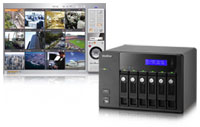 Real-time monitoring and recording (video/audio) from multiple IP cameras (up to 12 channels)
 Continuous/manual/scheduled recording
  High Performance Megapixel Recording
 Generic IP Cameras Support
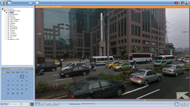
 Smart Control of PTZ & Speed Dome Cameras
 Preset Position Control and Auto Cruising
 Instant Event Notification
 Digital Zoom
 E-map
E-map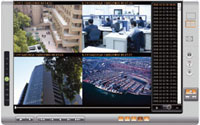
 How to use intelligent video analytics on playback
 Digital Watermarking
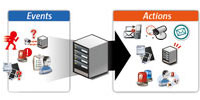 Advanced Event Management
 Real-time SMS and Email Alert
 Authority Management
 Auto Logoff
 Host Access Control
 On-line User List
 Detailed Event Logs
 Online RAID Capacity Expansion and Online RAID Level Migration
 Online RAID Level Migration
 S.M.A.R.T. & Advanced HDD Health Scanning (HHS)
 Automatic System Startup after Power Recovery
 UPS Support for 24/7 Service
 Dual Gigabit LAN Ports
 Convenient Data Access

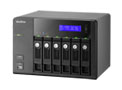

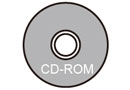
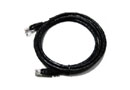
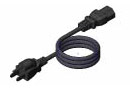


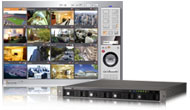 Real-time monitoring and recording (video/audio) from multiple IP cameras (up to 16 channels)
 Continuous/manual/scheduled recording
  High Performance Megapixel Recording
 Generic IP Cameras Support
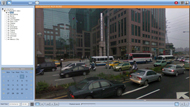
 Smart Control of PTZ & Speed Dome Cameras
 Preset Position Control and Auto Cruising
 Instant Event Notification
 Digital Zoom
 E-map
E-map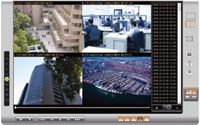
 How to use intelligent video analytics on playback
 Digital Watermarking
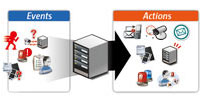 Advanced Event Management
 Real-time SMS and Email Alert
 Authority Management
 Auto Logoff
 Host Access Control
 On-line User List
 Detailed Event Logs
 Online RAID Capacity Expansion and Online RAID Level Migration
 Online RAID Level Migration
 S.M.A.R.T. & Advanced HDD Health Scanning (HHS)
 Automatic System Startup after Power Recovery
 UPS Support for 24/7 Service
 Dual Gigabit LAN Ports
 Convenient Data Access
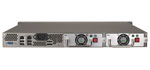 Redundant Power Supply

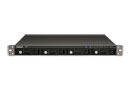
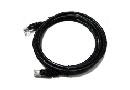
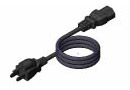



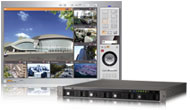 Real-time monitoring and recording (video/audio) from multiple IP cameras (up to 8 channels)
 Continuous/manual/scheduled recording
  High Performance Megapixel Recording
 Generic IP Cameras Support
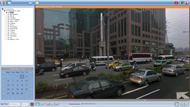
 Smart Control of PTZ & Speed Dome Cameras
 Preset Position Control and Auto Cruising
 Instant Event Notification
 Digital Zoom
 E-map
E-map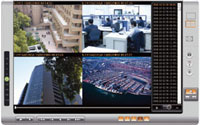
 How to use intelligent video analytics on playback
 Digital Watermarking
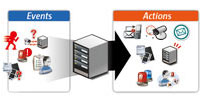 Advanced Event Management
 Real-time SMS and Email Alert
 Authority Management
 Auto Logoff
 Host Access Control
 On-line User List
 Detailed Event Logs
 Online RAID Capacity Expansion and Online RAID Level Migration
 Online RAID Level Migration
 S.M.A.R.T. & Advanced HDD Health Scanning (HHS)
 Automatic System Startup after Power Recovery
 UPS Support for 24/7 Service
 Dual Gigabit LAN Ports
 Convenient Data Access
 Redundant Power Supply

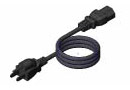



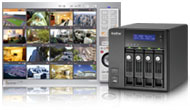 Real-time monitoring and recording (video/audio) from multiple IP cameras (up to 16 channels)
 Continuous/manual/scheduled recording
  High Performance Megapixel Recording
 Generic IP Cameras Support
 Smart Control of PTZ & Speed Dome Cameras
 Preset Position Control and Auto Cruising
 Instant Event Notification
 Digital Zoom
 E-map
E-map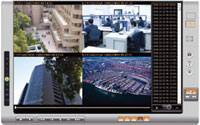
 How to use intelligent video analytics on playback
 Digital Watermarking
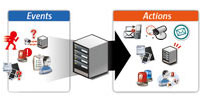 Advanced Event Management
 Real-time SMS and Email Alert
 Authority Management
 Auto Logoff
 Host Access Control
 On-line User List
 Detailed Event Logs
 Online RAID Capacity Expansion and Online RAID Level Migration
 Online RAID Level Migration
 S.M.A.R.T. & Advanced HDD Health Scanning (HHS)
 Automatic System Startup after Power Recovery
 UPS Support for 24/7 Service
 Dual Gigabit LAN Ports
 Convenient Data Access
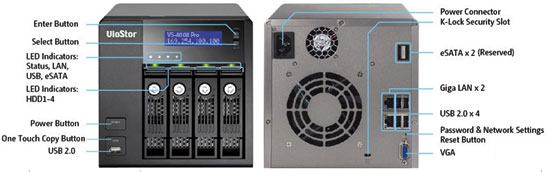

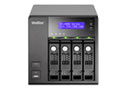



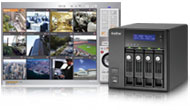 Real-time monitoring and recording (video/audio) from multiple IP cameras (up to 8 channels)
 Continuous/manual/scheduled recording
  High Performance Megapixel Recording
 Generic IP Cameras Support
 Smart Control of PTZ & Speed Dome Cameras
 Preset Position Control and Auto Cruising
 Instant Event Notification
 Digital Zoom
 E-map
E-map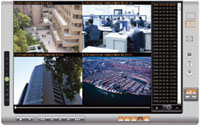
 How to use intelligent video analytics on playback
 Digital Watermarking
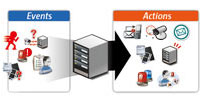 Advanced Event Management
 Real-time SMS and Email Alert
 Authority Management
 Auto Logoff
 Host Access Control
 On-line User List
 Detailed Event Logs
 Online RAID Capacity Expansion and Online RAID Level Migration
 Online RAID Level Migration
 S.M.A.R.T. & Advanced HDD Health Scanning (HHS)
 Automatic System Startup after Power Recovery
 UPS Support for 24/7 Service
 Dual Gigabit LAN Ports
 Convenient Data Access
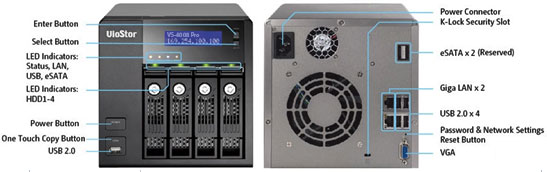

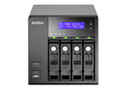
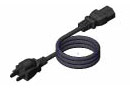



 Real-time monitoring and recording (video/audio) from multiple IP cameras (up to 12 channels)
 Continuous/manual/scheduled recording
  High Performance Megapixel Recording
 Generic IP Cameras Support

 Smart Control of PTZ & Speed Dome Cameras
 Preset Position Control and Auto Cruising
 Instant Event Notification
 Digital Zoom
 E-map
E-map
 How to use intelligent video analytics on playback
 Digital Watermarking
 Advanced Event Management
 Real-time SMS and Email Alert
 Authority Management
 Auto Logoff
 Host Access Control
 On-line User List
 Detailed Event Logs
 Online RAID Capacity Expansion and Online RAID Level Migration
 Online RAID Level Migration
 S.M.A.R.T. & Advanced HDD Health Scanning (HHS)
 Automatic System Startup after Power Recovery
 UPS Support for 24/7 Service
 Dual Gigabit LAN Ports
 Convenient Data Access


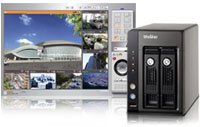 Real-time monitoring and recording (video/audio) from multiple IP cameras (up to 8 channels)
 Continuous/manual/scheduled recording
  High Performance Megapixel Recording
 Generic IP Cameras Support
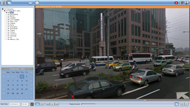
 Smart Control of PTZ & Speed Dome Cameras
 Preset Position Control and Auto Cruising
 Instant Event Notification
 Digital Zoom
 E-map
E-map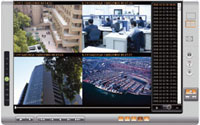
 How to use intelligent video analytics on playback
 Digital Watermarking
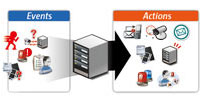 Advanced Event Management
 Real-time SMS and Email Alert
 Authority Management
 Auto Logoff
 Host Access Control
 On-line User List
 Detailed Event Logs
 Online RAID Capacity Expansion and Online RAID Level Migration
 Online RAID Level Migration
 S.M.A.R.T. & Advanced HDD Health Scanning (HHS)
 Automatic System Startup after Power Recovery
 UPS Support for 24/7 Service
 Dual Gigabit LAN Ports
 Convenient Data Access

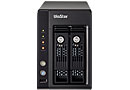



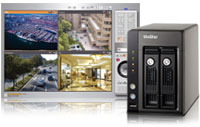 Real-time monitoring and recording (video/audio) from multiple IP cameras (up to 4 channels)
 Continuous/manual/scheduled recording
  High Performance Megapixel Recording
 Generic IP Cameras Support
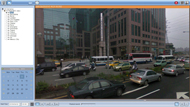
 Smart Control of PTZ & Speed Dome Cameras
 Preset Position Control and Auto Cruising
 Instant Event Notification
 Digital Zoom
 E-map
E-map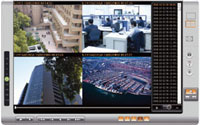
 How to use intelligent video analytics on playback
 Digital Watermarking
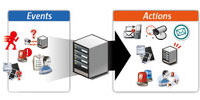 Advanced Event Management
 Real-time SMS and Email Alert
 Authority Management
 Auto Logoff
 Host Access Control
 On-line User List
 Detailed Event Logs
 Online RAID Capacity Expansion and Online RAID Level Migration
 Online RAID Level Migration
 S.M.A.R.T. & Advanced HDD Health Scanning (HHS)
 Automatic System Startup after Power Recovery
 UPS Support for 24/7 Service
 Dual Gigabit LAN Ports
 Convenient Data Access