Camerafarm product archive #40296
| Image |
Date |
Product description |
Price |
Buy |
|
30/04
|
Apacer AM401 All In One USB Card Reader
- Reads SDHC, Mini SDHC, MMC, MS Pro Duo and M2 Support Memory CardSlot 1 T-Flash, microSD, microSDHC Slot 2 Memory Stick, Memory Stick Pro, Memory Stick Duo Apacer Mega Steno AM401
Support Memory Card Slot 1 T-Flash, microSD, microSDHC Slot 2 Memory Stick, Memory Stick Pro, Memory Stick Duo, Memory Stick Pro Duo, Memory Stick MagicGate, Memory Stick Pro MagicGate, Memory Stick Duo MagicGate, Memory Stick Pro Duo MagicGate Slot 3 M2 Slot 4 SD,SDHC, miniSD, miniSDHC, MMC 4.0, MMCmobile*, MMCplus, RS-MMC*,MMCmirco* (* = need adapter) OS Support: Windows 98/ ME/ 2K/ XP/ Vista, Mac OS X 10.3 or later
|


|
|
|
30/04
|
Corel WinDVD Pro 2010 Edition - Blu-Ray/DVD Player Software Overview
The best DVD player software for high-quality video playback, WinDVD delivers a more lifelike and exhilarating entertainment experience. Enjoy home movies or the latest Hollywood blockbusters with superior picture quality and razor-sharp audio performance. Take your flicks on the go with laptop features that make sure your batteries dont run out before the movie. Plus, watch videos right from your camera, camcorder or DVDno downloading required!
- Watch home movies or the latest Hollywood blockbuster DVDs
- Enjoy crystal-clear video
- Experience the crisp sound quality of Dolby Digital Sound
- Watch movies wherever you are with battery optimization for your laptop
- Play movies in popular audio and video formats
- Get hands-on with Windows 7 touch-screen features
Features
WinDVD 2010 delivers the best Blu-ray and DVD playback performance on your PC. Immerse yourself in the true HD experience and radically enhance your viewing pleasure. Rich color. Sharp contrast. Crisp, booming sound. Lifelike detail. Once you go HD, there's no turning back!
Blu-ray Disc and HD Playback
Play More HD Formats
- Play all Blu-ray Disc formats and AVCREC
- Enjoy direct playback of HD videos recorded with the latest AVCHD and Blu-ray Disc camcorders
- Navigate and decode MPEG-2 Transport Stream video so you can watch captured HDTV programs. Easily select content to view with handy navigation tools
Outstanding Blu-ray Performance for Your BD-enabled PC
- Experience high-definition Blu-ray movies with stunning 1080p sharpness and next-generation surround sound
- Get amazing extras, bonus features and exciting ways to interact with content, brought to you by your BD-Live titles
- Playback HD video from DVD recordable discs with AVCREC support
- Enjoy mouse simulation for BD-J menu navigation
Superior Video and Audio Quality
Upscale Video Quality on Standard DVDs
- Experience Corel's brand new upscaling technology that delivers near-HD quality video from standard DVDs
- GPU-accelerated upscaling works across different platforms
- Choose from two modes: basic and advanced
Playback Directly from Camera or Camcorder
Looking at your video on a tiny camcorder or digital camera screen doesn't do the clip justice. Preview videos on your PC directly from your camera, camcorder or storage device for a much clearer picture of the event you captured. Just plug in and press Play!
Superior Home Theater Sound & Headphone Quality
Like you're hearing it live! Get superior sound performance with Dolby Digital Sound. Easily configure your personal home theater with WinDVD Pro 2010 and the following technologies:
- Dolby Headphone/Dolby Virtual Speaker/ Dolby Pro Logic IIx
- DTS NEO: 6 get incredible surround sound effects
Enhanced Power Management
New GPU/CPU Enhancements
When it comes to video, faster is better. Thanks to new optimization for new CPUs and GPUs, WinDVD is faster than ever before. It outpaces the competition, providing quick, smooth DVD playback and responsive controls.
Extended Battery Life
Now your DVD playback software ensures that your battery lasts the whole movie, every time. The new power plan is designed for optimal performance to extend the battery life on Windows Vista and Windows 7without comprising video quality.
Video Effects and DVD Playback Controls
New Design
Find controls faster and easier with WinDVD's new user interface design.
Windows 7 Support
Moving up to the exciting new user experience of Windows 7? WinDVD Pro 2010 DVD software is ready and waiting. Optimized for the new operating system, it supports key Windows 7 features, including Windows Touch, Jumplists, and Taskbar integration.
Movie Control at Your Fingertips
Take total control of your HD experience with a single touch. Combined with a Windows 7 touch screen PC, WinDVD Pro 2010 lets you access all of WinDVD's controls with the touch of a finger.
TimeStretch
Want to watch a movie that's longer than your trip? WinDVD is the perfect travel companion! Be sure to catch the end of every movie with unique speed control that lets you set the time for DVD playback.
Pan & Zoom
Click and drag your mouse to pan across any part of the screen or use a simple hotkey to zoom in for a closer look. These tools are also ideal for optimizing DVD playback for a widescreen display.
Capture Image/QuickClip
Easily grab a favorite movie scene as a still picture or animated clip, then share it with friends via email.
WinDVD Standard
Superior Audio and Video Playback
Bring the movie theater experience to your PC with Dolby Digital audio support for both standard-definition DVD-Video and high-definition AVCHD.
Instant Preview
When your tiny camcorder or digital camera screen just won't cut it, playback your video clips right on your PC. Just plug in your camera for an instant preview!
Personalized Bookmarks
Insert a bookmark to tag your favorite scenes or pick up a movie where you left off.
Capture Images from DVDs
Take a snapshot or record video clips of memorable scenes, then share them with your friends via email.
Broad Video Format Support
Play the most common video types, including DVD-Video, QuickTime, Windows Media and AVCHD.
Battery Optimization for Laptops
Watch your entire movie without worrying about running out of battery power.
WinDVD 2010the best-quality video and DVD playback software for your PC.
Whats New
WinDVD Pro 2010 offers new performance enhancements and better power management create a smoother, higher quality DVD software experience
Faster and Smoother DVD Playback
The latest GPU/CPU enhancements make WinDVD faster and DVD playback smoother than ever before.
Advanced Upscaling
Upscale your DVD collections to fit your HD displayregardless of the platformwith Corel's new high-performance upscaling technology that takes SD video up to near-HD quality.
Simple New Design
The world's #1 video and DVD player software now features a new design to simplify your DVD software experience. Enjoy the movie even more with easier and faster access to controls. New support for Windows 7 touch-screen features even lets you access all of WinDVD's controls with the touch of a finger. See for yourself!
Advanced Power Management
A new DVD software power scheme for Windows Vista and Windows 7 maximizes battery life without compromising video quality. Now you can now catch the end of that movie in vivid detail, even on battery mode.
Camcorder Playback
Forget the hassle of showing friends your videos on a small camera or camcorder screenjust plug in and press Play! Without any downloading, WinDVD 2010 lets you plug in your camera and playback videos directly on your PC for all to see.
WinDVD 2010the #1 Blu-ray and DVD player software for the ultimate movie experience.
System Requirements
WinDVD 2010
- Intel Pentium 4 2.8GHz or equivalent AMD Athlon processor or higher recommended
- Windows 7, Windows XP Service Pack (SP) 3 or Windows Vista SP 1 (recommended)
- 256 MB of RAM (512 MB or higher recommended)
- 250 MB of free disk space
- Windows-compatible sound card
- Windows-compatible optical drive for DVD/AVCHD playback
WinDVD Pro 2010
- Intel Core II Duo T2400 1.83 GHz, AMD Athlon 64 X2 3800+ 2.0 GHz or higher recommended
- Windows 7, Windows XP SP3 or Windows Vista SP1 (recommended)
- 1 GB of RAM
- NVIDIA G8x and above; AMD M7x and above; Intel GM45/G45 series (Windows Vista/Windows 7). Minimum 128 MB VRAM; recommended 256 VRAM
- 250 MB of free disk space
- Windows-compatible sound card
- Windows-compatible optical drive for DVD/AVCHD playback
- Windows-compatible BD drive for BD playback
- Internet connection required for online features (BD-Live)
|
|
|
|
30/04
|
Acer P3251 DLP Portable Projector - XGA, 2100 Lumens, 3700;1, 1024x768 P3251
The diminutive Acer P3251 weighs just 1.2 kg (2.7 lbs.) yet packs leading projection technologies to deliver high-impact performance wherever you go. A special highlight is the Presentation To Go function, which allows media sharing via SD Card or USB drive directly from the projector. What's more, the P3251 presents radiant, lifelike visuals while leveraging power-saving technologies to conserve cost and resources.
Ultra-portable design, PC-less media sharing
- Small and lightweight, the P3251 is easy to carry from client to client, maximising the potential of your business. This projector also boasts the Presentation To Go function, which allows full access to photos, videos and music directly from the projector via the built-in SD Card and USB multimedia readers. The P3251 sports a classy gray-and-white color scheme, and the control pad is conveniently embedded in the top of the chassis, adding to this projector's streamlined look and practicality.
Prolific imagery for effective presentations
- Advanced Acer ColorBoost II+ technology depicts optimal color balance and enhanced details, delivering more brilliant projection. XGA resolution shows sharp details even for fine print, while 2100 ANSI lumens brightness and a 3700:1 contrast ratio project crystal clear images in various sized venues.
Versatile installation and connectivity
- The P3251 is DLP 3D Ready, enabling a high refresh rate (120 Hz) to render a captivating 3D experience. In addition, an HDMI port delivers uncompressed digital signals and multi-channel audio for exceptional HD viewing. Loop-through and a D-Sub port mean another device can be connected to the P3251 for dual displays. And, the Installation Menu lets you quickly and easily set up your projector without having to wait for signal input.
Empowering usability
- The Empowering Key provides one-touch access to Acer Empowering Technology tools, including the new-generation Acer eOpening Management, which helps you to create a customized startup screen. Acer SmartFormat technology offers complete multi-format support, delivering instant projection of wide-format content without complicated resolution settings.
Specifications
Resolution
* Native XGA (1,024 x 768)
Maximum UXGA (1,600 x 1,200), 1080p (1,920 x 1,080)
Computer Compatibility
* IBM PC and Compatibles, Apple iMac/MacBook, and VESA Standards 1080p (1,920x1,080), WSXGA+ (1,680 x 1,050), WXGA+ (1,440 x 900), WXGA (1,280 x 800, 1,280 x 768), UXGA (1,600 x 1,200), SXGA+ (1,400 x 1,050), SXGA (1,280 x 1,024), XGA (1,024 x 768), SVGA (800 x 600), VGA (640 x 480)
Video Compatibility
* NTSC (3.58/4.43), PAL (B/D/G/H/I/M/N), SECAM (B/D/G/K/K1/L), HDTV (720p, 1080i, 1080p), EDTV (480p, 576p), SDTV (480i, 576i)
Aspect Ratio
* 4:3 (Native), 16:9
Contrast Ratio
* 3700:1
Displayable Colours
* 1.07 Billion Colours
Brightness
* 2,100 ANSI Lumens (Standard), 1,575 ANSI Lumens (ECO)
Projection Lens
* F = 2.41 ~ 2.55, f = 21.79mm ~ 23.99mm
1:1.1 Manual Zoom and Manual Focus
Projection Screen Size
* 23" (58cm) ~ 300" (762cm)
Projection Distance
* 3.3' (1.0m) ~ 39.0' (11.9m)
Throw Ratio
* 50"@2m (1.95 ~ 2.15:1)
Horizontal Scan Rate
* 30 ~ 100 kHz
Vertical Scan Rate
* 50 ~ 120 Hz
Lamp Type / Life
* Osram 165 W user replaceable P-VIP lamp
3,500 Hours (Standard), 5,000 Hours (ECO)
Keystone Correction
* +/-40 Degrees (Vertical )
Projection Mode
* Front, Rear, Front-Ceiling, Rear-Ceiling
Ceiling Mounting Capability
* Not supported
Audio
* One Internal Speaker with 1 watt Output
IR Remote Control
* IR remote control with laser pointer & PgUp/PgDn functions
Digital Zoom
* 2X
Power Supply
* AC input 100~240V auto-switching power supply
Power Consumption
* 209 Watts (Operation), <1 Watt (Standby)
Operating Temperature
* 5°C ~ 35°C / 41°F ~ 95°F
Noise Level
* 36 dBA (Standard mode), 29 dBA (ECO mode)
Input Interface
* Analog RGB/Component Video (D-sub) x 1
Composite Video (RCA) x 1
S-Video (Mini DIN) x1
HDMI (Video, Audio, HDCP) x 1
PC Audio (Stereo mini jack) x 1
USB (Type A) x 1
SD (SDHC) x 1
Control Interface
* USB (Type B) x 1
Weight and Dimensions
* 2.7 lbs (1.2 Kg), 210 x 165 x 64 mm (8.3" x 6.5" x 2.5")
Compliance
* C-Tick (AS/NZS 60950)
Standard Accessories
* AC power cord
VGA cable
Composite video cable
Remote control
Battery for remote control
Lens cap
Carrying case
User's guide (CD-ROM)
Quick start guide
Security card
Standard Warranty
* 2 year return to base
|
|
|
|
30/04
|
Adobe Creative Suite 5 (CS5) Web Premium - Mac, Educational Only Warning : Before Purchase Please Check OS Compatibility
What's inside
- Dreamweaver CS5
- Flash Professional CS5
- Fireworks CS5
- Flash Builder 4
- Flash Catalyst CS5
- Illustrator CS5
- Photoshop CS5 Extended
- Contribute CS5
- Acrobat 9 Pro
- Adobe Bridge CS5
- Adobe Device Central CS5
What is Web Premium?
Adobe Creative Suite 5 Web Premium software is the comprehensive solution for producing standards-based websites and immersive digital experiences. Design and develop web content for delivery virtually anywhere with integrated Adobe Flash Platform tools.
- Web design
- Interactive design
- Web application development
Web design
Create web design comps focused on HTML, CSS, and JavaScript.
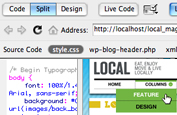
Integrated CMS support in Dreamweaver
Enjoy authoring and testing support for content management systems like WordPress, Joomla!, and Drupal right in Adobe Dreamweaver CS5. Dynamically Related Files provides direct access to a page's related files, even for dynamic pages, and Live View Navigation offers accurate previews of dynamic applications.

Integration with CS Live online services
Get accurate browser-compatibility testing with Adobe BrowserLab and manage design project reviews with Adobe CS Review, two of the new Adobe CS Live online services.* CS Live services are complimentary for a limited time.

New text engine in Flash Professional
Create print-quality typography using the new Text Layout Framework in Adobe Flash Professional CS5. Work with columns and bidirectional text, and maintain layout and formatting with greater fidelity when importing from other Adobe products.

Crisp graphics for web and mobile devices
Deliver clean, sharp, pixel-aligned raster artwork with enhanced anti-aliasing features in Adobe Illustrator CS5. Avoid fuzzy graphics by automatically aligning artwork to the pixel grid, and control the appearance of individual text objects.

Wide content distribution
Publish content to personal computers and mobile devices to the browser with Adobe Flash Player, to standalone applications with Adobe AIR, and to the iPhone* with support for creating native iPhone applications.
*Subject to Apple's current requirements and approval.
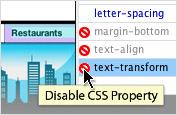
CSS inspection
Visually display the CSS box model in detail without reading code or requiring separate utilities. Move your cursor over block-level elements in Live View to see their cascade and context instead of using the Tag Selector.

Easy 3D extrusions with Adobe Repouss
Quickly create stunning 3D artwork and apply rich material textures with Adobe Photoshop CS5 Extended. Take your designs even further by leveraging the Adobe 3D Forge engine for advanced editing of your 3D models.
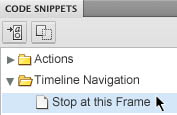
Code Snippets panel in Flash Professional
Quickly include functional code for things like timeline navigation, actions, animation, audio and video, and event handlers. Reduce the learning curve for the ActionScript 3.0 language and enable greater creativity by injecting prebuilt code into projects.
What's new in CS5 Web Premium
Adobe Creative Suite 5 Web Premium software makes it easier to create standards-based websites and immersive digital experiences. With Adobe Dreamweaver CS5 and integrated tools in the Adobe Flash Platform, you can design and develop content for delivery virtually anywhere.
- Deliver with the reach of the Flash Platform
- Keep up with evolving web trends
-
Deliver with the reach of the Flash Platform
Use a comprehensive toolkit that includes Flash Catalyst CS5 to design interactive content without writing code, Flash Professional CS5 to create rich free form expressive content, and Flash Builder 4 Standard to develop rich internet applications.
Web design

New text engine in Flash Professional
Create print-quality typography via the new Text Layout Framework in Adobe Flash Professional CS5. Work with columns and bidirectional text, and maintain layout and formatting with greater fidelity when importing from other Adobe products.

Wide content distribution
Publish content to personal computers and mobile devices to the browser with Adobe Flash Player, to standalone applications with Adobe AIR, and to the iPhone* with support for creating native iPhone applications.
*Subject to Apple's current requirements and approval.
Interactive design
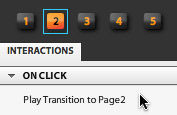
Approachable interaction design with Flash Catalyst
Use Adobe Flash Catalyst to transform static Adobe Photoshop CS5 Extended, Illustrator CS5, and Fireworks CS5 artwork into interactive content with buttons, scroll bars, and more without writing code. Roundtrip artwork and perform edits in Photoshop or Illustrator while preserving structure and interactivity.
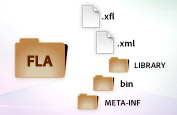
XML-based FLA source files in Flash Professional
Manage and modify projects using source control systems and collaborate on files more easily. An XML-based nonbinary implementation of the FLA format allows projects and associated assets to function as items in a directory or folder.
Web application development
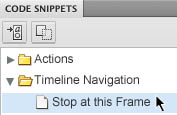
Code Snippets panel in
Flash Professional
Quickly include functional code for things like timeline navigation, actions, animation, audio and video, and event handlers. Reduce the learning curve for the ActionScript 3.0 language and enable greater creativity by injecting prebuilt code into projects.
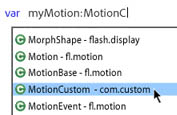
Enhanced ActionScript editor in Flash Professional
Increase development speed with an improved ActionScript editor, including custom class code hinting and code completion. Use Adobe Flash Builder 4 as your primary ActionScript editor for Flash Professional projects.
System requirements
Mac OS
- Multicore Intel processor
- Mac OS X v10.5.7 or v10.6
- 1GB of RAM
- 11.2GB of available hard-disk space for installation; additional free space required during installation (cannot install on a volume that uses a case-sensitive file system or on removable flash-based storage devices)
- 1280x800 display (1280x1024 recommended) with qualified hardware-accelerated OpenGL graphics card, 16-bit color, and 256MB of VRAM
- Some GPU-accelerated features require graphics support for Shader Model 3.0 and OpenGL 2.0
- DVD-ROM drive
- Java Runtime Environment 1.5 or 1.6
- QuickTime 7.6.2 software required for multimedia features
- Adobe Flash Player 10 software required to export SWF files
- Broadband Internet connection required for online services*
|
|
|
|
30/04
|
Adobe Creative Suite 5 (CS5) Web Premium - Mac, Retail Warning : Before Purchase Please Check OS Compatibility
What's inside
- Dreamweaver CS5
- Flash Professional CS5
- Fireworks CS5
- Flash Builder 4
- Flash Catalyst CS5
- Illustrator CS5
- Photoshop CS5 Extended
- Contribute CS5
- Acrobat 9 Pro
- Adobe Bridge CS5
- Adobe Device Central CS5
What is Web Premium?
Adobe Creative Suite 5 Web Premium software is the comprehensive solution for producing standards-based websites and immersive digital experiences. Design and develop web content for delivery virtually anywhere with integrated Adobe Flash Platform tools.
- Web design
- Interactive design
- Web application development
Web design
Create web design comps focused on HTML, CSS, and JavaScript.
Integrated CMS support in Dreamweaver
Enjoy authoring and testing support for content management systems like WordPress, Joomla!, and Drupal right in Adobe Dreamweaver CS5. Dynamically Related Files provides direct access to a page's related files, even for dynamic pages, and Live View Navigation offers accurate previews of dynamic applications.
Integration with CS Live online services
Get accurate browser-compatibility testing with Adobe BrowserLab and manage design project reviews with Adobe CS Review, two of the new Adobe CS Live online services.* CS Live services are complimentary for a limited time.
New text engine in Flash Professional
Create print-quality typography using the new Text Layout Framework in Adobe Flash Professional CS5. Work with columns and bidirectional text, and maintain layout and formatting with greater fidelity when importing from other Adobe products.
Crisp graphics for web and mobile devices
Deliver clean, sharp, pixel-aligned raster artwork with enhanced anti-aliasing features in Adobe Illustrator CS5. Avoid fuzzy graphics by automatically aligning artwork to the pixel grid, and control the appearance of individual text objects.
Wide content distribution
Publish content to personal computers and mobile devices to the browser with Adobe Flash Player, to standalone applications with Adobe AIR, and to the iPhone* with support for creating native iPhone applications.
*Subject to Apple's current requirements and approval.
CSS inspection
Visually display the CSS box model in detail without reading code or requiring separate utilities. Move your cursor over block-level elements in Live View to see their cascade and context instead of using the Tag Selector.
Easy 3D extrusions with Adobe Repouss
Quickly create stunning 3D artwork and apply rich material textures with Adobe Photoshop CS5 Extended. Take your designs even further by leveraging the Adobe 3D Forge engine for advanced editing of your 3D models.
Code Snippets panel in Flash Professional
Quickly include functional code for things like timeline navigation, actions, animation, audio and video, and event handlers. Reduce the learning curve for the ActionScript 3.0 language and enable greater creativity by injecting prebuilt code into projects.
What's new in CS5 Web Premium
Adobe Creative Suite 5 Web Premium software makes it easier to create standards-based websites and immersive digital experiences. With Adobe Dreamweaver CS5 and integrated tools in the Adobe Flash Platform, you can design and develop content for delivery virtually anywhere.
- Deliver with the reach of the Flash Platform
- Keep up with evolving web trends
-
Deliver with the reach of the Flash Platform
Use a comprehensive toolkit that includes Flash Catalyst CS5 to design interactive content without writing code, Flash Professional CS5 to create rich free form expressive content, and Flash Builder 4 Standard to develop rich internet applications.
Web design
New text engine in Flash Professional
Create print-quality typography via the new Text Layout Framework in Adobe Flash Professional CS5. Work with columns and bidirectional text, and maintain layout and formatting with greater fidelity when importing from other Adobe products.
Wide content distribution
Publish content to personal computers and mobile devices to the browser with Adobe Flash Player, to standalone applications with Adobe AIR, and to the iPhone* with support for creating native iPhone applications.
*Subject to Apple's current requirements and approval.
Interactive design
Approachable interaction design with Flash Catalyst
Use Adobe Flash Catalyst to transform static Adobe Photoshop CS5 Extended, Illustrator CS5, and Fireworks CS5 artwork into interactive content with buttons, scroll bars, and more without writing code. Roundtrip artwork and perform edits in Photoshop or Illustrator while preserving structure and interactivity.
XML-based FLA source files in Flash Professional
Manage and modify projects using source control systems and collaborate on files more easily. An XML-based nonbinary implementation of the FLA format allows projects and associated assets to function as items in a directory or folder.
Web application development
Code Snippets panel in
Flash Professional
Quickly include functional code for things like timeline navigation, actions, animation, audio and video, and event handlers. Reduce the learning curve for the ActionScript 3.0 language and enable greater creativity by injecting prebuilt code into projects.
Enhanced ActionScript editor in Flash Professional
Increase development speed with an improved ActionScript editor, including custom class code hinting and code completion. Use Adobe Flash Builder 4 as your primary ActionScript editor for Flash Professional projects.
System requirements
Mac OS
- Multicore Intel processor
- Mac OS X v10.5.7 or v10.6
- 1GB of RAM
- 11.2GB of available hard-disk space for installation; additional free space required during installation (cannot install on a volume that uses a case-sensitive file system or on removable flash-based storage devices)
- 1280x800 display (1280x1024 recommended) with qualified hardware-accelerated OpenGL graphics card, 16-bit color, and 256MB of VRAM
- Some GPU-accelerated features require graphics support for Shader Model 3.0 and OpenGL 2.0
- DVD-ROM drive
- Java Runtime Environment 1.5 or 1.6
- QuickTime 7.6.2 software required for multimedia features
- Adobe Flash Player 10 software required to export SWF files
- Broadband Internet connection required for online services*
|
|
|
|
30/04
|
Adobe Creative Suite 5 (CS5) Web Premium - Windows, Educational Only Warning : Before Purchase Please Check OS Compatibility
What's inside
- Dreamweaver CS5
- Flash Professional CS5
- Fireworks CS5
- Flash Builder 4
- Flash Catalyst CS5
- Illustrator CS5
- Photoshop CS5 Extended
- Contribute CS5
- Acrobat 9 Pro
- Adobe Bridge CS5
- Adobe Device Central CS5
What is Web Premium?
Adobe Creative Suite 5 Web Premium software is the comprehensive solution for producing standards-based websites and immersive digital experiences. Design and develop web content for delivery virtually anywhere with integrated Adobe Flash Platform tools.
- Web design
- Interactive design
- Web application development
Web design
Create web design comps focused on HTML, CSS, and JavaScript.
Integrated CMS support in Dreamweaver
Enjoy authoring and testing support for content management systems like WordPress, Joomla!, and Drupal right in Adobe Dreamweaver CS5. Dynamically Related Files provides direct access to a page's related files, even for dynamic pages, and Live View Navigation offers accurate previews of dynamic applications.
Integration with CS Live online services
Get accurate browser-compatibility testing with Adobe BrowserLab and manage design project reviews with Adobe CS Review, two of the new Adobe CS Live online services.* CS Live services are complimentary for a limited time.
New text engine in Flash Professional
Create print-quality typography using the new Text Layout Framework in Adobe Flash Professional CS5. Work with columns and bidirectional text, and maintain layout and formatting with greater fidelity when importing from other Adobe products.
Crisp graphics for web and mobile devices
Deliver clean, sharp, pixel-aligned raster artwork with enhanced anti-aliasing features in Adobe Illustrator CS5. Avoid fuzzy graphics by automatically aligning artwork to the pixel grid, and control the appearance of individual text objects.
Wide content distribution
Publish content to personal computers and mobile devices to the browser with Adobe Flash Player, to standalone applications with Adobe AIR, and to the iPhone* with support for creating native iPhone applications.
*Subject to Apple's current requirements and approval.
CSS inspection
Visually display the CSS box model in detail without reading code or requiring separate utilities. Move your cursor over block-level elements in Live View to see their cascade and context instead of using the Tag Selector.
Easy 3D extrusions with Adobe Repouss
Quickly create stunning 3D artwork and apply rich material textures with Adobe Photoshop CS5 Extended. Take your designs even further by leveraging the Adobe 3D Forge engine for advanced editing of your 3D models.
Code Snippets panel in Flash Professional
Quickly include functional code for things like timeline navigation, actions, animation, audio and video, and event handlers. Reduce the learning curve for the ActionScript 3.0 language and enable greater creativity by injecting prebuilt code into projects.
What's new in CS5 Web Premium
Adobe Creative Suite 5 Web Premium software makes it easier to create standards-based websites and immersive digital experiences. With Adobe Dreamweaver CS5 and integrated tools in the Adobe Flash Platform, you can design and develop content for delivery virtually anywhere.
- Deliver with the reach of the Flash Platform
- Keep up with evolving web trends
-
Deliver with the reach of the Flash Platform
Use a comprehensive toolkit that includes Flash Catalyst CS5 to design interactive content without writing code, Flash Professional CS5 to create rich free form expressive content, and Flash Builder 4 Standard to develop rich internet applications.
Web design
New text engine in Flash Professional
Create print-quality typography via the new Text Layout Framework in Adobe Flash Professional CS5. Work with columns and bidirectional text, and maintain layout and formatting with greater fidelity when importing from other Adobe products.
Wide content distribution
Publish content to personal computers and mobile devices to the browser with Adobe Flash Player, to standalone applications with Adobe AIR, and to the iPhone* with support for creating native iPhone applications.
*Subject to Apple's current requirements and approval.
Interactive design
Approachable interaction design with Flash Catalyst
Use Adobe Flash Catalyst to transform static Adobe Photoshop CS5 Extended, Illustrator CS5, and Fireworks CS5 artwork into interactive content with buttons, scroll bars, and more without writing code. Roundtrip artwork and perform edits in Photoshop or Illustrator while preserving structure and interactivity.
XML-based FLA source files in Flash Professional
Manage and modify projects using source control systems and collaborate on files more easily. An XML-based nonbinary implementation of the FLA format allows projects and associated assets to function as items in a directory or folder.
Web application development
Code Snippets panel in
Flash Professional
Quickly include functional code for things like timeline navigation, actions, animation, audio and video, and event handlers. Reduce the learning curve for the ActionScript 3.0 language and enable greater creativity by injecting prebuilt code into projects.
Enhanced ActionScript editor in Flash Professional
Increase development speed with an improved ActionScript editor, including custom class code hinting and code completion. Use Adobe Flash Builder 4 as your primary ActionScript editor for Flash Professional projects.
System requirements
Windows
- Intel Pentium 4 or AMD Athlon 64 processor
- Microsoft Windows XP with Service Pack 3; Windows Vista Home Premium, Business, Ultimate, or Enterprise with Service Pack 1; or Windows 7
- 1GB of RAM
- 9.1GB of available hard-disk space for installation; additional free space required during installation (cannot install on removable flash-based storage devices)
- 1280x800 display (1280x1024 recommended) with qualified hardware-accelerated OpenGL graphics card, 16-bit color, and 256MB of VRAM
- Some GPU-accelerated features require graphics support for Shader Model 3.0 and OpenGL 2.0
- Some features in Adobe Bridge rely on a DirectX 9capable graphics card with at least 64MB of VRAM
- DVD-ROM drive
- Java Runtime Environment 1.5 or 1.6
- QuickTime 7.6.2 software required for multimedia features
- Adobe Flash Player 10 software required to export SWF files
- Broadband Internet connection required for online services*
|
|
|
|
30/04
|
Adobe Creative Suite 5 (CS5) Web Premium - Windows, Retail Warning : Before Purchase Please Check OS Compatibility
What's inside
- Dreamweaver CS5
- Flash Professional CS5
- Fireworks CS5
- Flash Builder 4
- Flash Catalyst CS5
- Illustrator CS5
- Photoshop CS5 Extended
- Contribute CS5
- Acrobat 9 Pro
- Adobe Bridge CS5
- Adobe Device Central CS5
What is Web Premium?
Adobe Creative Suite 5 Web Premium software is the comprehensive solution for producing standards-based websites and immersive digital experiences. Design and develop web content for delivery virtually anywhere with integrated Adobe Flash Platform tools.
- Web design
- Interactive design
- Web application development
Web design
Create web design comps focused on HTML, CSS, and JavaScript.
Integrated CMS support in Dreamweaver
Enjoy authoring and testing support for content management systems like WordPress, Joomla!, and Drupal right in Adobe Dreamweaver CS5. Dynamically Related Files provides direct access to a page's related files, even for dynamic pages, and Live View Navigation offers accurate previews of dynamic applications.
Integration with CS Live online services
Get accurate browser-compatibility testing with Adobe BrowserLab and manage design project reviews with Adobe CS Review, two of the new Adobe CS Live online services.* CS Live services are complimentary for a limited time.
New text engine in Flash Professional
Create print-quality typography using the new Text Layout Framework in Adobe Flash Professional CS5. Work with columns and bidirectional text, and maintain layout and formatting with greater fidelity when importing from other Adobe products.
Crisp graphics for web and mobile devices
Deliver clean, sharp, pixel-aligned raster artwork with enhanced anti-aliasing features in Adobe Illustrator CS5. Avoid fuzzy graphics by automatically aligning artwork to the pixel grid, and control the appearance of individual text objects.
Wide content distribution
Publish content to personal computers and mobile devices to the browser with Adobe Flash Player, to standalone applications with Adobe AIR, and to the iPhone* with support for creating native iPhone applications.
*Subject to Apple's current requirements and approval.
CSS inspection
Visually display the CSS box model in detail without reading code or requiring separate utilities. Move your cursor over block-level elements in Live View to see their cascade and context instead of using the Tag Selector.
Easy 3D extrusions with Adobe Repouss
Quickly create stunning 3D artwork and apply rich material textures with Adobe Photoshop CS5 Extended. Take your designs even further by leveraging the Adobe 3D Forge engine for advanced editing of your 3D models.
Code Snippets panel in Flash Professional
Quickly include functional code for things like timeline navigation, actions, animation, audio and video, and event handlers. Reduce the learning curve for the ActionScript 3.0 language and enable greater creativity by injecting prebuilt code into projects.
What's new in CS5 Web Premium
Adobe Creative Suite 5 Web Premium software makes it easier to create standards-based websites and immersive digital experiences. With Adobe Dreamweaver CS5 and integrated tools in the Adobe Flash Platform, you can design and develop content for delivery virtually anywhere.
- Deliver with the reach of the Flash Platform
- Keep up with evolving web trends
-
Deliver with the reach of the Flash Platform
Use a comprehensive toolkit that includes Flash Catalyst CS5 to design interactive content without writing code, Flash Professional CS5 to create rich free form expressive content, and Flash Builder 4 Standard to develop rich internet applications.
Web design
New text engine in Flash Professional
Create print-quality typography via the new Text Layout Framework in Adobe Flash Professional CS5. Work with columns and bidirectional text, and maintain layout and formatting with greater fidelity when importing from other Adobe products.
Wide content distribution
Publish content to personal computers and mobile devices to the browser with Adobe Flash Player, to standalone applications with Adobe AIR, and to the iPhone* with support for creating native iPhone applications.
*Subject to Apple's current requirements and approval.
Interactive design
Approachable interaction design with Flash Catalyst
Use Adobe Flash Catalyst to transform static Adobe Photoshop CS5 Extended, Illustrator CS5, and Fireworks CS5 artwork into interactive content with buttons, scroll bars, and more without writing code. Roundtrip artwork and perform edits in Photoshop or Illustrator while preserving structure and interactivity.
XML-based FLA source files in Flash Professional
Manage and modify projects using source control systems and collaborate on files more easily. An XML-based nonbinary implementation of the FLA format allows projects and associated assets to function as items in a directory or folder.
Web application development
Code Snippets panel in
Flash Professional
Quickly include functional code for things like timeline navigation, actions, animation, audio and video, and event handlers. Reduce the learning curve for the ActionScript 3.0 language and enable greater creativity by injecting prebuilt code into projects.
Enhanced ActionScript editor in Flash Professional
Increase development speed with an improved ActionScript editor, including custom class code hinting and code completion. Use Adobe Flash Builder 4 as your primary ActionScript editor for Flash Professional projects.
System requirements
Windows
- Intel Pentium 4 or AMD Athlon 64 processor
- Microsoft Windows XP with Service Pack 3; Windows Vista Home Premium, Business, Ultimate, or Enterprise with Service Pack 1; or Windows 7
- 1GB of RAM
- 9.1GB of available hard-disk space for installation; additional free space required during installation (cannot install on removable flash-based storage devices)
- 1280x800 display (1280x1024 recommended) with qualified hardware-accelerated OpenGL graphics card, 16-bit color, and 256MB of VRAM
- Some GPU-accelerated features require graphics support for Shader Model 3.0 and OpenGL 2.0
- Some features in Adobe Bridge rely on a DirectX 9capable graphics card with at least 64MB of VRAM
- DVD-ROM drive
- Java Runtime Environment 1.5 or 1.6
- QuickTime 7.6.2 software required for multimedia features
- Adobe Flash Player 10 software required to export SWF files
- Broadband Internet connection required for online services*
|
|
|
|
30/04
|
Adobe Creative Suite 5 (CS5) Production Premium - Mac, Educational Only Warning : Before Purchase Please Check OS Compatibility
What's inside
- Adobe Premiere Pro CS5
- After Effects CS5
- Photoshop CS5 Extended
- Illustrator CS5
- Flash Catalyst CS5
- Flash Professional CS5
- Soundbooth CS5
- Adobe OnLocation CS5
- Encore CS5
- Bridge CS5
- Device Central CS5
- Dynamic Link
What is Production Premium?
Conquer today's deadlines and tomorrow's challenges with Adobe Creative Suite 5 Production Premium software, the ultimate video production toolkit. Craft video productions, motion graphics, visual effects, and interactive experiences with high-performance, industry-leading creative tools. Boost your productivity with tightly integrated components that deliver breakthrough performance and smooth production workflows, giving you the power to produce engaging media for virtually any screen.
- For video editors
- For motion graphics designers/visual effects artists
For video editors
With the latest versions of Adobe's best-of-breed video, audio, and design tools, CS5 Production Premium offers enhancements that help you work more efficiently when tackling a broad spectrum of planning, production, and post-production tasks. Each component offers a familiar user interface and integrates with other components for a complete, end-to-end toolset that accelerates video editing workflows from scriptwriting through post-production.
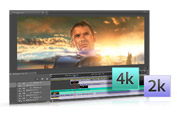
Native 64-bit support and the new Mercury Playback Engine
Work more fluidly on HD and higher resolution projects with native 64-bit support in Adobe After Effects CS5, Photoshop CS5 Extended, and Adobe Premiere Pro CS5. The new Adobe Mercury Playback Engine speeds up effects processing and rendering in Adobe Premiere Pro.

Rich, compelling 2D and 3D images with Photoshop Extended
Export video sequences from Photoshop CS5 Extended and import them into After Effects CS5, Adobe Premiere Pro CS5, and Adobe Encore CS5. Work with new painting tools, make complex selections more easily, and create 3D logos from text, masks, or vectors.
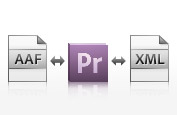
Roundtrip editing with other NLEs
Tap the full power of Production Premium even if you favor Final Cut Pro or Avid NLEs. Move projects easily back and forth between these editors and Adobe Premiere Pro CS5.
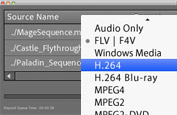
Encoding and delivery for virtually any screen
Use Adobe Media Encoder to batch encode source files to many standards. Author once in Encore CS5 for DVDs, Blu-rayDisc media, and searchable web DVDs. Use Adobe Device Central CS5 to preview and test mobile content.
Integration with CS Live online services
Collaborate easily thanks to integration with Adobe CS Live online services*: Adobe Story, a scriptwriting tool that accelerates production and post-production; and Adobe CS Review and Acrobat.com, which enable you to initiate reviews and collect client feedback on dailies, storyboards, and edited works in progress. CS Live services are complimentary for a limited time.

Broad format support in Adobe Premiere Pro
Work with virtually any format in Adobe Premiere Pro CS5, thanks to native editing support for DV; HDV; RED; DPX; Sony XDCAM, XDCAM 50, XDCAM EX, and XDCAM HD; Panasonic P2, DVCPRO HD, AVCHD, and AVC-Intra; and Canon and Nikon DSLR cameras.

Compositing and animation tools in After Effects
Get everything you need to create blockbuster motion graphics and visual effects with After Effects CS5. Create and animate in 3D space for broadcast, film, online video, and mobile devices.
Script-to-screen workflow
Speed up production and post-production with the collaborative scriptwriting tool Adobe Story, a new CS Live online service. Integrated metadata support in Adobe Story makes it easy to create shot lists in Adobe OnLocation CS5 and rough cuts in Adobe Premiere Pro CS5.
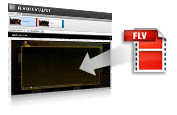
Interactive design with Flash Professional or new Flash Catalyst
Quickly create web video portfolios and add video to interactive sites without writing code using Adobe Flash Catalyst CS5, a new interaction design tool. Easily and flexibly add video to Adobe Flash Professional CS5 projects.
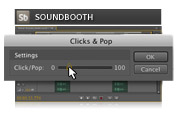
Pristine audio creation in Soundbooth
Quickly accomplish everyday audio tasks without sacrificing high-quality results or creative control using Adobe Soundbooth CS5. Remove noise from a recording, polish voice-overs, customize music to fit a production, and much more.
What's new in CS5 Production Premium?
Adobe Creative Suite 5 Production Premium software ups the ante with industry-leading, breakthrough performance. Accelerate video editing and production with 64-bit optimizations and expanded tapeless support, and rotoscope in a fraction of the time. Packed with hundreds of new features, CS5 Production Premium supercharges your productivity.
- For video editors
- For motion graphics/visual effects artists
For video editors
Work more efficiently when tackling a broad spectrum of video planning, production, and post-production tasks. CS5 Production Premium offers a familiar user interface across components, which work almost seamlessly together thanks to timesaving integration, roundtrip editing, and Adobe Dynamic Link, which eliminates intermediate rendering as you refine assets between Adobe After Effects, Adobe Premiere Pro, and other components.
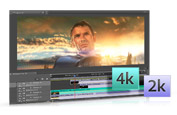
Industry-leading performance with the new Mercury Playback Engine
Work dramatically faster thanks to the native 64-bit, GPU-accelerated Adobe Mercury Playback Engine that provides rock-solid performance and stability, even at 4K resolution and beyond.
Faster Dynamic Link
Refine compositions and sequences by jumping between After Effects CS5 and Adobe Premiere Pro CS5 using faster performance in Dynamic Link. New memory settings make running multiple Production Premium components more efficient.

Richer, more compelling 2D and 3D images
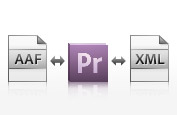
Roundtrip editing with other NLEs
Tap the full power of Production Premium even if you favor Final Cut Pro or Avid NLEs. Move projects easily back and forth between these editors and Adobe Premiere Pro CS5.

Dozens of timesaving improvements
Boost productivity with workflow features and enhancements suggested by users like you in Adobe Premiere Pro, Photoshop Extended, and After Effects.
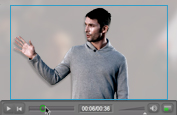
Flash Professional for interactive video projects
Streamline video processes with on-stage video scrubbing and a new cue points property inspector in Adobe Flash Professional.
Enhanced Adobe Media Encoder
Produce content in virtually any format, including DPX, FLV, F4V, H.264, MPEG-2, QT, WM, and more.

Intuitive perspective drawing
Automatically generate perspective grids for 1-, 2- or 3-point linear perspectives in Adobe Illustrator CS5, complete with controls for horizon lines and vanishing points. Artwork automatically draws in the visual dimensions set by the Perspective Grid.

Native 64-bit support in AfterEffects
Work more easily with complex high-resolution projects and see longer RAM previews thanks to native 64-bit operating system support in After Effects. Enhanced disk caching allows you to spend less time waiting and more time creating.

Expanded tapeless support
Edit tapeless and DSLR media formats natively using the industry-leading tapeless workflow in Adobe Premiere Pro. You never waste valuable production time transcoding or rewrapping, and you always have access to the original file's pristine quality.

Roto Brush
Isolate moving foreground elements from their backgrounds in fewer steps using the Roto Brush in After Effects, automatically creating transparency around foreground elements.
Script-to-screen workflow
Speed up production and post-production with the collaborative scriptwriting tool Adobe Story, a new Adobe CS Live online service.* Integrated metadata support in Adobe Story makes it easy to create shot lists in Adobe OnLocation CS5 and rough cuts in Adobe Premiere Pro CS5. CS Live services are complimentary for a limited time.
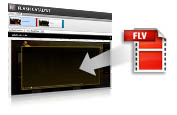
Easy online video portfolios
Create video portfolio websites and interfaces without writing code in new Adobe Flash Catalyst. Integrate video, sound effects, and dynamic media as easily as working with static artwork, and then add interactions to control their playback.

Fast, accurate keying with Ultra keyer
Experience breakthrough performance and achieve fast, accurate chroma keying even on challenging HD footage with the Ultra keyer in Adobe Premiere Pro.
Integration with CS Live onlineservices
Initiate reviews and collect client feedback on dailies, storyboards, and edited works in progress with Adobe CS Review and Acrobat.com both part of CS Live online services.
Faster multitrack audio in Soundbooth
Enjoy numerous enhancements to multitrack editing in Adobe Soundbooth CS5, and access more than 10,000 sound effects and more than 130 Soundbooth Scores for no charge.
System requirements
Mac OS
- Multicore Intel processor with 64-bit support
- Mac OS X v10.5.7 or v10.6.3; Mac OS X v10.6.3 required for GPU-accelerated performance in Adobe Premiere Pro
- 2GB of RAM (4GB or more recommended)
- 20.6GB of available hard-disk space for installation; additional free space required during installation (cannot install on a volume that uses a case-sensitive file system or on removable flash-based storage devices)
- 1280x900 display (1280x1024 recommended) with qualified hardware-accelerated OpenGL graphics card, 16-bit color, and 256MB of VRAM
- Adobe-certified GPU card for GPU-accelerated performance in Adobe Premiere Pro; visit the Adobe Premiere Pro system requirements page for the latest list of supported cards
- Some GPU-accelerated features in Adobe Photoshop require graphics support for Shader Model 3.0 and OpenGL 2.0
- 7200 RPM hard drive for editing compressed video formats; RAID 0 for uncompressed
- Core Audiocompatible sound card
- DVD-ROM drive compatible with dual-layer DVDs (SuperDrive for burning DVDs; external Blu-ray burner for creating Blu-ray Disc media)
- Java Runtime Environment 1.5 or 1.6
- QuickTime 7.6.2 software required for QuickTime features
- Adobe Flash Player 10 software required to play back DVD projects exported as SWF files
- Broadband Internet connection required for online services*
|
|
|
|
30/04
|
Adobe Creative Suite 5 (CS5) Production Premium - Mac, Retail Warning : Before Purchase Please Check OS Compatibility
What's inside
- Adobe Premiere Pro CS5
- After Effects CS5
- Photoshop CS5 Extended
- Illustrator CS5
- Flash Catalyst CS5
- Flash Professional CS5
- Soundbooth CS5
- Adobe OnLocation CS5
- Encore CS5
- Bridge CS5
- Device Central CS5
- Dynamic Link
What is Production Premium?
Conquer today's deadlines and tomorrow's challenges with Adobe Creative Suite 5 Production Premium software, the ultimate video production toolkit. Craft video productions, motion graphics, visual effects, and interactive experiences with high-performance, industry-leading creative tools. Boost your productivity with tightly integrated components that deliver breakthrough performance and smooth production workflows, giving you the power to produce engaging media for virtually any screen.
- For video editors
- For motion graphics designers/visual effects artists
For video editors
With the latest versions of Adobe's best-of-breed video, audio, and design tools, CS5 Production Premium offers enhancements that help you work more efficiently when tackling a broad spectrum of planning, production, and post-production tasks. Each component offers a familiar user interface and integrates with other components for a complete, end-to-end toolset that accelerates video editing workflows from scriptwriting through post-production.
Native 64-bit support and the new Mercury Playback Engine
Work more fluidly on HD and higher resolution projects with native 64-bit support in Adobe After Effects CS5, Photoshop CS5 Extended, and Adobe Premiere Pro CS5. The new Adobe Mercury Playback Engine speeds up effects processing and rendering in Adobe Premiere Pro.
Rich, compelling 2D and 3D images with Photoshop Extended
Export video sequences from Photoshop CS5 Extended and import them into After Effects CS5, Adobe Premiere Pro CS5, and Adobe Encore CS5. Work with new painting tools, make complex selections more easily, and create 3D logos from text, masks, or vectors.
Roundtrip editing with other NLEs
Tap the full power of Production Premium even if you favor Final Cut Pro or Avid NLEs. Move projects easily back and forth between these editors and Adobe Premiere Pro CS5.
Encoding and delivery for virtually any screen
Use Adobe Media Encoder to batch encode source files to many standards. Author once in Encore CS5 for DVDs, Blu-rayDisc media, and searchable web DVDs. Use Adobe Device Central CS5 to preview and test mobile content.
Integration with CS Live online services
Collaborate easily thanks to integration with Adobe CS Live online services*: Adobe Story, a scriptwriting tool that accelerates production and post-production; and Adobe CS Review and Acrobat.com, which enable you to initiate reviews and collect client feedback on dailies, storyboards, and edited works in progress. CS Live services are complimentary for a limited time.
Broad format support in Adobe Premiere Pro
Work with virtually any format in Adobe Premiere Pro CS5, thanks to native editing support for DV; HDV; RED; DPX; Sony XDCAM, XDCAM 50, XDCAM EX, and XDCAM HD; Panasonic P2, DVCPRO HD, AVCHD, and AVC-Intra; and Canon and Nikon DSLR cameras.
Compositing and animation tools in After Effects
Get everything you need to create blockbuster motion graphics and visual effects with After Effects CS5. Create and animate in 3D space for broadcast, film, online video, and mobile devices.
Script-to-screen workflow
Speed up production and post-production with the collaborative scriptwriting tool Adobe Story, a new CS Live online service. Integrated metadata support in Adobe Story makes it easy to create shot lists in Adobe OnLocation CS5 and rough cuts in Adobe Premiere Pro CS5.
Interactive design with Flash Professional or new Flash Catalyst
Quickly create web video portfolios and add video to interactive sites without writing code using Adobe Flash Catalyst CS5, a new interaction design tool. Easily and flexibly add video to Adobe Flash Professional CS5 projects.
Pristine audio creation in Soundbooth
Quickly accomplish everyday audio tasks without sacrificing high-quality results or creative control using Adobe Soundbooth CS5. Remove noise from a recording, polish voice-overs, customize music to fit a production, and much more.
What's new in CS5 Production Premium?
Adobe Creative Suite 5 Production Premium software ups the ante with industry-leading, breakthrough performance. Accelerate video editing and production with 64-bit optimizations and expanded tapeless support, and rotoscope in a fraction of the time. Packed with hundreds of new features, CS5 Production Premium supercharges your productivity.
- For video editors
- For motion graphics/visual effects artists
For video editors
Work more efficiently when tackling a broad spectrum of video planning, production, and post-production tasks. CS5 Production Premium offers a familiar user interface across components, which work almost seamlessly together thanks to timesaving integration, roundtrip editing, and Adobe Dynamic Link, which eliminates intermediate rendering as you refine assets between Adobe After Effects, Adobe Premiere Pro, and other components.
Industry-leading performance with the new Mercury Playback Engine
Work dramatically faster thanks to the native 64-bit, GPU-accelerated Adobe Mercury Playback Engine that provides rock-solid performance and stability, even at 4K resolution and beyond.
Faster Dynamic Link
Refine compositions and sequences by jumping between After Effects CS5 and Adobe Premiere Pro CS5 using faster performance in Dynamic Link. New memory settings make running multiple Production Premium components more efficient.
Richer, more compelling 2D and 3D images
Roundtrip editing with other NLEs
Tap the full power of Production Premium even if you favor Final Cut Pro or Avid NLEs. Move projects easily back and forth between these editors and Adobe Premiere Pro CS5.
Dozens of timesaving improvements
Boost productivity with workflow features and enhancements suggested by users like you in Adobe Premiere Pro, Photoshop Extended, and After Effects.
Flash Professional for interactive video projects
Streamline video processes with on-stage video scrubbing and a new cue points property inspector in Adobe Flash Professional.
Enhanced Adobe Media Encoder
Produce content in virtually any format, including DPX, FLV, F4V, H.264, MPEG-2, QT, WM, and more.
Intuitive perspective drawing
Automatically generate perspective grids for 1-, 2- or 3-point linear perspectives in Adobe Illustrator CS5, complete with controls for horizon lines and vanishing points. Artwork automatically draws in the visual dimensions set by the Perspective Grid.
Native 64-bit support in AfterEffects
Work more easily with complex high-resolution projects and see longer RAM previews thanks to native 64-bit operating system support in After Effects. Enhanced disk caching allows you to spend less time waiting and more time creating.
Expanded tapeless support
Edit tapeless and DSLR media formats natively using the industry-leading tapeless workflow in Adobe Premiere Pro. You never waste valuable production time transcoding or rewrapping, and you always have access to the original file's pristine quality.
Roto Brush
Isolate moving foreground elements from their backgrounds in fewer steps using the Roto Brush in After Effects, automatically creating transparency around foreground elements.
Script-to-screen workflow
Speed up production and post-production with the collaborative scriptwriting tool Adobe Story, a new Adobe CS Live online service.* Integrated metadata support in Adobe Story makes it easy to create shot lists in Adobe OnLocation CS5 and rough cuts in Adobe Premiere Pro CS5. CS Live services are complimentary for a limited time.
Easy online video portfolios
Create video portfolio websites and interfaces without writing code in new Adobe Flash Catalyst. Integrate video, sound effects, and dynamic media as easily as working with static artwork, and then add interactions to control their playback.
Fast, accurate keying with Ultra keyer
Experience breakthrough performance and achieve fast, accurate chroma keying even on challenging HD footage with the Ultra keyer in Adobe Premiere Pro.
Integration with CS Live onlineservices
Initiate reviews and collect client feedback on dailies, storyboards, and edited works in progress with Adobe CS Review and Acrobat.com both part of CS Live online services.
Faster multitrack audio in Soundbooth
Enjoy numerous enhancements to multitrack editing in Adobe Soundbooth CS5, and access more than 10,000 sound effects and more than 130 Soundbooth Scores for no charge.
System requirements
Mac OS
- Multicore Intel processor with 64-bit support
- Mac OS X v10.5.7 or v10.6.3; Mac OS X v10.6.3 required for GPU-accelerated performance in Adobe Premiere Pro
- 2GB of RAM (4GB or more recommended)
- 20.6GB of available hard-disk space for installation; additional free space required during installation (cannot install on a volume that uses a case-sensitive file system or on removable flash-based storage devices)
- 1280x900 display (1280x1024 recommended) with qualified hardware-accelerated OpenGL graphics card, 16-bit color, and 256MB of VRAM
- Adobe-certified GPU card for GPU-accelerated performance in Adobe Premiere Pro; visit the Adobe Premiere Pro system requirements page for the latest list of supported cards
- Some GPU-accelerated features in Adobe Photoshop require graphics support for Shader Model 3.0 and OpenGL 2.0
- 7200 RPM hard drive for editing compressed video formats; RAID 0 for uncompressed
- Core Audiocompatible sound card
- DVD-ROM drive compatible with dual-layer DVDs (SuperDrive for burning DVDs; external Blu-ray burner for creating Blu-ray Disc media)
- Java Runtime Environment 1.5 or 1.6
- QuickTime 7.6.2 software required for QuickTime features
- Adobe Flash Player 10 software required to play back DVD projects exported as SWF files
- Broadband Internet connection required for online services*
|
|
|
|
30/04
|
Adobe Creative Suite 5 (CS5) Production Premium - Windows, Educational Only Warning : Before Purchase Please Check OS Compatibility
What's inside
- Adobe Premiere Pro CS5
- After Effects CS5
- Photoshop CS5 Extended
- Illustrator CS5
- Flash Catalyst CS5
- Flash Professional CS5
- Soundbooth CS5
- Adobe OnLocation CS5
- Encore CS5
- Bridge CS5
- Device Central CS5
- Dynamic Link
What is Production Premium?
Conquer today's deadlines and tomorrow's challenges with Adobe Creative Suite 5 Production Premium software, the ultimate video production toolkit. Craft video productions, motion graphics, visual effects, and interactive experiences with high-performance, industry-leading creative tools. Boost your productivity with tightly integrated components that deliver breakthrough performance and smooth production workflows, giving you the power to produce engaging media for virtually any screen.
- For video editors
- For motion graphics designers/visual effects artists
For video editors
With the latest versions of Adobe's best-of-breed video, audio, and design tools, CS5 Production Premium offers enhancements that help you work more efficiently when tackling a broad spectrum of planning, production, and post-production tasks. Each component offers a familiar user interface and integrates with other components for a complete, end-to-end toolset that accelerates video editing workflows from scriptwriting through post-production.
Native 64-bit support and the new Mercury Playback Engine
Work more fluidly on HD and higher resolution projects with native 64-bit support in Adobe After Effects CS5, Photoshop CS5 Extended, and Adobe Premiere Pro CS5. The new Adobe Mercury Playback Engine speeds up effects processing and rendering in Adobe Premiere Pro.
Rich, compelling 2D and 3D images with Photoshop Extended
Export video sequences from Photoshop CS5 Extended and import them into After Effects CS5, Adobe Premiere Pro CS5, and Adobe Encore CS5. Work with new painting tools, make complex selections more easily, and create 3D logos from text, masks, or vectors.
Roundtrip editing with other NLEs
Tap the full power of Production Premium even if you favor Final Cut Pro or Avid NLEs. Move projects easily back and forth between these editors and Adobe Premiere Pro CS5.
Encoding and delivery for virtually any screen
Use Adobe Media Encoder to batch encode source files to many standards. Author once in Encore CS5 for DVDs, Blu-rayDisc media, and searchable web DVDs. Use Adobe Device Central CS5 to preview and test mobile content.
Integration with CS Live online services
Collaborate easily thanks to integration with Adobe CS Live online services*: Adobe Story, a scriptwriting tool that accelerates production and post-production; and Adobe CS Review and Acrobat.com, which enable you to initiate reviews and collect client feedback on dailies, storyboards, and edited works in progress. CS Live services are complimentary for a limited time.
Broad format support in Adobe Premiere Pro
Work with virtually any format in Adobe Premiere Pro CS5, thanks to native editing support for DV; HDV; RED; DPX; Sony XDCAM, XDCAM 50, XDCAM EX, and XDCAM HD; Panasonic P2, DVCPRO HD, AVCHD, and AVC-Intra; and Canon and Nikon DSLR cameras.
Compositing and animation tools in After Effects
Get everything you need to create blockbuster motion graphics and visual effects with After Effects CS5. Create and animate in 3D space for broadcast, film, online video, and mobile devices.
Script-to-screen workflow
Speed up production and post-production with the collaborative scriptwriting tool Adobe Story, a new CS Live online service. Integrated metadata support in Adobe Story makes it easy to create shot lists in Adobe OnLocation CS5 and rough cuts in Adobe Premiere Pro CS5.
Interactive design with Flash Professional or new Flash Catalyst
Quickly create web video portfolios and add video to interactive sites without writing code using Adobe Flash Catalyst CS5, a new interaction design tool. Easily and flexibly add video to Adobe Flash Professional CS5 projects.
Pristine audio creation in Soundbooth
Quickly accomplish everyday audio tasks without sacrificing high-quality results or creative control using Adobe Soundbooth CS5. Remove noise from a recording, polish voice-overs, customize music to fit a production, and much more.
What's new in CS5 Production Premium?
Adobe Creative Suite 5 Production Premium software ups the ante with industry-leading, breakthrough performance. Accelerate video editing and production with 64-bit optimizations and expanded tapeless support, and rotoscope in a fraction of the time. Packed with hundreds of new features, CS5 Production Premium supercharges your productivity.
- For video editors
- For motion graphics/visual effects artists
For video editors
Work more efficiently when tackling a broad spectrum of video planning, production, and post-production tasks. CS5 Production Premium offers a familiar user interface across components, which work almost seamlessly together thanks to timesaving integration, roundtrip editing, and Adobe Dynamic Link, which eliminates intermediate rendering as you refine assets between Adobe After Effects, Adobe Premiere Pro, and other components.
Industry-leading performance with the new Mercury Playback Engine
Work dramatically faster thanks to the native 64-bit, GPU-accelerated Adobe Mercury Playback Engine that provides rock-solid performance and stability, even at 4K resolution and beyond.
Faster Dynamic Link
Refine compositions and sequences by jumping between After Effects CS5 and Adobe Premiere Pro CS5 using faster performance in Dynamic Link. New memory settings make running multiple Production Premium components more efficient.
Richer, more compelling 2D and 3D images
Roundtrip editing with other NLEs
Tap the full power of Production Premium even if you favor Final Cut Pro or Avid NLEs. Move projects easily back and forth between these editors and Adobe Premiere Pro CS5.
Dozens of timesaving improvements
Boost productivity with workflow features and enhancements suggested by users like you in Adobe Premiere Pro, Photoshop Extended, and After Effects.
Flash Professional for interactive video projects
Streamline video processes with on-stage video scrubbing and a new cue points property inspector in Adobe Flash Professional.
Enhanced Adobe Media Encoder
Produce content in virtually any format, including DPX, FLV, F4V, H.264, MPEG-2, QT, WM, and more.
Intuitive perspective drawing
Automatically generate perspective grids for 1-, 2- or 3-point linear perspectives in Adobe Illustrator CS5, complete with controls for horizon lines and vanishing points. Artwork automatically draws in the visual dimensions set by the Perspective Grid.
Native 64-bit support in AfterEffects
Work more easily with complex high-resolution projects and see longer RAM previews thanks to native 64-bit operating system support in After Effects. Enhanced disk caching allows you to spend less time waiting and more time creating.
Expanded tapeless support
Edit tapeless and DSLR media formats natively using the industry-leading tapeless workflow in Adobe Premiere Pro. You never waste valuable production time transcoding or rewrapping, and you always have access to the original file's pristine quality.
Roto Brush
Isolate moving foreground elements from their backgrounds in fewer steps using the Roto Brush in After Effects, automatically creating transparency around foreground elements.
Script-to-screen workflow
Speed up production and post-production with the collaborative scriptwriting tool Adobe Story, a new Adobe CS Live online service.* Integrated metadata support in Adobe Story makes it easy to create shot lists in Adobe OnLocation CS5 and rough cuts in Adobe Premiere Pro CS5. CS Live services are complimentary for a limited time.
Easy online video portfolios
Create video portfolio websites and interfaces without writing code in new Adobe Flash Catalyst. Integrate video, sound effects, and dynamic media as easily as working with static artwork, and then add interactions to control their playback.
Fast, accurate keying with Ultra keyer
Experience breakthrough performance and achieve fast, accurate chroma keying even on challenging HD footage with the Ultra keyer in Adobe Premiere Pro.
Integration with CS Live onlineservices
Initiate reviews and collect client feedback on dailies, storyboards, and edited works in progress with Adobe CS Review and Acrobat.com both part of CS Live online services.
Faster multitrack audio in Soundbooth
Enjoy numerous enhancements to multitrack editing in Adobe Soundbooth CS5, and access more than 10,000 sound effects and more than 130 Soundbooth Scores for no charge.
System requirements
Windows
- 64-bit support required: Intel Pentium 4 or AMD Athlon 64 processor (Intel Core2 Duo or AMD Phenom II recommended); Intel Core 2 Duo or AMD Phenom II required for Adobe Premiere Pro
- 64-bit operating system required: Microsoft Windows Vista Home Premium, Business, Ultimate, or Enterprise with Service Pack 1 (Service Pack 2 recommended) or Windows 7
- 2GB of RAM (4GB or more recommended)
- 16.3GB of available hard-disk space for installation; additional free space required during installation (cannot install on removable flash-based storage devices)
- 1280x900 display (1280x1024 recommended) with qualified hardware-accelerated OpenGL graphics card, 16-bit color, and 256MB of VRAM
- Adobe-certified GPU card for GPU-accelerated performance in Adobe Premiere Pro; visit the Adobe Premiere Pro system requirements page for the latest list of supported cards
- Some GPU-accelerated features in Adobe Photoshop require graphics support for Shader Model 3.0 and OpenGL 2.0
- Some features in Adobe Bridge rely on a DirectX 9capable graphics card with at least 64MB of VRAM
- 7200 RPM hard drive for editing compressed video formats; RAID 0 for uncompressed
- Adobe-certified card for capture and export to tape for SD/HD workflows
- OHCI-compatible IEEE 1394 port for DV and HDV capture, export to tape, and transmit to DV device
- Sound card compatible with ASIO protocol or Microsoft Windows Driver Model
- DVD-ROM drive compatible with dual-layer DVDs (DVD+-R burner for burning DVDs; Blu-ray burner for creating Blu-ray Disc media)
- Java Runtime Environment 1.5 (32 bit) or 1.6
- QuickTime 7.6.2 software required for QuickTime features
- Adobe Flash Player 10 software required to play back DVD projects exported as SWF files
- Broadband Internet connection required for online services*
|
|
|
|
30/04
|
Adobe Creative Suite 5 (CS5) Production Premium - Windows, Retail Warning : Before Purchase Please Check OS Compatibility
What's inside
- Adobe Premiere Pro CS5
- After Effects CS5
- Photoshop CS5 Extended
- Illustrator CS5
- Flash Catalyst CS5
- Flash Professional CS5
- Soundbooth CS5
- Adobe OnLocation CS5
- Encore CS5
- Bridge CS5
- Device Central CS5
- Dynamic Link
What is Production Premium?
Conquer today's deadlines and tomorrow's challenges with Adobe Creative Suite 5 Production Premium software, the ultimate video production toolkit. Craft video productions, motion graphics, visual effects, and interactive experiences with high-performance, industry-leading creative tools. Boost your productivity with tightly integrated components that deliver breakthrough performance and smooth production workflows, giving you the power to produce engaging media for virtually any screen.
- For video editors
- For motion graphics designers/visual effects artists
For video editors
With the latest versions of Adobe's best-of-breed video, audio, and design tools, CS5 Production Premium offers enhancements that help you work more efficiently when tackling a broad spectrum of planning, production, and post-production tasks. Each component offers a familiar user interface and integrates with other components for a complete, end-to-end toolset that accelerates video editing workflows from scriptwriting through post-production.
Native 64-bit support and the new Mercury Playback Engine
Work more fluidly on HD and higher resolution projects with native 64-bit support in Adobe After Effects CS5, Photoshop CS5 Extended, and Adobe Premiere Pro CS5. The new Adobe Mercury Playback Engine speeds up effects processing and rendering in Adobe Premiere Pro.
Rich, compelling 2D and 3D images with Photoshop Extended
Export video sequences from Photoshop CS5 Extended and import them into After Effects CS5, Adobe Premiere Pro CS5, and Adobe Encore CS5. Work with new painting tools, make complex selections more easily, and create 3D logos from text, masks, or vectors.
Roundtrip editing with other NLEs
Tap the full power of Production Premium even if you favor Final Cut Pro or Avid NLEs. Move projects easily back and forth between these editors and Adobe Premiere Pro CS5.
Encoding and delivery for virtually any screen
Use Adobe Media Encoder to batch encode source files to many standards. Author once in Encore CS5 for DVDs, Blu-rayDisc media, and searchable web DVDs. Use Adobe Device Central CS5 to preview and test mobile content.
Integration with CS Live online services
Collaborate easily thanks to integration with Adobe CS Live online services*: Adobe Story, a scriptwriting tool that accelerates production and post-production; and Adobe CS Review and Acrobat.com, which enable you to initiate reviews and collect client feedback on dailies, storyboards, and edited works in progress. CS Live services are complimentary for a limited time.
Broad format support in Adobe Premiere Pro
Work with virtually any format in Adobe Premiere Pro CS5, thanks to native editing support for DV; HDV; RED; DPX; Sony XDCAM, XDCAM 50, XDCAM EX, and XDCAM HD; Panasonic P2, DVCPRO HD, AVCHD, and AVC-Intra; and Canon and Nikon DSLR cameras.
Compositing and animation tools in After Effects
Get everything you need to create blockbuster motion graphics and visual effects with After Effects CS5. Create and animate in 3D space for broadcast, film, online video, and mobile devices.
Script-to-screen workflow
Speed up production and post-production with the collaborative scriptwriting tool Adobe Story, a new CS Live online service. Integrated metadata support in Adobe Story makes it easy to create shot lists in Adobe OnLocation CS5 and rough cuts in Adobe Premiere Pro CS5.
Interactive design with Flash Professional or new Flash Catalyst
Quickly create web video portfolios and add video to interactive sites without writing code using Adobe Flash Catalyst CS5, a new interaction design tool. Easily and flexibly add video to Adobe Flash Professional CS5 projects.
Pristine audio creation in Soundbooth
Quickly accomplish everyday audio tasks without sacrificing high-quality results or creative control using Adobe Soundbooth CS5. Remove noise from a recording, polish voice-overs, customize music to fit a production, and much more.
What's new in CS5 Production Premium?
Adobe Creative Suite 5 Production Premium software ups the ante with industry-leading, breakthrough performance. Accelerate video editing and production with 64-bit optimizations and expanded tapeless support, and rotoscope in a fraction of the time. Packed with hundreds of new features, CS5 Production Premium supercharges your productivity.
- For video editors
- For motion graphics/visual effects artists
For video editors
Work more efficiently when tackling a broad spectrum of video planning, production, and post-production tasks. CS5 Production Premium offers a familiar user interface across components, which work almost seamlessly together thanks to timesaving integration, roundtrip editing, and Adobe Dynamic Link, which eliminates intermediate rendering as you refine assets between Adobe After Effects, Adobe Premiere Pro, and other components.
Industry-leading performance with the new Mercury Playback Engine
Work dramatically faster thanks to the native 64-bit, GPU-accelerated Adobe Mercury Playback Engine that provides rock-solid performance and stability, even at 4K resolution and beyond.
Faster Dynamic Link
Refine compositions and sequences by jumping between After Effects CS5 and Adobe Premiere Pro CS5 using faster performance in Dynamic Link. New memory settings make running multiple Production Premium components more efficient.
Richer, more compelling 2D and 3D images
Roundtrip editing with other NLEs
Tap the full power of Production Premium even if you favor Final Cut Pro or Avid NLEs. Move projects easily back and forth between these editors and Adobe Premiere Pro CS5.
Dozens of timesaving improvements
Boost productivity with workflow features and enhancements suggested by users like you in Adobe Premiere Pro, Photoshop Extended, and After Effects.
Flash Professional for interactive video projects
Streamline video processes with on-stage video scrubbing and a new cue points property inspector in Adobe Flash Professional.
Enhanced Adobe Media Encoder
Produce content in virtually any format, including DPX, FLV, F4V, H.264, MPEG-2, QT, WM, and more.
Intuitive perspective drawing
Automatically generate perspective grids for 1-, 2- or 3-point linear perspectives in Adobe Illustrator CS5, complete with controls for horizon lines and vanishing points. Artwork automatically draws in the visual dimensions set by the Perspective Grid.
Native 64-bit support in AfterEffects
Work more easily with complex high-resolution projects and see longer RAM previews thanks to native 64-bit operating system support in After Effects. Enhanced disk caching allows you to spend less time waiting and more time creating.
Expanded tapeless support
Edit tapeless and DSLR media formats natively using the industry-leading tapeless workflow in Adobe Premiere Pro. You never waste valuable production time transcoding or rewrapping, and you always have access to the original file's pristine quality.
Roto Brush
Isolate moving foreground elements from their backgrounds in fewer steps using the Roto Brush in After Effects, automatically creating transparency around foreground elements.
Script-to-screen workflow
Speed up production and post-production with the collaborative scriptwriting tool Adobe Story, a new Adobe CS Live online service.* Integrated metadata support in Adobe Story makes it easy to create shot lists in Adobe OnLocation CS5 and rough cuts in Adobe Premiere Pro CS5. CS Live services are complimentary for a limited time.
Easy online video portfolios
Create video portfolio websites and interfaces without writing code in new Adobe Flash Catalyst. Integrate video, sound effects, and dynamic media as easily as working with static artwork, and then add interactions to control their playback.
Fast, accurate keying with Ultra keyer
Experience breakthrough performance and achieve fast, accurate chroma keying even on challenging HD footage with the Ultra keyer in Adobe Premiere Pro.
Integration with CS Live onlineservices
Initiate reviews and collect client feedback on dailies, storyboards, and edited works in progress with Adobe CS Review and Acrobat.com both part of CS Live online services.
Faster multitrack audio in Soundbooth
Enjoy numerous enhancements to multitrack editing in Adobe Soundbooth CS5, and access more than 10,000 sound effects and more than 130 Soundbooth Scores for no charge.
System requirements
Windows
- 64-bit support required: Intel Pentium 4 or AMD Athlon 64 processor (Intel Core2 Duo or AMD Phenom II recommended); Intel Core 2 Duo or AMD Phenom II required for Adobe Premiere Pro
- 64-bit operating system required: Microsoft Windows Vista Home Premium, Business, Ultimate, or Enterprise with Service Pack 1 (Service Pack 2 recommended) or Windows 7
- 2GB of RAM (4GB or more recommended)
- 16.3GB of available hard-disk space for installation; additional free space required during installation (cannot install on removable flash-based storage devices)
- 1280x900 display (1280x1024 recommended) with qualified hardware-accelerated OpenGL graphics card, 16-bit color, and 256MB of VRAM
- Adobe-certified GPU card for GPU-accelerated performance in Adobe Premiere Pro; visit the Adobe Premiere Pro system requirements page for the latest list of supported cards
- Some GPU-accelerated features in Adobe Photoshop require graphics support for Shader Model 3.0 and OpenGL 2.0
- Some features in Adobe Bridge rely on a DirectX 9capable graphics card with at least 64MB of VRAM
- 7200 RPM hard drive for editing compressed video formats; RAID 0 for uncompressed
- Adobe-certified card for capture and export to tape for SD/HD workflows
- OHCI-compatible IEEE 1394 port for DV and HDV capture, export to tape, and transmit to DV device
- Sound card compatible with ASIO protocol or Microsoft Windows Driver Model
- DVD-ROM drive compatible with dual-layer DVDs (DVD+-R burner for burning DVDs; Blu-ray burner for creating Blu-ray Disc media)
- Java Runtime Environment 1.5 (32 bit) or 1.6
- QuickTime 7.6.2 software required for QuickTime features
- Adobe Flash Player 10 software required to play back DVD projects exported as SWF files
- Broadband Internet connection required for online services*
|
|
|
|
30/04
|
Adobe Creative Suite 5 (CS5) Design Standard - Mac, Educational Only Warning : Before Purchase Please Check OS Compatibility
What's inside
- Photoshop CS5
- Illustrator CS5
- InDesign CS5
- Acrobat 9 Pro
- Bridge CS5
- Device Central CS5
What is Design Standard?
Adobe Creative Suite 5 Design Standard is tightly integrated professional software for delivering distinctive print design in marketing collateral, magazines, books, packaging, and more. Achieve exceptional quality even under the tightest deadlines.
Comprehensive toolset for print design and production
Express even your most innovative creative visions in print using tightly integrated software for moving fluidly and confidently from inspiration to output. Accelerate creative reviews with new Adobe CS Live online services* that integrate with Design Standard. CS Live services are complimentary for a limited time.
Sophisticated vector graphics
Craft compelling graphics with Adobe Illustrator CS5, the vector-drawing environment used by design professionals worldwide. Experiment freely and quickly to achieve the look you want for illustrations, creative effects, typography, and color.
Professional page layout
Lay out stunning pages faster and more efficiently in Adobe InDesign CS5 with an intuitive design environment, precise typographic controls, built-in creative tools and effects, robust preflight capabilities, and a host of productivity features.
Integration with CS Live online services
Bring creative reviews directly into your design workflow using new Adobe CS Review, part of CS Live online services. Initiate a quick online review from within Adobe Photoshop CS5, Illustrator CS5, or InDesign CS5. Reviewers comment in their browser using simple annotation tools, and you view comments in the context of your work making it much easier to match each comment to the right design element.
Sophisticated typography
Easily compose beautiful type for page layouts, images, and illustrations using robust styles in InDesign CS5 and Illustrator CS5, along with a host of advanced typographic controls for creativity and precision.
Breakthrough image editing
Create compelling digital images with Photoshop CS5, the industry standard in digital imaging. Use versatile brush tools to paint with realistic strokes, precise selection tools to make exacting refinements, and a wide range of workflow and performance enhancements to accelerate everyday tasks.
Adobe PDF creation, editing, and delivery
Prepare files for high-end print production with confidence using Adobe Acrobat 9 Pro. End-to-end PDF workflows share common technology to generate, preview, and print PDF files, enabling consistently high-quality output.
Comprehensive preflight and production
Use robust preflight features in Acrobat 9 Pro to check files for high-end print publishing. Catch production glitches as you lay out pages, avoid color output surprises in graphics, and apply output presets in order to reliably meet exacting production standards and minimize costly errors.
Faster performance
Perform daytoday imaging tasks faster and process very large images at least ten times faster in Photoshop CS5. (Requires a 64-bit capable computer with a 64-bit version of Mac OS, Microsoft Windows 7, or Windows Vista. Actual performance increase will vary depending on the drivers you have installed, the feature you're using, and other factors.)
Built-in creative tools and effects
Explore artistic possibilities with built-in Photoshop effects, nondestructive effects, and finer transparency controls in InDesign CS5. Create or modify images with brush tools and paint settings in Photoshop CS5. Sketch naturally and draw in accurate perspective in Illustrator CS5.
What's new in CS5 Design Standard
Adobe Creative Suite 5 Design Standard software offers a host of productivity features for print design, including more precise image selection in Adobe Photoshop, enhanced object editing in Adobe InDesign, and perspective drawing in Adobe Illustrator. Revolutionize everyday creative work with innovative painting tools in Photoshop and Illustrator, and accelerate creative reviews thanks to integration with Adobe CS Live online services.* CS Live services are complimentary for a limited time.
Complex image selection made easy
Enjoy faster, more precise edge detection in Photoshop CS5, even when selecting tricky image elements such as hair.
Innovative painting tools
Revolutionize everyday creative work using tools in Photoshop CS5 and Illustrator CS5 that mimic real brushes and paints.
Production and printing tools
Find and place files fast by using the new Adobe Mini Bridge panel accessible from within InDesign CS5 and Photoshop CS5. Export large PDF files in the background, and eliminate font-related production problems using document-installed fonts in InDesign.
Faster, more precise drawing tools
Draw in accurate perspective, and dynamically finesse the details of strokes, arrowheads, and dashes using few steps in Illustrator CS5.
Accelerated creative reviews
Bring creative reviews directly into your design workflow. Initiate reviews and receive comments from within your design software using Adobe CS Review, part of CS Live online services.
Simplified object selection and editing
Perform repetitive layout tasks efficiently using new and enhanced tools and on-object controls in InDesign CS5.
Resolution-independent effects
In Illustrator CS5, apply drop shadows, glows, blurs, and textures that maintain a consistent appearance at different resolutions throughout the design process.
Powerful new text features
In InDesign CS5, take advantage of efficiencies such as the Track Text Changes feature and paragraphs that span and split columns.
Multiple page sizes in a single InDesign file
Include different page sizes in a single InDesign CS5 document and apply the same master page to different-sized layouts.
Faster performance
Perform daytoday imaging tasks faster and process very large images at least ten times faster in Photoshop CS5. (Requires a 64-bit capable computer with a 64-bit version of Mac OS, Microsoft Windows 7, or Windows Vista. Actual performance increase will vary depending on the drivers you have installed, the feature you're using, and other factors.)
Mac OS
- Multicore Intel processor
- Mac OS X v10.5.7 or v10.6
- 1GB of RAM or more recommended
- 8.2GB of available hard-disk space for installation; additional free space required during installation (cannot install on a volume that uses a case-sensitive file system or on removable flash-based storage devices)
- 1024x768 display (1280x800 recommended) with qualified hardware-accelerated OpenGL graphics card, 16-bit color, and 256MB of VRAM
- Some GPU-accelerated features require graphics support for Shader Model 3.0 and OpenGL 2.0
- DVD-ROM drive compatible with dual-layer DVDs
- QuickTime 7.6.2 software required for multimedia features
- Adobe Flash Player 10 software required to export SWF files
- Broadband Internet connection required for online services*
|
|
|
|
30/04
|
Adobe Creative Suite 5 (CS5) Design Standard - Mac, Retail Warning : Before Purchase Please Check OS Compatibility
What's inside
- Photoshop CS5
- Illustrator CS5
- InDesign CS5
- Acrobat 9 Pro
- Bridge CS5
- Device Central CS5
What is Design Standard?
Adobe Creative Suite 5 Design Standard is tightly integrated professional software for delivering distinctive print design in marketing collateral, magazines, books, packaging, and more. Achieve exceptional quality even under the tightest deadlines.
Comprehensive toolset for print design and production
Express even your most innovative creative visions in print using tightly integrated software for moving fluidly and confidently from inspiration to output. Accelerate creative reviews with new Adobe CS Live online services* that integrate with Design Standard. CS Live services are complimentary for a limited time.
Sophisticated vector graphics
Craft compelling graphics with Adobe Illustrator CS5, the vector-drawing environment used by design professionals worldwide. Experiment freely and quickly to achieve the look you want for illustrations, creative effects, typography, and color.
Professional page layout
Lay out stunning pages faster and more efficiently in Adobe InDesign CS5 with an intuitive design environment, precise typographic controls, built-in creative tools and effects, robust preflight capabilities, and a host of productivity features.
Integration with CS Live online services
Bring creative reviews directly into your design workflow using new Adobe CS Review, part of CS Live online services. Initiate a quick online review from within Adobe Photoshop CS5, Illustrator CS5, or InDesign CS5. Reviewers comment in their browser using simple annotation tools, and you view comments in the context of your work making it much easier to match each comment to the right design element.
Sophisticated typography
Easily compose beautiful type for page layouts, images, and illustrations using robust styles in InDesign CS5 and Illustrator CS5, along with a host of advanced typographic controls for creativity and precision.
Breakthrough image editing
Create compelling digital images with Photoshop CS5, the industry standard in digital imaging. Use versatile brush tools to paint with realistic strokes, precise selection tools to make exacting refinements, and a wide range of workflow and performance enhancements to accelerate everyday tasks.
Adobe PDF creation, editing, and delivery
Prepare files for high-end print production with confidence using Adobe Acrobat 9 Pro. End-to-end PDF workflows share common technology to generate, preview, and print PDF files, enabling consistently high-quality output.
Comprehensive preflight and production
Use robust preflight features in Acrobat 9 Pro to check files for high-end print publishing. Catch production glitches as you lay out pages, avoid color output surprises in graphics, and apply output presets in order to reliably meet exacting production standards and minimize costly errors.
Faster performance
Perform daytoday imaging tasks faster and process very large images at least ten times faster in Photoshop CS5. (Requires a 64-bit capable computer with a 64-bit version of Mac OS, Microsoft Windows 7, or Windows Vista. Actual performance increase will vary depending on the drivers you have installed, the feature you're using, and other factors.)
Built-in creative tools and effects
Explore artistic possibilities with built-in Photoshop effects, nondestructive effects, and finer transparency controls in InDesign CS5. Create or modify images with brush tools and paint settings in Photoshop CS5. Sketch naturally and draw in accurate perspective in Illustrator CS5.
What's new in CS5 Design Standard
Adobe Creative Suite 5 Design Standard software offers a host of productivity features for print design, including more precise image selection in Adobe Photoshop, enhanced object editing in Adobe InDesign, and perspective drawing in Adobe Illustrator. Revolutionize everyday creative work with innovative painting tools in Photoshop and Illustrator, and accelerate creative reviews thanks to integration with Adobe CS Live online services.* CS Live services are complimentary for a limited time.
Complex image selection made easy
Enjoy faster, more precise edge detection in Photoshop CS5, even when selecting tricky image elements such as hair.
Innovative painting tools
Revolutionize everyday creative work using tools in Photoshop CS5 and Illustrator CS5 that mimic real brushes and paints.
Production and printing tools
Find and place files fast by using the new Adobe Mini Bridge panel accessible from within InDesign CS5 and Photoshop CS5. Export large PDF files in the background, and eliminate font-related production problems using document-installed fonts in InDesign.
Faster, more precise drawing tools
Draw in accurate perspective, and dynamically finesse the details of strokes, arrowheads, and dashes using few steps in Illustrator CS5.
Accelerated creative reviews
Bring creative reviews directly into your design workflow. Initiate reviews and receive comments from within your design software using Adobe CS Review, part of CS Live online services.
Simplified object selection and editing
Perform repetitive layout tasks efficiently using new and enhanced tools and on-object controls in InDesign CS5.
Resolution-independent effects
In Illustrator CS5, apply drop shadows, glows, blurs, and textures that maintain a consistent appearance at different resolutions throughout the design process.
Powerful new text features
In InDesign CS5, take advantage of efficiencies such as the Track Text Changes feature and paragraphs that span and split columns.
Multiple page sizes in a single InDesign file
Include different page sizes in a single InDesign CS5 document and apply the same master page to different-sized layouts.
Faster performance
Perform daytoday imaging tasks faster and process very large images at least ten times faster in Photoshop CS5. (Requires a 64-bit capable computer with a 64-bit version of Mac OS, Microsoft Windows 7, or Windows Vista. Actual performance increase will vary depending on the drivers you have installed, the feature you're using, and other factors.)
Mac OS
- Multicore Intel processor
- Mac OS X v10.5.7 or v10.6
- 1GB of RAM or more recommended
- 8.2GB of available hard-disk space for installation; additional free space required during installation (cannot install on a volume that uses a case-sensitive file system or on removable flash-based storage devices)
- 1024x768 display (1280x800 recommended) with qualified hardware-accelerated OpenGL graphics card, 16-bit color, and 256MB of VRAM
- Some GPU-accelerated features require graphics support for Shader Model 3.0 and OpenGL 2.0
- DVD-ROM drive compatible with dual-layer DVDs
- QuickTime 7.6.2 software required for multimedia features
- Adobe Flash Player 10 software required to export SWF files
- Broadband Internet connection required for online services*
|
|
|
|
30/04
|
Adobe Creative Suite 5 (CS5) Design Standard - Windows, Educational Only Warning : Before Purchase Please Check OS Compatibility
What's inside
- Photoshop CS5
- Illustrator CS5
- InDesign CS5
- Acrobat 9 Pro
- Bridge CS5
- Device Central CS5
What is Design Standard?
Adobe Creative Suite 5 Design Standard is tightly integrated professional software for delivering distinctive print design in marketing collateral, magazines, books, packaging, and more. Achieve exceptional quality even under the tightest deadlines.
Comprehensive toolset for print design and production
Express even your most innovative creative visions in print using tightly integrated software for moving fluidly and confidently from inspiration to output. Accelerate creative reviews with new Adobe CS Live online services* that integrate with Design Standard. CS Live services are complimentary for a limited time.
Sophisticated vector graphics
Craft compelling graphics with Adobe Illustrator CS5, the vector-drawing environment used by design professionals worldwide. Experiment freely and quickly to achieve the look you want for illustrations, creative effects, typography, and color.
Professional page layout
Lay out stunning pages faster and more efficiently in Adobe InDesign CS5 with an intuitive design environment, precise typographic controls, built-in creative tools and effects, robust preflight capabilities, and a host of productivity features.
Integration with CS Live online services
Bring creative reviews directly into your design workflow using new Adobe CS Review, part of CS Live online services. Initiate a quick online review from within Adobe Photoshop CS5, Illustrator CS5, or InDesign CS5. Reviewers comment in their browser using simple annotation tools, and you view comments in the context of your work making it much easier to match each comment to the right design element.
Sophisticated typography
Easily compose beautiful type for page layouts, images, and illustrations using robust styles in InDesign CS5 and Illustrator CS5, along with a host of advanced typographic controls for creativity and precision.
Breakthrough image editing
Create compelling digital images with Photoshop CS5, the industry standard in digital imaging. Use versatile brush tools to paint with realistic strokes, precise selection tools to make exacting refinements, and a wide range of workflow and performance enhancements to accelerate everyday tasks.
Adobe PDF creation, editing, and delivery
Prepare files for high-end print production with confidence using Adobe Acrobat 9 Pro. End-to-end PDF workflows share common technology to generate, preview, and print PDF files, enabling consistently high-quality output.
Comprehensive preflight and production
Use robust preflight features in Acrobat 9 Pro to check files for high-end print publishing. Catch production glitches as you lay out pages, avoid color output surprises in graphics, and apply output presets in order to reliably meet exacting production standards and minimize costly errors.
Faster performance
Perform daytoday imaging tasks faster and process very large images at least ten times faster in Photoshop CS5. (Requires a 64-bit capable computer with a 64-bit version of Mac OS, Microsoft Windows 7, or Windows Vista. Actual performance increase will vary depending on the drivers you have installed, the feature you're using, and other factors.)
Built-in creative tools and effects
Explore artistic possibilities with built-in Photoshop effects, nondestructive effects, and finer transparency controls in InDesign CS5. Create or modify images with brush tools and paint settings in Photoshop CS5. Sketch naturally and draw in accurate perspective in Illustrator CS5.
What's new in CS5 Design Standard
Adobe Creative Suite 5 Design Standard software offers a host of productivity features for print design, including more precise image selection in Adobe Photoshop, enhanced object editing in Adobe InDesign, and perspective drawing in Adobe Illustrator. Revolutionize everyday creative work with innovative painting tools in Photoshop and Illustrator, and accelerate creative reviews thanks to integration with Adobe CS Live online services.* CS Live services are complimentary for a limited time.
Complex image selection made easy
Enjoy faster, more precise edge detection in Photoshop CS5, even when selecting tricky image elements such as hair.
Innovative painting tools
Revolutionize everyday creative work using tools in Photoshop CS5 and Illustrator CS5 that mimic real brushes and paints.
Production and printing tools
Find and place files fast by using the new Adobe Mini Bridge panel accessible from within InDesign CS5 and Photoshop CS5. Export large PDF files in the background, and eliminate font-related production problems using document-installed fonts in InDesign.
Faster, more precise drawing tools
Draw in accurate perspective, and dynamically finesse the details of strokes, arrowheads, and dashes using few steps in Illustrator CS5.
Accelerated creative reviews
Bring creative reviews directly into your design workflow. Initiate reviews and receive comments from within your design software using Adobe CS Review, part of CS Live online services.
Simplified object selection and editing
Perform repetitive layout tasks efficiently using new and enhanced tools and on-object controls in InDesign CS5.
Resolution-independent effects
In Illustrator CS5, apply drop shadows, glows, blurs, and textures that maintain a consistent appearance at different resolutions throughout the design process.
Powerful new text features
In InDesign CS5, take advantage of efficiencies such as the Track Text Changes feature and paragraphs that span and split columns.
Multiple page sizes in a single InDesign file
Include different page sizes in a single InDesign CS5 document and apply the same master page to different-sized layouts.
Faster performance
Perform daytoday imaging tasks faster and process very large images at least ten times faster in Photoshop CS5. (Requires a 64-bit capable computer with a 64-bit version of Mac OS, Microsoft Windows 7, or Windows Vista. Actual performance increase will vary depending on the drivers you have installed, the feature you're using, and other factors.)
System requirements
Windows
- Intel Pentium 4 or AMD Athlon 64 processor
- Microsoft Windows XP with Service Pack 3; Windows Vista Home Premium, Business, Ultimate, or Enterprise with Service Pack 1 (Service Pack 2 recommended); or Windows 7
- 1GB of RAM or more recommended
- 7.7GB of available hard-disk space for installation; additional free space required during installation (cannot install on removable flash-based storage devices)
- 1024x768 display (1280x800 recommended) with qualified hardware-accelerated OpenGL graphics card, 16-bit color, and 256MB of VRAM
- Some GPU-accelerated features require graphics support for Shader Model 3.0 and OpenGL 2.0
- Some features in Adobe Bridge rely on a DirectX 9capable graphics card with at least 64MB of VRAM
- DVD-ROM drive compatible with dual-layer DVDs
- QuickTime 7.6.2 software required for multimedia features
- Adobe Flash Player 10 software required to export SWF files
- Broadband Internet connection required for online services*
|
|
|
|
30/04
|
Adobe Creative Suite 5 (CS5) Design Standard - Windows, Retail Warning : Before Purchase Please Check OS Compatibility
What's inside
- Photoshop CS5
- Illustrator CS5
- InDesign CS5
- Acrobat 9 Pro
- Bridge CS5
- Device Central CS5
What is Design Standard?
Adobe Creative Suite 5 Design Standard is tightly integrated professional software for delivering distinctive print design in marketing collateral, magazines, books, packaging, and more. Achieve exceptional quality even under the tightest deadlines.
Comprehensive toolset for print design and production
Express even your most innovative creative visions in print using tightly integrated software for moving fluidly and confidently from inspiration to output. Accelerate creative reviews with new Adobe CS Live online services* that integrate with Design Standard. CS Live services are complimentary for a limited time.
Sophisticated vector graphics
Craft compelling graphics with Adobe Illustrator CS5, the vector-drawing environment used by design professionals worldwide. Experiment freely and quickly to achieve the look you want for illustrations, creative effects, typography, and color.
Professional page layout
Lay out stunning pages faster and more efficiently in Adobe InDesign CS5 with an intuitive design environment, precise typographic controls, built-in creative tools and effects, robust preflight capabilities, and a host of productivity features.
Integration with CS Live online services
Bring creative reviews directly into your design workflow using new Adobe CS Review, part of CS Live online services. Initiate a quick online review from within Adobe Photoshop CS5, Illustrator CS5, or InDesign CS5. Reviewers comment in their browser using simple annotation tools, and you view comments in the context of your work making it much easier to match each comment to the right design element.
Sophisticated typography
Easily compose beautiful type for page layouts, images, and illustrations using robust styles in InDesign CS5 and Illustrator CS5, along with a host of advanced typographic controls for creativity and precision.
Breakthrough image editing
Create compelling digital images with Photoshop CS5, the industry standard in digital imaging. Use versatile brush tools to paint with realistic strokes, precise selection tools to make exacting refinements, and a wide range of workflow and performance enhancements to accelerate everyday tasks.
Adobe PDF creation, editing, and delivery
Prepare files for high-end print production with confidence using Adobe Acrobat 9 Pro. End-to-end PDF workflows share common technology to generate, preview, and print PDF files, enabling consistently high-quality output.
Comprehensive preflight and production
Use robust preflight features in Acrobat 9 Pro to check files for high-end print publishing. Catch production glitches as you lay out pages, avoid color output surprises in graphics, and apply output presets in order to reliably meet exacting production standards and minimize costly errors.
Faster performance
Perform daytoday imaging tasks faster and process very large images at least ten times faster in Photoshop CS5. (Requires a 64-bit capable computer with a 64-bit version of Mac OS, Microsoft Windows 7, or Windows Vista. Actual performance increase will vary depending on the drivers you have installed, the feature you're using, and other factors.)
Built-in creative tools and effects
Explore artistic possibilities with built-in Photoshop effects, nondestructive effects, and finer transparency controls in InDesign CS5. Create or modify images with brush tools and paint settings in Photoshop CS5. Sketch naturally and draw in accurate perspective in Illustrator CS5.
What's new in CS5 Design Standard
Adobe Creative Suite 5 Design Standard software offers a host of productivity features for print design, including more precise image selection in Adobe Photoshop, enhanced object editing in Adobe InDesign, and perspective drawing in Adobe Illustrator. Revolutionize everyday creative work with innovative painting tools in Photoshop and Illustrator, and accelerate creative reviews thanks to integration with Adobe CS Live online services.* CS Live services are complimentary for a limited time.
Complex image selection made easy
Enjoy faster, more precise edge detection in Photoshop CS5, even when selecting tricky image elements such as hair.
Innovative painting tools
Revolutionize everyday creative work using tools in Photoshop CS5 and Illustrator CS5 that mimic real brushes and paints.
Production and printing tools
Find and place files fast by using the new Adobe Mini Bridge panel accessible from within InDesign CS5 and Photoshop CS5. Export large PDF files in the background, and eliminate font-related production problems using document-installed fonts in InDesign.
Faster, more precise drawing tools
Draw in accurate perspective, and dynamically finesse the details of strokes, arrowheads, and dashes using few steps in Illustrator CS5.
Accelerated creative reviews
Bring creative reviews directly into your design workflow. Initiate reviews and receive comments from within your design software using Adobe CS Review, part of CS Live online services.
Simplified object selection and editing
Perform repetitive layout tasks efficiently using new and enhanced tools and on-object controls in InDesign CS5.
Resolution-independent effects
In Illustrator CS5, apply drop shadows, glows, blurs, and textures that maintain a consistent appearance at different resolutions throughout the design process.
Powerful new text features
In InDesign CS5, take advantage of efficiencies such as the Track Text Changes feature and paragraphs that span and split columns.
Multiple page sizes in a single InDesign file
Include different page sizes in a single InDesign CS5 document and apply the same master page to different-sized layouts.
Faster performance
Perform daytoday imaging tasks faster and process very large images at least ten times faster in Photoshop CS5. (Requires a 64-bit capable computer with a 64-bit version of Mac OS, Microsoft Windows 7, or Windows Vista. Actual performance increase will vary depending on the drivers you have installed, the feature you're using, and other factors.)
System requirements
Windows
- Intel Pentium 4 or AMD Athlon 64 processor
- Microsoft Windows XP with Service Pack 3; Windows Vista Home Premium, Business, Ultimate, or Enterprise with Service Pack 1 (Service Pack 2 recommended); or Windows 7
- 1GB of RAM or more recommended
- 7.7GB of available hard-disk space for installation; additional free space required during installation (cannot install on removable flash-based storage devices)
- 1024x768 display (1280x800 recommended) with qualified hardware-accelerated OpenGL graphics card, 16-bit color, and 256MB of VRAM
- Some GPU-accelerated features require graphics support for Shader Model 3.0 and OpenGL 2.0
- Some features in Adobe Bridge rely on a DirectX 9capable graphics card with at least 64MB of VRAM
- DVD-ROM drive compatible with dual-layer DVDs
- QuickTime 7.6.2 software required for multimedia features
- Adobe Flash Player 10 software required to export SWF files
- Broadband Internet connection required for online services*
|
|
|
|
30/04
|
Adobe Creative Suite 5 (CS5) Master Collection - Mac, Educational Only Warning : Before Purchase Please Check OS Compatibility
What is Master Collection?
Tell your story from start to finish with one comprehensive offering. Adobe Creative Suite 5 Master Collection software enables you to design and develop amazing work, collaborate effectively, and deliver virtually anywhere.

Extend your creative reach
Craft a corporate identity using Illustrator CS5 to engage your audience online. Use new Flash Catalyst CS5 to make it part of an expressive, interactive interface without writing code.

Design and deliver immersive experiences
Use Flash Professional CS5 to engage your audience with microsites and casual games that present your designs consistently across desktops, browsers, and mobile devices.
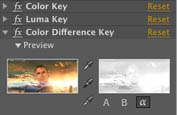
Take your story to any screen
Enhance HD video productions with high-resolution imagery from Photoshop CS5 Extended. Add intricate effects using After Effects CS5, and edit dramatically faster in Adobe Premiere Pro CS5.

Adobe Photoshop CS5 Extended
Discover new dimensions in digital imaging

Adobe Illustrator CS5
Explore new paths with the essential vector tool

Adobe InDesign CS5
Design professional layouts for print and digital publishing

Adobe Acrobat 9 Pro
Deliver revolutionary digital documents and accelerate information exchange with PDF

Adobe Flash Catalyst CS5
Create expressive interfaces and interactive content without writing code

Adobe Flash Professional CS5
Create and deliver rich interactive content

Adobe Flash Builder 4
Develop cross-platform rich Internet applications

Adobe Dreamweaver CS5
Design, develop, and maintain standards-based websites and applications

Adobe Fireworks CS5
Rapidly prototype and design for any device
Additional components:
Adobe Bridge CS5
Adobe Device Central CS5
Adobe Dynamic Link
Integrates with new Adobe CS Live online services*
GET MORE FOR YOUR MONEY
Adobe Creative Suite 5 Master Collection costs up to 60% less vs. purchasing the individual products separately.

Adobe Contribute CS5
Simplify website management

Adobe Premiere Pro CS5
Bring high-performance editing to next-generation storytelling

Adobe After Effects CS5
Create motion graphics and visual effects with the industry standard

Adobe Soundbooth CS5
Create and edit audio with ease
Adobe OnLocation CS5
Shoot better and faster with powerful production tools

Adobe Encore CS5
Deliver virtually anywhere
What's new in CS5 Master Collection
Adobe Creative Suite 5 Master Collection software delivers a comprehensive toolset for designing across media. Explore exciting enhancements that include new ways to create interactive content, breakthrough performance, and integration with new Adobe CS Live online services* to boost productivity. CS Live services are complimentary for a limited time.
- Design without boundaries
- Work swiftly and with precision
- Streamline critical processes
Design without boundaries
Discover extraordinary new design tools and groundbreaking ways to extend your creative reach using one comprehensive offering the ultimate design environment for virtually any medium.
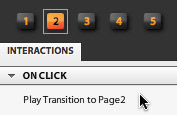
Interactive design without writing code
Design sophisticated interactive content and create functional interfaces in new Adobe Flash Catalyst CS5 without writing code. Transform your unique vision into compelling online experiences and deliver perfect project files to developers.

Innovative vector drawing and painting
Quickly and accurately represent depth and distance using new perspective tools in Adobe Illustrator CS5. Precisely control stroke width, arrowheads, and dashes. And use the new Bristle Brush to draw with the expressive quality of watercolors, oils, and pastels, but with the scalability of vectors.

Interactive documents and presentations
Create memorable documents and presentations complete with interactivity, motion, sound, and video in Adobe InDesign CS5. Enhance page layouts with rich media using new motion presets for easy animation creation. Take advantage of support for FLV and MP3 audio file import to engage and excite your audiences.

Extraordinary image editing
Use the Mixer Brush and Bristle Tips in Adobe Photoshop CS5 Extended to explore lifelike, naturally textured painting. Add dimension to your imagery with 3D extrusions using Adobe Repouss technology, and make precise image selections more quickly and easily with new Truer Edge selection technology.

Comprehensive reach of the Flash Platform
Realize your vision online with the capabilities of the Adobe Flash Platform. Use Flash Catalyst CS5 to design interactive content without writing code, Adobe Flash Professional CS5 to create free-form, expressive content, and Adobe Flash Builder 4 to develop rich Internet applications.

Tapeless workflows in video production
Work natively with pristine tapeless footage in Adobe Premiere Pro CS5 and Adobe After Effects CS5. Edit tapeless media formats using industry-leading tapeless workflows to keep from wasting valuable production time transcoding or rewrapping.
System requirements
Mac OS
- Multicore Intel processor with 64-bit support
- Mac OS X v10.5.7 or v10.6.3; Mac OS X v10.6.3 required for GPU-accelerated performance in Adobe Premiere Pro
- 2GB of RAM (4GB or more recommended)
- 26.3GB of available hard-disk space for installation; additional free space required during installation (cannot install on a volume that uses a case-sensitive file system or on removable flash-based storage devices)
- 1280x900 display (1280x1024 recommended) with qualified hardware-accelerated OpenGL graphics card, 16-bit color, and 256MB of VRAM
- Adobe-certified GPU card for GPU-accelerated performance in Adobe Premiere Pro; visit the Adobe Premiere Pro system requirements page for the latest list of supported cards
- Some GPU-accelerated features in Adobe Photoshop require graphics support for Shader Model 3.0 and OpenGL 2.0
- 7200 RPM hard drive for editing compressed video formats; RAID 0 for uncompressed
- Core Audiocompatible sound card
- DVD-ROM drive compatible with dual-layer DVDs (SuperDrive for burning DVDs; external Blu-ray burner for creating Blu-ray Disc media)
- Java Runtime Environment 1.5 or 1.6
- QuickTime 7.6.2 software required for QuickTime and multimedia features
- Adobe Flash Player 10 software required to export SWF files and to play back DVD projects exported as SWF files
- Broadband Internet connection required for online services*
|
|
|
|
30/04
|
Adobe Creative Suite 5 (CS5) Master Collection - Mac, Retail Warning : Before Purchase Please Check OS Compatibility
What is Master Collection?
Tell your story from start to finish with one comprehensive offering. Adobe Creative Suite 5 Master Collection software enables you to design and develop amazing work, collaborate effectively, and deliver virtually anywhere.
Extend your creative reach
Craft a corporate identity using Illustrator CS5 to engage your audience online. Use new Flash Catalyst CS5 to make it part of an expressive, interactive interface without writing code.
Design and deliver immersive experiences
Use Flash Professional CS5 to engage your audience with microsites and casual games that present your designs consistently across desktops, browsers, and mobile devices.
Take your story to any screen
Enhance HD video productions with high-resolution imagery from Photoshop CS5 Extended. Add intricate effects using After Effects CS5, and edit dramatically faster in Adobe Premiere Pro CS5.
Adobe Photoshop CS5 Extended
Discover new dimensions in digital imaging
Adobe Illustrator CS5
Explore new paths with the essential vector tool
Adobe InDesign CS5
Design professional layouts for print and digital publishing
Adobe Acrobat 9 Pro
Deliver revolutionary digital documents and accelerate information exchange with PDF
Adobe Flash Catalyst CS5
Create expressive interfaces and interactive content without writing code
Adobe Flash Professional CS5
Create and deliver rich interactive content
Adobe Flash Builder 4
Develop cross-platform rich Internet applications
Adobe Dreamweaver CS5
Design, develop, and maintain standards-based websites and applications
Adobe Fireworks CS5
Rapidly prototype and design for any device
Additional components:
Adobe Bridge CS5
Adobe Device Central CS5
Adobe Dynamic Link
Integrates with new Adobe CS Live online services*
GET MORE FOR YOUR MONEY
Adobe Creative Suite 5 Master Collection costs up to 60% less vs. purchasing the individual products separately.
Adobe Contribute CS5
Simplify website management
Adobe Premiere Pro CS5
Bring high-performance editing to next-generation storytelling
Adobe After Effects CS5
Create motion graphics and visual effects with the industry standard
Adobe Soundbooth CS5
Create and edit audio with ease
Adobe OnLocation CS5
Shoot better and faster with powerful production tools
Adobe Encore CS5
Deliver virtually anywhere
What's new in CS5 Master Collection
Adobe Creative Suite 5 Master Collection software delivers a comprehensive toolset for designing across media. Explore exciting enhancements that include new ways to create interactive content, breakthrough performance, and integration with new Adobe CS Live online services* to boost productivity. CS Live services are complimentary for a limited time.
- Design without boundaries
- Work swiftly and with precision
- Streamline critical processes
Design without boundaries
Discover extraordinary new design tools and groundbreaking ways to extend your creative reach using one comprehensive offering the ultimate design environment for virtually any medium.
Interactive design without writing code
Design sophisticated interactive content and create functional interfaces in new Adobe Flash Catalyst CS5 without writing code. Transform your unique vision into compelling online experiences and deliver perfect project files to developers.
Innovative vector drawing and painting
Quickly and accurately represent depth and distance using new perspective tools in Adobe Illustrator CS5. Precisely control stroke width, arrowheads, and dashes. And use the new Bristle Brush to draw with the expressive quality of watercolors, oils, and pastels, but with the scalability of vectors.
Interactive documents and presentations
Create memorable documents and presentations complete with interactivity, motion, sound, and video in Adobe InDesign CS5. Enhance page layouts with rich media using new motion presets for easy animation creation. Take advantage of support for FLV and MP3 audio file import to engage and excite your audiences.
Extraordinary image editing
Use the Mixer Brush and Bristle Tips in Adobe Photoshop CS5 Extended to explore lifelike, naturally textured painting. Add dimension to your imagery with 3D extrusions using Adobe Repouss technology, and make precise image selections more quickly and easily with new Truer Edge selection technology.
Comprehensive reach of the Flash Platform
Realize your vision online with the capabilities of the Adobe Flash Platform. Use Flash Catalyst CS5 to design interactive content without writing code, Adobe Flash Professional CS5 to create free-form, expressive content, and Adobe Flash Builder 4 to develop rich Internet applications.
Tapeless workflows in video production
Work natively with pristine tapeless footage in Adobe Premiere Pro CS5 and Adobe After Effects CS5. Edit tapeless media formats using industry-leading tapeless workflows to keep from wasting valuable production time transcoding or rewrapping.
System requirements
Mac OS
- Multicore Intel processor with 64-bit support
- Mac OS X v10.5.7 or v10.6.3; Mac OS X v10.6.3 required for GPU-accelerated performance in Adobe Premiere Pro
- 2GB of RAM (4GB or more recommended)
- 26.3GB of available hard-disk space for installation; additional free space required during installation (cannot install on a volume that uses a case-sensitive file system or on removable flash-based storage devices)
- 1280x900 display (1280x1024 recommended) with qualified hardware-accelerated OpenGL graphics card, 16-bit color, and 256MB of VRAM
- Adobe-certified GPU card for GPU-accelerated performance in Adobe Premiere Pro; visit the Adobe Premiere Pro system requirements page for the latest list of supported cards
- Some GPU-accelerated features in Adobe Photoshop require graphics support for Shader Model 3.0 and OpenGL 2.0
- 7200 RPM hard drive for editing compressed video formats; RAID 0 for uncompressed
- Core Audiocompatible sound card
- DVD-ROM drive compatible with dual-layer DVDs (SuperDrive for burning DVDs; external Blu-ray burner for creating Blu-ray Disc media)
- Java Runtime Environment 1.5 or 1.6
- QuickTime 7.6.2 software required for QuickTime and multimedia features
- Adobe Flash Player 10 software required to export SWF files and to play back DVD projects exported as SWF files
- Broadband Internet connection required for online services*
|
|
|
|
30/04
|
Adobe Creative Suite 5 (CS5) Master Collection - Windows, Educational Only Warning : Before Purchase Please Check OS Compatibility
What is Master Collection?
Tell your story from start to finish with one comprehensive offering. Adobe Creative Suite 5 Master Collection software enables you to design and develop amazing work, collaborate effectively, and deliver virtually anywhere.
Extend your creative reach
Craft a corporate identity using Illustrator CS5 to engage your audience online. Use new Flash Catalyst CS5 to make it part of an expressive, interactive interface without writing code.
Design and deliver immersive experiences
Use Flash Professional CS5 to engage your audience with microsites and casual games that present your designs consistently across desktops, browsers, and mobile devices.
Take your story to any screen
Enhance HD video productions with high-resolution imagery from Photoshop CS5 Extended. Add intricate effects using After Effects CS5, and edit dramatically faster in Adobe Premiere Pro CS5.
Adobe Photoshop CS5 Extended
Discover new dimensions in digital imaging
Adobe Illustrator CS5
Explore new paths with the essential vector tool
Adobe InDesign CS5
Design professional layouts for print and digital publishing
Adobe Acrobat 9 Pro
Deliver revolutionary digital documents and accelerate information exchange with PDF
Adobe Flash Catalyst CS5
Create expressive interfaces and interactive content without writing code
Adobe Flash Professional CS5
Create and deliver rich interactive content
Adobe Flash Builder 4
Develop cross-platform rich Internet applications
Adobe Dreamweaver CS5
Design, develop, and maintain standards-based websites and applications
Adobe Fireworks CS5
Rapidly prototype and design for any device
Additional components:
Adobe Bridge CS5
Adobe Device Central CS5
Adobe Dynamic Link
Integrates with new Adobe CS Live online services*
GET MORE FOR YOUR MONEY
Adobe Creative Suite 5 Master Collection costs up to 60% less vs. purchasing the individual products separately.
Adobe Contribute CS5
Simplify website management
Adobe Premiere Pro CS5
Bring high-performance editing to next-generation storytelling
Adobe After Effects CS5
Create motion graphics and visual effects with the industry standard
Adobe Soundbooth CS5
Create and edit audio with ease
Adobe OnLocation CS5
Shoot better and faster with powerful production tools
Adobe Encore CS5
Deliver virtually anywhere
What's new in CS5 Master Collection
Adobe Creative Suite 5 Master Collection software delivers a comprehensive toolset for designing across media. Explore exciting enhancements that include new ways to create interactive content, breakthrough performance, and integration with new Adobe CS Live online services* to boost productivity. CS Live services are complimentary for a limited time.
- Design without boundaries
- Work swiftly and with precision
- Streamline critical processes
Design without boundaries
Discover extraordinary new design tools and groundbreaking ways to extend your creative reach using one comprehensive offering the ultimate design environment for virtually any medium.
Interactive design without writing code
Design sophisticated interactive content and create functional interfaces in new Adobe Flash Catalyst CS5 without writing code. Transform your unique vision into compelling online experiences and deliver perfect project files to developers.
Innovative vector drawing and painting
Quickly and accurately represent depth and distance using new perspective tools in Adobe Illustrator CS5. Precisely control stroke width, arrowheads, and dashes. And use the new Bristle Brush to draw with the expressive quality of watercolors, oils, and pastels, but with the scalability of vectors.
Interactive documents and presentations
Create memorable documents and presentations complete with interactivity, motion, sound, and video in Adobe InDesign CS5. Enhance page layouts with rich media using new motion presets for easy animation creation. Take advantage of support for FLV and MP3 audio file import to engage and excite your audiences.
Extraordinary image editing
Use the Mixer Brush and Bristle Tips in Adobe Photoshop CS5 Extended to explore lifelike, naturally textured painting. Add dimension to your imagery with 3D extrusions using Adobe Repouss technology, and make precise image selections more quickly and easily with new Truer Edge selection technology.
Comprehensive reach of the Flash Platform
Realize your vision online with the capabilities of the Adobe Flash Platform. Use Flash Catalyst CS5 to design interactive content without writing code, Adobe Flash Professional CS5 to create free-form, expressive content, and Adobe Flash Builder 4 to develop rich Internet applications.
Tapeless workflows in video production
Work natively with pristine tapeless footage in Adobe Premiere Pro CS5 and Adobe After Effects CS5. Edit tapeless media formats using industry-leading tapeless workflows to keep from wasting valuable production time transcoding or rewrapping.
System requirements
Windows
- Intel Pentium 4 or AMD Athlon 64 processor (Intel Core2 Duo or AMD Phenom II recommended); Intel Core 2 Duo or AMD Phenom II required for Adobe Premiere Pro
- Processor with 64-bit support required for Adobe Premiere Pro and After Effects
- Microsoft Windows XP with Service Pack 3; Windows Vista Home Premium, Business, Ultimate, or Enterprise with Service Pack 1 (Service Pack 2 recommended); or Windows 7
- 64-bit edition of Windows Vista or Windows 7 required for Adobe Premiere Pro and After Effects
- 2GB of RAM (4GB or more recommended)
- 24.3GB of available hard-disk space for installation; additional free space required during installation (cannot install on removable flash-based storage devices)
- 1280x900 display (1280x1024 recommended) with qualified hardware-accelerated OpenGL graphics card, 16-bit color, and 256MB of VRAM
- Adobe-certified GPU card for GPU-accelerated performance in Adobe Premiere Pro; visit the Adobe Premiere Pro system requirements page for the latest list of supported cards
- Some GPU-accelerated features in Adobe Photoshop Extended require graphics support for Shader Model 3.0 and OpenGL 2.0
- Some features in Adobe Bridge rely on a DirectX 9capable graphics card with at least 64MB of VRAM
- 7200 RPM hard drive for editing compressed video formats; RAID 0 for uncompressed
- Adobe-certified card for capture and export to tape for SD/HD workflows
- OHCI-compatible IEEE 1394 port for DV and HDV capture, export to tape, and transmit to DV device
- Sound card compatible with ASIO protocol or Microsoft Windows Driver Model
- DVD-ROM drive compatible with dual-layer DVDs (DVD+-R burner for burning DVDs; Blu-ray burner for creating Blu-ray Disc media)
- Java Runtime Environment 1.6 (included)
- QuickTime 7.6.2 software required for QuickTime and multimedia features
- Adobe Flash Player 10 software required to export SWF files and to play back DVD projects exported as SWF files
- Broadband Internet connection required for online services*
|
|
|
|
30/04
|
Adobe Creative Suite 5 (CS5) Master Collection - Windows, Retail Warning : Before Purchase Please Check OS Compatibility
What is Master Collection?
Tell your story from start to finish with one comprehensive offering. Adobe Creative Suite 5 Master Collection software enables you to design and develop amazing work, collaborate effectively, and deliver virtually anywhere.
Extend your creative reach
Craft a corporate identity using Illustrator CS5 to engage your audience online. Use new Flash Catalyst CS5 to make it part of an expressive, interactive interface without writing code.
Design and deliver immersive experiences
Use Flash Professional CS5 to engage your audience with microsites and casual games that present your designs consistently across desktops, browsers, and mobile devices.
Take your story to any screen
Enhance HD video productions with high-resolution imagery from Photoshop CS5 Extended. Add intricate effects using After Effects CS5, and edit dramatically faster in Adobe Premiere Pro CS5.
Adobe Photoshop CS5 Extended
Discover new dimensions in digital imaging
Adobe Illustrator CS5
Explore new paths with the essential vector tool
Adobe InDesign CS5
Design professional layouts for print and digital publishing
Adobe Acrobat 9 Pro
Deliver revolutionary digital documents and accelerate information exchange with PDF
Adobe Flash Catalyst CS5
Create expressive interfaces and interactive content without writing code
Adobe Flash Professional CS5
Create and deliver rich interactive content
Adobe Flash Builder 4
Develop cross-platform rich Internet applications
Adobe Dreamweaver CS5
Design, develop, and maintain standards-based websites and applications
Adobe Fireworks CS5
Rapidly prototype and design for any device
Additional components:
Adobe Bridge CS5
Adobe Device Central CS5
Adobe Dynamic Link
Integrates with new Adobe CS Live online services*
GET MORE FOR YOUR MONEY
Adobe Creative Suite 5 Master Collection costs up to 60% less vs. purchasing the individual products separately.
Adobe Contribute CS5
Simplify website management
Adobe Premiere Pro CS5
Bring high-performance editing to next-generation storytelling
Adobe After Effects CS5
Create motion graphics and visual effects with the industry standard
Adobe Soundbooth CS5
Create and edit audio with ease
Adobe OnLocation CS5
Shoot better and faster with powerful production tools
Adobe Encore CS5
Deliver virtually anywhere
What's new in CS5 Master Collection
Adobe Creative Suite 5 Master Collection software delivers a comprehensive toolset for designing across media. Explore exciting enhancements that include new ways to create interactive content, breakthrough performance, and integration with new Adobe CS Live online services* to boost productivity. CS Live services are complimentary for a limited time.
- Design without boundaries
- Work swiftly and with precision
- Streamline critical processes
Design without boundaries
Discover extraordinary new design tools and groundbreaking ways to extend your creative reach using one comprehensive offering the ultimate design environment for virtually any medium.
Interactive design without writing code
Design sophisticated interactive content and create functional interfaces in new Adobe Flash Catalyst CS5 without writing code. Transform your unique vision into compelling online experiences and deliver perfect project files to developers.
Innovative vector drawing and painting
Quickly and accurately represent depth and distance using new perspective tools in Adobe Illustrator CS5. Precisely control stroke width, arrowheads, and dashes. And use the new Bristle Brush to draw with the expressive quality of watercolors, oils, and pastels, but with the scalability of vectors.
Interactive documents and presentations
Create memorable documents and presentations complete with interactivity, motion, sound, and video in Adobe InDesign CS5. Enhance page layouts with rich media using new motion presets for easy animation creation. Take advantage of support for FLV and MP3 audio file import to engage and excite your audiences.
Extraordinary image editing
Use the Mixer Brush and Bristle Tips in Adobe Photoshop CS5 Extended to explore lifelike, naturally textured painting. Add dimension to your imagery with 3D extrusions using Adobe Repouss technology, and make precise image selections more quickly and easily with new Truer Edge selection technology.
Comprehensive reach of the Flash Platform
Realize your vision online with the capabilities of the Adobe Flash Platform. Use Flash Catalyst CS5 to design interactive content without writing code, Adobe Flash Professional CS5 to create free-form, expressive content, and Adobe Flash Builder 4 to develop rich Internet applications.
Tapeless workflows in video production
Work natively with pristine tapeless footage in Adobe Premiere Pro CS5 and Adobe After Effects CS5. Edit tapeless media formats using industry-leading tapeless workflows to keep from wasting valuable production time transcoding or rewrapping.
System requirements
Windows
- Intel Pentium 4 or AMD Athlon 64 processor (Intel Core2 Duo or AMD Phenom II recommended); Intel Core 2 Duo or AMD Phenom II required for Adobe Premiere Pro
- Processor with 64-bit support required for Adobe Premiere Pro and After Effects
- Microsoft Windows XP with Service Pack 3; Windows Vista Home Premium, Business, Ultimate, or Enterprise with Service Pack 1 (Service Pack 2 recommended); or Windows 7
- 64-bit edition of Windows Vista or Windows 7 required for Adobe Premiere Pro and After Effects
- 2GB of RAM (4GB or more recommended)
- 24.3GB of available hard-disk space for installation; additional free space required during installation (cannot install on removable flash-based storage devices)
- 1280x900 display (1280x1024 recommended) with qualified hardware-accelerated OpenGL graphics card, 16-bit color, and 256MB of VRAM
- Adobe-certified GPU card for GPU-accelerated performance in Adobe Premiere Pro; visit the Adobe Premiere Pro system requirements page for the latest list of supported cards
- Some GPU-accelerated features in Adobe Photoshop Extended require graphics support for Shader Model 3.0 and OpenGL 2.0
- Some features in Adobe Bridge rely on a DirectX 9capable graphics card with at least 64MB of VRAM
- 7200 RPM hard drive for editing compressed video formats; RAID 0 for uncompressed
- Adobe-certified card for capture and export to tape for SD/HD workflows
- OHCI-compatible IEEE 1394 port for DV and HDV capture, export to tape, and transmit to DV device
- Sound card compatible with ASIO protocol or Microsoft Windows Driver Model
- DVD-ROM drive compatible with dual-layer DVDs (DVD+-R burner for burning DVDs; Blu-ray burner for creating Blu-ray Disc media)
- Java Runtime Environment 1.6 (included)
- QuickTime 7.6.2 software required for QuickTime and multimedia features
- Adobe Flash Player 10 software required to export SWF files and to play back DVD projects exported as SWF files
- Broadband Internet connection required for online services*
|
|
|
|
30/04
|
Vivotek IP8161 2 Megapixel H.264 Day/Night Fixed Network Camera - 1/3.2" CMOS, 1600x1200 Resolution, 3 ~ 8 mm CS-mount Auto-iris Lens VIVOTEK IP8161 is a professional-series fixed network camera featuring superb image quality and exceptional bandwidth efficiency. It is especially suitable for wide open spaces such as building entrances and airports, or applications requiring accurate identification, such as human faces in banks or vehicle license plates in parking lots.
Featuring a 2-megapixel sensor, this camera is able to provide a wide field of view with exceptional detail when compared to a standard VGA camera, significantly reducing the number of camera installations. The ePTZ function enables users to focus on close-up shots of different areas in the cameras view without moving the camera physically. Users can quickly move to a target area by simply clicking on the video feed from the camera on their screen. In addition, the IP8161 can deliver user-defined thumbnails for viewing instead of video of an entire scene so as to optimize bandwidth and storage efficiency.
The IP8161 supports H.264 compression technology, drastically reducing file sizes and conserving valuable network bandwidth. With MPEG-4 and MJPEG compatibility, video streams can also be transmitted in either of these formats for versatile applications. The streams can also be individually configured to meet different needs or bandwidth constraints, thereby further reducing bandwidth and storage requirements. Users can receive multiple streams simultaneously in different resolutions, frame rates and image qualities for viewing on different platforms.
Thanks to its day and night function achieved by a built-in removable IR-cut filter, the IP8161 is able to maintain clear images 24 hours a day. Additionally, the IP8161 camera incorporates an adjustment ring to improve lens compatibility with either C- or CS-mount lens, providing system integrators with more flexibility and hassle-free installation for different applications. The built-in SD/SDHC card slot offers a convenient and portable storage option to prevent data loss in case of network disconnection.
The integrated BNC connector allowing the IP8161 to be connected directly to an analog monitor provides enhanced flexibility and usability and ease of installation. Together with PoE, QoS, activity adaptive streaming, and the included 32-CH central management software, the IP8161 is indisputably the top choice for reliable and high performance surveillance.
Features
- 2-megapixel CMOS Sensor
- 3 ~ 8 mm Vari-focal, Auto-iris Lens
- Removable IR-cut Filter for Day & Night Function
- Real-time H.264, MPEG-4 and MJPEG Compression (Triple Codec)
- Multiple Streams Simultaneously
- ePTZ for Data Efficiency
- Activity Adaptive Streaming for Dynamic Frame Rate Control
- Tamper Detection for Unauthorized Changes
- Built-in 802.3af Compliant PoE
- Built-in SD/SDHC Card Slot for On-board Storage
- CS- or C-mount Adjustment Ring for Flexible Lens Installation
- BNC Connector for Analog Video Output
Specifications
| System |
CPU: TI DM365 SoC
Flash: 128MB
RAM: 256MB
Embedded OS: Linux 2.6 |
| Pan/Tilt/Zoom |
8x digital zoom
|
| Lens |
f = 3 ~ 8 mm
F 1.2
auto iris
CS-mount
Removable IR-cut filter for day & night function
|
| Angle of View |
35.2 ~ 90.7 (horizontal)
|
| Shutter Time |
1/5 ~ 1/40,000 sec |
| Image sensor |
1/3.2" CMOS in 1600x1200 Resolution |
| Minimum Illumination |
0.1 Lux / F1.2 ( typical )
|
| Video |
Compression: H.264, MPEG-4 & MJPEG
Streaming:
Simultaneous multiple streams
H.264 streaming over UDP, TCP, HTTP or HTTPS
MPEG-4 streaming over UDP, TCP, HTTP or HTTPS
MPEG-4 multicast streaming
MJPEG streaming over HTTP or HTTPS
Supports activity adaptive streaming for dynamic frame rate control
Supports video cropping for bandwidth efficiency
Supports ePTZ for data efficiency
Supports 3GPP mobile surveillance
Frame rates:
H.264: Up to 30 fps at 800x600 and 1280x720 , Up to 15 fps at 1600x1200
MPEG-4: Up to 30 fps at 800x600 and 1280x720 , Up to 15 fps at 1600x1200
MJPEG: Up to 30 fps at 800x600 and 1280x720 , Up to 15 fps at 1600x1200
BNC connector for video output
NTSC/PAL video output switch
|
| Image Settings |
Adjustable image size, quality, and bit rate
Time stamp and text caption overlay
Flip & mirror
Configurable brightness, contrast, saturation, sharpness, white balance and exposure
AGCAWBAES
Automatic, manual or scheduled day/night mode
Supports privacy masks
BLC (Backlight compensation)
|
| Audio |
Compression
GSM-AMR speech encoding, bit rate: 4.75 kbps to 12.2 kbps
MPEG-4 AAC audio encoding, bit rate: 16 kbps to 128 kbps
G.711 audio encoding, bit rate: 64 kbps, -Law or A-Law
Interface:
Built-in microphone
External microphone input
Audio output
External/Internal microphone switch
Supports two-way audio via SIP protocol
Supports audio mute
|
| Networking |
10/100 Mbps Ethernet, RJ-45
ONVIF support
Protocols: IPv4, IPv6, TCP/IP, HTTP, HTTPS, UPnP, RTSP/RTP/RTCP, IGMP, SMTP, FTP, DHCP, NTP, DNS, DDNS, PPPoE, CoS, QoS, SNMP and 802.1X |
| Alarm and Event Management |
Triple-window video motion detection
One D/I and one D/O for external sensor and alarm
Event notification using HTTP, SMTP, or FTP
Local recording of MP4 files
Tamper Detection
|
| On-board Storage |
SD/SDHC card slot
Stores snapshots and video clips
|
| Security |
Multi-level user access with password protection
IP address filtering
HTTPS encrypted data transmission
802.1X port-based authentication for network protection
|
| Users |
10 clients on-line monitoring at the same time |
| Dimensions |
Depth: 154mm
Width: 72mm
Height: 62mm
|
| Weight |
Net: 664 g |
| LED Indicator |
System power and status indicator
System activity and network link indicator
|
| Power |
12V DC
24V AC
Power consumption: Max. 8 W
802.3af compliant Power-over-Ethernet |
| Approvals |
CEC-TickFCCLVDVCCI |
| Operating Environments |
Temperature: 0 ~ 50 C (32 ~ 122 F )
Humidity: 90%
|
| Viewing System Requirements |
OS: Microsoft Windows 2000/XP/Vista/7
Browser: Mozilla Firefox, Internet Explorer 6.x or above
Cell phone: 3GPP player
Real Player: 10.5 or above
Quick Time: 6.5 or above |
| Installation, Management, and Maintenance |
RS-485 interface for scanners, pan/tilts
Installation Wizard 2
32-CH central management software
Supports firmware upgrade
|
| Applications |
SDK available for application development and system integration |
| Warranty |
24 months |
|
|
|
|
30/04
|
Adobe Creative Suite 5 (CS5) Design Premium - Mac, Educational Only Warning : Before Purchase Please Check OS Compatibility
What's inside
- Photoshop CS5 Extended
- Illustrator CS5
- InDesign CS5
- Flash Catalyst CS5
- Flash Professional CS5
- Dreamweaver CS5
- Fireworks CS5
- Acrobat 9 Pro
- Bridge CS5
What is Design Premium?
Adobe Creative Suite 5 Design Premium software is the ultimate toolkit for designers who need to express their wildest ideas with precision; work fluidly across media; and produce exceptional results in print, web, interactive, and mobile design. Craft eye-catching images and graphics, lay out stunning pages, build standards-based websites, create interactive content without writing code, and extend page layouts for viewing with eBook reading devices.
- Print
- Web
- Interactive
- Handheld devices
Print
From business card to billboard, annual report to packaging, CS5 Design Premium offers designers the complete toolset needed to quickly and reliably produce high-quality, unique, and visually compelling print designs.
State-of-the-art image editing
Use industry-standard Adobe Photoshop CS5 Extended to edit, enhance, and refine high-quality images for any print project.
Versatile, resolution-independent graphics
Create stand-out graphics that scale from business card to billboard with Adobe Illustrator CS5.
Dynamic PDF creation
Use Acrobat 9 Pro to create PDF documents and package layouts, drawings, images, animation, movies, audio, and other files in a single, dynamic PDF Portfolio.

Streamlined reviews
Maximize design time by streamlining reviews with Adobe CS Review, a CS Live online service. Initiate shared reviews from within Photoshop CS5 Extended, Illustrator CS5, and InDesign CS5. Invite others to comment with easy-to-use tools, and view their comments in the context of your design.
Integration with CS Live online services
Take advantage of integration with new Adobe CS Live online services* to accelerate time-consuming processes such as creative reviews, web page testing, and collaborative content authoring. CS Live services are complimentary for a limited time.

Performance on the latest operating systems
Take advantage of the power and performance of the latest Apple and Microsoft operating systems. Enjoy 64-bit support for faster image editing across platforms with Photoshop CS5 Extended.

Creative 3D possibilities
Quickly add depth and create unusual effects using 3D editing tools in Photoshop CS5 Extended. Create attention-getting 3D logos and artwork from text and shapes and edit, manipulate, and paint directly on 3D models.
High-quality page layout
Lay out, preflight, and produce stunning page layouts with Adobe InDesign CS5, an intuitive design environment that offers precise control over typography and built-in tools for creative effects.
Visual media management
Find files fast by browsing thumbnails instead of filenames with Adobe Bridge. Or browse thumbnails and place files from the Mini Bridge panel in Photoshop CS5 Extended and InDesign CS5.
Adobe Community Help
Find the answers you need, including in-depth, product-specific Help from Adobe and additional third-party expert content, all accessed from within your design software.
Consistent Adobe user interface
Work quickly and intuitively thanks to a consistent user interface across all CS5 Design Premium components. Enjoy a shorter learning curve and stay more focused on the art of design.
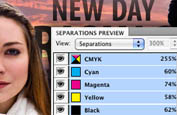
PDF preflight and correction
Reduce errors at the printer with Adobe Acrobat 9 Pro. Apply extensive preflight checks and easily fix issues form faulty hairlines to transparency handling, black conversion, spot color mapping, and more.
CS5 Design Premium enables designers to create standards-based websites with compelling graphics and interactive content.
What's new in CS5 Design Premium
Adobe Creative Suite 5 Design Premium software gives you powerful new creative tools for crafting artwork that stands out. Finish work faster with feature-packed releases of Adobe Photoshop Extended, Illustrator, and InDesign. And extend the reach of your work by creating interactive content with new Adobe Flash Catalyst without writing code.
- Craft artwork that stands out
- Express your ideas faster
- Create interactivity without writing code
- Streamline critical processes
Craft artwork that stands out
Discover powerful new creative tools in Photoshop and Illustrator for crafting artwork that stands out in a wide range of media.

Realistic painting effects
Easily paint with lifelike brush strokes to create beautiful, expressive images in Photoshop CS5 Extended. Blend a photo's colors; use bristle properties such as shape, length, and stiffness; or define multiple colors on a single brush and blend them into the underlying colors on your canvas.
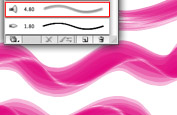
Fluid vector painting
Combine the expressiveness of painting with the editability and scalability of vectors. Paint freely with vectors that resemble real-world brush strokes, controlling paint opacity and bristle characteristics such as shape, length, and stiffness, with Illustrator CS5.

Easy 3D extrusions
Create stunning 3D logos and artwork from any text layer, selection, or layer mask with the Adobe Repouss feature in Photoshop CS5 Extended. Twist, rotate, extrude, bevel, and inflate these designs, and then apply materials such as chrome, mud, and grass to achieve different looks.
System requirements
Mac OS
- Multicore Intel processor
- Mac OS X v10.5.7 or v10.6
- 1GB of RAM or more recommended
- 10.3GB of available hard-disk space for installation; additional free space required during installation (cannot install on a volume that uses a case-sensitive file system or on removable flash-based storage devices)
- 1280x800 display with qualified hardware-accelerated OpenGL graphics card, 16-bit color, and 256MB of VRAM
- Some GPU-accelerated features require graphics support for Shader Model 3.0 and OpenGL 2.0
- DVD-ROM drive compatible with dual-layer DVDs
- Java Runtime Environment 1.5 or 1.6
- QuickTime 7.6.2 software required for multimedia features
- Adobe Flash Player 10 software required to export SWF files
- Broadband Internet connection required for online services*
|
|
|
|
30/04
|
Adobe Creative Suite 5 (CS5) Design Premium - Mac, Retail Warning : Before Purchase Please Check OS Compatibility
What's inside
- Photoshop CS5 Extended
- Illustrator CS5
- InDesign CS5
- Flash Catalyst CS5
- Flash Professional CS5
- Dreamweaver CS5
- Fireworks CS5
- Acrobat 9 Pro
- Bridge CS5
What is Design Premium?
Adobe Creative Suite 5 Design Premium software is the ultimate toolkit for designers who need to express their wildest ideas with precision; work fluidly across media; and produce exceptional results in print, web, interactive, and mobile design. Craft eye-catching images and graphics, lay out stunning pages, build standards-based websites, create interactive content without writing code, and extend page layouts for viewing with eBook reading devices.
- Print
- Web
- Interactive
- Handheld devices
Print
From business card to billboard, annual report to packaging, CS5 Design Premium offers designers the complete toolset needed to quickly and reliably produce high-quality, unique, and visually compelling print designs.
State-of-the-art image editing
Use industry-standard Adobe Photoshop CS5 Extended to edit, enhance, and refine high-quality images for any print project.
Versatile, resolution-independent graphics
Create stand-out graphics that scale from business card to billboard with Adobe Illustrator CS5.
Dynamic PDF creation
Use Acrobat 9 Pro to create PDF documents and package layouts, drawings, images, animation, movies, audio, and other files in a single, dynamic PDF Portfolio.
Streamlined reviews
Maximize design time by streamlining reviews with Adobe CS Review, a CS Live online service. Initiate shared reviews from within Photoshop CS5 Extended, Illustrator CS5, and InDesign CS5. Invite others to comment with easy-to-use tools, and view their comments in the context of your design.
Integration with CS Live online services
Take advantage of integration with new Adobe CS Live online services* to accelerate time-consuming processes such as creative reviews, web page testing, and collaborative content authoring. CS Live services are complimentary for a limited time.
Performance on the latest operating systems
Take advantage of the power and performance of the latest Apple and Microsoft operating systems. Enjoy 64-bit support for faster image editing across platforms with Photoshop CS5 Extended.
Creative 3D possibilities
Quickly add depth and create unusual effects using 3D editing tools in Photoshop CS5 Extended. Create attention-getting 3D logos and artwork from text and shapes and edit, manipulate, and paint directly on 3D models.
High-quality page layout
Lay out, preflight, and produce stunning page layouts with Adobe InDesign CS5, an intuitive design environment that offers precise control over typography and built-in tools for creative effects.
Visual media management
Find files fast by browsing thumbnails instead of filenames with Adobe Bridge. Or browse thumbnails and place files from the Mini Bridge panel in Photoshop CS5 Extended and InDesign CS5.
Adobe Community Help
Find the answers you need, including in-depth, product-specific Help from Adobe and additional third-party expert content, all accessed from within your design software.
Consistent Adobe user interface
Work quickly and intuitively thanks to a consistent user interface across all CS5 Design Premium components. Enjoy a shorter learning curve and stay more focused on the art of design.
PDF preflight and correction
Reduce errors at the printer with Adobe Acrobat 9 Pro. Apply extensive preflight checks and easily fix issues form faulty hairlines to transparency handling, black conversion, spot color mapping, and more.
CS5 Design Premium enables designers to create standards-based websites with compelling graphics and interactive content.
What's new in CS5 Design Premium
Adobe Creative Suite 5 Design Premium software gives you powerful new creative tools for crafting artwork that stands out. Finish work faster with feature-packed releases of Adobe Photoshop Extended, Illustrator, and InDesign. And extend the reach of your work by creating interactive content with new Adobe Flash Catalyst without writing code.
- Craft artwork that stands out
- Express your ideas faster
- Create interactivity without writing code
- Streamline critical processes
Craft artwork that stands out
Discover powerful new creative tools in Photoshop and Illustrator for crafting artwork that stands out in a wide range of media.
Realistic painting effects
Easily paint with lifelike brush strokes to create beautiful, expressive images in Photoshop CS5 Extended. Blend a photo's colors; use bristle properties such as shape, length, and stiffness; or define multiple colors on a single brush and blend them into the underlying colors on your canvas.
Fluid vector painting
Combine the expressiveness of painting with the editability and scalability of vectors. Paint freely with vectors that resemble real-world brush strokes, controlling paint opacity and bristle characteristics such as shape, length, and stiffness, with Illustrator CS5.
Easy 3D extrusions
Create stunning 3D logos and artwork from any text layer, selection, or layer mask with the Adobe Repouss feature in Photoshop CS5 Extended. Twist, rotate, extrude, bevel, and inflate these designs, and then apply materials such as chrome, mud, and grass to achieve different looks.
System requirements
Mac OS
- Multicore Intel processor
- Mac OS X v10.5.7 or v10.6
- 1GB of RAM or more recommended
- 10.3GB of available hard-disk space for installation; additional free space required during installation (cannot install on a volume that uses a case-sensitive file system or on removable flash-based storage devices)
- 1280x800 display with qualified hardware-accelerated OpenGL graphics card, 16-bit color, and 256MB of VRAM
- Some GPU-accelerated features require graphics support for Shader Model 3.0 and OpenGL 2.0
- DVD-ROM drive compatible with dual-layer DVDs
- Java Runtime Environment 1.5 or 1.6
- QuickTime 7.6.2 software required for multimedia features
- Adobe Flash Player 10 software required to export SWF files
- Broadband Internet connection required for online services*
|
|
|
|
Previous Page
|
Next Page
|
|



