Camerafarm product archive #40295
| Image |
Date |
Product description |
Price |
Buy |
|
29/04
|
Adobe Creative Suite 5 (CS5) Design Premium - Windows, Educational Only Warning : Before Purchase Please Check OS Compatibility
What's inside
- Photoshop CS5 Extended
- Illustrator CS5
- InDesign CS5
- Flash Catalyst CS5
- Flash Professional CS5
- Dreamweaver CS5
- Fireworks CS5
- Acrobat 9 Pro
- Bridge CS5
What is Design Premium?
Adobe Creative Suite 5 Design Premium software is the ultimate toolkit for designers who need to express their wildest ideas with precision; work fluidly across media; and produce exceptional results in print, web, interactive, and mobile design. Craft eye-catching images and graphics, lay out stunning pages, build standards-based websites, create interactive content without writing code, and extend page layouts for viewing with eBook reading devices.
- Print
- Web
- Interactive
- Handheld devices
Print
From business card to billboard, annual report to packaging, CS5 Design Premium offers designers the complete toolset needed to quickly and reliably produce high-quality, unique, and visually compelling print designs.
State-of-the-art image editing
Use industry-standard Adobe Photoshop CS5 Extended to edit, enhance, and refine high-quality images for any print project.
Versatile, resolution-independent graphics
Create stand-out graphics that scale from business card to billboard with Adobe Illustrator CS5.
Dynamic PDF creation
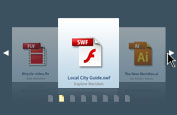
Use Acrobat 9 Pro to create PDF documents and package layouts, drawings, images, animation, movies, audio, and other files in a single, dynamic PDF Portfolio.
Streamlined reviews
Maximize design time by streamlining reviews with Adobe CS Review, a CS Live online service. Initiate shared reviews from within Photoshop CS5 Extended, Illustrator CS5, and InDesign CS5. Invite others to comment with easy-to-use tools, and view their comments in the context of your design.
Integration with CS Live online services
Take advantage of integration with new Adobe CS Live online services* to accelerate time-consuming processes such as creative reviews, web page testing, and collaborative content authoring. CS Live services are complimentary for a limited time.

Performance on the latest operating systems
Take advantage of the power and performance of the latest Apple and Microsoft operating systems. Enjoy 64-bit support for faster image editing across platforms with Photoshop CS5 Extended.

Creative 3D possibilities
Quickly add depth and create unusual effects using 3D editing tools in Photoshop CS5 Extended. Create attention-getting 3D logos and artwork from text and shapes and edit, manipulate, and paint directly on 3D models.
High-quality page layout
Lay out, preflight, and produce stunning page layouts with Adobe InDesign CS5, an intuitive design environment that offers precise control over typography and built-in tools for creative effects.
Visual media management
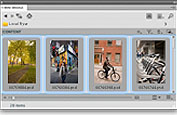
Find files fast by browsing thumbnails instead of filenames with Adobe Bridge. Or browse thumbnails and place files from the Mini Bridge panel in Photoshop CS5 Extended and InDesign CS5.
Adobe Community Help
Find the answers you need, including in-depth, product-specific Help from Adobe and additional third-party expert content, all accessed from within your design software.
Consistent Adobe user interface
Work quickly and intuitively thanks to a consistent user interface across all CS5 Design Premium components. Enjoy a shorter learning curve and stay more focused on the art of design.
PDF preflight and correction
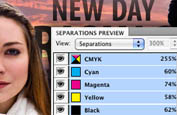
Reduce errors at the printer with Adobe Acrobat 9 Pro. Apply extensive preflight checks and easily fix issues form faulty hairlines to transparency handling, black conversion, spot color mapping, and more.
CS5 Design Premium enables designers to create standards-based websites with compelling graphics and interactive content.
What's new in CS5 Design Premium
Adobe Creative Suite 5 Design Premium software gives you powerful new creative tools for crafting artwork that stands out. Finish work faster with feature-packed releases of Adobe Photoshop Extended, Illustrator, and InDesign. And extend the reach of your work by creating interactive content with new Adobe Flash Catalyst without writing code.
- Craft artwork that stands out
- Express your ideas faster
- Create interactivity without writing code
- Streamline critical processes
Craft artwork that stands out
Discover powerful new creative tools in Photoshop and Illustrator for crafting artwork that stands out in a wide range of media.

Realistic painting effects
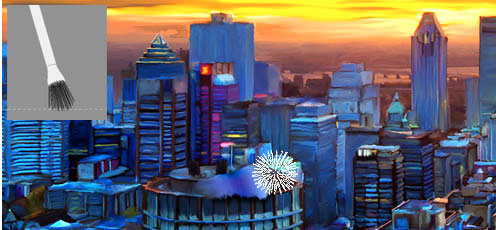
Easily paint with lifelike brush strokes to create beautiful, expressive images in Photoshop CS5 Extended. Blend a photo's colors; use bristle properties such as shape, length, and stiffness; or define multiple colors on a single brush and blend them into the underlying colors on your canvas.
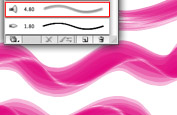
Fluid vector painting
Combine the expressiveness of painting with the editability and scalability of vectors. Paint freely with vectors that resemble real-world brush strokes, controlling paint opacity and bristle characteristics such as shape, length, and stiffness, with Illustrator CS5.

Easy 3D extrusions
Create stunning 3D logos and artwork from any text layer, selection, or layer mask with the Adobe Repouss feature in Photoshop CS5 Extended. Twist, rotate, extrude, bevel, and inflate these designs, and then apply materials such as chrome, mud, and grass to achieve different looks.
System requirements
Windows
- Intel Pentium 4 or AMD Athlon 64 processor
- Microsoft Windows XP with Service Pack 3; Windows Vista Home Premium, Business, Ultimate, or Enterprise with Service Pack 1 (Service Pack 2 recommended); or Windows 7
- 1GB of RAM or more recommended
- 9.3GB of available hard-disk space for installation; additional free space required during installation (cannot install on removable flash-based storage devices)
- 1280x800 display with qualified hardware-accelerated OpenGL graphics card, 16-bit color, and 256MB of VRAM
- Some GPU-accelerated features require graphics support for Shader Model 3.0 and OpenGL 2.0
- Some features in Adobe Bridge rely on a DirectX 9capable graphics card with at least 64MB of VRAM
- DVD-ROM drive compatible with dual-layer DVDs
- Java Runtime Environment 1.5 (32 bit) or 1.6
- QuickTime 7.6.2 software required for multimedia features
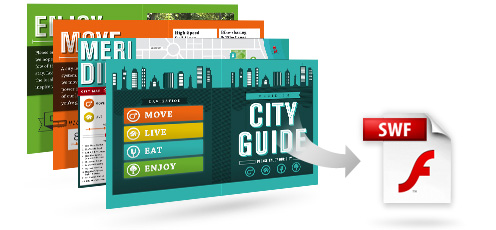
- Adobe Flash Player 10 software required to export SWF files
- Broadband Internet connection required for online services*
|


|
|
|
29/04
|
Adobe Creative Suite 5 (CS5) Design Premium - Windows, Retail Warning : Before Purchase Please Check OS Compatibility
What's inside
- Photoshop CS5 Extended
- Illustrator CS5
- InDesign CS5
- Flash Catalyst CS5
- Flash Professional CS5
- Dreamweaver CS5
- Fireworks CS5
- Acrobat 9 Pro
- Bridge CS5
What is Design Premium?
Adobe Creative Suite 5 Design Premium software is the ultimate toolkit for designers who need to express their wildest ideas with precision; work fluidly across media; and produce exceptional results in print, web, interactive, and mobile design. Craft eye-catching images and graphics, lay out stunning pages, build standards-based websites, create interactive content without writing code, and extend page layouts for viewing with eBook reading devices.
- Print
- Web
- Interactive
- Handheld devices
Print
From business card to billboard, annual report to packaging, CS5 Design Premium offers designers the complete toolset needed to quickly and reliably produce high-quality, unique, and visually compelling print designs.
State-of-the-art image editing
Use industry-standard Adobe Photoshop CS5 Extended to edit, enhance, and refine high-quality images for any print project.
Versatile, resolution-independent graphics
Create stand-out graphics that scale from business card to billboard with Adobe Illustrator CS5.
Dynamic PDF creation
Use Acrobat 9 Pro to create PDF documents and package layouts, drawings, images, animation, movies, audio, and other files in a single, dynamic PDF Portfolio.
Streamlined reviews
Maximize design time by streamlining reviews with Adobe CS Review, a CS Live online service. Initiate shared reviews from within Photoshop CS5 Extended, Illustrator CS5, and InDesign CS5. Invite others to comment with easy-to-use tools, and view their comments in the context of your design.
Integration with CS Live online services
Take advantage of integration with new Adobe CS Live online services* to accelerate time-consuming processes such as creative reviews, web page testing, and collaborative content authoring. CS Live services are complimentary for a limited time.
Performance on the latest operating systems
Take advantage of the power and performance of the latest Apple and Microsoft operating systems. Enjoy 64-bit support for faster image editing across platforms with Photoshop CS5 Extended.
Creative 3D possibilities
Quickly add depth and create unusual effects using 3D editing tools in Photoshop CS5 Extended. Create attention-getting 3D logos and artwork from text and shapes and edit, manipulate, and paint directly on 3D models.
High-quality page layout
Lay out, preflight, and produce stunning page layouts with Adobe InDesign CS5, an intuitive design environment that offers precise control over typography and built-in tools for creative effects.
Visual media management
Find files fast by browsing thumbnails instead of filenames with Adobe Bridge. Or browse thumbnails and place files from the Mini Bridge panel in Photoshop CS5 Extended and InDesign CS5.
Adobe Community Help
Find the answers you need, including in-depth, product-specific Help from Adobe and additional third-party expert content, all accessed from within your design software.
Consistent Adobe user interface
Work quickly and intuitively thanks to a consistent user interface across all CS5 Design Premium components. Enjoy a shorter learning curve and stay more focused on the art of design.
PDF preflight and correction
Reduce errors at the printer with Adobe Acrobat 9 Pro. Apply extensive preflight checks and easily fix issues form faulty hairlines to transparency handling, black conversion, spot color mapping, and more.
CS5 Design Premium enables designers to create standards-based websites with compelling graphics and interactive content.
What's new in CS5 Design Premium
Adobe Creative Suite 5 Design Premium software gives you powerful new creative tools for crafting artwork that stands out. Finish work faster with feature-packed releases of Adobe Photoshop Extended, Illustrator, and InDesign. And extend the reach of your work by creating interactive content with new Adobe Flash Catalyst without writing code.
- Craft artwork that stands out
- Express your ideas faster
- Create interactivity without writing code
- Streamline critical processes
Craft artwork that stands out
Discover powerful new creative tools in Photoshop and Illustrator for crafting artwork that stands out in a wide range of media.
Realistic painting effects
Easily paint with lifelike brush strokes to create beautiful, expressive images in Photoshop CS5 Extended. Blend a photo's colors; use bristle properties such as shape, length, and stiffness; or define multiple colors on a single brush and blend them into the underlying colors on your canvas.
Fluid vector painting
Combine the expressiveness of painting with the editability and scalability of vectors. Paint freely with vectors that resemble real-world brush strokes, controlling paint opacity and bristle characteristics such as shape, length, and stiffness, with Illustrator CS5.
Easy 3D extrusions
Create stunning 3D logos and artwork from any text layer, selection, or layer mask with the Adobe Repouss feature in Photoshop CS5 Extended. Twist, rotate, extrude, bevel, and inflate these designs, and then apply materials such as chrome, mud, and grass to achieve different looks.
System requirements
Windows
- Intel Pentium 4 or AMD Athlon 64 processor
- Microsoft Windows XP with Service Pack 3; Windows Vista Home Premium, Business, Ultimate, or Enterprise with Service Pack 1 (Service Pack 2 recommended); or Windows 7
- 1GB of RAM or more recommended
- 9.3GB of available hard-disk space for installation; additional free space required during installation (cannot install on removable flash-based storage devices)
- 1280x800 display with qualified hardware-accelerated OpenGL graphics card, 16-bit color, and 256MB of VRAM
- Some GPU-accelerated features require graphics support for Shader Model 3.0 and OpenGL 2.0
- Some features in Adobe Bridge rely on a DirectX 9capable graphics card with at least 64MB of VRAM
- DVD-ROM drive compatible with dual-layer DVDs
- Java Runtime Environment 1.5 (32 bit) or 1.6
- QuickTime 7.6.2 software required for multimedia features
- Adobe Flash Player 10 software required to export SWF files
- Broadband Internet connection required for online services*
|
|
|
|
29/04
|
Adobe Photoshop Extended CS5 - Mac, Educational Only Warning : Before Purchase Please Check OS Compatibility
What is Photoshop Extended?
Discover new dimensions in digital imaging
Adobe Photoshop CS5 Extended software is the ultimate solution for advanced digital imaging, delivering all the editing and compositing capabilities of Photoshop CS5 plus breakthrough tools that let you create and edit 3D and motion-based content.

DESIGN AMAZING IMAGES
Keep pushing creative boundaries with world-class 2D and 3D design. Use powerful new selection, painting, and warping capabilities to create standout images.

Make your web pages pop
Get just the right look for each client's site. Easily select intricate image elements for placing in layout. Create 3D artwork for logos and buttons.

Enhance 3D for video
Create and enhance 3D and motion-based content and prepare still images and text for all your projects. Work fast with cross-platform 64-bit support, and create stunning HDR images for video backdrops.

CREATE RICH INTERACTIVE EXPERIENCES
Design cutting-edge looks for interactive web content and experiences. Create 3D artwork, warped graphics, and realistic painting effects for all your projects.
Enhance Adobe Illustrator vector art in Photoshop Extended, or combine it with Photoshop imagery for delivery via a variety of media.
Bring PSD files into Adobe Dreamweaver to create image Smart Objects that are updated automatically whenever you change the source image.
 
Export video layers from Adobe Premiere Pro and enhance them in Photoshop Extended. Or import PSD layers into Adobe After Effects, with 3D edits intact, for final effects creation.
Bring your Photoshop Extended images to life in immersive, interactive experiences with Adobe Flash Professional.
Photoshop Extended features
Innovate in 3D
Go beyond traditional image editing by bringing 3D elements to your 2D artwork directly within your favorite digital imaging application, which now offers an easy on-ramp to 3D image creation.
- 3D editing
-
3D extrusions with Adobe Repouss new
Create stunning 3D logos and artwork from any text layer, selection, path, or layer mask with Adobe Repouss technology. Then twist, rotate, extrude, bevel, and inflate these designs to get the look you want.
Rich 3D materials library and picker new
Explore different looks for your 3D objects by applying materials like chrome and gemstones from a rich materials library. Select and apply materials using intuitive tools, and add to your library by downloading materials from the web.
Ability to wrap 2D data around 3D geometry
Use convenient presets to wrap 2D images around common 3D geometric shapes, such as cylinders and spheres.
3D mesh creation enhanced
Quickly generate 3D objects from grayscale depth maps.
Depth of field for 3D new
Experiment with different focus points in your 3D scene by previewing and adjusting the range for depth of field.
Easy shadow creation new
Enhance the realism of your 3D designs by generating shadows in a few clicks with the shadow catcher.
Image-based lighting new
Use HDR images or panoramas to light your 3D scene.
Better 3D performance and workflow enhanced
Take advantage of a new ray tracer for immediate progressive feedback on rendering states. And experience superior 3D performance with improved import, interaction speeds, and merging of 3D objects into a single scene.
OBJ file import enhanced
Import Object (OBJ) files up to 50% faster.
3D object painting
Paint directly on 3D models or their unwrapped textures. Edit your textures directly using all the power of Adobe Photoshop, and even view UV overlays on flattened textures for guidance.
3D object and property editing enhanced
Edit, enhance, and manipulate 3D scenes in a streamlined interface without dialog boxes. Enjoy a single, easy-to-use panel that contains all your 3D controls for meshes, materials, and lights.
Volume rendering
Add depth to pixel layers, text, 2D shapes, and DICOM frames with volume rendering.
3D and 2D image compositing enhanced
Combine 3D layers into a single scene, or incorporate 3D content into 2D composites. Support for popular 3D formats lets you import and export Collada, OBJ, U3D, and KMZ models, as well as import 3DS models.
Navigating and moving 3D objects enhanced
Use the new 3D axis to position objects, cameras, lights, and meshes. Use bounding overlays to easily identify which material or mesh is targeted, and toggle these on or off along with the ground plane and lights.
3D animation
Create 3D animations by mapping object movement, camera position, render settings, and cross sections to keyframes in your timeline. Take this further by using video layers to animate your textures, and include image-based lights.
File roundtripping
Roundtrip common 3D file formats, including COLLADA, OBJ, U3D, and KMZ. Import 3DS.
Integration with Adobe Acrobat 9 Pro and After Effects
Collaborate on 3D content easily through tight integration with Adobe Acrobat 9 Pro Extended and After Effects. Convert to the robust COLLADA interchange format, enhance models, and embed 3D models into PDF files for review. Use 3D layers from Photoshop Extended in After Effects projects.
Vanishing Point with 3D support
Edit in perspective on multiple surfaces even those connected at angles other than 90 degrees with Vanishing Point. Measure in perspective; wrap graphics, images, and text around multiple planes; and output planes as 3D models to use in After Effects projects.
32-bit file support enhanced
Create a layer mask directly from the transparency in your 32-bit file.
Maximize creative impact
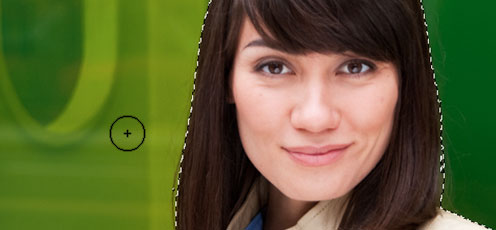
Explore new creative possibilities with tremendous precision and freedom. Easily select intricate image elements, such as hair. Create realistic painting effects. Remove any image element and see the space fill in almost magically.
- Intelligent image editing and enhancement
-
Better selections with Truer Edge new
Get better edge detection and masking results in less time with the Quick Selection tool even when you're selecting the trickiest image elements, such as hair.
Color decontamination new
Eliminate background color around the edges of your selection with the Quick Selection tool's automatic color decontamination capabilities.
Selection and mask refinement tools new
Automatically vary selection edges and perfect masks using new refinement tools.
Content-Aware Fill new
Remove any image detail or object and watch as Content-Aware Fill magically fills in the space left behind. This breakthrough technology matches lighting, tone, and noise so it looks as if the removed content never existed.
Puppet Warp new
Precisely reposition or warp any image element. Swing a raised arm to a person's side in a photo, stretch text to create new effects, and more.
Content-Aware Scaling
Automatically recompose an image as you resize it, smartly preserving vital areas as the image adapts to the new dimensions. Get the perfect image in one step without time-intensive cropping and retouching.
Expert retouching
Retouch images easily and precisely by previewing source pixels within the cursor of the Clone Stamp and the Healing Brush. Set multiple source points, scale, and rotate in the Clone Source palette.
Perspective-based editing
Create packaging mockups and more with Vanishing Point, which lets you create multiple planes in an image; connect them at any angle; and then wrap graphics, text, and images around them.
Smart Filters
Experiment by adding, adjusting, and removing filters from an image without resaving the image or starting over to preserve quality. Nondestructive Smart Filters allow you to see the changes without altering original pixel data.
Smart Objects
Perform nondestructive scaling, rotating, and warping of raster and vector graphics with Smart Objects. Even preserve the editability of vector data from Adobe Illustrator software.
- Extraordinary painting and drawing toolset
-
Mixer Brush new
Define multiple colors on a single Mixer Brush tip to paint with realistic color blends. Or use a dry Mixer Brush to blend a photo's colors and transform it into a beautiful painting.
Bristle Tips new
Easily paint with lifelike, naturally textured brush strokes using defined bristle properties like shape, length, and stiffness, and experiment away by adding Bristle Tips to a variety of Photoshop brush tools.
GPU-accelerated painting tools new
Click to smoothly resize brushes; adjust bristle hardness; or choose your color hue, saturation, or brightness from an onscreen color picker.
Rich drawing toolset
Create or modify images with a wide assortment of professional, fully customizable drawing tools.
- Advanced compositing
-
Paste in place new
Paste an element into a Photoshop file in the same position it held in the original file, for example, when you create something on the wrong layer and need to move it to the exact same place on a new layer.
Multi-layer Opacity new
Save time with the ability to adjust the opacity of many layers at once.
Multi-layer Fill new
Save time with the ability to adjust the fill of many layers at once.
Sticky layer styles new
Save your individual layer-style settings as defaults.
Auto-blending of images
Combine a range of images, each with a different exposure, color, and focal point with options to preserve tones and colors into a single, color-corrected image.
Easier layer management enhanced
Drag and drop a file onto an open PSD document to create a layer; nest up to ten layers; move a selection while the active layer is hidden; and delete all empty layers with one command.
360-degree panoramas
Count on Photomerge technology to automatically stitch horizontal or vertical photos to create amazing panoramas and even wrap them around 360-degree spheres.
Auto-alignment of layers
Create accurate composites with the Auto-Align Layers command, which lets you move, rotate, or warp layers to align them accurately. Or use spherical alignment to create breathtaking spherical panoramas.
Extended depth of field
Create an image from a series of shots that have different focal points with the Auto-Blend Layers command, which smoothly blends color and shading and even extends your depth of field, automatically correcting vignettes and lens distortion.
- State-of-the-art photography tools
-
Noise removal enhanced
Remove the noise common to high-ISO images and consumer-camera shots while preserving color and detail. You won't need more than this reengineered noise removal technology to maintain a photo's natural look, avoiding an oversharpened feel as you maximize quality.
Additive grain new
Make a digital photo look more organic or film-like by using a simple slider to add grain. Save grain settings as presets that you can apply to other photos to achieve a consistent look.
Post-crop vignetting enhanced
Enjoy more control when performing post-crop vignetting, and save favorite vignette effects as presets.
Better conversions with new demosaicing new
Process raw images with the industry-leading Adobe Photoshop Camera Raw 6 plug-in, which offers new demosaicing technology for unmatched conversion quality.
Support for more cameras and Adobe Photoshop Lightroom enhanced
Enjoy tight integration with Adobe Photoshop Lightroom software as well as support for over 275 camera models.
Automatic lens correction new
Save time with automatic correction of lens distortions, chromatic aberration, and vignetting. Photoshop CS5 uses an image file's EXIF data to make precise adjustments based on the type of camera and lens you used.
Lens Correction filter improvements enhanced
Work more intuitively with the Lens Correction filter. The Grid display is now off by default; chromatic aberration correction sliders allow decimal point adjustments; a third slider has been added to correct common green/magenta aberrations; and more.
Straighten Image tool new
Quickly straighten any crooked image. Simply drag a straight line from the Ruler tool onto your image, and the image will snap to the line.
Gradient tool preset for neutral density new
Use the Neutral Density preset to emulate a neutral density filter, clicking once to have the Gradient tool darken an overexposed patch of a photo while leaving the rest unaltered.
- Professional color and tone control
-
HDR Pro enhanced
Create either photo-realistic or wildly surreal high dynamic range (HDR) images with unprecedented speed, control, and accuracy. Get stunning results thanks to automatic ghost removal and greater control with tone mapping and adjustments.
HDR Toning new
Give any single-exposure image the photo-realistic or wildly surreal look of an HDR image. The HDR Toning feature offers an easy way to bring the rich aesthetic of high dynamic range to your 8-bit images.
Black-and-white conversion enhanced
Explore an endless variety of black-and-white looks. Use the integrated Lab B&W Action to interactively convert color images; create gorgeous HDR black-and-whites with greater ease and speed; and experiment with new presets.
Industry-leading color correction
Use Dodge, Burn, and Sponge tools that intelligently preserve color and tone details, Curves controls that let you make automatic adjustments with included presets or those you create, a histogram, color channel lines, and more.
- Video and animation design
-
Preview and export of audio content and frame comments
Move through and edit video layers quickly and precisely using single-key shortcuts, and preview and export audio tracks in addition to exporting frame comments.
Single-key shortcuts
Edit motion graphics on video layers efficiently with single-key shortcuts.
Movie Paint
Paint, add text, and clone over multiple frames of an imported video sequence using Movie Paint.
Smooth animation workflow
Easily create animations from a series of still images or video frames with the Animation panel, which enables onion skinning.
Broad video file format support
Work with video files thanks to support for 3G, FLC, MOV, AVI, DV Stream, Image Sequence, MPEG-4, and FLV formats.
Video color management
Create and edit images for video with maximum quality and a broad range of color models. Edit and enhance grayscale, RGB, CMYK, and LAB models at 8-, 16-, and 32-bit depths with color management.
Familiar editing workflow
Edit video images quickly using familiar frame- and timeline-based editing tools.
- Creative tools and content
-
New shapes, swatches, and gradients new
Give your images and designs fresh looks using a variety of custom shapes, color swatches, styles, gradients, and 3D meshes.
New Actions and brushes new
Quickly try out different editing effects and techniques using new Actions for black-and-white conversion and surreal Stars effects, and paint with a new set of brushes.
Boost productivity
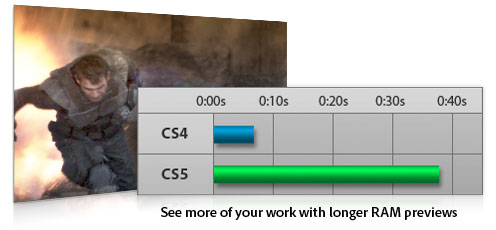
Accelerate your workflow with fast performance on 64-bit Windows and Mac hardware systems, smoother interactions thanks to more GPU-accelerated features, and dozens of time-savers requested by Photoshop users.
- Easy access to core editing power
-
Adjustments panel enhanced
Use the convenient Adjustments panel to easily access every tool you need to nondestructively adjust and enhance color and tone. Open the On-image Adjustment tool with a keyboard shortcut.
Masks panel
Quickly create and edit masks from the Masks panel. This panel offers all the tools you need to create editable pixel- and vector-based masks, adjust mask density and feathering, easily select noncontiguous objects, and more.
- Efficient and flexible work environment
-
Faster performance across platforms enhanced
Speed up day-to-day imaging tasks and process very large images up to ten times faster by taking advantage of cross-platform 64-bit support. (Requires a 64-bit-capable computer with a 64-bit version of Mac OS, Microsoft Windows 7, or Windows Vista. Actual performance varies depending on amount of RAM, driver types, and other factors.)
Efficient tile sizing and caching
Easily control tile size, and use presets for simultaneously setting cache and tile size based on whether your output is for print or web.
Adobe Bridge CS5 and Adobe Mini Bridge enhanced
Easily manage media with more flexible batch renaming, and access your assets in the context of what you're working on by using the customizable Adobe Mini Bridge panel in Photoshop.
Workspace Switcher new
Use the new, collapsible Workspace Switcher to quickly navigate and choose among your favorite user interface configurations.
Live workspaces new
Let Photoshop automatically record changes you make to a task-specific user interface so that if you switch to a different configuration and then switch back, your panels will be exactly where you left them.
Powerful printing options enhanced
Get outstanding prints in less time with automation, scripting, and a print dialog box that's easier to navigate.
Better crop guides new
Use Rule of Thirds or Grid layouts for better guides while cropping.
Fluid canvas rotation
Just click to smoothly turn your canvas for nondestructive viewing at any desired angle no more tilting your head when painting and drawing.
Smooth panning and zooming enhanced
Experience ultrasmooth zooming and panning, maintaining clarity as you zoom to individual pixels. Click an image and drag left or right to zoom in or out, and edit at the highest magnification using the Pixel Grid.
Panel management
Maximize screen space while keeping essential tools accessible. Arrange panels in convenient, self-adjusting docks that can be widened to full size or narrowed to icons or even a thin strip at the edge of your monitor.
File display options
Easily work with multiple open files by using tabbed document display or n-up views.
Onscreen color picker new
Easily adjust the hue, saturation, or brightness of your foreground color without having to jump into the Color Picker dialog box.
Customized workspaces
Set up and save custom menus, keyboard shortcuts, and workspaces for quick access to exactly what you need.
One-click color adjustments
Make sophisticated color adjustments instantly with one-click presets in Curves and the Channel Mixer.
Multi-Touch support on Mac laptops enhanced
Pinch, swipe, and rotate images using the Multi-Touch trackpad on newer MacBook Pro and MacBook Air laptops (requires Mac OS X v10.5 or later). And now, easily turn off Multi-Touch support if you wish.
Profiles to support the color-blind
Design with sensitivity for color-blind individuals by creating soft proofs of your images using built-in Color Universal Design Organization profiles.
- Streamlined workflow
-
Streamlined creative reviews new
Use Adobe CS Review, part of new Adobe CS Live online services,* to initiate a more secure review without leaving Photoshop Extended. Reviewers can add comments to your images from their browsers, and you see the comments appear automatically on your screen. CS Live services are complimentary for a limited time.
Adobe PDF file support
Precisely control the size of PDF pages opened in Photoshop; add security controls and metadata, such as copyright and exposure details, to images within PDF presentations; and create a rich image display in PDF presentations and documents.
Adobe Photoshop Lightroom integration enhanced
Enjoy tight integration with Photoshop Lightroom (sold separately), easily moving files from Lightroom to Photoshop CS5 to create HDR images, panoramas, and multilayered Photoshop documents. Roundtrip your files back to Lightroom.
Automated production
Automate routine production tasks in a variety of ways. Set up event-based scripts, record a series of steps as an Action for efficient batch processing, and design repetitive graphics faster with Variables.
History panel
Undo and redo any set of editing steps in an open image with the History panel.
Edit History log
Let Photoshop track all editing steps within your files with the Edit History log. Export steps to a text file or save them as part of image metadata for easier documentation, file audits, and more.
Image file format support
Import and export hundreds of image file formats, including PSD, AI, PDF, NEF, CRW, TIFF, BMP, Cineon, JPEG, JPEG2000, FXG, OpenEXR, PNG, and Targa.
Video file format support enhanced
Work with video files thanks to support for 3G, FLC, MOV, AVI, DV Stream, Image Sequence, MPEG-4, and FLV formats.
Mobile device support
Create compelling mobile content, such as wallpapers and screen savers, and then preview how it will render on mobile devices using built-in Adobe Device Central CS5. Tune your designs for mobile screen sizes and lighting conditions.
High-resolution web display
Take advantage of Adobe Flash and Zoomify technology to export high-resolution images to the web for viewing with the Adobe Flash Player runtime. Flash Player displays images quickly and efficiently, letting viewers zoom in with minimal delay.
Paste in place new
Paste an element into a Photoshop file in the same position it held in the original file, for example, when you create something on the wrong layer and need to move it to the exact same place on a new layer.
- New time-savers
-
16-bit to JPEG conversion new
Let Photoshop CS5 automatically downsample your 16-bit image files so you can save them as 8-bit JPEGs.
File closing enhancement new
Save clicks with the ability to close all open images without saving.
Saving shortcut new
Add a preference that helps ensure you'll save all open images to the last folder to which you saved an image.
Easy reversing of clone source images new
Clone any image element, and then click once to reverse the cloned element so it faces in the opposite direction.
Shadow/Highlight default change new
Get more natural-looking results from the Shadow/Highlight command's default setting, which now decreases shadows by 35% instead of 50%.
Maximize Compatibility dialog box improvement new
Check the "Dont show this message again" box to avoid repeat appearances of the Maximize Compatibility dialog box.
- Powerful extensibility
-
Adobe Configurator new
Get and share custom panels that developers create to accomplish specific tasks and easily create your own panels of tools, menu items, actions, and more with Adobe Configurator software.
DNG Profile Editor new
Create your own color profiles using the publicly available DNG Profile Editor.
Adobe Pixel Bender new
Develop and/or share filters with publicly available, GPU-accelerated Adobe Pixel Bender technology.
Adobe Photoshop Marketplace new
Explore Adobe Photoshop Marketplace for a huge range of third-party plug-ins and resources.
Adobe Community Help
Access the power of an online search engine from within Photoshop, but with more targeted results. Searchable content includes the in-depth Photoshop Help, plus additional Adobe and third-party content chosen by Adobe and community experts.
Adobe ConnectNow from Acrobat.com
Share ideas and discuss project details with clients and colleagues all online using Adobe ConnectNow, an Acrobat.com web conferencing service. Acrobat.com is part of new Adobe CS Live online services.*
Analyze images with precision
Work with specialized images for architecture, manufacturing, engineering, science, and medicine. Extract quantitative data from images, and experience support for DICOM images and MATLAB processing routines.
- Measurement, counting, and edit-tracking tools
-
Quantitative data extraction
Easily calibrate or set the scale of an image, and even set measurements to the scale information in the header of DICOM files. Use selection tools to define and calculate distance, perimeter, area, and many other measurements. Record data points in a Measurement Log and then export the data including histogram data to a spreadsheet for further quantitative analysis.
Scale markers
Easily add scale markers to any image or series of images for presentations or publication.
Count tool
Easily and accurately tally objects or features in any image with the Count tool, which eliminates the need to perform manual calculations or rely on visual assessments of changes from image to image. Save time by performing multiple counts in a single image. Use separate colors for each count and save your counts in the PSD file.
Edit tracking
Let Photoshop track all editing steps within your files with the Edit History log. Export steps to a text file or save them as part of image metadata for easier documentation of your work, file audits, and more.
- Support for manufacturing, medical, and scientific workflows
-
Image Stacks
Quickly render a stack of related images into a single view using a variety of rendering calculations, such as median and maximum. Adobe Photoshop Extended automatically analyzes and combines the images while preserving the originals. Image Stacks are extensible, so third parties can write their own render modes.
DICOM image support
Import, correct, annotate, analyze, and create animations from DICOM images. Have confidential patient data automatically removed from DICOM metadata, and batch save JPEG files for presentations.
DICOM volume rendering
Volume render a DICOM image stack into a 3D anatomical image that can be viewed and explored from all angles and depths.
MATLAB support
Pass image data directly between Photoshop Extended and MATLAB with the ability to call Photoshop Extended directly from the MATLAB command line. Visualize results of MATLAB algorithms in the software, and combine MATLAB processing with Photoshop Extended image editing to render, test, and refine algorithms for image processing, analysis, and more.
-
Mac OS
- Multicore Intel processor
- Mac OS X v10.5.7 or v10.6
- 1GB of RAM
- 2GB of available hard-disk space for installation; additional free space required during installation (cannot install on a volume that uses a case-sensitive file system or on removable flash-based storage devices)
- 1024x768 display (1280x800 recommended) with qualified hardware-accelerated OpenGL graphics card, 16-bit color, and 256MB of VRAM
- Some GPU-accelerated features require graphics support for Shader Model 3.0 and OpenGL 2.0
- DVD-ROM drive
- QuickTime 7.6.2 software required for multimedia features
- Broadband Internet connection required for online services*
|
|
|
|
29/04
|
Adobe Photoshop Extended CS5 - Mac, Retail Warning : Before Purchase Please Check OS Compatibility
What is Photoshop Extended?
Discover new dimensions in digital imaging
Adobe Photoshop CS5 Extended software is the ultimate solution for advanced digital imaging, delivering all the editing and compositing capabilities of Photoshop CS5 plus breakthrough tools that let you create and edit 3D and motion-based content.
DESIGN AMAZING IMAGES
Keep pushing creative boundaries with world-class 2D and 3D design. Use powerful new selection, painting, and warping capabilities to create standout images.
Make your web pages pop
Get just the right look for each client's site. Easily select intricate image elements for placing in layout. Create 3D artwork for logos and buttons.
Enhance 3D for video
Create and enhance 3D and motion-based content and prepare still images and text for all your projects. Work fast with cross-platform 64-bit support, and create stunning HDR images for video backdrops.
CREATE RICH INTERACTIVE EXPERIENCES
Design cutting-edge looks for interactive web content and experiences. Create 3D artwork, warped graphics, and realistic painting effects for all your projects.
Enhance Adobe Illustrator vector art in Photoshop Extended, or combine it with Photoshop imagery for delivery via a variety of media.
Bring PSD files into Adobe Dreamweaver to create image Smart Objects that are updated automatically whenever you change the source image.
Export video layers from Adobe Premiere Pro and enhance them in Photoshop Extended. Or import PSD layers into Adobe After Effects, with 3D edits intact, for final effects creation.
Bring your Photoshop Extended images to life in immersive, interactive experiences with Adobe Flash Professional.
Photoshop Extended features
Innovate in 3D
Go beyond traditional image editing by bringing 3D elements to your 2D artwork directly within your favorite digital imaging application, which now offers an easy on-ramp to 3D image creation.
- 3D editing
-
3D extrusions with Adobe Repouss new
Create stunning 3D logos and artwork from any text layer, selection, path, or layer mask with Adobe Repouss technology. Then twist, rotate, extrude, bevel, and inflate these designs to get the look you want.
Rich 3D materials library and picker new
Explore different looks for your 3D objects by applying materials like chrome and gemstones from a rich materials library. Select and apply materials using intuitive tools, and add to your library by downloading materials from the web.
Ability to wrap 2D data around 3D geometry
Use convenient presets to wrap 2D images around common 3D geometric shapes, such as cylinders and spheres.
3D mesh creation enhanced
Quickly generate 3D objects from grayscale depth maps.
Depth of field for 3D new
Experiment with different focus points in your 3D scene by previewing and adjusting the range for depth of field.
Easy shadow creation new
Enhance the realism of your 3D designs by generating shadows in a few clicks with the shadow catcher.
Image-based lighting new
Use HDR images or panoramas to light your 3D scene.
Better 3D performance and workflow enhanced
Take advantage of a new ray tracer for immediate progressive feedback on rendering states. And experience superior 3D performance with improved import, interaction speeds, and merging of 3D objects into a single scene.
OBJ file import enhanced
Import Object (OBJ) files up to 50% faster.
3D object painting
Paint directly on 3D models or their unwrapped textures. Edit your textures directly using all the power of Adobe Photoshop, and even view UV overlays on flattened textures for guidance.
3D object and property editing enhanced
Edit, enhance, and manipulate 3D scenes in a streamlined interface without dialog boxes. Enjoy a single, easy-to-use panel that contains all your 3D controls for meshes, materials, and lights.
Volume rendering
Add depth to pixel layers, text, 2D shapes, and DICOM frames with volume rendering.
3D and 2D image compositing enhanced
Combine 3D layers into a single scene, or incorporate 3D content into 2D composites. Support for popular 3D formats lets you import and export Collada, OBJ, U3D, and KMZ models, as well as import 3DS models.
Navigating and moving 3D objects enhanced
Use the new 3D axis to position objects, cameras, lights, and meshes. Use bounding overlays to easily identify which material or mesh is targeted, and toggle these on or off along with the ground plane and lights.
3D animation
Create 3D animations by mapping object movement, camera position, render settings, and cross sections to keyframes in your timeline. Take this further by using video layers to animate your textures, and include image-based lights.
File roundtripping
Roundtrip common 3D file formats, including COLLADA, OBJ, U3D, and KMZ. Import 3DS.
Integration with Adobe Acrobat 9 Pro and After Effects
Collaborate on 3D content easily through tight integration with Adobe Acrobat 9 Pro Extended and After Effects. Convert to the robust COLLADA interchange format, enhance models, and embed 3D models into PDF files for review. Use 3D layers from Photoshop Extended in After Effects projects.
Vanishing Point with 3D support
Edit in perspective on multiple surfaces even those connected at angles other than 90 degrees with Vanishing Point. Measure in perspective; wrap graphics, images, and text around multiple planes; and output planes as 3D models to use in After Effects projects.
32-bit file support enhanced
Create a layer mask directly from the transparency in your 32-bit file.
Maximize creative impact
Explore new creative possibilities with tremendous precision and freedom. Easily select intricate image elements, such as hair. Create realistic painting effects. Remove any image element and see the space fill in almost magically.
- Intelligent image editing and enhancement
-
Better selections with Truer Edge new
Get better edge detection and masking results in less time with the Quick Selection tool even when you're selecting the trickiest image elements, such as hair.
Color decontamination new
Eliminate background color around the edges of your selection with the Quick Selection tool's automatic color decontamination capabilities.
Selection and mask refinement tools new
Automatically vary selection edges and perfect masks using new refinement tools.
Content-Aware Fill new
Remove any image detail or object and watch as Content-Aware Fill magically fills in the space left behind. This breakthrough technology matches lighting, tone, and noise so it looks as if the removed content never existed.
Puppet Warp new
Precisely reposition or warp any image element. Swing a raised arm to a person's side in a photo, stretch text to create new effects, and more.
Content-Aware Scaling
Automatically recompose an image as you resize it, smartly preserving vital areas as the image adapts to the new dimensions. Get the perfect image in one step without time-intensive cropping and retouching.
Expert retouching
Retouch images easily and precisely by previewing source pixels within the cursor of the Clone Stamp and the Healing Brush. Set multiple source points, scale, and rotate in the Clone Source palette.
Perspective-based editing
Create packaging mockups and more with Vanishing Point, which lets you create multiple planes in an image; connect them at any angle; and then wrap graphics, text, and images around them.
Smart Filters
Experiment by adding, adjusting, and removing filters from an image without resaving the image or starting over to preserve quality. Nondestructive Smart Filters allow you to see the changes without altering original pixel data.
Smart Objects
Perform nondestructive scaling, rotating, and warping of raster and vector graphics with Smart Objects. Even preserve the editability of vector data from Adobe Illustrator software.
- Extraordinary painting and drawing toolset
-
Mixer Brush new
Define multiple colors on a single Mixer Brush tip to paint with realistic color blends. Or use a dry Mixer Brush to blend a photo's colors and transform it into a beautiful painting.
Bristle Tips new
Easily paint with lifelike, naturally textured brush strokes using defined bristle properties like shape, length, and stiffness, and experiment away by adding Bristle Tips to a variety of Photoshop brush tools.
GPU-accelerated painting tools new
Click to smoothly resize brushes; adjust bristle hardness; or choose your color hue, saturation, or brightness from an onscreen color picker.
Rich drawing toolset
Create or modify images with a wide assortment of professional, fully customizable drawing tools.
- Advanced compositing
-
Paste in place new
Paste an element into a Photoshop file in the same position it held in the original file, for example, when you create something on the wrong layer and need to move it to the exact same place on a new layer.
Multi-layer Opacity new
Save time with the ability to adjust the opacity of many layers at once.
Multi-layer Fill new
Save time with the ability to adjust the fill of many layers at once.
Sticky layer styles new
Save your individual layer-style settings as defaults.
Auto-blending of images
Combine a range of images, each with a different exposure, color, and focal point with options to preserve tones and colors into a single, color-corrected image.
Easier layer management enhanced
Drag and drop a file onto an open PSD document to create a layer; nest up to ten layers; move a selection while the active layer is hidden; and delete all empty layers with one command.
360-degree panoramas
Count on Photomerge technology to automatically stitch horizontal or vertical photos to create amazing panoramas and even wrap them around 360-degree spheres.
Auto-alignment of layers
Create accurate composites with the Auto-Align Layers command, which lets you move, rotate, or warp layers to align them accurately. Or use spherical alignment to create breathtaking spherical panoramas.
Extended depth of field
Create an image from a series of shots that have different focal points with the Auto-Blend Layers command, which smoothly blends color and shading and even extends your depth of field, automatically correcting vignettes and lens distortion.
- State-of-the-art photography tools
-
Noise removal enhanced
Remove the noise common to high-ISO images and consumer-camera shots while preserving color and detail. You won't need more than this reengineered noise removal technology to maintain a photo's natural look, avoiding an oversharpened feel as you maximize quality.
Additive grain new
Make a digital photo look more organic or film-like by using a simple slider to add grain. Save grain settings as presets that you can apply to other photos to achieve a consistent look.
Post-crop vignetting enhanced
Enjoy more control when performing post-crop vignetting, and save favorite vignette effects as presets.
Better conversions with new demosaicing new
Process raw images with the industry-leading Adobe Photoshop Camera Raw 6 plug-in, which offers new demosaicing technology for unmatched conversion quality.
Support for more cameras and Adobe Photoshop Lightroom enhanced
Enjoy tight integration with Adobe Photoshop Lightroom software as well as support for over 275 camera models.
Automatic lens correction new
Save time with automatic correction of lens distortions, chromatic aberration, and vignetting. Photoshop CS5 uses an image file's EXIF data to make precise adjustments based on the type of camera and lens you used.
Lens Correction filter improvements enhanced
Work more intuitively with the Lens Correction filter. The Grid display is now off by default; chromatic aberration correction sliders allow decimal point adjustments; a third slider has been added to correct common green/magenta aberrations; and more.
Straighten Image tool new
Quickly straighten any crooked image. Simply drag a straight line from the Ruler tool onto your image, and the image will snap to the line.
Gradient tool preset for neutral density new
Use the Neutral Density preset to emulate a neutral density filter, clicking once to have the Gradient tool darken an overexposed patch of a photo while leaving the rest unaltered.
- Professional color and tone control
-
HDR Pro enhanced
Create either photo-realistic or wildly surreal high dynamic range (HDR) images with unprecedented speed, control, and accuracy. Get stunning results thanks to automatic ghost removal and greater control with tone mapping and adjustments.
HDR Toning new
Give any single-exposure image the photo-realistic or wildly surreal look of an HDR image. The HDR Toning feature offers an easy way to bring the rich aesthetic of high dynamic range to your 8-bit images.
Black-and-white conversion enhanced
Explore an endless variety of black-and-white looks. Use the integrated Lab B&W Action to interactively convert color images; create gorgeous HDR black-and-whites with greater ease and speed; and experiment with new presets.
Industry-leading color correction
Use Dodge, Burn, and Sponge tools that intelligently preserve color and tone details, Curves controls that let you make automatic adjustments with included presets or those you create, a histogram, color channel lines, and more.
- Video and animation design
-
Preview and export of audio content and frame comments
Move through and edit video layers quickly and precisely using single-key shortcuts, and preview and export audio tracks in addition to exporting frame comments.
Single-key shortcuts
Edit motion graphics on video layers efficiently with single-key shortcuts.
Movie Paint
Paint, add text, and clone over multiple frames of an imported video sequence using Movie Paint.
Smooth animation workflow
Easily create animations from a series of still images or video frames with the Animation panel, which enables onion skinning.
Broad video file format support
Work with video files thanks to support for 3G, FLC, MOV, AVI, DV Stream, Image Sequence, MPEG-4, and FLV formats.
Video color management
Create and edit images for video with maximum quality and a broad range of color models. Edit and enhance grayscale, RGB, CMYK, and LAB models at 8-, 16-, and 32-bit depths with color management.
Familiar editing workflow
Edit video images quickly using familiar frame- and timeline-based editing tools.
- Creative tools and content
-
New shapes, swatches, and gradients new
Give your images and designs fresh looks using a variety of custom shapes, color swatches, styles, gradients, and 3D meshes.
New Actions and brushes new
Quickly try out different editing effects and techniques using new Actions for black-and-white conversion and surreal Stars effects, and paint with a new set of brushes.
Boost productivity
Accelerate your workflow with fast performance on 64-bit Windows and Mac hardware systems, smoother interactions thanks to more GPU-accelerated features, and dozens of time-savers requested by Photoshop users.
- Easy access to core editing power
-
Adjustments panel enhanced
Use the convenient Adjustments panel to easily access every tool you need to nondestructively adjust and enhance color and tone. Open the On-image Adjustment tool with a keyboard shortcut.
Masks panel
Quickly create and edit masks from the Masks panel. This panel offers all the tools you need to create editable pixel- and vector-based masks, adjust mask density and feathering, easily select noncontiguous objects, and more.
- Efficient and flexible work environment
-
Faster performance across platforms enhanced
Speed up day-to-day imaging tasks and process very large images up to ten times faster by taking advantage of cross-platform 64-bit support. (Requires a 64-bit-capable computer with a 64-bit version of Mac OS, Microsoft Windows 7, or Windows Vista. Actual performance varies depending on amount of RAM, driver types, and other factors.)
Efficient tile sizing and caching
Easily control tile size, and use presets for simultaneously setting cache and tile size based on whether your output is for print or web.
Adobe Bridge CS5 and Adobe Mini Bridge enhanced
Easily manage media with more flexible batch renaming, and access your assets in the context of what you're working on by using the customizable Adobe Mini Bridge panel in Photoshop.
Workspace Switcher new
Use the new, collapsible Workspace Switcher to quickly navigate and choose among your favorite user interface configurations.
Live workspaces new
Let Photoshop automatically record changes you make to a task-specific user interface so that if you switch to a different configuration and then switch back, your panels will be exactly where you left them.
Powerful printing options enhanced
Get outstanding prints in less time with automation, scripting, and a print dialog box that's easier to navigate.
Better crop guides new
Use Rule of Thirds or Grid layouts for better guides while cropping.
Fluid canvas rotation
Just click to smoothly turn your canvas for nondestructive viewing at any desired angle no more tilting your head when painting and drawing.
Smooth panning and zooming enhanced
Experience ultrasmooth zooming and panning, maintaining clarity as you zoom to individual pixels. Click an image and drag left or right to zoom in or out, and edit at the highest magnification using the Pixel Grid.
Panel management
Maximize screen space while keeping essential tools accessible. Arrange panels in convenient, self-adjusting docks that can be widened to full size or narrowed to icons or even a thin strip at the edge of your monitor.
File display options
Easily work with multiple open files by using tabbed document display or n-up views.
Onscreen color picker new
Easily adjust the hue, saturation, or brightness of your foreground color without having to jump into the Color Picker dialog box.
Customized workspaces
Set up and save custom menus, keyboard shortcuts, and workspaces for quick access to exactly what you need.
One-click color adjustments
Make sophisticated color adjustments instantly with one-click presets in Curves and the Channel Mixer.
Multi-Touch support on Mac laptops enhanced
Pinch, swipe, and rotate images using the Multi-Touch trackpad on newer MacBook Pro and MacBook Air laptops (requires Mac OS X v10.5 or later). And now, easily turn off Multi-Touch support if you wish.
Profiles to support the color-blind
Design with sensitivity for color-blind individuals by creating soft proofs of your images using built-in Color Universal Design Organization profiles.
- Streamlined workflow
-
Streamlined creative reviews new
Use Adobe CS Review, part of new Adobe CS Live online services,* to initiate a more secure review without leaving Photoshop Extended. Reviewers can add comments to your images from their browsers, and you see the comments appear automatically on your screen. CS Live services are complimentary for a limited time.
Adobe PDF file support
Precisely control the size of PDF pages opened in Photoshop; add security controls and metadata, such as copyright and exposure details, to images within PDF presentations; and create a rich image display in PDF presentations and documents.
Adobe Photoshop Lightroom integration enhanced
Enjoy tight integration with Photoshop Lightroom (sold separately), easily moving files from Lightroom to Photoshop CS5 to create HDR images, panoramas, and multilayered Photoshop documents. Roundtrip your files back to Lightroom.
Automated production
Automate routine production tasks in a variety of ways. Set up event-based scripts, record a series of steps as an Action for efficient batch processing, and design repetitive graphics faster with Variables.
History panel
Undo and redo any set of editing steps in an open image with the History panel.
Edit History log
Let Photoshop track all editing steps within your files with the Edit History log. Export steps to a text file or save them as part of image metadata for easier documentation, file audits, and more.
Image file format support
Import and export hundreds of image file formats, including PSD, AI, PDF, NEF, CRW, TIFF, BMP, Cineon, JPEG, JPEG2000, FXG, OpenEXR, PNG, and Targa.
Video file format support enhanced
Work with video files thanks to support for 3G, FLC, MOV, AVI, DV Stream, Image Sequence, MPEG-4, and FLV formats.
Mobile device support
Create compelling mobile content, such as wallpapers and screen savers, and then preview how it will render on mobile devices using built-in Adobe Device Central CS5. Tune your designs for mobile screen sizes and lighting conditions.
High-resolution web display
Take advantage of Adobe Flash and Zoomify technology to export high-resolution images to the web for viewing with the Adobe Flash Player runtime. Flash Player displays images quickly and efficiently, letting viewers zoom in with minimal delay.
Paste in place new
Paste an element into a Photoshop file in the same position it held in the original file, for example, when you create something on the wrong layer and need to move it to the exact same place on a new layer.
- New time-savers
-
16-bit to JPEG conversion new
Let Photoshop CS5 automatically downsample your 16-bit image files so you can save them as 8-bit JPEGs.
File closing enhancement new
Save clicks with the ability to close all open images without saving.
Saving shortcut new
Add a preference that helps ensure you'll save all open images to the last folder to which you saved an image.
Easy reversing of clone source images new
Clone any image element, and then click once to reverse the cloned element so it faces in the opposite direction.
Shadow/Highlight default change new
Get more natural-looking results from the Shadow/Highlight command's default setting, which now decreases shadows by 35% instead of 50%.
Maximize Compatibility dialog box improvement new
Check the "Dont show this message again" box to avoid repeat appearances of the Maximize Compatibility dialog box.
- Powerful extensibility
-
Adobe Configurator new
Get and share custom panels that developers create to accomplish specific tasks and easily create your own panels of tools, menu items, actions, and more with Adobe Configurator software.
DNG Profile Editor new
Create your own color profiles using the publicly available DNG Profile Editor.
Adobe Pixel Bender new
Develop and/or share filters with publicly available, GPU-accelerated Adobe Pixel Bender technology.
Adobe Photoshop Marketplace new
Explore Adobe Photoshop Marketplace for a huge range of third-party plug-ins and resources.
Adobe Community Help
Access the power of an online search engine from within Photoshop, but with more targeted results. Searchable content includes the in-depth Photoshop Help, plus additional Adobe and third-party content chosen by Adobe and community experts.
Adobe ConnectNow from Acrobat.com
Share ideas and discuss project details with clients and colleagues all online using Adobe ConnectNow, an Acrobat.com web conferencing service. Acrobat.com is part of new Adobe CS Live online services.*
Analyze images with precision
Work with specialized images for architecture, manufacturing, engineering, science, and medicine. Extract quantitative data from images, and experience support for DICOM images and MATLAB processing routines.
- Measurement, counting, and edit-tracking tools
-
Quantitative data extraction
Easily calibrate or set the scale of an image, and even set measurements to the scale information in the header of DICOM files. Use selection tools to define and calculate distance, perimeter, area, and many other measurements. Record data points in a Measurement Log and then export the data including histogram data to a spreadsheet for further quantitative analysis.
Scale markers
Easily add scale markers to any image or series of images for presentations or publication.
Count tool
Easily and accurately tally objects or features in any image with the Count tool, which eliminates the need to perform manual calculations or rely on visual assessments of changes from image to image. Save time by performing multiple counts in a single image. Use separate colors for each count and save your counts in the PSD file.
Edit tracking
Let Photoshop track all editing steps within your files with the Edit History log. Export steps to a text file or save them as part of image metadata for easier documentation of your work, file audits, and more.
- Support for manufacturing, medical, and scientific workflows
-
Image Stacks
Quickly render a stack of related images into a single view using a variety of rendering calculations, such as median and maximum. Adobe Photoshop Extended automatically analyzes and combines the images while preserving the originals. Image Stacks are extensible, so third parties can write their own render modes.
DICOM image support
Import, correct, annotate, analyze, and create animations from DICOM images. Have confidential patient data automatically removed from DICOM metadata, and batch save JPEG files for presentations.
DICOM volume rendering
Volume render a DICOM image stack into a 3D anatomical image that can be viewed and explored from all angles and depths.
MATLAB support
Pass image data directly between Photoshop Extended and MATLAB with the ability to call Photoshop Extended directly from the MATLAB command line. Visualize results of MATLAB algorithms in the software, and combine MATLAB processing with Photoshop Extended image editing to render, test, and refine algorithms for image processing, analysis, and more.
-
Mac OS
- Multicore Intel processor
- Mac OS X v10.5.7 or v10.6
- 1GB of RAM
- 2GB of available hard-disk space for installation; additional free space required during installation (cannot install on a volume that uses a case-sensitive file system or on removable flash-based storage devices)
- 1024x768 display (1280x800 recommended) with qualified hardware-accelerated OpenGL graphics card, 16-bit color, and 256MB of VRAM
- Some GPU-accelerated features require graphics support for Shader Model 3.0 and OpenGL 2.0
- DVD-ROM drive
- QuickTime 7.6.2 software required for multimedia features
- Broadband Internet connection required for online services*
|
|
|
|
29/04
|
Adobe Photoshop Extended CS5 - Windows, Educational Only Warning : Before Purchase Please Check OS Compatibility
What is Photoshop Extended?
Discover new dimensions in digital imaging
Adobe Photoshop CS5 Extended software is the ultimate solution for advanced digital imaging, delivering all the editing and compositing capabilities of Photoshop CS5 plus breakthrough tools that let you create and edit 3D and motion-based content.
DESIGN AMAZING IMAGES
Keep pushing creative boundaries with world-class 2D and 3D design. Use powerful new selection, painting, and warping capabilities to create standout images.
Make your web pages pop
Get just the right look for each client's site. Easily select intricate image elements for placing in layout. Create 3D artwork for logos and buttons.
Enhance 3D for video
Create and enhance 3D and motion-based content and prepare still images and text for all your projects. Work fast with cross-platform 64-bit support, and create stunning HDR images for video backdrops.
CREATE RICH INTERACTIVE EXPERIENCES
Design cutting-edge looks for interactive web content and experiences. Create 3D artwork, warped graphics, and realistic painting effects for all your projects.
Enhance Adobe Illustrator vector art in Photoshop Extended, or combine it with Photoshop imagery for delivery via a variety of media.
Bring PSD files into Adobe Dreamweaver to create image Smart Objects that are updated automatically whenever you change the source image.
Export video layers from Adobe Premiere Pro and enhance them in Photoshop Extended. Or import PSD layers into Adobe After Effects, with 3D edits intact, for final effects creation.
Bring your Photoshop Extended images to life in immersive, interactive experiences with Adobe Flash Professional.
Photoshop Extended features
Innovate in 3D
Go beyond traditional image editing by bringing 3D elements to your 2D artwork directly within your favorite digital imaging application, which now offers an easy on-ramp to 3D image creation.
- 3D editing
-
3D extrusions with Adobe Repouss new
Create stunning 3D logos and artwork from any text layer, selection, path, or layer mask with Adobe Repouss technology. Then twist, rotate, extrude, bevel, and inflate these designs to get the look you want.
Rich 3D materials library and picker new
Explore different looks for your 3D objects by applying materials like chrome and gemstones from a rich materials library. Select and apply materials using intuitive tools, and add to your library by downloading materials from the web.
Ability to wrap 2D data around 3D geometry
Use convenient presets to wrap 2D images around common 3D geometric shapes, such as cylinders and spheres.
3D mesh creation enhanced
Quickly generate 3D objects from grayscale depth maps.
Depth of field for 3D new
Experiment with different focus points in your 3D scene by previewing and adjusting the range for depth of field.
Easy shadow creation new
Enhance the realism of your 3D designs by generating shadows in a few clicks with the shadow catcher.
Image-based lighting new
Use HDR images or panoramas to light your 3D scene.
Better 3D performance and workflow enhanced
Take advantage of a new ray tracer for immediate progressive feedback on rendering states. And experience superior 3D performance with improved import, interaction speeds, and merging of 3D objects into a single scene.
OBJ file import enhanced
Import Object (OBJ) files up to 50% faster.
3D object painting
Paint directly on 3D models or their unwrapped textures. Edit your textures directly using all the power of Adobe Photoshop, and even view UV overlays on flattened textures for guidance.
3D object and property editing enhanced
Edit, enhance, and manipulate 3D scenes in a streamlined interface without dialog boxes. Enjoy a single, easy-to-use panel that contains all your 3D controls for meshes, materials, and lights.
Volume rendering
Add depth to pixel layers, text, 2D shapes, and DICOM frames with volume rendering.
3D and 2D image compositing enhanced
Combine 3D layers into a single scene, or incorporate 3D content into 2D composites. Support for popular 3D formats lets you import and export Collada, OBJ, U3D, and KMZ models, as well as import 3DS models.
Navigating and moving 3D objects enhanced
Use the new 3D axis to position objects, cameras, lights, and meshes. Use bounding overlays to easily identify which material or mesh is targeted, and toggle these on or off along with the ground plane and lights.
3D animation
Create 3D animations by mapping object movement, camera position, render settings, and cross sections to keyframes in your timeline. Take this further by using video layers to animate your textures, and include image-based lights.
File roundtripping
Roundtrip common 3D file formats, including COLLADA, OBJ, U3D, and KMZ. Import 3DS.
Integration with Adobe Acrobat 9 Pro and After Effects
Collaborate on 3D content easily through tight integration with Adobe Acrobat 9 Pro Extended and After Effects. Convert to the robust COLLADA interchange format, enhance models, and embed 3D models into PDF files for review. Use 3D layers from Photoshop Extended in After Effects projects.
Vanishing Point with 3D support
Edit in perspective on multiple surfaces even those connected at angles other than 90 degrees with Vanishing Point. Measure in perspective; wrap graphics, images, and text around multiple planes; and output planes as 3D models to use in After Effects projects.
32-bit file support enhanced
Create a layer mask directly from the transparency in your 32-bit file.
Maximize creative impact
Explore new creative possibilities with tremendous precision and freedom. Easily select intricate image elements, such as hair. Create realistic painting effects. Remove any image element and see the space fill in almost magically.
- Intelligent image editing and enhancement
-
Better selections with Truer Edge new
Get better edge detection and masking results in less time with the Quick Selection tool even when you're selecting the trickiest image elements, such as hair.
Color decontamination new
Eliminate background color around the edges of your selection with the Quick Selection tool's automatic color decontamination capabilities.
Selection and mask refinement tools new
Automatically vary selection edges and perfect masks using new refinement tools.
Content-Aware Fill new
Remove any image detail or object and watch as Content-Aware Fill magically fills in the space left behind. This breakthrough technology matches lighting, tone, and noise so it looks as if the removed content never existed.
Puppet Warp new
Precisely reposition or warp any image element. Swing a raised arm to a person's side in a photo, stretch text to create new effects, and more.
Content-Aware Scaling
Automatically recompose an image as you resize it, smartly preserving vital areas as the image adapts to the new dimensions. Get the perfect image in one step without time-intensive cropping and retouching.
Expert retouching
Retouch images easily and precisely by previewing source pixels within the cursor of the Clone Stamp and the Healing Brush. Set multiple source points, scale, and rotate in the Clone Source palette.
Perspective-based editing
Create packaging mockups and more with Vanishing Point, which lets you create multiple planes in an image; connect them at any angle; and then wrap graphics, text, and images around them.
Smart Filters
Experiment by adding, adjusting, and removing filters from an image without resaving the image or starting over to preserve quality. Nondestructive Smart Filters allow you to see the changes without altering original pixel data.
Smart Objects
Perform nondestructive scaling, rotating, and warping of raster and vector graphics with Smart Objects. Even preserve the editability of vector data from Adobe Illustrator software.
- Extraordinary painting and drawing toolset
-
Mixer Brush new
Define multiple colors on a single Mixer Brush tip to paint with realistic color blends. Or use a dry Mixer Brush to blend a photo's colors and transform it into a beautiful painting.
Bristle Tips new
Easily paint with lifelike, naturally textured brush strokes using defined bristle properties like shape, length, and stiffness, and experiment away by adding Bristle Tips to a variety of Photoshop brush tools.
GPU-accelerated painting tools new
Click to smoothly resize brushes; adjust bristle hardness; or choose your color hue, saturation, or brightness from an onscreen color picker.
Rich drawing toolset
Create or modify images with a wide assortment of professional, fully customizable drawing tools.
- Advanced compositing
-
Paste in place new
Paste an element into a Photoshop file in the same position it held in the original file, for example, when you create something on the wrong layer and need to move it to the exact same place on a new layer.
Multi-layer Opacity new
Save time with the ability to adjust the opacity of many layers at once.
Multi-layer Fill new
Save time with the ability to adjust the fill of many layers at once.
Sticky layer styles new
Save your individual layer-style settings as defaults.
Auto-blending of images
Combine a range of images, each with a different exposure, color, and focal point with options to preserve tones and colors into a single, color-corrected image.
Easier layer management enhanced
Drag and drop a file onto an open PSD document to create a layer; nest up to ten layers; move a selection while the active layer is hidden; and delete all empty layers with one command.
360-degree panoramas
Count on Photomerge technology to automatically stitch horizontal or vertical photos to create amazing panoramas and even wrap them around 360-degree spheres.
Auto-alignment of layers
Create accurate composites with the Auto-Align Layers command, which lets you move, rotate, or warp layers to align them accurately. Or use spherical alignment to create breathtaking spherical panoramas.
Extended depth of field
Create an image from a series of shots that have different focal points with the Auto-Blend Layers command, which smoothly blends color and shading and even extends your depth of field, automatically correcting vignettes and lens distortion.
- State-of-the-art photography tools
-
Noise removal enhanced
Remove the noise common to high-ISO images and consumer-camera shots while preserving color and detail. You won't need more than this reengineered noise removal technology to maintain a photo's natural look, avoiding an oversharpened feel as you maximize quality.
Additive grain new
Make a digital photo look more organic or film-like by using a simple slider to add grain. Save grain settings as presets that you can apply to other photos to achieve a consistent look.
Post-crop vignetting enhanced
Enjoy more control when performing post-crop vignetting, and save favorite vignette effects as presets.
Better conversions with new demosaicing new
Process raw images with the industry-leading Adobe Photoshop Camera Raw 6 plug-in, which offers new demosaicing technology for unmatched conversion quality.
Support for more cameras and Adobe Photoshop Lightroom enhanced
Enjoy tight integration with Adobe Photoshop Lightroom software as well as support for over 275 camera models.
Automatic lens correction new
Save time with automatic correction of lens distortions, chromatic aberration, and vignetting. Photoshop CS5 uses an image file's EXIF data to make precise adjustments based on the type of camera and lens you used.
Lens Correction filter improvements enhanced
Work more intuitively with the Lens Correction filter. The Grid display is now off by default; chromatic aberration correction sliders allow decimal point adjustments; a third slider has been added to correct common green/magenta aberrations; and more.
Straighten Image tool new
Quickly straighten any crooked image. Simply drag a straight line from the Ruler tool onto your image, and the image will snap to the line.
Gradient tool preset for neutral density new
Use the Neutral Density preset to emulate a neutral density filter, clicking once to have the Gradient tool darken an overexposed patch of a photo while leaving the rest unaltered.
- Professional color and tone control
-
HDR Pro enhanced
Create either photo-realistic or wildly surreal high dynamic range (HDR) images with unprecedented speed, control, and accuracy. Get stunning results thanks to automatic ghost removal and greater control with tone mapping and adjustments.
HDR Toning new
Give any single-exposure image the photo-realistic or wildly surreal look of an HDR image. The HDR Toning feature offers an easy way to bring the rich aesthetic of high dynamic range to your 8-bit images.
Black-and-white conversion enhanced
Explore an endless variety of black-and-white looks. Use the integrated Lab B&W Action to interactively convert color images; create gorgeous HDR black-and-whites with greater ease and speed; and experiment with new presets.
Industry-leading color correction
Use Dodge, Burn, and Sponge tools that intelligently preserve color and tone details, Curves controls that let you make automatic adjustments with included presets or those you create, a histogram, color channel lines, and more.
- Video and animation design
-
Preview and export of audio content and frame comments
Move through and edit video layers quickly and precisely using single-key shortcuts, and preview and export audio tracks in addition to exporting frame comments.
Single-key shortcuts
Edit motion graphics on video layers efficiently with single-key shortcuts.
Movie Paint
Paint, add text, and clone over multiple frames of an imported video sequence using Movie Paint.
Smooth animation workflow
Easily create animations from a series of still images or video frames with the Animation panel, which enables onion skinning.
Broad video file format support
Work with video files thanks to support for 3G, FLC, MOV, AVI, DV Stream, Image Sequence, MPEG-4, and FLV formats.
Video color management
Create and edit images for video with maximum quality and a broad range of color models. Edit and enhance grayscale, RGB, CMYK, and LAB models at 8-, 16-, and 32-bit depths with color management.
Familiar editing workflow
Edit video images quickly using familiar frame- and timeline-based editing tools.
- Creative tools and content
-
New shapes, swatches, and gradients new
Give your images and designs fresh looks using a variety of custom shapes, color swatches, styles, gradients, and 3D meshes.
New Actions and brushes new
Quickly try out different editing effects and techniques using new Actions for black-and-white conversion and surreal Stars effects, and paint with a new set of brushes.
Boost productivity
Accelerate your workflow with fast performance on 64-bit Windows and Mac hardware systems, smoother interactions thanks to more GPU-accelerated features, and dozens of time-savers requested by Photoshop users.
- Easy access to core editing power
-
Adjustments panel enhanced
Use the convenient Adjustments panel to easily access every tool you need to nondestructively adjust and enhance color and tone. Open the On-image Adjustment tool with a keyboard shortcut.
Masks panel
Quickly create and edit masks from the Masks panel. This panel offers all the tools you need to create editable pixel- and vector-based masks, adjust mask density and feathering, easily select noncontiguous objects, and more.
- Efficient and flexible work environment
-
Faster performance across platforms enhanced
Speed up day-to-day imaging tasks and process very large images up to ten times faster by taking advantage of cross-platform 64-bit support. (Requires a 64-bit-capable computer with a 64-bit version of Mac OS, Microsoft Windows 7, or Windows Vista. Actual performance varies depending on amount of RAM, driver types, and other factors.)
Efficient tile sizing and caching
Easily control tile size, and use presets for simultaneously setting cache and tile size based on whether your output is for print or web.
Adobe Bridge CS5 and Adobe Mini Bridge enhanced
Easily manage media with more flexible batch renaming, and access your assets in the context of what you're working on by using the customizable Adobe Mini Bridge panel in Photoshop.
Workspace Switcher new
Use the new, collapsible Workspace Switcher to quickly navigate and choose among your favorite user interface configurations.
Live workspaces new
Let Photoshop automatically record changes you make to a task-specific user interface so that if you switch to a different configuration and then switch back, your panels will be exactly where you left them.
Powerful printing options enhanced
Get outstanding prints in less time with automation, scripting, and a print dialog box that's easier to navigate.
Better crop guides new
Use Rule of Thirds or Grid layouts for better guides while cropping.
Fluid canvas rotation
Just click to smoothly turn your canvas for nondestructive viewing at any desired angle no more tilting your head when painting and drawing.
Smooth panning and zooming enhanced
Experience ultrasmooth zooming and panning, maintaining clarity as you zoom to individual pixels. Click an image and drag left or right to zoom in or out, and edit at the highest magnification using the Pixel Grid.
Panel management
Maximize screen space while keeping essential tools accessible. Arrange panels in convenient, self-adjusting docks that can be widened to full size or narrowed to icons or even a thin strip at the edge of your monitor.
File display options
Easily work with multiple open files by using tabbed document display or n-up views.
Onscreen color picker new
Easily adjust the hue, saturation, or brightness of your foreground color without having to jump into the Color Picker dialog box.
Customized workspaces
Set up and save custom menus, keyboard shortcuts, and workspaces for quick access to exactly what you need.
One-click color adjustments
Make sophisticated color adjustments instantly with one-click presets in Curves and the Channel Mixer.
Multi-Touch support on Mac laptops enhanced
Pinch, swipe, and rotate images using the Multi-Touch trackpad on newer MacBook Pro and MacBook Air laptops (requires Mac OS X v10.5 or later). And now, easily turn off Multi-Touch support if you wish.
Profiles to support the color-blind
Design with sensitivity for color-blind individuals by creating soft proofs of your images using built-in Color Universal Design Organization profiles.
- Streamlined workflow
-
Streamlined creative reviews new
Use Adobe CS Review, part of new Adobe CS Live online services,* to initiate a more secure review without leaving Photoshop Extended. Reviewers can add comments to your images from their browsers, and you see the comments appear automatically on your screen. CS Live services are complimentary for a limited time.
Adobe PDF file support
Precisely control the size of PDF pages opened in Photoshop; add security controls and metadata, such as copyright and exposure details, to images within PDF presentations; and create a rich image display in PDF presentations and documents.
Adobe Photoshop Lightroom integration enhanced
Enjoy tight integration with Photoshop Lightroom (sold separately), easily moving files from Lightroom to Photoshop CS5 to create HDR images, panoramas, and multilayered Photoshop documents. Roundtrip your files back to Lightroom.
Automated production
Automate routine production tasks in a variety of ways. Set up event-based scripts, record a series of steps as an Action for efficient batch processing, and design repetitive graphics faster with Variables.
History panel
Undo and redo any set of editing steps in an open image with the History panel.
Edit History log
Let Photoshop track all editing steps within your files with the Edit History log. Export steps to a text file or save them as part of image metadata for easier documentation, file audits, and more.
Image file format support
Import and export hundreds of image file formats, including PSD, AI, PDF, NEF, CRW, TIFF, BMP, Cineon, JPEG, JPEG2000, FXG, OpenEXR, PNG, and Targa.
Video file format support enhanced
Work with video files thanks to support for 3G, FLC, MOV, AVI, DV Stream, Image Sequence, MPEG-4, and FLV formats.
Mobile device support
Create compelling mobile content, such as wallpapers and screen savers, and then preview how it will render on mobile devices using built-in Adobe Device Central CS5. Tune your designs for mobile screen sizes and lighting conditions.
High-resolution web display
Take advantage of Adobe Flash and Zoomify technology to export high-resolution images to the web for viewing with the Adobe Flash Player runtime. Flash Player displays images quickly and efficiently, letting viewers zoom in with minimal delay.
Paste in place new
Paste an element into a Photoshop file in the same position it held in the original file, for example, when you create something on the wrong layer and need to move it to the exact same place on a new layer.
- New time-savers
-
16-bit to JPEG conversion new
Let Photoshop CS5 automatically downsample your 16-bit image files so you can save them as 8-bit JPEGs.
File closing enhancement new
Save clicks with the ability to close all open images without saving.
Saving shortcut new
Add a preference that helps ensure you'll save all open images to the last folder to which you saved an image.
Easy reversing of clone source images new
Clone any image element, and then click once to reverse the cloned element so it faces in the opposite direction.
Shadow/Highlight default change new
Get more natural-looking results from the Shadow/Highlight command's default setting, which now decreases shadows by 35% instead of 50%.
Maximize Compatibility dialog box improvement new
Check the "Dont show this message again" box to avoid repeat appearances of the Maximize Compatibility dialog box.
- Powerful extensibility
-
Adobe Configurator new
Get and share custom panels that developers create to accomplish specific tasks and easily create your own panels of tools, menu items, actions, and more with Adobe Configurator software.
DNG Profile Editor new
Create your own color profiles using the publicly available DNG Profile Editor.
Adobe Pixel Bender new
Develop and/or share filters with publicly available, GPU-accelerated Adobe Pixel Bender technology.
Adobe Photoshop Marketplace new
Explore Adobe Photoshop Marketplace for a huge range of third-party plug-ins and resources.
Adobe Community Help
Access the power of an online search engine from within Photoshop, but with more targeted results. Searchable content includes the in-depth Photoshop Help, plus additional Adobe and third-party content chosen by Adobe and community experts.
Adobe ConnectNow from Acrobat.com
Share ideas and discuss project details with clients and colleagues all online using Adobe ConnectNow, an Acrobat.com web conferencing service. Acrobat.com is part of new Adobe CS Live online services.*
Analyze images with precision
Work with specialized images for architecture, manufacturing, engineering, science, and medicine. Extract quantitative data from images, and experience support for DICOM images and MATLAB processing routines.
- Measurement, counting, and edit-tracking tools
-
Quantitative data extraction
Easily calibrate or set the scale of an image, and even set measurements to the scale information in the header of DICOM files. Use selection tools to define and calculate distance, perimeter, area, and many other measurements. Record data points in a Measurement Log and then export the data including histogram data to a spreadsheet for further quantitative analysis.
Scale markers
Easily add scale markers to any image or series of images for presentations or publication.
Count tool
Easily and accurately tally objects or features in any image with the Count tool, which eliminates the need to perform manual calculations or rely on visual assessments of changes from image to image. Save time by performing multiple counts in a single image. Use separate colors for each count and save your counts in the PSD file.
Edit tracking
Let Photoshop track all editing steps within your files with the Edit History log. Export steps to a text file or save them as part of image metadata for easier documentation of your work, file audits, and more.
- Support for manufacturing, medical, and scientific workflows
-
Image Stacks
Quickly render a stack of related images into a single view using a variety of rendering calculations, such as median and maximum. Adobe Photoshop Extended automatically analyzes and combines the images while preserving the originals. Image Stacks are extensible, so third parties can write their own render modes.
DICOM image support
Import, correct, annotate, analyze, and create animations from DICOM images. Have confidential patient data automatically removed from DICOM metadata, and batch save JPEG files for presentations.
DICOM volume rendering
Volume render a DICOM image stack into a 3D anatomical image that can be viewed and explored from all angles and depths.
MATLAB support
Pass image data directly between Photoshop Extended and MATLAB with the ability to call Photoshop Extended directly from the MATLAB command line. Visualize results of MATLAB algorithms in the software, and combine MATLAB processing with Photoshop Extended image editing to render, test, and refine algorithms for image processing, analysis, and more.
-
System requirements
Windows
- Intel Pentium 4 or AMD Athlon 64 processor
- Microsoft Windows XP with Service Pack 3; Windows Vista Home Premium, Business, Ultimate, or Enterprise with Service Pack 1 (Service Pack 2 recommended); or Windows 7
- 1GB of RAM
- 1GB of available hard-disk space for installation; additional free space required during installation (cannot install on removable flash-based storage devices)
- 1024x768 display (1280x800 recommended) with qualified hardware-accelerated OpenGL graphics card, 16-bit color, and 256MB of VRAM
- Some GPU-accelerated features require graphics support for Shader Model 3.0 and OpenGL 2.0
- DVD-ROM drive
- QuickTime 7.6.2 software required for multimedia features
- Broadband Internet connection required for online services*
|
|
|
|
29/04
|
Adobe Photoshop Extended CS5 - Windows, Retail Warning : Before Purchase Please Check OS Compatibility
What is Photoshop Extended?
Discover new dimensions in digital imaging
Adobe Photoshop CS5 Extended software is the ultimate solution for advanced digital imaging, delivering all the editing and compositing capabilities of Photoshop CS5 plus breakthrough tools that let you create and edit 3D and motion-based content.
DESIGN AMAZING IMAGES
Keep pushing creative boundaries with world-class 2D and 3D design. Use powerful new selection, painting, and warping capabilities to create standout images.
Make your web pages pop
Get just the right look for each client's site. Easily select intricate image elements for placing in layout. Create 3D artwork for logos and buttons.
Enhance 3D for video
Create and enhance 3D and motion-based content and prepare still images and text for all your projects. Work fast with cross-platform 64-bit support, and create stunning HDR images for video backdrops.
CREATE RICH INTERACTIVE EXPERIENCES
Design cutting-edge looks for interactive web content and experiences. Create 3D artwork, warped graphics, and realistic painting effects for all your projects.
Enhance Adobe Illustrator vector art in Photoshop Extended, or combine it with Photoshop imagery for delivery via a variety of media.
Bring PSD files into Adobe Dreamweaver to create image Smart Objects that are updated automatically whenever you change the source image.
Export video layers from Adobe Premiere Pro and enhance them in Photoshop Extended. Or import PSD layers into Adobe After Effects, with 3D edits intact, for final effects creation.
Bring your Photoshop Extended images to life in immersive, interactive experiences with Adobe Flash Professional.
Photoshop Extended features
Innovate in 3D
Go beyond traditional image editing by bringing 3D elements to your 2D artwork directly within your favorite digital imaging application, which now offers an easy on-ramp to 3D image creation.
- 3D editing
-
3D extrusions with Adobe Repouss new
Create stunning 3D logos and artwork from any text layer, selection, path, or layer mask with Adobe Repouss technology. Then twist, rotate, extrude, bevel, and inflate these designs to get the look you want.
Rich 3D materials library and picker new
Explore different looks for your 3D objects by applying materials like chrome and gemstones from a rich materials library. Select and apply materials using intuitive tools, and add to your library by downloading materials from the web.
Ability to wrap 2D data around 3D geometry
Use convenient presets to wrap 2D images around common 3D geometric shapes, such as cylinders and spheres.
3D mesh creation enhanced
Quickly generate 3D objects from grayscale depth maps.
Depth of field for 3D new
Experiment with different focus points in your 3D scene by previewing and adjusting the range for depth of field.
Easy shadow creation new
Enhance the realism of your 3D designs by generating shadows in a few clicks with the shadow catcher.
Image-based lighting new
Use HDR images or panoramas to light your 3D scene.
Better 3D performance and workflow enhanced
Take advantage of a new ray tracer for immediate progressive feedback on rendering states. And experience superior 3D performance with improved import, interaction speeds, and merging of 3D objects into a single scene.
OBJ file import enhanced
Import Object (OBJ) files up to 50% faster.
3D object painting
Paint directly on 3D models or their unwrapped textures. Edit your textures directly using all the power of Adobe Photoshop, and even view UV overlays on flattened textures for guidance.
3D object and property editing enhanced
Edit, enhance, and manipulate 3D scenes in a streamlined interface without dialog boxes. Enjoy a single, easy-to-use panel that contains all your 3D controls for meshes, materials, and lights.
Volume rendering
Add depth to pixel layers, text, 2D shapes, and DICOM frames with volume rendering.
3D and 2D image compositing enhanced
Combine 3D layers into a single scene, or incorporate 3D content into 2D composites. Support for popular 3D formats lets you import and export Collada, OBJ, U3D, and KMZ models, as well as import 3DS models.
Navigating and moving 3D objects enhanced
Use the new 3D axis to position objects, cameras, lights, and meshes. Use bounding overlays to easily identify which material or mesh is targeted, and toggle these on or off along with the ground plane and lights.
3D animation
Create 3D animations by mapping object movement, camera position, render settings, and cross sections to keyframes in your timeline. Take this further by using video layers to animate your textures, and include image-based lights.
File roundtripping
Roundtrip common 3D file formats, including COLLADA, OBJ, U3D, and KMZ. Import 3DS.
Integration with Adobe Acrobat 9 Pro and After Effects
Collaborate on 3D content easily through tight integration with Adobe Acrobat 9 Pro Extended and After Effects. Convert to the robust COLLADA interchange format, enhance models, and embed 3D models into PDF files for review. Use 3D layers from Photoshop Extended in After Effects projects.
Vanishing Point with 3D support
Edit in perspective on multiple surfaces even those connected at angles other than 90 degrees with Vanishing Point. Measure in perspective; wrap graphics, images, and text around multiple planes; and output planes as 3D models to use in After Effects projects.
32-bit file support enhanced
Create a layer mask directly from the transparency in your 32-bit file.
Maximize creative impact
Explore new creative possibilities with tremendous precision and freedom. Easily select intricate image elements, such as hair. Create realistic painting effects. Remove any image element and see the space fill in almost magically.
- Intelligent image editing and enhancement
-
Better selections with Truer Edge new
Get better edge detection and masking results in less time with the Quick Selection tool even when you're selecting the trickiest image elements, such as hair.
Color decontamination new
Eliminate background color around the edges of your selection with the Quick Selection tool's automatic color decontamination capabilities.
Selection and mask refinement tools new
Automatically vary selection edges and perfect masks using new refinement tools.
Content-Aware Fill new
Remove any image detail or object and watch as Content-Aware Fill magically fills in the space left behind. This breakthrough technology matches lighting, tone, and noise so it looks as if the removed content never existed.
Puppet Warp new
Precisely reposition or warp any image element. Swing a raised arm to a person's side in a photo, stretch text to create new effects, and more.
Content-Aware Scaling
Automatically recompose an image as you resize it, smartly preserving vital areas as the image adapts to the new dimensions. Get the perfect image in one step without time-intensive cropping and retouching.
Expert retouching
Retouch images easily and precisely by previewing source pixels within the cursor of the Clone Stamp and the Healing Brush. Set multiple source points, scale, and rotate in the Clone Source palette.
Perspective-based editing
Create packaging mockups and more with Vanishing Point, which lets you create multiple planes in an image; connect them at any angle; and then wrap graphics, text, and images around them.
Smart Filters
Experiment by adding, adjusting, and removing filters from an image without resaving the image or starting over to preserve quality. Nondestructive Smart Filters allow you to see the changes without altering original pixel data.
Smart Objects
Perform nondestructive scaling, rotating, and warping of raster and vector graphics with Smart Objects. Even preserve the editability of vector data from Adobe Illustrator software.
- Extraordinary painting and drawing toolset
-
Mixer Brush new
Define multiple colors on a single Mixer Brush tip to paint with realistic color blends. Or use a dry Mixer Brush to blend a photo's colors and transform it into a beautiful painting.
Bristle Tips new
Easily paint with lifelike, naturally textured brush strokes using defined bristle properties like shape, length, and stiffness, and experiment away by adding Bristle Tips to a variety of Photoshop brush tools.
GPU-accelerated painting tools new
Click to smoothly resize brushes; adjust bristle hardness; or choose your color hue, saturation, or brightness from an onscreen color picker.
Rich drawing toolset
Create or modify images with a wide assortment of professional, fully customizable drawing tools.
- Advanced compositing
-
Paste in place new
Paste an element into a Photoshop file in the same position it held in the original file, for example, when you create something on the wrong layer and need to move it to the exact same place on a new layer.
Multi-layer Opacity new
Save time with the ability to adjust the opacity of many layers at once.
Multi-layer Fill new
Save time with the ability to adjust the fill of many layers at once.
Sticky layer styles new
Save your individual layer-style settings as defaults.
Auto-blending of images
Combine a range of images, each with a different exposure, color, and focal point with options to preserve tones and colors into a single, color-corrected image.
Easier layer management enhanced
Drag and drop a file onto an open PSD document to create a layer; nest up to ten layers; move a selection while the active layer is hidden; and delete all empty layers with one command.
360-degree panoramas
Count on Photomerge technology to automatically stitch horizontal or vertical photos to create amazing panoramas and even wrap them around 360-degree spheres.
Auto-alignment of layers
Create accurate composites with the Auto-Align Layers command, which lets you move, rotate, or warp layers to align them accurately. Or use spherical alignment to create breathtaking spherical panoramas.
Extended depth of field
Create an image from a series of shots that have different focal points with the Auto-Blend Layers command, which smoothly blends color and shading and even extends your depth of field, automatically correcting vignettes and lens distortion.
- State-of-the-art photography tools
-
Noise removal enhanced
Remove the noise common to high-ISO images and consumer-camera shots while preserving color and detail. You won't need more than this reengineered noise removal technology to maintain a photo's natural look, avoiding an oversharpened feel as you maximize quality.
Additive grain new
Make a digital photo look more organic or film-like by using a simple slider to add grain. Save grain settings as presets that you can apply to other photos to achieve a consistent look.
Post-crop vignetting enhanced
Enjoy more control when performing post-crop vignetting, and save favorite vignette effects as presets.
Better conversions with new demosaicing new
Process raw images with the industry-leading Adobe Photoshop Camera Raw 6 plug-in, which offers new demosaicing technology for unmatched conversion quality.
Support for more cameras and Adobe Photoshop Lightroom enhanced
Enjoy tight integration with Adobe Photoshop Lightroom software as well as support for over 275 camera models.
Automatic lens correction new
Save time with automatic correction of lens distortions, chromatic aberration, and vignetting. Photoshop CS5 uses an image file's EXIF data to make precise adjustments based on the type of camera and lens you used.
Lens Correction filter improvements enhanced
Work more intuitively with the Lens Correction filter. The Grid display is now off by default; chromatic aberration correction sliders allow decimal point adjustments; a third slider has been added to correct common green/magenta aberrations; and more.
Straighten Image tool new
Quickly straighten any crooked image. Simply drag a straight line from the Ruler tool onto your image, and the image will snap to the line.
Gradient tool preset for neutral density new
Use the Neutral Density preset to emulate a neutral density filter, clicking once to have the Gradient tool darken an overexposed patch of a photo while leaving the rest unaltered.
- Professional color and tone control
-
HDR Pro enhanced
Create either photo-realistic or wildly surreal high dynamic range (HDR) images with unprecedented speed, control, and accuracy. Get stunning results thanks to automatic ghost removal and greater control with tone mapping and adjustments.
HDR Toning new
Give any single-exposure image the photo-realistic or wildly surreal look of an HDR image. The HDR Toning feature offers an easy way to bring the rich aesthetic of high dynamic range to your 8-bit images.
Black-and-white conversion enhanced
Explore an endless variety of black-and-white looks. Use the integrated Lab B&W Action to interactively convert color images; create gorgeous HDR black-and-whites with greater ease and speed; and experiment with new presets.
Industry-leading color correction
Use Dodge, Burn, and Sponge tools that intelligently preserve color and tone details, Curves controls that let you make automatic adjustments with included presets or those you create, a histogram, color channel lines, and more.
- Video and animation design
-
Preview and export of audio content and frame comments
Move through and edit video layers quickly and precisely using single-key shortcuts, and preview and export audio tracks in addition to exporting frame comments.
Single-key shortcuts
Edit motion graphics on video layers efficiently with single-key shortcuts.
Movie Paint
Paint, add text, and clone over multiple frames of an imported video sequence using Movie Paint.
Smooth animation workflow
Easily create animations from a series of still images or video frames with the Animation panel, which enables onion skinning.
Broad video file format support
Work with video files thanks to support for 3G, FLC, MOV, AVI, DV Stream, Image Sequence, MPEG-4, and FLV formats.
Video color management
Create and edit images for video with maximum quality and a broad range of color models. Edit and enhance grayscale, RGB, CMYK, and LAB models at 8-, 16-, and 32-bit depths with color management.
Familiar editing workflow
Edit video images quickly using familiar frame- and timeline-based editing tools.
- Creative tools and content
-
New shapes, swatches, and gradients new
Give your images and designs fresh looks using a variety of custom shapes, color swatches, styles, gradients, and 3D meshes.
New Actions and brushes new
Quickly try out different editing effects and techniques using new Actions for black-and-white conversion and surreal Stars effects, and paint with a new set of brushes.
Boost productivity
Accelerate your workflow with fast performance on 64-bit Windows and Mac hardware systems, smoother interactions thanks to more GPU-accelerated features, and dozens of time-savers requested by Photoshop users.
- Easy access to core editing power
-
Adjustments panel enhanced
Use the convenient Adjustments panel to easily access every tool you need to nondestructively adjust and enhance color and tone. Open the On-image Adjustment tool with a keyboard shortcut.
Masks panel
Quickly create and edit masks from the Masks panel. This panel offers all the tools you need to create editable pixel- and vector-based masks, adjust mask density and feathering, easily select noncontiguous objects, and more.
- Efficient and flexible work environment
-
Faster performance across platforms enhanced
Speed up day-to-day imaging tasks and process very large images up to ten times faster by taking advantage of cross-platform 64-bit support. (Requires a 64-bit-capable computer with a 64-bit version of Mac OS, Microsoft Windows 7, or Windows Vista. Actual performance varies depending on amount of RAM, driver types, and other factors.)
Efficient tile sizing and caching
Easily control tile size, and use presets for simultaneously setting cache and tile size based on whether your output is for print or web.
Adobe Bridge CS5 and Adobe Mini Bridge enhanced
Easily manage media with more flexible batch renaming, and access your assets in the context of what you're working on by using the customizable Adobe Mini Bridge panel in Photoshop.
Workspace Switcher new
Use the new, collapsible Workspace Switcher to quickly navigate and choose among your favorite user interface configurations.
Live workspaces new
Let Photoshop automatically record changes you make to a task-specific user interface so that if you switch to a different configuration and then switch back, your panels will be exactly where you left them.
Powerful printing options enhanced
Get outstanding prints in less time with automation, scripting, and a print dialog box that's easier to navigate.
Better crop guides new
Use Rule of Thirds or Grid layouts for better guides while cropping.
Fluid canvas rotation
Just click to smoothly turn your canvas for nondestructive viewing at any desired angle no more tilting your head when painting and drawing.
Smooth panning and zooming enhanced
Experience ultrasmooth zooming and panning, maintaining clarity as you zoom to individual pixels. Click an image and drag left or right to zoom in or out, and edit at the highest magnification using the Pixel Grid.
Panel management
Maximize screen space while keeping essential tools accessible. Arrange panels in convenient, self-adjusting docks that can be widened to full size or narrowed to icons or even a thin strip at the edge of your monitor.
File display options
Easily work with multiple open files by using tabbed document display or n-up views.
Onscreen color picker new
Easily adjust the hue, saturation, or brightness of your foreground color without having to jump into the Color Picker dialog box.
Customized workspaces
Set up and save custom menus, keyboard shortcuts, and workspaces for quick access to exactly what you need.
One-click color adjustments
Make sophisticated color adjustments instantly with one-click presets in Curves and the Channel Mixer.
Multi-Touch support on Mac laptops enhanced
Pinch, swipe, and rotate images using the Multi-Touch trackpad on newer MacBook Pro and MacBook Air laptops (requires Mac OS X v10.5 or later). And now, easily turn off Multi-Touch support if you wish.
Profiles to support the color-blind
Design with sensitivity for color-blind individuals by creating soft proofs of your images using built-in Color Universal Design Organization profiles.
- Streamlined workflow
-
Streamlined creative reviews new
Use Adobe CS Review, part of new Adobe CS Live online services,* to initiate a more secure review without leaving Photoshop Extended. Reviewers can add comments to your images from their browsers, and you see the comments appear automatically on your screen. CS Live services are complimentary for a limited time.
Adobe PDF file support
Precisely control the size of PDF pages opened in Photoshop; add security controls and metadata, such as copyright and exposure details, to images within PDF presentations; and create a rich image display in PDF presentations and documents.
Adobe Photoshop Lightroom integration enhanced
Enjoy tight integration with Photoshop Lightroom (sold separately), easily moving files from Lightroom to Photoshop CS5 to create HDR images, panoramas, and multilayered Photoshop documents. Roundtrip your files back to Lightroom.
Automated production
Automate routine production tasks in a variety of ways. Set up event-based scripts, record a series of steps as an Action for efficient batch processing, and design repetitive graphics faster with Variables.
History panel
Undo and redo any set of editing steps in an open image with the History panel.
Edit History log
Let Photoshop track all editing steps within your files with the Edit History log. Export steps to a text file or save them as part of image metadata for easier documentation, file audits, and more.
Image file format support
Import and export hundreds of image file formats, including PSD, AI, PDF, NEF, CRW, TIFF, BMP, Cineon, JPEG, JPEG2000, FXG, OpenEXR, PNG, and Targa.
Video file format support enhanced
Work with video files thanks to support for 3G, FLC, MOV, AVI, DV Stream, Image Sequence, MPEG-4, and FLV formats.
Mobile device support
Create compelling mobile content, such as wallpapers and screen savers, and then preview how it will render on mobile devices using built-in Adobe Device Central CS5. Tune your designs for mobile screen sizes and lighting conditions.
High-resolution web display
Take advantage of Adobe Flash and Zoomify technology to export high-resolution images to the web for viewing with the Adobe Flash Player runtime. Flash Player displays images quickly and efficiently, letting viewers zoom in with minimal delay.
Paste in place new
Paste an element into a Photoshop file in the same position it held in the original file, for example, when you create something on the wrong layer and need to move it to the exact same place on a new layer.
- New time-savers
-
16-bit to JPEG conversion new
Let Photoshop CS5 automatically downsample your 16-bit image files so you can save them as 8-bit JPEGs.
File closing enhancement new
Save clicks with the ability to close all open images without saving.
Saving shortcut new
Add a preference that helps ensure you'll save all open images to the last folder to which you saved an image.
Easy reversing of clone source images new
Clone any image element, and then click once to reverse the cloned element so it faces in the opposite direction.
Shadow/Highlight default change new
Get more natural-looking results from the Shadow/Highlight command's default setting, which now decreases shadows by 35% instead of 50%.
Maximize Compatibility dialog box improvement new
Check the "Dont show this message again" box to avoid repeat appearances of the Maximize Compatibility dialog box.
- Powerful extensibility
-
Adobe Configurator new
Get and share custom panels that developers create to accomplish specific tasks and easily create your own panels of tools, menu items, actions, and more with Adobe Configurator software.
DNG Profile Editor new
Create your own color profiles using the publicly available DNG Profile Editor.
Adobe Pixel Bender new
Develop and/or share filters with publicly available, GPU-accelerated Adobe Pixel Bender technology.
Adobe Photoshop Marketplace new
Explore Adobe Photoshop Marketplace for a huge range of third-party plug-ins and resources.
Adobe Community Help
Access the power of an online search engine from within Photoshop, but with more targeted results. Searchable content includes the in-depth Photoshop Help, plus additional Adobe and third-party content chosen by Adobe and community experts.
Adobe ConnectNow from Acrobat.com
Share ideas and discuss project details with clients and colleagues all online using Adobe ConnectNow, an Acrobat.com web conferencing service. Acrobat.com is part of new Adobe CS Live online services.*
Analyze images with precision
Work with specialized images for architecture, manufacturing, engineering, science, and medicine. Extract quantitative data from images, and experience support for DICOM images and MATLAB processing routines.
- Measurement, counting, and edit-tracking tools
-
Quantitative data extraction
Easily calibrate or set the scale of an image, and even set measurements to the scale information in the header of DICOM files. Use selection tools to define and calculate distance, perimeter, area, and many other measurements. Record data points in a Measurement Log and then export the data including histogram data to a spreadsheet for further quantitative analysis.
Scale markers
Easily add scale markers to any image or series of images for presentations or publication.
Count tool
Easily and accurately tally objects or features in any image with the Count tool, which eliminates the need to perform manual calculations or rely on visual assessments of changes from image to image. Save time by performing multiple counts in a single image. Use separate colors for each count and save your counts in the PSD file.
Edit tracking
Let Photoshop track all editing steps within your files with the Edit History log. Export steps to a text file or save them as part of image metadata for easier documentation of your work, file audits, and more.
- Support for manufacturing, medical, and scientific workflows
-
Image Stacks
Quickly render a stack of related images into a single view using a variety of rendering calculations, such as median and maximum. Adobe Photoshop Extended automatically analyzes and combines the images while preserving the originals. Image Stacks are extensible, so third parties can write their own render modes.
DICOM image support
Import, correct, annotate, analyze, and create animations from DICOM images. Have confidential patient data automatically removed from DICOM metadata, and batch save JPEG files for presentations.
DICOM volume rendering
Volume render a DICOM image stack into a 3D anatomical image that can be viewed and explored from all angles and depths.
MATLAB support
Pass image data directly between Photoshop Extended and MATLAB with the ability to call Photoshop Extended directly from the MATLAB command line. Visualize results of MATLAB algorithms in the software, and combine MATLAB processing with Photoshop Extended image editing to render, test, and refine algorithms for image processing, analysis, and more.
-
System requirements
Windows
- Intel Pentium 4 or AMD Athlon 64 processor
- Microsoft Windows XP with Service Pack 3; Windows Vista Home Premium, Business, Ultimate, or Enterprise with Service Pack 1 (Service Pack 2 recommended); or Windows 7
- 1GB of RAM
- 1GB of available hard-disk space for installation; additional free space required during installation (cannot install on removable flash-based storage devices)
- 1024x768 display (1280x800 recommended) with qualified hardware-accelerated OpenGL graphics card, 16-bit color, and 256MB of VRAM
- Some GPU-accelerated features require graphics support for Shader Model 3.0 and OpenGL 2.0
- DVD-ROM drive
- QuickTime 7.6.2 software required for multimedia features
- Broadband Internet connection required for online services*
|
|
|
|
29/04
|
Adobe Photoshop CS5 - Mac, Retail Warning : Before Purchase Please Check OS Compatibility
What is Photoshop?
Create powerful images with the professional standard
Adobe Photoshop CS5 software redefines digital imaging with powerful new photography tools and breakthrough capabilities for complex image selections, realistic painting, and intelligent retouching. Enjoy cross-platform 64-bit support and a wide range of workflow enhancements.
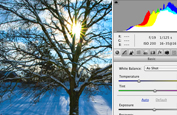
REFINE YOUR PHOTOGRAPHS
Achieve superior results in fewer steps when you remove noise, add grain, create vignettes, correct lens distortions, sharpen, and create HDR images. And enjoy better-than-ever raw file conversion.
See more features for photography

MAXIMIZE CREATIVE IMPACT
Explore fresh design possibilities with powerful new tools. Paint naturally and realistically with on-canvas color blending and textured brush strokes. Warp or stretch graphics, text, or image elements to create unique looks.
See more features for design

DESIGN WITH PRECISION
Get exactly the look you want, more quickly than ever before. Easily select intricate image content, such as hair, for refinements, compositing, or placing in layout. Remove an image element and see the space fill in almost magically.
See more features for design
Together, Photoshop and Photoshop Lightroom software provide the ultimate photography solution, enabling you to import, process, manage, edit, composite, and showcase your images.
Take advantage of tight integration between Adobe InDesign and Photoshop to create visually compelling layouts for print and digital publications.
Enhance your Adobe Illustrator vector art in Photoshop or combine it with Photoshop imagery for delivery via a variety of media.
Photoshop features
Refine with powerful photography tools
Achieve superior results in fewer steps when you remove noise, add grain, create vignettes, correct lens distortions, sharpen, and create HDR images. And enjoy better-than-ever raw file conversion thanks to improved demosaicing.
- Quick image corrections
-
Automatic lens correction new
Save time with automatic correction of lens distortions, chromatic aberration, and vignetting. Adobe Photoshop CS5 uses an image file's EXIF data to make precise adjustments based on the type of camera and lens you used.
Lens Correction filter improvements enhanced
Work more intuitively with the Lens Correction filter. The Grid display is now off by default; chromatic aberration correction sliders allow decimal point adjustments; a third slider has been added to correct common green/magenta aberrations; and more.
Straighten Image tool new
Quickly straighten any crooked image. Simply drag a straight line from the Ruler tool onto your image, and the image will snap to the line.
Gradient tool preset for neutral density new
Use the Neutral Density preset to emulate a neutral density filter, clicking once to have the Gradient tool darken an overexposed patch of a photo while leaving the rest unaltered.
- Professional color and tone control
-
HDR Pro enhanced
Create either photo-realistic or wildly surreal high dynamic range (HDR) images with unprecedented speed, control, and accuracy. Get stunning results thanks to automatic ghost removal and greater control with tone mapping and adjustments.
HDR Toning new
Give any single-exposure image the photo-realistic or wildly surreal look of an HDR image. The HDR Toning feature offers an easy way to bring the rich aesthetic of high dynamic range to your 8-bit images.
Black-and-white conversion enhanced
Explore an endless variety of black-and-white looks. Use the integrated Lab B&W Action to interactively convert color images; create gorgeous HDR black-and-whites with greater ease and speed; and experiment with new presets.
Industry-leading color correction
Use Dodge, Burn, and Sponge tools that intelligently preserve color and tone details, Curves controls that let you make automatic adjustments with included presets or those you create, a histogram, color channel lines, and more.
- State-of-the-art processing with Adobe Photoshop Camera Raw 6
-
Noise removal enhanced
Remove the noise common to high-ISO images and consumer-camera shots while preserving color and detail. You won't need more than this reengineered noise removal technology to maintain a photo's natural look, avoiding an oversharpened feel as you maximize quality.
Better conversions with new demosaicing new
Process raw images with the industry-leading Adobe Photoshop Camera Raw 6 plug-in, which offers new demosaicing technology for unmatched conversion quality.
Support for more cameras and Adobe Photoshop Lightroom enhanced
Enjoy tight integration with Adobe Photoshop Lightroom software as well as support for over 275 camera models.
Additive grain new
Make a digital photo look more organic or film-like by using a simple slider to add grain. Even save grain settings as presets that you can apply to other photos to achieve a consistent look.
Post-crop vignetting enhanced
Enjoy more control as you perform post-crop vignetting, and save favorite vignette effects as presets.
Maximize creative impact
Explore new creative possibilities with tremendous precision and freedom. Easily select intricate image elements, such as hair. Create realistic painting effects. Remove any image element and see the space fill in almost magically.
- Intelligent image editing and enhancement
-
Better selections with Truer Edge new
Get better edge detection and masking results in less time with the Quick Selection tool even when you're selecting the trickiest image elements, such as hair.
Color decontamination new
Eliminate background color around the edges of your selection with the Quick Selection tool's automatic color decontamination capabilities.
Selection and mask refinement tools new
Automatically vary selection edges and perfect masks using new refinement tools.
Content-Aware Fill new
Remove any image detail or object and watch as Content-Aware Fill magically fills in the space left behind. This breakthrough technology matches lighting, tone, and noise so it looks as if the removed content never existed.
Puppet Warp new
Precisely reposition or warp any image element. Swing a raised arm to a person's side in a photo, stretch text to create new effects, and more.
Content-Aware Scaling
Automatically recompose an image as you resize it, smartly preserving vital areas as the image adapts to the new dimensions. Get the perfect image in one step without time-intensive cropping and retouching.
Expert retouching
Retouch images easily and precisely by previewing source pixels within the cursor of the Clone Stamp and the Healing Brush. Set multiple source points, scale, and rotate in the Clone Source palette.
Perspective-based editing
Create packaging mockups and more with Vanishing Point, which lets you create multiple planes in an image; connect them at any angle; and then wrap graphics, text, and images around them.
Smart Filters
Experiment by adding, adjusting, and removing filters from an image without resaving the image or starting over to preserve quality. Nondestructive Smart Filters allow you to see the changes without altering original pixel data.
Smart Objects
Perform nondestructive scaling, rotating, and warping of raster and vector graphics with Smart Objects. Even preserve the editability of vector data from Adobe Illustrator software.
- Extraordinary painting and drawing toolset
-
Mixer Brush new
Define multiple colors on a single Mixer Brush tip to paint with realistic color blends. Or use a dry Mixer Brush to blend a photo's colors and transform it into a beautiful painting.
Bristle Tips new
Easily paint with lifelike, naturally textured brush strokes using defined bristle properties like shape, length, and stiffness, and experiment away by adding Bristle Tips to a variety of Photoshop brush tools.
GPU-accelerated painting tools new
Click to smoothly resize brushes; adjust bristle hardness; or choose your color hue, saturation, or brightness from an onscreen color picker.
Rich drawing toolset
Create or modify images with a wide assortment of professional, fully customizable drawing tools.
- Advanced compositing
-
Paste in place new
Paste an element into a Photoshop file in the same position it held in the original file, for example, when you create something on the wrong layer and need to move it to the exact same place on a new layer.
Multi-layer Opacity new
Save time with the ability to adjust the opacity of many layers at once.
Multi-layer Fill new
Save time with the ability to adjust the fill of many layers at once.
Sticky layer styles new
Save your individual layer-style settings as defaults.
Auto-blending of images
Combine a range of images, each with a different exposure, color, and focal point with options to preserve tones and colors into a single, color-corrected image.
Easier layer management enhanced
Drag and drop a file onto an open PSD document to create a layer; nest up to ten layers; move a selection while the active layer is hidden; and delete all empty layers with one command.
360-degree panoramas
Count on Photomerge technology to automatically stitch horizontal or vertical photos to create amazing panoramas and even 360-degree spheres.
Auto-alignment of layers
Create accurate composites with the Auto-Align Layers command, which lets you move, rotate, or warp layers to align them accurately. Or use spherical alignment to create breathtaking spherical panoramas.
Extended depth of field
Create an image from a series of shots that have different focal points with the Auto-Blend Layers command, which smoothly blends color and shading and even extends your depth of field, automatically correcting vignettes and lens distortion.
- Creative tools and content
-
New shapes, swatches, and gradients new
Give your images and designs fresh looks using a variety of custom shapes, color swatches, styles, and gradients.
New Actions and brushes new
Quickly try out different editing effects and techniques using new Actions for black-and-white conversion and surreal Stars effects, and paint with a new set of brushes.
Boost productivity
Accelerate your workflow with fast performance on 64-bit Windows and Mac hardware systems, smoother interactions thanks to more GPU-accelerated features, and dozens of time-savers requested by Photoshop users.
- Easy access to core editing power
-
Adjustments panel enhanced
Use the convenient Adjustments panel to easily access every tool you need to nondestructively adjust and enhance color and tone. Open the On-image Adjustment tool with a keyboard shortcut.
Masks panel
Quickly create and edit masks from the Masks panel. This panel offers all the tools you need to create editable pixel- and vector-based masks, adjust mask density and feathering, easily select noncontiguous objects, and more.
- Efficient and flexible work environment
-
Faster performance across platforms enhanced
Speed up day-to-day imaging tasks and process very large images up to ten times faster by taking advantage of cross-platform 64-bit support. (Requires a 64-bit-capable computer with a 64-bit version of Mac OS, Microsoft Windows 7, or Windows Vista. Actual performance varies depending on amount of RAM, driver types, and other factors.)
Efficient tile sizing and caching enhanced
Easily control tile size and use presets for simultaneously setting cache and tile size based on whether your output is for print or web.
Adobe Bridge CS5 and Adobe Mini Bridge enhanced
Easily manage media with more flexible batch renaming, and access your assets in the context of what you're working on by using the customizable Adobe Mini Bridge panel in Photoshop.
Workspace Switcher new
Use the new, collapsible Workspace Switcher to quickly navigate and choose among your favorite user interface configurations.
Live workspaces new
Let Photoshop automatically record changes you make to a task-specific user interface so that if you switch to a different configuration and then switch back, your panels will be exactly where you left them.
Powerful printing options enhanced
Get outstanding prints in less time with automation, scripting, and a print dialog box that's easier to navigate.
Smoother cropping new
Crop with Rule of Thirds or Grid layouts, which draw smoothly thanks to GPU acceleration.
Fluid canvas rotation
Just click to smoothly turn your canvas for nondestructive viewing at any desired angle no more tilting your head when painting and drawing.
Smooth panning and zooming
Gracefully navigate to any area of an image with ultrasmooth zooming and panning. Maintain clarity as you zoom to individual pixels, and easily edit at the highest magnification using the Pixel Grid.
Panel management
Maximize screen space while keeping essential tools accessible. Arrange panels in convenient, self-adjusting docks that can be widened to full size or narrowed to icons or even a thin strip at the edge of your monitor.
File display options
Easily work with multiple open files by using tabbed document display or n-up views.
Customized workspaces
Set up and save custom menus, keyboard shortcuts, and workspaces for quick access to exactly what you need.
One-click color adjustments
Make sophisticated color adjustments instantly with one-click presets in Curves and the Channel Mixer.
Multi-Touch support on Mac laptops enhanced
Pinch, swipe, and rotate images using the Multi-Touch trackpad on newer MacBook Pro and MacBook Air laptops (requires Mac OS X v10.5 or later). And now, easily turn off Multi-Touch support if you wish.
Profiles to support the color-blind
Design with sensitivity for color-blind individuals by creating soft proofs of your images using built-in Color Universal Design Organization profiles.
- Streamlined workflow
-
Streamlined creative reviews new
Use Adobe CS Review, part of new Adobe CS Live online services,* to initiate a more secure review without leaving Photoshop. Reviewers can add comments to your images from their browsers, and you see the comments appear automatically on your screen. CS Live services are complimentary for a limited time.
Adobe PDF file support
Precisely control the size of PDF pages opened in Photoshop; add security controls and metadata, such as copyright and exposure details, to images within PDF presentations; and create a rich image display in PDF presentations and documents.
Adobe Photoshop Lightroom integration enhanced
Enjoy tight integration with Photoshop Lightroom (sold separately), easily moving files from Lightroom to Photoshop CS5 to create HDR images, panoramas, and multilayered Photoshop documents. Roundtrip your files back to Lightroom.
Automated production
Automate routine production tasks in a variety of ways. Set up event-based scripts, record a series of steps as an Action for efficient batch processing, and design repetitive graphics faster with Variables.
History panel
Undo and redo any set of editing steps in an open image with the History panel.
Edit History log
Let Photoshop track all editing steps within your files with the Edit History log. Export steps to a text file or save them as part of image metadata for easier documentation and file audits.
Image file format support
Import and export hundreds of image file formats, including PSD, AI, PDF, NEF, CRW, TIFF, BMP, Cineon, JPEG, JPEG2000, FXG, OpenEXR, PNG, and Targa.
Video file format support enhanced
Work with video files thanks to support for 3G, FLC, MOV, AVI, DV Stream, Image Sequence, MPEG-4, and FLV formats.
Mobile device support
Create compelling mobile content, such as wallpapers and screen savers, and then preview how it will render on mobile devices using built-in Adobe Device Central CS5. Tune your designs for mobile screen sizes and lighting conditions.
High-resolution web display
Take advantage of Adobe Flash and Zoomify technology to export high-resolution images to the web for viewing via the Adobe Flash Player runtime. Flash Player displays images quickly and efficiently, letting viewers zoom in with minimal delay.
- New time-savers
-
16-bit to JPEG conversion new
Let Photoshop CS5 automatically downsample your 16-bit image files so you can save them as 8-bit JPEG files.
File closing enhancement new
Save clicks with the ability to close all open images without saving.
Saving shortcut new
Add a preference that helps ensure you'll save all open images to the last folder to which you saved an image.
Easy reversing of clone source images new
Clone any image element, and then click once to reverse the cloned element so it faces in the opposite direction.
Shadow/Highlight default change new
Get more natural-looking results from the Shadow/Highlight command's default setting, which now decreases shadows by 35% instead of 50%.
Maximize Compatibility dialog box improvement new
Check the "Dont show this message again" box to avoid repeat appearances of the Maximize Compatibility dialog box.
- Powerful extensibility
Adobe Configurator enhanced
Get and share custom panels that developers create to accomplish specific tasks and easily create your own panels of tools, menu items, actions, and more with Adobe Configurator software.
DNG Profile Editor
Create your own color profiles using the publicly available DNG Profile Editor.
Adobe Pixel Bender
Develop and/or share filters with publicly available, GPU-accelerated Adobe Pixel Bender technology.
Adobe Photoshop Marketplace
Explore Adobe Photoshop Marketplace for a huge range of third-party plug-ins and resources.
Adobe Community Help enhanced
Access the power of an online search engine from within Photoshop, but with more targeted results. Searchable content includes the in-depth Photoshop Help, plus additional Adobe and third-party content chosen by Adobe and community experts.
Adobe ConnectNow from Acrobat.com
Share ideas and discuss project details with clients and colleagues all online using Adobe ConnectNow, an Acrobat.com web conferencing service. Acrobat.com is part of CS Live online services.*
What's new in Photoshop CS5
Adobe Photoshop CS5 software redefines digital imaging with a strong focus on photography; breakthrough capabilities for superior image selections, image retouching, and realistic painting; and a wide range of workflow and performance enhancements.
- For photography
- For design projects
For photography
Get precise results when making complex selections, remove any image element and see the space fill in almost magically, and create stunning photo-realistic or surreal HDR images.
Complex selections made easy new
Select specific areas within an image in fewer clicks. Easily select intricate image elements, such as hair; eliminate background color around selection edges; and automatically vary selection edges and perfect masks using new refinement tools.
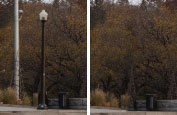
Content-Aware Fill new
Remove any image detail or object and watch as Content-Aware Fill magically fills in the space left behind. This breakthrough technology matches lighting, tone, and noise so it looks as if the removed content never existed.
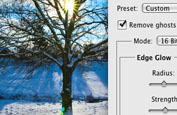
Superior HDR imaging enhanced
Create photo-realistic or surreal HDR images with unprecedented speed, control, and accuracy. Get better-than-ever results thanks to automatic ghost removal and greater control with tone mapping and adjustments, and even give single-exposure photos the look of HDR.
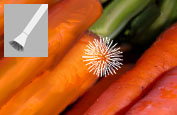
Extraordinary painting effects new
Easily change a photograph into a painting or create unique artistic effects with the Mixer Brush, which offers on-canvas color blending, and Bristle Tips, which let you create lifelike, textured brush strokes.
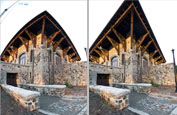
Automatic lens correction new
Save time with automatic correction of lens distortions, chromatic aberration, and vignetting. Photoshop CS5 uses an image file's EXIF data to make precise adjustments based on the type of camera and lens you used.
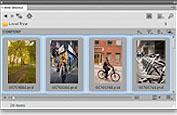
Better media management enhanced
Easily manage media with more flexible batch renaming, and access your assets in the context of what you're working on by using the customizable Adobe Mini Bridge panel in Photoshop.

Streamlined creative reviews new
Use Adobe CS Review, part of new Adobe CS Live online services,* to initiate a more secure review without leaving Photoshop. Reviewers can add comments to your images from their browsers, and you see the comments appear automatically on your screen. CS Live services are complimentary for a limited time.
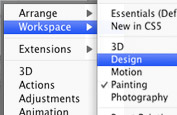
Easier UI management new
Use the collapsible Workspace Switcher to quickly navigate and choose among favorite UI configurations. Live workspaces automatically record your UI changes so panels will remain in place even if you switch away for a while.
Enjoy tight integration with Lightroom
Easily manage, edit, and showcase your images in Adobe Photoshop Lightroom and roundtrip back to Photoshop for pixel-level editing and compositing.
Learn more

State-of-the-art raw image processing enhanced
Use the Adobe Photoshop Camera Raw 6 plug-in to nondestructively remove image noise while preserving color and detail; add grain to make digital photos look more organic; enjoy more control as you perform post-crop vignetting; and more.
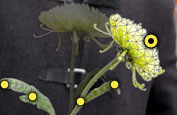
Puppet Warp new
Precisely reposition any image element to create a more visually appealing photo. For example, easily straighten an arm that's bent at an awkward angle.
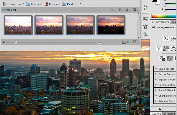
Efficient workflow enhanced
Enjoy productivity and creativity boosts thanks to dozens of features and enhancements requested by Photoshop users. Straighten images automatically, pick colors from an onscreen color picker, adjust the opacity of many layers at once, and more.

Faster performance across platforms enhanced
Speed up day-to-day imaging tasks and process very large images up to ten times faster by taking advantage of cross-platform 64-bit support. (Requires a 64-bit-capable computer with a 64-bit version of Mac OS, Microsoft Windows 7, or Windows Vista. Actual performance varies depending on amount of RAM, driver types, and other factors.)
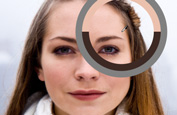
New GPU-accelerated features new
Take advantage of GPU-enabled enhancements to everyday tools. Crop with the Rule of Thirds grid; zoom with click-and-scrub functionality; and sample colors with better visualization and the onscreen color picker.

Superior black-and-white conversion enhanced
Explore an endless variety of black-and-white looks. Use the integrated Lab B&W Action to interactively color images, create gorgeous HDR black-and-whites with greater ease and speed, and experiment with new presets.
Easily select intricate image content, such as hair; intelligently remove or warp any image element; and paint with realistic strokes and color blends.
Extraordinary painting effects new
Achieve natural and realistic painting effects with the Mixer Brush, which offers on-canvas color blending, and Bristle Tips, which let you create lifelike, textured brush strokes.

Content-Aware Fill new
Remove any image detail or object and watch as Content-Aware Fill magically fills in the space left behind. This breakthrough technology matches lighting, tone, and noise so it looks as if the removed content never existed.

Puppet Warp new
Precisely warp or stretch graphics, text, or image elements to create unique new looks for your designs.
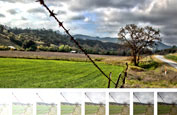
Superior HDR imaging enhanced
Create photo-realistic or surreal HDR images with unprecedented speed, control, and accuracy. Get better-than-ever results thanks to automatic ghost removal and greater control with tone mapping and adjustments, and even give single-exposure photos the look of HDR.
Faster performance across platforms enhanced
Speed up day-to-day imaging tasks and process very large images up to ten times faster by taking advantage of cross-platform 64-bit support. (Requires a 64-bit-capable computer with a 64-bit version of Mac OS, Microsoft Windows 7, or Windows Vista. Actual performance varies depending on amount of RAM, driver types, and other factors.)
More powerful printing options enhanced
Get outstanding prints in less time with automation, scripting, and a print dialog box that's easier to navigate.
CREATE COMPELLING IMAGERY FOR YOUR PUBLICATIONS

Create attention-grabbing print and digital publications: Use Photoshop CS5 for image painting, graphics warping, and HDR effects, and put your artwork into rich Adobe InDesign CS5 layouts.
Do more with Adobe Creative Suite Design Standard

State-of-the-art raw image processing enhanced
Use the Adobe Photoshop Camera Raw 6 plug-in to remove image noise while preserving color and detail; add grain to make digital photos look more organic; enjoy more control as you perform post-crop vignetting; and more.
Efficient workflow enhanced
Enjoy productivity and creativity boosts thanks to dozens of features and enhancements requested by Photoshop users. Straighten images automatically, pick colors from an onscreen color picker, adjust the opacity of many layers at once, and more.
Better media management enhanced
Easily manage media with more flexible batch renaming, and access your assets in the context of what you're working on by using the customizable Adobe Mini Bridge panel in Photoshop.

Streamlined creative reviews new
Use Adobe CS Review, part of new Adobe CS Live online services,* to initiate a more secure review without leaving Photoshop. Reviewers can add comments to your images from their browsers, and you see the comments appear automatically on your screen. CS Live services are complimentary for a limited time.
System requirements
Mac OS
- Multicore Intel processor
- Mac OS X v10.5.7 or v10.6
- 1GB of RAM
- 2GB of available hard-disk space for installation; additional free space required during installation (cannot install on a volume that uses a case-sensitive file system or on removable flash-based storage devices)
- 1024x768 display (1280x800 recommended) with qualified hardware-accelerated OpenGL graphics card, 16-bit color, and 256MB of VRAM
- Some GPU-accelerated features require graphics support for Shader Model 3.0 and OpenGL 2.0
- DVD-ROM drive
- QuickTime 7.6.2 software required for multimedia features
- Broadband Internet connection required for online services*
|
|
|
|
29/04
|
Adobe Photoshop CS5 - Windows, Retail Warning : Before Purchase Please Check OS Compatibility
What is Photoshop?
Create powerful images with the professional standard
Adobe Photoshop CS5 software redefines digital imaging with powerful new photography tools and breakthrough capabilities for complex image selections, realistic painting, and intelligent retouching. Enjoy cross-platform 64-bit support and a wide range of workflow enhancements.
REFINE YOUR PHOTOGRAPHS
Achieve superior results in fewer steps when you remove noise, add grain, create vignettes, correct lens distortions, sharpen, and create HDR images. And enjoy better-than-ever raw file conversion.
See more features for photography
MAXIMIZE CREATIVE IMPACT
Explore fresh design possibilities with powerful new tools. Paint naturally and realistically with on-canvas color blending and textured brush strokes. Warp or stretch graphics, text, or image elements to create unique looks.
See more features for design
DESIGN WITH PRECISION
Get exactly the look you want, more quickly than ever before. Easily select intricate image content, such as hair, for refinements, compositing, or placing in layout. Remove an image element and see the space fill in almost magically.
See more features for design
Together, Photoshop and Photoshop Lightroom software provide the ultimate photography solution, enabling you to import, process, manage, edit, composite, and showcase your images.
Take advantage of tight integration between Adobe InDesign and Photoshop to create visually compelling layouts for print and digital publications.
Enhance your Adobe Illustrator vector art in Photoshop or combine it with Photoshop imagery for delivery via a variety of media.
Photoshop features
Refine with powerful photography tools
Achieve superior results in fewer steps when you remove noise, add grain, create vignettes, correct lens distortions, sharpen, and create HDR images. And enjoy better-than-ever raw file conversion thanks to improved demosaicing.
- Quick image corrections
-
Automatic lens correction new
Save time with automatic correction of lens distortions, chromatic aberration, and vignetting. Adobe Photoshop CS5 uses an image file's EXIF data to make precise adjustments based on the type of camera and lens you used.
Lens Correction filter improvements enhanced
Work more intuitively with the Lens Correction filter. The Grid display is now off by default; chromatic aberration correction sliders allow decimal point adjustments; a third slider has been added to correct common green/magenta aberrations; and more.
Straighten Image tool new
Quickly straighten any crooked image. Simply drag a straight line from the Ruler tool onto your image, and the image will snap to the line.
Gradient tool preset for neutral density new
Use the Neutral Density preset to emulate a neutral density filter, clicking once to have the Gradient tool darken an overexposed patch of a photo while leaving the rest unaltered.
- Professional color and tone control
-
HDR Pro enhanced
Create either photo-realistic or wildly surreal high dynamic range (HDR) images with unprecedented speed, control, and accuracy. Get stunning results thanks to automatic ghost removal and greater control with tone mapping and adjustments.
HDR Toning new
Give any single-exposure image the photo-realistic or wildly surreal look of an HDR image. The HDR Toning feature offers an easy way to bring the rich aesthetic of high dynamic range to your 8-bit images.
Black-and-white conversion enhanced
Explore an endless variety of black-and-white looks. Use the integrated Lab B&W Action to interactively convert color images; create gorgeous HDR black-and-whites with greater ease and speed; and experiment with new presets.
Industry-leading color correction
Use Dodge, Burn, and Sponge tools that intelligently preserve color and tone details, Curves controls that let you make automatic adjustments with included presets or those you create, a histogram, color channel lines, and more.
- State-of-the-art processing with Adobe Photoshop Camera Raw 6
-
Noise removal enhanced
Remove the noise common to high-ISO images and consumer-camera shots while preserving color and detail. You won't need more than this reengineered noise removal technology to maintain a photo's natural look, avoiding an oversharpened feel as you maximize quality.
Better conversions with new demosaicing new
Process raw images with the industry-leading Adobe Photoshop Camera Raw 6 plug-in, which offers new demosaicing technology for unmatched conversion quality.
Support for more cameras and Adobe Photoshop Lightroom enhanced
Enjoy tight integration with Adobe Photoshop Lightroom software as well as support for over 275 camera models.
Additive grain new
Make a digital photo look more organic or film-like by using a simple slider to add grain. Even save grain settings as presets that you can apply to other photos to achieve a consistent look.
Post-crop vignetting enhanced
Enjoy more control as you perform post-crop vignetting, and save favorite vignette effects as presets.
Maximize creative impact
Explore new creative possibilities with tremendous precision and freedom. Easily select intricate image elements, such as hair. Create realistic painting effects. Remove any image element and see the space fill in almost magically.
- Intelligent image editing and enhancement
-
Better selections with Truer Edge new
Get better edge detection and masking results in less time with the Quick Selection tool even when you're selecting the trickiest image elements, such as hair.
Color decontamination new
Eliminate background color around the edges of your selection with the Quick Selection tool's automatic color decontamination capabilities.
Selection and mask refinement tools new
Automatically vary selection edges and perfect masks using new refinement tools.
Content-Aware Fill new
Remove any image detail or object and watch as Content-Aware Fill magically fills in the space left behind. This breakthrough technology matches lighting, tone, and noise so it looks as if the removed content never existed.
Puppet Warp new
Precisely reposition or warp any image element. Swing a raised arm to a person's side in a photo, stretch text to create new effects, and more.
Content-Aware Scaling
Automatically recompose an image as you resize it, smartly preserving vital areas as the image adapts to the new dimensions. Get the perfect image in one step without time-intensive cropping and retouching.
Expert retouching
Retouch images easily and precisely by previewing source pixels within the cursor of the Clone Stamp and the Healing Brush. Set multiple source points, scale, and rotate in the Clone Source palette.
Perspective-based editing
Create packaging mockups and more with Vanishing Point, which lets you create multiple planes in an image; connect them at any angle; and then wrap graphics, text, and images around them.
Smart Filters
Experiment by adding, adjusting, and removing filters from an image without resaving the image or starting over to preserve quality. Nondestructive Smart Filters allow you to see the changes without altering original pixel data.
Smart Objects
Perform nondestructive scaling, rotating, and warping of raster and vector graphics with Smart Objects. Even preserve the editability of vector data from Adobe Illustrator software.
- Extraordinary painting and drawing toolset
-
Mixer Brush new
Define multiple colors on a single Mixer Brush tip to paint with realistic color blends. Or use a dry Mixer Brush to blend a photo's colors and transform it into a beautiful painting.
Bristle Tips new
Easily paint with lifelike, naturally textured brush strokes using defined bristle properties like shape, length, and stiffness, and experiment away by adding Bristle Tips to a variety of Photoshop brush tools.
GPU-accelerated painting tools new
Click to smoothly resize brushes; adjust bristle hardness; or choose your color hue, saturation, or brightness from an onscreen color picker.
Rich drawing toolset
Create or modify images with a wide assortment of professional, fully customizable drawing tools.
- Advanced compositing
-
Paste in place new
Paste an element into a Photoshop file in the same position it held in the original file, for example, when you create something on the wrong layer and need to move it to the exact same place on a new layer.
Multi-layer Opacity new
Save time with the ability to adjust the opacity of many layers at once.
Multi-layer Fill new
Save time with the ability to adjust the fill of many layers at once.
Sticky layer styles new
Save your individual layer-style settings as defaults.
Auto-blending of images
Combine a range of images, each with a different exposure, color, and focal point with options to preserve tones and colors into a single, color-corrected image.
Easier layer management enhanced
Drag and drop a file onto an open PSD document to create a layer; nest up to ten layers; move a selection while the active layer is hidden; and delete all empty layers with one command.
360-degree panoramas
Count on Photomerge technology to automatically stitch horizontal or vertical photos to create amazing panoramas and even 360-degree spheres.
Auto-alignment of layers
Create accurate composites with the Auto-Align Layers command, which lets you move, rotate, or warp layers to align them accurately. Or use spherical alignment to create breathtaking spherical panoramas.
Extended depth of field
Create an image from a series of shots that have different focal points with the Auto-Blend Layers command, which smoothly blends color and shading and even extends your depth of field, automatically correcting vignettes and lens distortion.
- Creative tools and content
-
New shapes, swatches, and gradients new
Give your images and designs fresh looks using a variety of custom shapes, color swatches, styles, and gradients.
New Actions and brushes new
Quickly try out different editing effects and techniques using new Actions for black-and-white conversion and surreal Stars effects, and paint with a new set of brushes.
Boost productivity
Accelerate your workflow with fast performance on 64-bit Windows and Mac hardware systems, smoother interactions thanks to more GPU-accelerated features, and dozens of time-savers requested by Photoshop users.
- Easy access to core editing power
-
Adjustments panel enhanced
Use the convenient Adjustments panel to easily access every tool you need to nondestructively adjust and enhance color and tone. Open the On-image Adjustment tool with a keyboard shortcut.
Masks panel
Quickly create and edit masks from the Masks panel. This panel offers all the tools you need to create editable pixel- and vector-based masks, adjust mask density and feathering, easily select noncontiguous objects, and more.
- Efficient and flexible work environment
-
Faster performance across platforms enhanced
Speed up day-to-day imaging tasks and process very large images up to ten times faster by taking advantage of cross-platform 64-bit support. (Requires a 64-bit-capable computer with a 64-bit version of Mac OS, Microsoft Windows 7, or Windows Vista. Actual performance varies depending on amount of RAM, driver types, and other factors.)
Efficient tile sizing and caching enhanced
Easily control tile size and use presets for simultaneously setting cache and tile size based on whether your output is for print or web.
Adobe Bridge CS5 and Adobe Mini Bridge enhanced
Easily manage media with more flexible batch renaming, and access your assets in the context of what you're working on by using the customizable Adobe Mini Bridge panel in Photoshop.
Workspace Switcher new
Use the new, collapsible Workspace Switcher to quickly navigate and choose among your favorite user interface configurations.
Live workspaces new
Let Photoshop automatically record changes you make to a task-specific user interface so that if you switch to a different configuration and then switch back, your panels will be exactly where you left them.
Powerful printing options enhanced
Get outstanding prints in less time with automation, scripting, and a print dialog box that's easier to navigate.
Smoother cropping new
Crop with Rule of Thirds or Grid layouts, which draw smoothly thanks to GPU acceleration.
Fluid canvas rotation
Just click to smoothly turn your canvas for nondestructive viewing at any desired angle no more tilting your head when painting and drawing.
Smooth panning and zooming
Gracefully navigate to any area of an image with ultrasmooth zooming and panning. Maintain clarity as you zoom to individual pixels, and easily edit at the highest magnification using the Pixel Grid.
Panel management
Maximize screen space while keeping essential tools accessible. Arrange panels in convenient, self-adjusting docks that can be widened to full size or narrowed to icons or even a thin strip at the edge of your monitor.
File display options
Easily work with multiple open files by using tabbed document display or n-up views.
Customized workspaces
Set up and save custom menus, keyboard shortcuts, and workspaces for quick access to exactly what you need.
One-click color adjustments
Make sophisticated color adjustments instantly with one-click presets in Curves and the Channel Mixer.
Multi-Touch support on Mac laptops enhanced
Pinch, swipe, and rotate images using the Multi-Touch trackpad on newer MacBook Pro and MacBook Air laptops (requires Mac OS X v10.5 or later). And now, easily turn off Multi-Touch support if you wish.
Profiles to support the color-blind
Design with sensitivity for color-blind individuals by creating soft proofs of your images using built-in Color Universal Design Organization profiles.
- Streamlined workflow
-
Streamlined creative reviews new
Use Adobe CS Review, part of new Adobe CS Live online services,* to initiate a more secure review without leaving Photoshop. Reviewers can add comments to your images from their browsers, and you see the comments appear automatically on your screen. CS Live services are complimentary for a limited time.
Adobe PDF file support
Precisely control the size of PDF pages opened in Photoshop; add security controls and metadata, such as copyright and exposure details, to images within PDF presentations; and create a rich image display in PDF presentations and documents.
Adobe Photoshop Lightroom integration enhanced
Enjoy tight integration with Photoshop Lightroom (sold separately), easily moving files from Lightroom to Photoshop CS5 to create HDR images, panoramas, and multilayered Photoshop documents. Roundtrip your files back to Lightroom.
Automated production
Automate routine production tasks in a variety of ways. Set up event-based scripts, record a series of steps as an Action for efficient batch processing, and design repetitive graphics faster with Variables.
History panel
Undo and redo any set of editing steps in an open image with the History panel.
Edit History log
Let Photoshop track all editing steps within your files with the Edit History log. Export steps to a text file or save them as part of image metadata for easier documentation and file audits.
Image file format support
Import and export hundreds of image file formats, including PSD, AI, PDF, NEF, CRW, TIFF, BMP, Cineon, JPEG, JPEG2000, FXG, OpenEXR, PNG, and Targa.
Video file format support enhanced
Work with video files thanks to support for 3G, FLC, MOV, AVI, DV Stream, Image Sequence, MPEG-4, and FLV formats.
Mobile device support
Create compelling mobile content, such as wallpapers and screen savers, and then preview how it will render on mobile devices using built-in Adobe Device Central CS5. Tune your designs for mobile screen sizes and lighting conditions.
High-resolution web display
Take advantage of Adobe Flash and Zoomify technology to export high-resolution images to the web for viewing via the Adobe Flash Player runtime. Flash Player displays images quickly and efficiently, letting viewers zoom in with minimal delay.
- New time-savers
-
16-bit to JPEG conversion new
Let Photoshop CS5 automatically downsample your 16-bit image files so you can save them as 8-bit JPEG files.
File closing enhancement new
Save clicks with the ability to close all open images without saving.
Saving shortcut new
Add a preference that helps ensure you'll save all open images to the last folder to which you saved an image.
Easy reversing of clone source images new
Clone any image element, and then click once to reverse the cloned element so it faces in the opposite direction.
Shadow/Highlight default change new
Get more natural-looking results from the Shadow/Highlight command's default setting, which now decreases shadows by 35% instead of 50%.
Maximize Compatibility dialog box improvement new
Check the "Dont show this message again" box to avoid repeat appearances of the Maximize Compatibility dialog box.
- Powerful extensibility
Adobe Configurator enhanced
Get and share custom panels that developers create to accomplish specific tasks and easily create your own panels of tools, menu items, actions, and more with Adobe Configurator software.
DNG Profile Editor
Create your own color profiles using the publicly available DNG Profile Editor.
Adobe Pixel Bender
Develop and/or share filters with publicly available, GPU-accelerated Adobe Pixel Bender technology.
Adobe Photoshop Marketplace
Explore Adobe Photoshop Marketplace for a huge range of third-party plug-ins and resources.
Adobe Community Help enhanced
Access the power of an online search engine from within Photoshop, but with more targeted results. Searchable content includes the in-depth Photoshop Help, plus additional Adobe and third-party content chosen by Adobe and community experts.
Adobe ConnectNow from Acrobat.com
Share ideas and discuss project details with clients and colleagues all online using Adobe ConnectNow, an Acrobat.com web conferencing service. Acrobat.com is part of CS Live online services.*
What's new in Photoshop CS5
Adobe Photoshop CS5 software redefines digital imaging with a strong focus on photography; breakthrough capabilities for superior image selections, image retouching, and realistic painting; and a wide range of workflow and performance enhancements.
- For photography
- For design projects
For photography
Get precise results when making complex selections, remove any image element and see the space fill in almost magically, and create stunning photo-realistic or surreal HDR images.
Complex selections made easy new
Select specific areas within an image in fewer clicks. Easily select intricate image elements, such as hair; eliminate background color around selection edges; and automatically vary selection edges and perfect masks using new refinement tools.
Content-Aware Fill new
Remove any image detail or object and watch as Content-Aware Fill magically fills in the space left behind. This breakthrough technology matches lighting, tone, and noise so it looks as if the removed content never existed.
Superior HDR imaging enhanced
Create photo-realistic or surreal HDR images with unprecedented speed, control, and accuracy. Get better-than-ever results thanks to automatic ghost removal and greater control with tone mapping and adjustments, and even give single-exposure photos the look of HDR.
Extraordinary painting effects new
Easily change a photograph into a painting or create unique artistic effects with the Mixer Brush, which offers on-canvas color blending, and Bristle Tips, which let you create lifelike, textured brush strokes.
Automatic lens correction new
Save time with automatic correction of lens distortions, chromatic aberration, and vignetting. Photoshop CS5 uses an image file's EXIF data to make precise adjustments based on the type of camera and lens you used.
Better media management enhanced
Easily manage media with more flexible batch renaming, and access your assets in the context of what you're working on by using the customizable Adobe Mini Bridge panel in Photoshop.
Streamlined creative reviews new
Use Adobe CS Review, part of new Adobe CS Live online services,* to initiate a more secure review without leaving Photoshop. Reviewers can add comments to your images from their browsers, and you see the comments appear automatically on your screen. CS Live services are complimentary for a limited time.
Easier UI management new
Use the collapsible Workspace Switcher to quickly navigate and choose among favorite UI configurations. Live workspaces automatically record your UI changes so panels will remain in place even if you switch away for a while.
Enjoy tight integration with Lightroom
Easily manage, edit, and showcase your images in Adobe Photoshop Lightroom and roundtrip back to Photoshop for pixel-level editing and compositing.
Learn more
State-of-the-art raw image processing enhanced
Use the Adobe Photoshop Camera Raw 6 plug-in to nondestructively remove image noise while preserving color and detail; add grain to make digital photos look more organic; enjoy more control as you perform post-crop vignetting; and more.
Puppet Warp new
Precisely reposition any image element to create a more visually appealing photo. For example, easily straighten an arm that's bent at an awkward angle.
Efficient workflow enhanced
Enjoy productivity and creativity boosts thanks to dozens of features and enhancements requested by Photoshop users. Straighten images automatically, pick colors from an onscreen color picker, adjust the opacity of many layers at once, and more.
Faster performance across platforms enhanced
Speed up day-to-day imaging tasks and process very large images up to ten times faster by taking advantage of cross-platform 64-bit support. (Requires a 64-bit-capable computer with a 64-bit version of Mac OS, Microsoft Windows 7, or Windows Vista. Actual performance varies depending on amount of RAM, driver types, and other factors.)
New GPU-accelerated features new
Take advantage of GPU-enabled enhancements to everyday tools. Crop with the Rule of Thirds grid; zoom with click-and-scrub functionality; and sample colors with better visualization and the onscreen color picker.
Superior black-and-white conversion enhanced
Explore an endless variety of black-and-white looks. Use the integrated Lab B&W Action to interactively color images, create gorgeous HDR black-and-whites with greater ease and speed, and experiment with new presets.
Easily select intricate image content, such as hair; intelligently remove or warp any image element; and paint with realistic strokes and color blends.
Extraordinary painting effects new
Achieve natural and realistic painting effects with the Mixer Brush, which offers on-canvas color blending, and Bristle Tips, which let you create lifelike, textured brush strokes.
Content-Aware Fill new
Remove any image detail or object and watch as Content-Aware Fill magically fills in the space left behind. This breakthrough technology matches lighting, tone, and noise so it looks as if the removed content never existed.
Puppet Warp new
Precisely warp or stretch graphics, text, or image elements to create unique new looks for your designs.
Superior HDR imaging enhanced
Create photo-realistic or surreal HDR images with unprecedented speed, control, and accuracy. Get better-than-ever results thanks to automatic ghost removal and greater control with tone mapping and adjustments, and even give single-exposure photos the look of HDR.
Faster performance across platforms enhanced
Speed up day-to-day imaging tasks and process very large images up to ten times faster by taking advantage of cross-platform 64-bit support. (Requires a 64-bit-capable computer with a 64-bit version of Mac OS, Microsoft Windows 7, or Windows Vista. Actual performance varies depending on amount of RAM, driver types, and other factors.)
More powerful printing options enhanced
Get outstanding prints in less time with automation, scripting, and a print dialog box that's easier to navigate.
CREATE COMPELLING IMAGERY FOR YOUR PUBLICATIONS
Create attention-grabbing print and digital publications: Use Photoshop CS5 for image painting, graphics warping, and HDR effects, and put your artwork into rich Adobe InDesign CS5 layouts.
Do more with Adobe Creative Suite Design Standard
State-of-the-art raw image processing enhanced
Use the Adobe Photoshop Camera Raw 6 plug-in to remove image noise while preserving color and detail; add grain to make digital photos look more organic; enjoy more control as you perform post-crop vignetting; and more.
Efficient workflow enhanced
Enjoy productivity and creativity boosts thanks to dozens of features and enhancements requested by Photoshop users. Straighten images automatically, pick colors from an onscreen color picker, adjust the opacity of many layers at once, and more.
Better media management enhanced
Easily manage media with more flexible batch renaming, and access your assets in the context of what you're working on by using the customizable Adobe Mini Bridge panel in Photoshop.
Streamlined creative reviews new
Use Adobe CS Review, part of new Adobe CS Live online services,* to initiate a more secure review without leaving Photoshop. Reviewers can add comments to your images from their browsers, and you see the comments appear automatically on your screen. CS Live services are complimentary for a limited time.
System requirements
Windows
- Intel Pentium 4 or AMD Athlon 64 processor
- Microsoft Windows XP with Service Pack 3; Windows Vista Home Premium, Business, Ultimate, or Enterprise with Service Pack 1 (Service Pack 2 recommended); or Windows 7
- 1GB of RAM
- 1GB of available hard-disk space for installation; additional free space required during installation (cannot install on removable flash-based storage devices)
- 1024x768 display (1280x800 recommended) with qualified hardware-accelerated OpenGL graphics card, 16-bit color, and 256MB of VRAM
- Some GPU-accelerated features require graphics support for Shader Model 3.0 and OpenGL 2.0
- DVD-ROM drive
- QuickTime 7.6.2 software required for multimedia features
- Broadband Internet connection required for online services*
|
|
|
|
29/04
|
Adobe After Effects CS5 - Mac, Educational Only Warning : Before Purchase Please Check OS Compatibility
What is After Effects?
Create motion graphics and visual effects with the industry standard
Whether you're working in broadcast and film or delivering work online and to mobile devices, Adobe After Effects CS5 software enables you to create groundbreaking motion graphics and blockbuster visual effects.

Put your ideas in motion
Bring together footage of virtually any size and format, photographs, and 3D renders with text, vector artwork, and music and make it all come alive. Handle complex compositing projects with new efficiency thanks to native 64-bit operating system support.
Features for motion graphics and visual effects
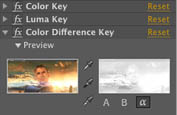
Create polished productions
Get higher production values. Polish your productions with professional effects, hundreds of animation presets, precise tracking and keying controls, professional color support, and much more.
Features for video editing
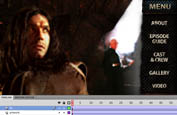
Add animation and interactivity
Craft sophisticated, professional animations that can be rendered as FLV files for your website. Or import your entire composition into Adobe Flash Professional, where you can add interactivity.
Features for interactive design
Use Adobe Photoshop Extended and Adobe Illustrator to prepare your photos and vector graphics for animation and compositing; use Photoshop to create and paint on 3D objects plus do matte painting, rig removal, and other image prep tasks.

Use the power of After Effects to uplevel production values when editing video in Adobe Premiere Pro. Tight integration enables you to work back and forth between applications.
Enhance the interactive experience using Flash Professional with After Effects. Create a cool animation or cartoon in Flash, and then use After Effects to prepare it for broadcast, film, or other viewing screens.
After Effects features
Get 64-bit performance
Execute a wide range of post-production tasks with unmatched speed and efficiency. Native 64-bit operating system support, multiprocessor utilization, and OpenGL acceleration help you work faster, taking full advantage of your computer's power. Unmatched integration with other Adobe software further streamlines your workflow.
- Outstanding performance
-
Native 64-bit OS support new
Get the most out of your hardware investment. Native 64-bit support means Adobe After Effects can use all available RAM, so it's easier to work efficiently on complex HD, 2K, and 4K projects. Longer RAM previews and larger caches mean you can see your work in its entirety, without the need for caching to disk. View a list of 64-bit third-party plug-ins.
Multiprocessor and multicore support enhanced
Render and preview faster by taking advantage of your computer's power. Multiple processors and processor cores are used to calculate complex effects and to render multiple frames simultaneously.
Real-time, high-fidelity OpenGL support
Take advantage of advanced OpenGL capabilities, including support for blending modes, motion blur, anti-aliasing, track mattes, high-quality shadows and transparency, and accelerated rendering of common effects. Also use OpenGL for accelerated final renders.
Disk caching
Avoid rerendering frames by caching them to disk.
Coordinated RAM allocation new
Coordinate RAM usage across multiple Adobe Creative Suite Production Premium components with unified memory management. Make the most of your system resource without learning complex memory management settings.
Network rendering
Install render-only versions of After Effects on multiple computers and harness them to render frames in large projects using a centralized Watch folder.
RAM previews enhanced
Preview compositions in real time and benefit from intelligent caching and dynamic previews. Native 64-bit OS support allows dramatically longer previews and reduces the need for disk caching and rendering proxies. Define a specified "region of interest" for even longer RAM previews.
Layer and composition proxies
Prerender time-consuming compositions and assign them as proxies without changing the structure of your project. Temporarily replace large source comps with lower resolution versions to speed up work.
- Unmatched Adobe integration
-
Enhanced Adobe Premiere Pro integration with Dynamic Link (Production Premium only) enhanced
Edit an After Effects composition and have your changes appear automatically in Adobe Premiere Pro, or edit a timeline in Adobe Premiere Pro and see After Effects update both without rendering, thanks to Dynamic Link. Native 64-bit OS support dramatically improves Dynamic Link performance.
Photoshop Extended 3D workflow and video layer support
Create, import, and paint on 3D models in Adobe Photoshop Extended, export the result as layered PSD files, and animate camera moves around them inside After Effects. Define the planes present in a still image in Photoshop, export it as a Vanishing Point file, and animate the result 3D in After Effects, adding cameras and lights.
Integration with Flash Professional
Export After Effects compositions as layered XFL format rich media projects for Adobe Flash Professional. Import FLV files directly into After Effects, and work more efficiently to create and edit animations for playback in Adobe Flash Player. You can also preserve vectors from animations created in After Effects for lean and clean delivery, and encode FLV files more easily. Import SWF files as vectors with alpha channels preserved, and batch render FLV files with embedded cue points.
Photoshop HDR image and text support
Save 32-bit HDR and 16-bit color values in PSD files. Text remains editable, and layers, layer effects, blending modes, masks, and transparency are all preserved when PSD files are imported as compositions. Use Photoshop paths as masks or animation paths. Photoshop text can also be converted into editable After Effects text, masked solids, or Shape Layers.
Integration with llustrator
Copy vectors from Adobe Illustrator to use as After Effects masks, shape layer paths, and motion paths. Illustrator layers and blend modes are preserved, and vector shapes can be continuously rasterized (and output as compact SWF files), preserving smooth edge detail. Copy and paste paths and shapes between Illustrator and After Effects masks or shapes.
Adobe Community Help enhanced
Get answers fast. Adobe Community Help offers powerful search features that work across multiple Adobe products. A new Adobe AIR based Community Help Client regularly downloads the latest help documents with community-based comments to the user's local computer for quick access while offline. Learn more about integration
Integration with Adobe Premiere Pro
Preserve bins, edits, markers, keyframed effects, nested sequences, transitions, and more when you import Adobe Premiere Pro sequences. Drag and drop or copy and paste clips from one application to another. Export an After Effects project as an Adobe Premiere Pro project.
Integration with Device Central
Easily preview and test the appearance, performance, and behavior of mobile content right on the desktop. Select devices in Device Central and automatically set up an After Effects project that targets those devices. After Effects creates a composition with dimensions and settings that match the targeted devices and prepares the Render Queue to output to the proper codecs for that device. Then simulate your output on virtual device models in Device Central.
Photoshop layer effects and adjustment layer support enhanced
Import layer effects available in PSD files as a separate layer property. This yields greatly enhanced shadows, bevels, shading, and other treatments, which can also be animated. After Effects CS5 adds support for the Photoshop adjustment layer types Vibrance, Selective Color, and Black&White.
Integration with Encore
Create elements such as motion menus and interactive buttons for your DVDs. Export AVI and MPEG-2 movies from After Effects with markers that Adobe Encore reads as chapters. From within Production Premium, Dynamic Link lets you edit compositions in After Effects and have your changes appear immediately in Encore without rendering.
Adobe Bridge
Organize, preview, and employ your assets using Adobe Bridge, a centralized media management utility.
Familiar Adobe look and feel
Leverage your knowledge of other Adobe products. After Effects uses standard Adobe tools, palettes, menus, and keyboard shortcuts, so you can get up to speed quickly.
Online LiveDocs
Use web search tools to find the answers you need on Adobe's website and others. The Help files for all Adobe products are available online, where they are constantly updated by Adobe and a global community of users.
- Timesaving tools and interface
-
Quick arrangement of multiple layers enhanced
Use convenient tools to quickly align layers with each other or with the overall composition.
Custom workspaces
Arrange workspace panels and frames to suit a particular task or your own style.
User-modifiable interface enhanced
Easily rearrange workspace panels to suit the task at hand and adjust UI brightness. After Effects CS5 adds the option for panel tabs to be tinted using the composition, footage item, or layer's label color, making it easier to track their elements.
Targetable Layer panel
View individual sources in context or on their own with View and Render switches, which allow you to see a layer before or after masks or at any point in the effect chain.
Project management tools
Resolve duplicate sources, delete unused sources, and collect your project and sources into a new folder for easy backup or transport using simple menu commands.
Resources to get you up to speed enhanced
Take advantage of convenient, searchable Tool Tips, context-sensitive menus, the Adobe.com website, the Community Help Client, numerous third-party books and training videos, and an active user community.
Searchable timelines and projects and easy nested comp navigation
Get to the parts of a project you want to refine quickly. Use QuickSearch to instantly locate any element or even all used or missing footage in a comp or project, and navigate quickly between nested comps using the Composition Navigator and Mini-Flowchart.
Grids, guides, and safe areas
Define a variety of grid patterns or hand-position guides, which can be used to more accurately place layers. Safe areas have programmable safe zone margins; widescreen compositions display 4:3 center cut safe areas.
Multiple views enhanced
Create multiple views for the same composition to see how layers interact in space, and manipulate them with confidence. Lock views so you can edit a nested composition while seeing the results downstream. After Effects CS5 adds the ability to quickly look at selected or all layers.
Guide layers
Specify layers that render only in a local composition without being rendered downstream. This feature is perfect for scratch audio tracks, guide overlays, temporary graphics, and so on.
Interpretation rules
Define a set of rules that allows specific media types to be given predetermined default frame rates, aspect ratios, alpha channel types, and color profiles.
Animate ideas
Express your creative ideas with freedom and flexibility using After Effects CS5. Employ innovative 2D, 3D, text, and vector graphic compositing and animation tools; choose from an extensive selection of effects; and add high-quality audio. Explore a large library of creative building blocks to get you started, and take advantage of command line automation and scripting for advanced applications.
- Flexible 2D and 3D compositing and animation
-
2D and 3D element combination
Work in 2D or 3D, or freely combine 2D and 3D elements in the same composition without having to change modes or redo your work. Default cameras and lights mean you don't have to set up additional elements just to add dimension to a layer.
Camera data
Import 3D camera and null animation data in the Alias Maya ASCII (MA) format directly from Maya or from any 3D tracking software that can export MA files, such as 2d3's boujou. You can also extract camera information from an RLA/RPF sequence, while third-party tools offer solutions for other 3D packages as well, including exporting camera data from After Effects.
Multiple 3D lights with shadows
Add multiple lights to a scene and animate them. Choose from different light types, set their color, and define their shadow darkness and diffusion individually.
Material options for each 3D layer
Define how each 3D layer in a scene responds to lights, including control over size and intensity of the specular highlight.
Streamlined UI for designing 3D compositions
Benefit from numerous features in After Effects CS5 that enhance the use of 3D space inside After Effects, including the ability to keyframe x, y, and z values separately.
Parenting
Work with parent and child layers. A child layer inherits all transformations applied to the parent, including the parent's anchor point, while maintaining its own local animation.
Stencil, Silhouette, and Preserve Transparency
Define individual layers to cut out all the layers below. Or have layers above honor the transparency of layers underneath.
Nested compositions
Use a complex composition as a single-layer source in another composition. Multiple compositions can feed into one, or a single source comp can be used multiple times, allowing upstream changes to ripple throughout a project. Easily navigate through nested comps.
Live Photoshop 3D layer import enhanced
Extend your 3D workflows into Photoshop Extended, where you can use the industry's most powerful painting tools to enhance 3D models or create original 3D artwork such as extruded text. Then, import these Photoshop 3D layers into After Effects, move them in space, animate cameras around them, and composite them with other elements.
Multiple, versatile 3D cameras for each composition enhanced
Cut between multiple cameras in the same composition. Define cameras by angle of view, lens length, image area size, aperture, depth-of-field blur, and a host of other keyframable parameters. Save presets of your favorite camera setups, and animate them using a one- or two-point model (now selectable in the camera parameters dialog box), with the ability to auto-orient along the camera's path.
Adjustment lights
Set a 3D light to illuminate a subset of layers in a composition.
Projection layers and colored shadows
Project light through a layer to create colored shadows, stained-glass effects, and the look of projected slides.
Unified Camera tool enhanced
Take advantage of three-button mice for more intuitive, immediate 3D control with the Unified Camera tool. New keyboard shortcuts make it easy to look at all or selected layers.
Adjustment layers
Create adjustment layers, similar to those in Photoshop, to apply effects to any layers that appear below them. After Effects CS5 adds support for Vibrance, Selective Color, and Black & White adjustment layer types.
Collapse Transformations
Combine the transform properties of nested compositions with higher-level comps to reduce the number of times the pixels of a layer are processed, preserving their fidelity.
Overlay and Ripple Insert Edit; Lift, Extract, and Trim Comp to Work Area
Easily add and extract content from the Timeline in your compositions using basic edit tools.
- Text and vector graphics creation and animation
-
Intuitive text creation and versatile text animation with per-character 3D text enhanced
Type, edit, and format characters, words, and paragraphs. Mix and match fonts and other attributes on a layer. Animate text along any path, transform words or lines of text over time, blur individual characters or words, randomize the order in which characters animate, wiggle your text, and more. Add depth to your text by making individual characters or an entire phrase move, rotate, and cast shadows. After Effects CS5 adds an option that allows each character to orient toward the camera around its own anchor point.
Web-ready text animations
Export animated text as vector-based SWF files to create innovative, web-friendly animations.
Continuous rasterization
Enable Illustrator artwork, text, shapes, solid layers, and vector components of PDF and SWF files to be continuously rasterized, maintaining sharpness regardless of their scaling.
Shape Layers
Create and animate vector graphics easily with Shape Layers. Add properties such as stroke, stroke type, fill, and gradients to shapes and animate those properties. Also apply vector effects directly.
Text conversion to shapes or masks
Convert text into editable paths either as Shape Layers or masks on solids so you can animate the individual vertices of each character.
Solid layers
Create simple solid shapes that can have effects applied and that can be masked and animated.
Shape path operators
Modify and animate hand-drawn or parametric shapes by applying a series of specialized shape effects, including Merge Paths, Offset Paths, Pucker & Bloat, Repeater, Round Corners, Trim Paths, Twist, Wiggle Paths, Wiggle Transform, and Zig Zag.
- Extensive visual effects
-
Color correction effects enhanced
Manipulate color information with a wide variety of effects, including Color Finesse LE 3, Auto Color, Auto Contrast, and Auto Levels; simple and advanced tinting effects; broadcast colors and gamma/pedestal/gain; and the ability to target specific colors to discard or change.
Distortion effects
Warp and distort the full frame of your footage as well as selected areas in specific, realistic ways with effects like Bezier Warp, Wave Warp, Corner Pin, Reshape, and Displacement Map. Paint distortions directly onto imagery with Liquify. Precisely simulate the fish-eye lens distortion of images taken with a real camera using a wide-angle lens.
Cycore effects
Add smoke and sparks using Particle World, create blazing ray-of-light transitions using Light Burst and Light Sweep, and bend layers in unimagined ways with this extensive package of more than 60 bundled effects from Cycore.
Simulation effects
Use advanced plug-ins to generate realistic wave reflection and caustic effects as well as to break up 2D layers into 3D pieces, which can then be exploded or controlled.
Channel effects
Manipulate the individual color and alpha channel information of your images, including borrowing channels from other layers and performing advanced operations to combine channels or create grayscale images.
Noise and grain management effects
Specify the characteristics of grain on all three individual color channels for a perfect match, or remove it from a shot. Eliminate dust and scratches, or create natural phenomena such as clouds, lava, glowing water, and gas using the animated Fractal Noise and Turbulent Noise effects.
Text effects
Generate numbers and timecode with text effects that supplement the powerful text engine already built into After Effects.
Transition effects
Create classic video-style transitions and update them with the power, animation, and flexibility of After Effects.
Effects & Presets panel
Sort, search for, and apply effects and animation presets quickly and easily. Save and share your own presets with the effects, settings, and animated properties you choose.
Robust selection of third-party plug-ins and effects
Work with a wide range of plug-ins from third-party developers that contribute specialized functionality to After Effects.
Blur and Sharpen effects
Create numerous blur effects ranging from the utilitarian to the highly specialized and creative, including compound, lens simulation, and edge-preserving "smart" blurs. Effects also include Sharpen and Unsharp Mask.
Digieffects FreeForm new
Turn flat objects into virtually any 3D shape using this popular 3D mesh warp plug-in.
Generation effects
Generate imagery from simple fills and gradients to realistic lightning bolts and electricity, as well as lens flares, strokes, grids, circles, scribbled lines, and animated graphics based on audio.
Stylize effects
Enhance existing imagery, ranging from subtle textures and hot-looking glows to stylized edges, brush strokes, and other effects. A dedicated Cartoon effect gives live footage the look of cel animation quickly and easily.
3D channel effects
Perform detailed post-processing without rerendering the original 3D file with effects that can extract 3D channels such as Object or ID Matte, normals, and other information from RLA and RPF files. Depth Matte, Depth of Field, and Fog 3D effects also work with RLA and RPF files.
Perspective effects
Add shadows, bevel the outline of a layer, and even create a single 3D image by combining a left and right 3D view.
Time effects
Process footage based on other layers or adjacent frames using Time Difference and Displacement effects as well as Echo. The Timewarp effect is a user-controllable extension of the Pixel Motion frame-blending technology built into After Effects.
Utility effects
Customize the Cineon file format conversion process, alter the color profiles assigned to a source, manage how high dynamic range (HDR) images are treated by other effects, and artificially grow images so you can process them beyond their normal boundaries.
Placeholders for missing effects
Preserve information about the settings used by each missing effect.
Support for Adobe Pixel Bender
Use Adobe Pixel Bender to create unique filters, blends, and fills portable to multiple applications to produce compelling, on-demand visual effects for the Flash Player runtime environment. Write a filter once, and then share it or apply it multiple times using the ActionScript 3.0 language.
- Creative building blocks
-
Built-in creative tools
Produce cool animations from scratch right in After Effects by creating layers, adding masks, and applying effects.
Text animation presets
Use Adobe Bridge to quickly preview and apply more than 250 professionally designed, fully editable text animation presets, or create and save your own.
Automated animation
Take advantage of special "behavior" presets that create simple to complex animations without keyframes just set a few parameters and watch the results.
Template compositions
Use included project templates to get started on creating DVD motion menus, show openings, animated backgrounds, and more.
Animation presets
Jump-start projects quickly with hundreds of fully customizable animation presets for transitions, color treatments, picture-in-picture effects, backgrounds, and numerous other animations all of which can be easily previewed and added to your project.
Shape presets
Browse and apply dozens of Shape Layer sprites and animations, with hundreds more available on Adobe Marketplace & Exchange, a central resource for finding tools, services, and innovations that supplement and extend your Adobe products.
- 32-bit audio tools
-
Multiformat support
Write compressed audio formats such as AAC and MP3 for Flash and H.264 video using Adobe Media Encoder. After Effects reads and writes multiple audio formats at multiple sample rates and bit depths (up to 32 bit).
Advanced audio effects
Mix, equalize, echo, reverberate, modulate, and otherwise process your audio for sweetening and sound effect applications with 32-bit effects. After Effects includes a flexible Tone generator.
Audio-driven visual effects
Generate full-color visuals based on audio elements that animate dynamically along a frequency spectrum or that behave like an audio waveform.
Automatic sample rate conversion
Resample audio atuomatically using sampling rates from 8kHz to 96kHz.
Audio controls per layer
Control your audio levels with precision. Every audio layer has a Levels control, which employs a power-based decibel system for balancing tracks. You may also add a percentage-based Stereo Mixer effect to a layer. The combination of the two allows you to use one control to animate volume changes (such as fades) and another for overall adjustments.
Audio-to-keyframe conversion
Convert audio in a composition into a stream of keyframes that can be used directly or by expressions.
- Command line automation with scripting
-
Menu of preset commands
Reduce keystrokes and eliminate the need to memorize code with an extensive library of functions and commands available in a convenient contextual menu.
Debug menu
Isolate specific functions and statements in complex scripts by interactively managing breakpoints.
Integrated palette-based interface
Access all scripts in the Scripts menu instantly, which also includes a JavaScript Console and Call Stack, Breakpoints, and Data Browser palettes.
Text-editing palettes
Organize and edit scripts using numbered lines, user-defined text formatting, and colored text.
Profile
Profile individual functions or lines within scripts for individual timing and hit count information to understand how and when individual parts of the script are called.
XML project file format
Export a project to an XML file, making it easier to write external scripts that modify the project file.
Composite efficiently
Combine layers into new, visually rich alternate realities. Mask, key, motion track, color correct, paint, and perform a variety of visual effects magic with powerful, efficient, and precise tools.
- Powerful keying, masking, and rotoscoping tools for fluid compositing
-
Roto Brush new
Isolate moving foreground elements from their backgrounds dramatically faster using a revolutionary approach. Just identify foreground and background elements, and let After Effects do most of the work in creating transparency around your foreground elements. Fine-tuning selection edges is fast and easy, even when you need precise results. The Roto Brush tool is ideal for projects that don't have a budget for rotoscoping, or to get high-quality preliminary results that you can refine further.
Auto-trace
Produce animated vector masks automatically from any layer's pixel data, including alpha channels.
Imported masks
Copy paths in Photoshop and Illustrator and paste them as masks in After Effects.
Combined masks
Combine masks using Add, Subtract, Intersect, and Difference modes.
Mask interpolation
Take control of mask transitions when mask points don't transition properly to replicate natural motion.
Color Difference Key
Replicate the method used to key color footage on many landmark films. The Color Difference Key weights the dominant color being keyed against the other two primary colors.
Inner/Outer Key
Derive the key from border pixels that you select by creating a rough mask around the edges of the object.
Keylight
Use the Academy Awardwinning Keylight from The Foundry to create subtle, elegant mattes of reflections; semitransparent areas; and hair. Spill suppression, color correction, and edge refinement tools help perfect the result.
Unlimited masks
Control which parts of a 2D or 3D layer are visible by adding and animating an unlimited number of masks on any layer. Individually control their feather and transparency.
Mask animations
Animate the shape of masks over time as well as their parameters, such as feather and opacity.
RotoBezier masks
Create RotoBezier masks from scratch or convert them from Bezier masks.
Track mattes
Use any layer's pixel data (alpha channel or luminance) to determine the visibility of an adjacent layer.
Numerous other specialized keying effects
Employ Difference, Color Range, Color Key, Linear Color Key, Extract, and Luma Key effects as needed for a specific job.
Spill Suppressor
Remove unwanted color spill from any footage quickly and easily.
Matte Choker and Simple Choker
Spread or choke the selection area of any alpha channel with a subpixel level of control.
- Powerful motion and keyframing controls
-
mocha for Adobe After Effects v2 for 2.5D planar motion tracking enhanced
Track, mask, and master difficult composites with this powerful, greatly enhanced 2.5D planar motion tracker from Imagineer Systems. Masks are now trackable, variable-width mask feather is now supported, and masks created in mocha can be applied directly to layers in After Effects using the now-included mocha shape plug-in.
Keyframe Graph Editor
Gain precise graphical control over keyframe values, interpolation speed, and how properties and keyframes relate to each other over time.
Timewarp
Slow down and speed up footage with smooth, crisp results and minimal artifacts. Timewarp analyzes pixel motion to create more accurate in-between frames with user-adjustable parameters.
Motion Stabilizer
Eliminate unwanted motion in just the x or y dimension, or both, using the Motion Stabilizer.
Roving keyframes
Separate the Position path from the time it takes to move from one point to another.
Subpixel positioning
Enable the position of each object to be calculated to finer than 1/65,536th of a pixel for extremely smooth motion.
Frame blending modes
Choose between traditional Frame Mix and intelligent Pixel Motion modes to create new intermediate frames in speed-shifted footage.
Time Displacement
Use the luminance of one layer to control the timing of individual pixels in another layer.
Motion Sketch and Smoother
Quickly draw an animation path for any layer and set its velocity with Motion Sketch. Then fine-tune the shape and speed of the path with the Smoother. These functions are also built into the Puppet tool.
Auto-orientation
Specify an auto-orientation option for each layer. Layers and cameras can easily auto-orient along 2D or 3D motion paths. 3D layers can also auto-orient toward the camera.
Puppet tool
Use the Puppet tool to animate still images and objects such as text without setting up time-consuming linked structures between multiple layers, yielding an organic rather than a mechanical result.
Ability to keyframe x, y, and z values independently
Separate bundled x, y, and z value keyframes into their own curves that can be edited individually. Also recombine these streams back into standard bundled keyframes.
Expressions enhanced
Tie together individual parameters, effects, and layers in many ways (even across compositions). Use the simple Pick Whip tool, or script more complex animations using a standard JavaScript command with a built-in Expression Language menu.
Multiple keyframe interpolation types
Adjust your motion or parameter changes quickly and easily to move in sudden steps, linear paths, or in a smooth and elegant "eased" fashion. You can hand-enter the initial velocity and amount of ease per keyframe, or edit it interactively in the Graph Editor.
Exponential Scale
Create natural-looking zoom effects by making linear changes of scale exponential.
Adaptive motion blur
Adjust motion blur on a layer-by-layer basis to produce more realistic animations. You control how the motion blur is calculated to customize its look and enhance its smoothness.
Time remapping
Keyframe time itself produce effects such as variable slow motion, freeze frames, and backward playback.
Motion Tracker
Track as many individual points as you like, or use standard one-, two-, and four-point settings to track x and y value, rotation, and scale.
Wiggler
Apply smooth or jagged changes to color, motion, or other effects over time with the Wiggler.
Audio-to-keyframe conversion
Convert audio in a composition into a stream of keyframes that can be used directly or by expressions.
- Nondestructive vector painting
-
Customizable brushes
Define customize brushes to control size, spacing, and angle, and save them for ongoing use.
Animated paint strokes
Animate individual paint strokes over time to change their size, position, or shape and to create write-on and write-off effects.
Wacom tablet support
Use Wacom tablets for more precise control when painting in After Effects.
Advanced Clone tool
Remove unwanted distractions like dust and scratches or replicate elements for a desired effect, such as filling a stadium with people. The Clone tool offers multiple presets and onion skinning of the source frame.
Eraser tool
Control whether the Eraser tool removes paint strokes only, the last stroke only, or paint strokes plus the underlying background footage.
Deliver virtually anywhere
Master modern media: Deliver your final result to the widest range of formats, from mobile media to feature films, at maximum bit depth and resolution, using color management to ensure accurate results.
- Professional results for every media type
-
Extensive support for industry-standard formats enhanced
Import and output files in QuickTime, FLV and SWF, AVI, MPEG-2, Windows Media (Windows only), native Photoshop (PSD), Camera Raw, OpenEXR, ProEXR, Cineon, SGI, TIFF, TGA, Maya IFF, JPEG, PDF, MP3, WAV, AIFF, and many other formats, including Panasonic P2 and Sony XDCAM EX and HD. After Effects CS5 adds support for the AVC-Intra 50 and AVC-Intra 100 formats, as well as multichannel DPX files.
Streamlined encoding with revamped Adobe Media Encoder enhanced
Deliver content in virtually any format,including DPX, FLV, H.264, MPEG-2, QT, WM, and more with Adobe Media Encoder now with a more intuitive user interface. You can batch encode multiple versions of source files and sequences, manage priorities, and control advanced settings for each item individually. Use new metadata thinning templates to help ensure that only cleared-for-distribution metadata is included at final output.
- Pristine color
-
Color lookup table (LUT) support new
Expand your color management options by using popular color LUT formats to simulate film and alternate devices, or to apply different looks to your footage. Export LUTs to ensure more consistent, predictable color.
Color Finesse
Perform your most demanding digital intermediate work within After Effects with Color Finesse Le 3 from Synthetic Aperture, a full-featured color-correction environment that contains high-end telecine-style correction tools. New features include a vibrance control similar to the one in Adobe Photoshop Lightroom software, hue and saturation curve controls, and highlight recovery.
Support for HDR image formats
Import and export HDR color images in Photoshop, OpenEXR, ProEXR, Camera Raw, Digital Negative, and TIFF formats.
Project working space
Choose a color space for your compositing to take place. Limit it to your planned output media, or open it to a wide universal space. Optionally employ floating-point color and linear blending modes for more realistic HDR compositing.
Display compensation
Adjust the display of After Effects for your specific monitor. Also simulate the output of several formats you may not have at hand, such as film projection.
32-bit floating-point pipeline
Exploit extended highlights and shadows. Freely push values above full white and recover detail at any stage of the pipeline so you can access the full range of color visible with the naked eye and conform it to your chosen output device or customize it for a given scene.
Flexible 8-, 16-, and 32-bit color modes
Start a composition in 8-bit color mode, and then finalize and output it to 16-bit or 32-bit color for optimal quality. Produce work that is film and HDTV ready using the broader range of colors available in 16- and 32-bit color modes.
Color profiles on input
Assign a color profile to each source item so After Effects knows how to properly interpret its color and combine it correctly with other sources.
Output profiles
Convert your compositions to the color space that matches your target media, whether video, film, or the web. Render to multiple formats and profiles simultaneously to save time.
- Output flexibility
-
Batch rendering
Use the powerful Render Queue to queue multiple compositions inside a single project to render in sequence without user intervention. Have one render create a proxy or source to be used by a later composition. Also create templates to apply common render and output settings.
Easy delivery of multiple formats
Assign multiple output modules, each using a different size and output format, to a single item in the Render Queue.
Flexible render settings and output modules
Change the resolution or frame rate at render time, scale and crop their composition on output, set bit depth, and choose whether to save RGB, alpha, or all channels (as well as audio) to a wide variety of formats. You can also control interlacing; pull-down; and whether effects, motion blur, and other tools are employed at the render stage.
- Asset intelligence
-
XMP metadata
Add project-, comp-, and layer-level metadata to streamline project tracking, and automate asset auditing plus many other tasks that were previously handled manually. Asset metadata that was already present is retained while you work in After Effects.
Batch rendering of files optimized for the web
Create multiple FLV files with minimal effort by using the After Effects Render Queue. Manage renders for multiple compositions and export formats including FLV and F4V files.
Markers and cue point export
Export composition or layer markers as cue points in FLV files. Easily convert keyframe values into markers, allowing you to use motion tracking data and other After Effects keyframe values in Flash Professional.
What's new in After Effects CS5
Adobe After Effects CS5 delivers more of the creative control you crave, while making it faster to work on high-resolution projects. Native 64-bit support means you can tap all the RAM on your system to work more efficiently with HD, 2K, and 4K projects. The new Roto Brush tool delivers rotoscoping results in a fraction of the time. Plus, dozens of user-requested features make everyday tasks easier.
Native 64-bit OS support new
Work fluidly on high-resolution projects even at 32-bit-per-channel color inside HD, 2K, and 4K compositions. Use all of your system's RAM. View a list of 64-bit third-party plug-ins.
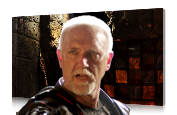
Roto Brush new
Isolate foreground elements from backgrounds in a fraction of the time it would otherwise take using this revolutionary new tool.

AVC-Intra and enhanced RED support new
Work natively with tapeless footage from the newest high-quality Panasonic cameras thanks to AVC-Intra 50 and AVC-Intra 100 support. Take advantage of improved support for RED R3D formats, and gain additional controls for working with raw footage. Do more with tapeless workflows
Dozens of enhancements new
Benefit from dozens of customer-requested refinements that yield big productivity gains such as the ability to align layers to comps.
Color Finesse enhanced
Enjoy an enhanced color correction workflow with the new features, finer control over hue and saturation, and ability to export settings as color lookup tables (LUTs) in Color Finesse LE 3.
Digieffects FreeForm new
Turn flat objects into virtually any 3D shape using this popular 3D mesh warp plug-in.
Expand your video options

Include After Effects elements in Adobe Premiere Pro timelines without rendering intermediate files, thanks to Dynamic Link. Animate 3D objects created in Adobe Photoshop Extended and combine them with other video and graphical elements.
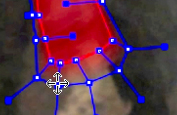
mocha for After Effects v2 enhanced
Apply motion tracking to hand-drawn masks and import variable-width mask feathers. The powerful mocha shape plug-in is also included.
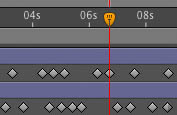
Auto-Keyframe mode new
Animate quickly by setting starting keyframes automatically.
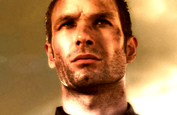
Color LUT support new
Get consistent color in your workflow by using industry-standard 3DL and CUBE lookup tables.
Refine Matte effect new
Apply intelligent edge tracking, dechattering, and motion blurring capabilities to any layer with a problematic alpha channel, such as keyed footage.
System requirements
Adobe After Effects CS5 requires a 64-bit operating system.
Mac OS
- Multicore Intel processor with 64-bit support
- Mac OS X v10.5.7 or v10.6
- 2GB of RAM
- 4GB of available hard-disk space plus 2GB of space for optional content; additional free space required during installation (cannot install on a volume that uses a case-sensitive file system or on removable flash-based storage devices)
- 1280x900 display with OpenGL 2.0compatible graphics card
- DVD-ROM drive
- QuickTime 7.6.2 software required for QuickTime features
- Broadband Internet connection required for online services*
|
|
|
|
29/04
|
Adobe After Effects CS5 - Mac, Retail Warning : Before Purchase Please Check OS Compatibility
What is After Effects?
Create motion graphics and visual effects with the industry standard
Whether you're working in broadcast and film or delivering work online and to mobile devices, Adobe After Effects CS5 software enables you to create groundbreaking motion graphics and blockbuster visual effects.
Put your ideas in motion
Bring together footage of virtually any size and format, photographs, and 3D renders with text, vector artwork, and music and make it all come alive. Handle complex compositing projects with new efficiency thanks to native 64-bit operating system support.
Features for motion graphics and visual effects
Create polished productions
Get higher production values. Polish your productions with professional effects, hundreds of animation presets, precise tracking and keying controls, professional color support, and much more.
Features for video editing
Add animation and interactivity
Craft sophisticated, professional animations that can be rendered as FLV files for your website. Or import your entire composition into Adobe Flash Professional, where you can add interactivity.
Features for interactive design
Use Adobe Photoshop Extended and Adobe Illustrator to prepare your photos and vector graphics for animation and compositing; use Photoshop to create and paint on 3D objects plus do matte painting, rig removal, and other image prep tasks.
Use the power of After Effects to uplevel production values when editing video in Adobe Premiere Pro. Tight integration enables you to work back and forth between applications.
Enhance the interactive experience using Flash Professional with After Effects. Create a cool animation or cartoon in Flash, and then use After Effects to prepare it for broadcast, film, or other viewing screens.
After Effects features
Get 64-bit performance
Execute a wide range of post-production tasks with unmatched speed and efficiency. Native 64-bit operating system support, multiprocessor utilization, and OpenGL acceleration help you work faster, taking full advantage of your computer's power. Unmatched integration with other Adobe software further streamlines your workflow.
- Outstanding performance
-
Native 64-bit OS support new
Get the most out of your hardware investment. Native 64-bit support means Adobe After Effects can use all available RAM, so it's easier to work efficiently on complex HD, 2K, and 4K projects. Longer RAM previews and larger caches mean you can see your work in its entirety, without the need for caching to disk. View a list of 64-bit third-party plug-ins.
Multiprocessor and multicore support enhanced
Render and preview faster by taking advantage of your computer's power. Multiple processors and processor cores are used to calculate complex effects and to render multiple frames simultaneously.
Real-time, high-fidelity OpenGL support
Take advantage of advanced OpenGL capabilities, including support for blending modes, motion blur, anti-aliasing, track mattes, high-quality shadows and transparency, and accelerated rendering of common effects. Also use OpenGL for accelerated final renders.
Disk caching
Avoid rerendering frames by caching them to disk.
Coordinated RAM allocation new
Coordinate RAM usage across multiple Adobe Creative Suite Production Premium components with unified memory management. Make the most of your system resource without learning complex memory management settings.
Network rendering
Install render-only versions of After Effects on multiple computers and harness them to render frames in large projects using a centralized Watch folder.
RAM previews enhanced
Preview compositions in real time and benefit from intelligent caching and dynamic previews. Native 64-bit OS support allows dramatically longer previews and reduces the need for disk caching and rendering proxies. Define a specified "region of interest" for even longer RAM previews.
Layer and composition proxies
Prerender time-consuming compositions and assign them as proxies without changing the structure of your project. Temporarily replace large source comps with lower resolution versions to speed up work.
- Unmatched Adobe integration
-
Enhanced Adobe Premiere Pro integration with Dynamic Link (Production Premium only) enhanced
Edit an After Effects composition and have your changes appear automatically in Adobe Premiere Pro, or edit a timeline in Adobe Premiere Pro and see After Effects update both without rendering, thanks to Dynamic Link. Native 64-bit OS support dramatically improves Dynamic Link performance.
Photoshop Extended 3D workflow and video layer support
Create, import, and paint on 3D models in Adobe Photoshop Extended, export the result as layered PSD files, and animate camera moves around them inside After Effects. Define the planes present in a still image in Photoshop, export it as a Vanishing Point file, and animate the result 3D in After Effects, adding cameras and lights.
Integration with Flash Professional
Export After Effects compositions as layered XFL format rich media projects for Adobe Flash Professional. Import FLV files directly into After Effects, and work more efficiently to create and edit animations for playback in Adobe Flash Player. You can also preserve vectors from animations created in After Effects for lean and clean delivery, and encode FLV files more easily. Import SWF files as vectors with alpha channels preserved, and batch render FLV files with embedded cue points.
Photoshop HDR image and text support
Save 32-bit HDR and 16-bit color values in PSD files. Text remains editable, and layers, layer effects, blending modes, masks, and transparency are all preserved when PSD files are imported as compositions. Use Photoshop paths as masks or animation paths. Photoshop text can also be converted into editable After Effects text, masked solids, or Shape Layers.
Integration with llustrator
Copy vectors from Adobe Illustrator to use as After Effects masks, shape layer paths, and motion paths. Illustrator layers and blend modes are preserved, and vector shapes can be continuously rasterized (and output as compact SWF files), preserving smooth edge detail. Copy and paste paths and shapes between Illustrator and After Effects masks or shapes.
Adobe Community Help enhanced
Get answers fast. Adobe Community Help offers powerful search features that work across multiple Adobe products. A new Adobe AIR based Community Help Client regularly downloads the latest help documents with community-based comments to the user's local computer for quick access while offline. Learn more about integration
Integration with Adobe Premiere Pro
Preserve bins, edits, markers, keyframed effects, nested sequences, transitions, and more when you import Adobe Premiere Pro sequences. Drag and drop or copy and paste clips from one application to another. Export an After Effects project as an Adobe Premiere Pro project.
Integration with Device Central
Easily preview and test the appearance, performance, and behavior of mobile content right on the desktop. Select devices in Device Central and automatically set up an After Effects project that targets those devices. After Effects creates a composition with dimensions and settings that match the targeted devices and prepares the Render Queue to output to the proper codecs for that device. Then simulate your output on virtual device models in Device Central.
Photoshop layer effects and adjustment layer support enhanced
Import layer effects available in PSD files as a separate layer property. This yields greatly enhanced shadows, bevels, shading, and other treatments, which can also be animated. After Effects CS5 adds support for the Photoshop adjustment layer types Vibrance, Selective Color, and Black&White.
Integration with Encore
Create elements such as motion menus and interactive buttons for your DVDs. Export AVI and MPEG-2 movies from After Effects with markers that Adobe Encore reads as chapters. From within Production Premium, Dynamic Link lets you edit compositions in After Effects and have your changes appear immediately in Encore without rendering.
Adobe Bridge
Organize, preview, and employ your assets using Adobe Bridge, a centralized media management utility.
Familiar Adobe look and feel
Leverage your knowledge of other Adobe products. After Effects uses standard Adobe tools, palettes, menus, and keyboard shortcuts, so you can get up to speed quickly.
Online LiveDocs
Use web search tools to find the answers you need on Adobe's website and others. The Help files for all Adobe products are available online, where they are constantly updated by Adobe and a global community of users.
- Timesaving tools and interface
-
Quick arrangement of multiple layers enhanced
Use convenient tools to quickly align layers with each other or with the overall composition.
Custom workspaces
Arrange workspace panels and frames to suit a particular task or your own style.
User-modifiable interface enhanced
Easily rearrange workspace panels to suit the task at hand and adjust UI brightness. After Effects CS5 adds the option for panel tabs to be tinted using the composition, footage item, or layer's label color, making it easier to track their elements.
Targetable Layer panel
View individual sources in context or on their own with View and Render switches, which allow you to see a layer before or after masks or at any point in the effect chain.
Project management tools
Resolve duplicate sources, delete unused sources, and collect your project and sources into a new folder for easy backup or transport using simple menu commands.
Resources to get you up to speed enhanced
Take advantage of convenient, searchable Tool Tips, context-sensitive menus, the Adobe.com website, the Community Help Client, numerous third-party books and training videos, and an active user community.
Searchable timelines and projects and easy nested comp navigation
Get to the parts of a project you want to refine quickly. Use QuickSearch to instantly locate any element or even all used or missing footage in a comp or project, and navigate quickly between nested comps using the Composition Navigator and Mini-Flowchart.
Grids, guides, and safe areas
Define a variety of grid patterns or hand-position guides, which can be used to more accurately place layers. Safe areas have programmable safe zone margins; widescreen compositions display 4:3 center cut safe areas.
Multiple views enhanced
Create multiple views for the same composition to see how layers interact in space, and manipulate them with confidence. Lock views so you can edit a nested composition while seeing the results downstream. After Effects CS5 adds the ability to quickly look at selected or all layers.
Guide layers
Specify layers that render only in a local composition without being rendered downstream. This feature is perfect for scratch audio tracks, guide overlays, temporary graphics, and so on.
Interpretation rules
Define a set of rules that allows specific media types to be given predetermined default frame rates, aspect ratios, alpha channel types, and color profiles.
Animate ideas
Express your creative ideas with freedom and flexibility using After Effects CS5. Employ innovative 2D, 3D, text, and vector graphic compositing and animation tools; choose from an extensive selection of effects; and add high-quality audio. Explore a large library of creative building blocks to get you started, and take advantage of command line automation and scripting for advanced applications.
- Flexible 2D and 3D compositing and animation
-
2D and 3D element combination
Work in 2D or 3D, or freely combine 2D and 3D elements in the same composition without having to change modes or redo your work. Default cameras and lights mean you don't have to set up additional elements just to add dimension to a layer.
Camera data
Import 3D camera and null animation data in the Alias Maya ASCII (MA) format directly from Maya or from any 3D tracking software that can export MA files, such as 2d3's boujou. You can also extract camera information from an RLA/RPF sequence, while third-party tools offer solutions for other 3D packages as well, including exporting camera data from After Effects.
Multiple 3D lights with shadows
Add multiple lights to a scene and animate them. Choose from different light types, set their color, and define their shadow darkness and diffusion individually.
Material options for each 3D layer
Define how each 3D layer in a scene responds to lights, including control over size and intensity of the specular highlight.
Streamlined UI for designing 3D compositions
Benefit from numerous features in After Effects CS5 that enhance the use of 3D space inside After Effects, including the ability to keyframe x, y, and z values separately.
Parenting
Work with parent and child layers. A child layer inherits all transformations applied to the parent, including the parent's anchor point, while maintaining its own local animation.
Stencil, Silhouette, and Preserve Transparency
Define individual layers to cut out all the layers below. Or have layers above honor the transparency of layers underneath.
Nested compositions
Use a complex composition as a single-layer source in another composition. Multiple compositions can feed into one, or a single source comp can be used multiple times, allowing upstream changes to ripple throughout a project. Easily navigate through nested comps.
Live Photoshop 3D layer import enhanced
Extend your 3D workflows into Photoshop Extended, where you can use the industry's most powerful painting tools to enhance 3D models or create original 3D artwork such as extruded text. Then, import these Photoshop 3D layers into After Effects, move them in space, animate cameras around them, and composite them with other elements.
Multiple, versatile 3D cameras for each composition enhanced
Cut between multiple cameras in the same composition. Define cameras by angle of view, lens length, image area size, aperture, depth-of-field blur, and a host of other keyframable parameters. Save presets of your favorite camera setups, and animate them using a one- or two-point model (now selectable in the camera parameters dialog box), with the ability to auto-orient along the camera's path.
Adjustment lights
Set a 3D light to illuminate a subset of layers in a composition.
Projection layers and colored shadows
Project light through a layer to create colored shadows, stained-glass effects, and the look of projected slides.
Unified Camera tool enhanced
Take advantage of three-button mice for more intuitive, immediate 3D control with the Unified Camera tool. New keyboard shortcuts make it easy to look at all or selected layers.
Adjustment layers
Create adjustment layers, similar to those in Photoshop, to apply effects to any layers that appear below them. After Effects CS5 adds support for Vibrance, Selective Color, and Black & White adjustment layer types.
Collapse Transformations
Combine the transform properties of nested compositions with higher-level comps to reduce the number of times the pixels of a layer are processed, preserving their fidelity.
Overlay and Ripple Insert Edit; Lift, Extract, and Trim Comp to Work Area
Easily add and extract content from the Timeline in your compositions using basic edit tools.
- Text and vector graphics creation and animation
-
Intuitive text creation and versatile text animation with per-character 3D text enhanced
Type, edit, and format characters, words, and paragraphs. Mix and match fonts and other attributes on a layer. Animate text along any path, transform words or lines of text over time, blur individual characters or words, randomize the order in which characters animate, wiggle your text, and more. Add depth to your text by making individual characters or an entire phrase move, rotate, and cast shadows. After Effects CS5 adds an option that allows each character to orient toward the camera around its own anchor point.
Web-ready text animations
Export animated text as vector-based SWF files to create innovative, web-friendly animations.
Continuous rasterization
Enable Illustrator artwork, text, shapes, solid layers, and vector components of PDF and SWF files to be continuously rasterized, maintaining sharpness regardless of their scaling.
Shape Layers
Create and animate vector graphics easily with Shape Layers. Add properties such as stroke, stroke type, fill, and gradients to shapes and animate those properties. Also apply vector effects directly.
Text conversion to shapes or masks
Convert text into editable paths either as Shape Layers or masks on solids so you can animate the individual vertices of each character.
Solid layers
Create simple solid shapes that can have effects applied and that can be masked and animated.
Shape path operators
Modify and animate hand-drawn or parametric shapes by applying a series of specialized shape effects, including Merge Paths, Offset Paths, Pucker & Bloat, Repeater, Round Corners, Trim Paths, Twist, Wiggle Paths, Wiggle Transform, and Zig Zag.
- Extensive visual effects
-
Color correction effects enhanced
Manipulate color information with a wide variety of effects, including Color Finesse LE 3, Auto Color, Auto Contrast, and Auto Levels; simple and advanced tinting effects; broadcast colors and gamma/pedestal/gain; and the ability to target specific colors to discard or change.
Distortion effects
Warp and distort the full frame of your footage as well as selected areas in specific, realistic ways with effects like Bezier Warp, Wave Warp, Corner Pin, Reshape, and Displacement Map. Paint distortions directly onto imagery with Liquify. Precisely simulate the fish-eye lens distortion of images taken with a real camera using a wide-angle lens.
Cycore effects
Add smoke and sparks using Particle World, create blazing ray-of-light transitions using Light Burst and Light Sweep, and bend layers in unimagined ways with this extensive package of more than 60 bundled effects from Cycore.
Simulation effects
Use advanced plug-ins to generate realistic wave reflection and caustic effects as well as to break up 2D layers into 3D pieces, which can then be exploded or controlled.
Channel effects
Manipulate the individual color and alpha channel information of your images, including borrowing channels from other layers and performing advanced operations to combine channels or create grayscale images.
Noise and grain management effects
Specify the characteristics of grain on all three individual color channels for a perfect match, or remove it from a shot. Eliminate dust and scratches, or create natural phenomena such as clouds, lava, glowing water, and gas using the animated Fractal Noise and Turbulent Noise effects.
Text effects
Generate numbers and timecode with text effects that supplement the powerful text engine already built into After Effects.
Transition effects
Create classic video-style transitions and update them with the power, animation, and flexibility of After Effects.
Effects & Presets panel
Sort, search for, and apply effects and animation presets quickly and easily. Save and share your own presets with the effects, settings, and animated properties you choose.
Robust selection of third-party plug-ins and effects
Work with a wide range of plug-ins from third-party developers that contribute specialized functionality to After Effects.
Blur and Sharpen effects
Create numerous blur effects ranging from the utilitarian to the highly specialized and creative, including compound, lens simulation, and edge-preserving "smart" blurs. Effects also include Sharpen and Unsharp Mask.
Digieffects FreeForm new
Turn flat objects into virtually any 3D shape using this popular 3D mesh warp plug-in.
Generation effects
Generate imagery from simple fills and gradients to realistic lightning bolts and electricity, as well as lens flares, strokes, grids, circles, scribbled lines, and animated graphics based on audio.
Stylize effects
Enhance existing imagery, ranging from subtle textures and hot-looking glows to stylized edges, brush strokes, and other effects. A dedicated Cartoon effect gives live footage the look of cel animation quickly and easily.
3D channel effects
Perform detailed post-processing without rerendering the original 3D file with effects that can extract 3D channels such as Object or ID Matte, normals, and other information from RLA and RPF files. Depth Matte, Depth of Field, and Fog 3D effects also work with RLA and RPF files.
Perspective effects
Add shadows, bevel the outline of a layer, and even create a single 3D image by combining a left and right 3D view.
Time effects
Process footage based on other layers or adjacent frames using Time Difference and Displacement effects as well as Echo. The Timewarp effect is a user-controllable extension of the Pixel Motion frame-blending technology built into After Effects.
Utility effects
Customize the Cineon file format conversion process, alter the color profiles assigned to a source, manage how high dynamic range (HDR) images are treated by other effects, and artificially grow images so you can process them beyond their normal boundaries.
Placeholders for missing effects
Preserve information about the settings used by each missing effect.
Support for Adobe Pixel Bender
Use Adobe Pixel Bender to create unique filters, blends, and fills portable to multiple applications to produce compelling, on-demand visual effects for the Flash Player runtime environment. Write a filter once, and then share it or apply it multiple times using the ActionScript 3.0 language.
- Creative building blocks
-
Built-in creative tools
Produce cool animations from scratch right in After Effects by creating layers, adding masks, and applying effects.
Text animation presets
Use Adobe Bridge to quickly preview and apply more than 250 professionally designed, fully editable text animation presets, or create and save your own.
Automated animation
Take advantage of special "behavior" presets that create simple to complex animations without keyframes just set a few parameters and watch the results.
Template compositions
Use included project templates to get started on creating DVD motion menus, show openings, animated backgrounds, and more.
Animation presets
Jump-start projects quickly with hundreds of fully customizable animation presets for transitions, color treatments, picture-in-picture effects, backgrounds, and numerous other animations all of which can be easily previewed and added to your project.
Shape presets
Browse and apply dozens of Shape Layer sprites and animations, with hundreds more available on Adobe Marketplace & Exchange, a central resource for finding tools, services, and innovations that supplement and extend your Adobe products.
- 32-bit audio tools
-
Multiformat support
Write compressed audio formats such as AAC and MP3 for Flash and H.264 video using Adobe Media Encoder. After Effects reads and writes multiple audio formats at multiple sample rates and bit depths (up to 32 bit).
Advanced audio effects
Mix, equalize, echo, reverberate, modulate, and otherwise process your audio for sweetening and sound effect applications with 32-bit effects. After Effects includes a flexible Tone generator.
Audio-driven visual effects
Generate full-color visuals based on audio elements that animate dynamically along a frequency spectrum or that behave like an audio waveform.
Automatic sample rate conversion
Resample audio atuomatically using sampling rates from 8kHz to 96kHz.
Audio controls per layer
Control your audio levels with precision. Every audio layer has a Levels control, which employs a power-based decibel system for balancing tracks. You may also add a percentage-based Stereo Mixer effect to a layer. The combination of the two allows you to use one control to animate volume changes (such as fades) and another for overall adjustments.
Audio-to-keyframe conversion
Convert audio in a composition into a stream of keyframes that can be used directly or by expressions.
- Command line automation with scripting
-
Menu of preset commands
Reduce keystrokes and eliminate the need to memorize code with an extensive library of functions and commands available in a convenient contextual menu.
Debug menu
Isolate specific functions and statements in complex scripts by interactively managing breakpoints.
Integrated palette-based interface
Access all scripts in the Scripts menu instantly, which also includes a JavaScript Console and Call Stack, Breakpoints, and Data Browser palettes.
Text-editing palettes
Organize and edit scripts using numbered lines, user-defined text formatting, and colored text.
Profile
Profile individual functions or lines within scripts for individual timing and hit count information to understand how and when individual parts of the script are called.
XML project file format
Export a project to an XML file, making it easier to write external scripts that modify the project file.
Composite efficiently
Combine layers into new, visually rich alternate realities. Mask, key, motion track, color correct, paint, and perform a variety of visual effects magic with powerful, efficient, and precise tools.
- Powerful keying, masking, and rotoscoping tools for fluid compositing
-
Roto Brush new
Isolate moving foreground elements from their backgrounds dramatically faster using a revolutionary approach. Just identify foreground and background elements, and let After Effects do most of the work in creating transparency around your foreground elements. Fine-tuning selection edges is fast and easy, even when you need precise results. The Roto Brush tool is ideal for projects that don't have a budget for rotoscoping, or to get high-quality preliminary results that you can refine further.
Auto-trace
Produce animated vector masks automatically from any layer's pixel data, including alpha channels.
Imported masks
Copy paths in Photoshop and Illustrator and paste them as masks in After Effects.
Combined masks
Combine masks using Add, Subtract, Intersect, and Difference modes.
Mask interpolation
Take control of mask transitions when mask points don't transition properly to replicate natural motion.
Color Difference Key
Replicate the method used to key color footage on many landmark films. The Color Difference Key weights the dominant color being keyed against the other two primary colors.
Inner/Outer Key
Derive the key from border pixels that you select by creating a rough mask around the edges of the object.
Keylight
Use the Academy Awardwinning Keylight from The Foundry to create subtle, elegant mattes of reflections; semitransparent areas; and hair. Spill suppression, color correction, and edge refinement tools help perfect the result.
Unlimited masks
Control which parts of a 2D or 3D layer are visible by adding and animating an unlimited number of masks on any layer. Individually control their feather and transparency.
Mask animations
Animate the shape of masks over time as well as their parameters, such as feather and opacity.
RotoBezier masks
Create RotoBezier masks from scratch or convert them from Bezier masks.
Track mattes
Use any layer's pixel data (alpha channel or luminance) to determine the visibility of an adjacent layer.
Numerous other specialized keying effects
Employ Difference, Color Range, Color Key, Linear Color Key, Extract, and Luma Key effects as needed for a specific job.
Spill Suppressor
Remove unwanted color spill from any footage quickly and easily.
Matte Choker and Simple Choker
Spread or choke the selection area of any alpha channel with a subpixel level of control.
- Powerful motion and keyframing controls
-
mocha for Adobe After Effects v2 for 2.5D planar motion tracking enhanced
Track, mask, and master difficult composites with this powerful, greatly enhanced 2.5D planar motion tracker from Imagineer Systems. Masks are now trackable, variable-width mask feather is now supported, and masks created in mocha can be applied directly to layers in After Effects using the now-included mocha shape plug-in.
Keyframe Graph Editor
Gain precise graphical control over keyframe values, interpolation speed, and how properties and keyframes relate to each other over time.
Timewarp
Slow down and speed up footage with smooth, crisp results and minimal artifacts. Timewarp analyzes pixel motion to create more accurate in-between frames with user-adjustable parameters.
Motion Stabilizer
Eliminate unwanted motion in just the x or y dimension, or both, using the Motion Stabilizer.
Roving keyframes
Separate the Position path from the time it takes to move from one point to another.
Subpixel positioning
Enable the position of each object to be calculated to finer than 1/65,536th of a pixel for extremely smooth motion.
Frame blending modes
Choose between traditional Frame Mix and intelligent Pixel Motion modes to create new intermediate frames in speed-shifted footage.
Time Displacement
Use the luminance of one layer to control the timing of individual pixels in another layer.
Motion Sketch and Smoother
Quickly draw an animation path for any layer and set its velocity with Motion Sketch. Then fine-tune the shape and speed of the path with the Smoother. These functions are also built into the Puppet tool.
Auto-orientation
Specify an auto-orientation option for each layer. Layers and cameras can easily auto-orient along 2D or 3D motion paths. 3D layers can also auto-orient toward the camera.
Puppet tool
Use the Puppet tool to animate still images and objects such as text without setting up time-consuming linked structures between multiple layers, yielding an organic rather than a mechanical result.
Ability to keyframe x, y, and z values independently
Separate bundled x, y, and z value keyframes into their own curves that can be edited individually. Also recombine these streams back into standard bundled keyframes.
Expressions enhanced
Tie together individual parameters, effects, and layers in many ways (even across compositions). Use the simple Pick Whip tool, or script more complex animations using a standard JavaScript command with a built-in Expression Language menu.
Multiple keyframe interpolation types
Adjust your motion or parameter changes quickly and easily to move in sudden steps, linear paths, or in a smooth and elegant "eased" fashion. You can hand-enter the initial velocity and amount of ease per keyframe, or edit it interactively in the Graph Editor.
Exponential Scale
Create natural-looking zoom effects by making linear changes of scale exponential.
Adaptive motion blur
Adjust motion blur on a layer-by-layer basis to produce more realistic animations. You control how the motion blur is calculated to customize its look and enhance its smoothness.
Time remapping
Keyframe time itself produce effects such as variable slow motion, freeze frames, and backward playback.
Motion Tracker
Track as many individual points as you like, or use standard one-, two-, and four-point settings to track x and y value, rotation, and scale.
Wiggler
Apply smooth or jagged changes to color, motion, or other effects over time with the Wiggler.
Audio-to-keyframe conversion
Convert audio in a composition into a stream of keyframes that can be used directly or by expressions.
- Nondestructive vector painting
-
Customizable brushes
Define customize brushes to control size, spacing, and angle, and save them for ongoing use.
Animated paint strokes
Animate individual paint strokes over time to change their size, position, or shape and to create write-on and write-off effects.
Wacom tablet support
Use Wacom tablets for more precise control when painting in After Effects.
Advanced Clone tool
Remove unwanted distractions like dust and scratches or replicate elements for a desired effect, such as filling a stadium with people. The Clone tool offers multiple presets and onion skinning of the source frame.
Eraser tool
Control whether the Eraser tool removes paint strokes only, the last stroke only, or paint strokes plus the underlying background footage.
Deliver virtually anywhere
Master modern media: Deliver your final result to the widest range of formats, from mobile media to feature films, at maximum bit depth and resolution, using color management to ensure accurate results.
- Professional results for every media type
-
Extensive support for industry-standard formats enhanced
Import and output files in QuickTime, FLV and SWF, AVI, MPEG-2, Windows Media (Windows only), native Photoshop (PSD), Camera Raw, OpenEXR, ProEXR, Cineon, SGI, TIFF, TGA, Maya IFF, JPEG, PDF, MP3, WAV, AIFF, and many other formats, including Panasonic P2 and Sony XDCAM EX and HD. After Effects CS5 adds support for the AVC-Intra 50 and AVC-Intra 100 formats, as well as multichannel DPX files.
Streamlined encoding with revamped Adobe Media Encoder enhanced
Deliver content in virtually any format,including DPX, FLV, H.264, MPEG-2, QT, WM, and more with Adobe Media Encoder now with a more intuitive user interface. You can batch encode multiple versions of source files and sequences, manage priorities, and control advanced settings for each item individually. Use new metadata thinning templates to help ensure that only cleared-for-distribution metadata is included at final output.
- Pristine color
-
Color lookup table (LUT) support new
Expand your color management options by using popular color LUT formats to simulate film and alternate devices, or to apply different looks to your footage. Export LUTs to ensure more consistent, predictable color.
Color Finesse
Perform your most demanding digital intermediate work within After Effects with Color Finesse Le 3 from Synthetic Aperture, a full-featured color-correction environment that contains high-end telecine-style correction tools. New features include a vibrance control similar to the one in Adobe Photoshop Lightroom software, hue and saturation curve controls, and highlight recovery.
Support for HDR image formats
Import and export HDR color images in Photoshop, OpenEXR, ProEXR, Camera Raw, Digital Negative, and TIFF formats.
Project working space
Choose a color space for your compositing to take place. Limit it to your planned output media, or open it to a wide universal space. Optionally employ floating-point color and linear blending modes for more realistic HDR compositing.
Display compensation
Adjust the display of After Effects for your specific monitor. Also simulate the output of several formats you may not have at hand, such as film projection.
32-bit floating-point pipeline
Exploit extended highlights and shadows. Freely push values above full white and recover detail at any stage of the pipeline so you can access the full range of color visible with the naked eye and conform it to your chosen output device or customize it for a given scene.
Flexible 8-, 16-, and 32-bit color modes
Start a composition in 8-bit color mode, and then finalize and output it to 16-bit or 32-bit color for optimal quality. Produce work that is film and HDTV ready using the broader range of colors available in 16- and 32-bit color modes.
Color profiles on input
Assign a color profile to each source item so After Effects knows how to properly interpret its color and combine it correctly with other sources.
Output profiles
Convert your compositions to the color space that matches your target media, whether video, film, or the web. Render to multiple formats and profiles simultaneously to save time.
- Output flexibility
-
Batch rendering
Use the powerful Render Queue to queue multiple compositions inside a single project to render in sequence without user intervention. Have one render create a proxy or source to be used by a later composition. Also create templates to apply common render and output settings.
Easy delivery of multiple formats
Assign multiple output modules, each using a different size and output format, to a single item in the Render Queue.
Flexible render settings and output modules
Change the resolution or frame rate at render time, scale and crop their composition on output, set bit depth, and choose whether to save RGB, alpha, or all channels (as well as audio) to a wide variety of formats. You can also control interlacing; pull-down; and whether effects, motion blur, and other tools are employed at the render stage.
- Asset intelligence
-
XMP metadata
Add project-, comp-, and layer-level metadata to streamline project tracking, and automate asset auditing plus many other tasks that were previously handled manually. Asset metadata that was already present is retained while you work in After Effects.
Batch rendering of files optimized for the web
Create multiple FLV files with minimal effort by using the After Effects Render Queue. Manage renders for multiple compositions and export formats including FLV and F4V files.
Markers and cue point export
Export composition or layer markers as cue points in FLV files. Easily convert keyframe values into markers, allowing you to use motion tracking data and other After Effects keyframe values in Flash Professional.
What's new in After Effects CS5
Adobe After Effects CS5 delivers more of the creative control you crave, while making it faster to work on high-resolution projects. Native 64-bit support means you can tap all the RAM on your system to work more efficiently with HD, 2K, and 4K projects. The new Roto Brush tool delivers rotoscoping results in a fraction of the time. Plus, dozens of user-requested features make everyday tasks easier.
Native 64-bit OS support new
Work fluidly on high-resolution projects even at 32-bit-per-channel color inside HD, 2K, and 4K compositions. Use all of your system's RAM. View a list of 64-bit third-party plug-ins.
Roto Brush new
Isolate foreground elements from backgrounds in a fraction of the time it would otherwise take using this revolutionary new tool.
AVC-Intra and enhanced RED support new
Work natively with tapeless footage from the newest high-quality Panasonic cameras thanks to AVC-Intra 50 and AVC-Intra 100 support. Take advantage of improved support for RED R3D formats, and gain additional controls for working with raw footage. Do more with tapeless workflows
Dozens of enhancements new
Benefit from dozens of customer-requested refinements that yield big productivity gains such as the ability to align layers to comps.
Color Finesse enhanced
Enjoy an enhanced color correction workflow with the new features, finer control over hue and saturation, and ability to export settings as color lookup tables (LUTs) in Color Finesse LE 3.
Digieffects FreeForm new
Turn flat objects into virtually any 3D shape using this popular 3D mesh warp plug-in.
Expand your video options
Include After Effects elements in Adobe Premiere Pro timelines without rendering intermediate files, thanks to Dynamic Link. Animate 3D objects created in Adobe Photoshop Extended and combine them with other video and graphical elements.
mocha for After Effects v2 enhanced
Apply motion tracking to hand-drawn masks and import variable-width mask feathers. The powerful mocha shape plug-in is also included.
Auto-Keyframe mode new
Animate quickly by setting starting keyframes automatically.
Color LUT support new
Get consistent color in your workflow by using industry-standard 3DL and CUBE lookup tables.
Refine Matte effect new
Apply intelligent edge tracking, dechattering, and motion blurring capabilities to any layer with a problematic alpha channel, such as keyed footage.
System requirements
Adobe After Effects CS5 requires a 64-bit operating system.
Mac OS
- Multicore Intel processor with 64-bit support
- Mac OS X v10.5.7 or v10.6
- 2GB of RAM
- 4GB of available hard-disk space plus 2GB of space for optional content; additional free space required during installation (cannot install on a volume that uses a case-sensitive file system or on removable flash-based storage devices)
- 1280x900 display with OpenGL 2.0compatible graphics card
- DVD-ROM drive
- QuickTime 7.6.2 software required for QuickTime features
- Broadband Internet connection required for online services*
|
|
|
|
29/04
|
Adobe After Effects CS5 - Windows, Educational Only Warning : Before Purchase Please Check OS Compatibility
What is After Effects?
Create motion graphics and visual effects with the industry standard
Whether you're working in broadcast and film or delivering work online and to mobile devices, Adobe After Effects CS5 software enables you to create groundbreaking motion graphics and blockbuster visual effects.
Put your ideas in motion
Bring together footage of virtually any size and format, photographs, and 3D renders with text, vector artwork, and music and make it all come alive. Handle complex compositing projects with new efficiency thanks to native 64-bit operating system support.
Features for motion graphics and visual effects
Create polished productions
Get higher production values. Polish your productions with professional effects, hundreds of animation presets, precise tracking and keying controls, professional color support, and much more.
Features for video editing
Add animation and interactivity
Craft sophisticated, professional animations that can be rendered as FLV files for your website. Or import your entire composition into Adobe Flash Professional, where you can add interactivity.
Features for interactive design
Use Adobe Photoshop Extended and Adobe Illustrator to prepare your photos and vector graphics for animation and compositing; use Photoshop to create and paint on 3D objects plus do matte painting, rig removal, and other image prep tasks.
Use the power of After Effects to uplevel production values when editing video in Adobe Premiere Pro. Tight integration enables you to work back and forth between applications.
Enhance the interactive experience using Flash Professional with After Effects. Create a cool animation or cartoon in Flash, and then use After Effects to prepare it for broadcast, film, or other viewing screens.
After Effects features
Get 64-bit performance
Execute a wide range of post-production tasks with unmatched speed and efficiency. Native 64-bit operating system support, multiprocessor utilization, and OpenGL acceleration help you work faster, taking full advantage of your computer's power. Unmatched integration with other Adobe software further streamlines your workflow.
- Outstanding performance
-
Native 64-bit OS support new
Get the most out of your hardware investment. Native 64-bit support means Adobe After Effects can use all available RAM, so it's easier to work efficiently on complex HD, 2K, and 4K projects. Longer RAM previews and larger caches mean you can see your work in its entirety, without the need for caching to disk. View a list of 64-bit third-party plug-ins.
Multiprocessor and multicore support enhanced
Render and preview faster by taking advantage of your computer's power. Multiple processors and processor cores are used to calculate complex effects and to render multiple frames simultaneously.
Real-time, high-fidelity OpenGL support
Take advantage of advanced OpenGL capabilities, including support for blending modes, motion blur, anti-aliasing, track mattes, high-quality shadows and transparency, and accelerated rendering of common effects. Also use OpenGL for accelerated final renders.
Disk caching
Avoid rerendering frames by caching them to disk.
Coordinated RAM allocation new
Coordinate RAM usage across multiple Adobe Creative Suite Production Premium components with unified memory management. Make the most of your system resource without learning complex memory management settings.
Network rendering
Install render-only versions of After Effects on multiple computers and harness them to render frames in large projects using a centralized Watch folder.
RAM previews enhanced
Preview compositions in real time and benefit from intelligent caching and dynamic previews. Native 64-bit OS support allows dramatically longer previews and reduces the need for disk caching and rendering proxies. Define a specified "region of interest" for even longer RAM previews.
Layer and composition proxies
Prerender time-consuming compositions and assign them as proxies without changing the structure of your project. Temporarily replace large source comps with lower resolution versions to speed up work.
- Unmatched Adobe integration
-
Enhanced Adobe Premiere Pro integration with Dynamic Link (Production Premium only) enhanced
Edit an After Effects composition and have your changes appear automatically in Adobe Premiere Pro, or edit a timeline in Adobe Premiere Pro and see After Effects update both without rendering, thanks to Dynamic Link. Native 64-bit OS support dramatically improves Dynamic Link performance.
Photoshop Extended 3D workflow and video layer support
Create, import, and paint on 3D models in Adobe Photoshop Extended, export the result as layered PSD files, and animate camera moves around them inside After Effects. Define the planes present in a still image in Photoshop, export it as a Vanishing Point file, and animate the result 3D in After Effects, adding cameras and lights.
Integration with Flash Professional
Export After Effects compositions as layered XFL format rich media projects for Adobe Flash Professional. Import FLV files directly into After Effects, and work more efficiently to create and edit animations for playback in Adobe Flash Player. You can also preserve vectors from animations created in After Effects for lean and clean delivery, and encode FLV files more easily. Import SWF files as vectors with alpha channels preserved, and batch render FLV files with embedded cue points.
Photoshop HDR image and text support
Save 32-bit HDR and 16-bit color values in PSD files. Text remains editable, and layers, layer effects, blending modes, masks, and transparency are all preserved when PSD files are imported as compositions. Use Photoshop paths as masks or animation paths. Photoshop text can also be converted into editable After Effects text, masked solids, or Shape Layers.
Integration with llustrator
Copy vectors from Adobe Illustrator to use as After Effects masks, shape layer paths, and motion paths. Illustrator layers and blend modes are preserved, and vector shapes can be continuously rasterized (and output as compact SWF files), preserving smooth edge detail. Copy and paste paths and shapes between Illustrator and After Effects masks or shapes.
Adobe Community Help enhanced
Get answers fast. Adobe Community Help offers powerful search features that work across multiple Adobe products. A new Adobe AIR based Community Help Client regularly downloads the latest help documents with community-based comments to the user's local computer for quick access while offline. Learn more about integration
Integration with Adobe Premiere Pro
Preserve bins, edits, markers, keyframed effects, nested sequences, transitions, and more when you import Adobe Premiere Pro sequences. Drag and drop or copy and paste clips from one application to another. Export an After Effects project as an Adobe Premiere Pro project.
Integration with Device Central
Easily preview and test the appearance, performance, and behavior of mobile content right on the desktop. Select devices in Device Central and automatically set up an After Effects project that targets those devices. After Effects creates a composition with dimensions and settings that match the targeted devices and prepares the Render Queue to output to the proper codecs for that device. Then simulate your output on virtual device models in Device Central.
Photoshop layer effects and adjustment layer support enhanced
Import layer effects available in PSD files as a separate layer property. This yields greatly enhanced shadows, bevels, shading, and other treatments, which can also be animated. After Effects CS5 adds support for the Photoshop adjustment layer types Vibrance, Selective Color, and Black&White.
Integration with Encore
Create elements such as motion menus and interactive buttons for your DVDs. Export AVI and MPEG-2 movies from After Effects with markers that Adobe Encore reads as chapters. From within Production Premium, Dynamic Link lets you edit compositions in After Effects and have your changes appear immediately in Encore without rendering.
Adobe Bridge
Organize, preview, and employ your assets using Adobe Bridge, a centralized media management utility.
Familiar Adobe look and feel
Leverage your knowledge of other Adobe products. After Effects uses standard Adobe tools, palettes, menus, and keyboard shortcuts, so you can get up to speed quickly.
Online LiveDocs
Use web search tools to find the answers you need on Adobe's website and others. The Help files for all Adobe products are available online, where they are constantly updated by Adobe and a global community of users.
- Timesaving tools and interface
-
Quick arrangement of multiple layers enhanced
Use convenient tools to quickly align layers with each other or with the overall composition.
Custom workspaces
Arrange workspace panels and frames to suit a particular task or your own style.
User-modifiable interface enhanced
Easily rearrange workspace panels to suit the task at hand and adjust UI brightness. After Effects CS5 adds the option for panel tabs to be tinted using the composition, footage item, or layer's label color, making it easier to track their elements.
Targetable Layer panel
View individual sources in context or on their own with View and Render switches, which allow you to see a layer before or after masks or at any point in the effect chain.
Project management tools
Resolve duplicate sources, delete unused sources, and collect your project and sources into a new folder for easy backup or transport using simple menu commands.
Resources to get you up to speed enhanced
Take advantage of convenient, searchable Tool Tips, context-sensitive menus, the Adobe.com website, the Community Help Client, numerous third-party books and training videos, and an active user community.
Searchable timelines and projects and easy nested comp navigation
Get to the parts of a project you want to refine quickly. Use QuickSearch to instantly locate any element or even all used or missing footage in a comp or project, and navigate quickly between nested comps using the Composition Navigator and Mini-Flowchart.
Grids, guides, and safe areas
Define a variety of grid patterns or hand-position guides, which can be used to more accurately place layers. Safe areas have programmable safe zone margins; widescreen compositions display 4:3 center cut safe areas.
Multiple views enhanced
Create multiple views for the same composition to see how layers interact in space, and manipulate them with confidence. Lock views so you can edit a nested composition while seeing the results downstream. After Effects CS5 adds the ability to quickly look at selected or all layers.
Guide layers
Specify layers that render only in a local composition without being rendered downstream. This feature is perfect for scratch audio tracks, guide overlays, temporary graphics, and so on.
Interpretation rules
Define a set of rules that allows specific media types to be given predetermined default frame rates, aspect ratios, alpha channel types, and color profiles.
Animate ideas
Express your creative ideas with freedom and flexibility using After Effects CS5. Employ innovative 2D, 3D, text, and vector graphic compositing and animation tools; choose from an extensive selection of effects; and add high-quality audio. Explore a large library of creative building blocks to get you started, and take advantage of command line automation and scripting for advanced applications.
- Flexible 2D and 3D compositing and animation
-
2D and 3D element combination
Work in 2D or 3D, or freely combine 2D and 3D elements in the same composition without having to change modes or redo your work. Default cameras and lights mean you don't have to set up additional elements just to add dimension to a layer.
Camera data
Import 3D camera and null animation data in the Alias Maya ASCII (MA) format directly from Maya or from any 3D tracking software that can export MA files, such as 2d3's boujou. You can also extract camera information from an RLA/RPF sequence, while third-party tools offer solutions for other 3D packages as well, including exporting camera data from After Effects.
Multiple 3D lights with shadows
Add multiple lights to a scene and animate them. Choose from different light types, set their color, and define their shadow darkness and diffusion individually.
Material options for each 3D layer
Define how each 3D layer in a scene responds to lights, including control over size and intensity of the specular highlight.
Streamlined UI for designing 3D compositions
Benefit from numerous features in After Effects CS5 that enhance the use of 3D space inside After Effects, including the ability to keyframe x, y, and z values separately.
Parenting
Work with parent and child layers. A child layer inherits all transformations applied to the parent, including the parent's anchor point, while maintaining its own local animation.
Stencil, Silhouette, and Preserve Transparency
Define individual layers to cut out all the layers below. Or have layers above honor the transparency of layers underneath.
Nested compositions
Use a complex composition as a single-layer source in another composition. Multiple compositions can feed into one, or a single source comp can be used multiple times, allowing upstream changes to ripple throughout a project. Easily navigate through nested comps.
Live Photoshop 3D layer import enhanced
Extend your 3D workflows into Photoshop Extended, where you can use the industry's most powerful painting tools to enhance 3D models or create original 3D artwork such as extruded text. Then, import these Photoshop 3D layers into After Effects, move them in space, animate cameras around them, and composite them with other elements.
Multiple, versatile 3D cameras for each composition enhanced
Cut between multiple cameras in the same composition. Define cameras by angle of view, lens length, image area size, aperture, depth-of-field blur, and a host of other keyframable parameters. Save presets of your favorite camera setups, and animate them using a one- or two-point model (now selectable in the camera parameters dialog box), with the ability to auto-orient along the camera's path.
Adjustment lights
Set a 3D light to illuminate a subset of layers in a composition.
Projection layers and colored shadows
Project light through a layer to create colored shadows, stained-glass effects, and the look of projected slides.
Unified Camera tool enhanced
Take advantage of three-button mice for more intuitive, immediate 3D control with the Unified Camera tool. New keyboard shortcuts make it easy to look at all or selected layers.
Adjustment layers
Create adjustment layers, similar to those in Photoshop, to apply effects to any layers that appear below them. After Effects CS5 adds support for Vibrance, Selective Color, and Black & White adjustment layer types.
Collapse Transformations
Combine the transform properties of nested compositions with higher-level comps to reduce the number of times the pixels of a layer are processed, preserving their fidelity.
Overlay and Ripple Insert Edit; Lift, Extract, and Trim Comp to Work Area
Easily add and extract content from the Timeline in your compositions using basic edit tools.
- Text and vector graphics creation and animation
-
Intuitive text creation and versatile text animation with per-character 3D text enhanced
Type, edit, and format characters, words, and paragraphs. Mix and match fonts and other attributes on a layer. Animate text along any path, transform words or lines of text over time, blur individual characters or words, randomize the order in which characters animate, wiggle your text, and more. Add depth to your text by making individual characters or an entire phrase move, rotate, and cast shadows. After Effects CS5 adds an option that allows each character to orient toward the camera around its own anchor point.
Web-ready text animations
Export animated text as vector-based SWF files to create innovative, web-friendly animations.
Continuous rasterization
Enable Illustrator artwork, text, shapes, solid layers, and vector components of PDF and SWF files to be continuously rasterized, maintaining sharpness regardless of their scaling.
Shape Layers
Create and animate vector graphics easily with Shape Layers. Add properties such as stroke, stroke type, fill, and gradients to shapes and animate those properties. Also apply vector effects directly.
Text conversion to shapes or masks
Convert text into editable paths either as Shape Layers or masks on solids so you can animate the individual vertices of each character.
Solid layers
Create simple solid shapes that can have effects applied and that can be masked and animated.
Shape path operators
Modify and animate hand-drawn or parametric shapes by applying a series of specialized shape effects, including Merge Paths, Offset Paths, Pucker & Bloat, Repeater, Round Corners, Trim Paths, Twist, Wiggle Paths, Wiggle Transform, and Zig Zag.
- Extensive visual effects
-
Color correction effects enhanced
Manipulate color information with a wide variety of effects, including Color Finesse LE 3, Auto Color, Auto Contrast, and Auto Levels; simple and advanced tinting effects; broadcast colors and gamma/pedestal/gain; and the ability to target specific colors to discard or change.
Distortion effects
Warp and distort the full frame of your footage as well as selected areas in specific, realistic ways with effects like Bezier Warp, Wave Warp, Corner Pin, Reshape, and Displacement Map. Paint distortions directly onto imagery with Liquify. Precisely simulate the fish-eye lens distortion of images taken with a real camera using a wide-angle lens.
Cycore effects
Add smoke and sparks using Particle World, create blazing ray-of-light transitions using Light Burst and Light Sweep, and bend layers in unimagined ways with this extensive package of more than 60 bundled effects from Cycore.
Simulation effects
Use advanced plug-ins to generate realistic wave reflection and caustic effects as well as to break up 2D layers into 3D pieces, which can then be exploded or controlled.
Channel effects
Manipulate the individual color and alpha channel information of your images, including borrowing channels from other layers and performing advanced operations to combine channels or create grayscale images.
Noise and grain management effects
Specify the characteristics of grain on all three individual color channels for a perfect match, or remove it from a shot. Eliminate dust and scratches, or create natural phenomena such as clouds, lava, glowing water, and gas using the animated Fractal Noise and Turbulent Noise effects.
Text effects
Generate numbers and timecode with text effects that supplement the powerful text engine already built into After Effects.
Transition effects
Create classic video-style transitions and update them with the power, animation, and flexibility of After Effects.
Effects & Presets panel
Sort, search for, and apply effects and animation presets quickly and easily. Save and share your own presets with the effects, settings, and animated properties you choose.
Robust selection of third-party plug-ins and effects
Work with a wide range of plug-ins from third-party developers that contribute specialized functionality to After Effects.
Blur and Sharpen effects
Create numerous blur effects ranging from the utilitarian to the highly specialized and creative, including compound, lens simulation, and edge-preserving "smart" blurs. Effects also include Sharpen and Unsharp Mask.
Digieffects FreeForm new
Turn flat objects into virtually any 3D shape using this popular 3D mesh warp plug-in.
Generation effects
Generate imagery from simple fills and gradients to realistic lightning bolts and electricity, as well as lens flares, strokes, grids, circles, scribbled lines, and animated graphics based on audio.
Stylize effects
Enhance existing imagery, ranging from subtle textures and hot-looking glows to stylized edges, brush strokes, and other effects. A dedicated Cartoon effect gives live footage the look of cel animation quickly and easily.
3D channel effects
Perform detailed post-processing without rerendering the original 3D file with effects that can extract 3D channels such as Object or ID Matte, normals, and other information from RLA and RPF files. Depth Matte, Depth of Field, and Fog 3D effects also work with RLA and RPF files.
Perspective effects
Add shadows, bevel the outline of a layer, and even create a single 3D image by combining a left and right 3D view.
Time effects
Process footage based on other layers or adjacent frames using Time Difference and Displacement effects as well as Echo. The Timewarp effect is a user-controllable extension of the Pixel Motion frame-blending technology built into After Effects.
Utility effects
Customize the Cineon file format conversion process, alter the color profiles assigned to a source, manage how high dynamic range (HDR) images are treated by other effects, and artificially grow images so you can process them beyond their normal boundaries.
Placeholders for missing effects
Preserve information about the settings used by each missing effect.
Support for Adobe Pixel Bender
Use Adobe Pixel Bender to create unique filters, blends, and fills portable to multiple applications to produce compelling, on-demand visual effects for the Flash Player runtime environment. Write a filter once, and then share it or apply it multiple times using the ActionScript 3.0 language.
- Creative building blocks
-
Built-in creative tools
Produce cool animations from scratch right in After Effects by creating layers, adding masks, and applying effects.
Text animation presets
Use Adobe Bridge to quickly preview and apply more than 250 professionally designed, fully editable text animation presets, or create and save your own.
Automated animation
Take advantage of special "behavior" presets that create simple to complex animations without keyframes just set a few parameters and watch the results.
Template compositions
Use included project templates to get started on creating DVD motion menus, show openings, animated backgrounds, and more.
Animation presets
Jump-start projects quickly with hundreds of fully customizable animation presets for transitions, color treatments, picture-in-picture effects, backgrounds, and numerous other animations all of which can be easily previewed and added to your project.
Shape presets
Browse and apply dozens of Shape Layer sprites and animations, with hundreds more available on Adobe Marketplace & Exchange, a central resource for finding tools, services, and innovations that supplement and extend your Adobe products.
- 32-bit audio tools
-
Multiformat support
Write compressed audio formats such as AAC and MP3 for Flash and H.264 video using Adobe Media Encoder. After Effects reads and writes multiple audio formats at multiple sample rates and bit depths (up to 32 bit).
Advanced audio effects
Mix, equalize, echo, reverberate, modulate, and otherwise process your audio for sweetening and sound effect applications with 32-bit effects. After Effects includes a flexible Tone generator.
Audio-driven visual effects
Generate full-color visuals based on audio elements that animate dynamically along a frequency spectrum or that behave like an audio waveform.
Automatic sample rate conversion
Resample audio atuomatically using sampling rates from 8kHz to 96kHz.
Audio controls per layer
Control your audio levels with precision. Every audio layer has a Levels control, which employs a power-based decibel system for balancing tracks. You may also add a percentage-based Stereo Mixer effect to a layer. The combination of the two allows you to use one control to animate volume changes (such as fades) and another for overall adjustments.
Audio-to-keyframe conversion
Convert audio in a composition into a stream of keyframes that can be used directly or by expressions.
- Command line automation with scripting
-
Menu of preset commands
Reduce keystrokes and eliminate the need to memorize code with an extensive library of functions and commands available in a convenient contextual menu.
Debug menu
Isolate specific functions and statements in complex scripts by interactively managing breakpoints.
Integrated palette-based interface
Access all scripts in the Scripts menu instantly, which also includes a JavaScript Console and Call Stack, Breakpoints, and Data Browser palettes.
Text-editing palettes
Organize and edit scripts using numbered lines, user-defined text formatting, and colored text.
Profile
Profile individual functions or lines within scripts for individual timing and hit count information to understand how and when individual parts of the script are called.
XML project file format
Export a project to an XML file, making it easier to write external scripts that modify the project file.
Composite efficiently
Combine layers into new, visually rich alternate realities. Mask, key, motion track, color correct, paint, and perform a variety of visual effects magic with powerful, efficient, and precise tools.
- Powerful keying, masking, and rotoscoping tools for fluid compositing
-
Roto Brush new
Isolate moving foreground elements from their backgrounds dramatically faster using a revolutionary approach. Just identify foreground and background elements, and let After Effects do most of the work in creating transparency around your foreground elements. Fine-tuning selection edges is fast and easy, even when you need precise results. The Roto Brush tool is ideal for projects that don't have a budget for rotoscoping, or to get high-quality preliminary results that you can refine further.
Auto-trace
Produce animated vector masks automatically from any layer's pixel data, including alpha channels.
Imported masks
Copy paths in Photoshop and Illustrator and paste them as masks in After Effects.
Combined masks
Combine masks using Add, Subtract, Intersect, and Difference modes.
Mask interpolation
Take control of mask transitions when mask points don't transition properly to replicate natural motion.
Color Difference Key
Replicate the method used to key color footage on many landmark films. The Color Difference Key weights the dominant color being keyed against the other two primary colors.
Inner/Outer Key
Derive the key from border pixels that you select by creating a rough mask around the edges of the object.
Keylight
Use the Academy Awardwinning Keylight from The Foundry to create subtle, elegant mattes of reflections; semitransparent areas; and hair. Spill suppression, color correction, and edge refinement tools help perfect the result.
Unlimited masks
Control which parts of a 2D or 3D layer are visible by adding and animating an unlimited number of masks on any layer. Individually control their feather and transparency.
Mask animations
Animate the shape of masks over time as well as their parameters, such as feather and opacity.
RotoBezier masks
Create RotoBezier masks from scratch or convert them from Bezier masks.
Track mattes
Use any layer's pixel data (alpha channel or luminance) to determine the visibility of an adjacent layer.
Numerous other specialized keying effects
Employ Difference, Color Range, Color Key, Linear Color Key, Extract, and Luma Key effects as needed for a specific job.
Spill Suppressor
Remove unwanted color spill from any footage quickly and easily.
Matte Choker and Simple Choker
Spread or choke the selection area of any alpha channel with a subpixel level of control.
- Powerful motion and keyframing controls
-
mocha for Adobe After Effects v2 for 2.5D planar motion tracking enhanced
Track, mask, and master difficult composites with this powerful, greatly enhanced 2.5D planar motion tracker from Imagineer Systems. Masks are now trackable, variable-width mask feather is now supported, and masks created in mocha can be applied directly to layers in After Effects using the now-included mocha shape plug-in.
Keyframe Graph Editor
Gain precise graphical control over keyframe values, interpolation speed, and how properties and keyframes relate to each other over time.
Timewarp
Slow down and speed up footage with smooth, crisp results and minimal artifacts. Timewarp analyzes pixel motion to create more accurate in-between frames with user-adjustable parameters.
Motion Stabilizer
Eliminate unwanted motion in just the x or y dimension, or both, using the Motion Stabilizer.
Roving keyframes
Separate the Position path from the time it takes to move from one point to another.
Subpixel positioning
Enable the position of each object to be calculated to finer than 1/65,536th of a pixel for extremely smooth motion.
Frame blending modes
Choose between traditional Frame Mix and intelligent Pixel Motion modes to create new intermediate frames in speed-shifted footage.
Time Displacement
Use the luminance of one layer to control the timing of individual pixels in another layer.
Motion Sketch and Smoother
Quickly draw an animation path for any layer and set its velocity with Motion Sketch. Then fine-tune the shape and speed of the path with the Smoother. These functions are also built into the Puppet tool.
Auto-orientation
Specify an auto-orientation option for each layer. Layers and cameras can easily auto-orient along 2D or 3D motion paths. 3D layers can also auto-orient toward the camera.
Puppet tool
Use the Puppet tool to animate still images and objects such as text without setting up time-consuming linked structures between multiple layers, yielding an organic rather than a mechanical result.
Ability to keyframe x, y, and z values independently
Separate bundled x, y, and z value keyframes into their own curves that can be edited individually. Also recombine these streams back into standard bundled keyframes.
Expressions enhanced
Tie together individual parameters, effects, and layers in many ways (even across compositions). Use the simple Pick Whip tool, or script more complex animations using a standard JavaScript command with a built-in Expression Language menu.
Multiple keyframe interpolation types
Adjust your motion or parameter changes quickly and easily to move in sudden steps, linear paths, or in a smooth and elegant "eased" fashion. You can hand-enter the initial velocity and amount of ease per keyframe, or edit it interactively in the Graph Editor.
Exponential Scale
Create natural-looking zoom effects by making linear changes of scale exponential.
Adaptive motion blur
Adjust motion blur on a layer-by-layer basis to produce more realistic animations. You control how the motion blur is calculated to customize its look and enhance its smoothness.
Time remapping
Keyframe time itself produce effects such as variable slow motion, freeze frames, and backward playback.
Motion Tracker
Track as many individual points as you like, or use standard one-, two-, and four-point settings to track x and y value, rotation, and scale.
Wiggler
Apply smooth or jagged changes to color, motion, or other effects over time with the Wiggler.
Audio-to-keyframe conversion
Convert audio in a composition into a stream of keyframes that can be used directly or by expressions.
- Nondestructive vector painting
-
Customizable brushes
Define customize brushes to control size, spacing, and angle, and save them for ongoing use.
Animated paint strokes
Animate individual paint strokes over time to change their size, position, or shape and to create write-on and write-off effects.
Wacom tablet support
Use Wacom tablets for more precise control when painting in After Effects.
Advanced Clone tool
Remove unwanted distractions like dust and scratches or replicate elements for a desired effect, such as filling a stadium with people. The Clone tool offers multiple presets and onion skinning of the source frame.
Eraser tool
Control whether the Eraser tool removes paint strokes only, the last stroke only, or paint strokes plus the underlying background footage.
Deliver virtually anywhere
Master modern media: Deliver your final result to the widest range of formats, from mobile media to feature films, at maximum bit depth and resolution, using color management to ensure accurate results.
- Professional results for every media type
-
Extensive support for industry-standard formats enhanced
Import and output files in QuickTime, FLV and SWF, AVI, MPEG-2, Windows Media (Windows only), native Photoshop (PSD), Camera Raw, OpenEXR, ProEXR, Cineon, SGI, TIFF, TGA, Maya IFF, JPEG, PDF, MP3, WAV, AIFF, and many other formats, including Panasonic P2 and Sony XDCAM EX and HD. After Effects CS5 adds support for the AVC-Intra 50 and AVC-Intra 100 formats, as well as multichannel DPX files.
Streamlined encoding with revamped Adobe Media Encoder enhanced
Deliver content in virtually any format,including DPX, FLV, H.264, MPEG-2, QT, WM, and more with Adobe Media Encoder now with a more intuitive user interface. You can batch encode multiple versions of source files and sequences, manage priorities, and control advanced settings for each item individually. Use new metadata thinning templates to help ensure that only cleared-for-distribution metadata is included at final output.
- Pristine color
-
Color lookup table (LUT) support new
Expand your color management options by using popular color LUT formats to simulate film and alternate devices, or to apply different looks to your footage. Export LUTs to ensure more consistent, predictable color.
Color Finesse
Perform your most demanding digital intermediate work within After Effects with Color Finesse Le 3 from Synthetic Aperture, a full-featured color-correction environment that contains high-end telecine-style correction tools. New features include a vibrance control similar to the one in Adobe Photoshop Lightroom software, hue and saturation curve controls, and highlight recovery.
Support for HDR image formats
Import and export HDR color images in Photoshop, OpenEXR, ProEXR, Camera Raw, Digital Negative, and TIFF formats.
Project working space
Choose a color space for your compositing to take place. Limit it to your planned output media, or open it to a wide universal space. Optionally employ floating-point color and linear blending modes for more realistic HDR compositing.
Display compensation
Adjust the display of After Effects for your specific monitor. Also simulate the output of several formats you may not have at hand, such as film projection.
32-bit floating-point pipeline
Exploit extended highlights and shadows. Freely push values above full white and recover detail at any stage of the pipeline so you can access the full range of color visible with the naked eye and conform it to your chosen output device or customize it for a given scene.
Flexible 8-, 16-, and 32-bit color modes
Start a composition in 8-bit color mode, and then finalize and output it to 16-bit or 32-bit color for optimal quality. Produce work that is film and HDTV ready using the broader range of colors available in 16- and 32-bit color modes.
Color profiles on input
Assign a color profile to each source item so After Effects knows how to properly interpret its color and combine it correctly with other sources.
Output profiles
Convert your compositions to the color space that matches your target media, whether video, film, or the web. Render to multiple formats and profiles simultaneously to save time.
- Output flexibility
-
Batch rendering
Use the powerful Render Queue to queue multiple compositions inside a single project to render in sequence without user intervention. Have one render create a proxy or source to be used by a later composition. Also create templates to apply common render and output settings.
Easy delivery of multiple formats
Assign multiple output modules, each using a different size and output format, to a single item in the Render Queue.
Flexible render settings and output modules
Change the resolution or frame rate at render time, scale and crop their composition on output, set bit depth, and choose whether to save RGB, alpha, or all channels (as well as audio) to a wide variety of formats. You can also control interlacing; pull-down; and whether effects, motion blur, and other tools are employed at the render stage.
- Asset intelligence
-
XMP metadata
Add project-, comp-, and layer-level metadata to streamline project tracking, and automate asset auditing plus many other tasks that were previously handled manually. Asset metadata that was already present is retained while you work in After Effects.
Batch rendering of files optimized for the web
Create multiple FLV files with minimal effort by using the After Effects Render Queue. Manage renders for multiple compositions and export formats including FLV and F4V files.
Markers and cue point export
Export composition or layer markers as cue points in FLV files. Easily convert keyframe values into markers, allowing you to use motion tracking data and other After Effects keyframe values in Flash Professional.
What's new in After Effects CS5
Adobe After Effects CS5 delivers more of the creative control you crave, while making it faster to work on high-resolution projects. Native 64-bit support means you can tap all the RAM on your system to work more efficiently with HD, 2K, and 4K projects. The new Roto Brush tool delivers rotoscoping results in a fraction of the time. Plus, dozens of user-requested features make everyday tasks easier.
Native 64-bit OS support new
Work fluidly on high-resolution projects even at 32-bit-per-channel color inside HD, 2K, and 4K compositions. Use all of your system's RAM. View a list of 64-bit third-party plug-ins.
Roto Brush new
Isolate foreground elements from backgrounds in a fraction of the time it would otherwise take using this revolutionary new tool.
AVC-Intra and enhanced RED support new
Work natively with tapeless footage from the newest high-quality Panasonic cameras thanks to AVC-Intra 50 and AVC-Intra 100 support. Take advantage of improved support for RED R3D formats, and gain additional controls for working with raw footage. Do more with tapeless workflows
Dozens of enhancements new
Benefit from dozens of customer-requested refinements that yield big productivity gains such as the ability to align layers to comps.
Color Finesse enhanced
Enjoy an enhanced color correction workflow with the new features, finer control over hue and saturation, and ability to export settings as color lookup tables (LUTs) in Color Finesse LE 3.
Digieffects FreeForm new
Turn flat objects into virtually any 3D shape using this popular 3D mesh warp plug-in.
Expand your video options
Include After Effects elements in Adobe Premiere Pro timelines without rendering intermediate files, thanks to Dynamic Link. Animate 3D objects created in Adobe Photoshop Extended and combine them with other video and graphical elements.
mocha for After Effects v2 enhanced
Apply motion tracking to hand-drawn masks and import variable-width mask feathers. The powerful mocha shape plug-in is also included.
Auto-Keyframe mode new
Animate quickly by setting starting keyframes automatically.
Color LUT support new
Get consistent color in your workflow by using industry-standard 3DL and CUBE lookup tables.
Refine Matte effect new
Apply intelligent edge tracking, dechattering, and motion blurring capabilities to any layer with a problematic alpha channel, such as keyed footage.
System requirements
Adobe After Effects CS5 requires a 64-bit operating system.
Windows
- Intel Pentium 4 or AMD Athlon 64 processor (Intel Core2 Duo or AMD Phenom II recommended); 64-bit support required
- 64-bit operating system required: Microsoft Windows Vista Home Premium, Business, Ultimate, or Enterprise with Service Pack 1 or Windows 7
- 2GB of RAM
- 3GB of available hard-disk space plus 2GB of space for optional content; additional free space required during installation (cannot install on removable flash-based storage devices)
- 1280x1024 display with OpenGL 2.0compatible graphics card
- DVD-ROM drive
- QuickTime 7.6.2 software required for QuickTime features
- Broadband Internet connection required for online services*
|
|
|
|
29/04
|
Adobe After Effects CS5 - Windows, Retail Warning : Before Purchase Please Check OS Compatibility
What is After Effects?
Create motion graphics and visual effects with the industry standard
Whether you're working in broadcast and film or delivering work online and to mobile devices, Adobe After Effects CS5 software enables you to create groundbreaking motion graphics and blockbuster visual effects.
Put your ideas in motion
Bring together footage of virtually any size and format, photographs, and 3D renders with text, vector artwork, and music and make it all come alive. Handle complex compositing projects with new efficiency thanks to native 64-bit operating system support.
Features for motion graphics and visual effects
Create polished productions
Get higher production values. Polish your productions with professional effects, hundreds of animation presets, precise tracking and keying controls, professional color support, and much more.
Features for video editing
Add animation and interactivity
Craft sophisticated, professional animations that can be rendered as FLV files for your website. Or import your entire composition into Adobe Flash Professional, where you can add interactivity.
Features for interactive design
Use Adobe Photoshop Extended and Adobe Illustrator to prepare your photos and vector graphics for animation and compositing; use Photoshop to create and paint on 3D objects plus do matte painting, rig removal, and other image prep tasks.
Use the power of After Effects to uplevel production values when editing video in Adobe Premiere Pro. Tight integration enables you to work back and forth between applications.
Enhance the interactive experience using Flash Professional with After Effects. Create a cool animation or cartoon in Flash, and then use After Effects to prepare it for broadcast, film, or other viewing screens.
After Effects features
Get 64-bit performance
Execute a wide range of post-production tasks with unmatched speed and efficiency. Native 64-bit operating system support, multiprocessor utilization, and OpenGL acceleration help you work faster, taking full advantage of your computer's power. Unmatched integration with other Adobe software further streamlines your workflow.
- Outstanding performance
-
Native 64-bit OS support new
Get the most out of your hardware investment. Native 64-bit support means Adobe After Effects can use all available RAM, so it's easier to work efficiently on complex HD, 2K, and 4K projects. Longer RAM previews and larger caches mean you can see your work in its entirety, without the need for caching to disk. View a list of 64-bit third-party plug-ins.
Multiprocessor and multicore support enhanced
Render and preview faster by taking advantage of your computer's power. Multiple processors and processor cores are used to calculate complex effects and to render multiple frames simultaneously.
Real-time, high-fidelity OpenGL support
Take advantage of advanced OpenGL capabilities, including support for blending modes, motion blur, anti-aliasing, track mattes, high-quality shadows and transparency, and accelerated rendering of common effects. Also use OpenGL for accelerated final renders.
Disk caching
Avoid rerendering frames by caching them to disk.
Coordinated RAM allocation new
Coordinate RAM usage across multiple Adobe Creative Suite Production Premium components with unified memory management. Make the most of your system resource without learning complex memory management settings.
Network rendering
Install render-only versions of After Effects on multiple computers and harness them to render frames in large projects using a centralized Watch folder.
RAM previews enhanced
Preview compositions in real time and benefit from intelligent caching and dynamic previews. Native 64-bit OS support allows dramatically longer previews and reduces the need for disk caching and rendering proxies. Define a specified "region of interest" for even longer RAM previews.
Layer and composition proxies
Prerender time-consuming compositions and assign them as proxies without changing the structure of your project. Temporarily replace large source comps with lower resolution versions to speed up work.
- Unmatched Adobe integration
-
Enhanced Adobe Premiere Pro integration with Dynamic Link (Production Premium only) enhanced
Edit an After Effects composition and have your changes appear automatically in Adobe Premiere Pro, or edit a timeline in Adobe Premiere Pro and see After Effects update both without rendering, thanks to Dynamic Link. Native 64-bit OS support dramatically improves Dynamic Link performance.
Photoshop Extended 3D workflow and video layer support
Create, import, and paint on 3D models in Adobe Photoshop Extended, export the result as layered PSD files, and animate camera moves around them inside After Effects. Define the planes present in a still image in Photoshop, export it as a Vanishing Point file, and animate the result 3D in After Effects, adding cameras and lights.
Integration with Flash Professional
Export After Effects compositions as layered XFL format rich media projects for Adobe Flash Professional. Import FLV files directly into After Effects, and work more efficiently to create and edit animations for playback in Adobe Flash Player. You can also preserve vectors from animations created in After Effects for lean and clean delivery, and encode FLV files more easily. Import SWF files as vectors with alpha channels preserved, and batch render FLV files with embedded cue points.
Photoshop HDR image and text support
Save 32-bit HDR and 16-bit color values in PSD files. Text remains editable, and layers, layer effects, blending modes, masks, and transparency are all preserved when PSD files are imported as compositions. Use Photoshop paths as masks or animation paths. Photoshop text can also be converted into editable After Effects text, masked solids, or Shape Layers.
Integration with llustrator
Copy vectors from Adobe Illustrator to use as After Effects masks, shape layer paths, and motion paths. Illustrator layers and blend modes are preserved, and vector shapes can be continuously rasterized (and output as compact SWF files), preserving smooth edge detail. Copy and paste paths and shapes between Illustrator and After Effects masks or shapes.
Adobe Community Help enhanced
Get answers fast. Adobe Community Help offers powerful search features that work across multiple Adobe products. A new Adobe AIR based Community Help Client regularly downloads the latest help documents with community-based comments to the user's local computer for quick access while offline. Learn more about integration
Integration with Adobe Premiere Pro
Preserve bins, edits, markers, keyframed effects, nested sequences, transitions, and more when you import Adobe Premiere Pro sequences. Drag and drop or copy and paste clips from one application to another. Export an After Effects project as an Adobe Premiere Pro project.
Integration with Device Central
Easily preview and test the appearance, performance, and behavior of mobile content right on the desktop. Select devices in Device Central and automatically set up an After Effects project that targets those devices. After Effects creates a composition with dimensions and settings that match the targeted devices and prepares the Render Queue to output to the proper codecs for that device. Then simulate your output on virtual device models in Device Central.
Photoshop layer effects and adjustment layer support enhanced
Import layer effects available in PSD files as a separate layer property. This yields greatly enhanced shadows, bevels, shading, and other treatments, which can also be animated. After Effects CS5 adds support for the Photoshop adjustment layer types Vibrance, Selective Color, and Black&White.
Integration with Encore
Create elements such as motion menus and interactive buttons for your DVDs. Export AVI and MPEG-2 movies from After Effects with markers that Adobe Encore reads as chapters. From within Production Premium, Dynamic Link lets you edit compositions in After Effects and have your changes appear immediately in Encore without rendering.
Adobe Bridge
Organize, preview, and employ your assets using Adobe Bridge, a centralized media management utility.
Familiar Adobe look and feel
Leverage your knowledge of other Adobe products. After Effects uses standard Adobe tools, palettes, menus, and keyboard shortcuts, so you can get up to speed quickly.
Online LiveDocs
Use web search tools to find the answers you need on Adobe's website and others. The Help files for all Adobe products are available online, where they are constantly updated by Adobe and a global community of users.
- Timesaving tools and interface
-
Quick arrangement of multiple layers enhanced
Use convenient tools to quickly align layers with each other or with the overall composition.
Custom workspaces
Arrange workspace panels and frames to suit a particular task or your own style.
User-modifiable interface enhanced
Easily rearrange workspace panels to suit the task at hand and adjust UI brightness. After Effects CS5 adds the option for panel tabs to be tinted using the composition, footage item, or layer's label color, making it easier to track their elements.
Targetable Layer panel
View individual sources in context or on their own with View and Render switches, which allow you to see a layer before or after masks or at any point in the effect chain.
Project management tools
Resolve duplicate sources, delete unused sources, and collect your project and sources into a new folder for easy backup or transport using simple menu commands.
Resources to get you up to speed enhanced
Take advantage of convenient, searchable Tool Tips, context-sensitive menus, the Adobe.com website, the Community Help Client, numerous third-party books and training videos, and an active user community.
Searchable timelines and projects and easy nested comp navigation
Get to the parts of a project you want to refine quickly. Use QuickSearch to instantly locate any element or even all used or missing footage in a comp or project, and navigate quickly between nested comps using the Composition Navigator and Mini-Flowchart.
Grids, guides, and safe areas
Define a variety of grid patterns or hand-position guides, which can be used to more accurately place layers. Safe areas have programmable safe zone margins; widescreen compositions display 4:3 center cut safe areas.
Multiple views enhanced
Create multiple views for the same composition to see how layers interact in space, and manipulate them with confidence. Lock views so you can edit a nested composition while seeing the results downstream. After Effects CS5 adds the ability to quickly look at selected or all layers.
Guide layers
Specify layers that render only in a local composition without being rendered downstream. This feature is perfect for scratch audio tracks, guide overlays, temporary graphics, and so on.
Interpretation rules
Define a set of rules that allows specific media types to be given predetermined default frame rates, aspect ratios, alpha channel types, and color profiles.
Animate ideas
Express your creative ideas with freedom and flexibility using After Effects CS5. Employ innovative 2D, 3D, text, and vector graphic compositing and animation tools; choose from an extensive selection of effects; and add high-quality audio. Explore a large library of creative building blocks to get you started, and take advantage of command line automation and scripting for advanced applications.
- Flexible 2D and 3D compositing and animation
-
2D and 3D element combination
Work in 2D or 3D, or freely combine 2D and 3D elements in the same composition without having to change modes or redo your work. Default cameras and lights mean you don't have to set up additional elements just to add dimension to a layer.
Camera data
Import 3D camera and null animation data in the Alias Maya ASCII (MA) format directly from Maya or from any 3D tracking software that can export MA files, such as 2d3's boujou. You can also extract camera information from an RLA/RPF sequence, while third-party tools offer solutions for other 3D packages as well, including exporting camera data from After Effects.
Multiple 3D lights with shadows
Add multiple lights to a scene and animate them. Choose from different light types, set their color, and define their shadow darkness and diffusion individually.
Material options for each 3D layer
Define how each 3D layer in a scene responds to lights, including control over size and intensity of the specular highlight.
Streamlined UI for designing 3D compositions
Benefit from numerous features in After Effects CS5 that enhance the use of 3D space inside After Effects, including the ability to keyframe x, y, and z values separately.
Parenting
Work with parent and child layers. A child layer inherits all transformations applied to the parent, including the parent's anchor point, while maintaining its own local animation.
Stencil, Silhouette, and Preserve Transparency
Define individual layers to cut out all the layers below. Or have layers above honor the transparency of layers underneath.
Nested compositions
Use a complex composition as a single-layer source in another composition. Multiple compositions can feed into one, or a single source comp can be used multiple times, allowing upstream changes to ripple throughout a project. Easily navigate through nested comps.
Live Photoshop 3D layer import enhanced
Extend your 3D workflows into Photoshop Extended, where you can use the industry's most powerful painting tools to enhance 3D models or create original 3D artwork such as extruded text. Then, import these Photoshop 3D layers into After Effects, move them in space, animate cameras around them, and composite them with other elements.
Multiple, versatile 3D cameras for each composition enhanced
Cut between multiple cameras in the same composition. Define cameras by angle of view, lens length, image area size, aperture, depth-of-field blur, and a host of other keyframable parameters. Save presets of your favorite camera setups, and animate them using a one- or two-point model (now selectable in the camera parameters dialog box), with the ability to auto-orient along the camera's path.
Adjustment lights
Set a 3D light to illuminate a subset of layers in a composition.
Projection layers and colored shadows
Project light through a layer to create colored shadows, stained-glass effects, and the look of projected slides.
Unified Camera tool enhanced
Take advantage of three-button mice for more intuitive, immediate 3D control with the Unified Camera tool. New keyboard shortcuts make it easy to look at all or selected layers.
Adjustment layers
Create adjustment layers, similar to those in Photoshop, to apply effects to any layers that appear below them. After Effects CS5 adds support for Vibrance, Selective Color, and Black & White adjustment layer types.
Collapse Transformations
Combine the transform properties of nested compositions with higher-level comps to reduce the number of times the pixels of a layer are processed, preserving their fidelity.
Overlay and Ripple Insert Edit; Lift, Extract, and Trim Comp to Work Area
Easily add and extract content from the Timeline in your compositions using basic edit tools.
- Text and vector graphics creation and animation
-
Intuitive text creation and versatile text animation with per-character 3D text enhanced
Type, edit, and format characters, words, and paragraphs. Mix and match fonts and other attributes on a layer. Animate text along any path, transform words or lines of text over time, blur individual characters or words, randomize the order in which characters animate, wiggle your text, and more. Add depth to your text by making individual characters or an entire phrase move, rotate, and cast shadows. After Effects CS5 adds an option that allows each character to orient toward the camera around its own anchor point.
Web-ready text animations
Export animated text as vector-based SWF files to create innovative, web-friendly animations.
Continuous rasterization
Enable Illustrator artwork, text, shapes, solid layers, and vector components of PDF and SWF files to be continuously rasterized, maintaining sharpness regardless of their scaling.
Shape Layers
Create and animate vector graphics easily with Shape Layers. Add properties such as stroke, stroke type, fill, and gradients to shapes and animate those properties. Also apply vector effects directly.
Text conversion to shapes or masks
Convert text into editable paths either as Shape Layers or masks on solids so you can animate the individual vertices of each character.
Solid layers
Create simple solid shapes that can have effects applied and that can be masked and animated.
Shape path operators
Modify and animate hand-drawn or parametric shapes by applying a series of specialized shape effects, including Merge Paths, Offset Paths, Pucker & Bloat, Repeater, Round Corners, Trim Paths, Twist, Wiggle Paths, Wiggle Transform, and Zig Zag.
- Extensive visual effects
-
Color correction effects enhanced
Manipulate color information with a wide variety of effects, including Color Finesse LE 3, Auto Color, Auto Contrast, and Auto Levels; simple and advanced tinting effects; broadcast colors and gamma/pedestal/gain; and the ability to target specific colors to discard or change.
Distortion effects
Warp and distort the full frame of your footage as well as selected areas in specific, realistic ways with effects like Bezier Warp, Wave Warp, Corner Pin, Reshape, and Displacement Map. Paint distortions directly onto imagery with Liquify. Precisely simulate the fish-eye lens distortion of images taken with a real camera using a wide-angle lens.
Cycore effects
Add smoke and sparks using Particle World, create blazing ray-of-light transitions using Light Burst and Light Sweep, and bend layers in unimagined ways with this extensive package of more than 60 bundled effects from Cycore.
Simulation effects
Use advanced plug-ins to generate realistic wave reflection and caustic effects as well as to break up 2D layers into 3D pieces, which can then be exploded or controlled.
Channel effects
Manipulate the individual color and alpha channel information of your images, including borrowing channels from other layers and performing advanced operations to combine channels or create grayscale images.
Noise and grain management effects
Specify the characteristics of grain on all three individual color channels for a perfect match, or remove it from a shot. Eliminate dust and scratches, or create natural phenomena such as clouds, lava, glowing water, and gas using the animated Fractal Noise and Turbulent Noise effects.
Text effects
Generate numbers and timecode with text effects that supplement the powerful text engine already built into After Effects.
Transition effects
Create classic video-style transitions and update them with the power, animation, and flexibility of After Effects.
Effects & Presets panel
Sort, search for, and apply effects and animation presets quickly and easily. Save and share your own presets with the effects, settings, and animated properties you choose.
Robust selection of third-party plug-ins and effects
Work with a wide range of plug-ins from third-party developers that contribute specialized functionality to After Effects.
Blur and Sharpen effects
Create numerous blur effects ranging from the utilitarian to the highly specialized and creative, including compound, lens simulation, and edge-preserving "smart" blurs. Effects also include Sharpen and Unsharp Mask.
Digieffects FreeForm new
Turn flat objects into virtually any 3D shape using this popular 3D mesh warp plug-in.
Generation effects
Generate imagery from simple fills and gradients to realistic lightning bolts and electricity, as well as lens flares, strokes, grids, circles, scribbled lines, and animated graphics based on audio.
Stylize effects
Enhance existing imagery, ranging from subtle textures and hot-looking glows to stylized edges, brush strokes, and other effects. A dedicated Cartoon effect gives live footage the look of cel animation quickly and easily.
3D channel effects
Perform detailed post-processing without rerendering the original 3D file with effects that can extract 3D channels such as Object or ID Matte, normals, and other information from RLA and RPF files. Depth Matte, Depth of Field, and Fog 3D effects also work with RLA and RPF files.
Perspective effects
Add shadows, bevel the outline of a layer, and even create a single 3D image by combining a left and right 3D view.
Time effects
Process footage based on other layers or adjacent frames using Time Difference and Displacement effects as well as Echo. The Timewarp effect is a user-controllable extension of the Pixel Motion frame-blending technology built into After Effects.
Utility effects
Customize the Cineon file format conversion process, alter the color profiles assigned to a source, manage how high dynamic range (HDR) images are treated by other effects, and artificially grow images so you can process them beyond their normal boundaries.
Placeholders for missing effects
Preserve information about the settings used by each missing effect.
Support for Adobe Pixel Bender
Use Adobe Pixel Bender to create unique filters, blends, and fills portable to multiple applications to produce compelling, on-demand visual effects for the Flash Player runtime environment. Write a filter once, and then share it or apply it multiple times using the ActionScript 3.0 language.
- Creative building blocks
-
Built-in creative tools
Produce cool animations from scratch right in After Effects by creating layers, adding masks, and applying effects.
Text animation presets
Use Adobe Bridge to quickly preview and apply more than 250 professionally designed, fully editable text animation presets, or create and save your own.
Automated animation
Take advantage of special "behavior" presets that create simple to complex animations without keyframes just set a few parameters and watch the results.
Template compositions
Use included project templates to get started on creating DVD motion menus, show openings, animated backgrounds, and more.
Animation presets
Jump-start projects quickly with hundreds of fully customizable animation presets for transitions, color treatments, picture-in-picture effects, backgrounds, and numerous other animations all of which can be easily previewed and added to your project.
Shape presets
Browse and apply dozens of Shape Layer sprites and animations, with hundreds more available on Adobe Marketplace & Exchange, a central resource for finding tools, services, and innovations that supplement and extend your Adobe products.
- 32-bit audio tools
-
Multiformat support
Write compressed audio formats such as AAC and MP3 for Flash and H.264 video using Adobe Media Encoder. After Effects reads and writes multiple audio formats at multiple sample rates and bit depths (up to 32 bit).
Advanced audio effects
Mix, equalize, echo, reverberate, modulate, and otherwise process your audio for sweetening and sound effect applications with 32-bit effects. After Effects includes a flexible Tone generator.
Audio-driven visual effects
Generate full-color visuals based on audio elements that animate dynamically along a frequency spectrum or that behave like an audio waveform.
Automatic sample rate conversion
Resample audio atuomatically using sampling rates from 8kHz to 96kHz.
Audio controls per layer
Control your audio levels with precision. Every audio layer has a Levels control, which employs a power-based decibel system for balancing tracks. You may also add a percentage-based Stereo Mixer effect to a layer. The combination of the two allows you to use one control to animate volume changes (such as fades) and another for overall adjustments.
Audio-to-keyframe conversion
Convert audio in a composition into a stream of keyframes that can be used directly or by expressions.
- Command line automation with scripting
-
Menu of preset commands
Reduce keystrokes and eliminate the need to memorize code with an extensive library of functions and commands available in a convenient contextual menu.
Debug menu
Isolate specific functions and statements in complex scripts by interactively managing breakpoints.
Integrated palette-based interface
Access all scripts in the Scripts menu instantly, which also includes a JavaScript Console and Call Stack, Breakpoints, and Data Browser palettes.
Text-editing palettes
Organize and edit scripts using numbered lines, user-defined text formatting, and colored text.
Profile
Profile individual functions or lines within scripts for individual timing and hit count information to understand how and when individual parts of the script are called.
XML project file format
Export a project to an XML file, making it easier to write external scripts that modify the project file.
Composite efficiently
Combine layers into new, visually rich alternate realities. Mask, key, motion track, color correct, paint, and perform a variety of visual effects magic with powerful, efficient, and precise tools.
- Powerful keying, masking, and rotoscoping tools for fluid compositing
-
Roto Brush new
Isolate moving foreground elements from their backgrounds dramatically faster using a revolutionary approach. Just identify foreground and background elements, and let After Effects do most of the work in creating transparency around your foreground elements. Fine-tuning selection edges is fast and easy, even when you need precise results. The Roto Brush tool is ideal for projects that don't have a budget for rotoscoping, or to get high-quality preliminary results that you can refine further.
Auto-trace
Produce animated vector masks automatically from any layer's pixel data, including alpha channels.
Imported masks
Copy paths in Photoshop and Illustrator and paste them as masks in After Effects.
Combined masks
Combine masks using Add, Subtract, Intersect, and Difference modes.
Mask interpolation
Take control of mask transitions when mask points don't transition properly to replicate natural motion.
Color Difference Key
Replicate the method used to key color footage on many landmark films. The Color Difference Key weights the dominant color being keyed against the other two primary colors.
Inner/Outer Key
Derive the key from border pixels that you select by creating a rough mask around the edges of the object.
Keylight
Use the Academy Awardwinning Keylight from The Foundry to create subtle, elegant mattes of reflections; semitransparent areas; and hair. Spill suppression, color correction, and edge refinement tools help perfect the result.
Unlimited masks
Control which parts of a 2D or 3D layer are visible by adding and animating an unlimited number of masks on any layer. Individually control their feather and transparency.
Mask animations
Animate the shape of masks over time as well as their parameters, such as feather and opacity.
RotoBezier masks
Create RotoBezier masks from scratch or convert them from Bezier masks.
Track mattes
Use any layer's pixel data (alpha channel or luminance) to determine the visibility of an adjacent layer.
Numerous other specialized keying effects
Employ Difference, Color Range, Color Key, Linear Color Key, Extract, and Luma Key effects as needed for a specific job.
Spill Suppressor
Remove unwanted color spill from any footage quickly and easily.
Matte Choker and Simple Choker
Spread or choke the selection area of any alpha channel with a subpixel level of control.
- Powerful motion and keyframing controls
-
mocha for Adobe After Effects v2 for 2.5D planar motion tracking enhanced
Track, mask, and master difficult composites with this powerful, greatly enhanced 2.5D planar motion tracker from Imagineer Systems. Masks are now trackable, variable-width mask feather is now supported, and masks created in mocha can be applied directly to layers in After Effects using the now-included mocha shape plug-in.
Keyframe Graph Editor
Gain precise graphical control over keyframe values, interpolation speed, and how properties and keyframes relate to each other over time.
Timewarp
Slow down and speed up footage with smooth, crisp results and minimal artifacts. Timewarp analyzes pixel motion to create more accurate in-between frames with user-adjustable parameters.
Motion Stabilizer
Eliminate unwanted motion in just the x or y dimension, or both, using the Motion Stabilizer.
Roving keyframes
Separate the Position path from the time it takes to move from one point to another.
Subpixel positioning
Enable the position of each object to be calculated to finer than 1/65,536th of a pixel for extremely smooth motion.
Frame blending modes
Choose between traditional Frame Mix and intelligent Pixel Motion modes to create new intermediate frames in speed-shifted footage.
Time Displacement
Use the luminance of one layer to control the timing of individual pixels in another layer.
Motion Sketch and Smoother
Quickly draw an animation path for any layer and set its velocity with Motion Sketch. Then fine-tune the shape and speed of the path with the Smoother. These functions are also built into the Puppet tool.
Auto-orientation
Specify an auto-orientation option for each layer. Layers and cameras can easily auto-orient along 2D or 3D motion paths. 3D layers can also auto-orient toward the camera.
Puppet tool
Use the Puppet tool to animate still images and objects such as text without setting up time-consuming linked structures between multiple layers, yielding an organic rather than a mechanical result.
Ability to keyframe x, y, and z values independently
Separate bundled x, y, and z value keyframes into their own curves that can be edited individually. Also recombine these streams back into standard bundled keyframes.
Expressions enhanced
Tie together individual parameters, effects, and layers in many ways (even across compositions). Use the simple Pick Whip tool, or script more complex animations using a standard JavaScript command with a built-in Expression Language menu.
Multiple keyframe interpolation types
Adjust your motion or parameter changes quickly and easily to move in sudden steps, linear paths, or in a smooth and elegant "eased" fashion. You can hand-enter the initial velocity and amount of ease per keyframe, or edit it interactively in the Graph Editor.
Exponential Scale
Create natural-looking zoom effects by making linear changes of scale exponential.
Adaptive motion blur
Adjust motion blur on a layer-by-layer basis to produce more realistic animations. You control how the motion blur is calculated to customize its look and enhance its smoothness.
Time remapping
Keyframe time itself produce effects such as variable slow motion, freeze frames, and backward playback.
Motion Tracker
Track as many individual points as you like, or use standard one-, two-, and four-point settings to track x and y value, rotation, and scale.
Wiggler
Apply smooth or jagged changes to color, motion, or other effects over time with the Wiggler.
Audio-to-keyframe conversion
Convert audio in a composition into a stream of keyframes that can be used directly or by expressions.
- Nondestructive vector painting
-
Customizable brushes
Define customize brushes to control size, spacing, and angle, and save them for ongoing use.
Animated paint strokes
Animate individual paint strokes over time to change their size, position, or shape and to create write-on and write-off effects.
Wacom tablet support
Use Wacom tablets for more precise control when painting in After Effects.
Advanced Clone tool
Remove unwanted distractions like dust and scratches or replicate elements for a desired effect, such as filling a stadium with people. The Clone tool offers multiple presets and onion skinning of the source frame.
Eraser tool
Control whether the Eraser tool removes paint strokes only, the last stroke only, or paint strokes plus the underlying background footage.
Deliver virtually anywhere
Master modern media: Deliver your final result to the widest range of formats, from mobile media to feature films, at maximum bit depth and resolution, using color management to ensure accurate results.
- Professional results for every media type
-
Extensive support for industry-standard formats enhanced
Import and output files in QuickTime, FLV and SWF, AVI, MPEG-2, Windows Media (Windows only), native Photoshop (PSD), Camera Raw, OpenEXR, ProEXR, Cineon, SGI, TIFF, TGA, Maya IFF, JPEG, PDF, MP3, WAV, AIFF, and many other formats, including Panasonic P2 and Sony XDCAM EX and HD. After Effects CS5 adds support for the AVC-Intra 50 and AVC-Intra 100 formats, as well as multichannel DPX files.
Streamlined encoding with revamped Adobe Media Encoder enhanced
Deliver content in virtually any format,including DPX, FLV, H.264, MPEG-2, QT, WM, and more with Adobe Media Encoder now with a more intuitive user interface. You can batch encode multiple versions of source files and sequences, manage priorities, and control advanced settings for each item individually. Use new metadata thinning templates to help ensure that only cleared-for-distribution metadata is included at final output.
- Pristine color
-
Color lookup table (LUT) support new
Expand your color management options by using popular color LUT formats to simulate film and alternate devices, or to apply different looks to your footage. Export LUTs to ensure more consistent, predictable color.
Color Finesse
Perform your most demanding digital intermediate work within After Effects with Color Finesse Le 3 from Synthetic Aperture, a full-featured color-correction environment that contains high-end telecine-style correction tools. New features include a vibrance control similar to the one in Adobe Photoshop Lightroom software, hue and saturation curve controls, and highlight recovery.
Support for HDR image formats
Import and export HDR color images in Photoshop, OpenEXR, ProEXR, Camera Raw, Digital Negative, and TIFF formats.
Project working space
Choose a color space for your compositing to take place. Limit it to your planned output media, or open it to a wide universal space. Optionally employ floating-point color and linear blending modes for more realistic HDR compositing.
Display compensation
Adjust the display of After Effects for your specific monitor. Also simulate the output of several formats you may not have at hand, such as film projection.
32-bit floating-point pipeline
Exploit extended highlights and shadows. Freely push values above full white and recover detail at any stage of the pipeline so you can access the full range of color visible with the naked eye and conform it to your chosen output device or customize it for a given scene.
Flexible 8-, 16-, and 32-bit color modes
Start a composition in 8-bit color mode, and then finalize and output it to 16-bit or 32-bit color for optimal quality. Produce work that is film and HDTV ready using the broader range of colors available in 16- and 32-bit color modes.
Color profiles on input
Assign a color profile to each source item so After Effects knows how to properly interpret its color and combine it correctly with other sources.
Output profiles
Convert your compositions to the color space that matches your target media, whether video, film, or the web. Render to multiple formats and profiles simultaneously to save time.
- Output flexibility
-
Batch rendering
Use the powerful Render Queue to queue multiple compositions inside a single project to render in sequence without user intervention. Have one render create a proxy or source to be used by a later composition. Also create templates to apply common render and output settings.
Easy delivery of multiple formats
Assign multiple output modules, each using a different size and output format, to a single item in the Render Queue.
Flexible render settings and output modules
Change the resolution or frame rate at render time, scale and crop their composition on output, set bit depth, and choose whether to save RGB, alpha, or all channels (as well as audio) to a wide variety of formats. You can also control interlacing; pull-down; and whether effects, motion blur, and other tools are employed at the render stage.
- Asset intelligence
-
XMP metadata
Add project-, comp-, and layer-level metadata to streamline project tracking, and automate asset auditing plus many other tasks that were previously handled manually. Asset metadata that was already present is retained while you work in After Effects.
Batch rendering of files optimized for the web
Create multiple FLV files with minimal effort by using the After Effects Render Queue. Manage renders for multiple compositions and export formats including FLV and F4V files.
Markers and cue point export
Export composition or layer markers as cue points in FLV files. Easily convert keyframe values into markers, allowing you to use motion tracking data and other After Effects keyframe values in Flash Professional.
What's new in After Effects CS5
Adobe After Effects CS5 delivers more of the creative control you crave, while making it faster to work on high-resolution projects. Native 64-bit support means you can tap all the RAM on your system to work more efficiently with HD, 2K, and 4K projects. The new Roto Brush tool delivers rotoscoping results in a fraction of the time. Plus, dozens of user-requested features make everyday tasks easier.
Native 64-bit OS support new
Work fluidly on high-resolution projects even at 32-bit-per-channel color inside HD, 2K, and 4K compositions. Use all of your system's RAM. View a list of 64-bit third-party plug-ins.
Roto Brush new
Isolate foreground elements from backgrounds in a fraction of the time it would otherwise take using this revolutionary new tool.
AVC-Intra and enhanced RED support new
Work natively with tapeless footage from the newest high-quality Panasonic cameras thanks to AVC-Intra 50 and AVC-Intra 100 support. Take advantage of improved support for RED R3D formats, and gain additional controls for working with raw footage. Do more with tapeless workflows
Dozens of enhancements new
Benefit from dozens of customer-requested refinements that yield big productivity gains such as the ability to align layers to comps.
Color Finesse enhanced
Enjoy an enhanced color correction workflow with the new features, finer control over hue and saturation, and ability to export settings as color lookup tables (LUTs) in Color Finesse LE 3.
Digieffects FreeForm new
Turn flat objects into virtually any 3D shape using this popular 3D mesh warp plug-in.
Expand your video options
Include After Effects elements in Adobe Premiere Pro timelines without rendering intermediate files, thanks to Dynamic Link. Animate 3D objects created in Adobe Photoshop Extended and combine them with other video and graphical elements.
mocha for After Effects v2 enhanced
Apply motion tracking to hand-drawn masks and import variable-width mask feathers. The powerful mocha shape plug-in is also included.
Auto-Keyframe mode new
Animate quickly by setting starting keyframes automatically.
Color LUT support new
Get consistent color in your workflow by using industry-standard 3DL and CUBE lookup tables.
Refine Matte effect new
Apply intelligent edge tracking, dechattering, and motion blurring capabilities to any layer with a problematic alpha channel, such as keyed footage.
System requirements
Adobe After Effects CS5 requires a 64-bit operating system.
Windows
- Intel Pentium 4 or AMD Athlon 64 processor (Intel Core2 Duo or AMD Phenom II recommended); 64-bit support required
- 64-bit operating system required: Microsoft Windows Vista Home Premium, Business, Ultimate, or Enterprise with Service Pack 1 or Windows 7
- 2GB of RAM
- 3GB of available hard-disk space plus 2GB of space for optional content; additional free space required during installation (cannot install on removable flash-based storage devices)
- 1280x1024 display with OpenGL 2.0compatible graphics card
- DVD-ROM drive
- QuickTime 7.6.2 software required for QuickTime features
- Broadband Internet connection required for online services*
|
|
|
|
29/04
|
Adobe InDesign CS5 - Mac, Educational Only Warning : Before Purchase Please Check OS Compatibility
What is InDesign?
Design professional layouts for print and digital publishing
Adobe InDesign CS5 software provides precise control over typography and built-in creative tools for designing, preflighting, and publishing documents for print, online, or to mobile devices. Include interactivity, animation, video, and sound in page layouts to fully engage readers.

CREATE RICH INTERACTIVE DOCUMENTS
Design a rich array of interactive documents from digital brochures, to eBooks to interactive magazines. Add interactivity, animation and rich media such as video and sound. Export your documents as SWF for playback in the Flash player or interactive PDF.
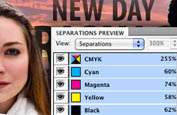
PRINT MORE EFFICIENTLY
Quickly create stunning print work using a variety of productivity and production tools including simplified object selection and editing, Live Preflight, PDF export in the background, custom print presets and more.

BUILD INTERACTIVE PRESENTATIONS
Lay out presentation pages in InDesign, including graphics, text, video, audio, and motion. Add navigation features. Export as a SWF file for playback in the Adobe Flash Player runtime.
Hand off your page layouts to Adobe Flash Professional CS5 with even greater fidelity. Animations created in InDesign and placed audio and video files remain intact when pages are opened in Flash Professional. Text is fully editable so you can make-last minute changes in Flash.
Speed up reviews of creative materials, including page layouts, using new Adobe CS Review, part of Adobe CS Live online services.* CS Review lets you create and share documents for review online while working in InDesign. CS Live services are complimentary for a limited time.

Create compelling eBooks for reading on handheld devices such as Sony Reader, Barnes & Noble nook, and Apple iPad, as well as on cell phones and personal computers. With the enhanced EPUB support in InDesign you can even include interactivity, animation, sound, and video on your computer with Adobe Digital Editions software installed.
InDesign Features
Cross-media publishing enhanced
Create sophisticated page layouts for print publishing; interactive PDF documents that include video and sound; or engaging SWF documents complete with interactivity, animation, sound, and video for playback in the Adobe Flash Player runtime.
Integration with Adobe CS Live online services* new
Speed up reviews of page layouts using Adobe CS Review, included in new Adobe CS Live online services. CS Live services are complimentary for a limited time.
Integration with Adobe design, web, and digital reading applications enhanced
Move projects smoothly from design to print or digital output, thanks to tight integration with industry-leading Adobe solutions such as Adobe Photoshop, Illustrator, Acrobat, Flash Professional, and Digital Editions software.
Productivity tools enhanced
Produce sophisticated page layouts using customer-inspired productivity features such as smart guides, rapid table creation, multiple-file placement, the ability to create pages of different sizes in a single file, and streamlined object selection and editing.
Robust text composition enhanced
Create beautiful, sophisticated text for virtually any medium with professional typography features including styles, text wrap, the Paragraph Composer, OpenType support, and drop caps. Include headlines that span or split columns without a separate text frame.
Built-in creative tools enhanced
Explore creative possibilities directly within Adobe InDesign CS5 using integrated drawing tools, built-in Adobe Photoshop effects, finer transparency controls, and support for 3D Photoshop artwork.
Preflighting and production enhanced
Speed up production, enjoy the ability to export PDFs in the background as you continue to work, and deliver error-free documents with live preflighting, document-installed fonts, JDF technology, presets, and onscreen controls.
Automation enhanced
Create powerful automated workflows to reduce the time you spend on repetitive layout tasks. Incorporate database-driven content for greater efficiency when publishing across channels.
Extensibility enhanced
Rapidly build unique workflows and software solutions for custom publishing using InDesign Markup Language (IDML), an XML-based file format that enables developers to create or modify files using standard XML tools.
Collaboration in editorial workflows enhanced
Improve collaboration between design and editorial teams with tight integration between InDesign CS5 and Adobe InCopy CS5 software.
What's new in InDesign CS5
Adobe InDesign CS5 software introduces breakthrough productivity and collaboration features such as simplified object editing and selection, integration with Adobe CS Live online services,* and the ability to create rich interactive documents that attract and engage readers. CS Live services are complimentary for a limited time.
Interactive documents and presentations new
Add interactivity, motion, sound, and video to documents and presentations, exporting directly to SWF for playback in the Adobe Flash Player runtime.
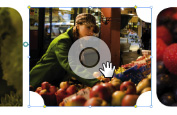
Simplified object selection and editing new
Perform repetitive layout tasks efficiently using new and enhanced tools and on-object controls.
Integration with Adobe CS Review* new
Create and share reviews online while working in InDesign with Adobe CS Review, part of CS Live online services. See feedback in the context of your page layout.
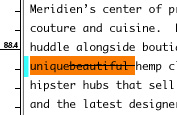
Track Text Changes new
Mark up text directly in InDesign, easily tracking copy revisions.
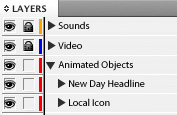
Redesigned Layers panel new
Easily manage page items with a redesigned Layers panel that is more like the one in Adobe Photoshop and Illustrator software.
Export to Flash Professional enhanced
Export InDesign documents to Flash Professional to add sophisticated interactivity, animation, and navigation to complex layouts.
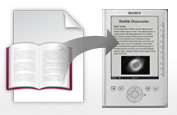
eBook creation enhanced
Create compelling eBooks in the EPUB format for the Apple iPad, Sony Reader, Barnes & Noble nook, mobile phones, and other devices.
Maintain the fidelity of your original file

Hand off page layouts from InDesign to Adobe Flash Professional with even greater fidelity. Add sophisticated interactivity to your documents without compromising on page design.
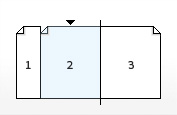
Multiple page sizes new
Create pages with different sizes in a single document.
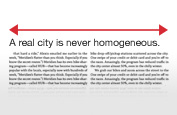
Paragraphs that span or split columns new
Quickly create text that spans or splits into multiple columns in just a few steps.
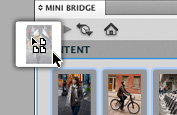
Production enhancements new
Find and drag images into page layouts from Adobe Mini Bridge without leaving InDesign. Document-installed fonts can help eliminate missing font issues.

Live Captions new
Generate static or live captions automatically from image metadata.
System requirements
Mac OS
- Multicore Intel processor
- Mac OS X v10.5.7 or v10.6
- 1GB of RAM (2GB recommended)
- 2.6GB of available hard-disk space for installation; additional free space required during installation (cannot install on a volume that uses a case-sensitive file system or on removable flash-based storage devices)
- 1024x768 display (1280x800 recommended) with 16-bit video card
- DVD-ROM drive
- Adobe Flash Player 10 software required to export SWF files
- Broadband Internet connection required for online services*
|
|
|
|
29/04
|
Adobe InDesign CS5 - Mac, Retail Warning : Before Purchase Please Check OS Compatibility
What is InDesign?
Design professional layouts for print and digital publishing
Adobe InDesign CS5 software provides precise control over typography and built-in creative tools for designing, preflighting, and publishing documents for print, online, or to mobile devices. Include interactivity, animation, video, and sound in page layouts to fully engage readers.
CREATE RICH INTERACTIVE DOCUMENTS
Design a rich array of interactive documents from digital brochures, to eBooks to interactive magazines. Add interactivity, animation and rich media such as video and sound. Export your documents as SWF for playback in the Flash player or interactive PDF.
PRINT MORE EFFICIENTLY
Quickly create stunning print work using a variety of productivity and production tools including simplified object selection and editing, Live Preflight, PDF export in the background, custom print presets and more.
BUILD INTERACTIVE PRESENTATIONS
Lay out presentation pages in InDesign, including graphics, text, video, audio, and motion. Add navigation features. Export as a SWF file for playback in the Adobe Flash Player runtime.
Hand off your page layouts to Adobe Flash Professional CS5 with even greater fidelity. Animations created in InDesign and placed audio and video files remain intact when pages are opened in Flash Professional. Text is fully editable so you can make-last minute changes in Flash.
Speed up reviews of creative materials, including page layouts, using new Adobe CS Review, part of Adobe CS Live online services.* CS Review lets you create and share documents for review online while working in InDesign. CS Live services are complimentary for a limited time.
Create compelling eBooks for reading on handheld devices such as Sony Reader, Barnes & Noble nook, and Apple iPad, as well as on cell phones and personal computers. With the enhanced EPUB support in InDesign you can even include interactivity, animation, sound, and video on your computer with Adobe Digital Editions software installed.
InDesign Features
Cross-media publishing enhanced
Create sophisticated page layouts for print publishing; interactive PDF documents that include video and sound; or engaging SWF documents complete with interactivity, animation, sound, and video for playback in the Adobe Flash Player runtime.
Integration with Adobe CS Live online services* new
Speed up reviews of page layouts using Adobe CS Review, included in new Adobe CS Live online services. CS Live services are complimentary for a limited time.
Integration with Adobe design, web, and digital reading applications enhanced
Move projects smoothly from design to print or digital output, thanks to tight integration with industry-leading Adobe solutions such as Adobe Photoshop, Illustrator, Acrobat, Flash Professional, and Digital Editions software.
Productivity tools enhanced
Produce sophisticated page layouts using customer-inspired productivity features such as smart guides, rapid table creation, multiple-file placement, the ability to create pages of different sizes in a single file, and streamlined object selection and editing.
Robust text composition enhanced
Create beautiful, sophisticated text for virtually any medium with professional typography features including styles, text wrap, the Paragraph Composer, OpenType support, and drop caps. Include headlines that span or split columns without a separate text frame.
Built-in creative tools enhanced
Explore creative possibilities directly within Adobe InDesign CS5 using integrated drawing tools, built-in Adobe Photoshop effects, finer transparency controls, and support for 3D Photoshop artwork.
Preflighting and production enhanced
Speed up production, enjoy the ability to export PDFs in the background as you continue to work, and deliver error-free documents with live preflighting, document-installed fonts, JDF technology, presets, and onscreen controls.
Automation enhanced
Create powerful automated workflows to reduce the time you spend on repetitive layout tasks. Incorporate database-driven content for greater efficiency when publishing across channels.
Extensibility enhanced
Rapidly build unique workflows and software solutions for custom publishing using InDesign Markup Language (IDML), an XML-based file format that enables developers to create or modify files using standard XML tools.
Collaboration in editorial workflows enhanced
Improve collaboration between design and editorial teams with tight integration between InDesign CS5 and Adobe InCopy CS5 software.
What's new in InDesign CS5
Adobe InDesign CS5 software introduces breakthrough productivity and collaboration features such as simplified object editing and selection, integration with Adobe CS Live online services,* and the ability to create rich interactive documents that attract and engage readers. CS Live services are complimentary for a limited time.
Interactive documents and presentations new
Add interactivity, motion, sound, and video to documents and presentations, exporting directly to SWF for playback in the Adobe Flash Player runtime.
Simplified object selection and editing new
Perform repetitive layout tasks efficiently using new and enhanced tools and on-object controls.
Integration with Adobe CS Review* new
Create and share reviews online while working in InDesign with Adobe CS Review, part of CS Live online services. See feedback in the context of your page layout.
Track Text Changes new
Mark up text directly in InDesign, easily tracking copy revisions.
Redesigned Layers panel new
Easily manage page items with a redesigned Layers panel that is more like the one in Adobe Photoshop and Illustrator software.
Export to Flash Professional enhanced
Export InDesign documents to Flash Professional to add sophisticated interactivity, animation, and navigation to complex layouts.
eBook creation enhanced
Create compelling eBooks in the EPUB format for the Apple iPad, Sony Reader, Barnes & Noble nook, mobile phones, and other devices.
Maintain the fidelity of your original file
Hand off page layouts from InDesign to Adobe Flash Professional with even greater fidelity. Add sophisticated interactivity to your documents without compromising on page design.
Multiple page sizes new
Create pages with different sizes in a single document.
Paragraphs that span or split columns new
Quickly create text that spans or splits into multiple columns in just a few steps.
Production enhancements new
Find and drag images into page layouts from Adobe Mini Bridge without leaving InDesign. Document-installed fonts can help eliminate missing font issues.
Live Captions new
Generate static or live captions automatically from image metadata.
System requirements
Mac OS
- Multicore Intel processor
- Mac OS X v10.5.7 or v10.6
- 1GB of RAM (2GB recommended)
- 2.6GB of available hard-disk space for installation; additional free space required during installation (cannot install on a volume that uses a case-sensitive file system or on removable flash-based storage devices)
- 1024x768 display (1280x800 recommended) with 16-bit video card
- DVD-ROM drive
- Adobe Flash Player 10 software required to export SWF files
- Broadband Internet connection required for online services*
|
|
|
|
29/04
|
Adobe InDesign CS5 - Windows, Educational Only Warning : Before Purchase Please Check OS Compatibility
What is InDesign?
Design professional layouts for print and digital publishing
Adobe InDesign CS5 software provides precise control over typography and built-in creative tools for designing, preflighting, and publishing documents for print, online, or to mobile devices. Include interactivity, animation, video, and sound in page layouts to fully engage readers.
CREATE RICH INTERACTIVE DOCUMENTS
Design a rich array of interactive documents from digital brochures, to eBooks to interactive magazines. Add interactivity, animation and rich media such as video and sound. Export your documents as SWF for playback in the Flash player or interactive PDF.
PRINT MORE EFFICIENTLY
Quickly create stunning print work using a variety of productivity and production tools including simplified object selection and editing, Live Preflight, PDF export in the background, custom print presets and more.
BUILD INTERACTIVE PRESENTATIONS
Lay out presentation pages in InDesign, including graphics, text, video, audio, and motion. Add navigation features. Export as a SWF file for playback in the Adobe Flash Player runtime.
Hand off your page layouts to Adobe Flash Professional CS5 with even greater fidelity. Animations created in InDesign and placed audio and video files remain intact when pages are opened in Flash Professional. Text is fully editable so you can make-last minute changes in Flash.
Speed up reviews of creative materials, including page layouts, using new Adobe CS Review, part of Adobe CS Live online services.* CS Review lets you create and share documents for review online while working in InDesign. CS Live services are complimentary for a limited time.
Create compelling eBooks for reading on handheld devices such as Sony Reader, Barnes & Noble nook, and Apple iPad, as well as on cell phones and personal computers. With the enhanced EPUB support in InDesign you can even include interactivity, animation, sound, and video on your computer with Adobe Digital Editions software installed.
InDesign Features
Cross-media publishing enhanced
Create sophisticated page layouts for print publishing; interactive PDF documents that include video and sound; or engaging SWF documents complete with interactivity, animation, sound, and video for playback in the Adobe Flash Player runtime.
Integration with Adobe CS Live online services* new
Speed up reviews of page layouts using Adobe CS Review, included in new Adobe CS Live online services. CS Live services are complimentary for a limited time.
Integration with Adobe design, web, and digital reading applications enhanced
Move projects smoothly from design to print or digital output, thanks to tight integration with industry-leading Adobe solutions such as Adobe Photoshop, Illustrator, Acrobat, Flash Professional, and Digital Editions software.
Productivity tools enhanced
Produce sophisticated page layouts using customer-inspired productivity features such as smart guides, rapid table creation, multiple-file placement, the ability to create pages of different sizes in a single file, and streamlined object selection and editing.
Robust text composition enhanced
Create beautiful, sophisticated text for virtually any medium with professional typography features including styles, text wrap, the Paragraph Composer, OpenType support, and drop caps. Include headlines that span or split columns without a separate text frame.
Built-in creative tools enhanced
Explore creative possibilities directly within Adobe InDesign CS5 using integrated drawing tools, built-in Adobe Photoshop effects, finer transparency controls, and support for 3D Photoshop artwork.
Preflighting and production enhanced
Speed up production, enjoy the ability to export PDFs in the background as you continue to work, and deliver error-free documents with live preflighting, document-installed fonts, JDF technology, presets, and onscreen controls.
Automation enhanced
Create powerful automated workflows to reduce the time you spend on repetitive layout tasks. Incorporate database-driven content for greater efficiency when publishing across channels.
Extensibility enhanced
Rapidly build unique workflows and software solutions for custom publishing using InDesign Markup Language (IDML), an XML-based file format that enables developers to create or modify files using standard XML tools.
Collaboration in editorial workflows enhanced
Improve collaboration between design and editorial teams with tight integration between InDesign CS5 and Adobe InCopy CS5 software.
What's new in InDesign CS5
Adobe InDesign CS5 software introduces breakthrough productivity and collaboration features such as simplified object editing and selection, integration with Adobe CS Live online services,* and the ability to create rich interactive documents that attract and engage readers. CS Live services are complimentary for a limited time.
Interactive documents and presentations new
Add interactivity, motion, sound, and video to documents and presentations, exporting directly to SWF for playback in the Adobe Flash Player runtime.
Simplified object selection and editing new
Perform repetitive layout tasks efficiently using new and enhanced tools and on-object controls.
Integration with Adobe CS Review* new
Create and share reviews online while working in InDesign with Adobe CS Review, part of CS Live online services. See feedback in the context of your page layout.
Track Text Changes new
Mark up text directly in InDesign, easily tracking copy revisions.
Redesigned Layers panel new
Easily manage page items with a redesigned Layers panel that is more like the one in Adobe Photoshop and Illustrator software.
Export to Flash Professional enhanced
Export InDesign documents to Flash Professional to add sophisticated interactivity, animation, and navigation to complex layouts.
eBook creation enhanced
Create compelling eBooks in the EPUB format for the Apple iPad, Sony Reader, Barnes & Noble nook, mobile phones, and other devices.
Maintain the fidelity of your original file
Hand off page layouts from InDesign to Adobe Flash Professional with even greater fidelity. Add sophisticated interactivity to your documents without compromising on page design.
Multiple page sizes new
Create pages with different sizes in a single document.
Paragraphs that span or split columns new
Quickly create text that spans or splits into multiple columns in just a few steps.
Production enhancements new
Find and drag images into page layouts from Adobe Mini Bridge without leaving InDesign. Document-installed fonts can help eliminate missing font issues.
Live Captions new
Generate static or live captions automatically from image metadata.
System requirements
Windows
- Intel Pentium 4 or AMD Athlon 64 processor
- Microsoft Windows XP with Service Pack 2 (Service Pack 3 recommended); Windows Vista Home Premium, Business, Ultimate, or Enterprise with Service Pack 1; or Windows 7
- 1GB of RAM (2GB recommended)
- 1.6GB of available hard-disk space for installation; additional free space required during installation (cannot install on removable flash-based storage devices)
- 1024x768 display (1280x800 recommended) with 16-bit video card
- DVD-ROM drive
- Adobe Flash Player 10 software required to export SWF files
- Broadband Internet connection required for online services*
|
|
|
|
29/04
|
Adobe InDesign CS5 - Windows, Retail Warning : Before Purchase Please Check OS Compatibility
What is InDesign?
Design professional layouts for print and digital publishing
Adobe InDesign CS5 software provides precise control over typography and built-in creative tools for designing, preflighting, and publishing documents for print, online, or to mobile devices. Include interactivity, animation, video, and sound in page layouts to fully engage readers.
CREATE RICH INTERACTIVE DOCUMENTS
Design a rich array of interactive documents from digital brochures, to eBooks to interactive magazines. Add interactivity, animation and rich media such as video and sound. Export your documents as SWF for playback in the Flash player or interactive PDF.
PRINT MORE EFFICIENTLY
Quickly create stunning print work using a variety of productivity and production tools including simplified object selection and editing, Live Preflight, PDF export in the background, custom print presets and more.
BUILD INTERACTIVE PRESENTATIONS
Lay out presentation pages in InDesign, including graphics, text, video, audio, and motion. Add navigation features. Export as a SWF file for playback in the Adobe Flash Player runtime.
Hand off your page layouts to Adobe Flash Professional CS5 with even greater fidelity. Animations created in InDesign and placed audio and video files remain intact when pages are opened in Flash Professional. Text is fully editable so you can make-last minute changes in Flash.
Speed up reviews of creative materials, including page layouts, using new Adobe CS Review, part of Adobe CS Live online services.* CS Review lets you create and share documents for review online while working in InDesign. CS Live services are complimentary for a limited time.
Create compelling eBooks for reading on handheld devices such as Sony Reader, Barnes & Noble nook, and Apple iPad, as well as on cell phones and personal computers. With the enhanced EPUB support in InDesign you can even include interactivity, animation, sound, and video on your computer with Adobe Digital Editions software installed.
InDesign Features
Cross-media publishing enhanced
Create sophisticated page layouts for print publishing; interactive PDF documents that include video and sound; or engaging SWF documents complete with interactivity, animation, sound, and video for playback in the Adobe Flash Player runtime.
Integration with Adobe CS Live online services* new
Speed up reviews of page layouts using Adobe CS Review, included in new Adobe CS Live online services. CS Live services are complimentary for a limited time.
Integration with Adobe design, web, and digital reading applications enhanced
Move projects smoothly from design to print or digital output, thanks to tight integration with industry-leading Adobe solutions such as Adobe Photoshop, Illustrator, Acrobat, Flash Professional, and Digital Editions software.
Productivity tools enhanced
Produce sophisticated page layouts using customer-inspired productivity features such as smart guides, rapid table creation, multiple-file placement, the ability to create pages of different sizes in a single file, and streamlined object selection and editing.
Robust text composition enhanced
Create beautiful, sophisticated text for virtually any medium with professional typography features including styles, text wrap, the Paragraph Composer, OpenType support, and drop caps. Include headlines that span or split columns without a separate text frame.
Built-in creative tools enhanced
Explore creative possibilities directly within Adobe InDesign CS5 using integrated drawing tools, built-in Adobe Photoshop effects, finer transparency controls, and support for 3D Photoshop artwork.
Preflighting and production enhanced
Speed up production, enjoy the ability to export PDFs in the background as you continue to work, and deliver error-free documents with live preflighting, document-installed fonts, JDF technology, presets, and onscreen controls.
Automation enhanced
Create powerful automated workflows to reduce the time you spend on repetitive layout tasks. Incorporate database-driven content for greater efficiency when publishing across channels.
Extensibility enhanced
Rapidly build unique workflows and software solutions for custom publishing using InDesign Markup Language (IDML), an XML-based file format that enables developers to create or modify files using standard XML tools.
Collaboration in editorial workflows enhanced
Improve collaboration between design and editorial teams with tight integration between InDesign CS5 and Adobe InCopy CS5 software.
What's new in InDesign CS5
Adobe InDesign CS5 software introduces breakthrough productivity and collaboration features such as simplified object editing and selection, integration with Adobe CS Live online services,* and the ability to create rich interactive documents that attract and engage readers. CS Live services are complimentary for a limited time.
Interactive documents and presentations new
Add interactivity, motion, sound, and video to documents and presentations, exporting directly to SWF for playback in the Adobe Flash Player runtime.
Simplified object selection and editing new
Perform repetitive layout tasks efficiently using new and enhanced tools and on-object controls.
Integration with Adobe CS Review* new
Create and share reviews online while working in InDesign with Adobe CS Review, part of CS Live online services. See feedback in the context of your page layout.
Track Text Changes new
Mark up text directly in InDesign, easily tracking copy revisions.
Redesigned Layers panel new
Easily manage page items with a redesigned Layers panel that is more like the one in Adobe Photoshop and Illustrator software.
Export to Flash Professional enhanced
Export InDesign documents to Flash Professional to add sophisticated interactivity, animation, and navigation to complex layouts.
eBook creation enhanced
Create compelling eBooks in the EPUB format for the Apple iPad, Sony Reader, Barnes & Noble nook, mobile phones, and other devices.
Maintain the fidelity of your original file
Hand off page layouts from InDesign to Adobe Flash Professional with even greater fidelity. Add sophisticated interactivity to your documents without compromising on page design.
Multiple page sizes new
Create pages with different sizes in a single document.
Paragraphs that span or split columns new
Quickly create text that spans or splits into multiple columns in just a few steps.
Production enhancements new
Find and drag images into page layouts from Adobe Mini Bridge without leaving InDesign. Document-installed fonts can help eliminate missing font issues.
Live Captions new
Generate static or live captions automatically from image metadata.
System requirements
Windows
- Intel Pentium 4 or AMD Athlon 64 processor
- Microsoft Windows XP with Service Pack 2 (Service Pack 3 recommended); Windows Vista Home Premium, Business, Ultimate, or Enterprise with Service Pack 1; or Windows 7
- 1GB of RAM (2GB recommended)
- 1.6GB of available hard-disk space for installation; additional free space required during installation (cannot install on removable flash-based storage devices)
- 1024x768 display (1280x800 recommended) with 16-bit video card
- DVD-ROM drive
- Adobe Flash Player 10 software required to export SWF files
- Broadband Internet connection required for online services*
|
|
|
|
29/04
|
Adobe Illustrator CS5 - Mac, Educational Only Warning : Before Purchase Please Check OS Compatibility
What is Illustrator?
Explore new paths with the essential vector tool
Create distinctive vector artwork for any project. Used by design professionals worldwide, Adobe Illustrator CS5 software provides precision and power with sophisticated drawing tools, expressive natural brushes, a host of time-savers, and integration with Adobe CS Live online services.* CS Live services are complimentary for a limited time.

Complement your design
Craft vector assets for use in any design project, from logos and branding to graphics for advertising, packaging, and environments.

Create beautiful websites
Design graphics for banners, web pages, and interactive experiences, or lay out your entire website.
Get your ideas in motion
Create original graphics and motion paths for animation, and design artwork for broadcast graphics, titles, station IDs, and bumpers
Easily move your vector designs to Adobe Photoshop to combine intricate paths and imagery, and still retain the editing capabilities of Illustrator.
Use slices to define and name graphics in Illustrator, and then automatically rasterize, optimize, and save to a site in Adobe Dreamweaver.
Create complex design elements and motion paths in Illustrator for use in Adobe After Effects. After Effects retains Illustrator layers, masks, gradients, and effects.
Illustrator features

Sophisticated vector drawing controls
Create distinctive designs with precise shape-building tools, fluid and painterly brushes, and advanced path controls.
Gradients and transparency enhanced
Interact with gradients directly on your objects and control the transparency of individual colors in gradients and gradient meshes.
Play
Beautiful Strokes new
Fully control variable-width strokes, arrowheads, dashes, and art brush scaling along a path. See it in action Features
In-panel appearance editing
Edit object characteristics directly in the Appearance panel, eliminating the need to open fill, stroke, or effects panels.
Integration with Adobe CS Review new
Create and share online reviews for clients down the hall or around the world with Adobe CS Review, one of the new Adobe CS Live online services.* CS Live services are complimentary for a limited time.
Industry-standard graphic file format support
Work with almost any type of graphic file including PDF, EPS, FXG, Photoshop (PSD), TIFF, GIF, JPEG, SWF, SVG, DWG, DXF, and more.

Adobe PDF file creation tools
Create more secure, multipage, graphic-rich PDF files with Illustrator layers retained. Share files confidently with service providers, including support for PDF/X standards.

Advanced typography
Design beautiful text for virtually any media with professional controls for paragraph and character styles, support for OpenType, transparent effects, and more.
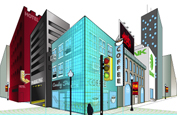
Perspective Drawing new
Use perspective grids to draw shapes and scenes in accurate 1-, 2-, or 3-point linear perspective and create the look of realistic depth and distance. See it in action
Multiple artboard enhancements enhanced
Work on up to 100 artboards of varying sizes in one file named, organized, and viewed the way you want. See it in action

Drawing enhancements new
Draw behind, disregarding stacking order. Draw or place an image inside, instantly creating a clipping mask. See it in action
Integration with other Adobe design applications
Share files smoothly with other Adobe professional design applications and easily create artwork for multiple uses.
Crisp graphics for web and mobile devices new
Create vector objects precisely on the file's pixel grid for delivering pixel-aligned raster artwork. See it in action
System requirements
Mac OS
- Intel processor
- Mac OS X v10.5.7 or v10.6
- 1GB of RAM
- 2GB of available hard-disk space for installation; additional free space required during installation (cannot install on a volume that uses a case-sensitive file system or on removable flash-based storage devices)
- 1024x768 display (1280x800 recommended) with 16-bit video card
- DVD-ROM drive*
- Broadband Internet connection required for online services
|
|
|
|
29/04
|
Adobe Illustrator CS5 - Mac, Retail Warning : Before Purchase Please Check OS Compatibility
What is Illustrator?
Explore new paths with the essential vector tool
Create distinctive vector artwork for any project. Used by design professionals worldwide, Adobe Illustrator CS5 software provides precision and power with sophisticated drawing tools, expressive natural brushes, a host of time-savers, and integration with Adobe CS Live online services.* CS Live services are complimentary for a limited time.
Complement your design
Craft vector assets for use in any design project, from logos and branding to graphics for advertising, packaging, and environments.
Create beautiful websites
Design graphics for banners, web pages, and interactive experiences, or lay out your entire website.
Get your ideas in motion
Create original graphics and motion paths for animation, and design artwork for broadcast graphics, titles, station IDs, and bumpers
Easily move your vector designs to Adobe Photoshop to combine intricate paths and imagery, and still retain the editing capabilities of Illustrator.
Use slices to define and name graphics in Illustrator, and then automatically rasterize, optimize, and save to a site in Adobe Dreamweaver.
Create complex design elements and motion paths in Illustrator for use in Adobe After Effects. After Effects retains Illustrator layers, masks, gradients, and effects.
Illustrator features
Sophisticated vector drawing controls
Create distinctive designs with precise shape-building tools, fluid and painterly brushes, and advanced path controls.
Gradients and transparency enhanced
Interact with gradients directly on your objects and control the transparency of individual colors in gradients and gradient meshes.
Play
Beautiful Strokes new
Fully control variable-width strokes, arrowheads, dashes, and art brush scaling along a path. See it in action Features
In-panel appearance editing
Edit object characteristics directly in the Appearance panel, eliminating the need to open fill, stroke, or effects panels.
Integration with Adobe CS Review new
Create and share online reviews for clients down the hall or around the world with Adobe CS Review, one of the new Adobe CS Live online services.* CS Live services are complimentary for a limited time.
Industry-standard graphic file format support
Work with almost any type of graphic file including PDF, EPS, FXG, Photoshop (PSD), TIFF, GIF, JPEG, SWF, SVG, DWG, DXF, and more.
Adobe PDF file creation tools
Create more secure, multipage, graphic-rich PDF files with Illustrator layers retained. Share files confidently with service providers, including support for PDF/X standards.
Advanced typography
Design beautiful text for virtually any media with professional controls for paragraph and character styles, support for OpenType, transparent effects, and more.
Perspective Drawing new
Use perspective grids to draw shapes and scenes in accurate 1-, 2-, or 3-point linear perspective and create the look of realistic depth and distance. See it in action
Multiple artboard enhancements enhanced
Work on up to 100 artboards of varying sizes in one file named, organized, and viewed the way you want. See it in action
Drawing enhancements new
Draw behind, disregarding stacking order. Draw or place an image inside, instantly creating a clipping mask. See it in action
Integration with other Adobe design applications
Share files smoothly with other Adobe professional design applications and easily create artwork for multiple uses.
Crisp graphics for web and mobile devices new
Create vector objects precisely on the file's pixel grid for delivering pixel-aligned raster artwork. See it in action
System requirements
Mac OS
- Intel processor
- Mac OS X v10.5.7 or v10.6
- 1GB of RAM
- 2GB of available hard-disk space for installation; additional free space required during installation (cannot install on a volume that uses a case-sensitive file system or on removable flash-based storage devices)
- 1024x768 display (1280x800 recommended) with 16-bit video card
- DVD-ROM drive*
- Broadband Internet connection required for online services
|
|
|
|
29/04
|
Adobe Illustrator CS5 - Windows, Educational Only Warning : Before Purchase Please Check OS Compatibility
What is Illustrator?
Explore new paths with the essential vector tool
Create distinctive vector artwork for any project. Used by design professionals worldwide, Adobe Illustrator CS5 software provides precision and power with sophisticated drawing tools, expressive natural brushes, a host of time-savers, and integration with Adobe CS Live online services.* CS Live services are complimentary for a limited time.
Complement your design
Craft vector assets for use in any design project, from logos and branding to graphics for advertising, packaging, and environments.
Create beautiful websites
Design graphics for banners, web pages, and interactive experiences, or lay out your entire website.
Get your ideas in motion
Create original graphics and motion paths for animation, and design artwork for broadcast graphics, titles, station IDs, and bumpers
Easily move your vector designs to Adobe Photoshop to combine intricate paths and imagery, and still retain the editing capabilities of Illustrator.
Use slices to define and name graphics in Illustrator, and then automatically rasterize, optimize, and save to a site in Adobe Dreamweaver.
Create complex design elements and motion paths in Illustrator for use in Adobe After Effects. After Effects retains Illustrator layers, masks, gradients, and effects.
Illustrator features
Sophisticated vector drawing controls
Create distinctive designs with precise shape-building tools, fluid and painterly brushes, and advanced path controls.
Gradients and transparency enhanced
Interact with gradients directly on your objects and control the transparency of individual colors in gradients and gradient meshes.
Play
Beautiful Strokes new
Fully control variable-width strokes, arrowheads, dashes, and art brush scaling along a path. See it in action Features
In-panel appearance editing
Edit object characteristics directly in the Appearance panel, eliminating the need to open fill, stroke, or effects panels.
Integration with Adobe CS Review new
Create and share online reviews for clients down the hall or around the world with Adobe CS Review, one of the new Adobe CS Live online services.* CS Live services are complimentary for a limited time.
Industry-standard graphic file format support
Work with almost any type of graphic file including PDF, EPS, FXG, Photoshop (PSD), TIFF, GIF, JPEG, SWF, SVG, DWG, DXF, and more.
Adobe PDF file creation tools
Create more secure, multipage, graphic-rich PDF files with Illustrator layers retained. Share files confidently with service providers, including support for PDF/X standards.
Advanced typography
Design beautiful text for virtually any media with professional controls for paragraph and character styles, support for OpenType, transparent effects, and more.
Perspective Drawing new
Use perspective grids to draw shapes and scenes in accurate 1-, 2-, or 3-point linear perspective and create the look of realistic depth and distance. See it in action
Multiple artboard enhancements enhanced
Work on up to 100 artboards of varying sizes in one file named, organized, and viewed the way you want. See it in action
Drawing enhancements new
Draw behind, disregarding stacking order. Draw or place an image inside, instantly creating a clipping mask. See it in action
Integration with other Adobe design applications
Share files smoothly with other Adobe professional design applications and easily create artwork for multiple uses.
Crisp graphics for web and mobile devices new
Create vector objects precisely on the file's pixel grid for delivering pixel-aligned raster artwork. See it in action
System requirements
Windows
- Intel Pentium 4 or AMD Athlon 64 processor
- Microsoft Windows XP with Service Pack 3; Windows Vista Home Premium, Business, Ultimate, or Enterprise with Service Pack 1; or Windows 7
- 1GB of RAM
- 2GB of available hard-disk space for installation; additional free space required during installation (cannot install on removable flash-based storage devices)
- 1024x768 display (1280x800 recommended) with 16-bit video card
- DVD-ROM drive*
- Broadband Internet connection required for online services
|
|
|
|
29/04
|
Adobe Illustrator CS5 - Windows, Retail Warning : Before Purchase Please Check OS Compatibility
What is Illustrator?
Explore new paths with the essential vector tool
Create distinctive vector artwork for any project. Used by design professionals worldwide, Adobe Illustrator CS5 software provides precision and power with sophisticated drawing tools, expressive natural brushes, a host of time-savers, and integration with Adobe CS Live online services.* CS Live services are complimentary for a limited time.
Complement your design
Craft vector assets for use in any design project, from logos and branding to graphics for advertising, packaging, and environments.
Create beautiful websites
Design graphics for banners, web pages, and interactive experiences, or lay out your entire website.
Get your ideas in motion
Create original graphics and motion paths for animation, and design artwork for broadcast graphics, titles, station IDs, and bumpers
Easily move your vector designs to Adobe Photoshop to combine intricate paths and imagery, and still retain the editing capabilities of Illustrator.
Use slices to define and name graphics in Illustrator, and then automatically rasterize, optimize, and save to a site in Adobe Dreamweaver.
Create complex design elements and motion paths in Illustrator for use in Adobe After Effects. After Effects retains Illustrator layers, masks, gradients, and effects.
Illustrator features
Sophisticated vector drawing controls
Create distinctive designs with precise shape-building tools, fluid and painterly brushes, and advanced path controls.
Gradients and transparency enhanced
Interact with gradients directly on your objects and control the transparency of individual colors in gradients and gradient meshes.
Play
Beautiful Strokes new
Fully control variable-width strokes, arrowheads, dashes, and art brush scaling along a path. See it in action Features
In-panel appearance editing
Edit object characteristics directly in the Appearance panel, eliminating the need to open fill, stroke, or effects panels.
Integration with Adobe CS Review new
Create and share online reviews for clients down the hall or around the world with Adobe CS Review, one of the new Adobe CS Live online services.* CS Live services are complimentary for a limited time.
Industry-standard graphic file format support
Work with almost any type of graphic file including PDF, EPS, FXG, Photoshop (PSD), TIFF, GIF, JPEG, SWF, SVG, DWG, DXF, and more.
Adobe PDF file creation tools
Create more secure, multipage, graphic-rich PDF files with Illustrator layers retained. Share files confidently with service providers, including support for PDF/X standards.
Advanced typography
Design beautiful text for virtually any media with professional controls for paragraph and character styles, support for OpenType, transparent effects, and more.
Perspective Drawing new
Use perspective grids to draw shapes and scenes in accurate 1-, 2-, or 3-point linear perspective and create the look of realistic depth and distance. See it in action
Multiple artboard enhancements enhanced
Work on up to 100 artboards of varying sizes in one file named, organized, and viewed the way you want. See it in action
Drawing enhancements new
Draw behind, disregarding stacking order. Draw or place an image inside, instantly creating a clipping mask. See it in action
Integration with other Adobe design applications
Share files smoothly with other Adobe professional design applications and easily create artwork for multiple uses.
Crisp graphics for web and mobile devices new
Create vector objects precisely on the file's pixel grid for delivering pixel-aligned raster artwork. See it in action
System requirements
Windows
- Intel Pentium 4 or AMD Athlon 64 processor
- Microsoft Windows XP with Service Pack 3; Windows Vista Home Premium, Business, Ultimate, or Enterprise with Service Pack 1; or Windows 7
- 1GB of RAM
- 2GB of available hard-disk space for installation; additional free space required during installation (cannot install on removable flash-based storage devices)
- 1024x768 display (1280x800 recommended) with 16-bit video card
- DVD-ROM drive*
- Broadband Internet connection required for online services
|
|
|
|
Previous Page
|
Next Page
|
|