Camerafarm product archive #44762

Image Date Product description Price Buy
22/07 SanDisk 32GB Ultra Curve 3.2 Flash Drive - USB3.2 Link contains in-depth information about this product Link contains a picture of this product    $18.85
22/07

AverMedia PW515 4K Sony STARVIS CMOS Sensor ULTRA HD WEBCAM - Zoom and Clickshare Certified

Avermedi 4K Ultra HD Webcam - PW515


Overview

Capture And Involve Everyone

The PW515 has a variable field of view (FoV) ranging from 65 to 100. Its ultra-wide 100 diagonal field of view is perfect for capturing all your meeting participants and involving them in the conversation.

Look Your Best Even In Challenging Lighting Conditions

The PW515 provides real-time highly sensitive HDR and great low-light image optimization in any lighting environment so that you will always look sharp and professional. The 3D Noise Reduction (3DNR) technology suppresses noise and retains good video quality in low light conditions which significantly upgrades webcam image clarity for clearer conference calls . Our AI technology automatically adjusts to always highlight your face.

Secure Your Interaction

Prevent unwanted privacy breaches and keep yourself safe with the built-in privacy shutter, which is robust and easy to apply.

Flexible Mounting and Setup

Mount a PW515 on any monitor with the universal mounting clip or attach it to a tripod (1/4" thread) to help you find the most optimal setup angle.

Specifications

Technical Specifications

Model Name: PW515

Image sensor: Sony STARVIS 4K CMOS

Image resolution: 8 Megapixels

Maximum Resolution/Frame Rate: 3840x2160/30fps; 1920x1080/60fps

Field of View: 100 (D), 92 (H), 60 (V)

Focus Method (Lens type): Autofocus

Format: MJPEG, YUY2, and NV12 of UVC 1.0

Microphone: Dual Omnidirectional Stereo Microphones

Microphone Pickup Distance: 3 m/9.8 ft.

Acoustic Noise Reduction: Yes

Firmware Update: Yes

Privacy Shutter: Yes

Swivel Pan: Yes (360)

Mounting: Monitor Clip, Desktop Stand, Tripod Thread

Image Process: 3D Noise Reduction, High Dynamic Range, Auto Framing, Gesture Recognition

Dimensions (W x D x H): 130 x 58.1 x 56.75 mm/5.12 x 2.29 x 2.23 in.

Weight: 190 g/6.70 oz.

Made in Taiwan

Operating System Requirements

Windows 10 or later

macOS 10.14 or later

Chrome OS 85.0.4183.131 or later

Hardware System Requirements

CPU: 3.2 GHz Intel Core i5-4460 processor or better

RAM: 4GB or more

USB: USB 3.1 Gen 1 compatible to USB 2.0 with down resolution

CamEngine System Requirements

WINDOWS

OS: Windows 10, 11

Display: 1024 x 768 or higher resolution

Desktop

Usage

CPU

GPU

Image Adjustment, Picture in Picture, Skin Filter, AR Effect, AI Framing

Intel Core i5 6th or better

NVIDIA GeForce GTX 1060 or betterNVIDIA Virtual BackgroundIntel Core i5 8th or betterNVIDIA GeForce RTX 20 or 30 Series, or NVIDIA RTX professional GPUs, or NVIDIA Quadro RTX

NVIDIA Virtual Background

Intel Core i5 8th or better

NVIDIA GeForce RTX 20 or 30 Series, or NVIDIA RTX professional GPUs, or NVIDIA Quadro RTX

RAM: 8 GB or more

Laptop

Usage

CPU

GPU

Image Adjustment, Picture in Picture, Skin Filter, AR Effect, AI Framing

ntel Core i7 7th 2.8GH 4 core or better

NVIDIA GeForce GTX 1050 Ti or betterNVIDIA Virtual BackgroundIntel Core i5 8th 3GH 6 core or betterNVIDIA GeForce RTX 20 or 30 Series, or NVIDIA RTX professional GPUs, or NVIDIA Quadro RTX

NVIDIA Virtual Background

Intel Core i5 8th 3GH 6 core or better

NVIDIA GeForce RTX 20 or 30 Series, or NVIDIA RTX professional GPUs, or NVIDIA Quadro RTX

MAC

OS: macOS 11

Display: 1280 x 800 or higher resolution

iMac 2017

CPU

3.8GHz quadcore Intel Core i5 or better

GPU

AMD Radeon Pro 580 or better

RAM: 8 GB or more

Macbook Pro 2019

CPU

2.6GHz 6core Intel Core i7 or better

GPU

AMD Radeon Pro 5300M or better

RAM: 8 GB or more

What's in the box

PW515

Quick Guide

USB-A to USB-C cable (2 m/6.56 ft.)


Link contains in-depth information about this product Link contains a picture of this product    NA  
22/07

LG SC-00DA One: Quick Share Wireless Presentation Solution,


- Quad-core Cortex-A7, Linux, 512MB RAM, 4GB eMMC, Wi-Fi, USB

LG SC-00DA One: Quick Share


Key Features

  • Embedded OS : Linux
  • Wi-Fi : IEEE 802.11 a/b/g/n/ac
  • Connectivity : USB 2.0 Type A (1)
  • Work together with LG One:Quick Share Application and Compatible LG digital signage models

LG One:Quick Share for your Wireless Screen Sharing

Experience a wireless screen sharing to compatible LG digital signage models.
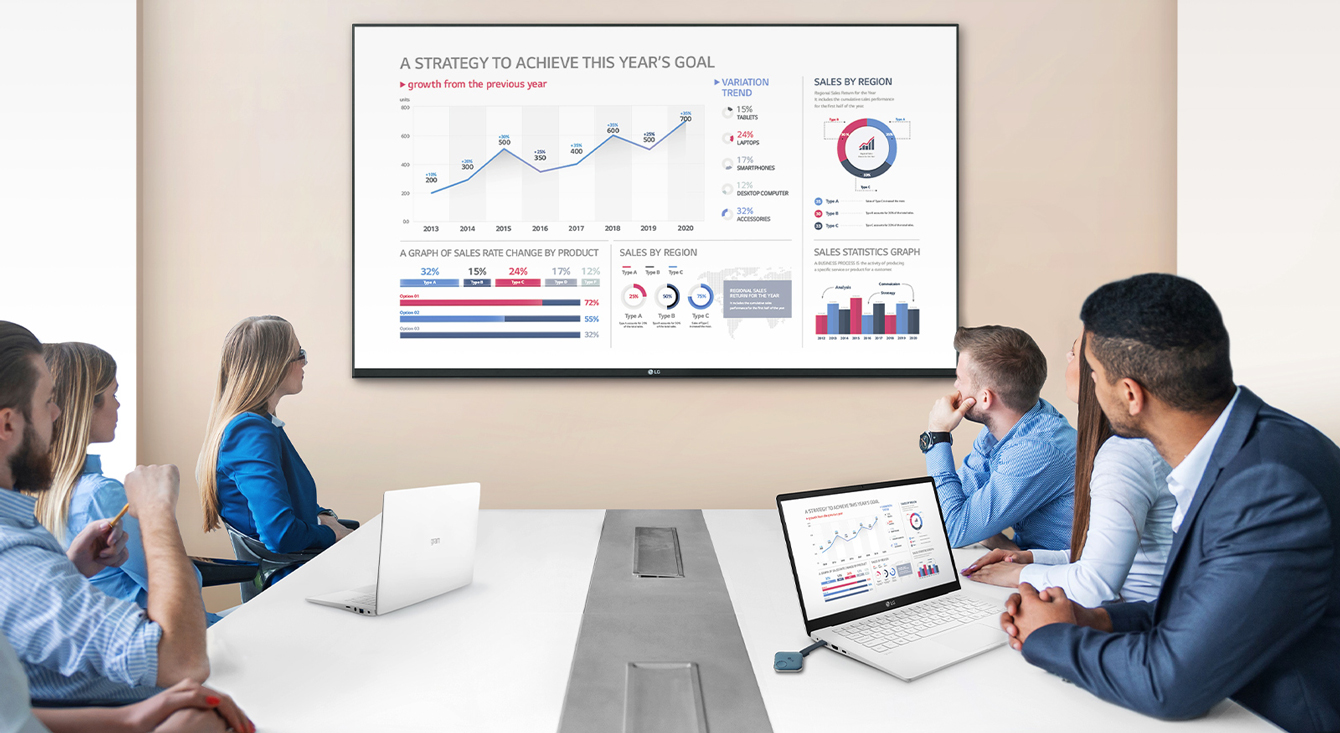
People are having a meet by connecting a USB dongle device to a laptop and sharing a screen with a large signage on the wall.

Start Working with Simple and Easy Connecting

LG One:Quick Share is a wireless screen sharing solution available through LG Digital Signage*, USB transmission unit for PC (SC-00DA), and its app. With One:Quick Share, you can simply share personal PC screen to LG Signage with easy initial setup to use, as well as availability to manage LG Signage's basic functions.
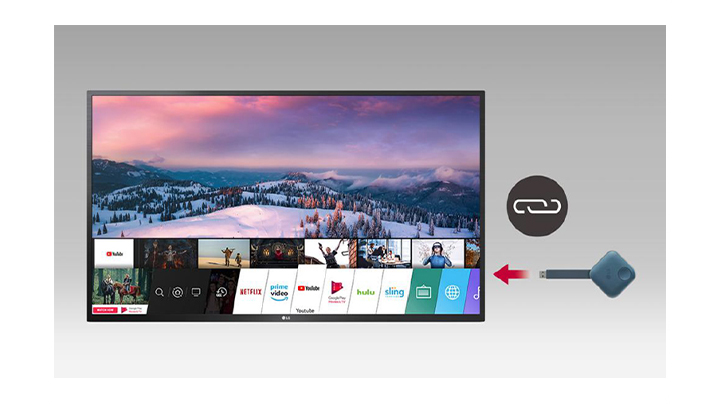
Simply plug in and unplug USB dongle device into a device makes ready to pairing.

Easy Pairing

Connect USB type dongle devices to LG Signage for auto pairing, and disconnect them. Just by doing so, these two are ready to be connected each other.
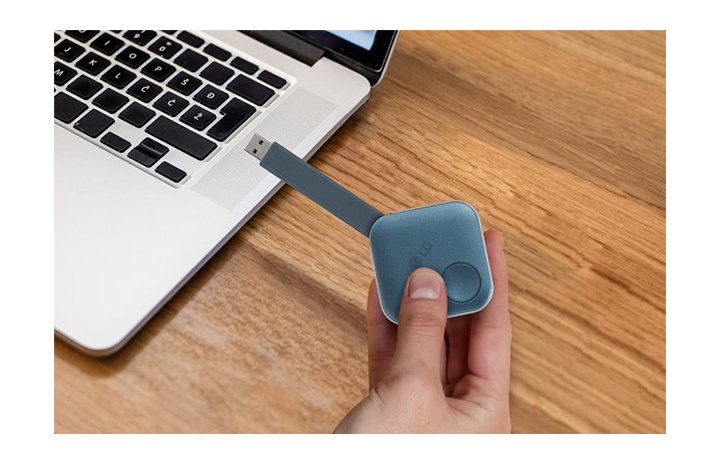
After pairing, you can share a screen with LG Signage by simply plugging a USB dongle device into the personal PC. This image shows a person is holding the USB dongle and try to connect it to the PC.

Plug and Play

Simply share your personal PC screen to the LG Signage by connecting the USB dongle device on the PC after pairing with the Signage.
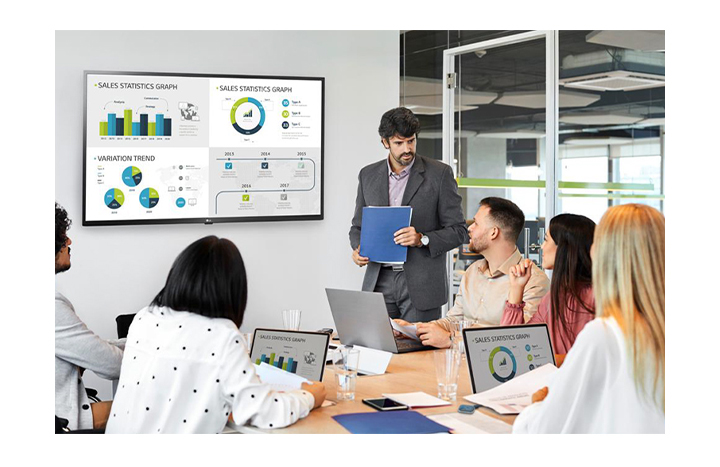
There are 6 people having a meeting and 4 PC screens are simultaneously shared on large signage hanging on the wall through the USB dongle device connected to the personal PCs.

Wireless Screen Share with Clicks

Through pressing the USB dongle button in different ways, you can simply share the PC screen, change to another's one, and can show up to 4 PC screens on the Signage at the same time.
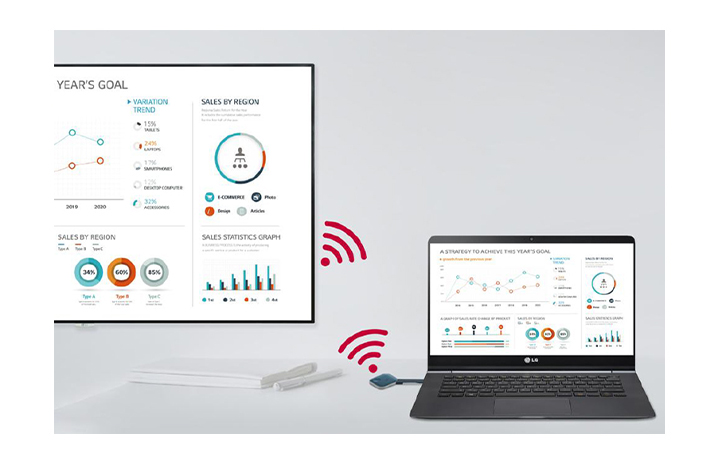
SoftAP function makes it easy for USB dongle device and signage to be connected without additional transceiver.

Embedded Wi-Fi

With SoftAP function in LG Signage, USB dongle device and the Signage can be easily connected and used without additional transceiver.
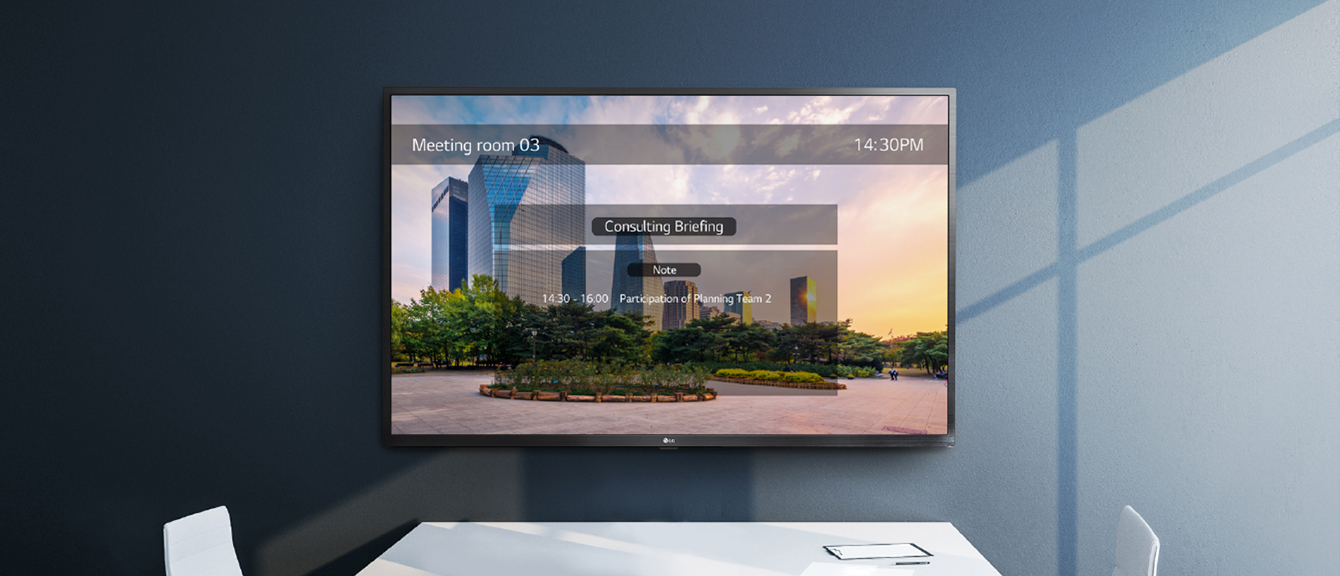
One:Quick Share PC application allows to adjust the settings of the signage without remote control. And the signage on the wall shows one example of the Office Meeting Mode which users can set from the app.

Setting Without Remote Control

Without a remote control, you can adjust the default setting values of signage (volume, picture mode, auto bright, etc.) on the One:Quick Share PC application, as well as further edit the agenda/note, presentation settings displayed in Office Meeting Mode.
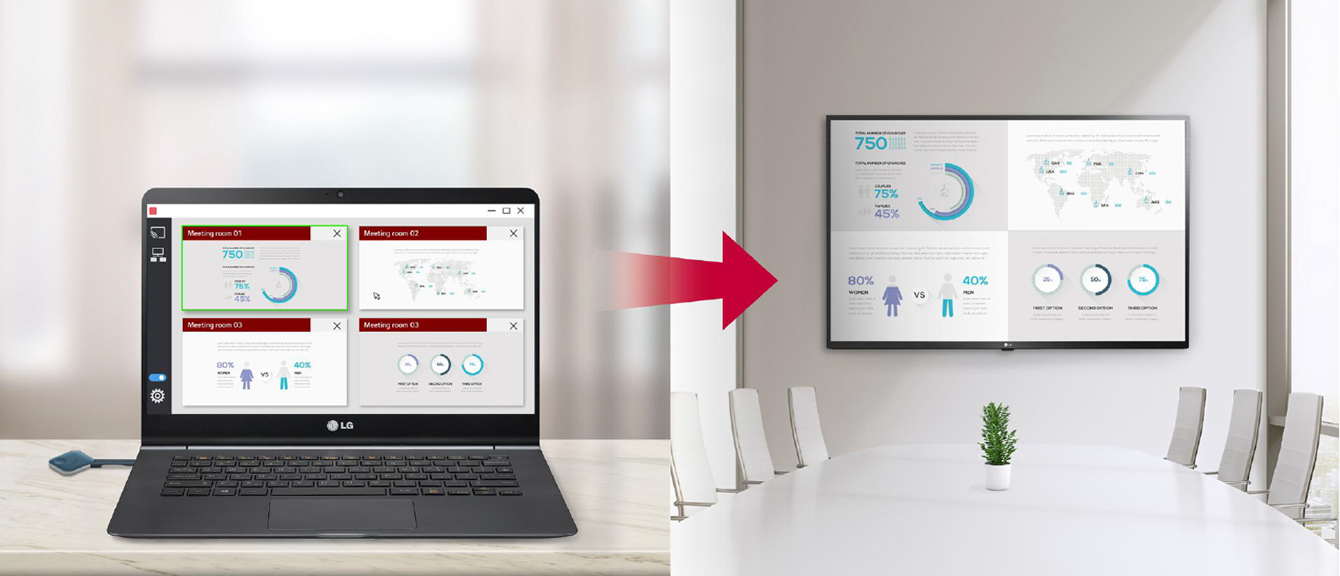
Meeting organizer is free to control several screens shared in the signage. So this image shows that the LG Signage screen has the same order of the split screen which the user with the admin privileges sets on the One:Quick Share App.

Screen Manager

Meeting organizer with admin privileges can manage screens shared on the Signage. You can change the order of the split screens, stop screen sharing, or even select the screen among other connected screens.

Link contains in-depth information about this product Link contains a picture of this product    NA  
22/07

Evolis Narrow Price ticket spikes (80mm height) - 1 set of 25 units

Link contains in-depth information about this product Link contains a picture of this product    NA  
Previous Page Next Page