Camerafarm product archive #42067
| Image |
Date |
Product description |
Price |
Buy |
|
06/03
|
Verbatim 32GB Store `n` Go OTG Micro Flash Drive - Exquisite Silver Metal Shell Design, Read Up to 110MB/s, USB3.0
32GB Store `n` Go OTG Micro Flash Drive
The Store'n'Go OTG Micro Drive is an extremely compact and lightweight portable storage media which is designed for OTG enabled smartphones and tablets. It is equipped with high speed USB 3.0 and micro USB dual interface. Without having to download additional software, it provides users great convenience for storing and sharing digital content between all compatible devices.
System Requirements
- USB 2.0 micro USB B &SB 3.0 (Backwards compatible with USB 2.0 host ports)
- Windows 8, 7, Vista, XP
- Mac OS 10.4 or higher
- Linux 2.4.0 or higher
- Android 4.0 or higher*
Support OTG compatible models
Specifications:
- Dimension: 28.55 x 14.9 x 5.4mm (L x W x H)
- Weight: 3.6 grams
- Format: FAT 32
- Read Speed: up to 110MB/sec
Actual speeds are dependent on file size and computer capabilities
Features &enefits
- Exquisite silver metal shell design
- Extremely compact size with 28.55 x 14.9 x 5.4mm and weights only 3.6g
- Includes a mobile strap to prevent cap loss
- Stores and transfers data between OTG compatible devices
- Hot-swappable plug and play
- USB 3.0 SuperSpeed
- Lifetime limited warranty
|


|
|
|
06/03
|
Verbatim 16GB Store `n` Go OTG Micro Flash Drive - Exquisite Silver Metal Shell Design, Read Up to 110MB/s, USB3.0
Store 'n' Go OTG Micro 16GB
49825
Features
The Store'n'Go OTG Micro Drive is an extremely compact and lightweight portable storage media which is designed for OTG enabled smartphones and tablets. It is equipped with high speed USB 3.0 and micro USB dual interface. Without having to download additional software, it provides users great convenience for storing and sharing digital content between all compatible devices.
System Requirements
- USB 2.0 micro USB B &USB 3.0 (Backwards compatible with USB 2.0 host ports)
- Windows 8, 7, Vista, XP
- Mac OS 10.4 or higher
- Linux 2.4.0 or higher
- Android 4.0 or higher
Support OTG compatible models.
Specifications:
- Dimension: 28.55 x 14.9 x 5.4mm (L x W x H)
- Weight: 3.6 grams
- Format: FAT 32
- Read Speed: up to 110MB/sec
Actual speeds are dependent on file size and computer capabilities
Features &Benefits
- Exquisite silver metal shell design
- Extremely compact size with 28.55 x 14.9 x 5.4mm and weights only 3.6g
- Includes a mobile strap to prevent cap loss
- Stores and transfers data between OTG compatible devices
- Hot-swappable plug and play
- USB 3.0 SuperSpeed
- Lifetime limited warranty
|
|
|
|
06/03
|
Verbatim 32GB Micro SD SDHC Card - Class 10
- With Adapter
|
|

|
|
06/03
|
Verbatim 16GB Micro SD SDHC Card - Class 10
- With Adapter
|
|
|
|
06/03
|
Verbatim 8GB Micro SD SDHC Card - Class 10
- With Adapter
Micro SDHC 8GB (Class 10) with Adaptor
44081
Features
microSDHC memory cards have a higher capacity and faster data transfer speed than microSD memory cards. Designed especially for mobile phones, this tiny, fast memory card consumes very little power, therefore preserving the life of your mobile phone. microSDHC memory cards are compatible with devices which display the microSDHC logo. The Class 10 specification indicates a minimum data transfer speed of 10MB/Sec.
microSDHC cards can also be used in GPS devices, MP3 players, digital cameras and PDA's.
The list of compatible devices grows daily and Verbatim microSD memory cards are compatible with all devices that have an SDHC slot when used with the SD adaptor. All cards contain the latest copyright management technology to ensure legal transfer of digital assets (pictures, movies, music etc...) over computer networks for personal use.
Features and Benefits:
- Expands the memory for your mobile phone, GPS, MP3 Player, Digital camera and PDA's
- Consumes very little power, preserving the battery life of your device
- Includes the latest copyright management technology
- Includes a SD adaptor, making it easier to transfer your data to your PC
- Compatible with all devices that have an SDHC slot when using a SD adaptor
|
|
|
|
06/03
|
Telestream Wirecast Studio 6 - MacWirecast Studio 6 - Mac
|

|
|
|
06/03
|
Telestream Wirecast Pro 6 - Windows Wirecast Pro 6 - Win
Add more powerful production capabilities
Playlists
Queue a list of multiple videos, images, audio or live shots to play successively. This is great for adding commercial breaks, for streaming archived content during off hours, or it can even be used to rotate live camera views. Automate your broadcast workflow between media and live shots. A separate playlist window lets you easily create playlists and see whats scheduled. Drag-and-drop new content, trim and edit recorded video, and set what happens upon completion of the playlist - return to your last live shot, loop content, hold last shot, or display current preview window.
Easy media editing
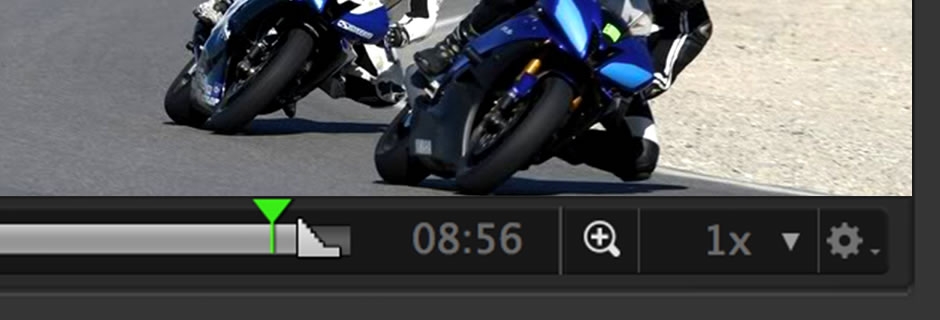
Easily trim and edit your recorded media (including replays) from the new preview window. With any piece of media you can custom configure its length, and set in and out points. Zoom in on timeline for more precise editing.
Replay(Pro)
Wirecast now lets you capture and replay clips of your live production. Great for sporting events or any live show where you want to go back and reshow a portion of the broadcast. During a live show, simply click the replay button to capture a clip and add it to a master layer. When replaying, you can slow it down, speed it up, or scrub across the entire clip to find the exact point you want to show. You can also suppress audio or add another audio track and set up a template for your Replay shots. Easily create highlight reels by combining Replay with Playlists.
Expand your content sources
iOS 8 cameras with Wirecast Cam
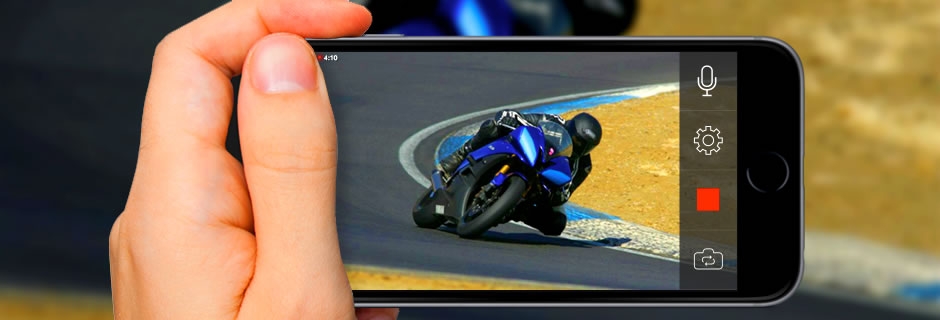
Wirecast 6 integrates with a new, free iOS 8 appWirecast Cam. Download the app anduse any iPhone (4S or newer) or iPad on your Wifi network as an ingest source into Wirecast.Great for adding more camera sources or user-generated content to your live broadcasts.
NewBlue Titler Pro Live integration from Source Settings($299)
Create infinite title styles for lower thirds quickly and simply with the GPU-accelerated NewBlue Titler Pro Live for Wirecast. Stylize your titles with custom bevels, textures, layer blending, lighting control and even animation. An array of templates is included to get you started. (Plug-in is sold separately.)
Twitter feed
Add Twitter messages directly to your broadcast. The new social media editor allows you to search tweets by text string, user name, hashtag, or user timeline and select only the ones youd like to display. Using Wirecasts layers overlay Social media messages on your live or recorded shots.
Custom Graphics in Scoreboards/Keyboard Shortcuts for Scorekeeping (Pro)
Skin the Wirecast scoreboards with you own school graphics and logos. Keyboard shortcuts ensure you keep up with the action.
Streamline your workflow
Audio Preview
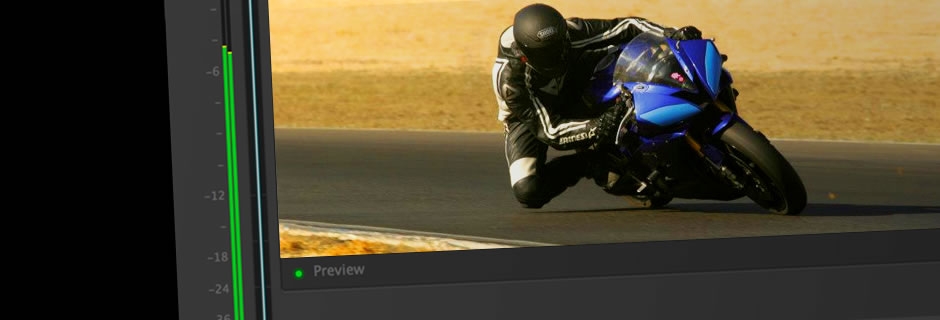
Check your audio before it goes live. Preview the audio of any shot when its in the preview window.
More Keyboard Shortcuts for Shots
Use new keyboards shortcuts for faster switching, shot set-up, and production.
Recoverable File Format
Expect the best, prepare for the worst. With Wirecast 6, youll have the peace of mind knowing that in case of an interruption or crash to your system, you can recover your recording up to the point of the crash.
Stay up to date with the latest technology
64-bit
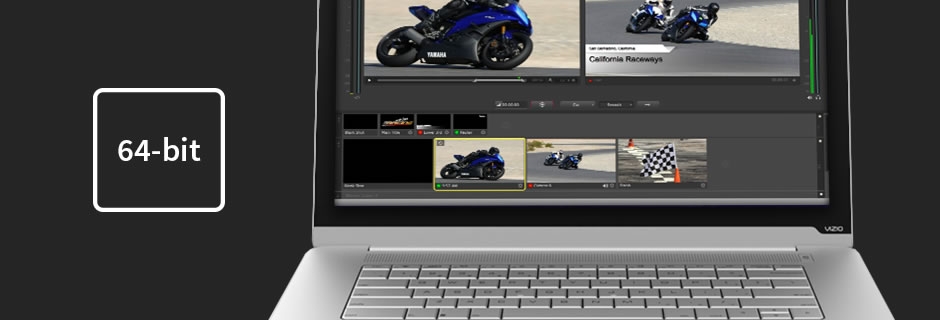
Wirecast now operates in 64-bit mode, which improves memory usage and overall performance. This means better quality for your high-resolution broadcasts.
Retina Display Support
For Mac, Wirecast 6 now displays onscreen in full 2880 x 1800-resolution with brilliant detail.
Features
Capture your content
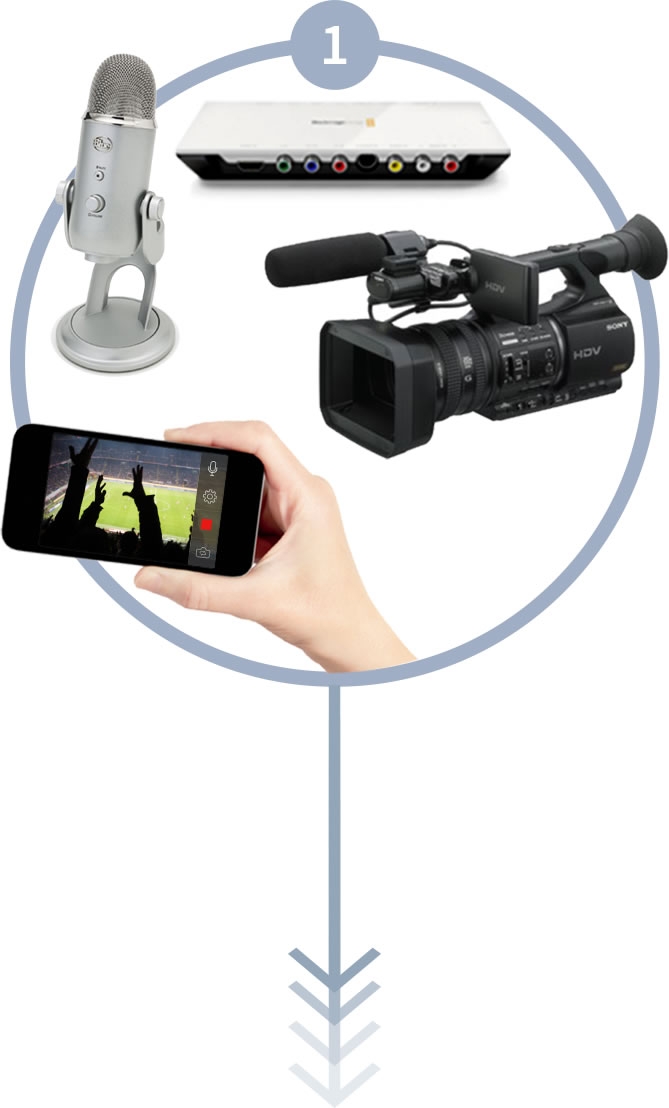
 Devices
- Cameras: USB, Thunderbolt, SD/HD
SDI, HDMI
- NEW! iOS 8 cameras with Wirecast Cam
- Microphones: USB, XLR, Unbalanced
- Audio mixers
- See full list
 Capture Cards
- PCIe
- Thunderbolt
- USB 3.0
- Blackmagic Design, Matrox, Epiphan
and many more
 Web/IP
- Screen capture with Desktop Presenter
(local or remote)
- RTMP (Pro)
- Web streams (Pro)
- IP cameras (Pro)
- See full list
 Other Inputs
- NEW! NewBlue Titler Pro Live for Wirecast
- Teradek Cube 100 &150 (HD-SDI),
200 & 250 (HDMI) (Pro)
- Teradek Bond,
Teradek Sputnik Server (Pro)
- Sportzcast LiveScore Service (Pro Windows)
- LiveU portable 3G/4G backpack LU60
Windows Minimum System Requirements
- Operating Systems*:
- Windows 7 32-bit & 64-bit
- Windows 8 64-bit
- Wirecast Cam app requires iOS 8
- Minimum Dual-core CPU required, 2.3 GHz 32-bit or 64-bit
- 2.8GHz or higher recommended for 720p or higher streaming
- 2GB RAM minimum
- 4GB RAM and 64-bit OS recommended for 720p or higher streaming
- 200MB free hard drive space for installation
- Hard Drive space for recording to disk
- 512 MB PCI-Express graphics card with 3D acceleration
- GeForce or Radeon class card recommended
- NVIDIA cards may cause some visual distortion if YUV color space rendering is enabled in Preferences.
- Sufficient upload speed for streaming
- Because of the many variables involved in live streaming, a safe rule of thumb is twice the bandwidth of the total bit rate of the stream
Languages Supported
- English
- Brazilian Portuguese
- Czech
- Dutch
- French
- German
- Italian
- Japanese
- Spanish
*Please note: Wirecast 6 does not support Windows XP or Windows 8 32-bit
|
|
|
|
06/03
|
Telestream Wirecast Pro 6 - Mac Wirecast 6 - Mac
Add more powerful production capabilities
Playlists
Queue a list of multiple videos, images, audio or live shots to play successively. This is great for adding commercial breaks, for streaming archived content during off hours, or it can even be used to rotate live camera views. Automate your broadcast workflow between media and live shots. A separate playlist window lets you easily create playlists and see whats scheduled. Drag-and-drop new content, trim and edit recorded video, and set what happens upon completion of the playlist - return to your last live shot, loop content, hold last shot, or display current preview window.
Easy media editing
Easily trim and edit your recorded media (including replays) from the new preview window. With any piece of media you can custom configure its length, and set in and out points. Zoom in on timeline for more precise editing.
Replay(Pro)
Wirecast now lets you capture and replay clips of your live production. Great for sporting events or any live show where you want to go back and reshow a portion of the broadcast. During a live show, simply click the replay button to capture a clip and add it to a master layer. When replaying, you can slow it down, speed it up, or scrub across the entire clip to find the exact point you want to show. You can also suppress audio or add another audio track and set up a template for your Replay shots. Easily create highlight reels by combining Replay with Playlists.
Expand your content sources
iOS 8 cameras with Wirecast Cam
Wirecast 6 integrates with a new, free iOS 8 appWirecast Cam. Download the app anduse any iPhone (4S or newer) or iPad on your Wifi network as an ingest source into Wirecast.Great for adding more camera sources or user-generated content to your live broadcasts.
NewBlue Titler Pro Live integration from Source Settings($299)
Create infinite title styles for lower thirds quickly and simply with the GPU-accelerated NewBlue Titler Pro Live for Wirecast. Stylize your titles with custom bevels, textures, layer blending, lighting control and even animation. An array of templates is included to get you started. (Plug-in is sold separately.)
Twitter feed
Add Twitter messages directly to your broadcast. The new social media editor allows you to search tweets by text string, user name, hashtag, or user timeline and select only the ones youd like to display. Using Wirecasts layers overlay Social media messages on your live or recorded shots.
Custom Graphics in Scoreboards/Keyboard Shortcuts for Scorekeeping (Pro)
Skin the Wirecast scoreboards with you own school graphics and logos. Keyboard shortcuts ensure you keep up with the action.
Streamline your workflow
Audio Preview
Check your audio before it goes live. Preview the audio of any shot when its in the preview window.
More Keyboard Shortcuts for Shots
Use new keyboards shortcuts for faster switching, shot set-up, and production.
Recoverable File Format
Expect the best, prepare for the worst. With Wirecast 6, youll have the peace of mind knowing that in case of an interruption or crash to your system, you can recover your recording up to the point of the crash.
Stay up to date with the latest technology
64-bit
Wirecast now operates in 64-bit mode, which improves memory usage and overall performance. This means better quality for your high-resolution broadcasts.
Retina Display Support
For Mac, Wirecast 6 now displays onscreen in full 2880 x 1800-resolution with brilliant detail.
Features
Capture your content
Devices
- Cameras: USB, Thunderbolt, SD/HD
SDI, HDMI
- NEW! iOS 8 cameras with Wirecast Cam
- Microphones: USB, XLR, Unbalanced
- Audio mixers
- See full list
Capture Cards
- PCIe
- Thunderbolt
- USB 3.0
- Blackmagic Design, Matrox, Epiphan and many more
Web/IP
- Screen capture with Desktop Presenter (local or remote)
- RTMP (Pro)
- Web streams (Pro)
- IP cameras (Pro)
- See full list
Other Inputs
- NEW! NewBlue Titler Pro Live for Wirecast
- Teradek Cube 100 &150 (HD-SDI),
200 & 250 (HDMI) (Pro)
- Teradek Bond,
Teradek Sputnik Server (Pro)
- Sportzcast LiveScore Service (Pro Windows)
- LiveU portable 3G/4G backpack LU60
Specifications
Mac Minimum System Requirements
- Operating Systems*:
- OS X 10.9 Mavericks
- OS X 10.10 Yosemite
- Wirecast Cam app requires iOS 8
- Mac computer with Intel Core 2 Duo processor
- Core i5 or later recommended for 720p streaming
- Core i7 recommended for 1080p streaming
- 2GB RAM minimum
- 4GB recommended for 1080p streaming
- 200MB free hard drive space for installation
- Hard drive space for recording to disk
- Compatible Flash streaming server, or account with a
supported Flash streaming portal required for Flash H.264 streaming
- 512 MB PCI-Express graphics card with 3D acceleration
- GeForce or Radeon class card recommended
- Sufficient upload speed for streaming
- Because of the many variables involved in live streaming, a safe rule of thumb is twice the bandwidth of the total bit rate of the stream
Languages Supported
- English
- Brazilian Portuguese
- Czech
- Dutch
- French
- German
- Italian
- Japanese
- Spanish
*Please note: Wirecast 6 does not support OS X 10.8 Mountain Lion or previous versions of OS X
|
|
|
|
Previous Page
|
Next Page
|
|