Camerafarm product archive #41218
| Image |
Date |
Product description |
Price |
Buy |
|
07/11
|
Adobe Design Standard Creative Suite 6 (CS6) - Mac, 1 User, Box Adobe Creative Suite 6 Design Standard
Overview
What's new in Design Standard?
Adobe Creative Suite 6 Design Standard software enables lightning-fast creativity thanks to massive performance boosts in both Adobe Photoshop and Adobe Illustrator. Tackle new design projects such as video editing with Photoshop and designing for iPads and other tablets with Adobe InDesign. And speed up repetitive print production tasks with dozens of timesaving enhancements.
See the top new features in CS6 Design Standard
Work faster thanks to performance boosts in Photoshop and Illustrator. Save time on tedious production tasks with dozens of enhancements, and use InDesign to craft highly designed eBooks or publications for iPad and other tablets.
Explore what you can create
Deliver exceptional results with the ultimate toolkit for print design and digital publishing. Edit digital images, create vector graphics, and lay out pages for print, eBooks, and iPad publications.
See what you've been missing if you skipped CS5
Catch up on hundreds of new and enhanced features in Photoshop, Illustrator, and InDesign that let you efficiently create and deliver your best work ever.
What's inside:
Features:
Work with lightning-fast creativity in Photoshop and Illustrator
Discover a host of high-performance drawing, painting, pattern, and image manipulation tools in Adobe Creative Suite 6 Design Standard software designed to expand your creative freedom. Adobe Photoshop CS6 and Illustrator CS6 have been redesigned to let you work faster than ever before.
Astonishing performance in Photoshop
Experience blazing-fast interactions when editing with key tools such as Crop, Transform, Liquify, and Puppet Warp. TheAdobe Mercury Graphics Engine delivers unprecedented speed and responsiveness for a fluid feel as you work.*
Faster design tasks in Photoshop
Finesse details quickly with new and reengineered tools. Apply type styles, use vector layers to apply strokes and add gradients to vector objects, create custom strokes and dashed lines, quickly search layers, and more.
Adobe Mercury Performance System in Illustrator
Work blazingly fast even with processing-intensive effects such as blurs, glows, and drop shadows that used to slow you down. Access all the RAM on your system thanks to native 64-bit support on both Mac OS and Windows.
Easy pattern creation in Illustrator
Easily create seamlessly tiled vector patterns. Experiment freely with repeating patterns that can be edited at any time.
Image Trace in Illustrator
Convert raster images to editable vectors with a completely new tracing engine. Get clean lines, accurate fitting, and reliable results without dealing with complex controls.
Gradients on strokes in Illustrator
Apply gradients to your strokes along the length, across the width, or within the stroke itself all with complete control over gradient placement and opacity.
Blur Gallery in Photoshop
Quickly create photographic blur effects using a simple interface with on-image controls. Create tilt-shift effects, blur everything and then sharpen one focal point, or vary the blurriness between multiple focal points.
Realistic painting effects in Photoshop
Paint with lifelike brushstrokes to create expressive images. Blend a photo's colors, use bristle properties such as shape, length, and stiffness, or define multiple colors on a single brush and blend them into your canvas.
Perspective drawing in Illustrator
Draw shapes in accurate 1-, 2-, or 3-point linear perspective to create the look of realistic depth and distance.
Puppet Warp in Photoshop
Precisely warp or stretch graphics, text, or image elements to create unique new looks for your designs.
Create and manage multiple layouts from one set of content in InDesign
Swiftly repurpose your content in Adobe InDesign CS6 into layouts of different sizes and aspect ratios, suitable for print and a wide range of digital displays, from smartphone to tablet to computer desktop.
Alternate Layout in InDesign
Create and design alternate layouts that reposition content and synchronize text for other page sizes, orientations, or devices within the same document and without losing control.
Liquid Layout in InDesign
Apply liquid page rules to automatically adapt content when you create an alternate layout with a different size or orientation in InDesign.
Content Collector tools in InDesign
Quickly copy groups of content from one layout to another. Select desired text and objects in one layout, and place them in the new layout in the order you want them to appear.
Content linking across InDesign documents
Link content that appears in multiple InDesign documents so that changes made to parent text or objects are applied automatically to all linked children objects. Save time and avoid hassles when making last-minute changes.
Produce video, apps, and more without learning new software
Use familiar tools to easily apply your creative expression to an expanded world of design applications.
Tablet publications in InDesign
Use InDesign to create media-rich publications for iPad and other tablet devices. Add interactive elements such as pan and zoom, slide shows, audio, and video. Upload to Adobe Digital Publishing Suite for distribution.
Video editing in Photoshop
Edit video in Photoshop to include in your digital publishing projects. Quickly combine clips and stills using transitions, audio, and effects, such as pan and zoom.
eBook authoring in InDesign
Create engaging eBooks with refined typography and images that resize automatically to fit any screen. Add video and audio for eBook mobile devices that support HTML5 video and audio tags, and take advantage of EPUB3 support.
PDF forms in InDesign
Use InDesign to add form fields to a layout. Include standard elements such as text fields, radio buttons, and checkboxes, and export the form as a PDF file for online publishing.
Benefit from timesaving enhancements in Photoshop, Illustrator, and InDesign
Stay focused on creativity with more than a dozen improvements that can help boost your efficiency every day.
Content-Aware Patch in Photoshop
Patch images with greater control using Content-Aware Patch, which enables you to specify the sample area from which it creates a patch.
All-new Crop tool in Photoshop
Crop images fast and precisely using the hardware-accelerated, nondestructive Crop tool. Manipulate your images on canvas and see the adjustments live.
Improved auto-corrections in Photoshop
Enhance your images with improved Auto Curves, Levels, and Brightness/Contrast controls. Intelligence from thousands of hand-retouched images is built in to provide a better starting point for making adjustments.
Background Save in Photoshop
Protect against losing your work during unexpected shutdowns. Auto-save your edits without interrupting your progress, and keep working while saving even the largest Photoshop files in the background.
Scripted Patterns in Photoshop
Generate geometric pattern fills more easily with new Scripted Patterns.
Preset sharing in Photoshop
Easily migrate your presets, workspaces, preferences, and settings so you can experience Photoshop in the same way on all your computers.
Content-Aware Fill in Photoshop
Remove any image detail or object and watch as Content-Aware Fill magically fills in the space left behind. Match lighting, tone, and noise so it looks as if the removed content never existed.
Truer Edge selection in Photoshop
Get better edge detection and masking results in less time with the Quick Selection tool even when you're selecting the trickiest image elements, such as hair.
Black-and-white conversion in Photoshop
Explore an endless variety of black-and-white looks. Use the integrated Lab B&W Action to interactively color images, create gorgeous HDR black-and-whites with greater ease and speed, and experiment with a variety of presets.
Content-Aware Scaling in Photoshop
Automatically recompose an image as you resize it, preserving vital areas as the image adapts to the new dimensions. Get the perfect image in one step without cropping and retouching.
Smooth pan and zoom in Photoshop
Gracefully navigate to any area of an image with ultra-smooth zooming and panning. Maintain clarity as you zoom to individual pixels, and easily edit at the highest magnification using the Pixel Grid.
Dozens of time-savers in Photoshop
Experience more than 50 creativity and productivity boosts directly requested by users.
Faster effects processing in Illustrator
Apply blurs, glows, drop shadows, and other effects with astonishing speed.
Inline editing in panels in Illustrator
Efficiently edit layers, swatches, brushes, artboards, and more directly in panels without intermediate dialog boxes.
Enhanced Color panel in Illustrator
Sample colors faster and more precisely using an expandable color spectrum in the Color panel. Quickly copy and paste hex values into other applications.
Multiple artboards in Illustrator
Work on up to 100 artboards of varying sizes in one Illustrator file named, organized, and viewed the way you want.
Beautiful strokes in Illustrator
Dynamically create and edit strokes with infinitely adjustable widths, precisely position and scale arrowheads and dashes, and finely control the scaling of art brushes along a path in Illustrator.
Shape Builder tool in Illustrator
Intuitively combine, edit, and fill shapes directly on your artboard without accessing multiple tools and panels.
Blob Brush in Illustrator
Use the Blob Brush to draw a stroke that generates a clean, filled vector shape as you sketch, even when strokes overlap.
Drawing enhancements in Illustrator
Draw behind elements, disregarding stacking order. Draw or place an image inside an element, instantly creating a clipping mask.
Gradients and transparency in Illustrator
Interact with gradients directly on your objects and control the transparency of individual colors in gradients and gradient meshes.
Bristle Brush in Illustrator
Create natural and fluid brush strokes that simulate the effects of painting with real brushes and media, such as watercolor.
Productivity enhancements in Illustrator
Experience numerous refinements for crafting beautiful graphics and illustrations in fewer steps and less time.
Multiple page sizes in one InDesign file
Include different page sizes in a single InDesign document, and apply the same master page to different-size layouts.
Live Preflight in InDesign
Prepare InDesign files for hassle-free production. Receive immediate alerts about potential production problems, allowing you to catch and fix errors as they arise.
Split window in InDesign
View two side-by-side layouts within the same document to compare their look and feel and help ensure consistency.
Recently used fonts in InDesign
Quickly access the fonts you use most often. Recently used fonts appear at the top of the font list.
Smart text frame fitting in InDesign
Set frames that grow to accommodate additional text, using simple parameters. Grow and shrink frames automatically for headlines, callouts, or other variable content.
Efficient delivery of accessible documents
Apply accessibility rules in InDesign including tab and read-aloud order and then check, adjust, and validate accessible PDF documents in Adobe Acrobat Pro.
Articles panel in InDesign
Control the sequence of text, images, and graphics when you export to EPUB or HTML without changing your InDesign layout. Organize your content by dragging it into the new Articles panel to define the export order.
Drag-and-drop support for anchored objects in InDesign
Add inline graphics and other anchored objects quickly and intuitively by simply dragging them to the desired anchor location in the text.
Paragraphs that span or split columns
Quickly create text that spans or splits into multiple columns in just a few steps.
Gap tool in InDesign
Quickly adjust the size of a gap between two or more items. The Gap tool is a one-step way to adjust your layout by directly manipulating the white space.
Intuitive object selection and editing in InDesign
Manipulate frames and frame content without switching tools. Dynamically adjust space between objects to reposition page items. Use on-object controls to modify frame corners directly in the layout.
Small, high-impact enhancements in InDesign
Take advantage of over a dozen enhancements including page-specific PPI, split window views, a recently used fonts list, and persistent text frame fitting options to help you fly through production tasks without compromising quality.
Integrate with other Adobe tools and services
Go beyond Creative Suite 6 with other tools from Adobe that expand your ability to create, publish, and collaborate with others.
Integration with Adobe Digital Publishing Suite
In InDesign, lay out media-rich publications for delivery as apps for iPad and other tablet devices. Upload to Adobe Digital Publishing Suite for further production and distribution.

Integration with Adobe Touch Apps
Sketch with Adobe Ideas and refine in Photoshop or Illustrator. Edit images with Adobe Photoshop Touch and refine in Photoshop. Create color themes in Adobe Kuler for use in Photoshop, Illustrator, and InDesign.
Specifications:
System requirements
Mac OS
- Multicore Intel processor with 64-bit support
- Mac OS X v10.6.8 or v10.7. Adobe Creative Suite 5, CS5.5, and CS6 applications support Mac OS X Mountain Lion (v10.8) when installed on Intel based systems.**
- 2GB of RAM (8GB recommended)
- 7GB of available hard-disk space for installation; additional free space required during installation (cannot install on a volume that uses a case-sensitive file system or on removable flash storage devices)
- 1024x768 display (1280x800 recommended) with 16-bit color and 256MB of VRAM
- OpenGL 2.0capable system
- DVD-ROM drive compatible with dual-layer DVDs
- Adobe Flash Player 10 software required to export SWF files
- This software will not operate without activation. Broadband Internet connection and registration are required for software activation, validation of subscriptions, and access to online services. Phone activation is not available.
|


|
|
|
07/11
|
Adobe Creative Suite 6 (CS6) - Master Collection - Windows, 1 User, Box, Student Edition
Creative Suite 6 Master Collection for students and teachers
Overview
Get all the CS6 features in one edition
Tell your story from start to finish with one comprehensive offering. Adobe Creative Suite 6 Master Collection software enables students and teachers to design and develop amazing work, collaborate effectively, and deliver virtually anywhere.
Key Benefits
Leverage free curriculums
Develop students' creative skills using the tools in Master Collection with free curriculums and other resources in the Adobe Education Exchange.
Create with confidence
Make any class project websites, graphic productions, films, or mobile work the best it can be with up-to-date tools from Adobe.
Validate creative skills
Stand apart from your peers with an entry-level or expert certification from Adobe that validates your digital media skills.
Specifications:
System requirements
Windows
|
|
|
|
07/11
|
Adobe Creative Suite 6 (CS6) - Master Collection - Mac, 1 User, Box Adobe Creative Suite 6 Master Collection
Overview
What is Master Collection?
Adobe Creative Suite 6 Master Collection software delivers unprecedented performance with blazing-fast 64-bit native support and GPU acceleration. Groundbreaking new creative tools provide innovative ways to design for the latest devices. With exceptional power and precision, you can create inspiring experiences that go anywhere.
See the top new features in CS6 Master Collection
With groundbreaking new creative tools, you can deliver inspirational experiences virtually anywhere. Master Collection features 64-bit native support and GPU acceleration for unprecedented power across core components.
Design without limits
Tackle any creative challenge that comes your way. Use the ultimate professional toolset to explore new ways to design amazing print, web, and video experiences.
Work at the speed of your imagination
Work fluidly on your most complex projects with tools newly optimized for speed and performance. Reengineered features let you create with significantly fewer steps for maximum efficiency.
Deliver virtually anywhere
Reach more people in more places by designing to the latest web, mobile, and video standards. Create stunning, responsive experiences that fluidly adapt to virtually all screen sizes and form factors.
What's inside
Flash Builder 4.6 Premium Edition
Integrates with:
Features:
Design without limits
Tackle any creative challenge with Adobe Creative Suite 6 Master Collection software. Explore groundbreaking ways to design for tablets and smartphones, speed up image editing, enhance high-end motion, and deliver stunning experiences. Express your vision without bounds thanks to the ultimate design environment.
Content-aware technologies in Photoshop Extended
Retouch images with astonishing ease, control, and precision in Adobe Photoshop Extended. Remove or move selected image objects, and Content-Aware technology magically fills, patches, extends, or recomposes your image with stunning results.
Simplified 3D design in Photoshop Extended
Dive into 3D artwork creation with intuitive on-canvas and in-context scene editing. Drag shadows into place, animate 3D objects, and give 3D objects a sketched look.*
Intuitive video creation in Photoshop Extended
Bring image-editing power to video. Enhance any clip using the full range of familiar tools in Photoshop Extended, and then combine clips and stills with transitions, audio, and effects.
Blur Gallery in Photoshop Extended
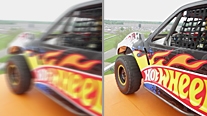
Quickly create photographic blur effects using a simple interface with on-image controls. Create tilt-shift effects, sharpen one focal point, or vary the blur among many focal points.
Seamless vector pattern creation in Illustrator
Easily create seamlessly tiled vector patterns in Adobe Illustrator. Experiment freely with different types of repeating patterns that can be edited at any time for maximum design flexibility.
Powerful image tracing in Illustrator
Confidently convert raster images to editable vectors with a powerful tracing engine in Illustrator. Get clean lines, accurate fitting, and reliable results using simple, intuitive controls.
Gradients applied to strokes in Illustrator
Apply gradients to your strokes along the length, across the width, or within the stroke itself all with complete control over gradient placement and opacity.
Adobe Premiere Pro multicam editing
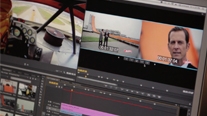
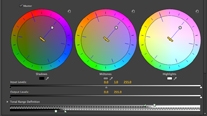
Easily edit 16-plus camera multicam shoots, apply effects that span multiple clips using adjustment layers, and kick-start color correction with the Three-Way Color Corrector in Adobe Premiere Pro.
Dynamic timeline trimming in Adobe Premiere Pro
Finesse your edits with precision using advanced trimming tools in Adobe Premiere Pro CS6. Trim clips directly in the timeline via keyboard entry or in the Program monitor using JKL shortcuts.
Video stabilizing tools
Remove unwanted movement from footage using the powerful Warp Stabilizer in Adobe After Effects and Adobe Premiere Pro. Use rolling shutter removal to eliminate skew and wobble without forcing stabilization.
3D Camera Tracker in After Effects
Track elements in 3D space with depth of field, shadows, and reflections. Automatically analyze and place 3D track points onto 2D footage while you work, in the background.
Ray-traced, extruded text and shapes in After Effects
Extrude fully ray-traced text and shapes natively and take full advantage of reflections, environment maps, and more.
Variable mask feathering in After Effects
Create a separate set of splines to precisely control mask feathering. Get the exact shape you want with the proper degree of softness at any point along the mask edge, resulting in a big boost to creative flexibility.
SpeedGrade for powerful color grading
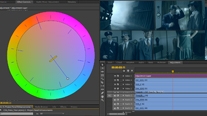
Manipulate light and color in your video productions with the powerful Lumetri Deep Color Engine in Adobe SpeedGrade. With broad support for video formats including RAW, HDR, and stereoscopic, apply precise HDR grading to raw content and finished edits.
Work at the speed of your imagination
With new power under the hood, you can work fluidly on your most complex projects using tools optimized for speed and performance. Reengineered features let you design with significantly fewer steps. Fast, intuitive access to your favorites helps keep your creativity flowing.
Adobe Mercury Graphics Engine in Photoshop Extended
See near-instant results when editing with key tools such as Liquify and Puppet Warp. The new Mercury Graphics Engine delivers unprecedented responsiveness for a fluid feel as you work.*
Adobe Mercury Performance System in Illustrator CS6
Work with precision, speed, and rock-solid stability on large, complex files due to native 64-bit support on Mac OS and Windows with RAM and overall performance optimization.
More about the Mercury Performance System
Global Performance Cache in After Effects
After Effects CS6 takes 64-bit performance to a new level with new Global Performance Cache, which optimizes and stores your previews so you're beating deadlines instead of waiting for updates. More about Global Performance Cache
Blazing-fast FTP performance in Dreamweaver
Transfer large files with blazing speed using a specifically engineered, multithreaded File Transfer Protocol in Adobe Dreamweaver.
Mercury Playback Engine in Adobe Premiere Pro
Get amazing performance from the 64-bit Adobe Mercury Playback Engine on desktops and laptops, GPU optional. Adobe Premiere Pro CS6 adds support for MacBook Pro OpenCL-based GPUs and NVIDIA Maximus dual-GPU configurations.
New, modern interfaces
Work with sleek, intuitive, and newly redesigned user interfaces in Photoshop Extended CS6, Illustrator CS6, and Adobe Premiere Pro CS6. Benefit from hundreds of design touches for a smoother, more consistent experience.
New and reengineered design tools in Photoshop Extended
Create superior designs faster in Adobe Photoshop CS6 Extended with consistent formatting of type styles, vector layers with strokes and gradients, custom strokes and dashed lines, and more.
Accelerated, nondestructive image cropping in Photoshop Extended
Crop using the most-used tool in Photoshop Extended, which includes hardware acceleration and a modern interface that lets you manipulate your image on canvas and see it happen live.
Linked content in InDesign
Link content within or across Adobe InDesign documents, so that changes made to the parent text or object are applied to all linked children objects. Even changes to interactivity are applied to linked content.
Content Collector tools in InDesign
Grab text and objects from an existing layout using the Content Collector in InDesign. In a new layout, use the Content Placer to add those items in the order you want them to appear on the page.
Efficient, fluid video editing in Adobe Premiere Pro
Take advantage of powerful, flexible nonlinear video editing in Adobe Premiere Pro CS6 to tell your most compelling stories. Edit virtually any type of media in native formats, from video shot on a phone to 5K and beyond.
After Effects and Illustrator integration
Instantly convert Illustrator vector art (AI and EPS formats) into shape layers in After Effects. Easily animate vector art in 2D or extrude to 3D.
Rolling shutter repair in After Effects
Remove rolling shutter artifacts such as skew and wobble without forcing stabilization, using an improved version of technology originally introduced with Warp Stabilizer.
Advanced motion tracking in After Effects
Handle even the trickiest tracking jobs with the 2D planar tracking tools in mocha for After Effects CS6 (included; English user interface only) from Imagineer Systems Ltd., with tracking masks and variable feather via mocha shape.
Sprite sheet generation in Flash Professional
Export symbols and animation sequences from Adobe Flash Professional to instantly generate CSS sprite sheets that improve workflow and performance.
Faster, more precise audio editing in Adobe Audition
Speed up your audio editing workflow with new and improved tools in Adobe Audition. Perform precise cleanup, quickly align and edit dialogue, change clip pitch and speed, automate mixes, and more.
Real-time clip stretching in Adobe Audition
Stretch audio clips nondestructively in real time. Preview changes and settings, and render for higher quality results. Easily adjust pitch and speed together using varispeed mode.
Real-time performance in SpeedGrade
Experience real-time feedback while you design looks for your video and grade your footage. The GPU-accelerated, 64-bit Lumetri Deep Color Engine is optimized for performance, regardless of resolution or frame size.
Footage ingest and logging with Prelude
Manage preproduction efficiently with Adobe Prelude CS6. Ingest nearly any file-based format and begin logging immediately with searchable temporal markers that flow through post-production, allowing you to work faster and stay organized.
Auto-save and recovery in Photoshop Extended
Let auto-save work behind the scenes without interruption, even saving your largest files in the background. Count on automatic recovery of your work in the event of an unexpected shutdown.
Deliver virtually anywhere
Deliver robust, engaging web and mobile experiences with support for the latest advancements in HTML5 and CSS3. Create complex, responsive designs that can fluidly adapt to virtually all screen sizes and form factors, and across iOS, Android, and other popular platforms.
Alternate and Liquid Layout in InDesign
Efficiently create and design multiple versions of a layout within a single InDesign file. Apply liquid page rules to automatically adapt content when you create an alternate layout with a different size or orientation.
Fluid Grid Layout for devices in Dreamweaver
Design and develop confidently for mobile devices with advanced tools in Dreamweaver CS6, including CSS3-based layouts that scale adaptively to all screen sizes and form factors.
Support for the latest HTML5/CSS3 standards in Dreamweaver
Take advantage of updates to the newest industry technologies using Dreamweaver CS6, including CSS3 transitions for animating changes and WebKit support.
jQuery and PhoneGap support in Dreamweaver
Create compelling websites and apps for smartphones, tablets, and desktop computers. Take advantage of integrated support for jQuery Mobile and Adobe PhoneGap to streamline your development of mobile apps.
Broad format support in Adobe Premiere Pro
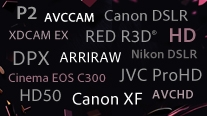
Edit virtually any format in Adobe Premiere Pro CS6 including DV, HDV, RED, DPX, Sony XDCAM, XDCAM 50, XDCAM EX and XDCAM HD, Panasonic P2, DVCPRO HD, AVCHD, AVC-Intra, and footage from DSLR cameras.
PDF forms within InDesign
Create form fields directly within InDesign, before you export to PDF, so that your forms can look as good as the rest of your designs.
Common Library elements in Fireworks
Mock up your designs and themes for iOS, Android, and social networks using new mobile app templates, state-of-the-arts symbols, and components in the Common Library in Adobe Fireworks CS6.
Mobile platform and device support in Flash Professional
Create content in Flash Professional for delivery across a wide variety of devices with support for the Flash Player 11.2 and Adobe AIR 3.2 runtimes; and for platforms including iOS, Android, and Adobe Digital Home.
Single-codebase mobile applications in Flash Builder Premium
Rapidly develop cross-platform web, desktop, and mobile applications using Adobe Flash Builder 4.6 Premium. Leverage a common Flex or ActionScript codebase to write for iOS, Android, and BlackBerry.
Business Catalyst integration
Use the integrated Adobe Business Catalyst panel in Dreamweaver to connect and edit sites you build with Business Catalyst (available separately). Build e-commerce sites with the hosted solution.
Integration with other tools and services
Enjoy direct integration with Adobe Digital Publishing Suite, Adobe Creative Cloud, and Adobe Touch Apps within core components of Master Collection.
Design without limits
Tackle any creative challenge with Adobe Creative Suite 6 Master Collection software. Explore groundbreaking ways to design for tablets and smartphones, speed up image editing, enhance high-end motion, and deliver stunning experiences. Express your vision without bounds thanks to the ultimate design environment.
Content-aware technologies in Photoshop Extended
Retouch images with astonishing ease, control, and precision in Adobe Photoshop Extended. Remove or move selected image objects, and Content-Aware technology magically fills, patches, extends, or recomposes your image with stunning results.
Simplified 3D design in Photoshop Extended
Dive into 3D artwork creation with intuitive on-canvas and in-context scene editing. Drag shadows into place, animate 3D objects, and give 3D objects a sketched look.*
Intuitive video creation in Photoshop Extended
Bring image-editing power to video. Enhance any clip using the full range of familiar tools in Photoshop Extended, and then combine clips and stills with transitions, audio, and effects.
Blur Gallery in Photoshop Extended
Quickly create photographic blur effects using a simple interface with on-image controls. Create tilt-shift effects, sharpen one focal point, or vary the blur among many focal points.
Seamless vector pattern creation in Illustrator
Easily create seamlessly tiled vector patterns in Adobe Illustrator. Experiment freely with different types of repeating patterns that can be edited at any time for maximum design flexibility.
Powerful image tracing in Illustrator
Confidently convert raster images to editable vectors with a powerful tracing engine in Illustrator. Get clean lines, accurate fitting, and reliable results using simple, intuitive controls.
Gradients applied to strokes in Illustrator
Apply gradients to your strokes along the length, across the width, or within the stroke itself all with complete control over gradient placement and opacity.
Adobe Premiere Pro multicam editing
Easily edit 16-plus camera multicam shoots, apply effects that span multiple clips using adjustment layers, and kick-start color correction with the Three-Way Color Corrector in Adobe Premiere Pro.
Dynamic timeline trimming in Adobe Premiere Pro
Finesse your edits with precision using advanced trimming tools in Adobe Premiere Pro CS6. Trim clips directly in the timeline via keyboard entry or in the Program monitor using JKL shortcuts.
Video stabilizing tools
Remove unwanted movement from footage using the powerful Warp Stabilizer in Adobe After Effects and Adobe Premiere Pro. Use rolling shutter removal to eliminate skew and wobble without forcing stabilization.
3D Camera Tracker in After Effects
Track elements in 3D space with depth of field, shadows, and reflections. Automatically analyze and place 3D track points onto 2D footage while you work, in the background.
Ray-traced, extruded text and shapes in After Effects
Extrude fully ray-traced text and shapes natively and take full advantage of reflections, environment maps, and more.
Variable mask feathering in After Effects
Create a separate set of splines to precisely control mask feathering. Get the exact shape you want with the proper degree of softness at any point along the mask edge, resulting in a big boost to creative flexibility.
SpeedGrade for powerful color grading
Manipulate light and color in your video productions with the powerful Lumetri Deep Color Engine in Adobe SpeedGrade. With broad support for video formats including RAW, HDR, and stereoscopic, apply precise HDR grading to raw content and finished edits.
Work at the speed of your imagination
With new power under the hood, you can work fluidly on your most complex projects using tools optimized for speed and performance. Reengineered features let you design with significantly fewer steps. Fast, intuitive access to your favorites helps keep your creativity flowing.
Adobe Mercury Graphics Engine in Photoshop Extended
See near-instant results when editing with key tools such as Liquify and Puppet Warp. The new Mercury Graphics Engine delivers unprecedented responsiveness for a fluid feel as you work.*
Adobe Mercury Performance System in Illustrator CS6
Work with precision, speed, and rock-solid stability on large, complex files due to native 64-bit support on Mac OS and Windows with RAM and overall performance optimization.
More about the Mercury Performance System
Global Performance Cache in After Effects
After Effects CS6 takes 64-bit performance to a new level with new Global Performance Cache, which optimizes and stores your previews so you're beating deadlines instead of waiting for updates. More about Global Performance Cache
Blazing-fast FTP performance in Dreamweaver
Transfer large files with blazing speed using a specifically engineered, multithreaded File Transfer Protocol in Adobe Dreamweaver.
Mercury Playback Engine in Adobe Premiere Pro
Get amazing performance from the 64-bit Adobe Mercury Playback Engine on desktops and laptops, GPU optional. Adobe Premiere Pro CS6 adds support for MacBook Pro OpenCL-based GPUs and NVIDIA Maximus dual-GPU configurations.
New, modern interfaces
Work with sleek, intuitive, and newly redesigned user interfaces in Photoshop Extended CS6, Illustrator CS6, and Adobe Premiere Pro CS6. Benefit from hundreds of design touches for a smoother, more consistent experience.
New and reengineered design tools in Photoshop Extended
Create superior designs faster in Adobe Photoshop CS6 Extended with consistent formatting of type styles, vector layers with strokes and gradients, custom strokes and dashed lines, and more.
Accelerated, nondestructive image cropping in Photoshop Extended
Crop using the most-used tool in Photoshop Extended, which includes hardware acceleration and a modern interface that lets you manipulate your image on canvas and see it happen live.
Linked content in InDesign
Link content within or across Adobe InDesign documents, so that changes made to the parent text or object are applied to all linked children objects. Even changes to interactivity are applied to linked content.
Content Collector tools in InDesign
Grab text and objects from an existing layout using the Content Collector in InDesign. In a new layout, use the Content Placer to add those items in the order you want them to appear on the page.
Efficient, fluid video editing in Adobe Premiere Pro
Take advantage of powerful, flexible nonlinear video editing in Adobe Premiere Pro CS6 to tell your most compelling stories. Edit virtually any type of media in native formats, from video shot on a phone to 5K and beyond.
After Effects and Illustrator integration
Instantly convert Illustrator vector art (AI and EPS formats) into shape layers in After Effects. Easily animate vector art in 2D or extrude to 3D.
Rolling shutter repair in After Effects
Remove rolling shutter artifacts such as skew and wobble without forcing stabilization, using an improved version of technology originally introduced with Warp Stabilizer.
Advanced motion tracking in After Effects
Handle even the trickiest tracking jobs with the 2D planar tracking tools in mocha for After Effects CS6 (included; English user interface only) from Imagineer Systems Ltd., with tracking masks and variable feather via mocha shape.
Sprite sheet generation in Flash Professional
Export symbols and animation sequences from Adobe Flash Professional to instantly generate CSS sprite sheets that improve workflow and performance.
Faster, more precise audio editing in Adobe Audition
Speed up your audio editing workflow with new and improved tools in Adobe Audition. Perform precise cleanup, quickly align and edit dialogue, change clip pitch and speed, automate mixes, and more.
Real-time clip stretching in Adobe Audition
Stretch audio clips nondestructively in real time. Preview changes and settings, and render for higher quality results. Easily adjust pitch and speed together using varispeed mode.
Real-time performance in SpeedGrade
Experience real-time feedback while you design looks for your video and grade your footage. The GPU-accelerated, 64-bit Lumetri Deep Color Engine is optimized for performance, regardless of resolution or frame size.
Footage ingest and logging with Prelude
Manage preproduction efficiently with Adobe Prelude CS6. Ingest nearly any file-based format and begin logging immediately with searchable temporal markers that flow through post-production, allowing you to work faster and stay organized.
Auto-save and recovery in Photoshop Extended
Let auto-save work behind the scenes without interruption, even saving your largest files in the background. Count on automatic recovery of your work in the event of an unexpected shutdown.
Deliver virtually anywhere
Deliver robust, engaging web and mobile experiences with support for the latest advancements in HTML5 and CSS3. Create complex, responsive designs that can fluidly adapt to virtually all screen sizes and form factors, and across iOS, Android, and other popular platforms.
Alternate and Liquid Layout in InDesign
Efficiently create and design multiple versions of a layout within a single InDesign file. Apply liquid page rules to automatically adapt content when you create an alternate layout with a different size or orientation.
Fluid Grid Layout for devices in Dreamweaver
Design and develop confidently for mobile devices with advanced tools in Dreamweaver CS6, including CSS3-based layouts that scale adaptively to all screen sizes and form factors.
Support for the latest HTML5/CSS3 standards in Dreamweaver
Take advantage of updates to the newest industry technologies using Dreamweaver CS6, including CSS3 transitions for animating changes and WebKit support.
jQuery and PhoneGap support in Dreamweaver
Create compelling websites and apps for smartphones, tablets, and desktop computers. Take advantage of integrated support for jQuery Mobile and Adobe PhoneGap to streamline your development of mobile apps.
Broad format support in Adobe Premiere Pro
Edit virtually any format in Adobe Premiere Pro CS6 including DV, HDV, RED, DPX, Sony XDCAM, XDCAM 50, XDCAM EX and XDCAM HD, Panasonic P2, DVCPRO HD, AVCHD, AVC-Intra, and footage from DSLR cameras.
PDF forms within InDesign
Create form fields directly within InDesign, before you export to PDF, so that your forms can look as good as the rest of your designs.
Common Library elements in Fireworks
Mock up your designs and themes for iOS, Android, and social networks using new mobile app templates, state-of-the-arts symbols, and components in the Common Library in Adobe Fireworks CS6.
Mobile platform and device support in Flash Professional
Create content in Flash Professional for delivery across a wide variety of devices with support for the Flash Player 11.2 and Adobe AIR 3.2 runtimes; and for platforms including iOS, Android, and Adobe Digital Home.
Single-codebase mobile applications in Flash Builder Premium
Rapidly develop cross-platform web, desktop, and mobile applications using Adobe Flash Builder 4.6 Premium. Leverage a common Flex or ActionScript codebase to write for iOS, Android, and BlackBerry.
Business Catalyst integration
Use the integrated Adobe Business Catalyst panel in Dreamweaver to connect and edit sites you build with Business Catalyst (available separately). Build e-commerce sites with the hosted solution.

Integration with other tools and services
Enjoy direct integration with Adobe Digital Publishing Suite, Adobe Creative Cloud, and Adobe Touch Apps within core components of Master Collection.
Technical Specifications:
System requirements
Mac OS
- Multicore Intel processor with 64-bit support.
- Mac OS X v10.6.8 or v10.7. Adobe Creative Suite 5, CS5.5, and CS6 applications support Mac OS X Mountain Lion (v10.8) when installed on Intel based systems. Refer to the CS6 FAQ for more information about Mac OS X Mountain Lion support.**
- 4GB of RAM (8GB recommended)
- 15.5GB of available hard-disk space for installation; additional free space required during installation (cannot install on a volume that uses a case-sensitive file system or on removable flash storage devices)
- Additional disk space required for disk cache, preview files, and other working files (10GB recommended)
- 1280x900 display with 16-bit color and 512MB of VRAM; 1680x1050 display required and second professionally calibrated viewing display recommended for Adobe SpeedGrade
- OpenGL 2.0capable system
- DVD-ROM drive compatible with dual-layer DVDs (SuperDrive for burning DVDs; Blu-ray burner for creating Blu-ray Disc media)
- Java Runtime Environment 1.6
- Eclipse 3.7 Cocoa version (for plug-in installation of Adobe Flash Builder; the following distributions are supported: Eclipse IDE for Java EE and Java Developers, Eclipse Classic, Eclipse for PHP Developers
- QuickTime 7.6.6 software required for QuickTime features, multimedia, and HTML5 media playback
- Dedicated GPU card recommended (for optimal performance in SpeedGrade and for GPU-accelerated features in Adobe Premiere Pro and After Effects: NVIDIA Quadro 4000 or other Adobe-certified GPU card with at least 1GB of VRAM recommended); visit www.adobe.com/products/premiere/extend.html for supported cards
- Optional: Tangent CP200 family or Tangent Wave control surface for SpeedGrade
- Optional: 7200 RPM hard drive (multiple fast disk drives, preferably RAID 0 configured, recommended) for video products
- This software will not operate without activation. Broadband Internet connection and registration are required for software activation, validation of subscriptions, and access to online services. Phone activation is not available.
|
|
|
|
07/11
|
Adobe Creative Suite 6 (CS6) - Master Collection - Windows, 1 User, Box Adobe Creative Suite 6 Master Collection
Overview
What is Master Collection?
Adobe Creative Suite 6 Master Collection software delivers unprecedented performance with blazing-fast 64-bit native support and GPU acceleration. Groundbreaking new creative tools provide innovative ways to design for the latest devices. With exceptional power and precision, you can create inspiring experiences that go anywhere.
See the top new features in CS6 Master Collection
With groundbreaking new creative tools, you can deliver inspirational experiences virtually anywhere. Master Collection features 64-bit native support and GPU acceleration for unprecedented power across core components. mc-design-without-limits-207x116
Design without limits
Tackle any creative challenge that comes your way. Use the ultimate professional toolset to explore new ways to design amazing print, web, and video experiences.
Work at the speed of your imagination
Work fluidly on your most complex projects with tools newly optimized for speed and performance. Reengineered features let you create with significantly fewer steps for maximum efficiency.
Deliver virtually anywhere
Reach more people in more places by designing to the latest web, mobile, and video standards. Create stunning, responsive experiences that fluidly adapt to virtually all screen sizes and form factors.
What's inside
Flash Builder 4.6 Premium Edition
Integrates with:
Features:
Design without limits
Tackle any creative challenge with Adobe Creative Suite 6 Master Collection software. Explore groundbreaking ways to design for tablets and smartphones, speed up image editing, enhance high-end motion, and deliver stunning experiences. Express your vision without bounds thanks to the ultimate design environment.
Content-aware technologies in Photoshop Extended
Retouch images with astonishing ease, control, and precision in Adobe Photoshop Extended. Remove or move selected image objects, and Content-Aware technology magically fills, patches, extends, or recomposes your image with stunning results.
Simplified 3D design in Photoshop Extended
Dive into 3D artwork creation with intuitive on-canvas and in-context scene editing. Drag shadows into place, animate 3D objects, and give 3D objects a sketched look.
Intuitive video creation in Photoshop Extended
Bring image-editing power to video. Enhance any clip using the full range of familiar tools in Photoshop Extended, and then combine clips and stills with transitions, audio, and effects.
Blur Gallery in Photoshop Extended
Quickly create photographic blur effects using a simple interface with on-image controls. Create tilt-shift effects, sharpen one focal point, or vary the blur among many focal points.
Seamless vector pattern creation in Illustrator
Easily create seamlessly tiled vector patterns in Adobe Illustrator. Experiment freely with different types of repeating patterns that can be edited at any time for maximum design flexibility.
Powerful image tracing in Illustrator
Confidently convert raster images to editable vectors with a powerful tracing engine in Illustrator. Get clean lines, accurate fitting, and reliable results using simple, intuitive controls.
Gradients applied to strokes in Illustrator
Apply gradients to your strokes along the length, across the width, or within the stroke itself all with complete control over gradient placement and opacity.
Adobe Premiere Pro multicam editing
Easily edit 16-plus camera multicam shoots, apply effects that span multiple clips using adjustment layers, and kick-start color correction with the Three-Way Color Corrector in Adobe Premiere Pro.
Dynamic timeline trimming in Adobe Premiere Pro
Finesse your edits with precision using advanced trimming tools in Adobe Premiere Pro CS6. Trim clips directly in the timeline via keyboard entry or in the Program monitor using JKL shortcuts.
Video stabilizing tools
Remove unwanted movement from footage using the powerful Warp Stabilizer in Adobe After Effects and Adobe Premiere Pro. Use rolling shutter removal to eliminate skew and wobble without forcing stabilization.
3D Camera Tracker in After Effects
Track elements in 3D space with depth of field, shadows, and reflections. Automatically analyze and place 3D track points onto 2D footage while you work, in the background.
Ray-traced, extruded text and shapes in After Effects
Extrude fully ray-traced text and shapes natively and take full advantage of reflections, environment maps, and more.
Variable mask feathering in After Effects
Create a separate set of splines to precisely control mask feathering. Get the exact shape you want with the proper degree of softness at any point along the mask edge, resulting in a big boost to creative flexibility.
SpeedGrade for powerful color grading
Manipulate light and color in your video productions with the powerful Lumetri Deep Color Engine in Adobe SpeedGrade. With broad support for video formats including RAW, HDR, and stereoscopic, apply precise HDR grading to raw content and finished edits.
Work at the speed of your imagination
With new power under the hood, you can work fluidly on your most complex projects using tools optimized for speed and performance. Reengineered features let you design with significantly fewer steps. Fast, intuitive access to your favorites helps keep your creativity flowing.
Adobe Mercury Graphics Engine in Photoshop Extended
See near-instant results when editing with key tools such as Liquify and Puppet Warp. The new Mercury Graphics Engine delivers unprecedented responsiveness for a fluid feel as you work.*
Adobe Mercury Performance System in Illustrator CS6
Work with precision, speed, and rock-solid stability on large, complex files due to native 64-bit support on Mac OS and Windows with RAM and overall performance optimization.
More about the Mercury Performance System
Global Performance Cache in After Effects
After Effects CS6 takes 64-bit performance to a new level with new Global Performance Cache, which optimizes and stores your previews so you're beating deadlines instead of waiting for updates. More about Global Performance Cache
Blazing-fast FTP performance in Dreamweaver
Transfer large files with blazing speed using a specifically engineered, multithreaded File Transfer Protocol in Adobe Dreamweaver.
Mercury Playback Engine in Adobe Premiere Pro
Get amazing performance from the 64-bit Adobe Mercury Playback Engine on desktops and laptops, GPU optional. Adobe Premiere Pro CS6 adds support for MacBook Pro OpenCL-based GPUs and NVIDIA Maximus dual-GPU configurations.
New, modern interfaces
Work with sleek, intuitive, and newly redesigned user interfaces in Photoshop Extended CS6, Illustrator CS6, and Adobe Premiere Pro CS6. Benefit from hundreds of design touches for a smoother, more consistent experience.
New and reengineered design tools in Photoshop Extended
Create superior designs faster in Adobe Photoshop CS6 Extended with consistent formatting of type styles, vector layers with strokes and gradients, custom strokes and dashed lines, and more.
Accelerated, nondestructive image cropping in Photoshop Extended
Crop using the most-used tool in Photoshop Extended, which includes hardware acceleration and a modern interface that lets you manipulate your image on canvas and see it happen live.
Linked content in InDesign
Link content within or across Adobe InDesign documents, so that changes made to the parent text or object are applied to all linked children objects. Even changes to interactivity are applied to linked content.
Content Collector tools in InDesign
Grab text and objects from an existing layout using the Content Collector in InDesign. In a new layout, use the Content Placer to add those items in the order you want them to appear on the page.
Efficient, fluid video editing in Adobe Premiere Pro
Take advantage of powerful, flexible nonlinear video editing in Adobe Premiere Pro CS6 to tell your most compelling stories. Edit virtually any type of media in native formats, from video shot on a phone to 5K and beyond.
After Effects and Illustrator integration
Instantly convert Illustrator vector art (AI and EPS formats) into shape layers in After Effects. Easily animate vector art in 2D or extrude to 3D.
Rolling shutter repair in After Effects
Remove rolling shutter artifacts such as skew and wobble without forcing stabilization, using an improved version of technology originally introduced with Warp Stabilizer.
Advanced motion tracking in After Effects
Handle even the trickiest tracking jobs with the 2D planar tracking tools in mocha for After Effects CS6 (included; English user interface only) from Imagineer Systems Ltd., with tracking masks and variable feather via mocha shape.
Sprite sheet generation in Flash Professional
Export symbols and animation sequences from Adobe Flash Professional to instantly generate CSS sprite sheets that improve workflow and performance.
Faster, more precise audio editing in Adobe Audition
Speed up your audio editing workflow with new and improved tools in Adobe Audition. Perform precise cleanup, quickly align and edit dialogue, change clip pitch and speed, automate mixes, and more.
Real-time clip stretching in Adobe Audition
Stretch audio clips nondestructively in real time. Preview changes and settings, and render for higher quality results. Easily adjust pitch and speed together using varispeed mode.
Real-time performance in SpeedGrade
Experience real-time feedback while you design looks for your video and grade your footage. The GPU-accelerated, 64-bit Lumetri Deep Color Engine is optimized for performance, regardless of resolution or frame size.
Footage ingest and logging with Prelude
Manage preproduction efficiently with Adobe Prelude CS6. Ingest nearly any file-based format and begin logging immediately with searchable temporal markers that flow through post-production, allowing you to work faster and stay organized.
Auto-save and recovery in Photoshop Extended
Let auto-save work behind the scenes without interruption, even saving your largest files in the background. Count on automatic recovery of your work in the event of an unexpected shutdown.
Deliver virtually anywhere
Deliver robust, engaging web and mobile experiences with support for the latest advancements in HTML5 and CSS3. Create complex, responsive designs that can fluidly adapt to virtually all screen sizes and form factors, and across iOS, Android, and other popular platforms.
Alternate and Liquid Layout in InDesign
Efficiently create and design multiple versions of a layout within a single InDesign file. Apply liquid page rules to automatically adapt content when you create an alternate layout with a different size or orientation.
Fluid Grid Layout for devices in Dreamweaver
Design and develop confidently for mobile devices with advanced tools in Dreamweaver CS6, including CSS3-based layouts that scale adaptively to all screen sizes and form factors.
Support for the latest HTML5/CSS3 standards in Dreamweaver
Take advantage of updates to the newest industry technologies using Dreamweaver CS6, including CSS3 transitions for animating changes and WebKit support.
jQuery and PhoneGap support in Dreamweaver
Create compelling websites and apps for smartphones, tablets, and desktop computers. Take advantage of integrated support for jQuery Mobile and Adobe PhoneGap to streamline your development of mobile apps.
Broad format support in Adobe Premiere Pro
Edit virtually any format in Adobe Premiere Pro CS6 including DV, HDV, RED, DPX, Sony XDCAM, XDCAM 50, XDCAM EX and XDCAM HD, Panasonic P2, DVCPRO HD, AVCHD, AVC-Intra, and footage from DSLR cameras.
PDF forms within InDesign
Create form fields directly within InDesign, before you export to PDF, so that your forms can look as good as the rest of your designs.
Common Library elements in Fireworks
Mock up your designs and themes for iOS, Android, and social networks using new mobile app templates, state-of-the-arts symbols, and components in the Common Library in Adobe Fireworks CS6.
Mobile platform and device support in Flash Professional
Create content in Flash Professional for delivery across a wide variety of devices with support for the Flash Player 11.2 and Adobe AIR 3.2 runtimes; and for platforms including iOS, Android, and Adobe Digital Home.
Single-codebase mobile applications in Flash Builder Premium
Rapidly develop cross-platform web, desktop, and mobile applications using Adobe Flash Builder 4.6 Premium. Leverage a common Flex or ActionScript codebase to write for iOS, Android, and BlackBerry.
Business Catalyst integration
Use the integrated Adobe Business Catalyst panel in Dreamweaver to connect and edit sites you build with Business Catalyst (available separately). Build e-commerce sites with the hosted solution.

Integration with other tools and services
Enjoy direct integration with Adobe Digital Publishing Suite, Adobe Creative Cloud, and Adobe Touch Apps within core components of Master Collection.
Specifications:
System requirements
Windows
- Intel Pentium 4 or AMD Athlon 64 processor with 64-bit support; Intel Core2 Duo or AMD Phenom II processor required for Adobe Premiere Pro, After Effects, and Encore; Intel Core i7 processor required for Adobe SpeedGrade
- Microsoft Windows XP with Service Pack 3 or Windows 7 with Service Pack 1. Adobe Creative Suite 5.5 and CS6 applications also support Windows 8. Refer to the CS6 FAQ for more information about Windows 8 support.*
- 2GB of RAM (4GB recommended) for 32 bit; 4GB of RAM (8GB recommended) for 64 bit
- 14.5GB of available hard-disk space for installation; additional free space required during installation (cannot install on removable flash storage devices)
- Additional disk space required for disk cache, preview files, and other working files (10GB recommended)
- 1280x900 display with 16-bit color and 512MB of VRAM; 1680x1050 display required, and second professionally calibrated viewing display recommended for SpeedGrade
- OpenGL 2.0capable system
- Sound card compatible with ASIO protocol or Microsoft WDM/MME
- DVD-ROM drive compatible with dual-layer DVDs (DVD+-R burner for burning DVDs; Blu-ray burner for creating Blu-ray Disc media)
- Java Runtime Environment 1.6 (included)
- Eclipse 3.7 (for plug-in installation of Adobe Flash Builder); the following distributions are supported: Eclipse IDE for Java EE and Java Developers, Eclipse Classic, Eclipse for PHP Developers
- QuickTime 7.6.6 software required for QuickTime features, multimedia, and HTML5 media playback
- Dedicated GPU card required for SpeedGrade (for optimal performance in SpeedGrade and for GPU-accelerated features in Adobe Premiere Pro and After Effects: NVIDIA Quadro 4000, 5000, or 6000 or other Adobe-certified GPU card with at least 1GB of VRAM recommended); visit www.adobe.com/products/premiere/extend.html for supported cards
- Optional: Tangent CP200 family or Tangent Wave control surface for SpeedGrade
- Optional: For SDI output, NVIDIA Quadro SDI Output card required for SpeedGrade
- Optional: 7200 RPM hard drive (multiple fast disk drives, preferably RAID 0 configured, recommended) for video products
- This software will not operate without activation. Broadband Internet connection and registration are required for software activation, validation of subscriptions, and access to online services. Phone activation is not available.
|
|
|
|
07/11
|
Adobe Photoshop Extended Creative Suite 6 (CS6) - Windows, 1 User, Box, Student Edition
Photoshop Extended CS6 Student and Teacher Edition
Intuitively create stunning 3D artwork and vibrant videos. Edit images with exceptional precision. And design anything you can imagine at amazing speed. Adobe Photoshop CS6 Extended software delivers all the imaging magic in Photoshop CS6 plus 3D graphic design and image analysis tools.
Specifications:
System requirements
Windows
- Intel Pentium 4 or AMD Athlon 64 processor
- Microsoft Windows XP with Service Pack 3 or Windows 7 with Service Pack 1. Adobe Creative Suite 5.5 and CS6 applications also support Windows 8.
- 1GB of RAM
- 1GB of available hard-disk space for installation; additional free space required during installation (cannot install on removable flash storage devices)
- 1024x768 display (1280x800 recommended) with 16-bit color and 512MB of VRAM
- OpenGL 2.0capable system
- DVD-ROM drive
- This software will not operate without activation. Broadband Internet connection and registration are required for software activation, validation of subscriptions, and access to online services. Phone activation is not available.
|
|
|
|
07/11
|
Adobe Photoshop Creative Suite 6 (CS6) - Mac, 1 User, Box, Student Edition
- Multicore Intel processor with 64-bit support
- Mac OS X v10.6.8 or v10.7. Adobe Creative Suite 5, CS5.5, and CS6 applications support Mac OS X Mountain Lion (v10.8) when installed on Intel based systems.**
- 1GB of RAM
- 2GB of available hard-disk space for installation; additional free space required during installation (cannot install on a volume that uses a case-sensitive file system or on removable flash storage devices)
- 1024x768 (1280x800 recommended) resolution display with 16-bit color and 512MB of VRAM
- OpenGL 2.0capable system
- DVD-ROM drive
- This software will not operate without activation. Broadband Internet connection and registration are required for software activation, validation of subscriptions, and access to online services. Phone activation is not available.
|
|
|
|
07/11
|
Adobe Photoshop Extended Creative Suite 6 (CS6) - Mac, 1 User, Box
Adobe Photoshop CS6 Extended
Overview
What's new in Photoshop Extended
Adobe Photoshop CS6 Extended software delivers even more imaging magic, plus the Adobe Mercury Graphics Engine forblazingly fast performance. Retouch with greater precision, and intuitively create 3D graphics, 2D designs, and movies using new and reimagined tools and workflows.
Upgrade to Photoshop CS6 Extended and maximize your creativity. Unparalleled speed and power, groundbreaking Content-Aware tools, and simpler, more powerful 3D content creation are just a few of the enhancements in this powerful new release.
See the top new features in Photoshop CS6 Extended
Boost your productivity and enhance your creativity with groundbreaking new Content-Aware tools, the newAdobe Mercury Graphics engine, simplified 3D artwork creation, reengineered design tools, and more.*
Create 3D graphics with ease
Discover an easy way to create 3D artwork with an intuitive user interface, and enhance your 3D creations with shadows, lighting, animation, and new sketch and cartoon looks.
Maximize your creativity
Experience creative breakthroughs with new and enhanced design tools. Intuitively create videos within the familiar Photoshop environment. Create custom photographic blurs, and paint and draw more expressively.
Enhance your creativity and boost your productivity. Adobe Photoshop CS6 Extended software delivers blazingly fast performance with the new AdobeMercury Graphics Engine, groundbreaking new Content-Aware tools, simplified 3D artwork creation, reengineered design tools, and more.*
Content-Aware Patch
Patch images with greater control using Content-Aware Patch, which allows you to choose the area that Content-Aware will use to create your patch.
More about Content-Aware Patch
Mercury Graphics Engine
See near-instant results when you're editing images with key tools such as Liquify and Puppet Warp, creating 3D artwork, and working with matte paintings and other large files.*
More about Mercury Graphics Engine
3D performance boost
Experience enhanced performance throughout your 3D workflows. View shadows and reflections in all editing modes, quickly render final work in Adobe RayTrace mode thanks to theMercury Graphics Engine, and much more.*
3D controls at your fingertips
Use a vastly simplified user interface to intuitively create and animate 3D artwork. Use in-context and on-canvas controls to manipulate cages for 3D extrusions, change the orientation of scenes and objects, edit lights, and more.*
New and reengineered design tools
Create superior designs faster. Get consistent formatting with type styles, use vector layers to apply strokes and add gradients to vector objects, easily create custom strokes and dashed lines, quickly search layers, and more.
New Blur Gallery
Quickly create photographic blur effects using a simple new interface with on-image controls. Create tilt-shift effects, blur everything and then sharpen one focal point, or vary the blurriness between multiple focal points. TheMercury Graphics Engine delivers immediate results.*
All-new Crop tool
Crop images faster and with greater precision using the all-new, nondestructive Crop tool. Manipulate your images on canvas, and take advantage of the Mercury Graphics Engine to see your adjustments happen live.*
Modern user interface
Work with a fresh, elegant interface featuring dark background options that make your images pop, and benefit from hundreds of design touches that create a smoother, more consistent editing experience.
New reflections and draggable shadows
Quickly achieve 3D realism by adding and enhancing shadows and reflections on your ground plane. Drag a shadow to reposition the light source, and easily edit ground reflections, shadows, and other effects.*
Intuitive video creation
Bring Photoshop image editing power to your videos. Easily enhance any clip using the full range of familiar Photoshop editing tools, and combine clips and stills with transitions, audio, and effects such as pan and zoom.
Background Save
Keep on working even while saving the largest of Photoshop files in the background a performance improvement that can help your productivity soar.
Auto-recovery
Let the auto-recovery option work behind the scenes to save your edits without interrupting your progress. A copy of your work is saved every 10 minutes and recovered in the event of an unexpected shutdown.
Easy alignment and distribution of 3D objects
Create rich 3D scenes in less time now that you can automatically align 3D objects to the vanishing point in your image and manipulate a group of 3D objects at one time using a new multiselect option.*
Preset migration and sharing
Easily migrate your presets, workspaces, preferences, and settings so you can experience Photoshop in the same way on all your computers, share your setup, and bring your customizations from past versions into Photoshop CS6.
Dozens of user-inspired improvements
Save time with more than 65 new creativity and productivity enhancements that originated as suggestions from Photoshop users via Facebook, Twitter, and more.
See more user-inspired timesavers
Revolutionary erodible brushes
Draw more naturally and realistically using drawing tips that erode as you work. Endlessly wear down and sharpen a charcoal pencil or pastel to create different effects, and save favorite blunted tips as presets.
New painting presets
Simplify painting with new presets that offer a good starting point for creating realistic painting effects.
Scripted Patterns
Generate geometric pattern fills faster with Scripted Patterns.
Enhanced 3D animation
Animate all 3D properties including cameras, lights, materials, and meshes using the Animation timeline. Final rendering performance is now much improved during export of your 3D animation.*
Flexible render modes for shadows
Work more fluidly now that you can preview shadows in both GL and Adobe RayTrace render modes.*
Accurate 3D object merge
Accurately merge multiple 3D objects in a single scene so they can interact with the same lighting and cameras.*
Alternate views
Easily view your 3D artwork from multiple angles while editing.*
Content-Aware Move
Move or extend a selected object to another area of your image, and then watch as Content-Aware Move magically recomposes and blends the object for a stunning visual result.
3D stereo viewing and printing
Easily import common stereo formats, such as JPS and MPO, into the 3D pipeline, and make simple adjustments to set depth and range. View a stereo image on stereo monitors or TVs, or print it as a lenticular 3D image.*
Adobe Flash 3D export
Easily export 3D artwork in Adobe Flash 3D format for viewing in web browsers. Also export 3D artwork assets for use in Adobe Flash Builder software (sold separately).*
3D sketch and cartoon presets
Click once to give your 3D objects the look of sketches or cartoons, and automatically create sketch presets by creating any brush stroke.*
Improved 3D extrusion engine
Create stunning 3D logosand artwork from any text layer, selection, path, or layer mask with the improved 3D extrusion engine, which offers faster editing, on-canvas controls, and better beveling options.*
Type styles
Save time and ensure a consistent look with type styles, which let you apply formatting to selected characters, lines, or paragraphs of text with a single click.
Vector layers
Use vector layers to apply strokes and even add gradients to vector objects.
Sharper vector rendering
Get sharper rendering by clicking once to snap the edges of vector objects to pixels.
Custom strokes and dashed lines
Easily create custom strokes and dashed lines.
Layer search
Use layer search capabilities to quickly zero in on the layer you need.
Lighting Effects Gallery
Get better performance and results with the new, 64-bit Lighting Effects Gallery. The plug-in is powered by theMercury Graphics Engine and offers on-canvas controls and previews that make it easier to visualize your lighting enhancements.*
Oil Painting filter
Quickly give your work the look of a fine painting with the Oil Painting filter powered by the Mercury Graphics Engine. Control the style of your brush as well as the direction and shine of your lighting for a superior look.
Airbrush tips
Create realistic airbrush effects using fluid, lifelike controls and granular paint particles.
Brush enhancements
Paint more naturally by manually changing the rotation of your paint brush with your mouse. Dynamically resize your brushes with shortcuts, and take advantage of theMercury Graphics Engine to fluidly adjust opacity or hardness.
10-bit deep color support
Get a more accurate representation of how your images will appear in film with 10-bit monitor support. See just the pixels youve captured, reduce or eliminate the need for dithering, and reduce contouring or banding.
Support for 3D LUTs
Retouch images for film more easily with 3D lookup tables (LUTs) including Adobe SpeedGrade .Look color LUTs that you can turn on when you need to tweak raw color data.
OpenEXR transparency preferences
Choose whether you'd like to handle alpha channels in OpenEXR files as alpha channels or transparency.
Properties panel
Save time with a context-sensitive Properties panel that lets you make quick updates to the properties of your masks, adjustments, and 3D content.
Adobe Bridge CS6
Manage your media faster especially when working with large image files. Adobe Bridge CS6 offers cross-platform 64-bit support and a range of user interface and database enhancements.
Redesigned Adobe Mini Bridge
Access your images and documents more quickly and easily in Adobe Mini Bridge, redesigned as an elegant filmstrip.
New heads-up displays
Use heads-up displays to get greater precision when selecting and transforming objects and text.
Enhanced TIFF support
Work with a larger range of TIFF files. Enhanced TIFF support allows for greater bit depths and larger file sizes.
Automatic resampling
Get great results when resizing an image the best resample method is automatically selected.
Filler text
Save time with the ability to insert "Lorem ipsum" filler text when working with type.
Increased maximum brush sizes
Edit and paint with brush sizes all the way up to 5000px.
Specifications:
System requirements
Mac OS
- Multicore Intel processor with 64-bit support
- Mac OS X v10.6.8 or v10.7. Adobe Creative Suite 5, CS5.5, and CS6 applications support Mac OS X Mountain Lion (v10.8) when installed on Intel based systems.**
- 1GB of RAM
- 2GB of available hard-disk space for installation; additional free space required during installation (cannot install on a volume that uses a case-sensitive file system or on removable flash storage devices)
- 1024x768 (1280x800 recommended) resolution display with 16-bit color and 512MB of VRAM
- OpenGL 2.0capable system
- DVD-ROM drive
- This software will not operate without activation. Broadband Internet connection and registration are required for software activation, validation of subscriptions, and access to online services. Phone activation is not available.
|
|
|
|
07/11
|
Adobe Photoshop Extended Creative Suite 6 (CS6) - Windows, 1 User, Box
Adobe Photoshop CS6 Extended
Overview
What's new in Photoshop Extended?
Adobe Photoshop CS6 Extended software delivers even more imaging magic, plus the Adobe Mercury Graphics Engine forblazingly fast performance. Retouch with greater precision, and intuitively create 3D graphics, 2D designs, and movies using new and reimagined tools and workflows.
Upgrade to Photoshop CS6 Extended and maximize your creativity. Unparalleled speed and power, groundbreaking Content-Aware tools, and simpler, more powerful 3D content creation are just a few of the enhancements in this powerful new release.
See the top new features in Photoshop CS6 Extended
Boost your productivity and enhance your creativity with groundbreaking new Content-Aware tools, the newAdobe Mercury Graphics engine, simplified 3D artwork creation, reengineered design tools, and more.
Create 3D graphics with ease
Discover an easy way to create 3D artwork with an intuitive user interface, and enhance your 3D creations with shadows, lighting, animation, and new sketch and cartoon looks.*
Maximize your creativity
Experience creative breakthroughs with new and enhanced design tools. Intuitively create videos within the familiar Photoshop environment. Create custom photographic blurs, and paint and draw more expressively.
Features:
Enhance your creativity and boost your productivity. Adobe Photoshop CS6 Extended software delivers blazingly fast performance with the new AdobeMercury Graphics Engine, groundbreaking new Content-Aware tools, simplified 3D artwork creation, reengineered design tools, and more.
Content-Aware Patch
Patch images with greater control using Content-Aware Patch, which allows you to choose the area that Content-Aware will use to create your patch.
Mercury Graphics Engine
See near-instant results when you're editing images with key tools such as Liquify and Puppet Warp, creating 3D artwork, and working with matte paintings and other large files.*
More about Mercury Graphics Engine
3D performance boost
Experience enhanced performance throughout your 3D workflows. View shadows and reflections in all editing modes, quickly render final work in Adobe RayTrace mode thanks to theMercury Graphics Engine, and much more.*
3D controls at your fingertips
Use a vastly simplified user interface to intuitively create and animate 3D artwork. Use in-context and on-canvas controls to manipulate cages for 3D extrusions, change the orientation of scenes and objects, edit lights, and more.*
New and reengineered design tools
Create superior designs faster. Get consistent formatting with type styles, use vector layers to apply strokes and add gradients to vector objects, easily create custom strokes and dashed lines, quickly search layers, and more.
New Blur Gallery
Quickly create photographic blur effects using a simple new interface with on-image controls. Create tilt-shift effects, blur everything and then sharpen one focal point, or vary the blurriness between multiple focal points. TheMercury Graphics Engine delivers immediate results.*
All-new Crop tool
Crop images faster and with greater precision using the all-new, nondestructive Crop tool. Manipulate your images on canvas, and take advantage of the Mercury Graphics Engine to see your adjustments happen live.*
Modern user interface
Work with a fresh, elegant interface featuring dark background options that make your images pop, and benefit from hundreds of design touches that create a smoother, more consistent editing experience.
New reflections and draggable shadows
Quickly achieve 3D realism by adding and enhancing shadows and reflections on your ground plane. Drag a shadow to reposition the light source, and easily edit ground reflections, shadows, and other effects.*
Intuitive video creation
Bring Photoshop image editing power to your videos. Easily enhance any clip using the full range of familiar Photoshop editing tools, and combine clips and stills with transitions, audio, and effects such as pan and zoom.
Background Save
Keep on working even while saving the largest of Photoshop files in the background a performance improvement that can help your productivity soar.
Auto-recovery
Let the auto-recovery option work behind the scenes to save your edits without interrupting your progress. A copy of your work is saved every 10 minutes and recovered in the event of an unexpected shutdown.
Easy alignment and distribution of 3D objects
Create rich 3D scenes in less time now that you can automatically align 3D objects to the vanishing point in your image and manipulate a group of 3D objects at one time using a new multiselect option.*
Preset migration and sharing
Easily migrate your presets, workspaces, preferences, and settings so you can experience Photoshop in the same way on all your computers, share your setup, and bring your customizations from past versions into Photoshop CS6.
Dozens of user-inspired improvements
Save time with more than 65 new creativity and productivity enhancements that originated as suggestions from Photoshop users via Facebook, Twitter, and more.
See more user-inspired timesavers
Revolutionary erodible brushes
Draw more naturally and realistically using drawing tips that erode as you work. Endlessly wear down and sharpen a charcoal pencil or pastel to create different effects, and save favorite blunted tips as presets.
New painting presets
Simplify painting with new presets that offer a good starting point for creating realistic painting effects.
Scripted Patterns
Generate geometric pattern fills faster with Scripted Patterns.
Enhanced 3D animation
Animate all 3D properties including cameras, lights, materials, and meshes using the Animation timeline. Final rendering performance is now much improved during export of your 3D animation.*
Flexible render modes for shadows
Work more fluidly now that you can preview shadows in both GL and Adobe RayTrace render modes.*
Accurate 3D object merge
Accurately merge multiple 3D objects in a single scene so they can interact with the same lighting and cameras.*
Alternate views
Easily view your 3D artwork from multiple angles while editing.*
Content-Aware Move
Move or extend a selected object to another area of your image, and then watch as Content-Aware Move magically recomposes and blends the object for a stunning visual result.
3D stereo viewing and printing
Easily import common stereo formats, such as JPS and MPO, into the 3D pipeline, and make simple adjustments to set depth and range. View a stereo image on stereo monitors or TVs, or print it as a lenticular 3D image.*
Adobe Flash 3D export
Easily export 3D artwork in Adobe Flash 3D format for viewing in web browsers. Also export 3D artwork assets for use in Adobe Flash Builder software (sold separately).*
3D sketch and cartoon presets
Click once to give your 3D objects the look of sketches or cartoons, and automatically create sketch presets by creating any brush stroke.*
Improved 3D extrusion engine
Create stunning 3D logosand artwork from any text layer, selection, path, or layer mask with the improved 3D extrusion engine, which offers faster editing, on-canvas controls, and better beveling options.*
Type styles
Save time and ensure a consistent look with type styles, which let you apply formatting to selected characters, lines, or paragraphs of text with a single click.
Vector layers
Use vector layers to apply strokes and even add gradients to vector objects.
Sharper vector rendering
Get sharper rendering by clicking once to snap the edges of vector objects to pixels.
Custom strokes and dashed lines
Easily create custom strokes and dashed lines.
Layer search
Use layer search capabilities to quickly zero in on the layer you need.
Lighting Effects Gallery
Get better performance and results with the new, 64-bit Lighting Effects Gallery. The plug-in is powered by theMercury Graphics Engine and offers on-canvas controls and previews that make it easier to visualize your lighting enhancements.*
Oil Painting filter
Quickly give your work the look of a fine painting with the Oil Painting filter powered by the Mercury Graphics Engine. Control the style of your brush as well as the direction and shine of your lighting for a superior look.
Airbrush tips
Create realistic airbrush effects using fluid, lifelike controls and granular paint particles.
Brush enhancements
Paint more naturally by manually changing the rotation of your paint brush with your mouse. Dynamically resize your brushes with shortcuts, and take advantage of theMercury Graphics Engine to fluidly adjust opacity or hardness.
10-bit deep color support
Get a more accurate representation of how your images will appear in film with 10-bit monitor support. See just the pixels youve captured, reduce or eliminate the need for dithering, and reduce contouring or banding.
Support for 3D LUTs
Retouch images for film more easily with 3D lookup tables (LUTs) including Adobe SpeedGrade .Look color LUTs that you can turn on when you need to tweak raw color data.
OpenEXR transparency preferences
Choose whether you'd like to handle alpha channels in OpenEXR files as alpha channels or transparency.
Properties panel
Save time with a context-sensitive Properties panel that lets you make quick updates to the properties of your masks, adjustments, and 3D content.
Adobe Bridge CS6
Manage your media faster especially when working with large image files. Adobe Bridge CS6 offers cross-platform 64-bit support and a range of user interface and database enhancements.
Redesigned Adobe Mini Bridge
Access your images and documents more quickly and easily in Adobe Mini Bridge, redesigned as an elegant filmstrip.
New heads-up displays
Use heads-up displays to get greater precision when selecting and transforming objects and text.
Enhanced TIFF support
Work with a larger range of TIFF files. Enhanced TIFF support allows for greater bit depths and larger file sizes.
Automatic resampling
Get great results when resizing an image the best resample method is automatically selected.
Filler text
Save time with the ability to insert "Lorem ipsum" filler text when working with type.
Increased maximum brush sizes
Edit and paint with brush sizes all the way up to 5000px.
Technical Specifications
System requirements
Windows
|
|
|
|
07/11
|
Adobe Design & Web Premium Creative Suite 6 (CS6) - Mac, 1 User, Box
Adobe Creative Suite 6 Design & Web Premium
Overview
What is Design & Web Premium
Adobe Creative Suite 6 Design & Web Premium is the ultimate toolkit for professional design and web development. Craft compelling graphics and images, lay out high-impact print pages, build HTML5/CSS3 websites, and design for tablets and smartphones all with greater speed and precision than ever before.
See what’s new for design professionals
Work faster thanks to performance boosts in Adobe Photoshop® Extended* and Adobe Illustrator®. Lay out publications for iPad and other tablets in Adobe InDesign®, and build HTML5 websites in Adobe Dreamweaver®.
See what’s new for web professionals
Build HTML5/CSS3 websites and get better FTP performance in Adobe Dreamweaver®. Create for a wider range of devices and platforms. Craft eye-catching graphics at astonishing speeds.
Explore what you can create
Deliver your best ideas across media. Use industry-leading tools and your existing skills to craft engaging content for print, web, tablets, and smartphones.
What's inside:
Integrates with:
Digital Publishing Suite
Features:
Create eye-catching digital images and graphics
Take your designs further with Adobe Creative Suite 6 Design & Web Premium software. Produce beautiful digital images with industry-standard Adobe Photoshop CS6 Extended, craft sophisticated vector graphics that scale across media with Adobe Illustrator CS6, and capture inspiration virtually anywhere with convenient Adobe Touch Apps for your iPad or Android tablet.
Breakthrough image editing in Photoshop Extended
Deliver eye-catching results with the industry standard in digital imaging. Enjoy creative freedom and precise control when refining and compositing images, applying artistic effects, and painting with versatile brush tools.
Creative 3D possibilities in Photoshop Extended
Quickly add depth and create unusual effects using powerful 3D editing tools. Create attention-getting 3D logos and artwork from text and shapes and edit, manipulate, and paint directly on 3D models.*
Video editing in Photoshop Extended
Edit video to include in your digital publishing projects. Quickly combine clips and stills using transitions, audio, and effects such as pan and zoom.
Distinctive vector graphics in Illustrator
Create top-quality vector artwork for any project, from logos to illustrations for advertising, packaging, signage, and more. Use precise drawing tools and expressive natural brushes to create graphics that get noticed.
Content-Aware Patch in Photoshop Extended
Patch images with greater control using Content-Aware Patch, which enables you to specify the sample area from which it creates a patch.
Astonishing performance in Photoshop Extended
Experience blazing-fast interactions when editing with key tools such as Crop, Transform, Liquify, and Puppet Warp. TheAdobe Mercury Graphics Engine delivers unprecedented speed and responsiveness for a fluid feel as you work.*
Faster design tasks in Photoshop Extended
Finesse details quickly with new and reengineered tools. Apply type styles, use vector layers to apply strokes and add gradients to vector objects, create custom strokes and dashed lines, quickly search layers, and more.
Streamlined user interface in Photoshop Extended
Perform common digital imaging tasks faster thanks to numerous UI enhancements. Easily adjust and enhance color and tone from the Adjustments panel, and quickly create and edit masks from the Masks panel.
Adobe Mercury Performance System in Illustrator
Work blazingly fast even with processing-intensive effects such as blurs, glows, and drop shadows that used to slow you down. Access all the RAM on your system thanks to native 64-bit support on both Mac OS and Windows.
Easy pattern creation in Illustrator
Easily create seamlessly tiled vector patterns. Experiment freely with repeating patterns that can be edited at any time.
Image Trace in Illustrator
Convert raster images to editable vectors with a completely new tracing engine. Get clean lines, accurate fitting, and more reliable results without dealing with complex controls.
Gradients on strokes in Illustrator
Apply gradients to your strokes along the length, across the width, or within the stroke itself all with complete control over gradient placement and opacity.
All-new Crop tool in Photoshop Extended
Crop images faster and more precisely using the hardware-accelerated, nondestructive Crop tool. Manipulate your images on canvas and see the adjustments live.
Blur Gallery in Photoshop Extended
Quickly create photographic blur effects using a simple interface with on-image controls. Create tilt-shift effects, blur everything and then sharpen one focal point, or vary the blurriness between multiple focal points.
Improved auto-corrections in Photoshop Extended
Enhance your images with improved Auto Curves, Levels, and Brightness/Contrast controls. Intelligence from thousands of hand-retouched images is built in to provide a better starting point for making adjustments.
Realistic painting effects in Photoshop Extended
Paint with lifelike brushstrokes to create expressive images. Blend a photo's colors, use bristle properties such as shape, length, and stiffness, or define multiple colors on a single brush and blend them into your canvas.
Multiple artboards in Illustrator
Work on up to 100 artboards of varying sizes in one Illustrator file named, organized, and viewed the way you want.
Beautiful strokes in Illustrator
Dynamically create and edit strokes with infinitely adjustable widths, precisely position and scale arrowheads and dashes, and finely control the scaling of art brushes along a path in Illustrator.
Perspective drawing in Illustrator
Draw shapes in accurate 1-, 2-, or 3-point linear perspective to create the look of realistic depth and distance.
Shape Builder tool in Illustrator
Intuitively combine, edit, and fill shapes directly on your artboard without accessing multiple tools and panels.
Content-Aware Fill in Photoshop Extended
Remove any image detail or object and watch as Content-Aware Fill in Photoshop magically fills in the space left behind. Match lighting, tone, and noise so it looks as if the removed content never existed.
Puppet Warp in Photoshop Extended
Precisely warp or stretch graphics, text, or image elements to create unique new looks for your designs.
Truer Edge selection in Photoshop Extended
Get better edge detection and masking results in less time with the Quick Selection tool even when you're selecting the trickiest image elements, such as hair.
Black-and-white conversion in Photoshop Extended
Explore an almost endless variety of black-and-white looks. Use the integrated Lab B&W Action to interactively color images, create gorgeous HDR black-and-whites with greater ease and speed, and experiment with a variety of presets.
Simplified 3D in Photoshop Extended
Create eye-catching 3D artwork more easily with intuitive on-canvas and in-context scene editing. Easily drag shadows into place, animate 3D objects, give 3D objects the look of sketches or cartoons, and more.
Background Save in Photoshop Extended
Help protect against losing your work during unexpected shutdowns. Auto-save your edits without interrupting your progress, and keep working while saving even the largest Photoshop files in the background.
Scripted Patterns in Photoshop Extended
Generate geometric pattern fills more easily with new Scripted Patterns.
Preset sharing in Photoshop Extended
Easily migrate your presets, workspaces, preferences, and settings so you can experience Photoshop in the same way on all your computers.
Content-Aware Scaling in Photoshop Extended
Automatically recompose an image as you resize it, preserving vital areas as the image adapts to the new dimensions. Get the perfect image in one step without cropping and retouching.
Smooth pan and zoom in Photoshop Extended
Gracefully navigate to any area of an image with ultra-smooth zooming and panning. Maintain clarity as you zoom to individual pixels, and easily edit at the highest magnification using the Pixel Grid.
Dozens of time-savers in Photoshop Extended
Experience more than 50 creativity and productivity boosts directly requested by users.
Drawing enhancements in Photoshop Extended
Draw more naturally and efficiently using airbrush tips, drawing tips that wear down as you work, an Oil Painting filter, and painting presets and brush enhancements.
Inline editing in panels in Illustrator
Efficiently edit layers, swatches, brushes, artboards, and more directly in panels without intermediate dialog boxes.
Enhanced Color panel in Illustrator
Sample colors faster and more precisely using an expandable color spectrum in the Color panel. Quickly copy and paste Hex values into other applications.
Crisp graphics for web in Illustrator
Create and align vector objects precisely on the file's pixel grid for clean, sharp raster graphics that look great on any screen. Use text anti-aliasing options for individual text frames.
Gradients and transparency in Illustrator
Interact with gradients directly on your objects and control the transparency of individual colors in gradients and gradient meshes.
Drawing enhancements in Illustrator
Draw behind elements, disregarding stacking order. Draw or place an image inside an element, instantly creating a clipping mask.
Blob Brush in Illustrator
Use the Blob Brush in Illustrator to draw a stroke that generates a clean, filled, vector shape as you sketch, even when strokes overlap.
Productivity enhancements in Illustrator
Experience numerous refinements for crafting beautiful graphics and illustrations in fewer steps and less time.
Enhanced user interface in Illustrator
Perform daily tasks such as editing layer names and selecting fonts in fewer steps. Keep the focus on your artwork with an adjustable-brightness dark UI.
Integration with Adobe Touch Apps
Sketch with Adobe Ideas and refine in Photoshop or Illustrator. Edit images with Adobe Photoshop Touch and refine in Photoshop. Create color themes in Adobe Kuler for use in Photoshop, Illustrator, and InDesign.
Page layout for print, iPad, and other tablet devices
Create elegant and engaging layouts with pixel-perfect control over design and typography in Adobe InDesign CS6. Easily adapt your layouts to look great for print, iPad, and other tablet devices.
Professional page layout in InDesign
Lay out, preflight, and produce stunning page layouts with intuitive design software that offers precise control over typography and built-in tools for creative effects.
Tablet publications in InDesign
Use InDesign to create media-rich publications for iPad and other tablet devices. Add interactive elements such as pan and zoom, slide shows, audio, and video. Upload to Adobe Digital Publishing Suite for distribution.
PDF creation, editing, and delivery
Distribute layouts reliably using Acrobat X Pro to create simple PDF documents and package layouts, drawings, images, video, audio, and other files in a single polished PDF Portfolio.
eBook authoring in InDesign
Create engaging eBooks with refined typography and images that resize automatically to fit virtually any screen. Include video and audio in InDesign layouts you export to EPUB format. Embedded audio and video play on mobile devices that support HTML5, like the iPad.
Robust preflighting
Prepare files for hassle-free production for print and digital layouts by finding errors in InDesign with Live Preflight or by using robust preflight checks and fixes in Adobe Acrobat X Pro.
Efficient delivery of accessible documents
Apply accessibility rules in InDesign including tab and read-aloud order and then check, adjust, and validate accessible PDF documents in Acrobat X Pro.
PDF forms in InDesign
Create form fields directly within InDesign before you export to PDF. You can also assign the tab order in InDesign using the Articles panel.
Multiple versions in one InDesign file
Efficiently manage multiple layouts based on a single set of content. Use Alternate Layout to create multiple versions in one document. Use Liquid Layout for a head start adapting content for a new page size or orientation.
Linked content across InDesign documents
Link content within or across InDesign documents, so that changes (including interactivity) made to the parent text or object are applied automatically to all linked children objects.
Articles panel in InDesign
Control the order of text, images, and graphics when you export to EPUB or HTML without changing the InDesign layout. Drag content into the Articles panel to define the order.
Drag-and-drop support for anchored objects in InDesign
Add inline graphics and other anchored objects quickly and intuitively by simply dragging them to the desired anchor location in the text.
Recently used fonts in InDesign
Access fonts you use frequently. Recently used fonts appear at the top of the font list.
Smart text frame fitting in InDesign
Set frames that grow to accommodate additional text, using simple parameters. Grow and shrink frames automatically for headlines, callouts, or other variable content.
Paragraphs that span or split columns
Quickly create text that spans or splits into multiple columns in just a few steps.
Gap tool in InDesign
Quickly adjust the size of a gap between two or more items. The Gap tool is a one-step way to adjust your layout by directly manipulating the white space.
Intuitive object selection and editing in InDesign
Manipulate frames and frame content without switching tools. Dynamically adjust space between objects to reposition page items. Use on-object controls to modify frame corners directly in the layout.
Small, high-impact enhancements in InDesign
Take advantage of over a dozen enhancements, including page-specific PPI, split window views, a recently used fonts list, and persistent text frame fitting options, to help you fly through production tasks without compromising quality.
Design engaging content for the web
Build websites based on the latest HTML5/CSS3 standards, create content that adapts for multiple device types, and create engaging interactive or animated content using Adobe Dreamweaver CS6, Flash Professional CS6, and Fireworks CS6..
World-class websites and applications in Dreamweaver
Design, develop, and maintain HTML5/CSS3 websites and applications. Use built-in design templates and work visually or directly in code. Build e-commerce sites without back-end coding via integration with Adobe Business Catalyst (available separately).
Free-form interactive content in Flash Professional
Deliver immersive experiences across multiple runtimes that present consistently on virtually any platform or device with Flash Professional, the industry standard for interactive authoring.
New support for HTML5
Leverage a new extension (available separately) to create interactive HTML5 content by building on core animation and drawing capabilities in Flash Professional. Export as JavaScript to target the CreateJS open source framework.
More about Toolkit for CreateJS
Improved CSS support in Fireworks
Extract CSS code and create sprites and CSS effects with the new CSS Properties panel. Design complete web pages and export complete layouts with external style sheets in one step.
Adaptive web layouts in Dreamweaver
Use Fluid Grid Layout to define styles and rules for adaptive web layouts that scale and look great on screens of virtually any size.
Improved FTP performance in Dreamweaver
Upload site files faster with the reengineered FTP transfer tool.
Sprite sheets in Flash Professional
Export symbols and animation sequences to instantly generate CSS sprite sheets that improve gaming workflows and performance.
Business Catalyst panel in Dreamweaver
Use the integrated Adobe Business Catalyst panel in Dreamweaver to connect and edit sites you build with Business Catalyst (available separately). Build e-commerce sites with the hosted solution.
Latest CSS3 in Dreamweaver
Take advantage of support for the latest web standard updates. Bring pages to life with CSS3 transitions, and test pages with a WebKit rendering engine that supports display of HTML5 content.
New jQuery Mobile theme skinning support
Create, modify, or update jQuery themes for mobile websites and apps, including CSS sprite images.
jQuery and PhoneGap updates in Dreamweaver
Build native mobile apps for iOS and Android using integrated mobile frameworks. Includes emulators that work with Adobe PhoneGap to simplify working with complex mobile SDKs.
Wider device support in Flash Professional
Reach audiences with the latest Adobe Flash Player and Adobe AIR runtimes and on Android and iOS devices. Now also export Flash authored content to HTML.
Platform and device-specific access in Flash Professional
Use prebuilt native extensions that provide access to platform- or device-specific capabilities, such as battery level and vibration.
Optimized graphics and images in Fireworks
Quickly design content for websites, mobile devices, tablets, kiosks, and interactive display with friendly, easy-to-use vector and bitmap graphic creation and optimization tools.
CSS from design comps in Fireworks
Cleanly extract CSS elements and values (color, font, gradient, corner radius, etc.) with the new CSS Properties panel. Create CSS sprites from design comps.
Multiscreen design in Dreamweaver
Use Fluid Grid Layout, Multiscreen Preview, and a WebKit rendering engine in Live View to easily design web layouts that look great on virtually any screen in any browser.
Native Android and iOS apps with PhoneGap in Dreamweaver
Build and package native apps for Android and iOS with new PhoneGap functionality. Convert your existing HTML to a mobile phone application within Dreamweaver using the open source PhoneGap framework.
Dynamic media viewing in Dreamweaver
View and edit dynamic web content directly in Dreamweaver. Includes support for web frameworks.
Multiscreen content in Flash Professional
Multi-target project setup, shared assets and libraries, and symbol rasterization and content resize on stage enable smooth multiscreen content creation.

Code snippets in Flash Professional
Use the pick whip to preview and visually add more than 20 code snippets, including ones for creating mobile and AIR applications, use of the accelerometer, and multitouch gestures.
Technical Specifications
System requirements
Mac OS
- Multicore Intel processor with 64-bit support
- Mac OS X v10.6.8 or v10.7. Adobe Creative Suite 5, CS5.5, and CS6 applications support Mac OS X Mountain Lion (v10.8) when installed on Intel based systems.**
- 2GB of RAM (8GB recommended)
- 9.5GB of available hard-disk space for installation; additional free space required during installation (cannot install on a volume that uses a case-sensitive file system or on removable flash storage devices)
- 1280x800 display (1280x1024 recommended) with 16-bit color and 512MB of VRAM
- OpenGL 2.0capable system
- DVD-ROM drive compatible with dual-layer DVDs
- Java Runtime Environment 1.6
- QuickTime 7.6.6 software required for HTML5 media playback and multimedia features
- Adobe Flash Player 10 software required to export SWF files
- This software will not operate without activation. Broadband Internet connection and registration are required for software activation, validation of subscriptions, and access to online services. Phone activation is not available.
|
|
|
|
07/11
|
Adobe Design & Web Premium Creative Suite 6 (CS6) - Windows, 1 User, Box Adobe Creative Suite 6 Design & Web Premium
Overview
What is Design & Web Premium
Adobe Creative Suite 6 Design & Web Premium is the ultimate toolkit for professional design and web development. Craft compelling graphics and images, lay out high-impact print pages, build HTML5/CSS3 websites, and design for tablets and smartphones all with greater speed and precision than ever before.
See what’s new for design professionals
Work faster thanks to performance boosts in Adobe Photoshop® Extended* and Adobe Illustrator®. Lay out publications for iPad and other tablets in Adobe InDesign®, and build HTML5 websites in Adobe Dreamweaver®.
See what’s new for web professionals
Build HTML5/CSS3 websites and get better FTP performance in Adobe Dreamweaver®. Create for a wider range of devices and platforms. Craft eye-catching graphics at astonishing speeds.
Explore what you can create
Deliver your best ideas across media. Use industry-leading tools and your existing skills to craft engaging content for print, web, tablets, and smartphones.
Features:
Create eye-catching digital images and graphics
Take your designs further with Adobe Creative Suite 6 Design & Web Premium software. Produce beautiful digital images with industry-standard Adobe Photoshop CS6 Extended, craft sophisticated vector graphics that scale across media with Adobe Illustrator CS6, and capture inspiration virtually anywhere with convenient Adobe Touch Apps for your iPad or Android tablet.
Breakthrough image editing in Photoshop Extended
Deliver eye-catching results with the industry standard in digital imaging. Enjoy creative freedom and precise control when refining and compositing images, applying artistic effects, and painting with versatile brush tools.
Creative 3D possibilities in Photoshop Extended
Quickly add depth and create unusual effects using powerful 3D editing tools. Create attention-getting 3D logos and artwork from text and shapes and edit, manipulate, and paint directly on 3D models.*
Video editing in Photoshop Extended
Edit video to include in your digital publishing projects. Quickly combine clips and stills using transitions, audio, and effects such as pan and zoom.
Distinctive vector graphics in Illustrator
Create top-quality vector artwork for any project, from logos to illustrations for advertising, packaging, signage, and more. Use precise drawing tools and expressive natural brushes to create graphics that get noticed.
Content-Aware Patch in Photoshop Extended
Patch images with greater control using Content-Aware Patch, which enables you to specify the sample area from which it creates a patch.
Astonishing performance in Photoshop Extended
Experience blazing-fast interactions when editing with key tools such as Crop, Transform, Liquify, and Puppet Warp. TheAdobe Mercury Graphics Engine delivers unprecedented speed and responsiveness for a fluid feel as you work.
Faster design tasks in Photoshop Extended
Finesse details quickly with new and reengineered tools. Apply type styles, use vector layers to apply strokes and add gradients to vector objects, create custom strokes and dashed lines, quickly search layers, and more.
Streamlined user interface in Photoshop Extended
Perform common digital imaging tasks faster thanks to numerous UI enhancements. Easily adjust and enhance color and tone from the Adjustments panel, and quickly create and edit masks from the Masks panel.
Adobe Mercury Performance System in Illustrator
Work blazingly fast even with processing-intensive effects such as blurs, glows, and drop shadows that used to slow you down. Access all the RAM on your system thanks to native 64-bit support on both Mac OS and Windows.
Easy pattern creation in Illustrator
Easily create seamlessly tiled vector patterns. Experiment freely with repeating patterns that can be edited at any time.
Image Trace in Illustrator
Convert raster images to editable vectors with a completely new tracing engine. Get clean lines, accurate fitting, and more reliable results without dealing with complex controls.
Gradients on strokes in Illustrator
Apply gradients to your strokes along the length, across the width, or within the stroke itself all with complete control over gradient placement and opacity.
All-new Crop tool in Photoshop Extended
Crop images faster and more precisely using the hardware-accelerated, nondestructive Crop tool. Manipulate your images on canvas and see the adjustments live.
Blur Gallery in Photoshop Extended
Quickly create photographic blur effects using a simple interface with on-image controls. Create tilt-shift effects, blur everything and then sharpen one focal point, or vary the blurriness between multiple focal points.
Improved auto-corrections in Photoshop Extended
Enhance your images with improved Auto Curves, Levels, and Brightness/Contrast controls. Intelligence from thousands of hand-retouched images is built in to provide a better starting point for making adjustments.
Realistic painting effects in Photoshop Extended
Paint with lifelike brushstrokes to create expressive images. Blend a photo's colors, use bristle properties such as shape, length, and stiffness, or define multiple colors on a single brush and blend them into your canvas.
Multiple artboards in Illustrator
Work on up to 100 artboards of varying sizes in one Illustrator file named, organized, and viewed the way you want.
Beautiful strokes in Illustrator
Dynamically create and edit strokes with infinitely adjustable widths, precisely position and scale arrowheads and dashes, and finely control the scaling of art brushes along a path in Illustrator.
Perspective drawing in Illustrator
Draw shapes in accurate 1-, 2-, or 3-point linear perspective to create the look of realistic depth and distance.
Shape Builder tool in Illustrator
Intuitively combine, edit, and fill shapes directly on your artboard without accessing multiple tools and panels.
Content-Aware Fill in Photoshop Extended
Remove any image detail or object and watch as Content-Aware Fill in Photoshop magically fills in the space left behind. Match lighting, tone, and noise so it looks as if the removed content never existed.
Puppet Warp in Photoshop Extended
Precisely warp or stretch graphics, text, or image elements to create unique new looks for your designs.
Truer Edge selection in Photoshop Extended
Get better edge detection and masking results in less time with the Quick Selection tool even when you're selecting the trickiest image elements, such as hair.
Black-and-white conversion in Photoshop Extended
Explore an almost endless variety of black-and-white looks. Use the integrated Lab B&W Action to interactively color images, create gorgeous HDR black-and-whites with greater ease and speed, and experiment with a variety of presets.
Simplified 3D in Photoshop Extended
Create eye-catching 3D artwork more easily with intuitive on-canvas and in-context scene editing. Easily drag shadows into place, animate 3D objects, give 3D objects the look of sketches or cartoons, and more.
Background Save in Photoshop Extended
Help protect against losing your work during unexpected shutdowns. Auto-save your edits without interrupting your progress, and keep working while saving even the largest Photoshop files in the background.
Scripted Patterns in Photoshop Extended
Generate geometric pattern fills more easily with new Scripted Patterns.
Preset sharing in Photoshop Extended
Easily migrate your presets, workspaces, preferences, and settings so you can experience Photoshop in the same way on all your computers.
Content-Aware Scaling in Photoshop Extended
Automatically recompose an image as you resize it, preserving vital areas as the image adapts to the new dimensions. Get the perfect image in one step without cropping and retouching.
Smooth pan and zoom in Photoshop Extended
Gracefully navigate to any area of an image with ultra-smooth zooming and panning. Maintain clarity as you zoom to individual pixels, and easily edit at the highest magnification using the Pixel Grid.
Dozens of time-savers in Photoshop Extended
Experience more than 50 creativity and productivity boosts directly requested by users.
Drawing enhancements in Photoshop Extended
Draw more naturally and efficiently using airbrush tips, drawing tips that wear down as you work, an Oil Painting filter, and painting presets and brush enhancements.
Inline editing in panels in Illustrator
Efficiently edit layers, swatches, brushes, artboards, and more directly in panels without intermediate dialog boxes.
Enhanced Color panel in Illustrator
Sample colors faster and more precisely using an expandable color spectrum in the Color panel. Quickly copy and paste Hex values into other applications.
Crisp graphics for web in Illustrator
Create and align vector objects precisely on the file's pixel grid for clean, sharp raster graphics that look great on any screen. Use text anti-aliasing options for individual text frames.
Gradients and transparency in Illustrator
Interact with gradients directly on your objects and control the transparency of individual colors in gradients and gradient meshes.
Drawing enhancements in Illustrator
Draw behind elements, disregarding stacking order. Draw or place an image inside an element, instantly creating a clipping mask.
Blob Brush in Illustrator
Use the Blob Brush in Illustrator to draw a stroke that generates a clean, filled, vector shape as you sketch, even when strokes overlap.
Productivity enhancements in Illustrator
Experience numerous refinements for crafting beautiful graphics and illustrations in fewer steps and less time.
Enhanced user interface in Illustrator
Perform daily tasks such as editing layer names and selecting fonts in fewer steps. Keep the focus on your artwork with an adjustable-brightness dark UI.
Integration with Adobe Touch Apps
Sketch with Adobe Ideas and refine in Photoshop or Illustrator. Edit images with Adobe Photoshop Touch and refine in Photoshop. Create color themes in Adobe Kuler for use in Photoshop, Illustrator, and InDesign.
Page layout for print, iPad, and other tablet devices
Create elegant and engaging layouts with pixel-perfect control over design and typography in Adobe InDesign CS6. Easily adapt your layouts to look great for print, iPad, and other tablet devices.
Professional page layout in InDesign
Lay out, preflight, and produce stunning page layouts with intuitive design software that offers precise control over typography and built-in tools for creative effects.
Tablet publications in InDesign
Use InDesign to create media-rich publications for iPad and other tablet devices. Add interactive elements such as pan and zoom, slide shows, audio, and video. Upload to Adobe Digital Publishing Suite for distribution.
PDF creation, editing, and delivery
Distribute layouts reliably using Acrobat X Pro to create simple PDF documents and package layouts, drawings, images, video, audio, and other files in a single polished PDF Portfolio.
eBook authoring in InDesign
Create engaging eBooks with refined typography and images that resize automatically to fit virtually any screen. Include video and audio in InDesign layouts you export to EPUB format. Embedded audio and video play on mobile devices that support HTML5, like the iPad.
Robust preflighting
Prepare files for hassle-free production for print and digital layouts by finding errors in InDesign with Live Preflight or by using robust preflight checks and fixes in Adobe Acrobat X Pro.
Efficient delivery of accessible documents
Apply accessibility rules in InDesign including tab and read-aloud order and then check, adjust, and validate accessible PDF documents in Acrobat X Pro.
PDF forms in InDesign
Create form fields directly within InDesign before you export to PDF. You can also assign the tab order in InDesign using the Articles panel.
Multiple versions in one InDesign file
Efficiently manage multiple layouts based on a single set of content. Use Alternate Layout to create multiple versions in one document. Use Liquid Layout for a head start adapting content for a new page size or orientation.
Linked content across InDesign documents
Link content within or across InDesign documents, so that changes (including interactivity) made to the parent text or object are applied automatically to all linked children objects.
Articles panel in InDesign
Control the order of text, images, and graphics when you export to EPUB or HTML without changing the InDesign layout. Drag content into the Articles panel to define the order.
Drag-and-drop support for anchored objects in InDesign
Add inline graphics and other anchored objects quickly and intuitively by simply dragging them to the desired anchor location in the text.
Recently used fonts in InDesign
Access fonts you use frequently. Recently used fonts appear at the top of the font list.
Smart text frame fitting in InDesign
Set frames that grow to accommodate additional text, using simple parameters. Grow and shrink frames automatically for headlines, callouts, or other variable content.
Paragraphs that span or split columns
Quickly create text that spans or splits into multiple columns in just a few steps.
Gap tool in InDesign
Quickly adjust the size of a gap between two or more items. The Gap tool is a one-step way to adjust your layout by directly manipulating the white space.
Intuitive object selection and editing in InDesign
Manipulate frames and frame content without switching tools. Dynamically adjust space between objects to reposition page items. Use on-object controls to modify frame corners directly in the layout.
Small, high-impact enhancements in InDesign
Take advantage of over a dozen enhancements, including page-specific PPI, split window views, a recently used fonts list, and persistent text frame fitting options, to help you fly through production tasks without compromising quality.
Design engaging content for the web
Build websites based on the latest HTML5/CSS3 standards, create content that adapts for multiple device types, and create engaging interactive or animated content using Adobe Dreamweaver CS6, Flash Professional CS6, and Fireworks CS6..
World-class websites and applications in Dreamweaver
Design, develop, and maintain HTML5/CSS3 websites and applications. Use built-in design templates and work visually or directly in code. Build e-commerce sites without back-end coding via integration with Adobe Business Catalyst (available separately).
Free-form interactive content in Flash Professional
Deliver immersive experiences across multiple runtimes that present consistently on virtually any platform or device with Flash Professional, the industry standard for interactive authoring.
New support for HTML5
Leverage a new extension (available separately) to create interactive HTML5 content by building on core animation and drawing capabilities in Flash Professional. Export as JavaScript to target the CreateJS open source framework.
More about Toolkit for CreateJS
Improved CSS support in Fireworks
Extract CSS code and create sprites and CSS effects with the new CSS Properties panel. Design complete web pages and export complete layouts with external style sheets in one step.
Adaptive web layouts in Dreamweaver
Use Fluid Grid Layout to define styles and rules for adaptive web layouts that scale and look great on screens of virtually any size.
Improved FTP performance in Dreamweaver
Upload site files faster with the reengineered FTP transfer tool.
Sprite sheets in Flash Professional
Export symbols and animation sequences to instantly generate CSS sprite sheets that improve gaming workflows and performance.
Business Catalyst panel in Dreamweaver
Use the integrated Adobe Business Catalyst panel in Dreamweaver to connect and edit sites you build with Business Catalyst (available separately). Build e-commerce sites with the hosted solution.
Latest CSS3 in Dreamweaver
Take advantage of support for the latest web standard updates. Bring pages to life with CSS3 transitions, and test pages with a WebKit rendering engine that supports display of HTML5 content.
New jQuery Mobile theme skinning support
Create, modify, or update jQuery themes for mobile websites and apps, including CSS sprite images.
jQuery and PhoneGap updates in Dreamweaver
Build native mobile apps for iOS and Android using integrated mobile frameworks. Includes emulators that work with Adobe PhoneGap to simplify working with complex mobile SDKs.
Wider device support in Flash Professional
Reach audiences with the latest Adobe Flash Player and Adobe AIR runtimes and on Android and iOS devices. Now also export Flash authored content to HTML.
Platform and device-specific access in Flash Professional
Use prebuilt native extensions that provide access to platform- or device-specific capabilities, such as battery level and vibration.
Optimized graphics and images in Fireworks
Quickly design content for websites, mobile devices, tablets, kiosks, and interactive display with friendly, easy-to-use vector and bitmap graphic creation and optimization tools.
CSS from design comps in Fireworks
Cleanly extract CSS elements and values (color, font, gradient, corner radius, etc.) with the new CSS Properties panel. Create CSS sprites from design comps.
Multiscreen design in Dreamweaver
Use Fluid Grid Layout, Multiscreen Preview, and a WebKit rendering engine in Live View to easily design web layouts that look great on virtually any screen in any browser.
Native Android and iOS apps with PhoneGap in Dreamweaver
Build and package native apps for Android and iOS with new PhoneGap functionality. Convert your existing HTML to a mobile phone application within Dreamweaver using the open source PhoneGap framework.
Dynamic media viewing in Dreamweaver
View and edit dynamic web content directly in Dreamweaver. Includes support for web frameworks.
Multiscreen content in Flash Professional
Multi-target project setup, shared assets and libraries, and symbol rasterization and content resize on stage enable smooth multiscreen content creation.
Code snippets in Flash Professional
Use the pick whip to preview and visually add more than 20 code snippets, including ones for creating mobile and AIR applications, use of the accelerometer, and multitouch gestures.
Specifications:
System requirements
Windows
|
|
|
|
07/11
|
Adobe Production Premium Creative Suite 6 (CS6) - Mac, 1 User, Box Adobe Creative Suite 6 Production Premium
Overview
What's new in Production Premium?
Adobe Creative Suite 6 Production Premium software offers a sleek, fresh editing environment in Adobe Premiere Pro; 3D tracking and extruded text and shapes in Adobe After Effects; new Content-Aware tools in Adobe Photoshop Extended; and faster editing in Adobe Audition. New additions are Adobe Prelude for logging and ingest and Adobe SpeedGrade for color grading and finishing.
Save up to 40% when you switch from Final Cut Pro or Avid to Production Premium (volume customers only) or new Adobe Creative Cloud by November 30, 2012.
See the top new features in CS6 Production Premium
Find out about a new Adobe Premiere Pro interface, timesaving Global Performance Cache in After Effects, and more.
Work without interruption
Work faster with the new Global Performance Cache in After Effects and new support for OpenCL and NVIDIA® Maximus™ in the Adobe Mercury Playback Engine within Adobe Premiere Pro.
Infuse your projects with creative inspiration
Let ideas flow in a fresh editing environment. Use exciting new tools in After Effects, GPU-enabled effects in Adobe Photoshop Extended, and professional color finishing effects in Adobe SpeedGrade.
What's inside
Bridge CS6
Integrates with:
Adobe Story
Features:
Work without interruption
Work with tools in Adobe Creative Suite 6 Production Premium software that keep pace with your imagination. Global Performance Cache dramatically improves the Adobe After Effects workflow. The Adobe Mercury Playback Engine becomes even more powerful with support for OpenCL and NVIDIA Maximus configurations in Adobe Premiere Pro.
Mercury Playback Engine in Adobe Premiere Pro
Get amazing performance from the 64-bit Mercury Playback Engine on desktops and laptops, with optional GPU support. Adobe Premiere Pro CS6 adds support for MacBook Pro OpenCL-based GPUs and NVIDIA Maximus dual-GPU configurations.
Sleek Adobe Premiere Pro user interface
See more of your video and less clutter thanks to an efficient, highly intuitive interface featuring customizable Project panel views, transport controls, an Audio Meter panel, and track headers. Play clips directly in the Media Browser.
Native 64-bit operating system support
Power your production workflow with native 64-bit Adobe Premiere Pro, After Effects, Photoshop Extended, SpeedGrade, Encore, Illustrator, and Adobe Media Encoder.
Global Performance Cache in After Effects
Create more in less time. After Effects intelligently optimizes and preserves your previews. Now you can beat deadlines instead of waiting for frame updates.
GPU acceleration
Get even faster editing and effects with GPU-accelerated features in Photoshop Extended, Adobe Premiere Pro, After Effects, SpeedGrade, and Encore.
Broad format support
Work with virtually any format, with no transcoding. Support includes DSLR, RED, ARRIRAW, AVC-Intra, AVCHD, DPX, Sony XDCAM, XDCAM 50, XDCAM EX and XDCAM HD, Panasonic P2, DVCPRO HD, HDV, and DV footage.
Timesaving integration and Dynamic Link
Save time on every project thanks to deep integration and roundtrip editing among components. Adobe Dynamic Link eliminates intermediate rendering as you refine assets between After Effects, Adobe Premiere Pro, and Encore.
Interoperability with third-party tools
Preserve your creative intention with high-fidelity exchange between components of Production Premium and third-party software and hardware. Use Adobe Mercury Transmit for better integration with I/O hardware.
Roto Brush in After Effects
Isolate moving foreground elements from their backgrounds in fewer steps using the Roto Brush in After Effects, automatically creating transparency around foreground elements.
Logging and ingest in Prelude
Help ensure your media is tagged with the right information and is easy to find, allowing more efficient post-production workflows and improved lifecycle management of your footage. Adobe Prelude can be used on its own and as an extensible platform that can be customized for virtually any file-based workflow.
Robust metadata for production management
Enjoy rich metadata support throughout Production Premium for efficient editing and project management. Ingest and log media with Adobe Prelude. Use metadata-rich scripts to track complex productions with Adobe Story.
Faster, more flexible Adobe Media Encoder
Quickly and easily output to virtually any screen. Create and organize your favorite presets in the new Preset Browser for faster export and batch encoding in the background.
Fast Blu-ray Disc, DVD, and web DVD authoring
Send Adobe Premiere Pro projects directly to new 64-bit Adobe Encore without rendering. Speed up your authoring workflow with rock-solid performance and stability. Open and save large and high-resolution projects faster.
Broadcast workflow compatibility
Create ActionScript panels that enable tight integration between third-party tools and Adobe video and audio products through the Adobe SDK. This is an attractive, cost-effective broadcast solution that enhances productivity and enables a smooth workflow.
Let your creativity flow freely
Let ideas flow in a sleek, fresh Adobe Premiere Pro editing environment. Use tools like extruded text and shape layers in After Effects, new GPU-enabled effects in Photoshop, and color finishing in SpeedGrade to take creativity from inspiration to realization.
Best-of-breed production tools
Use editing, motion graphics, compositing, ingest, logging, color, audio, and design tools to accelerate production workflows, inspire creativity, and deliver to any screen.
Eye-catching VFX and motion graphics
Produce dynamic logos and other sophisticated motion graphics and visual effects using industry-standard After Effects, the animation and compositing software that offers high creative control and unparalleled performance.
Photoshop imaging magic
Patch images with greater control using Content-Aware Patch.Experience fast performance when working with large files using the new Adobe Mercury Graphics Engine.
3D features in After Effects
Easily extrude ray-traced text and shapes, including vector graphics imported from Illustrator. Place and track elements in 3D space with the new 3D Camera Tracker. Freely mix 3D and 2D layers in a single composition.
SpeedGrade for crafting the perfect look
Manipulate light and color. Broad format support includes RAW, HDR, and stereoscopic. Apply precise HDR grades to source, or import sequences from Adobe Premiere Pro for more in-depth color grading.
Audio-for-video editing in Adobe Audition
Record, edit, mix, master, and sweeten audio. Roundtrip edit with Adobe Premiere Pro, or use OMF and XML to speed up project exchange with Avid Pro Tools and other NLEs.
Creative editing with Adobe Premiere Pro
Take editing in new creative directions with adjustment layers, expanded multicam editing, and the Three-Way Color Corrector in Adobe Premiere Pro CS6.
Efficient Illustrator graphics
Create 2D and 3D animations fast with the Adobe Mercury Performance System, a high-performance tracing engine, tighter integration with After Effects, and a customizable user interface.
Advanced motion tracking in After Effects
Handle even the trickiest tracking jobs with the 2D planar tracking tools in mocha for After Effects CS6 from Imagineer Systems Ltd., with tracking masks and variable feather via mocha shape.
Streamlined production
Leverage metadata acquired in preproduction with Adobe Story and Prelude to search assets and dialogue during post-production in Adobe Premiere Pro. Create searchable web DVDs in Encore.
Flash Professional interactive video
Use streamlined video controls in the industry-standard Adobe Flash Professional workflow to quickly add video content to sophisticated interactive experiences.
Work smoothly with Adobe integration
Efficiently move among Production Premium components that dynamically share 64-bit memory, offer native file support to avoiddata loss, and support Dynamic Link for real-time work without intermediate rendering.
No intermediate renders with Dynamic Link
Eliminate intermediate rendering during design whether you're editing clips in Adobe Premiere Pro, changing a composition in After Effects, or refining a project in Encore.
Sharing of clips, timelines, and sequences
Drag and drop or copy and paste clips and timelines between Adobe Premiere Pro and After Effects. Open complete Adobe Premiere Pro projects, including nested sequences, in After Effects.
Adobe Premiere Pro timeline import/export
Save time and preserve edits when working with Adobe Premiere Pro projects in After Effects. Preserve bins, edits, markers, keyframes, nesting, transitions, and more. Make an After Effects composition an Adobe Premiere Pro sequence.
Group clip transfer
Transfer groups of clips from Adobe Premiere Pro to After Effects using a single command that preserves file organization. Dynamic Link maintains the relationship of each sequence in both applications for easy updates.
Photoshop files saved in Adobe Premiere Pro
Quickly create a new Photoshop file in your Adobe Premiere Pro project. The new file automatically matches the frame size and aspect ratio of an Adobe Premiere Pro project even in HD in one click.
Photoshop Extended video restoration
Use powerful Photoshop image editing and restoration tools to fix footage. Work with Lens Correction, Healing, and Cloning, and import Photoshop files with video layers directly into the Adobe Premiere Pro timeline.
Adobe Premiere Pro stills in Photoshop
Instantly export still images from Adobe Premiere Pro to edit in Photoshop great if you need a freeze frame from your video sequence.
Photoshop layer animation import
Control how Photoshop files look when imported into Adobe Premiere Pro. Preview all layers, choose which individual layers to import, merge them, or bring them in as a sequence to animate.
Photoshop blending modes and transparency
Apply Photoshop blending modes to clips on the Adobe Premiere Pro timeline, and import them automatically from Photoshop files. Layer transparency from a Photoshop file is imported automatically and plays seamlessly.
Adobe Premiere Pro sequences to SpeedGrade
Integrate look design and grading with other creative workflows. Send sequences directly to SpeedGrade from Adobe Premiere Pro CS6, or import EDLs from other NLEs.
Adobe Premiere Pro sequences to Encore
Send sequences directly from Adobe Premiere Pro to Encore without rendering first. Dynamic Link enables sequences to open "live" in Encore, with any changes made in Adobe Premiere Pro automatically reflected.
Chapter markers in Encore
Easily set chapters or links in an Adobe Premiere Pro sequence, see those chapters in Encore, and update the list with a single click.
Edit Original in Encore
Use Edit Original to modify your original project in Adobe Premiere Pro, and then link the changes back to your DVD project.
Audio sweetening of video in Adobe Audition
Pass individual or multiple clips from Adobe Premiere Pro to Adobe Audition for precision editing. Remove background noise, retime with accurate pitch shift, and even heal damaged audio with seamless editing.
Soundtrack mixdown in Adobe Audition
Send Adobe Premiere Pro sequences with a reference video to Adobe Audition for complete soundtrack creation. You can then return the project to Adobe Premiere Pro for final output.
Accelerated editing workflow with Adobe Story
Accelerate your editing workflow by directly importing Story scripts, complete with metadata like scene and character details, into Adobe Premiere Pro. Simplify clip selection with Speech Search and metadata.
Creation of rough cuts in Prelude
Get a headstart on editing by combining clips and subclips, complete with all related markers and comments. Take advantage of a simple one-click Send to Adobe Premiere Pro option for final editing.
Transcoding to many formats upon ingest
Transcode to your preferred editing format as you ingest, allowing better storage optimization and a consistent workflow.
Vector image quality in Adobe Premiere Pro
Scale an Illustrator image in Adobe Premiere Pro, and it is continuously rasterized for pristine image quality.
Adobe Premiere Pro media export
Save time by exporting media directly from Adobe Premiere Pro to the Adobe Media Encoder queue. Render and transcode media in the background while you continue to work.
Drag-and-drop encoding
Drag and drop sequences from Adobe Premiere Pro or After Effects directly into Adobe Media Encoder to encode immediately, while you continue to work on projects.
Adobe Premiere Pro metadata output
Export metadata to Adobe Media Encoder to preserve essential details about your files and improve searchability on the web.
Seamless file exchange
Import Photoshop layered files into After Effects as compositions. Text remains editable, and layers, layer effects, blending modes, masks, transparency, and color profiles are preserved.
Color precision and HDR in Photoshop Extended
Work with or create high dynamic range imagery with powerful merging tools. Adjust photographic content in 16- and 32-bit color values suitable for use in After Effects.
Photoshop Vanishing Point data export
Create a composition and position the layers in 3D space with Vanishing Point image data in Photoshop for virtual sets as well as storyboards and animatics in After Effects.
Photoshop export from After Effects
Quickly export an After Effects composition as a layered Photoshop file, and utilize powerful image effects and brush technology in Photoshop to repair or enhance layers.
Photoshop layer effects in After Effects
Import Photoshop layer effects into After Effects as a layer property for enhanced shadows, bevels, shading, and other image treatments, which can be animated.
Illustrator vectors as animated shapes
Easily convert Illustrator vectors into shape layers and animate in 2D or extrude to 3D in After Effects.
Illustrator vectors as masks or motion paths
Copy vectors from Illustrator to use as After Effects masks or motion paths. Illustrator layers and blend modes are preserved, and vector shapes can be continuously rasterized.
After Effects compositions in Encore
View changes made in After Effects immediately in Encore without rendering via Dynamic Link. Update motion menus or create compelling transitions with ease.
DVD motion menus and interactive buttons
Export H.264 and MPEG-2 movies from After Effects with markers that Encore reads as chapters.
Batch rendering of FLV files with cue points
Use markers in After Effects to create cue points that can be added to your FLV output. Convert any layer's keyframes to cue points to make it easier to trigger events in Flash based on motion or elements changing over time.
Animations as After Effects vectors
Import SWF files in After Effects as continuously rasterized vectors with alpha channels preserved, so you can scale them without any loss in quality. Use FLV assets as sources as well.
Marker and cue point export
Export composition or layer markers in After Effects as cue points in FLV files. Easily convert keyframe values into markers to apply motion tracking data and other After Effects keyframe values in Flash Professional.
Centralized file handling in Adobe Bridge
View and organize popular video and audio formats in Adobe Bridge, including Photoshop and Illustrator files and After Effects projects, along with useful presets for text animation and image effects.
Industry-standard XMP metadata in Bridge
Use industry-standard XMP metadata for complex searches based on very specific criteria, without opening a file. Metadata includes automated data from digital image capture and template-based copyright status and keywords.
Customizable environment for asset review
Customize Bridge to compact mode, or use Thumbnails, Filmstrip, and Details, resizing previews with a simple slider control.

Integration with other tools and services
Enjoy direct integration with Adobe Creative Cloud and Adobe Touch Apps within core components of Production Premium.
Specifications:
System requirements
Mac OS
- Multicore Intel processor with 64-bit support
- Mac OS X v10.6.8 or v10.7. Adobe Creative Suite 5, CS5.5, and CS6 applications support Mac OS X Mountain Lion (v10.8) when installed on Intel based systems.**
- 4GB of RAM (8GB recommended)
- 10.5GB of available hard-disk space for installation; additional free space required during installation (cannot install on a volume that uses a case-sensitive file system or on removable flash storage devices)
- Additional disk space required for disk cache, preview files, and other working files (10GB recommended)
- 1280x900 display with 16-bit color and 512MB of VRAM; 1680x1050 display required and second professionally calibrated viewing display recommended for Adobe SpeedGrade
- OpenGL 2.0capable system
- 7200 RPM hard drive (multiple fast disk drives, preferably RAID 0 configured, recommended)
- DVD-ROM drive compatible with dual-layer DVDs (SuperDrive for burning DVDs; Blu-ray burner for creating Blu-ray Disc media)
- Java Runtime Environment 1.6
- QuickTime 7.6.6 software required for QuickTime and multimedia features
- Dedicated GPU card recommended (for optimal performance in SpeedGrade and for GPU-accelerated features in Adobe Premiere Pro and After Effects: NVIDIA Quadro 4000 or other Adobe-certified GPU card with at least 1GB of VRAM recommended); visit www.adobe.com/products/premiere/extend.html for supported cards
- Optional: Tangent CP200 family or Tangent Wave control surface for SpeedGrade
- This software will not operate without activation. Broadband Internet connection and registration are required for software activation, validation of subscriptions, and access to online services.* Phone activation is not available.
|
|
|
|
07/11
|
Adobe Production Premium Creative Suite 6 (CS6) - Windows, 1 User, Box Adobe Creative Suite 6 Production Premium
Overview
What's new in Production Premium?
Adobe Creative Suite 6 Production Premium software offers a sleek, fresh editing environment in Adobe Premiere Pro; 3D tracking and extruded text and shapes in Adobe After Effects; new Content-Aware tools in Adobe Photoshop Extended; and faster editing in Adobe Audition. New additions are Adobe Prelude for logging and ingest and Adobe SpeedGrade for color grading and finishing.
Save up to 40% when you switch from Final Cut Pro or Avid to Production Premium (volume customers only) or new Adobe Creative Cloud by November 30, 2012.
See the top new features in CS6 Production Premium
Find out about a new Adobe Premiere Pro interface, timesaving Global Performance Cache in After Effects, and more.
Work without interruption
Work faster with the new Global Performance Cache in After Effects and new support for OpenCL and NVIDIA® Maximus™ in the Adobe Mercury Playback Engine within Adobe Premiere Pro.
Infuse your projects with creative inspiration
Let ideas flow in a fresh editing environment. Use exciting new tools in After Effects, GPU-enabled effects in Adobe Photoshop Extended, and professional color finishing effects in Adobe SpeedGrade.
What's inside
Integrates with:

Adobe Story
Features:
Work without interruption
Work with tools in Adobe Creative Suite 6 Production Premium software that keep pace with your imagination. Global Performance Cache dramatically improves the Adobe After Effects workflow. The Adobe Mercury Playback Engine becomes even more powerful with support for OpenCL and NVIDIA Maximus configurations in Adobe Premiere Pro.
Mercury Playback Engine in Adobe Premiere Pro
Get amazing performance from the 64-bit Mercury Playback Engine on desktops and laptops, with optional GPU support. Adobe Premiere Pro CS6 adds support for MacBook Pro OpenCL-based GPUs and NVIDIA Maximus dual-GPU configurations.
Sleek Adobe Premiere Pro user interface
See more of your video and less clutter thanks to an efficient, highly intuitive interface featuring customizable Project panel views, transport controls, an Audio Meter panel, and track headers. Play clips directly in the Media Browser.
Native 64-bit operating system support
Power your production workflow with native 64-bit Adobe Premiere Pro, After Effects, Photoshop Extended, SpeedGrade, Encore, Illustrator, and Adobe Media Encoder.
Global Performance Cache in After Effects
Create more in less time. After Effects intelligently optimizes and preserves your previews. Now you can beat deadlines instead of waiting for frame updates.
GPU acceleration
Get even faster editing and effects with GPU-accelerated features in Photoshop Extended, Adobe Premiere Pro, After Effects, SpeedGrade, and Encore.
Broad format support
Work with virtually any format, with no transcoding. Support includes DSLR, RED, ARRIRAW, AVC-Intra, AVCHD, DPX, Sony XDCAM, XDCAM 50, XDCAM EX and XDCAM HD, Panasonic P2, DVCPRO HD, HDV, and DV footage.
Timesaving integration and Dynamic Link
Save time on every project thanks to deep integration and roundtrip editing among components. Adobe Dynamic Link eliminates intermediate rendering as you refine assets between After Effects, Adobe Premiere Pro, and Encore.
Interoperability with third-party tools
Preserve your creative intention with high-fidelity exchange between components of Production Premium and third-party software and hardware. Use Adobe Mercury Transmit for better integration with I/O hardware.
Roto Brush in After Effects
Isolate moving foreground elements from their backgrounds in fewer steps using the Roto Brush in After Effects, automatically creating transparency around foreground elements.
Logging and ingest in Prelude
Help ensure your media is tagged with the right information and is easy to find, allowing more efficient post-production workflows and improved lifecycle management of your footage. Adobe Prelude can be used on its own and as an extensible platform that can be customized for virtually any file-based workflow.
Robust metadata for production management
Enjoy rich metadata support throughout Production Premium for efficient editing and project management. Ingest and log media with Adobe Prelude. Use metadata-rich scripts to track complex productions with Adobe Story.
Faster, more flexible Adobe Media Encoder
Quickly and easily output to virtually any screen. Create and organize your favorite presets in the new Preset Browser for faster export and batch encoding in the background.
Fast Blu-ray Disc, DVD, and web DVD authoring
Send Adobe Premiere Pro projects directly to new 64-bit Adobe Encore without rendering. Speed up your authoring workflow with rock-solid performance and stability. Open and save large and high-resolution projects faster.
Broadcast workflow compatibility
Create ActionScript panels that enable tight integration between third-party tools and Adobe video and audio products through the Adobe SDK. This is an attractive, cost-effective broadcast solution that enhances productivity and enables a smooth workflow.
Let your creativity flow freely
Let ideas flow in a sleek, fresh Adobe Premiere Pro editing environment. Use tools like extruded text and shape layers in After Effects, new GPU-enabled effects in Photoshop, and color finishing in SpeedGrade to take creativity from inspiration to realization.
Best-of-breed production tools
Use editing, motion graphics, compositing, ingest, logging, color, audio, and design tools to accelerate production workflows, inspire creativity, and deliver to any screen.
Eye-catching VFX and motion graphics
Produce dynamic logos and other sophisticated motion graphics and visual effects using industry-standard After Effects, the animation and compositing software that offers high creative control and unparalleled performance.
Photoshop imaging magic
Patch images with greater control using Content-Aware Patch.Experience fast performance when working with large files using the new Adobe Mercury Graphics Engine.
3D features in After Effects
Easily extrude ray-traced text and shapes, including vector graphics imported from Illustrator. Place and track elements in 3D space with the new 3D Camera Tracker. Freely mix 3D and 2D layers in a single composition.
SpeedGrade for crafting the perfect look
Manipulate light and color. Broad format support includes RAW, HDR, and stereoscopic. Apply precise HDR grades to source, or import sequences from Adobe Premiere Pro for more in-depth color grading.
Audio-for-video editing in Adobe Audition
Record, edit, mix, master, and sweeten audio. Roundtrip edit with Adobe Premiere Pro, or use OMF and XML to speed up project exchange with Avid Pro Tools and other NLEs.
Creative editing with Adobe Premiere Pro
Take editing in new creative directions with adjustment layers, expanded multicam editing, and the Three-Way Color Corrector in Adobe Premiere Pro CS6.
Efficient Illustrator graphics
Create 2D and 3D animations fast with the Adobe Mercury Performance System, a high-performance tracing engine, tighter integration with After Effects, and a customizable user interface.
Advanced motion tracking in After Effects
Handle even the trickiest tracking jobs with the 2D planar tracking tools in mocha for After Effects CS6 from Imagineer Systems Ltd., with tracking masks and variable feather via mocha shape.
Streamlined production
Leverage metadata acquired in preproduction with Adobe Story and Prelude to search assets and dialogue during post-production in Adobe Premiere Pro. Create searchable web DVDs in Encore.
Flash Professional interactive video
Use streamlined video controls in the industry-standard Adobe Flash Professional workflow to quickly add video content to sophisticated interactive experiences.
Work smoothly with Adobe integration
Efficiently move among Production Premium components that dynamically share 64-bit memory, offer native file support to avoiddata loss, and support Dynamic Link for real-time work without intermediate rendering.
No intermediate renders with Dynamic Link
Eliminate intermediate rendering during design whether you're editing clips in Adobe Premiere Pro, changing a composition in After Effects, or refining a project in Encore.
Sharing of clips, timelines, and sequences
Drag and drop or copy and paste clips and timelines between Adobe Premiere Pro and After Effects. Open complete Adobe Premiere Pro projects, including nested sequences, in After Effects.
Adobe Premiere Pro timeline import/export
Save time and preserve edits when working with Adobe Premiere Pro projects in After Effects. Preserve bins, edits, markers, keyframes, nesting, transitions, and more. Make an After Effects composition an Adobe Premiere Pro sequence.
Group clip transfer
Transfer groups of clips from Adobe Premiere Pro to After Effects using a single command that preserves file organization. Dynamic Link maintains the relationship of each sequence in both applications for easy updates.
Photoshop files saved in Adobe Premiere Pro
Quickly create a new Photoshop file in your Adobe Premiere Pro project. The new file automatically matches the frame size and aspect ratio of an Adobe Premiere Pro project even in HD in one click.
Photoshop Extended video restoration
Use powerful Photoshop image editing and restoration tools to fix footage. Work with Lens Correction, Healing, and Cloning, and import Photoshop files with video layers directly into the Adobe Premiere Pro timeline.
Adobe Premiere Pro stills in Photoshop
Instantly export still images from Adobe Premiere Pro to edit in Photoshop great if you need a freeze frame from your video sequence.
Photoshop layer animation import
Control how Photoshop files look when imported into Adobe Premiere Pro. Preview all layers, choose which individual layers to import, merge them, or bring them in as a sequence to animate.
Photoshop blending modes and transparency
Apply Photoshop blending modes to clips on the Adobe Premiere Pro timeline, and import them automatically from Photoshop files. Layer transparency from a Photoshop file is imported automatically and plays seamlessly.
Adobe Premiere Pro sequences to SpeedGrade
Integrate look design and grading with other creative workflows. Send sequences directly to SpeedGrade from Adobe Premiere Pro CS6, or import EDLs from other NLEs.
Adobe Premiere Pro sequences to Encore
Send sequences directly from Adobe Premiere Pro to Encore without rendering first. Dynamic Link enables sequences to open "live" in Encore, with any changes made in Adobe Premiere Pro automatically reflected.
Chapter markers in Encore
Easily set chapters or links in an Adobe Premiere Pro sequence, see those chapters in Encore, and update the list with a single click.
Edit Original in Encore
Use Edit Original to modify your original project in Adobe Premiere Pro, and then link the changes back to your DVD project.
Audio sweetening of video in Adobe Audition
Pass individual or multiple clips from Adobe Premiere Pro to Adobe Audition for precision editing. Remove background noise, retime with accurate pitch shift, and even heal damaged audio with seamless editing.
Soundtrack mixdown in Adobe Audition
Send Adobe Premiere Pro sequences with a reference video to Adobe Audition for complete soundtrack creation. You can then return the project to Adobe Premiere Pro for final output.
Accelerated editing workflow with Adobe Story
Accelerate your editing workflow by directly importing Story scripts, complete with metadata like scene and character details, into Adobe Premiere Pro. Simplify clip selection with Speech Search and metadata.
Creation of rough cuts in Prelude
Get a headstart on editing by combining clips and subclips, complete with all related markers and comments. Take advantage of a simple one-click Send to Adobe Premiere Pro option for final editing.
Transcoding to many formats upon ingest
Transcode to your preferred editing format as you ingest, allowing better storage optimization and a consistent workflow.
Vector image quality in Adobe Premiere Pro
Scale an Illustrator image in Adobe Premiere Pro, and it is continuously rasterized for pristine image quality.
Adobe Premiere Pro media export
Save time by exporting media directly from Adobe Premiere Pro to the Adobe Media Encoder queue. Render and transcode media in the background while you continue to work.
Drag-and-drop encoding
Drag and drop sequences from Adobe Premiere Pro or After Effects directly into Adobe Media Encoder to encode immediately, while you continue to work on projects.
Adobe Premiere Pro metadata output
Export metadata to Adobe Media Encoder to preserve essential details about your files and improve searchability on the web.
Seamless file exchange
Import Photoshop layered files into After Effects as compositions. Text remains editable, and layers, layer effects, blending modes, masks, transparency, and color profiles are preserved.
Color precision and HDR in Photoshop Extended
Work with or create high dynamic range imagery with powerful merging tools. Adjust photographic content in 16- and 32-bit color values suitable for use in After Effects.
Photoshop Vanishing Point data export
Create a composition and position the layers in 3D space with Vanishing Point image data in Photoshop for virtual sets as well as storyboards and animatics in After Effects.
Photoshop export from After Effects
Quickly export an After Effects composition as a layered Photoshop file, and utilize powerful image effects and brush technology in Photoshop to repair or enhance layers.
Photoshop layer effects in After Effects
Import Photoshop layer effects into After Effects as a layer property for enhanced shadows, bevels, shading, and other image treatments, which can be animated.
Illustrator vectors as animated shapes
Easily convert Illustrator vectors into shape layers and animate in 2D or extrude to 3D in After Effects.
Illustrator vectors as masks or motion paths
Copy vectors from Illustrator to use as After Effects masks or motion paths. Illustrator layers and blend modes are preserved, and vector shapes can be continuously rasterized.
After Effects compositions in Encore
View changes made in After Effects immediately in Encore without rendering via Dynamic Link. Update motion menus or create compelling transitions with ease.
DVD motion menus and interactive buttons
Export H.264 and MPEG-2 movies from After Effects with markers that Encore reads as chapters.
Batch rendering of FLV files with cue points
Use markers in After Effects to create cue points that can be added to your FLV output. Convert any layer's keyframes to cue points to make it easier to trigger events in Flash based on motion or elements changing over time.
Animations as After Effects vectors
Import SWF files in After Effects as continuously rasterized vectors with alpha channels preserved, so you can scale them without any loss in quality. Use FLV assets as sources as well.
Marker and cue point export
Export composition or layer markers in After Effects as cue points in FLV files. Easily convert keyframe values into markers to apply motion tracking data and other After Effects keyframe values in Flash Professional.
Centralized file handling in Adobe Bridge
View and organize popular video and audio formats in Adobe Bridge, including Photoshop and Illustrator files and After Effects projects, along with useful presets for text animation and image effects.
Industry-standard XMP metadata in Bridge
Use industry-standard XMP metadata for complex searches based on very specific criteria, without opening a file. Metadata includes automated data from digital image capture and template-based copyright status and keywords.
Customizable environment for asset review
Customize Bridge to compact mode, or use Thumbnails, Filmstrip, and Details, resizing previews with a simple slider control.
Integration with other tools and services
Enjoy direct integration with Adobe Creative Cloud and Adobe Touch Apps within core components of Production Premium.*
Specifications:
System requirements
Windows
|
|
|
|
07/11
|
Adobe Production Premium Creative Suite 6 (CS6) - Mac, 1 User, Box, Student Edition Creative Suite 6 Production Premium for students and teachers
Overview
Get the latest for film and broadcast
Adobe Creative Suite 6 Production Premium softwaresupercharges your class video projects with industry-leading, breakthrough performance. Accelerate video editing and production with 64-bit optimization, expanded tapeless support, and a host of other sweeping enhancements.
Key Benefits
Leverage a free curriculum
Develop students' video production skills with a year-long, project-based curriculum using the tools in Production Premium.
Make standout student productions
Shoot and edit class films or your own personal projects with the same high-caliber production tools many filmmakers use.
Validate creative skills
Stand apart from your peers with an entry-level or expert certification from Adobe that validates your video production skills.
Specifications:
System requirements
Mac OS
- Multicore Intel processor with 64-bit support
- Mac OS X v10.6.8 or v10.7. Adobe Creative Suite 5, CS5.5, and CS6 applications support Mac OS X Mountain Lion (v10.8) when installed on Intel based systems.**
- 4GB of RAM (8GB recommended)
- 10.5GB of available hard-disk space for installation; additional free space required during installation (cannot install on a volume that uses a case-sensitive file system or on removable flash storage devices)
- Additional disk space required for disk cache, preview files, and other working files (10GB recommended)
- 1280x900 display with 16-bit color and 512MB of VRAM; 1680x1050 display required and second professionally calibrated viewing display recommended for Adobe SpeedGrade
- OpenGL 2.0capable system
- 7200 RPM hard drive (multiple fast disk drives, preferably RAID 0 configured, recommended)
- DVD-ROM drive compatible with dual-layer DVDs (SuperDrive for burning DVDs; Blu-ray burner for creating Blu-ray Disc media)
- Java Runtime Environment 1.6
- QuickTime 7.6.6 software required for QuickTime and multimedia features
- Dedicated GPU card recommended (for optimal performance in SpeedGrade and for GPU-accelerated features in Adobe Premiere Pro and After Effects: NVIDIA Quadro 4000 or other Adobe-certified GPU card with at least 1GB of VRAM recommended); visit www.adobe.com/products/premiere/extend.html for supported cards
- Optional: Tangent CP200 family or Tangent Wave control surface for SpeedGrade
- This software will not operate without activation. Broadband Internet connection and registration are required for software activation, validation of subscriptions, and access to online services.* Phone activation is not available.
|
|
|
|
07/11
|
Adobe Production Premium Creative Suite 6 (CS6) - Windows, 1 User, Box, Student Edition
Creative Suite 6 Production Premium for students and teachers
Overview
Get the latest for film and broadcast
Adobe Creative Suite 6 Production Premium softwaresupercharges your class video projects with industry-leading, breakthrough performance. Accelerate video editing and production with 64-bit optimization, expanded tapeless support, and a host of other sweeping enhancements.
Key Benefits
Leverage a free curriculum
Develop students' video production skills with a year-long, project-based curriculum using the tools in Production Premium.
Make standout student productions
Shoot and edit class films or your own personal projects with the same high-caliber production tools many filmmakers use.
Validate creative skills
Stand apart from your peers with an entry-level or expert certification from Adobe that validates your video production skills.
Specifications:
System requirements
Windows
|
|
|
|
07/11
|
Adobe Premiere Pro Creative Suite 6 (CS6) - Mac, 1 User, Box
Adobe Premiere Pro CS6
Overview
What's new in Adobe Premiere Pro?
Adobe Premiere Pro CS6 software combines incredible performance with a sleek, revamped interface and a host of fantastic new creative features, including Warp Stabilizer for stabilizing footage, dynamic timeline trimming, expanded multicam editing, adjustment layers, and more. Ready to switch to the ultimate toolset for video pros?
Upgrade to Adobe Premiere Pro CS6 to work natively and in real time with the latest mobile, DSLR, HD, and RAW formats. Enhanced stability and performance plus all-new creative tools simplify the editing workflow to help you meet the most challenging production deadlines.
See the top new features in Adobe Premiere Pro CS6
Find out more about the sleek new interface; fluid, high-performance editing workflow; and many more features introduced in the ultimate cross-platform video editing software from Adobe.
Switch to Production Premium or Creative Cloud and save up to 40% off
Thinking about switching from Final Cut Pro or Avid to Adobe Premiere Pro CS6? Check out resources to ease the transition, and for a limited time, get up to 40% off when you upgrade to Adobe Creative Suite 6 Production Premium (volume customers only), or Adobe Creative Cloud. Adobe Premiere Pro is included in both.
Work faster with fluid, real-time performance
Handle even the most demanding projects smoothly with the 64-bit Adobe Mercury Playback Engine, CPU- and GPU-accelerated performance, and better-than-ever hardware integration in Adobe Premiere Pro CS6.
Features:
Work natively with the latest mobile, DSLR, HD, and RAW formats; edit, trim, and adjust effects in real time; stabilize shaky footage; and enjoy a sleek, revamped user interface and expanded multicam support. Over 50 enhancements make switching to Adobe Premiere Pro CS6 software easy.
Streamlined, highly intuitive user interface
See more of your video and less clutter thanks to a highly intuitive, customizable interface. New monitor panels include a customizable button bar; the new Project panel focuses squarely on assets and allows clips to be skimmed, scrubbed, and marked up for editing. A new audio track design, improved meters, and a revamped Mixer panel make working with sound easier than ever.
Enhanced Mercury Playback Engine
Work dramatically faster thanks to sweeping performance, stability enhancements, and support for NVIDIA Maximus dual-GPU configurations and certain MacBook Pro OpenCL-based AMD GPUs. Adobe Mercury Transmit enhances integration with third-party I/O devices.
Fluid, high-performance editing workflow
Take advantage of the most requested editing enhancements, including over 50 new features to help editors switching NLEs move more comfortably to Adobe Premiere Pro.
Dynamic timeline trimming
Finesse your editing with precision using all-new advanced trimming tools. Trim clips your way directly in the timeline via keyboard entry or dynamically in the Program Monitor using JKL shortcuts.
Warp Stabilizer effect
Easily stabilize a bumpy camera move or lock a shot automatically with the same powerful technology as in Adobe After Effects software. The new GPU-accelerated Warp Stabilizer removes jitter and rolling shutter artifacts and other motion-related irregularities.
Expanded multicam editing
Quickly and easily edit multicam footage from as many cameras as you have on the shoot. Sync via timecode, switch between tracks in real time, and adjust color across multiple shots.
More intuitive Three-Way Color Corrector
Better manage the color in your projects with the more intuitive Three-Way Color Corrector for precise primary and secondary color correction. Instantly improve video image quality with Adobe Photoshop style auto-correct functions.
New adjustment layers
Apply effects across multiple clips. Now you can create adjustment layers, similar to those in Photoshop and After Effects, to apply effects to clips on tracks below them. Easily create masks to adjust a selected area of a shot.
Improved, customizable monitor panels
Work the way you want and edit more fluidly. A less cluttered, customizable interface lets you focus on your media by letting you choose which buttons to show or hide in the monitor panels.
Even faster Project panel workflows
View, sort, and arrange media easier than ever with the redesigned Project panel. Edit faster with the ability to scrub and skim clips, set in and out points, and resize clip thumbnails.
Broad native camera support
Work natively with the footage shot with the latest video cameras, including ARRI Alexa, Canon Cinema EOS C300, RED EPIC, and RED Scarlet-X cameras. Native support lets you start editing immediately, without transcoding or rewrapping the footage.
Enhanced, flexible audio tracks
Freely combine and pan mono and stereo clips. For more advanced audio workflows, new Multichannel master and Adaptive track types enable total audio routing flexibility and easy export to multichannel file types.
Adobe Prelude CS6 integration
Use Adobe Prelude to efficiently log footage, add comments and markers, and create rough cuts that can be brought into Adobe Premiere Pro. Comments and markers are associated with the media, making it easy to organize.
Crisp image display with HiDPI
New in Premiere Pro 6.0.2 - View and edit your video with pixel-level precision, including at 1080p in the Program Monitor, on the new MacBook Pro with Retina display.
Uninterrupted playback
Edit, apply filters, and adjust their parameters, all during playback. Dynamically preview video by looping playback and adjusting parameters on the fly, thanks to the Mercury Playback Engine. (May require a supported GPU.)
Adobe SpeedGrade CS6 integration
Easily export your Adobe Premiere Pro sequences into SpeedGrade CS6 for a complete finishing solution. Easily handle grading tasks like matching shots and creating consistent nuanced color to visually enhance your projects.
Rolling Shutter Repair effect
Easily repair media with rolling shutter artifacts such as wobble and skew. Based on technology in the Warp Stabilizer, this powerful effect can be applied without stabilization and offers enhanced controls.
New Preset Browser
Access commonly used settings immediately using the new Preset Browser in Adobe Media Encoder CS6. Organize presets by category, set favorites, and customize your most frequently used encoding presets.
Performance and stability improvements
Encode video faster when outputting a single source to multiple outputs with Adobe Media Encoder CS6. Get a significant performance boost when using watch folders on a network
New RED EPIC and RED Scarlet-X support
Take advantage of new support for RED EPIC 5K and RED Scarlet-X footage that lets you import it directly into Adobe Media Encoder CS6 for transcoding to HD and SD formats.
More popular device and format presets
Save time and encode content more easily by using Adobe Media Encoder presets that help ensure your video looks great on widely used output formats and devices, including mobile devices and HDTV.
New 64-bit Adobe Encore CS6
Speed up your authoring workflow and get rock-solid performance and stability with Adobe Encore CS6, now natively 64 bit. Open and save projects faster, and get dramatic performance working on demanding projects.
Faster MPEG import
Bring MPEG assets into Encore CS6 even faster as multiple import processes happen simultaneously in the background.
Pixel aspect ratio correction in previews
View the correct pixel aspect ratio when previewing DVD simulations, thanks to new pixel aspect ratio correction in Encore CS6.
Enhanced DVD and Blu-Ray Disc authoring
Get even more functionality when authoring DVDs and Blu-ray discs. New 64-bit Encore CS6 adds support for 8-bit color for highlight buttons and menu color quality enhancements and lifts the 99-slide restriction for Blu-ray slide shows.
Enhanced web DVD authoring
Create powerful web DVD experiences that replicate all the functionality of their Blu-ray Disc counterparts, thanks to new web DVD support for pop-up menus, multipage menus, and looping menu playback.
Specifications:
System requirements
Mac OS
- Multicore Intel processor with 64-bit support
- Mac OS X v10.6.8 or v10.7. Adobe Creative Suite 5, CS5.5, and CS6 applications support Mac OS X Mountain Lion (v10.8) when installed on Intel based systems.*
- 4GB of RAM (8GB recommended)
- 4GB of available hard-disk space for installation; additional free space required during installation (cannot install on a volume that uses a case-sensitive file system or on removable flash storage devices)
- Additional disk space required for preview files and other working files (10GB recommended)
- 1280x900 display
- 7200 RPM hard drive (multiple fast disk drives, preferably RAID 0 configured, recommended)
- OpenGL 2.0capable system
- DVD-ROM drive compatible with dual-layer DVDs (SuperDrive for burning DVDs; Blu-ray burner for creating Blu-ray Disc media)
- QuickTime 7.6.6 software required for QuickTime features
- Optional: Adobe-certified GPU card for GPU-accelerated performance
- This software will not operate without activation. Broadband Internet connection and registration are required for software activation, validation of subscriptions, and access to online services.* Phone activation is not available.
|
|
|
|
07/11
|
Adobe Premiere Pro Creative Suite 6 (CS6) - Windows, 1 User, Box
Adobe Premiere Pro CS6
Overview
What's new in Adobe Premiere Pro?
Adobe Premiere Pro CS6 software combines incredible performance with a sleek, revamped interface and a host of fantastic new creative features, including Warp Stabilizer for stabilizing footage, dynamic timeline trimming, expanded multicam editing, adjustment layers, and more. Ready to switch to the ultimate toolset for video pros?
Upgrade to Adobe Premiere Pro CS6 to work natively and in real time with the latest mobile, DSLR, HD, and RAW formats. Enhanced stability and performance plus all-new creative tools simplify the editing workflow to help you meet the most challenging production deadlines. See more reasons to upgrade.
See the top new features in Adobe Premiere Pro CS6
Find out more about the sleek new interface; fluid, high-performance editing workflow; and many more features introduced in the ultimate cross-platform video editing software from Adobe.
Switch to Production Premium or Creative Cloud and save up to 40% off
Thinking about switching from Final Cut Pro or Avid to Adobe Premiere Pro CS6? Check out resources to ease the transition, and for a limited time, get up to 40% off when you upgrade to Adobe Creative Suite 6 Production Premium (volume customers only), or Adobe Creative Cloud. Adobe Premiere Pro is included in both.
Work faster with fluid, real-time performance
Handle even the most demanding projects smoothly with the 64-bit Adobe Mercury Playback Engine, CPU- and GPU-accelerated performance, and better-than-ever hardware integration in Adobe Premiere Pro CS6.
Features:
Work natively with the latest mobile, DSLR, HD, and RAW formats; edit, trim, and adjust effects in real time; stabilize shaky footage; and enjoy a sleek, revamped user interface and expanded multicam support. Over 50 enhancements make switching to Adobe Premiere Pro CS6 software easy.
Streamlined, highly intuitive user interface
See more of your video and less clutter thanks to a highly intuitive, customizable interface. New monitor panels include a customizable button bar; the new Project panel focuses squarely on assets and allows clips to be skimmed, scrubbed, and marked up for editing. A new audio track design, improved meters, and a revamped Mixer panel make working with sound easier than ever.
Enhanced Mercury Playback Engine
Work dramatically faster thanks to sweeping performance, stability enhancements, and support for NVIDIA Maximus dual-GPU configurations and certain MacBook Pro OpenCL-based AMD GPUs. Adobe Mercury Transmit enhances integration with third-party I/O devices.
Fluid, high-performance editing workflow
Take advantage of the most requested editing enhancements, including over 50 new features to help editors switching NLEs move more comfortably to Adobe Premiere Pro.
Dynamic timeline trimming
Finesse your editing with precision using all-new advanced trimming tools. Trim clips your way directly in the timeline via keyboard entry or dynamically in the Program Monitor using JKL shortcuts.
Warp Stabilizer effect
Easily stabilize a bumpy camera move or lock a shot automatically with the same powerful technology as in Adobe After Effects software. The new GPU-accelerated Warp Stabilizer removes jitter and rolling shutter artifacts and other motion-related irregularities.
Expanded multicam editing
Quickly and easily edit multicam footage from as many cameras as you have on the shoot. Sync via timecode, switch between tracks in real time, and adjust color across multiple shots.
More intuitive Three-Way Color Corrector
Better manage the color in your projects with the more intuitive Three-Way Color Corrector for precise primary and secondary color correction. Instantly improve video image quality with Adobe Photoshop style auto-correct functions.
New adjustment layers
Apply effects across multiple clips. Now you can create adjustment layers, similar to those in Photoshop and After Effects, to apply effects to clips on tracks below them. Easily create masks to adjust a selected area of a shot.
Improved, customizable monitor panels
Work the way you want and edit more fluidly. A less cluttered, customizable interface lets you focus on your media by letting you choose which buttons to show or hide in the monitor panels.
Even faster Project panel workflows
View, sort, and arrange media easier than ever with the redesigned Project panel. Edit faster with the ability to scrub and skim clips, set in and out points, and resize clip thumbnails.
Broad native camera support
Work natively with the footage shot with the latest video cameras, including ARRI Alexa, Canon Cinema EOS C300, RED EPIC, and RED Scarlet-X cameras. Native support lets you start editing immediately, without transcoding or rewrapping the footage.
Learn more
Enhanced, flexible audio tracks
Freely combine and pan mono and stereo clips. For more advanced audio workflows, new Multichannel master and Adaptive track types enable total audio routing flexibility and easy export to multichannel file types.
Adobe Prelude CS6 integration
Use Adobe Prelude to efficiently log footage, add comments and markers, and create rough cuts that can be brought into Adobe Premiere Pro. Comments and markers are associated with the media, making it easy to organize.
Crisp image display with HiDPI
New in Premiere Pro 6.0.2 - View and edit your video with pixel-level precision, including at 1080p in the Program Monitor, on the new MacBook Pro with Retina display.
Uninterrupted playback
Edit, apply filters, and adjust their parameters, all during playback. Dynamically preview video by looping playback and adjusting parameters on the fly, thanks to the Mercury Playback Engine. (May require a supported GPU.)
Adobe SpeedGrade CS6 integration
Easily export your Adobe Premiere Pro sequences into SpeedGrade CS6 for a complete finishing solution. Easily handle grading tasks like matching shots and creating consistent nuanced color to visually enhance your projects.
Rolling Shutter Repair effect
Easily repair media with rolling shutter artifacts such as wobble and skew. Based on technology in the Warp Stabilizer, this powerful effect can be applied without stabilization and offers enhanced controls.
New Preset Browser
Access commonly used settings immediately using the new Preset Browser in Adobe Media Encoder CS6. Organize presets by category, set favorites, and customize your most frequently used encoding presets.
Performance and stability improvements
Encode video faster when outputting a single source to multiple outputs with Adobe Media Encoder CS6. Get a significant performance boost when using watch folders on a network.
New RED EPIC and RED Scarlet-X support
Take advantage of new support for RED EPIC 5K and RED Scarlet-X footage that lets you import it directly into Adobe Media Encoder CS6 for transcoding to HD and SD formats.
More popular device and format presets
Save time and encode content more easily by using Adobe Media Encoder presets that help ensure your video looks great on widely used output formats and devices, including mobile devices and HDTV.
New 64-bit Adobe Encore CS6
Speed up your authoring workflow and get rock-solid performance and stability with Adobe Encore CS6, now natively 64 bit. Open and save projects faster, and get dramatic performance working on demanding projects.
Faster MPEG import
Bring MPEG assets into Encore CS6 even faster as multiple import processes happen simultaneously in the background.
Pixel aspect ratio correction in previews
View the correct pixel aspect ratio when previewing DVD simulations, thanks to new pixel aspect ratio correction in Encore CS6.
Enhanced DVD and Blu-Ray Disc authoring
Get even more functionality when authoring DVDs and Blu-ray discs. New 64-bit Encore CS6 adds support for 8-bit color for highlight buttons and menu color quality enhancements and lifts the 99-slide restriction for Blu-ray slide shows.
Enhanced web DVD authoring
Create powerful web DVD experiences that replicate all the functionality of their Blu-ray Disc counterparts, thanks to new web DVD support for pop-up menus, multipage menus, and looping menu playback.
Specifications:
System requirements
Windows
- Intel Core2 Duo or AMD Phenom II processor; 64-bit support required
- Microsoft Windows 7 with Service Pack 1 (64 bit). Adobe Creative Suite 5.5 and CS6 applications also support Windows 8. Refer to the CS6 FAQ for more information about Windows 8 support.*
- 4GB of RAM (8GB recommended)
- 4GB of available hard-disk space for installation; additional free space required during installation (cannot install on removable flash storage devices)
- Additional disk space required for preview files and other working files (10GB recommended)
- 1280x900 display
- OpenGL 2.0capable system
- 7200 RPM hard drive (multiple fast disk drives, preferably RAID 0 configured, recommended)
- Sound card compatible with ASIO protocol or Microsoft Windows Driver Model
- DVD-ROM drive compatible with dual-layer DVDs (DVD+-R burner for burning DVDs; Blu-ray burner for creating Blu-ray Disc media)
- QuickTime 7.6.6 software required for QuickTime features
- Optional: Adobe-certified GPU card for GPU-accelerated performance
- This software will not operate without activation. Broadband Internet connection and registration are required for software activation, validation of subscriptions, and access to online services.* Phone activation is not available.
|
|
|
|
07/11
|
Adobe Illustrator Creative Suite 6 (CS6) - Mac, 1 User, Box
Adobe Illustrator CS6
Overview
What's new in Illustrator?
Adobe Illustrator CS6 software is powered by the new Adobe Mercury Performance System so you can work with speed and stability on large, complex files. A modern, updated user interface streamlines daily tasks. Advanced creative tools enable you to capture your vision better than ever.
Join Adobe Creative Cloud and start handing off your Illustrator files faster than ever with the new Package Files feature. Creative Cloud members can access the Illustrator update now and start using its new must-have features immediately.
See the top new features in Illustrator CS6
Work with precision, speed, and stability on large, complex files with the Adobe Mercury Performance System. Enjoy a new tracing engine, quickly design seamless patterns, and apply gradients to strokes.
Work fast and with rock-solid stability
Take advantage of a new performance system with native 64-bit support for Mac OS and Windows to power tasks that were often impossible, such as opening, saving, and exporting large files and previewing elaborate designs.
Easily gather and hand off Illustrator files
Use the new Package Files feature to easily hand off Illustrator files to production, by automatically collecting the necessary fonts, linked graphics, and a package report in a single folder.
Features:
Work with precision, speed, and rock-solid stability on large, complex files in Adobe Illustrator CS6 software powered by the Adobe Mercury Performance System. A newly modern interface streamlines daily tasks. Enjoy a new tracing engine, quickly design seamless patterns, and apply gradients to strokes.
Adobe Mercury Performance System
Work with precision, speed, and rock-solid stability on large, complex files thanks to a new performance system that powers Illustrator CS6. With native 64-bit support on Mac OS and Windows you can access all the RAM on your computer to easily open, save, and export large files and preview demanding designs. Just about everything feels faster and more responsive.
New Package Files
Use the Package Files feature to easily hand off Illustrator files to production, by automatically collecting the necessary fonts, linked graphics, and a package report in a single folder.
New unembedded images
Quickly unembed images that have been placed and embedded into an Illustrator file for quick edits or for use outside Illustrator. Automatically link them to their extracted PSD or TIFF files.
Links panel enhancements
Efficiently track and access complete information on any artwork placed within an Illustrator file, directly from the Links panel.
Pattern creation
Easily create seamlessly tiled vector patterns. Experiment freely with different types of repeating patterns that can be edited at any time for maximum design flexibility.
New Image Trace
Convert raster images to editable vectors with a completely new tracing engine. Get clean lines, accurate fitting, and reliable results without using complex controls.
New efficient, flexible interface
Take fewer steps to accomplish daily tasks in a new, streamlined interface. Enjoy inline editing of layer names, precise color sampling, and UI brightness that's smoothly adjustable to match other Adobe tools.
Gradients on strokes
Apply gradients to your strokes along the length, across the width, or within the stroke itself all with complete control over gradient placement and opacity.
Inline editing in panels
Efficiently edit names in layers, swatches, brushes, artboards, and other panels directly in the panels themselves without using intermediate dialog boxes.
Gaussian Blur enhancement
See that Gaussian Blur and effects such as Drop Shadows and Glows are applied significantly faster than before. To improve accuracy, preview directly on the artboard rather than in a dialog box.
Color panel enhancements
Sample colors faster and more precisely using an expandable color spectrum in the Color panel. And now, copy and paste hex values into other applications more quickly.
Transform panel enhancements
Quickly access the popular Scale Strokes and Effects option, thanks to its new availability in the Transform panel.
Type panel improvements
Use arrow keys to change fonts in context for selected text. Glyphs for caps, superscripts, and more can now be accessed in one place from the Character panel.
Dockable hidden tools
Tear off and dock previously hidden tools, such as the Shape and Pen tools. Dock tools horizontally or vertically for a more efficient workspace.
Workspaces with rooms
Move fluidly from workspace to workspace with support for rooms. Achieve consistency across your work areas and maintain layout changes until you actively reset them.
Control panel enhancements
Quickly find what you need in a more efficient Control panel, now with consistency across options, anchor point controls, clipping masks, envelope distortions, and more.
Transparency panel improvements
Create and work with opacity masks more easily, thanks to the new Make Mask/Release button that now displays the masking functionality in the Transparency panel.
True white canvas color
Set your Illustrator CS6 workspace canvas to white for fast color sampling when you need to quickly grab a pure white.
Specifications:
System requirements
Mac OS
- Multicore Intel processor with 64-bit support
- Mac OS X v10.6.8 or v10.7. Adobe Creative Suite 5, CS5.5, and CS6 applications support Mac OS X Mountain Lion (v10.8) when installed on Intel based systems.*
- 2GB of RAM (8GB recommended)
- 2GB of available hard-disk space for installation; additional free space required during installation (cannot install on a volume that uses a case-sensitive file system or on removable flash storage devices)
- 1024x768 display (1280x800 recommended) with 16-bit video card
- DVD-ROM drive compatible with dual-layer DVDs
- This software will not operate without activation. Broadband Internet connection and registration are required for software activation, validation of subscriptions, and access to online services. Phone activation is not available.
|
|
|
|
Previous Page
|
Next Page
|
|