Camerafarm product archive #41183
| Image |
Date |
Product description |
Price |
Buy |
|
03/10
|
SanDisk 8GB Micro SDHC UHS-I Card - Extreme Pro, Read Up to 95MB/s, Write 90MB/s, Class 10 SanDisk Extreme Pro microSDHC UHS-I card
8GB
Push Your Mobile Device to New Limits with the SanDisk Extreme Pro microSDHC UHS I Card
Unleash the potential of your smartphone or tablet with the SanDisk Extreme Pro microSDHC UHS-I Memory Card. This memory card provides uncompromised performance for uninterrupted memory-intensive activities such as app usage, multi-tasking, and video recording.
- Industry-leading UHS-I data speeds up to 95MB/s**
- Capacities of 8GB and 16GB** for more apps and media
- Ideal for tablets, smartphones, and other mobile devices
- Can record Full HD** and 3-D video
- Durable and shockproof design
Overview
Unparalleled Data Speeds for Ultimate Mobile Performance
With read speeds of up to 95MB/s, the SanDisk Extreme Pro microSDHC UHS-I Memory Card transforms the way you experience the performance of your mobile device. Apps will load and update more quickly, mobile games will perform more smoothly, and Full HD videos will play back seamlessly. You'll also enjoy faster data retrieval, so working on your smartphone or tablet will be more efficient.
Flawless Full HD Video and Photo Capture
Featuring write speeds of up to 90MB/s, the SanDisk Extreme Pro allows you to snap photos continuously while the Class 10 rating and UHS Speed Class 1 of these memory cards also give you the power to capture more fast-action Full HD and 3-D video.
Storage Capacities Up to 16GB
With capacities up to 16GB, the SanDisk Extreme Pro microSDHC UHS-I card offers plenty of room for Full HD videos, music, apps, and other storage-intensive mobile files.
Durable Design
SanDisk Extreme Pro microSDHC UHS-I Cards are designed to handle whatever life throws at them. This card is shockproof**, X-ray proof**, and waterproof**. You can play your apps, capture memories and access data in almost any climate--the card operates in temperatures ranging from -13 to 185 degrees Fahrenheit. Take your phone or tablet to the snow, to the pool or to the desert. Your card will survive, even if your device doesn't.
Warranty
The SanDisk Extreme Pro microSDHC UHS-I Memory Card is backed by a lifetime limited warranty.
Specifications:
- Form factor: microSDHC
- Available capacities: 8GB,16GB
- Performance/speed: Up to 95 MB/s (633X) read speed; write speed up to 90 MB/s (600X)
- microSDHC card dimension: 59in x.043in x.03in (15 mm x 11 mm x 1.0 mm)
- Operating temperature: -13F to 185F (-25C to 85 C)
- Storage temperature: -40F to 185F (-40C to 85C)
- Compatibility: Compatible with all microSDHC supporting host devices
- Security: Built-in write-protect switch prevents accidental data loss
- Support: Lifetime limited warranty
|


|
|
|
03/10
|
Crest JDC456GR Hard Shell Case - To Suit Digital Camera - GreyJDC456GR Hard Shell Case - To Suit Digital Camera - Grey
|

|
|
|
03/10
|
Adobe Presenter 8 - 1 User, DVD, Windows
Adobe Presenter 8
Overview
What is Adobe Presenter 8?
Adobe Presenter 8 software helps you communicate more effectively with engaging videos and interactive presentations created in Microsoft PowerPoint. Minimize the time, effort, and cost of producing and editing videos by doing it yourself at your desktop. Add quizzes; deliver to the web, video sharing sites, desktops, and mobile devices; and track using integration with Learning Management Systems (LMSs).
Features:
PowerPoint 2010 support
Convert PowerPoint 2010 slides, including objects, animations, and multimedia, into rich, interactive video presentations using an improved conversion library. Adobe Presenter 8.0.1 (Available from 9/9/2012) will support PowerPoint 2010 64 bit version.
Desktop-based video production
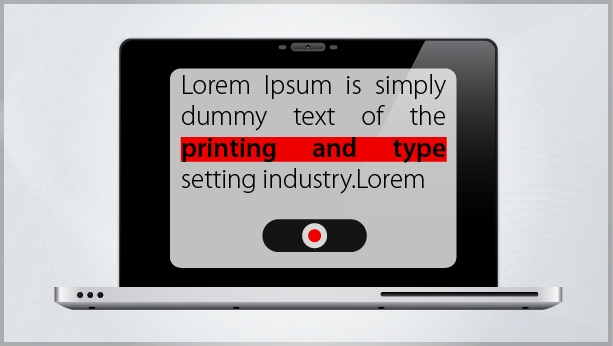
Minimize the time, effort, and cost associated with producing videos by doing it yourself right at your desktop without specialized equipment or training. Simultaneously capture slide presentations, webcam video, and audio to create engaging video presentations with just a few clicks.
Simplified video post-production
Speed up post-production with an intuitive interface that makes video editing a cinch. Dynamically mix your slide presentation and webcam video. Edit your video with crop, trim, pan, and zoom, and automatically adjust the brightness and sharpness. Enhance audio quality by reducing background noise.
Video add-ons
Focus viewer attention by zooming in on specific content while editing. Select from a range of introductory and concluding clips. Include your logo for project-wide branding.
Smart learning interactions
Insert aesthetically designed interactive elements into your content with just a click. Simply select from a wide range of stunning out-of-the-box interactions like Process Cycle, Glossary, Accordion, Pyramid, and Animated Rollover, andthencustomize the content and appearance.
Actors
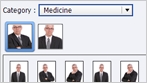
Tell your story more effectively using human characters. Select from a wide range of out-of-the-box actors making various gestures to give your content a more personal touch. Set actors against relevant backgrounds to make your scenarios look more realistic.
eLearning templates
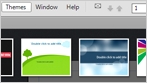
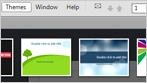
Spend less time and effortlivening up your training content. Choose from attractive, professionally designed themes that blend backgrounds, styles, fonts, and layouts. Apply them across projects to maintain a consistent look and feel. You can also customize the templates to suit your requirements.
Integration with Adobe Captivate 6
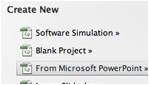
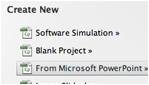
Generate robust software simulations within PowerPoint with Adobe Captivate software. Create multiple learning modes in a single recording session, including procedure demos, simulations for practicing steps, and assessments.
Attractive quizzing out of the box
Easily add quiz questions to presentations to test understanding and retention.
Publishing to video platforms
Reach a wider audience by publishing video-based content created with Presenter to YouTube, Vimeo (Available from 9/9/12 in Adobe Presenter 8.0.1) and other video sharing sites.
Publishing to tablets
Deliver your videos on iPad* using the mobile app for Adobe Presenter. Exportscoring data from the app to AICC-compliant LMSs. You can also get a white-labeled app from Adobe and brand it for your organization.
Specifications:
System requirements
Authoring
|
|
|
|
03/10
|
Adobe Presenter 8 - 1 User, Retail, Windows
Adobe Presenter 8
Overview
What is Adobe Presenter 8?
Adobe Presenter 8 software helps you communicate more effectively with engaging videos and interactive presentations created in Microsoft PowerPoint. Minimize the time, effort, and cost of producing and editing videos by doing it yourself at your desktop. Add quizzes; deliver to the web, video sharing sites, desktops, and mobile devices; and track using integration with Learning Management Systems (LMSs).
Features
PowerPoint 2010 support
Convert PowerPoint 2010 slides, including objects, animations, and multimedia, into rich, interactive video presentations using an improved conversion library. Adobe Presenter 8.0.1 (Available from 9/9/2012) will support PowerPoint 2010 64 bit version.
Desktop-based video production
Minimize the time, effort, and cost associated with producing videos by doing it yourself right at your desktop without specialized equipment or training. Simultaneously capture slide presentations, webcam video, and audio to create engaging video presentations with just a few clicks.
Simplified video post-production
Speed up post-production with an intuitive interface that makes video editing a cinch. Dynamically mix your slide presentation and webcam video. Edit your video with crop, trim, pan, and zoom, and automatically adjust the brightness and sharpness. Enhance audio quality by reducing background noise.
Video add-ons
Focus viewer attention by zooming in on specific content while editing. Select from a range of introductory and concluding clips. Include your logo for project-wide branding.
Smart learning interactions
Insert aesthetically designed interactive elements into your content with just a click. Simply select from a wide range of stunning out-of-the-box interactions like Process Cycle, Glossary, Accordion, Pyramid, and Animated Rollover, andthencustomize the content and appearance.
Actors
Tell your story more effectively using human characters. Select from a wide range of out-of-the-box actors making various gestures to give your content a more personal touch. Set actors against relevant backgrounds to make your scenarios look more realistic.
eLearning templates
Spend less time and effortlivening up your training content. Choose from attractive, professionally designed themes that blend backgrounds, styles, fonts, and layouts. Apply them across projects to maintain a consistent look and feel. You can also customize the templates to suit your requirements.
Integration with Adobe Captivate 6
Generate robust software simulations within PowerPoint with Adobe Captivate software. Create multiple learning modes in a single recording session, including procedure demos, simulations for practicing steps, and assessments.
Attractive quizzing out of the box
Easily add quiz questions to presentations to test understanding and retention.
Publishing to video platforms
Reach a wider audience by publishing video-based content created with Presenter to YouTube, Vimeo (Available from 9/9/12 in Adobe Presenter 8.0.1) and other video sharing sites.
Publishing to tablets
Deliver your videos on iPad* using the mobile app for Adobe Presenter. Exportscoring data from the app to AICC-compliant LMSs. You can also get a white-labeled app from Adobe and brand it for your organization.
Specifications:
System requirements
Authoring
|
|
|
|
Previous Page
|
Next Page
|
|