Camerafarm product archive #41091
| Image |
Date |
Product description |
Price |
Buy |
|
03/07
|
Synology VS80 Surveillance Station Live View Companion - 5.2W Operation, 9 Channels Live-viewing, USB Mouse For Snapshot & PTZ, Timeline Event Playback, Built-In DSP, 1xLAN, Home VS80
Surveillance Station Live View Companion
Synology VS80 provides a power-saving and easy-to-use solution for monitoring up to 9 IP cameras managed with the Synology DiskStation.
- No PC Required
- 5.2W on Operation
- 9 Channels Live-viewing
- USB Mouse for Snapshot & PTZ
- Timeline Event Playback
- US Patent Pending, application #12/356,071
Overview
Setup only takes a few steps to pair the VS80 with the Synology DiskStation and quickly start monitoring the IP cameras on the LCD monitor or TV connected to VS80. For large-scale deployments, the VS80 offers the convenience of camera live-view in a multi-screen wall format.
The VS80’s built-in DSP (Digital Signal Processor) efficiently processes images, lowering power usage down to only 5.2 Watts for the entire system. Over long-term use, the low power requirements of the VS80 can be a significant cost savings.
Connect a USB mouse to the VS80 and manipulating PTZ on a specific IP camera becomes as easy as a click of the mouse. Double-clicking on an IP camera will maximize the image to full-screen for a clearer view. In addition, you can save an IP camera snapshot in the connected USB storage, or use Timeline event player for easy playback of archived videos.
Specifications:
Hardware
- USB: 1 port in front, 1 port in rear (For USB disk and mouse)
- Video Output: VGA x1
- Audio Output: 3.5mm Stereo Audio Jack x1
- Size (HxWxD) (mm) : 160x63x218 mm
- Weight: 0.78Kg
- LAN: 10/100BaseT
- AC Input Power Voltage: 100V to 240V AC
- Power Frequency: 50 / 60Hz, Single Phase
- Operating Temperature: 40 to 95F (5 to 35C)
- Storage Temperature: 15 to 155F (-10 to 70C)
- Relative Humidity: 5% to 95% RH
- Maximum Operating Altitude: 10,000 feet
- Certification: FCC Class B, CE Class B
Software
- Channel #: 4,6, or 9
- Display Mode: 2x2, 3x2 or 3x3 panels
- Compression Formats: MJPEG, MPEG-4, H.264
- Supported Audio Format: G711
- Decoding Throughput [MJPEG]
- 4,6 channel: 80 FPS, D1
- 9 channel: 80 FPS, CIF
- Decoding Throughput [MPEG4]
- 4,6 channel: 80 FPS, D1
- 9 channel: 80 FPS, CIF
- Decoding Throughput [H.264]
- 4,6 channel: 80 FPS, D1
- 9 channel: 80 FPS, CIF
- Maximum Camera Resolution on:
- 4,6 channel D1: (640x480 in VGA, 720x480 in NTSC, 720x576 in PAL)
- 9 channel CIF: (320x240 in VGA, 352x240 in NTSC, 352x288 in PAL)
- Snapshot: Yes (Save to USB disk)
- PTZ: Yes (for PTZ cameras only)
- Playback: Event Timeline
- Firmware Upgrade: Yes (via USB disk)
- Monitor Resolution: 1280x768, 1024x768, 800x600
Environment and Packaging
- Environment:
- RoHS Compliant
- Package Contents:
- Main Unit: X 1
- User's Guide: X 1
- AC Power Adapter: X 1
- 2M RJ-45 LAN Cable: X 1
|


|
|
|
03/07
|
Generic S4704 4xAAA NiMH Rechargeable Battery Combo Low Discharge NiMH Rechargeable Battery AAA 4pk
Low discharge Ni-MH batteries ready for use straight out of the pack and rechargeable in a normal AA or AAA charger (not suitable for fast chargers). Recharge up to 1000 times. Hold up to 85% capacity even when unused for 12 months.
Suitable for our A 0281 charger.
|
|
|
|
03/07
|
Sony MoviEZ HD Software Suite
Overview
Your movies. Your photos. Your Music. You’re Done.
moviEZ HD automatically creates professional-looking home movies in just a few clicks — no video editing experience required! With full HD media support and powerful features, your movies and photos are moments away from being ready to share with friends, family and the world — it's that EZ!
Automatically create fun movies
Tell your story in full HD video. Transfer files from your camcorder, phone, or camera and then rearrange the clips how you want. Add your favorite music, then automatically sync your movie to the song's length and beat. moviEZ HD does the rest by adding automatic zooms, pans, and transitions instantly.
With moviEZ HD:
- Experience full HD support from camcorders, mobile devices, and still cameras
- Personalize videos and slideshows with voiceover, music, and captions
- Select and customize Styles to make each project unique
- Share movies on social networking sites or upload them to a variety of devices
- Simple features let you adjust brightness, apply color correction, and reduce red eye
Playback Styles
moviEZ HD provides you with ten distinctive Playback Styles which enable you to effortlessly tell your story in just one click. Each Style has unique effects, animations, and transitions to help you create the perfect presentation!
Music trimming
The music trimming feature helps you choose only the music or sound you want to hear in your video. Grab a section of almost any audio file. Take out the beginning or use just the chorus, the choice is yours.
Easy file transfer
With one-touch transfer, users can easily import media files from a wide variety of camcorders, phones, and digital still cameras.
Video tools
Editing video has never been easier! Sequence your photographs, zoom in on specific details, and rotate images. You have complete control.
Instant Full Screen Previews
Users can preview movies instantly in a full screen, DVD-quality view. Not only can you preview projects in the standard preview window, but you can view your work in full screen preview mode as well. This enables you to see the movie across your entire computer monitor, so you'll know it appears exactly the way you want before saving.
Share your projects
moviEZ HD saves in the best quality for any screen. Upload HD movies to Facebook and YouTube. Burn videos to DVD using the included themes, or export to iPad, iPhone, or Android devices. Share your memories — any way you want.
Technical specifications
moviEZ HD is an exciting video creation program with an emphasis on ease-of-use. Its straightforward design is perfect for the user who wants to create and post videos fast. With its intuitive interface and basic but very effective feature set, anyone can create unique and fun videos for sharing online. Combine videos, photos, and music. Work with essential video and picture editing tools for layout and corrections. Set the tone and pace of presentations with ten unique, built-in Playback Styles, and enjoy full screen previews. The perfect movie is just '3 clicks away'!
moviEZ HD system requirements
- Microsoft Windows 7, Windows Vista , or Windows XP SP2
- Intel Pentium 4, AMD Athlon 64 (or equivalent), 2GHz or higher
- 1 GB RAM (2 GB recommended for HD)
- 128MB video memory (256MB or higher recommended for HD)
- Video driver must support Open GL 1.4
- IEEE-1394DV card (for DV capture)
- USB 2.0 connection (for importing from AVCHD or DVD camcorders)
- Windows-compatible sound card
- Optional NVIDIA CUDA video card (for GPU acceleration only)
- DVD-ROM drive (for installation from a DVD only)
- Supported DVD-R/-RW/+R/+RW (for DVD burning only)
- Apple QuickTime 7.1.6 or later for MOV and iPhone/iPod format support
You must provide your registration information to Sony Creative Software Inc., a US company, in order to activate the software. Product requires online registration.
moviEZ HD
General Features
- 'Three-click' movie production
- Add video title and text credits
- Customizable settings
- Ten exciting Playback Styles
- Keyboard shortcuts
- Automatic video/music sync
Video Features
- Full HD video and photo support
- Instant full screen previews
- Editing tools
- Control photo and video playback length
- Easily share projects
- Pan and zoom control
- Superimpose a logo
- Intuitive media panel
- Add captions to videos and photos
Audio Features
- Music trimming
- Record audio for voiceover creation
- Import AAC, MP3, WAV, and WMA audio
Capture and Import
- Easy Transfer via USB and IEEE/1394 (FireWire) connectors
- NVIDIA CUDA Acceleration
- Upload to YouTube and Facebook
- Export videos to PSP , iPhone , iPod Touch , iPod
- Save videos in WMV-HD or AVCHD formats
- Widescreen video import
Supported Formats
Import: AAC, ASF, AVCHD, AVCHD-Lite, AVI, BMP, DV-AVI, GIF, H.264, HDV, JPEG, MOV, MP3, MPEG-1, MPEG-2, MPEG-4, PNG, QuickTime , TIFF, WAV, WMA, WMV, 3GP
Export: AVCHD, AVI, DV-AVI, H.264, MPEG-1, MPEG-2, MPEG-4, MP4, MOV, MOV-HD, WMV, WMV-HD
moviEZ HD system requirements
- Microsoft Windows 7, Windows Vista , or Windows XP SP2
- Intel Pentium 4, AMD Athlon 64 (or equivalent), 2GHz or higher
- 1 GB RAM (2 GB recommended for HD)
- 128MB video memory (256MB or higher recommended for HD)
- Video driver must support Open GL 1.4
- IEEE-1394DV card (for DV capture)
- USB 2.0 connection (for importing from AVCHD or DVD camcorders)
- Windows-compatible sound card
- Optional NVIDIA CUDA video card (for GPU acceleration only)
- DVD-ROM drive (for installation from a DVD only)
- Supported DVD-R/-RW/+R/+RW (for DVD burning only)
- Apple QuickTime 7.1.6 or later for MOV and iPhone/iPod format support
|
|
|
|
03/07
|
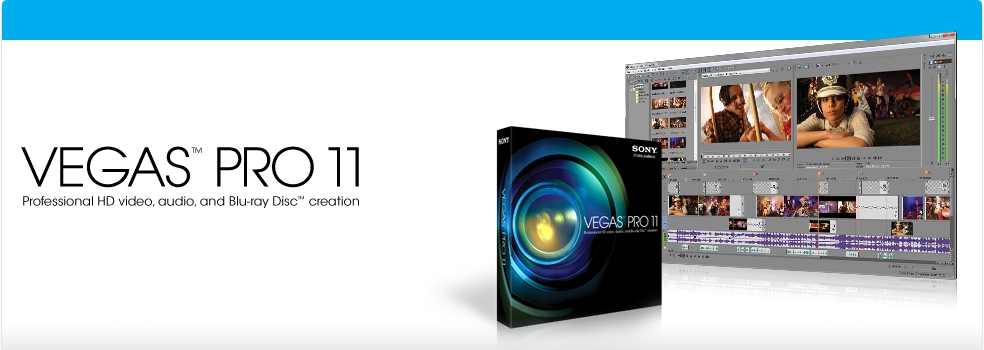
Sony Vegas Pro 11
Vegas Pro 11 overview
The Vegas™ Pro 11 collection — Vegas Pro 11, DVD Architect™ Pro 5.2, and Dolby® Digital Professional Encoder — provides an efficient, intuitive and integrated content creation environment for video and broadcast professionals. Now featuring GPU-accelerated performance with OpenCL™-supported devices, Vegas Pro 11 powers through video processing and rendering tasks with ease. With innovative stereoscopic 3D tools, broad format support, unparalleled audio control, and GPU-ignited effects processing and rendering, the Vegas Pro 11 collection streamlines your workflow like never before.
Precise editing tools
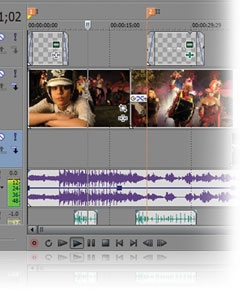
Edit SD, HD, or 3D video with drag-and-drop functionality, extensive editing tools, and incomparable video effects. Features include stereoscopic 3D support, multicamera editing, 32-bit floating-point video processing, video stabilization, customizable window layouts, HDV/ AVCHD/ RED/ SDI/ XDCAM/ HDCAM SR support, and A/V synchronization detection and repair.
GPU Accelerated Performance
Working with OpenCL™ supported devices from AMD and NVIDIA, Vegas Pro 11 leverages GPU acceleration for video FX, transitions, compositing, pan/crop, track motion and encoding, providing a significantly faster workflow. The addition of GPU acceleration streamlines the video editing experience in Vegas Po 11 by providing playback performance gains and faster rendering times, ideal for industry professionals who work on tight deadlines where every second counts.
Stereoscopic 3D editing
Create breathtaking stereoscopic 3D projects with the same ease and agility as the Vegas Pro 2D workflow. Vegas Pro 11 provides the ability to easily import, adjust, edit, preview, and output stereoscopic 3D media — all using industry-standard professional delivery formats including single or dual files with side-by-side, top/bottom, or line-alternate encoding. Anaglyphic monitoring and output are also supported.
NewBlue Titler Pro
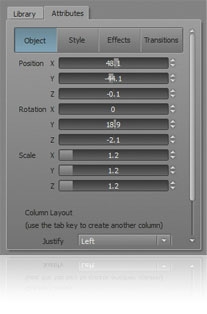
Create 3D titles with Titler Pro, an exceptional new titler from NewBlueFX. Titler Pro enables users to add animations, professional-style templates, and effects to their titles. Work in real-time with GPU-accelerated effects and transitions and easily move text on the X, Y, and Z axes, all within the Vegas Pro 11 workspace. Titler Pro is the perfect addition to the stereoscopic 3D toolset.
Superior audio control
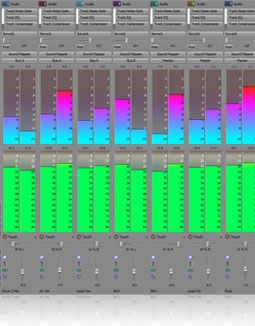
Access unlimited audio tracks, 24-bit/192 kHz audio, punch-in recording, 5.1 surround mixing, effects automation, and time compress/expand, while applying customizable, real-time audio effects like EQ, Reverb, Delay, and more. Expand your audio processing and mixing options with supported third-party VST audio plug-ins. Use the Mixing Console for precise audio control.
Powerful Blu-ray Disc™ authoring
Burn movies to Blu-ray Disc™ directly from the Vegas Pro 11 timeline for high-definition delivery. Use DVD Architect Pro software (included with the Vegas Pro 11 collection) to author DVDs or Blu-ray Discs with subtitles, multiple languages, and numerous playback menus. Preview and test your work in real time. Apply Brightness and Contrast, Crop, and Anti-Flicker filters. Add high-quality preset backgrounds and themes to add life to any project. Set CSS and Macrovision® copy-protection flags for masters.
Professional 32- and 64-bit workflow
The Vegas Pro 11 interface provides a fully customizable workspace for accomplishing a wide range of production requirements. Dock multiple windows across multiple monitors and save your layouts to fit specific editing tasks. Nest Vegas Pro projects within the timeline, customize and save keyboard commands, and use application scripting to automate repetitive tasks.
Broad format support
Vegas Pro 11 software natively supports the newest professional camcorder formats including XDCAM, NXCAM, AVCHD, and RED. Vegas Pro 11 software also includes support for still images greater than one gigapixel in resolution. Use the Pan and Scan tools to create stunning movie sequences from these large pictures while maintaining beautiful HD resolution.
Specifications:
The Vegas Pro 11 collection combines the power of Vegas Pro with the elegance of DVD Architect™ Pro to provide a dynamic and efficient environment for video and broadcast professionals. This robust suite offers a comprehensive and advanced platform for content creation and production. With extensive format support, unmatched effects processing, superior audio support, and a complete array of editing tools, Vegas Pro 11 gives you the creative freedom you need to produce a project with outstanding results.
Vegas Pro 11 system requirements
- Microsoft® Windows Vista® 32-bit or 64-bit SP2, or Windows 7 32-bit or 64-bit
- 2 GHz processor (multicore or multiprocessor CPU recommended for HD or stereoscopic 3D)
- 500 MB hard-disk space for program installation
- 2 GB RAM (4 GB recommended)
- OHCI-compatible IEEE-1394DV card (for DV and HDV capture and print-to-tape)
- USB 2.0 connection (for importing from AVCHD, XDCAM EX, NXCAM, or DVD camcorders)
- Windows-compatible sound card
- DVD-ROM drive (for installation from a DVD only)
- Supported CD-recordable drive (for CD burning only)
- Supported DVD-R/-RW/+R/+RW (for DVD burning only)
- Supported BD-R/-RE drive (for Blu-ray Disc™ burning only)
- Microsoft .NET Framework 3.5 SP1 (included on application disc)
- Apple® QuickTime® 7.1.6 or later for reading and writing QuickTime files
- Internet Connection (for Gracenote MusicID Service)
- Supported NVIDIA or ATI cards for GPU-acceleration (please see the GPU acceleration page for more information)
|
|
|
|
03/07
|
Edimax IC-3110W 1.3 Megapixel Wireless H.264 Day & Night Network Camera - 802.11b/g/n, SDHC/SD Card Slot, 2-Way Audio, UPnP & DDNS Support, Remote Monitoring via iPhone, iPad, Android Phones, PC & Mac IC-3110W
1.3Mpx Wireless H.264 Day & Night Network Camera
- High-speed triple-mode (H.264, MPEG-4 & M-JPEG) video compression
- Night vision support with built-in IR LED
- Multi-area motion detection
- SDHC/SD card slot for local snapshot and video storage
- 2-way audio, UPnP & DDNS support
- Remote monitoring via iPhone, iPad, Android phones, PC & Mac
Overview
The Edimax IC-3110W network camera is a versatile monitoring device ideal for monitoring your home in daylight and at night. With Edimax’s innovative Plug-n-View technology, the camera connects to the cloud automatically, so you can monitor your home with a smartphone, tablet, or laptop computer no matter where you are. Its motion-triggered snapshot and recording feature ensures that you capture every criminal event.
Edimax Plug-n-View
Edimax Plug-n-View technology makes it easy for you to keep an eye on the safety of your home, family, pets, and assets wherever you go. With Plug-n-View technology, you can set up your Edimax network camera in a few simple steps. The camera also connects to the cloud automatically, so you can access it remotely with a smartphone, tablet, or computer no matter where you are.
Night Vision
The built-in IR (infrared) LEDs and light sensor make this Edimax network camera perfect for capturing crisp and clear videos in low light conditions. It automatically switches to night vision mode and turns on the IR LEDs to illuminate the monitored area when it gets dark, ensuring that you get video footage of critical moments both in daylight and at night.
Motion-Triggered Snapshots & Recording
The powerful multi-area motion detection system built into this network camera ensures that you have evidence of a criminal event as soon as it occurs. You can pre-define multiple areas in the monitored range for motion detection; and when motion is detected in the specified areas, this network camera will produce snapshots or video footage of the criminal event immediately.
Specifications:
|
Video / Audio
|
Standards
|
LED Indicators
|
- 1.3 megapixel CMOS sensor
- 1.0 lux
- 5mm, f/2.8
- Recording format: AVI
- Video compression: H.264, MPEG4 & MJPEG
- 2-way audio
|
- Fast Ethernet IEEE 802.3/802.3u
- Wireless IEEE 802.11b/g/n
|
|
|
Interface
|
Management
|
RF Output Power
|
- 1 x Ethernet (RJ-45) port
- 1 x Power jack
- 1 x Audio output
- 1 x Microphone
- 1 x Reset/WPS button
- 1 x SDHC/SD card slot (up to 32GB)
- 1 x Detachable antenna
|
- EdiView Finder (Windows/Mac)
- 16-channel viewer
- Web management interface
- Firmware upgradable
- iPhone & iPad viewer app
- Android phone viewer app
|
- 11b: 16dBm 18dBm
- 11g: 14dBm 16dBm
- 11n: 11dBm 13dBm
|
|
Memory
|
Frequency Band
|
|
|
|
|
- 0-40 Celsius
- 10-90% (non-condensing)
|
|
Power
|
Dimensions
|
Certifications
|
|
|
|
|
|
|
|
|
03/07
|
DXtreme Pro1 DLP Projector - 640x360, 15 Lumens, 2.5Hrs Projection Time, 2100mAH Rechargable Battery, Manual Focus Adjustment, 0.8W Built-In Speaker
- To Suit iPhone 4/4S DXtreme iPhone Projector
Australia's first iPhone Projector
Easy to use—just dock your iPhone 4/4s device and project on any surface. Our Pocket Projector for iPhone 4/4s is perfect for on-the-go travel entertainment. Its super-bright 15-lumen LED projector lamp ensures clearer, more brilliant images than other pico projectors. 640x360 native display resolution projects up to 50" in size. Focus adjustment lets you control image clarity while the integrated 0.5W speaker delivers the audio. Great for keeping kids entertained with their favorite videos on the road!
Rechargeable—powers your device, too!
The Pocket Projector’s built-in 2100mAH battery charges via USB connection with the included cord. When fully charged, the projector may also be used as a back-up battery for your iPhone 4/4s device.
Take your video to go with the DXtreme Pro1 for iPhone 4/4s. Order yours today!
Pro1 Specifications
- Projects video, pictures, online video content
- Texas Instruments DLP technology
- 15 Lumens
- Up to 50" in display size
- 640x360 pixels resolution
- Manual focus adjustment
- 0.8W built in speaker
- 2100mAH rechargable battery
- 2.5 hours projection time
- Back-up battery for your iPhone
- Compatible with iPhone 4/4S only
Package Contents
- User Manual
- USB charging cable
- Pro1 Projector
|
|
|
|
Previous Page
|
Next Page
|
|