Camerafarm product archive #40806
| Image |
Date |
Product description |
Price |
Buy |
|
22/09
|
Adobe Premiere Elements 10 - Multiple Platforms, DVD Set
This product is a media kit only, it does not include any licenses.
Adobe Premiere Elements 10
Overview
What is Adobe Premiere Elements?
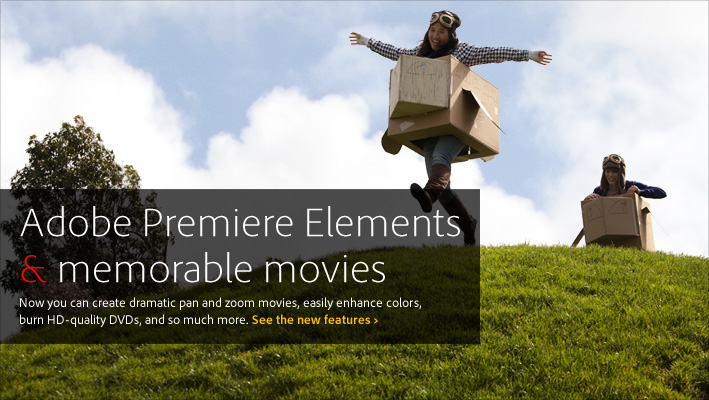
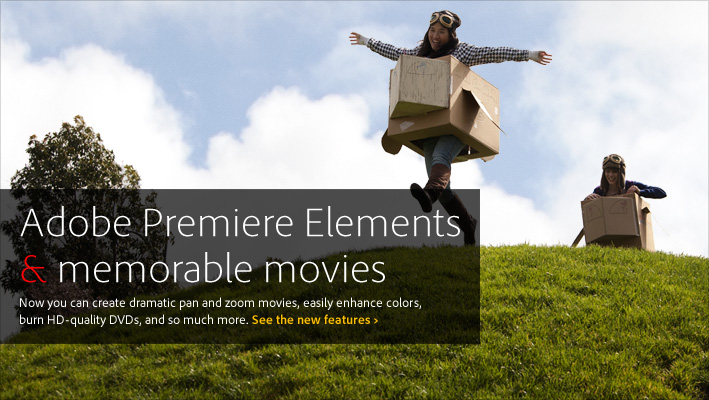
Adobe Premiere Elements 10 the newest version of the #1 consumer video editing software helps you turn milestone moments into memorable movies you'll share with pride.Use automated options in this movie editor to create great-looking movies, and share via social networks and on virtually any screen. Award winning for 10 years!
Highlights
See what's new
Discover all the exciting new ways you can make memorable movies with less effort using Adobe Premiere Elements 10 movie editing software.
Why you'll love it
Wondering if Adobe Premiere Elements is the right movie editor for you?Get an overview of this powerful solution that takes the work out of making incredible movies.
Explore what you can do
See Adobe Premiere Elements in action and get a feel for everything you can do to make movies in minutes, share on discs and online, and more.
Go mobile
Easily share your favorite videos with your social network, and view videos virtually anywhere you are.
Bring all your footage and photos together
Easily import your video clips and photos into an intelligent and convenient media management hub.
Use footage from virtually anywhere
Bring in video from the latest gadgets, including popular HD camcorders like the Flip camera, DSLR and other digital still cameras, webcams, mobile phones, VHS tapes, DVDs, analog and digital TV tuners, and set-top DVD recorders.
Import photos, too
Bring in all your photos so you can combine them with video footage to create visually rich movies.
Enjoy support for Windows multitouch
Take advantage of the hands-on capabilities of Windows multitouch technology.
Find what you need fast
Use smart search options to quickly find the videos and photos you need.
Tag photos faster using your Facebook Friends list
Use your Facebook Friends list to quickly tag faces in your photos and easily share them on Facebook.
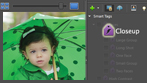
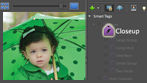
Quickly find photos of specific things
Want to find shots that include your surfboard, your grandma's house, or the Eiffel Tower? Let Object Search automatically find your photos based on what's in them.
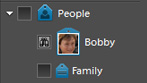
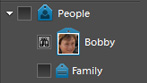
Quickly find specific people in photos
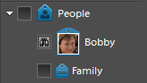
No more hunting for photos that feature specific friends or family members. People Recognition automatically identifies the people in your photos so you can find what you need, fast.
Quickly find your best clips
No need to watch hours of raw video to find the highlights. Take advantage of the Auto-Analyzer, which automatically tags your media so you can easily find your most interesting, highest quality footage and photos.
Organize visually
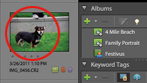
No more searching through folders and clicking unrecognizable filenames categorize and find your clips the easy way with visual tags that represent people, places, things, or events. Click on your pet's tag to see every video she's in.
Find a specific scene fast
Easily find specific scenes in your videos thanks to automatic splitting of footage into individual scenes in the Sceneline or Timeline. Plus, tag and rate specific scenes and frames while previewing clips to find the best moments later on.
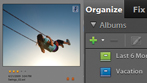
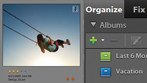
See just the videos you want to see
Need certain types of clips and photos? Just set your criteria and they're brought together automatically in a Smart Album.
Find videos faster than ever
Find just the video you're looking for by typing tag names, dates, and other file information into a convenient search box. Or view videos on an intuitive Timeline.
Pinpoint your search
Make quick work of complex searches with the power of visual tags. Instantly find videos that show Jack, but not Jack and Jill, for instance.
Easily view, manage, and help protect your videos
View your videos the way that suits you best, and easily manage and help protect them with online options.
Get the big picture
Get the full effect of your video clips and photos in the Organizer with full-screen previews.
View your movies virtually anywhere
Show off your favorite movies from any web-enabled computer. Use the online Organizer, which looks and works just like your desktop Organizer, to find the videos you want and let the show begin.
Know where your videos are
Access every video stored on your computer from directly within the Organizer, where you can use convenient Folder View to add, delete, or move hard-drive folders.
See the same clips on every computer
Forget trying to manually maintain your videos across multiple computers. With automatic syncing, the videos and photos you add or edit on your desktop computer will be accessible from your laptop or any other web-connected computer.
Get automatic backup
Don't lose your videos if you lose your computer. Keep your memories safe with automatic online backup and 2GB of free storage enough for about 24 minutes of DVD-quality video. Easily add more storage as needed.(Get 20GB with Plus.)
Choose smart moviemaking options
Take advantage of a variety of automated editing options that take the work out of making terrific movies.
Turn photos into entertaining movies
Easily bring your photos to life using customized pan and zoom motions that add drama or fun to fit your story. Automated options can even do the work of finding faces and panning and zooming to them.
Easily correct or enhance color
Automatically boost color tone and vibrance without affecting skin tones, or use sliders to adjust color with complete control. You can also independently adjustcolor in highlights, shadows, and midtones for perfect color throughout your movie.
Create a polished movie instantly
Take advantage of Hollywood techniques with InstantMovie, which automatically edits together your best clips with music, titles, and effects from your choice of movie theme. All-new themes are included. (Access more movie themes with Plus.)
Celebrate the occasion with InstantMovie themes
Make any party or gathering extra special by creating an InstantMovie and sharing it with guests the next day.
Create an InstantMovie for just about any event or activity
Showcase friends' and family's sporting events, performances, holidays, and other events with InstantMovies that perfectly capture the mood and tempo.
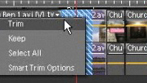
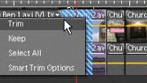
Quickly trim all but your best footage
Easily get rid of your least interesting, lowest quality footage to enhance your scenes or make your movie fit a desired length. Smart Trim can automatically cut bad footage or recommend cuts to let you make the final decision.
Fix imperfections fast
Let SmartFix automatically fix shaky footage and color and lighting problems so every clip looks its best.
Easily fix audio problems
Easily reduce background noise and fix problems with audio volume and clarity so your movie has high-quality sound from start to finish.
Add the perfect soundtrack
Use SmartSound to add a variety of musical soundtracks that automatically adjust to perfectly match the length of your movie. Customize musical arrangement and mood to fit your story. Now available for Mac and Windows.
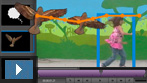
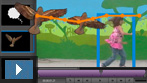
Add fun graphics that follow the motion
Want to add funny thought bubbles or goofy hats above people's heads? Use motion tracking capabilities to add graphics, text, and effects that automatically move with the subjects in your scenes.
Easily put your subject in a new setting
Create entertaining video composites. Use Videomerge to cleanly extract your moving subject from a solid color background and then drop it into a new setting for a fun or creative twist.
Enjoy a perfect balance of audio
Add music and sound effects without overpowering your dialogue or background audio. SmartMix automatically balances audio elements to give you professional-quality sound throughout your movie.
Edit with ease and control
Make movies in less time thanks to drag-and-drop editing tools, real-time previews, and more.
Enjoy support for 64-bit Windows 7
Edit with speed and stability thanks to support for 64-bit Windows 7 systems.
Enjoy optimized SD and HD video editing
Experience fluid responsiveness and high performance when editing video, including from AVCHD or other high-definition camcorders. Adobe Premiere Elements uses technology from Adobe Premiere Pro CS5 software to help ensure optimized HD editing.
Make movies with drag-and-drop ease
Create your story quickly in the Sceneline, an easier alternative to the more traditional video-editing Timeline. Make a movie by simply dragging and dropping thumbnails of your clips, transitions, and effects.
Edit and preview in one convenient place
Edit and view your movie in one place the Monitor window where you can easily trim and split clips, drop filters and effects right on a frame, create picture-in-picture effects, type titles and text right on the screen, and more.
Get the full effect as you work
Preview your movie full screen as you work with just the click of a button, and view edits in real time.
Edit with more control in the Timeline
Edit your movie in the Timeline to work with up to 99 audio and video tracks. Copy and paste transitions from one part of the Timeline to another, replace a clip while retaining the originals effects and attributes, and more.
Work the way that suits you
Focus on telling your story in a flexible workspace that you can customize no need to click around to open and close panels. Even save different workspaces for different projects.
See just the tools you need
Enjoy a simplified workspace that puts the tools you need for a particular task front and center, and browse for effects and templates with ease.
Direct it all
Move images, graphics, and text around the screen with advanced control over opacity, position, rotation, and scale.
Work smoothly with effects
Like the way an effect makes your clip look? Apply it to multiple clips in a single action, or remove all of a clip's effects at once.
See every detail
Easily zoom in on details of your project, zoom out for an overview, and quickly return to your previous zoom level.
Feel free to experiment
Try anything. With Auto Save, multiple undos, and the History panel, you can always go back to a previous version.
Work at professional speed
Edit faster with support for dual-core or multiple processor systems, advanced multi-threading technology, and Hyper-Threading Technology on the latest Mac OS and Intel Pentium based Microsoft Windows XP, Windows Vista, or Windows 7 systems.
Customize with TV-style effects and transitions
Add professional polish with a wide range of great-looking motion graphics, effects, animations, and more.
Add visual interest with eye-catching transitions
Creatively move from one scene to the next with hundreds of TV-style transitions. You can even create your own. (Access more transitions with Plus.)
Show all the action
Drag one scene onto another to create picture-in-picture effects that show all the action.
Have fun with animations
Easily add animated graphics that liven up your scenes.
Get creative inspiration
Bring your ideas to life with relevant how-tos that appear just when you need them.1,2 (Access more how-tos, and get ongoing deliveries with Plus.)
Impress your audience with dazzling effects
Browse effects by visual thumbnails and watch high-quality previews, drag and drop to apply them to your video, and then modify them using easy slider controls. (Access more effects with Plus.)
Tie it all together with a theme
Drop a theme onto your footage to transform it into a movie. Themes offer coordinated music, transitions, effects, disc menus, and title screens. (Access more movie themes with Plus.)
Try new movie themes for fresh looks
Use the new Celebration theme to make movies of parties and other fun events, and honor departed loved ones with the elegant In Loving Memory theme.
Add visual pop right where you want it
Blur faces, add cartoon hats, and create other touches of movie magic. Easily add any 2D video effect to a specific area of a scene and keep it locked there throughout the action.
Add artwork and animations
Add sparkle to your scenes thanks to a library of artwork that includes fun frames, objects, and animations.
Get creative with stop-motion animation
Try your hand at animation. Use stop-motion video capture to animate an action figure, create a time-lapse movie of a sunset, and more.
Sound your best
Give your movies terrific sound with musical soundtracks, audio effects, narration, and more.
Edit to the beat of a favorite song
Easily create entertaining slide shows and movies that move to the music. Adobe Premiere Elements automatically detects the tempo of your musical soundtrack and syncs the beginning and end of each scene with the beats.
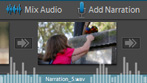
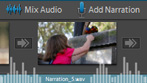
Narrate your stories
Tell your story in your own voice by adding narration to your video.
Mix and refine audio for greater impact
Use background music and sound effects to underscore emotions, add emphasis, or create a mood. The Audio Mixer lets you adjust relative volumes with sliders so, for example, dialogue can be heard clearly over music.
Create a rich, full soundtrack
Create soundtracks from audio CDs and MP3 files, use up to 99 audio tracks, sweeten your audio with effects like reverb and equalization, and take advantage of precise waveform controls.
Add professional-quality menus and text
To the top
Show your style with custom disc menus, animated titles, and slick credits.
Animate titles to fit your movie
Choose from a set of world-class Adobe fonts designed to look great on video and customize them with shadows, glows, and other effects. Then animate your titles to make them bounce, spin, or zoom across your scenes.
Add a scene index for easy navigation
Take advantage of automatically created scene indexes or chapters for your menu, with links that correspond to your video clips.
Add polished credits
Roll credits in any of more than 100 professionally designed templates.
Share virtually anywhere
To the top
Create your movie once and quickly share it in many ways, including on discs, mobile devices, HD TVs, YouTube, Facebook, or via a convenient web DVD viewing experience.1
Get HD quality on standard DVDs
Burn HD-quality movies to affordable DVD discs using standard burners.
Quickly share on popular sites
Import video clips and immediately share them on Facebook and YouTube, and quickly share finished movies on Facebook.1

Export in AVCHD format
Share movies in high-quality AVCHD format.

Share in Online Albums
Share your memories in unique Online Albums with animated templates that let you show off photos and videos together, with music. Share via public or private galleries friends and family won't have to register to look.1,2,4 (Access more Online Albums with Plus.)
Quickly share on Facebook
Conveniently share videos and photos on Facebook directly from the Organizer, which automatically optimizes your media so it looks its best.1
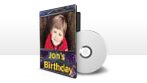
Create movie discs in a few simple steps
Go from camera to DVD or Blu-ray Disc, complete with menu and scene index, in a few easy steps. Fit hours of video on a single- or dual-layer DVD or Blu-ray Disc that's optimized for best results.
Share your stories on the web
Easily upload your movies to YouTube, your Photoshop.com gallery, or your personal website.1 Adobe Premiere Elements 10 takes care of optimizing and formatting for specific destinations so your movies always look great.
Share on the go
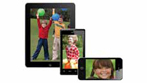
Show finished movies on mobile devices including Apple iPad, Apple iPhone, and other mobile phones; Sony PSP (PlayStation Portable) systems, and Apple iPod. Select from new export presets for many popular phone models.
Create web DVDs
Debut your movie with a convenient, interactive web DVD viewing experience. Easily share your movie complete with a scene index and chapter menus on Photoshop.com or your own website.1,2
Share movies in high-quality HD
Take advantage of the latest technology and enjoy your movies in high definition, including on Blu-ray Disc.
Preview before you burn
Make sure your menu and movie are just as you envisioned them by previewing them on your computer before burning to disc.
Optimize for any screen
Let Adobe Premiere Elements optimize your movie for high-quality playback on any device, from mobile phones to big-screen HD TVs. Plus, create and see your video in traditional television (4:3) or widescreen (16:9) format.
Share in many ways from one location
Follow easy steps for creating your movie once and then sharing it in multiple ways, including on disc, the web, and mobile device
System requirements
Windows
|


|
|
|
22/09
|
Adobe Premiere Elements 10 - Retail, Multiple Platforms - 1 User Licence
Adobe Premiere Elements 10
What is Adobe Premiere Elements?
Adobe Premiere Elements 10 the newest version of the #1 consumer video editing software helps you turn milestone moments into memorable movies you'll share with pride.Use automated options in this movie editor to create great-looking movies, and share via social networks and on virtually any screen. Award winning for 10 years!
Highlights
See what's new
Discover all the exciting new ways you can make memorable movies with less effort using Adobe Premiere Elements 10 movie editing software.
Why you'll love it
Wondering if Adobe Premiere Elements is the right movie editor for you?Get an overview of this powerful solution that takes the work out of making incredible movies.
Explore what you can do
See Adobe Premiere Elements in action and get a feel for everything you can do to make movies in minutes, share on discs and online, and more.
Go mobile
Easily share your favorite videos with your social network, and view videos virtually anywhere you are.
Features
Bring all your footage and photos together
Easily import your video clips and photos into an intelligent and convenient media management hub.
Use footage from virtually anywhere
Bring in video from the latest gadgets, including popular HD camcorders like the Flip camera, DSLR and other digital still cameras, webcams, mobile phones, VHS tapes, DVDs, analog and digital TV tuners, and set-top DVD recorders.
Import photos, too
Bring in all your photos so you can combine them with video footage to create visually rich movies.
Enjoy support for Windows multitouch
Take advantage of the hands-on capabilities of Windows multitouch technology.
Find what you need fast
Use smart search options to quickly find the videos and photos you need.
Tag photos faster using your Facebook Friends list
Use your Facebook Friends list to quickly tag faces in your photos and easily share them on Facebook.
Organize visually
No more searching through folders and clicking unrecognizable filenames categorize and find your clips the easy way with visual tags that represent people, places, things, or events. Click on your pet's tag to see every video she's in.
Pinpoint your search
Make quick work of complex searches with the power of visual tags. Instantly find videos that show Jack, but not Jack and Jill, for instance.
Quickly find photos of specific things
Want to find shots that include your surfboard, your grandma's house, or the Eiffel Tower? Let Object Search automatically find your photos based on what's in them.
Find a specific scene fast
Easily find specific scenes in your videos thanks to automatic splitting of footage into individual scenes in the Sceneline or Timeline. Plus, tag and rate specific scenes and frames while previewing clips to find the best moments later on.
Quickly find specific people in photos
No more hunting for photos that feature specific friends or family members. People Recognition automatically identifies the people in your photos so you can find what you need, fast.
See just the videos you want to see
Need certain types of clips and photos? Just set your criteria and they're brought together automatically in a Smart Album.
Quickly find your best clips
No need to watch hours of raw video to find the highlights. Take advantage of the Auto-Analyzer, which automatically tags your media so you can easily find your most interesting, highest quality footage and photos.
Find videos faster than ever
Find just the video you're looking for by typing tag names, dates, and other file information into a convenient search box. Or view videos on an intuitive Timeline.
Easily view, manage, and help protect your videos
View your videos the way that suits you best, and easily manage and help protect them with online options.
Get the big picture
Get the full effect of your video clips and photos in the Organizer with full-screen previews.
View your movies virtually anywhere
Show off your favorite movies from any web-enabled computer. Use the online Organizer, which looks and works just like your desktop Organizer, to find the videos you want and let the show begin.
Know where your videos are
Access every video stored on your computer from directly within the Organizer, where you can use convenient Folder View to add, delete, or move hard-drive folders.
See the same clips on every computer
Forget trying to manually maintain your videos across multiple computers. With automatic syncing, the videos and photos you add or edit on your desktop computer will be accessible from your laptop or any other web-connected computer.
Get automatic backup
Don't lose your videos if you lose your computer. Keep your memories safe with automatic online backup and 2GB of free storage1,2 — enough for about 24 minutes of DVD-quality video.3 Easily add more storage as needed.1,2 (Get 20GB with Plus.)
Choose smart moviemaking options
Take advantage of a variety of automated editing options that take the work out of making terrific movies.
Turn photos into entertaining movies
Easily bring your photos to life using customized pan and zoom motions that add drama or fun to fit your story. Automated options can even do the work of finding faces and panning and zooming to them.
Easily correct or enhance color
Automatically boost color tone and vibrance without affecting skin tones, or use sliders to adjust color with complete control. You can also independently adjustcolor in highlights, shadows, and midtones for perfect color throughout your movie.
Create a polished movie instantly
Take advantage of Hollywood techniques with InstantMovie, which automatically edits together your best clips with music, titles, and effects from your choice of movie theme. All-new themes are included. (Access more movie themes with Plus.)
Celebrate the occasion with InstantMovie themes
Make any party or gathering extra special by creating an InstantMovie and sharing it with guests the next day.
Create an InstantMovie for just about any event or activity
Showcase friends' and family's sporting events, performances, holidays, and other events with InstantMovies that perfectly capture the mood and tempo.
Quickly trim all but your best footage
Easily get rid of your least interesting, lowest quality footage to enhance your scenes or make your movie fit a desired length. Smart Trim can automatically cut bad footage or recommend cuts to let you make the final decision.
Fix imperfections fast
Let SmartFix automatically fix shaky footage and color and lighting problems so every clip looks its best.
Easily fix audio problems
Easily reduce background noise and fix problems with audio volume and clarity so your movie has high-quality sound from start to finish.
Add the perfect soundtrack
Use SmartSound to add a variety of musical soundtracks that automatically adjust to perfectly match the length of your movie. Customize musical arrangement and mood to fit your story. Now available for Mac and Windows.
Add fun graphics that follow the motion
Want to add funny thought bubbles or goofy hats above people's heads? Use motion tracking capabilities to add graphics, text, and effects that automatically move with the subjects in your scenes.
Easily put your subject in a new setting
Create entertaining video composites. Use Videomerge to cleanly extract your moving subject from a solid color background and then drop it into a new setting for a fun or creative twist.
Enjoy a perfect balance of audio
Add music and sound effects without overpowering your dialogue or background audio. SmartMix automatically balances audio elements to give you professional-quality sound throughout your movie.
Edit with ease and control
Make movies in less time thanks to drag-and-drop editing tools, real-time previews, and more.
Enjoy support for 64-bit Windows 7
Edit with speed and stability thanks to support for 64-bit Windows 7 systems.
Enjoy optimized SD and HD video editing
Experience fluid responsiveness and high performance when editing video, including from AVCHD or other high-definition camcorders. Adobe Premiere Elements uses technology from Adobe Premiere Pro CS5 software to help ensure optimized HD editing.
Make movies with drag-and-drop ease
Create your story quickly in the Sceneline, an easier alternative to the more traditional video-editing Timeline. Make a movie by simply dragging and dropping thumbnails of your clips, transitions, and effects.
Edit and preview in one convenient place
Edit and view your movie in one place the Monitor window where you can easily trim and split clips, drop filters and effects right on a frame, create picture-in-picture effects, type titles and text right on the screen, and more.
Get the full effect as you work
Preview your movie full screen as you work with just the click of a button, and view edits in real time.
Edit with more control in the Timeline
Edit your movie in the Timeline to work with up to 99 audio and video tracks. Copy and paste transitions from one part of the Timeline to another, replace a clip while retaining the originals effects and attributes, and more.
Work the way that suits you
Focus on telling your story in a flexible workspace that you can customize no need to click around to open and close panels. Even save different workspaces for different projects.
See just the tools you need
Enjoy a simplified workspace that puts the tools you need for a particular task front and center, and browse for effects and templates with ease.
Direct it all
Move images, graphics, and text around the screen with advanced control over opacity, position, rotation, and scale.
Work smoothly with effects
Like the way an effect makes your clip look? Apply it to multiple clips in a single action, or remove all of a clip's effects at once.
See every detail
Easily zoom in on details of your project, zoom out for an overview, and quickly return to your previous zoom level.
Feel free to experiment
Try anything. With Auto Save, multiple undos, and the History panel, you can always go back to a previous version.
Work at professional speed
Edit faster with support for dual-core or multiple processor systems, advanced multi-threading technology, and Hyper-Threading Technology on the latest Mac OS and Intel Pentium based Microsoft Windows XP, Windows Vista, or Windows 7 systems.
Customize with TV-style effects and transitions
Add professional polish with a wide range of great-looking motion graphics, effects, animations, and more.
Add visual interest with eye-catching transitions
Creatively move from one scene to the next with hundreds of TV-style transitions. You can even create your own. (Access more transitions with Plus.)
Show all the action
Drag one scene onto another to create picture-in-picture effects that show all the action.
Have fun with animations
Easily add animated graphics that liven up your scenes.
Get creative inspiration
Bring your ideas to life with relevant how-tos that appear just when you need them.1,2 (Access more how-tos, and get ongoing deliveries with Plus.)
Impress your audience with dazzling effects
Browse effects by visual thumbnails and watch high-quality previews, drag and drop to apply them to your video, and then modify them using easy slider controls. (Access more effects with Plus.)
Tie it all together with a theme
Drop a theme onto your footage to transform it into a movie. Themes offer coordinated music, transitions, effects, disc menus, and title screens. (Access more movie themes with Plus.)
Try new movie themes for fresh looks
Use the new Celebration theme to make movies of parties and other fun events, and honor departed loved ones with the elegant In Loving Memory theme.
Add visual pop right where you want it
Blur faces, add cartoon hats, and create other touches of movie magic. Easily add any 2D video effect to a specific area of a scene and keep it locked there throughout the action.
Add artwork and animations
Add sparkle to your scenes thanks to a library of artwork that includes fun frames, objects, and animations.
Get creative with stop-motion animation
Try your hand at animation. Use stop-motion video capture to animate an action figure, create a time-lapse movie of a sunset, and more.
Sound your best
Give your movies terrific sound with musical soundtracks, audio effects, narration, and more.
Edit to the beat of a favorite song
Easily create entertaining slide shows and movies that move to the music. Adobe Premiere Elements automatically detects the tempo of your musical soundtrack and syncs the beginning and end of each scene with the beats.
Narrate your stories
Tell your story in your own voice by adding narration to your video.
Mix and refine audio for greater impact
Use background music and sound effects to underscore emotions, add emphasis, or create a mood. The Audio Mixer lets you adjust relative volumes with sliders so, for example, dialogue can be heard clearly over music.
Create a rich, full soundtrack
Create soundtracks from audio CDs and MP3 files, use up to 99 audio tracks, sweeten your audio with effects like reverb and equalization, and take advantage of precise waveform controls.
Add professional-quality menus and text
Show your style with custom disc menus, animated titles, and slick credits.
Customize your discs with interactive menus
Design custom disc menus from scratch, or choose from dozens of Hollywood-style motion menu templates. Type in text and drag and drop to add your own clips, images, and audio. (Access more menus with Plus.)
Animate titles to fit your movie
Choose from a set of world-class Adobe fonts designed to look great on video and customize them with shadows, glows, and other effects. Then animate your titles to make them bounce, spin, or zoom across your scenes.
Add a scene index for easy navigation
Take advantage of automatically created scene indexes or chapters for your menu, with links that correspond to your video clips.
Add polished credits
Roll credits in any of more than 100 professionally designed templates.
Share virtually anywhere
Create your movie once and quickly share it in many ways, including on discs, mobile devices, HD TVs, YouTube, Facebook, or via a convenient web DVD viewing experience.1
Get HD quality on standard DVDs
Burn HD-quality movies to affordable DVD discs using standard burners.
Quickly share on popular sites
Import video clips and immediately share them on Facebook and YouTube, and quickly share finished movies on Facebook.1
Export in AVCHD format
Share movies in high-quality AVCHD format.
Share in Online Albums
Share your memories in unique Online Albums with animated templates that let you show off photos and videos together, with music. Share via public or private galleries friends and family won't have to register to look.1,2,4 (Access more Online Albums with Plus.)
Quickly share on Facebook
Conveniently share videos and photos on Facebook directly from the Organizer, which automatically optimizes your media so it looks its best.1
Create movie discs in a few simple steps
Go from camera to DVD or Blu-ray Disc, complete with menu and scene index, in a few easy steps. Fit hours of video on a single- or dual-layer DVD or Blu-ray Disc that's optimized for best results.
Share your stories on the web
Easily upload your movies to YouTube, your Photoshop.com gallery, or your personal website.1 Adobe Premiere Elements 10 takes care of optimizing and formatting for specific destinations so your movies always look great.
Share on the go
Show finished movies on mobile devices including Apple iPad, Apple iPhone, and other mobile phones; Sony PSP (PlayStation Portable) systems, and Apple iPod. Select from new export presets for many popular phone models.
Create web DVDs
Debut your movie with a convenient, interactive web DVD viewing experience. Easily share your movie complete with a scene index and chapter menus on Photoshop.com or your own website.1,2
Share movies in high-quality HD
Take advantage of the latest technology and enjoy your movies in high definition, including on Blu-ray Disc.
Preview before you burn
Make sure your menu and movie are just as you envisioned them by previewing them on your computer before burning to disc.
Optimize for any screen
Let Adobe Premiere Elements optimize your movie for high-quality playback on any device, from mobile phones to big-screen HD TVs. Plus, create and see your video in traditional television (4:3) or widescreen (16:9) format.
Share in many ways from one location
Follow easy steps for creating your movie once and then sharing it in multiple ways, including on disc, the web, and mobile devices.
Specifications
System requirements
Windows
|

|
|
|
22/09
|
Adobe Photoshop Elements 10 - Retails, Multiple Platforms - 1 User Licence Adobe Photoshop Elements 10
Overview
What is Photoshop Elements?
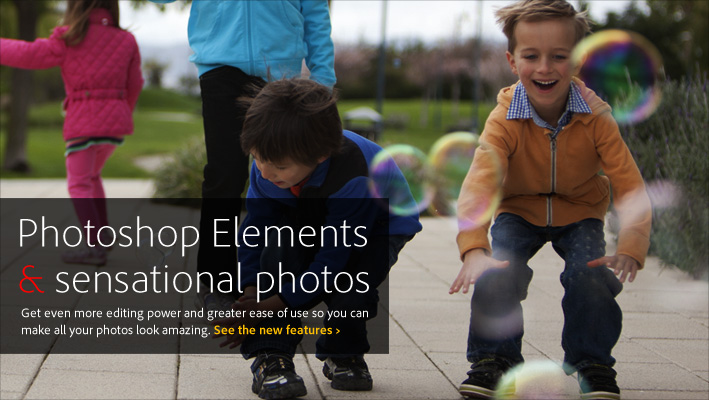
Adobe Photoshop Elements 10 the newest version of the #1 consumer photo editing software helps you turn everyday memories into sensational photos you'll cherish forever. Easilyedit photos and make photo creations using automated options, share photos with your social network, and view photos virtually anywhere you are. Award winning for 10 years!
Highlights
See what's new
Discover all the exciting ways you can easily edit photos and get sensational results with Photoshop Elements 10.
Why you'll love it
Wondering if Photoshop Elements is right for you? Get an overview of this powerful yet easy-to-use solution for all your photo needs.
Explore what you can do
See Photoshop Elements in action and get a feel for everything you can do to take photos from flawed to phenomenal, create eye-catching photo books, and more.
Go mobile
Easily share your favorite photos with your social network, and view photos virtually anywhere you are.
Features
Bring all your photos and video clips together
Easily import your photos and video clips into an intelligent and convenient media management hub.
Import photos with ease
With a single click, move photos from your memory card to your computer according to your preset preferences. Or scan several photos at once, and Adobe Photoshop Elements automatically divides, straightens, and saves each photo separately.
See everything in one place
View your photos and video clips in one convenient location. Photos are instantly organized by date, and related photos can be automatically grouped based on the time or the event where they were taken.
Organize visually
Categorize and find your photos the easy way with visual tags that represent people, places, pets, events, and objects. Instantly see every photo you've ever taken of your dog, for example, by simply clicking its visual tag.
Enjoy the latest Windows and Mac technologies
Take advantage of the hands-on capabilities of Windows and Mac multitouch technology. And use Photoshop Elements 10 on the Windows 7 operating system. (Platform support varies worldwide.)
Find what you need fast
Use smart search options to zero in on the photos you need.
Find photos that contain specific objects
Want to find shots that include your surfboard, your grandma's house, or the Eiffel Tower? Let Object Search automatically find your photos based on what's in them.
Easily find similar photos
Count on improved search to find photos that have common content and color characteristics.
Create quickly
Speed up the process of making creations by having all your open photos, photo book pages, and saved albums right at your fingertips in a dedicated Project Bin.
Tag faster using your Facebook Friends list
Use your Facebook Friends list to quickly tag faces in your photos and easily share them on Facebook.
Quickly find your best photos
No need to click through dozens or hundreds of shots to find the good ones. The Auto-Analyzer automatically tags your media so you can easily find your most interesting, highest quality photos and video footage.
Pinpoint your search
Make quick work of complex searches with the power of visual tags. Instantly find photos that show only Jack, but not Jack and Jill, for instance.
Easily manage even the biggest photo library
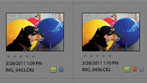
Let Photoshop Elements automatically detect duplicate or near-duplicate photos so you can quickly group them or delete the ones you don't need.
Bring together the photos that meet your needs
Need certain types of photos and video clips? Just set your criteria and they're brought together automatically in a Smart Album.
Quickly find specific people
No more hunting for photos that feature specific friends or family members. People Recognition automatically identifies the people in your photos so you can find the ones you need fast.
Search just about any way you wish
Find just the media you're looking for by typing tag names, dates, and other file information into a search box. Flip through photos taken on a particular day; view photos on an intuitive Timeline; or browse by day, week, month, or year.
Specifications
System requirements
Windows
|
|
|
|
22/09
|
EP Memory 4GB Santa Cruz Flash Drive - Rubberized Texture, Neck Strap Attachment On USB Flash Drive, USB2.0 - White Action Sport Drive 4GB
Santa Cruz Surf Drive
Santa Cruz Dead Pool Model
Action Sport Drives have teamed up with the best surf board companies in the industry to create the first and only authentic USB Flash Drive short surf board. We've combined this innovative design with the graphics from actual Santa Cruz surf boards like their Dead Pool Model.
Now you can get your favorite surf board graphics, and transfer files in style.
Features:
- Santa Cruz Graphics w/ Rubberized texture
- Neck strap attachment on USB Drive
- USB 2.0 High Speed Interface (USB 1.1 Compatible)
- True Plug-and-Play connection for hot swap function
- LED indicates when drive is in use
- No drivers required for Windows Me/2000/XP, Mac OS 9.0 or later
- Dimensions: 23mm (W) x 4.8mm (H) x 95mm (L)
- Card Capacity and Print Sizes
- Backed by EP Memory's 2 Year Warranty
|
|
|
|
22/09
|
Lexar Media 32GB JumpDrive ZX Backup Drive - USB2.0Lexar JumpDrive ZX Backup Drive 32Gb
|
|
|
|
22/09
|
Lexar Media 16GB JumpDrive ZX Backup Drive - USB2.0Lexar JumpDrive ZX Backup Drive 16Gb
|
|
|
|
22/09
|
Lexar Media 4GB JumpDrive TwistTurn Flash Drive - Stylish Portable Storage in a Protective Rotating Jacket, USB2.0 - Pastel Pink
Lexar JumpDrive TwistTurn USB Flash Drive
4GB - Pastel Pink
Product Highlights:
- Durable rotating jacket with capless design
- Highcapacity portable storage-easily transfer, store, and share a large number of files
- Available in a different stylish color for each of its varying capacities
- LED activity light blinks when it writes
- Compatible with both PC and Mac systems
- Take data, photo, music, and video files wherever you go
- Two-year limited warranty
Stylish Portable Storage in a Protective Rotating Jacket
Lexar offers a comprehensive line of high-performance USB flash drives designed with a wide variety of features, capacities, and capabilities. With so many options, it's easy to find the right Lexar JumpDrive product to fit your needs and lifestyle.
Lexar JumpDrive TwistTurn is a high-capacity USB flash drive that provides a convenient solution for storing, transferring, and sharing multimedia and more. Lexar JumpDrive TwistTurn is available in 2GB, 4GB, 8GB, 16GB, 32GB, and 64GB capacities.
Convenient, High-Capacity Solution
High-Capacity Storage and Stylish Housing. JumpDrive TwistTurn is available in a range of large capacities, allowing you to transfer, store, and share a vast number of data, photo, music, and video files. The drive has a capless design with a rotating case to protect the drive and its contents, providing an excellent combination of durability and convenience.
Plug-and-Play Design with Great Features. JumpDrive TwistTurn has a simple plug-and-play design that allows you to quickly and easily store files, so wherever you go, your information goes with you. Its durable hinged jacket rotates to easily access a USB port, and it sports an LED activity light that blinks during file transfer, so you know when the job is done. JumpDrive TwistTurn also works across platforms, giving you flexibility and ease of use.
Cool Color Options. Created to suit your style, JumpDrive TwistTurn is available in a different stylish color for each of its varying capacities. It also makes a fashionable accessory and comes with a key chain hole, making it easy to tether to a key ring, attach to a backpack, or hook to a purse or briefcase. With large storage capacities and stylish design, Lexar JumpDrive TwistTurn is an incredibly versatile and convenient portable storage solution.
Lexar Performance, Quality, Compatibility, and Reliability.All Lexar memory card, card reader, and USB flash drive product designs undergo extensive testing in the Lexar Quality Labs, facilities with more than 800 digital devices, to ensure performance, quality, compatibility, and reliability. This provides customers with a high level of confidence when using Lexar products to capture, manage, move, and store the memories that matter.
Lexar offers a comprehensive line of innovative, award-winning memory products in several categories, including memory cards, card readers,USB flash drives, and portable backup drives. With so many options, its easy to find the right Lexar solution to fit your needs.
Lexar. When Memory Matters.
This product is compatible with:
|
|
|
|
22/09
|
Lexar Media 4GB JumpDrive S50 Flash Drive - Reliable Storage, Colorful Designs, Antimicrobial Protection, USB2.0 - Light Blue
Lexar JumpDrive S50 USB Flash Drive
LJDS50-4GBACANZ
Product Highlights
- Convenient, reliable portable storage with protective sliding cover
- Easily transfer, store, and share important files
- Reliably stores and transfers files, photos, videos, and more
- Surface with antimicrobial protection helps prevent the growth of stain and odor causing bacteria
- Compatible with both PC and Mac systems
- Available in colorful, high-capacity options to suit your needs and reflect your personality
- Two-year limited warranty
Convenient, Reliable Portable Storage
The Lexar JumpDrive S50 USB flash drive provides convenient, reliable portable storage for life on the go. This Hi-Speed USB drive with protective sliding cover provides an excellent solution for safely storing, transferring, and sharing your valuable files, photos, videos, and more. The Lexar JumpDrive S50 USB flash drive is available in a wide range of capacities from 4GB to 64GB.
Stylish, High-Capacity Solutions
Reliable Storage, Colorful Designs. Compatible with both PC and Mac systems, the JumpDrive S50 USB flash drive allows you to quickly and easily store a huge number of photo, music, and video files. It has an integrated sliding cover to help safely protect the drive and its contents, and includes a lanyard loop for convenient connection to your keychain or backpack.
Plug-and-Play Designs with Great Features and Stylish Color Options. The drive has a simple plug-and-play design that allows you to quickly and easily store files, so wherever you go, your information goes with you. It also sports an LED activity light that blinks during data transfer, so you know when the job is done and data loss is averted. Whats more, the drive comes in an assortment of colors and a wide range of capacities, so its easy to find one that suits your needs and reflects your personality.
Antimicrobial Protection. JumpDrive S50 features Microban antimicrobial product protection. Built in during the manufacturing process, this added protection inhibits the growth of bacteria and mold that can cause stains, odors, and product deteriorationproviding an added measure of cleanliness.
Lexar Performance, Quality, Compatibility, and Reliability. All Lexar memory card, card reader, and USB flash drive product designs undergo extensive testing in the Lexar Quality Labs, facilities with more than 800 digital devices, to ensure performance, quality, compatibility, and reliability. This provides customers with a high level of confidence when using Lexar products to capture, manage, move, and store the memories that matter.
Lexar offers a comprehensive line of innovative, award-winning memory products in several categories, including memory cards, card readers,USB flash drives, and portable backup drives. With so many options, its easy to find the right Lexar solution to fit your needs.
Lexar. When Memory Matters.
This product is compatible with:
Some of the listed storage capacity is used for formatting and other purposes and is not available for data storage. 1GB equals 1 billion bytes. For more information, go to www.lexar.com/capacity.
Note: Software offerings and packaging may vary depending on ship date and available inventory.
|
|
|
|
22/09
|
Canon XEED SX80 Mark II LCD Projector - 1400x1050, 3000 Lumens, 900:1, VGA, HDMI, Speakers SX80MKII
Key Features
The Canon XEED SX80 Mark II projector is an update to the well-regarded XEED SX80. It provides a 3000 lumens brightness and SXGA+ resolution, plus simple Auto set-up and PC-less presentation from a USB key.
Who is it for?
Predominantly for business use, though also of interest to photographers, the SXGA+ resolution and 3000 lumen rating of the Canon XEED SX80 Mark II makes it an all-round performer that produces clear images with fine detail and accurate colours. Connectivity options include DVI, HDMI and USB flash drives, allowing projections to be made from a wide variety of image sources.
- Native SXGA+ resolution with Canon LCOS technology
- 3000 lumens brightness and 900:1 contrast ratio
- 1.5x zoom lens with 10:0 offset
- PHOTO image mode
- Auto set-up
- PC-Less presentation
- DVI and HDMI connectivity
- RJ-45 network port
Image quality
Native SXGA+ resolution (1400x1050 pixels) ensures the XEED SX80 Mark II produces images that are full of detail, whether they are text or image based projections. Canon LCOS and AISYS technology ensures bright, clear images with vivid colours and the 3000 lumens brightness and 900:1 contrast ratio allows the projector to produce vivid colours and deep blacks, even in very bright ambient situations.
Flexible projector placement
A 1.5x powered zoom projection lens makes placing the projector simple. Designed to avoid image distortion, the high-quality lens benefits from technology developed in the Canon EF range of photographic lenses. In addition, the 10:0 lens offset makes installation exceptionally easy.
Professional PHOTO image mode
To ensure your photos are displayed at their optimum, a dedicated PHOTO image mode measures the intensity and tone of ambient light to balance the displayed images appropriately. This mode offers exceptionally accurate colour reproduction of still images in any lighting condition.
Auto set-up
Setting up the XEED SX80 Mark II is quick and easy. It features an Auto set-up option that corrects for Focus, Screen Colour Correction, Vertical Keystone Correction and Input Selection at the touch of a button.
PC-Free presentations
Featuring a USB port on the side of the projector, the XEED SX80 Mark II can project JPEG format images stored on a USB memory for presentations without the burden of a computer. The USB port can also be connected to PictBridge-compatible digital cameras to display images stored on the memory card directly.
Comprehensive connectivity
Featuring DVI and HDMI terminals, both with HDCP support, the SX80 Mark II is able to play back encrypted content and work with the most common high-resolution sources. An on-board RJ-45 port is also present for connection to a network. Using the RJ-45 port allows control and integration with industry standard AV control systems.
Quiet operation
Running at levels of just 31dBA in Quiet Mode, the projector wont distract your audience with fan noise. Quiet Mode also extends lamp lifetime for up to a maximum of 3,000 hours.
Key Technologies
LCOS panel technology
Canons XEED projectors use Liquid Crystal on Silicon (LCOS) panels to provide smooth images with fantastic colour gradation. By using LCOS technology, images display none of the lattice or rainbow effects that are common with projectors which use LCD or DLP technologies.
There are three LCOS panels in the projector; one for each of the primary colours red, green and blue. Each panel features a layer of liquid crystal pixels on top of a reflective mirror base. Beneath this, the circuitry is placed. This is a combination of both reflective and transmissive image technologies to provide the best features of each, with none of the drawbacks.
Aspectual Illumination System (AISYS)
Historically, LCOS projectors have had two problems - low brightness and low contrast. The Aspectual Illumination System (AISYS) technology found in XEED projectors solves this.
By using an advanced optical array and a Polarisation Beam Splitter (PBS), light leakage is reduced to a minimum thereby increasing the brightness. The use of precision, high-quality optics enhances the contrast. The combination of AISYS and LCOS ensures bright, high contrast images with vibrant, accurate colours.
Motorised zoom lens
Setting up a projector can take a little bit of time to get right. However, the zoom lens provides flexible placement options and provides a throw range from 1.2m to 9.1m to give large, bright images even at short throw distances.
With 70 years of lens design and innovation, the lenses used in Canons XEED projector range benefit from developments in optical technology first seen in the EF lens range, including Ultra-low Dispersion (UD) lens elements and Super-Spectra lens coatings. These technologies help to eliminate flare and ghosting and provide sharp, contrasty images with greatly reduced chromatic aberration.
Image Modes
To facilitate projector set-up and ensure bright, accurate colours, the XEED SX80 Mark II features five preset display modes so you can select the most appropriate for your usage. The modes are Standard, Presentation, Movie, sRGB, and Photo. For more precise control, image display colours can be adjusted using the 6-Axis Colour Adjustment feature.
Specifications
| LCD PANEL |
| Type |
LCOS reflective display, TFT Active Matrix |
| Size and Number |
0.55 diagonal (11.2mm x 8.4mm), 3 panels |
| Aspect Ratio |
4:3 |
| Native Resolution |
1400 x 1050 (SXGA+), 1470000 pixels |
| OPTICS |
| Lamp Type |
230W NSHA |
| Lens F Number and Focal Length |
F1.95 - F2.6; f=16.6 - 24.8mm |
| Zoom Magnification and Control |
1.5x Motorised |
| Focus Control |
Motorised Auto / Manual Focus |
| Lens Shift |
10:0 (fixed) |
| IMAGE AND AUDIO |
| Brightness |
3000 lumens (2400 lumens in Quiet Mode) |
| Brightness Uniformity |
88% |
| Contrast Ratio |
900:1 (full on / full off) |
| Projection Distance Coverage |
1.2m - 9.1m (3.0m - 4.4m for a 100 inch image) |
| Screen Size |
40 - 300 (81 x 61cm - 610 x 457cm) |
| Digital Zoom Magnification |
1x - 12x |
| Keystone Correction Range |
Vertical: +/- 20 (Auto / Manual) |
| Digital RGB Compatibility |
SXGA+ / SXGA / WXGA / XGA / SVGA / VGA |
| Analogue RGB Compatibility |
UXGA / SXGA+ / SXGA / WXGA / XGA / SVGA / VGA |
| Digital Video Scan Systems |
1080p / 1080i / 720p / 576p / 480p |
| Component Video Scan Systems |
1080p / 1080i / 1035i / 720p / 576p / 576i / 480p / 480i |
| Video / S-Video Colour Systems |
PAL / PAL-M / PAL-N / NTSC / NTSC4.43 / SECAM |
| Scanning Frequency |
Horizontal: 15-75kHz, Vertical: 50-85Hz, Clock: 170MHz |
| Display Modes |
Standard, Presentation, Movie, sRGB, Photo |
| Image Enhancement |
12-bit Digital Gamma Correction |
| Built-in Speaker |
1.0W RMS, Monaural |
| CONNECTORS |
| Digital RGB / Analogue RGB Input 1 |
DVI-I 29-pin |
| Digital Video and Audio Input |
HDMI V1.3 with Deep Colour |
| Analogue RGB Input 2 |
Mini D-Sub 15-pin (Component via supplied adaptor cable) |
| Analogue RGB Output |
Mini D-Sub 15-pin |
| S-Video Input |
Mini DIN 4-pin |
| Composite Video Input |
RCA x 1 |
| Audio Input 1, Input 2, Input 3 |
3.5mm stereo mini-jack x 3 |
| Audio Output |
3.5mm stereo mini-jack x 1 (variable level) |
| USB Port / PictBridge Input |
USB Type A |
| Service Port / Projector Control |
Mini D-Sub 9-pin |
| Network Port |
RJ-45 |
| MECHANISMS |
| Front Elevation Mechanism |
One-Touch mechanical foot, 10 maximum image elevation |
| Rear Adjustment Mechanism |
Two rotary feet for fine adjustment |
| RATINGS |
| Dimensions (W x H x D) |
332mm x 121mm x 340mm |
| Weight |
5.2kg |
| Power Source |
100V - 240V AC, 50/60Hz |
| Power Consumption |
Normal Mode: 330W / Quiet Mode: 270W / Standby: 15W |
| Noise Level |
Normal Mode: 35dBA / Quiet Mode: 31dBA |
| Operating Environment |
+5C to +35C |
| Storage Environment |
-30C to +60C |
| Warranty |
3 years |
|
|
|
|
22/09
|
Hitachi XEED SX7 Mark II (E) Multimedia LCD Projector - 1400x1050, 4000 Lumens, 1000;1, VGA, Speakers Canon XEED SX7 Mark II
Multimedia Projector
The XEED SX7 Mark II is ideal for business users and photographers alike. SXGA+ resolution, 4000 lumens and a dedicated Photo mode ensure bright, colour-accurate images in any lighting environment.
Features
- Native SXGA+ resolution and LCOS technology for sharp, clear images
- 4000 lumens brightness
- 1000:1 contrast ratio
- 1.7x zoom lens
- PHOTO and Adobe RGB image modes
- Auto setup
- Near-silent 32dBA operation
- HD Ready with DVI port
Superior brightness. Perfect detail.
The clearest image quality
In todays competitive business climate, your professional presentations have to stand out clearly from the rest. Thats where the XEED SX7 Mark II makes all the difference. It projects perfect, seamless images with no gaps between pixels, thanks to advanced LCOS technology. Native SXGA+ resolution (1400 x 1050 pixels) provides superior reproduction of source text, graphics and moving images
Super bright in any surroundings
Benefit from powerful projection with clear images, even when giving presentations in high light levels or large venues. Ultra-bright 4000 lumens and a long-lasting AC lamp, combined with Canons AISYS optical system, provide high performance projection at all times.
Vivid colours, deep blacks
Another advantage of Canons AISYS optical system is a high 1000:1 contrast ratio. This gives vivid colour tones and true blacks in dark areas, for a richer viewing experience.
Flexible projector placement
The motorised 1.7x wide-angle Canon zoom lens ensures easy projector placement, as even large images can be projected from a short distance. It can be operated from a remote control handset or the control panel. The lens has a special coating to prevent ghosting and flare.
Professional PHOTO image mode
The dedicated Photo image mode offers exceptionally accurate colour reproduction of still images in any lighting conditions as the intensity and tone of the ambient light is automatically taken into account. The projector also features specialised Adobe RGB and sRGB image modes.
Simple auto set-up
Set-up is quick and easy. Auto Focus, Auto Screen Colour Correction, Auto Vertical Keystone Correction and Auto Input Selection provide optimum projector configuration, at the touch of a button.
Near-silent operation
Quiet Mode ensures near-silent operation, with fan noise reduced to just 32dBA. Audiences can concentrate fully on your presentation, without distracting background noise.
HD Ready
The projector is HD Ready, and can faithfully reproduce High Definition images. HD display is enhanced by the DVI (Digital Visual Interface) port, providing the best possible image quality. Support for the HDCP standard allows playback of encrypted digital content.
Optional network adaptor
The projector can be connected an Ethernet network via the optional RS-NA01 Network Adapter providing remote monitoring and control.
Product Specification
| LCD PANEL |
| Type |
LCOS reflective display, TFT Active Matrix |
| Size and Number |
0.7 diagonal (15mm x 11mm), 3 panels |
| Aspect Ratio |
4:3 |
| Native Resolution |
1400 x 1050 (SXGA+), 1470000 pixels |
| OPTICS |
| Lamp Type |
275W NSHA |
| Lens F Number and Focal Length |
F1.85 F2.5; f=21.7 35.8mm |
| Zoom Magnification and Control |
1.7x Motorised |
| Focus Control |
Motorised Auto / Manual Focus |
| Lens Shift |
9:1 (fixed) |
| IMAGE AND AUDIO |
| Brightness |
4000 lumens (3200 lumens in Quiet Mode) |
| Brightness Uniformity |
88% |
| Contrast Ratio |
1000:1 (full on / full off) |
| Projection Distance Coverage |
1.2m 9.0m (3.0m - 4.9m for a 100 inch image) |
| Screen Size |
40 - 300 (81 x 61cm - 610 x 457cm) |
| Digital Zoom Magnification |
1x 12x |
| Keystone Correction Range |
Vertical: +/- 20 (Auto / Manual)
Horizontal: +/- 20 (Manual) |
| Digital RGB Compatibility |
SXGA+ / SXGA / WXGA / XGA / SVGA / VGA |
| Analogue RGB Compatibility |
UXGA / SXGA+ / SXGA / WXGA / XGA / SVGA / VGA |
| Digital Video Scan Systems |
1080i / 1035i / 720p / 575p / 480p |
| Component Video Scan Systems |
1080i / 1035i / 720p / 575p / 575i / 480p / 480i |
| Video / S-Video Colour Systems |
PAL / PAL-M / PAL-N / NTSC / NTSC4.43 / SECAM |
| Scanning Frequency |
Horizontal: 15-100kHz, Vertical: 50-100Hz, Clock: 170MHz |
| Display Modes |
Standard, Presentation, Movie, Adobe RGB, sRGB, Photo |
| Image Enhancement |
12-bit Digital Gamma Correction |
| Built-in Speaker |
1.0W RMS, Monaural |
| CONNECTORS |
| Digital RGB / Analogue RGB Input 1 |
DVI-I 29-pin |
| Analogue RGB Input 2 |
Mini D-Sub 15-pin (Component via supplied adaptor cable) |
| Analogue RGB Output |
Mini D-Sub 15-pin |
| Composite Video Input |
RCA x 1 |
| Audio Input 1, Input 2, Input 3 |
3.5mm stereo mini-jack x 3 |
| Audio Output |
3.5mm stereo mini-jack x 1 (variable level) |
| Mouse Control |
USB Type B |
| Service Port / Projector Control |
Mini D-Sub 9-pin |
| MECHANISMS |
| Front Elevation Mechanism |
One-Touch mechanical foot, 10 maximum image elevation |
| Rear Adjustment Mechanism |
Two rotary feet for fine adjustment |
| RATINGS |
| Dimensions (W x H x D) |
266mm x 114mm x 336mm |
| Weight |
4.8kg |
| Power Source |
100V - 240V AC, 50/60Hz |
| Power Consumption |
Normal Mode: 360W / Quiet Mode: 290W / Standby: 7W |
| Noise Level |
Normal Mode: 36dBA / Quiet Mode: 32dBA |
| Operating Environment |
+5C to +35C |
| Storage Environment |
-30C to +60C |
| Warranty |
3 years |
|
|
|
|
22/09
|
Canon XEED SX800 (E) Multimedia LCD Projector - 1400x1050, 3000 Lumens, 900;1, 2500Hrs, VGA, Speakers Canon XEED SX800
Multimedia Projector
With LCOS technology and native SXGA+ resolution, the XEED SX800 delivers superb imaging at a competitive price point. Canons 1.5x zoom lens ensures flexible placement and perfect image geometry.
Features
- Native SXGA+ resolution with Canon LCOS technology
- Bright 3000 lumens with Canon AISYS Optical System
- 900:1 contrast ratio
- 1.5 x Zoom Lens with 10:0 Lens offset
- Auto Keystone Correction and Auto Input Selection
- Stylish design blends with any environment
The affordable way to SXGA+ quality.
Native SXGA+ resolution
With native SXGA+ resolution (1400 x 1050 pixels), the XEED SX800 reproduces still and moving images with amazing clarity and sufficient levels of detail even for specialist applications. Canon LCOS technology also avoids common projection image drawbacks, reproducing detailed images with no unwanted lattice or rainbow effects.
Exceptional brightness
With a generous 3000 lumens brightness, the XEED SX800 delivers clear, highly defined images. Canons AISYS optical system maximises the performance of the highly efficient AC projector lamp, delivering powerful projection that cuts through high levels of ambient light.
High contrast
A contrast ratio of 900:1 ensures that the XEED SX800 faithfully reproduces every colour in the source image. With deep blacks and vivid colours, every subtle gradation is rendered with pinpoint accuracy.
Easy placement
The XEED SX800 features Canons highly regarded 1.5x powered zoom projection lens, specially designed to combat distortion and deliver perfect image geometry. In addition, the 10:0 lens offset makes installation exceptionally easy.
Quiet operation
Running at levels of just 31dBA in Quiet Mode, the XEED SX800 wont distract your audience with fan noise. Quiet Mode also extends lamp lifetime - up to a maximum of 2500 hours.
Automatic setup
The XEED SX800 features Auto Setup, which sets Vertical Keystone Correction and selects the active input at the touch of a button, leaving you free to concentrate on your presentation.
Convenient design
The sleek, lightweight bodyshell of the XEED SX800 complements any office or boardroom. For easy maintenance, an optional Canon ceiling bracket allows the lamp to be changed without removing the projector.
| Product Specification |
| LCD PANEL |
| Type |
LCOS reflective display, TFT Active Matrix |
| Size and Number |
0.55 diagonal (11.2mm x 8.4mm), 3 panels |
| Aspect Ratio |
4:3 |
| Native Resolution |
1400 x 1050 (SXGA+), 1470000 pixels |
|
| OPTICS |
| Lamp Type |
230W NSHA |
| Lens F Number and Focal Length |
F1.95 F2.6; f=16.6 24.8mm |
| Zoom Magnification and Control |
1.5x Motorised |
| Focus Control |
Motorised Auto / Manual Focus |
| Lens Shift |
10:0 (fixed) |
|
| IMAGE AND AUDIO |
| Brightness |
3000 lumens (2400 lumens in Quiet Mode) |
| Brightness Uniformity |
88% |
| Contrast Ratio |
900:1 (full on / full off) |
| Projection Distance Coverage |
1.2m 9.1m (3.0m - 4.4m for a 100 inch image) |
| Screen Size |
40 - 300 (81 x 61cm - 610 x 457cm) |
| Digital Zoom Magnification |
1x 12x |
| Keystone Correction Range |
Vertical: +/- 20 (Auto / Manual) |
| Digital RGB Compatibility |
- |
| Analogue RGB Compatibility |
Vertical: +/- 20 (Auto / Manual) |
| Digital Video Scan Systems |
- |
| Component Video Scan Systems |
1080p / 1080i / 1035i / 720p / 576p / 576i / 480p / 480i |
| Video / S-Video Colour Systems |
PAL / PAL-M / PAL-N / NTSC / NTSC4.43 / SECAM |
| Scanning Frequency |
Horizontal: 15-75kHz, Vertical: 50-85Hz, Clock: 170MHz |
| Display Modes |
Standard, Presentation, Movie, sRGB |
| Image Enhancement |
12-bit Digital Gamma Correction |
| Built-in Speaker |
1.0W RMS, Monaural |
|
| CONNECTORS |
| Analogue RGB Input 1 |
Mini-D-Sub 15-pin |
| Analogue RGB Input 2 |
Mini D-Sub 15-pin (Component via supplied adaptor cable) |
| Analogue RGB Output |
- |
| S-Video Input |
- |
| Composite Video Input |
RCA x 1 |
| Audio Input 1, Input 2, Input 3 |
3.5mm stereo mini-jack x 3 |
| Audio Output |
3.5mm stereo mini-jack x 1 (variable level) |
| Service Port / Projector Control |
Mini D-Sub 9-pin |
|
| MECHANISMS |
| Front Elevation Mechanism |
One-Touch mechanical foot, 10 maximum image elevation |
| Rear Adjustment Mechanism |
Two rotary feet for fine adjustment |
|
| RATINGS |
| Dimensions (W x H x D) |
332mm x 121mm x 340mm |
| Weight |
5.0kg |
| Power Source |
100V - 240V AC, 50/60Hz |
| Power Consumption |
Normal Mode: 320W / Quiet Mode: 260W / Standby: 8W |
| Noise Level |
Normal Mode: 35dBA / Quiet Mode: 31dBA |
| Operating Environment |
+5C to +35C |
| Storage Environment |
-30C to +60C |
| Warranty |
3 years |
|
|
|
|
|
22/09
|
Canon WUX10 MARK II (E) LCD Projector - 3000 Lumens, LCOS, HDMICanon WUX10 MARKII (E) 3000 ANSI lumens LCOS WUXGA Projector HDMI i/p
|
|
|
|
22/09
|
Canon XEED X700 Multimedia LCD Projector - 1024x768, 4000 Lumens, 1000:1, VGA, DVI, Speakers Canon XEED X700
Multimedia Projector
When brightness and image quality are essential, the XEED X700 provides 4000 lumens at XGA resolution. AISYS-enhanced LCOS technology delivers incredible clarity - ideal for high-powered business applications.
Features
- LCOS technology with XGA resolution
- Ultra-bright 4000 lumens with AISYS optical system
- 1000:1 contrast ratio
- Just 31dBA in Quiet Mode
- 1.7x powered zoom
- Automatic set-up
- HDCP-enabled DVI port
- Ultra-portable design
Startling brightness. Seamless clarity.
LCOS quality, XGA resolution
The XEED X700 uses LCOS panels to project smooth, faithful images without the unwanted lattice effect. Native XGA resolution (1024 x 768 pixels) provides the definition needed for clear, crisp text and moving images.
Incredibly bright
With ultra-bright 4000 lumens projection, the XEED X700 ensures that images remain clearly visible in bright light and large venues. The new AC lamp offers increased efficiency and longer lamp life. Canons Advanced AISYS optical system optimises the projectors light path, achieving powerful output from a compact, lightweight chassis.
Stunning contrast
The AISYS optical system eliminates the contrast limitations of traditional LCOS projectors. The result is an incredible 1000:1 contrast ratio - giving lifelike colour tones and deep blacks that faithfully reproduce the source image.
No distractions
In Quiet Mode the XEED X700 is near-silent with fan noise reduced to just 31dBA - keeping the room free from distractions. Progressive scan display is supported for flicker-free moving images.
Zoom lens
The motorised Canon 1.7x wide-angle zoom lens projects large images from short throwing distances, enabling flexible projector placement. The powered lens can be operated from the control panel and remote control handset. The lens coating prevents ghosting and flare.
Simple set-up
The XEED X700 makes setting up simple. Auto Focus detects the projectors distance from the screen and focuses accordingly. Auto Screen Colour Correction detects the colour of the projection surface and optimises settings accordingly. Vertical Keystone Correction is automatic, eliminating trapezium distortion of the image. The active input port can also be selected automatically, with Auto Input selection.
Advanced connectivity
The DVI port (Digital Visual Interface) of the XEED X700 provides the best possible image quality from digital sources. Support for the HDCP standard allows high quality playback of encrypted digital content. The projector can be controlled over an Ethernet network via the optional Network Adapter.
Compact Design
The portable size of the XEED X700 makes it easy to install. Weighing just 4.8kg, AISYS technology facilitates the combination of high brightness and compact size.
XEED X700 Specifications
| LCD PANEL |
| Type |
LCOS reflective display, TFT Active Matrix |
| Size and Number |
0.7" diagonal (15mm x 11mm), 3 panels |
| Aspect Ratio |
4:3 |
| Native Resolution |
1024 x 768 (XGA), 786432 pixels |
|
| OPTICS |
| Lamp Type |
275W NSH AC lamp |
| Lens F Number and Focal Length |
F1.85 - F.25; f=21.7 - 35.8mm |
| Zoom Magnification and Control |
1.7x Motorised |
| Focus Control |
Motorised Auto / Manual Focus |
| Lens Shift |
9:1 (fixed) |
|
| IMAGE AND AUDIO |
| Brightness |
4000 lumens (3200 lumens in Quiet Mode) |
| Brightness Uniformity |
88% |
| Contrast Ratio |
1000:1 (full on / full off) |
| Projection Distance Coverage |
1.2m - 9.0m (3.0m - 4.9m for 100 inch image) |
| Screen Size |
40 inch - 300 inch (81 x 61cm - 610 x 457cm) |
| Digital Zoom Magnification |
1x - 12x |
| Keystone Correction Range |
Vertical: +/-20 (Auto / Manual)
Horizontal: +/- 20 (Manual) |
| Digital RGB Compatibility |
D-XGA / D-SVGA / D-VGA |
| Analogue RGB Compatibility |
UXGA / SXGA+ / SXGA / WXGA / XGA / SVGA / VGA |
| Video / S-Video Colour Systems |
1080i / 1035i / 720p / 575p / 480p |
| HD / Component Scan Systems |
1080i / 1035i / 720p / 575p / 575i / 480p / 480i |
| Scanning Frequency |
Horizontal: 15-100kHz, Vertical: 50-100Hz, Clock: 170MHz |
| Display Modes |
Standard, Presentation, Movie, sRGB |
| Image Enhancement |
12-bit Digital Gamma Correction |
| Built-in Speaker |
1.0W RMS, Monaural |
|
| CONNECTORS |
| Digital RGB/Video/Analogue RGB Input 1 |
DVI-I 29-pin, HDCP compatible |
| Analogue RGB Input 2 |
Mini D-Sub 15-pin (Component / SCART via optional cable) |
| Analogue RGB Output |
Mini D-Sub 15-pin |
| S-Video Input |
Mini DIN 4-pin |
| Composite Video Input |
RCA x 1 |
| Stereo Audio Input |
3.5mm stereo mini-jack x 3 |
| Mouse Control |
USB Type B |
| Service Port / Projector Control |
Mini DIN 8-pin |
|
| MECHANISMS |
| Front Elevation Mechanism |
Mechanical foot, 11.9 maximum image elevation |
|
| RATINGS |
| Dimensions (W x H x D) |
266mm x 114mm x 336mm |
| Weight |
4.8kg |
| Power Source |
100V - 240V AC, 50/60Hz |
| Power Consumption |
Normal Mode: 360W / Quiet Mode: 290W / Standby: 7W |
| Noise Level |
Normal Mode: 35dBA / Quiet Mode: 31dBA |
| Operating Environment |
+5C to +35C |
| Storage Environment |
-30C to +60C |
| Warranty |
3 Years |
|
|
|
|
|
22/09
|
Hitachi CP-AW250NM LCD Projector - 1280x800, 2500 Lumens, 2000:1, 5000Hrs, VGA, HDMI, Speakers CP-AW250NM
An Ultimate projector isnt only about throw distance; its a combination of features that make it stand out from ordinary short throw projectors. Extremely short throw distances often result in distorted and poor image quality, but not the Ultimate Short Throw. Hitachis Ultimate Short Throw projector achieves just the optimum balance between throw distance and image quality.
- Brightness: 2500 ANSI Lumens
- Resolution: WXGA (1280 x 800)
- Contrast Ratio: 2000:1
- 80" (203 cm) Image from only 53 cm*
- Hybrid Filter: 5000 hour cleaning cycle
- Advanced networking features
- This model is supplied with a versatile wall mount
Features at a glance
3LCD - A sophisticated, innovative technology that utilises 3 chips to deliver vibrant, true-to-life and consistent images for the most demanding audiences.
Hybrid Filter - The Hybrid Filter lasts for more than 4000 hours, ten times longer than conventional filters. This extension in maintenance intervals reduces the overall cost of ownership significantly.
Advanced Networking - Manage and control multiple projectors over LAN. Turn the projector on and off, schedule email alerts and monitor projectors all via the network.
AMX Device Discovery - When integrated with an AMX Controller, the relevant communication modules and drivers are downloaded to the projector automatically.
HD Ready - High Definition (HD) uses the latest technology to deliver clearer and sharper images. HD Ready indicates that this product is ready for high definition broadcasts.
HDMI - Get the highest quality image by connecting the latest in A/V equipment to the projector with HDMI (High-Definition Multimedia Interface).
Specifications
OPTICAL
| LCD Panel |
0.59" (1.5cm) P-Si TFT x 3 |
| Resolution |
WXGA (1280 x 800) |
| Brightness |
Normal Mode 2500 ANSI Lumens
Eco Mode 1700 ANSI Lumens |
| Colour light output |
2500 ANSI Lumens |
| Contrast ratio |
2000:1 |
| Lens |
Free shaped lens & motorised free shaped mirror |
| Lamp Wattage |
210W UHB |
| Lamp Life |
3000 Hours (Normal Mode) / 5000 Hours (Eco Mode)* |
| Distance to Width Ratio (:1) |
0.3:1 (fixed) |
| Diagonal display size |
60~100" (152~254cm) |
| Number of colours |
8 Bit/colour, 16.7M colours |
| Keystone |
Fixed, 5.2:-1 upward shift |
| |
*The stated lamp life refers to the average life expected in ideal operating conditions with usage in accordance with the manual. The majority of, but not all lamps should achieve this figure. |
COMPATIBILITY
| Computer Compatibility |
IBM Compatible VGA, SVGA, XGA, WXGA, WXGA+, SXGA, WSXGA+, UXGA, MAC 16" |
| Video Compatibility |
NTSC/PAL/SECAM/PAL-M/PAL-N/NTSC4.43 SDTV: 525i(480i), 525p(480p), 625i(576i) HDTV: 750p (720p@60Hz), 1125i(1080i@50/60Hz), 1125p(1080p@50/60Hz) |
| Plug & Play |
DDC2B |
FEATURES
| Speakers |
10W Mono |
| Basic functions |
Freeze, Magnify, Blank, Auto adjustment, Search |
| Picture adjustments |
Equalizing Gamma Correction, 2-3 pull down, Progressive Scan, Noise Reduction, Perfect Fit |
| Digital keystone |
Manual Vertical Keystone correction, Manual Horizontal Keystone correction |
| Advanced features |
My Screen, My Memory, My Button, blackboard/whiteboard mode, Daytime mode, input source naming (English), resolution setting, Template, Saving mode, AudioPass through, My Text |
| Outward |
Easy Lamp replace from Top, Rear intake air filter |
| Power on & off |
Quick ON, Direct ON, Direct Off |
| Security systems |
PIN Lock, Myscreen PIN lock, Keypad Lock, Kensington slot, Transition Detector, Security bar |
| Network |
Configure and control projector via web browser, receive alerts via e-mail, projector management via SNMP, Scheduling, My Image, displaying text data transferred via the network, Command Control via network, AMX Device Discovery, Messenger, PJ Link, Network Bridge, content via LAN |
| OSD Languages |
English, French, German, Spanish, Italian, Norwegian, Dutch, Japanese, Portuguese, Simplified Chinese, Traditional Chinese, Korean, Swedish, Russian, Finnish, Polish, Turkish, Arabian, Persian, Czech, Danish, Hungarian, Romanian, Slovenian, Croatian, Greek, Lithuanian, Estonian, Latvian, Thai, Portuguese (Brazil) |
CONNECTIONS
| Digital input |
1 x HDMI |
| Computer Input |
2 x 15-pin Mini D-sub |
| Computer Output |
1 x 15-pin D-sub |
| Video input |
1 x RCA Jack (for composite)
1 x S-Video Jack
2 x Component D-sub (shared with analogue RGB) |
| Audio Input |
2 x Stereo Mini Jack
1 x pair RCA (L/R)
1 x Microphone Jack |
| Audio output |
1 x pair RCA (L/R) |
| Control |
1 x 9-pin D-Sub for RS-232C Control |
| USB |
1 x USB type A for PC-less presentation
1 x USB type B for mouse control |
| Wired network |
1 x RJ-45 |
POWER
| Power Supply |
AC100-120 / 220-240 V, auto switching
|
| Power Consumption |
300W |
| Power Consumption in Standby |
<0.3W |
PHYSICAL
| Dimensions (W x H x D) |
345 x 85 x 303mm (excluding feet and extrusions when mirror is closed) |
| Weight |
3.8Kg |
| Noise level |
35dB (Normal Mode) / 29dB (Eco Mode) |
| Air filter |
Hybrid |
MISCELLANEOUS
| |
Lamp indicator light, Power light, Ceiling mount image, Rear projection image, Serial number label on side |
CERTIFICATION
| |
'UL60950-1/C-UL, FCC Part 15 Class A, 'CE, AS/NZS CISPR22 Class A |
ACCESSORIES SUPPLIED
| |
Remote control with batteries, RGB cable, power cord, cable cover, security label, user manual (detail & concise), Wall mount (HAS-K250) |
OPTIONAL ACCESSORIES
| Replacement lamp |
DT01181 |
| Laser pointer remote control |
RC-R008 |
WARRANTY
| Projector warranty |
3 Years |
| Lamp warranty |
6 Months** |
| |
**A free replacement lamp will be issued if the original lamp fails within 6 months from the date of purchase. |
|
|
|
|
22/09
|
Hitachi CP-WUX645N LCD Projector - 1920x1200, 4200 Lumens, 1000:1, 3000Hrs, VGA, HDMI, RJ45, Speakers CP-WUX645N
Ideal for medium to large venues, Hitachi's CP-WUX645N projector boasts a high definition WUXGA (1920 X 1200) resolution and 10 bit image processing. Superb image quality coupled with advanced networking capabilities and simple user functionality makes the CP-WUX645N the ideal solution for business and events.
- Brightness: 4200 ANSI Lumens
- Resolution: WUXGA 16:10 aspect ratio
- Contrast ratio: 1000:1
- Extended Hybrid Filter life - 2000 hour cleaning cycle
- Lamp life: 3000 hours (Eco Mode)*
- Full connectivity including HDMI
- Perfect Fit - adjust four corners of the image individually
Features at a glance
3LCD - A sophisticated, innovative technology that utilises 3 chips to deliver vibrant, true-to-life and consistent images for the most demanding audiences.
Hybrid Filter - The Hybrid Filter lasts for more than 4000 hours, ten times longer than conventional filters. This extension in maintenance intervals reduces the overall cost of ownership significantly.
Security features - Advanced security features include Multi-Level PIN-Lock, Transition Detector, steel security bar, Kensington Lock and prominent security labels.
Blackboard/Whiteboard Mode - Projecting onto coloured or shiny backgrounds can make images appear either dull or uncomfortably bright. This mode ensures optimal brightness whether the screen is black, green or shiny white.
Advanced Networking - Manage and control multiple projectors over LAN. Turn the projector on and off, schedule email alerts and monitor projectors all via the network.
HD Ready - High Definition (HD) uses the latest technology to deliver clearer and sharper images. HD Ready indicates that this product is ready for high definition broadcasts.
HDMI - Get the highest quality image by connecting the latest in A/V equipment to the projector with HDMI (High-Definition Multimedia Interface).
Long Life Lamp - Using Eco Mode, lamp life is extended to more than 6,000 hours - equivalent to the projector being used for three hours a day over a period of ten years.
Template Function - This unique Hitachi feature allows you to project different patterns of lines and grids onto a whiteboard, blackboard or flip chart, making writing and drawing easier.
Daytime Mode - It can be harder to see a projected picture when the sun is shining brightly. Projections are always vivid and colourful in a bright environment with Daytime Mode.
Quick On/Off - Plug in, turn on and present. The Quick On/Off feature and automatic resolution equals fast set-up
Input Source Naming - Personalise devices and inputs to the projector - for example, re-name a device input to "Tom's Laptop" for easy recognition.
Ultra Quiet - With a low noise level of 29dB in our latest models, the internal fan is one of the quietest in its class. The audience will hear the presenter, not the operating noise of the projector.
My Button - Assign custom functions or common tasks to a programmable button on your remote control.
Messenger - Send text messages and announcements to multiple, networked projectors at the same time. This is ideal for projecting daily work schedules and university campus notifications to multiple classrooms simultaneously.
Audio Pass Through - When all you need is sound and not pictures, this convenient feature lets you hear the projector's speakers whilst the rest is on stand-by - helping to preserve lamplife.
Vertical Keystone Correction - Correct misaligned images automatically with vertical keystone correction
On Screen Display (OSD) - The new menu is much easier to use. Navigating through the different options is easier, whilst settings are clearly named.
Specifications
OPTICAL
| LCD Panel |
0.76" (1.9cm) P-Si TFT x3 |
| Resolution |
WUXGA (1920 x 1200) |
| Brightness |
Normal Mode 4200 ANSI Lumens
Eco Mode 3360 ANSI Lumens |
| Colour Light Output |
4200 Lumens |
| Contrast Ratio |
1000:1 |
| Lens |
Manual Focus, Manual Zoom x 1.2 |
| Lamp |
275W UHB |
| Projection Distance |
0.9~22.3m |
| Lamp life |
2000 hours (Normal Mode)
3000 hours (Eco Mode) |
| Distance to Width Ratio (:1) |
1.5 (Wide), 2.9 (Tele) |
| Diagonal Display Size |
30~ 350" (60" @ 1.9m, wide) |
| Number of Colours |
10 Bits / colour, 1074M colours |
| Keystone |
Vertical 10:0 ~ 1:1, Horizontal 6:4 ~ 4:6 at Vertical 1:1 (Standard Lens) |
COMPATIBILITY
| Computer Compatibility |
IBM Compatible VGA, SVGA, XGA, WXGA, WXGA+, SXGA, UXGA, WSXGA+, WUXGA (reduced timing only), MAC 16" |
| Video Compatibility |
NTSC/PAL/SECAM/PAL-M/PAL-N/NTSC4.43
SDTV: 576i@50Hz, 480p@60Hz, 480i@60Hz
HDTV: 720p@50/60Hz, 1080i@50/60Hz, 1080p@50/60Hz |
| Plug & Play |
DDC2B |
| Frequency Range |
Horizontal: 31.5~106KHz, Vertical 56~120Hz |
FEATURES
| Speakers |
4.0 W x 2
|
| Basic Functions |
Freeze, Magnifying, Blank, Auto adjustment, Search, Page UP & DOWN (for USB mouse function) |
| Picture adjustments |
Perfect Fit (4 corners), Picture by Picture, Equalizing Gamma Correction, 2-3 pull down, Progressive Scan, Noise Reduction |
| Digital keystone |
Auto V keystone 30 degrees (@WUXGA 60Hz) |
| Advanced features |
MyScreen, My Memory, Blank/My Button, My Text, My Source, blackboard/whiteboard mode, Daytime Mode, Input Source Naming (English), resolution setting, Template, Closed Caption (for NTSC & component 480i only), Audio pass through |
| Outward |
Easy lamp replace from top, Air filter slides towards front side or top |
| Power on & off |
Quick On, Direct On, Auto Off |
| Security systems |
Security bar, PIN-Lock, MyScreen Password,Keypad-Lock, Kensington slot, Transition detector, My Text Lock, Security label |
| Network |
Configure and control projector via web browser, receive alerts via e-mail, projector management via SNMP, Scheduling, My Image, Command Control via network, Messenger, AMX Device Discovery, PJ Link, Network Bridge |
| OSD Languages |
MENU: 17 Languages |
CONNECTIONS
| Computer Input |
1 x 15-pin Mini D-sub
1 x HDMI
1 x BNC |
| Computer output |
1 x 15-pin Mini D-sub |
| Video Input |
1 x RCA Jack (for composite)
1 x S-Video Jack Mini-DIN 4-pin
3 x RCA Jack (for component) |
| Audio Input |
2 x Stereo Mini Jack
2 x Pair RCA (L / R) (Selectable on OSD) |
| Control and Mouse |
1 x 9-pin D-sub for RS232 control
1 x USB type B for mouse control |
| Wired network |
1 x RJ-45 |
POWER
| Power supply |
100~120/220~240V, auto switching |
| Power Consumption |
460W |
PHYSICAL
| Dimensions (W x H x D) |
418 x 139 x 357mms (excluding feet and extrusions) |
| Weight |
7.2Kg |
| Noise level |
35dB (Normal Mode) / 29dB (Eco Mode) |
| Air filter |
Hybrid |
MISCELLANEOUS
| |
Lamp indicator light, Power light, Ceiling Mount image, Rear Projection Image |
CERTIFICATION
| |
UL 60950-1/C-UL, FCC Part 15 subpart B Class A, EN61000-3-2, EN61000-3-3, EN55022, EN55024, EN60950-1, WEEE, RoHS, C-TICK, GOST-R |
ACCESSORIES SUPPLIED
| |
Remote control with batteries, RGB cable, power cord, lens cap, security label, user manual (detail & concise) |
OPTIONAL ACCESSORIES
|
|
|
|
22/09
|
Hitachi CP-WX4021N LCD Projector - 1280x800, 4000 Lumens, 2000:1, 5000Hrs, VGA, HDMI, RJ45, Speakers CP-WX4021N
Double, triple or quadruple the brightness levels with Hitachis latest Multi Purpose stackable projectors. These versatile and feature rich models can either be stacked vertically or positioned horizontally to deliver superb images at a fraction of the cost of higher brightness models.
- Brightness: 4000 ANSI Lumens
- Resolution: WXGA
- Contrast Ratio: 2000:1
- Extended Hybrid Filter life of up to 5000 hours
- Lamp life: 5000 hours (Eco Mode)*
- Advanced networking features
- Full connectivity
- Perfect Fit
Features at a glance
3LCD - A sophisticated, innovative technology that utilises 3 chips to deliver vibrant, true-to-life and consistent images for the most demanding audiences.
Hybrid Filter - The Hybrid Filter lasts for more than 4000 hours, ten times longer than conventional filters. This extension in maintenance intervals reduces the overall cost of ownership significantly.
Security features - Advanced security features include Multi-Level PIN-Lock, Transition Detector, steel security bar, Kensington Lock and prominent security labels.
Blackboard/Whiteboard Mode - Projecting onto coloured or shiny backgrounds can make images appear either dull or uncomfortably bright. This mode ensures optimal brightness whether the screen is black, green or shiny white.
Low TCO - Significantly extended maintenance intervals resulting from long-life parts reduces the total cost of ownership.
PC-less Presentations - Simply plug in a memory stick, SD card, or even a portable hard disk drive and present without the need of a laptop.
Advanced Networking - Manage and control multiple projectors over LAN. Turn the projector on and off, schedule email alerts and monitor projectors all via the network.
AMX Device Discovery - When integrated with an AMX Controller, the relevant communication modules and drivers are downloaded to the projector automatically.
HD Ready - High Definition (HD) uses the latest technology to deliver clearer and sharper images. HD Ready indicates that this product is ready for high definition broadcasts.
HDMI - Get the highest quality image by connecting the latest in A/V equipment to the projector with HDMI (High-Definition Multimedia Interface).
Long Life Lamp - Using Eco Mode, lamp life is extended to more than 6,000 hours - equivalent to the projector being used for three hours a day over a period of ten years.
Template Function - This unique Hitachi feature allows you to project different patterns of lines and grids onto a whiteboard, blackboard or flip chart, making writing and drawing easier.
Virtually Maintenance Free - Hitachi projectors are designed to be easy to use and require minimal maintenance. Long-life parts significantly extend the maintenance intervals, reducing cost and any inconvenience.
Daytime Mode - It can be harder to see a projected picture when the sun is shining brightly. Projections are always vivid and colourful in a bright environment with Daytime Mode.
Quick On/Off - Plug in, turn on and present. The Quick On/Off feature and automatic resolution equals fast set-up
Input Source Naming - Personalise devices and inputs to the projector - for example, re-name a device input to "Tom's Laptop" for easy recognition.
My Button - Assign custom functions or common tasks to a programmable button on your remote control.
Audio Pass Through - When all you need is sound and not pictures, this convenient feature lets you hear the projector's speakers whilst the rest is on stand-by - helping to preserve lamplife.
Vertical Keystone Correction - Correct misaligned images automatically with vertical keystone correction.
Horizontal Keystone Correction - Correct misaligned images with horizontal keystone correction.
On Screen Display (OSD) - The new menu is much easier to use. Navigating through the different options is easier, whilst settings are clearly named.
Specifications
OPTICAL
| LCD Panel |
0.59" (1.5cm) P-Si TFT x 3 |
| Resolution |
WXGA |
| Brightness |
4000 ANSI Lumens (Normal Mode)
2800 ANSI Lumens (Eco Mode) |
| Colour Light Output |
4000 ANSI Lumens |
| Contrast ratio |
2000:1 |
| Lens |
Manual focus, manual zoom x 1.7 |
| Lamp Wattage |
245W UHP |
| Lamp Life |
3000 Hours (Normal Mode) / 5000 Hours (Eco Mode)* |
| Diagonal display size |
30~300" (76~762cm) |
| Number of colours |
8 Bit/colour, 16.7M colours |
| Lens shift |
Vertical 11:-1~6:1, Horizontal 11:9~9:11 |
| Optical keystone |
11:-1~6:1 Upward shift |
| Distance to width ratio (:1) |
1.5 (Wide), 2.5 (Tele) |
COMPATIBILITY
| Computer Compatibility |
VGA, SVGA, XGA, WXGA, WXGA+, SXGA, WSXGA+, UXGA, MAC 16" |
| Video Compatibility |
NTSC/PAL/SECAM/PAL-M/PAL-N/NTSC4.43
SDTV: 576i@50Hz, 480p@60Hz, 480i@60Hz
HDTV: 720p@50/60Hz, 1080i@50/60Hz, 1080p@50/60Hz |
FEATURES
| Speakers |
16W |
| Basic functions |
Freeze, Magnifying, Blank, Auto adjustment, Search |
| Picture adjustments |
Equalizing Gamma Correction, 2-3 pull down, Progressive Scan, Noise Reduction, Perfect Fit |
| Digital keystone |
Vertical Auto, Horizontal Manual |
| Advanced features |
MyScreen, My Memory, My Button, Blackboard/Whiteboard mode, Input Source Naming (English), Resolution Preset, PC-Less Presentation, Template mode, Audio pass through, Day time mode, Closed caption (for NTSC & component 480i only) |
| Outward |
Easy lamp replace from top, Air filter on side |
| Power on & off |
Quick On, Direct On, Auto Off |
| Security systems |
PIN Lock, Myscreen PIN lock, Keypad Lock, Kensington slot, Transition Detector, Security bar |
| Security systems |
PIN Lock, Myscreen PIN lock, Keypad Lock, Kensington slot, Transition Detector, Security bar |
| Network |
Network Presentation (PC still picture transfer), Configuring and Controlling the Projector via a Web Browser, Failure and Warning Alerts via E-mail, Projector Management via SNMP, Controlling the Projector via Scheduling, My Image (still image transfer), Display Command Control via the Network, Displaying text data transferred via the network, AMX Device Discovery, Network Bridge, PJLink, Delivery of contents via LAN |
| OSD Languages |
English, French, German, Spanish, Italian, Norwegian, Dutch, Japanese, Portuguese, Simplified Chinese, Traditional Chinese, Korean, Swedish, Russian, Finnish, Polish, Turkish, Arabian, Persian, Czech, Danish, Hungarian, Romanian, Slovenian, Croatian, Greek, Lithuanian, Estonian, Latvian, Thai, Portuguese (Brazil) |
CONNECTIONS
| Digital input |
1 x HDMI |
| Computer input |
1 x 15-pin Mini D-sub, 1 x pair BNC |
| Computer output |
1 x 15-pin Mini D-sub |
| Video input |
3 x Component RCA
1 x RCA Jack for composite
1 x S-Video |
| Audio Input |
2 x Stereo Mini Jack
1 x pair RCA (L/R)
1 x Microphone Jack |
| Audio output |
1 x pair RCA (L/R) |
| USB Type A |
1 x USB Type A (for PC-less Presentation) |
| USB Type B |
1 x USB Type B (for USB display, USB mouse control) |
| Wired network |
1 x RJ-45 |
| Control |
1 x 9-pin D-Sub for RS-232C Control |
| Wired remote control port |
Yes |
POWER
| Power supply |
100~120/220~240V, auto switching |
| Power Consumption |
360W |
| Power consumption eco/standby |
<0.5W |
PHYSICAL
| Dimensions (W x H x D) |
400 x 103 x 318mm (excluding feet and extrusions) |
| Weight |
4.6Kg |
| Noise level |
30dB (Eco Mode)/36dB (Normal Mode) |
| Air filter |
Hybrid |
MISCELLANEOUS
| |
Lamp indicator light, Power indicator light, Security indicator light |
CERTIFICATION
| |
UL60950/C-UL, FCC Part 15 Class B, CE, AS/NZS CISPR22 Class A |
ACCESSORIES SUPPLIED
| |
Remote control with batteries, Computer cable, Power cord, Lens cap, User manual (detail & concise) |
OPTIONAL ACCESSORIES
WARRANTY
| Projector warranty |
3 Years |
| Lamp warranty |
6 Months** |
| |
**Where a lamp fails within warranty and a replacement lamp is taken, the warranty for the replacement lamp will be a maximum of 6 months (dependent on warranty hours stated). |
|
|
|
|
22/09
|
Hitachi CP-AW250N LCD Projector - 1280x800, 2500 Lumens, 2000:1, VGA, HDMI, RJ45 CPAW250N
Ultra Short Throw LCD Data Projector with WXGA Resolution
Designed to fit the needs of both businesses and education providers, the CPAW250N is the first release in a new portfolio called Ultimate Short Throw projector range. The CPAW250N can project a sharp 80" WXGA (1,280 x 800) resolution image from as little as 56cm from the screen. Developed for installation in corporate and learning environments and for use in conjunction with interactive whiteboards, the CPAW250N is smaller and 2kg lighter than its predecessor, meaning it can now be installed by one person.
Key Features
- Brightness: 2,500 lumens
- WXGA Resolution: 1,280 x 800 color pixels
- Contrast ratio: 2,000:1
- Ultra Short Throw distance
- Projection method: mirror type
- Manual vertical / horizontal keystone
- Hybrid filter
- Security functions
|
|
|
|
22/09
|
Hitachi CP-A300NM LCD Projector - 1024x768, 3000 Lumens, 2000:1, 5000Hrs, VGA, HDMI, RJ45, Speakers CP-A300NM
An Ultimate projector isnt only about throw distance; its a combination of features that make it stand out from ordinary short throw projectors. Extremely short throw distances often result in distorted and poor image quality, but not the Ultimate Short Throw. Hitachis Ultimate Short Throw projector achieves just the optimum balance between throw distance and image quality.
- Brightness: 3000 ANSI Lumens
- Resolution: XGA (1024 x 768)
- Contrast Ratio: 2000:1
- Screen Size: 80" (203 cm) Image from only 50 cm*
- Hybrid Filter: 5000 hour cleaning cycle
- Advanced networking features
- This model is supplied with a versatile wall mount
Features at a glance
3LCD - A sophisticated, innovative technology that utilises 3 chips to deliver vibrant, true-to-life and consistent images for the most demanding audiences.
Hybrid Filter - The Hybrid Filter lasts for more than 4000 hours, ten times longer than conventional filters. This extension in maintenance intervals reduces the overall cost of ownership significantly.
Advanced Networking - Manage and control multiple projectors over LAN. Turn the projector on and off, schedule email alerts and monitor projectors all via the network.
AMX Device Discovery - When integrated with an AMX Controller, the relevant communication modules and drivers are downloaded to the projector automatically.
HD Ready - High Definition (HD) uses the latest technology to deliver clearer and sharper images. HD Ready indicates that this product is ready for high definition broadcasts.
HDMI - Get the highest quality image by connecting the latest in A/V equipment to the projector with HDMI (High-Definition Multimedia Interface).
Specifications
OPTICAL
| LCD Panel |
0.63" (1.6cm) P-Si TFT x 3 |
| Resolution |
XGA (1024x768) |
| Brightness |
Normal Mode 3000 ANSI Lumens
Eco Mode 2000 ANSI Lumens |
| Colour light output |
3000 ANSI Lumens |
| Contrast ratio |
2000:1 |
| Lens |
Free shaped lens & motorised free shaped mirror |
| Lamp Wattage |
210W UHB |
| Lamp Life |
3000 Hours (Normal Mode) / 5000 Hours (Eco Mode)* |
| Distance to Width Ratio (:1) |
0.3:1 (fixed) |
| Diagonal display size |
60~100" (152~254cm) |
| Number of Colours |
8 Bits / colour, 16.7M colours |
| Keystone correction |
Fixed, 6:1 upward shift |
| |
*The stated lamp life refers to the average life expected in ideal operating conditions with usage in accordance with the manual. The majority of, but not all lamps should achieve this figure. |
COMPATIBILITY
| Computer Compatibility |
IBM Compatible VGA, SVGA, XGA, WXGA, WXGA+, SXGA, SXGA+, UXGA, MAC 16& |
| Video Compatibility |
NTSC/PAL/SECAM/PAL-M/PAL-N/NTSC4.43 SDTV: 525i(480i), 525p(480p), 625i(576i) HDTV: 750p (720p@60Hz), 1125i(1080i@50/60Hz), 1125p(1080p@50/60Hz |
| Plug & Play |
DDC2B |
FEATURES
| Speakers |
10W Mono |
| Basic functions |
Freeze, Magnify, Blank, Auto adjustment, Search |
| Picture adjustments |
Equalizing Gamma Correction, 2-3 pull down, Progressive Scan, Noise Reduction, Perfect Fit |
| Digital keystone |
Manual Vertical Keystone correction, Manual Horizontal Keystone correction |
| Advanced features |
My Screen, My Memory, My Button, blackboard/whiteboard mode, Daytime mode, input source naming (English), resolution setting, Template, Saving mode, AudioPass through, My Text |
| Outward |
Easy Lamp replace from Top, Rear intake air filter |
| Power on & off |
Quick on, direct on, direct off |
| Security systems |
PIN Lock, Myscreen PIN lock, Keypad Lock, Kensington slot, Transition Detector, Security bar |
| Network |
Configure and control projector via web browser, receive alerts via e-mail, projector management via SNMP, Scheduling, My Image, displaying text data transferred via the network, Command Control via network, AMX Device Discovery, Messenger, PJ Link, Network Bridge, content via LAN |
| OSD Languages |
English, French, German, Spanish, Italian, Norwegian, Dutch, Japanese, Portuguese, Simplified Chinese, Traditional Chinese, Korean, Swedish, Russian, Finnish, Polish, Turkish, Arabian, Persian, Czech, Danish, Hungarian, Romanian, Slovenian, Croatian, Greek, Lithuanian, Estonian, Latvian, Thai, Portuguese (Brazil) |
CONNECTIONS
| Digital input |
1 x HDMI |
| Computer input |
2 x 15-pin Mini D-sub |
| Computer Output |
1 x 15-pin D-sub |
| Video input |
1 x RCA Jack (for composite)
1 x S-Video Jack
2 x Component D-sub (shared with analogue RGB) |
| Audio output |
1 x pair RCA (L/R) |
| Control |
1 x 9-pin D-Sub for RS-232C Control |
| USB |
1 x USB type A for PC-less presentation
1 x USB type B for mouse control |
| Wired network |
1 x RJ-45 |
POWER
| Power Supply |
AC100-120 / 220-240 V, auto switching |
| Power Consumption |
300W |
| Power Consumption in Standby |
<0.3W |
PHYSICAL
| Dimensions (W x H x D) |
345 x 85 x 303mm (excluding feet and extrusions when mirror is closed) |
| Weight |
3.8Kg |
| Noise level |
35dB (Normal Mode) / 29dB (Eco Mode) |
| Air filter |
Hybrid |
MISCELLANEOUS
| |
Lamp indicator light, Power light, Ceiling mount image, Rear projection image, Serial number label on side |
CERTIFICATION
| |
'UL60950-1/C-UL, FCC Part 15 Class A, 'CE, AS/NZS CISPR22 Class A ACCESSORIES SUPPLIED |
ACCESSORIES SUPPLIED
| |
Remote control with batteries, RGB cable, power cord, cable cover, security label, user manual (detail & concise), Wall mount (HAS-K250) |
OPTIONAL ACCESSORIES
| Replacement lamp |
DT01181 |
| Laser pointer remote control |
RC-R008 |
WARRANTY
| Projector warranty |
3 Years |
| Lamp warranty |
6 Months** |
| |
**A free replacement lamp will be issued if the original lamp fails within 6 months from the date of purchase. |
|
|
|
|
22/09
|
Hitachi CP-A300N LCD Projector - 1024x768, 3000 Lumens, 2000:1, VGA, HDMI, Speakers CPA300N
Ultra Short Throw LCD Data Projector
The perfect balance of technology and design. The light weight and compact CPA300N Ultimate Short Throw projector offers the highest quality images, with a compelling design and low cost of ownership. This network model also ensures easy management. For lessons and presentations, Ultimate Short Throw projectors are an excellent choice.
Key Features
- Brightness: 3,000 Lumens
- XGA Resolution: 1,024 x 768
- Contrast ratio: 2,000:1
- Ultra Short Throw distance
- Digital zoom
- Hybrid filter
- Security functions
Specifications
Model name: CP-A300N
Liquid crystal panel: 0.63 type (inch), 1.6cm polysilicon active-matrix TFT x 3
Number of pixels: 786,432 pixels (H1024 x V768)
Resolution: 1024 x 768 color pixels (XGA)
Digital zoom: x1.2
Lamp: 210W UHP
Light output (brightness): 3,000 Lumens
Contrast ratio: 2,000:1 (Presentation mode)
Audio: 10W
Keystone correction: Manual Horizontal/Vertical Keystone
Power supply: AC100-120V/AC220-240V
Power supply: 5-35°C (41-95°F)
Input signals, Computer input Video input: VGA, SVGA, XGA, WXGA, WXGA+, SXGA, SXGA+, UXGA, MAC16" NTSC, NTSC4.43, PAL, SECAM, M-PAL, N-PAL, PAL (60Hz) HDTV: 720p@60, 1080i@50/60, 1080p@50/60SDTV: 480i, 480p, 576i
Input/output terminals Video input Audio input Monitor output USB Control Wired network (LAN) Mic. input
S-Video: Mini Din 4-pin x 1, Composite video: RCA jack x 1
Component video: via Mini-Dsub x 2
Stereo Mini jack x 2, RCA jack x 2 (L/R)
Analog RGB: 15-pin Mini-Dsub x 2
HDMI x 1 (HDCP compliant)
RCA jack x 2 (L/R)
Analog RGB: 15-pin Mini-Dsub x 1
USB type A x 1 for PC-less presentation,
USB type B x 1 for USB display, USB mouse control
9-pin Dsub x 1 for RS232C
RJ-45 x 1
Mono Mini jack x 1
(compatible with dynamic microphones and unbalanced signal lines)
Agency certifications:
UL/cUL, FCC Part15 class A,
AS/NZS CISPR22 class A,
CE, RoHS, GOST-R
UL/cUL, FCC Part15 class A,
AS/NZS CISPR22 class A,
CE, RoHS
Dimensions (WxHxD): 345 x 85 x 303mm (13.6" x 3.3" x 11.9"), [excluding protruding part, when mirror is closed.]
Weight: Approximately 3.8kg (8.5 lbs.)
Standard accessories:
Computer cable, Remote control (Part#: HL02772), Batteries, Cable cover, Power cord, User's manual, Security label, Application CD, Wall mount unit and user's manual*
Optional accessories: Lamp: DT01181, Filter set: UX37191, Laser remote control: HL02651 (RC-R008)
|
|
|
|
Previous Page
|
Next Page
|
|