Camerafarm product archive #40804
| Image |
Date |
Product description |
Price |
Buy |
|
20/09
|
Corel PaintShop Pro X4 - Ultimate - Upgrade, Windows
PaintShop Pro X4 - Ultimate - EN - Upgrade - ASIA
The Ultimate photo-editing software
Corel PaintShop Pro X4 Ultimate gives you the freedom to create your best imagesever. Along with all the photo-editing power of PaintShop Pro X4, you get award-winning Nik Color Efex Pro 3.0 photographic filters, your choice of 21 high-quality images from Fotolia and free Picture Tubes. Plus, the new HDR module, photo blending features and an updated RAW Lab put everything you need to manage, create and share incredible photos in your hands!
Overview
Passionate photographers will find more to love in Corel PaintShop Pro X4. With easy-to-use editing tools, a streamlined workspace and exciting pro-level effects, this is photo-editing software that lets you get the look you want, every time. Retouch photos in an instant. Or dive into creative features that let you create breathtaking compositions. Then share your best photos online with just a click. Its the perfect match for your DSLR camera!
- HDR module merge photos with different exposures to create incredible images
- Selective Focus mimic the effect of tilt-shift photography without expensive lenses
- Photo Blend combine photos of the same scene to include the best details and remove unwanted elements
- Redesigned workspace move freely between the Manage, Adjust and Edit tabs to find the tools you need fast
View, organize and edit the easy way
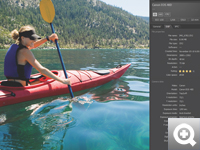
The redesigned workspace mirrors your natural workflow, making it easy to move between the Manage, Adjust and Edit modes for a more intuitive photo-editing experience. Use the Shot Info panel and dual monitor support to get the information you need at a glance.
Enhance and create faster
PaintShop Pro X4 includes GPU optimizations, performance updates and real-time effectsincluding Noise Reduction, Vibrancy, Tone Mapping and moreso you can see results as you work.
Create pro-level images
Sophisticated effects, layer editing, artistic brushes, and more than 75 new and enhanced features put high-end photo-editing tools in your hands!
Share instantly
Quickly share your photos on Facebook and Flickr straight from the Organizer.
What's New
On this page:
- More pro-level tools for incredible photos
- A more intuitive workflow
- Focused on performance
More pro-level tools for incredible photos
New! 75 new and enhanced features
Enjoy a no-limits photo-editing environment that gives you the freedom to achieve your creative vision. PaintShop Pro X4 includes 75 new and enhanced features that we developed based on the needs and interests of real users, like you!
New! High Dynamic Range (HDR) module
Create perfectly exposed photos or stunning surrealistic images with the new HDR module. The module lets you merge photos taken at different exposures or experiment with the tonal range of your images. Choose from two modes-Exposure Merge and Batch Merge-depending on the number of images you're working on.
New! Photo Blend
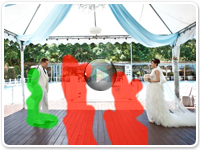
Combine elements from several shots of the same scene to create the perfect photo. Remove unwanted cars or people from a street scene. Or choose the best smiles from several photos to create the perfect group shot.
New! Fill Light and Clarity
Brighten shadows without changing the rest of your image with the Fill Light and Clarity filter. It's an easy way to draw attention to subtle details and increase the texture and depth of your photos.
New! Selective Focus
Get the effect of expensive tilt-shift lenses without the cost! Selective Focus lets you turn a scene into a miniature world. You can also use it to add depth of field and blur out distracting details.
New! Vignette effect
Draw attention to the focal point of your photo by applying a classic faded border around the edges. Use intuitive sliders to control the appearance of the edges by choosing the shape, color and tone, and adjusting the amount of blur, glow, and feathering.
Enhanced! RAW Lab
Get a better look at your images with a larger preview area in the RAW Lab. The improved histogram lets you fine-tune images quickly and the new highlight recovery feature helps you restore detail in overexposed areas.
New! Adjustment layers
Enjoy worry-free editing by using new adjustment layers to leave your original background image untouched while you're working. Layers are especially useful with complex editing, such as adding graphic elements, creating image compositions, and applying artistic enhancements or text.
Enhanced! 16-bit support
Enjoy greater precision and flexibility with extended 16-bit support for over 20 tools and adjustmentsincluding Scratch Remover, Paint Brush, Object Remover, Color Replacer, Warp Brush, Mesh Warp, Background Eraser and more!
Bonus! WinZip Pro
WinZip Pro is your one-stop solution for file compression, encryption, sharing and data backup, helping you save space, work faster and keep your files secure! (Available as a free download.)
Bonus! Corel KPT Collection Plug-in Filters
A natural addition to your photo-editing software, the KPT Collection includes 24 creative plug-in filters that help you quickly create remarkable image transformations and original effects. (Available upon product registration.)
Plus! Comprehensive full color printed User Guide
Get the PaintShop Pro X4 User Guide when you purchase the box version! This complete full color manual helps you get the most out of your new software.
A more intuitive workflow
Enhanced! Redesigned workspace
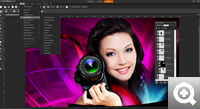
Welcome to a more enjoyable photo-editing experience! The PaintShop Pro X4 interface has been redesigned with separate Manage, Adjust and Edit workspaces so it's easy to find the tools you need when you need them. Plus, the Organizer is now available from every workspace.
New! Shot Info Panel
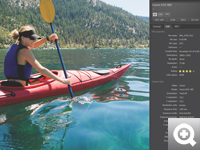
Everything you need to know about your image, including the camera it was shot with and the settings, is available at a glance in this new panel.
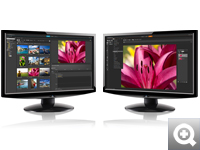
New! Dual monitor support
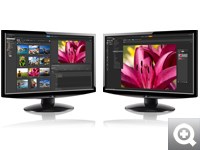
Manage your photos on one screen while editing on the other.
Focused on performance
Enhanced! Speed and performance
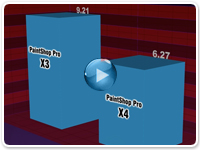
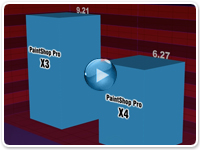
With performance updates that include GPU optimizations, the PaintShop Pro X4 interface is fast and responsivein fact, this version launches more than 50 per cent faster than the previous release.
Enhanced! Real-time results
Noise Reduction, Vibrancy, Tone Mapping and many other real-time effects are significantly faster, letting you see results as you work.
Features
View, organize and edit the easy way
Enhanced! Redesigned workspace
Enjoy a more natural workflow in the redesigned PaintShop Pro X4 interface. Move freely between three tabbed areas to manage, adjust and edit your photos. Browse, tag and organize your growing photo collection in the Manage workspace. Find frequently used tools for quick fixes in the Adjust workspace. Explore the powerful tools in the Edit workspace for in-depth photo editing, image composition and graphic design.
New! Shot Info Panel
Everything you need to know about your image, including the camera it was shot with and the settings, is available at a glance.
New! Dual monitor support
Manage your photos on one screen while editing on the other.
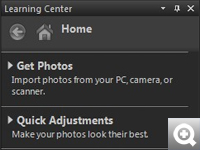
Learning Center
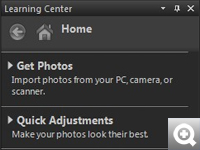
Get helpful information about PaintShop Pro tasks, command and tools. The home page of the Learning Center follows a task-based workflow, so you can get the information you need at any stage of the photo-editing process.
See results fast
Enhanced! Speed and performance
With performance updates that include GPU optimizations, the PaintShop Pro X4 interface is fast and responsive for a more enjoyable photo-editing experience.
Enhanced! Real-time results
Noise Reduction, Vibrancy, Tone Mapping and many other real-time effects let you see results as you work.
Create studio-quality images with professional tools
New! High Dynamic Range (HDR) module
Create perfectly exposed photos or stunning surrealistic images with the new HDR module. The module lets you merge photos taken at different exposures or experiment with the tonal range of your images. Try it with images taken using the auto-bracketing feature on your DSLR.
New! Photo Blend
Now you can combine elements from several shots of the same scene to create the perfect photo. Remove unwanted cars or people from a street scene. Or improve a group photo by taking the best smiles from a series of shots.
New! Fill Light and Clarity
Brighten shadows without changing the rest of your image with the Fill Light and Clarity filter. It's an easy way to draw attention to subtle details and increase the texture and depth of your photos.
New! Selective Focus
Get the effect of expensive tilt-shift lenses without the cost! Selective Focus lets you turn a scene into a miniature world. You can also use it to add depth of field and blur out distracting details.
New! Vignette effect
Draw attention to the focal point of your photo by applying a classic faded border around the edges. Use intuitive sliders to control the appearance of the edges by choosing the shape, color and tone, and adjusting the amount of blur, glow, and feathering.
Enhanced! RAW Lab
Get a better look at your images with a larger preview area in the RAW Lab. The improved histogram lets you fine-tune images quickly and the new highlight recovery feature helps you restore detail in overexposed areas.
New! Adjustment Layers
Use layers to protect your original image, especially with complex editing such as adding elements, creating image compositions, or applying artistic enhancements or text.
Smart Carver
Seamlessly remove objects from an image with professional quality. Smart Carver also lets you expand or contract objects without distortion.
Object Extractor
The integrated Object Extractor isolates an objecteven challenging cases such as flyaway hair and fuzzy pet furso it can be copied to a new background or a new background can be pasted behind it.
Makeover tools
Make sure the people in your photos look their best with tools that are fun and easy to use. Help your subjects look thinner in seconds, whiten bloodshot eyes, smooth wrinkles, paint on a tan and remove blemishes.
More editing power
Sophisticated cloning tools
Easily remove flaws and objects from your photos and fill in the space with content from another area of your image.
Scratch Remover tool
Repair scratches and cracks on your photos by filling them in with matching content from the surrounding area.
Scripting
Save time by creating scripts to automate common photo-editing actions.
Custom Screen Capture
Easily capture images directly from your screen for use in presentations, training guides and other material.
Advanced Warp tools
Twirl, expand or contract areas of an image to create interesting effects or extreme model makeovers.
Vector Editing tools
Draw and edit vector objects, and combine artistic elements with your photos to create unique designs.
Art Media brushes
Enjoy endless creative possibilities with the extensive brush options in PaintShop Pro X4.
Web graphic tools
Save and optimize images for the web complete with image mapping, slicing and rollovers.
Ultimate Bonus Pack
Corel PaintShop Pro X4 Ultimate brings together the renowned photo-editing power of PaintShop Pro with award-winning photographic filters and other valuable bonus content.
The Ultimate edition includes everything in PaintShop Pro X4, plus:
- Nik Color Efex Pro 3.0 photo effects and filters
- Royalty-free images from Fotolia
- Custom photo book*
- Free Picture Tubes
- WinZip Pro
Bonus! Nik Color Efex Pro 3.0 - award-winning photographic filters
Maximize your photo opportunities with Nik Color E fex Pro 3.0, which includes over 250 effects and styles and 30+ emulated film types in 52 easy-to-use filters. You get traditional and stylized filters that offer virtually endless possibilities to enhance and transform images quickly and easily.
Bonus! Royalty-free images from Fotolia - a unique collection of images
Choose 21 royalty-free images from Fotolia's unique collection. Fotolia offers the largest image bank of high-value, royalty-free photos and illustrations perfect for any medium, web or print.
Bonus! Custom photo book
Showcase your images in a beautiful custom photo book* from Blurb.
Bonus! Picture Tubes
Get a selection of our best Picture Tubes from our extensive collection.
System Requirements
- Microsoft Windows 7, Windows Vista or Windows XP with latest service packs installed (32-bit or 64-bit editions)
- 1.5 GHz processor (2GHz or faster processor recommended)
- 1 GB RAM (2 GB or higher recommended)
- 1 GB of free hard drive space required (2 GB or greater recommended)
- 1024 x 768 16-bit display
- Windows-compatible CD-ROM drive for installation
- Internet connection required to post photos online and download program updates
Import Formats Supported
- AI, BMP, CAL, CALS, CGM, CLP, CMX, CT, CUR, CUT, DCX, DIB, DRW, EMF, EPS, FPX, GIF, HDP, HGL, HPG, IFF, IMG, J2C, J2K, JIF, JP2, JPC, JPE, JPEG, JPG, JPS, JPX, MAC, MPO, MRW, MSP, PBM, PCD, PCT, PCX, PDF, PGL, PGM, PIC, PICT, PNG, PNS, PPM, PS, PSD, PSP (PSP image files), RAS, RAW, RIF, RLE, SCT, SVG, SVGZ, TGA, TIF, UFO, WBM, WBMP, WDP, WEBP, WMF, WPG
- Includes RAW file support from over 300 camera models with the following extensions: 3FR, ARW, CR2, CRW, DCR, DNG, ERF, K25, KDC, MEF, MOS, NEF, NRW, ORF, PEF, RAF, RW2, SR2, SRF, X3F
- Video input format support: MPEG-1, WMV (Windows Media Video), MOV (QuickTime required) and AVI (motion JPEG)
Export Formats Supported
- BMP, CAL, CALS, CLP, CUT, DCX, DIB, EMF, EPS, AI, PS, FPX, GIF, HDP, WDP, IFF, IMG, JP2, J2C, J2K, JPC, JPX, JPG, JIF, JPE, JPEG, MAC, MSP, PBM, PCX, PGM, PIC, PPM, PNG, PSD, PSP (PSP IMAGE FILES), RAS, RAW, RIF, RIFF, RLE, SCT, CT, JPS, PNS, TGA, TIF, TIFF, WBMP, WBM, WEBP, WMF
|


|
|
|
20/09
|
Corel PaintShop Pro X4 - Ultimate - Retail, Windows
The Ultimate photo-editing software
Corel PaintShop Pro X4 Ultimate gives you the freedom to create your best imagesever. Along with all the photo-editing power of PaintShop Pro X4, you get award-winning Nik Color Efex Pro 3.0 photographic filters, your choice of 21 high-quality images from Fotolia and free Picture Tubes. Plus, the new HDR module, photo blending features and an updated RAW Lab put everything you need to manage, create and share incredible photos in your hands!
Overview
Passionate photographers will find more to love in Corel PaintShop Pro X4. With easy-to-use editing tools, a streamlined workspace and exciting pro-level effects, this is photo-editing software that lets you get the look you want, every time. Retouch photos in an instant. Or dive into creative features that let you create breathtaking compositions. Then share your best photos online with just a click. Its the perfect match for your DSLR camera!
- HDR module merge photos with different exposures to create incredible images
- Selective Focus mimic the effect of tilt-shift photography without expensive lenses
- Photo Blend combine photos of the same scene to include the best details and remove unwanted elements
- Redesigned workspace move freely between the Manage, Adjust and Edit tabs to find the tools you need fast
View, organize and edit the easy way
The redesigned workspace mirrors your natural workflow, making it easy to move between the Manage, Adjust and Edit modes for a more intuitive photo-editing experience. Use the Shot Info panel and dual monitor support to get the information you need at a glance.
Enhance and create faster
PaintShop Pro X4 includes GPU optimizations, performance updates and real-time effectsincluding Noise Reduction, Vibrancy, Tone Mapping and moreso you can see results as you work.
Create pro-level images
Sophisticated effects, layer editing, artistic brushes, and more than 75 new and enhanced features put high-end photo-editing tools in your hands!
Share instantly
Quickly share your photos on Facebook and Flickr straight from the Organizer.
What's New
More pro-level tools for incredible photos
New! 75 new and enhanced features
Enjoy a no-limits photo-editing environment that gives you the freedom to achieve your creative vision. PaintShop Pro X4 includes 75 new and enhanced features that we developed based on the needs and interests of real users, like you!
New! High Dynamic Range (HDR) module
Create perfectly exposed photos or stunning surrealistic images with the new HDR module. The module lets you merge photos taken at different exposures or experiment with the tonal range of your images. Choose from two modes-Exposure Merge and Batch Merge-depending on the number of images you're working on.
New! Photo Blend
Combine elements from several shots of the same scene to create the perfect photo. Remove unwanted cars or people from a street scene. Or choose the best smiles from several photos to create the perfect group shot.
New! Fill Light and Clarity
Brighten shadows without changing the rest of your image with the Fill Light and Clarity filter. It's an easy way to draw attention to subtle details and increase the texture and depth of your photos.
New! Selective Focus
Get the effect of expensive tilt-shift lenses without the cost! Selective Focus lets you turn a scene into a miniature world. You can also use it to add depth of field and blur out distracting details.
New! Vignette effect
Draw attention to the focal point of your photo by applying a classic faded border around the edges. Use intuitive sliders to control the appearance of the edges by choosing the shape, color and tone, and adjusting the amount of blur, glow, and feathering.
Enhanced! RAW Lab
Get a better look at your images with a larger preview area in the RAW Lab. The improved histogram lets you fine-tune images quickly and the new highlight recovery feature helps you restore detail in overexposed areas.
New! Adjustment layers
Enjoy worry-free editing by using new adjustment layers to leave your original background image untouched while you're working. Layers are especially useful with complex editing, such as adding graphic elements, creating image compositions, and applying artistic enhancements or text.
Enhanced! 16-bit support
Enjoy greater precision and flexibility with extended 16-bit support for over 20 tools and adjustmentsincluding Scratch Remover, Paint Brush, Object Remover, Color Replacer, Warp Brush, Mesh Warp, Background Eraser and more!
Bonus! WinZip Pro
WinZip Pro is your one-stop solution for file compression, encryption, sharing and data backup, helping you save space, work faster and keep your files secure! (Available as a free download.)
Bonus! Corel KPT Collection Plug-in Filters
A natural addition to your photo-editing software, the KPT Collection includes 24 creative plug-in filters that help you quickly create remarkable image transformations and original effects. (Available upon product registration.)
Plus! Comprehensive full color printed User Guide
Get the PaintShop Pro X4 User Guide when you purchase the box version! This complete full color manual helps you get the most out of your new software.
A more intuitive workflow
Enhanced! Redesigned workspace
Welcome to a more enjoyable photo-editing experience! The PaintShop Pro X4 interface has been redesigned with separate Manage, Adjust and Edit workspaces so it's easy to find the tools you need when you need them. Plus, the Organizer is now available from every workspace.
New! Shot Info Panel
Everything you need to know about your image, including the camera it was shot with and the settings, is available at a glance in this new panel.
New! Dual monitor support
Manage your photos on one screen while editing on the other.
Focused on performance
Enhanced! Speed and performance
With performance updates that include GPU optimizations, the PaintShop Pro X4 interface is fast and responsivein fact, this version launches more than 50 per cent faster than the previous release.
Enhanced! Real-time results
Noise Reduction, Vibrancy, Tone Mapping and many other real-time effects are significantly faster, letting you see results as you work.
Features
On this page:
- View, organize and edit the easy way
- See results fast
- Create studio-quality images with professional tools
- More editing power
View, organize and edit the easy way
Enhanced! Redesigned workspace
Enjoy a more natural workflow in the redesigned PaintShop Pro X4 interface. Move freely between three tabbed areas to manage, adjust and edit your photos. Browse, tag and organize your growing photo collection in the Manage workspace. Find frequently used tools for quick fixes in the Adjust workspace. Explore the powerful tools in the Edit workspace for in-depth photo editing, image composition and graphic design.
New! Shot Info Panel
Everything you need to know about your image, including the camera it was shot with and the settings, is available at a glance.
New! Dual monitor support
Manage your photos on one screen while editing on the other.
Learning Center
Get helpful information about PaintShop Pro tasks, command and tools. The home page of the Learning Center follows a task-based workflow, so you can get the information you need at any stage of the photo-editing process.
See results fast
Enhanced! Speed and performance
With performance updates that include GPU optimizations, the PaintShop Pro X4 interface is fast and responsive for a more enjoyable photo-editing experience.
Enhanced! Real-time results
Noise Reduction, Vibrancy, Tone Mapping and many other real-time effects let you see results as you work.
Create studio-quality images with professional tools
New! High Dynamic Range (HDR) module
Create perfectly exposed photos or stunning surrealistic images with the new HDR module. The module lets you merge photos taken at different exposures or experiment with the tonal range of your images. Try it with images taken using the auto-bracketing feature on your DSLR.
New! Photo Blend
Now you can combine elements from several shots of the same scene to create the perfect photo. Remove unwanted cars or people from a street scene. Or improve a group photo by taking the best smiles from a series of shots.
New! Fill Light and Clarity
Brighten shadows without changing the rest of your image with the Fill Light and Clarity filter. It's an easy way to draw attention to subtle details and increase the texture and depth of your photos.
New! Selective Focus
Get the effect of expensive tilt-shift lenses without the cost! Selective Focus lets you turn a scene into a miniature world. You can also use it to add depth of field and blur out distracting details.
New! Vignette effect
Draw attention to the focal point of your photo by applying a classic faded border around the edges. Use intuitive sliders to control the appearance of the edges by choosing the shape, color and tone, and adjusting the amount of blur, glow, and feathering.
Enhanced! RAW Lab
Get a better look at your images with a larger preview area in the RAW Lab. The improved histogram lets you fine-tune images quickly and the new highlight recovery feature helps you restore detail in overexposed areas.
New! Adjustment Layers
Use layers to protect your original image, especially with complex editing such as adding elements, creating image compositions, or applying artistic enhancements or text.
Smart Carver
Seamlessly remove objects from an image with professional quality. Smart Carver also lets you expand or contract objects without distortion.
Object Extractor
The integrated Object Extractor isolates an objecteven challenging cases such as flyaway hair and fuzzy pet furso it can be copied to a new background or a new background can be pasted behind it.
Makeover tools
Make sure the people in your photos look their best with tools that are fun and easy to use. Help your subjects look thinner in seconds, whiten bloodshot eyes, smooth wrinkles, paint on a tan and remove blemishes.
More editing power
Sophisticated cloning tools
Easily remove flaws and objects from your photos and fill in the space with content from another area of your image.
Scratch Remover tool
Repair scratches and cracks on your photos by filling them in with matching content from the surrounding area.
Scripting
Save time by creating scripts to automate common photo-editing actions.
Custom Screen Capture
Easily capture images directly from your screen for use in presentations, training guides and other material.
Advanced Warp tools
Twirl, expand or contract areas of an image to create interesting effects or extreme model makeovers.
Vector Editing tools
Draw and edit vector objects, and combine artistic elements with your photos to create unique designs.
Art Media brushes
Enjoy endless creative possibilities with the extensive brush options in PaintShop Pro X4.
Web graphic tools
Save and optimize images for the web complete with image mapping, slicing and rollovers.
Ultimate Bonus Pack
Corel PaintShop Pro X4 Ultimate brings together the renowned photo-editing power of PaintShop Pro with award-winning photographic filters and other valuable bonus content.
The Ultimate edition includes everything in PaintShop Pro X4, plus:
- Nik Color Efex Pro 3.0 photo effects and filters
- Royalty-free images from Fotolia
- Custom photo book*
- Free Picture Tubes
- WinZip Pro
Bonus! Nik Color Efex Pro 3.0 - award-winning photographic filters
Maximize your photo opportunities with Nik Color E fex Pro 3.0, which includes over 250 effects and styles and 30+ emulated film types in 52 easy-to-use filters. You get traditional and stylized filters that offer virtually endless possibilities to enhance and transform images quickly and easily.
Bonus! Royalty-free images from Fotolia - a unique collection of images
Choose 21 royalty-free images from Fotolia's unique collection. Fotolia offers the largest image bank of high-value, royalty-free photos and illustrations perfect for any medium, web or print.
Bonus! Custom photo book
Showcase your images in a beautiful custom photo book* from Blurb.
Bonus! Picture Tubes
Get a selection of our best Picture Tubes from our extensive collection.
System Requirements
- Microsoft Windows 7, Windows Vista or Windows XP with latest service packs installed (32-bit or 64-bit editions)
- 1.5 GHz processor (2GHz or faster processor recommended)
- 1 GB RAM (2 GB or higher recommended)
- 1 GB of free hard drive space required (2 GB or greater recommended)
- 1024 x 768 16-bit display
- Windows-compatible CD-ROM drive for installation
- Internet connection required to post photos online and download program updates
Import Formats Supported
- AI, BMP, CAL, CALS, CGM, CLP, CMX, CT, CUR, CUT, DCX, DIB, DRW, EMF, EPS, FPX, GIF, HDP, HGL, HPG, IFF, IMG, J2C, J2K, JIF, JP2, JPC, JPE, JPEG, JPG, JPS, JPX, MAC, MPO, MRW, MSP, PBM, PCD, PCT, PCX, PDF, PGL, PGM, PIC, PICT, PNG, PNS, PPM, PS, PSD, PSP (PSP image files), RAS, RAW, RIF, RLE, SCT, SVG, SVGZ, TGA, TIF, UFO, WBM, WBMP, WDP, WEBP, WMF, WPG
- Includes RAW file support from over 300 camera models with the following extensions: 3FR, ARW, CR2, CRW, DCR, DNG, ERF, K25, KDC, MEF, MOS, NEF, NRW, ORF, PEF, RAF, RW2, SR2, SRF, X3F
- Video input format support: MPEG-1, WMV (Windows Media Video), MOV (QuickTime required) and AVI (motion JPEG)
Export Formats Supported
- BMP, CAL, CALS, CLP, CUT, DCX, DIB, EMF, EPS, AI, PS, FPX, GIF, HDP, WDP, IFF, IMG, JP2, J2C, J2K, JPC, JPX, JPG, JIF, JPE, JPEG, MAC, MSP, PBM, PCX, PGM, PIC, PPM, PNG, PSD, PSP (PSP IMAGE FILES), RAS, RAW, RIF, RIFF, RLE, SCT, CT, JPS, PNS, TGA, TIF, TIFF, WBMP, WBM, WEBP, WMF
|
|
|
|
Previous Page
|
Next Page
|
|