Camerafarm product archive #40756
| Image |
Date |
Product description |
Price |
Buy |
|
03/08
|
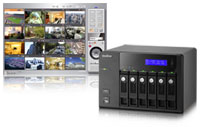
QNAP Systems VS-6016 Pro Network Storage Device w. 12-Channel Network Video Recorder
- 6x3.5"SATA HDD, RAID 0,1,5,5+S,6,6+S,JBOD, 5xUSB2.0, 2xGigLAN
|
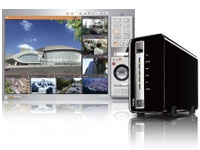
Powered by dual-core Intel Atom CPU and 1GB memory, the VS-6016 Pro VioStor NVR is the high performance network surveillance system for monitoring, video recording and playback from multiple IP cameras. The Linux-based system supports PC-less quick configuration, monitoring of IP cameras over the network, and video playback by connecting a monitor to the built-in VGA connector, a USB keyboard, and a USB mouse. The VioStor NVR supports simultaneous megapixel recording (up to 8-megapixel) and unique multi-server monitoring, a feature which allows monitoring of up to 128 IP cameras from multiple QNAP NVR servers at the same time. No extra software is required on the PC. In order to enhance system security, the NVR provides advanced event management feature for the administrator to define more handling options when different events or alarms are triggered.
The VioStor NVR supports diversified recording features, such as scheduled recording, alarm recording by multiple alarm events, alarm recording schedule, and pre-alarm and post-alarm recordings. An intuitive user interface is provided for the users to view the monitoring screens, connection and recording status, and network bandwidth. Video search by intelligent video analytics (IVA), such as motion detection, foreign object, missing object, out of focus, and camera occlusion is also available for more efficient search of recording data.
Other class-leading server features of the VioStor NVR include advanced data protection by RAID 1/ 5/ 6, Online RAID Capacity Expansion, Online RAID Level Migration, dual Giga LAN ports for network failover, load-balancing, and multi-IP setting, and so on. Moreover, the VioStor NVR can be easily set up in 6 simple steps by the IE browser. All the powerful features can also be maintained by the web-based interface.
Powerful Features of VioStor NVR (Network Video Recorder):
 Real-time monitoring and recording (video/audio) from multiple IP cameras (up to 16 channels) Real-time monitoring and recording (video/audio) from multiple IP cameras (up to 16 channels)- High quality H.264, MPEG-4, M-JPEG, and MxPEG recording (depending on the camera models)
- Complete recording features
- Megapixel recording (up to 8-megapixel)
- PC-less network surveillance by HD local display
- Multi-server monitoring (up to 128 channels)
- Dual display mode
- Video search by date and time, timeline, and event
- Intelligent video analytics (IVA)
- Multi-view playback from multiple NVR servers
- Digital watermarking
- Advanced event management
- Real-time SMS and email alert
- Live monitoring on Windows PDA phone by VMobile
- Trouble-free installation
- Linux-embedded, highly reliable standalone NVR
- Advanced RAID with hot-swappable hard drives design
- Online RAID capacity expansion and online RAID level migration
- UPS Support for 24/7 service
- Intelligent auto power on after power recovery
- Energy-saving design (only 25W in operation)
Surveillance Features
Complete Recording Functions
High Quality H.264, MPEG-4, M-JPEG and MxPEG Recording (depending on the camera models)
All-in-one Recording Functions
 Continuous/manual/scheduled recording * Continuous/manual/scheduled recording *- Alarm recording (by multiple events), alarm recording schedule *
- Pre-alarm and post-alarm recording
- Audio recording
* You can set different recording schedules for different cameras.
 High Performance Megapixel Recording High Performance Megapixel Recording
VioStor NVR supports high performance megapixel recording (up to 8-megapixel) from various IP cameras.
 Generic IP Cameras Support Generic IP Cameras Support
VioStor NVR provides an interface for the users to enter the JPEG CGI command of their IP cameras to retrieve the video and audio data from the IP cameras.
PC-less Network Surveillance by HD Local Display via VGA Connector
Diversified Modes for Local Monitoring
- 1/4/6/8/9/10/12-channel display mode
- Sequential display mode
High Resolution Local Display
VioStor NVR supports widescreen VGA monitor or TV of different resolutions, up to full HD (1920 x 1080).
Convenient Control of PTZ and Speed Dome Cameras
You can adjust the PTZ cameras directly and view the preset positions of the IP cameras on the local display interface of VioStor NVR.
Digital Zoom
You can zoom in or zoom out the video image on the monitoring and playback interfaces.
On-screen Event Alert
When an event occurs, an alert icon will be shown instantly on local monitoring page. You can click the icon to view the alert details.
Video Search
VioStor NVR supports convenient video search by date and time on the local playback interface.
Local Video Playback on VGA Monitor or TV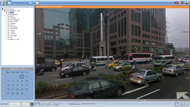
VioStor NVR supports video playback on a VGA monitor or TV.
Quick System Setup
You can set up VioStor NVR in simple steps on the local display interface.
Network Surveillance by Web-based Interface (IE Browser)
Real-time Remote Monitoring
Multi-server Monitoring
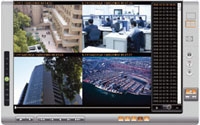
You can connect to one VioStor NVR and monitor up to 128 channels from other VioStor NVR servers over LAN or WAN by an IE browser.
Diversified Remote Monitoring Modes
- 1/4/6/8/9/10/12/16/20/25/36/42-channel and sequential display mode
- Exclusive Picture-in-Picture mode
- Multi-display mode
 Smart Control of PTZ & Speed Dome Cameras Smart Control of PTZ & Speed Dome Cameras
You can adjust the PTZ cameras directly by the web user interface of VioStor NVR.
 Preset Position Control and Auto Cruising Preset Position Control and Auto Cruising
You can view the preset positions of an IP camera by clicking the corresponding number buttons on the monitoring page. You can also choose the preset positions and configure the time interval on the PTZ cameras for periodic monitoring.
 Instant Event Notification Instant Event Notification
When alarm recording is enabled and an event occurs, an alarm icon is shown instantly on the monitoring page. You can click the icon to view the alert details.
 Digital Zoom Digital Zoom
You can zoom in or zoom out the video image on the monitoring and playback interfaces.
 E-map E-map
VioStor NVR provides exclusive E-map function for users to upload the pictures of the monitoring locations.
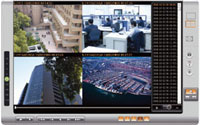 Remote Video Playback Remote Video Playback
Multi-view Playback
You can use the multi-view playback feature to divide a video equally into multiple sessions for playback in a multi-view window, or play the videos of multiple IP cameras in the multi-view window simultaneously.
Video Search by Date and Time, Timeline, Event, Intelligent Video Analytics (IVA)
VioStor NVR supports quick video search by date and time, timeline, event, and intelligent video analytics (IVA), including motion detection, foreign object, missing object, out of focus, and camera occlusion.
 How to use intelligent video analytics on playback How to use intelligent video analytics on playback
 Digital Watermarking Digital Watermarking
VioStor NVR supports digital watermarking to protect the exported videos and snapshots from unauthorized modification. You can use the Watermark Proof utility to verify whether or not the videos and snapshots are original.
Event Management
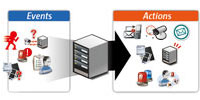 Advanced Event Management Advanced Event Management
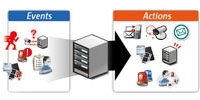
VioStor NVR supports various event handling options for different kinds of events.
- Events: Motion detection, alarm input, connection failure, recording failure, and user-defined event.
- Actions: Video recording, email alert, SMS alert, buzzer, PTZ camera control, alarm output, and user-defined action.
 Real-time SMS and Email Alert Real-time SMS and Email Alert
You can configure the SMTP server and SMSC server settings on the NVR in order to receive instant system warning or error messages by email and/or SMS.
Convenient Backup Solution
Scheduled Remote Replication
VioStor NVR supports scheduled remote replication for secure data backup to a remote QNAP NAS on the local network.
One-Touch-Auto-Video-Backup
You can configure the one-touch-auto-video-backup button on the front of the NVR to copy the data from the NVR to an external storage device when the button is pressed.
Security Control
 Authority Management Authority Management
You can create multiple users on VioStor NVR. The users created on the NVR can be assigned to different user groups (administrator/system manager/user) with different rights of monitoring, playback, PTZ control, and audio monitoring.
 Auto Logoff Auto Logoff
VioStor NVR supports automatic user logoff from idling configuration pages. The administrator can set the timeout period to log off the users when the idling time has reached.
 Host Access Control Host Access Control
You can specify the host or IP connections to be allowed and denied to access NVR.
 On-line User List On-line User List
You can view the record of users currently logged on and previously logged on to the NVR.
 Detailed Event Logs Detailed Event Logs
VioStor NVR provides detailed event logs of system warning, hard disk error, network disconnection, UPS status, users' networking services and recordings access record.
High Reliability and Smart Features
Advanced RAID with Hot-swap Design
VioStor NVR supports RAID 0, 1, 5, 6, 5+hot spare, 6+hot spare, single, and JBOD disk configurations. Its hot-swap design allows a failed drive of a RAID disk volume to be replaced by hot swapping without turning off the server.
 Online RAID Capacity Expansion and Online RAID Level Migration Online RAID Capacity Expansion and Online RAID Level Migration
- Online RAID Capacity Expansion
The storage capacity of a RAID configuration can be expanded by replacing the hard drives with larger ones. All the data will be kept and seamlessly moved to the newly installed hard drives. There is no need to turn off the server during the process.
 Online RAID Level Migration Online RAID Level Migration
You can upgrade the disk configuration to higher RAID level with the data retained without turning off the server.
 S.M.A.R.T. & Advanced HDD Health Scanning (HHS) S.M.A.R.T. & Advanced HDD Health Scanning (HHS)
S.M.A.R.T. (Self-Monitoring Analysis and Reporting Technology) helps you monitor the hard disk drives status. VioStor NVR supports HHS (HDD Health Scan) for disk checking and bad blocks scanning.
 Automatic System Startup after Power Recovery Automatic System Startup after Power Recovery
VioStor NVR supports automatic power-on when power resumes after power outage.
 UPS Support for 24/7 Service UPS Support for 24/7 Service
VioStor NVR supports APC, CyberPower, and MGE UPS devices to provide continuous services 24/7 against unexpected power outage.
DOM Architecture with Embedded Fail-safe Dual OS for Enhanced Reliability
All the OS and applications of VioStor NVR are embedded on the DOM. VioStor NVR allows system booting without accessing the physical disk sectors which prevents unsuccessful system startup caused by bad block sectors or file errors on the hard drives. Two operating systems are built on the DOM for system booting alternatively upon every system startup. When one fails, the other one will be used to boot up instead, and the failed OS is recoverable from the other healthy OS.
Network Services
 Dual Gigabit LAN Ports Dual Gigabit LAN Ports
- Failover
This mode allows VioStor NVR to sustain the failure of one network port to provide continuous services.
- Load-balancing
This mode provides bandwidth aggregation to boost the file transfer speed (works with managed Ethernet switch with 802.3ad configured).
- Multi-IP Setting
Two IP settings can be configured on the NVR to allow network access from two different subnets.
Built-in DDNS Service
VioStor NVR supports dynamic DNS (DDNS). You can register a unique domain name from a DDNS service provider and assign it to your NVR.
Built-in NTP Server
You can enable this feature to allow the connected IP cameras to synchronize their date and time settings with the NVR.
 Convenient Data Access Convenient Data Access
The video data of VioStor NVR can be accessed by the following protocols with proper access rights:
- Network Places (SMB/CIFS)
- Web file management (HTTP)
- FTP server
Easy Configuration and Management
System Setup in Simple Steps
You can set up the NVR easily in simple steps by the local display and web-based interface.
Web-based User Interface
All system configurations, monitoring, and playback can be finished by the web-based interface.
Smart Search of IP Camera for Quick Settings
QNAP provides an intelligent software utility Finder for quick IP camera search and system settings.
Excellent Hardware Design
Dual-core Intel Atom Processor and 1GB Memory for Superior System Performance
Powered by dual-core Intel Atom processsor and 1GB memory, VioStor NVR delivers superior performance for different surveillance applications.
Green NVR Solution: Energy-Saving Linux-embedded System
VioStor NVR is a Linux-embedded system which is more power-saving and less vulnerable to virus attack compared to PC-based surveillance solutions.

Touch-N-Go PC-less Installation
You can use the LCD display to complete the first time installation of the NVR in a few simple steps. The NVR will automatically complete the hard disk formatting and RAID building.
Up to 12TB Storage Capacity for Long-term Recording
VioStor NVR supports maximum 6 high-speed SATA hard drives for recording large amount of video data in a long period of time.
|
|
| Processor |
Dual-core Intel Atom processor |
| Memory |
1GB RAM, 512MB Flash (DOM) |
| HDD Capacity |
6 x 3.5" SATA(II)/2.5" SATA/SSD
NOTE:
- The standard system is shipped without HDD.
- For the HDD compatibility list, please visit http://www.qnap.com/pro_compatibility.asp
|
| HDD Tray |
6 x hot-swappable and lockable tray |
| LAN Port |
2 x Gigabit RJ-45 Ethernet port |
| LED Indicators |
Status, LAN, USB, eSATA, Power, HDD 1, HDD 2, HDD 3, HDD 4, HDD 5, HDD 6 |
| USB |
5 x USB 2.0 port (Front: 1; Back: 4)
Support pen drive, USB mouse, USB keyboard, USB sound card, and USB UPS etc. |
| Buttons |
Power button, one-touch-auto-video-backup button, reset button |
| LCD Panel |
Mono-LCD display with backlight
Enter button, Select button for configuration |
| VGA Connector |
1 (for local display)
Suggested video output resolution: 1920 x 1080 (Full HD) |
| Alarm Buzzer |
System warning |
| Form Factor |
Tower |
| Dimensions |
175 (H) x 257 (W) x 235 (D) mm |
| 6.89 (H) x 10.12 (W) x 9.25 (D) inch |
| Weight |
Net weight: 5.2 kg (11.46 lbs) |
| Gross weight: 6.5 kg (14.33 lbs) |
| Sound Level (dB) |
In operation: 40.8 dB
(with 6 x 500GB HDD installed) |
| Power Consumption |
In Operation: 43W
(with 6 x 500GB HDD installed) |
| Operation Environment |
Temperature 0~40C
Humidity 0~95% R.H. |
| Power Supply |
Input: 100-240V AC, 50/60Hz, Output: 250W |
| Secure Design |
K-Lock security slot for theft prevention |
| Fan |
2 x quiet cooling fan (9 cm, 12V DC) |
|
Design and specifications are subject to change without notice.
| Recording |
| Supported Camera Models |
Please visit http://www.qnapsecurity.com/pro_compatibility_camera.asp |
| Number of Channels Supported (Recording) |
Up to 16 |
| Video Compression |
H.264/ MPEG-4/ M-JPEG/ MxPEG (depending on the camera models) |
| Recording Mode |
Continuous/ manual/ schedule recording
Alarm recording/ multiple alarm recording schedules |
Buffer Storage for Alarm Images
(before and after events) |
Pre-recording: Up to 300 sec
Post-recording: Up to 300 sec |
| Recording Performance |
Up to 30 fps at D1 or VGA for each channel
* Real performance may vary in different environment |
| Megapixel Recording |
Supports megapixel cameras (up to 8-megapixel) |
| Recording Settings |
Video compression, resolution, frame rate, quality, audio recording |
| File Format |
AVI (QNAP codec is required for playback) |
| Local Display |
| Display Mode |
1/4/6/8/9/10/12-channel display mode, sequential display mode |
| Local Monitoring Enhancement |
Full screen display, event notification, PTZ control, digital zoom |
| Local Playback |
Single view playback from local NVR server |
| Search Mode for Local Playback |
By date & time |
| Playback Control |
Play, pause, stop, reverse play, next/ previous video file, different speed control |
| Local Playback Enhancement |
Full screen display, digital zoom |
| Remote Monitoring |
| Display Mode |
1/4/6/8/9/10/12/16/20/25/36/42-channel display, Picture-in-Picture, sequential mode, multi-display mode |
| Multi-server Monitoring |
Up to 128-channel monitoring from multiple VioStor NVR servers |
| Monitoring Enhancement |
Full screen display, video snapshot, manual recording, event notification, PTZ control, digital zoom |
| E-map |
Upload E-map (JPEG) |
| Remote Playback |
| Playback Channel |
Max 4-view playback from multiple NVR servers simultaneously |
| Search Mode |
By date & time, timeline, event, and intelligent video analytics (IVA) |
| Intelligent Video analytics (IVA) |
Motion detection, missing object, foreign object, out of focus, and camera occlusion |
| Playback Control |
Play, pause, stop, reverse play, next/ previous frame, next/ previous video file, different speed control |
| Playback Enhancement |
Full screen display, video snapshot, digital zoom, digital watermarking |
| Export |
Convert recording files to one avi file |
| Download |
Download recordings via the web |
| Advanced Event Management |
| Events |
Motion detection, alarm input, connection failure, recording failure, and user-defined event |
| Actions |
Video recording, email alert, SMS alert, buzzer, PTZ camera control, alarm output, and user-defined action |
| Backup |
| Schedule Remote Replication |
Schedule video data backup to a NAS on the local network |
| Video Backup to External USB Storage by One-Touch-Auto-Video-Backup Button |
Press and hold the one-touch-auto-video-backup button for 3 seconds. The recording data on VioStor will be copied to the external USB device instantly. |
| Security Control |
| Authority Management |
Different user groups and rights can be assigned to different users |
| Host Access Control |
Specify the connections to be allowed and denied to access the VioStor NVR |
| Auto Logoff |
Automatic user logoff from idling configuration pages |
| Event Logs |
Detailed event logs |
| On-line Users List |
Record of the users currently logged on and previously logged on to the VioStor NVR |
| Digital Watermarking |
Verify whether or not the videos and snapshots are original |
| Reliability |
| Operation System |
Linux-embedded system, free from PC crash and virus attack |
| Disk Management |
Single disk, RAID 0, RAID 1, RAID 5, RAID 5+ hot spare, RAID 6, RAID 6+ hot spare, and JBOD/Linear
Online RAID Capacity Expansion, Online RAID Level Migration
HDD S.M.A.R.T., bad blocks scan |
| UPS |
APC/ CyberPower/ MGE (USB UPS) |
| Network Services |
| Support |
HTTP, TCP/IP, SMTP, DHCP, Static IP, DNS, DDNS, FTP, NTP, UPnP, failover, load-balancing, multi-IP setting |
| Dual Gigabit LAN |
Failover/ load-balancing/ multi-IP setting |
| Services |
Web File Manager, FTP, SMB/CIFS |
| Language Support |
| Language |
Czech/ Danish/ Dutch/ English/ French/ Finnish/ German/ Hungarian/ Italian/ Japanese/ Korean/ Norwegian/ Polish/ Portuguese/ Russian/ Spanish/ Swedish/ Simplified Chinese/ Traditional Chinese/ Turkish |
| Client PC Requirement (Suggested system requirement for better video performance) |
| CPU |
M-JPEG format (up to 16 channels):
Dual core CPU 2.4 GHz or above
MPEG-4/ H.264 format (up to 16 channels):
Quad core CPU 2.33 GHz or above
* For higher surveillance performance, please select more advanced PC models. |
| Memory |
2 GB or above |
| Operation System |
Microsoft Windows XP/ Vista/ 7 |
| Web Browser |
Internet Explorer 6.0 or above |
| Network Interface |
10/100/1000 Mbps |
| Display Resolution |
1024 x 768 pixels or above |
| Utility Software |
| QNAP Finder |
Discovery and quick setup of the VioStor NVR |
| VioStor Player |
Play the recording files on your Windows computer easily |
| Watermark Proof |
Check if the exported videos and snapshots were modified |
| VSMobile |
Monitor the network cameras on the VioStor NVR by the Windows PDA phone |
|
 |
VioStor NVR |
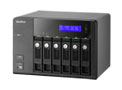 |
|
|
QIG |
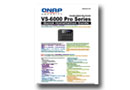 |
|
|
Quick Installation Guide (RAID configuration) |
 |
|
|
CD-ROM |
 |
|
|
Ethernet cable x 2 |
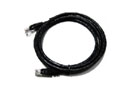 |
|
|
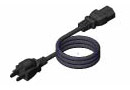
Power cord |
 |
|
|
Hard disk lock |
 |
|
|
Screw pack |
 |
|
|
|
|


|
|
|
03/08
|
QNAP Systems VS-2008L Network Storage Device w. 8-Channel Network Video Recorder
- 2x3.5"SATA HDD, RAID 0,1,JBOD, 3xUSB2.0, 1xGigLAN VS-2008L
Affordable 8-channel / 2-bay Lite NVR for SOHO & Home
Features
The VS-2008L VioStor NVR is the 2-bay network surveillance system for home and SOHO security applications. The Linux-based system supports 8-channel H.264, MPEG-4, and M-JPEG recording from ONVIF-compliant IP cameras and surveillance devices from AXIS, ACTi, A-MTK, Arecont Vision, AVTECH, Brickcom, Canon, Cisco, CNB, DIGITUS, D-Link, EDIMAX, ELMO, EtroVision, GANZ, Honeywell, iPUX, IPX, IQeye, LevelOne, Linksys, Messoa, MOBOTIX, NAKAYO, Panasonic BB/BL/i-Pro, Pelco, SANYO, SHANY, SONY, TOA, TOSHIBA, TRENDnet, Videosec, VIOSECURE, VIVOTEK, and Y-CAM.
The unique multi-server monitoring feature of the VioStor NVR allows monitoring of up to 128 IP cameras from multiple QNAP NVR servers at the same time. No extra software is required. Instant alarm icon will be shown and the alarm channel will be highlighted to inform the administrator immediately if an event occurs.
The VioStor NVR supports diversified recording features, such as scheduled recording, alarm recording by multiple alarm events, alarm recording schedule, and pre-alarm and post-alarm recordings. Advanced event management is provided for the administrator to define the handling options when events or alarms are triggered. The VioStor NVR also offers enhanced video search by intelligent video analytics (IVA), such as motion detection, foreign object, missing object, out of focus, and camera occlusion. Moreover, you can use the video surveillance application "VMobile" to monitor the IP cameras with your iPad, iPhone, iPod touch, and Windows PDA phones anytime, anywhere.
Powerful Features of VioStor NVR (Network Video Recorder):
- Real-time monitoring and recording (video/audio) from multiple IP cameras (up to 8 channels)
- High quality H.264, MPEG-4, and M-JPEG recording (depending on the camera models)
- Complete recording features
- Multi-server monitoring (up to 128 channels)
- Dual display mode
- Video search by date and time, timeline, and event
- Intelligent video analytics (IVA)
- Multi-view playback from multiple NVR servers
- Digital watermarking
- Advanced event management
- Real-time SMS and email alert
- Live monitoring on iPad, iPhone, iPod Touch and Windows PDA phone by VMobile
- Trouble-free installation
- Linux-embedded, highly reliable standalone NVR
- Advanced RAID management
- Online RAID capacity expansion and online RAID level migration
- UPS Support for 24/7 service
- Intelligent auto power on after power recovery
- Energy-saving design (only 13W in operation)
Surveillance Features
Complete Recording Functions
High Quality H.264, MPEG-4, and M-JPEG Recording (depending on the camera models)
All-in-one Recording Functions
Continuous/manual/scheduled recording
- Alarm recording (by multiple events), alarm recording schedule*
- Pre-alarm and post-alarm recording
- Audio recording
* You can set different recording schedules for different cameras.
Multi-stream support
Administrators now can flexibly define multiple video streams (supported by specific camera models) according to bandwidth resources and number of live-view channels. The adjustable video stream setting helps improve the displaying quality of live-view and well manage the bandwidth resources based on different usage requirements.
Smart Recording
The VioStor NVR automatically selects video streams from IP cameras for different recording scenarios. In normal situation, video recording maintains at lower quality resolution. While the alarm event happens, video recording switches to high quality resolution to capture more details. In other words, smart recording effectively avoids the constant storage consumption at all time, but achieves greater storage efficiency and boost recording quality when alarm events happen. (Please visit here for camera compatibility list.)
Generic IP Cameras Support
VioStor NVR provides an interface for the users to enter the JPEG CGI command of their IP cameras to retrieve the video and audio data from the IP cameras.
Network Surveillance by Web-based Interface (IE Browser)
Real-time Remote Monitoring
Multi-server Monitoring
You can connect to one VioStor NVR and monitor up to 128 channels from other VioStor NVR servers over LAN or WAN by an IE browser.
Diversified Remote Monitoring Modes
- 1/4/6/8/9/10/12/16/20/25/36/42-channel and sequential display mode
- Exclusive Picture-in-Picture mode
- Multi-display mode
Smart Control of PTZ & Speed Dome Cameras
You can adjust the PTZ cameras directly by the web user interface of VioStor NVR.
Preset Position Control and Auto Cruising
You can view the preset positions of an IP camera by clicking the corresponding number buttons on the monitoring page. You can also choose the preset positions and configure the time interval on the PTZ cameras for periodic monitoring.
Instant Event Notification
When alarm recording is enabled and an event occurs, an alarm icon is shown instantly on the monitoring page. You can click the icon to view the alert details.
Digital Zoom
You can zoom in or zoom out the video image on the monitoring and playback interfaces.
E-map
VioStor NVR provides exclusive E-map function for users to upload the pictures of the monitoring locations.
Remote Video Playback
Multi-view Playback
You can use the multi-view playback feature to divide a video equally into multiple sessions for playback in a multi-view window, or play the videos of multiple IP cameras in the multi-view window simultaneously.
Video Search by Date and Time, Timeline, Event, Intelligent Video Analytics (IVA)
VioStor NVR supports quick video search by date and time, timeline, event, and intelligent video analytics (IVA), including motion detection, foreign object, missing object, out of focus, and camera occlusion.
How to use intelligent video analytics on playback
Digital Watermarking
VioStor NVR supports digital watermarking to protect the exported videos and snapshots from unauthorized modification. You can use the Watermark Proof utility to verify whether or not the videos and snapshots are original.
Event Management
Advanced Event Management
VioStor NVR supports various event handling options for different kinds of events.
- Events: Motion detection, alarm input, connection failure, recording failure, and user-defined event.
- Actions: Video recording, email alert, SMS alert, buzzer, PTZ camera control, alarm output, and user-defined action.
Real-time SMS and Email Alert
You can configure the SMTP server and SMSC server settings on the NVR in order to receive instant system warning or error messages by email and/or SMS.
Convenient Backup Solution
Storage Expansion
VioStor NVR provides surveillance storage expansion solution which enables users to leverage the Turbo NAS storage capacity. By installing the StorageExpansion QPKG in the Turbo NAS, administrators can connect the VioStor NVR with the Turbo NAS to flexibly enlarge the total surveillance storage. (Please visit Download Center to download StorageExpansion QPKG.)
Scheduled Remote Replication
VioStor NVR supports scheduled remote replication for secure data backup to a remote QNAP NAS on the local network.
One-Touch-Auto-Video-Backup
You can configure the one-touch-auto-video-backup button on the front of the NVR to copy the data from the NVR to an external storage device when the button is pressed.
Security Control
Authority Management
You can create multiple users on VioStor NVR. The users created on the NVR can be assigned to different user groups (administrator/system manager/user) with different rights of monitoring, playback, PTZ control, and audio monitoring.
Auto Logoff
VioStor NVR supports automatic user logoff from idling configuration pages. The administrator can set the timeout period to log off the users when the idling time has reached.
Host Access Control
You can specify the host or IP connections to be allowed and denied to access NVR.
On-line User List
You can view the record of users currently logged on and previously logged on to the NVR.
Detailed Event Logs
VioStor NVR provides detailed event logs of system warning, hard disk error, network disconnection, UPS status, users' networking services and recordings access record.
High Reliability and Smart Features
Advanced RAID Management
VioStor NVR supports RAID 0, 1, single, and JBOD disk configurations.
Online RAID Capacity Expansion and Online RAID Level Migration
Online RAID Capacity Expansion
The storage capacity of a RAID configuration can be expanded by replacing the hard drives with larger ones. All the data will be kept and seamlessly moved to the newly installed hard drives. There is no need to turn off the server during the process.
Online RAID Level Migration
You can upgrade the disk configuration to higher RAID level with the data retained without turning off the server.
S.M.A.R.T. & Advanced HDD Health Scanning (HHS)
S.M.A.R.T. (Self-Monitoring Analysis and Reporting Technology) helps you monitor the hard disk drives status. VioStor NVR supports HHS (HDD Health Scan) for disk checking and bad blocks scanning.
Automatic System Startup after Power Recovery
VioStor NVR supports automatic power-on when power resumes after power outage.
UPS Support for 24/7 Service
VioStor NVR supports APC, CyberPower, and MGE UPS devices to provide continuous services 24/7 against unexpected power outage.
Network Services
Built-in DDNS Service
VioStor NVR supports dynamic DNS (DDNS). You can register a unique domain name from a DDNS service provider and assign it to your NVR.
Built-in NTP Server
You can enable this feature to allow the connected IP cameras to synchronize their date and time settings with the NVR.
Convenient Data Access
The video data of VioStor NVR can be accessed by the following protocols with proper access rights:
- Network Places (SMB/CIFS)
- Web file management (HTTP)
- FTP server
Easy Configuration and Management
System Setup in Simple Steps
You can set up the NVR easily in simple steps by the local display and web-based interface.
Web-based User Interface
All system configurations, monitoring, and playback can be finished by the web-based interface.
Smart Search of IP Camera for Quick Settings
QNAP provides an intelligent software utility Finder for quick IP camera search and system settings.
Excellent Hardware Design
Green NVR Solution: Energy-Saving Linux-embedded System
VioStor NVR is a Linux-embedded system which is more power-saving (only 13W) and less vulnerable to virus attack compared to PC-based surveillance solutions.
Up to 4TB Storage Capacity for Long-term Recording
VioStor NVR supports maximum 2 high-speed SATA hard drives for recording large amount of video data in a long period of time.
Software Spec
| Recording |
| Number of Channels Supported (Recording) |
Up to 8 |
| Video Compression |
H.264/ MPEG-4/ M-JPEG (depending on the camera models) |
| Recording Mode |
Continuous/ manual/ schedule recording
Alarm recording/ multiple alarm recording schedules |
Buffer Storage for Alarm Images
(before and after events) |
Pre-recording: Up to 300 sec
Post-recording: Up to 300 sec |
| Network Throughput |
28 Mbps |
| Recording Settings |
Video compression, resolution, frame rate, quality, audio recording |
| File Format |
AVI (QNAP codec is required for playback) |
| Remote Monitoring |
| Display Mode |
1/4/6/8/9/10/12/16/20/25/36/42-channel display, Picture-in-Picture, sequential mode, multi-display mode |
| Multi-server Monitoring |
Up to 128-channel monitoring from multiple VioStor NVR servers |
| Monitoring Enhancement |
Full screen display, video snapshot, manual recording, event notification, PTZ control, digital zoom |
| E-map |
Upload E-map (JPEG) |
| Remote Playback |
| Playback Channel |
Max 4-view playback from multiple NVR servers simultaneously |
| Search Mode |
By date & time, timeline, event, and intelligent video analytics (IVA) |
| Intelligent Video analytics (IVA) |
Motion detection, missing object, foreign object, out of focus, and camera occlusion |
| Playback Control |
Play, pause, stop, reverse play, next/ previous frame, next/ previous video file, different speed control |
| Playback Enhancement |
Full screen display, video snapshot, digital zoom, digital watermarking |
| Export |
Convert recording files to one avi file |
| Download |
Download recordings via the web |
| Advanced Event Management |
| Events |
Motion detection, alarm input, connection failure, recording failure, and user-defined event |
| Actions |
Video recording, email alert, SMS alert, buzzer, PTZ camera control, alarm output, and user-defined action |
| Backup |
| Schedule Remote Replication |
Schedule video data backup to a NAS on the local network |
| Video Backup to External USB Storage by One-Touch-Auto-Video-Backup Button |
Press and hold the one-touch-auto-video-backup button for 3 seconds. The recording data on VioStor will be copied to the external USB device instantly. |
| Security Control |
| Authority Management |
Different user groups and rights can be assigned to different users |
| Host Access Control |
Specify the connections to be allowed and denied to access the VioStor NVR |
| Auto Logoff |
Automatic user logoff from idling configuration pages |
| Event Logs |
Detailed event logs |
| On-line Users List |
Record of the users currently logged on and previously logged on to the VioStor NVR |
| Digital Watermarking |
Verify whether or not the videos and snapshots are original |
| Reliability |
| Operation System |
Linux-embedded system, free from PC crash and virus attack |
| Disk Management |
Single disk, RAID 0, RAID 1, and JBOD/Linear
Online RAID Capacity Expansion, Online RAID Level Migration
HDD S.M.A.R.T., bad blocks scan |
| UPS |
APC/ CyberPower/ MGE (USB UPS) |
| Network Services |
| Support |
HTTP, TCP/IP, SMTP, DHCP, Static IP, DNS, DDNS, FTP, NTP |
| Services |
Web File Manager, FTP, SMB/CIFS |
| Language Support |
| Language |
Czech/ Danish/ Dutch/ English/ French/ Finnish/ German/ Hungarian/ Italian/ Japanese/ Korean/ Norwegian/ Polish/ Portuguese/ Russian/ Spanish/ Swedish/ Simplified Chinese/ Traditional Chinese/ Turkish |
| Client PC Requirement (Suggested system requirement for better video performance) |
| CPU |
M-JPEG format (up to 8 channels):
Pentium 4 CPU 2.8 GHz or above
MPEG-4/ H.264/ MxPEG format (up to 8 channels):
Dual core CPU 2.4 GHz or above
* For higher surveillance performance, please select more advanced PC models. |
| Memory |
2 GB or above |
| Operation System |
Microsoft Windows XP/ Vista/ 7 |
| Web Browser |
Microsoft Internet Explorer 8/9/10/11 (Windows PC, desktop mode, 32-bit)
Google Chrome 34.0.1847.116 m (Windows PC)
Mozilla Firefox 28.0 (Windows PC) |
| Network Interface |
10/100/1000 Mbps |
| Display Resolution |
1024 x 768 pixels or above |
| Utilities |
| QNAP Finder |
Discovery and quick setup of the VioStor NVR |
| VioStor Player |
Play the recording files on your Windows computer easily |
| Watermark Proof |
Check if the exported videos and snapshots were modified |
| VMobile |
Monitor the network cameras on the VioStor NVR by the Android phone, Android Tablet, iPhone, iPad, iPod touch, and Windows phone (6.1~6.5) |
Hardware Spec.
| CPU |
Marvell 6281 1.2GHz |
| DRAM |
256MB DDRII RAM |
| Flash Memory |
16MB |
| Hard Disk Drive |
2 x 3.5" SATA I/II hard disk drive (HDD)
NOTE:
- The system is shipped without hard disk drives.
|
| LAN Port |
1 x Gigabit RJ-45 Ethernet port |
| LED Indicators |
USB, Status, HDD1, HDD2, LAN, Power |
| USB |
3 x USB 2.0 port (front: 1; back: 2)
Support USB pen drive, and USB UPS etc. |
| Buttons |
System: Power button, one-touch-auto-video-backup button, reset button |
| Alarm Buzzer |
System warning |
| Form Factor |
Portable |
| Dimensions |
165.5 (H) x 85 (W) x 218.4 (D) mm
6.52 (H) x 3.35 (W) x 8.60(D) inch |
| Weight |
Net weight: 0.91 kg/ 2.01 lb
Gross weight: 1.9 kg/ 4.19 lb |
| Power Consumption (W) |
In operation: 13W
(with 2 x 500GB HDD installed) |
| Temperature |
0~40C/ 32~104F |
| Humidity |
5~95% RH non-condensing, wet bulb: 27C. |
| Power |
External Power Adapter, 60W, 100-240V |
| Secure Design |
K-lock security slot for theft prevention |
| Fan |
1 x quiet cooling fan (6cm, 12V DC) |
|
|
|
|
03/08
|
QNAP Systems VS-2004L Network Storage Device w. 4-Channel Network Video Recorder
- 2x3.5"SATA HDD, RAID 0,1,JBOD, 3xUSB2.0, 1xGigLAN
|
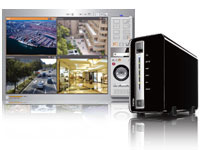 The VS-2004L VioStor NVR is the 2-bay network surveillance system for home and SOHO security applications. The Linux-based system supports 4-channel H.264, MPEG-4, and M-JPEG recording from ONVIF-compliant IP cameras and surveillance devices from AXIS, ACTi, A-MTK, Arecont Vision, AVTECH, Brickcom, Canon, Cisco, CNB, DIGITUS, D-Link, EDIMAX, ELMO, EtroVision, GANZ, Honeywell, iPUX, IPX, IQeye, LevelOne, Linksys, Messoa, MOBOTIX, NAKAYO, Panasonic BB/BL/i-Pro, Pelco, SANYO, SHANY, SONY, TOA, TOSHIBA, TRENDnet, Videosec, VIOSECURE, VIVOTEK, and Y-CAM. The VS-2004L VioStor NVR is the 2-bay network surveillance system for home and SOHO security applications. The Linux-based system supports 4-channel H.264, MPEG-4, and M-JPEG recording from ONVIF-compliant IP cameras and surveillance devices from AXIS, ACTi, A-MTK, Arecont Vision, AVTECH, Brickcom, Canon, Cisco, CNB, DIGITUS, D-Link, EDIMAX, ELMO, EtroVision, GANZ, Honeywell, iPUX, IPX, IQeye, LevelOne, Linksys, Messoa, MOBOTIX, NAKAYO, Panasonic BB/BL/i-Pro, Pelco, SANYO, SHANY, SONY, TOA, TOSHIBA, TRENDnet, Videosec, VIOSECURE, VIVOTEK, and Y-CAM.
The unique multi-server monitoring feature of the VioStor NVR allows monitoring of up to 128 IP cameras from multiple QNAP NVR servers at the same time. No extra software is required. Instant alarm icon will be shown and the alarm channel will be highlighted to inform the administrator immediately if an event occurs.
The VioStor NVR supports diversified recording features, such as scheduled recording, alarm recording by multiple alarm events, alarm recording schedule, and pre-alarm and post-alarm recordings. Advanced event management is provided for the administrator to define the handling options when events or alarms are triggered. The VioStor NVR also offers enhanced video search by intelligent video analytics (IVA), such as motion detection, foreign object, missing object, out of focus, and camera occlusion. Moreover, you can use the video surveillance application "VMobile" to monitor the IP cameras with your iPad, iPhone, iPod touch, and Windows PDA phones anytime, anywhere.
Powerful Features of VioStor NVR (Network Video Recorder):
- Real-time monitoring and recording (video/audio) from multiple IP cameras (up to 4 channels)
- High quality H.264, MPEG-4, and M-JPEG recording (depending on the camera models)
- Complete recording features
- Multi-server monitoring (up to 128 channels)
- Dual display mode
- Video search by date and time, timeline, and event
- Intelligent video analytics (IVA)
- Multi-view playback from multiple NVR servers
- Digital watermarking
- Advanced event management
- Real-time SMS and email alert
- Live monitoring on iPad, iPhone, iPod Touch and Windows PDA phone by VMobile
- Trouble-free installation
- Linux-embedded, highly reliable standalone NVR
- Advanced RAID management
- Online RAID capacity expansion and online RAID level migration
- UPS Support for 24/7 service
- Intelligent auto power on after power recovery
- Energy-saving design (only 7W in operation)
Surveillance Features
Complete Recording Functions
High Quality H.264, MPEG-4, and M-JPEG Recording (depending on the camera models)
All-in-one Recording Functions
 Continuous/manual/scheduled recording* Continuous/manual/scheduled recording*- Alarm recording (by multiple events), alarm recording schedule*
- Pre-alarm and post-alarm recording
- Audio recording
* You can set different recording schedules for different cameras.
 Generic IP Cameras Support Generic IP Cameras Support
VioStor NVR provides an interface for the users to enter the JPEG CGI command of their IP cameras to retrieve the video and audio data from the IP cameras.
Network Surveillance by Web-based Interface (IE Browser)
Real-time Remote Monitoring
Multi-server Monitoring
You can connect to one VioStor NVR and monitor up to 128 channels from other VioStor NVR servers over LAN or WAN by an IE browser.
Diversified Remote Monitoring Modes
- 1/4/6/8/9/10/12/16/20/25/36/42-channel and sequential display mode
- Exclusive Picture-in-Picture mode
- Multi-display mode
 Smart Control of PTZ & Speed Dome Cameras Smart Control of PTZ & Speed Dome Cameras
You can adjust the PTZ cameras directly by the web user interface of VioStor NVR.
 Preset Position Control and Auto Cruising Preset Position Control and Auto Cruising
You can view the preset positions of an IP camera by clicking the corresponding number buttons on the monitoring page. You can also choose the preset positions and configure the time interval on the PTZ cameras for periodic monitoring.
 Instant Event Notification Instant Event Notification
When alarm recording is enabled and an event occurs, an alarm icon is shown instantly on the monitoring page. You can click the icon to view the alert details.
 Digital Zoom Digital Zoom
You can zoom in or zoom out the video image on the monitoring and playback interfaces.
 E-map E-map
VioStor NVR provides exclusive E-map function for users to upload the pictures of the monitoring locations.
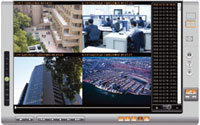 Remote Video Playback Remote Video Playback
Multi-view Playback
You can use the multi-view playback feature to divide a video equally into multiple sessions for playback in a multi-view window, or play the videos of multiple IP cameras in the multi-view window simultaneously.
Video Search by Date and Time, Timeline, Event, Intelligent Video Analytics (IVA)
VioStor NVR supports quick video search by date and time, timeline, event, and intelligent video analytics (IVA), including motion detection, foreign object, missing object, out of focus, and camera occlusion.
 How to use intelligent video analytics on playback How to use intelligent video analytics on playback
 Digital Watermarking Digital Watermarking
VioStor NVR supports digital watermarking to protect the exported videos and snapshots from unauthorized modification. You can use the Watermark Proof utility to verify whether or not the videos and snapshots are original.
Event Management
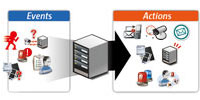 Advanced Event Management Advanced Event Management
VioStor NVR supports various event handling options for different kinds of events.
- Events: Motion detection, alarm input, connection failure, recording failure, and user-defined event.
- Actions: Video recording, email alert, SMS alert, buzzer, PTZ camera control, alarm output, and user-defined action.
 Real-time SMS and Email Alert Real-time SMS and Email Alert
You can configure the SMTP server and SMSC server settings on the NVR in order to receive instant system warning or error messages by email and/or SMS.
Convenient Backup Solution
Scheduled Remote Replication
VioStor NVR supports scheduled remote replication for secure data backup to a remote QNAP NAS on the local network.
One-Touch-Auto-Video-Backup
You can configure the one-touch-auto-video-backup button on the front of the NVR to copy the data from the NVR to an external storage device when the button is pressed.
Security Control
Authority Management
You can create multiple users on VioStor NVR. The users created on the NVR can be assigned to different user groups (administrator/system manager/user) with different rights of monitoring, playback, PTZ control, and audio monitoring.
 Auto Logoff Auto Logoff
VioStor NVR supports automatic user logoff from idling configuration pages. The administrator can set the timeout period to log off the users when the idling time has reached.
 Host Access Control Host Access Control
You can specify the host or IP connections to be allowed and denied to access NVR.
 On-line User List On-line User List
You can view the record of users currently logged on and previously logged on to the NVR.
 Detailed Event Logs Detailed Event Logs
VioStor NVR provides detailed event logs of system warning, hard disk error, network disconnection, UPS status, users' networking services and recordings access record.
High Reliability and Smart Features
Advanced RAID Management
VioStor NVR supports RAID 0, 1, single, and JBOD disk configurations.
Online RAID Capacity Expansion and Online RAID Level Migration
 Online RAID Capacity Expansion Online RAID Capacity Expansion
The storage capacity of a RAID configuration can be expanded by replacing the hard drives with larger ones. All the data will be kept and seamlessly moved to the newly installed hard drives. There is no need to turn off the server during the process. Online RAID Level Migration Online RAID Level Migration
You can upgrade the disk configuration to higher RAID level with the data retained without turning off the server.
 S.M.A.R.T. & Advanced HDD Health Scanning (HHS) S.M.A.R.T. & Advanced HDD Health Scanning (HHS)
S.M.A.R.T. (Self-Monitoring Analysis and Reporting Technology) helps you monitor the hard disk drives status. VioStor NVR supports HHS (HDD Health Scan) for disk checking and bad blocks scanning.
 Automatic System Startup after Power Recovery Automatic System Startup after Power Recovery
VioStor NVR supports automatic power-on when power resumes after power outage.
 UPS Support for 24/7 Service UPS Support for 24/7 Service
VioStor NVR supports APC, CyberPower, and MGE UPS devices to provide continuous services 24/7 against unexpected power outage.
Network Services
Built-in DDNS Service
VioStor NVR supports dynamic DNS (DDNS). You can register a unique domain name from a DDNS service provider and assign it to your NVR.
Built-in NTP Server
You can enable this feature to allow the connected IP cameras to synchronize their date and time settings with the NVR.
 Convenient Data Access Convenient Data Access
The video data of VioStor NVR can be accessed by the following protocols with proper access rights:
- Network Places (SMB/CIFS)
- Web file management (HTTP)
- FTP server
Easy Configuration and Management
System Setup in Simple Steps
You can set up the NVR easily in simple steps by the local display and web-based interface.
Web-based User Interface
All system configurations, monitoring, and playback can be finished by the web-based interface.
Smart Search of IP Camera for Quick Settings
QNAP provides an intelligent software utility Finder for quick IP camera search and system settings.
Excellent Hardware Design
Green NVR Solution: Energy-Saving Linux-embedded System
VioStor NVR is a Linux-embedded system which is more power-saving and less vulnerable to virus attack compared to PC-based surveillance solutions.

Up to 4TB Storage Capacity for Long-term Recording
VioStor NVR supports maximum 2 high-speed SATA hard drives for recording large amount of video data in a long period of time.
|
|
| CPU |
Marvell 6281 1.2GHz |
| DRAM |
256MB DDRII RAM |
| Flash Memory |
16MB |
| Hard Disk Drive |
2 x 3.5" SATA I/II hard disk drive (HDD)
NOTE:
- The system is shipped without hard disk drives.
- For the HDD compatibility list, please visit http://www.qnap.com/pro_compatibility.asp
|
| LAN Port |
1 x Gigabit RJ-45 Ethernet port |
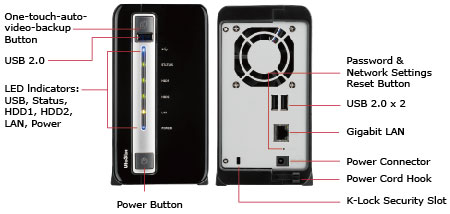
| LED Indicators |
USB, Status, HDD1, HDD2, LAN, Power |
| USB |
3 x USB 2.0 port (front: 1; back: 2)
Support USB pen drive, and USB UPS etc. |
| Buttons |
System: Power button, one-touch-auto-video-backup button, reset button |
| Alarm Buzzer |
System warning |
| Form Factor |
Portable |
| Dimensions |
165.5 (H) x 85 (W) x 218.4 (D) mm
6.52 (H) x 3.35 (W) x 8.60(D) inch |
| Weight |
Net weight: 0.91 kg/ 2.01 lb
Gross weight: 1.9 kg/ 4.19 lb |
| Power Consumption (W) |
In operation: 13W
(with 2 x 500GB HDD installed) |
| Temperature |
0-40C |
| Humidity |
0-95% R.H. |
| Power |
External Power Adapter, 60W, 100-240V |
| Secure Design |
K-lock security slot for theft prevention |
| Fan |
1 x quiet cooling fan (6cm, 12V DC) |
 |
|
Design and specifications are subject to change without notice.
| Recording |
| Supported Camera Models |
Please visit http://www.qnapsecurity.com/pro_compatibility_camera.asp |
| Number of Channels Supported (Recording) |
Up to 4 |
| Video Compression |
H.264/ MPEG-4/ M-JPEG (depending on the camera models) |
| Recording Mode |
Continuous/ manual/ schedule recording
Alarm recording/ multiple alarm recording schedules |
Buffer Storage for Alarm Images
(before and after events) |
Pre-recording: Up to 300 sec
Post-recording: Up to 300 sec |
| Network Throughput |
28 Mbps |
| Recording Settings |
Video compression, resolution, frame rate, quality, audio recording |
| File Format |
AVI (QNAP codec is required for playback) |
| Remote Monitoring |
| Display Mode |
1/4/6/8/9/10/12/16/20/25/36/42-channel display, Picture-in-Picture, sequential mode, multi-display mode |
| Multi-server Monitoring |
Up to 128-channel monitoring from multiple VioStor NVR servers |
| Monitoring Enhancement |
Full screen display, video snapshot, manual recording, event notification, PTZ control, digital zoom |
| E-map |
Upload E-map (JPEG) |
| Remote Playback |
| Playback Channel |
Max 4-view playback from multiple NVR servers simultaneously |
| Search Mode |
By date & time, timeline, event, and intelligent video analytics (IVA) |
| Intelligent Video analytics (IVA) |
Motion detection, missing object, foreign object, out of focus, and camera occlusion |
| Playback Control |
Play, pause, stop, reverse play, next/ previous frame, next/ previous video file, different speed control |
| Playback Enhancement |
Full screen display, video snapshot, digital zoom, digital watermarking |
| Export |
Convert recording files to one avi file |
| Download |
Download recordings via the web |
| Advanced Event Management |
| Events |
Motion detection, alarm input, connection failure, recording failure, and user-defined event |
| Actions |
Video recording, email alert, SMS alert, buzzer, PTZ camera control, alarm output, and user-defined action |
| Backup |
| Schedule Remote Replication |
Schedule video data backup to a NAS on the local network |
| Video Backup to External USB Storage by One-Touch-Auto-Video-Backup Button |
Press and hold the one-touch-auto-video-backup button for 3 seconds. The recording data on VioStor will be copied to the external USB device instantly. |
| Security Control |
| Authority Management |
Different user groups and rights can be assigned to different users |
| Host Access Control |
Specify the connections to be allowed and denied to access the VioStor NVR |
| Auto Logoff |
Automatic user logoff from idling configuration pages |
| Event Logs |
Detailed event logs |
| On-line Users List |
Record of the users currently logged on and previously logged on to the VioStor NVR |
| Digital Watermarking |
Verify whether or not the videos and snapshots are original |
| Reliability |
| Operation System |
Linux-embedded system, free from PC crash and virus attack |
| Disk Management |
Single disk, RAID 0, RAID 1, and JBOD/Linear
Online RAID Capacity Expansion, Online RAID Level Migration
HDD S.M.A.R.T., bad blocks scan |
| UPS |
APC/ CyberPower/ MGE (USB UPS) |
| Network Services |
| Support |
HTTP, TCP/IP, SMTP, DHCP, Static IP, DNS, DDNS, FTP, NTP |
| Services |
Web File Manager, FTP, SMB/CIFS |
| Language Support |
| Language |
Czech/ Danish/ Dutch/ English/ French/ Finnish/ German/ Hungarian/ Italian/ Japanese/ Korean/ Norwegian/ Polish/ Portuguese/ Russian/ Spanish/ Swedish/ Simplified Chinese/ Traditional Chinese/ Turkish |
| Client PC Requirement (Suggested system requirement for better video performance) |
| CPU |
M-JPEG format (up to 4 channels):
Pentium 4 CPU 2.4 GHz or above
MPEG-4/ H.264/ MxPEG format (up to 4 channels):
Dual core CPU 2.0 GHz or above
* For higher surveillance performance, please select more advanced PC models. |
| Memory |
2 GB or above |
| Operation System |
Microsoft Windows XP/ Vista/ 7 |
| Web Browser |
Internet Explorer 6.0 or above |
| Network Interface |
10/100/1000 Mbps |
| Display Resolution |
1024 x 768 pixels or above |
| Utilities |
| QNAP Finder |
Discovery and quick setup of the VioStor NVR |
| VioStor Player |
Play the recording files on your Windows computer easily |
| Watermark Proof |
Check if the exported videos and snapshots were modified |
| VMobile |
Monitor the network cameras on the VioStor NVR by the iPad, iPhone, iPod Touch, and Windows PDA phone |
|
 |
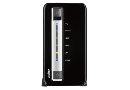
VioStor NVR |
 |
|
|
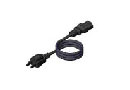
Power cord |
 |
|
|
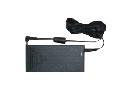
Adaptor |
 |
|
|
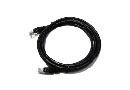
Ethernet cable |
 |
|
|
CD-ROM |
 |
|
|
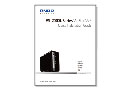
QIG |
 |
|
|
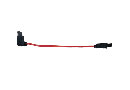
SATA cable |
 |
|
|
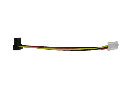
SATA power cable |
 |
|
|
Screw pack |
 |
|
|
|
|
|
|
03/08
|
Lexmark 10N0016AAN #16 Ink Cartridge - Black, 410 Pages at 5%, Standard Yield - For Lexmark Z13/Z23/Z25/Z33/Z35/Z511/Z513 Printer#16 BLACK STANDARD YIELD INK CARTRIDGE #16 Standard-Yield Black Ink Cartridge. 410 pages @ 5ecoverage
|
|
|
|
03/08
|
Canon LV-SC01 Soft Carrying Case - To Suit Canon LV-7295/LV-7390 ProjectorsSoft Carrying Case - suits LV-7295/LV-7390
|
|
|
|
03/08
|
Canon Remote Control Unit - To Suit Canon LV-7295/7390/8225/7490 Projectors Remote Controller for LV-8225/7490/7390/7295/7290
|
|
|
|
03/08
|
Canon Replacement Lamp Assembly - To Suit Canon LV-7295/7390 ProjectorsLamp Assembly - for LV-7295/7390
|
|
|
|
03/08
|
Canon Replacement Lamp Assembly - To Suit Canon LV-LP32/LV-7280/7285 ProjectorLamp Assembly - suits LV-LP32 for LV-7280/7285
|
|
|
|
03/08
|
Canon Replacement Lamp Assembly - To Suit Canon LV-7375/7370/7275/8300/7385/8310/8215 ProjectorsLamp Assembly - suits LV-7375/7370/7275/8300/7385/8310/8215
|
|
|
|
03/08
|
Canon Replacement Lamp Assembly - To Suit Canon LV-7365 ProjectorLamp Assembly - suits LV-7365
|
|
|
|
03/08
|
Canon RS-NA01 Network Adapter - To Suit Canon XEED SX50/X600/SX60/SX6 Projectors Enables the control of your projector via an ethernet network.
|
|
|
|
03/08
|
Canon RS-CA01 RS-232C Cable - To Suit Canon SX7MKII/SX7/SX6/SX60/XEED600 Projectors RS-232 Cable (8 pin MiniDIN to 9-pin Dsub). 9.8 ft cable.
|
|
|
|
03/08
|
Canon Replacement Lamp Assembly - To Suit Canon SX80/SX800/SX80MKII ProjectorLamp Assembly - suits SX80/SX800/SX80MKII
|
|
|
|
03/08
|
Canon Replacement Lamp Assembly - To Suit Canon XEED SX7/X700 ProjectorLamp Assembly - suits XEED SX7/X700
|
|
|
|
03/08
|
Canon Replacement Lamp Assembly - To Suit Canon XEED SX60 ProjectorLamp Assembly - suits XEED SX60
|
|
|
|
03/08
|
Canon Replacement Lamp Assembly - To Suit Canon XEED SX6/X600 ProjectorLamp Assembly - suits XEED SX6/X600
|
|
|
|
03/08
|
Canon Replacement Lamp Assembly - To Suit Canon XEED SX50 ProjectorLamp Assembly - suits XEED SX50
|
|
|
|
03/08
|
Canon LV-IL04 Ultra Long Zoom Focus Projection Lens - To Suit Canon LV-7545/LV-7555/LV-7565 ProjectorsUltra Long Zoom Focus Projection Lens- suits LV-7545/ LV-7555/ LV-7565
|
|
|
|
03/08
|
Canon LV-IL03 Long Focus Zoom Projection Lens - To Suit Canon LV-7545/LV-7555/LV-7565 ProjectorsLong Focus Zoom Projection Lens- suits LV-7545/ LV-7555/ LV-7565
|
|
|
|
03/08
|
Canon LV-IL02 Wide Angle Zoom Projection Lens - To Suit LV-7545/LV-7555/LV-7565 Projectors Interchangeable lens for LV-Series Multimedia Projectors. The LV-IL02 is a Wide-Angle zoom lens (Short-Throw) designed for applications where the largest possible image must be displayed from a very short distance while the zoom provides the ability to adjust the image size instead of moving the projector.
|
|
|
|
03/08
|
Canon LV-IL01 Ultra-Wide Angle Projection Lens - To Suit Canon LV-7545/LV-7555/LV-7565 ProjectorsUltra-Wide Angle Projection Lens- suits LV-7545/ LV-7555/ LV-7565
|
|
|
|
03/08
|
Canon LV-CA34 RS-232C Cable - To Suit Canon LV-X7/LV-7260/LV-7265/LV-7365 Projectors RS-232C Cable. 9.8 ft Cable.
|
|
|
|
03/08
|
Canon LV-CA32 Component to VGA CableThe LV-CA32 component cable connects various video components, and transmits analog video signals. 3RCA (female) to Dsub15 connectors.
|
|
|
|
03/08
|
Canon Replacement Lamp Assembly - To Suit Canon LV-7240/LV-7245/LV-7255 ProjectorLamp Assembly - suits LV-7240/LV-7245/LV-7255
|
|
|
|
03/08
|
Canon Replacement Lamp Assembly - To Suit Canon LV-X6/LV-X7 ProjectorLamp Assembly - suits LV-X6/LV-X7
|
|
|
|
03/08
|
Canon Replacement Lamp Assembly - To Suit Canon LV-7250/7260/7265 ProjectorLamp Assembly - suits LV-7250/7260/7265
|
|
|
|
03/08
|
Canon Replacement Lamp Assembly - To Suit Canon LV-X5 ProjectorLamp Assembly - suits LV-X5
|
|
|
|
03/08
|
Canon Replacement Lamp Assembly - To Suit Canon LV-S4E ProjectorLamp Assembly - suits LV-S4E
|
|
|
|
03/08
|
Canon Replacement Lamp Assembly - To Suit Canon LV-7565 ProjectorLamp Assembly - suits LV-7565
|
|
|
|
03/08
|
Canon Replacement Lamp Assembly - To Suit Canon LV-X4 ProjectorLamp Assembly - suits LV-X4
|
|
|
|
03/08
|
Canon Replacement Lamp Assembly - To Suit Canon LV-S3E ProjectorLamp Assembly - suits LV-S3E
|
|
|
|
03/08
|
Canon Replacement Lamp Assembly - To Suit Canon LV-5210/LV-5220 ProjectorLamp Assembly - suits LV-5210/ LV-5220
|
|
|
|
03/08
|
Canon Replacement Lamp Assembly - To Suit Canon LV-7210/LV-7215/LV-7220/LV-7225/LV-7230 ProjectorLamp Assembly - suits LV-7210/ LV-7215/ LV-7220/ LV-7225/ LV-7230
|
|
|
|
03/08
|
Canon Replacement Lamp Assembly - To Suit Canon LV-7555 ProjectorLamp Assembly - suits LV-7555
|
|
|
|
03/08
|
Canon Replacement Lamp Assembly - To Suit Canon LV-X2 ProjectorLamp Assembly - suits LV-X2
|
|
|
|
03/08
|
Canon Replacement Lamp Assembly - To Suit Canon LV-S2 ProjectorLamp Assembly - suits LV-S2
|
|
|
|
03/08
|
Canon Replacement Lamp Assembly - To Suit Canon LV-7545 ProjectorLamp Assembly - suits LV-7545
|
|
|
|
03/08
|
Canon Replacement Lamp Assembly - To Suit Canon LV-X1/LV-S1 ProjectorLamp Assembly - suits LV-X1 and LV-S1
|
|
|
|
03/08
|
Canon Replacement Lamp Assembly - To Suit Canon LV-7340/ 7345/ LV-7350/ LV-7355 ProjectorLamp Assembly - suits LV-7340/ 7345/ LV-7350/ LV-7355
|
|
|
|
03/08
|
Canon Replacement Lamp Assembly - To Suit Canon LV-5100/ LV-5110/ LV-7105 ProjectorLamp Assembly - suits LV-5100/ LV-5110/ LV-7105
|
|
|
|
03/08
|
Canon Replacement Lamp Assembly - To Suit Canon LV-7525/LV-7535 ProjectorLamp Assembly - suits LV-7525/LV-7535
|
|
|
|
03/08
|
Canon Replacement Lamp Assembly - To Suit Canon LV-7320/LV-7325 ProjectorLamp Assembly - suits LV-7320 / LV-7325
|
|
|
|
03/08
|
Canon Replacement Lamp Assembly - To Suit Canon LV-7510 ProjectorLamp Assembly - suits LV-7510
|
|
|
|
03/08
|
Canon LV7490 LCD Projector - 1024x768, 3000 Lumens, 2000:1, 1xVGA, 2xRCA, 1xLAN, Speaker
Light, compact
and
bright,
easy-to-use
projector
The LV7390 is a light and compact projector with 3000 lumens, XGA resolution and a 10W high-output speaker. With the convenient auto setup: auto input, auto keystone and auto PC functionalities, this projector is easy to setup and operate perfect for classroom presentations and business use.
Quality
and
Brightness
Featuring a 3000 lumens lamp and a 2000:1 contrast ratio, this compact projector has the capability to produce bright and clear images and proves that size does not have to compromise performance.
Long-life
Lamp
&
Long-life
Filter
With a long lamp life withstanding 6000 hours of use and an air filter lasting 5500 hours of use in Eco Mode, the LV7390 is cost efficient ideal for schools and general business use.
Auto
Setup
Function
The auto setup function allows easy execution of input, keystone and PC connection setting functions at the push of a single button.
10W
High-output
Speaker
The high-output speaker ensures clear acoustics for presentations in business meetings and the classroom environment.
Compact
Unit
Weighing
2.9
kg
The LV7390 offers portability without compromising image and audio quality. The compact body measures only 333.5mm x 101mm x 247mm, making it convenient for storage and usage in small spaces.
DVI
and
RJ-45
connection
options
The projectors RJ-45 terminal makes control and monitoring over a network easy making it ideal for integration with AV control systems. An HDCP-enabled DVI connection enables sharp reproduction from digital sources.
LV7390 Technical Specifications
Type
Transmissive LCD panel
Size and Number
0.63 diagonal, 3 panels
Aspect Ratio
4:3
Native Resolution
1024x768 (XGA)
Lamp Type
215-UHP
Lens F Number and Focal Length
F2.0-2.15, 18.38-22.06 mm
Zoom Magnification and Control
1.2x Non-powered
Focus Control
Non-powered
Lens Shift
6:1
Brightness
3000 lumens
Brightness Uniformity
Contrast Ratio
2000:1
Projection Distance Coverage
1.1-10.5 m
Screen Size
40 - 300
Digital Zoom Magnification
0.5x 4x
Keystone Correction Range
V 30 (Auto function works for 20)
Analogue RGB Compatibility
WUXGA/UXGA/SXGA+/SXGA/WXGA/XGA/SVGA/VGA/MAC
Component Video Compatibility
1080i/1035i/720p/576p/480p//576i/480i
Video / S-Video Colour Systems
NTSC/PAL/SECAM/NTSC4.43/PAL-M/PAL-N
Built-in Speaker
10 W Monaural
Analog RGB/ Component and Video/ S-video input
Mini D-sub 15pin
Analog RGB input / output
Mini D-sub 15pin
Composite video input
RCA
Stereo Audio Input 1
Stereo Audio Mini-jack
Stereo Audio Input 2
2RCA
Stereo Audio Output
Stereo Audio Mini-jack
Service Port / Projector Control
Mini D-Sub 9-pin: RS-232C connection
Network Port
RJ-45: 100BASE-TX/10BASE-T
Dimensions ( W x H x D)
W: 333.5mm H: 101mm D: 247mm
Weight
2.9 kg (with standard lens)
Power Source
AC100-240 V ; 50/60 Hz
Power Consumption
100V Power Consumption: 286/265/295W (Standby: 6.6/0.4 W)
200V Power Consumption: 271/252/187W (Standby: 8.5/0.7W)
Noise Level
(TBD)
Operating Environment
+5C to +35C 20%RH to 80% RH
Storage Environment
-10C to +60C
|
|
|
|
03/08
|
Canon LV7390 LCD Projector - 1024x768, 3000 Lumens, 2000;1, 1xVGA, 1xLAN, Speaker
Light, compact
and
bright,
easy-to-use
projector
The LV7390 is a light and compact projector with 3000 lumens, XGA resolution and a 10W high-output speaker. With the convenient auto setup: auto input, auto keystone and auto PC functionalities, this projector is easy to setup and operate perfect for classroom presentations and business use.
Image Quality
and
Brightness
Featuring a 3000 lumens lamp and a 2000:1 contrast ratio, this compact projector has the capability to produce bright and clear images and proves that size does not have to compromise performance.
Long-life
Lamp
&
Long-life
Filter
With a long lamp life withstanding 6000 hours of use and an air filter lasting 5500 hours of use in Eco Mode, the LV7390 is cost efficient ideal for schools and general business use.
Auto
Setup
Function
The auto setup function allows easy execution of input, keystone and PC connection setting functions at the push of a single button.
10W
High-output
Speaker
The high-output speaker ensures clear acoustics for presentations in business meetings and the classroom environment.
Compact
Unit
Weighing
2.9
kg
The LV7390 offers portability without compromising image and audio quality. The compact body measures only 333.5mm x 101mm x 247mm, making it convenient for storage and usage in small spaces.
DVI
and
RJ-45
connection
options
The projectors RJ-45 terminal makes control and monitoring over a network easy making it ideal for integration with AV control systems. An HDCP-enabled DVI connection enables sharp reproduction from digital sources.
LV7390 Technical Specifications
Type
Transmissive LCD panel
Size and Number
0.63 diagonal, 3 panels
Aspect Ratio
4:3
Native Resolution
1024x768 (XGA)
Lamp Type
215-UHP
Lens F Number and Focal Length
F2.0-2.15, 18.38-22.06 mm
Zoom Magnification and Control
1.2x Non-powered
Focus Control
Non-powered
Lens Shift
6:1
Brightness
3000 lumens
Brightness Uniformity
Contrast Ratio
2000:1
Projection Distance Coverage
1.1-10.5 m
Screen Size
40 - 300
Digital Zoom Magnification
0.5x 4x
Keystone Correction Range
V 30 (Auto function works for 20)
Analogue RGB Compatibility
WUXGA/UXGA/SXGA+/SXGA/WXGA/XGA/SVGA/VGA/MAC
Component Video Compatibility
1080i/1035i/720p/576p/480p//576i/480i
Video / S-Video Colour Systems
NTSC/PAL/SECAM/NTSC4.43/PAL-M/PAL-N
Built-in Speaker
10 W Monaural
Analog RGB/ Component and Video/ S-video input
Mini D-sub 15pin
Analog RGB input / output
Mini D-sub 15pin
Composite video input
RCA
Stereo Audio Input 1
Stereo Audio Mini-jack
Stereo Audio Input 2
2RCA
Stereo Audio Output
Stereo Audio Mini-jack
Service Port / Projector Control
Mini D-Sub 9-pin: RS-232C connection
Network Port
RJ-45: 100BASE-TX/10BASE-T
Dimensions ( W x H x D)
W: 333.5mm H: 101mm D: 247mm
Weight
2.9 kg (with standard lens)
Power Source
AC100-240 V ; 50/60 Hz
Power Consumption
100V Power Consumption: 286/265/295W (Standby: 6.6/0.4 W)
200V Power Consumption: 271/252/187W (Standby: 8.5/0.7W)
Noise Level
(TBD)
Operating Environment
+5C to +35C 20%RH to 80% RH
Storage Environment
-10C to +60C
|
|
|
|
03/08
|
Canon LV7295 LCD Projector - 1024x768, 2600 Lumens, 2000;1, 1xVGA, 1xLAN, Speaker
Light
and
compact,
easy-to-use
projector
The LV7295 is a light and compact projector with 2600 lumens, XGA resolution and a 10W high-output speaker. With the convenient auto setup: auto input, auto keystone and auto PC functionalities, this projector is easy to setup and operate perfect for classroom presentations and business use.
Featuring a 2600 lumens lamp and a 2000:1 contrast ratio, this compact projector has the capability to produce bright and clear images and proves that size does not have to compromise performance.
Long-life
Lamp
&
Long-life
Filter
With a long lamp life withstanding 6000 hours of use and an air filter lasting 5500 hours of use in Eco Mode, the LV7295 is cost efficient ideal for schools and general business use.
Auto
Setup
Function
The auto setup function allows easy execution of input, keystone and PC connection setting functions at the push of a single button.
10W
High-output
Speaker
The high-output speaker ensures clear acoustics for presentations in business meetings and the classroom environment.
Compact
Unit
Weighing
2.98
kg
The LV7295 offers portability without compromising image and audio quality. The compact body measures only 333.5mm x 101mm x 247mm, making it convenient for storage and usage in small spaces.
DVI
and
RJ-45
connection
options
The projectors RJ-45 terminal makes control and monitoring over a network easy making it ideal for integration with AV control systems. An HDCP-enabled DVI connection enables sharp reproduction from digital sources.
LV7295 Technical Specifications
Type
Transmissive LCD panel
Size and Number
0.55 diagonal, 3 panels
Aspect Ratio
4:3
Native Resolution
XGA 1024x768
Lamp Type
215-UHP
Lens F Number and Focal Length
F2.00-2.15, 18.38-22.06 mm
Zoom Magnification and Control
1.2x Non-powered
Focus Control
Non-powered
Lens Shift
6:1
Brightness
2600 lumens
Brightness Uniformity
Contrast Ratio
2000:1
Projection Distance Coverage
1.3-11.8m
Screen Size
40 - 300
Digital Zoom Magnification
0.5x 4x
Keystone Correction Range
V 30 (Auto function works for 20)
Analogue RGB Compatibility
WUXGA/UXGA/SXGA+/SXGA/WXGA/XGA/SVGA/VGA/MAC
Component Video Compatibility
1080i/1035i/720p/576p/480p//576i/480i
Video / S-Video Colour Systems
NTSC/PAL/SECAM/NTSC4.43/PAL-M/PAL-N
Built-in Speaker
10 W Monaural
Analog RGB/ Component and Video/ S-video input
Mini D-sub 15pin
Analog RGB input / output
Mini D-sub 15pin
Composite video input
RCA
Stereo Audio Input 1
Stereo Audio Mini-jack
Stereo Audio Input 2
2RCA
Stereo Audio Output
Stereo Audio Mini-jack
Service Port / Projector Control
Mini D-Sub 9-pin: RS-232C connection
Network Port
RJ-45: 100BASE-TX/10BASE-T
Dimensions
W: 333.5mm H: 101mm D: 247mm
Weight
2.98 kg
Power Source
AC100-240 V ; 50/60 Hz
Power Consumption
100V Power Consumption: 286/265/195W (Standby: 6.6/0.4 W)
200V Power Consumption: 271/252/187W (Standby: 8.5/0.7W)
Noise Level
36.4 / 34.4 / 29.0dB
Operating Environment
+5C to +35C 20%RH to 80% RH
Storage Environment
-10C to +60C
|
|
|
|
03/08
|
Epson T1590 #159 UltraChrome Hi-Gloss2 Ink Cartridge - Gloss Optimiser
- For Epson Stylus Photo R2000 Printer
Cartridges
Renowned for its superior colour gamut, lightfastness and water resistance, Epson UltraChrome Hi-Gloss2 resin coated pigment inks deliver glossy prints of outstanding durability and quality.
| Product Code: |
159 |
| Global Code: |
C13T159090 |
Compatible Printers: Epson Stylus Photo R2000 |
|
|
|
03/08
|
Epson T1598 #159 UltraChrome Hi-Gloss2 Ink Cartridge - Matte Black
- For Epson Stylus Photo R2000 Printer
Overview
Renowned for its superior colour gamut, lightfastness and water resistance, Epson UltraChrome Hi-Gloss2 resin coated pigment inks deliver glossy prints of outstanding durability and quality.
| Product Code: |
159 |
| Global Code: |
C13T159890 |
Compatible Printers:
Epson Stylus Photo R2000 |
|
|
|
03/08
|
Epson T1593 #159 UltraChrome Hi-Gloss2 Ink Cartridge -Magenta
- For Epson Stylus Photo R2000 Printer
|
|

|
|
03/08
|
Epson T1592 #159 UltraChrome Hi-Gloss2 Ink Cartridge -Cyan
- For Epson Stylus Photo R2000 Printer
Overview
Renowned for its superior colour gamut, lightfastness and water resistance, Epson UltraChrome Hi-Gloss2 resin coated pigment inks deliver glossy prints of outstanding durability and quality.
| Product Code: |
159 |
| Global Code: |
C13T159290 |
Compatible Printers:
Epson Stylus Photo R2000 |
|
|
|
03/08
|
Epson 3 Years Warranty - For Epson Stylus Photo3 YEAR WARRANTY FOR EPSON 3 YEAR WARRANTY FOR EPSON STYLUS PH
|

|
|
|
Previous Page
|
Next Page
|
|