Camerafarm product archive #40695
| Image |
Date |
Product description |
Price |
Buy |
|
03/06
|
Verbatim 2GB Pinstripe Store n Go - Retractable Connector, Read 20MB/s, Write 10MB/s, USB2.0 - Black MOQ (Minimum Order Quantity) is 10 Units, Must be ordered in multiples of 10.
With USB ports in almost every computer and popping up in cars, DVD and multimedia players, TV's, photo frames and more, USB drives are now being considered an essential accessory.
The Store 'n' Go PinStripe USB Drive from Verbatim has a push and pull sliding feature which protects the USB connection when it is not in use without the need for a separate cap which is easily lost.
In a lightweight, striped pinstripe design and available in a variety of colours and capacities the PinStripe USB Drive is the perfect storage solution for everyone.
Read Speed: 16MB/sec - 20MB/sec
Write Speed: 9MB/sec - 10MB/sec
Features and Benefits
- Makes transporting and sharing files simple
- The drive features a slim retractable design
- Compatible with Windows 7
- Retractable USB Connector - No cap to lose
- Verbatim 2 Year Warranty
|


|
|
|
03/06
|
Verbatim 8GB Mini Slide Flash Drive - Thin & Mini, Press & Slide Design Without The Need For A Cap, USB2.0 Mini Slide USB Drive 8GB
64095
Features & Benefits:
- thin & mini
- press-and-slide design without the need for a cap
-
detachable lanyard
- envelope-type package allows repack for corporate sales
- Verbatim 2 Year LimitedWarranty
|
|
|
|
03/06
|
Verbatim 4GB Mini Slide Flash Drive - Thin & Mini, Press & Slide Design Without The Need For A Cap, USB2.0 MOQ (Minimum Order Quantity) is 10 Units, Must be ordered in multiples of 10.
Mini Slide USB Drive 4GB
64094
Features & Benefits:
- Thin & mini
- Press-and-slide design without the need for a cap
-
Detachable lanyard
- Envelope-type package allows repack for corporate sales
- Verbatim 2 Year LimitedWarranty
|
|
|
|
03/06
|
Kingston 8GB Micro SDHC Card - Class 10 Class 10
Kingston's microSDHC Class 10 card offers higher storage capacity and performance that meets the Class 10 Standard. Kingston's 4GB, 8GB, 16GB and 32GB microSDHC card uses the new speed "class" rating that guarantee a minimum data transfer rate for optimum performance with devices that use microSDHC.
In capacities ranging from 4 - 32GB, microSDHC cards offer higher storage capacities for more music, more videos, more pictures, more games more of everything you need in todays mobile world. The microSDHC card allows you to maximize todays revolutionary mobile devices. Kingstons microSDHC cards use the new speed class rating that guarantee a minimum data transfer rate for optimum performance with devices that use microSDHC.
Identical in physical size to todays standard microSD card, the microSDHC cards are designed to comply with SD Specification Version 2.00 and are only recognized by microSDHC host devices. They can be used as full-size SDHC cards when used with the included adapter**. To ensure compatibility, look for the microSDHC or SDHC logo on host devices (e.g. phones, PDAs, and cameras).
Wherever you find yourself in the mobile world, you can trust and rely on Kingstons microSDHC cards. All cards are 100-percent tested and are backed by a lifetime warranty and free live technical support. Features/Benefits:
- Compliant with the SD Specification Version 2.00 (Class 4) and with the SD Specification Version 3.00 (Class 10)
- Versatile when combined with the adapter, can be used as a full-size SDHC card
- Compatible with microSDHC host devices; not compatible with standard microSD-enabled device/readers
- File Format FAT 32
- Reliable lifetime warranty
Specifications:
- Capacity* 4GB, 8GB, 16GB, 32GB
- Dimensions 0.43 x 0.59 x 0.039 ( 11mm x 15mm x 1mm)
- High-Speed Class Rating
Class 4: 4MB/sec. minimum data transfer rate
Class 10: 10MB/sec. minimum data transfer rate
- Operating temperatures -13F to 185F (-25C to 85C)
- Storage temperatures -40F to 185F (-40C to 85C)
- Weight .1 oz (2.7g)
|
|
|
|
03/06
|
Kingston 4GB Micro SDHC Card - Class 10 Class 10
Kingston's microSDHC Class 10 card offers higher storage capacity and performance that meets the Class 10 Standard. Kingston's 4GB, 8GB, 16GB and 32GB microSDHC card uses the new speed "class" rating that guarantee a minimum data transfer rate for optimum performance with devices that use microSDHC.
In capacities ranging from 4 - 32GB, microSDHC cards offer higher storage capacities for more music, more videos, more pictures, more games more of everything you need in todays mobile world. The microSDHC card allows you to maximize todays revolutionary mobile devices. Kingstons microSDHC cards use the new speed class rating that guarantee a minimum data transfer rate for optimum performance with devices that use microSDHC.
Identical in physical size to todays standard microSD card, the microSDHC cards are designed to comply with SD Specification Version 2.00 and are only recognized by microSDHC host devices. They can be used as full-size SDHC cards when used with the included adapter**. To ensure compatibility, look for the microSDHC or SDHC logo on host devices (e.g. phones, PDAs, and cameras).
Wherever you find yourself in the mobile world, you can trust and rely on Kingstons microSDHC cards. All cards are 100-percent tested and are backed by a lifetime warranty and free live technical support. Features/Benefits:
- Compliant with the SD Specification Version 2.00 (Class 4) and with the SD Specification Version 3.00 (Class 10)
- Versatile when combined with the adapter, can be used as a full-size SDHC card
- Compatible with microSDHC host devices; not compatible with standard microSD-enabled device/readers
- File Format FAT 32
- Reliable lifetime warranty
Specifications:
- Capacity* 4GB, 8GB, 16GB, 32GB
- Dimensions 0.43 x 0.59 x 0.039 ( 11mm x 15mm x 1mm)
- High-Speed Class Rating
Class 4: 4MB/sec. minimum data transfer rate
Class 10: 10MB/sec. minimum data transfer rate
- Operating temperatures -13F to 185F (-25C to 85C)
- Storage temperatures -40F to 185F (-40C to 85C)
- Weight .1 oz (2.7g)
|
|
|
|
03/06
|
BenQ Replacenment Lamp - To Suit BenQ MX710 ProjectorReplacenment Lamp - To Suit BenQ MX710 Projector
|
|
|
|
03/06
|
Adobe Creative Suite 5.5 (CS5.5) Web Premium - Mac, Student Edition Only Serial Number is given by Post Verification from Adobe
Warning : Before Purchase Please Check OS Compatibility
What's inside:
Flash Builder 4.5 Premium Edition
What is Web Premium?
Adobe Creative Suite 5.5 Web Premium software provides everything you need to design, develop, and deliver standards-based websites and immersive digital experiences for desktops, smartphones, and tablets.
Design with industry-leading authoring tools
Optimize your projects in Adobe Creative Suite 5.5 Web Premium software by thinking about mobile first. Develop websites and applications with efficient tools in Adobe Dreamweaver CS5.5, Flash Professional CS5.5, Photoshop CS5 Extended, and Illustrator CS5.
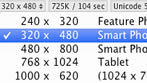
Efficient desktop and mobile workflows
Efficiently create websites and applications that display across desktops, smartphones, and tablet devices. Use the Multiscreen Preview panel, along with HTML5, CSS3, and helpful jQuery Mobile framework starter templates in Adobe Dreamweaver CS5.5.
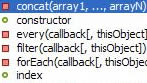
Robust jQuery Mobile support
Build rich content for devices with support for the jQuery Mobile framework in Dreamweaver CS5.5. Take advantage of mobile templates, contextual code hinting, and the ability to quickly insert objects into a design.
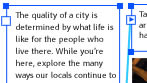
Advanced text support
Create print-quality typography using the Text Layout Framework in Flash Professional CS5.5. Work with columns and bidirectional text, and maintain layout and formatting with greater fidelity when importing from other Adobe products.
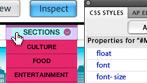
CSS inspection
Use Dreamweaver CS5.5 to visually display the CSS box model in detail without reading code or requiring separate utilities. Move your cursor over block-level elements in Live View to see their cascade and context instead of using the Tag Selector.

Crisp graphics for web and mobile devices
Deliver clean, sharp, pixel-aligned raster artwork with enhanced anti-aliasing features in Adobe Illustrator CS5. Avoid fuzzy graphics by automatically aligning artwork to the pixel grid, and control the appearance of individual text objects.
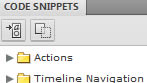
Enhanced code snippets handling
Utilize over 20 new code snippets in Flash Professional CS5.5, including ones for creating mobile and AIR applications, use of the accelerometer, and multitouch gestures. Use the new pick whip to visually add interactivity with ease.

Full designer-developer workflow
Work collaboratively and confidently on shared Flex based projects with a new bidirectional workflow that allows designers who use Adobe Flash Catalyst CS5.5 to work in parallel with developers who use Adobe Flash Builder 4.5.

Easy 3D extrusions with Adobe Repouss
Quickly create stunning 3D artwork and apply rich material textures with Adobe Photoshop CS5 Extended. Take your designs even further by leveraging the Adobe 3D Forge engine for advanced editing of your 3D models.
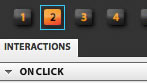
Approachable interaction design
Use Flash Catalyst CS5.5 to create expressive interfaces and interactive content with writing code. Define behaviors and sophisticated interactions using simple menu-based commands.
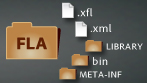
XML-based FLA source files
Manage and modify projects using source control systems and collaborate on files more easily in Flash Professional CS5.5. An XML-based nonbinary implementation of the FLA format allows projects and associated assets to function as items in a directory or folder.
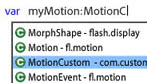
Enhanced ActionScript editors
Increase development speed in Flash Professional CS5.5 with an improved ActionScript editor, including custom class code hinting and code completion. Use Flash Builder as your primary ActionScript editor for Flash Professional projects.
Integrated CMS support
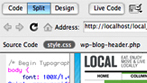
Enjoy authoring and testing support for content management systems like WordPress, Joomla!, and Drupal right in Dreamweaver CS5.5. Dynamically Related Files provides direct access to a page's related files, and Live View Navigation offers accurate previews of dynamic applications.
Creative Suite integration
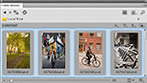
Enhance productivity and workflows when using Photoshop CS5 Extended, Illustrator CS5, and Flash Professional CS5.5. Leverage the FXG graphics file format and integration with Adobe Mini Bridge for digital asset management.

Enhanced creative freedom on the go
Take your creativity beyond the desktop. Use mobile devices like the iPad with Adobe Ideas sketching software and additional companion apps as they become available for Photoshop CS5 Extended.3 See all mobile apps
Develop apps for virtually any mobile device
To the top
Create rich applications targeted at multiple platforms. Reach audiences on the latest Flash Player and Adobe AIR runtimes, and on Android, BlackBerry, iOS, webOS, and Adobe Digital Home devices.

Expanded platform and device support
Use Flash Professional to create content optimized for delivery to multiple screens and reach audiences on the latest Flash Player and Adobe AIR runtimes, as well as on Android, BlackBerry, iOS, webOS, and Adobe Digital Home devices.

Website and mobile application development
Build standalone applications targeted at multiple platforms using the new mobile support for ActionScript projects and Flex projects in Adobe Flash Builder 4.5 Premium Edition. Leverage mobile-ready components optimized for performance and touch input.

Support for Flash Player 10.2
Target an expanded set of devices with Adobe Device Central CS5.5, including those that support the latest version of Adobe Flash Player, which is optimized for mobile devices.

Native Android and iOS apps with PhoneGap
Build and package native apps for Android and iOS with new PhoneGap functionality. Convert your existing HTML to a mobile phone application within Dreamweaver using the open source PhoneGap framework.

Mobile apps for Android, iOS, and BlackBerry Tablet OS
Benefit from new support for mobile application development and testing, enabling the use of a common codebase to build apps for Android, iOS, and BlackBerry Tablet OS while sharing code from web applications.
|
|
|
|
03/06
|
Adobe Creative Suite 5.5 (CS5.5) Web Premium - Windows, Student Edition Only Serial Number is given by Post Verification from Adobe
Warning : Before Purchase Please Check OS Compatibility
What's inside:
Flash Builder 4.5 Premium Edition
What is Web Premium?
Adobe Creative Suite 5.5 Web Premium software provides everything you need to design, develop, and deliver standards-based websites and immersive digital experiences for desktops, smartphones, and tablets.
Design with industry-leading authoring tools
Optimize your projects in Adobe Creative Suite 5.5 Web Premium software by thinking about mobile first. Develop websites and applications with efficient tools in Adobe Dreamweaver CS5.5, Flash Professional CS5.5, Photoshop CS5 Extended, and Illustrator CS5.
Efficient desktop and mobile workflows
Efficiently create websites and applications that display across desktops, smartphones, and tablet devices. Use the Multiscreen Preview panel, along with HTML5, CSS3, and helpful jQuery Mobile framework starter templates in Adobe Dreamweaver CS5.5.
Robust jQuery Mobile support
Build rich content for devices with support for the jQuery Mobile framework in Dreamweaver CS5.5. Take advantage of mobile templates, contextual code hinting, and the ability to quickly insert objects into a design.
Advanced text support
Create print-quality typography using the Text Layout Framework in Flash Professional CS5.5. Work with columns and bidirectional text, and maintain layout and formatting with greater fidelity when importing from other Adobe products.
CSS inspection
Use Dreamweaver CS5.5 to visually display the CSS box model in detail without reading code or requiring separate utilities. Move your cursor over block-level elements in Live View to see their cascade and context instead of using the Tag Selector.
Crisp graphics for web and mobile devices
Deliver clean, sharp, pixel-aligned raster artwork with enhanced anti-aliasing features in Adobe Illustrator CS5. Avoid fuzzy graphics by automatically aligning artwork to the pixel grid, and control the appearance of individual text objects.
Enhanced code snippets handling
Utilize over 20 new code snippets in Flash Professional CS5.5, including ones for creating mobile and AIR applications, use of the accelerometer, and multitouch gestures. Use the new pick whip to visually add interactivity with ease.
Full designer-developer workflow
Work collaboratively and confidently on shared Flex based projects with a new bidirectional workflow that allows designers who use Adobe Flash Catalyst CS5.5 to work in parallel with developers who use Adobe Flash Builder 4.5.
Easy 3D extrusions with Adobe Repouss
Quickly create stunning 3D artwork and apply rich material textures with Adobe Photoshop CS5 Extended. Take your designs even further by leveraging the Adobe 3D Forge engine for advanced editing of your 3D models.
Approachable interaction design
Use Flash Catalyst CS5.5 to create expressive interfaces and interactive content with writing code. Define behaviors and sophisticated interactions using simple menu-based commands.
XML-based FLA source files
Manage and modify projects using source control systems and collaborate on files more easily in Flash Professional CS5.5. An XML-based nonbinary implementation of the FLA format allows projects and associated assets to function as items in a directory or folder.
Enhanced ActionScript editors
Increase development speed in Flash Professional CS5.5 with an improved ActionScript editor, including custom class code hinting and code completion. Use Flash Builder as your primary ActionScript editor for Flash Professional projects.
Integrated CMS support
Enjoy authoring and testing support for content management systems like WordPress, Joomla!, and Drupal right in Dreamweaver CS5.5. Dynamically Related Files provides direct access to a page's related files, and Live View Navigation offers accurate previews of dynamic applications.
Creative Suite integration
Enhance productivity and workflows when using Photoshop CS5 Extended, Illustrator CS5, and Flash Professional CS5.5. Leverage the FXG graphics file format and integration with Adobe Mini Bridge for digital asset management.
Enhanced creative freedom on the go
Take your creativity beyond the desktop. Use mobile devices like the iPad with Adobe Ideas sketching software and additional companion apps as they become available for Photoshop CS5 Extended.3 See all mobile apps
Develop apps for virtually any mobile device
To the top
Create rich applications targeted at multiple platforms. Reach audiences on the latest Flash Player and Adobe AIR runtimes, and on Android, BlackBerry, iOS, webOS, and Adobe Digital Home devices.
Expanded platform and device support
Use Flash Professional to create content optimized for delivery to multiple screens and reach audiences on the latest Flash Player and Adobe AIR runtimes, as well as on Android, BlackBerry, iOS, webOS, and Adobe Digital Home devices.
Website and mobile application development
Build standalone applications targeted at multiple platforms using the new mobile support for ActionScript projects and Flex projects in Adobe Flash Builder 4.5 Premium Edition. Leverage mobile-ready components optimized for performance and touch input.
Support for Flash Player 10.2
Target an expanded set of devices with Adobe Device Central CS5.5, including those that support the latest version of Adobe Flash Player, which is optimized for mobile devices.
Native Android and iOS apps with PhoneGap
Build and package native apps for Android and iOS with new PhoneGap functionality. Convert your existing HTML to a mobile phone application within Dreamweaver using the open source PhoneGap framework.
Mobile apps for Android, iOS, and BlackBerry Tablet OS
Benefit from new support for mobile application development and testing, enabling the use of a common codebase to build apps for Android, iOS, and BlackBerry Tablet OS while sharing code from web applications.
|
|
|
|
03/06
|
Adobe Creative Suite 5.5 (CS5.5) Design Standard - Mac, Student Edition Only Serial Number is given by Post Verification from Adobe
Warning : Before Purchase Please Check OS Compatibility
What's inside:
What is Design Standard?
Adobe Creative Suite 5.5 Design Standard software combines industry-standard tools for editing digital images, creating vector graphics, and laying out top-quality print documents with elegant typography. Extend beyond print with dynamic eBooks and digital documents that marry interactivity with the quality of traditional print design.
Deliver exceptional print designs faster
Deadlines looming? Finish more work in less time with dozens of productivity features in Adobe Creative Suite 5.5 Design Standard software to accelerate everyday design and production tasks. And integration with online services1,2 helps streamline creative reviews.

Content-Aware Fill in Photoshop
Remove any image detail or object and watch as Content-Aware Fill in Photoshop magically fills in the space left behind. Match lighting, tone, and noise so it looks as if the removed content never existed.

Complex image selection made easy in Photoshop
Produce highly accurate masks and make selections faster with Photoshop CS5. Even the trickiest image elements, such as hair and foliage, can be masked quickly and accurately to produce realistic composite images.
Content-Aware Scaling in Photoshop
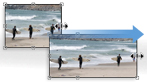
Automatically recompose an image as you resize it, preserving vital areas as the image adapts to the new dimensions, with Content-Aware Scaling in Photoshop. Get the perfect image in one step without cropping and retouching.
Smooth panning and zooming in Photoshop
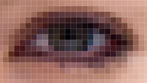
Gracefully navigate to any area of an image with ultra-smooth zooming and panning in Photoshop. Maintain clarity as you zoom to individual pixels, and easily edit at the highest magnification using the Pixel Grid.

Puppet Warp in Photoshop
Precisely warp or stretch graphics, text, or image elements to create unique new looks for your designs.

Beautiful strokes in Illustrator
Dynamically create and edit strokes with infinitely adjustable widths, precisely position and scale arrowheads and dashes, and finely control the scaling of art brushes along a path in Illustrator.
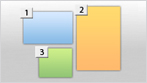
Multiple artboards in a single Illustrator file
Work on up to 100 artboards of varying sizes in one Illustrator file named, organized, and viewed the way you want.

Perspective drawing in Illustrator
Draw shapes in accurate 1-, 2-, or 3-point linear perspective to create the look of realistic depth and distance.
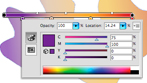
Gradients exposed in Illustrator
Interact with gradients right on an object. Set gradient angle, position, and elliptical dimensions. Add and edit colors using sliders all with immediate feedback where you work.

Simplified InDesign object selection and editing
Perform finicky layout tasks efficiently. Manipulate frames and frame content without switching tools. Dynamically adjust white space between objects to reposition page items. Use on-object controls to modify frame corners directly in the layout.
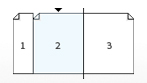
Multiple page sizes in a single InDesign file
Include different page sizes in a single InDesign document, and apply the same master page to different-sized layouts.

Paragraphs that span or split columns
Quickly create text that spans or splits into multiple columns in just a few steps.

Gap tool in InDesign
Quickly adjust the size of a gap between two or more items. The Gap tool is a one-step way to adjust your layout by directly manipulating the white space.
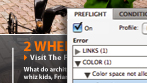
Live Preflight in InDesign
Preflight while you design for better results, greater time savings, and lower production costs. Continuous preflighting alerts you to potential production problems in real time. View contextual tips to help you correct errors directly in layout.
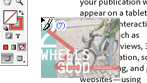
Multi-file place in InDesign
Import several files in one step. See thumbnail views of the files and cycle through them until you find the one you want to place.
Preflight checks and fixes in Acrobat Pro
Reduce errors and delays at the printer. Preview, preflight, correct, and prepare PDF files for high-end print production and digital publishing. Run checks and fixes on selected objects, and view improved reports.

Adobe PDF creation, editing, and delivery
Distribute layouts reliably using Acrobat X Pro to create simple PDF documents, and package layouts, drawings, images, animation, video, audio, and other files in a single, polished PDF Portfolio.
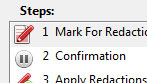
Action Wizard in Acrobat Pro
Automate routine, multistep PDF tasks in Adobe Acrobat X Pro. The Action Wizard guides you through creating an Action, which is an automated sequence of actions that can be applied to a single PDF or batches of files.

PDF Portfolio creation
Deliver multiple files and file types, including video, sound, and interactive elements, in a single compelling format with PDF Portfolios.
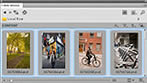
Visual media browsing
Find files fast by browsing thumbnails instead of filenames with Adobe Bridge. Or browse thumbnails and place files from the Mini Bridge panel in Photoshop CS5 and InDesign CS5.5.

Creative reviews within your design workflow
Streamline reviews through integration with Adobe CS Review, an Adobe CS Live online service.1,2 Initiate shared reviews from within Photoshop CS5, Illustrator CS5, and InDesign CS5.5. Invite others to comment with easy-to-use browser-based tools, and view their comments in the context of your design.

Performance on newer operating systems
Take advantage of the power and performance of newer Apple and Microsoft operating systems so you can work more quickly. And Photoshop CS5 is 64-bit native, which means even faster image-editing no matter which computer platform you use.

Help when you need it
Find the best answers for your Adobe product questions with Adobe Community Help, an online service for instruction, inspiration, and support.

Consistent Adobe user interface
Work quickly and intuitively thanks to a consistent approach to the user interface across all Design Standard components.
|
|
|
|
03/06
|
Adobe Creative Suite 5.5 (CS5.5) Design Standard - Windows, Student Edition Only Serial Number is given by Post Verification from Adobe
Warning : Before Purchase Please Check OS Compatibility
What's inside:
What is Design Standard?
Adobe Creative Suite 5.5 Design Standard software combines industry-standard tools for editing digital images, creating vector graphics, and laying out top-quality print documents with elegant typography. Extend beyond print with dynamic eBooks and digital documents that marry interactivity with the quality of traditional print design.
Deliver exceptional print designs faster
Deadlines looming? Finish more work in less time with dozens of productivity features in Adobe Creative Suite 5.5 Design Standard software to accelerate everyday design and production tasks. And integration with online services1,2 helps streamline creative reviews.
Content-Aware Fill in Photoshop
Remove any image detail or object and watch as Content-Aware Fill in Photoshop magically fills in the space left behind. Match lighting, tone, and noise so it looks as if the removed content never existed.
Complex image selection made easy in Photoshop
Produce highly accurate masks and make selections faster with Photoshop CS5. Even the trickiest image elements, such as hair and foliage, can be masked quickly and accurately to produce realistic composite images.
Content-Aware Scaling in Photoshop
Automatically recompose an image as you resize it, preserving vital areas as the image adapts to the new dimensions, with Content-Aware Scaling in Photoshop. Get the perfect image in one step without cropping and retouching.
Smooth panning and zooming in Photoshop
Gracefully navigate to any area of an image with ultra-smooth zooming and panning in Photoshop. Maintain clarity as you zoom to individual pixels, and easily edit at the highest magnification using the Pixel Grid.
Puppet Warp in Photoshop
Precisely warp or stretch graphics, text, or image elements to create unique new looks for your designs.
Beautiful strokes in Illustrator
Dynamically create and edit strokes with infinitely adjustable widths, precisely position and scale arrowheads and dashes, and finely control the scaling of art brushes along a path in Illustrator.
Multiple artboards in a single Illustrator file
Work on up to 100 artboards of varying sizes in one Illustrator file named, organized, and viewed the way you want.
Perspective drawing in Illustrator
Draw shapes in accurate 1-, 2-, or 3-point linear perspective to create the look of realistic depth and distance.
Gradients exposed in Illustrator
Interact with gradients right on an object. Set gradient angle, position, and elliptical dimensions. Add and edit colors using sliders all with immediate feedback where you work.
Simplified InDesign object selection and editing
Perform finicky layout tasks efficiently. Manipulate frames and frame content without switching tools. Dynamically adjust white space between objects to reposition page items. Use on-object controls to modify frame corners directly in the layout.
Multiple page sizes in a single InDesign file
Include different page sizes in a single InDesign document, and apply the same master page to different-sized layouts.
Paragraphs that span or split columns
Quickly create text that spans or splits into multiple columns in just a few steps.
Gap tool in InDesign
Quickly adjust the size of a gap between two or more items. The Gap tool is a one-step way to adjust your layout by directly manipulating the white space.
Live Preflight in InDesign
Preflight while you design for better results, greater time savings, and lower production costs. Continuous preflighting alerts you to potential production problems in real time. View contextual tips to help you correct errors directly in layout.
Multi-file place in InDesign
Import several files in one step. See thumbnail views of the files and cycle through them until you find the one you want to place.
Preflight checks and fixes in Acrobat Pro
Reduce errors and delays at the printer. Preview, preflight, correct, and prepare PDF files for high-end print production and digital publishing. Run checks and fixes on selected objects, and view improved reports.
Adobe PDF creation, editing, and delivery
Distribute layouts reliably using Acrobat X Pro to create simple PDF documents, and package layouts, drawings, images, animation, video, audio, and other files in a single, polished PDF Portfolio.
Action Wizard in Acrobat Pro
Automate routine, multistep PDF tasks in Adobe Acrobat X Pro. The Action Wizard guides you through creating an Action, which is an automated sequence of actions that can be applied to a single PDF or batches of files.
PDF Portfolio creation
Deliver multiple files and file types, including video, sound, and interactive elements, in a single compelling format with PDF Portfolios.
Visual media browsing
Find files fast by browsing thumbnails instead of filenames with Adobe Bridge. Or browse thumbnails and place files from the Mini Bridge panel in Photoshop CS5 and InDesign CS5.5.
Creative reviews within your design workflow
Streamline reviews through integration with Adobe CS Review, an Adobe CS Live online service.1,2 Initiate shared reviews from within Photoshop CS5, Illustrator CS5, and InDesign CS5.5. Invite others to comment with easy-to-use browser-based tools, and view their comments in the context of your design.
Performance on newer operating systems
Take advantage of the power and performance of newer Apple and Microsoft operating systems so you can work more quickly. And Photoshop CS5 is 64-bit native, which means even faster image-editing no matter which computer platform you use.
Help when you need it
Find the best answers for your Adobe product questions with Adobe Community Help, an online service for instruction, inspiration, and support.
Consistent Adobe user interface
Work quickly and intuitively thanks to a consistent approach to the user interface across all Design Standard components.
|
|
|
|
03/06
|
Adobe Creative Suite 5.5 (CS5.5) Production Premium - Mac, Student Edition Only Serial Number is given by Post Verification from Adobe
Warning : Before Purchase Please Check OS Compatibility
What is Production Premium?
Adobe Creative Suite 5.5 Production Premium is the high-performance leader in video production software. Produce your best work with game-changing innovations like the Adobe Mercury Playback Engine and a distinctively efficient post-production workflow.
Work faster
Accelerate your video production workflow in Adobe Creative Suite 5.5 Production Premium software, with sweeping performance enhancements that define new standards for speed and efficiency on both Mac OS and Windows.

Native 64-bit operating system support
Work fluidly on HD and higher resolution projects using all the RAM on your system thanks to native 64-bit operating system support in Adobe After Effects, Adobe Premiere Pro, and Adobe Photoshop Extended.

Mercury Playback Engine
Get amazing performance from the Mercury Playback Engine in Adobe Premiere Pro on both desktops and laptops (Windows and Mac OS). Natively 64-bit and optimized for modern CPUs, Mercury delivers astounding performance with or without GPU acceleration.
More on performance

GPU acceleration in Photoshop
Speed up image cropping, color picking, and brush treatments with GPU-accelerated features in Photoshop Extended.

Broad format support in Adobe Premiere Pro
Maximize the efficiency of your file-based workflow and edit virtually any format including DV, HDV, RED, DPX, Sony XDCAM, XDCAM 50, XDCAM EX and XDCAM HD, Panasonic P2, DVCPRO HD, AVCHD, AVC-Intra, and footage from DSLR cameras.

Most efficient file-based workflow
Edit file-based media instantly with native support for DSLR, R3D, AVCCAM, XDCAM HD 50, DPX, P2, XDCAM, XF, and other formats. Never waste time transcoding or rewrapping media, saving significant ingest time on every project.

Timesaving integration
Save time on every project thanks to deep integration; roundtrip editing; and Dynamic Link, which eliminates intermediate rendering as you refine assets between After Effects, Adobe Premiere Pro, and Encore.

Roto Brush
Isolate moving foreground elements from their backgrounds in fewer steps using the Roto Brush in After Effects, automatically creating transparency around foreground elements. Save hours on typical projects.

Efficient workflow
Trim and edit with efficiency and precision in Adobe Premiere Pro CS5.5. Use widely accepted NLE shortcuts and easily sync separately recorded field audio with your video, thanks to dual-system sound support.

Integrated metadata for faster post-production
Develop scripts or outlines with Adobe Story, an Adobe CS Live online service1,2. Leverage metadata acquired in production to search assets and dialogue and edit faster. Create searchable web DVDs to make assets discoverable online.

Fast, reliable encoding for multiple devices
Output your work for PCs, smartphones, tablets, and television with Adobe Media Encoder CS5.5. Use intuitive presets and contextual menus to set up sequences once for multiple formats, and batch encode while you keep editing.
Dozens of timesaving improvements
Boost productivity in Adobe Premiere Pro, Photoshop Extended, and After Effects with workflow features and enhancements suggested by users like you.
Multitarget project setup in Flash Professional
Reuse code and assets in Adobe Flash Professional to efficiently create, test, package, and deploy content across a range of screens and devices.
Craft great stories
To the top
Tackle virtually any post-production challenge with the industry-leading, tightly integrated creative toolset. Game-changing innovations enable you to deliver the highest quality productions to virtually any screen.

Best-of-breed production tools
Get best-of-breed video, motion graphics, compositing, audio, and design tools packed with innovations that accelerate production workflows, inspire creativity, and help deliver high-quality productions to any screen.

Rich 2D and 3D images from Photoshop Extended
Magically remove objects with Content-Aware Fill in Photoshop Extended. Paint with lifelike brush strokes and use creative 3D tools. Roundtrip images and motion-based content to Adobe Premiere Pro, After Effects, and Encore.

Integration with Adobe Story
Write scripts that serve as blueprints for your video productions and speed up your workflow using Adobe Story.

Advanced audio-for-video editing in Adobe Audition
Record, edit, mix, master, and sweeten audio with Adobe Audition CS5.5 now available for both Mac OS and Windows. Roundtrip edit with Adobe Premiere Pro CS5.5, or use OMF and XML to speed up project exchange with Avid Pro Tools and other NLEs.

Vector graphics with Illustrator
Import native Adobe Illustrator artwork into After Effects with layers, masks, blend modes, gradients, and effects intact. After Effects can continuously rasterize vector shapes for smooth edge detail at any size.

Warp Stabilizer in After Effects
Smooth a bumpy camera move, or lock a shot automatically. Warp Stabilizer removes jitter and compensates for motion-related irregularities.

Advanced motion tracking
Handle even the trickiest tracking jobs with the 2D planar tracking tools in mocha for After Effects CS5.5, which now supports tracking masks and variable mask width and includes the powerful mocha shape plug-in.

Camera Lens Blur and camera property in After Effects
Create soft-focus effects with Camera Lens Blur. Set iris shape, blade curvature, and diffraction fringe characteristics for beautiful bokeh, and use these same settings for fantastic depth-of-field control with the After Effects 3D camera.

Light falloff in After Effects
Control how light intensity falls off across 3D distances, just like in the real world.

Searchable web DVDs
Deliver DVDs, Blu-ray discs, and searchable web DVDs from a single Encore project.
More on searchable web DVDs

Easy online video portfolios
Create video portfolio websites and interfaces without writing code in new Adobe Flash Catalyst. Easily integrate video, sound effects, and dynamic media, and then add interactions to control their playback.

Interactive video projects from Flash Professional
Use streamlined video controls in the industry-standard Flash Professional workflow to quickly add video content to sophisticated interactive experiences.

Intuitive perspective drawing
Automatically generate perspective grids for 1-, 2- or 3-point linear perspectives in Adobe Illustrator, with controls for horizon lines and vanishing points. Artwork you draw automatically conforms to the Perspective Grid.

Better stereoscopic 3D workflow in After Effects
Composite and animate stereoscopic projects in After Effects. Set up stereo camera rigs quickly and render multiple cameras simply and easily.

Enhanced creative freedom on the go
Take your creativity further use mobile devices like the iPad with Adobe Ideas sketching software and a growing number of companion apps as they become available for Photoshop CS5 Extended.3
See all mobile apps
Collaborate efficiently
To the top
Move sequences and assets through the production pipeline faster with open project exchange with other NLEs, while streamlining project reviews and improving communication with colleagues and clients.

Compatibility with large-scale workflows
Work with multiple NLEs thanks to roundtrip editing between Adobe Premiere Pro and Final Cut Pro or Avid NLEs. Leverage industry-standard formats such as AAF, EDL, OMF, and XML to integrate with a variety of systems.

Streamlined collaboration
Collaborate using CS Live online services1,2 including Adobe Story, a collaborative script-development tool; CS Review, an online review service; and Acrobat.com services that simplify sharing project information.

Source timecode support in After Effects
Take the guesswork out of source footage edits. Timecode data in QuickTime, AVI, Broadcast WAV (BWF), DPX, and some variations of MXF is read directly in After Effects, and the Timecode effect can display both source timecode and composition frames.

Added support for color LUTs
Share a broad range of color lookup tables (LUTs) with After Effects, such as 3DL and CUBE formats and support for 1D LUTs.
Mac OS
- Multicore Intel processor with 64-bit support
- Mac OS X v10.5.8 or v10.6.3 or higher; Mac OS X v10.6.3 or higher required for GPU-accelerated performance in Adobe Premiere Pro
- 2GB of RAM (4GB or more recommended)
- 20.6GB of available hard-disk space for installation; additional free space required during installation (cannot install on a volume that uses a case-sensitive file system or on removable flash storage devices)
- 1280x900 display (1280x1024 recommended) with qualified hardware-accelerated OpenGL graphics card, 16-bit color, and 256MB of VRAM
- Adobe-certified GPU card for GPU-accelerated performance in Adobe Premiere Pro
- Some GPU-accelerated features in Adobe Photoshop Extended require graphics support for Shader Model 3.0 and OpenGL 2.0
- 7200 RPM hard drive for editing compressed video formats; RAID 0 for uncompressed
- Core Audiocompatible sound card
- DVD-ROM drive compatible with dual-layer DVDs (SuperDrive for burning DVDs; external Blu-ray burner for creating Blu-ray Disc media)
- Java Runtime Environment 1.5 or 1.6
- QuickTime 7.6.2 software required for QuickTime features
- Adobe Flash Player 10 software required to play back DVD projects exported as SWF files
- Broadband Internet connection required for online services and to validate Subscription Edition (if applicable) on an ongoing basis*
|
|
|
|
03/06
|
Adobe Creative Suite 5.5 (CS5.5) Production Premium - Windows, Student Edition Only Serial Number is given by Post Verification from Adobe
Warning : Before Purchase Please Check OS Compatibility
What is Production Premium?
Adobe Creative Suite 5.5 Production Premium is the high-performance leader in video production software. Produce your best work with game-changing innovations like the Adobe Mercury Playback Engine and a distinctively efficient post-production workflow.
Work faster
Accelerate your video production workflow in Adobe Creative Suite 5.5 Production Premium software, with sweeping performance enhancements that define new standards for speed and efficiency on both Mac OS and Windows.
Native 64-bit operating system support
Work fluidly on HD and higher resolution projects using all the RAM on your system thanks to native 64-bit operating system support in Adobe After Effects, Adobe Premiere Pro, and Adobe Photoshop Extended.
Mercury Playback Engine
Get amazing performance from the Mercury Playback Engine in Adobe Premiere Pro on both desktops and laptops (Windows and Mac OS). Natively 64-bit and optimized for modern CPUs, Mercury delivers astounding performance with or without GPU acceleration.
More on performance
GPU acceleration in Photoshop
Speed up image cropping, color picking, and brush treatments with GPU-accelerated features in Photoshop Extended.
Broad format support in Adobe Premiere Pro
Maximize the efficiency of your file-based workflow and edit virtually any format including DV, HDV, RED, DPX, Sony XDCAM, XDCAM 50, XDCAM EX and XDCAM HD, Panasonic P2, DVCPRO HD, AVCHD, AVC-Intra, and footage from DSLR cameras.
Most efficient file-based workflow
Edit file-based media instantly with native support for DSLR, R3D, AVCCAM, XDCAM HD 50, DPX, P2, XDCAM, XF, and other formats. Never waste time transcoding or rewrapping media, saving significant ingest time on every project.
Timesaving integration
Save time on every project thanks to deep integration; roundtrip editing; and Dynamic Link, which eliminates intermediate rendering as you refine assets between After Effects, Adobe Premiere Pro, and Encore.
Roto Brush
Isolate moving foreground elements from their backgrounds in fewer steps using the Roto Brush in After Effects, automatically creating transparency around foreground elements. Save hours on typical projects.
Efficient workflow
Trim and edit with efficiency and precision in Adobe Premiere Pro CS5.5. Use widely accepted NLE shortcuts and easily sync separately recorded field audio with your video, thanks to dual-system sound support.
Integrated metadata for faster post-production
Develop scripts or outlines with Adobe Story, an Adobe CS Live online service1,2. Leverage metadata acquired in production to search assets and dialogue and edit faster. Create searchable web DVDs to make assets discoverable online.
Fast, reliable encoding for multiple devices
Output your work for PCs, smartphones, tablets, and television with Adobe Media Encoder CS5.5. Use intuitive presets and contextual menus to set up sequences once for multiple formats, and batch encode while you keep editing.
Dozens of timesaving improvements
Boost productivity in Adobe Premiere Pro, Photoshop Extended, and After Effects with workflow features and enhancements suggested by users like you.
Multitarget project setup in Flash Professional
Reuse code and assets in Adobe Flash Professional to efficiently create, test, package, and deploy content across a range of screens and devices.
Craft great stories
To the top
Tackle virtually any post-production challenge with the industry-leading, tightly integrated creative toolset. Game-changing innovations enable you to deliver the highest quality productions to virtually any screen.
Best-of-breed production tools
Get best-of-breed video, motion graphics, compositing, audio, and design tools packed with innovations that accelerate production workflows, inspire creativity, and help deliver high-quality productions to any screen.
Rich 2D and 3D images from Photoshop Extended
Magically remove objects with Content-Aware Fill in Photoshop Extended. Paint with lifelike brush strokes and use creative 3D tools. Roundtrip images and motion-based content to Adobe Premiere Pro, After Effects, and Encore.
Integration with Adobe Story
Write scripts that serve as blueprints for your video productions and speed up your workflow using Adobe Story.
Advanced audio-for-video editing in Adobe Audition
Record, edit, mix, master, and sweeten audio with Adobe Audition CS5.5 now available for both Mac OS and Windows. Roundtrip edit with Adobe Premiere Pro CS5.5, or use OMF and XML to speed up project exchange with Avid Pro Tools and other NLEs.
Vector graphics with Illustrator
Import native Adobe Illustrator artwork into After Effects with layers, masks, blend modes, gradients, and effects intact. After Effects can continuously rasterize vector shapes for smooth edge detail at any size.
Warp Stabilizer in After Effects
Smooth a bumpy camera move, or lock a shot automatically. Warp Stabilizer removes jitter and compensates for motion-related irregularities.
Advanced motion tracking
Handle even the trickiest tracking jobs with the 2D planar tracking tools in mocha for After Effects CS5.5, which now supports tracking masks and variable mask width and includes the powerful mocha shape plug-in.
Camera Lens Blur and camera property in After Effects
Create soft-focus effects with Camera Lens Blur. Set iris shape, blade curvature, and diffraction fringe characteristics for beautiful bokeh, and use these same settings for fantastic depth-of-field control with the After Effects 3D camera.
Light falloff in After Effects
Control how light intensity falls off across 3D distances, just like in the real world.
Searchable web DVDs
Deliver DVDs, Blu-ray discs, and searchable web DVDs from a single Encore project.
More on searchable web DVDs
Easy online video portfolios
Create video portfolio websites and interfaces without writing code in new Adobe Flash Catalyst. Easily integrate video, sound effects, and dynamic media, and then add interactions to control their playback.
Interactive video projects from Flash Professional
Use streamlined video controls in the industry-standard Flash Professional workflow to quickly add video content to sophisticated interactive experiences.
Intuitive perspective drawing
Automatically generate perspective grids for 1-, 2- or 3-point linear perspectives in Adobe Illustrator, with controls for horizon lines and vanishing points. Artwork you draw automatically conforms to the Perspective Grid.
Better stereoscopic 3D workflow in After Effects
Composite and animate stereoscopic projects in After Effects. Set up stereo camera rigs quickly and render multiple cameras simply and easily.
Enhanced creative freedom on the go
Take your creativity further use mobile devices like the iPad with Adobe Ideas sketching software and a growing number of companion apps as they become available for Photoshop CS5 Extended.3
See all mobile apps
Collaborate efficiently
To the top
Move sequences and assets through the production pipeline faster with open project exchange with other NLEs, while streamlining project reviews and improving communication with colleagues and clients.
Compatibility with large-scale workflows
Work with multiple NLEs thanks to roundtrip editing between Adobe Premiere Pro and Final Cut Pro or Avid NLEs. Leverage industry-standard formats such as AAF, EDL, OMF, and XML to integrate with a variety of systems.
Streamlined collaboration
Collaborate using CS Live online services1,2 including Adobe Story, a collaborative script-development tool; CS Review, an online review service; and Acrobat.com services that simplify sharing project information.
Source timecode support in After Effects
Take the guesswork out of source footage edits. Timecode data in QuickTime, AVI, Broadcast WAV (BWF), DPX, and some variations of MXF is read directly in After Effects, and the Timecode effect can display both source timecode and composition frames.
Added support for color LUTs
Share a broad range of color lookup tables (LUTs) with After Effects, such as 3DL and CUBE formats and support for 1D LUTs.
|
|
|
|
03/06
|
Adobe Creative Suite 5.5 (CS5.5) Master Collection - Mac, Student Edition Only
Serial Number is given by Post Verification from Adobe
Warning : Before Purchase Please Check OS Compatibility
What's inside
Flash Builder 4.5 Premium Edition
What is Master Collection?
|
Adobe Creative Suite 5.5 Master Collection software is a comprehensive set of professional creative tools for delivery of design across media. Make an impact with work for virtually any screen mobile to tablet to HD display all with one value-packed offering.
|
Create without boundaries
Get it all with Adobe Creative Suite 5.5 Master Collection software. Create in new ways for mobile, video, print, and online media with the ultimate design environment, fully loaded with Adobes professional tools.

Industry-standard image editing
Make an impact with your images using Adobe Photoshop CS5 Extended, the digital imaging standard preferred by professionals worldwide for its powerful state-of-the-art editing, compositing, painting, and effects capabilities.

Vector graphics that work across media
Create compelling graphics in Adobe Illustrator CS5, the vector-drawing environment used by design professionals worldwide. Experiment freely and design efficiently with powerful tools for drawing, color, creative effects, and typography.

High-quality layout and production for print
Generate stunning page layouts quickly and efficiently in InDesign CS5.5 with precise control over typography, built-in creative tools, and an intuitive workflow. Take your designs to print reliably with less risk of error.

PDF Portfolios in Acrobat Pro
Assemble layouts, drawings, images, video, audio, and other files into a single dynamic PDF Portfolio. Customize the PDF Portfolio interface using professionally designed templates and interactive navigation.

Best-of-breed video editing and effects tools
Work efficiently and with maximum creativity using the best video editing and effects workflow on the market. Deliver reliably for broadcast, film, or online experiences with Adobe Premiere Pro CS5.5, After Effects CS5.5, and more.

Rich interactive content with Flash Professional
Work with an animation model that makes Flash Professional easier to learn for new users, adds efficiency for proficient users, and provides even greater control for creating immersive interactive experiences.
Professional audio production
Design sound at a professional level with cross-platform Adobe Audition CS5.5. Record, mix, edit, and master with tools that match the creativity and impact of your video and motion graphics.

Premium tools for Flex developers
Use Adobe Flash Builder 4.5 Premium Edition to make the most of your Flex framework. Profilers, network monitoring, automated testing, and more can help you rapidly develop rich interactive content.

Innovative vector drawing and painting
Quickly and accurately represent depth and distance using perspective tools in Adobe Illustrator CS5. Use the Bristle Brush to draw with the expressive quality of watercolors, oils, and pastels, but with the scalability of vectors.
File-based workflows in video production
Work natively with pristine file-based footage in Adobe Premiere Pro CS5.5 and Adobe After Effects CS5.5. Edit file-based media formats using industry-leading workflows to save valuable production time transcoding or rewrapping.

Interactive documents and presentations
Create memorable documents and presentations with interactivity, motion, sound, and video in InDesign CS5.5. Enhance layouts with rich media using motion presets and support for FLV and MP3 audio file import to engage your audiences.

Blob Brush tool in Illustrator
Sketch with a brush that generates a single clean vector shape, even when strokes overlap. Draw naturally using the Blob Brush tool together with the Eraser and Smooth tools.
Content-Aware Scaling in Photoshop Extended
Use the revolutionary Content-Aware Scaling feature to automatically recompose an image as you resize it, preserving vital areas as the image adapts to the new dimensions. Get the perfect image in one step without cropping and retouching.

Beautiful strokes with variable widths
Dynamically create and edit strokes in Adobe Illustrator CS5 that have infinitely adjustable widths. Precisely position and scale arrowheads and dashes, and finely control the scaling of art brushes along a path.
Photoshop Smart Objects in Dreamweaver
Insert any Photoshop PSD document in Dreamweaver to create an image Smart Object tightly linked to the source file. Make changes to the source image, and then update your image in Dreamweaver without opening Photoshop.

Live View in Dreamweaver
Design your web pages under real-world browser conditions with Live View in Dreamweaver while still retaining direct access to the code. Changes to the code are instantly reflected in the rendered display.

Enhanced creative freedom on the go
Take your creativity beyond the desktop. Use mobile devices like the iPad with Adobe Ideas sketching software and additional companion apps as they become available for Photoshop CS5 Extended.3 See all mobile apps
3D, motion, and compositing
Produce engaging video experiences by leveraging innovative 3D workflows enhanced editing, animation, and compositing all with a unified user interface that makes moving between components fluid and intuitive.
Comprehensive reach of the Flash Platform
Realize your vision online with the capabilities of the Adobe Flash Platform. Use Flash Catalyst CS5.5 to design interactive content without writing code, Flash Professional CS5.5 to create ultra-expressive content, and Flash Builder 4.5 Premium to develop rich Internet applications.
Efficient editing with Adobe Premiere Pro
Take advantage of scalable and flexible nonlinear video-editing capabilities to tell your most compelling stories. Native support for tapeless workflows, batch encoding in the background, and numerous enhancements help make editing more efficient.
Optimized graphics for the web and devices
Rapidly prototype websites, application interfaces, and other interactive designs. Design and prototype complete web pages and then export them as CSS-standard HTML, complete with external style sheets.
Work efficiently and with precision
To the top
Do more in less time. Do more in real time. Tap into the power of performance and take advantage of a wealth of new efficiencies, from mobile design to animation to HD video.

Content-Aware Fill
Remove any image detail or object and watch as Content-Aware Fill magically fills in the space left behind. This breakthrough technology matches lighting, tone, and noise so it looks as if the removed content never existed.

Video workflow efficiency with Dynamic Link
Save time on video projects thanks to roundtrip editing and Adobe Dynamic Link, which eliminates intermediate rendering as you refine assets between After Effects, Adobe Premiere Pro, and Encore.

Fast object selection and transformation
Select an object in InDesign CS5.5 and perform transformations with ease. Efficiency-optimizing tools and on-object controls speed up and simplify repetitive, everyday layout tasks.

Smooth designer-developer workflows
Work in parallel on the same Flex based project using Flash Catalyst CS5.5 and Flash Builder 4.5 Premium. Designers can make creative edits while developers manipulate code, and files flow easily back and forth for a fast, smooth workflow.
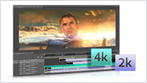
Mercury Playback Engine and 64-bit performance
Work fluidly with high-resolution video footage thanks to the Adobe Mercury Playback Engine, which speeds up effects processing and rendering. Plus, work smoothly with very large images in Photoshop Extended thanks to 64-bit support and GPU acceleration.
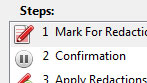
Action Wizard in Acrobat Pro
Automate routine, multistep PDF tasks more easily in Adobe Acrobat X Pro. The Action Wizard guides you through creating an Action, which is an automated sequence of steps that can be applied to a single PDF or batches of files.
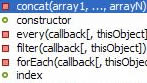
Robust jQuery support
Build rich content for a variety of devices with support for the jQuery Mobile framework in Dreamweaver CS5.5. Take advantage of mobile templates, contextual code hinting, and the ability to quickly insert objects into a design.

Truer Edge selection technology
Get better masking results in less time when selecting even the trickiest image elements, like hair, in Photoshop CS5 Extended. Truer Edge provides amazing edge detection and selection quality when using the Quick Selection tool.

Roto Brush
Rotoscope in a fraction of the time with the revolutionary Roto Brush in After Effects CS5.5. Isolating moving foreground elements from their backgrounds with automatic transparency is dramatically fast.
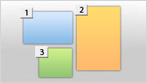
Multiple artboards in Illustrator
Create files containing up to 100 artboards of varying sizes and display them how you want overlapping, side by side, or stacked. Save, export, and print artboards independently or together. Save a range of artboards as a multipage PDF file.
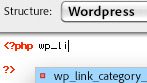
Support for evolving web trends
Create dynamic websites easily using Dreamweaver CS5.5 with full support for the leading content management frameworks, including Joomla!, Drupal, and WordPress.
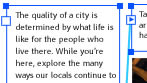
Type enhancements for the web
Create sophisticated typography for the web with support for bidirectional and vertical text, flowable text layouts, and support for more than 30 writing systems including Arabic, Chinese, Hebrew, and more in Flash Professional CS5.5.
Smooth image navigation in Photoshop Extended
Navigate gracefully to any area of an image with new, ultra-smooth zooming and panning. Just click to turn your canvas for distortion-free viewing at any angle no more tilting your head while painting and drawing.
Object-based animation in Flash Professional
With object-based animation in Flash Professional, create simple but engaging animations in as few as two steps.
Smart Objects in Dreamweaver
Insert any Photoshop PSD document in Dreamweaver to create an image Smart Object tightly linked to the source file. Make changes to the source image and update your image in Dreamweaver without opening Photoshop.
Project intelligence with XMP metadata support
Take advantage of the efficiency of XMP metadata. For example, Speech Search technology in Adobe Premiere Pro uses metadata to enable spoken words to become searchable, making it easy to find particular clips and making video assets searchable.
InDesign export for Flash Professional
Export InDesign documents to the XFL format and open them in Flash Professional with the visual fidelity of your original layout maintained.
Customizable Links panel in InDesign
Find, sort, and manage all of your documents placed files in the customizable Links panel. View attributes that are most critical to your workflow, such as scale, rotation, and resolution.
|
|
|
|
03/06
|
Adobe Creative Suite 5.5 (CS5.5) Design Premium - Mac, Student Edition Only Serial Number is given by Post Verification from Adobe
Warning : Before Purchase Please Check OS Compatibility
What is Design Premium?
Adobe Creative Suite 5.5 Design Premium software is the ultimate toolkit for designing eye-catching print content, immersive digital magazines and corporate publications1, elegant eBooks, dynamic PDF files, websites based on HTML5/CSS3 standards, and interactive content that displays consistently across screens of virtually any size.
Express ideas faster and accelerate key project workflows
Racing to keep up? Save time using dozens of features in Adobe Creative Suite 5.5 Design Premium software that make quick work of everyday tasks and finicky details in Adobe Photoshop Extended, Illustrator, InDesign, and Acrobat Pro. Streamline workflows such as creative reviews through integration with Adobe CS Live online services.1,2

Breakthrough image editing in Photoshop Extended
Create compelling digital images with Adobe Photoshop CS5 Extended, the industry standard in digital imaging. Paint with realistic strokes, make exacting refinements, and use a wide range of workflow and performance features to accelerate everyday tasks.

Creative 3D possibilities
Quickly add depth and create unusual effects using 3D editing tools in Photoshop CS5 Extended. Create attention-getting 3D logos and artwork from text and shapes and edit, manipulate, and paint directly on 3D models.
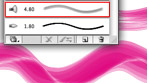
Vector graphics for virtually any medium
Create scalable vector artwork for projects ranging from logos to billboards and from animations to interface elements. Used by design professionals worldwide, Adobe Illustrator CS5 provides powerful drawing tools and expressive natural brushes for creating attention-getting content.
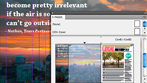
High-quality page layout and production
Lay out, preflight, and produce stunning page layouts with Adobe InDesign CS5.5, an intuitive design environment that offers precise control over typography and built-in tools for creative effects.

Content-Aware Fill in Photoshop
Remove any image detail or object and watch as Content-Aware Fill in Photoshop magically fills in the space left behind. Match lighting, tone, and noise so it looks as if the removed content never existed.

Complex image selection made easy
Produce highly accurate masks and make selections faster with Photoshop CS5 Extended. Even the trickiest image elements, such as hair and foliage, can be masked quickly and accurately to produce realistic composite images.

Puppet Warp in Photoshop
Precisely warp or stretch graphics, text, or image elements to create unique new looks for your designs.

Easy 3D extrusions in Photoshop Extended
Create stunning 3D logos and artwork from any text layer, selection, or layer mask with the Adobe Repouss feature in Photoshop CS5 Extended. Twist, rotate, extrude, bevel, and inflate these designs, and then apply materials such as chrome, mud, and grass to achieve different looks.

64-bit performance with Photoshop
Speed up day-to-day imaging tasks and process very large images up to ten times faster by taking advantage of cross-platform 64-bit support.
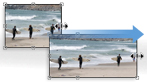
Content-Aware Scaling in Photoshop
Automatically recompose an image as you resize it, preserving vital areas as the image adapts to the new dimensions with Content-Aware Scaling in Photoshop. Get the perfect image in one step without cropping and retouching.
Photoshop Smart Objects in Dreamweaver
Insert any Photoshop PSD document in Dreamweaver to create an image Smart Object tightly linked to the source file. Make changes to the source image, and update your image in Dreamweaver without opening Photoshop.

Perspective drawing in Illustrator
Draw shapes in accurate 1-, 2-, or 3-point linear perspective to create the look of realistic depth and distance.

Beautiful strokes in Illustrator
Dynamically create and edit strokes with infinitely adjustable widths, precisely position and scale arrowheads and dashes, and finely control the scaling of art brushes along a path in Illustrator.
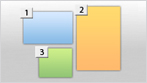
Multiple artboards in a single Illustrator file
Work on up to 100 artboards of varying sizes in one Illustrator file named, organized, and viewed the way you want.

Blob Brush in Illustrator
Use the Blob Brush in Illustrator to draw a stroke that generates a clean, filled, vector shape as you sketch, even when strokes overlap.
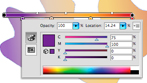
Gradients exposed in Illustrator
Interact with gradients right on your object. Set gradient angle, position, and elliptical dimensions. Add and edit colors using sliders all with immediate feedback where you work.

Simplified InDesign object selection and editing
Save time by performing finicky layout tasks efficiently. Manipulate frames and frame content without switching tools in InDesign CS5.5. Dynamically adjust white space between objects to reposition page items. Use on-object controls to modify frame corners directly in the layout.
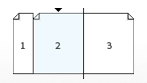
Multiple page sizes in one InDesign file
Include different page sizes in a single InDesign document, and apply the same master page to different-size layouts.

Gap tool in InDesign
Quickly adjust the size of a gap between two or more items. The Gap tool is a one-step way to adjust your layout by directly manipulating the white space.

Paragraphs that span or split columns
Quickly create text that spans or splits into multiple columns in just a few steps.
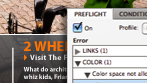
Live Preflight in InDesign
Preflight while you design for better results, greater time savings, and lower production costs. Continuous preflighting alerts you to potential production problems in real time.

Live View in Dreamweaver
Design your web pages under real-world browser conditions with Live View in Dreamweaver while still retaining direct access to the code. Changes to the code are instantly reflected in the rendered display.

Multiscreen Preview in Dreamweaver
View website designs as they would appear on screens of different sizes and resolution, all within a single, easy-to-use panel in Dreamweaver CS5.5.
Action Wizard in Acrobat Pro
Automate routine, multistep PDF tasks more easily in Acrobat X Pro. The Action Wizard guides you through creating an Action, which is an automated sequence of steps that can be applied to a single PDF or batches of files.

Acceleration of key project workflows
Boost efficiencies in your day-to-day design and production work with Adobe CS Live online services.1,2 Streamline reviews, initiate web-based meetings, share and collaborate on documents, and efficiently preview web pages on multiple browsers and operating systems all from within your web browser.
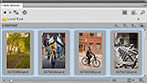
Visual media browsing
Find files fast by browsing thumbnails instead of filenames with Adobe Bridge. Or browse thumbnails and place files from the Mini Bridge panel in Photoshop CS5 and InDesign CS5.5.

Help when you need it
Take advantage of Adobe Community Help, an online service for instruction, inspiration, and support that enables you to find the best answers for your Adobe product questions, no matter where they may be found.
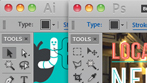
Consistent Adobe user interface
Work quickly and intuitively thanks to a consistent user interface across all Design Premium components. Enjoy a shorter learning curve and stay more focused on the art of design.
|
|
|
|
03/06
|
Adobe Creative Suite 5.5 (CS5.5) Design Premium - Windows, Student Edition Only Serial Number is given by Post Verification from Adobe
Warning : Before Purchase Please Check OS Compatibility
What is Design Premium?
Adobe Creative Suite 5.5 Design Premium software is the ultimate toolkit for designing eye-catching print content, immersive digital magazines and corporate publications1, elegant eBooks, dynamic PDF files, websites based on HTML5/CSS3 standards, and interactive content that displays consistently across screens of virtually any size.
Express ideas faster and accelerate key project workflows
Racing to keep up? Save time using dozens of features in Adobe Creative Suite 5.5 Design Premium software that make quick work of everyday tasks and finicky details in Adobe Photoshop Extended, Illustrator, InDesign, and Acrobat Pro. Streamline workflows such as creative reviews through integration with Adobe CS Live online services.1,2

Breakthrough image editing in Photoshop Extended
Create compelling digital images with Adobe Photoshop CS5 Extended, the industry standard in digital imaging. Paint with realistic strokes, make exacting refinements, and use a wide range of workflow and performance features to accelerate everyday tasks.

Creative 3D possibilities
Quickly add depth and create unusual effects using 3D editing tools in Photoshop CS5 Extended. Create attention-getting 3D logos and artwork from text and shapes and edit, manipulate, and paint directly on 3D models.
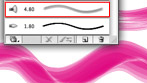
Vector graphics for virtually any medium
Create scalable vector artwork for projects ranging from logos to billboards and from animations to interface elements. Used by design professionals worldwide, Adobe Illustrator CS5 provides powerful drawing tools and expressive natural brushes for creating attention-getting content.
High-quality page layout and production
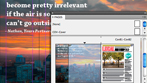
Lay out, preflight, and produce stunning page layouts with Adobe InDesign CS5.5, an intuitive design environment that offers precise control over typography and built-in tools for creative effects.

Content-Aware Fill in Photoshop
Remove any image detail or object and watch as Content-Aware Fill in Photoshop magically fills in the space left behind. Match lighting, tone, and noise so it looks as if the removed content never existed.

Complex image selection made easy
Produce highly accurate masks and make selections faster with Photoshop CS5 Extended. Even the trickiest image elements, such as hair and foliage, can be masked quickly and accurately to produce realistic composite images.

Puppet Warp in Photoshop
Precisely warp or stretch graphics, text, or image elements to create unique new looks for your designs.

Easy 3D extrusions in Photoshop Extended
Create stunning 3D logos and artwork from any text layer, selection, or layer mask with the Adobe Repouss feature in Photoshop CS5 Extended. Twist, rotate, extrude, bevel, and inflate these designs, and then apply materials such as chrome, mud, and grass to achieve different looks.

64-bit performance with Photoshop
Speed up day-to-day imaging tasks and process very large images up to ten times faster by taking advantage of cross-platform 64-bit support.
Content-Aware Scaling in Photoshop
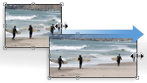
Automatically recompose an image as you resize it, preserving vital areas as the image adapts to the new dimensions with Content-Aware Scaling in Photoshop. Get the perfect image in one step without cropping and retouching.
Photoshop Smart Objects in Dreamweaver
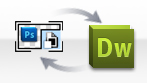
Insert any Photoshop PSD document in Dreamweaver to create an image Smart Object tightly linked to the source file. Make changes to the source image, and update your image in Dreamweaver without opening Photoshop.

Perspective drawing in Illustrator
Draw shapes in accurate 1-, 2-, or 3-point linear perspective to create the look of realistic depth and distance.

Beautiful strokes in Illustrator
Dynamically create and edit strokes with infinitely adjustable widths, precisely position and scale arrowheads and dashes, and finely control the scaling of art brushes along a path in Illustrator.
Multiple artboards in a single Illustrator file
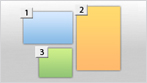
Work on up to 100 artboards of varying sizes in one Illustrator file named, organized, and viewed the way you want.

Blob Brush in Illustrator
Use the Blob Brush in Illustrator to draw a stroke that generates a clean, filled, vector shape as you sketch, even when strokes overlap.
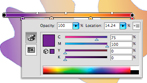
Gradients exposed in Illustrator
Interact with gradients right on your object. Set gradient angle, position, and elliptical dimensions. Add and edit colors using sliders all with immediate feedback where you work.

Simplified InDesign object selection and editing
Save time by performing finicky layout tasks efficiently. Manipulate frames and frame content without switching tools in InDesign CS5.5. Dynamically adjust white space between objects to reposition page items. Use on-object controls to modify frame corners directly in the layout.
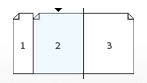
Multiple page sizes in one InDesign file
Include different page sizes in a single InDesign document, and apply the same master page to different-size layouts.

Gap tool in InDesign
Quickly adjust the size of a gap between two or more items. The Gap tool is a one-step way to adjust your layout by directly manipulating the white space.

Paragraphs that span or split columns
Quickly create text that spans or splits into multiple columns in just a few steps.
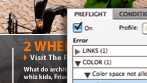
Live Preflight in InDesign
Preflight while you design for better results, greater time savings, and lower production costs. Continuous preflighting alerts you to potential production problems in real time.

Live View in Dreamweaver
Design your web pages under real-world browser conditions with Live View in Dreamweaver while still retaining direct access to the code. Changes to the code are instantly reflected in the rendered display.

Multiscreen Preview in Dreamweaver
View website designs as they would appear on screens of different sizes and resolution, all within a single, easy-to-use panel in Dreamweaver CS5.5.
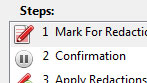
Action Wizard in Acrobat Pro
Automate routine, multistep PDF tasks more easily in Acrobat X Pro. The Action Wizard guides you through creating an Action, which is an automated sequence of steps that can be applied to a single PDF or batches of files.

Acceleration of key project workflows
Boost efficiencies in your day-to-day design and production work with Adobe CS Live online services.1,2 Streamline reviews, initiate web-based meetings, share and collaborate on documents, and efficiently preview web pages on multiple browsers and operating systems all from within your web browser.
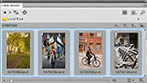
Visual media browsing
Find files fast by browsing thumbnails instead of filenames with Adobe Bridge. Or browse thumbnails and place files from the Mini Bridge panel in Photoshop CS5 and InDesign CS5.5.

Help when you need it
Take advantage of Adobe Community Help, an online service for instruction, inspiration, and support that enables you to find the best answers for your Adobe product questions, no matter where they may be found.
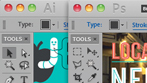
Consistent Adobe user interface
Work quickly and intuitively thanks to a consistent user interface across all Design Premium components. Enjoy a shorter learning curve and stay more focused on the art of design.
|
|
|
|
03/06
|
Smithmicro Software Poser Debut - The Fun Way to Learn 3D - Win/Mac Poser Debut
The fun way to learn 3D
Poser Debut comes with everything you need to get started in 3D. You'll quickly learn 3D with our easy to follow, step by step project guide. And Poser Debut's library includes dozens of ready to pose 3D characters from cute cartoon characters and animals to robots and accurate photo-realistic humans. Poser Debut also includes lots of clothing, props to build scenes, cameras, lights and pre-built poses than can be dropped right onto your characters.
- The easiest way to learn 3D and have fun at the same time
- Create cool 3D art even if you can't drew or have never taken an art class
- Includes over a gigabyte of ready-to-go 3D content so you can get started right away
- Expand your 3D skills with included training videos and tutorials
|
|
|
|
03/06
|
Smithmicro Software Anime Studio Pro 8 - For Win/Mac Anime Studio Pro 8
Complete Animation for Professionals and Digital Artists
Anime Studio Pro 8 improves Workflow with new comprehensive tools. The efficient alternative to timeconsuming, frame-by-frame animation, ideal for content creators. Anime Studio Pro 8 is equipped with the powerful features you need to produce film, video and online media. Complete your creative arsenal with this essential application.
- Create High-Quality Animations
- Speed up production by automatically converting existing artwork and sketches
- Quickly change the design of your animations by choosing from various full, stroke and layer presets
- Robust bone-rigging tools make character creation and animation easier than ever
|
|
|
|
03/06
|
Smithmicro Software Anime Studio Debut 8 - For Win/Mac Anime Studio Debut 8
Create you own Cartoons & Animations!
Create animations in minutes. The fun, quick and affordable way to create animations. Anime Studio is the ideal solution for first-time animators, hobbyists and digital artists. A Beginner's Mode and Character Wizard allow you to design your own ready-to-animate characters in minutes.
- Organize projects with the Timeline, Keyframes and Layers
- Use Bone Tools to quickly animate your characters
- Create your own art or import content to get started quickly
- Upload and share on YouTube or Facebook directly from within Anime Studio
|
|
|
|
Previous Page
|
Next Page
|
|