Camerafarm product archive #40593
| Image |
Date |
Product description |
Price |
Buy |
|
21/02
|
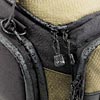
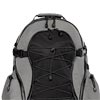
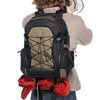
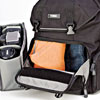
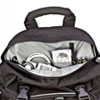
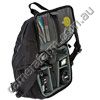
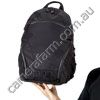
Tenba Shootout - Backpack - Large - Black/Olive Shootout Backpack - Large - Black/Olive
Black/Olive Cat # 632-321
Overview
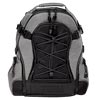
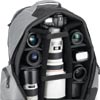
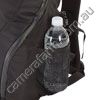
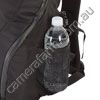
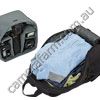
Capacity: 2 SLRs, 8-10 lenses (up to 500mm f4) & flash, plus virtually any size tripod.
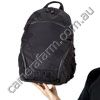
Backpacks are the outdoor shooters mainstay. Shootout backpacks are available in multiple sizes, to accommodate camera/lens/ laptop setups ranging from basic to brutal, plus all the accessories. All styles except Daypack feature our exclusive MSTC tripod carrying system. Large and medium sizes are also available in wheeled versions.
The Large size is designed to carry as much camera system as you've got, plus a tripod and a laptop up to 17 inches. The Large is identical to the Small and Medium backpacks in every way except for size, and it includes an expedition-grade waist belt and removable photo interior.
Features
Water-repellent, dobby/diamond ripstop nylon shell an optimum combination of light weight and durability
Special, YKK weather-sealed zippers keep the elements out
Compression straps prevent the load from shifting, and help keep the center of gravity as close to the body as possible
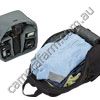
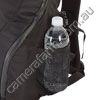
Jumbo, padded side pods can be used as separate accessory pockets or pass-through hatches for instant interior access
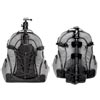
Exclusive, fully-adjustable, MSTC System securely accommodates all popular outdoor tripod types and sizes
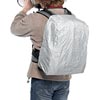
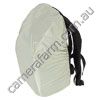
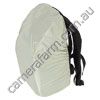
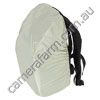
Exclusive WeatherWrap cover included the fastest, easiest auxiliary rain cover around
Adjustable web straps on pack bottom secure monopod, jacket or ground cloth
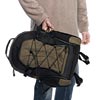
Hand-carry straps on top and both sides of pack let you grab and go from any position
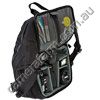
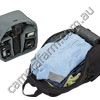
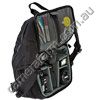
Fully adjustable, densely-padded divider panels and walls create a custom-fit, protective interior layout
Room for multiple camera bodies, lenses and all accessories
Interior fully lined with smooth, water-repellent nylon pack cloth
Clear, plasticized mesh pockets and web loops hold accessories, for easy identification and access to contents
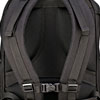
Super-comfort harness system features expedition-grade complement of fit adjustments and load tuning
Body contact points covered in ventilated, moisture-wicking padded mesh for comfort
Included Media Wallet and Mobile Phone/MP3 Player Pouch feature removable security tethers
Specifications
Catalog #:
632-321 Black/Olive
632-322 Silver/Black
632-323 Black/Black
Outside Dimensions:
16.5W x 20H x 12.5D in.
42W x 51H x 32D cm
Inside Dimensions:
13W x 18H x 7D in.
33W x 46H x 18D cm
Fits most laptops up to 17-inches
Weight:
9.3 lb.
4.2 kg
'
Includes:
632-801 Shootout Mobile Phone/MP3 PlayerPouch
632-802 Shootout 4 cards Media Wallet
|


|
|
|
21/02
|
Tenba Messenger - Mini Photo/Laptop Bag - To Suit 13" MacBook Notebook - Platinum Messenger Photo/Laptop Bag - Mini - Platinum
Platinum Cat # 638-368
Overview
Capacity: SLR body, 23 lenses, flash and accessories, magazines and files
The Tenba Messenger is an urban-inspired laptop bag that's designed to hold everything you need for a day; on vacation or at work; at school or at the gym. Adjustable dividers let you configure the interiorfor a wide variety of photographic or video equipment, and removing the dividers converts the Messenger Mini into a perfect, general-purpose carrying bag.
Features
- Quick Access zipper lets you at the contents of the bag without opening the main flap
- Exterior of 1000 Denier Nylon the most time-tested and proven outdoor textile ever. The optimal combination of strength, durability, and light weight
- Webbing loops on both sides to attach a compact camera pouch or other clip-on accessories (not included)
- Padded compartment holds and protects laptop. The Mini fits iPad or netbook/laptop up to 13-inch Macbook Pro size.
- Huge, fully-lined main compartment holds books, files, camera gear and more
- Many pockets and compartments to keep mobile hard drives, cell phone, MP3 player, cables, chargers, pens and business cards organized and easily accessible
Specifications
Catalog #:
638-361 Black
638-362 Olive
638-363 Blue
638-364 Burnt Orange
638-366 Plum
638-367 Chocolate
638-368 Platinum
Outside Dimensions:
14W x 10.5H x 4-6 in.
36W x 27H x 10-15D cm
Inside Dimensions:
13.5W x 9.5H x 3.5-5.5 in.
34W x 24H x 9-14D cm
Laptop Compartment:
13W x 9.2H x 1-2 in.
33W x 23H x 5-Apr
Fits iPad, netbook or laptop up to 13-inch Macbook size
Weight:
1.8 lb.
0.8 kg
|
|
|
|
21/02
|
Tenba Messenger - Mini Photo/Laptop Bag - To Suit 13" MacBook Notebook - Chocolate Messenger Photo/Laptop Bag - Mini - Chocolate
Chocolate Cat # 638-367
Overview
Capacity: SLR body, 23 lenses, flash and accessories, magazines and files
The Tenba Messenger is an urban-inspired laptop bag that's designed to hold everything you need for a day; on vacation or at work; at school or at the gym. Adjustable dividers let you configure the interiorfor a wide variety of photographic or video equipment, and removing the dividers converts the Messenger Mini into a perfect, general-purpose carrying bag.
Features
- Quick Access zipper lets you at the contents of the bag without opening the main flap
- Exterior of 1000 Denier Nylon the most time-tested and proven outdoor textile ever. The optimal combination of strength, durability, and light weight
- Webbing loops on both sides to attach a compact camera pouch or other clip-on accessories (not included)
- Padded compartment holds and protects laptop. The Mini fits iPad or netbook/laptop up to 13-inch Macbook Pro size.
- Huge, fully-lined main compartment holds books, files, camera gear and more
- Many pockets and compartments to keep mobile hard drives, cell phone, MP3 player, cables, chargers, pens and business cards organized and easily accessible
Specifications
Catalog #:
638-361 Black
638-362 Olive
638-363 Blue
638-364 Burnt Orange
638-366 Plum
638-367 Chocolate
638-368 Platinum
Outside Dimensions:
14W x 10.5H x 4-6 in.
36W x 27H x 10-15D cm
Inside Dimensions:
13.5W x 9.5H x 3.5-5.5 in.
34W x 24H x 9-14D cm
Laptop Compartment:
13W x 9.2H x 1-2 in.
33W x 23H x 5-Apr
Fits iPad, netbook or laptop up to 13-inch Macbook size
Weight:
1.8 lb.
0.8 kg
|
|
|
|
21/02
|
Tenba Messenger - Mini Photo/Laptop Bag - To Suit 13" MacBook Notebook - Plum Messenger Photo/Laptop Bag - Mini - Plum
Plum Cat # 638-366
Overview
Capacity: SLR body, 23 lenses, flash and accessories, magazines and files
The Tenba Messenger is an urban-inspired laptop bag that's designed to hold everything you need for a day; on vacation or at work; at school or at the gym. Adjustable dividers let you configure the interiorfor a wide variety of photographic or video equipment, and removing the dividers converts the Messenger Mini into a perfect, general-purpose carrying bag.
Features
- Quick Access zipper lets you at the contents of the bag without opening the main flap
- Exterior of 1000 Denier Nylon the most time-tested and proven outdoor textile ever. The optimal combination of strength, durability, and light weight
- Webbing loops on both sides to attach a compact camera pouch or other clip-on accessories (not included)
- Padded compartment holds and protects laptop. The Mini fits iPad or netbook/laptop up to 13-inch Macbook Pro size.
- Huge, fully-lined main compartment holds books, files, camera gear and more
- Many pockets and compartments to keep mobile hard drives, cell phone, MP3 player, cables, chargers, pens and business cards organized and easily accessible
Specifications
Catalog #:
638-361 Black
638-362 Olive
638-363 Blue
638-364 Burnt Orange
638-366 Plum
638-367 Chocolate
638-368 Platinum
Outside Dimensions:
14W x 10.5H x 4-6 in.
36W x 27H x 10-15D cm
Inside Dimensions:
13.5W x 9.5H x 3.5-5.5 in.
34W x 24H x 9-14D cm
Laptop Compartment:
13W x 9.2H x 1-2 in.
33W x 23H x 5-Apr
Fits iPad, netbook or laptop up to 13-inch Macbook size
Weight:
1.8 lb.
0.8 kg
|
|
|
|
21/02
|
Tenba Messenger - Mini Photo/Laptop Bag - To Suit 13" MacBook Notebook - Blue Messenger Photo/Laptop Bag -Mini - Blue
Blue Cat # 638-363
Overview
Capacity: SLR body, 23 lenses, flash and accessories, magazines and files
The Tenba Messenger is an urban-inspired laptop bag that's designed to hold everything you need for a day; on vacation or at work; at school or at the gym. Adjustable dividers let you configure the interiorfor a wide variety of photographic or video equipment, and removing the dividers converts the Messenger Mini into a perfect, general-purpose carrying bag.
Features
- Quick Access zipper lets you at the contents of the bag without opening the main flap
- Exterior of 1000 Denier Nylon the most time-tested and proven outdoor textile ever. The optimal combination of strength, durability, and light weight
- Webbing loops on both sides to attach a compact camera pouch or other clip-on accessories (not included)
- Padded compartment holds and protects laptop. The Mini fits iPad or netbook/laptop up to 13-inch Macbook Pro size.
- Huge, fully-lined main compartment holds books, files, camera gear and more
- Many pockets and compartments to keep mobile hard drives, cell phone, MP3 player, cables, chargers, pens and business cards organized and easily accessible
Specifications
Catalog #:
638-361 Black
638-362 Olive
638-363 Blue
638-364 Burnt Orange
638-366 Plum
638-367 Chocolate
638-368 Platinum
Outside Dimensions:
14W x 10.5H x 4-6 in.
36W x 27H x 10-15D cm
Inside Dimensions:
13.5W x 9.5H x 3.5-5.5 in.
34W x 24H x 9-14D cm
Laptop Compartment:
13W x 9.2H x 1-2 in.
33W x 23H x 5-Apr
Fits iPad, netbook or laptop up to 13-inch Macbook size
Weight:
1.8 lb.
0.8 kg
|
|
|
|
21/02
|
Tenba Messenger - Mini Photo/Laptop Bag - To Suit 13" MacBook Notebook - Olive Messenger Photo/Laptop Bag -Mini - Olive
Olive Cat # 638-362
Overview
The Tenba Messenger is an urban-inspired laptop bag that's designed to hold everything you need for a day; on vacation or at work; at school or at the gym. Adjustable dividers let you configure the interiorfor a wide variety of photographic or video equipment, and removing the dividers converts the Messenger Mini into a perfect, general-purpose carrying bag.
Features
- Quick Access zipper lets you at the contents of the bag without opening the main flap
- Exterior of 1000 Denier Nylon the most time-tested and proven outdoor textile ever. The optimal combination of strength, durability, and light weight
- Webbing loops on both sides to attach a compact camera pouch or other clip-on accessories (not included)
- Padded compartment holds and protects laptop. The Mini fits iPad or netbook/laptop up to 13-inch Macbook Pro size.
- Huge, fully-lined main compartment holds books, files, camera gear and more
- Many pockets and compartments to keep mobile hard drives, cell phone, MP3 player, cables, chargers, pens and business cards organized and easily accessible
Specifications
Catalog #:
638-361 Black
638-362 Olive
638-363 Blue
638-364 Burnt Orange
638-366 Plum
638-367 Chocolate
638-368 Platinum
Outside Dimensions:
14W x 10.5H x 4-6 in.
36W x 27H x 10-15D cm
Inside Dimensions:
13.5W x 9.5H x 3.5-5.5 in.
34W x 24H x 9-14D cm
Laptop Compartment:
13W x 9.2H x 1-2 in.
33W x 23H x 5-Apr
Fits iPad, netbook or laptop up to 13-inch Macbook size
Weight:
1.8 lb.
0.8 kg
|
|
|
|
21/02
|
Tenba Messenger - Mini Photo/Laptop Bag - To Suit 13" MacBook Notebook - Black
Messenger: Mini Photo/Laptop Bag - Black
Black Cat # 638-361
Capacity: SLR body, 23 lenses, flash and accessories, magazines and files
The Tenba Messenger is an urban-inspired laptop bag that's designed to hold everything you need for a day; on vacation or at work; at school or at the gym. Adjustable dividers let you configure the interiorfor a wide variety of photographic or video equipment, and removing the dividers converts the Messenger Mini into a perfect, general-purpose carrying bag.
Features
- Quick Access zipper lets you at the contents of the bag without opening the main flap
- Exterior of 1000 Denier Nylon the most time-tested and proven outdoor textile ever. The optimal combination of strength, durability, and light weight
- Webbing loops on both sides to attach a compact camera pouch or other clip-on accessories (not included)
- Padded compartment holds and protects laptop. The Mini fits iPad or netbook/laptop up to 13-inch Macbook Pro size.
- Huge, fully-lined main compartment holds books, files, camera gear and more
- Many pockets and compartments to keep mobile hard drives, cell phone, MP3 player, cables, chargers, pens and business cards organized and easily accessible
Specifications
Catalog #:
638-361 Black
638-362 Olive
638-363 Blue
638-364 Burnt Orange
638-366 Plum
638-367 Chocolate
638-368 Platinum
Outside Dimensions:
14W x 10.5H x 4-6 in.
36W x 27H x 10-15D cm
Inside Dimensions:
13.5W x 9.5H x 3.5-5.5 in.
34W x 24H x 9-14D cm
Laptop Compartment:
13W x 9.2H x 1-2 in.
33W x 23H x 5-Apr
Fits iPad, netbook or laptop up to 13-inch Macbook size
Weight:
1.8 lb.
0.8 kg
|
|
|
|
21/02
|
Tenba Messenger - Camera Bag - Small - Burnt Orange Messenger Camera Bag - Small - Burnt Orange
Burnt Orange Cat # 638-354
Overview
Capacity: SLR body, 23 lenses, flash and accessories, magazines and files
The Tenba Messenger Camera Bag is classic, fast-moving, and body hugginga design preferred by the world's best photojournalists for years. Lightweight yet protective, everything within fast, easy reach. Customizable interior, loads of accessory pockets, and exclusive, innovative features geared to the real-world needs of the working pro. A bag that works hard, but doesn't call attention to itself.
Features
- Incredibly tough, 1000 Denier, military-grade nylon exterior is weather- and abrasion-resistant, yet lightweight.
- The best hardware money can buy. Genuine YKK zippers, Duraflex clips and adjusterseverything selected for toughness and long-term reliability.
- Quick Access zipper lets you grab contents without having to open the top flap.
- "Silent mode" flap covers velcro closure for working in quiet shooting environments.
- Side-zip compartment on cargo pocket for quick access to phone or other slim items.
- Rubberized bottom protects against abrasion, dirt and moisture.
- Huge cargo pockets with oversized weather flaps, perfect for stashing extra lens or flash while shooting.
- Thickly cushioned, articulated pad conforms to the shouldernon-slip surface keeps it there.
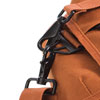
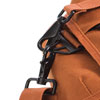
- Exclusive TriAngle strap ring has clip points for both shoulder and hand strap.
- Independent hand-carry strap can be used whether bag is open or closed.
Specifications
Catalog #:
638-351 Black
638-352 Olive
638-354 Burnt Orange
Outside Dimensions:
13W x 10H x 8D in.
33W x 25H x 20D cm
Inside Dimensions:
8.5W x 9.5H x 6.5D in.
22W x 24H x 17D cm
Weight:
2 lb.
0.9 kg
|

|
|
|
21/02
|
Tenba Messenger - Camera Bag - Small - Olive Messenger Camera Bag - Small - Olive
Olive Cat # 638-352
Overview
Capacity: SLR body, 23 lenses, flash and accessories, magazines and files
The Tenba Messenger Camera Bag is classic, fast-moving, and body hugginga design preferred by the world's best photojournalists for years. Lightweight yet protective, everything within fast, easy reach. Customizable interior, loads of accessory pockets, and exclusive, innovative features geared to the real-world needs of the working pro. A bag that works hard, but doesn't call attention to itself.
Features
- Incredibly tough, 1000 Denier, military-grade nylon exterior is weather- and abrasion-resistant, yet lightweight.
- The best hardware money can buy. Genuine YKK zippers, Duraflex clips and adjusterseverything selected for toughness and long-term reliability.
- Quick Access zipper lets you grab contents without having to open the top flap.
- "Silent mode" flap covers velcro closure for working in quiet shooting environments.
- Side-zip compartment on cargo pocket for quick access to phone or other slim items.
- Rubberized bottom protects against abrasion, dirt and moisture.
- Huge cargo pockets with oversized weather flaps, perfect for stashing extra lens or flash while shooting.
- Thickly cushioned, articulated pad conforms to the shouldernon-slip surface keeps it there.
- Exclusive TriAngle strap ring has clip points for both shoulder and hand strap.
- Independent hand-carry strap can be used whether bag is open or closed.
Specifications
Catalog #:
638-351 Black
638-352 Olive
638-354 Burnt Orange
Outside Dimensions:
13W x 10H x 8D in.
33W x 25H x 20D cm
Inside Dimensions:
8.5W x 9.5H x 6.5D in.
22W x 24H x 17D cm
Weight:
2 lb.
0.9 kg
|
|
|
|
21/02
|
Tenba Small Messenger Camera Bag - Black Messenger Camera Bag - Small - Black
Black Cat # 638-351
Overview
Capacity: SLR body, 23 lenses, flash and accessories, magazines and files
The Tenba Messenger Camera Bag is classic, fast-moving, and body hugginga design preferred by the world's best photojournalists for years. Lightweight yet protective, everything within fast, easy reach. Customizable interior, loads of accessory pockets, and exclusive, innovative features geared to the real-world needs of the working pro. A bag that works hard, but doesn't call attention to itself.
Features
- Incredibly tough, 1000 Denier, military-grade nylon exterior is weather- and abrasion-resistant, yet lightweight.
- The best hardware money can buy. Genuine YKK zippers, Duraflex clips and adjusterseverything selected for toughness and long-term reliability.
- Quick Access zipper lets you grab contents without having to open the top flap.
- "Silent mode" flap covers velcro closure for working in quiet shooting environments.
- Side-zip compartment on cargo pocket for quick access to phone or other slim items.
- Rubberized bottom protects against abrasion, dirt and moisture.
- Huge cargo pockets with oversized weather flaps, perfect for stashing extra lens or flash while shooting.
- Thickly cushioned, articulated pad conforms to the shouldernon-slip surface keeps it there.
- Exclusive TriAngle strap ring has clip points for both shoulder and hand strap.
- Independent hand-carry strap can be used whether bag is open or closed.
Specifications
Catalog #:
638-351 Black
638-352 Olive
638-354 Burnt Orange
Outside Dimensions:
13W x 10H x 8D in.
33W x 25H x 20D cm
Inside Dimensions:
8.5W x 9.5H x 6.5D in.
22W x 24H x 17D cm
Weight:
2 lb.
0.9 kg
|
|
|
|
21/02
|
Tenba Messenger - Camera Bag - Medium - Burnt Orange Messenger Camera Bag - Medium - Burnt Orange
Burnt Orange Cat # 638-344
Overview
Capacity: 1-2 D/SLR bodies, 3-5 lenses, flash and accessories
The Tenba Messenger Camera Bag is classic, fast-moving, and body hugginga design preferred by the worlds best photojournalists for years. Lightweight yet protective, everything within fast reach. Customizable interior, loads of accessory pockets, and exclusive, innovative features geared to the real-world needs of the working pro. A bag that works hard, but doesnt call attention to itself.
Features
Side-zip compartment on cargo pocket for quick access to phone or other slim items.
Exclusive TriAngle strap ring has clip points for both shoulder and hand strap.
Independent hand-carry strap can be used whether bag is open or closed.
"Silent mode" flap covers velcro closure for working in quiet shooting scenarios.
Movable dividers let you create the ideal interior layout for your equipment.
Ripstop nylon lining is tough yet smooth and equipment friendly. Gray color makes contents easy to find.
Specifications
Catalog #:
638-341 Black
638-342 Olive
638-344 Burnt Orange
Outside Dimensions:
16W x 11.5H x 8.5-10 in.
41W x 29H x 22-25D cm
Inside Dimensions:
12W x 10.5H x 9.5D in.
30W x 27H x 18-23D cm
Weight:
2.5 lb. (1.6 without insert)
1.1 kg (.7 without insert)
|
|
|
|
21/02
|
Tenba Messenger - Camera Bag - Medium - Olive Messenger Camera Bag - Medium - Olive
Olive Cat # 638-342
Overview
Capacity: 1-2 D/SLR bodies, 3-5 lenses, flash and accessories
The Tenba Messenger Camera Bag is classic, fast-moving, and body hugginga design preferred by the worlds best photojournalists for years. Lightweight yet protective, everything within fast reach. Customizable interior, loads of accessory pockets, and exclusive, innovative features geared to the real-world needs of the working pro. A bag that works hard, but doesnt call attention to itself.
Features
Side-zip compartment on cargo pocket for quick access to phone or other slim items.
Exclusive TriAngle strap ring has clip points for both shoulder and hand strap.
Independent hand-carry strap can be used whether bag is open or closed.
"Silent mode" flap covers velcro closure for working in quiet shooting scenarios.
Movable dividers let you create the ideal interior layout for your equipment.
Ripstop nylon lining is tough yet smooth and equipment friendly. Gray color makes contents easy to find.
Specifications
Catalog #:
638-341 Black
638-342 Olive
638-344 Burnt Orange
Outside Dimensions:
16W x 11.5H x 8.5-10 in.
41W x 29H x 22-25D cm
Inside Dimensions:
12W x 10.5H x 9.5D in.
30W x 27H x 18-23D cm
Weight:
2.5 lb. (1.6 without insert)
1.1 kg (.7 without insert)
|
|
|
|
21/02
|
Tenba Messenger - Camera Bag - Medium - Black Messenger: Medium Camera Bag - Black
 Black Cat # 638-341 Black Cat # 638-341
Overview
Capacity: 1-2 D/SLR bodies, 3-5 lenses, flash and accessories
The Tenba Messenger Camera Bag is classic, fast-moving, and body hugginga design preferred by the worlds best photojournalists for years. Lightweight yet protective, everything within fast reach. Customizable interior, loads of accessory pockets, and exclusive, innovative features geared to the real-world needs of the working pro. A bag that works hard, but doesnt call attention to itself.
Features
Side-zip compartment on cargo pocket for quick access to phone or other slim items.
Exclusive TriAngle strap ring has clip points for both shoulder and hand strap.
Independent hand-carry strap can be used whether bag is open or closed.
"Silent mode" flap covers velcro closure for working in quiet shooting scenarios.
Movable dividers let you create the ideal interior layout for your equipment.
Ripstop nylon lining is tough yet smooth and equipment friendly. Gray color makes contents easy to find.
Specifications
Catalog #:
638-341 Black
638-342 Olive
638-344 Burnt Orange
Outside Dimensions:
16W x 11.5H x 8.5-10 in.
41W x 29H x 22-25D cm
Inside Dimensions:
12W x 10.5H x 9.5D in.
30W x 27H x 18-23D cm
Weight:
2.5 lb. (1.6 without insert)
1.1 kg (.7 without insert)
|
|
|
|
21/02
|
Tenba Messenger - Photo/Laptop Daypack - To Suit 15/17" MacBook Pro Notebook - Burnt Orange Messenger: Photo/Laptop Daypack - Burnt Orange
Burnt Orange Cat # 638-294
Capacity: SLR body, 23 lenses, flash and accessories, magazines and files
The Tenba Messenger Daypack is a casual, understated, lightweight outdoor backpack on the outside, but serious business on the inside. It fits most 15-inch laptops, and even 17-inch Macbook Pro sized models. With 30 pockets, slots and storage spaces, it will fit every cable, mobile drive and accessory that's needed. The camera compartment will fit a D/SLR body with 2-3 lenses and a flash, and if a camera is not needed for the day, then the photo insert is removable so that the daypack can be converted to a perfect laptop backpack.
Features
Organizer inside top flap keeps portable devices and accessories quickly accessible.
Additional fast storage and easy access to small items in front zip pocket.
Expedition-grade harness system lined with ventilated mesh for carrying comfort.
Accessory organizer in top section holds hard drive, USB thumb drives and more.
Color-coded media windows separate used flash cards from empty ones.
Photo insert can be removed and backpack used as day/weekend travel pack or book bag.
Specifications
Catalog #:
638-291 Black
638-292 Olive
638-294 Burnt Orange
Outside Dimensions:
13W x 17.5H x 8.5D in.
33W x 44H x 22D cm
Inside Dimensions:
10W x 8.5H x 5-6.5 in.
25W x 22H x 13-17D cm
Laptop Compartment:
10.5W x 15.5H x 1-1.5 in.
27W x 39H x 4-5D cm
Fits most laptops up to 15-inches, plus 17-inch Apple MacBook Pro size
Weight:
3.3 lb.
1.2 kg
|
|
|
|
21/02
|
Tenba Messenger - Photo/Laptop Daypack - To Suit 15/17" MacBook Pro Notebook - Olive Messenger: Photo/Laptop Daypack - Olive
 Olive Cat # 638-292 Olive Cat # 638-292
Overview
Capacity: SLR body, 23 lenses, flash and accessories, magazines and files
The Tenba Messenger Daypack is a casual, understated, lightweight outdoor backpack on the outside, but serious business on the inside. It fits most 15-inch laptops, and even 17-inch Macbook Pro sized models. With 30 pockets, slots and storage spaces, it will fit every cable, mobile drive and accessory that's needed. The camera compartment will fit a D/SLR body with 2-3 lenses and a flash, and if a camera is not needed for the day, then the photo insert is removable so that the daypack can be converted to a perfect laptop backpack.
Features
Organizer inside top flap keeps portable devices and accessories quickly accessible.
Additional fast storage and easy access to small items in front zip pocket.
Expedition-grade harness system lined with ventilated mesh for carrying comfort.
Accessory organizer in top section holds hard drive, USB thumb drives and more.
Color-coded media windows separate used flash cards from empty ones.
Photo insert can be removed and backpack used as day/weekend travel pack or book bag.
Specifications
Catalog #:
638-291 Black
638-292 Olive
638-294 Burnt Orange
Outside Dimensions:
13W x 17.5H x 8.5D in.
33W x 44H x 22D cm
Inside Dimensions:
10W x 8.5H x 5-6.5 in.
25W x 22H x 13-17D cm
Laptop Compartment:
10.5W x 15.5H x 1-1.5 in.
27W x 39H x 4-5D cm
Fits most laptops up to 15-inches, plus 17-inch Apple MacBook Pro size
Weight:
3.3 lb.
1.2 kg
|
|
|
|
21/02
|
Tenba Messenger - Photo/Laptop Daypack - To Suit 15/17" MacBook Pro Notebook - Black Messenger: Photo/Laptop Daypack - Black
Black Cat # 638-291
Overview
Capacity: SLR body, 23 lenses, flash and accessories, magazines and files
The Tenba Messenger Daypack is a casual, understated, lightweight outdoor backpack on the outside, but serious business on the inside. It fits most 15-inch laptops, and even 17-inch Macbook Pro sized models. With 30 pockets, slots and storage spaces, it will fit every cable, mobile drive and accessory that's needed. The camera compartment will fit a D/SLR body with 2-3 lenses and a flash, and if a camera is not needed for the day, then the photo insert is removable so that the daypack can be converted to a perfect laptop backpack.
Features
Organizer inside top flap keeps portable devices and accessories quickly accessible.
Additional fast storage and easy access to small items in front zip pocket.
Expedition-grade harness system lined with ventilated mesh for carrying comfort.
Accessory organizer in top section holds hard drive, USB thumb drives and more.
Color-coded media windows separate used flash cards from empty ones.
Photo insert can be removed and backpack used as day/weekend travel pack or book bag.
Specifications
Catalog #:
638-291 Black
638-292 Olive
638-294 Burnt Orange
Outside Dimensions:
13W x 17.5H x 8.5D in.
33W x 44H x 22D cm
Inside Dimensions:
10W x 8.5H x 5-6.5 in.
25W x 22H x 13-17D cm
Laptop Compartment:
10.5W x 15.5H x 1-1.5 in.
27W x 39H x 4-5D cm
Fits most laptops up to 15-inches, plus 17-inch Apple MacBook Pro size
Weight:
3.3 lb.
1.2 kg
|
|
|
|
21/02
|
Tenba Shootout - Ultralight Backpack - Black Shootout: Ultralight Backpack - Black
134.95 Black/Black Cat # 632-513
Overview
Capacity: 1-2 SLRs with 3-4 lenses, flash, and accessories.
The Shootout Ultralight Backpack is the lightest, full-size backpack in Tenba's history weighing less than 48 ounces with the padded photo insert included, and 32 ounces without the insert. This is 2 to 3 pounds lighter than most bags of this size. There is no other backpack with this amount of storage and this level of weather resistance that even comes close to being as lightweight. The exclusive SwitchBack camera insert can be reversed to be accessible only from back side of the pack, for extra security. In addition, the zippers can be locked on both sides of the backpack to prevent unwanted access to the equipment inside.
Features
Extraordinarily lightweight for a pack of its size and capacity weighs less than 48 ounces!
Large mesh side pockets for water bottle or temporary lens storage while shooting.
Exclusive WeatherWrap cover included the fastest, easiest auxiliary rain cover around.
With Switchback module reversed, equipment can only be accessed through secure hatch on the body side of the pack.
Module dividers are movable and bendable, to custom-fit your equipment setup.
Remove the Switchback module to convert from photo use to travel daypack.
Specifications
Catalog #:
632-511 Black/Olive
632-512 Silver/Black
632-513 Black/Black
Outside Dimensions:
12W x 18H x 8D in.
30W x 46H x 20D cm
Inside Dimensions:
10W x 10H x 6.5D in.
25W x 25H x 17D cm
Weight:
2.9 lb. (2.0 without insert)
1.3 kg (.9 without insert)
|
|
|
|
21/02
|
Tenba Shootout - Ultralight Backpack - Silver/Black Shootout: Ultralight Backpack - Silver/Black
Silver/Black Cat # 632-512
Overview
Capacity: 1-2 SLRs with 3-4 lenses, flash, and accessories.
The Shootout Ultralight Backpack is the lightest, full-size backpack in Tenba's history weighing less than 48 ounces with the padded photo insert included, and 32 ounces without the insert. This is 2 to 3 pounds lighter than most bags of this size. There is no other backpack with this amount of storage and this level of weather resistance that even comes close to being as lightweight. The exclusive SwitchBack camera insert can be reversed to be accessible only from back side of the pack, for extra security. In addition, the zippers can be locked on both sides of the backpack to prevent unwanted access to the equipment inside.
Features
Extraordinarily lightweight for a pack of its size and capacity weighs less than 48 ounces!
Large mesh side pockets for water bottle or temporary lens storage while shooting.
Exclusive WeatherWrap cover included the fastest, easiest auxiliary rain cover around.
With Switchback module reversed, equipment can only be accessed through secure hatch on the body side of the pack.
Module dividers are movable and bendable, to custom-fit your equipment setup.
Remove the Switchback module to convert from photo use to travel daypack.
Specifications
Catalog #:
632-511 Black/Olive
632-512 Silver/Black
632-513 Black/Black
Outside Dimensions:
12W x 18H x 8D in.
30W x 46H x 20D cm
Inside Dimensions:
10W x 10H x 6.5D in.
25W x 25H x 17D cm
Weight:
2.9 lb. (2.0 without insert)
1.3 kg (.9 without insert)
|
|
|
|
21/02
|
Tenba Shootout - Ultralight Backpack - Black/Olive Shootout: Ultralight Backpack - Black/Olive
Capacity: 1-2 SLRs with 3-4 lenses, flash, and accessories.
The Shootout Ultralight Backpack is the lightest, full-size backpack in Tenba's history weighing less than 48 ounces with the padded photo insert included, and 32 ounces without the insert. This is 2 to 3 pounds lighter than most bags of this size. There is no other backpack with this amount of storage and this level of weather resistance that even comes close to being as lightweight. The exclusive SwitchBack camera insert can be reversed to be accessible only from back side of the pack, for extra security. In addition, the zippers can be locked on both sides of the backpack to prevent unwanted access to the equipment inside.
Features
Extraordinarily lightweight for a pack of its size and capacity weighs less than 48 ounces!
Large mesh side pockets for water bottle or temporary lens storage while shooting.
Exclusive WeatherWrap cover included the fastest, easiest auxiliary rain cover around.
With Switchback module reversed, equipment can only be accessed through secure hatch on the body side of the pack.
Module dividers are movable and bendable, to custom-fit your equipment setup.
Remove the Switchback module to convert from photo use to travel daypack.
Specifications
Catalog #:
632-511 Black/Olive
632-512 Silver/Black
632-513 Black/Black
Outside Dimensions:
12W x 18H x 8D in.
30W x 46H x 20D cm
Inside Dimensions:
10W x 10H x 6.5D in.
25W x 25H x 17D cm
Weight:
2.9 lb. (2.0 without insert)
1.3 kg (.9 without insert)
|
|
|
|
21/02
|
Corel Paintshop Photo Pro X3 - Education Edition
Photo-editing software
If creating great pictures is your passion, Corel PaintShop Photo Pro X3 is the photo-editing software for you. Featuring a brand-new RAW Lab and easy batch photo processing, its the only advanced photo-editing software to combine photo management, creative projects, photo sharing and even HD video slideshows in one package. Its everything you need to get professional-looking results youll be proud to share. Ideal for DSLR cameras!
PaintShop Photo Pro X3 is newly updated with more than 50 enhancements for increased speed and performance (as of July 22, 2010).
Overview
PaintShop Photo Pro X3 makes it easy to create professional-looking photos. Import, edit and share your imagesall in one place. The new organizer helps you sort, rate, and tag faster than ever. Make quick fixes in the enhanced Express Lab or use more advanced photo-editing tools such as the new Smart Carver. Then upload to Web, create photo books and projects, or back up on disc. It's all your photo tasks in one high-performance package.
- RAW Lab manually adjust groups of RAW photos during the loading process
- Express Lab quickly fix common flaws in this speed photo-editing mode
- Advanced editing tools get advanced photo-editing features, such as Smart Carver, Vibrancy and more
- HD photo and video import, make basic cuts and export HD video
- Integrated projects create photo books, HD slideshows, cards and more
- Photo sharing email, print or send directly to Facebook, YouTube and Flickr
Organize & Manage
- Organize all your photos and videos in one place
- Use thumbnails and previews to select photos fast
- Search, rate and tag photos to quickly find your favorites
- Capture adjustments from one photo, then easily apply the changes to multiple others
Combine photos and HD video
- Import and export HD video
- Use high-quality templates to combine photo and video projects
- Create and share slideshows using HD video clips from your DSLR camera
- Capture a single frame from your HD video
Edit & Retouch
- Get full RAW support, including the latest RAW camera formats
- Use easy batch processing to edit multiple photos at oncewithout complicated scripts
- Edit fast with new, advanced tools like Smart Carver, Vibrancy and Object Extractor
- Fly through common editing tasks in the Express Lab
Create & Share
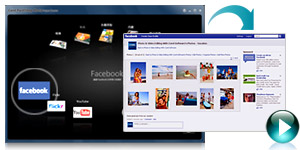
- Upload photos and videos directly to Facebook, Flickr and YouTube
- Back up photos and videos on CD or DVD
- Quickly share photos by email with automatic photo resizing
- Print right from your PC or order prints online*
- Create professional-looking photo books, calendars, collages, cards and slideshows
What's New
This is a must-have upgrade for PaintShop users and DSLR camera owners! The fastest version yet, this photo-editing program features exciting new professional-quality features, like the Smart Carver, a new RAW Lab, easy batch processing and a photo Organizer. Learn how to speed up your entire workflow and get the best-quality results.
On this page:
- Improved digital workflow
- New advanced photo-editing tools
- Built-in photo projects and sharing
Improved digital workflow
Enhanced! Photo Organizer
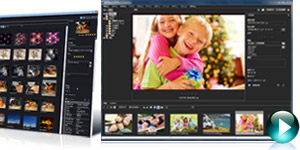
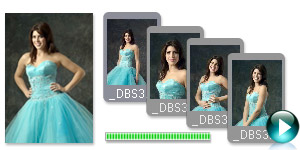
Customize your digital workflow with new photo management capabilities. Use multiple views, including thumbnails and image previews, to quickly select photos.
New! RAW Lab, Image Quality and Control
Make RAW adjustments during the loading process and work with even more RAW camera formatsfaster than ever before.
New! Easy Batch Processing
Make adjustments to one photo, then easily apply the same changes to multiple other photos right in the enhanced Organizer.
Enhanced! Express Lab
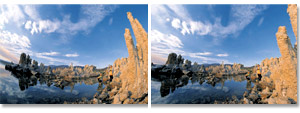
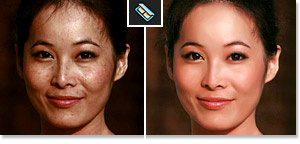
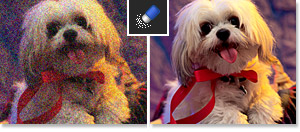
Apply common edits in just one click. Remove noise, sharpen images, and quickly adjust contrast, local tone mapping and more. 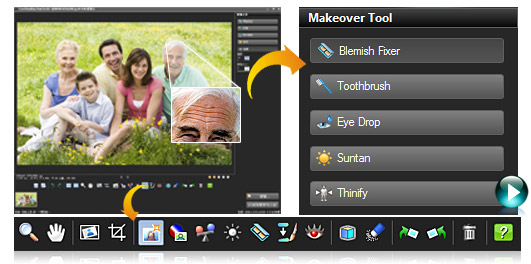
Enhanced! Speed and Performance
Get more speed and editing horsepower with more multi-threading support for multi-core processors.
New advanced photo-editing tools
New! Smart Carver
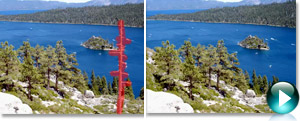
Seamlessly remove objects from an image with professional quality. The Smart Carver also lets you expand or contract objects without distortion.
New! Vibrancy
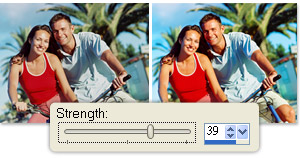
Boost color in the least saturated areas of a photo without affecting the rest of the image.
New! Object Extractor
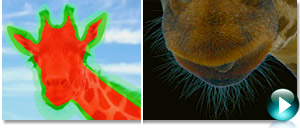
The integrated Object Extractor isolates an objecteven challenging cases such as flyaway hair and fuzzy pet furso it can be copied to a new background or a new background can be pasted behind it.
New! HD Video Slideshows
As an increasing number of DSLR cameras capture HD video, PaintShop Photo Pro now offers tools that let you combine photo and video projects. Create HD slideshows and movies of your photos and videos, all with the same tool. 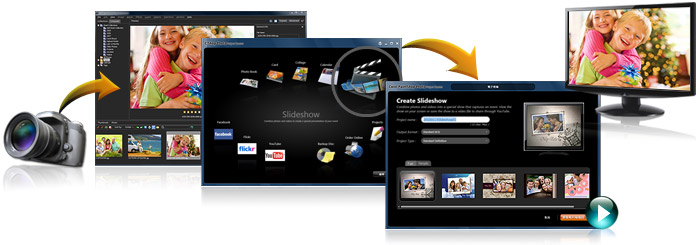
New! On-Image Text Editing
With the updated text engine, it's easier, faster and more natural to apply text to an image. Adjust font, color, placement, position, size and wrapping of the text in context of the image. Reselect the text on the image and continue typing, or apply text on a path.
 |
New! Windows 7 Compatibility
PaintShop Photo Pro X3 is fully compatible with Windows 7, as well as Windows XP and Windows Vista. Take advantage of new Windows 7 speed and performance to experience a whole new level of creativity.
|
Bonus! Corel Painter Photo Essentials 4
This fun program lets you turn a photo into a unique work of art in just 3 easy steps:
- Choose a photo and the painting style you want to apply.
- Let the Smart Stroke painting technology create a stunning painting.
- Touch up your masterpiece by hand if desired.
Bonus! KPT Plug-in Filters
A natural addition to your photo-editing program, KPT plug-in filters help you quickly create remarkable image transformations and original effects. PaintShop Photo Pro X3 includes KPT Goo, KPT LensFlare, KPT Projector and KPT Equalizer.
Built-in photo projects and sharing
Easy Photo Sharing
Quickly share photos and videos directly on Flickr, Facebook and YouTube. You can also email, print at home or order prints online*.
*Online printing services are available in select countries only and are subject to additional charges.
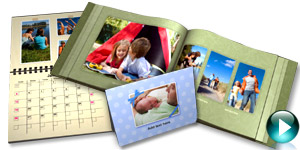
Built-in Photo Projects
Using the new Project Creator, its fast and simple to make great-looking photo books, HD slideshows, collages, cards and more.
Features
The best photo-editing sofauare for DSLR cameras, PaintShop Photo Pro puts the fun back into digital photography. Make your workflow fast and easy so you can create professional-looking photos you'll be proud of.
On this page:
- Simplify your digital workflow
- Do more with advanced photo-editing tools
- Fix it fast in Express Lab
- Get creative with projects and photo sharing
Simplify your digital workflow
Enhanced! Photo Organizer
Customize your digital workflow with new photo management capabilities in PaintShop Photo Pro X3's Photo Organizer. Use thumbnails and image previews to quickly select your photos.
New! Easy Batch Processing
Make adjustments to one photo, then easily apply the same changes to multiple other photos. Edit one, apply to many, right from the Organizer.
Enhanced! Express Lab
The new interface makes photo editing faster than ever. Preview photos and videos or make changes in this speed-editing mode. Quickly adjust contrast, apply local tone mapping, remove noise and sharpen images. You can also adjust levels, clarity and white balance, batch-edit multiple photos and more.
Automatically store a copy of your original photo when saving an edited version.
Camera RAW Support
Make RAW adjustments during the loading process and work with even more RAW camera formatsfaster than ever before. By working with these "digital negatives," you can achieve the results you want with greater artistic control and flexibility, without overwriting the original RAW files.
Do more with advanced photo-editing tools
New! Smart Carver
Seamlessly remove objects from an image with professional quality. Smart Carver also lets you expand or contract objects without distortion.
New! Vibrancy
Boost color in the least saturated areas of a photo without affecting the rest of the image.
New! Object Extractor
The integrated Object Extractor isolates an objecteven challenging cases such as flyaway hair and fuzzy pet furso it can be copied to a new background or a new background can be pasted behind it.
Read more 
Depth of Field Effect
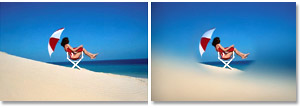
Depth of Field allows you to create effects that you can't do with a camera lense alone. Draw attention to a specific area of an image by focusing on one region and applying an out-of-focus blur to the rest of the image. Create an effect in seconds that usually requires precise manual lens aperture adjustments.
New!On-Image Text Editing
With the updated text engine, it's easier, faster and more natural to apply text to an image. Adjust font, color, placement, position, size and wrapping of the text in context of the image. Reselect the text on the image and continue typing, or apply text on a path.
New! HD Video Slideshows
As an increasing number of DSLRs capture HD video, PaintShop Photo Pro now offers tools that let you combine photo and video projects. View, split and trim standard or high-definition video clips. Then create HD slideshows and movies of your photos and videos, all with the same tool.
New! Windows 7 Compatibility
PaintShop Photo Pro X3 is fully compatible with Windows 7, as well as Windows XP and Windows Vista. Take advantage of new Windows 7 speed and performance to experience a whole new level of creativity.
HDR Photo Merge
Quickly merge photos of the same scene taken at different exposures, or with different brightness and contrast settings, to create a final image that features the full range of detail in the highlights and the shadows.
Black & White Photos
Create dynamic black & white, sepia and antique-style images by simulating the look of taking photos using a colored lens filter.
Layers and Adjustment Layers
Nondestructively adjust the color or tone of your images without actually modifying the pixels on each layer. You can also add multiple adjustment layers to an image to test various color corrections or see how several corrections look when they're combined.
Adjust Levels & Curves
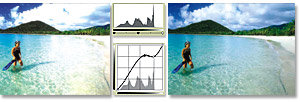
Precisely adjust tone, color balance and exposure with exceptional control. The Curves dialog box includes a histogram, so you can easily and intuitively fine-tune your work. Three automatic settings let less-experienced users optimize the contrast and color levels in images with just a few clicks.
Advanced Sharpen Tools
Turn fuzzy photos into crisp images, without compressing or degrading the quality of the image.
Fix Lens Distortions
Easily remove fish-eye, barrel and other lens distortions.
Visible Watermarks
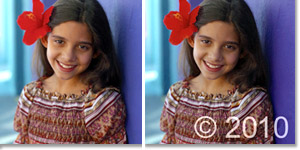
Protect and take credit for your photos by easily adding a visible watermark to label your work.
Fix it fast in Express Lab
Don't let the small stuff slow you down! Enjoy one-click access to common photo fixes.
Learning Center
The award-winning Learning Center empowers anyone to harness the power of advanced photo editing, regardless of your previous sofauare experience. It builds your confidence and makes it easier to develop your skills by helping you complete tasks within seconds of launching PaintShop Pro Photo.
Makeover Tools
Make sure the people in your photos look their best with tools that are fun and easy to use. Help your subjects look thinner in seconds, whiten bloodshot eyes, smooth wrinkles, paint on a tan and remove blemishes.
Enhanced! Remove Digital Camera Noise
Remove "noise" artifacts that interfere with the clarity of your digital imagefaster than ever! One-Step Noise Removal smooths photos with a single click. Digital Camera Noise Removal gives you precise control over how these corrections are applied.
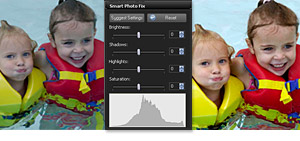
Smart Photo Fix
Instantly correct lighting and color problems with automated tools, or make manual corrections on your own.
Red Eye Removal
Eliminate red eye in one click or use advanced red-eye removal that even works on pets.
Color Changer
Easily change the color of objects in your digital photos, such as clothing, walls and furniture. Rather than simply replacing a color, the Color Changer detects and analyzes variations in brightness, then makes the necessary adjustments to produce a realistic effect.
Get creative with projects and photo sharing
Enhanced! Built-in Creative Projects
PaintShop Photo Pro X3 is the only pro-quality photo enthusiast sofauare package to so closely integrate creative projects with photo editing. The new Project Creator is a fast and simple way to make a great-looking photo book, collages, cards and moreall in addition to PaintShop's easy online sharing options.
New! Easy Photo Sharing
Share photos and videos where and how you want, using email, Flickr, Facebook and YouTube. Print at home, order prints online*, email or quickly burn a DVD to enjoy on your TV.
Layer Styles
Easily apply artistic effects to individual layers, such as drop shadows, embossing and reflections.
System Requirements
- Microsoft Windows 7, Windows Vista or Windows XP with latest service packs installed (32-bit or 64-bit editions)
- 1.5 GHz processor (2 GHz or higher recommended)
- 1 GB of RAM (2 GB or higher recommended)
- 3 GB of free hard drive space
- Minimum display resolution: 1024 x 768 (24-bit color)
- Windows-compatible DVD-ROM drive for installation
- Internet connection required for online features
- Incomedia WebSite X5 Special Edition requires an internet connection and email account for product activation
|
|
|
|
21/02
|
Corel VideoStudio Pro X3 - Education Edition
HD video-editing software with DVD and Blu-ray authoring
Work as fast as your creativity moves you with Corel VideoStudio Pro X3HD video-editing software for serious movie making fun. Now twice as fast, it has everything you need to import, edit and share standard or HD movies and DVDs. Start with an amazing new collection of professionally designed templates from RevoStock and real-time, studio-quality effects. Stay on the creative track with a huge palette of intuitive and powerful video-editing tools. Then share your story everywhere, from YouTube to Blu-ray and everything in between.
Overview
VideoStudio Pro X3 kicks the movie making process into high gear, giving you the ultimate playground for creativity. Your complete HD video-editing program, it gives you a rapid head start with professionally designed templates, real-time, studio-quality effects, polished titles and smooth transitions. Super-charge your workflow with GPU acceleration and multi-core Intel CPU support for faster editing and rendering. Quickly assemble video clips in new Express Edit mode or go deep with advanced video-editing tools. Then share your videos on YouTube, Facebook, Vimeo, DVD, AVCHD and Blu-ray discs, iPod, PSP and more.
- Complete HD workflow import, edit, burn and share standard or HD video
- GPU acceleration edit and render twice as fast, especially with HD video
- Professional content get $500 US worth of studio-quality RevoStock templates
- Express movie making create movies in minutes, then fine-tune with advanced editing tools
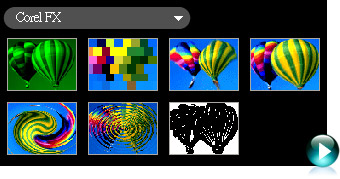
- Real-time effects work fast with live previews of special effects like RotoSketch
- Blu-ray authoring & burning author with Hollywood-style DVD menus
- Online sharing send directly to YouTube, Vimeo, Facebook and mobile device
Bonus!
VideoStudio Pro X3 now includes DVD Factory Pro and DVD MovieFactory 7 SE. Whether you want an easy tool for integrated DVD and Blu-ray authoring and burning, or an app with more advanced and robust authoring capabilities, the choice is yours!
Start with professional content
- New! Professionally designed HD templates from RevoStockworth over $500 US
- Enhanced! Studio-quality music, titles, transitions and real-time effects
- New! Customizable audio tracks with SmartSound and Dolby Digital 5.1 Surround Sound
- New! NewBlue Effects Pack, including 3D movement
Speed up your entire workflow
- Enhanced! NVIDIA CUDA GPU acceleration and Intel Core i7 CPU optimization
- Enhanced! Smart Proxy for faster and smoother HD editing
- New! Express Edit mode make movies in minutes to share everywhere!
- Enhanced! Redesigned interface for a faster video-editing workflow
Get the best in HD video editing
- Enhanced! Import from HDV, AVCHD, Blu-ray Disc and JVC HD camcorders
- New! Save videos as HD MPEG-4 files for the Web with H.264 compression
- New! Output HD movies on either DVD, or Blu-ray Disc with BD-J activation
Share everywherefrom Blu-ray to the Web
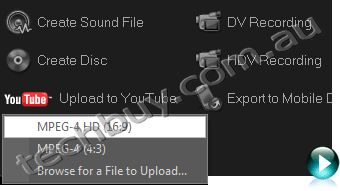
- Enhanced! Upload directly to YouTube, Vimeo, Facebook and Flickr. Now also in HD!
- Burn CDs, DVDs, Blu-ray and AVCHD discs
- New! Burn HD video to standard DVD media to play on a DVD or Blu-ray player
- Take your movies to go on iPod, iPhone, PSP and other mobile devices
What's New
Create, edit, render and share faster than ever with VideoStudio Pro X3the best video-editing software for making HD movies. Now two times faster, it simplifies your entire workflow so you can focus on the creative aspects of movie making, without your software getting in the way.
Dramatically enhanced speed and performance
- New! Hardware acceleration for Intel Corei7, NVIDIA CUDA and AMD
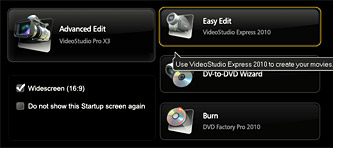
- New! Launcher quick access to express or advanced editing modes
- New! Express Edit mode make movies in minutes!
- Enhanced! Smart Proxy for faster previewing and more responsive HD editing
- Enhanced! All-new interface for a faster video-editing workflow
Studio-quality effects and templates
- New! Professionally designed templates from RevoStockworth over $500 US!
- New! Real-time effects, including NewBlueFX filters with key framing
- New! Effects for compositing and video animation, including RotoSketch and AutoSketch
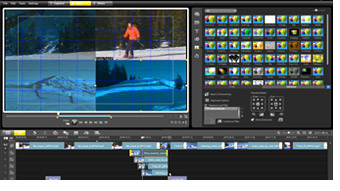
- New! Multi-track filters that let you add effects to each of your tracks
- New! GPU-accelerated high-speed filters with real-time preview
- New! Customizable, royalty-free audio tracks from SmartSound
- Enhanced! Title effects for easy compositing
HD enhancements
- New! Blu-ray authoring with Hollywood-style menus, titles, transitions and effects
- New! HD authoring to standard DVD media
- New! Web-ready files save HD MPEG-4 files for the Web with H.264 compression
More sharing options
- New! Upload directly to Vimeo, Facebook, YouTube and Flickr in standard or HD
- Enhanced! DVD authoring output to CD, DVD or Blu-ray Disc
- Enhanced! Save to more file formats, including AVI, FLV, MP3 encode, AC3 5.1, AVCHD, HD MPEG-2 and MPEG-4
- Enhanced! Send to more devices, including iPod, iPhone and PSP
Features
VideoStudio Pro X3 gives you the processing power you need to spend less time waiting and more time creating. Professional video-editing sofauare with end-to-end HD support, it offers a huge palette of features, effects and options that indulge the imagination. Get ready to create your best-ever movies!
On this page:
- More speed across the board
- Studio-quality content and effects
- End-to-end HD video production
- Unlimited video sharing
More speed across the board
Don't get tripped up by technical delayscreate, edit, render and share auice as fast with this new version!
New! Launcher
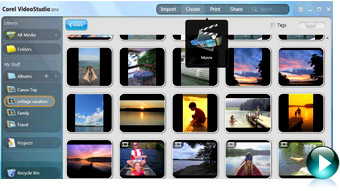
VideoStudio Pro X3 gets you right to the task at hand with the new Launcher. From one convenient location, you can start express editing, more advanced video editing, the DV-to-DVD wizard, or DVD Movie Factory 2010 for DVD and Blu-ray Disc authoring and burning.
New! GPU and CPU Acceleration
Dramatically speed up your entire movie making process with NVIDIA CUDA and Intel Core i7 optimization.
New! VideoStudio Express
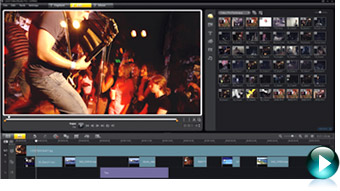
Make quick edits, or combine video clips, photos, music and voiceover to create a professional-looking video project in minutes.
Read more about speed 
Enhanced! User Interface
The redesigned interface keeps all your tools within easy reach so you never have to interrupt your creative flow.
New!High-Speed Filters
Accelerate the video-editing process by previewing your effects in real time. Less time waiting means more time creating!
Smart Proxy Editing
Edit HD content faster, even on basic PCs. Smart Proxy lets you work quickly in a lower resolution until you're ready to render your project in HD.
Read less 
Studio-quality templates and effects
Get a creative head start with professionally designed templates from RevoStock, polished titles, and studio-quality audio and video effects.
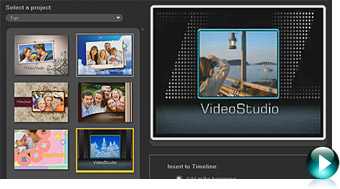
New! Movie Templates
VideoStudio Pro X3 offers the best-quality movie templates in its class, including over $500 US worth of templates from RevoStock. Turn video clips into polished movies in an instant, with Hollywood-style titles, transitions, pans and zooms, credits and more.
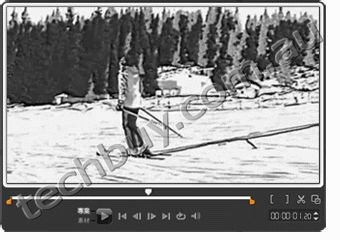
New! RotoSketch
Transform videos, video frames and photos into animated clips and hand-sketched drawings in a few clicks. By simply applying a filter, you can turn media assets into realistic animations or digital art.
Enhanced! Title Effects
Create stunning titles in seconds by adding multiple title tracks and effects, then customize your work to get the perfect look.
Read more about templates and effects
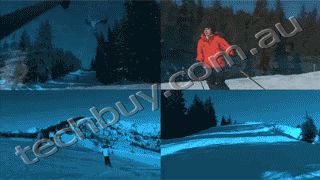
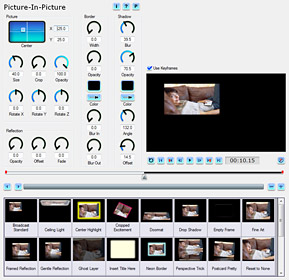
New!Multi-track Overlay Effects
Apply filters on overlay tracks, including titles and images. This professional video-editing software makes it easier than ever!
 |
 |
New! NewBlueFX Filters
The NewBlueFX Pack includes a variety of animated effects, including the Detail Enhancer for strengthening edges and bringing out detail in a dull or foggy scene, and the Active Camera for simulating every variety of camera jitter.
|
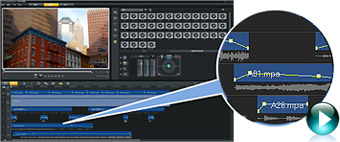
New! Mood Music from SmartSound
Load a multi-layered audio track as background to a video, then fine-tune individual instruments to ensure that the music complements your movie, not distracts from it. Add even more music and sound effects with two new audio tracks.
Enhanced! Creative Content
By clicking the Get More button, you can access new content to use in your movie projects, such as title and movie templates, music and effects. Content is updated regularly, giving you a never-ending series of creative options.
Read less
End-to-end HD video production
Import, edit and share HD video.
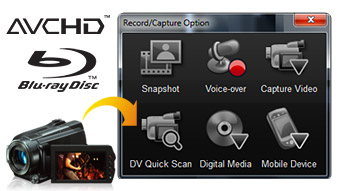
Enhanced! HD Capture and Import
Import HD video from anywhere, including HDV, AVCHD, Blu-ray Disc and JVC HD camcorders. Import standard video from DV and analog camcorders, and Web, USB and still image cameras.
Enhanced! Blu-ray Authoring and Burning
Create your own Blu-ray titles, and author menus for DVDs and Blu-ray Discs, including BD-J menus.
New! H.264 Compression
Get incredible HD quality in smaller files by creating HD MPEG-4 files with the H.264 codec. This makes it easier to share videos on a variety of devices ranging from low-powered cell phones to high-powered Blu-ray devices.
Unlimited video sharing
Upload, burn, copy and share any way you want.
Enhanced! Online sharing
Share your movies with your own personal network or with the entire world in a few simple clicks. Upload your videos and slideshows directly to YouTube, Vimeo, Facebook and Flickr.
Enhanced! Format Flexibility
Save your movies to AVI, FLV, MP3 encode, AC3 5.1, AVCHD, HD MPEG-2, MPEG-4 and more.
Enhanced! Copy, Convert and Burn
Copy movies to your device of choice, including iPod, iPhone, MP3 players (USB) and PlayStation Portable (PSP). Burn CDs, DVDs, Blu-ray and AVCHD discs. You can even burn HD video to standard DVD media to play on a DVD or Blu-ray player.
System Requirements
- Microsoft Windows 7, Windows Vista or Windows XP with latest service packs installed (32-bit or 64-bit editions)
- Intel Core Duo 1.83 GHz, AMD Dual-Core 2.0 GHz or higher recommended
- 1 GB RAM (2 GB or higher recommended)
- 128 MB VGA VRAM or higher (256 MB or higher recommended)
- 3 GB of free hard drive space
- Minimum display resolution: 1024 x 768
- Windows-compatible sound card
- Windows-compatible DVD-ROM drive for installation
- Recordable DVD required for creating DVDs
- Recordable Blu-ray drive required for creating Blu-ray discs
- Internet connection required for online features
Input/Output Device Support:
- 1394 FireWire cards for use with DV/D8/HDV camcorders
- Support for OHCI Compliant IEEE-1394
- USB Video Class (UVC) DV cameras
- Analog capture cards for analog camcorders (VFW WDM support for Windows XP and Broadcast Driver Architecture support for Windows Vista/Windows 7)
- Analog and Digital TV capture devices (Broadcast Driver Architecture support)
- USB capture devices: Web cameras and disc/memory/hard drive camcorders
- AVCHD, AVCHD Lite and BD camcorders
- DV, HDV and DVD camcorders
- Flip Video camcorders
- Digital still cameras
- Windows-compatible Blu-ray, DVD-R/RW, DVD+R/RW, DVD-RAM or CD-R/RW drive
- Apple iPhone, iPod Classic with video, iPod Touch, Sony PSP, Pocket PC, Smartphones
Input Format Support:
- Video: AVI, MPEG-1, MPEG-2, AVCHD, MPEG-4, H.264, BDMV, DV, HDV, DivX, QuickTime, RealVideo, Windows Media Format, MOD (JVC MOD File Format), M2TS, M2T, TOD, 3GPP, 3GPP2
- Audio: Dolby Digital Stereo, Dolby Digital 5.1, MP3, MPA, WAV, QuickTime, Windows Media Audio
- Images: BMP, CLP, CUR, EPS, FAX, FPX, GIF, ICO, IFF, IMG, J2K, JP2, JPC, JPG, PCD, PCT, PCX, PIC, PNG, PSD, PSPImage, PXR, RAS, RAW, SCT, SHG, TGA, TIF, UFO, UFP, WMF
- Disc: DVD, Video CD (VCD), Super Video CD (SVCD)
Output Format Support:
- Video: AVI, MPEG-2, AVCHD, MPEG-4, H.264, BDMV, HDV, QuickTime, RealVideo, Windows Media Format, 3GPP, 3GPP2, FLV
- Audio: Dolby Digital Stereo, Dolby Digital 5.1, WAV, QuickTime, Windows Media Audio, Ogg Vorbis
- Images: BMP, JPG
- Media: CD-R/RW, DVD-R/RW, DVD+R/RW, DVD-R Dual Layer, DVD+R Double Layer, BD-R/RE
|
|
|
|
21/02
|
Corel Painter 11 - Education Edition
Digital painting software
Corel Painter 11 is the ultimate digital art studio for anyone ready to expand their definition of creativity. Working with the most advanced digital painting and natural media tools available, you can create the art youve always envisioned.
Overview
Corel Painter is the world's most powerful Natural-Media software.
Expand your creativity with Painter 11, the most inventive digital painting software on the market. By adding Painter to your workflow, you gain a full art studio that gives you the tools to create unprecedented artwork.
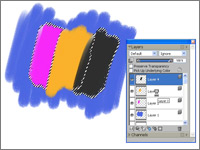
Digital art tools let you experiment with color theory, composition and brush strokes, without the toxins, mess and expenses associated with traditional art. Support for the entire Wacom product line, including industry-leading Cintiq interactive pen displays and Intuos drawing tablets, gives you the most responsive digital painting experience so your hand and brush work fluidly as one. Customizable paper textures give your art added artistic undertones, plus a level of texture and detail that no other digital painting or photo-painting tools can produce. Painter is changing what's possible in art. Now it's your turn.
Enhance the Creative Process
- Enhanced Artistic Media reproduce the texture of their real-life counterparts and intensify color with each stroke
- Pen and drawing tablet (recommended), combined with Painter's RealBristle brushes, recreate the natural interaction between hand and canvas
- New Hard Media Controls let you create your own hard media variants, or choose from new hard media variants in the Brush Library
Go Beyond the Digital Darkroom
- Improved color recognition for files imported from Adobe Photoshop, and individual color profiles per document, make your colors more precise
- Photo-painting tools with SmartStroke technology let you creatively transform reality
- Customizable surface texturing gives your art a level of fantasy and detail that other photo and painting software can't deliver
Learn from Unlimited Experimentation
- Digital art tools let you experiment with color theory, composition and brush strokes without the toxins, mess and expenses associated with traditional art
- New Hard Media controls give you the flexibility to play around to find the exact look you desire
- Smart composition tools, such as Divine Proportion and the Rule of Thirds and Fifths, help you visually arrange your canvas to create perfect compositions
Features
Painter 11 offers a broad range of digital painting, photo-painting and drawing tools that enhance your creativity, expand your digital darkroom, support unlimited experimentation and help you work faster.
What's Included
Content
Libraries of unique textures, gradients, nozzles, patterns, stock photos and brushes, including the new RealBristle dry media brush category
Documentation
- Getting Started Guide
- HTML User Guide and Getting Started Guide
- HTML Help files
Training
- Online tutorials and testimonials
Enhance the Creative Process
New! Hard Media Controls
Create your own hard media variants, or choose from new hard media variants in the Brush Library, so you have more creative control over your media. Customizable profiles, dab sizes, transitions and stroke width previews let you play around to create the exact look you want.
New! RealBristle Dry Media
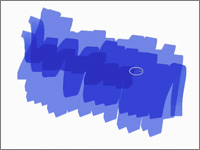
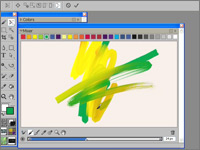
Marker, pen, pencil and chalk media reproduce the look and feel of their real-life counterparts in a way that no other software can!
- Marker - intensify color with each new marker stroke so you can color in one continuous shade or create a buildup of color
- Pen - choose to create fine pen strokes, or thick strokes and ink deposits, by changing the velocity of your stroke. The faster you go, the thinner the line; the slower you go, the thicker the line
- Pencil & Chalk - control shading by changing the angle of your stylus on the drawing tablet. Choose whether to draw with the tip or shade with the side of the nib-just like in real life
Enhanced! Selection Tools
A new Polygonal mode for the Lasso tool, plus overall improvements to marquee tools and the Magic Wand, let you make more nimble selections the first time around.
Enhanced! Wacom Support
Support for the entire Wacom product line, including Cintiq interactive pen displays and Intuos pen tablets, gives you most responsive digital painting software and the best digital art experience.
RealBristle Painting System
Replicate the sensation and interaction between traditional paint and canvas with your pen and tablet. This represents a major milestone for digital painting by making brushes totally responsive to your hand and canvas, creating the most realistic painting experience.
Customizable Brushes
Create your own brushes in the type, size or pattern of your choice, so you can make custom brush strokes and create artwork that is truly unique.
Go Beyond the Digital Darkroom
New! Color Management
Create better color matches with new individual color profiles for every document and improved color recognition for files imported from Adobe Photoshop. This enhances your workflow because you save time by having fewer color corrections to make.
Enhanced! Adobe Photoshop Support
Maintain colors and layers when transferring files between Photoshop and Painter. This saves time when importing and exporting artwork between the two programs, because corrections are less necessary.
Photo-painting Tools
Transform photos into paintings by hand, or let SmartStroke brush technology in the Auto-Painting Palette paint a photo for you. It follows the lines and contours in the picture just like a real artist would. This lets you take the best of both worldsphotography and paintingto create new forms of art.
Customizable Surface Texturing
Give your art added artistic undertones, plus a level of texture and detail that no other digital painting software and photo-painting tools can produce. You can choose paper textures for your canvas, or create and customize your own textures to produce really unique artwork.
Learn from Unlimited Experimentation
Enhanced! Mixer Palette & Swatches
Extra mixer swatches appear when you enlarge the newly resizable Mixer Palette. Increase the size of the Palette to put more colors at your disposal and have a clearer view of your chosen color. Reduce the size when you no longer need to mix colors so the Palette takes up less space on screen.
Smart Composition Tools
Divine Proportion and the Rule of Thirds and Fifths help you visually arrange your canvas before sketching or painting to create perfect compositions.
Flexible Digital Art Tools
Experiment with color theory, composition and brush strokes to your heart's content, and produce exciting results-without the toxins, mess and expenses associated with traditional art.
Universal Mixer Palette
For multicolor selection, this palette gives you better control over color blending between the Mixer palette and the canvas, so your colors are more precise.
Underpainting Palette
This palette includes color schemes based on various artistic styles, such as Impressionist, Classical, Modern, Watercolor, Sketchbook and Chalk Drawing, so you can create art like your favorite muses. You can also match your Underpainting Palette to that of any open image for consistency.
Match Palette Effect
Match the color and intensity between 2 images. Just open an image that features your desired color scheme and use the Match Palette effect to bring that color to the image you want to change.
Increase Speed & Stability
Enhanced! Performance
Painter 11 is optimized to provide artists with the fastest version of Painter ever. Depending on system hardware, brushes perform up to 30% faster, creating a more true-to-life painting speed.
New! Transformation Capabilities
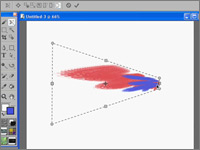
Switch between different Transform modes from one centralized tool, and choose whether to transform the complete contents of a layer, or selected content, for greater speed, flexibility and precision.
New! Resizable Color Palette
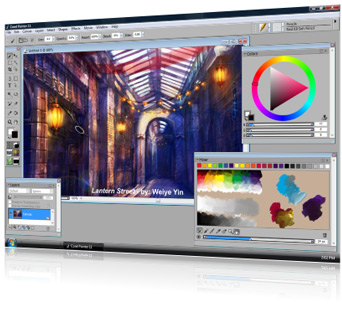
Adjust colors manually with sliders on the Color Palette. Enlarge the Color Palette up to 800 pixels for a clearer view of your selected color. You can now also fine-tune the color wheel with your arrow keys so it takes less time to find the perfect color.
New! Color Management Interface
The fresh and simplified interface makes it easier to control color profiles when creating new files, or when opening Painter and other file types.
Windows Vista Support
Painter 11 supports the latest operating system from Microsoft.
Mac OS Support
Painter 11 supports the latest operating system 10.5 from Apple.
Multiple Platform Support
Painter 11 includes both Mac OS and Windows versions on the same CD.
System Requirements
Windows version
- Windows XP (32-bit or 64-bit Editions), or Windows Vista (32-bit or 64-bit Editions) with latest Service Pack
- Pentium IV, 700 MHz or greater
- 1 GB of RAM
- 500 MB of hard disk space for installation
- 24-bit color display
- 1024 x 768 screen resolution
- CD-ROM
- Internet Explorer 6 or greater
- Mouse or tablet
Mac OS version
- Mac OS X 10.4 or 10.5 (with latest revision)
- Power Mac G5, 700 MHz or greater
- 1 GB of RAM
- 500 MB of hard disk space for installation
- 24-bit color display
- 1024 x 768 screen resolution
- CD-ROM
- Safari Web browser
- Mouse or tablet
|
|
|
|
Previous Page
|
Next Page
|
|