
Shop online for Digital Cameras and accessories | Camerafarm Australia
Camerafarm product archive #40587
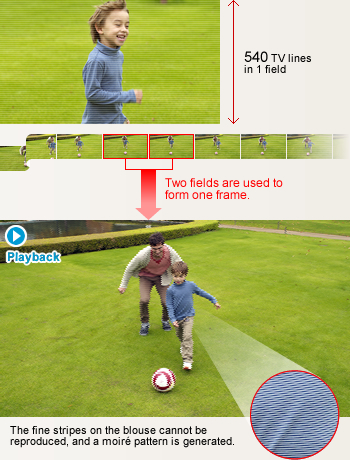
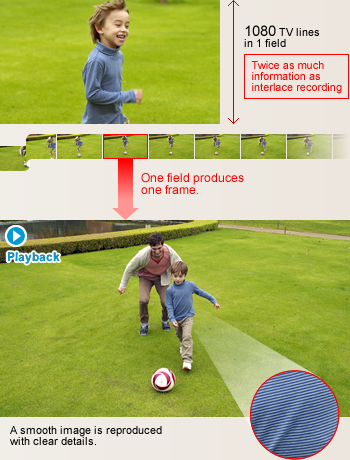
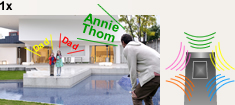
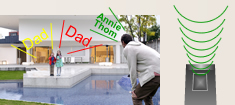
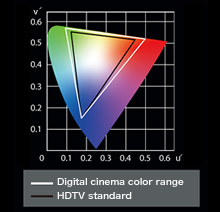
Wind Noise CancellerThe technology of the previous Wind Cut function has evolved to form the Wind Noise Canceller. The new function automatically detects and suppresses only wind noise, to give you natural sounds with lifelike ambience. Also, unlike the previous Wind Cut function, which switched to monaural recording, the Wind Noise Canceller enables stereo recording. This maintains natural sounds when shooting outdoors. Bass Setting (HS900/TM900/SD900)You can adjust the level of low-frequency sound that is included in the audio track while shooting. Film-like beauty: Captures more data to deliver richer images.
|
|||||||||||||||||||||||||||||||||||||||||||||||||||||||||||||||||||||||||||||||||||||||||||||||||||||||||||||||||||||||||||||||||||||||||||||||||||||||||||||||||||||||||||||||||||||||||||||||||||||||||||||||||||||||||||||||||||||||||||||||||||||||||||||||||||||||||||||||||||||||||||||||||||||||||||||||||||||||||||||||||||||||||||||||||||||||||||||||||||||||||||||||||||||||||||||||||||||||||||||||||||||||||||||||||||||||||||||||||||||||||||||||||||||||||||||||||||||||||||||||||||||||||||||||||||||||||||||||||||||||||||||||||||||||||||||||||||||||||||||||||||||||||||||||||||||||||||||||||||||||||||||||||||||||||||||||||||||||||||||||||||||||||||||||||||||||||||||||||||||||||||||||||||||||||||||||||||||||||||||||||||||||||||||||||||||||||||||||||||||||||||||||||||||||||||||||||||||||||||||||||||||||||||||||||||||||||||||||||||||||||||||||||||||||||||||||||||||||||||||||||||||||||||||||||||||||||||||||||||||||||||||||||||||||||||||||||||||||||||||||||||||||||||||||||||||||||||||||||||||||







































Zebra Pattern |
Brightness Level |
Histogram |
||
 A "zebra pattern" is displayed in areas of the frame where the lighting is excessive and the image is over-exposed. |
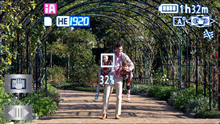 The light level is metered at the center of the frame and displayed as a percentage (%). This serves as a guide when you're shooting a subject that's backlit, or when you want to keep the light level the same even though the lighting conditions change. |
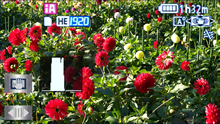 The histogram displays in graph form the exposure and contrast conditions over the entire frame. This lets you determine fine gradation details that are difficult to tell by just looking at the screen. |


Handy Functions and Interfaces
Microphone and Headphone Terminal |
Electronic Viewfinder |
Accessory Shoe |
||
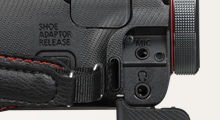 There's a mic input terminal and a headphone jack on the side of the camcorder. Plug in an external mic or headphones (both optional) if desired. |
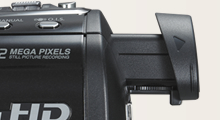 The extendable electronic viewfinder is easy to use and convenient for focusing and other adjustments. |
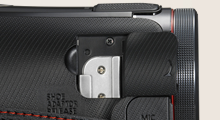 Optional accessories can be attached here to increase shooting versatility. |
Captures smiles automatically.
Smile Shot (Still Image)
The Smile Shot function automatically detects subject smiles, and captures the best possible smile while you're shooting movies. It lets you easily catch those fleeting, easy-to-miss stills of a smiling subject. It will also optimize the focus and exposure for your subject's smiling face.
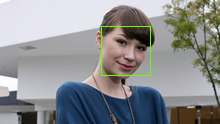
Capture the smiles of only certain subjects Face Recognition Linked |
Capture the smiles of an entire group Face Detection Linked |
Capture the smiling face of a moving subject AF/AE Tracking Linked |
||
|
|
|
|



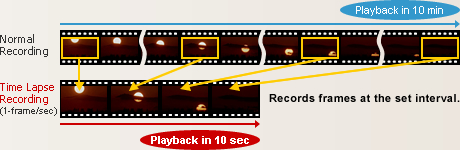
Slow events that take place over long periods of time can be condensed into short, smooth images.
Time Lapse Recording
The time lapse function uses longer frame intervals than standard shooting. You can use this function to capture shortened or condensed footage of events that actually take place over a much longer time period. For example, time lapse recording is ideal for shooting a flower in the process of blooming, or a long, slow sunset. With time lapse recording, you have an interesting new video technique to explore.
Great for sudden photo opportunities! Saves energy too!
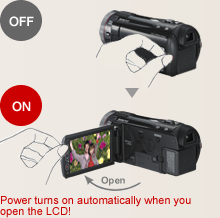
1.0-sec Quick Power-On
 Switch the power on and the HD camcorders are in standby mode in approx. 1.0 seconds*, ready to shoot when you are. When the LCD is closed, the power automatically switches off. This fast startup and automatic shutdown also help reduce battery consumption.
* Depending on the recording conditions, start time may be longer than 1.0 second.
0.6-sec Quick Start
Using Quick Start mode, you simply flip open the LCD and you're ready to shoot in just 0.6 seconds.* When Eco mode is also used, the power turns off whenever the camcorder has not been operated for 5 minutes. This reduces wasted power consumption, and enables a longer battery life.
* Depending on the recording conditions, start time may be longer than 0.6 seconds.
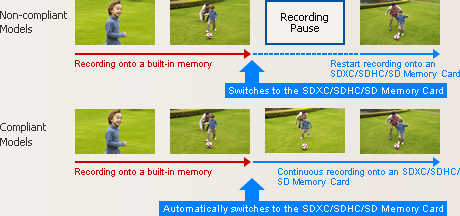
When the built-in memory fills up, recording automatically continues on an SD Memory Card.
Relay Recording
The Relay Recording mode automatically switches from the built-in flash memory (once it's full) to the SDXC/SDHC/SD Memory Card and continues recording. You don't have to worry about missing an important shot while switching media.
Arrange the data that is split onto two types of media on an SDXC/SDHC/SD Memory Card.
 If the SDXC/SDHC/SD Memory Card has sufficient capacity, it's possible to arrange all of the split data as a single continuous scene on the SDXC/SDHC/SD Memory Card.
Use the included software.
You can also use the editing software that is included with the camcorder to join the split data as a continuous scene.
Use a DVD burner to create a disc.
 If the SDXC/SDHC/SD Memory Card is not big enough to hold all of the split data, use a DVD burner to create a disc with all the motion images as a single continuous scene.
Helps protect recorded video data from damage due to jolts and impact.
220GB*1 HDD
The internal hard drive lets you record continuously for up to 94 hours*2 without changing a disc, SDXC/SDHC/SD Memory Card or other recording media.
*1 The 220GB hard drive utilizes a portion of the storage space for formatting, file management and other purposes. 220GB is 220 billion bytes. Usable capacity will be less.
*2 In HE mode

Anti-Shock Shield

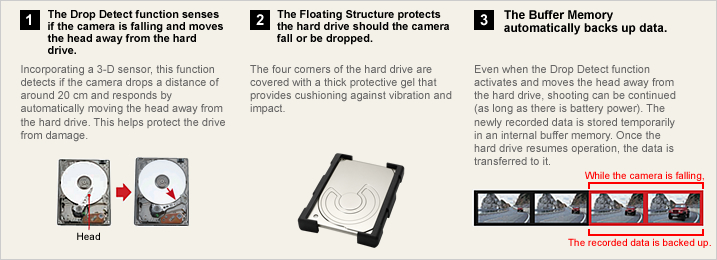
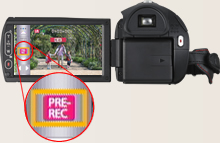
Pre-Rec Function

* The camera must be aimed at the subject in advance.
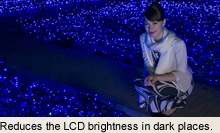
Auto Power LCD
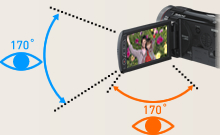
Wide Viewing Angle
The LCD has a highly detailed, 460,800-dots (900 Series) or 230,400-dots (SD800) display and a viewing angle of 170, both vertically and horizontally. Images are clear and bright even when viewed from an angle, so everyone can gather around the LCD to enjoy on-the-spot recordings. The wide viewing angle is also great for taking high- or low-angle shots.
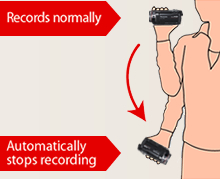
Prevents unintended shooting.
AGS (Auto Ground-Directional Standby)*
The O.I.S. linear motor system can detect when the camera is in an unusual shooting position - such as when you've inadvertently left it on in recording mode. In these cases, the camera automatically stops recording, saving both battery power and media storage space.
* In PAL area, the AGS (Auto Ground-Directional Standby) is called the Anti Ground Shooting.
Set to OFF when shipped from the factory. To turn AGS ON, the setting must be made on the menu screen.
60 Frames/Sec High-Speed Burst Shooting*
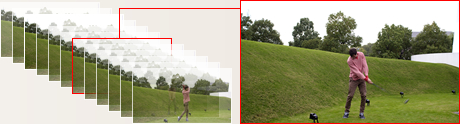
* In PAL areas, 50 consecutive 2.1-megapixel still images per second.
Focus Assist
This function shows which subjects are in-focus by displaying their outlines in blue. You can easily check the focus on LCD when manually focusing, to ensure consistently clear, sharp images.

Composition Guide Lines
With wide LCD monitors, it's hard to keep images perfectly level. The 900 Series and SD800 solve this by displaying horizontal and vertical Composition Guide Lines that make it easy to keep the subject straight and level.
Select the recording mode to match your needs.
1080/60p* Mode, HA / HG / HX / HE Mode / iFrame Mode
The TM900 is equipped with a built-in 32GB memory, and can be used together with a 64GB SDXC Memory Card to shoot for up to 41 hours and 10 minutes.** The HS900 features a 220GB HDD, and can be used together with a 64GB SDXC Memory Card to shoot for up to 121 hours and 30 minutes.** Choose the recording mode that matches your intended use HE mode for maximum recording time, or 1080/60p mode* for optimal image quality.
* 1080/50p in PAL areas.
** In HE mode.

Motion Picture Recording Time [approx.]
![Motion Picture Recording Time [approx.]](/images/extra/16/4/e2011021568481.jpg)
These figures vary depending on the pictures being recorded.
* 1 GB means 1 billion bytes. Usable capacity will be less.
** When shooting for an extended period of time, make sure that you allow yourself enough battery power to last 3 to 4 times the amount of time you plan on shooting. The continuous battery-powered shooting time varies depending on the usage conditions, e.g., when shooting in low temperatures. See the Battery Life chart for information on the continuous battery-powered shooting time.
Capture crisp, vivid images even in low lighting.
Color Night Rec/Colour Night View
Leave the light off. Color Night Rec/Colour Night View gives you images with color even in dim lighting (1 lx).

No more lost lens caps.
Auto Lens Cover
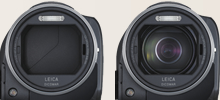
When the power is turned on, the lens cover automatically opens. When the power goes off, the lens cover closes. You don't have to keep removing and replacing a lens cap - or worry about losing it.
Easy time setting - Both on the destination and at home.
World Time
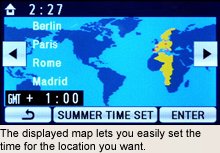
Setting the time is as easy as selecting a city from the displayed map. The World Time function lets you set the time for two cities, home and destination. You don't have to figure out the time difference at your destination, and it's easy when you get home.

| NTSC | PAL | |
|---|---|---|
| GENERAL | ||
| Power Supply | DC7.2 V / 9.3 V | DC7.2 V / 9.3 V |
| Power Consumption | [HDC-HS900] Max. 7.4 W (Recording) [HDC-TM900] Max. 6.4 W (Recording) |
[HDC-HS900] Max. 7.4 W (Recording) [HDC-TM900/SD900] Max. 6.4 W (Recording) |
| Weight (w/o Battery) | [HDC-HS900] Approx. 455 g (1.00 lb) [HDC-TM900] Approx. 395 g (0.87 lb) |
[HDC-HS900] Approx. 455 g [HDC-TM900/SD900] Approx. 395 g |
| Dimensions (W x H x D) | [HDC-HS900] 67 x 72 x 146 [mm] ( 2.64 x 2.83 x 5.75 [inch]) [HDC-TM900] 66 x 72 x 146 [mm] ( 2.60 x 2.83 x 5.75 [inch]) |
[HDC-HS900] 67 x 72 x 146 [mm] [HDC-TM900/SD900] 66 x 72 x 146 [mm] |
| Media | [HDC-HS900] HDD (220 GB), SD/SDHC/SDXC Memory Card [HDC-TM900] Built-in memory (32 GB), SD/SDHC/SDXC Memory Card |
[HDC-HS900] HDD (220 GB), SD/SDHC/SDXC Memory Card [HDC-TM900] Built-in memory (32 GB), SD/SDHC/SDXC Memory Card [HDC-SD900] SD/SDHC/SDXC Memory Card |
| OSD Language |  |
|
| LENS SECTION | ||
| Image Sensor | 1/4.1" MOS x 3 Total Pixels : 9.15 megapixels (3.05 megapixels x 3) Effective Pixels : <Motion Image> 7.59 megapixels 2.53 megapixels x 3[16:9] <Still Image> 7.89 megapixels (2.63 megapixels x 3) [3:2] 7.59 megapixels (2.53 megapixels x 3) [16:9] 6.96 megapixels (2.32 megapixels x 3) [4:3] |
1/4.1-type MOS x 3 (For Europe) 1/4.1" MOS x 3 (For Asia) Total Pixels : 9.15 megapixels (3.05 megapixels x 3) Effective Pixels : <Motion Image> 7.59 megapixels (2.53 megapixels x 3) [16:9] <Still Image> 7.89 megapixels (2.63 megapixels x 3) [3:2] 7.59 megapixels (2.53 megapixels x 3) [16:9] 6.96 megapixels (2.32 megapixels x 3) [4:3] |
| F Value | F1.5 (WIDE) / 2.8 (TELE) | F1.5 (WIDE) / 2.8 (TELE) |
| Optical Zoom | 12 x | 12 x |
| Intelligent Zoom | 20 x | 20 x |
| Focal Length | 3.45 - 41.4 mm | 3.45 - 41.4 mm |
| 35 mm Film Camera Equivalent | <Motion Image> 35.0 - 420 mm (16:9) <Still Image> 35.7 - 428 mm (3:2), 35.0 - 420 mm (16:9), 38.8 - 466 mm (4:3) |
<Motion Image> 35.0 - 420 mm (16:9) <Still Image> 35.7 - 428 mm (3:2), 35.0 - 420 mm (16:9), 38.8 - 466 mm (4:3) |
| Lens Brand | Leica Dicomar Lens | Leica Dicomar Lens |
| CAMERA SECTION | ||
| Standard Illumination | 1400 lx | 1400 lx |
| Minimum Illumination | 1.6 lx (1/30 Low Light scene mode) 1 lx (Color Night Rec.) |
1.6 lx (1/25 Low Light scene mode) 1 lx (Colour Night View) |
| Image Stabilizer | HYBRID O.I.S. [Optical Image Stabilizer] | HYBRID O.I.S. [Optical Image Stabilizer] |
| Focus | Auto / Manual | Auto / Manual |
| White Balance | Auto / Indoor1 / Indoor2 / Sunny / Cloudy / White set | Auto / Indoor1 / Indoor2 / Sunny / Cloudy / White set |
| Shutter Speed | <Motion Image> [60i / 60p] Auto Slow Shutter ON : 1/30-1/8000 OFF : 1/60-1/8000 [24p] Auto Slow Shutter ON : 1/24-1/8000 OFF : 1/48-1/8000 <Still Image> 1/2-1/2000, video flash: 1/2-1/500 |
<Motion Image> [50i / 50p] Auto Slow Shutter ON : 1/25-1/8000 OFF : 1/50-1/8000 [25p] Auto Slow Shutter ON : 1/25-1/8000 OFF : 1/50-1/8000 <Still Image> 1/2-1/2000, video flash: 1/2-1/500 |
| Iris | Auto / Manual | Auto / Manual |
| Backlight Compensation | Yes | Yes |
| MONITOR | ||
| LCD | 3.5 Wide LCD (460,800 dots) | 8.8 cm (3.5") Wide LCD (460,800 dots) (For Europe) 3.5" Wide LCD (460,800 dots) (For Asia) |
| EVF | Yes | Yes |
| STILL IMAGE SECTION | ||
| Recording Format | JPEG | JPEG |
| Recording Image Size | <Still Image> [3:2] 14.2 megapixels (4608 x 3072) 8.6 megapixels (3600 x 2400) 5.5 megapixels (2880 x 1920) [16:9] 13.3 megapixels (4864 x 2736) 8.3 megapixels (3840 x 2160) 5.3 megapixels (3072 x 1728) [4:3] 12.2 megapixels (4032 x 3024) 7.7 megapixels (3200 x 2400) 4.9 megapixels (2560 x 1920) 0.3 megapixels (640 x 480) <Simultaneous Recording> [16:9] 13.3 megapixels (4864 x 2736) 8.3 megapixels (3840 x 2160) 2.1 megapixels (1920 x 1080) |
<Still Image> [3:2] 14.2 megapixels (4608 x 3072) 8.6 megapixels (3600 x 2400) 5.5 megapixels (2880 x 1920) [16:9] 13.3 megapixels (4864 x 2736) 8.3 megapixels (3840 x 2160) 5.3 megapixels (3072 x 1728) [4:3] 12.2 megapixels (4032 x 3024) 7.7 megapixels (3200 x 2400) 4.9 megapixels (2560 x 1920) 0.3 megapixels (640 x 480) <Simultaneous Recording> [16:9] 13.3 megapixels (4864 x 2736) 8.3 megapixels (3840 x 2160) 2.1 megapixels (1920 x 1080) |
| Flash | Yes | Yes |
| DPOF | Max. 999 images | Max. 999 images |
| RECORDING SECTION | ||
| Signal System | 1080 / 60p, 1080 / 60i, 540 / 30p | 1080 / 50p, 1080 / 50i, 540 / 25p |
| Recording Format | <Original Format> 1080 / 60p : MPEG-4 AVC/H.264 <AVCHD standard compliant> HA / HG / HX / HE : MPEG-4 AVC/H.264 <MPEG-4 AVC file format compliant (.MP4)> iFrame : MPEG4-AVC/H.264 |
<Original Format> 1080 / 50p : MPEG-4 AVC/H.264 <AVCHD standard compliant> HA / HG / HX / HE : MPEG-4 AVC/H.264 <MPEG-4 AVC file format compliant (.MP4)> iFrame : MPEG4-AVC/H.264 |
| Recording / Playback Mode | 1080 / 60p (28 Mbps / VBR), (1920 x 1080) HA (17 Mbps / VBR), (1920 x 1080) HG (13 Mbps / VBR), (1920 x 1080) HX (9 Mbps / VBR), (1920 x 1080) HE (5 Mbps / VBR), (1920 x 1080) iFrame (28 Mbps / VBR), (960 x 540) |
1080 / 50p (28 Mbps / VBR), (1920 x 1080) HA (17 Mbps / VBR), (1920 x 1080) HG (13 Mbps / VBR), (1920 x 1080) HX (9 Mbps / VBR), (1920 x 1080) HE (5 Mbps / VBR), (1920 x 1080) iFrame (28 Mbps / VBR), (960 x 540) |
| Audio Recording System | 1080 / 60p / HA / HG / HX / HE : Dolby Digital (5.1 ch / 2 ch) iFrame : AAC (2 ch) |
1080 / 50p / HA / HG / HX / HE : Dolby Digital (5.1 ch / 2 ch) iFrame : AAC (2 ch) |
| Microphone | 5.1 ch Surround, Zoom and Focus Microphone, 2 ch Stereo | 5.1 ch Surround, Zoom and Focus Microphone, 2 ch Stereo |
| Speaker | Dynamic type | Dynamic type |
| Media Remaining Indication | Yes | Yes |
| INTERFACES | ||
| HDMI | Yes (Mini) | Yes (Mini) |
| Microphones (stereo mini) | Yes | Yes |
| Headphone (stereo mini) | Yes | Yes |
| USB | 2.0 Hi-Speed | 2.0 Hi-Speed |
| AV Multi | Yes | Yes |
| OTHERS | ||
| Accessory Shoe | Yes (Cold) | Yes (Cold) |
| STANDARD ACCESSORIES | ||
| AC Adaptor | Yes | Yes |
| AC Cable | Yes | Yes |
| DC Cable | Included AC Adaptor | Included AC Adaptor |
| Rechargeable Battery Pack | min. 1250 mAh / Lithium-Ion | min. 1250 mAh / Lithium-Ion |
| AV Multi Cable | Yes | Yes |
| IR Remote | Yes | Yes |
| Shoe adaptor | Yes (Except HS900) | Yes (Except HS900) |
| USB Cable | Yes | Yes |
| CD-ROM | HD Writer AE 3.0 | HD Writer AE 3.0 |
| Lens hood | Yes | Yes |
| Stylus Pen | Yes | Yes |
| NTSC | PAL | |
|---|---|---|
| GENERAL | ||
| Power Supply | DC7.2 V / 9.3 V | DC7.2 V / 9.3 V |
| Power Consumption | Max. 5.8 W (Recording) | Max. 5.8 W (Recording) |
| Weight (w/o Battery) | Approx. 330 g (0.73 lb) | Approx. 330 g |
| Dimensions (W x H x D) | 63 x 66 x 133 [mm] (2.48 x 2.60 x 5.24 [inch]) | 63 x 66 x 133 [mm] |
| Media | SD/SDHC/SDXC Memory Card | SD/SDHC/SDXC Memory Card |
| OSD Language | |
|
| LENS SECTION | ||
| Image Sensor | 1/4.1" MOS x 3 Total Pixels : 9.15 megapixels (3.05 megapixels x 3) Effective Pixels : <Motion Image> 7.59 megapixels 2.53 megapixels x 3[16:9] <Still Image> 7.89 megapixels (2.63 megapixels x 3) [3:2] 7.59 megapixels (2.53 megapixels x 3) [16:9] 6.96 megapixels (2.32 megapixels x 3) [4:3] |
1/4.1-type MOS x 3 (For Europe) 1/4.1" MOS x 3 (For Asia) Total Pixels : 9.15 megapixels (3.05 megapixels x 3) Effective Pixels : <Motion Image> 7.59 megapixels (2.53 megapixels x 3) [16:9] <Still Image> 7.89 megapixels (2.63 megapixels x 3) [3:2] 7.59 megapixels (2.53 megapixels x 3) [16:9] 6.96 megapixels (2.32 megapixels x 3) [4:3] |
| F Value | F1.5 (WIDE) / 2.8 (TELE) | F1.5 (WIDE) / 2.8 (TELE) |
| Optical Zoom | 12 x | 12 x |
| Intelligent Zoom | 20 x | 20 x |
| Focal Length | 3.45 - 41.4 mm | 3.45 - 41.4 mm |
| 35 mm Film Camera Equivalent | <Motion Image> 35.0 - 420 mm (16:9) <Still Image> 35.7 - 428 mm (3:2), 35.0 - 420 mm (16:9), 38.8 - 466 mm (4:3) |
<Motion Image> 35.0 - 420 mm (16:9) <Still Image> 35.7 - 428 mm (3:2), 35.0 - 420 mm (16:9), 38.8 - 466 mm (4:3) |
| Lens Brand | Leica Dicomar Lens | Leica Dicomar Lens |
| CAMERA SECTION | ||
| Standard Illumination | 1400 lx | 1400 lx |
| Minimum Illumination | 1.6 lx (1/30 Low Light scene mode) 1 lx (Color Night Rec.) |
1.6 lx (1/25 Low Light scene mode) 1 lx (Colour Night View) |
| Image Stabilizer | HYBRID O.I.S. [Optical Image Stabilizer] | HYBRID O.I.S. [Optical Image Stabilizer] |
| Focus | Auto / Manual | Auto / Manual |
| White Balance | Auto / Indoor1 / Indoor2 / Sunny / Cloudy / White set | Auto / Indoor1 / Indoor2 / Sunny / Cloudy / White set |
| Shutter Speed | <Motion Image> [60i / 60p] Auto Slow Shutter ON : 1/30-1/8000 OFF : 1/60-1/8000 [24p] Auto Slow Shutter ON : 1/24-1/8000 OFF : 1/48-1/8000 <Still Image> 1/2-1/2000, video flash: 1/2-1/500 |
<Motion Image> [50i / 50p] Auto Slow Shutter ON : 1/25-1/8000 OFF : 1/50-1/8000 [25p] Auto Slow Shutter ON : 1/25-1/8000 OFF : 1/50-1/8000 <Still Image> 1/2-1/2000, video flash: 1/2-1/500 |
| Iris | Auto / Manual | Auto / Manual |
| Backlight Compensation | Yes | Yes |
| MONITOR | ||
| LCD | 3.0 Wide LCD (230,400 dots) | 7.6 cm (3.0") Wide LCD (230,400 dots) (For Europe) 3.0" Wide LCD (230,400 dots) (For Asia) |
| STILL IMAGE SECTION | ||
| Recording Format | JPEG | JPEG |
| Recording Image Size | <Still Image> [3:2] 14.2 megapixels (4608 x 3072) 8.6 megapixels (3600 x 2400) 5.5 megapixels (2880 x 1920) [16:9] 13.3 megapixels (4864 x 2736) 8.3 megapixels (3840 x 2160) 5.3 megapixels (3072 x 1728) [4:3] 12.2 megapixels (4032 x 3024) 7.7 megapixels (3200 x 2400) 4.9 megapixels (2560 x 1920) 0.3 megapixels (640 x 480) <Simultaneous Recording> [16:9] 13.3 megapixels (4864 x 2736) 8.3 megapixels (3840 x 2160) 2.1 megapixels (1920 x 1080) |
<Still Image> [3:2] 14.2 megapixels (4608 x 3072) 8.6 megapixels (3600 x 2400) 5.5 megapixels (2880 x 1920) [16:9] 13.3 megapixels (4864 x 2736) 8.3 megapixels (3840 x 2160) 5.3 megapixels (3072 x 1728) [4:3] 12.2 megapixels (4032 x 3024) 7.7 megapixels (3200 x 2400) 4.9 megapixels (2560 x 1920) 0.3 megapixels (640 x 480) <Simultaneous Recording> [16:9] 13.3 megapixels (4864 x 2736) 8.3 megapixels (3840 x 2160) 2.1 megapixels (1920 x 1080) |
| Flash | Yes | Yes |
| DPOF | Max. 999 images | Max. 999 images |
| RECORDING SECTION | ||
| Signal System | 1080 / 60p, 1080 / 60i, 540 / 30p | 1080 / 50p, 1080 / 50i, 540 / 25p |
| Recording Format | <Original Format> 1080 / 60p : MPEG-4 AVC/H.264 <AVCHD standard compliant> HA / HG / HX / HE : MPEG-4 AVC/H.264 <MPEG-4 AVC file format compliant (.MP4)> iFrame : MPEG4-AVC/H.264 |
<Original Format> 1080 / 50p : MPEG-4 AVC/H.264 <AVCHD standard compliant> HA / HG / HX / HE : MPEG-4 AVC/H.264 <MPEG-4 AVC file format compliant (.MP4)> iFrame : MPEG4-AVC/H.264 |
| Recording / Playback Mode | 1080 / 60p (28 Mbps / VBR), (1920 x 1080) HA (17 Mbps / VBR), (1920 x 1080) HG (13 Mbps / VBR), (1920 x 1080) HX (9 Mbps / VBR), (1920 x 1080) HE (5 Mbps / VBR), (1920 x 1080) iFrame (28 Mbps / VBR), (960 x 540) |
1080 / 50p (28 Mbps / VBR), (1920 x 1080) HA (17 Mbps / VBR), (1920 x 1080) HG (13 Mbps / VBR), (1920 x 1080) HX (9 Mbps / VBR), (1920 x 1080) HE (5 Mbps / VBR), (1920 x 1080) iFrame (28 Mbps / VBR), (960 x 540) |
| Audio Recording System | 1080 / 60p / HA / HG / HX / HE : Dolby Digital (2 ch) iFrame : AAC (2 ch) |
1080 / 50p / HA / HG / HX / HE : Dolby Digital (2 ch) iFrame : AAC (2 ch) |
| Microphone | 2 ch Stereo, Zoom Microphone | 2 ch Stereo, Zoom Microphone |
| Speaker | Dynamic type | Dynamic type |
| Media Remaining Indication | Yes | Yes |
| INTERFACES | ||
| HDMI | Yes (Mini) | Yes (Mini) |
| USB | 2.0 Hi-Speed | 2.0 Hi-Speed |
| AV Multi | Yes | Yes |
| STANDARD ACCESSORIES | ||
| AC Adaptor | Yes | Yes |
| AC Cable | Yes | Yes |
| DC Cable | Included AC Adaptor | Included AC Adaptor |
| Rechargeable Battery Pack | min. 1250 mAh / Lithium-Ion | min. 1250 mAh / Lithium-Ion |
| AV Multi Cable | Yes | Yes |
| IR Remote | Yes | Yes |
| USB Cable | Yes | Yes |
| CD-ROM | HD Writer AE 3.0 | HD Writer AE 3.0 |
| Lens hood | Yes | Yes |
| Stylus Pen | Yes | Yes |
| NTSC | PAL | |
|---|---|---|
| GENERAL | ||
| Weight (w/o Lens Cap) | approx. 195 g ( 0.43 lb) | approx. 195 g |
| Dimensions (W x H x D) | 78 x 59 x 97 [mm] ( 3.07 x 2.32 x 3.82 [inch]) | 78 x 59 x 97 [mm] |
| LENS SECTION | ||
| F Value | F3.2 | F3.2 |
| Focal Length | 2.5 mm | 2.5 mm |
| 35 mm Film Camera Equivalent | 58 mm (16:9) [Motion Image] | 58 mm (16:9) [Motion Image] |
| Minimum Illumination | 28 lx (1/30) | 28 lx (1/25) |
| STANDARD ACCESSORIES | ||
| Lens Front Cap | Yes | Yes |
| Lens Rear Cap | Yes | Yes |
| Lens Pouch | Yes | Yes |
| Capacity | Gold | Silver | |
|---|---|---|---|
| SDXC Memory Card*1 | 64 GB*3 | RP-SDW64G (Class 10, up to 22 MB/sec *4*5) |
- |
| 48 GB*3 | RP-SDW48G (Class 10, up to 22 MB/sec *4*5) |
- | |
| SDHC Memory Card*2 | 32 GB*3 | RP-SDW32G (Class 10, up to 2 2MB/sec *4*5) |
- |
| 16 GB*3 | RP-SDW16G (Class 10, up to 22 MB/sec *4*5) |
RP-SDP16G (Class 4, up to 20 MB/sec *4*5) |
|
| 8 GB*3 | RP-SDW08G (Class 10, up to 22 MB/sec *4*5) |
RP-SDP08G (Class 4, up to 20 MB/sec *4*5) |
|
| 4 GB*3 | RP-SDW04G (Class 10, up to 22 MB/sec *4*5) |
RP-SDP04G (Class 4, up to 20 MB/sec *4*5) |
|
As of January 5, 2011
An SDXC/SDHC/SD Memory Card utilises a portion of the storage space for formatting and other purposes.
We recommend using SDXC/SDHC/SD Memory cards conforming to class 4 or higher of the SD Speed Class Rating or the following SD Memory Cards made by Panasonic for motion picture recording.
Please confirm the latest information about SDXC/SDHC/SD Memory Cards that can be used for motion picture recording on the following website.
Camcorder information (This website is in English only.)
*1 SDXC Memory Cards can only be used in SDXC host devices, which support the SDXC format.
*2 SDHC Memory Cards can only be used in SDXC and SDHC host devices, which support the SDHC/SDXC format.
*3 1GB means 1 billion bytes. Usable capacity will be less.
*4 The data transfer rate is a theoretical value and is anot a guarantee of performance. The transfer rate may vary depending on the conditions and equipment used.
*5 This card complies with SD Memory Card Physical Layer Specification Ver.3.0 (SDHC)/Ver.1.10 (SD). When using this card with SD-enabled products that comply with the specification, a speed performance of up to 20MB/sec. can be realized. When using it with SD-enabled products that comply with the conventional specification Ver. 1.01, the speed performance will be up to 10MB/sec.
*6 Available in North America.
| Image Quality | |||||||
|---|---|---|---|---|---|---|---|
| 1080/60p** (28 Mbps) |
HA (17 Mbps) |
HG (13 Mbps) |
HX (9 Mbps) |
HE (5 Mbps) |
iFrame | ||
| HDD | 220 GB* (HS900) | 18 h 30 mm | 29 h | 37 h 30 min | 57 h 30 min | 94 h | 18 h 30 min |
| Built-in Memory | 32 GB* (TM900) | 2 h 40 min | 4 h 10 min | 5 h 30 min | 8 h 20 min | 13 h 40 min | 2 h 40 min |
| SDXC/SDHC Memory Card |
64 GB* | 5 h 20 min | 8 h 30 min | 11 h | 16 h 50 min | 27 h 30 min | 5 h 20 min |
| 48 GB* | 4 h | 6 h 20 min | 8 h 10 min | 12 h 30 min | 20 h 20 min | 4 h | |
| 32 GB* | 2 h 40 min | 4 h 10 min | 5 h 30 min | 8 h 20 min | 13 h 40 min | 2 h 40 min | |
| 16 GB* | 1 h 20 min | 2 h | 2 h 40 min | 4 h 10 min | 6 h 40 min | 1 h 20 min | |
| 8 GB* | 40 min | 1 h | 1 h 20 min | 2 h | 3 h 20 min | 40 min | |
| 4 GB* | 19 min | 30 min | 40 min | 1 h | 1 h 30 min | 19 min | |
These figures vary depending on the pictures being recorded.
We recommend using SDXC/SDHC/SD Memory Cards conforming to class 4 or higher of the SD Speed Class Rating or the following SD Memory Cards made by Panasonic for motion-image recording.
Please confirm the latest information about SDXC/SDHC/SD Memory Cards that can be used for motion-image recording, on the following website.
Camcorder Information (This website is in English only.)
* 1 GB means 1 billion bytes. Usable capacity will be less.
** 1080/50p for PAL area.
| Image Quality | Capacity | ||||||||
|---|---|---|---|---|---|---|---|---|---|
| HDD | Built-in Memory |
SDXC/SDHC Memory Card | |||||||
| 220 GB* (HS900) |
32 GB* (TM900) |
64 GB* | 48 GB* | 32 GB* | 16 GB* | 8 GB* | 4 GB* | ||
| 4864 x 2736 pixels (16:9) 13.3 M |
 |
31000 | 4500 | 9000 | 6600 | 4500 | 2200 | 1100 | 550 |
 |
49000 | 7000 | 14000 | 10000 | 7000 | 3400 | 1700 | 850 | |
| 3840 x 2160 pixels (16:9) 8.3 M |
|
49000 | 7000 | 14000 | 10000 | 7000 | 3400 | 1700 | 850 |
|
78000 | 11500 | 23000 | 17000 | 11500 | 5600 | 2800 | 1420 | |
| 1920 x 1080 pixels (16:9) 2.1 M |
|
201000 | 29000 | 59000 | 44000 | 29000 | 14000 | 7300 | 3600 |
|
319000 | 46000 | 93000 | 69000 | 46000 | 23000 | 11000 | 5600 | |
High Picture Quality Normal Picture Quality
These figure vary depending on the pictures being recorded.
* 1 GB means 1 billion bytes. Usable capacity will be less.
This is a guideline that includes time for operations such as starting and stopping the recording, turning the power on and off, and zooming. The actual time is shorter.


 |
Panasonic HDC-SD80 Camcorder - Silver
- SD Card Recording, HD 1080p, 34xOptical Zoom, 2.7"Touch Screen LCD, Image Stabilizer, Intelligent Auto, Face Recognition
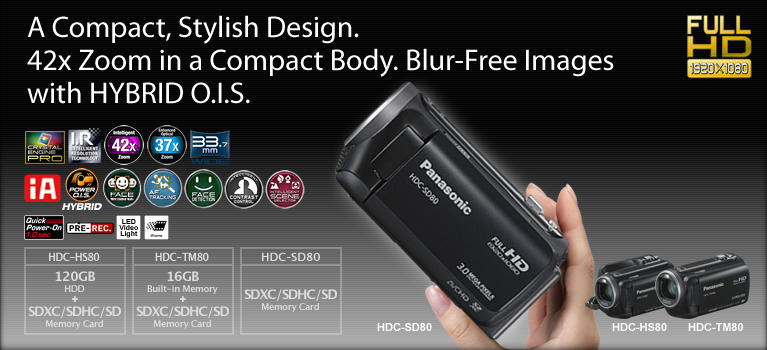

Intelligent 42x Zoom and HYBRID O.I.S. (Optical Image Stabilizer)


*Compared with the HDC-SD60, HDC-TM60, and HDC-HS60.
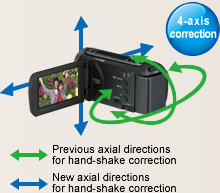
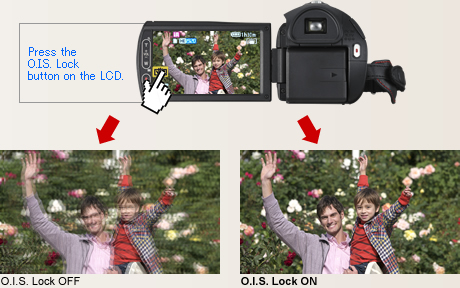
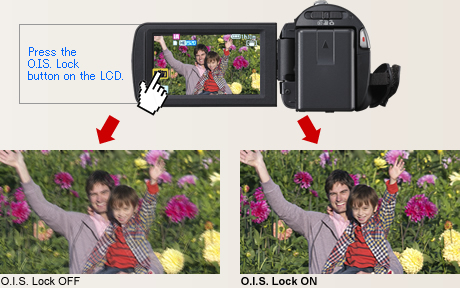
O.I.S. (Optical Image Stabilizer) Lock
* Considerable blurring is generated by the shifting of the corrective lens when the camera is panned or tilted.
33.7mm Wide Angle*


Intricate details from Intelligent Resolution Technology.
Crystal Engine PRO
 The Crystal Engine PRO instantly processes the huge amount of data that goes into Full-HD images, and further enhances Full-HD quality. It produces smooth, high-resolution zoom shots even when the range exceeds the limit for optical zooming. Crystal Engine PRO clearly delineates even the tiniest details of your subject, with extremely natural beauty. In addition, its Noise Reduction (NR) technology has been completely redesigned. The low-frequency noise that occurs when recording in dim lighting has been further minimized. And Intelligent Resolution Technology ensures sharp and crisp pictures, resulting in bright and beautifully colored motion images.


Intelligent Resolution Technology


New Zoom Mic and Wind Noise Canceller
Zoom Mic
The Zoom Mic function that links with the camera's zoom action has evolved even further. Compared to previous models, the noise-reducing performance is improved by 1/3 (-10dB).* It lets you clearly record the sound of your target subject.
* Compared with the HDC-SD60, HDC-TM60, and HDC-HS60.
Wind Noise Canceller
The Wind Noise Canceller automatically detects and suppresses only wind noise. It lets you capture natural sounds with lifelike ambience even when shooting in windy conditions outdoors or by the sea.
Beautiful still images, even when enlarged.
Still Picture Recording at 3.0 Megapixels with Intelligent Resolution Technology
In Still Picture Recording mode, Intelligent Resolution Technology lets you record clear still images with resolution up to 3.0 megapixels.* Also, when playing back the moving pictures you shot, you can capture 3.0-megapixel* still images of any scene you want. The HD 80 Series lets you enjoy high quality in both motion and still images.
* For images recorded with a 16:9 aspect ratio.

Sets the optimal mode for each shooting situation.
Scene Mode
Automatically selects the most suitable shutter speed and aperture for the shooting location and situation.
Scene modes:
Sports Portrait
Low Light (Motion image only)
Spot Light Snow Beach Sunset
Fireworks Scenery Night Scenery
Night Portrait (Still image only)

Gives your subjects smoother looking skin.
Soft Skin Mode
When this function detects skin tones, it softens the focus in that area. This has a skin beautifying effect, which makes wrinkles and lines appear less noticeable. When turned on, this function makes blemishes and moles look less conspicuous, while preserving resolution in areas of the picture outside of the skin.

Sharps focusing even up close.
Tele-Macro
You can shoot macro close-ups while maintaining a distance of 70cm from your subject. In addition, using the zoom at full magnification makes it much easier to capture extreme close-ups without your body or camera casting a shadow on the subject and while keeping the background in soft focus.


Makes optimal settings automatically for both motion and still images.
iA (Intelligent Auto)

This powerful function senses the shooting conditions and automatically makes the settings and activates functions that will deliver optimal results. With both motion and still images, iA does the bothersome settings for you and makes it easy to capture beautiful, well-focused images.
* The functions included in iA may not be applied when conditions do not call for them.

Blur-free zooming and shooting on the move.
 HYBRID O.I.S. (Optical Image Stabilizer)
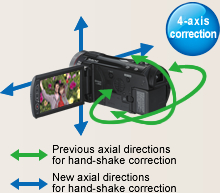
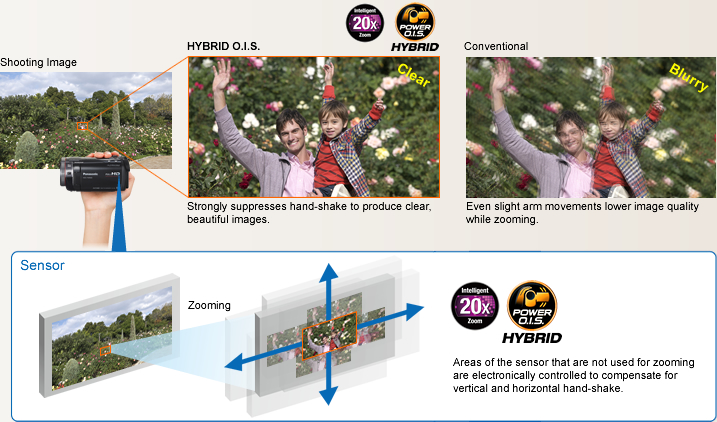
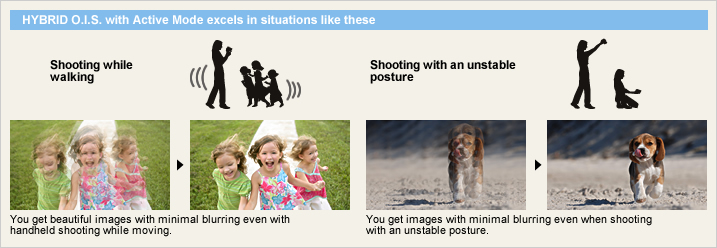
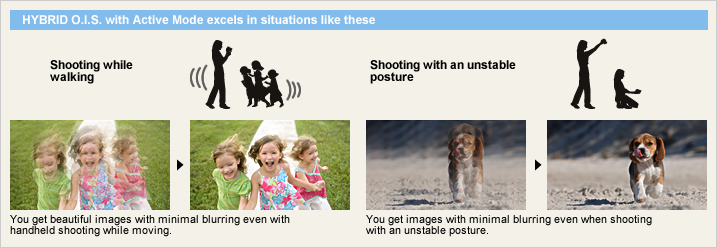
HYBRID O.I.S. corrects hand-shake blurring by combining the action of its hybrid optical and electrical image stabilization systems. Even when zooming, where hand-shake often occurs, both optical and electrical hand-shake correction make it possible to record beautiful images with approximately 2 times* the hand-shake suppressing effect as conventional models.
* Compared with the HDC-SD60, HDC-TM60, and HDC-HS60.

Active Mode
Active mode comes in handy when shooting while walking or playing with your children. The wide correction area corrects even relatively large hand-shake motion. Its especially good for active video shooting.
Face Recognition


AF/AE Tracking

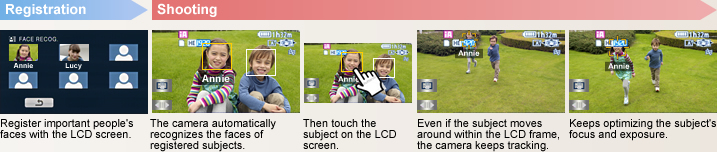
Touch the LCD screen to indicate the subject, such as a person or an animal, that you want to focus on, and let AF/AE Tracking do the rest. The camera locks on the subject and follows it around, keeping it in sharp focus and properly exposed. It keeps tracking even if the subject turns to the side. This advanced function makes it easy to get a continually clear, beautiful shot of the subject in the scene you care most about.
Detects the situation and switches the scene mode automatically.
Intelligent Scene Selector

Portrait
This mode captures faces beautifully. With Soft Skin mode, complexions are automatically enhanced to make faces attractive.
Scenery
This mode is ideal for shooting wide landscapes and sweeping vistas, such as at the ocean or in the mountains. It balances the exposure over the entire frame to prevent brighter parts of the image, such as the sky, from being washed out or having blown highlights.
Spotlight
The camcorder automatically uses this mode for scenes with particularly strong contrast, such as when you're shooting a spot lit area on a darkened stage. It captures the well-lit subject perfectly and prevents washed-out areas.
Low Light
In dim lighting, the camcorder automatically switches to a slower shutter speed so that images across the entire frame are bright and easy to see.
Captures faces beautifully - even in dim or backlit scenes.
Face Detection

Intelligent Contrast Control

With a Special iA Mode for Still Images
The iA function is active even when the camera is in still-image mode. When the Intelligent Scene Selector detects the shooting situation, it automatically switches to one of the five Scene modes for still-image shooting, and optimizes the settings for the still image.
Sports Portrait Spot Light Snow Beach
Sunset Fireworks Scenery Night Scenery
Night Portrait Macro

Smile Shot (Still Image)
The Smile Shot function automatically detects subject smiles, and captures the best possible smile while you're shooting movies. It lets you easily catch those fleeting, easy-to-miss stills of a smiling subject. It will also optimize the focus and exposure for your subject's smiling face.

Capture the smiles of only certain subjects Face Recognition Linked |
Capture the smiles of an entire group Face Detection Linked |
Capture the smiling face of a moving subject AF/AE Tracking Linked |
|
|
|
|



2.7 Wide LCD with Intuitive Touch Operation
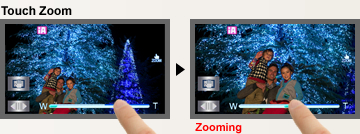
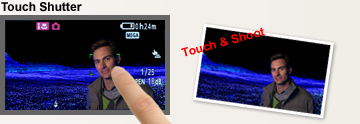
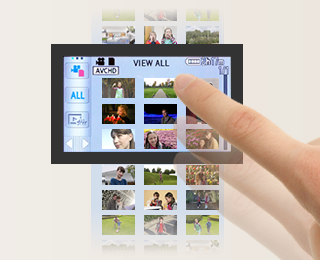
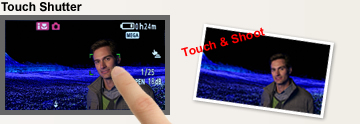
The easy-to-view 6.7 cm/2.7" wide LCD screen allows intuitive fingertip touch-operation. When shooting, you can use Touch Zoom to instantly zoom in and out by simply touching your fingertips, and Touch Shutter to automatically focus when shooting still images by simply touching the subject on the screen. For playback, you can also change thumbnail pages by sliding a fingertip across the screen. You get smooth, intuitive operation and dont have to take your eyes off of the LCD screen.
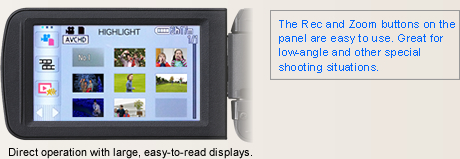

You can easily zoom in and zoom out by simply touching the LCD with your fingertips. Shoot at any angle of view while watching the screen.

1.0-sec Quick Power-On


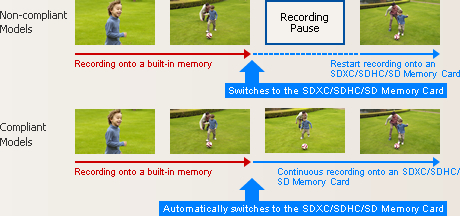
When the built-in memory fills up, recording automatically continues on an SD Memory Card.
 Relay Recording
The Relay Recording mode automatically switches from the built-in flash memory (once it's full) to the SDXC/SDHC/SD Memory Card and continues recording. You don't have to worry about missing an important shot while switching media.
Arrange the data that is split onto two types of media on an SDXC/SDHC/SD Memory Card.

Use the included software.
Use a DVD burner to create a disc.

Helps protect recorded video data from damage due to jolts and impact.
 120GB*1 HDD
The internal hard drive lets you record continuously for up to 51 hours*2 without changing a disc, SDXC/SDHC/SD Memory Card or other recording media.
*1 The 120GB hard drive utilizes a portion of the storage space for formatting, file management and other purposes. 120GB is 120 billion bytes. Usable capacity will be less.
*2 In HE mode

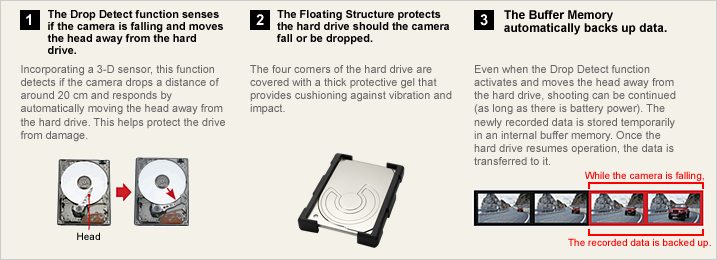
Anti-Shock Shield

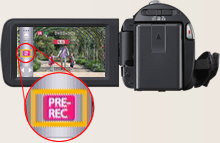
Pre-Rec Function

* The camera must be aimed at the subject in advance.
Inside or out, you can adjust the LCD brightness.
Auto Power LCD
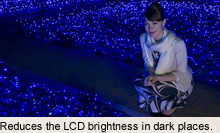
The LCD brightness can be adjusted manually to suit the surroundings. In Auto Mode, the LCD brightness is adjusted automatically in 16 smooth steps depending on the surroundings. In darker rooms it adjusts to a lower brightness, making it easier to frame the shot. Outside, it adjusts to almost twice the brightness for easy viewing even on sunny days.
Wide Viewing Angle
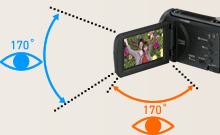
The LCD has a highly detailed, 230,400-dots display and a viewing angle of 170, both vertically and horizontally. Images are clear and bright even when viewed from an angle, so everyone can gather around the LCD to enjoy on-the-spot recordings. The wide viewing angle is also great for taking high- or low-angle shots.
Prevents unintended shooting.
AGS (Auto Ground-Directional Standby)*
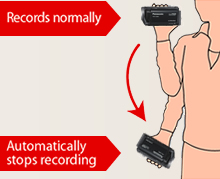
The O.I.S. linear motor system can detect when the camera is in an unusual shooting position - such as when you've inadvertently left it on in recording mode. In these cases, the camera automatically stops recording, saving both battery power and media storage space.
* In PAL area, the AGS (Auto Ground-Directional Standby) is called the Anti Ground Shooting.
Set to OFF when shipped from the factory. To turn AGS ON, the setting must be made on the menu screen.
Captures those spur-of-the-moment scenes.
60 Frames/Sec High-Speed Burst Shooting*
This function lets the camcorder snap up to 60 consecutive 0.9-megapixel still images* persecond for a total of 180 continuous images in about 3 seconds. The resolution can also be increased and up to 30 consecutive 2.1-megapixel still images** per second can be shot for a total of 90 continuous imagesin about 3 seconds. You can use it to analyze agolf swing, tennis stroke or other motion. You can also use it to get good shots of subjects infast motion. Just fire off a number of shots without stopping, then keep the best ones anddelete the rest.

* In PAL areas, 50 consecutive 0.9-megapixel still images per second.
** In PAL areas, 25 consecutive 2.1-megapixel still images per second.
Adjusts the focus easily.
Focus Assist
This function shows which subjects are in-focus by displaying their outlines in blue. You can easily check the focus on LCD when manually focusing, to ensure consistently clear, sharp images.

Supports your best composition.
Composition Guide Lines
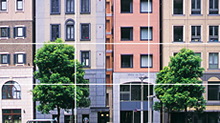
With wide LCD monitors, it's hard to keep images perfectly level. The HD 80 Series solve this by displaying horizontal and vertical Composition Guide Lines that make it easy to keep the subject straight and level.
Select the recording mode to match your needs.
HA / HG / HX / HE Mode / iFrame Mode
The TM80 is equipped with a built-in 16GB memory, and can be used together with a 64GB SDXC Memory Card to shoot for up to 34 hours 10 minutes.* The HS80 features a 120GB HDD, and can be used together with a 64GB SDXC Memory Card to shoot for up to 78 hours and 30 minutes.** Choose the recording mode that matches your intended use iFrame mode for maximum recording time, or HA mode for optimal image quality.
* In HE mode.

Motion Picture Recording Time [approx.]
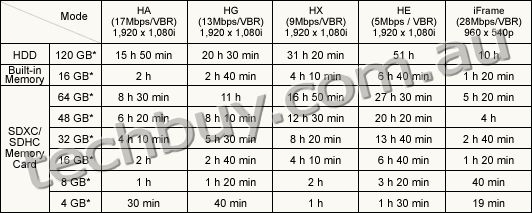
These figures vary depending on the pictures being recorded.
* 1 GB means 1 billion bytes. Usable capacity will be less.
** When shooting for an extended period of time, make sure that you allow yourself enough battery power to last 3 to 4 times the amount of time you plan on shooting. The continuous battery-powered shooting time varies depending on the usage conditions, e.g., when shooting in low temperatures. See the Battery Life chart for information on the continuous battery-powered shooting time.
Automatically lights up when darkness is detected.
LED Video Light
When the camera determines that the ambient lighting is insufficient, it automatically switches the light on. This illuminates your subject for shooting. The LED (light emitting diode) has low power consumption, a long service life, and the safety of a low operating temperature.

Capture crisp, vivid images even in low lighting.
Color Night Rec/Colour Night View
Leave the light off. Color Night Rec/Colour Night View gives you images with color even in dim lighting (1 lx).

Easy time setting - Both on the destination and at home.
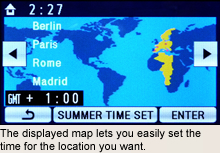
World Time
Setting the time is as easy as selecting a city from the displayed map. The World Time function lets you set the time for two cities, home and destination. You don't have to figure out the time difference at your destination, and it's easy when you get home.

| NTSC | PAL | |
|---|---|---|
| GENERAL | ||
| Power Supply | DC3.6 V / 5.0 V | DC3.6 V / 5.0 V |
| Power Consumption | [HDC-HS80] Max. 5.3 W (Recording) [HDC-TM80/SD80] Max. 4.4 W (Recording) |
[HDC-HS80] Max. 5.3 W (Recording) [HDC-TM80/SD80] Max. 4.4 W (Recording) |
| Weight (w/o Battery) | [HDC-HS80] Approx. 265 g (0.58lb) [HDC-TM80] Approx. 193 g (0.43lb) [HDC-SD80] Approx. 192 g (0.42lb) |
[HDC-HS80] Approx. 265 g [HDC-TM80] Approx. 193 g [HDC-SD80] Approx. 192 g |
| Dimensions (W x H x D) | [HDC-HS80] 60 x 64 x 109 (mm) (2.37 x 2.51 x 4.29 [inch]) [HDC-TM80/SD80] 51.5 x 59 x 109 (mm) (2.02 x 2.32 x 4.29 [inch]) |
[HDC-HS80] 60 x 64 x 109 (mm) [HDC-TM80/SD80] 51.5 x 59 x 109 (mm) |
| Media | [HDC-HS80] HDD (120 GB), SD/SDHC/SDXC Memory Card [HDC-TM80] Built-in memory (16 GB), SD/SDHC/SDXC Memory Card [HDC-SD80] SD/SDHC/SDXC Memory Card |
[HDC-HS80] HDD (120 GB), SD/SDHC/SDXC Memory Card [HDC-TM80] Built-in memory (16 GB), SD/SDHC/SDXC Memory Card [HDC-SD80] SD/SDHC/SDXC Memory Card |
| OSD Language |  |
|
| LENS SECTION | ||
| Image Sensor | 1/5.8" MOS Total Pixels : 1.50 megapixels Effective Pixels : <Motion Image> 1.12 megapixels - 1.30 megapixels [16:9] <Still Image> 1.10 megapixels [3:2] 1.12 megapixels - 1.30 megapixels [16:9] 0.97 megapixels [4:3] |
1/5.8-type MOS (For Europe) 1/5.8" MOS (For Asia) Total Pixels : 1.50 megapixels Effective Pixels : <Motion Image> 1.12 megapixels - 1.30 megapixels [16:9] <Still Image> 1.10 megapixels [3:2] 1.12 megapixels - 1.30 megapixels [16:9] 0.97 megapixels [4:3] |
| F Value | F1.8 (WIDE) / 4.0 (TELE) | F1.8 (WIDE) / 4.0 (TELE) |
| Optical Zoom | 34 x | 34 x |
| Intelligent Zoom | 42 x | 42 x |
| Digital Zoom | 90 x / 2000 x (The maximum value of zoom magnification) | 90 x / 2000 x (The maximum value of zoom magnification) |
| Focal Length | 2.38 - 81.0 mm | 2.38 - 81.0 mm |
| 35 mm Film Camera Equivalent | <Motion Image> 33.7 - 1240 mm (16:9) <Still Image> 38.1 - 1298 mm (3:2), 33.7 - 1240 mm (16:9), 41.3 - 1405 mm (4:3) |
<Motion Image> 33.7 - 1240 mm (16:9) <Still Image> 38.1 - 1298 mm (3:2), 33.7 - 1240 mm (16:9), 41.3 - 1405 mm (4:3) |
| Lens Brand | Panasonic Lens | Panasonic Lens |
| CAMERA SECTION | ||
| Standard Illumination | 1400 lx | 1400 lx |
| Minimum Illumination | 7.0 lx (1/30 Low Light scene mode) 1 lx (Color Night Rec.) |
7.0 lx (1/25 Low Light scene mode) 1 lx (Colour Night View) |
| Focus | Auto / Manual | Auto / Manual |
| White Balance | Auto / Indoor1 / Indoor2 / Sunny / Cloudy / White set | Auto / Indoor1 / Indoor2 / Sunny / Cloudy / White set |
| Shutter Speed | <Motion Image> Auto Slow Shutter ON : 1/30-1/8000 OFF : 1/60-1/8000 |
<Motion Image> Auto Slow Shutter ON : 1/25-1/8000 OFF : 1/50-1/8000 |
| Iris | Auto / Manual | Auto / Manual |
| Backlight Compensation | Yes | Yes |
| Image Stabilizer | HYBIRD O.I.S. [Optical Image Stabilizer] | HYBIRD O.I.S. [Optical Image Stabilizer] |
| MONITOR | ||
| LCD | 2.7" Wide LCD (230,400 dots) | 6.7cm (2.7") Wide LCD (230,400 dots) (For Europe) 2.7" Wide LCD (230,400 dots) (For Asia) |
| STILL IMAGE SECTION | ||
| Recording Format | JPEG | JPEG |
| Recording Image Size | <Still Image> [4:3] 2.6 megapixels (1856 x 1392) 0.3megapixels (640 x 480) [3:2] 2.8 megapixels (2064 x 1376) [16:9] 3.0 megapixels (2304 x 1296) 2.1 megapixels (1920 x 1080) <Simultaneous Recording> [16:9] 3.0 megapixels (2304 x 1296) 2.1 megapixels (1920 x 1080) |
<Still Image> [4:3] 2.6 megapixels (1856 x 1392) 0.3megapixels (640 x 480) [3:2] 2.8 megapixels (2064 x 1376) [16:9] 3.0 megapixels (2304 x 1296) 2.1 megapixels (1920 x 1080) <Simultaneous Recording> [16:9] 3.0 megapixels (2304 x 1296) 2.1 megapixels (1920 x 1080) |
| Flash | Yes | Yes |
| DPOF | Max. 999 images | Max. 999 images |
| RECORDING SECTION | ||
| Signal System | 1080 / 60i, 540 / 30p | 1080 / 50i, 540 / 25p |
| Recording Format | <AVCHD standard compliant> HA / HG / HX / HE : MPEG-4 AVC/H.264 <MPEG-4 AVC file format compliant (.MP4)> iFrame : MPEG4-AVC/H.264 |
<AVCHD standard compliant> HA / HG / HX / HE : MPEG-4 AVC/H.264 <MPEG-4 AVC file format compliant (.MP4)> iFrame : MPEG4-AVC/H.264 |
| Recording / Playback Mode | HA (17 Mbps / VBR) , (1920 x 1080) HG (13 Mbps / VBR) , (1920 x 1080) HX (9 Mbps / VBR) , (1920 x 1080) HE (5 Mbps / VBR) , (1920 x 1080) iFrame (28 Mbps / VBR) , (960 x 540) |
HA (17 Mbps / VBR) , (1920 x 1080) HG (13 Mbps / VBR) , (1920 x 1080) HX (9 Mbps / VBR) , (1920 x 1080) HE (5 Mbps / VBR) , (1920 x 1080) iFrame (28 Mbps / VBR) , (960 x 540) |
| Audio Recording System | HA / HG / HX / HE : Dolby Digital (2 ch) iFrame : AAC (2 ch) |
HA / HG / HX / HE : Dolby Digital (2 ch) iFrame : AAC (2 ch) |
| Media Remaining Indication | Yes | Yes |
| Microphone | 2 ch Stereo, Zoom Microphone | 2 ch Stereo, Zoom Microphone |
| Speaker | Dynamic type | Dynamic type |
| INTERFACES | ||
| HDMI | Yes (Mini) | Yes (Mini) |
| USB | 2.0 Hi-Speed | 2.0 Hi-Speed |
| AV Multi | Yes | Yes |
| OTHERS | ||
| LED Video Light | Yes | Yes |
| STANDARD ACCESSORIES | ||
| AC Adaptor | Yes | Yes |
| AC Cable | Yes | Yes |
| DC Cable | included AC Adaptor | included AC Adaptor |
| Rechargeable Battery Pack | min. 1790 mAh / Lithium-Ion | min. 1790 mAh / Lithium-Ion |
| AV Multi Cable | Yes | Yes |
| USB Cable | Yes | Yes |
| CD-ROM | HD Writer AE 3.0 | HD Writer AE 3.0 |
| Stylus Pen | Yes | Yes |
| Capacity | Gold | Silver | |
|---|---|---|---|
| SDXC Memory Card*1 | 64 GB*3 | RP-SDW64G (Class 10, up to 22 MB/sec *4*5) |
- |
| 48 GB*3 | RP-SDW48G (Class 10, up to 22 MB/sec *4*5) |
- | |
| SDHC Memory Card*2 | 32 GB*3 | RP-SDW32G (Class 10, up to 2 2MB/sec *4*5) |
- |
| 16 GB*3 | RP-SDW16G (Class 10, up to 22 MB/sec *4*5) |
RP-SDP16G (Class 4, up to 20 MB/sec *4*5) |
|
| 8 GB*3 | RP-SDW08G (Class 10, up to 22 MB/sec *4*5) |
RP-SDP08G (Class 4, up to 20 MB/sec *4*5) |
|
| 4 GB*3 | RP-SDW04G (Class 10, up to 22 MB/sec *4*5) |
RP-SDP04G (Class 4, up to 20 MB/sec *4*5) |
|
As of January 5, 2011
An SDXC/SDHC/SD Memory Card utilises a portion of the storage space for formatting and other purposes.
We recommend using SDXC/SDHC/SD Memory Cards conforming to class 4 or higher of the SD Speed Class Rating or the following SD Memory Cards made by Panasonic for motion picture recording.
Please confirm the latest information about SDXC/SDHC/SD Memory Cards that can be used for motion picture recording on the following website.
Camcorder information (This website is in English only.)
*1 SDXC Memory Cards can only be used in SDXC host devices, which support the SDXC format.
*2 SDHC Memory Cards can only be used in SDXC and SDHC host devices, which support the SDHC/SDXC format.
*3 1GB means 1 billion bytes. Usable capacity will be less.
*4 The data transfer rate is a theoretical value and is anot a guarantee of performance. The transfer rate may vary depending on the conditions and equipment used.
*5 This card complies with SD Memory Card Physical Layer Specification Ver.3.0 (SDHC)/Ver.1.10 (SD). When using this card with SD-enabled products that comply with the specification, a speed performance of up to 20MB/sec. can be realized. When using it with SD-enabled products that comply with the conventional specification Ver. 1.01, the speed performance will be up to 10MB/sec.
*6 Available in North America.
| Image Quality | ||||||
|---|---|---|---|---|---|---|
| HA (17 Mbps) |
HG (13 Mbps) |
HX (9 Mbps) |
HE (5 Mbps) |
iFrame | ||
| HDD | 120 GB* (HS80) | 15 h 50 min | 20 h 30 min | 31 h 20 min | 51 h | 10 h |
| Built-in Memory | 16 GB* (TM80) | 2 h | 2 h 40 min | 4 h 10 min | 6 h 40 min | 1 h 20 min |
| SDXC/SDHC Memory Card |
64 GB* | 8 h 30 min | 11 h | 16 h 50 min | 27 h 30 min | 5 h 20 min |
| 48 GB* | 6 h 20 min | 8 h 10 min | 12 h 30 min | 20 h 20 min | 4 h | |
| 32 GB* | 4 h 10 min | 5 h 30 min | 8 h 20 min | 13 h 40 min | 2 h 40 min | |
| 16 GB* | 2 h | 2 h 40 min | 4 h 10 min | 6 h 40 min | 1 h 20 min | |
| 8 GB* | 1 h | 1 h 20 min | 2 h | 3 h 20 min | 40 min | |
| 4 GB* | 30 min | 40 min | 1 h | 1 h 30 min | 19 min | |
These figures vary depending on the pictures being recorded.
We recommend using SDXC/SDHC/SD Memory Cards conforming to class 4 or higher of the SD Speed Class Rating or the following SD Memory Cards made by Panasonic for motion-image recording.
Please confirm the latest information about SDXC/SDHC/SD Memory Cards that can be used for motion-image recording, on the following website.
Camcorder Information (This website is in English only.)
* 1 GB means 1 billion bytes. Usable capacity will be less.
| Image Quality | Capacity | ||||||||
|---|---|---|---|---|---|---|---|---|---|
| HDD | Built-in Memory |
SDXC/SDHC Memory Card | |||||||
| 120 GB* (HS80) |
16 GB* (TM80) |
64 GB* | 48 GB* | 32 GB* | 16 GB* | 8 GB* | 4 GB* | ||
| 2304 x 1296 pixels (16:9) 3.0 M |
 |
75000 | 10000 | 40000 | 29800 | 20000 | 10000 | 4900 | 2400 |
 |
119000 | 15900 | 64000 | 47000 | 32000 | 15900 | 7900 | 3900 | |
| 1920 x 1080 pixels (16:9) 2.1M |
|
110000 | 14000 | 59000 | 44000 | 29000 | 14000 | 7300 | 3600 |
|
174000 | 23000 | 93000 | 69000 | 46000 | 23000 | 11000 | 5600 | |
| 1856 x 1392 pixels (4:3) 2.6 M |
|
86000 | 10000 | 43000 | 32000 | 21000 | 10000 | 5300 | 2600 |
|
126000 | 16000 | 66000 | 49000 | 32000 | 16000 | 8000 | 4000 | |
| 640 x 480 pixels (4:3) 0.3 M |
|
899100 | 122000 | 492000 | 364000 | 246000 | 122000 | 60500 | 30000 |
|
899100 | 205000 | 829000 | 613000 | 414000 | 205000 | 102000 | 50000 | |
| 2064 x 1376 pixels (3:2) 2.8 M |
|
81000 | 10000 | 42000 | 31000 | 20000 | 10000 | 5000 | 2500 |
|
126000 | 16000 | 66000 | 49000 | 32000 | 16000 | 8000 | 4000 | |
| Image Quality | Capacity | ||||||||
|---|---|---|---|---|---|---|---|---|---|
| HDD | Built-in Memory |
SDXC/SDHC Memory Card | |||||||
| 120 GB* (HS80) |
16 GB* (TM80) |
64 GB* | 48 GB* | 32 GB* | 16 GB* | 8 GB* | 4 GB* | ||
| 2304 x 1296 pixels (16:9) 3.0 M |
|
75000 | 10000 | 40000 | 29800 | 20000 | 10000 | 4900 | 2400 |
|
119000 | 15900 | 64000 | 47000 | 32000 | 15900 | 7900 | 3900 | |
| 1920 x 1080 pixels (16:9) 2.1 M |
|
110000 | 14000 | 59000 | 44000 | 29000 | 14000 | 7300 | 3600 |
|
174000 | 23000 | 93000 | 69000 | 46000 | 23000 | 11000 | 5600 | |
High Picture Quality Normal Picture Quality
These figure vary depending on the pictures being recorded.
* 1 GB means 1 billion bytes. Usable capacity will be less.
| HA mode | HG mode | HX mode | HE mode | iFrame | ||||
|---|---|---|---|---|---|---|---|---|
| VW- VBK180 |
HS80 | HDD | Continuous Recording Time |
1 h 35 min | 1 h 35 min | 1 h 35 min | 1 h 35 min | 1 h 45 min |
| Actual Recording Time |
50 min | 50 min | 50 min | 50 min | 50 min | |||
| SDXC/SDHC/ SD Memory Card |
Continuous Recording Time |
1 h 40 min | 1 h 40 min | 1 h 40 min | 1 h 40 min | 1 h 45 min | ||
| Actual Recording Time |
50 min | 50 min | 50 min | 50 min | 55 min | |||
| TM80 | Built-in Memory, SDXC/SDHC/ SD Memory Card |
Continuous Recording Time |
1 h 50 min | 1 h 50 min | 1 h 55 min | 1 h 55 min | 2 h | |
| Actual Recording Time |
55 min | 55 min | 55 min | 55 min | 1 h | |||
| SD80 | SDXC/SDHC/ SD Memory Card |
Continuous Recording Time |
1 h 50 min | 1 h 50 min | 1 h 55 min | 1 h 55 min | 2 h | |
| Actual Recording Time |
55 min | 55 min | 55 min | 55 min | 1 h | |||
| VW- VBK360 |
HS80 | HDD | Continuous Recording Time |
3 h 15 min | 3 h 15 min | 3 h 15 min | 3 h 15 min | 3 h 25 min |
| Actual Recording Time |
1 h 40 min | 1 h 40 min | 1 h 40 min | 1 h 40 min | 1 h 45 min | |||
| SDXC/SDHC/ SD Memory Card |
Continuous Recording Time |
3 h 25 min | 3 h 25 min | 3 h 25 min | 3 h 25 min | 3 h 35 min | ||
| Actual Recording Time |
1 h 45 min | 1 h 45 min | 1 h 45 min | 1 h 45 min | 1 h 50 min | |||
| TM80 | Built-in Memory, SDXC/SDHC/ SD Memory Card |
Continuous Recording Time |
3 h 45 min | 3 h 45 min | 3 h 45 min | 3 h 45 min | 3 h 55 min | |
| Actual Recording Time |
1 h 55 min | 1 h 55 min | 1 h 55 min | 1 h 55 min | 2 h | |||
| SD80 | SDXC/SDHC/ SD Memory Card |
Continuous Recording Time |
3 h 45 min | 3 h 45 min | 3 h 45 min | 3 h 45 min | 3 h 55 min | |
| Actual Recording Time |
1 h 55 min | 1 h 55 min | 1 h 55 min | 1 h 55 min | 2 h | |||
| HA mode | HG mode | HX mode | HE mode | iFrame | ||||
|---|---|---|---|---|---|---|---|---|
| VW- VBK180 |
HS80 | HDD | Continuous Recording Time |
1 h 40 min | 1 h 40 min | 1 h 40 min | 1 h 40 min | 1 h 45 min |
| Actual Recording Time |
50 min | 50 min | 50 min | 50 min | 55 min | |||
| SDXC/SDHC/ SD Memory Card |
Continuous Recording Time |
1 h 45 min | 1 h 45 min | 1 h 45 min | 1 h 45 min | 1 h 50 min | ||
| Actual Recording Time |
50 min | 55 min | 55 min | 55 min | 55 min | |||
| TM80 | Built-in Memory, SDXC/SDHC/ SD Memory Card |
Continuous Recording Time |
1 h 55 min | 1 h 55 min | 1 h 55 min | 1 h 55 min | 2 h | |
| Actual Recording Time |
1 h | 1 h | 1 h | 1 h | 1 h | |||
| SD80 | SDXC/SDHC/ SD Memory Card |
Continuous Recording Time |
1 h 55 min | 1 h 55 min | 1 h 55 min | 1 h 55 min | 2 h | |
| Actual Recording Time |
1 h | 1 h | 1 h | 1 h | 1 h | |||
| VW- VBK360 |
HS80 | HDD | Continuous Recording Time |
3 h 20 min | 3 h 20 min | 3 h 20 min | 3 h 20 min | 3 h 35 min |
| Actual Recording Time |
1 h 40 min | 1 h 45 min | 1 h 45 min | 1 h 45 min | 1 h 50 min | |||
| SDXC/SDHC/ SD Memory Card |
Continuous Recording Time |
3 h 30 min | 3 h 30 min | 3 h 30 min | 3 h 30 min | 3 h 45 min | ||
| Actual Recording Time |
1 h 45 min | 1 h 50 min | 1 h 50 min | 1 h 50 min | 1 h 55 min | |||
| TM80 | Built-in Memory, SDXC/SDHC/ SD Memory Card |
Continuous Recording Time |
3 h 50 min | 3 h 50 min | 3 h 55 min | 3 h 55 min | 4 h 05 min | |
| Actual Recording Time |
2 h | 2 h | 2 h | 2 h | 2 h 05 min | |||
| SD80 | SDXC/SDHC/ SD Memory Card |
Continuous Recording Time |
3 h 50 min | 3 h 50 min | 3 h 55 min | 3 h 55 min | 4 h 05 min | |
| Actual Recording Time |
2 h | 2 h | 2 h | 2 h | 2 h 05 min | |||
This is a guideline that includes time for operations such as starting and stopping the recording, turning the power on and off, and zooming. The actual time is shorter.
| HD Writer AE 3.0 |
iMovie '11 (not supplied) | |
|---|---|---|
| OS | Windows 7 (32 bit/64 bit): Starter/Home Basic/Home Premium/Professional/Ultimate Windows Vista (32 bit): Home Basic/Home Premium/Business/Ultimate SP1/SP2 Windows XP (32 bit): SP3 |
Mac OS X 10.6.3 |
| CPU | Intel Pentium 4 2.8 GHz or higher When using playback function and MPEG2 conversion function, Intel Core2 Duo 2.16 GHz or higher |
Intel Core Duo or higher |
 |
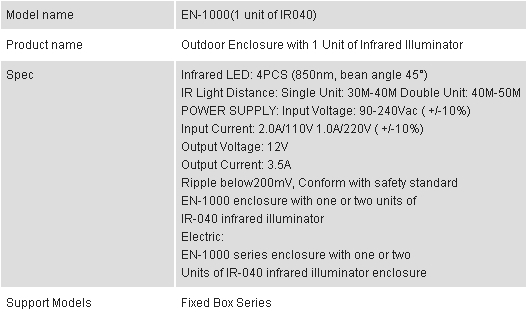
Brickcom EN-1000 Outdoor Enclosure with 1 Unit of Infrared Illuminator - To Suit Brickcom FB Series

 |
Brickcom G3Z2914FCS-IR 3x Vari-focal Lens with DC Iris - To Suit Brickcom FB Series Cameras
- 1/3, CS mount, D1 3x, f=2.9~8.2mm, F1.4 Manual zoom/focus, DC
 |
Brickcom CI-812 Bracket - To Suit Brickcom OB-100Ap Bullet Camera
- Material: Al-alloy
- Certification:ROHS
- Max.Load: 15KG Net
- Weightg: 678 g,
- Gross Weight: 814 g
 |
Brickcom NR-04A Network Video Recorder
- 2x3.5"SATA HDD, 2xUSB2.0, 4 Channel
- >Manage up to 4 Network Cameras
- >High Quality Live/Playback Video
- >Export Playback Videos to AVI
- >Advanced PTZ Control
- >Smart Camera Search
- >Linux-embedded Operating System
- >User Level Access Control
- >Pure Web Based Administration
The Brickcom NR-04A Network Video Recorder (NVR) is an ARM9-based recording solution for SMB and SOHO users to effectively grow and navigate their network surveillance systems. This NVR is equipped with an embedded Linux operating system to allow users to remotely monitor, record, and view live video feed from up to 4 Brickcom network cameras. With the support of megapixel resolution and H.264 compression, it uses less bandwidth while offering the optimal recording quality and image viewing.
Easy installment and management is central to the operation of the NR-04A. For easy set up and scalability, the NVR is able to automatically search and access the available cameras on the network. Operation of the IP cameras and NVR is managed through Brickcom's EasyConfig software and GUI. A maximum of four PCs are able to concurrently access the NVR and view live or recorded video feed using Microsoft Internet Explorer and the Brickcom GUI.
The NR-04A is designed for long-term recording and video storage with a Gigabit Ethernet port and two SATA hard disks with a maximum capacity of 4 terabytes. Flexible recording options include manual, event-triggered, scheduled or continuous. With the help of the Brickcom NR-04A and its IP cameras, users can quickly and easily build a secure IP surveillance system.
Hardware Specifications
| CPU and Memory | ARM9 300 Mhz/128 DDR RAM |
| Ethernet | 10BaseT / 100BaseT / 1GBaseT and half duplex / full duplex auto-negotiation |
| HDD | SATA HDD Slot x 2 (SATA I or SATA II) Max. Capacity: 4TB (2 TB per HDD) |
| LED | Power / HDD |
| Buttons | Power / Reset |
| Connectors | USB x 2 |
| Power Input | 12V DC / 4A Power consumption: 40W |
| Dimension | 30 x 26 x 12 cm |
| Weight | 2.1 kg |
| Temperature | Operating: 5 C ~ 40 C / 41 F ~ 104 F Storage: -20 C ~ 70 C / -4 F ~ 158 F |
| Humidity | Operating: 10%RH ~ 80% RH Storage: 5%RH ~ 90%RH |
| Certification | FCC, CE |
Software Specifications
| Cameras | Add Camera: Manual / Smart Camera Search Max. Channels: 4 ch |
| Video | Compression: MJPEG/ MPEG-4 Part 2/ H.264 Resolution: HD/ MegaPixel/ FD1/ CIF/ QCIF Max. Frame Rate: 120 fps (1.3 MegaPixel, H.264) |
| Audio | Streaming: Two-way audio Compression : G.711/G.726 |
| Live View | Display Mode: Live View/ Playback/ Full Screen Split Screen: 1/4 Full Screen: 1/4 PTZ Support: Virtual PTZ Panel/ Digital PTZ/ Auto Pan/ Preset Point/ Preset Sequence Sequence Mode: Sequence All/ Manually Selected cameras in 1/4 split view with con |
| Recording | Capacity: Depends on hard disk Recording Mode: Manual/ Continuous/ Scheduling/ Event Scheduling Types: Manual Select/ Profile-based/ Weekly Max. Recording Performance: 8 Mbps |
| Network | Protocols: HTTP/ SMTP/ DHCP/ ARP/ NTP/ DNS/ UPnP/ FTP Streaming Protocols: Depend on the supported cameras |
| Playback | Split Screen: 1/4 Search Methods: Time / Date, Event Playback Controls: Play/ Pause/ Stop/ Forward/ Reverse/ Speed Adjust/ Frame by Frame Export AVI: Export Playback Videos to Local Computer in AVI Format |
| Triggers & Events | Event : System Events -- System Start/Shutdown, System Settings modified, Camera Settings Modified, Start Recycle, Disk Full Camera Events -- Motion/Sensor Detection Event Actions: Mail/FTP/Record Event Recording: Pre/Post Event Settings |
| User Management | Management: User/Group Number of Groups: 7 (Administrator/ Guest/ User Define*5) Privileges: Live View/ Playback/ System Configurations/ Camera Configurations/ Recording Configuration/ Event Configuration / Maintenance |
| Power & Storage | Storage: Support SATAx2, Max. 1.5TB per drive |
| Logs | Logs Types: Alert / Event / User Access |
| Systems | Mini. Hardware Requirements: CPU: Intel Core 2 Duo @ 2.4Ghz or higher RAM: 1GB or above Network: 100 Megabit Network Interface or above Mini. Software Requirements: IE Browser version 7 or above |
| General | Languages: English / Japanese / Trad. Chinese / Simp. Chinese / Spanish / Italian / German / Danish |
| Packaging | NR-04A (HD NOT included)/ CD with Software tool/ Datasheet /Quick Guide/ User's Manual/ Power Adapter |
 |
Brickcom WVS-01Ap Wireless Video Server - 1 Channel, Convert Analogue Cameras to IP for NVRs
 |
Panasonic DMC-S3 Digital Camera - Purple
- 14.1MP, 4xOptical Zoom, (28-112mm in 35mm Equivalent), 2.7"TFT Screen LCD, Optical Image Stabilizer, HD 720p Video Mode
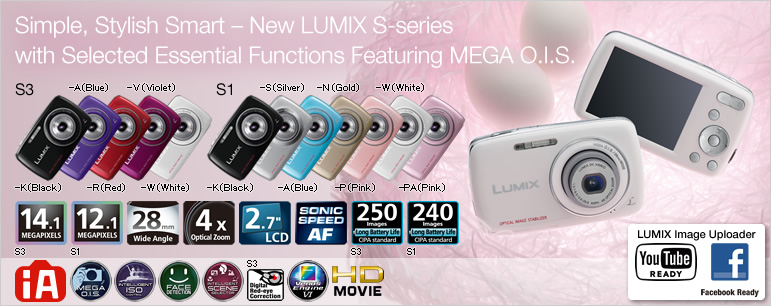
- A Simple, Stylish, Smart Camera Debuts

- iA (Intelligent Auto) Mode
- MEGA O.I.S. (Optical Image Stabilizer) Shake Detection
- Intelligent Scene Selector Scene Detection
- Intelligent ISO Control Motion Detection
- Face Detection AF/AE
Digital Red-eye Correction (Red-eye Removal) (S3) - Auto Backlight Compensation/ Quick AF
- 28mm Wide-angle 4x Optical Zoom Lens
- 4x Optical Zoom / 8.4x Extra Optical Zoom (S3)
4x Optical Zoom / 7.8x Extra Optical Zoom (S1) -
14.1-megapixel High-resolution CCD (S3)
12.1-megapixel High-resolution CCD (S1) - Sonic Speed AF
 / Fast Start-up Time / Short Release Time Lag
 - Venus Engine VI
Higher Image Quality with Advanced Signal Processing - Extended Battery Life
Approx. 250 Shots on a Single Battery Charge (S3)
Approx. 240 Shots on a Single Battery Charge (S1) - Unlimited Consecutive Shooting
- HD Movie Recording (1,280 x 720 pixels at 30fps in Motion JPEG Format)
- LUMIX Image Uploader
- Large, 2.7-inch, 230,000-dot LCD
- Scene Mode / Panorama Assist Mode
- Selectable Focus Icon
- Select from 3 Aspect Ratios
- View Photos on a Large-screen HDTV
- Slideshow with Music
- Date Stamp
- PHOTOfunSTUDIO 6.0
- Built-in Memory 70MB (S3)
Built-in Memory 20MB (S1) - PictBridge Compatible Direct Print Function

Simple, smart and stylish S-series is developed for users who pick up their first digital cameras. Pursuing the ultimate ease of operation, only essential functions are equipped in the DMC-S3/S1.


The MEGA O.I.S. (Optical Image Stabilizer) is integrated as other step-up models, because which assures high correction performance against blur caused by a hand-shake without deterioration of image quality.



The 28mm wide-angle 4x optical zoom lens (35mm camera equivalent: 28-112mm) is equipped for versatility and ease of image composition. In addition, the high quality 720p HD movie can be recorded.
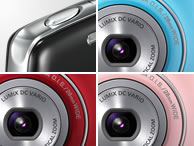

In addition to its easy-to-press shutter button, the DMC-S3/S1 has a round-form that fits comfortably in the palm of the hand, and a body that's designed for easy use. A special color-matched front lens ring also makes the DMC-S3/S1 look like a digital accessory. It is a compact and lightweight "power stone" - you can just leave it to the camera to get beautiful photo, movies and fun for sure.
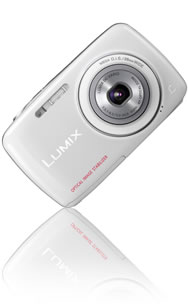
iA (Intelligent Auto) Mode

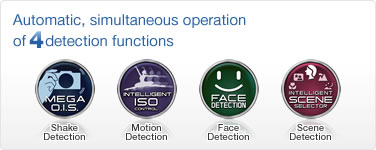
When you don't know which mode will give you the best shooting results, or when a sudden photo opportunity pops up and you don't have time to make any settings, simply choose the iA (Intelligent Auto) Mode and let the camera do it all for you. You just choose the iA Mode, aim at your subject, and shoot. 4 detection and correction functions are simultaneously activated to optimize the settings, so you get stunning photos every time.
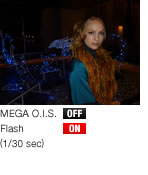
The MEGA O.I.S. lets you shoot in dimly lit rooms or evening illumination to preserve the mood, and works for macro shots and zoom shots, which are especially susceptible to hand-shake. In short, it lets anybody take beautiful, blur-free shots with ease.

Night Portraits
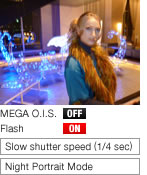
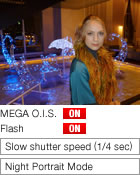
Night Scenes
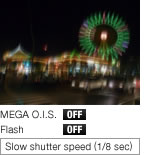
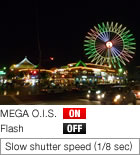
In Dimly Lit Rooms
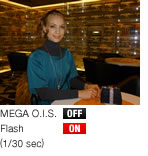
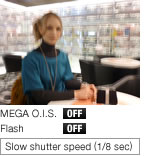
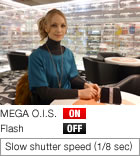
Macro Shots / Zoom Shots


*1 In iA Mode, Night Portrait is not identified when the flash is turned off.
*2 With some subject and shooting conditions, it is just not possible to judge the best shooting details. When this happens, it is recommended that you shoot with the Scene Mode that best suits your purpose.
* The Intelligent ISO Control function is automatically turned on in iA Mode, and can be turned on or off in Normal Picture Mode.
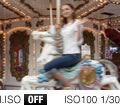

The subject is blurred due to movement.


The subject is clear even though it moves, thanks to I.ISO function.


The image of the still subject is very clear because the I.ISO function keeps the ISO setting low.
Face Detection AF/AE
The Face Detection AF/AE function*1 detects faces and automatically optimizes the focus and exposure settings. It prevents the blurry faces that happen when the camera focuses on something in front of or behind the subject, and keeps faces from appearing dark when shooting indoors or against the light source. It detects up to 15 faces at a time, making it extremely convenient for group photos. Once the camera detects a face, Face Tracking follows it even when the subject moves around. Plus, the system keeps on detection if a face turns sideways to the camera.
The DMC-S3 is also equipped with Digital Red-eye Correction (Red-eye Removal). The camera takes care of the red-eye effect that often happens when shooting with a flash, to ensure attractive facial expression*2.


A person's face can be detected to set focus automatically.
(Up to 15 persons' faces can be detected at the same time.)


Face Detection AE controls the exposure to adjust the brightness of the face properly.

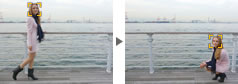
Once detecting the face, even if the subject moves, camera can track the subject accordingly.


Flash is forced on against back light condition if back light compensation is not enough.


After detecting exposure of face's part, the amount of the flash lighting is automatically adjusted.
(The camera activates the flash in red-eye reduction mode when it detects a face.)


The occurrence of red-eye is automatically reduced by a pre-flash in iA Mode and corrected by the Digital Red-eye Correction function.
When there is strong backlighting, the background appears nice and bright, but the subject is dark. This function detects backlight condition and compensates it automatically.

Quick AF
The DMC-S3/S1 features Quick AF*. Ordinary AF is activated when the shutter button is pressed half-way, while Quick AF starts operating as soon as the camera is pointed toward a subject. This dramatically reduces the shutter delay time and lets you take images quickly. Its super-fast focus is ideal for capturing quick images of active children and pets. By setting the camera to Quick AF, images of sudden shooting opportunities won't be out of focus or blurry.
* The focus speed may be slower in dark surroundings.
HD Movie Recording

The DMC-S3/S1 can record motion images in high-definition (1,280 x 720 pixels at 30 fps in Motion JPEG format). The pixel mixed readout method enables bright motion-image recording even in low-light settings.
The DMC-S3/S1 can also record standard motion images in VGA (640 x 480 pixels at 30 fps) and QVGA (320 x 240 pixels at 30 fps).
QuickTime Motion JPEG. Some lens movement sounds may be recorded. In Motion Picture Mode, the length of recording time depends on the capacity of the SD/SDHC/SDXC Memory Card. (Up to the equivalent of 2 GB per motion-image recording.) For Europe, motion images can be recorded continuously for up to 15 minutes. Use a card with SD Speed Class* with Class 6 or higher when recording motion images. * SD speed class is the speed standard regarding continuous writing. SDHC Memory Cards and SDXC Memory Cards can be used only in equipment that is compatible with their respective formats. If the computer being used does not support SDXC Memory Cards, a message prompting you to format may appear. (Doing so will cause recorded images to be erased so do not choose to format.) If the card is not recognized, please refer to the below support site.
http://panasonic.net/avc/sdcard/information/SDXC.html![[Open New Window]](/images/extra/16/4/e2011021595582.jpg)

Select "Upload Set" from the playback menu, and then select the photos and movies.

The software is launched after connecting the camera or SD/SDHC/SDXC Memory Card to a computer.*

You can share the URL by e-mail right after the upload!

* LUMIX Image Uploader starts up automatically on the computer the supplied software "PHOTOfunSTUDIO Ver. 6.0" or later is installed.
In other case, start up the menu by double-clicking the file LUMIXUP.EXE in the folder below:
[My Computer] > [Removable Disk] > DCIM > AD_LUMIX(Windows)
YouTube is a trademark of Google Inc.
Facebook and the Facebook logo are registered trademarks or trademarks of Facebook, Inc.
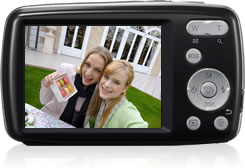
Large, 2.7-inch, 230,000-dot LCD
The DMC-S3/S1's large 2.7-inch LCD features high 230,000-dot resolution LCD. The big screen reflects fine details, making it easy to check the focus before shooting. It also serves as a small photo and video viewer, allowing the user and friends to enjoy viewing the still and motion images together.
Scene Mode
The Scene Mode lets the camera make the optimal settings for you automatically, so anybody can take superb photos with ease. The versatile Scene Mode range, which handles just about any situation and subject type, is a major LUMIX feature. And to make it even simpler to use, the icons and display are designed for easy visibility.
DMC-S3/S1's Scene Modes
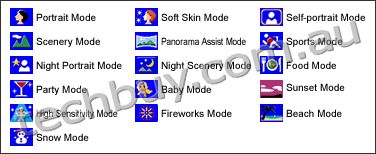
 Check each Scene Mode
Panorama Assist Mode
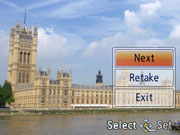
After the first shot
Screen for taking the second shot

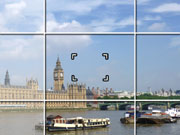
This is a handy function for aligning panorama photos using the included software PHOTOfunSTUDIO 6.0 Edition. The afterimage of each previous shot is displayed, so you can use it to precisely line up the second and third shots.
Selectable Focus Icon
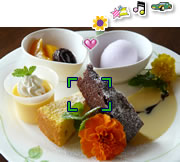
When using 11-area AF, the camera automatically determines the most appropriate AF area from the eleven points. This ensures accurate focusing even for difficult compositions. You can also select the AF setting from Face AF or 1-area AF. With the DMC-S3/S1, you can select the icon from among 6 types that appears when the shutter button is pressed half-way.
Select from 3 Aspect Ratios



The aspect ratio for the DMC-S3/S1 can be easily selected from 16:9*1 wide, 3:2*2 and conventional 4:3 to shoot in the framing aspect that best suits the photo's composition or purpose of use.
*1 4,320 x 2,432 pixels (S3), 4000 x 2,248 pixels (S1).
*2 4,320 x 2,880 pixels (S3), 4000 x 2,672 pixels (S1).
Slideshow with Music
The DMC-S3/S1 can play a slideshow with music. Choose from 4 types of music: Natural, Slow, Swing and Urban. Then, select the transition effect to match your music. For musical slideshows created with the included PHOTOfunSTUDIO 6.0, you can choose your favorite iTunes music file as background music.
Date Stamp
You can also print the date on your photos. These dates, which can be helpful when making a photo album, can be stamped on photos whether you print them yourself at home or have a photo shop do them.
View Photos on a Large-screen HDTV
The DMC-S3/S1 can take 16:9 HD (high-definition) quality photos that perfectly fit a wide-screen HDTV for full-screen viewing. You can enjoy slideshows of photos taken with the LUMIX in stunning HD quality by inserting an SD/SDHC/SDXC Memory Card in to the SD/SDHC/SDXC card slot with the VIERA HDTV (VIERA Image Viewer).
SDHC Memory Cards and SDXC Memory Cards can be used only in equipment that is compatible with their respective formats. If the computer being used does not support SDXC Memory Cards, a message prompting you to format may appear. (Doing so will cause recorded images to be erased so do not choose to format.) If the card is not recognized, please refer to the below support site.
http://panasonic.net/avc/sdcard/information/SDXC.html
The PHOTOfunSTUDIO 6.0 makes it possible to sort and organize photos not only of those newly taken but also of those stored in your computer with quick start-up and fast read-in of images. The Face Recognition function that recognizes the faces in the picture automatically sorts the photos by the registered faces without picking out each photo one by one when you only want pictures of a specific person.
A Panorama Stitch lets you make a panoramic composite in MOV file by synthesizing photos taken in Panorama Assist Mode of the camera. It is also possible to make a slideshow with the selected photos adding music file on.
In addition to the LUMIX Image Uploader (a direct uploading function of the camera), you can upload photos to Facebook and movies to YouTube via this software, too.
Facebook and the Facebook logo are registered trademarks or trademarks of Facebook, Inc
YouTube is a trademark of Google Inc.

Built-in Memory 70MB (S3)
Take photos even when you don't have an SD/SDHC/SDXC Memory Card* on hand. The built-in memory holds up to approx. 70MB of image data, which you can later copy to an SD/SDHC/SDXC Memory Card or computer. You can also copy images from a memory card or computer to the built-in memory, and view them on the LCD anytime you like. In addition to providing extra memory when your memory card fills up, this is a great place to store your favorite photos so you can view them anytime you want.
Built-in Memory 20MB (S1)
The DMC-S1's built-in memory holds up to approx. 20MB of image data.
SDHC Memory Cards and SDXC Memory Cards can be used only in equipment that is compatible with their respective formats. If the computer being used does not support SDXC Memory Cards, a message prompting you to format may appear. (Doing so will cause recorded images to be erased so do not choose to format.) If the card is not recognized, please refer to the below support site.
http://panasonic.net/avc/sdcard/information/SDXC.html
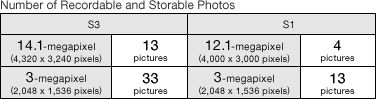
Check the SD/SDHC/SDXC Memory Card data capacity
PictBridge Compatible
Direct Print Function
The PictBridge standard lets you print directly on a compatible digital printer. Print size, layout, date and other settings can be made with the camera. Of course, you can also make multiple prints of an image, or print only the ones that you have selected.

Product design varies depending on the sales area.
Availability of models and colors may differ depending on the country.
Check the website of the Panasonic sales company in your country or region for details on the LUMIX models, colors, and optional accessories that are available in your market.
|
DMC-S3 | DMC-S1 | |||||||||||||
|---|---|---|---|---|---|---|---|---|---|---|---|---|---|---|---|
| Lens | LUMIX DC VARIO 6 elements in 5 groups (3 Aspherical Lenses / 6 Aspherical Surfaces) |
LUMIX DC VARIO 6 elements in 5 groups (3 Aspherical Lenses / 6 Aspherical Surfaces) |
|||||||||||||
| Optical Image Stabilizer | MEGA O.I.S. (On / Off) | MEGA O.I.S. (On / Off) | |||||||||||||
| Zoom |
Optical: 4x Extra Optical: 4.7x (4:3 / 10M), 6.8x (4:3 / 5M), 8.4x (4:3 / under 3M) Digital: 4x(Max. 16.0x combined with Optical Zoom without Extra Optical Zoom) (Max. 33.8x combined with Extra Optical Zoom) |
Optical: 4x Extra Optical: 4.9x (4:3 / 8M), 6.3x (4:3 / 5M), 7.8x (4:3 / under 3M) Digital: 4x(Max. 16.0x combined with Optical Zoom without Extra Optical Zoom) (Max. 31.2x combined with Extra Optical Zoom) |
|||||||||||||
| Focal Length | f = 5 - 20.0 mm (28 - 112 mm in 35 mm equiv.) |
f = 5 - 20.0 mm (28 - 112 mm in 35 mm equiv.) |
|||||||||||||
| Focusing Area | Normal / Intelligent AUTO / Motion Picture: Wide 5 cm (0.16 feet) - infinity / Tele 100 cm (3.27 feet) - infinity | Normal / Intelligent AUTO / Motion Picture: Wide 5 cm (0.16 feet) - infinity / Tele 100 cm (3.27 feet) - infinity | |||||||||||||
| Focus Range Display | Yes | Yes | |||||||||||||
| AF Metering | Face / 11-area / 1-area | Face / 11-area / 1-area | |||||||||||||
| AF Assist Lamp | Yes | Yes | |||||||||||||
| Camera Effective Pixels | 14.1 Megapixels | 12.1 Megapixels | |||||||||||||
| Image Sensor | 1/2.33", 14.5 Mega Total Pixels CCD, Primary Color Filter | 1/2.33", 12.7 Mega Total Pixels CCD, Primary Color Filter | |||||||||||||
| Focus | Quick AF (Always On) | Quick AF (Always On) | |||||||||||||
| Focus Icon Select | Yes | Yes | |||||||||||||
| ISO Sensitivity (Standard Output Sensitivity) |
I.ISO / 100 / 200 / 400 / 800 / 1600 High Sensitivity (1600 - 6400) |
I.ISO / 100 / 200 / 400 / 800 / 1600 High Sensitivity (1600 - 6400) |
|||||||||||||
| White Balance | Auto / Daylight / Cloudy / Shade / Incandescent / White Set (Selectable at Portrait, Soft Skin, Self Portrait, Sports, Baby, High Sensitivity) |
Auto / Daylight / Cloudy / Shade / Incandescent / White Set (Selectable at Portrait, Soft Skin, Self Portrait, Sports, Baby, High Sensitivity) |
|||||||||||||
| Exposure | Program AE | Program AE | |||||||||||||
| Exposure Compensation | 1/3 EV step, -2 - +2 EV | 1/3 EV step, -2 - +2 EV | |||||||||||||
| Backlight Compensation | Yes (only in Intelligent Auto Mode) | Yes (only in Intelligent Auto Mode) | |||||||||||||
| Light Metering | Intelligent Multiple | Intelligent Multiple | |||||||||||||
| Mode Switch | [Playback] Button | [Playback] Button | |||||||||||||
| Rec Mode (Mode Button) | Intelligent Auto, Normal Picture, Scene Mode, Motion Picture | Intelligent Auto, Normal Picture, Scene Mode, Motion Picture | |||||||||||||
| Still Image Scene Mode | Portrait, Soft Skin, Self Portrait, Scenery, Panorama Assist, Sports, Night Portrait, Night Scenery, Food, Party, Baby, Sunset, High Sensitivity, Fireworks, Beach, Snow | Portrait, Soft Skin, Self Portrait, Scenery, Panorama Assist, Sports, Night Portrait, Night Scenery, Food, Party, Baby, Sunset, High Sensitivity, Fireworks, Beach, Snow | |||||||||||||
| Shutter Speed | Still: Approx. 8 - 1/1,600 sec | Still: Approx. 8 - 1/1,600 sec | |||||||||||||
| Aperture | F3.1 - 6.5 / Multistage Iris Diaphragm (F3.1 - 9.0 (W) / F6.5 - 20.0 (T)) | F3.1 - 6.5 / Multistage Iris Diaphragm (F3.1 - 9.0 (W) / F6.5 - 20.0 (T)) | |||||||||||||
| Self Timer | 2 sec / 10 sec | 2 sec / 10 sec | |||||||||||||
| Auto Review | ON / OFF | ON / OFF | |||||||||||||
| Color Mode | Standard, Vivid, Natural, Black & White, Sepia, Cool, Warm | Standard, Vivid, Natural, Black & White, Sepia, Cool, Warm | |||||||||||||
| Recording File Format | Still Image: JPEG (DCF / Exif 2.3) Motion Picture: QuickTime Motion JPEG |
Still Image: JPEG (DCF / Exif 2.3) Motion Picture: QuickTime Motion JPEG |
|||||||||||||
| Aspect Ratio | 4:3 / 3:2 / 16:9 | 4:3 / 3:2 / 16:9 | |||||||||||||
| Recording Image Size | Still Image
|
Still Image
|
|||||||||||||
| Motion Picture Recording* (QuickTime Motion JPEG) |
|
|
|||||||||||||
| Unlimited Consecutive Shooting | Yes (1.5 frames / sec) | Yes | |||||||||||||
| iA (Intelligent Auto) Mode | Optical Image Stabilizer | Photo & Movie | Photo & Movie | ||||||||||||
| Intelligent ISO Control | Photo | Photo | |||||||||||||
| Face Detection | Photo | Photo | |||||||||||||
| Intelligent Scene Selector | Photo (Portrait, Scenery, Night Portrait, Night Scenery, Sunset, Macro) | Photo (Portrait, Scenery, Night Portrait, Night Scenery, Sunset, Macro) | |||||||||||||
| Digital Red-Eye Correction (Red-Eye Removal) |
Photo | - | |||||||||||||
| Composition Guide Line | Yes (1 pattern) | Yes (1 pattern) | |||||||||||||
| Built-in-Memory | Approx. 70 MB | Approx. 20 MB | |||||||||||||
| Scene Mode Help Screen | Yes | Yes | |||||||||||||
| Orientation Detector | Yes | Yes | |||||||||||||
| World Time | Yes | Yes | |||||||||||||
| Copy / Text Stamp |
Yes / Yes (Only Date Stamp) |
Yes / Yes (Only Date Stamp) |
|||||||||||||
| Built-in-Flash | Auto, Auto / Red-eye Reduction, Slow Sync. / Red-eye Reduction, Forced On, Forced Off 0.4 - 3.3 m (Wide / I.ISO), 1.0 - 1.6 m (Tele / I.ISO) |
Auto, Auto / Red-eye Reduction, Slow Sync. / Red-eye Reduction, Forced On, Forced Off 0.4 - 3.3 m (Wide / I.ISO), 1.0 - 1.6 m (Tele / I.ISO) |
|||||||||||||
| LCD | 6.7 cm (2.7") TFT Screen LCD Display (230,000 dots) Field of View: Approx. 100% |
6.7 cm (2.7") TFT Screen LCD Display (230,000 dots) Field of View: Approx. 100% |
|||||||||||||
| Playback Mode | Normal Playback, Slideshow, Filtering Playback (Category Playback), Calendar Playback | Normal Playback, Slideshow, Filtering Playback (Category Playback), Calendar Playback | |||||||||||||
| Thumbnails / Zoomed Playback |
12, 30 thumbnails / Max. 16x |
12, 30 thumbnails / Max. 16x |
|||||||||||||
| Calendar Display | Yes | Yes | |||||||||||||
| Set Favorites | Yes | Yes | |||||||||||||
| Playback Motion Picture | Yes (Motion JPEG) | Yes (Motion JPEG) | |||||||||||||
| Slideshow Mode |
All / Category / Favorites BGM Effect (Natural / Slow / Swing / Urban / OFF) |
All / Category / Favorites BGM Effect (Natural / Slow / Swing / Urban / OFF) |
|||||||||||||
| Delete Image | Single / Multi / All / All except Favorites | Single / Multi / All / All except Favorites | |||||||||||||
| Set Protection | Yes | Yes | |||||||||||||
| Resize | Yes | Yes | |||||||||||||
| OSD Language | English, German, French, Italian, Spanish, Polish, Czech, Hungarian, Russian, Chinese (Traditional), Chinese (Simplified), Netherlandic, Thai, Korean, Turkish, Portuguese, Arabic, Persian, Japanese, Swedish, Danish, Finnish, Greek *Check the website of the Panasonic sales company in your country or region for details on the OSD languages on the products that are available in your market. |
English, German, French, Italian, Spanish, Polish, Czech, Hungarian, Russian, Chinese (Traditional), Chinese (Simplified), Netherlandic, Thai, Korean, Turkish, Portuguese, Arabic, Persian, Japanese, Swedish, Danish, Finnish, Greek *Check the website of the Panasonic sales company in your country or region for details on the OSD languages on the products that are available in your market. |
|||||||||||||
| Recording Media | Built-in Memory, SD Memory Card, SDHC Memory Card, SDXC Memory Card | Built-in Memory, SD Memory Card, SDHC Memory Card, SDXC Memory Card | |||||||||||||
| Microphone | Yes (Mono) | Yes (Mono) | |||||||||||||
| Speaker | Yes | Yes | |||||||||||||
| Interface | AV Output (NTSC / PAL), USB2.0 High-Speed | AV Output (NTSC / PAL), USB2.0 High-Speed | |||||||||||||
| PictBridge Support | Single / Multi / All / Favorites | Single / Multi / All / Favorites | |||||||||||||
| LUMIX Image Uploader | Yes | Yes | |||||||||||||
| Power | Li-ion Battery Pack (3.6V, Minimum: 660 mAh) (Included) | Li-ion Battery Pack (3.6V, Minimum: 660 mAh) (Included) | |||||||||||||
| Release Time Lag (Approx.) | 0.007 sec | 0.008 sec | |||||||||||||
| Shutter Interval (Approx.) | 0.9 sec (minimum) *Not including the time for AF. | 0.7 sec (minimum) *Not including the time for AF. | |||||||||||||
| Battery Life** (Approx.) |
250 pictures (CIPA Standard) | 240 pictures (CIPA Standard) | |||||||||||||
|
Included Software
|
PHOTOfunSTUDIO 6.0 Edition, QuickTime, Adobe Reader |
PHOTOfunSTUDIO 6.0 Edition, QuickTime, Adobe Reader |
|||||||||||||
| Dimensions (W x H x D) (Approx.) |
98.8 x 58.8 x 20.9 mm (3.89 x 2.31 x 0.82 inch) |
98.8 x 58.8 x 20.9 mm (3.89 x 2.31 x 0.82 inch) |
|||||||||||||
| Weight (Approx.) |
117 g (0.26 lb) with Battery and SD Memory Card |
117 g (0.26 lb) with Battery and SD Memory Card |
|||||||||||||
| Standard Accessories | Battery Charger, Battery Pack, USB Cable, Hand Strap, CD-ROM *Check the website of the Panasonic sales company in your country or region for details on the standard accessories on the products that are available in your market.  U.S.A. DirectUK eshopOther Countries U.S.A. DirectUK eshopOther Countries |
Battery Charger, Battery Pack, USB Cable, Hand Strap, CD-ROM *Check the website of the Panasonic sales company in your country or region for details on the standard accessories on the products that are available in your market. U.S.A. DirectUK eshopOther Countries |
|||||||||||||

 |
Brickcom WCB-100Ap-0c Indoor Cube Network Camera - 1MP, 2-Way Audio, Built-in PIR Sensor/Illumination LED, Built-in Mic, Local Storage Micro SD/SDHC, WiFi
- >Compact and Streamline Design
- >Built-in PIR Sensor and Illumination LED
- >Built-in MIC and Speaker
- >EasyConfig for Easy Set Up and GUI Integration
- >Built-in Micro SD/ SDHC Memory Card Slot
- >MPEG-4, MJPEG and H.264 Triple Codec Compression
- >802.11b/g/n Wireless Connectivity(WCB-100A)
- >WPS Supported for Easy Wireless Network Setup (WCB-100A)
The compact Brickcom CB-100A cube network series offers a high quality, video surveillance solution for residences and small businesses. Unlike a general webcam, this camera series is a standalone surveillance system that does not need to be connected to a computer. EasyLinkTM is a feature of the CB-100A camera which allows for users to simply plug in the camera to any home or small business network and play the video.
This camera series offers a user-friendly and unique design which allows anyone without a technical background to use it. It features live video feed and two-way audio which can be used over a local area network (LAN), through any internet browser, or via any 3G mobile device. The wireless capability makes it easy to mount on any surface. The CB- 100A features many cutting edge functions and its fashionable, streamline design make it the perfect additional for any home or office.
Because of its many advanced features, the CB-100A has many versatile applications. Users can easily monitor the safety of their family members, pets, office, valuables, and property.
 |
Pet Monitor:The motion detection feature can be used to create forbidden areas in the home which the pet should not enter when the owner is away. If the camera records the pet entering the region, a recorded message can be programmed to play and the owner will be notified via email or MMS. |
 |
Residence Monitor:Home owners worry about their house and property when they are away. The CB-100A has a built-in PIR sensor which can detect unauthorized movement in a residence. Once movement is detected, the illumination LED will be triggered and an alert with a snapshot can be emailed or sent through an MMS to the user's portable device. |
 |
Elderly and Child Care:A high concern for many people is the safety of elderly relatives and small children. Users can use the CB-100A camera to ensure the safety of their loved ones by use of the live view and intercom functions. |
 |
Small Office Surveillance:Security systems for small offices can be expensive and difficult to install and maintain. With the EasyConfig software, the CB-100A can easily be installed and configured by anyone without extensive technical knowledge. The video can be reviewed remotely so business owners can monitor office safety and employee productivity at all times. |
Application Scenario
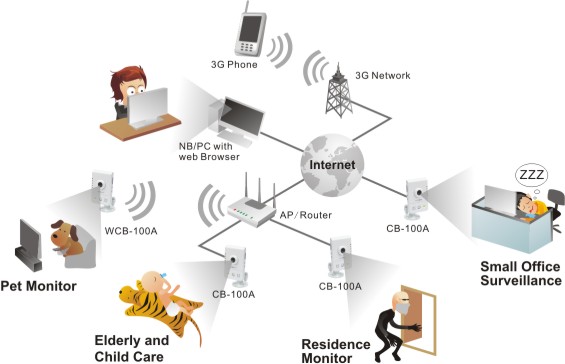
| Product Name | Megapixel Cube Network Camera |
| Model Name | CB-100A - Ethernet, 2-way audio, PIR, Illumination LED WCB-100A - Ethernet or WiFi, 2-way audio, PIR, Illumination LED |
| Hardware System | CPU : 500 MHz Flash : 16M RAM : 128M DDR |
| Image Sensor | Sensor Type : 1/4" Mega-Pixel CMOS Sensor Sensor Resolution : 1280 x 800 pixel |
| Minimum Illumination | 0 Lux (with LED), 1 Lux (without LED) |
| LENs | Lens Type : Board Lens Focal Length : f = 3.74 mm View Angle : H : 54.8 V : 35.9 F-number : F2.0 |
| Video | Auto Exposure Control / Auto White Balance / Auto Gain Control Image Compression Format : H.264 / MPEG4 / MJPEG |
| Max Image Resolution | - 1280 x 800: 30fps - 640x480: 30fps - 320x192: 30fps |
| Audio | 2-way audio Built-in MIC/ Built-in Speaker |
| Network | Ethernet : one 10/100Mbps RJ-45 WiFi : 802.11 b/g/n Supported Protocols : TCP/IP, UDP, ICMP, DHCP, NTP, DNS, DDNS, SMTP, FTP, HTTP, Samba, PPPoE, UPnP, Bonjour, RTP, RTSP, RTCP. |
| Interface & Buttons | Micro SD/ SDHC card slot DC Power Connector Ethernet Cable Connector Privacy Button WPS Button Reset Button Microphone PIR sensor/ Speaker/ Illumination LED |
| LEDs | CB-100A - Power /Connect/Internet/ Privacy/Firmware upgrade WCB-100A - Power/ Connect/ Internet/ Privacy/ WPS |
| Power Input | Input : DC12V / 1 A (Power Supply) |
| Max Power consumption | CB-100A: 4.1 w WCB-100A: 4.5 w |
| Environment | Operating Temperature : 0C ~ 50C (32F ~ 122F) Operating Humidity : 10% ~ 80% |
| Dimension | 29 (L) X60 (W) X 95 (H) mm |
| Weight | CB-100A : 88g WCB-100A: 95g (excluding stand) |
| Certification | FCC,CE |
| Warranty | Limited 2-year warranty |
 |
Panasonic SDR-H101 Camcorder - Black
- SD Card Recording, 80GB HDD, 70xOptical Zoom, 2.7"Widescreen LCD, Image Stabilizer, Youtube Uploader, Intelligent Auto
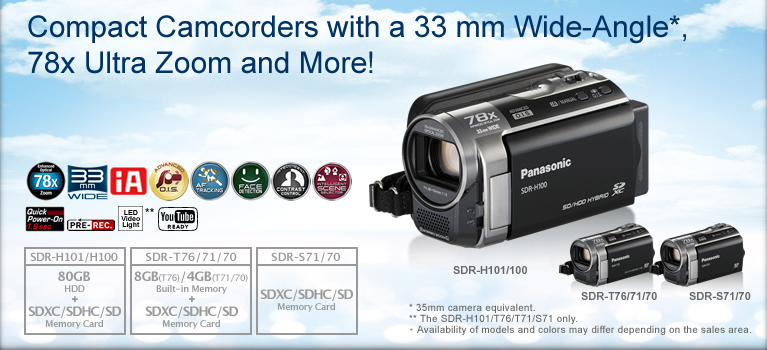

Enhanced Optical 78x Zoom and Advanced O.I.S. (Optical Image Stabilizer)



33 mm Wide Angle* and Advanced O.I.S.

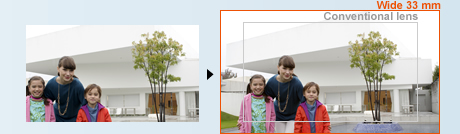
Advanced O.I.S. with Active Mode comes in handy when shooting while walking or playing with your children. The wide correction area corrects even wide-frame shots and relatively large hand-shake motion. It's especially good for active video shooting
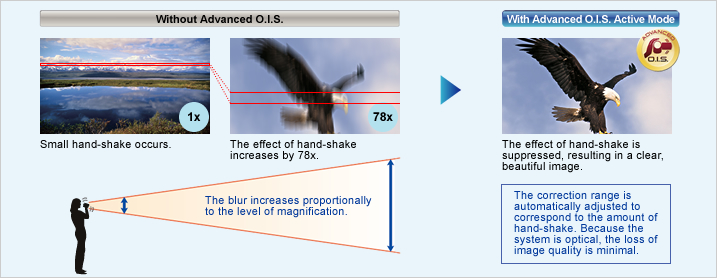
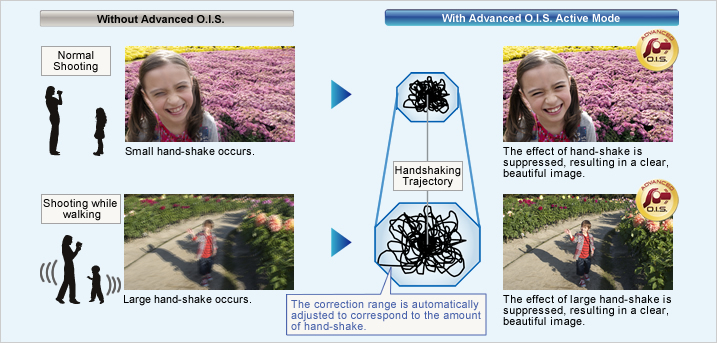
Pure Color Engine


New Zoom Mic and Wind Noise Canceller
Zoom Mic
Wind Noise Canceller
Scene Mode
Automatically selects the most suitable shutter speed and aperture for the shooting location and situation.
Scene modes
Sports Portrait Low Light Spot Light
Snow Beach Sunset Fireworks
Scenery Night Scenery

Soft Skin Mode


Makes optimal settings automatically.
iA (Intelligent Auto)

This powerful function senses the shooting conditions and automatically makes the settings and activates functions that will deliver optimal results. With both motion and still images, iA does the bothersome settings for you and makes it easy to capture beautiful, well-focused images.
* The functions included in iA may not be applied when conditions do not call for them.

AF/AE Tracking

Advanced O.I.S.
Helps suppress blown highlights and retains a natural contrast.
Intelligent Contrast Control

Detects the situation and switches the scene mode automatically.
Intelligent Scene Selector

Portrait
Using the face as reference, the exposure is adjusted to capture faces beautifully. Focusing priority is also placed on the face, and the skin tone is smoothed
Spotlight
For scenes with particularly strong contrast, such as when you're shooting a spotlit area on a darkened stage. It captures the well-lit subject perfectly and prevents washed-out areas.
Scenery
The exposure is optimized to give you clear images, without blown highlights in strongly lit areas like the sky.
Low Light
In dim lighting, the camcorder automatically switches to a slower shutter speed so that images across the entire frame are bright and easy to see.
Captures faces beautifully - even in dim or backlit scenes.
Face Detection

1.9-Sec Quick Power-On

Use Quick Start mode. You simply flip open the LCD and you're ready to shoot in just 0.8 second. When Eco mode is also used, the power turns off whenever the camcorder has not been operated for 5 minutes. This reduces wasted power consumption, and enables a longer battery life.
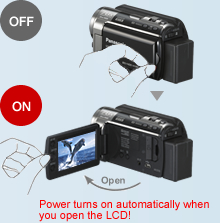
When the built-in memory fills up, recording automatically continues on an SD Memory Card.

Relay Recording
The Relay Recording mode automatically switches from the built-in flash memory (once it's full) to the SDXC/SDHC/SD Memory Card and continues recording. You don't have to worry about missing an important shot while switching media.
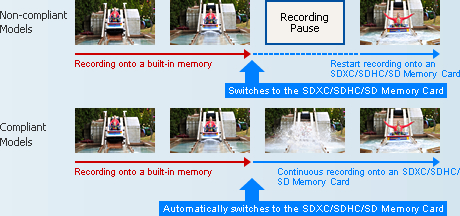
How to combine motion images that are split onto two types of media as a continuous scene.
Arrange the data that is split onto two types of media on an SDXC/SDHC/SD Memory Card.
 If the SDXC/SDHC/SD Memory Card has sufficient capacity, it's possible to arrange all of the split data as a single continuous scene on the SDXC/SDHC/SD Memory Card.
Use the included software.
You can also use the editing software that is included with the camcorder to join the split data as a continuous scene.
Use a DVD burner to create a disc.
 If the SDXC/SDHC/SD Memory Card is not big enough to hold all of the split data, use a DVD burner to create a disc with all the motion images as a single continuous scene.
Pre-Rec Function

* The camera must be aimed at the subject in advance.
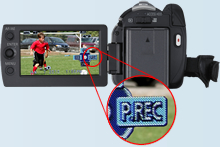
Stable long-time recording

 80GB* HDD
The internal hard drive lets you record continuously for up to 74 hours 30 min* without changing a disc, SDXC/SDHC/SD Memory Card or other recording media.
*1 The 80GB hard drive utilizes a portion of the storage space for formatting, file management and other purposes. 80GB is /80 billion bytes. Usable capacity will be less.
*2 In LP mode

 Anti-Shock Shield:
Protects recorded video data from damage due to jolts and impact
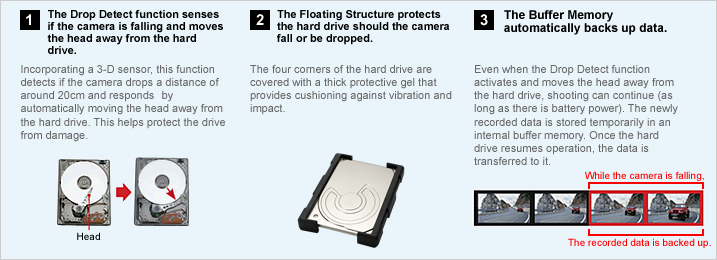
One-Touch Navigation & Joystick Control
The joystick makes the camera much easier to use, letting you control all basic operations quickly. As you shoot, just watch the image in the monitor and follow the instruction guide. You can handle a number of operations quickly and easily, without even taking your eye off the subject.
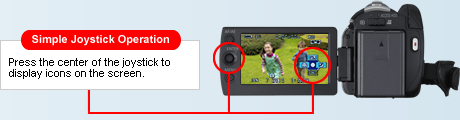
Help Mode
The joystick makes the camera much easier to use, letting you control all basic operations quickly. As you shoot, just watch the image in the monitor and follow the instruction guide. You can handle a number of operations quickly and easily, without even taking your eye off the subject.
Operation Icon Examples (H100)

* Icon display varies depending on the model.
Automatically lights up when darkness is detected.


 LED Video Light
When the camera determines that the ambient lighting is insufficient, it automatically switches the light on. This illuminates your subject for shooting. The LED (light emitting diode) has low power consumption, a long service life, and the safety of a low operating temperature.

Auto Power LCD
The LCD brightness can be adjusted manually to suit the surroundings. In Auto Mode, the LCD brightness is adjusted automatically in 16 smooth steps depending on the surroundings. In darker rooms it adjusts to a lower brightness, making it easier to frame the shot. Outside, it adjusts to almost twice the brightness for easy viewing even on sunny days.
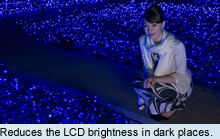
Color Night Rec/Colour Night View
Leave the light off. Color Night Rec/Colour Night View gives you images with color even in dim lighting (2 lx).

World Time
Handy for travellers, this function makes it easy to set the camcorder time when you cross time zones and again when you return home. Simply select your destination from the displayed map, and the camcorder is automatically set for that time zone. The time for two different places can be set such as home and destination and you can switch between the times by simply pressing a button.
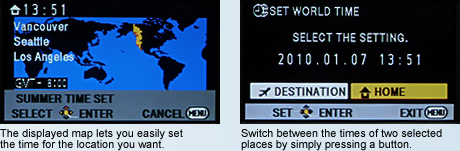
Easy Editing
You can do some polished editing using just the camera itself. For example, you can delete scenes right on the spot or change the scene sequence to create your own scenarios.
Split and Delete
This function makes it easy to split up the recorded scenes and delete the front half or back half.
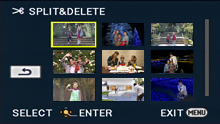

Do you know your broadcasting system, PAL or NTSC?
| NTSC | PAL | |
|---|---|---|
| GENERAL | ||
| Power Supply (Battery / AC Adapter) | DC3.6 V / 5.0 V | DC3.6 V / 5.0 V |
| Power Consumption | [SDR-H101] Max. 3.8 W (Recording) [SDR-H100] Max. 3.6 W (Recording) [SDR-T71/S71] Max. 3.1 W (Recording) [SDR-T70/S70] Max. 2.9 W (Recording) |
[SDR-H101] Max. 3.8 W (Recording) [SDR-H100] Max. 3.6 W (Recording) [SDR-T76/T71/S71] Max. 3.1 W (Recording) [SDR-T70/S70] Max. 2.9 W (Recording) |
| Weight (w/o Battery) | [SDR-H101/H100] Approx. 273 g (0.60lb) [SDR-T71/T70] Approx. 213 g (0.47lb) [SDR-S71/S70] Approx. 212 g (0.47lb) |
[SDR-H101/H100] Approx. 273 g [SDR-T76/T70] Approx. 213 g [SDR-S71/S70] Approx. 212 g |
| Dimensions (W x H x D) | [SDR-H101/H100] 55.1 x 64 x 107.3 mm (2.17 x 2.52 x 4.22 [inch]) [SDR-T71/T70/S71/S70] 54.9 x 64 x 107.3 mm (2.16 x 2.52 x 4.22 [inch]) |
[SDR-H101/H100] 55.1 x 64 x 107.3 mm [SDR-T76/T70/S71/S70] 54.9 x 64 x 107.3 mm |
| Media | [SDR-H101/H100] 80 GB HDD, SD/SDHC/SDXC Memory Card [SDR-T71/T70] 4 GB Built-in Memory, SD/SDHC/SDXC Memory Card [SDR-S71/S70] SD/SDHC/SDXC Memory Card |
[SDR-H101/H100] 80 GB HDD, SD/SDHC/SDXC Memory Card [SDR-T76] 8 GB Built-in Memory, SD/SDHC/SDXC Memory Card [SDR-T70] 4 GB Built-in Memory, SD/SDHC/SDXC Memory Card [SDR-S71/S70] SD/SDHC/SDXC Memory Card |
| OSD Language |  |
|
| LENS SECTION | ||
| Image Sensor | 1/8" CCD Total Pixels : 0.8 megapixels Effective Pixels : <Motion Image & Still Image> 0.41 megapixels (Tele) - 0.52 megapixels (Wide) [4:3] 0.38 megapixels (Tele) - 0.47megapixels (Wide) [16:9] |
1/8-type CCD (For Europe) 1/8" CCD (For Asia) Total Pixels : 0.8 megapixels Effective Pixels : <Motion Image & Still Image> 0.41 megapixels (Tele) - 0.52 megapixels (Wide) [4:3] 0.38 megapixels (Tele) - 0.47megapixels (Wide) [16:9] |
| F Value | F 1.9 (WIDE) / 5.7 (TELE) | F 1.9 (WIDE) / 5.7 (TELE) |
| Optical Zoom | 70 x | 70 x |
| Enhanced Optical Zoom | 78 x | 78 x |
| Digital Zoom | 100 x / 3500 x (The maximum value of zoom magnification) | 100 x / 3500 x (The maximum value of zoom magnification) |
| Focal Length | 1.48 - 104 mm | 1.48 - 104 mm |
| 35 mm Film Camera Equivalent | <Enhanced Optical Zoom ON> 37.4-2625 mm (4:3), 36.5-2571 mm (16:9) <Enhanced Optical Zoom OFF> 33.5-2625 mm (4:3), 32.8-2571mm (16:9) |
<Enhanced Optical Zoom ON> 37.4-2625 mm (4:3), 36.5-2571 mm (16:9) <Enhanced Optical Zoom OFF> 33.5-2625 mm (4:3), 32.8-2571mm (16:9) |
| Lens Brand | Panasonic Lens | Panasonic Lens |
| CAMERA SECTION | ||
| Minimum Illumination | 5 lx (1/30 low light mode), 2 lx (Color Night Rec. mode) | 5 lx (1/25 low light mode), 2 lx (Colour Night View mode) |
| Focus | Auto / Manual | Auto / Manual |
| White Balance | Auto / Indoor1 / Indoor2 / Sunny / Cloudy / White set | Auto / Indoor1 / Indoor2 / Sunny / Cloudy / White set |
| Shutter Speed | <Motion Image & Still Image> Auto Slow Shutter ON : 1/30-1/8000 Auto Slow Shutter OFF : 1/60-1/8000 |
<Motion Image & Still Image> Auto Slow Shutter ON : 1/25-1/8000 Auto Slow Shutter OFF : 1/50-1/8000 |
| Iris | Auto / Manual | Auto / Manual |
| Backlight Compensation | Yes | Yes |
| Image Stabilizer | Advanced O.I.S. (Optical Image Stabilizer) | Advanced O.I.S. (Optical Image Stabilizer) |
| Quick Start | 0.8-sec | 0.8-sec |
| MONITOR | ||
| LCD | 2.7" Wide LCD (123,200 pixels) | 6.7cm (2.7") Wide LCD (123,200 dots) (For Europe) 2.7" Wide LCD (123,200 dots) (For Asia) |
| STILL IMAGE SECTION | ||
| Recording Format | JPEG | JPEG |
| Recording Image Size |
<Still Image> 0.3 megapixels (640 x 480) [4:3] 0.2 megapixels (640 x 360) [16:9] <Simultaneous Recording> 0.3 megapixels (640 x 480) [4:3] 0.2 megapixels (640 x 360) [16:9] |
<Still Image> 0.3 megapixels (640 x 480) [4:3] 0.2 megapixels (640 x 360) [16:9] <Simultaneous Recording> 0.3 megapixels (640 x 480) [4:3] 0.2 megapixels (640 x 360) [16:9] |
| DPOF | Max. 999 stills | Max. 999 stills |
| PictBridge | Yes | Yes |
| RECORDING SECTION | ||
| Signal System | 525/60i | 625/50i |
| Recording Format | MPEG2, H.264/AVC [Motion Image] | MPEG2, H.264/AVC [Motion Image] |
| Recording / Playback Mode (704 x 480) |
XP: 10 Mbps/VBR, SP: 5 Mbps/VBR, LP: 2.5 Mbps/VBR |
XP: 10 Mbps/VBR, SP: 5 Mbps/VBR, LP: 2.5 Mbps/VBR |
| Audio Recording System | <XP / SP / LP> [SDR-H101/H100] HDD: Dolby Digital (2 ch) SD Card ; Dolby Digital (2ch), MPEG1 AudioLayer 2 [SDR-T71/T70] Buil-in Memory: Dolby Digital (2 ch) SD Card ; Dolby Digital (2 ch), MPEG1 AudioLayer 2 [SDR-S71/S70] Dolby Digital (2 ch) , MPEG1 AudioLayer 2 |
<XP / SP / LP> [SDR-H101/H100] HDD / SD Card ; MPEG1 AudioLayer 2 [SDR-T76/T70] Built-in Memory/ SD Card ; MPEG1 AudioLayer 2 [SDR-S71/S70] MPEG1 AudioLayer 2 |
| Media Remaining Indication | Yes | Yes |
| Microphone | Stereo mic. / Zoom mic. | Stereo mic. / Zoom mic. |
| Speaker | Dynamic Type | Dynamic Type |
| INTERFACES | ||
| AV | Out | Out |
| USB | 2.0 High Speed (mini AB) | 2.0 High Speed (mini AB) |
| STANDARD ACCESSORIES | ||
| AC Adaptor | Yes | Yes |
| AC Cable | Yes | Yes |
| DC Cable | Included AC Adaptor | Included AC Adaptor |
| Battery Pack | [SDR-H101/H100] min. 1790 mAh/Lithium-ion [SDR-T71/T70/S71/S70] min. 895 mAh/Lithium-ion |
[SDR-H101/H100] min. 1790 mAh/Lithium-ion [SDR-T76/T70/S71/S70] min. 895 mAh/Lithium-ion |
| AV Cable | Yes | Yes |
| USB Cable | Yes | Yes |
| CD-ROM | VideoCam Suite 3.5 | VideoCam Suite 3.5 |
| Capacity | Gold | Silver | |
|---|---|---|---|
| SDXC Memory Card*1 | 64 GB*3 | RP-SDW64G *3 (Class 10, up to 22 MB/sec *4*5) |
- |
| 48 GB*3 | RP-SDW48G *3 (Class 10, up to 22 MB/sec *4*5) |
- | |
| SDHC Memory Card*2 | 32 GB*3 | RP-SDW32G (Class 10, up to 22 MB/sec *4*5) |
- |
| 16 GB*3 | RP-SDW16G (Class 10, up to 22 MB/sec *4*5) |
RP-SDP16G (Class 4, up to 20 MB/sec *4*5) |
|
| 8 GB*3 | RP-SDW08G (Class 10, up to 22 MB/sec *4*5) |
RP-SDP08G (Class 4, up to 20 MB/sec *4*5) |
|
| 4 GB*3 | RP-SDW04G (Class 10, up to 22 MB/sec *4*5) |
RP-SDP04G (Class 4, up to 20 MB/sec *4*5) |
|
As of January 5, 2011
An SDXC/SDHC/SD Memory Card utilises a portion of the storage space for formatting and other purposes.
We recommend using SD Memory Cards and SDHC Memory Cards conforming to class 4 or higher of the SD Speed Class Rating or the following SD Memory Cards made by Panasonic for motion picture recording.
Please confirm the latest information about SDXC/SDHC/SD Memory Cards that can be used for motion picture recording on the following website.
Camcorder information (This website is in English only.)
*1 SDXC Memory Cards can only be used in SDXC host devices, which support the SDXC format.
*2 SDHC Memory Cards can only be used in SDXC and SDHC host devices, which support the SDHC/SDXC format.
*3 1 GB means 1 billion bytes. Usable capacity will be less.
*4 The data transfer rate is a theoretical value and is anot a guarantee of performance. The transfer rate may vary depending on the conditions and equipment used.
*5 This card complies with SD Memory Card Physical Layer Specification Ver.3.0 (SDHC)/Ver.1.10 (SD). When using this card with SD-enabled products that comply with the specification, a speed performance of up to 20MB/sec. can be realized. When using it with SD-enabled products that comply with the conventional specification Ver. 1.01, the speed performance will be up to 10MB/sec.
*6 Available in North America.
| Image Quality | ||||
|---|---|---|---|---|
| XP (10 Mbps) |
SP (5 Mbps) |
LP (5 Mbps) |
||
| HDD | 80 GB* (H101/H100) | 18 h 30 min | 37 h | 74 h 30 min |
| Built-in Memory | 8 GB* (T76) | 1 h 45 min | 3 h 30 min | 7 h |
| 4 GB* (T71/T70) | 50 min | 1 h 40 min | 3 h 20 min | |
| SDXC/SDHC Memory Card |
64 GB* | 15 h | 30 h | 60 h 30 min |
| 48 GB* | 11 h | 22 h 10 min | 44 h 50 min | |
| 32 GB* | 7 h 30 min | 15 h | 30 h | |
| 16 GB* | 3 h 30 min | 7 h | 14 h | |
| 8 GB* | 1 h 45 min | 3 h 30 min | 7 h | |
| 4 GB* | 50 min | 1 h 40 min | 3 h 20 min | |
These figures vary depending on the pictures being recorded.
We recommend using SD Memory Cards and SDHC Memory cards conforming to class 4 or higher of the SD Speed Class Rating or the following SD Memory Cards made by Panasonic for motion-image recording.
Please confirm the latest information about SDHC/SD Memory Cards that can be used for motion-image recording, on the following website.
Camcorder Information (This website is in English only.)
* 1 GB means 1 billion bytes. Usable capacity will be less.
| Image Quality | HDD | Built-in Memory |
SDXC/SDHC Memory Card | ||||||
|---|---|---|---|---|---|---|---|---|---|
| 80 GB* (H101/H100) |
8 GB* (T76) |
4 GB* (T71/T70) |
64 GB* | 48 GB* | 32 GB* | 16 GB* | 8 GB* | 4 GB* | |
| 640 x 480 pixels (16:9) 0.2 M | 610000 | 60500 | 30000 | 492000 | 364000 | 246000 | 122000 | 60500 | 30000 |
| 640 x 480 pixels (4:3) 0.3 M | 610000 | 60500 | 30000 | 492000 | 364000 | 246000 | 122000 | 60500 | 30000 |
These figure vary depending on the pictures being recorded.
We recommend using SDXC/SDHC/SD Memory cards conforming to class 2 or higher of the SD Speed Class Rating or the following SD Memory Cards made by Panasonic for motion-image recording.
Please confirm the latest information about SDXC/SDHC/SD Memory Cards that can be used for motion-image recording, on the following website.
Camcorder Information (This website is in English only.)
* 1 GB means 1 billion bytes. Usable capacity will be less.
| Capacity | ||||
|---|---|---|---|---|
| Continuous Recording Time | Actual Recording Time | |||
| VW-VBK360 | H101/H100 | HDD | 5 h 10 min (LP Mode), 5 h (XP Mode), 5 h 5 min (SP Mode) |
2 h 45 min (LP Mode), 2 h 40 min (XP/SP Mode) |
| SDXC/SDHC/SD Memory Card | 5 h 25 min (LP Mode), 5 h 15 min (XP Mode), 5 h 20 min (SP Mode) |
2 h 50 min (SP/LP Mode), 2 h 45 min (XP Mode) |
||
| T76/T71/T70 | Built-in Memory | 6 h (All Mode) | 3 h 10 min (All Mode) | |
| SDXC/SDHC/SD Memory Card | ||||
| S71/S70 | SDXC/SDHC/SD Memory Card |
6 h (All Mode) | 3 h 10 min (All Mode) | |
| VW-VBK180 | H101/H100 | HDD | 2 h 30 min (All Mode) | 1 h 20 min (SP/LP Mode), 1 h 15 min (XP Mode) |
| SDXC/SDHC/SD Memory Card | 2 h 40 min (LP Mode), 2 h 35 min (XP/ SP Mode) |
1 h 25 min ( LP Mode), 1 h 20 min (XP/SP Mode) |
||
| T76/T71/T70 | Built-in Memory | 2 h 55 min (All Mode) | 1 h 30 min (All Mode) | |
| SDXC/SDHC/SD Memory Card | ||||
| S71/S70 | SDXC/SDHC/SD Memory Card |
2 h 55 min (All Mode) | 1 h 30 min (All Mode) | |
| VW-VBL90 | T76/T71/T70 | HDD | 1 h 20 min (All Mode) | 40 min (All Mode) |
| SDXC/SDHC/SD Memory Card | ||||
| S71/S70 | SDXC/SDHC/SD Memory Card |
1 h 20 min (All Mode) | 40 min (All Mode) | |
This is a guideline that includes time for operations such as starting and stopping the recording, turning the power on and off, and zooming. The actual time is shorter.
| VideoCam Suite 3.5 |
iMovie '11 (not supplied) | |
|---|---|---|
| Interface | USB port (Hi-Speed USB(USB 2.0)recommended) | USB port (Hi-Speed USB(USB 2.0)recommended) |
| OS | Windows 7 (32 bit/64 bit): Starter/Home Basic/Home Premium/Professional/Ultimate Windows Vista (32 bit): Home Basic/Home Premium/Business/Ultimate SP1/SP2 Windows XP (32 bit): SP3 |
Mac OS X 10.6.3 |
| CPU | Intel Pentium 4 2.0 GHz or higher When using playback function and MPEG2 conversion function, Intel Core2 Duo 1.8 GHz or higher |
Intel Core Duo or higher |
 |
Swann Pro 680 Bullet Camera - Up to 35m Night Vision, Weather Resistant Casing, Ultimate Optical Zoom, Sony SuperHAD





With this state-of-the-art high-resolution video technology, you can keep a continuous eye out for thieves, vandals, break-ins or any other suspicious activity. With the powerful infrared night vision you can clearly capture crystal clear images from up to 115 feet or 35 meters away, making it an ideal security solution for a variety of retail, office, commercial and home applications. Complete with 36 infrared LEDs that switch on automatically to capture high-resolution footage at night. The 4-9mm vari-focal lens can zoom and focus on an area via the adjustable controls located on the underside of the barrel.
Everything you need is included in the pack including 60ft 18m BNC cable for connecting to a DVR and power, BNC to RCA connector for connecting to a TV, power adapter, user guide, deterrent security stickers and more. When combined with a Swann DVR you'll be able to record, store, and remotely view footage online for total peace of mind. Best of all, their "plug & play" installation makes set-up incredibly simple, indoors and out.
The PRO-680 Ultimate Optical Zoom Day/Night Security Camera from Swann. It's advanced Security made easy.
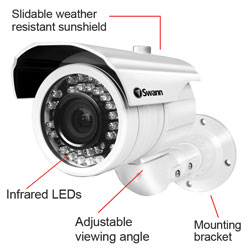
| PRO-680 | |
|
|
Video
|
|
Image Sensor
|
Color 1/3" Sony 'Super HAD' CCD |
|
Video Quality
|
540 TV Lines |
|
Pixels
|
768 x 494 (NTSC) 752 x 582 (PAL) |
|
Minimum Illumination
|
0 Lux (IR on) / 0.1 Lux (IR off) |
|
Day/Night Mode
|
Color during day / switches to B&W at night |
|
Electronic Shutter
|
1/60 - 1/100,000 NTSC 1/50 - 1/100,000 PAL |
|
Gain Control
|
Automatic / Custom |
|
Backlight Comopensation
|
Selectable |
|
Wide Dynamic Rangel
|
Selectable |
|
Lens
|
Vari-focal 4mm ~ 9mm |
|
Viewing Angle
|
35-70 (H:30~62 V:22~48 D:37~73) |
|
Night Vision
|
|
|
Night Vision Distance
|
Up to 115ft / 35m |
|
IR Cut Filter
|
No |
|
Number of Infra-Red LEDs
|
36 |
|
Infra-Red Wavelength
|
850nm |
|
Infra-Red LED Life
|
10,000 hrs |
|
General
|
|
|
Indoor / Outdoor
|
Both |
|
Operating Power
|
DC 12V |
|
Operation Temperature
|
-4 degrees F to 113 degrees F -20 degrees C to +45 degrees C |
|
Body Construction
|
Aluminum |
|
Camera Dimensions
|
10.25" x 3.25" x 6.3" 260mm x 83mm x 160mm |
|
Camera Weight
|
1.90lbs / 865g |
|
Cable Length
|
60ft / 18m |
 |
Panasonic HDC-SD90 Camcorder - Black
- SD Card Recording, 3D Ready, HD 1080p, 21xOptical Zoom, 3.0"Touchscreen LCD, Hybrid Optical Image Stabilizer, Intelligent Auto
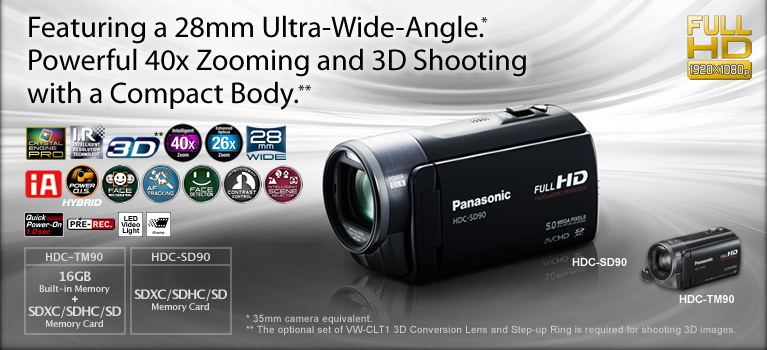


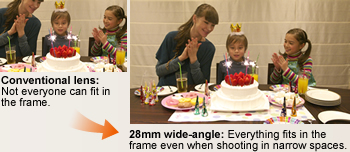


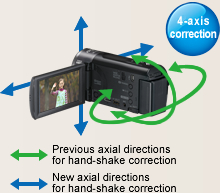
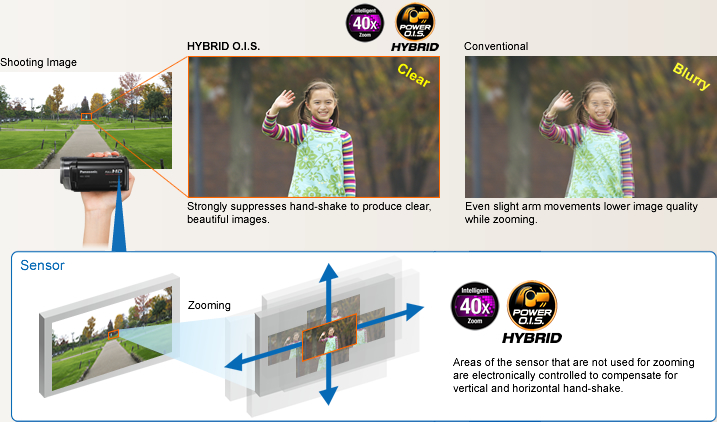
O.I.S. (Optical Image Stabilizer) Lock
The image-stabilizing effect is increased by pressing and holding the O.I.S. Lock indication on the LCD screen, which maximizes the blur detection sensitivity. This is great for when you want to zoom at a fixed angle, like for bird watching.
* Considerable blurring is generated by the shifting of the corrective lens when the camera is panned or tilted.
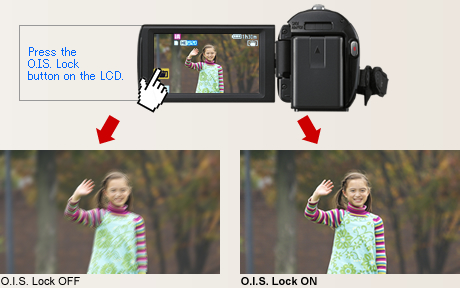
1080/60p Recording (Full-HD 1920 x 1080, 60 Progressive Recording)*

Interlaced Scanning (1080/60i)
Only half of the image data is reproduced in each picture. Fabric patterns run together, and moir patterns appears.
Progressive Scanning (1080/60p)*
Reproduces all of image data in a single picture. Patterns in fabric are crisp and clear with no color bleeding.
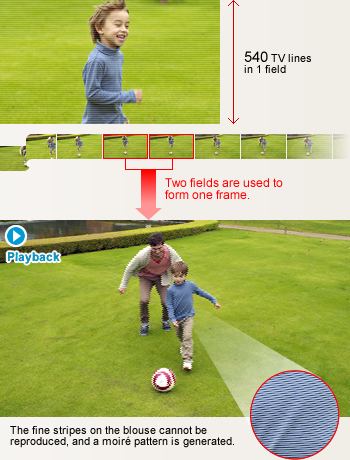
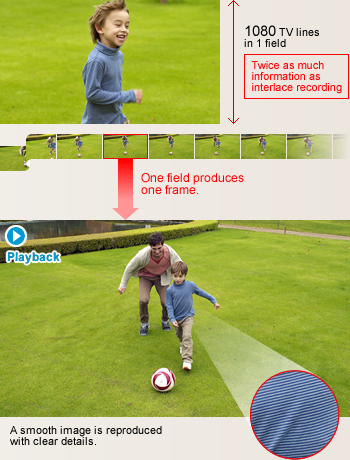
Intricate details from Intelligent Resolution Technology.
Crystal Engine PRO

* Compared with the HDC-SD60, HDC-TM60, and HDC-HS60.



New Zoom Mic and Wind Noise Canceller
Zoom Mic
The Zoom Mic function that links with the camera's zoom action has evolved even further. Compared to previous models, the noise-reducing performance is improved by 1/3 (-10dB).* It lets you clearly record the sound of your target subject.
* Compared with the HDC-SD60, HDC-TM60, and HDC-HS60.
The Wind Noise Canceller automatically detects and suppresses only wind noise. It lets you capture natural sounds with lifelike ambience even when shooting in windy conditions outdoors or by the sea.
Beautiful still images, even when enlarged.
Still Picture Recording at 5 Megapixels with Intelligent Resolution Technology
In Still Picture Recording mode, Intelligent Resolution Technology lets you record clear still images with resolution up to 5 megapixels.* Also, when playing back the moving pictures you shot, you can capture 4.5-megapixel** still images of any scene you want. The HD 90 Series lets you enjoy high quality in both motion and still images.
* For images recorded with a 4:3 aspect ratio.
** For images recorded with a 16:9 aspect ratio.

Scene Mode
Automatically selects the most suitable shutter speed and aperture for the shooting location and situation.
Scene modes:
Sports Portrait
Low Light (Motion image only)
Spot Light Snow Beach Sunset
Fireworks Scenery Night Scenery
Night Portrait (Still image only)

Soft Skin Mode
When this function detects skin tones, it softens the focus in that area. This has a skin beautifying effect, which makes wrinkles and lines appear less noticeable. When turned on, this function makes blemishes and moles look less conspicuous, while preserving resolution in areas of the picture outside of the skin.

Tele-Macro


Easily save important scenes in 3D.
3D Image Recording*

** Some models of VIERA 3DTV may require a firmware update to play 3D images from an SD card. For details, please visit
http://panasonic.net/avc/viera/information_3dviv/
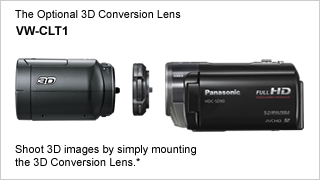
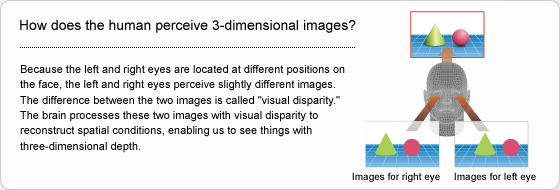
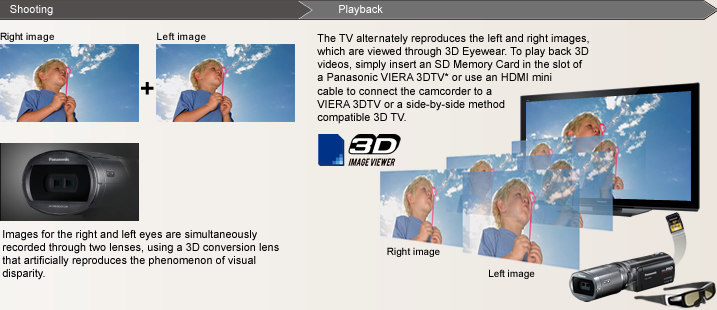
3.0 Wide LCD with Intuitive Touch Operation
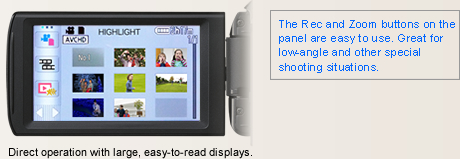
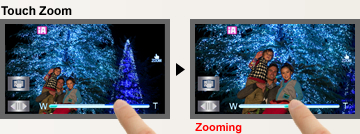
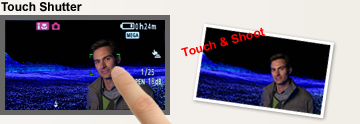
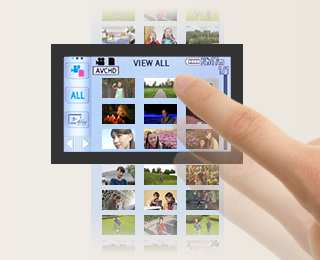
You can flip through thumbnail pages, display one of the thumbnail scenes, highlight a scene, and more, with easy, intuitive, fingertip operation.
iA (Intelligent Auto)

This powerful function senses the shooting conditions and automatically makes the settings and activates functions that will deliver optimal results. With both motion and still images, iA does the bothersome settings for you and makes it easy to capture beautiful, well-focused images.
* The functions included in iA may not be applied when conditions do not call for them.

Blur-free zooming and shooting on the move.
HYBRID O.I.S. (Optical Image Stabilizer)
HYBRID O.I.S. corrects hand-shake blurring by combining the action of its hybrid optical and electrical image stabilization systems. Even when zooming, where hand-shake often occurs, both optical and electrical hand-shake correction make it possible to record beautiful images with approximately 2 times* the hand-shake suppressing effect as conventional models.
* Compared with the HDC-SD60, HDC-TM60, and HDC-HS60.

Active mode comes in handy when shooting while walking or playing with your children. The wide correction area corrects even relatively large hand-shake motion. Its especially good for active video shooting.
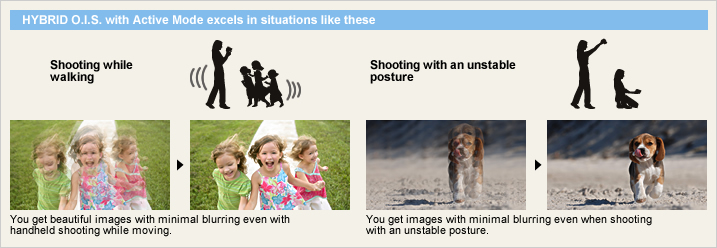
Face Recognition

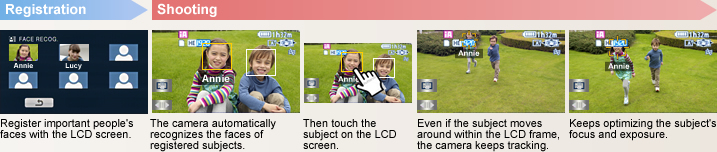
Locks on a subject and tracks it.
AF/AE Tracking

Intelligent Scene Selector

Portrait
This mode captures faces beautifully. With Soft Skin mode, complexions are automatically enhanced to make faces attractive.
Spotlight
The camcorder automatically uses this mode for scenes with particularly strong contrast, such as when you're shooting a spot lit area on a darkened stage. It captures the well-lit subject perfectly and prevents washed-out areas.
Scenery
This mode is ideal for shooting wide landscapes and sweeping vistas, such as at the ocean or in the mountains. It balances the exposure over the entire frame to prevent brighter parts of the image, such as the sky, from being washed out or having blown highlights.
Low Light
In dim lighting, the camcorder automatically switches to a slower shutter speed so that images across the entire frame are bright and easy to see.
Captures faces beautifully - even in dim or backlit scenes.
Face Detection

Helps suppress blown highlights and retains a natural contrast.
Intelligent Contrast Control

With a Special iA Mode for Still Images
The iA function is active even when the camera is in still-image mode. When the Intelligent Scene Selector detects the shooting situation, it automatically switches to one of the five Scene modes for still-image shooting, and optimizes the settings for the still image.
Sports Portrait Spot Light Snow Beach
Sunset Fireworks Scenery Night Scenery
Night Portrait Macro

Expressive performance with detailed.
Handy Functions and Interfaces
You can enjoy more professional shooting with handy functions.
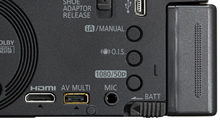
There is a mic input terminal on the side of the camcorder. Plug in anexternal mic (optional) if desired.
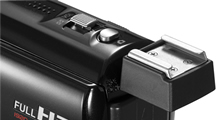
Captures smiles automatically.
Smile Shot (Still Image)
The Smile Shot function automatically detects subject smiles, and captures the best possible smile while you're shooting movies. It lets you easily catch those fleeting, easy-to-miss stills of a smiling subject. It will also optimize the focus and exposure for your subject's smiling face.
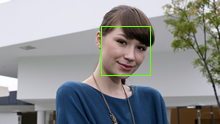
Capture the smiles of only certain subjects – Face Recognition Linked |
Capture the smiles of an entire group – Face Detection Linked |
Capture the smiling face of a moving subject – AF/AE Tracking Linked |
||
|
|
|
|



1.0-sec Quick Power-On

0.6-sec Quick Start
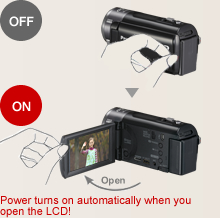
When the built-in memory fills up, recording automatically continues on an SD Memory Card.

Relay Recording
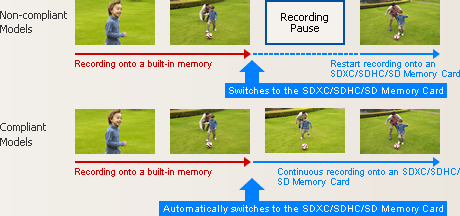
Arrange the data that is split onto two types of media on an SDXC/SDHC/SD Memory Card. If the SDXC/SDHC/SD Memory Card has sufficient capacity, it's possible to arrange all of the split data as a single continuous scene on the SDXC/SDHC/SD Memory Card. If the SDXC/SDHC/SD Memory Card has sufficient capacity, it's possible to arrange all of the split data as a single continuous scene on the SDXC/SDHC/SD Memory Card.Use the included software.You can also use the editing software that is included with the camcorder to join the split data as a continuous scene.
|
Use a DVD burner to create a disc. If the SDXC/SDHC/SD Memory Card is not big enough to hold all of the split data, use a DVD burner to create a disc with all the motion images as a single continuous scene. If the SDXC/SDHC/SD Memory Card is not big enough to hold all of the split data, use a DVD burner to create a disc with all the motion images as a single continuous scene. |
|
|---|---|---|
Pre-Rec Function

* The camera must be aimed at the subject in advance.
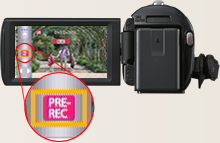
Auto Power LCD
The LCD brightness can be adjusted manually to suit the surroundings. In Auto Mode, the LCD brightness is adjusted automatically in 16 smooth steps depending on the surroundings. In darker rooms it adjusts to a lower brightness, making it easier to frame the shot. Outside, it adjusts to almost twice the brightness for easy viewing even on sunny days.
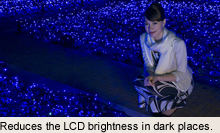
Beautiful LCD images even from an angle.
Wide Viewing Angle
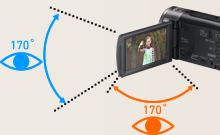
Prevents unintended shooting.
AGS (Auto Ground-Directional Standby)*
The O.I.S. linear motor system can detect when the camera is in an unusual shooting position - such as when you've inadvertently left it on in recording mode. In these cases, the camera automatically stops recording, saving both battery power and media storage space.
* In PAL area, the AGS (Auto Ground-Directional Standby) is called the Anti Ground Shooting.
Set to OFF when shipped from the factory. To turn AGS ON, the setting must be made on the menu screen.
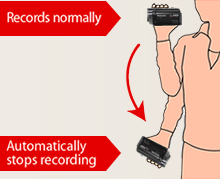
Captures those spur-of-the-moment scenes.
60 Frames/Sec High-Speed Burst Shooting*
This function lets the camcorder snap up to 60 consecutive 0.9-megapixel still images* persecond for a total of 180 continuous images in about 3 seconds. The resolution can also be increased and up to 30 consecutive 2.1-megapixel still images** per second can be shot for a total of 90 continuous imagesin about 3 seconds. You can use it to analyze agolf swing, tennis stroke or other motion. You can also use it to get good shots of subjects infast motion. Just fire off a number of shots without stopping, then keep the best ones anddelete the rest.
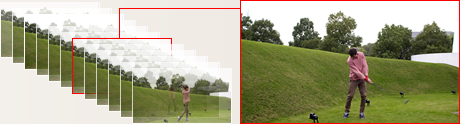
* In PAL areas, 50 consecutive 0.9-megapixel still images per second.
** In PAL areas, 25 consecutive 2.1-megapixel still images per second.
Focus Assist
This function shows which subjects are in-focus by displaying their outlines in blue. You can easily check the focus on LCD when manually focusing, to ensure consistently clear, sharp images.

Composition Guide Lines
With wide LCD monitors, it's hard to keep images perfectly level. The HD 90 Series solve this by displaying horizontal and vertical Composition Guide Lines that make it easy to keep the subject straight and level.
Select the recording mode to match your needs.
1080/60p* Mode, HA / HG / HX / HE Mode / iFrame Mode
The TM90 is equipped with a built-in 16GB memory, and can be used together with a 64GB SDXC Memory Card to shoot for up to 34 hours 10 minutes**. Choose the recording mode that matches your intended use HE mode for maximum recording time, or 1080/60p mode* for optimal image quality.
* 1080/50p in PAL areas.
** In HE mode.

Motion Picture Recording Time [approx.]
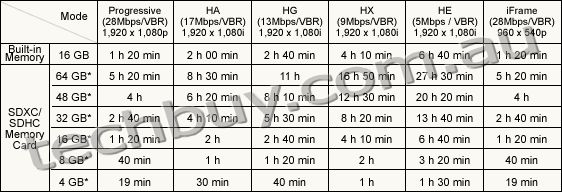
These figures vary depending on the pictures being recorded.
* 1 GB means 1 billion bytes. Usable capacity will be less.
** When shooting for an extended period of time, make sure that you allow yourself enough battery power to last 3 to 4 times the amount of time you plan on shooting. The continuous battery-powered shooting time varies depending on the usage conditions, e.g., when shooting in low temperatures. See the Battery Life chart for information on the continuous battery-powered shooting time.
Automatically lights up when darkness is detected.
LED Video Light
When the camera determines that the ambient lighting is insufficient, it automatically switches the light on. This illuminates your subject for shooting. The LED (light emitting diode) has low power consumption, a long service life, and the safety of a low operating temperature.

Color Night Rec/Colour Night View
Leave the light off. Color Night Rec/Colour Night View gives you images with color even in dim lighting (1 lx).

Auto Lens Cover
When the power is turned on, the lens cover automatically opens. When the power goes off, the lens cover closes. You don't have to keep removing and replacing a lens cap - or worry about losing it.
World Time
Setting the time is as easy as selecting a city from the displayed map. The World Time function lets you set the time for two cities, home and destination. You don't have to figure out the time difference at your destination, and it's easy when you get home.
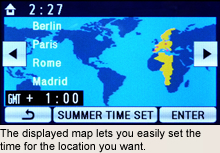

| NTSC | PAL | |
|---|---|---|
| GENERAL | ||
| Power Supply | DC3.6 V / 5.0 V | DC3.6 V / 5.0 V |
| Power Consumption | Max. 5.2 W (Recording) | Max. 5.2 W (Recording) |
| Weight (w/o Battery) | [HDC-TM90] Approx. 245 g (0.54 lb) [HDC-SD90] Approx. 244 g (0.54 lb) |
[HDC-TM90] Approx. 245 g [HDC-SD90] Approx. 244 g |
| Dimensions (W x H x D) | 50.5 x 63 x 118.5 (mm) (1.99 x 2.48 x 4.67 [inch]) | 50.5 x 63 x 118.5 (mm) |
| Media | [HDC-TM90] Built-in memory (16 GB), SD/SDHC/SDXC Memory Card [HDC-SD90] SD/SDHC/SDXC Memory Card |
[HDC-TM90] Built-in memory (16 GB), SD/SDHC/SDXC Memory Card [HDC-SD90] SD/SDHC/SDXC Memory Card |
| OSD Language |  |
|
| LENS SECTION | ||
| Image Sensor | 1/4.1" MOS Total Pixels : 3.32 megapixels Effective Pixels : <Motion Image> 1.94 megapixels - 2.61 megapixels [16:9] <Still Image> 2.09 megapixels- 2.52 megapixels [3:2] 1.94 megapixels - 2.61 megapixels [16:9] 2.18 megapixels - 2.24 megapixels [4:3] |
1/4.1-type MOS (For Europe) 1/4.1" MOS (For Asia) Total Pixels : 3.32 megapixels Effective Pixels : <Motion Image> 1.94 megapixels - 2.61 megapixels [16:9] <Still Image> 2.09 megapixels- 2.52 megapixels [3:2] 1.94 megapixels - 2.61 megapixels [16:9] 2.18 megapixels - 2.24 megapixels [4:3] |
| F Value | F1.8 (WIDE) / 3.5 (TELE) | F1.8 (WIDE) / 3.5 (TELE) |
| Optical Zoom | 21 x | 21 x |
| Intelligent Zoom | 40 x | 40 x |
| Digital Zoom | 60 x / 1500 x (The maximum value of zoom magnification) | 60 x / 1500 x (The maximum value of zoom magnification) |
| Focal Length | 2.82- 59.2 mm | 2.82- 59.2 mm |
| 35 mm Film Camera Equivalent | <Motion Image> 28.0 - 729 mm (16:9) <Still Image> 31.7 - 730 mm (3:2), 28.0 - 729 mm (16:9), 34.2 - 729 mm (4:3) |
<Motion Image> 28.0 - 729 mm (16:9) <Still Image> 31.7 - 730 mm (3:2), 28.0 - 729 mm (16:9), 34.2 - 729 mm (4:3) |
| Lens Brand | Panasonic Lens | Panasonic Lens |
| CAMERA SECTION | ||
| Standard Illumination | 1400 lx | 1400 lx |
| Minimum Illumination | 4 lx (1/30 Low Light scene mode) 1 lx (Color Night Rec.) |
4 lx (1/25 Low Light scene mode) 1 lx (Colour Night View) |
| Focus | Auto / Manual | Auto / Manual |
| White Balance | Auto / Indoor1 / Indoor2 / Sunny / Cloudy / White set | Auto / Indoor1 / Indoor2 / Sunny / Cloudy / White set |
| Shutter Speed | <Motion Image> Auto Slow Shutter ON : 1/30-1/8000 OFF : 1/60-1/8000 <Still Image> 1/2-1/2000, video flash: 1/2-1/500 |
<Motion Image> Auto Slow Shutter ON : 1/25-1/8000 OFF : 1/50-1/8000 <Still Image> 1/2-1/2000, video flash: 1/2-1/500 |
| Iris | Auto / Manual | Auto / Manual |
| Backlight Compensation | Yes | Yes |
| Image Stabilizer | HYBRID O.I.S. [Optical Image Stabilizer] | HYBRID O.I.S. [Optical Image Stabilizer] |
| Quick Start | Yes | Yes |
| MONITOR | ||
| LCD | 3.0" Wide LCD (230,400 dots) | 7.6cm (3.0") Wide LCD (230,400 dots) (For Europe) 3.0" Wide LCD (230,400 dots) (For Asia) |
| STILL IMAGE SECTION | ||
| Recording Format | JPEG | JPEG |
| Recording Image Size | <Still Image> [3:2] 4.8 megapixels (2688 x 1792) 1.9 megapixels (1680 x 1120) [16:9] 4.5 megapixels (2816 x 1584) 2.1 megapixels (1920 x 1080) [4:3] 5.0 megapixels (2592 x 1944) 1.9 megapixels (1600 x 1200) 0.3 megapixels (640 x 480) <Simultaneous Recording> [16:9] 4.5 megapixels (2816 x 1584) 2.1 megapixels (1920 x 1080) |
<Still Image> [3:2] 4.8 megapixels (2688 x 1792) 1.9 megapixels (1680 x 1120) [16:9] 4.5 megapixels (2816 x 1584) 2.1 megapixels (1920 x 1080) [4:3] 5.0 megapixels (2592 x 1944) 1.9 megapixels (1600 x 1200) 0.3 megapixels (640 x 480) <Simultaneous Recording> [16:9] 4.5 megapixels (2816 x 1584) 2.1 megapixels (1920 x 1080) |
| Flash | Yes | Yes |
| DPOF | Max. 999 images | Max. 999 images |
| RECORDING SECTION | ||
| Signal System | 1080 / 60p, 1080 / 60i, 540 / 30p | 1080 / 50p, 1080 / 50i, 540 / 25p |
| Recording Format | <Original Format> 1080 / 60p : MPEG-4 AVC/H.264 <AVCHD standard compliant> HA / HG / HX / HE : MPEG-4 AVC/H.264 <MPEG-4 AVC file format compliant (.MP4)> iFrame : MPEG-4 AVC/H.264 |
<Original Format> 1080 / 50p : MPEG-4 AVC/H.264 <AVCHD standard compliant> HA / HG / HX / HE : MPEG-4 AVC/H.264 <MPEG-4 AVC file format compliant (.MP4)> iFrame : MPEG4-AVC/H.264 |
| Recording / Playback Mode (1920 x 1080) |
1080 / 60p (28 Mbps / VBR), (1920 x 1080) HA (17 Mbps / VBR), (1920 x 1080) HG (13 Mbps / VBR), (1920 x 1080) HX (9 Mbps / VBR), (1920 x 1080) HE (5 Mbps / VBR), (1920 x 1080) iFrame (28 Mbps / VBR), (960 x 540) |
1080 / 50p (28 Mbps / VBR), (1920 x 1080) HA (17 Mbps / VBR), (1920 x 1080) HG (13 Mbps / VBR), (1920 x 1080) HX (9 Mbps / VBR), (1920 x 1080) HE (5 Mbps / VBR), (1920 x 1080) iFrame (28 Mbps / VBR), (960 x 540) |
| Audio Recording System | 1080 / 60p / HA / HG / HX / HE : Dolby Digital (2 ch) iFrame : AAC (2 ch) | 1080 / 50p / HA / HG / HX / HE : Dolby Digital (2 ch) iFrame : AAC (2 ch) |
| Media Remaining Indication | Yes | Yes |
| Microphone | 2 ch Stereo, Zoom Microphone | 2 ch Stereo, Zoom Microphone |
| Speaker | Dynamic type | Dynamic type |
| INTERFACES | ||
| HDMI | Yes (Mini) | Yes (Mini) |
| Microphones (stereo mini) | Yes | Yes |
| USB | 2.0 Hi-Speed | 2.0 Hi-Speed |
| AV Multi | Yes | Yes |
| OTHERS | ||
| LED Video Light | Yes | Yes |
| Accessory Shoe | Yes (Cold) | Yes (Cold) |
| STANDARD ACCESSORIES | ||
| AC Adaptor | Yes | Yes |
| AC Cable | Yes | Yes |
| DC Cable | Included AC Adaptor | Included AC Adaptor |
| Rechargeable Battery Pack | min. 1790 mAh / Lithium-Ion | min. 1790 mAh / Lithium-Ion |
| AV Multi Cable | Yes | Yes |
| Shoe Adaptor | Yes | Yes |
| USB Cable | Yes | Yes |
| CD-ROM | HD Writer AE 3.0 | HD Writer AE 3.0 |
| Stylus Pen | Yes | Yes |
| NTSC | PAL | |
|---|---|---|
| GENERAL | ||
| Weight (w/o Lens Cap) | approx. 195 g ( 0.43 lb) | approx. 195 g |
| Dimensions (W x H x D) | 78 x 59 x 97 [mm] ( 3.07 x 2.32 x 3.82 [inch]) | 78 x 59 x 97 [mm] |
| LENS SECTION | ||
| F Value | F3.2 | F3.2 |
| Focal Length | 2.5 mm | 2.5 mm |
| 35 mm Film Camera Equivalent | 58 mm (16:9) [Motion Image] | 58 mm (16:9) [Motion Image] |
| Minimum Illumination | 28 lx (1/30) | 28 lx (1/25) |
| STANDARD ACCESSORIES | ||
| Lens Front Cap | Yes | Yes |
| Lens Rear Cap | Yes | Yes |
| Lens Pouch | Yes | Yes |
| Capacity | Gold | Silver | |
|---|---|---|---|
| SDXC Memory Card*1 | 64 GB*3 | RP-SDW64G (Class 10, up to 22 MB/sec *4*5) |
- |
| 48 GB*3 | RP-SDW48G (Class 10, up to 22 MB/sec *4*5) |
- | |
| SDHC Memory Card*2 | 32 GB*3 | RP-SDW32G (Class 10, up to 22 MB/sec *4*5) |
- |
| 16 GB*3 | RP-SDW16G (Class 10, up to 22 MB/sec *4*5) |
RP-SDP16G (Class 4, up to 20 MB/sec *4*5) |
|
| 8 GB*3 | RP-SDW08G (Class 10, up to 22 MB/sec *4*5) |
RP-SDP08G (Class 4, up to 20 MB/sec *4*5) |
|
| 4 GB*3 | RP-SDW04G (Class 10, up to 22 MB/sec *4*5) |
RP-SDP04G (Class 4, up to 20 MB/sec *4*5) |
|
As of January 5, 2011
An SDXC/SDHC/SD Memory Card utilises a portion of the storage space for formatting and other purposes.
We recommend using SDXC/SDHC/SD Memory cards conforming to class 4 or higher of the SD Speed Class Rating or the following SD Memory Cards made by Panasonic for motion picture recording.
Please confirm the latest information about SDXC/SDHC/SD Memory Cards that can be used for motion picture recording on the following website.
Camcorder information (This website is in English only.)
*1 SDXC Memory Cards can only be used in SDXC host devices, which support the SDXC format.
*2 SDHC Memory Cards can only be used in SDXC and SDHC host devices, which support the SDHC/SDXC format.
*3 1 GB means 1 billion bytes. Usable capacity will be less.
*4 The data transfer rate is a theoretical value and is anot a guarantee of performance. The transfer rate may vary depending on the conditions and equipment used.
*5 This card complies with SD Memory Card Physical Layer Specification Ver.3.0 (SDHC)/Ver.1.10 (SD). When using this card with SD-enabled products that comply with the specification, a speed performance of up to 20MB/sec. can be realized. When using it with SD-enabled products that comply with the conventional specification Ver. 1.01, the speed performance will be up to 10MB/sec.
| Image Quality | |||||||
|---|---|---|---|---|---|---|---|
| 1080/60p** (28 Mbps) |
HA (17 Mbps) |
HG (13 Mbps) |
HX (9 Mbps) |
HE (5 Mbps) |
iFrame | ||
| Built-in Memory | 16 GB* (TM90) | 1 h 20 min | 2 h 00 min | 2 h 40 min | 4 h 10 min | 6 h 40 min | 1 h 20 min |
| SDXC/SDHC Memory Card |
64 GB* | 5 h 20 min | 8 h 30 min | 11 h | 16 h 50 min | 27 h 30 min | 5 h 20 min |
| 48 GB* | 4 h | 6 h 20 min | 8 h 10 min | 12 h 30 min | 20 h 20 min | 4 h | |
| 32 GB* | 2 h 40 min | 4 h 10 min | 5 h 30 min | 8 h 20 min | 13 h 40 min | 2 h 40 min | |
| 16 GB* | 1 h 20 min | 2 h | 2 h 40 min | 4 h 10 min | 6 h 40 min | 1 h 20 min | |
| 8 GB* | 40 min | 1 h | 1 h 20 min | 2 h | 3 h 20 min | 40 min | |
| 4 GB* | 19 min | 30 min | 40 min | 1 h | 1 h 30 min | 19 min | |
These figures vary depending on the pictures being recorded.
We recommend using SDXC/SDHC/SD Memory Cards conforming to class 4 or higher of the SD Speed Class Rating or the following SD Memory Cards made by Panasonic for motion-image recording.
Please confirm the latest information about SDXC/SDHC/SD Memory Cards that can be used for motion-image recording, on the following website.
Camcorder Information (This website is in English only.)
* 1 GB means 1 billion bytes. Usable capacity will be less.
** 1080/50p for PAL area.
| Image Quality | Capacity | |||||||
|---|---|---|---|---|---|---|---|---|
| Built-in Memory |
SDXC/SDHC Memory Card | |||||||
| 16 GB* (TM90) |
64 GB* | 48 GB* | 32 GB* | 16 GB* | 8 GB* | 4 GB* | ||
| 2816 x 1584 pixels (16:9) 4.5 M |
 |
6800 | 27000 | 20000 | 13000 | 6800 | 3400 | 1680 |
 |
10000 | 430000 | 32000 | 21000 | 10000 | 5300 | 2600 | |
| 1920 x 1080 pixels (16:9) 2.1 M |
|
14000 | 59000 | 44000 | 29000 | 14000 | 7300 | 3600 |
|
23000 | 93000 | 69000 | 46000 | 23000 | 11000 | 5600 | |
| 2592 x 1944 pixels (4:3) 5 M |
|
6000 | 24000 | 18000 | 12000 | 6000 | 3000 | 1400 |
|
9500 | 38000 | 28000 | 19000 | 9500 | 4700 | 2350 | |
| 1600 x 1200 pixels (4:3) 1.9 M |
|
15900 | 64000 | 47000 | 32000 | 15900 | 7900 | 3900 |
|
25000 | 101000 | 74000 | 50000 | 25000 | 12000 | 6100 | |
| 640 x 480 pixels (4:3) 0.3 M |
|
122000 | 492000 | 364000 | 246000 | 122000 | 60500 | 30000 |
|
205000 | 829000 | 613000 | 414000 | 205000 | 102000 | 50000 | |
| 2688 x 1792 pixels (3:2) 4.8 M |
|
6300 | 25000 | 19000 | 12000 | 6300 | 3100 | 1500 |
|
10000 | 40000 | 29800 | 20000 | 10000 | 4900 | 2400 | |
| 1680 x 1120 pixels (3:2) 1.9 M |
|
16000 | 66000 | 49000 | 33000 | 16000 | 8000 | 4000 |
|
25000 | 103000 | 76000 | 51000 | 25000 | 12000 | 6300 | |
| Image Quality | Capacity | |||||||
|---|---|---|---|---|---|---|---|---|
| Built-in Memory |
SDXC/SDHC Memory Card | |||||||
| 16 GB* (TM90) |
64 GB* | 48 GB* | 32 GB* | 16 GB* | 8 GB* | 4 GB* | ||
| 2816 x 1584 pixels (16:9) 4.5 M |
|
6800 | 27000 | 20000 | 13000 | 6800 | 3400 | 1680 |
|
10000 | 430000 | 32000 | 21000 | 10000 | 5300 | 2600 | |
| 1920 x 1080 pixels (16:9) 2.1 M |
|
14000 | 59000 | 44000 | 29000 | 14000 | 7300 | 3600 |
|
23000 | 93000 | 69000 | 46000 | 23000 | 11000 | 5600 | |
High Picture Quality Normal Picture Quality
These figure vary depending on the pictures being recorded.
* 1 GB means 1 billion bytes. Usable capacity will be less.
| 1080/60p | HA mode | HG mode | HX mode | HE mode | iFrame mode | ||||
|---|---|---|---|---|---|---|---|---|---|
| VW- VBK180 |
TM90 | Built-in Memory, SDXC/SDHC/ SD Memory Card |
Continuous Recording Time |
1 h 30 min | 1 h 35 min | 1 h 35 min | 1 h 35 min | 1 h 35 min | 1 h 40 min |
| Actual Recording Time |
45 min | 50 min | 50 min | 50 min | 50 min | 50 min | |||
| SD90 | SDXC/SDHC/ SD Memory Card |
Continuous Recording Time |
1 h 30 min | 1 h 35 min | 1 h 35 min | 1 h 35 min | 1 h 35 min | 1 h 40 min | |
| Actual Recording Time |
45 min | 50 min | 50 min | 50 min | 50 min | 50 min | |||
| VW- VBK360 |
TM90 | Built-in Memory, SDXC/SDHC/ SD Memory Card |
Continuous Recording Time |
3 h 00 min | 3 h 15 min | 3 h 15 min | 3 h 15 min | 3 h 15 min | 3 h 25 min |
| Actual Recording Time |
1 h 35 min | 1 h 40 min | 1 h 40 min | 1 h 40 min | 1 h 40 min | 1 h 45 min | |||
| SD90 | SDXC/SDHC/ SD Memory Card |
Continuous Recording Time |
3 h 00 min | 3 h 15 min | 3 h 15 min | 3 h 15 min | 3 h 15 min | 3 h 25 min | |
| Actual Recording Time |
1 h 35 min | 1 h 40 min | 1 h 40 min | 1 h 40 min | 1 h 40 min | 1 h 45 min | |||
| 1080/50p | HA mode | HG mode | HX mode | HE mode | iFrame mode | ||||
|---|---|---|---|---|---|---|---|---|---|
| VW- VBK180 |
TM90 | Built-in Memory, SDXC/SDHC/ SD Memory Card |
Continuous Recording Time |
1 h 35 min | 1 h 40 min | 1 h 40 min | 1 h 40 min | 1 h 40 min | 1 h 45 min |
| Actual Recording Time |
50 min | 50 min | 50 min | 50 min | 50 min | 55 min | |||
| SD90 | SDXC/SDHC/ SD Memory Card |
Continuous Recording Time |
1 h 35 min | 1 h 40 min | 1 h 40 min | 1 h 40 min | 1 h 40 min | 1 h 45 min | |
| Actual Recording Time |
50 min | 50 min | 50 min | 50 min | 50 min | 55 min | |||
| VW- VBK360 |
TM90 | Built-in Memory, SDXC/SDHC/ SD Memory Card |
Continuous Recording Time |
3 h 10 min | 3 h 25 min | 3 h 25 min | 3 h 25 min | 3 h 25 min | 3 h 35 min |
| Actual Recording Time |
1 h 40 min | 1 h 45 min | 1 h 45 min | 1 h 45 min | 1 h 45 min | 1 h 50 min | |||
| SD90 | SDXC/SDHC/ SD Memory Card |
Continuous Recording Time |
3 h 10 min | 3 h 25 min | 3 h 25 min | 3 h 25 min | 3 h 25 min | 3 h 35 min | |
| Actual Recording Time |
1 h 40 min | 1 h 45 min | 1 h 45 min | 1 h 45 min | 1 h 45 min | 1 h 50 min | |||
This is a guideline that includes time for operations such as starting and stopping the recording, turning the power on and off, and zooming. The actual time is shorter.
| HD Writer AE 3.0 |
iMovie '11 (not supplied) | |
|---|---|---|
| OS | Windows 7 (32 bit/64 bit): Starter/Home Basic/Home Premium/Professional/Ultimate Windows Vista (32 bit): Home Basic/Home Premium/Business/Ultimate SP1/SP2 Windows XP (32 bit): SP3 |
Mac OS X 10.6.3 |
| CPU | Intel Pentium 4 2.8 GHz or higher When using playback function and MPEG2 conversion function, Intel Core2 Duo 2.16 GHz or higher |
Intel Core Duo or higher |
 |
Swann Pro 660 Bullet Camera - Up to 20m Night Vision, Weather Resistant Casing, Super Wide-Angle, Sony SuperHAD





Everything you need is included in the pack including 60ft 18m BNC cable for connecting to a DVR and power, BNC to RCA connector for connecting to a TV, power adapter, user guide, deterrent security stickers and more. When combined with a Swann DVR you'll be able to record, store, and remotely view footage online for total peace of mind. Best of all, their "plug & play" installation makes set-up incredibly simple, indoors and out.
The PRO-660 Super Wide-Angle Day/Night Security Camera from Swann. It's advanced Security made easy.
- Pro quality 540 TV lines for peace of mind 24/7
- See more with high resolution 540 TV Lines Sony CCD video & powerful infrared night vision
- Easily mount to walls with cable threaded through the bracket for added protection
- Fight back against crime by deterring intruders & protecting your property
- Plug into your DVR for recording or TV's yellow video-in socket for immediate surveillance
- Perfect for wide angle viewing of yards, warehouses, parking lots, driveways, alleys etc
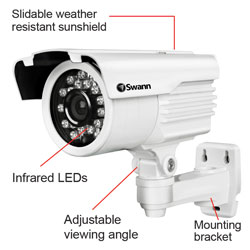
| PRO-660 | |
|
|
Video
|
|
Image Sensor
|
Color 1/3" Sony 'Super HAD' CCD |
|
Video Quality
|
540 TV Lines |
|
Pixels
|
768 x 494 (NTSC) 752 x 582 (PAL) |
|
Minimum Illumination
|
0 Lux (IR on) / 0.1 Lux (IR off) |
|
Day/Night Mode
|
Color during day / switches to B&W at night |
|
Electronic Shutter
|
1/60 - 1/100,000 NTSC 1/50 - 1/100,000 PAL |
|
Gain Control
|
Automatic |
|
Backlight Comopensation
|
Yes |
|
Wide Dynamic Rangel
|
Yes |
|
Lens
|
3.6mm |
|
Viewing Angle
|
75 (H:80 V:70 D:90) |
|
Night Vision
|
|
|
Night Vision Distance
|
Up to 65ft / 20m |
|
IR Cut Filter
|
No |
|
Number of Infra-Red LEDs
|
23 |
|
Infra-Red Wavelength
|
850nm |
|
Infra-Red LED Life
|
10,000 hrs |
|
General
|
|
|
Indoor / Outdoor
|
Both |
|
Operating Power
|
DC 12V |
|
Operation Temperature
|
-4 degrees F to 113 degrees F -20 degrees C to +45 degrees C |
|
Body Construction
|
Aluminum |
|
Camera Dimensions
|
6.5" x 4.5" x 3.15" 165mm x 115mm x 67mm |
|
Camera Weight
|
1.02lbs / 465g |
|
Cable Length
|
60ft / 18m |
 |
Swann Driveway Alert Alarm - Wireless Transmission 200FT, 60M


The Swann Driveway Alert is a 100% wireless security system that is powered by 3 x 'C' batteries (receiver) and 1 x '9V' battery (transmitter). With DIY installation you can have the unit running in less than 10 minutes.
Choose the Swann Driveway Alert to protect your loved ones, home or business. It really is advanced security made easy!
- Using a PIR sensor to detect movement, the transmitter can be placed near the entrance of your driveway, garage, shop, small business or anywhere you want to monitor traffic
- When motion is detected the receiver releases a pleasant chiming sound & volume settings can be adjusted to high or low
- Can be mounted at your front door, gate or driveway to alert you when people or vehicles enter your property
- Monitor the entry to your store, restaurant, reception or lobby and be alerted when customers enter or leave when you are out of sight. Potentially acts as a deterrent for unwanted visitors
- Mount the transmitter up to 200ft (60m) away from the receiver, anywhere you want to detect traffic or movement (indoors/outdoors)
- Fully wireless and includes mounting screws for quick and simple installation in minutes
- Transmitter requires a 1 x "9V" battery* & receiver requires 3 x "C" batteries* or can run off a "6V" adapter
- Not included

 |
Swann DVR8-2600 8 Channel DVR with Smartphone Viewing - 500GB HDD Installed, H.264 Recording, Up to 15 Days of Continuous Recording
- Just add cameras to record and view up to 8 channels of high quality video simultaneously in real time
- Set & forget by recording continuously from 8 cameras for 15 days+ onto a massive 500GB hard drive, longer with motion detection
- Save time & have peace of mind by easily locating incident video, then trim & transfer to USB flash drive
- Surveillance in the palm of your hand with live viewing on 3G enabled iPhone, Blackberry, Android, Smartphones and more*, with remote notification via email
- Fight back against crime by deterring intruders, protecting your property & knowing whats happening at all times
- A state-of-the-art solution for any home or business wanting complete protection
Video
Video Signal Type NTSC or PAL
Video Inputs 8 Composite BNC Inputs
Video Outputs 2 Composite BNC Outputs, VGA Out
Display Resolution NTSC: 704x480 / PAL: 704x576
Display Frame Rate Real Time NTSC: 30 fps, PAL: 25 fps
Audio
Audio Input 4 RCA Inputs
Audio Output 2 RCA Outputs
Recording
Compression Format H.264
Recording Resolution NTSC: D1 (704x480), HD1 (704x240),
CIF (352x240) PAL: D1 (704x576),
HD1 (704x288), CIF (352x288)
Recording Frame Rate NTSC: D1 (60 fps), HD1 (120 fps), CIF (240 fps)
PAL: D1 (50 fps), HD1 (100 fps), CIF (200 fps)
Recording Modes Manual / Motion / Schedule / Sensor
Multiplex Operation Multiplex
HDD Interface / Type 500GB SATA HDD (installed)
Hard Drive Support Up to 2TB
Network
LAN Connection Yes RJ45
Network Interface Ethernet
Network Protocol TCP/IP, DDNS, UPnP
Dynamic DNS Yes
Remote Operation Via http using IE (ActiveX) or
NetViewer Software (included)
General
Operating Power DC 12V
Dimensions 12.4 x 8.9 x 2.4 / 315mm x 225mm x 60mm
Weight 4.4lbs / 2kg
Backup Method USB to Flash Drive / Network
Mouse Support Yes (USB x 1)
Remote Control Yes
RC Battery Type x Qty AAA x 2 (included)
Operating Temperature 32F ~ 104F / 0C ~ 40C
Operating Humidity 10% ~ 90% RH
 |
Panasonic HDC-SD80 Camcorder - Black
- SD Card Recording, HD 1080p, 34xOptical Zoom, 2.7"Touchscreen LCD, Image Stabilizer, Intelligent Auto, Face Recognition
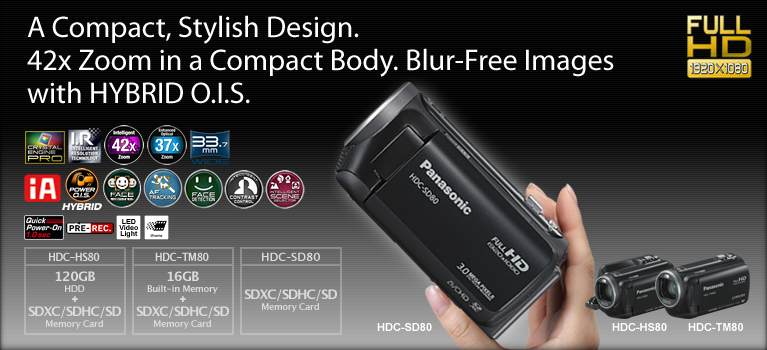

Beautiful zoom shots of distant subjects.
Intelligent 42x Zoom and HYBRID O.I.S. (Optical Image Stabilizer)

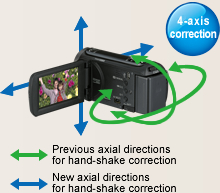
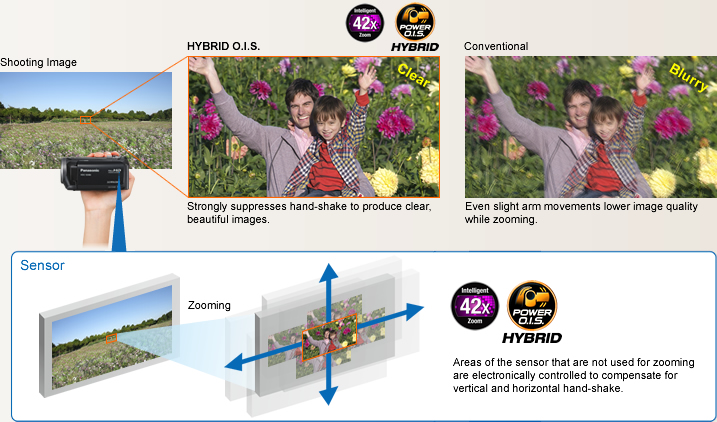
Even more powerful hand-shake compensation.
O.I.S. (Optical Image Stabilizer) Lock
The image-stabilizing effect is increased by pressing and holding the O.I.S. Lock indication on the LCD screen, which maximizes the blur detection sensitivity. This is great for when you want to zoom at a fixed angle, like for bird watching.
* Coniderable blurring is generated by the shifting of the corrective lens when the camera is panned or tilted.
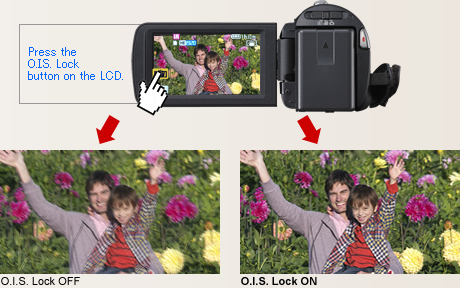
Captures large groups, even when shooting from up close.
33.7mm Wide Angle*

* 35mm camera equivalent.
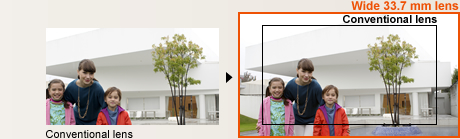
Intricate details from Intelligent Resolution Technology.
Crystal Engine PRO


Intelligent Resolution Technology


* Intelligent Resolution Technology works only for digital zoom shots.
Clearly Catch Target Subject Sounds.
New Zoom Mic and Wind Noise Canceller
Zoom Mic
The Zoom Mic function that links with the camera's zoom action has evolved even further. Compared to previous models, the noise-reducing performance is improved by 1/3 (-10dB).* It lets you clearly record the sound of your target subject.
* Compared with the HDC-SD60, HDC-TM60, and HDC-HS60.
Wind Noise Canceller
The Wind Noise Canceller automatically detects and suppresses only wind noise. It lets you capture natural sounds with lifelike ambience even when shooting in windy conditions outdoors or by the sea.

Beautiful still images, even when enlarged.
Still Picture Recording at 3.0 Megapixels with Intelligent Resolution Technology
In Still Picture Recording mode, Intelligent Resolution Technology lets you record clear still images with resolution up to 3.0 megapixels.* Also, when playing back the moving pictures you shot, you can capture 3.0-megapixel* still images of any scene you want. The HD 80 Series lets you enjoy high quality in both motion and still images.
* For images recorded with a 16:9 aspect ratio.

Sets the optimal mode for each shooting situation.
Scene Mode
Automatically selects the most suitable shutter speed and aperture for the shooting location and situation.
Scene modes:
Sports Portrait
Low Light (Motion image only)
Spot Light Snow Beach Sunset
Fireworks Scenery Night Scenery
Night Portrait (Still image only)

Gives your subjects smoother looking skin.
Soft Skin Mode
When this function detects skin tones, it softens the focus in that area. This has a skin beautifying effect, which makes wrinkles and lines appear less noticeable. When turned on, this function makes blemishes and moles look less conspicuous, while preserving resolution in areas of the picture outside of the skin.

Sharps focusing even up close.
Tele-Macro
You can shoot macro close-ups while maintaining a distance of 70cm from your subject. In addition, using the zoom at full magnification makes it much easier to capture extreme close-ups without your body or camera casting a shadow on the subject and while keeping the background in soft focus.


Makes optimal settings automatically for both motion and still images.
iA (Intelligent Auto)

This powerful function senses the shooting conditions and automatically makes the settings and activates functions that will deliver optimal results. With both motion and still images, iA does the bothersome settings for you and makes it easy to capture beautiful, well-focused images.
* The functions included in iA may not be applied when conditions do not call for them.

Blur-free zooming and shooting on the move.
 HYBRID O.I.S. (Optical Image Stabilizer)


Active Mode
Active mode comes in handy when shooting while walking or playing with your children. The wide correction area corrects even relatively large hand-shake motion. Its especially good for active video shooting.
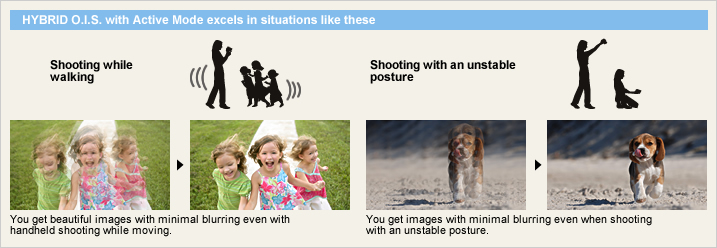
Face Recognition

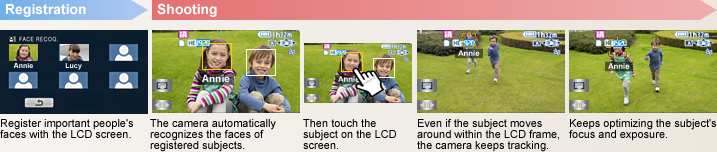
Locks on a subject and tracks it.
AF/AE Tracking

Detects the situation and switches the scene mode automatically.
Intelligent Scene Selector

This mode captures faces beautifully. With Soft Skin mode, complexions are automatically enhanced to make faces attractive.
Spotlight
The camcorder automatically uses this mode for scenes with particularly strong contrast, such as when you're shooting a spot lit area on a darkened stage. It captures the well-lit subject perfectly and prevents washed-out areas.
Low Light
In dim lighting, the camcorder automatically switches to a slower shutter speed so that images across the entire frame are bright and easy to see.
Captures faces beautifully - even in dim or backlit scenes.
Face Detection

Intelligent Contrast Control

With a Special iA Mode for Still Images
The iA function is active even when the camera is in still-image mode. When the Intelligent Scene Selector detects the shooting situation, it automatically switches to one of the five Scene modes for still-image shooting, and optimizes the settings for the still image.
Sports Portrait Spot Light Snow Beach
Sunset Fireworks Scenery Night Scenery
Night Portrait Macro

Smile Shot (Still Image)
The Smile Shot function automatically detects subject smiles, and captures the best possible smile while you're shooting movies. It lets you easily catch those fleeting, easy-to-miss stills of a smiling subject. It will also optimize the focus and exposure for your subject's smiling face.
Capture the smiles of only certain subjects Face Recognition Linked
Capture the smiles of an entire group Face Detection Linked
Capture the smiling face of a moving subject AF/AE Tracking Linked

This function detects subjects who are registered in advance and automatically snaps the shutter to catch the subject's best possible smile. It's great for capturing the smiles of certain people in a group.

This function automatically snaps the people within the LCD frame smiles. It gives you shots of an entire group of people smiling, making it great for group shots.

Simply touch a subject within the LCD frame. This function will then lock on and start tracking your subject. When the subject smiles, it'll automatically snap the shutter.
Intuitive shooting, easy viewing
2.7 Wide LCD with Intuitive Touch Operation
The easy-to-view 6.7 cm/2.7" wide LCD screen allows intuitive fingertip touch-operation. When shooting, you can use Touch Zoom to instantly zoom in and out by simply touching your fingertips, and Touch Shutter to automatically focus when shooting still images by simply touching the subject on the screen. For playback, you can also change thumbnail pages by sliding a fingertip across the screen. You get smooth, intuitive operation and dont have to take your eyes off of the LCD screen.
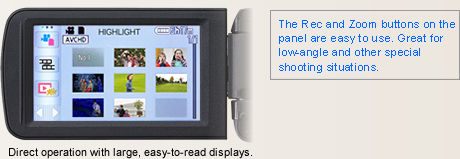
Touch operation for shooting
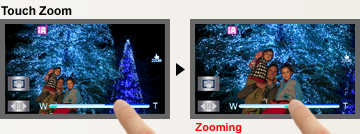
You can easily zoom in and zoom out by simply touching the LCD with your fingertips. Shoot at any angle of view while watching the screen.
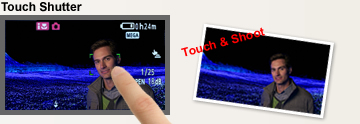
You can touch the subject on the LCD screen to instantly focus on it and takes a still picture.
Touch operation for playback
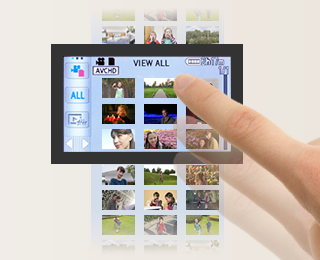
You can flip through thumbnail pages, display one of the thumbnail scenes, highlight a scene, and more, with easy, intuitive, fingertip operation.
Great for sudden photo opportunities! Saves energy too!
1.0-sec Quick Power-On
 Switch the power on and the HD camcorders are in standby mode in approx. 1.0 seconds*, ready to shoot when you are. When the LCD is closed, the power automatically switches off. This fast startup and automatic shutdown also help reduce battery consumption.
* Depending on the recording conditions, start time may be longer than 1.0 second.
0.6-sec Quick Start
Using Quick Start mode, you simply flip open the LCD and you're ready to shoot in just 0.6 seconds.* When Eco mode is also used, the power turns off whenever the camcorder has not been operated for 5 minutes. This reduces wasted power consumption, and enables a longer battery life.
* Depending on the recording conditions, start time may be longer than 0.6 seconds.
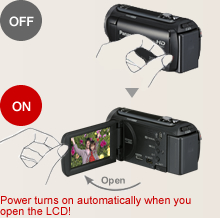
When the built-in memory fills up, recording automatically continues on an SD Memory Card.

Relay Recording
The Relay Recording mode automatically switches from the built-in flash memory (once it's full) to the SDXC/SDHC/SD Memory Card and continues recording. You don't have to worry about missing an important shot while switching media.
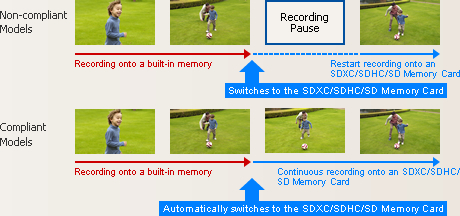
Arrange the data that is split onto two types of media on an SDXC/SDHC/SD Memory Card.
 If the SDXC/SDHC/SD Memory Card has sufficient capacity, it's possible to arrange all of the split data as a single continuous scene on the SDXC/SDHC/SD Memory Card.
Use the included software.
You can also use the editing software that is included with the camcorder to join the split data as a continuous scene.
Use a DVD burner to create a disc.

Helps protect recorded video data from damage due to jolts and impact.
 120GB*1 HDD
The internal hard drive lets you record continuously for up to 51 hours*2 without changing a disc, SDXC/SDHC/SD Memory Card or other recording media.
*1 The 120GB hard drive utilizes a portion of the storage space for formatting, file management and other purposes. 120GB is 120 billion bytes. Usable capacity will be less.
*2 In HE mode

Anti-Shock Shield

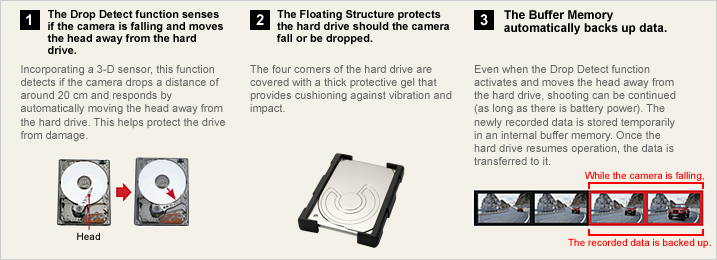
Images are recorded even before you begin shooting.
Pre-Rec Function
 This smart function records three seconds of images even before you actually begin shooting. The images are held temporarily in the camcorder's internal memory, before recording begins. This helps ensure that you won't miss the start of a moment you want to record, such as when an event begins all of a sudden. For example, if you're waiting to snap a shot of a jumping dolphin, you can press the REC button after you've made sure that the dolphin has cleared the surface of the water. The camcorder will record the entire scene, from the instant of the dolphin's jump until it disappears again into the sea.
* The camera must be aimed at the subject in advance.
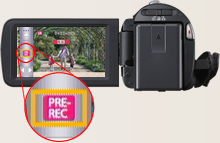
Inside or out, you can adjust the LCD brightness.
Auto Power LCD
The LCD brightness can be adjusted manually to suit the surroundings. In Auto Mode, the LCD brightness is adjusted automatically in 16 smooth steps depending on the surroundings. In darker rooms it adjusts to a lower brightness, making it easier to frame the shot. Outside, it adjusts to almost twice the brightness for easy viewing even on sunny days.
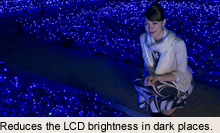
Beautiful LCD images even from an angle.
Wide Viewing Angle
The LCD has a highly detailed, 230,400-dots display and a viewing angle of 170, both vertically and horizontally. Images are clear and bright even when viewed from an angle, so everyone can gather around the LCD to enjoy on-the-spot recordings. The wide viewing angle is also great for taking high- or low-angle shots.
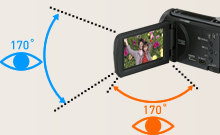
Prevents unintended shooting.
AGS (Auto Ground-Directional Standby)*
The O.I.S. linear motor system can detect when the camera is in an unusual shooting position - such as when you've inadvertently left it on in recording mode. In these cases, the camera automatically stops recording, saving both battery power and media storage space.
* In PAL area, the AGS (Auto Ground-Directional Standby) is called the Anti Ground Shooting.
Set to OFF when shipped from the factory. To turn AGS ON, the setting must be made on the menu screen.
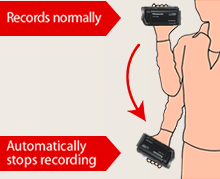
Captures those spur-of-the-moment scenes.
60 Frames/Sec High-Speed Burst Shooting*
This function lets the camcorder snap up to 60 consecutive 0.9-megapixel still images* persecond for a total of 180 continuous images in about 3 seconds. The resolution can also be increased and up to 30 consecutive 2.1-megapixel still images** per second can be shot for a total of 90 continuous imagesin about 3 seconds. You can use it to analyze agolf swing, tennis stroke or other motion. You can also use it to get good shots of subjects infast motion. Just fire off a number of shots without stopping, then keep the best ones anddelete the rest.
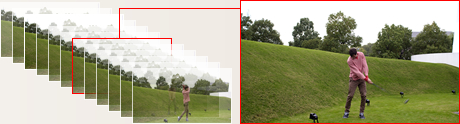
Adjusts the focus easily.
Focus Assist
This function shows which subjects are in-focus by displaying their outlines in blue. You can easily check the focus on LCD when manually focusing, to ensure consistently clear, sharp images.

Supports your best composition.
Composition Guide Lines
With wide LCD monitors, it's hard to keep images perfectly level. The HD 80 Series solve this by displaying horizontal and vertical Composition Guide Lines that make it easy to keep the subject straight and level.
Select the recording mode to match your needs.
HA / HG / HX / HE Mode / iFrame Mode
The TM80 is equipped with a built-in 16GB memory, and can be used together with a 64GB SDXC Memory Card to shoot for up to 34 hours 10 minutes.* The HS80 features a 120GB HDD, and can be used together with a 64GB SDXC Memory Card to shoot for up to 78 hours and 30 minutes.** Choose the recording mode that matches your intended use iFrame mode for maximum recording time, or HA mode for optimal image quality.
* In HE mode.

Motion Picture Recording Time [approx.]
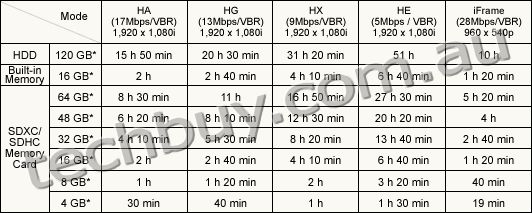
These figures vary depending on the pictures being recorded.
* 1 GB means 1 billion bytes. Usable capacity will be less.
** When shooting for an extended period of time, make sure that you allow yourself enough battery power to last 3 to 4 times the amount of time you plan on shooting. The continuous battery-powered shooting time varies depending on the usage conditions, e.g., when shooting in low temperatures. See the Battery Life chart for information on the continuous battery-powered shooting time.
Automatically lights up when darkness is detected.
LED Video Light
When the camera determines that the ambient lighting is insufficient, it automatically switches the light on. This illuminates your subject for shooting. The LED (light emitting diode) has low power consumption, a long service life, and the safety of a low operating temperature.

Capture crisp, vivid images even in low lighting.
Color Night Rec/Colour Night View
Leave the light off. Color Night Rec/Colour Night View gives you images with color even in dim lighting (1 lx).

Easy time setting - Both on the destination and at home.
World Time
Setting the time is as easy as selecting a city from the displayed map. The World Time function lets you set the time for two cities, home and destination. You don't have to figure out the time difference at your destination, and it's easy when you get home.
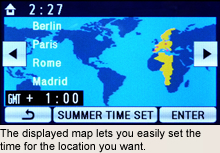

Play a compilation of the most exciting scenes.
Advanced Highlight Playback
Select the days of the recordings you want to see, and this innovative function automatically selects the most exciting scenes, arranges them, and plays them, with music. It decides how exciting a scene is, based on zooming, panning, and scene changes, and whether there are faces. The 80 Series have both advanced with the addition of playback effects that include slow motion, still image fading, and flash playback. Four new image effect modes* natural, pop, dynamic and classical have also been added. Set different effects based on the mood of your images, and enjoy memorable scenes just the way you remember them when shooting. The Face Highlight Playback mode places priority on selecting the faces of subjects who are registered in the Face Recognition function, for quick playback of the scenes where they are clearly recorded, together with music.
* Only during playback with the main unit.
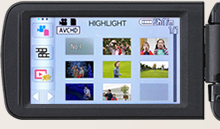
New playback image effect mode
Natural
Enjoy more impressive highlight playback with natural switching effects.
Pop
View highlight playback of the images you've taken, together with a variety of fun effects.

Dynamic
Enjoy highlight playback with speedy, dynamic effects.

Classical
Enjoy highlight playback with dramatic effects applied mainly to your subject's faces.
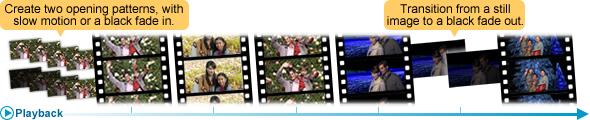
Variety of index for easy selection of particular scenes.
Face Highlight, Highlight and Time Frame Index
The index function has been enhanced with the addition of a feature that divides each recorded scene into a number of smaller scenes, and displays thumbnails for each. This makes it much easier to find a particular part of a scene without having to fast-forward.
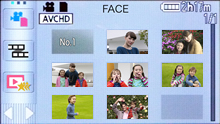
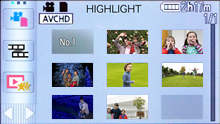
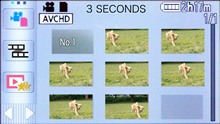
Connect a cable - or just use the memory card. Watching Full-HD images on your TV couldn't be easier.
Easy Connecting, Easy Viewing
Just connect your HD camcorder to an HDTV and get ready for an incredible high-definition video show. If your TV is HDMI* compatible, a single HDMI mini cable is all you need. When using a video component cable, you need a separate audio cable.
* HDMI, the HDMI logo and High-Definition Multimedia Interface are trademarks or registered trademarks of HDMI Licensing LLC.
VIERA Link
Connect your HD camcorder to a VIERA* or compatible Blu-ray Disc Player* via an HDMI mini cable, and you can control both units in synchronized operation with a single remote control. This kind of simple, easy operation makes it enjoyable to view your recordings.
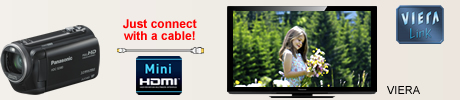
* Availability of models may differ depending on the country.
With VIERA Link, a control signal sent through the HDMI cable allows linked operation of a VIERA TV, compatible DIGA DVD recorder, and the HD camcorder. Please note that this function applies only to equipment that is compatible with VIERA Link, and that VIERA Link does not let you control every function of all connected equipment.
VIERA Image Viewer
Just slip the SD card from your camcorder into the VIERA Image Viewer card slot on your VIERA TV*, and you're ready to view full-HD moving images recorded.
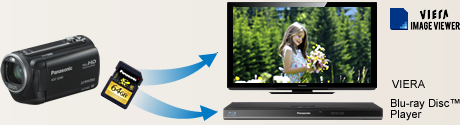
Copy in Full-HD 1080/60i*, or MPEG-2 Format
Archiving and Playback
The HD camcorders have a USB Host function that lets you connect directly to a DVD burner via a USB cable. Then just press a button and you can copy the moving images you recorded from the SD card, Built-in Memory, or HDD to a DVD disc.
Easy AVCHD to MPEG-2 Conversion
You can make a copy either in the original high-definition AVCHD format, or in the standard-definition DVD-Video (MPEG-2) format. Choose the one that matches your playback equipment.
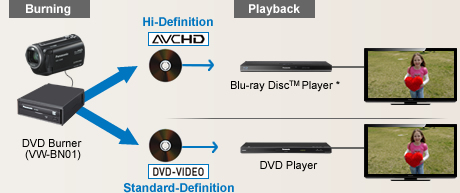
* AVCHD compatible models.
Playback with a DVD burner
To view the disc you just burned, simply connect the HD camcorder to an HDTV via an HDMI mini cable.
* 1080/50i for PAL area.
The 12-cm DVD discs that you create with a DVD burner can be played on a Blu-ray Disc Player.
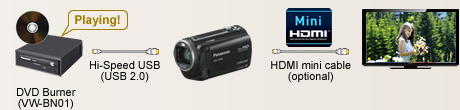
Use your PC and included software HD Writer AE 3.0
Editing, Archiving and YouTube Uploading
HD Writer AE 3.0 software, included with the camcorder, makes it easy to play or edit videos on your PC and have more fun when the shooting's done.
Importing Data
When the camcorder is connected to a PC, the software automatically starts up. Importingdata takes only a few clicks of the mouse.
Easy YouTube and Facebook Uploading


Highlight Playback
Chooses the most exciting scenes and plays them all together, back by music.
Editing
It's easy to add titles, rearrange scenes, provide transition effects, and edit images in single frame units.
Archiving
Make a copy either in the original high-definition AVCHD format, or in the standard-definition DVD-Video (MPEG-2) format.

| NTSC | PAL | |
|---|---|---|
| GENERAL | ||
| Power Supply | DC3.6 V / 5.0 V | DC3.6 V / 5.0 V |
| Power Consumption | [HDC-HS80] Max. 5.3 W (Recording) [HDC-TM80/SD80] Max. 4.4 W (Recording) |
[HDC-HS80] Max. 5.3 W (Recording) [HDC-TM80/SD80] Max. 4.4 W (Recording) |
| Weight (w/o Battery) | [HDC-HS80] Approx. 265 g (0.58lb) [HDC-TM80] Approx. 193 g (0.43lb) [HDC-SD80] Approx. 192 g (0.42lb) |
[HDC-HS80] Approx. 265 g [HDC-TM80] Approx. 193 g [HDC-SD80] Approx. 192 g |
| Dimensions (W x H x D) | [HDC-HS80] 60 x 64 x 109 (mm) (2.37 x 2.51 x 4.29 [inch]) [HDC-TM80/SD80] 51.5 x 59 x 109 (mm) (2.02 x 2.32 x 4.29 [inch]) |
[HDC-HS80] 60 x 64 x 109 (mm) [HDC-TM80/SD80] 51.5 x 59 x 109 (mm) |
| Media | [HDC-HS80] HDD (120 GB), SD/SDHC/SDXC Memory Card [HDC-TM80] Built-in memory (16 GB), SD/SDHC/SDXC Memory Card [HDC-SD80] SD/SDHC/SDXC Memory Card |
[HDC-HS80] HDD (120 GB), SD/SDHC/SDXC Memory Card [HDC-TM80] Built-in memory (16 GB), SD/SDHC/SDXC Memory Card [HDC-SD80] SD/SDHC/SDXC Memory Card |
| OSD Language |  |
|
| LENS SECTION | ||
| Image Sensor | 1/5.8" MOS Total Pixels : 1.50 megapixels Effective Pixels : <Motion Image> 1.12 megapixels - 1.30 megapixels [16:9] <Still Image> 1.10 megapixels [3:2] 1.12 megapixels - 1.30 megapixels [16:9] 0.97 megapixels [4:3] |
1/5.8-type MOS (For Europe) 1/5.8" MOS (For Asia) Total Pixels : 1.50 megapixels Effective Pixels : <Motion Image> 1.12 megapixels - 1.30 megapixels [16:9] <Still Image> 1.10 megapixels [3:2] 1.12 megapixels - 1.30 megapixels [16:9] 0.97 megapixels [4:3] |
| F Value | F1.8 (WIDE) / 4.0 (TELE) | F1.8 (WIDE) / 4.0 (TELE) |
| Optical Zoom | 34 x | 34 x |
| Intelligent Zoom | 42 x | 42 x |
| Digital Zoom | 90 x / 2000 x (The maximum value of zoom magnification) | 90 x / 2000 x (The maximum value of zoom magnification) |
| Focal Length | 2.38 - 81.0 mm | 2.38 - 81.0 mm |
| 35 mm Film Camera Equivalent | <Motion Image> 33.7 - 1240 mm (16:9) <Still Image> 38.1 - 1298 mm (3:2), 33.7 - 1240 mm (16:9), 41.3 - 1405 mm (4:3) |
<Motion Image> 33.7 - 1240 mm (16:9) <Still Image> 38.1 - 1298 mm (3:2), 33.7 - 1240 mm (16:9), 41.3 - 1405 mm (4:3) |
| Lens Brand | Panasonic Lens | Panasonic Lens |
| CAMERA SECTION | ||
| Standard Illumination | 1400 lx | 1400 lx |
| Minimum Illumination | 7.0 lx (1/30 Low Light scene mode) 1 lx (Color Night Rec.) |
7.0 lx (1/25 Low Light scene mode) 1 lx (Colour Night View) |
| Focus | Auto / Manual | Auto / Manual |
| White Balance | Auto / Indoor1 / Indoor2 / Sunny / Cloudy / White set | Auto / Indoor1 / Indoor2 / Sunny / Cloudy / White set |
| Shutter Speed | <Motion Image> Auto Slow Shutter ON : 1/30-1/8000 OFF : 1/60-1/8000 |
<Motion Image> Auto Slow Shutter ON : 1/25-1/8000 OFF : 1/50-1/8000 |
| Iris | Auto / Manual | Auto / Manual |
| Backlight Compensation | Yes | Yes |
| Image Stabilizer | HYBIRD O.I.S. [Optical Image Stabilizer] | HYBIRD O.I.S. [Optical Image Stabilizer] |
| MONITOR | ||
| LCD | 2.7" Wide LCD (230,400 dots) | 6.7cm (2.7") Wide LCD (230,400 dots) (For Europe) 2.7" Wide LCD (230,400 dots) (For Asia) |
| STILL IMAGE SECTION | ||
| Recording Format | JPEG | JPEG |
| Recording Image Size | <Still Image> [4:3] 2.6 megapixels (1856 x 1392) 0.3megapixels (640 x 480) [3:2] 2.8 megapixels (2064 x 1376) [16:9] 3.0 megapixels (2304 x 1296) 2.1 megapixels (1920 x 1080) <Simultaneous Recording> [16:9] 3.0 megapixels (2304 x 1296) 2.1 megapixels (1920 x 1080) |
<Still Image> [4:3] 2.6 megapixels (1856 x 1392) 0.3megapixels (640 x 480) [3:2] 2.8 megapixels (2064 x 1376) [16:9] 3.0 megapixels (2304 x 1296) 2.1 megapixels (1920 x 1080) <Simultaneous Recording> [16:9] 3.0 megapixels (2304 x 1296) 2.1 megapixels (1920 x 1080) |
| Flash | Yes | Yes |
| DPOF | Max. 999 images | Max. 999 images |
| RECORDING SECTION | ||
| Signal System | 1080 / 60i, 540 / 30p | 1080 / 50i, 540 / 25p |
| Recording Format | <AVCHD standard compliant> HA / HG / HX / HE : MPEG-4 AVC/H.264 <MPEG-4 AVC file format compliant (.MP4)> iFrame : MPEG4-AVC/H.264 |
<AVCHD standard compliant> HA / HG / HX / HE : MPEG-4 AVC/H.264 <MPEG-4 AVC file format compliant (.MP4)> iFrame : MPEG4-AVC/H.264 |
| Recording / Playback Mode | HA (17 Mbps / VBR) , (1920 x 1080) HG (13 Mbps / VBR) , (1920 x 1080) HX (9 Mbps / VBR) , (1920 x 1080) HE (5 Mbps / VBR) , (1920 x 1080) iFrame (28 Mbps / VBR) , (960 x 540) |
HA (17 Mbps / VBR) , (1920 x 1080) HG (13 Mbps / VBR) , (1920 x 1080) HX (9 Mbps / VBR) , (1920 x 1080) HE (5 Mbps / VBR) , (1920 x 1080) iFrame (28 Mbps / VBR) , (960 x 540) |
| Audio Recording System | HA / HG / HX / HE : Dolby Digital (2 ch) iFrame : AAC (2 ch) |
HA / HG / HX / HE : Dolby Digital (2 ch) iFrame : AAC (2 ch) |
| Media Remaining Indication | Yes | Yes |
| Microphone | 2 ch Stereo, Zoom Microphone | 2 ch Stereo, Zoom Microphone |
| Speaker | Dynamic type | Dynamic type |
| INTERFACES | ||
| HDMI | Yes (Mini) | Yes (Mini) |
| USB | 2.0 Hi-Speed | 2.0 Hi-Speed |
| AV Multi | Yes | Yes |
| OTHERS | ||
| LED Video Light | Yes | Yes |
| STANDARD ACCESSORIES | ||
| AC Adaptor | Yes | Yes |
| AC Cable | Yes | Yes |
| DC Cable | included AC Adaptor | included AC Adaptor |
| Rechargeable Battery Pack | min. 1790 mAh / Lithium-Ion | min. 1790 mAh / Lithium-Ion |
| AV Multi Cable | Yes | Yes |
| USB Cable | Yes | Yes |
| CD-ROM | HD Writer AE 3.0 | HD Writer AE 3.0 |
| Stylus Pen | Yes | Yes |
| Capacity | Gold | Silver | |
|---|---|---|---|
| SDXC Memory Card*1 | 64 GB*3 | RP-SDW64G (Class 10, up to 22 MB/sec *4*5) |
- |
| 48 GB*3 | RP-SDW48G (Class 10, up to 22 MB/sec *4*5) |
- | |
| SDHC Memory Card*2 | 32 GB*3 | RP-SDW32G (Class 10, up to 2 2MB/sec *4*5) |
- |
| 16 GB*3 | RP-SDW16G (Class 10, up to 22 MB/sec *4*5) |
RP-SDP16G (Class 4, up to 20 MB/sec *4*5) |
|
| 8 GB*3 | RP-SDW08G (Class 10, up to 22 MB/sec *4*5) |
RP-SDP08G (Class 4, up to 20 MB/sec *4*5) |
|
| 4 GB*3 | RP-SDW04G (Class 10, up to 22 MB/sec *4*5) |
RP-SDP04G (Class 4, up to 20 MB/sec *4*5) |
|
As of January 5, 2011
An SDXC/SDHC/SD Memory Card utilises a portion of the storage space for formatting and other purposes.
We recommend using SDXC/SDHC/SD Memory Cards conforming to class 4 or higher of the SD Speed Class Rating or the following SD Memory Cards made by Panasonic for motion picture recording.
Please confirm the latest information about SDXC/SDHC/SD Memory Cards that can be used for motion picture recording on the following website.
Camcorder information (This website is in English only.)
*1 SDXC Memory Cards can only be used in SDXC host devices, which support the SDXC format.
*2 SDHC Memory Cards can only be used in SDXC and SDHC host devices, which support the SDHC/SDXC format.
*3 1GB means 1 billion bytes. Usable capacity will be less.
*4 The data transfer rate is a theoretical value and is anot a guarantee of performance. The transfer rate may vary depending on the conditions and equipment used.
*5 This card complies with SD Memory Card Physical Layer Specification Ver.3.0 (SDHC)/Ver.1.10 (SD). When using this card with SD-enabled products that comply with the specification, a speed performance of up to 20MB/sec. can be realized. When using it with SD-enabled products that comply with the conventional specification Ver. 1.01, the speed performance will be up to 10MB/sec.
*6 Available in North America.
| Image Quality | ||||||
|---|---|---|---|---|---|---|
| HA (17 Mbps) |
HG (13 Mbps) |
HX (9 Mbps) |
HE (5 Mbps) |
iFrame | ||
| HDD | 120 GB* (HS80) | 15 h 50 min | 20 h 30 min | 31 h 20 min | 51 h | 10 h |
| Built-in Memory | 16 GB* (TM80) | 2 h | 2 h 40 min | 4 h 10 min | 6 h 40 min | 1 h 20 min |
| SDXC/SDHC Memory Card |
64 GB* | 8 h 30 min | 11 h | 16 h 50 min | 27 h 30 min | 5 h 20 min |
| 48 GB* | 6 h 20 min | 8 h 10 min | 12 h 30 min | 20 h 20 min | 4 h | |
| 32 GB* | 4 h 10 min | 5 h 30 min | 8 h 20 min | 13 h 40 min | 2 h 40 min | |
| 16 GB* | 2 h | 2 h 40 min | 4 h 10 min | 6 h 40 min | 1 h 20 min | |
| 8 GB* | 1 h | 1 h 20 min | 2 h | 3 h 20 min | 40 min | |
| 4 GB* | 30 min | 40 min | 1 h | 1 h 30 min | 19 min | |
These figures vary depending on the pictures being recorded.
We recommend using SDXC/SDHC/SD Memory Cards conforming to class 4 or higher of the SD Speed Class Rating or the following SD Memory Cards made by Panasonic for motion-image recording.
Please confirm the latest information about SDXC/SDHC/SD Memory Cards that can be used for motion-image recording, on the following website.
Camcorder Information (This website is in English only.)
* 1 GB means 1 billion bytes. Usable capacity will be less.
| Image Quality | Capacity | ||||||||
|---|---|---|---|---|---|---|---|---|---|
| HDD | Built-in Memory |
SDXC/SDHC Memory Card | |||||||
| 120 GB* (HS80) |
16 GB* (TM80) |
64 GB* | 48 GB* | 32 GB* | 16 GB* | 8 GB* | 4 GB* | ||
| 2304 x 1296 pixels (16:9) 3.0 M |
 |
75000 | 10000 | 40000 | 29800 | 20000 | 10000 | 4900 | 2400 |
 |
119000 | 15900 | 64000 | 47000 | 32000 | 15900 | 7900 | 3900 | |
| 1920 x 1080 pixels (16:9) 2.1M |
|
110000 | 14000 | 59000 | 44000 | 29000 | 14000 | 7300 | 3600 |
|
174000 | 23000 | 93000 | 69000 | 46000 | 23000 | 11000 | 5600 | |
| 1856 x 1392 pixels (4:3) 2.6 M |
|
86000 | 10000 | 43000 | 32000 | 21000 | 10000 | 5300 | 2600 |
|
126000 | 16000 | 66000 | 49000 | 32000 | 16000 | 8000 | 4000 | |
| 640 x 480 pixels (4:3) 0.3 M |
|
899100 | 122000 | 492000 | 364000 | 246000 | 122000 | 60500 | 30000 |
|
899100 | 205000 | 829000 | 613000 | 414000 | 205000 | 102000 | 50000 | |
| 2064 x 1376 pixels (3:2) 2.8 M |
|
81000 | 10000 | 42000 | 31000 | 20000 | 10000 | 5000 | 2500 |
|
126000 | 16000 | 66000 | 49000 | 32000 | 16000 | 8000 | 4000 | |
| Image Quality | Capacity | ||||||||
|---|---|---|---|---|---|---|---|---|---|
| HDD | Built-in Memory |
SDXC/SDHC Memory Card | |||||||
| 120 GB* (HS80) |
16 GB* (TM80) |
64 GB* | 48 GB* | 32 GB* | 16 GB* | 8 GB* | 4 GB* | ||
| 2304 x 1296 pixels (16:9) 3.0 M |
|
75000 | 10000 | 40000 | 29800 | 20000 | 10000 | 4900 | 2400 |
|
119000 | 15900 | 64000 | 47000 | 32000 | 15900 | 7900 | 3900 | |
| 1920 x 1080 pixels (16:9) 2.1 M |
|
110000 | 14000 | 59000 | 44000 | 29000 | 14000 | 7300 | 3600 |
|
174000 | 23000 | 93000 | 69000 | 46000 | 23000 | 11000 | 5600 | |
High Picture Quality Normal Picture Quality
These figure vary depending on the pictures being recorded.
* 1 GB means 1 billion bytes. Usable capacity will be less.
| HA mode | HG mode | HX mode | HE mode | iFrame | ||||
|---|---|---|---|---|---|---|---|---|
| VW- VBK180 |
HS80 | HDD | Continuous Recording Time |
1 h 35 min | 1 h 35 min | 1 h 35 min | 1 h 35 min | 1 h 45 min |
| Actual Recording Time |
50 min | 50 min | 50 min | 50 min | 50 min | |||
| SDXC/SDHC/ SD Memory Card |
Continuous Recording Time |
1 h 40 min | 1 h 40 min | 1 h 40 min | 1 h 40 min | 1 h 45 min | ||
| Actual Recording Time |
50 min | 50 min | 50 min | 50 min | 55 min | |||
| TM80 | Built-in Memory, SDXC/SDHC/ SD Memory Card |
Continuous Recording Time |
1 h 50 min | 1 h 50 min | 1 h 55 min | 1 h 55 min | 2 h | |
| Actual Recording Time |
55 min | 55 min | 55 min | 55 min | 1 h | |||
| SD80 | SDXC/SDHC/ SD Memory Card |
Continuous Recording Time |
1 h 50 min | 1 h 50 min | 1 h 55 min | 1 h 55 min | 2 h | |
| Actual Recording Time |
55 min | 55 min | 55 min | 55 min | 1 h | |||
| VW- VBK360 |
HS80 | HDD | Continuous Recording Time |
3 h 15 min | 3 h 15 min | 3 h 15 min | 3 h 15 min | 3 h 25 min |
| Actual Recording Time |
1 h 40 min | 1 h 40 min | 1 h 40 min | 1 h 40 min | 1 h 45 min | |||
| SDXC/SDHC/ SD Memory Card |
Continuous Recording Time |
3 h 25 min | 3 h 25 min | 3 h 25 min | 3 h 25 min | 3 h 35 min | ||
| Actual Recording Time |
1 h 45 min | 1 h 45 min | 1 h 45 min | 1 h 45 min | 1 h 50 min | |||
| TM80 | Built-in Memory, SDXC/SDHC/ SD Memory Card |
Continuous Recording Time |
3 h 45 min | 3 h 45 min | 3 h 45 min | 3 h 45 min | 3 h 55 min | |
| Actual Recording Time |
1 h 55 min | 1 h 55 min | 1 h 55 min | 1 h 55 min | 2 h | |||
| SD80 | SDXC/SDHC/ SD Memory Card |
Continuous Recording Time |
3 h 45 min | 3 h 45 min | 3 h 45 min | 3 h 45 min | 3 h 55 min | |
| Actual Recording Time |
1 h 55 min | 1 h 55 min | 1 h 55 min | 1 h 55 min | 2 h | |||
| HA mode | HG mode | HX mode | HE mode | iFrame | ||||
|---|---|---|---|---|---|---|---|---|
| VW- VBK180 |
HS80 | HDD | Continuous Recording Time |
1 h 40 min | 1 h 40 min | 1 h 40 min | 1 h 40 min | 1 h 45 min |
| Actual Recording Time |
50 min | 50 min | 50 min | 50 min | 55 min | |||
| SDXC/SDHC/ SD Memory Card |
Continuous Recording Time |
1 h 45 min | 1 h 45 min | 1 h 45 min | 1 h 45 min | 1 h 50 min | ||
| Actual Recording Time |
50 min | 55 min | 55 min | 55 min | 55 min | |||
| TM80 | Built-in Memory, SDXC/SDHC/ SD Memory Card |
Continuous Recording Time |
1 h 55 min | 1 h 55 min | 1 h 55 min | 1 h 55 min | 2 h | |
| Actual Recording Time |
1 h | 1 h | 1 h | 1 h | 1 h | |||
| SD80 | SDXC/SDHC/ SD Memory Card |
Continuous Recording Time |
1 h 55 min | 1 h 55 min | 1 h 55 min | 1 h 55 min | 2 h | |
| Actual Recording Time |
1 h | 1 h | 1 h | 1 h | 1 h | |||
| VW- VBK360 |
HS80 | HDD | Continuous Recording Time |
3 h 20 min | 3 h 20 min | 3 h 20 min | 3 h 20 min | 3 h 35 min |
| Actual Recording Time |
1 h 40 min | 1 h 45 min | 1 h 45 min | 1 h 45 min | 1 h 50 min | |||
| SDXC/SDHC/ SD Memory Card |
Continuous Recording Time |
3 h 30 min | 3 h 30 min | 3 h 30 min | 3 h 30 min | 3 h 45 min | ||
| Actual Recording Time |
1 h 45 min | 1 h 50 min | 1 h 50 min | 1 h 50 min | 1 h 55 min | |||
| TM80 | Built-in Memory, SDXC/SDHC/ SD Memory Card |
Continuous Recording Time |
3 h 50 min | 3 h 50 min | 3 h 55 min | 3 h 55 min | 4 h 05 min | |
| Actual Recording Time |
2 h | 2 h | 2 h | 2 h | 2 h 05 min | |||
| SD80 | SDXC/SDHC/ SD Memory Card |
Continuous Recording Time |
3 h 50 min | 3 h 50 min | 3 h 55 min | 3 h 55 min | 4 h 05 min | |
| Actual Recording Time |
2 h | 2 h | 2 h | 2 h | 2 h 05 min | |||
This is a guideline that includes time for operations such as starting and stopping the recording, turning the power on and off, and zooming. The actual time is shorter.
| HD Writer AE 3.0 |
iMovie '11 (not supplied) | |
|---|---|---|
| OS | Windows 7 (32 bit/64 bit): Starter/Home Basic/Home Premium/Professional/Ultimate Windows Vista (32 bit): Home Basic/Home Premium/Business/Ultimate SP1/SP2 Windows XP (32 bit): SP3 |
Mac OS X 10.6.3 |
| CPU | Intel Pentium 4 2.8 GHz or higher When using playback function and MPEG2 conversion function, Intel Core2 Duo 2.16 GHz or higher |
Intel Core Duo or higher |
About HD Writer AE 3.0:
This software is not compatible with Microsoft Windows 3.1, Windows 95, Windows 98/98SE, Windows Me, Windows 2000 and Windows NT.
Supplied CD-ROM is available for Windows only.
Operation on an upgraded OS is not guaranteed.
When 2 or more USB devices are connected to a PC, or when devices are connected though USB hubs or by using extension cables, proper operation is not guaranteed.
Operation on an OS other than the one pre-installed is not guaranteed.
This software is not compatible with a multi-boot environments.
This software is not compatible with a multi-monitor environments.
Operation is not guaranteed on Windows XP Media Center Edition, Tablet PC Edition, Windows Vista Enterprise or Windows 7 Enterprise.
Available with administrator account in Windows XP.
Available with administrator account or standard account in Windows Vista/Windows 7 (Installation and un installation of the software requires an administrator account.)
Microsoft , Windows and Windows Vista are either registered trademarks or trademarks of Microsoft Corporation in the United States and/or other countries.
YouTube and the YouTube Logo are trademarks of Google Inc.
Facebook and the Facebook logo are registered trademarks or trademarks of Facebook, Inc.
iMovie and Mac are trademarks of Apple Inc., registered in the U.S. and other countries.
Other names of systems and products mentioned in these instructions are generally the registered trademarks or trademarks of the manufacturers who developed the system or product concerned.
All other company and product names are trademarks of their respective corporations.
 |
Swann DVR4-2600 4 Channel DVR with Smartphone Viewing - 500GB HDD Installed, H.264 Recording, Up to 30 Days of Continuous Recording
- 4 Channel Digital Video Recorder with pre-installed 500GB HDD / H.264 latest recording technology / Web and Smartphone connection for remote viewing / Transfer incidents to USB flash drive / Just add cameras / VGA connection to view on PC
- Professional protection for your home or business 24/7
- Today's on-the-go lifestyle means that any truly effective security monitoring solution for your home or business needs to be practical, powerful, compact and convenient: and the Swann DVR4-2600 delivers.
- Capable of monitoring and recording images from four cameras simultaneously, the Swann DVR4-2600 digital video recorder offers you state of the art, professional monitoring capabilities in an easy to install, easy to setup and easy to use package.
- You can view all four channels at once on your television or on a PC monitor using the high resolution VGA output. You can also securely access your system from practically anywhere in the world from almost any computer connected to the internet, or even from your 3G capable Smartphone including iPhone, Blackberry, Android, Windows Mobile, Symbian and more.
- You're in total control of the DVR's recording modes - easily select your preferred resolution, frame rate and the amount of video compression. You can record from four cameras for up to 30 days continuously onto the massive 500 gigabyte hard drive.
- You can also save time and hard drive space using the DVR4-2600's advanced motion detection recording. Even better, the time and date are integrated into your video files, allowing you to find, trim and transfer events to a USB flash drive for easy storage and retrieval. You can also be sent email alerts when activity is detected for peace of mind, all the time.
- The Swann DVR4-2600 - professional, affordable, simple and powerful. It really is advanced security made easy.








- Professional protection for your home or business 24/7
- Just add cameras to record and view up to 4 channels of high quality video simultaneously in real time
- Set & forget by recording continuously from 4 cameras for 30 days+ onto a massive 500GB hard drive, longer with motion detection
- Save time & have peace of mind by easily locating incident video, then trim & transfer to USB fl ash drive
- Surveillance in the palm of your hand with live viewing on 3G enabled iPhone, Blackberry, Android, Smartphones and more*, with remote notification via email
- Fight back against crime by deterring intruders, protecting your property & knowing what's happening at all times
- A state-of-the-art solution for any home or business wanting complete protection
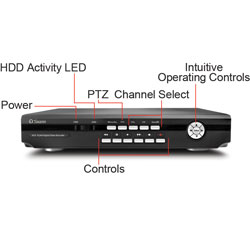
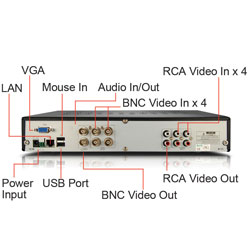
| DVR4-2600 | |
|
|
Video |
|
Video Format
|
NTSC or PAL |
|
Video Inputs
|
4 Composite BNC Inputs |
|
Video Outputs
|
2 Composite BNC Outputs, VGA Out |
|
Display Resolution
|
NTSC: 704 x 480 PAL: 704 x 576 |
|
Display Frame Rate
|
NTSC: 120fps PAL: 100fps |
|
|
Audio |
|
Audio Input
|
4 RCA Inputs |
|
Audio Output
|
2 RCA Outputs |
|
|
Recording |
|
Compression Format
|
H.264 |
|
Recording Resolution
|
NTSC: D1 (704 x 480), HD1 (704 x 240) CIF (352 x 240) PAL: D1 (704 x 576), HD1, (352 x 288), CIF (352 x 288) |
|
Global Recording Frame Rate
|
NTSC: 30 fps D1, 60 fps HD1, 120 fps CIF PAL: 25 fps D1,50 fps HD1, 100 fps CIF |
|
Recording Modes
|
Manual / Motion / Schedule / Sensor |
|
Multiplex Operation
|
Triplex |
|
HDD Interface / Memory Type
|
SATA |
|
Hard Drive Support
|
Up to 2TB |
|
|
Network |
|
LAN Connection
|
Yes |
|
Network Interface
|
RJ45 |
|
Network Protocol
|
TCP/IP, DDNS, UPnP |
|
Remote Operation
|
Yes |
|
|
General |
|
Operating Power
|
DC 12V |
|
Dimensions
|
12.4" x 8.9" x 2.4" 315mm x 225mm x 60mm |
|
Weight
|
4.4lbs / 2 kg |
|
Backup Method
|
USB to Flash Drive / Network |
|
Mouse Support
|
Yes |
|
Remote Control
|
Yes |
|
Remote Control
Battery Type |
2 x AAA |
 |
Swann DVR16-2600 16 Channel DVR with Smartphone Viewing - 500GB HDD Installed, H.264 Recording, Up to 7 Days of Continuous Recording
- Just add cameras to record and view up to 16 channels of high quality video
simultaneously in real time - Set & forget by recording continuously from 16 cameras for 7 days+ onto a massive
500GB hard drive, longer with motion detection - Save time & have peace of mind by easily locating incident video, then trim & transfer to
USB fl ash drive - View live or playback on your HDTV via HDMI port
- Surveillance in the palm of your hand with live viewing on 3G enabled iPhone,
Blackberry, Android, Smartphones and more*, with remote notifi cation via email - Fight back against crime by deterring intruders, protecting your property & knowing
what’s happening at all times - A state-of-the-art solution for any home or business wanting complete protection
Video
Video Signal Type NTSC or PAL
Video Inputs 16 Composite BNC Inputs
Video Outputs 2 Composite BNC Outputs, VGA Out
Display Resolution HDMI (1920x1080), VGA (800x600,
1024x728, 1280x1024, 1440x900),
AV Out (NTSC 720x480, PAL 720x576)
Display Frame Rate Real Time NTSC: 30 fps, PAL: 25 fps
Audio
Audio Input 16 Inputs (4 x BNC, 12 x BNC via serial
adapter cable)
Audio Output 1 BNC Main Output, 1 BNC Spot Output
Recording
Compression Format H.264
Recording Resolution NTSC: D1 (704x480), HD1 (704x240),
CIF (352x240) PAL: D1 (704x576),
HD1 (704x288), CIF (352x288)
Recording Frame Rate NTSC: D1 (120 fps), HD1 (240 fps), CIF (480 fps)
PAL: D1 (100 fps), HD1 (200 fps), CIF (400 fps)
Recording Modes Constant, Schedule, Motion, Alarm, ‘NetViewer’
Multiplex Operation Multiplex
HDD Interface / Type 500GB SATA HDD (installed)
Hard Drive Support Up to 4TB (2 x 2TB)
Network
LAN Connection Yes RJ45
Network Interface Ethernet
Network Protocol TCP/IP (DHCP, UDP, DDNS), PPPoE, UPnP
Dynamic DNS Yes
Remote Operation Via http using IE (ActiveX) or
NetViewer Software (included)
General
Operating Power DC 12V
Dimensions 16.9”x 15”x 2.7” / 430mm x 380mm x 70mm
Weight 8.8lbs / 4kg
Backup Method USB to Flash Drive / Network
Mouse Support Yes (USB x 1)
Remote Control Yes
RC Battery Type x Qty AAA x 2 (included)
Operating Temperature 32°F ~ 104°F / 0°C ~ 40°C
Operating Humidity 10% ~ 90% RH
 |
Swann DVR16-8900 - 16 Channel Digital Video Recorder with Pre-Installed 500GB HDD
- State of the art 16 channel recording with H.264 compression and Amazing Features!
- Just add cameras to record and view up to 16 channels of high quality video simultaneously in real time
- State-of-the-art ‘easy search’ function saves you time & makes it easy to fi nd any recorded incident, with point and click graphic menus and mouse controls
- Plug into your LCD Monitor or TV’s yellow video-in socket for multi-channel monitoring and recording. In addition, the latest CMS software allows you to view multiple DVRs & locations on one screen
- Surveillance in the palm of your hand with live viewing on 3G enabled iPhone, BlackBerry, Android, Smartphones and more*, with remote alert notifi cation via email
- Record on all 16 channels at CIF resolution in real-time. Advanced H.264 compression lets you store more footage on your hard drive
- Fight back against crime by deterring intruders, protecting your property & knowing what’s happening at all times
Video
Video Signal Type Composite Video (NTSC or PAL)
Video Inputs 16 x Composite Video via BNC connectors
Video Outputs 2 x Composite Video via BNC connectors,
1 x VGA (15-pin DSUB)
Audio
Audio Input 4 x Audio In (RCA)
Audio Output 1 x Audio Out (RCA)
Recording
Compression Format H.264 (hardware)
Recording Resolution CIF, Half D1, D1
Recording Frame Rate NTSC 480fps global (CIF), PAL 400fps global (CIF)
Recording Modes Manual, Schedule, Motion, Alarm, Panic
Multiplex Operation Quad (Live viewing / Recording / Backing Up /
Network Access)
HDD Interface / Memory SATA HDD internal x 2, eSATA HDD external x 1
Hard Drive Support Up to 6TB with external
Network
LAN Connection Yes RJ45
Network Interface Ethernet
Network Protocol TCP/IP, PPPOE
Dynamic DNS Yes, built-in to GUI
Remote Operation Via http using IE ActiveX
General
Operating Power DC 12V
Dimensions (LxWxH) 16.93” x 13” x 2.13” / 430mm x 330mm x 54mm
Weight 9.15 lbs / 4.15Kg
Backup Method USB (Flash)
Mouse Support Yes (USB x 1)
Remote Control Yes (IR)
Remote Control Batteries 2 x AAA (included)
Operating Temperature 32°F ~ 104°F / 0°C ~ 40°C
Operating Humidity 0% ~ 80% RH
 |
Panasonic HDC-SD40GN Camcorder - Black
- SD Card Recording, 16.8xOptical Zoom, 2.7"Widescreen LCD, Intelligent Auto
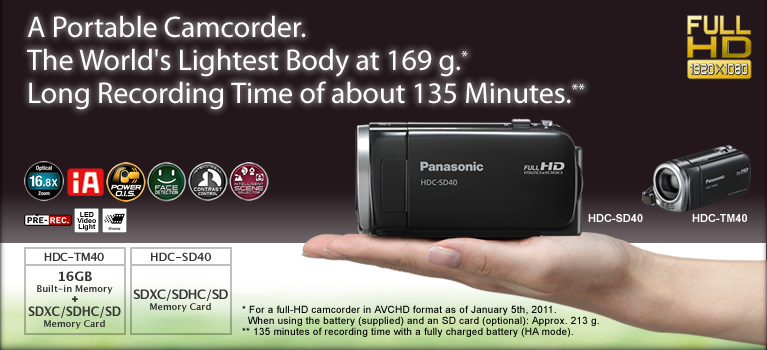

The world's lightest at approximately 169 g.*
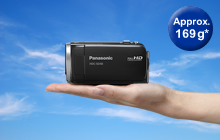
Long Recording of Approximately 135 Minutes Per Charge*
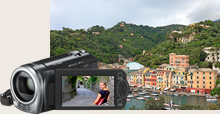
Beautiful zoom shots of Distant subjects.
16.8x Optical Zoom and POWER O.I.S. (Optical Image Stabilizer)


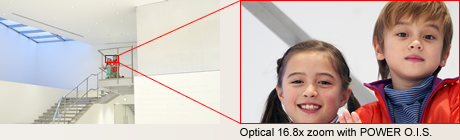
Beautiful still images, even when enlarged.
Still Picture Recording at 2.1 Megapixels
The HD 40 Series can record stills with 2.1 megapixels.* Also, when playing back the moving pictures you shot, you can capture 2.1-megapixel* still images of any scene you want. The HD 40 Series lets you enjoy high quality in both motion and still images.
Scene Mode
Scene modes:
Low Light (Motion image only)
Spot Light Snow Beach Sunset
Fireworks Scenery Night Scenery
Night Portrait (Still image only)

Soft Skin Mode

Sharps focusing even up close.
Tele-Macro
You can shoot macro close-ups while maintaining a distance of 50 cm from your subject. In addition, using the zoom at full magnification makes it much easier to capture extreme close-ups without your body or camera casting a shadow on the subject and while keeping the background in soft focus.


Makes optimal settings automatically for motion images.
iA (Intelligent Auto)*

This powerful function senses the shooting conditions and automatically makes the settings and activates functions that will deliver optimal results. iA does the bothersome settings for you and makes it easy to capture beautiful, well-focused images.
* iA mode is effective only when shooting movies.
** The functions included in iA may not be applied when conditions do not call for them.

Corrects even slight hand-shake and high-power zoom shots.
POWER O.I.S. (Optical Image Stabilizer) with Active Mode
The POWER O.I.S. suppresses even slight hand-shake. When shooting, hand-shake often comes on gradually due to factors like breathing rhythms or the surrounding wind. While this kind of low-frequency hand-shake went undetected with conventional O.I.S., POWER O.I.S. has a variety of functions that detect even the slightest shake.

Active Mode
Active mode comes in handy when shooting while walking or playing with your children. The wide correction area corrects even relatively large hand-shake motion. Its especially good for active video shooting.
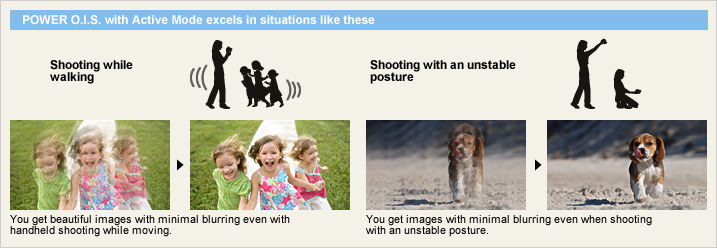
Intelligent Scene Selector

Portrait
This mode captures faces beautifully. With Soft Skin mode, complexions are automatically enhanced to make faces attractive.
Spotlight
The camcorder automatically uses this mode for scenes with particularly strong contrast, such as when you're shooting a spot lit area on a darkened stage. It captures the well-lit subject perfectly and prevents washed-out areas.
Scenery
This mode is ideal for shooting wide landscapes and sweeping vistas, such as at the ocean or in the mountains. It balances the exposure over the entire frame to prevent brighter parts of the image, such as the sky, from being washed out or having blown highlights.
Low Light
In dim lighting, the camcorder automatically switches to a slower shutter speed so that images across the entire frame are bright and easy to see.
Captures faces beautifully - even in dim or backlit scenes.
Face Detection

Intelligent Contrast Control

0.6-sec Quick Start
Using Quick Start mode, you simply flip open the LCD and you're ready to shoot in just 0.6 seconds.* When Eco mode is also used, the power turns off whenever the camcorder has not been operated for 5 minutes. This reduces wasted power consumption, and enables a longer battery life.
Images are recorded even before you begin shooting.
Pre-Rec Function

Beautiful LCD images even from an angle.
Wide Viewing Angle
The LCD has a highly detailed, 230,400-dots display and a viewing angle of 170, both vertically and horizontally. Images are clear and bright even when viewed from an angle, so everyone can gather around the LCD to enjoy on-the-spot recordings. The wide viewing angle is also great for taking high- or low-angle shots.
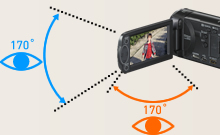
Prevents unintended shooting.
AGS (Auto Ground-Directional Standby)*
The O.I.S. linear motor system can detect when the camera is in an unusual shooting position - such as when you've inadvertently left it on in recording mode. In these cases, the camera automatically stops recording, saving both battery power and media storage space.
* In PAL area, the AGS (Auto Ground-Directional Standby) is called the Anti Ground Shooting.
Set to OFF when shipped from the factory. To turn AGS ON, the setting must be made on the menu screen.
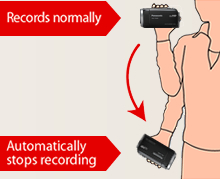
Supports your best composition.
Composition Guide Lines
With wide LCD monitors, it's hard to keep images perfectly level. The HD 40 Series solves this by displaying horizontal and vertical Composition Guide Lines that make it easy to keep the subject straight and level.
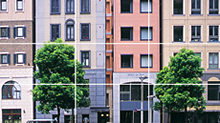
Select the recording mode to match your needs.
HA / HG / HX Mode / iFrame Mode
The TM40 is equipped with a built-in 16GB memory, and can be used together with a 64GB SDXC Memory Card to shoot for up to 21 hours.* Choose the recording mode that matches your intended use HX mode for maximum recording time, HA mode for optimal image quality.
* In HX mode.

Motion Picture Recording Time [approx.]
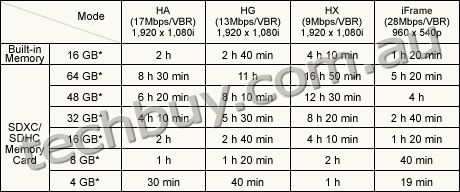
These figures vary depending on the pictures being recorded.
* 1 GB means 1 billion bytes. Usable capacity will be less.
** When shooting for an extended period of time, make sure that you allow yourself enough battery power to last 3 to 4 times the amount of time you plan on shooting. The continuous battery-powered shooting time varies depending on the usage conditions, e.g., when shooting in low temperatures. See the Battery Life chart for information on the continuous battery-powered shooting time.
Automatically lights up when darkness is detected.
LED Video Light
When the camera determines that the ambient lighting is insufficient, it automatically switches the light on. This illuminates your subject for shooting. The LED (light emitting diode) has low power consumption, a long service life, and the safety of a low operating temperature.

Capture crisp, vivid images even in low lighting.
Color Night Rec/Colour Night View
Leave the light off. Color Night Rec/Colour Night View gives you images with color even in dim lighting (1 lx).

Easy time setting - Both on the destination and at home.
World Time
Setting the time is as easy as selecting a city from the displayed map. The World Time function lets you set the time for two cities, home and destination. You don't have to figure out the time difference at your destination, and it's easy when you get home.
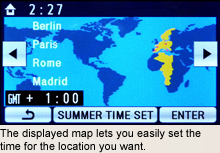

Connect a cable - or just use the memory card. Watching Full-HD images on your TV couldn't be easier.
Easy Connecting, Easy Viewing
Just connect your HD camcorder to an HDTV and get ready for an incredible high-definition video show. If your TV is HDMI* compatible, a single HDMI mini cable is all you need. When using a video component cable, you need a separate audio cable.
* HDMI, the HDMI logo and High-Definition Multimedia Interface are trademarks or registered trademarks of HDMI Licensing LLC.
VIERA Link
Connect your HD camcorder to a VIERA* or compatible Blu-ray Disc Player* via an HDMI mini cable, and you can control both units in synchronized operation with a single remote control. This kind of simple, easy operation makes it enjoyable to view your recordings.
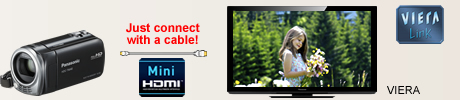
* Availability of models may differ depending on the country.
With VIERA Link, a control signal sent through the HDMI cable allows linked operation of a VIERA TV, compatible DIGA DVD recorder, and the HD camcorder. Please note that this function applies only to equipment that is compatible with VIERA Link, and that VIERA Link does not let you control every function of all connected equipment.
VIERA Image Viewer
Just slip the SD card from your camcorder into the VIERA Image Viewer card slot on your VIERA TV*, and you're ready to view full-HD moving images recorded.
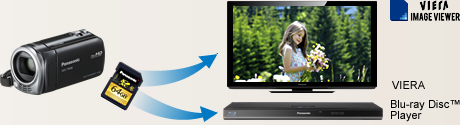
Use your PC and included software HD Writer LE 1.0
Editing, Archiving and YouTube Uploading
HD Writer LE 1.0 software, included with the camcorder, makes it easy to play or edit videos on your PC and have more fun when the shooting's done.
Importing Data
When the camcorder is connected to a PC, the software automatically starts up. Importingdata takes only a few clicks of the mouse.
Easy YouTube and Facebook Uploading


Editing
It's easy to add titles, rearrange scenes, provide transition effects, and edit images in single frame units.
Archiving
Make a copy either in the original high-definition AVCHD format, or in the standard-definition DVD-Video (MPEG-2) format.
| NTSC | PAL | |
|---|---|---|
| GENERAL | ||
| Power Supply | DC3.6 V / 5.0 V | DC3.6 V / 5.0 V |
| Power Consumption | Max. 3.5 W (Recording) | Max. 3.5 W (Recording) |
| Weight (w/o Battery) | Approx. 169 g (0.37lb) | Approx. 169 g |
| Dimensions (W x H x D) | 51.5 x 57.5 x 108.5 [mm] (2.03 x 2.26 x 4.27 [inch]) | 51.5 x 57.5 x 108.5 [mm] |
| Media | [HDC-TM40] Built-in memory (16 GB), SD/SDHC/SDXC Memory Card [HDC-SD40] SD/SDHC/SDXC Memory Card |
[HDC-TM40] Built-in memory (16 GB), SD/SDHC/SDXC Memory Card [HDC-SD40] SD/SDHC/SDXC Memory Card |
| OSD Language | ||
| LENS SECTION | ||
| Image Sensor | 1/5.8" MOS Total Pixels : 1.50 megapixels Effective Pixels : <Motion Image> 1.19 megapixels [16:9] <Still Image> 1.19 megapixels [16:9] |
1/5.8-type MOS (For Europe) 1/5.8" MOS (For Asia) Total Pixels : 1.50 megapixels Effective Pixels : <Motion Image> 1.19 megapixels [16:9] <Still Image> 1.19 megapixels [16:9] |
| F Value | F1.8 (WIDE) / 2.6 (TELE) | F1.8 (WIDE) / 2.6 (TELE) |
| Optical Zoom | 16.8 x | 16.8 x |
| Digital Zoom | 50x / 1200x (The maximum value of zoom magnification) | 50x / 1200x (The maximum value of zoom magnification) |
| Focal Length | 2.9 - 48.7 mm | 2.9 - 48.7 mm |
| 35 mm Film Camera Equivalent | <Motion Image> 42.9 - 721 mm (16:9) <Still Image> 42.9 - 721 mm (16:9) |
<Motion Image> 42.9 - 721 mm (16:9) <Still Image> 42.9 - 721 mm (16:9) |
| Lens Brand | Panasonic Lens | Panasonic Lens |
| CAMERA SECTION | ||
| Standard Illumination | 1400 lx | 1400 lx |
| Minimum Illumination | 7.0 lx (1/30 Low Light scene mode) 1 lx (Color Night Rec.) |
7.0 lx (1/25 Low Light scene mode) 1 lx (Colour Night View) |
| Focus | Auto / Manual | Auto / Manual |
| White Balance | Auto / Indoor1 / Indoor2 / Sunny / Cloudy / White set | Auto / Indoor1 / Indoor2 / Sunny / Cloudy / White set |
| Shutter Speed | <Motion Image> Auto Slow Shutter ON : 1/30-1/8000 OFF : 1/60-1/8000 |
<Motion Image> Auto Slow Shutter ON : 1/25-1/8000 OFF : 1/50-1/8000 |
| Iris | Auto / Manual | Auto / Manual |
| Backlight Compensation | Yes | Yes |
| Image Stabilizer | POWER O.I.S. [Optical Image Stabilizer] | POWER O.I.S. [Optical Image Stabilizer] |
| MONITOR | ||
| LCD | 2.7" Wide LCD (230,400 dots) | 6.7 cm (2.7") Wide LCD (230,400 dots) (For Europe) 2.7" Wide LCD (230,400 dots) (For Asia) |
| STILL IMAGE SECTION | ||
| Recording Format | JPEG | JPEG |
| Recording Image Size | <Still Image> [16:9] 2.1 megapixels (1920 x 1080) |
<Still Image> [16:9] 2.1 megapixels (1920 x 1080) |
| RECORDING SECTION | ||
| Signal System | 1080 / 60i, 540 / 30p | 1080 / 60i, 540 / 25p |
| Recording Format | <AVCHD standard compliant> HA / HG / HX : MPEG-4 AVC/H.264 <MPEG-4 AVC file format compliant (.MP4)> iFrame : MPEG4-AVC/H.264 |
<AVCHD standard compliant> HA / HG / HX : MPEG-4 AVC/H.264 <MPEG-4 AVC file format compliant (.MP4)> iFrame : MPEG4-AVC/H.264 |
| Recording / Playback Mode | HA (17 Mbps / VBR) , (1920 x 1080) HG (13 Mbps / VBR) , (1920 x 1080) HX (9 Mbps / VBR) , (1920 x 1080) iFrame (28 Mbps / VBR) , (960 x 540) |
HA (17 Mbps / VBR) , (1920 x 1080) HG (13 Mbps / VBR) , (1920 x 1080) HX (9 Mbps / VBR) , (1920 x 1080) iFrame (28 Mbps / VBR) , (960 x 540) |
| Audio Recording System | HA / HG / HX : Dolby Digital (2 ch) iFrame : AAC (2 ch) |
HA / HG / HX : Dolby Digital (2 ch) iFrame : AAC (2 ch) |
| Microphone | 2 ch Stereo | 2 ch Stereo |
| Speaker | Dynamic type | Dynamic type |
| INTERFACES | ||
| HDMI | Yes (Mini) | Yes (Mini) |
| USB | 2.0 Hi-Speed | 2.0 Hi-Speed |
| AV Multi | Yes | Yes |
| OTHERS | ||
| LED Video Light | Yes | Yes |
| STANDARD ACCESSORIES | ||
| AC Adaptor | Yes | Yes |
| AC Cable | Yes | Yes |
| DC Cable | Included AC Adaptor | Included AC Adaptor |
| Rechargeable Battery Pack | min. 1790 mAh / Lithium-Ion | min. 1790 mAh / Lithium-Ion |
| AV Multi Cable | Yes | Yes |
| USB Cable | Yes | Yes |
| CD-ROM | HD Writer LE 1.0 | HD Writer LE 1.0 |
| Capacity | Gold | Silver | |
|---|---|---|---|
| SDXC Memory Card*1 | 64 GB*3 | RP-SDW64G (Class 10, up to 22 MB/sec *4*5) |
- |
| 48 GB*3 | RP-SDW48G (Class 10, up to 22 MB/sec *4*5) |
- | |
| SDHC Memory Card*2 | 32 GB*3 | RP-SDW32G (Class 10, up to 22 MB/sec *4*5) |
- |
| 16 GB*3 | RP-SDW16G (Class 10, up to 22 MB/sec *4*5) |
RP-SDP16G (Class 4, up to 20 MB/sec *4*5) |
|
| 8 GB*3 | RP-SDW08G (Class 10, up to 22 MB/sec *4*5) |
RP-SDP08G (Class 4, up to 20 MB/sec *4*5) |
|
| 4 GB*3 | RP-SDW04G (Class 10, up to 22 MB/sec *4*5) |
RP-SDP04G (Class 4, up to 20 MB/sec *4*5) |
|
As of January 5, 2011
An SDXC/SDHC/SD Memory Card utilises a portion of the storage space for formatting and other purposes.
We recommend using SDXC/SDHC/SD Memory cards conforming to class 4 or higher of the SD Speed Class Rating or the following SD Memory Cards made by Panasonic for motion picture recording.
Please confirm the latest information about SDXC/SDHC/SD Memory Cards that can be used for motion picture recording on the following website.
Camcorder information (This website is in English only.)
*1 SDXC Memory Cards can only be used in SDXC host devices, which support the SDXC format.
*2 SDHC Memory Cards can only be used in SDXC and SDHC host devices, which support the SDHC/SDXC format.
*3 1GB means 1 billion bytes. Usable capacity will be less.
*4 The data transfer rate is a theoretical value and is anot a guarantee of performance. The transfer rate may vary depending on the conditions and equipment used.
*5 This card complies with SD Memory Card Physical Layer Specification Ver.3.0 (SDHC)/Ver.1.10 (SD). When using this card with SD-enabled products that comply with the specification, a speed performance of up to 20MB/sec. can be realized. When using it with SD-enabled products that comply with the conventional specification Ver. 1.01, the speed performance will be up to 10MB/sec.
| Image Quality | |||||
|---|---|---|---|---|---|
| HA (17 Mbps) |
HG (13 Mbps) |
HX (9 Mbps) |
iFrame (28Mbps) |
||
| Built-in Memory | 16 GB* (TM40) | 2 h | 2 h 40 min | 4 h 10 min | 1 h 20 min |
| SDXC/SDHC Memory Card |
64 GB* | 8 h 30 min | 11 h | 16 h 50 min | 5 h 20 min |
| 48 GB* | 6 h 20 min | 8 h 10 min | 12 h 30 min | 4 h | |
| 32 GB* | 4 h 10 min | 5 h 30 min | 8 h 20 min | 2 h 40 min | |
| 16 GB* | 2 h | 2 h 40 min | 4 h 10 min | 1 h 20 min | |
| 8 GB* | 1 h | 1 h 20 min | 2 h | 40 min | |
| 4 GB* | 30 min | 40 min | 1 h | 19 min | |
These figures vary depending on the pictures being recorded.
We recommend using SDXC/SDHC/SD Memory Cards conforming to class 4 or higher of the SD Speed Class Rating or the following SD Memory Cards made by Panasonic for motion-image recording.
Please confirm the latest information about SDXC/SDHC/SD Memory Cards that can be used for motion-image recording, on the following website.
Camcorder Information (This website is in English only.)
* 1 GB means 1 billion bytes. Usable capacity will be less.
| Image Quality | Capacity | |||||||
|---|---|---|---|---|---|---|---|---|
| Built-in Memory |
SDXC/SDHC Memory Card | |||||||
| 16 GB* (TM40) |
64 GB* | 48 GB* | 32 GB* | 16 GB* | 8 GB* | 4 GB* | ||
| 1920 x 1080 pixels (16:9) 2.1 M |
 |
14000 | 59000 | 44000 | 29000 | 14000 | 7300 | 3600 |
 |
23000 | 93000 | 69000 | 46000 | 23000 | 11000 | 5600 | |
High Picture Quality Normal Picture Quality
These figure vary depending on the pictures being recorded.
* 1 GB means 1 billion bytes. Usable capacity will be less.
| HA mode | HG mode | HX mode | iFrame | ||||
|---|---|---|---|---|---|---|---|
| VW- VBK180 |
TM40 | Built-in Memory, SDXC/SDHC/ SD Memory Card |
Continuous Recording Time |
2 h 15 min | 2 h 15 min | 2 h 15 min | 2 h 40 min |
| Actual Recording Time |
1 h 10 min | 1 h 10 min | 1 h 10 min | 1 h 25 min | |||
| SD40 | SDXC/SDHC/ SD Memory Card |
Continuous Recording Time |
2 h 15 min | 2 h 15 min | 2 h 15 min | 2 h 40 min | |
| Actual Recording Time |
1 h 10 min | 1 h 10 min | 1 h 10 min | 1 h 25 min | |||
| VW- VBK360 |
TM40 | Built-in Memory, SDXC/SDHC/ SD Memory Card |
Continuous Recording Time |
4 h 30 min | 4 h 30 min | 4 h 35 min | 5 h 20 min |
| Actual Recording Time |
2 h 20 min | 2 h 20 min | 2 h 20 min | 2 h 45 min | |||
| SD40 | SDXC/SDHC/ SD Memory Card |
Continuous Recording Time |
4 h 30 min | 4 h 30 min | 4 h 35 min | 5 h 20 min | |
| Actual Recording Time |
2 h 20 min | 2 h 20 min | 2 h 20 min | 2 h 45 min | |||
| HA mode | HG mode | HX mode | iFrame | ||||
|---|---|---|---|---|---|---|---|
| VW- VBK180 |
TM40 | Built-in Memory, SDXC/SDHC/ SD Memory Card |
Continuous Recording Time |
2 h 15 min | 2 h 15 min | 2 h 15 min | 2 h 40 min |
| Actual Recording Time |
1 h 10 min | 1 h 10 min | 1 h 10 min | 1 h 25 min | |||
| SD40 | SDXC/SDHC/ SD Memory Card |
Continuous Recording Time |
2 h 15 min | 2 h 15 min | 2 h 15 min | 2 h 40 min | |
| Actual Recording Time |
1 h 10 min | 1 h 10 min | 1 h 10 min | 1 h 25 min | |||
| VW- VBK360 |
TM40 | Built-in Memory, SDXC/SDHC/ SD Memory Card |
Continuous Recording Time |
4 h 30 min | 4 h 30 min | 4 h 35 min | 5 h 20 min |
| Actual Recording Time |
2 h 20 min | 2 h 20 min | 2 h 20 min | 2 h 45 min | |||
| SD40 | SDXC/SDHC/ SD Memory Card |
Continuous Recording Time |
4 h 30 min | 4 h 30 min | 4 h 35 min | 5 h 20 min | |
| Actual Recording Time |
2 h 20 min | 2 h 20 min | 2 h 20 min | 2 h 45 min | |||
 |
Swann DVR8-2600 8 Channel DVR with Smartphone Viewing + 8xCCD Cameras - 500GB HDD Installed, H.264 Recording, Up to 15 Days of Continuous Recording
- Just add cameras to record and view up to 8 channels of high quality video
simultaneously in real time - Set & forget by recording continuously from 8 cameras for 15 days+ onto a massive 500GB hard drive, longer with motion detection
- Save time & have peace of mind by easily locating incident video, then trim & transfer to
USB fl ash drive - Surveillance in the palm of your hand with live viewing on 3G enabled iPhone,
Blackberry, Android, Smartphones and more*, with remote notifi cation via email - Fight back against crime by deterring intruders, protecting your property & knowing
what’s happening at all times - A state-of-the-art solution for any home or business wanting complete protection
Video
Video Signal Type NTSC or PAL
Video Inputs 8 Composite BNC Inputs
Video Outputs 2 Composite BNC Outputs, VGA Out
Display Resolution NTSC: 704x480 / PAL: 704x576
Display Frame Rate Real Time NTSC: 30 fps, PAL: 25 fps
Audio
Audio Input 4 RCA Inputs
Audio Output 2 RCA Outputs
Recording
Compression Format H.264
Recording Resolution NTSC: D1 (704x480), HD1 (704x240),
CIF (352x240) PAL: D1 (704x576),
HD1 (704x288), CIF (352x288)
Recording Frame Rate NTSC: D1 (60 fps), HD1 (120 fps), CIF (240 fps)
PAL: D1 (50 fps), HD1 (100 fps), CIF (200 fps)
Recording Modes Manual / Motion / Schedule / Sensor
Multiplex Operation Multiplex
HDD Interface / Type 500GB SATA HDD (installed)
Hard Drive Support Up to 2TB
Network
LAN Connection Yes RJ45
Network Interface Ethernet
Network Protocol TCP/IP, DDNS, UPnP
Dynamic DNS Yes
Remote Operation Via http using IE (ActiveX) or
NetViewer Software (included)
General
Operating Power DC 12V
Dimensions 12.4” x 8.9” x 2.4” / 315mm x 225mm x 60mm
Weight 4.4lbs / 2kg
Backup Method USB to Flash Drive / Network
Mouse Support Yes (USB x 1)
Remote Control Yes
RC Battery Type x Qty AAA x 2 (included)
Operating Temperature 32°F ~ 104°F / 0°C ~ 40°C
Operating Humidity 10% ~ 90% RH
 |
Swann DVR8-2600 8 Channel DVR with Smartphone Viewing + 4xCCD Cameras - 500GB HDD Installed, H.264 Recording, Up to 15 Days of Continuous Recording
- Just add cameras to record and view up to 8 channels of high quality video simultaneously in real time
- Set & forget by recording continuously from 8 cameras for 15 days+ onto a massive 500GB hard drive, longer with motion detection
- Save time & have peace of mind by easily locating incident video, then trim & transfer to USB flash drive
- Surveillance in the palm of your hand with live viewing on 3G enabled iPhone, Blackberry, Android, Smartphones and more*, with remote notification via email
- Fight back against crime by deterring intruders, protecting your property & knowing what’s happening at all times
- A state-of-the-art solution for any home or business wanting complete protection
Video
Video Signal Type NTSC or PAL
Video Inputs 8 Composite BNC Inputs
Video Outputs 2 Composite BNC Outputs, VGA Out
Display Resolution NTSC: 704x480 / PAL: 704x576
Display Frame Rate Real Time NTSC: 30 fps, PAL: 25 fps
Audio
Audio Input 4 RCA Inputs
Audio Output 2 RCA Outputs
Recording
Compression Format H.264
Recording Resolution NTSC: D1 (704x480), HD1 (704x240),
CIF (352x240) PAL: D1 (704x576),
HD1 (704x288), CIF (352x288)
Recording Frame Rate NTSC: D1 (60 fps), HD1 (120 fps), CIF (240 fps)
PAL: D1 (50 fps), HD1 (100 fps), CIF (200 fps)
Recording Modes Manual / Motion / Schedule / Sensor
Multiplex Operation Multiplex
HDD Interface / Type 500GB SATA HDD (installed)
Hard Drive Support Up to 2TB
Network
LAN Connection Yes RJ45
Network Interface Ethernet
Network Protocol TCP/IP, DDNS, UPnP
Dynamic DNS Yes
Remote Operation Via http using IE (ActiveX) or
NetViewer Software (included)
General
Operating Power DC 12V
Dimensions 12.4” x 8.9” x 2.4” / 315mm x 225mm x 60mm
Weight 4.4lbs / 2kg
Backup Method USB to Flash Drive / Network
Mouse Support Yes (USB x 1)
Remote Control Yes
RC Battery Type x Qty AAA x 2 (included)
Operating Temperature 32°F ~ 104°F / 0°C ~ 40°C
Operating Humidity 10% ~ 90% RH


All prices shown on camerafarm.com.au website are in $AUD and inclusive of GST.
Prices and availability are subject to change without prior notice. Images
displayed are accurate to the best of our knowledge and we will not be held
responsible for purchases based soley on these images. All brands and names
are trademarks of their respective companies.
We sell and ship to anywhere in Australia
.
© Techbuy Pty Ltd (camerafarm.com.au) 2026 All rights reserved. (site rev. 1.6b) For more
information, please see our usage policies.