Shop online for Digital Cameras and accessories | Camerafarm Australia
Camerafarm product archive #40531
Image
Date
Product description
Price
Buy
21/12
Kingston 8GB SDHC Card - Ultimate, Class 6, 100X Up to 15MB/s - Blue
Secure Digital Ultimate (SD Ultimate)
SD6G2/8GB
Speed, performance and reliability make this the ideal card for photo and video capture and more.
Kingston Technologys Secure Digital High-Capacity Ultimate memory cards are high-performance versions of an SD memory card designed to meet the storage demands of high-quality digital still and video cameras and other high-resolution image recording devices. It offers speed, performance and reliability to ensure you get your photos, files, movies or music faster without losing your data.
Specifications
Focus your creative energy on getting the shot and use Kingston to get fast results. Kingston's SDHC Ultimate memory cards deliver an impressive write speed rating and legendary Kingston reliability. Kingston's SDHC Ultimate offer performance you can trust while giving you the most from your camera or other digital device.
To complete this high-performance solution, SDHC Ultimate offer huge storage capacities up to 32GB, a lifetime warranty and free technical support.
Features / Benefits
Performance***100x = up to 15MB/sec write speed
File Format Fat 32
SDHC Compatible with SDHC host devices; not compatible with standard SD-enabled devices/readers
Specifications
Capacities* 8GB, 16GB, 32GB
Dimensions 0.94" x 1.26" x 0.08" (24mm x 32mm x 2.1mm)
Weight 0.09 ozs (2.5 g)
Operating Temperature -13F to 185F (-25C to 85 C)
Storage Temperature -40F to 185F (-40C to 85C)
Voltage 3.3v
Compliant with the SD Card Association specifications
Secure built-in write-protect switch prevents accidental data loss
Reliable lifetime warranty
Simple as easy as plug-and-play
Kingston SD Ultimate Part Numbers:
SD6G2/8GB, SD6G2/16GB, SD6G2/32GB
NA
21/12
Kingston 16GB SDHC Card - Ultimate, Class 6, 100X Up to 15MB/s - Blue
Secure Digital Ultimate (SD Ultimate)
SD6G2/16GB
Speed, performance and reliability make this the ideal card for photo and video capture and more.
Kingston Technologys Secure Digital High-Capacity Ultimate memory cards are high-performance versions of an SD memory card designed to meet the storage demands of high-quality digital still and video cameras and other high-resolution image recording devices. It offers speed, performance and reliability to ensure you get your photos, files, movies or music faster without losing your data.
Specifications
Focus your creative energy on getting the shot and use Kingston to get fast results. Kingston's SDHC Ultimate memory cards deliver an impressive write speed rating and legendary Kingston reliability. Kingston's SDHC Ultimate offer performance you can trust while giving you the most from your camera or other digital device.
To complete this high-performance solution, SDHC Ultimate offer huge storage capacities up to 32GB, a lifetime warranty and free technical support.
Features / Benefits
Performance***100x = up to 15MB/sec write speed
File Format Fat 32
SDHC Compatible with SDHC host devices; not compatible with standard SD-enabled devices/readers
Specifications
Capacities* 8GB, 16GB, 32GB
Dimensions 0.94" x 1.26" x 0.08" (24mm x 32mm x 2.1mm)
Weight 0.09 ozs (2.5 g)
Operating Temperature -13F to 185F (-25C to 85 C)
Storage Temperature -40F to 185F (-40C to 85C)
Voltage 3.3v
Compliant with the SD Card Association specifications
Secure built-in write-protect switch prevents accidental data loss
Reliable lifetime warranty
Simple as easy as plug-and-play
Kingston SD Ultimate Part Numbers:
SD6G2/8GB, SD6G2/16GB, SD6G2/32GB
NA
21/12
Corel VideoStudio Pro X3 - Upgrade
Corel VideoStudio Pro X3 Upgrade
VSPRX3ENUGAS
VideoStudio Pro X3 kicks the movie making process into high gear, giving you the ultimate playground for creativity. Your complete HD video-editing program, it gives you a rapid head start with professionally designed templates, real-time, studio-quality effects, polished titles and smooth transitions. Super-charge your workflow with GPU acceleration and multi-core Intel® CPU support for faster editing and rendering. Quickly assemble video clips in new Express Edit mode or go deep with advanced video-editing tools. Then share your videos on YouTube, Facebook®, Vimeo®, DVD, AVCHD™ and Blu-ray discs™, iPod®, PSP® and more. To purchase the upgrade version of this product, you must own a previous licensed version
Specifications
Product Name
CORELVideoStudio Pro x3 UPGRADE
Licensing Detail
Software Sub Type
Application
License Count
System Requirements
Microsoft Windows 7, Windows Vista or Windows XP with latest service packs installed (32-bit or 64-bit editions)
Intel Core Duo 1.83 GHz, AMD Dual-Core 2.0 GHz or higher recommended
1 GB RAM (2 GB or higher recommended)
128 MB VGA VRAM or higher (256 MB or higher recommended)
3 GB of free hard drive space
Minimum display resolution: 1024 x 768
Windows-compatible sound card
Windows-compatible DVD-ROM drive for installation
Recordable DVD required for creating DVDs
Recordable Blu-ray drive required for creating Blu-ray discs
Internet connection required for online features
Operating System Support
Windows
Language Support
English
Package
Retail
Warranty
Weight
0.20kg
NA
21/12
Corel Painter 11 - Hard Media Controls, RealBristle Dry Media, Customizable Surface Texturing, Match Palette Effect
Digital painting software
Corel Painter 11 is the ultimate digital art studio for anyone ready to expand their definition of creativity. Working with the most advanced digital painting and natural media tools available, you can create the art youve always envisioned.
Overview
Corel Painter is the world's most powerful Natural-Media software.
Expand your creativity with Painter 11, the most inventive digital painting software on the market. By adding Painter to your workflow, you gain a full art studio that gives you the tools to create unprecedented artwork.
Digital art tools let you experiment with color theory, composition and brush strokes, without the toxins, mess and expenses associated with traditional art. Support for the entire Wacom product line, including industry-leading Cintiq interactive pen displays and Intuos drawing tablets, gives you the most responsive digital painting experience so your hand and brush work fluidly as one. Customizable paper textures give your art added artistic undertones, plus a level of texture and detail that no other digital painting or photo-painting tools can produce. Painter is changing what's possible in art. Now it's your turn.
Enhance the Creative Process
Enhanced Artistic Media reproduce the texture of their real-life counterparts and intensify color with each stroke
Pen and drawing tablet (recommended), combined with Painter's RealBristle brushes, recreate the natural interaction between hand and canvas
New Hard Media Controls let you create your own hard media variants, or choose from new hard media variants in the Brush Library
Go Beyond the Digital Darkroom
Improved color recognition for files imported from Adobe Photoshop, and individual color profiles per document, make your colors more precise
Photo-painting tools with SmartStroke technology let you creatively transform reality
Customizable surface texturing gives your art a level of fantasy and detail that other photo and painting software can't deliver
Learn from Unlimited Experimentation
Digital art tools let you experiment with color theory, composition and brush strokes without the toxins, mess and expenses associated with traditional art
New Hard Media controls give you the flexibility to play around to find the exact look you desire
Smart composition tools, such as Divine Proportion and the Rule of Thirds and Fifths, help you visually arrange your canvas to create perfect compositions
Features
Painter 11 offers a broad range of digital painting, photo-painting and drawing tools that enhance your creativity, expand your digital darkroom, support unlimited experimentation and help you work faster.
What's Included
Content
Libraries of unique textures, gradients, nozzles, patterns, stock photos and brushes, including the new RealBristle dry media brush category
Documentation
Getting Started Guide
HTML User Guide and Getting Started Guide
HTML Help files
Training
Online tutorials and testimonials
Enhance the Creative Process
New! Hard Media Controls
Create your own hard media variants, or choose from new hard media variants in the Brush Library, so you have more creative control over your media. Customizable profiles, dab sizes, transitions and stroke width previews let you play around to create the exact look you want.
New! RealBristle Dry Media
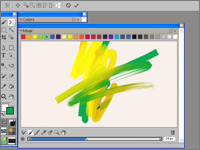
Marker, pen, pencil and chalk media reproduce the look and feel of their real-life counterparts in a way that no other software can!
Marker - intensify color with each new marker stroke so you can color in one continuous shade or create a buildup of color
Pen - choose to create fine pen strokes, or thick strokes and ink deposits, by changing the velocity of your stroke. The faster you go, the thinner the line; the slower you go, the thicker the line
Pencil & Chalk - control shading by changing the angle of your stylus on the drawing tablet. Choose whether to draw with the tip or shade with the side of the nib-just like in real life
Enhanced! Selection Tools
A new Polygonal mode for the Lasso tool, plus overall improvements to marquee tools and the Magic Wand, let you make more nimble selections the first time around.
Enhanced! Wacom Support
Support for the entire Wacom product line, including Cintiq interactive pen displays and Intuos pen tablets, gives you most responsive digital painting software and the best digital art experience.
RealBristle Painting System
Replicate the sensation and interaction between traditional paint and canvas with your pen and tablet. This represents a major milestone for digital painting by making brushes totally responsive to your hand and canvas, creating the most realistic painting experience.
Customizable Brushes
Create your own brushes in the type, size or pattern of your choice, so you can make custom brush strokes and create artwork that is truly unique.
Go Beyond the Digital Darkroom
New! Color Management
Create better color matches with new individual color profiles for every document and improved color recognition for files imported from Adobe Photoshop. This enhances your workflow because you save time by having fewer color corrections to make.
Enhanced! Adobe Photoshop Support
Maintain colors and layers when transferring files between Photoshop and Painter. This saves time when importing and exporting artwork between the two programs, because corrections are less necessary.
Photo-painting Tools
Transform photos into paintings by hand, or let SmartStroke brush technology in the Auto-Painting Palette paint a photo for you. It follows the lines and contours in the picture just like a real artist would. This lets you take the best of both worldsphotography and paintingto create new forms of art.
Customizable Surface Texturing
Give your art added artistic undertones, plus a level of texture and detail that no other digital painting software and photo-painting tools can produce. You can choose paper textures for your canvas, or create and customize your own textures to produce really unique artwork.
Learn from Unlimited Experimentation
Enhanced! Mixer Palette & Swatches
Extra mixer swatches appear when you enlarge the newly resizable Mixer Palette. Increase the size of the Palette to put more colors at your disposal and have a clearer view of your chosen color. Reduce the size when you no longer need to mix colors so the Palette takes up less space on screen.
Smart Composition Tools
Divine Proportion and the Rule of Thirds and Fifths help you visually arrange your canvas before sketching or painting to create perfect compositions.
Flexible Digital Art Tools
Experiment with color theory, composition and brush strokes to your heart's content, and produce exciting results-without the toxins, mess and expenses associated with traditional art.
Universal Mixer Palette
For multicolor selection, this palette gives you better control over color blending between the Mixer palette and the canvas, so your colors are more precise.
Underpainting Palette
This palette includes color schemes based on various artistic styles, such as Impressionist, Classical, Modern, Watercolor, Sketchbook and Chalk Drawing, so you can create art like your favorite muses. You can also match your Underpainting Palette to that of any open image for consistency.
Match Palette Effect
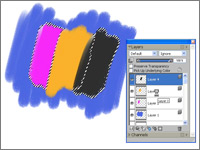
Match the color and intensity between 2 images. Just open an image that features your desired color scheme and use the Match Palette effect to bring that color to the image you want to change.
Increase Speed & Stability
Enhanced! Performance
Painter 11 is optimized to provide artists with the fastest version of Painter ever. Depending on system hardware, brushes perform up to 30% faster, creating a more true-to-life painting speed.
New! Transformation Capabilities
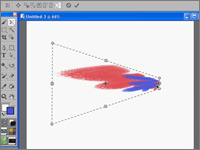
Switch between different Transform modes from one centralized tool, and choose whether to transform the complete contents of a layer, or selected content, for greater speed, flexibility and precision.
New! Resizable Color Palette
Adjust colors manually with sliders on the Color Palette. Enlarge the Color Palette up to 800 pixels for a clearer view of your selected color. You can now also fine-tune the color wheel with your arrow keys so it takes less time to find the perfect color.
New! Color Management Interface
The fresh and simplified interface makes it easier to control color profiles when creating new files, or when opening Painter and other file types.
Windows Vista Support
Painter 11 supports the latest operating system from Microsoft.
Mac OS Support
Painter 11 supports the latest operating system 10.5 from Apple.
Multiple Platform Support
Painter 11 includes both Mac OS and Windows versions on the same CD.
Academic
Expand Students' Creative Futures with Painter
Corel Painter 11 is the ultimate digital art studio for students ready to make a career of their creative passions. As the world's leading digital painting software, Painter helps artists differentiate their work and students prepare themselves to deliver the ingenuity that companies seek. Also, without the toxins, mess and expenses associated with traditional art, students have the freedom to experiment with color theory, composition and brush strokes to fulfill their artistic potential.
Masterful art takes time. By starting early, students can prepare for fulfilling careers and later make a name in digital art or even change the face of popular culture. Whether traditional or digital art, photography or video animation, Painter is changing what's possible in art.
Introduce Painter to Your Classrooms
Painter delivers a highly realistic digital painting experience that's unmatched by any other software. That's why Painter is a key creative tool in interactive design, game development, industrial design, architecture and more. Learning Painter today will give your students key art and design skills to help them differentiate themselves and build their careers of tomorrow.
How does Painter fit into your curriculum?
Painter provides an environment that nurtures experimentation and creative thinking. Being able to experiment with color, composition theory and different painting styles, without the cost and mess associated with traditional art, makes Painter a popular and effective way for students to develop their fine art skills and push their boundaries of creativity.
Having Painter in the classroom also prepares students to work with the leading digital painting studio that's used in the graphics and entertainment industries.
How does Painter enhance design workflows?
Painter is the perfect complement to industry-standard tools, such as Wacom drawing tablets, allowing artists to digitally paint while preserving the traditional flow between hand and brush. File and color support for Adobe Photoshop also lets Painter users transform photo files into more artistic creations.
Who uses Painter?
Painter is used across a wide range of industries for a variety of tasks. Incorporating Painter into your curriculum will enhance your students' career options in a number of fields, including:
Concept Art
The creation of concept art requires powerful tools. That's why many of the world's foremost illustrators, concept designers, industrial designers, architects and graphic designers use Painter. This leading digital painting software lets designers vividly capture their creative vision and handcraft distinctive designs, illustrations and art.
Illustration
Leading artists in the entertainment industry use Painter to produce some of the world's best-known movies, comic books and video games. Professional entertainment artists can speed their production time by using Painter, leveraging their natural talents and techniques to create astounding scenes, characters, vehicles and textures.
Photography
In recent years, Painter has boosted the professional photography market by giving photographers a new tool for turning digital photographs into paintings. Painter offers photographers new revenue streams by making it easier than ever to create breathtaking, hand-painted works of art from their photographs.
Resources
Corel, together with its partners, is committed to enhancing your skills and experience with Painter. In this section you'll find valuable tutorials, information and resources to help you realize your full potential with this leading digital painting software.
Tutorials learn special painting techniques from Painter Masters
Training Resources/Books hone your skills and learn new techniques
Extra Content - download libraries of unique gradients, nozzles, patterns, paper textures, stock photos and brushes*
Corel Partners - check out these great offers and services from our partners
*Included on the Painter 11 CD.
System Requirements
Windows version
Windows XP (32-bit or 64-bit Editions), or Windows Vista (32-bit or 64-bit Editions) with latest Service Pack
Pentium IV, 700 MHz or greater
1 GB of RAM
500 MB of hard disk space for installation
24-bit color display
1024 x 768 screen resolution
CD-ROM
Internet Explorer 6 or greater
Mouse or tablet
Mac OS version
Mac OS X 10.4 or 10.5 (with latest revision)
Power Mac G5, 700 MHz or greater
1 GB of RAM
500 MB of hard disk space for installation
24-bit color display
1024 x 768 screen resolution
CD-ROM
Safari Web browser
Mouse or tablet
NA
21/12
Panasonic DMC-G2-K/TWIN Digital SLR Camera - 12.1MP Black
- 3.0" LCD, Image Stabiliser, Live View - Includes 14-42mm & 45-200mm Lens
LUMIX G Digital Interchangeable Lens Camera (Twin Lens Kit)
BLACK [Model No: DMC-G2-K/TWIN]
LUMIX G Micro System - The New-Generation Digital Interchangeable Lens Camera
High Image Quality - The Micro 4/3 Type Live MOS Sensor offers image quality with lower power consumption.
ouch Control Shooting - For ultimate ease of use
Easy & Fuss Free Shooting with Intelligent Auto Mode
Full Time Live View - Lets you check your images even before you shoot them.
Palm Sized - the G2 puts enormous photographic power into the palm of your hand.
Features & Benefits
LUMIX G VARIO 14-42mm/F3.5-5.6 ASPH./MEGA O.I.S. Lens - offers a zoom range of 28-84mm (35mm equivalent) while featuring its compact size and light weight. It incorporates Panasonic's MEGA O.I.S. (Optical Image Stabilizer), which makes it easy to shoot clear shots even in low-lit situations without hand-shake blur. When the lens is mounted on the DMC-G2, you can use the contrast AF system, which is implemented in the DMC-G2 to offer a variety of convenient functions.
LUMIX G VARIO 45-200mm F4-5.6 ASPH Mega O.I.S lens - A telephoto zoom interchangeable lens designed specifically for the cameras compatible with Micro Four Thirds System standard. Covering from 90 to 400 mm (35 mm equivalent), this telephoto zoom lens lets you capture crisp, blur-free shots when shooting sports events and other distant subjects. The lens achieves minimum aberration at all focal length, high-contrast representation and high color reproduction by implementing 3 ED lens elements.The lens incorporates Panasonic's MEGA O.I.S. optical image stabilizer, which makes it easy to shoot super clear shots even in low-lit situations by suppressing the blur caused by a hand shake.
Touch-screen operation with 3.0-inch free-angle LCD featuring Full-time Live View and high-speed Contrast AF System. While shooting, auto focus can be set at the desired part of the frame by simply touching the subject to activate the AF in both photo and movie recording. In manual operation, aperture and shutter speed can be set to the desired value by moving the slider. While playing back, you can quickly select an image to view by scrolling images. The DMC-G2 has a 1,440,000-dot equivalent LVF (Live View Finder), too.
LIVE MOS Sensor - The 4/3-type 12.1-megapixel Live MOS sensor is advantageous for photo and movie recording with its high S/N, thanks to a circuit structure that is unaffected by the noise generated in each of the circuits. The Intelligent Resolution Technology, incorporated in the Venus Engine HD II, determines the subject's contours and color edges, and emphasizes them during image processing. This lets you capture stunning images with details. The Dust Reduction System helps maintain image quality by placing a Supersonic Wave Filter in front of the sensor.
My Color Mode makes it easy to customize color effects to match your favor for both photos and movies. In still image recording, the Peripheral Defocus Mode automatically adjusts the focus to match the AF area you positioned while gently defocusing the foreground and background to emphasize the subject. In movie recording, the Motion Picture P Mode makes adjustment the aperture easily. The iA Mode, featuring Face Recognition function, serves as a combination of functions that makes it easy for anyone to get beautiful photos and movies.
AVCHD Lite High Def Video - The DMC-G2 can record HD movie of 720P in AVCHD Lite with high sound quality of Dolby Digital Creator. Just press the Motion Picture Button, and shooting begins. The iA Mode can also be activated in movie recording. Still image recording is available during movie recording and can cut out a still image after shooting thanks to the Intelligent Resolution technology. When the DMC-G2 is connected to a Panasonic VIERA via an optional mini HDMI cable, the TV's remote control unit can be used to enjoy playing back with greater convenience.
Specifications
LUMIX G VARIO 14-42mm/F3.5-5.6 ASPH/MEGA O.I.S. & LUMIX G VARIO 45-200mm/F4.0-5.6/MEGA O.I.S. (Twin Lens Kit)
P. A/S/M (menu selectable), Sports mode, Portrait mode, Landscape, A (Aperture Priority AE), S (Shutter Priority AE), M (Manual Exposure), My SCN, My Colour Mode, Custom, Motion Picture Program