
Shop online for Digital Cameras and accessories | Camerafarm Australia
Camerafarm product archive #40498
Approved SD memory cards
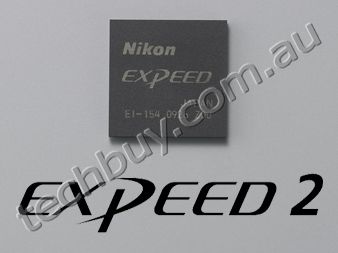
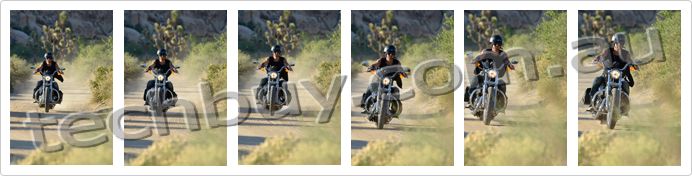
Shutter unit tested 150,000 cyclesThe D7000 has a shutter speed range of 1/8,000 to 30 s, with a top flash synchronization speed of 1/250 s. And just like with the D300S, the shutter unit is tested for 150,000 cycles tested in severe conditions to prove precision and durability.  Quiet shutter-release modeYou can reduce the sound of mirror-up and mirror-down during shooting by selecting "Q" on the release mode dial. This improved quiet shutter-release mode is a convenient function for scenes such as a school play or when shooting wildlife insects and sleeping child.  Lower energy consumption and newly developed Rechargeable Li-ion Battery EN-EL15 [NEW]The D7000 achieves excellent low power consumption by adopting the new image-processing engine "EXPEED 2" and newly developed driving mechanisms. The Rechargeable Li-ion Battery EN-EL15 (supplied) allows you to shoot up to approx. 1,050 shots* per charge.
 Mode dial with improved usabilityYou can set frequently used options, for example, Picture Control, exposure compensation, etc. on user setting modes "U1" and "U2" on the mode dial, coaxially located with the release mode dial. Nineteen options of scene modes, such as silhouette, high key and low key that are selectable by setting the mode dial to SCENE, enable you to shoot more easily.  Selectable scene modes: 


Easier-to-use Live ViewThe D7000 offers smooth switching from regular shooting to Live View shooting with the dedicated Live View switch. Large, easy-to-view 7.5 cm (3-in.) VGA wide-viewing-angle (170), approx. 921k-dot TFT LCD monitor with reinforced glass realizes comfortable Live View shooting. The D7000 also allows contrast-detect AF. By selecting AF-F (full-time-servo AF), the camera automatically tracks the subject continuously even if it moves during Live View shooting. There are selectable AF-area modes according to the subject; face-priority AF, wide-area AF, normal-area AF and subject-tracking AF.  Virtual HorizonYou can display Virtual Horizon that enables instant confirmation of your camera's position relative to horizontal level. During Live View, the virtual horizon is superimposed on the monitor image. Also, a virtual horizon indicator is displayed in the viewfinder to show horizontal inclination of the camera. 

Flicker reduction functionFlicker reduction function reduces the flicker effect that might occur under fluorescent or mercury vapor lighting while using Live View or D-Movie. You can select 50Hz or 60Hz, according to the local power frequency where you are shooting.  AF servo modes during Live View/movie recording-Single-servo AF (AF-S) Note: Manual focusing is also available during Live View or movie recording. AF-area modes during Live View/movie recording Face-priority AF
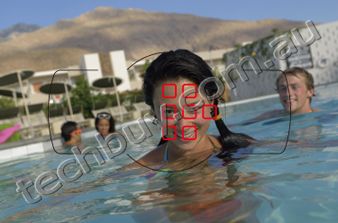
Suitable for focusing on a human face such as for a commemorative photo. Up to 35 faces can be detected. When multiple faces are detected, the camera will focus on the subject recognized to be the closest. Alternatively, you can also choose a different subject with the multi selector.
 Wide-area AF
Suitable for hand-held shooting such as landscape. AF area can be moved to the desired position within a frame.
 Normal-area AF
Suitable for tripod shooting with pin-point focus such as close up. AF area can be moved to the desired position within a frame.
 Subject-tracking AF
Suitable for a moving subject. After focusing is achieved with the OK button, AF area tracks the subject's movement.
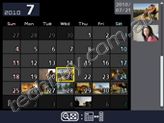
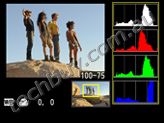
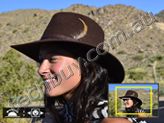
Extensive playback functions and information displayVariety of playback functionsThe D7000 gives you a variety of playback display options that take advantage of the large 7.5 cm (3-in.) monitor. The number of images displayed at any one time can be selected from 1, 4, 9 and 72, and calendar display arranges images in chronological order. You can also display a histogram of a magnified area of an image and check the focus using playback zoom of face.  72-thumbnail display
 Calendar display
 Histogram display for magnified area
 Playback zoom of face
Easy-to-view information display that enables easy setting changesYou can confirm shooting information and settings such as shutter speed, aperture, number of shots remaining and AF-area mode by pressing the [info] button. The color of characters can be selected according to lighting conditions, dark on light (black lettering) for bright locations or light on dark (white lettering) for dark locations and auto mode for automatic switching of lettering according to lighting conditions can also be set. Pressing the [info] button again when shooting information is displayed gives you direct access to the menu of the setting you would like to alter.  Dark on light
 Light on dark
 Quick settings display (example)
 [info] button
Note: All indicators appear on the images above for demonstration purposes. Nikon Integrated Dust Reduction System that includes Image Sensor Cleaning functionThe D7000 employs Nikon's Integrated Dust Reduction System, which includes the Image Sensor Cleaning function that vibrates the optical low-pass filter with four different resonant frequencies to reduce dust. It prevents unwanted spots from appearing on your images. This function can be set to operate automatically when the camera is turned on or off, or to manual.  Image Sensor Cleaning
D-MovieFull HD movie-recording function: D-Movie with enhanced operability and image qualityThe D7000 offers high-image-quality full HD movie recording of 1,920 x 1,080/24p. You can shoot creative and beautiful movies taking advantage of shallow depth of field and a variety of interchangeable NIKKOR lenses. As with Live View, contrast-detect AF is possible. And if you set full-time-servo AF (AF-F) for AF servo mode and subject-tracking AF for AF-area mode, AF area tracks even a moving subject continuously and three-dimensionally.
 External stereo microphone compatibleDuring movie shooting, the D7000 lets you record not only monaural sound with the built-in microphone, but also stereo recording using an optional external microphone. You can also select the sensitivity level for either the built-in or external microphone, choosing from auto, high, medium or low. Select low for scenes in louder environments, such as a concert hall; high for quieter environments, with more delicate sounds, such as a murmuring stream. An external microphone also allows you distance it from any sound generated by the camera such as lens movement during autofocus shooting, or VR operation when the VR function is activated.  In-camera movie editing functionsEasy in-camera movie editing is possible without a PC. You can delete unwanted parts by choosing the start or end point by frame, and save a selected frame as a JPEG image.  D-Movie frame size, frame rate and maximum recording times
Sample movie
Note: The videos shown here were taken using D-Movie function, then converted to Flash Video format for ease of handling. Image quality varies from the original. Expanded creativityPicture Control System for customizing colors and tones to your preferencesNikon's Picture Control System allows you to customize sharpness, saturation and other parameters to match your preferences. Picture Control can be adjusted and saved, and also shared with other cameras compatible with Picture Control System. 
 Versatile, for a broad range of situations.
 Less contrast, for natural-looking results.
 Enhanced saturation of red and green producing sharper contrast.
 Black and white, for a timeless, classic look.
 Natural texture, gives the skin of portrait subjects a smoother feel.
 Brighter greens and blues for more vibrant landscapes and cityscapes.
Built-in flash and SpeedlightsNikon Creative Lighting SystemIn Advanced Wireless Lighting, the built-in flash, featuring a guide number of approx. 12/39 (m/ft., ISO 100, 20C/68F) and a wide-angle 16mm lens coverage, works as a wireless commander. It can control a single group or two independent groups containing several remote Speedlights. A variety of flash shooting can be achieved by combining with optional Speedlights such as the SB-900, SB-800, SB-700, SB-600, SB-400 to expand your creativity.  Newly developed Speedlight SB-700 [NEW]Various functions are condensed in the compact body of Speedlight SB-700. It employs a quick wireless remote control mode that enables multiple flash-unit photography. Three illumination patterns: standard, center-weighted and even, are available to match each shooting environment. The guide number is 31.5/103.3. It also provides a multi-step auto power zoom that covers the 16-85mm zoom range.
 Speedlight SB-700
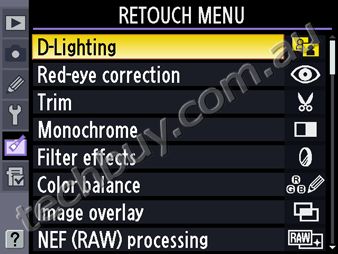
Retouch menuThis enables easy in-camera image editing after shooting. The D7000 creates an edited image, while leaving your original shot intact. 
 Creates images as if a close-up shot of miniature models was taken. Effective for images taken from above.
 Corrects inclination of the image in 5.
 Creates sketch-style image based on the original. Vividness and outlines can be adjusted in 3 steps.
Retouch menus incorporated in the D7000D-Lighting Red-eye correction Trim Monochrome Filter effects Color balance Image overlay NEF (RAW) processing Resize Quick retouch Straighten Distortion control Fisheye Color outline Color sketch Perspective control Miniature effect Edit movie HDMI supported enables playback on High-Definition TVThe D7000 supports HDMI (High-Definition Multimedia Interface), that enables direct connection to a High-Definition TV for viewing of still images and movies. Type C connector (mini size) is employed and also HDMI-CEC (Consumer Electronics Control) is supported for operation of the D7000 using TV remote control. Note: Requires optional HDMI connection cable [HDMI Type A Type C (mini size)] for playback.  Exclusive Nikon software expand your creativityViewNX 2 (supplied) Your Imaging ToolboxViewNX 2 provides importing and browsing capabilities of images, and incorporates frequently used image-editing functions such as resize and brightness adjustment. ViewNX 2 newly employs crop, straighten, etc. as well as movie-editing functions equivalent to those of the D7000. In addition, coordination with Nikon image storing and sharing service, my Picturetown, is realized. This all-in-one browsing/editing software package will let more photographers enjoy digital images, more easily.
 ViewNX 2 system requirements
(Windows)
(Macintosh)
Image-editing software Capture NX 2 (optional) quickly adjusts images as you imagine themCapture NX 2 incorporates superior operability and a variety of image-editing functions empowered by U Point technology. You can execute diverse image editing easily just by placing various types of Control Points on a image and adjusting sliders. Selection Control Points enables you to apply various kinds of enhancement such as D-Lighting and brightness to a designated area at the level you desire.  Capture NX 2 system requirements
(Windows/Macintosh)
AccessoriesMulti-Power Battery Pack MB-D11 (optional) [NEW]The Multi-Power Battery Pack MB-11 supports two types of batteries [Rechargeable Li-ion Battery EN-EL15 and six R6/AA-size batteries (alkaline, Ni-MH, lithium)], and seamless switching of power feeding between the battery of the D7000 and the battery pack is possible. Up to approx. 2,100 shots* can be achieved when the EN-EL15 is loaded on both the D7000 and the MB-D11.
 Compatible with GPS Unit GP-1 (optional) enables embedding of location information on an imageThe D7000 is compatible with GPS Unit GP-1 that is able to embed location information on an image. Latitude, longitude and altitude of a shooting location are recorded as Exif data. Images with location information can be displayed on a GeoTag workspace of ViewNX 2 (supplied with the D7000).
  Display images with location information
Nikon Digital SLR Camera D7000 Specifications
|


NA
|
|
18/11
|
|
Nikon D7000 Digital SLR Camera - 16.2MP Black- 3.0" TFT LCD, Live View, Image Sensor - D7000 Body + AF-S 18-105mm VR + AF-S, 55-200mm VR Lens |
|||||||||||||||||||||||||||||||||||||||||||||||||||||||||||||||||||||||||||||||||||||||||||||||||||||||||||||||||||||||||||||||||||||||||||||||||||||||||||||||||||||||||||||||||||||||||||||||||||||||||||||||||||||||||||||||||||||||||||||||||||||||||||||||||||||||||||||||||||||||||||||||||||||||||||||||||||||||||||||||||||||||||||||||||||||||||||||||||||||||||||||||||||||||||||||||||||||||||||||||||||||||||||||||||||||||||||||||||||||||||||||||||||||||||||||||||||||||||||||||||||||||||||||||||||||||||||||||||||||||||||||||||||||||||||||||||||||||||||||||||||||||||||||||||||||||||||||||||||||||||||||||||||||||||||||||||||||||||||||||||||||||||||||||||||||||||||||||||||||||||||||||||||||


 ,
, ,
, ,
, ,
, ,
, ,
, ,
, ,
, ,
, ,
, ,
,






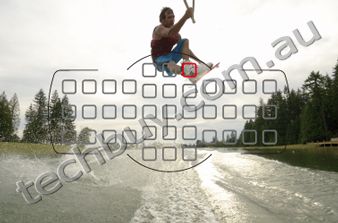
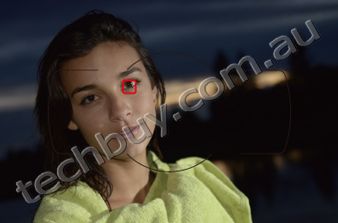
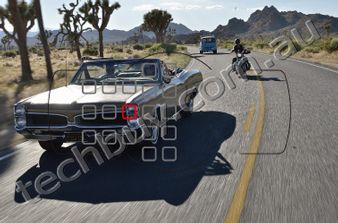
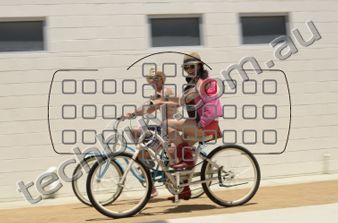


|
Image quality
|
Image size
|
File size1
|
No. of images1
|
Buffer capacity2
|
|---|---|---|---|---|
|
NEF (RAW), Lossless compressed, 12-bit
|
-
|
15.5 MB
|
291
|
11
|
|
NEF (RAW), Lossless compressed, 14-bit
|
-
|
19.4 MB
|
223
|
10
|
|
NEF (RAW), Compressed, 12-bit
|
-
|
13.6 MB
|
398
|
15
|
|
NEF (RAW), Compressed, 14-bit
|
-
|
16.7 MB
|
330
|
12
|
|
JPEG fine3
|
L
M S |
7.8 MB
4.4 MB 2.0 MB |
813
1400 3100 |
31
100 100 |
|
JPEG normal3
|
L
M S |
3.9 MB
2.2 MB 1.0 MB |
1600
2800 6000 |
100
100 100 |
|
JPEG basic3
|
L
M S |
2.0 MB
1.1 MB 0.5 MB |
3100
5500 11000 |
100
100 100 |
- All figures are approximate. File size varies with scene recorded.
- Maximum number of exposures that can be stored in memory buffer at ISO 100. Drops if Optimal quality is selected for JPEG compression or long exposure noise reduction is on.
- Figures assume JPEG compression is set to Size priority. Selecting Optimal quality increases the file size of JPEG images; number of images and buffer capacity drop accordingly.
Approved SD memory cards
|
|
SD memory cards
|
SDHC memory cards2
|
SDXC memory cards3
|
|
|---|---|---|---|---|
|
SanDisk
|
1 GB, 2 GB1
|
4 GB, 8 GB, 16 GB, 32 GB
|
64 GB
|
|
|
Toshiba
|
4 GB, 8 GB, 16 GB, 32 GB
|
|||
|
Panasonic
|
4 GB, 6 GB, 8 GB, 12 GB, 16 GB, 32 GB
|
48 GB, 64 GB
|
||
|
Lexar Media
|
4 GB, 8 GB
|
-
|
||
|
Platinum II
|
4 GB, 8 GB, 16 GB, 32 GB
|
|||
|
Professional
|
4 GB, 8 GB, 16 GB, 32 GB
|
|||
- Check that any card readers or other devices with which the card will be used support 2 GB cards.
- Check that any card readers or other devices with which the card will be used are SDHC-compliant. The camera supports UHS-I.
- Check that any card readers or other devices with which the card will be used are SDXC-compliant. The camera supports UHS-I.
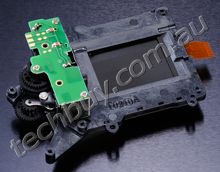
Shutter unit tested 150,000 cycles
The D7000 has a shutter speed range of 1/8,000 to 30 s, with a top flash synchronization speed of 1/250 s. And just like with the D300S, the shutter unit is tested for 150,000 cycles tested in severe conditions to prove precision and durability.
Quiet shutter-release mode
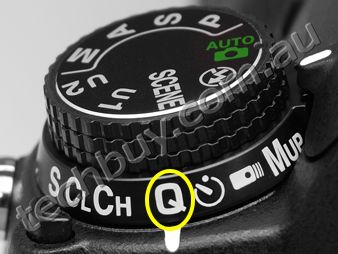
You can reduce the sound of mirror-up and mirror-down during shooting by selecting "Q" on the release mode dial. This improved quiet shutter-release mode is a convenient function for scenes such as a school play or when shooting wildlife insects and sleeping child.
Lower energy consumption and newly developed Rechargeable Li-ion Battery EN-EL15 [NEW]
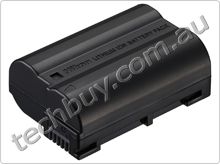
The D7000 achieves excellent low power consumption by adopting the new image-processing engine "EXPEED 2" and newly developed driving mechanisms. The Rechargeable Li-ion Battery EN-EL15 (supplied) allows you to shoot up to approx. 1,050 shots* per charge.
- *Based on CIPA Standards.
Mode dial with improved usability
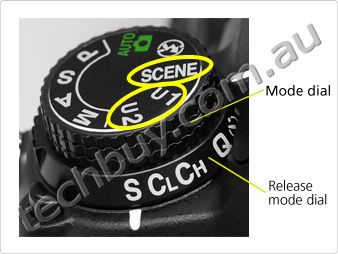
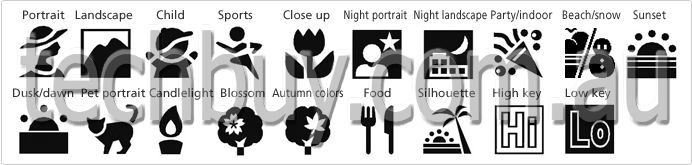
You can set frequently used options, for example, Picture Control, exposure compensation, etc. on user setting modes "U1" and "U2" on the mode dial, coaxially located with the release mode dial. Nineteen options of scene modes, such as silhouette, high key and low key that are selectable by setting the mode dial to SCENE, enable you to shoot more easily.
Selectable scene modes:
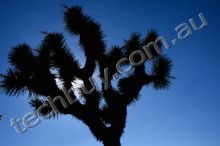
- Silhouette
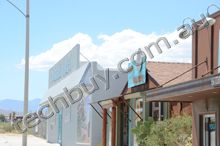
- High key
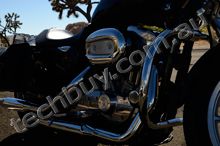
- Low key
Easier-to-use Live View
The D7000 offers smooth switching from regular shooting to Live View shooting with the dedicated Live View switch. Large, easy-to-view 7.5 cm (3-in.) VGA wide-viewing-angle (170), approx. 921k-dot TFT LCD monitor with reinforced glass realizes comfortable Live View shooting. The D7000 also allows contrast-detect AF. By selecting AF-F (full-time-servo AF), the camera automatically tracks the subject continuously even if it moves during Live View shooting. There are selectable AF-area modes according to the subject; face-priority AF, wide-area AF, normal-area AF and subject-tracking AF.
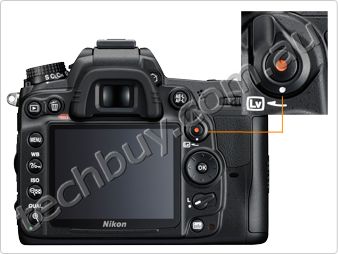
Virtual Horizon
You can display Virtual Horizon that enables instant confirmation of your camera's position relative to horizontal level. During Live View, the virtual horizon is superimposed on the monitor image. Also, a virtual horizon indicator is displayed in the viewfinder to show horizontal inclination of the camera.
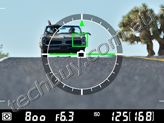
- Virtual Horizon in Live View shooting
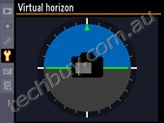
- Virtual Horizon in regular shooting
Flicker reduction function
Flicker reduction function reduces the flicker effect that might occur under fluorescent or mercury vapor lighting while using Live View or D-Movie. You can select 50Hz or 60Hz, according to the local power frequency where you are shooting.
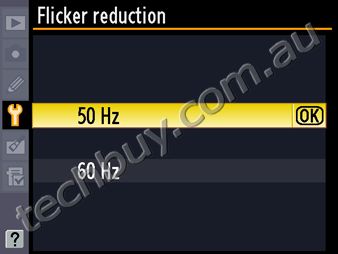
AF servo modes during Live View/movie recording
-Single-servo AF (AF-S)
Suitable for a stationary subject. Focus is locked when the shutter-release button is pressed halfway.
-Full-time-servo AF (AF-F)
Suitable for a moving subject. AF is activated and tracks the subject continuously, immediately after Live View or movie recording starts without pressing the shutter-release button halfway.
Note: Manual focusing is also available during Live View or movie recording.
AF-area modes during Live View/movie recording
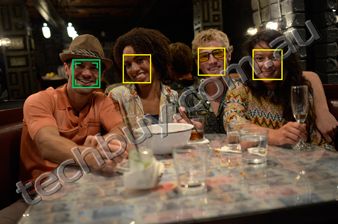
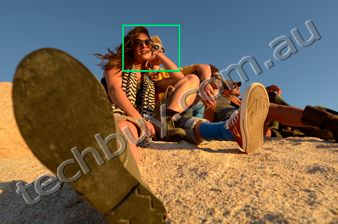
- Face-priority AF
- Suitable for focusing on a human face such as for a commemorative photo. Up to 35 faces can be detected. When multiple faces are detected, the camera will focus on the subject recognized to be the closest. Alternatively, you can also choose a different subject with the multi selector.
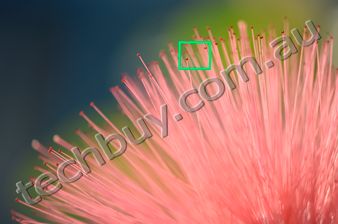
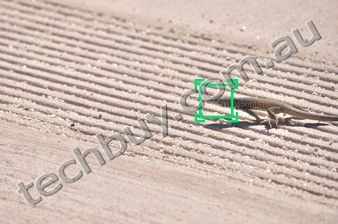
- Wide-area AF
- Suitable for hand-held shooting such as landscape. AF area can be moved to the desired position within a frame.
Extensive playback functions and information display
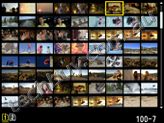
Variety of playback functions
The D7000 gives you a variety of playback display options that take advantage of the large 7.5 cm (3-in.) monitor. The number of images displayed at any one time can be selected from 1, 4, 9 and 72, and calendar display arranges images in chronological order. You can also display a histogram of a magnified area of an image and check the focus using playback zoom of face.
Easy-to-view information display that enables easy setting changes
You can confirm shooting information and settings such as shutter speed, aperture, number of shots remaining and AF-area mode by pressing the [info] button. The color of characters can be selected according to lighting conditions, dark on light (black lettering) for bright locations or light on dark (white lettering) for dark locations and auto mode for automatic switching of lettering according to lighting conditions can also be set. Pressing the [info] button again when shooting information is displayed gives you direct access to the menu of the setting you would like to alter.
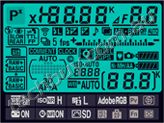
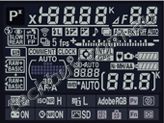
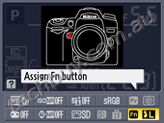
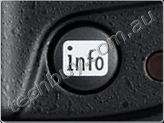
Note: All indicators appear on the images above for demonstration purposes.
Nikon Integrated Dust Reduction System that includes Image Sensor Cleaning function
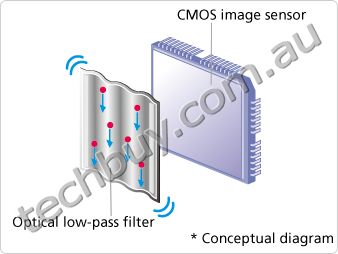
The D7000 employs Nikon's Integrated Dust Reduction System, which includes the Image Sensor Cleaning function that vibrates the optical low-pass filter with four different resonant frequencies to reduce dust. It prevents unwanted spots from appearing on your images. This function can be set to operate automatically when the camera is turned on or off, or to manual.
D-Movie
Full HD movie-recording function: D-Movie with enhanced operability and image quality
The D7000 offers high-image-quality full HD movie recording of 1,920 x 1,080/24p. You can shoot creative and beautiful movies taking advantage of shallow depth of field and a variety of interchangeable NIKKOR lenses. As with Live View, contrast-detect AF is possible. And if you set full-time-servo AF (AF-F) for AF servo mode and subject-tracking AF for AF-area mode, AF area tracks even a moving subject continuously and three-dimensionally.
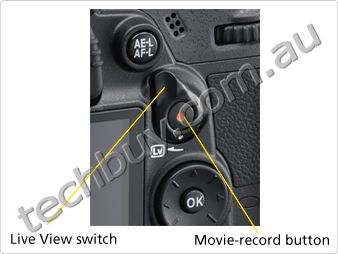
External stereo microphone compatible
During movie shooting, the D7000 lets you record not only monaural sound with the built-in microphone, but also stereo recording using an optional external microphone. You can also select the sensitivity level for either the built-in or external microphone, choosing from auto, high, medium or low. Select low for scenes in louder environments, such as a concert hall; high for quieter environments, with more delicate sounds, such as a murmuring stream. An external microphone also allows you distance it from any sound generated by the camera such as lens movement during autofocus shooting, or VR operation when the VR function is activated.
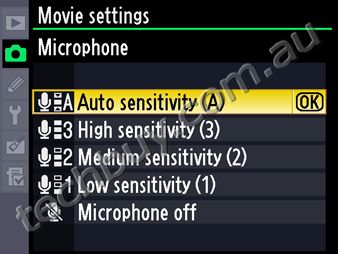
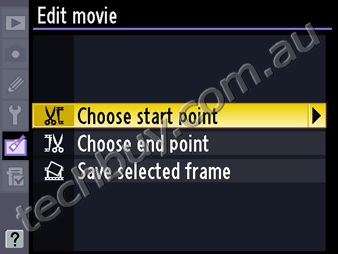
In-camera movie editing functions
Easy in-camera movie editing is possible without a PC. You can delete unwanted parts by choosing the start or end point by frame, and save a selected frame as a JPEG image.
D-Movie frame size, frame rate and maximum recording times
|
|
Frame size
|
Frame rate
|
Maximum recording time (approx.)
|
|---|---|---|---|
|
Full HD
|
1,920 x 1,080 pixel
|
24p (23.976 fps)1, 2
|
20 min.
|
|
HD
|
1,280 x 720 pixel
1,280 x 720 pixel 1,280 x 720 pixel |
30p (29.97 fps)1
25p (25 fps)2 24p (23.976 fps)1, 2 |
|
|
SD
|
640 x 424 pixel
640 x 424 pixel |
30p (29.97 fps)1
25p (25 fps)2 |
- Video output: NTSC
- Video output: PAL
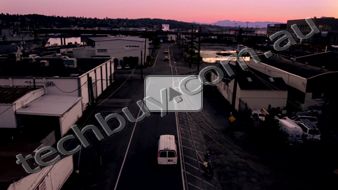
Sample movie
- D-Movie special site

Note: The videos shown here were taken using D-Movie function, then converted to Flash Video format for ease of handling. Image quality varies from the original.
Expanded creativity
Picture Control System for customizing colors and tones to your preferences
Nikon's Picture Control System allows you to customize sharpness, saturation and other parameters to match your preferences. Picture Control can be adjusted and saved, and also shared with other cameras compatible with Picture Control System.

- Picture Control System special site
- Standard
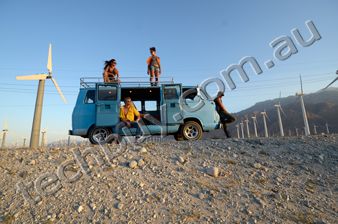
- Versatile, for a broad range of situations.
- Neutral
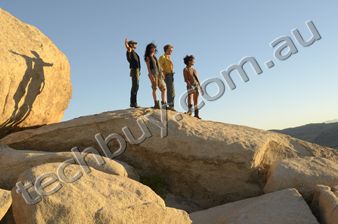
- Less contrast, for natural-looking results.
- Vivid
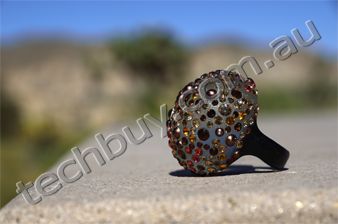
- Enhanced saturation of red and green producing sharper contrast.
- Monochrome
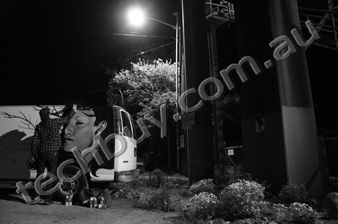
- Black and white, for a timeless, classic look.
- Portrait
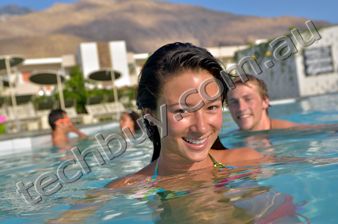
- Natural texture, gives the skin of portrait subjects a smoother feel.
- Landscape
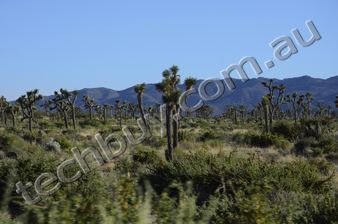
- Brighter greens and blues for more vibrant landscapes and cityscapes.
Built-in flash and Speedlights
Nikon Creative Lighting System
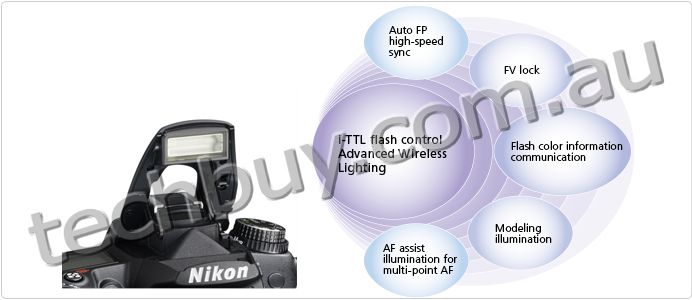
In Advanced Wireless Lighting, the built-in flash, featuring a guide number of approx. 12/39 (m/ft., ISO 100, 20C/68F) and a wide-angle 16mm lens coverage, works as a wireless commander. It can control a single group or two independent groups containing several remote Speedlights. A variety of flash shooting can be achieved by combining with optional Speedlights such as the SB-900, SB-800, SB-700, SB-600, SB-400 to expand your creativity.
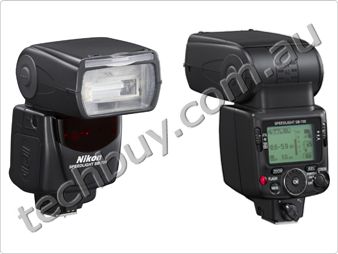
Newly developed Speedlight SB-700 [NEW]
Various functions are condensed in the compact body of Speedlight SB-700. It employs a quick wireless remote control mode that enables multiple flash-unit photography. Three illumination patterns: standard, center-weighted and even, are available to match each shooting environment. The guide number is 31.5/103.3. It also provides a multi-step auto power zoom that covers the 16-85mm zoom range.
- *With Zoom head set at 35mm, DX-format, STD, m/ft., ISO 100, 20 C/68 F.
- More information
- Speedlight SB-700
Retouch menu
This enables easy in-camera image editing after shooting. The D7000 creates an edited image, while leaving your original shot intact.
- Miniature effect
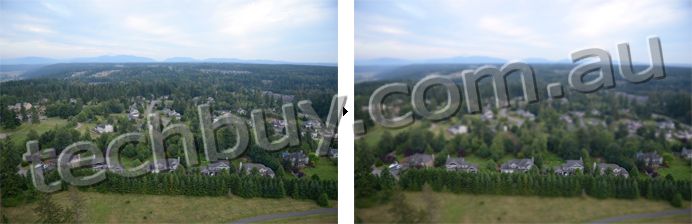
- Creates images as if a close-up shot of miniature models was taken. Effective for images taken from above.
- Straighten
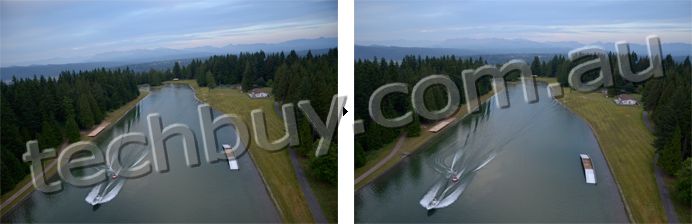
- Corrects inclination of the image in 5.
- Color sketch [NEW]

- Creates sketch-style image based on the original. Vividness and outlines can be adjusted in 3 steps.
Retouch menus incorporated in the D7000
D-Lighting Red-eye correction Trim Monochrome Filter effects Color balance Image overlay NEF (RAW) processing Resize Quick retouch Straighten Distortion control Fisheye Color outline Color sketch Perspective control Miniature effect Edit movie
HDMI supported enables playback on High-Definition TV
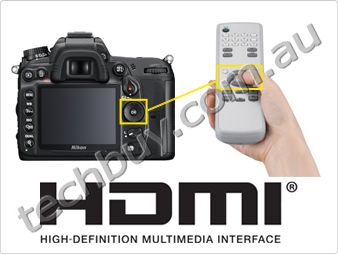
The D7000 supports HDMI (High-Definition Multimedia Interface), that enables direct connection to a High-Definition TV for viewing of still images and movies. Type C connector (mini size) is employed and also HDMI-CEC (Consumer Electronics Control) is supported for operation of the D7000 using TV remote control.
Note: Requires optional HDMI connection cable [HDMI Type A Type C (mini size)] for playback.
Exclusive Nikon software expand your creativity
ViewNX 2 (supplied) Your Imaging Toolbox
ViewNX 2 provides importing and browsing capabilities of images, and incorporates frequently used image-editing functions such as resize and brightness adjustment. ViewNX 2 newly employs crop, straighten, etc. as well as movie-editing functions equivalent to those of the D7000. In addition, coordination with Nikon image storing and sharing service, my Picturetown, is realized. This all-in-one browsing/editing software package will let more photographers enjoy digital images, more easily.
- More information
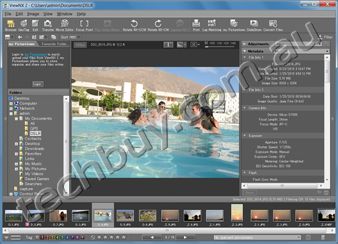
ViewNX 2 system requirements
|
|
Windows
|
Macintosh
|
|---|---|---|
|
OS
|
Windows 7 Home Basic/Home Premium/Professional/Enterprise/Ultimate
Windows Vista Home Basic/Home Premium/Business/Enterprise/Ultimate(Service Pack 2) Windows XP Home Edition/Professional (Service Pack 3)
|
Mac OS X (Version 10.4.11, 10.5.8, 10.6.4)
|
|
CPU
|
Display, playback, and editing of still images and movies
(MotionJPEG):
|
Display, playback, and editing of still images and movies
(MotionJPEG):
|
|
RAM
|
Windows 7 or Windows Vista: 1 GB or more (1.5GB or more recommended)
Windows XP: 512 MB or more (1 GB or more recommended) |
512 MB or more (1 GB or more recommended)
|
|
Hard-disk space
|
500 MB or more for OS startup disk unit (1GB or above is recommended)
For OS installation: 50 MB or above |
500 MB or more for OS startup disk unit (1GB or above is recommended)
For OS installation: 50 MB or above |
|
Monitor resolution
|
Resolution: 1,024 x 768 pixels (XGA) or more Display color: 24-bit color or above
|
Resolution: 1,024 x 768 pixels (XGA) or more Display color: 6,400 colors or more (16.7 million colors or more recommended)
|
(Windows)
- *For playback and editing of H.264 movies, a computer with a graphics board of 128MB or above installed is recommended.
(Macintosh)
- *For playback and editing of H.264 movies, a computer with a graphics board of 128MB or above installed is recommended. During editing or playing of a high-definition movie using Nikon Movie Editor on a PowerPC model, the performance of the computer might become extremely slow.
Image-editing software Capture NX 2 (optional) quickly adjusts images as you imagine them
Capture NX 2 incorporates superior operability and a variety of image-editing functions empowered by U Point technology. You can execute diverse image editing easily just by placing various types of Control Points on a image and adjusting sliders. Selection Control Points enables you to apply various kinds of enhancement such as D-Lighting and brightness to a designated area at the level you desire.
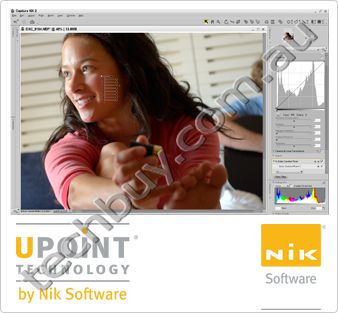
Capture NX 2 system requirements
|
|
Windows
|
Macintosh
|
|---|---|---|
|
OS
|
Pre-installed versions Microsoft Windows 7 Home Basic/Home Premium/Professional/Enterprise/Ultimate*, Windows Vista Home Basic/Home Premium/Business/Enterprise/Ultimate (Service Pack 2)*, Windows XP Professional/Home (Service Pack 3)**
|
Mac OS X (version 10.4.11, 10.5.8, 10.6.4)
|
|
CPU
|
Pentium 4 or better
|
Power PC G4/G5; Intel Core Series/Xeon series
|
|
RAM
|
768 MB minimum, 1 GB or more recommended
|
768 MB minimum, 1 GB or more recommended
|
|
Hard-disk space
|
200 MB required for installation
|
200 MB required for installation
|
|
Monitor resolution
|
1,024768 pixels or higher (1,2801024 or higher recommended) with 16-bit color or more (32-bit color recommended)
|
1,024768 pixels or higher (1,2801024 or higher recommended) with 64,000 colors or more (16.7 million colors or more recommended)
|
(Windows/Macintosh)
- CD-ROM drive required for installation
- Internet connection required to utilize Nikon Message Center 2
- Environment for recognizing operation-guaranteed memory cards required to import/export Custom Picture Controls
Accessories
Multi-Power Battery Pack MB-D11 (optional) [NEW]
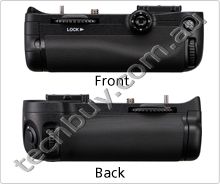
The Multi-Power Battery Pack MB-11 supports two types of batteries [Rechargeable Li-ion Battery EN-EL15 and six R6/AA-size batteries (alkaline, Ni-MH, lithium)], and seamless switching of power feeding between the battery of the D7000 and the battery pack is possible. Up to approx. 2,100 shots* can be achieved when the EN-EL15 is loaded on both the D7000 and the MB-D11.
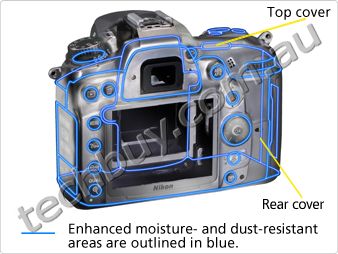
The Multi-Power Battery Pack MB-D11 incorporates controls for vertical shooting; AE-L/AF-L button, main/sub command dials, shutter-release button, shutter-release button lock, multi selector. Magnesium alloy is used for the exterior cover to realize the same weather-resistant and dust-prevention performance as the D7000.
- *Based on CIPA Standards.
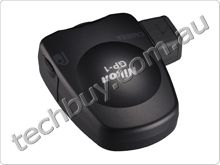
Compatible with GPS Unit GP-1 (optional) enables embedding of location information on an image
The D7000 is compatible with GPS Unit GP-1 that is able to embed location information on an image. Latitude, longitude and altitude of a shooting location are recorded as Exif data. Images with location information can be displayed on a GeoTag workspace of ViewNX 2 (supplied with the D7000).
- More information
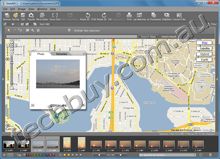
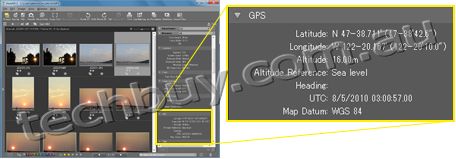
- Display images with location information
Nikon Digital SLR Camera D7000 Specifications
|
Type
|
|
|---|---|
|
Type
|
Single-lens reflex digital camera
|
|
Lens mount
|
Nikon F mount (with AF coupling and AF contacts)
|
|
Effective angle of view
|
Approx. 1.5 x lens focal length (Nikon DX format)
|
|
Effective pixels
|
|
|
Effective pixels
|
16.2 million
|
|
Image sensor
|
|
|
Image sensor
|
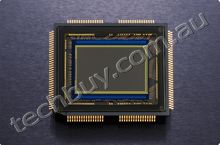
23.6 x 15.6 mm CMOS sensor
|
|
Total pixels
|
16.9 million
|
|
Dust-reduction system
|
Image sensor cleaning, Image Dust Off reference data (optional Capture NX 2 software required)
|
|
Storage
|
|
|
Image size (pixels)
|
|
|
File format
|
|
|
Picture Control System
|
Standard, Neutral, Vivid, Monochrome, Portrait, Landscape; selected Picture Control can be modified; storage for custom Picture Controls
|
|
Media
|
SD (Secure Digital), SDHC and SDXC memory cards
|
|
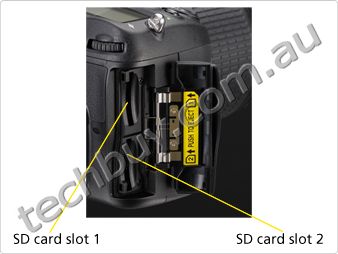
Double slots
|
Slot 2 can be used for overflow or backup storage or for separate storage of copies created using NEF + JPEG; pictures can be copied between cards
|
|
File system
|
DCF (Design Rule for Camera File System) 2.0, DPOF (Digital Print Order Format), Exif 2.3 (Exchangeable Image File Format for Digital Still Cameras), PictBridge
|
|
Viewfinder
|
|
|
Viewfinder
|
Eye-level pentaprism single-lens reflex viewfinder
|
|
Frame coverage
|
Approx. 100% horizontal and 100% vertical
|
|
Magnification
|
Approx. 0.94 x (50 mm f/1.4 lens at infinity, -1.0 m-1)
|
|
Eyepoint
|
19.5 mm (-1.0 m-1)
|
|
Diopter adjustment
|
-3 to +1 m-1
|
|
Focusing screen
|
Type B BriteView Clear Matte screen Mark II with AF area brackets (framing grid can be displayed)
|
|
Reflex mirror
|
Quick return
|
|
Depth-of-field preview
|
Pressing depth-of-field preview button stops lens aperture down to value selected by user (A and M modes) or by camera (other modes)
|
|
Lens aperture
|
Instant return, electronically controlled
|
|
Lens
|
|
|
Compatible lenses
|
|
|
Shutter
|
|
|
Type
|
Electronically-controlled vertical-travel focal-plane shutter
|
|
Speed
|
1/8,000 to 30 s in steps of 1/3 or 1/2 EV, bulb, time (requires optional Remote Control ML-L3), X250
|
|
Flash sync speed
|
X = 1/250 s; synchronizes with shutter at 1/320 s or slower (flash range drops at speeds between 1/250 and 1/320 s)
|
|
Release
|
|
|
Release modes
|
S (single frame), CL (continuous low speed), CH (continuous high speed), Q (quiet shutter-release),
  (self-timer), (self-timer),  (remote control), MUP (mirror up) (remote control), MUP (mirror up) |
|
Frame advance rate
|
Approx. 1 to 5 fps (CL) or approx. 6 fps (CH) (CIPA guidelines)
|
|
Self-timer
|
2 s, 5 s, 10 s, 20 s; 1 to 9 exposures at intervals of 0.5, 1, 2, or 3 s
|
|
Remote release modes
|
Delayed remote, quick-response remote, remote mirror-up
|
|
Exposure
|
|
|
Metering
|
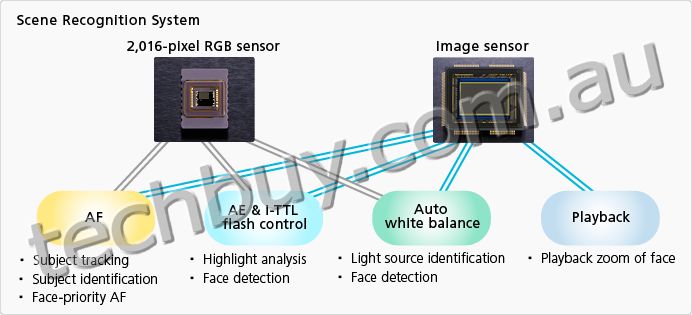
TTL exposure metering using 2,016-pixel RGB sensor
|
|
Metering method
|
|
|
Range
(ISO 100, f/1.4 lens, 20C/68F) |
|
|
Exposure meter coupling
|
Combined CPU and AI
|
|
Exposure modes
|
Auto (auto; auto [flash off]), scene (portrait, landscape, child, sports, close up, night portrait, night landscape, party/indoor, beach/snow, sunset, dusk/dawn, pet portrait, candlelight, blossom, autumn colors, food, silhouette, high key, low key), programmed auto with flexible program (P), shutter-priority auto (S), aperture-priority auto (A), manual (M), U1 (user settings 1), U2 (user settings 2)
|
|
Exposure compensation
|
-5 to +5 EV in increments of 1/3 or 1/2 EV
|
|
Exposure bracketing
|
2 to 3 frames in steps of 1/3, 1/2, 2/3, 1 or 2 EV
|
|
Exposure lock
|
Luminosity locked at detected value with AE-L/AF-L button
|
|
ISO sensitivity
(Recommended Exposure Index) |
ISO 100 to 6400 in steps of 1/3 or 1/2 EV; can also be set to approx. 0.3, 0.5, 0.7, 1 or 2 EV (ISO 25600 equivalent) above ISO 6400; auto ISO sensitivity control available
|
|
Active D-Lighting
|
Can be selected from auto, extra high, high, normal, low or off
|
|
ADL bracketing
|
2 frames using selected value for one frame or 3 frames using preset values for all frames
|
|
Focus
|
|
|
Autofocus
|
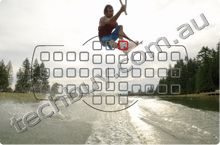
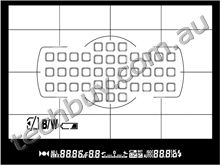
Nikon Multi-CAM 4800DX autofocus sensor module with TTL phase detection, finetuning, 39 focus points (including 9 cross-type sensors), and AF-assist illuminator (range approx. 0.5 to 3 m/1 ft. 8 in. to 9 ft. 10 in.)
|
|
Detection range
|
-1 to +19 EV (ISO 100, 20C/68F)
|
|
Lens servo
|
|
|
Focus point
|
Can be selected from 39 or 11 focus points
|
|
AF-area mode
|
Single-point AF; 9-, 21- or 39-point dynamic-area AF, 3D-tracking, auto-area AF
|
|
Focus lock
|
Focus can be locked by pressing shutter-release button halfway (Single-servo AF) or by pressing AE-L/AF-L button
|
|
Flash
|
|
|
Built-in flash
|
|
|
Guide number
|
Approx. 12/39 , 12/39 with manual flash (m/ft, ISO 100, 20C/68F)
|
|
Flash control
|
|
|
Flash modes
|
|
|
Flash compensation
|
-3 to +1 EV in increments of 1/3 or 1/2 EV
|
|
Flash bracketing
|
2 to 3 frames in steps of 1/3, 1/2, 2/3, 1 or 2 EV
|
|
Flash-ready indicator
|
Lights when built-in flash or optional flash unit such as SB-900, SB-800, SB-700, SB-600, SB-400, SB-80DX, SB-28DX or SB-50DX is fully charged; blinks for 3 s after flash is fired at full output
|
|
Accessory shoe
|
ISO 518 hot-shoe with sync and data contacts, and safety lock
|
|
Nikon Creative Lighting
System (CLS) |
Advanced Wireless Lighting supported with built-in flash, SB-900, SB-800, SB-700 or SU-800 as commander and SB-900, SB-800, SB-700, SB-600 or SB-R200 as remotes; Auto FP high-speed sync and modeling illumination supported with all CLS-compatible flash units except SB-400; Flash Color Information Communication and FV lock supported with all CLS-compatible flash units
|
|
Sync terminal
|
Sync Terminal Adapter AS-15 (available separately)
|
|
White balance
|
|
|
White balance
|
Auto (2 types), incandescent, fluorescent (7 types), direct sunlight, flash, cloudy, shade, preset manual (up to 5 values can be stored), choose color temperature (2,500 K to 10,000 K), all with fine tuning; white balance bracketing: 2 to 3 frames in steps of 1, 2 or 3
|
|
Live View
|
|
|
Lens servo
|
|
|
AF-area modes
|
Face-priority AF, wide-area AF, normal-area AF, subject-tracking AF
|
|
Autofocus
|
Contrast-detect AF anywhere in frame (camera selects focus point automatically when face-priority AF or subject-tracking AF is selected)
|
|
Movie
|
|
|
Metering
|
TTL exposure metering using main image sensor
|
|
Metering method
|
Matrix
|
|
Frame size (pixels)
and frame rate |
[NTSC] 1,920 1,080 (24p); 24 (23.976) fps 1,280 720 (30p); 30 (29.97) fps 1,280 720 (24p); 24 (23.976) fps 640 424 (30p); 30 (29.97) fps
[PAL] 1,920 1,080 (24p); 24 (23.976) fps 1,280 720 (25p); 25 fps 1,280 720 (24p); 24 (23.976) fps 640 424 (25p); 25 fps Choice of normal and high quality available |
|
Maximum length
|
Approx. 20 minutes
|
|
File format
|
MOV
|
|
Video compression
|
H.264/MPEG-4 Advanced Video Coding
|
|
Audio recording format
|
Linear PCM
|
|
Audio recording device
|
Built-in monaural or external stereo microphone; sensitivity adjustable
|
|
Monitor
|
|
|
LCD monitor
|
7.5-cm (3-in.), approx. 921k-dot (VGA), low-temperature polysilicon TFT LCD with 170 viewing angle, approx. 100% frame coverage, and brightness adjustment
|
|
Playback
|
|
|
Playback function
|
Full-frame and thumbnail (4, 9 or 72 images or calendar) playback with playback zoom, movie playback, slide show, highlights, histogram display, auto image rotation and image comment (up to 36 characters)
|
|
Interface
|
|
|
USB
|
Hi-Speed USB
|
|
Video output
|
NTSC, PAL; images can be displayed on external device while camera monitor is on
|
|
HDMI output
|
Type C mini-pin HDMI connector; camera monitor turns off when HDMI cable is connected
|
|
Accessory terminal
|
|
|
Supported languages
|
|
|
Supported languages
|
Arabic, Chinese (Simplified and Traditional), Czech, Danish, Dutch, English, Finnish, French, German, Indonesian, Italian, Japanese, Korean, Norwegian, Polish, Portuguese, Russian, Spanish, Swedish, Thai, Turkish
|
|
Power source
|
|
|
Battery
|
One Rechargeable Li-ion Battery EN-EL15
|
|
Battery pack
|
Optional Multi-Power Battery Pack MB-D11 with one Rechargeable Li-ion Battery EN-EL15 or six R6/AA size alkaline, NiMH or lithium batteries
|
|
AC adapter
|
AC Adapter EH-5a; requires Power Connector EP-5B (available separately)
|
|
Tripod socket
|
|
|
Tripod socket
|
1/4 in. (ISO 1222)
|
|
Dimensions / weight
|
|
|
Dimensions (W x H x D)
|
Approx. 132 105 77 mm (5.2 4.1 3.0 in.)
|
|
Weight
|
Approx. 690 g (1 lb. 8.3 oz.) camera body only; approx. 780 g (1 lb. 11.5 oz.) with battery and memory card but without body cap
|
|
Operating environment
|
|
|
Temperature
|
0 to 40C (32 to 104F)
|
|
Humidity
|
Less than 85% (no condensation)
|
|
Accessories
|
|
|
Supplied accessories
(may differ by country or area) |
Rechargeable Li-ion Battery EN-EL15, Battery Charger MH-25, Eyepiece Cap DK-5, Rubber Eyecup DK-21, USB Cable UC-E4, Audio Video Cable EG-D2, Camera Strap AN-DC1, LCD Monitor Cover BM-11, Body Cap BF-1B, Accessory Shoe Cover BS-1, ViewNX 2 CD ROM
|


 ,
, ,
, ,
, ,
, ,
, ,
, ,
, ,
, ,
, ,
, ,
,
- *Microsoft and Windows, Windows 7 are either registered trademarks or trademarks of Microsoft Corporation in the United States and/or other countries.
- *Macintosh and QuickTime are registered trademarks or trademarks of Apple Inc. in the United States and/or other countries.
- *The SD, SDHC and SDXC logos are trademark of the SD Card Association.
- *PictBridge is a trademark.
- *HDMI, the HDMI logo and High-Definition Multimedia Interface are trademarks or registered trademarks of HDMI Licensing, LLC.
- *Google Maps is a trademark of Google Inc.
- *Products and brand names are trademarks or registered trademarks of their respective companies.
- *Images in viewfinders, on LCDs and monitors shown in this website are simulated.
- *All sample images are Chase Jarvis.
 |
Macally Megacam - 640x480, Up to 30 Frames Per Second, Microphone, 360 Degree Rotating - USB2.0
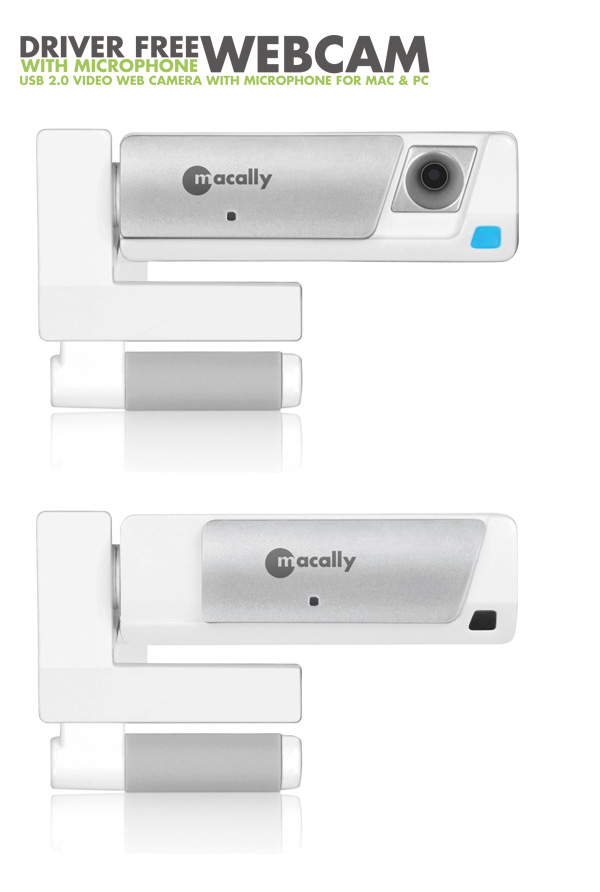
Macally Magecam WEBCAM.
Drive free with Microphone, USB 2.0 Video Web Camera with Microphone for Mac & PV
Features:
- USB video class VGA webcam with no driver needed
- VGA 640x480 Resolution, Up to 30 frames per second*
- Microphone
- Power/status LED indicator
- Mini USB cable port (USB Cable included)
- 360 degree rotating support holder
- Spring loaded clamp base clips on laptop computers and flat panel monitors of various thicknesses.
System Requirements:
- MacOS X 10.4.11 and 10.6.x and (iChat and Skype)
- Windows XP(SP2), Windows Vista for (Windows Live Messenger, Skype, Yahoo! Messenger)
- Any desktop or notebook computers with a USB2.0 port available
- Supports Mac models(with built-in iSight camera) to have more flexible pointing angle.


All prices shown on camerafarm.com.au website are in $AUD and inclusive of GST.
Prices and availability are subject to change without prior notice. Images
displayed are accurate to the best of our knowledge and we will not be held
responsible for purchases based soley on these images. All brands and names
are trademarks of their respective companies.
We sell and ship to anywhere in Australia
.
© Techbuy Pty Ltd (camerafarm.com.au) 2026 All rights reserved. (site rev. 1.6b) For more
information, please see our usage policies.