Camerafarm product archive #40482
| Image |
Date |
Product description |
Price |
Buy |
|
02/11
|
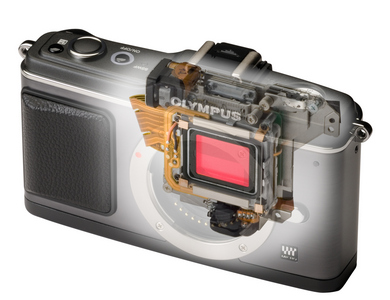
Olympus E-P2 Digital Camera -12.3MP - Black
- 3.0" LCD, Image Stabilisation, Live View, HD Recording E-P2
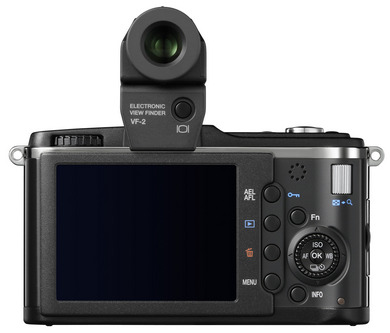
- Live Viewfinder 1.44M dots (detachable)
- 12.3 Megapixel
- SLR picture quality
- HD Movie recording
- Interchangeable lenses
- Image Stabiliser built-in
- 8 Art Filters
- AF Tracking
- 3 inch LCD
- ISO 6400 (max)
- Available in the following kits (Dec 09):
- E-P2 (Black) body only + VF-2 RRP$1399
- E-P2 (Black) + VF-2 + 14-42mm RRP$1499
SMALL, LIGHT, COOL
The PEN E-P2 is the second model in the revolutionary PEN series of digital cameras that brings genuine SLR image quality to amazingly compact and easy-to-use cameras.
Featuring a sleek black metal exterior, the stylish PEN E-P2 is designed for photographers who prefer a premium metal camera finish with a sculpted designer look.
LIVE VIEWFINDER WITH AMAZING CLARITY
New with the EP-2 is a detachable electronic viewfinder (EVF) with a state-of-the-art 1.44 million dot resolution screen. The VF-2 is especially useful for bright outdoor photography, and its 100% view screen resolution is so clear and fine that it even makes manual focusing easy.
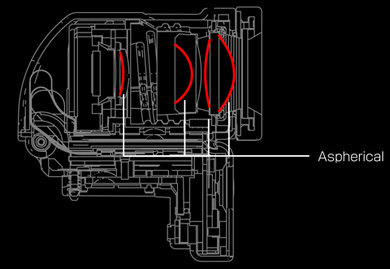
The Live Viewfinder VF-2 will amaze you with its outstanding clarity and near-distortion free, center-to-edge sharp view - provided by its sophisticated optical design with 4 aspherical lens elements. Featuring a vari-angle design, key specifications include: 1.15x magnification, 18mm eyepoint, brightness of 400cd, a 300:1 contrast ratio, 60fps refresh, and adjustable diopter.
NEW ACCESSORY PORT
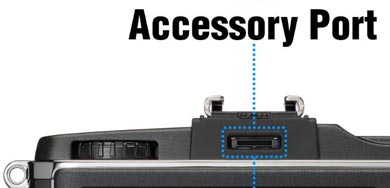
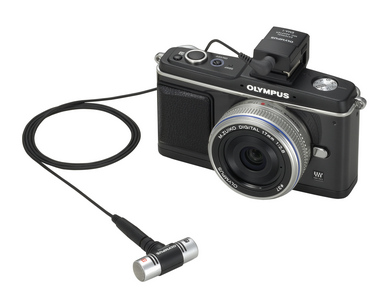
The E-P2 features a new accessory port located next to the hotshoe that accepts the VF-2 as well as the optional External Microphone Adapter, EMA-1. The EMA-1 adapter enables the use of any external microphone that uses a 3.5mm jack.
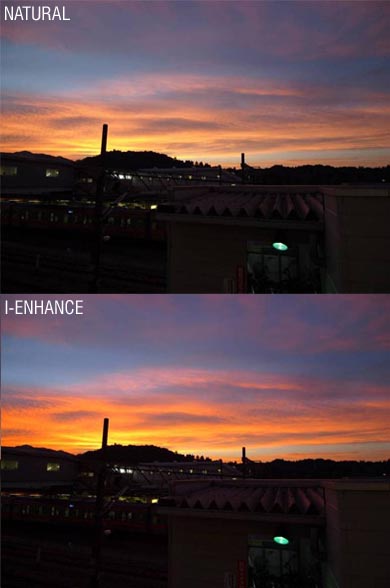
I-ENHANCE PICTURE MODE
Advanced photographers have often used composition and depth of field to heighten the clarity of the main subject in a photograph. The new I-Enhance picture mode provides a special new tool to this end by cleverly enhancing the colour tone and contrast of just the main subject in the shot.
Unlike other picture or colour modes that work in an all-or-nothing basis, I-Enhance will smartly work its magic on just the main subject, ensuring that it truly stands out with richer colour and subtly stronger contrast, whilst leaving the rest of the picture unaffected.
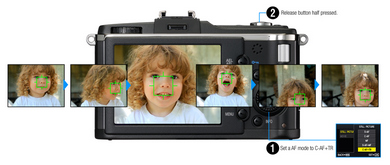
AF TRACKING
Moving subjects can now be accurately tracked using the new AF Tracking focus setting in the E-P2. With an Olympus PEN lens with MSC (Movie & Still Compatible) technology, silky smooth focus-tracking for video and still capture is now a reality.
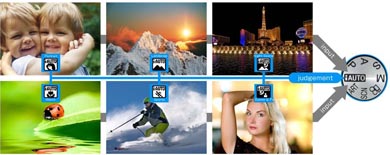
JUST WANT TO POINT-AND-SHOOT?
Set the E-P2 to Intelligent Auto (I-AUTO) mode and the camera will take all the hard work out to get you the best possible shot, hassle-free.
In I-AUTO, the camera automatically picks out the optimum settings for you to ensure that exposure and colour always looks the best for the scene you're shooting. It even turns on Face Detection to ensure that pictures of friends and loved ones are always focused on them, automatically balancing the brightness of their faces with that of the background, ensuring that both turn out beautifully. I-AUTO now works in unison with I-ENHANCE for even better fuss free picture results.
TAKE OVER COMPLETELY IF YOU'RE AN EXPERT
Traditional exposure modes of Manual, Aperture Priority, Shutter Speed priority and Program Auto can be selected at a flick of a dial to suit your preferred way of controlling exposure. A 324-zone light meter in the intelligent ESP metering mode provides accurate automated exposure decisions, or use center-weighted or spotmetering.
For the SLR photography enthusiast, the PEN E-P2 is arguably the ideal compact complement to the larger sized digital SLR camera that you already own.
Featuring a sensor size that's four times the size of the largest used in a "consumer compact" camera, and typically even larger than most model compact cameras, together with the newly designed Truepic V image processing engine, the new E-P1 provides pictures of exceptional tonality and detail, with an ISO capability of up to 6400 for available light photography.
To scale enlargement of a 20x24 inch print crop showing high image detail retention even at ISO3200!
LENS ADAPTABILITY CHAMPION
The short flange back design of the PEN camera enables adaptability with a dizzying number of lenses.
The MMF-1 lens adapter enables the use of all Olympus E-System SLR lenses with full functionality, as well as other-brand Four-Thirds compliant lenses. This means that you are able to use the largest range of digital lenses in the world to get the shot you want.
For the photographer with legacy Olympus OM series film camera lenses the new MF-2 adapter allows you to use your lens collection easily* with the PEN E-P2.
A myriad range of aftermarket lens adapters for the Micro Four Thirds lens mount permit the use of even non-Olympus* branded lenses. Approximately eleven different third-party non-Olympus to Micro Four Thirds adapters exist for PEN cameras.
*with some limitations in camera function
UNIVERSAL IMAGE STABILISATION
Image-stabilisation is one of the most desired features in cameras today because it gives you the freedom to shoot handheld in many low light situations with shake-free results. Dedicated M.Zuiko lenses, other Micro-Four Thirds as well as Four-Thirds type lenses communicate with the camera body directly for the optimum image-stabilised results.
The E-P2's built-in Image Stabiliser works with almost any non-dedicated lens that you can imagine, with its manually-set focal length feature that includes pre-sets for the entire legacy OM lens system. This means that you can stick any classic 50mm standard lens on the E-P2 with the right lens adapter for instance, and it too can benefit from the camera's built-in stabilisation.
HD MOVIE RECORDING WITH STEREO SOUND
Movie capture in widescreen High Definition (HD720p) allows you to record those special moments that only a video will do - with CD-quality stereo sound no less. Apart from Program and Aperture-Priority exposure modes, the E-P2 now features full manual exposure control capability.
CREATIVE OPTIONS GALORE
Need to add some instant flair to your pictures or movies? 8 Art Filter effects will make your pictures and movies truly stand out. Choose from the colour intensifying Pop Art, dreamy Soft Focus, chillout Pale & Light Colour, lightening Light Tone, film-noir Grainy Film, or arty Pinhole filter effects.
New with the E-P2 are the Diorama and Cross-Process Art filters. Diorama simulates the imaging properties of a tilt-lens, and Cross Process simulates the traditional look of some E-6 type film processed in the C-41 film chemical process.
Need to shoot with a wide-screen look? Change from the usual 4:3 picture shape to 16:9 by using the easy-access Live Control. A square 6:6 and postcard print shape 3:2 format are also selectable.
CLICK HERE TO FIND OUT MORE ABOUT OLYMPUS ART FILTERS! What is Micro Four Thirds?
"Micro Four Thirds" (MFT) is a way of designing cameras in which key system design parameters are standardised . MFT cameras feature a large "4/3" sized image sensor with an internal camera structure that eliminates the traditional SLR quick-return mirror, thereby facilitating a radical reduction in camera size whilst keeping the advantages of digital SLR cameras such as high image quality and lens interchangeability and high shooting performance.
Specifications
| Product Name |
|
Olympus PEN E-P2 |
| Model |
|
E-P2 |
| Type |
|
Interchangeable Lens Type Live View Digital Camera |
| Compatible Lens |
|
Micro Four Thirds type |
| Lens Mount |
|
Micro Four Thirds Mount |
| Media |
|
SD Memory Card(SDHC compatible) Class 6 is recommended for Movie shooting |
| Effective Pixel Number |
|
12.3 Million Pixels |
| Imager Size |
|
17.3 mm (H) x 13.0 mm (V) |
| Type |
|
High speed Live MOS Sensor |
| Total Pixel Number |
|
13.1 Million pixels approx. |
| Aspect Ratio |
|
1.33 (4:3) |
| Dust Protect Filter |
|
Supersonic Wave Filter (dust reduction system for image sensor) |
| Live View Type |
|
Image Sensor(High Speed Live MOS) type
Field of view: 100%
Display Modes:
Normal Mode
Grid Line Mode
Histogram Mode(3 types)
Magnified View Mode
Comparable View Mode
OFF Mode (for OVF user)
Magnification Ratio: x7, x10
View finder information:
"Aperture value, Shutter speed, Auto Bracket, AE Lock, AF mode, IS, Shooting Mode, Battery Check, My Mode, Internal Temperature Warning, Face Detection, Histogram, Number of storable still pictures, Record mode, ISO, Sequential shooting, Self-timer, White Balance, Metering Mode, AF confirmation mark, Exposure Compensation Value, Spot metering Area
Only when E-system Flash attached : Flash Mode, Flash Status, Flash intensity Control, Super FP " |
| Image stabiliser |
|
Built in (Imager shift image stabilizer)
Effective compensation range: Approx.4EV steps(in maximum effect with 50mm lens)
Modes: 3 modes (2 dimensional activation, 1 dimensional activation in landscape frame to vertical direction moving, 1 dimensional activation in portrait frame to horizontal direction moving ), OFF
Manual Function input focal length 8, 10, 12, 16, 18, 24, 28, 30, 35, 40, 48, 50, 55, 65, 70, 75, 80, 85, 90, 100, 105, 120, 135, 150, 180, 200, 210, 250, 300, 350, 400, 500, 600, 800, 1000
IS for Movie Shifting electronic image
|
| Autofocus Type |
|
Imager Contrast Detection AF system |
| Focus Modes |
|
Single AF (S-AF) / Continuous AF (C-AF) / Manual Focus (MF) / S-AF + MF / AF tracking (C-AF + TR)
|
| Focus Areas |
|
11-area multiple AF with the contrast detection system (Auto, selectable in option) |
| Focus Area Selection |
|
Auto from all 11 area, Single area from 11 area, Auto from 25 area when Face detection is ON, Free selection (from 225points) when Magnified View Mode is selected, When non High-speed imager AF compatible lens is used, it works as AF assist |
| AF Lock |
|
Locked at first position of Shutter button in Single AF mode |
| Focus Aid |
|
When rotation of focus ring is detected under S-AF+MF or MF mode, or when OM manual focus type lens is used with MF-2 adapter, LV is magnified automatically |
| Manual Focus |
|
Yes (with enlarged area focusing aid) |
| Metering System |
|
TTL Image Sensor metering system |
| Metering Modes |
|
(1) Digital ESP metering (324-area multi pattern metering) (2) Center weighted average metering (3) Spot metering (approx. 1% of the viewfinder screen. Highlight / shadow bias spot metering are available) |
| Metering Range |
|
EV 0 - 18 (Digital ESP metering, Centre weighted average metering, Spot metering)
(At normal temperature, 50mm f2, ISO 100)
|
| Exposure Modes |
|
(1) i Auto (2) P: Programme AE (Programme shift can be performed) (3) A: Aperture priority AE (4) S: Shutter priority AE (5) M: Manual (6) Scene select AE (7) Art Filter |
| Scene Select AE |
|
Portrait, Landscape, Macro, Sport, Night + Portrait, Children, High Key, Low Key, DIS mode, Nature Macro, Candle,
Documents, Panorama, Beach & Snow, |
| Exposure Compensation |
|
3 EV in 1/3, 1/2, 1 EV steps selectable |
| AE Lock |
|
Available |
| Exposure Bracketing |
|
3 frames in 0.3, 0.5, 0.7, 1EV steps selectable |
| ISO Sensitivity (Auto) |
|
ISO 200 - 6400 (customizable, Default 200-1600) |
| ISO Sensitivity (Manual) |
|
ISO 100 - 6400, 1/3 or 1 EV steps, Movie ISO 160-1600 |
| Shutter Type |
|
Computerized focal-plane shutter |
| Shutter Speed |
|
60 - 1/4000 sec.
Bulb: up to 30 min. (selectable longest time in the menu. Default: 8 min)
1/3, 1/2, or 1EV steps selectable. |
| X-sync speed |
|
1/30-1/180 |
| Self-Timer |
|
Operation time: 12 sec., 2 sec. (cancel available) |
| Remote Cable Release |
|
RM-UC1 (optional accessory) |
| Drive Modes |
|
Single-frame shooting, Sequential shooting, Self-timer |
| Sequential Shooting Speed |
|
Approx. 3 frames/sec. in sequential shooting |
| Max. Frame Number On Sequential Shooting |
|
RAW mode: Max. 10 frames (minimum spec - actual no. of total RAW shots in continuous burst shooting can be more depending on card speed and picture detail due to the nature of RAW compression used)
"JPEG mode: Depends on compression ratio and no. of pixels
(Large normal mode: approx. 12 with Toshiba Super High Speed type ""Class 6"" 4GB)"
|
| Auto WB System |
|
High speed Live MOS sensor |
| Preset WB |
|
"8 settings (3000K - 7500K)
Lamp (3000K), Fluorescent 1 (4000K), Fluorescent 2 (4500K), Fluorescent 3 (6600K), Daylight (5300K), Flash (5500K), Cloudy (6000K), Shade (7500K) "
|
| Custom WB |
|
1 setting can be registered at Kelvin temperature (2000K - 14000K) |
| WB Compensation |
|
7 steps in each A-B/G-M axis (in Auto WB / Preset WB mode / One touch WB) |
| One Touch White Balance |
|
1 custom setting can be registered |
| WB Bracketing |
|
3 frames in 2, 4, 6 steps selectable in each A-B/G-M axis. |
| Image Processing Engine |
|
TruePic V |
| Colour Space |
|
sRGB, Adobe RGB |
| Picture Modes |
|
Vivid, Natural, Portrait, Muted, Monotone |
| Monotone Filter Effect |
|
Yellow, Orange, Red or Green filter available for Monotone |
| Picture Tones |
|
Sepia, Blue, Purple or Green tone available for Monotone |
| Built-in Flash Type |
|
None |
| Flash Modes |
|
Flash modes of External Flash
"Auto, Red-eye reduction, Red-eye reduction slow sync., Slow sync at 1st curtain, Slow sync at 2nd curtain, Fill-in,
Manual (1/4, 1/16, 1/64), Off."
|
| External Flash Control Type |
|
TTL Auto, Auto, Manual, FP-TTL-AUTO, FP-MANUAL |
| Playback Monitor Type |
|
Hypercrystal LCD with 176 degree viewing angle / VF-2 Detachable LiveViewfinder |
| Size |
|
3 inch LCD / Detachable Electronic Viewfinder |
| Pixel Number |
|
230,000 / 1,440,000 |
| Playback Field Of View |
|
100% / 100% (VF-2) |
| Playback Display mode |
|
Single-frame
Information Display
Index Display(4/9/16/25/49/100 frames, Calendar)
Close-up (2 - 14X)
Movie (w/sound, FF/REW/Pause)
Picture rotation (auto mode available),
Slideshow(Still/Movie/Still+Movie, Slide show w/BGM/BGM+Sound/Sound)
|
| Playback Information |
|
Histogram (independent luminance / RGB available), Highlight / Shadow point warning, AF frame, Shooting information |
| Erase Modes |
|
Single frame, All, Selected frames(from Index) |
| Image Protect Mode |
|
Single frame, Selected frames, All Frames, Release protect (Single/All selected) |
| Type Of Recording Format |
|
Recording(Still)
Recording format
DCF, DPOF compatible/Exif, PRINT Image
Matching III
File format RAW (12-bit lossless compression), JPEG, RAW+JPEG
Recording(Movie)
AVI Motion JPEG(30fps)
Compression Ratio 1/12
Recording(Sound)
"Wave Format Base Stereo PCM/16bit, 44.1kHz" |
| RAW+JPEG Recording |
|
Yes |
| File Size |
|
Recording(Still)
[RAW] 4032 x 3024 pixels
[JPEG] 4032 x 3024 pixels - 640 x 480 pixels
File Size
RAW: 4032(H)x3042(V) (approx. 1/1.5 lossless compressed) Approx. 13.9MB
Set1(LF): 4032(H)x3042(V) (1/4 compressed) Approx. 5.7MB
Set2(LN): 4032(H)x3042(V) (1/8 compressed) Approx. 2.7MB
Set3(MN): 2560(H)x1920(V) (1/8 compressed) Approx. 1.1MB
Set4(SN): 1024(H)x768(V) (1/8 compressed) Approx. 0.3MB
Recording(Movie)
HD: 1280(H)x720(V) Aspect 16:9
SD: 640(H)x480(V) Aspect 4:3(VGA)
File Size Max 2GB (limited by AVI format)
Maximum Recording Time HD: 7min, SD: 14min
Recording(Sound)
Maximum Recording Time "Picture with Sound: 30sec
Movie: depend on Movie Recording Time" |
| In-Camera RAW Development |
|
Available |
| Image Editing |
|
RAW development based on settings of the camera(including Art Filter) Shadow adjustment, Red-eye fix, Trimming, Monotone, Sepia, Saturation (colour depth), Resize (producing another file, 1280x960, 640x480, 320x240), e-portrait |
| Languages |
|
"Japan: Japanese, English (Additional one language is possible to download.)
Others: English, French, German, Spanish, Italian, Japanese, Korean, Traditional Chinese, Simplified Chinese, Russian, Czech, Dutch, Danish, Polish, Portuguese, Swedish, Norwegian, Finnish, Croat, Slovenian, Hungarian, Greek, Slovakian, Turkish, Latvian, Estonian, Lithuanian, Ukrainian, Serbian, Bulgarian, Rumanian, Indonesian, Malay, Thai"
|
| PC Interface |
|
USB 2.0 High Speed |
| Video Signal Output |
|
HD via HDMI cable (not supplied) or SD via RCA type cable |
| Flash attachment |
|
Dedicated hotshoe |
| Battery |
|
BLS-1 Li-ion battery (included) |
| Sleep Mode |
|
Available (1, 3, 5, 10 min., off selectable) |
| Battery life |
|
Approx. 300 shots (with BLS-1 and Toshiba Class 6 SDHC 4GB card under CIPA testing standard) |
| Dimensions |
|
120.5 mm (W) x 70mm (H) x 35mm (D) (excluding protrusions) |
| Weight |
|
335g (body only) |
| Operating Temperature |
|
0 - 40 (operation) / -20 - 60 (storage) |
| Operating Humidity |
|
30 - 90% (operation) / 10 - 90% (storage) |
| Box contents |
|
Body, VF-2 Electronic viewfinder, Li-ion battery BLS-1, Li-ion battery charger BCS-1, USB/Video Multi cable, Shoulder strap, OLYMPUS Master CD-ROM, Instruction manual, Warranty card.
|
| |
|
|
|


|
|
|
02/11
|
YODN Replacement Lamp - To Suit Sanyo PLC-XU105/115/LP-XU105/115 ProjectorYODN Lamp for Sanyo PLC-XU105/115/LP-XU105/115 (POA-LMP111) YODN Lamp for Sanyo PLC-XU105/PLC-XU115/LP-XU105/LP-XU115 (POA-LMP111)--4 months warranty
|
|
|
|
02/11
|
HP CH644A #771 Maintenance Cartridge - For HP DesignJet Printers
|
|

|
|
02/11
|
HP CR257A #771 Ink Cartridge Triple Pack - Light Grey, 3x775ml - For HP DesignJet Printers
| Overview and features |
Overview
|
Deliver the quality that's expected and meet fast turnaround timeseven for top photo-quality applications. HP Vivid Photo Inks help you respond quickly by providing quality, speed, and easy, hassle-free printing.
|
|
|
| Printing specifications |
Colour(s) of Print Cartridges
|
Light gray
|
Ink Drop
|
4 pl
|
Compatible Ink Types
|
Pigment-based
|
| Environmental specifications |
Operating Temperature Range
|
5 to 40 C
|
Storage temperature range (Celsius)
|
-40 to 60 C
|
Operating Humidity Range
|
20 to 80% RH
|
| Dimensions / weight / warranty |
Package dimensions (W x D x H)
|
216 x 289 x 143 mm
|
Package weight
|
3.39 kg
|
Warranty
|
Until the Warranty Ends date has been reached or the warranted usage limit has been reached, whichever occurs first. |
|
|
|
|
02/11
|
HP CR256A #771 Ink Cartridge Triple Pack - Photo Black, 3x775ml - For HP DesignJet Printers
| Overview and features |
Overview
|
Deliver the quality that's expected and meet fast turnaround timeseven for top photo-quality applications. HP Vivid Photo Inks help you respond quickly by providing quality, speed, and easy, hassle-free printing.
|
|
|
| Printing specifications |
Colour(s) of Print Cartridges
|
Photo black
|
Ink Drop
|
4 pl
|
Compatible Ink Types
|
Pigment-based
|
| Environmental specifications |
Operating Temperature Range
|
5 to 40 C
|
Storage temperature range (Celsius)
|
-40 to 60 C
|
Operating Humidity Range
|
20 to 80% RH
|
| Dimensions / weight / warranty |
Package dimensions (W x D x H)
|
216 x 289 x 143 mm
|
Package weight
|
3.39 kg
|
Warranty
|
Until the Warranty Ends date has been reached or the warranted usage limit has been reached, whichever occurs first. |
|
|
|
|
02/11
|
HP CR255A #771 Ink Cartridge Triple Pack - Light Cyan, 3x775ml - For HP DesignJet Printers
| Overview and features |
Overview
|
Deliver the quality that's expected and meet fast turnaround timeseven for top photo-quality applications. HP Vivid Photo Inks help you respond quickly by providing quality, speed, and easy, hassle-free printing.
|
|
|
| Printing specifications |
Colour(s) of Print Cartridges
|
Light cyan
|
Ink Drop
|
4 pl
|
Compatible Ink Types
|
Pigment-based
|
| Environmental specifications |
Operating Temperature Range
|
5 to 40 C
|
Storage temperature range (Celsius)
|
-40 to 60 C
|
Operating Humidity Range
|
20 to 80% RH
|
| Dimensions / weight / warranty |
Package dimensions (W x D x H)
|
216 x 289 x 143 mm
|
Package weight
|
3.39 kg
|
Warranty
|
Until the Warranty Ends date has been reached or the warranted usage limit has been reached, whichever occurs first. |
|

|
|
|
02/11
|
HP CR254A #771 Ink Cartridge Triple Pack - Light Magenta, 3x775ml - For HP DesignJet Printers
| Overview and features |
Overview
|
Deliver the quality that's expected and meet fast turnaround timeseven for top photo-quality applications. HP Vivid Photo Inks help you respond quickly by providing quality, speed, and easy, hassle-free printing.
|
|
|
| Printing specifications |
Colour(s) of Print Cartridges
|
Light magenta
|
Ink Drop
|
4 pl
|
Compatible Ink Types
|
Pigment-based
|
| Environmental specifications |
Operating Temperature Range
|
5 to 40 C
|
Storage temperature range (Celsius)
|
-40 to 60 C
|
Operating Humidity Range
|
20 to 80% RH
|
| Dimensions / weight / warranty |
Package dimensions (W x D x H)
|
216 x 289 x 143 mm
|
Package weight
|
3.39 kg
|
Warranty
|
Until the Warranty Ends date has been reached or the warranted usage limit has been reached, whichever occurs first. |
|
|
|
|
02/11
|
HP CR253A #771 Ink Cartridge Triple Pack - Yellow, 3x775ml - For HP DesignJet Printers
| Overview and features |
Overview
|
Deliver the quality that's expected and meet fast turnaround timeseven for top photo-quality applications. HP Vivid Photo Inks help you respond quickly by providing quality, speed, and easy, hassle-free printing.
|
|
|
| Printing specifications |
Colour(s) of Print Cartridges
|
Yellow
|
Ink Drop
|
6 pl
|
Compatible Ink Types
|
Pigment-based
|
| Environmental specifications |
Operating Temperature Range
|
5 to 40 C
|
Storage temperature range (Celsius)
|
-40 to 60 C
|
Operating Humidity Range
|
20 to 80% RH
|
| Dimensions / weight / warranty |
Package dimensions (W x D x H)
|
216 x 289 x 143 mm
|
Package weight
|
3.39 kg
|
Warranty
|
Until the Warranty Ends date has been reached or the warranted usage limit has been reached, whichever occurs first. |
|
|
|
|
02/11
|
HP CR252A #771 Ink Cartridge Triple Pack - Magenta, 3x775ml - For HP DesignJet Printers
| Overview and features |
Overview
|
Deliver the quality that's expected and meet fast turnaround timeseven for top photo-quality applications. HP Vivid Photo Inks help you respond quickly by providing quality, speed, and easy, hassle-free printing.
|
|
|
| Printing specifications |
Colour(s) of Print Cartridges
|
Magenta
|
Ink Drop
|
6 pl
|
Compatible Ink Types
|
Pigment-based
|
| Environmental specifications |
Operating Temperature Range
|
5 to 40 C
|
Storage temperature range (Celsius)
|
-40 to 60 C
|
Operating Humidity Range
|
20 to 80% RH
|
| Dimensions / weight / warranty |
Package dimensions (W x D x H)
|
216 x 289 x 143 mm
|
Package weight
|
3.39 kg
|
Warranty
|
Until the Warranty Ends date has been reached or the warranted usage limit has been reached, whichever occurs first. |
|
|
|
|
02/11
|
HP CR251A #771 Ink Cartridge Triple Pack - Chromatic Red, 3x775ml - For HP DesignJet Printers
| Overview and features |
Overview
|
Deliver the quality that's expected and meet fast turnaround timeseven for top photo-quality applications. HP Vivid Photo Inks help you respond quickly by providing quality, speed, and easy, hassle-free printing.
|
|
|
| Printing specifications |
Colour(s) of Print Cartridges
|
Chromatic red
|
Ink Drop
|
6 pl
|
Compatible Ink Types
|
Pigment-based
|
| Environmental specifications |
Operating Temperature Range
|
5 to 40 C
|
Storage temperature range (Celsius)
|
-40 to 60 C
|
Operating Humidity Range
|
20 to 80% RH
|
| Dimensions / weight / warranty |
Package dimensions (W x D x H)
|
216 x 289 x 143 mm
|
Package weight
|
3.39 kg
|
Warranty
|
Until the Warranty Ends date has been reached or the warranted usage limit has been reached, whichever occurs first. |
|
|
|
|
02/11
|
HP CE037A #771 Ink Cartridge - Matte Black, 775ml - For HP DesignJet Printers
| Overview and features |
Overview
|
Deliver the quality that's expected and meet fast turnaround timeseven for top photo-quality applications. HP Vivid Photo Inks help you respond quickly by providing quality, speed, and easy, hassle-free printing.
|
|
|
| Printing specifications |
Colour(s) of Print Cartridges
|
Matte black
|
Ink Drop
|
6 pl
|
Compatible Ink Types
|
Pigment-based
|
| Environmental specifications |
Operating Temperature Range
|
5 to 40 C
|
Storage temperature range (Celsius)
|
-40 to 60 C
|
Operating Humidity Range
|
20 to 80% RH
|
| Dimensions / weight / warranty |
Package dimensions (W x D x H)
|
324 x 120 x 64 mm
|
Package weight
|
1.09 kg
|
Warranty
|
Until the Warranty Ends date has been reached or the warranted usage limit has been reached, whichever occurs first. |
|
|
|
|
02/11
|
HP CR250A #771 Ink Cartridge Triple Pack - Matte Black, 3x775ml - For HP DesignJet Printers
| Overview and features |
Overview
|
Deliver the quality that's expected and meet fast turnaround timeseven for top photo-quality applications. HP Vivid Photo Inks help you respond quickly by providing quality, speed, and easy, hassle-free printing.
|
|
|
| Printing specifications |
Colour(s) of Print Cartridges
|
Matte black
|
Ink Drop
|
6 pl
|
Compatible Ink Types
|
Pigment-based
|
| Environmental specifications |
Operating Temperature Range
|
5 to 40 C
|
Storage temperature range (Celsius)
|
-40 to 60 C
|
Operating Humidity Range
|
20 to 80% RH
|
| Dimensions / weight / warranty |
Package dimensions (W x D x H)
|
216 x 289 x 143 mm
|
Package weight
|
3.39 kg
|
Warranty
|
Until the Warranty Ends date has been reached or the warranted usage limit has been reached, whichever occurs first. |
|
|
|
|
02/11
|
HP CE038A #771 Ink Cartridge - Chromatic Red, 775ml - For HP DesignJet Printers
| Overview and features |
Overview
|
Deliver the quality that's expected and meet fast turnaround timeseven for top photo-quality applications. HP Vivid Photo Inks help you respond quickly by providing quality, speed, and easy, hassle-free printing.
|
|
|
| Printing specifications |
Colour(s) of Print Cartridges
|
Chromatic red
|
Ink Drop
|
6 pl
|
Compatible Ink Types
|
Pigment-based
|
| Environmental specifications |
Operating Temperature Range
|
5 to 40 C
|
Storage temperature range (Celsius)
|
-40 to 60 C
|
Operating Humidity Range
|
20 to 80% RH
|
| Dimensions / weight / warranty |
Package dimensions (W x D x H)
|
324 x 120 x 64 mm
|
Package weight
|
1.09 kg
|
Warranty
|
Until the Warranty Ends date has been reached or the warranted usage limit has been reached, whichever occurs first. |
|
|
|
|
02/11
|
HP CE039A #771 Ink Cartridge - Magenta, 775ml - For HP DesignJet Printers
| Overview and features |
Overview
|
Deliver the quality that's expected and meet fast turnaround timeseven for top photo-quality applications. HP Vivid Photo Inks help you respond quickly by providing quality, speed, and easy, hassle-free printing.
|
|
|
| Printing specifications |
Colour(s) of Print Cartridges
|
Magenta
|
Ink Drop
|
6 pl
|
Compatible Ink Types
|
Pigment-based
|
| Environmental specifications |
Operating Temperature Range
|
5 to 40 C
|
Storage temperature range (Celsius)
|
-40 to 60 C
|
Operating Humidity Range
|
20 to 80% RH
|
| Dimensions / weight / warranty |
Package dimensions (W x D x H)
|
324 x 120 x 64 mm
|
Package weight
|
1.09 kg
|
Warranty
|
Until the Warranty Ends date has been reached or the warranted usage limit has been reached, whichever occurs first. |
|
|
|
|
02/11
|
HP CE040A #771 Ink Cartridge - Yellow, 775ml - For HP DesignJet Printers
| Overview and features |
Overview
|
Deliver the quality that's expected and meet fast turnaround timeseven for top photo-quality applications. HP Vivid Photo Inks help you respond quickly by providing quality, speed, and easy, hassle-free printing.
|
|
|
| Printing specifications |
Colour(s) of Print Cartridges
|
Yellow
|
Ink Drop
|
6 pl
|
Compatible Ink Types
|
Pigment-based
|
| Environmental specifications |
Operating Temperature Range
|
5 to 40 C
|
Storage temperature range (Celsius)
|
-40 to 60 C
|
Operating Humidity Range
|
20 to 80% RH
|
| Dimensions / weight / warranty |
Package dimensions (W x D x H)
|
324 x 120 x 64 mm
|
Package weight
|
1.09 kg
|
Warranty
|
Until the Warranty Ends date has been reached or the warranted usage limit has been reached, whichever occurs first. |
|
|
|
|
02/11
|
HP CE041A #771 Ink Cartridge - Light Magenta, 775ml - For HP DesignJet Printers
| Overview and features |
Overview
|
Deliver the quality that's expected and meet fast turnaround timeseven for top photo-quality applications. HP Vivid Photo Inks help you respond quickly by providing quality, speed, and easy, hassle-free printing.
|
|
|
| Printing specifications |
Colour(s) of Print Cartridges
|
Light magenta
|
Ink Drop
|
4 pl
|
Compatible Ink Types
|
Pigment-based
|
| Environmental specifications |
Operating Temperature Range
|
5 to 40 C
|
Storage temperature range (Celsius)
|
-40 to 60 C
|
Operating Humidity Range
|
20 to 80% RH
|
| Dimensions / weight / warranty |
Package dimensions (W x D x H)
|
324 x 120 x 64 mm
|
Package weight
|
1.09 kg
|
Warranty
|
Until the Warranty Ends date has been reached or the warranted usage limit has been reached, whichever occurs first. |
|
|
|
|
02/11
|
HP CE042A #771 Ink Cartridge - Light Cyan, 775ml - For HP DesignJet Printers
| Overview and features |
Overview
|
Deliver the quality that's expected and meet fast turnaround timeseven for top photo-quality applications. HP Vivid Photo Inks help you respond quickly by providing quality, speed, and easy, hassle-free printing.
|
|
|
| Printing specifications |
Colour(s) of Print Cartridges
|
Light cyan
|
Ink Drop
|
4 pl
|
Compatible Ink Types
|
Pigment-based
|
| Environmental specifications |
Operating Temperature Range
|
5 to 40 C
|
Storage temperature range (Celsius)
|
-40 to 60 C
|
Operating Humidity Range
|
20 to 80% RH
|
| Dimensions / weight / warranty |
Package dimensions (W x D x H)
|
324 x 120 x 64 mm
|
Package weight
|
1.09 kg
|
Warranty
|
Until the Warranty Ends date has been reached or the warranted usage limit has been reached, whichever occurs first. |
|
|
|
|
02/11
|
HP CE043A #771 Ink Cartridge - Photo Black, 775ml - For HP DesignJet Printers
| Overview and features |
Overview
|
Deliver the quality that's expected and meet fast turnaround timeseven for top photo-quality applications. HP Vivid Photo Inks help you respond quickly by providing quality, speed, and easy, hassle-free printing.
|
|
|
| Printing specifications |
Colour(s) of Print Cartridges
|
Photo black
|
Ink Drop
|
4 pl
|
Compatible Ink Types
|
Pigment-based
|
| Environmental specifications |
Operating Temperature Range
|
5 to 40 C
|
Storage temperature range (Celsius)
|
-40 to 60 C
|
Operating Humidity Range
|
20 to 80% RH
|
| Dimensions / weight / warranty |
Package dimensions (W x D x H)
|
324 x 120 x 64 mm
|
Package weight
|
1.09 kg
|
Warranty
|
Until the Warranty Ends date has been reached or the warranted usage limit has been reached, whichever occurs first. |
|
|
|
|
02/11
|
HP CE044A #771 Ink Cartridge - Light Grey, 775ml - For HP DesignJet Printers
| Overview and features |
Overview
|
Deliver the quality that's expected and meet fast turnaround timeseven for top photo-quality applications. HP Vivid Photo Inks help you respond quickly by providing quality, speed, and easy, hassle-free printing.
|
|
|
| Printing specifications |
Colour(s) of Print Cartridges
|
Light gray
|
Ink Drop
|
4 pl
|
Compatible Ink Types
|
Pigment-based
|
| Environmental specifications |
Operating Temperature Range
|
5 to 40 C
|
Storage temperature range (Celsius)
|
-40 to 60 C
|
Operating Humidity Range
|
20 to 80% RH
|
| Dimensions / weight / warranty |
Package dimensions (W x D x H)
|
324 x 120 x 64 mm
|
Package weight
|
1.09 kg
|
Warranty
|
Until the Warranty Ends date has been reached or the warranted usage limit has been reached, whichever occurs first. |
|
|
|
|
02/11
|
HP CE020A #771 Printhead - Photo Black/Light Grey - For HP DesignJet Z6200, Z6600, Z6800
|
|
|
|
02/11
|
HP CE019A #771 Printhead - Light Magenta/Light Cyan - For HP DesignJet Z6200, Z6600, Z6800
|
|
|
|
02/11
|
HP CE018A #771 Printhead - Magenta/Yellow - For HP DesignJet Z6200, Z6600, Z6800
|
|
|
|
02/11
|
HP CE017A #771 Printhead - Matte Black/Chromatic Red - For HP DesignJet Z6200, Z6600, Z6800
|
|
|
|
02/11
|
Adobe Acrobat X Suite - Windows, Retail
Adobe Acrobat X Suite includes:
Prepare, protect, and deliver professional PDF communications
Add high-quality visuals to your business communications with the industry standard for image editing
Rapidly combine audio, video, screen recordings, slides, and more into rich media experiences
Quickly transform static PowerPoint slides into compelling, interactive presentations
Adobe LiveCycle Designer ES2
Create professional forms from templates or design them from scratch
What is Acrobat X Suite?
Adobe Acrobat X Suite software, for business professionals, combines Acrobat X Pro and Adobe Photoshop CS5 with rich media applications. Create exceptional PDF experiences, including presentations, proposals, and training materials.
Create rich, interactive media
Go beyond traditional documents to create media-rich, interactive pieces that help you communicate clearly and improve business results.
Enhance and improve digital images
Easily edit, enhance, and include digital images to give your work a more polished look and help your communications stand out from the crowd.
Deliver polished PDF communications
Create and share exceptional PDF communications with the ease and control you expect from Acrobat.
Features
Create rich, interactive media
Dont just tell them. Show them. Quickly bring ideas to life through rich media presentations and multimedia PDF files that speak for themselves.
Presentations that talk
Transform static PowerPoint slides into compelling, self-running presentations with Adobe Presenter 7. With just a few clicks, you can add narration, videos, and interactivity to make your business presentations look and sound better than ever.
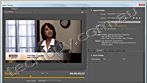
Easy video insertion
Use Adobe Media Encoder CS5 to convert a wide variety of video formats to an Adobe Flash Player compatible format. Add them to PDF files for seamless playback in Adobe Reader 9 or X.
Screen recordings made simple
Combine screen recordings, audio, video, slides, and more into rich media experiences with Adobe Captivate 5. Record narration and onscreen actions including mouse movements and keyboard activity to create persuasive presentations and more effective training materials.
To the top
Enhance and improve digital images
Add high-quality visuals to your business communications with Adobe Photoshop CS5 software. Crop, resize, and color-correct photos with ease.
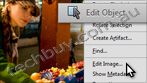
Photo editing
Quickly edit and enhance photos to include in your PDF presentations and proposals. Use simple tools to crop, resize, rotate, and color-correct existing photos for professional-looking results.
Content-Aware Fill
Remove any image detail or object, and watch as Content-Aware Fill magically fills in the space left behind. This breakthrough technology matches the lighting, tone, and noise so it looks as if the removed content never existed.
Complex selections made easy
Clean up images to make them look their best. Easily select intricate image elements, such as hair, and eliminate background color around selection edges.
Enhanced HDR imaging
Edit your images for maximum impact. Use High Dynamic Range (HDR) imaging to make dull colors more vibrant.
To the top
Deliver polished PDF communications
Capture the attention of your audience with polished, professional work. Combine, organize, and share your content in PDF files using Adobe Acrobat X Pro software.
PDF Portfolio assembly
Quickly assemble a wide range of file types including audio, video, and rich media content in a polished, organized PDF Portfolio in just three easy steps using the new PDF Portfolio Wizard.
PDF Portfolio customization
Easily customize PDF Portfolios with included layouts, visual themes, and color palettes. Add corporate logos and colors to reflect your branding. Import custom PDF Portfolio layouts and themes developed by third-party developers and designers.
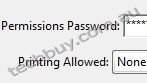
Protecting sensitive information
Help prevent information from getting into the wrong hands. Apply passwords to control access to your PDF documents or restrict printing, copying, or altering of PDF files.
Online file sharing
Use services at Acrobat.com to store and send documents to anyone you choose, inside and outside your organization knowing you are not limited by the size of their email inbox.
Windows
- 1.3GHz or faster processor
- Microsoft Windows XP Home, Professional, or Tablet PC Edition with Service Pack 3 (32 bit and 64 bit); Windows Server 2003 (32 bit and 64 bit; Service Pack 2 required for 64 bit)*; Windows Server 2008 or 2008 R2 (32 bit and 64 bit); Windows Vista Home Basic or Premium, Business, Ultimate, or Enterprise with Service Pack 2 (32 bit and 64 bit); Windows 7 Starter, Home Premium, Professional, Ultimate, or Enterprise (32 bit and 64 bit)
- 2GB of RAM
- 4.9GB of available hard-disk space
- 1024x768 screen resolution
- DVD-ROM drive compatible with dual-layer DVDs
- Internet Explorer 7 or 8; Firefox 3.5 or 3.6
- Video hardware acceleration (optional)
* Note: For Windows Server 2003 SP2, Microsoft Update KB930627 is required.
|
|
|
|
02/11
|
Adobe Acrobat X Professional - Mac, Student Only Serial Number is given by Post Verification from Adobe
Warning : Before Purchase Please Check OS Compatibility
What is Acrobat X Pro?
Adobe Acrobat X Pro software lets you deliver professional PDF communications. Create and edit PDF files with rich media included, share information more securely, and gather feedback more efficiently.
Top features in Acrobat Pro
PDF Portfolios
Combine a wide range of file types into a polished, organized PDF Portfolio. Apply professionally designed layouts, visual themes, and color palettes. Easily add corporate logos and colors to reflect your branding.
Action Wizard
Automate routine, multistep tasks into a guided Action. Create, manage, execute, and share a sequence of frequently used steps that can be applied to a single PDF or batches of files.
Interactive PDF forms
Easily convert existing forms to fillable PDF forms with intelligent form field recognition, or design them yourself using included templates. Collect data quickly and export to spreadsheets for analysis. Track and manage responses.
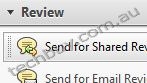
Streamlined document reviews
Provide team members with a complete set of comment and markup tools, so all can participate in shared document reviews using Adobe Reader X or Reader 9 software. See and build on each others comments. Track progress and participation.
Features
Convert or scan to PDF
No matter what type of content you need to convert or scan to PDF paper documents, email, photos, spreadsheets, websites,Adobe Flash Player compatible video, and more do it quickly and confidently with Adobe Acrobat X software. Create and share PDF files that can be viewed on mobile devices and smart phones.
PDF file conversion
Create PDF documents from any application that prints, including one-button conversion from Microsoft Word, Excel, PowerPoint, Outlook, Publisher, and Access, as well as Firefox and Lotus Notes without ever leaving your authoring application.
Scanning to PDF
Scan and convert paper documents and forms to PDF. Make scanned text searchable automatically with OCR, then check and fix suspected errors. Text can be exported for reuse in other applications.
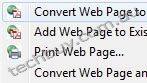
HTML to PDF
With a single click from within Internet Explorer or Firefox, capture web pages as PDF files, keeping all links intact. Convert only a portion of the page by selecting just the content you want.
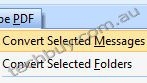
Email to PDF
Handle email-based communication more efficiently and simplify email search and retrieval. Archive emails or email folders from Microsoft Outlook or IBM Lotus Notes with one-button ease.
To the top
Export and edit PDF files
Easily edit PDF files and quickly export PDF to Word or Excel documents. Spend less time rekeying information and more time reusing content. Use Acrobat X to reduce errors, improve productivity, and finish projects faster.
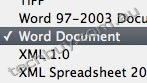
PDF to Word
Save PDF files as Word documents with improved preservation of formatting and layouts. Relative positioning of tables, images, and even multicolumn text is preserved, as well as page, paragraph, and font attributes.
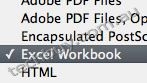
PDF to Excel
Expedite reuse of content by converting PDF document data to Excel file formats. Even select a portion of a PDF page and export it to an editable format.
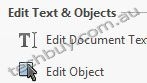
Editing PDF files
Quickly and easily edit PDF documents without going back to the original source files. Save time by making simple changes to text and images directly within PDF files. Remove, reorder, and rotate PDF pages.
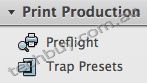
Printing preparation
Reduce errors and delays at the printer. Preview, preflight, correct, and prepare PDF files for high-end print production and digital publishing.
To the top
Combine files from multiple applications
No need to fill peoples inboxes with multiple emails and attachments. Create and deliver professional-looking PDF files that are simple to send, open, view, and navigate.
PDF Portfolio assembly
Quickly assemble a wide range of file types including audio, video, and rich media content into a polished, organized PDF Portfolio using the new PDF Portfolio Wizard.
PDF Portfolio customization
Easily customize PDF Portfolios with included layouts, visual themes, and color palettes. Add corporate logos and colors to reflect your branding. Import custom PDF Portfolio layouts and themes developed by third-party developers and designers.
Rich media
Quickly bring ideas to life through rich, interactive documents. Insert audio, Flash Player compatible video, and interactive media into PDF files, for seamless playback in Adobe Reader X or Reader 9.
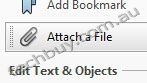
Attaching native files
Make sure source files are simple to locate, access, and archive. Attach them to any PDF document in their original, native formats, ensuring a more complete document of record.
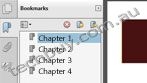
Adding navigation
Add bookmarks, links, headers, footers, and numbering so your audience can navigate documents quickly and easily. Save your settings and apply them to other documents in the future.
To the top
Increase productivity and process consistency
Use innovative productivity-enhancing software features to simplify complex projects, prepare and present high-quality content, and achieve better results.
Action Wizard
Automate routine, multistep tasks into a guided Action. Create, manage, execute, and share a sequence of frequently used steps that can be applied to a single PDF or batches of files.
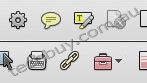
Quick Tools
Quickly access the tools you use most from your favorite PDF document editing tools to your most-often used comment and markup tools by adding them to the Quick Tools area.
Version comparison
Eliminate confusion and improve version control. Easily identify differences between two versions of a PDF file by having Acrobat analyze both files and highlight changes to text and images.
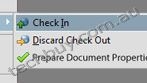
Integration with Microsoft SharePoint
Work seamlessly with PDF files in Microsoft SharePoint. Access SharePoint from any Acrobat Open or Save dialog box. Open PDF files from SharePoint for viewing. Check them out for editing, and then check them back in (Windows only).
To the top
Streamline online document reviews
Gather feedback efficiently and accelerate approvals. Use shared online document reviews and PDF comments to get and keep everyone on the same page from project start to finish.
Commenting tools
Review and mark up PDF files using a complete set of familiar commenting tools, including sticky note and highlighter tools, lines, and stamps.
Online document reviews
Gain the feedback you need, faster, through easy-to-manage, shared document reviews that allow participants to see and build on one anothers comments. Easily track progress and participation, add reviewers, and email updates or reminders.
Extending Reader functionality
Enable Adobe Reader X or Reader 9 users to participate in shared reviews, fill and save forms, and digitally sign and approve PDF documents regardless of platform or operating system.
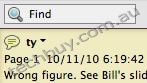
Commenting tool pane
Access markup tools and view comments from a single, unified tool pane. View all comments in a searchable list that can be filtered and sorted by page, author, and date.
To the top
Collect data with fillable PDF forms
Easily create, distribute, and track easy-to-use, interactive PDF forms that look like familiar paper forms without asking IT for help.
Form Wizard
Easily create dynamic, fillable PDF forms from paper or existing electronic files. Automatically convert static fields to fillable ones with the Form Wizard.
Adobe Reader support
Enable Adobe Reader users (Reader 9 or X only) to fill and save forms regardless of platform or operating system.
Custom form design
Create professional forms from out-of-the-box templates or design forms from scratch using Adobe LiveCycle Designer ES2 software, included as part of Acrobat X Pro (Windows only).
Distribution and tracking
Distribute forms, track status, and compile results to expedite more accurate information collection. Use services at Acrobat.com to distribute and collect forms.
Analyzing data
Streamline data reporting and analysis. Automatically compile form data in a single document or view. Filter responses as required. Easily export data to a spreadsheet for analysis.
To the top
Protect PDF files and documents
Simple-to-use security features enable you to protect sensitive information. Use PDF passwords, digital signatures, and redaction to build electronic processes you can trust.
Digital signatures
Digitally sign PDF documents, or add document timestamps. Add certified digital signatures to help recipients validate document authenticity and integrity.

Enabling Reader users to sign
Enable Adobe Reader X or Reader 9 users to digitally sign PDF documents and forms or add document timestamps.
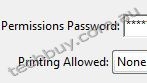
Passwords and permissions
Use passwords to help control access to your PDF documents. Apply permissions to restrict printing, copying, or altering. Save passwords and permissions as security policies that can be easily applied to new PDF files.
Permanent information removal
Use redaction tools to permanently delete sensitive information, including specific text and illustrations. Easily sanitize documents with one click, finding and deleting hidden information such as metadata, annotations, attachments, form fields, layers, and bookmarks.
To the top
Comply with PDF and accessibility standards
Help ensure compliance with departmental, corporate, or government standards, as well as accessibility for people with disabilities.
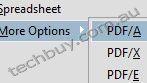
Standards support
Comply with ISO standards for creating and validating PDF documents, including PDF/A for archiving, PDF/E for engineering, and PDF/X for print production. Fix those that do not conform.
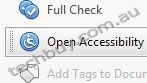
Accessible PDF files
Check, adjust, and validate documents to ensure accessibility for people with disabilities such as blindness or low vision. Set high-contrast colors for better visibility, and enable large-type display.
Read about Acrobat accessibility
PAdES signatures
Comply with PDF digital signature standards, including ETSI PAdES (PDF Advanced Electronic Signatures) Parts 2, 3, and 4.
To the top
Read, search, and share PDF files
Enable anyone, anywhere, to view, search, and print PDF files using free Adobe Reader software. Share PDF files with confidence, knowing colleagues and customers will be able to view your work exactly as intended across file formats, platforms, browsers, and devices.

Optimized viewing mode
Maximize your screen for optimal reading and presentation of PDF files with the new Reading Mode. Menus and panels disappear, and a transparent floating toolbar appears, to help you navigate PDF files more easily.
Online file sharing
Use services at Acrobat.com to easily send large files with confidence. Upload documents into your online Workspaces at Acrobat.com to share files with individuals or teams inside and outside your organization.
Mac OS
- Intel processor
- Mac OS X v10.5.8 or v10.6.4
- 512MB of RAM (1GB recommended)
- 1.2GB of available hard-disk space
- 1024x768 display
- DVD-ROM drive
- Safari 4 or 5 (Safari 5 requires Mac OS X v10.6.4)
|
|
|
|
02/11
|
Adobe Acrobat X Professional - Mac, Education Only Warning : Before Purchase Please Check OS Compatibility
What is Acrobat X Pro?
Adobe Acrobat X Pro software lets you deliver professional PDF communications. Create and edit PDF files with rich media included, share information more securely, and gather feedback more efficiently.
Top features in Acrobat Pro
PDF Portfolios
Combine a wide range of file types into a polished, organized PDF Portfolio. Apply professionally designed layouts, visual themes, and color palettes. Easily add corporate logos and colors to reflect your branding.
Action Wizard
Automate routine, multistep tasks into a guided Action. Create, manage, execute, and share a sequence of frequently used steps that can be applied to a single PDF or batches of files.
Interactive PDF forms
Easily convert existing forms to fillable PDF forms with intelligent form field recognition, or design them yourself using included templates. Collect data quickly and export to spreadsheets for analysis. Track and manage responses.
Streamlined document reviews
Provide team members with a complete set of comment and markup tools, so all can participate in shared document reviews using Adobe Reader X or Reader 9 software. See and build on each others comments. Track progress and participation.
Features
Convert or scan to PDF
No matter what type of content you need to convert or scan to PDF paper documents, email, photos, spreadsheets, websites,Adobe Flash Player compatible video, and more do it quickly and confidently with Adobe Acrobat X software. Create and share PDF files that can be viewed on mobile devices and smart phones.
PDF file conversion
Create PDF documents from any application that prints, including one-button conversion from Microsoft Word, Excel, PowerPoint, Outlook, Publisher, and Access, as well as Firefox and Lotus Notes without ever leaving your authoring application.
Scanning to PDF
Scan and convert paper documents and forms to PDF. Make scanned text searchable automatically with OCR, then check and fix suspected errors. Text can be exported for reuse in other applications.
HTML to PDF
With a single click from within Internet Explorer or Firefox, capture web pages as PDF files, keeping all links intact. Convert only a portion of the page by selecting just the content you want.
Email to PDF
Handle email-based communication more efficiently and simplify email search and retrieval. Archive emails or email folders from Microsoft Outlook or IBM Lotus Notes with one-button ease.
To the top
Export and edit PDF files
Easily edit PDF files and quickly export PDF to Word or Excel documents. Spend less time rekeying information and more time reusing content. Use Acrobat X to reduce errors, improve productivity, and finish projects faster.
PDF to Word
Save PDF files as Word documents with improved preservation of formatting and layouts. Relative positioning of tables, images, and even multicolumn text is preserved, as well as page, paragraph, and font attributes.
PDF to Excel
Expedite reuse of content by converting PDF document data to Excel file formats. Even select a portion of a PDF page and export it to an editable format.
Editing PDF files
Quickly and easily edit PDF documents without going back to the original source files. Save time by making simple changes to text and images directly within PDF files. Remove, reorder, and rotate PDF pages.
Printing preparation
Reduce errors and delays at the printer. Preview, preflight, correct, and prepare PDF files for high-end print production and digital publishing.
To the top
Combine files from multiple applications
No need to fill peoples inboxes with multiple emails and attachments. Create and deliver professional-looking PDF files that are simple to send, open, view, and navigate.
PDF Portfolio assembly
Quickly assemble a wide range of file types including audio, video, and rich media content into a polished, organized PDF Portfolio using the new PDF Portfolio Wizard.
PDF Portfolio customization
Easily customize PDF Portfolios with included layouts, visual themes, and color palettes. Add corporate logos and colors to reflect your branding. Import custom PDF Portfolio layouts and themes developed by third-party developers and designers.
Rich media
Quickly bring ideas to life through rich, interactive documents. Insert audio, Flash Player compatible video, and interactive media into PDF files, for seamless playback in Adobe Reader X or Reader 9.
Attaching native files
Make sure source files are simple to locate, access, and archive. Attach them to any PDF document in their original, native formats, ensuring a more complete document of record.
Adding navigation
Add bookmarks, links, headers, footers, and numbering so your audience can navigate documents quickly and easily. Save your settings and apply them to other documents in the future.
To the top
Increase productivity and process consistency
Use innovative productivity-enhancing software features to simplify complex projects, prepare and present high-quality content, and achieve better results.
Action Wizard
Automate routine, multistep tasks into a guided Action. Create, manage, execute, and share a sequence of frequently used steps that can be applied to a single PDF or batches of files.
Quick Tools
Quickly access the tools you use most from your favorite PDF document editing tools to your most-often used comment and markup tools by adding them to the Quick Tools area.
Version comparison
Eliminate confusion and improve version control. Easily identify differences between two versions of a PDF file by having Acrobat analyze both files and highlight changes to text and images.
Integration with Microsoft SharePoint
Work seamlessly with PDF files in Microsoft SharePoint. Access SharePoint from any Acrobat Open or Save dialog box. Open PDF files from SharePoint for viewing. Check them out for editing, and then check them back in (Windows only).
To the top
Streamline online document reviews
Gather feedback efficiently and accelerate approvals. Use shared online document reviews and PDF comments to get and keep everyone on the same page from project start to finish.
Commenting tools
Review and mark up PDF files using a complete set of familiar commenting tools, including sticky note and highlighter tools, lines, and stamps.
Online document reviews
Gain the feedback you need, faster, through easy-to-manage, shared document reviews that allow participants to see and build on one anothers comments. Easily track progress and participation, add reviewers, and email updates or reminders.
Extending Reader functionality
Enable Adobe Reader X or Reader 9 users to participate in shared reviews, fill and save forms, and digitally sign and approve PDF documents regardless of platform or operating system.
Commenting tool pane
Access markup tools and view comments from a single, unified tool pane. View all comments in a searchable list that can be filtered and sorted by page, author, and date.
To the top
Collect data with fillable PDF forms
Easily create, distribute, and track easy-to-use, interactive PDF forms that look like familiar paper forms without asking IT for help.
Form Wizard
Easily create dynamic, fillable PDF forms from paper or existing electronic files. Automatically convert static fields to fillable ones with the Form Wizard.
Adobe Reader support
Enable Adobe Reader users (Reader 9 or X only) to fill and save forms regardless of platform or operating system.
Custom form design
Create professional forms from out-of-the-box templates or design forms from scratch using Adobe LiveCycle Designer ES2 software, included as part of Acrobat X Pro (Windows only).
Distribution and tracking
Distribute forms, track status, and compile results to expedite more accurate information collection. Use services at Acrobat.com to distribute and collect forms.
Analyzing data
Streamline data reporting and analysis. Automatically compile form data in a single document or view. Filter responses as required. Easily export data to a spreadsheet for analysis.
To the top
Protect PDF files and documents
Simple-to-use security features enable you to protect sensitive information. Use PDF passwords, digital signatures, and redaction to build electronic processes you can trust.
Digital signatures
Digitally sign PDF documents, or add document timestamps. Add certified digital signatures to help recipients validate document authenticity and integrity.
Enabling Reader users to sign
Enable Adobe Reader X or Reader 9 users to digitally sign PDF documents and forms or add document timestamps.
Passwords and permissions
Use passwords to help control access to your PDF documents. Apply permissions to restrict printing, copying, or altering. Save passwords and permissions as security policies that can be easily applied to new PDF files.
Permanent information removal
Use redaction tools to permanently delete sensitive information, including specific text and illustrations. Easily sanitize documents with one click, finding and deleting hidden information such as metadata, annotations, attachments, form fields, layers, and bookmarks.
To the top
Comply with PDF and accessibility standards
Help ensure compliance with departmental, corporate, or government standards, as well as accessibility for people with disabilities.
Standards support
Comply with ISO standards for creating and validating PDF documents, including PDF/A for archiving, PDF/E for engineering, and PDF/X for print production. Fix those that do not conform.
Accessible PDF files
Check, adjust, and validate documents to ensure accessibility for people with disabilities such as blindness or low vision. Set high-contrast colors for better visibility, and enable large-type display.
Read about Acrobat accessibility
PAdES signatures
Comply with PDF digital signature standards, including ETSI PAdES (PDF Advanced Electronic Signatures) Parts 2, 3, and 4.
To the top
Read, search, and share PDF files
Enable anyone, anywhere, to view, search, and print PDF files using free Adobe Reader software. Share PDF files with confidence, knowing colleagues and customers will be able to view your work exactly as intended across file formats, platforms, browsers, and devices.
Optimized viewing mode
Maximize your screen for optimal reading and presentation of PDF files with the new Reading Mode. Menus and panels disappear, and a transparent floating toolbar appears, to help you navigate PDF files more easily.
Online file sharing
Use services at Acrobat.com to easily send large files with confidence. Upload documents into your online Workspaces at Acrobat.com to share files with individuals or teams inside and outside your organization.
Mac OS
- Intel processor
- Mac OS X v10.5.8 or v10.6.4
- 512MB of RAM (1GB recommended)
- 1.2GB of available hard-disk space
- 1024x768 display
- DVD-ROM drive
- Safari 4 or 5 (Safari 5 requires Mac OS X v10.6.4)
|
|
|
|
02/11
|
Adobe Acrobat X Professional - Windows, Student Only Serial Number is given by Post Verification from Adobe
Warning : Before Purchase Please Check OS Compatibility
What is Acrobat X Pro?
Adobe Acrobat X Pro software lets you deliver professional PDF communications. Create and edit PDF files with rich media included, share information more securely, and gather feedback more efficiently.
Top features in Acrobat Pro
PDF Portfolios
Combine a wide range of file types into a polished, organized PDF Portfolio. Apply professionally designed layouts, visual themes, and color palettes. Easily add corporate logos and colors to reflect your branding.
Action Wizard
Automate routine, multistep tasks into a guided Action. Create, manage, execute, and share a sequence of frequently used steps that can be applied to a single PDF or batches of files.
Interactive PDF forms
Easily convert existing forms to fillable PDF forms with intelligent form field recognition, or design them yourself using included templates. Collect data quickly and export to spreadsheets for analysis. Track and manage responses.
Streamlined document reviews
Provide team members with a complete set of comment and markup tools, so all can participate in shared document reviews using Adobe Reader X or Reader 9 software. See and build on each others comments. Track progress and participation.
Features
Convert or scan to PDF
No matter what type of content you need to convert or scan to PDF paper documents, email, photos, spreadsheets, websites,Adobe Flash Player compatible video, and more do it quickly and confidently with Adobe Acrobat X software. Create and share PDF files that can be viewed on mobile devices and smart phones.
PDF file conversion
Create PDF documents from any application that prints, including one-button conversion from Microsoft Word, Excel, PowerPoint, Outlook, Publisher, and Access, as well as Firefox and Lotus Notes without ever leaving your authoring application.
Scanning to PDF
Scan and convert paper documents and forms to PDF. Make scanned text searchable automatically with OCR, then check and fix suspected errors. Text can be exported for reuse in other applications.
HTML to PDF
With a single click from within Internet Explorer or Firefox, capture web pages as PDF files, keeping all links intact. Convert only a portion of the page by selecting just the content you want.
Email to PDF
Handle email-based communication more efficiently and simplify email search and retrieval. Archive emails or email folders from Microsoft Outlook or IBM Lotus Notes with one-button ease.
To the top
Export and edit PDF files
Easily edit PDF files and quickly export PDF to Word or Excel documents. Spend less time rekeying information and more time reusing content. Use Acrobat X to reduce errors, improve productivity, and finish projects faster.
PDF to Word
Save PDF files as Word documents with improved preservation of formatting and layouts. Relative positioning of tables, images, and even multicolumn text is preserved, as well as page, paragraph, and font attributes.
PDF to Excel
Expedite reuse of content by converting PDF document data to Excel file formats. Even select a portion of a PDF page and export it to an editable format.
Editing PDF files
Quickly and easily edit PDF documents without going back to the original source files. Save time by making simple changes to text and images directly within PDF files. Remove, reorder, and rotate PDF pages.
Printing preparation
Reduce errors and delays at the printer. Preview, preflight, correct, and prepare PDF files for high-end print production and digital publishing.
To the top
Combine files from multiple applications
No need to fill peoples inboxes with multiple emails and attachments. Create and deliver professional-looking PDF files that are simple to send, open, view, and navigate.
PDF Portfolio assembly
Quickly assemble a wide range of file types including audio, video, and rich media content into a polished, organized PDF Portfolio using the new PDF Portfolio Wizard.
PDF Portfolio customization
Easily customize PDF Portfolios with included layouts, visual themes, and color palettes. Add corporate logos and colors to reflect your branding. Import custom PDF Portfolio layouts and themes developed by third-party developers and designers.
Rich media
Quickly bring ideas to life through rich, interactive documents. Insert audio, Flash Player compatible video, and interactive media into PDF files, for seamless playback in Adobe Reader X or Reader 9.
Attaching native files
Make sure source files are simple to locate, access, and archive. Attach them to any PDF document in their original, native formats, ensuring a more complete document of record.
Adding navigation
Add bookmarks, links, headers, footers, and numbering so your audience can navigate documents quickly and easily. Save your settings and apply them to other documents in the future.
To the top
Increase productivity and process consistency
Use innovative productivity-enhancing software features to simplify complex projects, prepare and present high-quality content, and achieve better results.
Action Wizard
Automate routine, multistep tasks into a guided Action. Create, manage, execute, and share a sequence of frequently used steps that can be applied to a single PDF or batches of files.
Quick Tools
Quickly access the tools you use most from your favorite PDF document editing tools to your most-often used comment and markup tools by adding them to the Quick Tools area.
Version comparison
Eliminate confusion and improve version control. Easily identify differences between two versions of a PDF file by having Acrobat analyze both files and highlight changes to text and images.
Integration with Microsoft SharePoint
Work seamlessly with PDF files in Microsoft SharePoint. Access SharePoint from any Acrobat Open or Save dialog box. Open PDF files from SharePoint for viewing. Check them out for editing, and then check them back in (Windows only).
To the top
Streamline online document reviews
Gather feedback efficiently and accelerate approvals. Use shared online document reviews and PDF comments to get and keep everyone on the same page from project start to finish.
Commenting tools
Review and mark up PDF files using a complete set of familiar commenting tools, including sticky note and highlighter tools, lines, and stamps.
Online document reviews
Gain the feedback you need, faster, through easy-to-manage, shared document reviews that allow participants to see and build on one anothers comments. Easily track progress and participation, add reviewers, and email updates or reminders.
Extending Reader functionality
Enable Adobe Reader X or Reader 9 users to participate in shared reviews, fill and save forms, and digitally sign and approve PDF documents regardless of platform or operating system.
Commenting tool pane
Access markup tools and view comments from a single, unified tool pane. View all comments in a searchable list that can be filtered and sorted by page, author, and date.
To the top
Collect data with fillable PDF forms
Easily create, distribute, and track easy-to-use, interactive PDF forms that look like familiar paper forms without asking IT for help.
Form Wizard
Easily create dynamic, fillable PDF forms from paper or existing electronic files. Automatically convert static fields to fillable ones with the Form Wizard.
Adobe Reader support
Enable Adobe Reader users (Reader 9 or X only) to fill and save forms regardless of platform or operating system.
Custom form design
Create professional forms from out-of-the-box templates or design forms from scratch using Adobe LiveCycle Designer ES2 software, included as part of Acrobat X Pro (Windows only).
Distribution and tracking
Distribute forms, track status, and compile results to expedite more accurate information collection. Use services at Acrobat.com to distribute and collect forms.
Analyzing data
Streamline data reporting and analysis. Automatically compile form data in a single document or view. Filter responses as required. Easily export data to a spreadsheet for analysis.
To the top
Protect PDF files and documents
Simple-to-use security features enable you to protect sensitive information. Use PDF passwords, digital signatures, and redaction to build electronic processes you can trust.
Digital signatures
Digitally sign PDF documents, or add document timestamps. Add certified digital signatures to help recipients validate document authenticity and integrity.
Enabling Reader users to sign
Enable Adobe Reader X or Reader 9 users to digitally sign PDF documents and forms or add document timestamps.
Passwords and permissions
Use passwords to help control access to your PDF documents. Apply permissions to restrict printing, copying, or altering. Save passwords and permissions as security policies that can be easily applied to new PDF files.
Permanent information removal
Use redaction tools to permanently delete sensitive information, including specific text and illustrations. Easily sanitize documents with one click, finding and deleting hidden information such as metadata, annotations, attachments, form fields, layers, and bookmarks.
To the top
Comply with PDF and accessibility standards
Help ensure compliance with departmental, corporate, or government standards, as well as accessibility for people with disabilities.
Standards support
Comply with ISO standards for creating and validating PDF documents, including PDF/A for archiving, PDF/E for engineering, and PDF/X for print production. Fix those that do not conform.
Accessible PDF files
Check, adjust, and validate documents to ensure accessibility for people with disabilities such as blindness or low vision. Set high-contrast colors for better visibility, and enable large-type display.
Read about Acrobat accessibility
PAdES signatures
Comply with PDF digital signature standards, including ETSI PAdES (PDF Advanced Electronic Signatures) Parts 2, 3, and 4.
To the top
Read, search, and share PDF files
Enable anyone, anywhere, to view, search, and print PDF files using free Adobe Reader software. Share PDF files with confidence, knowing colleagues and customers will be able to view your work exactly as intended across file formats, platforms, browsers, and devices.
Optimized viewing mode
Maximize your screen for optimal reading and presentation of PDF files with the new Reading Mode. Menus and panels disappear, and a transparent floating toolbar appears, to help you navigate PDF files more easily.
Online file sharing
Use services at Acrobat.com to easily send large files with confidence. Upload documents into your online Workspaces at Acrobat.com to share files with individuals or teams inside and outside your organization.
Windows
- 1.3GHz or faster processor
- Microsoft Windows XP Home, Professional, or Tablet PC Edition with Service Pack 3 (32 bit and 64 bit); Windows Server 2003 (32 bit and 64 bit; Service Pack 2 required for 64 bit); Windows Server 2008 or 2008 R2 (32 bit and 64 bit); Windows Vista Home Basic or Premium, Business, Ultimate, or Enterprise with Service Pack 2 (32 bit and 64 bit); Windows 7 Starter, Home Premium, Professional, Ultimate, or Enterprise (32 bit and 64 bit)
- 512MB of RAM (1GB recommended)
- 1.9GB of available hard-disk space
- 1024x576 display
- DVD-ROM drive
- Internet Explorer 7 or 8; Firefox 3.5 or 3.6
- Video hardware acceleration (optional)
Note: For Windows Server 2003 SP2, Microsoft Update KB930627 is required.
|
|
|
|
02/11
|
Adobe Acrobat X Professional - Windows, Education Only Warning : Before Purchase Please Check OS Compatibility
What is Acrobat X Pro?
Adobe Acrobat X Pro software lets you deliver professional PDF communications. Create and edit PDF files with rich media included, share information more securely, and gather feedback more efficiently.
Top features in Acrobat Pro
PDF Portfolios
Combine a wide range of file types into a polished, organized PDF Portfolio. Apply professionally designed layouts, visual themes, and color palettes. Easily add corporate logos and colors to reflect your branding.
Action Wizard
Automate routine, multistep tasks into a guided Action. Create, manage, execute, and share a sequence of frequently used steps that can be applied to a single PDF or batches of files.
Interactive PDF forms
Easily convert existing forms to fillable PDF forms with intelligent form field recognition, or design them yourself using included templates. Collect data quickly and export to spreadsheets for analysis. Track and manage responses.
Streamlined document reviews
Provide team members with a complete set of comment and markup tools, so all can participate in shared document reviews using Adobe Reader X or Reader 9 software. See and build on each others comments. Track progress and participation.
Features
Convert or scan to PDF
No matter what type of content you need to convert or scan to PDF paper documents, email, photos, spreadsheets, websites,Adobe Flash Player compatible video, and more do it quickly and confidently with Adobe Acrobat X software. Create and share PDF files that can be viewed on mobile devices and smart phones.
PDF file conversion
Create PDF documents from any application that prints, including one-button conversion from Microsoft Word, Excel, PowerPoint, Outlook, Publisher, and Access, as well as Firefox and Lotus Notes without ever leaving your authoring application.
Scanning to PDF
Scan and convert paper documents and forms to PDF. Make scanned text searchable automatically with OCR, then check and fix suspected errors. Text can be exported for reuse in other applications.
HTML to PDF
With a single click from within Internet Explorer or Firefox, capture web pages as PDF files, keeping all links intact. Convert only a portion of the page by selecting just the content you want.
Email to PDF
Handle email-based communication more efficiently and simplify email search and retrieval. Archive emails or email folders from Microsoft Outlook or IBM Lotus Notes with one-button ease.
To the top
Export and edit PDF files
Easily edit PDF files and quickly export PDF to Word or Excel documents. Spend less time rekeying information and more time reusing content. Use Acrobat X to reduce errors, improve productivity, and finish projects faster.
PDF to Word
Save PDF files as Word documents with improved preservation of formatting and layouts. Relative positioning of tables, images, and even multicolumn text is preserved, as well as page, paragraph, and font attributes.
PDF to Excel
Expedite reuse of content by converting PDF document data to Excel file formats. Even select a portion of a PDF page and export it to an editable format.
Editing PDF files
Quickly and easily edit PDF documents without going back to the original source files. Save time by making simple changes to text and images directly within PDF files. Remove, reorder, and rotate PDF pages.
Printing preparation
Reduce errors and delays at the printer. Preview, preflight, correct, and prepare PDF files for high-end print production and digital publishing.
To the top
Combine files from multiple applications
No need to fill peoples inboxes with multiple emails and attachments. Create and deliver professional-looking PDF files that are simple to send, open, view, and navigate.
PDF Portfolio assembly
Quickly assemble a wide range of file types including audio, video, and rich media content into a polished, organized PDF Portfolio using the new PDF Portfolio Wizard.
PDF Portfolio customization
Easily customize PDF Portfolios with included layouts, visual themes, and color palettes. Add corporate logos and colors to reflect your branding. Import custom PDF Portfolio layouts and themes developed by third-party developers and designers.
Rich media
Quickly bring ideas to life through rich, interactive documents. Insert audio, Flash Player compatible video, and interactive media into PDF files, for seamless playback in Adobe Reader X or Reader 9.
Attaching native files
Make sure source files are simple to locate, access, and archive. Attach them to any PDF document in their original, native formats, ensuring a more complete document of record.
Adding navigation
Add bookmarks, links, headers, footers, and numbering so your audience can navigate documents quickly and easily. Save your settings and apply them to other documents in the future.
To the top
Increase productivity and process consistency
Use innovative productivity-enhancing software features to simplify complex projects, prepare and present high-quality content, and achieve better results.
Action Wizard
Automate routine, multistep tasks into a guided Action. Create, manage, execute, and share a sequence of frequently used steps that can be applied to a single PDF or batches of files.
Quick Tools
Quickly access the tools you use most from your favorite PDF document editing tools to your most-often used comment and markup tools by adding them to the Quick Tools area.
Version comparison
Eliminate confusion and improve version control. Easily identify differences between two versions of a PDF file by having Acrobat analyze both files and highlight changes to text and images.
Integration with Microsoft SharePoint
Work seamlessly with PDF files in Microsoft SharePoint. Access SharePoint from any Acrobat Open or Save dialog box. Open PDF files from SharePoint for viewing. Check them out for editing, and then check them back in (Windows only).
To the top
Streamline online document reviews
Gather feedback efficiently and accelerate approvals. Use shared online document reviews and PDF comments to get and keep everyone on the same page from project start to finish.
Commenting tools
Review and mark up PDF files using a complete set of familiar commenting tools, including sticky note and highlighter tools, lines, and stamps.
Online document reviews
Gain the feedback you need, faster, through easy-to-manage, shared document reviews that allow participants to see and build on one anothers comments. Easily track progress and participation, add reviewers, and email updates or reminders.
Extending Reader functionality
Enable Adobe Reader X or Reader 9 users to participate in shared reviews, fill and save forms, and digitally sign and approve PDF documents regardless of platform or operating system.
Commenting tool pane
Access markup tools and view comments from a single, unified tool pane. View all comments in a searchable list that can be filtered and sorted by page, author, and date.
To the top
Collect data with fillable PDF forms
Easily create, distribute, and track easy-to-use, interactive PDF forms that look like familiar paper forms without asking IT for help.
Form Wizard
Easily create dynamic, fillable PDF forms from paper or existing electronic files. Automatically convert static fields to fillable ones with the Form Wizard.
Adobe Reader support
Enable Adobe Reader users (Reader 9 or X only) to fill and save forms regardless of platform or operating system.
Custom form design
Create professional forms from out-of-the-box templates or design forms from scratch using Adobe LiveCycle Designer ES2 software, included as part of Acrobat X Pro (Windows only).
Distribution and tracking
Distribute forms, track status, and compile results to expedite more accurate information collection. Use services at Acrobat.com to distribute and collect forms.
Analyzing data
Streamline data reporting and analysis. Automatically compile form data in a single document or view. Filter responses as required. Easily export data to a spreadsheet for analysis.
To the top
Protect PDF files and documents
Simple-to-use security features enable you to protect sensitive information. Use PDF passwords, digital signatures, and redaction to build electronic processes you can trust.
Digital signatures
Digitally sign PDF documents, or add document timestamps. Add certified digital signatures to help recipients validate document authenticity and integrity.
Enabling Reader users to sign
Enable Adobe Reader X or Reader 9 users to digitally sign PDF documents and forms or add document timestamps.
Passwords and permissions
Use passwords to help control access to your PDF documents. Apply permissions to restrict printing, copying, or altering. Save passwords and permissions as security policies that can be easily applied to new PDF files.
Permanent information removal
Use redaction tools to permanently delete sensitive information, including specific text and illustrations. Easily sanitize documents with one click, finding and deleting hidden information such as metadata, annotations, attachments, form fields, layers, and bookmarks.
To the top
Comply with PDF and accessibility standards
Help ensure compliance with departmental, corporate, or government standards, as well as accessibility for people with disabilities.
Standards support
Comply with ISO standards for creating and validating PDF documents, including PDF/A for archiving, PDF/E for engineering, and PDF/X for print production. Fix those that do not conform.
Accessible PDF files
Check, adjust, and validate documents to ensure accessibility for people with disabilities such as blindness or low vision. Set high-contrast colors for better visibility, and enable large-type display.
Read about Acrobat accessibility
PAdES signatures
Comply with PDF digital signature standards, including ETSI PAdES (PDF Advanced Electronic Signatures) Parts 2, 3, and 4.
To the top
Read, search, and share PDF files
Enable anyone, anywhere, to view, search, and print PDF files using free Adobe Reader software. Share PDF files with confidence, knowing colleagues and customers will be able to view your work exactly as intended across file formats, platforms, browsers, and devices.
Optimized viewing mode
Maximize your screen for optimal reading and presentation of PDF files with the new Reading Mode. Menus and panels disappear, and a transparent floating toolbar appears, to help you navigate PDF files more easily.
Online file sharing
Use services at Acrobat.com to easily send large files with confidence. Upload documents into your online Workspaces at Acrobat.com to share files with individuals or teams inside and outside your organization.
Windows
- 1.3GHz or faster processor
- Microsoft Windows XP Home, Professional, or Tablet PC Edition with Service Pack 3 (32 bit and 64 bit); Windows Server 2003 (32 bit and 64 bit; Service Pack 2 required for 64 bit); Windows Server 2008 or 2008 R2 (32 bit and 64 bit); Windows Vista Home Basic or Premium, Business, Ultimate, or Enterprise with Service Pack 2 (32 bit and 64 bit); Windows 7 Starter, Home Premium, Professional, Ultimate, or Enterprise (32 bit and 64 bit)
- 512MB of RAM (1GB recommended)
- 1.9GB of available hard-disk space
- 1024x576 display
- DVD-ROM drive
- Internet Explorer 7 or 8; Firefox 3.5 or 3.6
- Video hardware acceleration (optional)
Note: For Windows Server 2003 SP2, Microsoft Update KB930627 is required.
|
|
|
|
02/11
|
Sony VPL-EX145 Portable LCD Projector - 1024x768, 3100 Lumens, 4000:1, 6000Hrs, 1x VGA, 1x RJ45, Speakers VPL-EX145
An energy-efficient 3100 Lumen XGA projector The core strengths of Sonys E-Series projectors are performance, convenience and economy. The VPL-EX145 delivers these with exceptional image quality at a low cost of ownership.
Sonys next generation inorganic panels (BrightEra) and 3LCD projector system deliver higher picture quality, substantially brighter images, higher efficiency, better contrast, consistent colour stability - not to mention longer durability and usability.
The 1.3 1.82 throw ratio and 1.3 times optical zoom allows the VPL-EX145 to be installed in a wide range of environments and, where possible, can even re-use existing ceiling suspensions.
A long lamp life, (up to 6000 hours) and synchronised lamp and filter change means a reduction in maintenance costs and gives you exceptionally low levels of down-time.
With a single push of the New ECO MODE button on the projector itself, (or the supplied Remote Commander), users can switch simply to the eco settings. The VPL-EX145 has three brightness modes (High, Standard and Low) allowing the user to control the brightness and power consumption of the projector to suit the environment and conditions they are in.
Sony has unrivalled experience in projector design and manufacture for the home, business, education and in the cinema. Simple to maintain and with direct controls for all power modes, the E-series range of projectors from Sony are picture-perfect choice for smart boardrooms and classrooms.
PrimeSupport
All Sony business projectors come supplied with a 3-year support pack which offers unique extra services and benefits
- 3 years' cover
- Free telephone helpdesk support in English, German, French, Italian and Spanish.
- Collection and delivery anywhere in EU, Norway and Switzerland.
Features
Eco Mode Key
Users can easily select power-saving Eco Modes. The most energy-efficient mode is accessible though a single button-push, and further adjustments are available through an easily-understood menu system.
Front Exhaust
With a front exhaust system, users sitting behind the projector are not affected by expelled hot air and fan noise.
Easy to operate control panel layout
The VPL-EX145's control panel is on top of the device for easy operation, with large, easy-to-locate controls.
Built-in upward beam angle and keystone adjustment
Normally, the front angle of a projector has to be adjusted to raise the beam to the screen. In the VPL-EX145, this initial adjustment is built-in and includes a corresponding keystone adjustment, saving two setup stages.
Automatic Keystone Adjustment
The projector can detect keystone distortion and can correct it automatically. (Note that since this is an electronic correction, it will reduce the picture quality slightly).
Smart APA (Auto Pixel Alignment)
When a computer is used as a picture source, APA automatically optimises Phase, Pitch and Shift values. These can also be adjusted manually.
Auto Input Search
Auto Input Search detects which input has an incoming signal, and automatically switches to it. This makes it easier for users to set up the projector prior to making a presentation.
Picture Muting
If the picture needs to be turned off, all it takes is a single button-press on the remote control. This will mute audio at the same time. There is also a separate mute audio button for audio-only muting.
Audio switcher facility
To avoid the need for a separate audio switcher, the projector can be used to select between two audio sources, routing them via a variable audio output to the room amplification system.
Picture Freeze Function
Picture Freeze is useful during presentations if you need to look at other material on your PCs screen without the viewing audience being aware. Freeze the current image, and you can use your PC independently of the display from the projector
Digital Zoom
With Digital Zoom, if you are displaying a computer-sourced image, you can enlarge a selected area of the screen image by up to four times.
Filter replaced at the same time as lamp
The filter only needs to be changed when a new lamp is fitted, potentially halving disruption due to maintenance.
Multiple Picture Modes
The VPL-EX145 has six picture modes (Dynamic, Standard, Game, Living, Cinema and Presentation) that can be selected to suite the nature of the source material.
Built-in security measures
The VPL-EX145 has a package of security measures, including password protection, and physical anti-theft anchor points.
Off and Go
At the end of a presentation, you can turn off the power supply to the projector immediately, instead of going through a power down cycle.
Direct Power On/Off
With this function, there is no need to go through Standby mode when powering up the projector. The projector can be set to activate as soon as power is applied.
Technical Specifications
Please be aware that the features/specifications can differ from country to country
Display device
|
Size of effective display area
|
0.63 inches (16.0 mm) x 3, BrightEra, Aspect ratio: 4:3
|
|
Number of pixels
|
2,359,296 (1024 x 768 x 3) pixels
|
Projection lens
|
Zoom
|
Manual (Approx. 1.3 x)
|
|
Focus
|
Manual
|
Light source
|
|
High-pressure mercury lamp 210 W type
|
Recommended lamp replacement time*1
|
|
3000 H / 4500 H / 6000 H (Lamp mode: High / Standard / Low)
|
Filter cleaning cycle
|
|
Max. 6000 H*1 / Same time as the lamp replacement is recommended
|
Screen size
|
|
30 inches to 300 inches (0.762 m to 7.62 m)*2
|
Light output (Lamp mode: High / Standard / Low)
|
|
3100 lm / 2500 lm / 2000 lm
|
Color light output
|
|
3100 lm / 2500 lm / 2000 lm
|
Contrast ratio (full white / full black)*3
Displayable scanning frequency
|
Horizontal
|
14 kHz to 93 kHz
|
|
Vertical
|
47 Hz to 93 Hz
|
Display resolution
|
Computer signal input
|
Maximum input signal resolution: 1600 x 1200 (resizing display), Panel display resolution: 1024 x 768 pixels
|
|
Video signal input
|
NTSC, PAL, SECAM, 480/60i, 576/50i, 480/60p,576/50p, 720/60p, 720/50p, 1080/60i, 1080/50i
|
Color system
|
Color system
|
NTSC3.58, PAL, SECAM, NTSC4.43, PAL-M, PAL-N, PAL60
|
Keystone correction
|
|
Vertical: Max. +/- 30 degrees*4
|
OSD language
|
|
20-languages (English, Dutch, French, Italian, German, Spanish, Portuguese, Turkish, Polish, Russian, Swedish, Norwegian, Japanese, Simplified Chinese, Traditional Chinese, Korean, Thai, Vietnamese, Arabic, Persian)
|
Computer and video signal input/output
|
INPUT A
|
RGB / Y PB PR input connector: Mini D-sub-15 pin (female), Audio input connector: Stereo mini jack
|
|
INPUT B
|
RGB input connector: Mini D-sub-15 pin (female), Audio input connector: Stereo mini jack
|
|
S VIDEO IN
|
S video input connector: Mini DIN-4 pin, Audio input connector: Pin jack (x2) (shared with VIDEO IN)
|
|
VIDEO IN
|
Video input connector: Pin jack, Audio input connector: Pin jack (x2) (shared with S VIDEO IN)
|
|
OUTPUT
|
Monitor output connector*5: Mini D-sub-15 pin (female), Audio output connector*6: Stereo mini jack (variable out)
|
Other signal input/output
|
|
RS-232C connector: D-sub 9-pin (female)
|
|
|
LAN connector: RJ45, 10BASE-T/100BASE-TX
|
Operating temperature (Operating humidity)
|
|
0C to 40C / 32F to 104F (35% to 85% (no condensation))
|
Storage temperature (Storage humidity)
|
|
-20C to +60C / -4F to +140F (10% to 90%)
|
Power requirements
|
|
AC 100 V to 240 V, 3.3 A to 1.3 A, 50 Hz /60 Hz
|
Power consumption
|
AC 100 V to 120 V
|
320 W / 275 W / 245 W
|
|
AC 220 V to 240 V
|
310 W / 265 W / 235 W
|
Standby mode power consumption
|
AC 100 V to 120 V
|
8 W /
|
|
AC 220 V to 240 V
|
9 W /
|
Heat dissipation
|
AC 100 V to 120 V
|
1091 BTU
|
|
AC 220 V to 240 V
|
1057 BTU
|
Standard outside dimensions
|
|
W 313.4 x H 129.6 x D 278.3 mm (W 12 11/32 x H 5 3/32 x D 10 31/32 in)
|
|
|
W 313.4 x H 114.1 x D 269 mm (W 12 11/32 x H 4 1/2 x D 10 19/32 in) (without protrusion)
|
Supplied Accessories
|
Supplied Products
|
|
|
RM-PJ Remote Commander
|
|
|
Lithium Battery: CR2025
|
|
|
Mini D-sub 15 pin cable
|
|
|
Lens Cap
|
|
|
Operating Instructions
|
|
|
Quick Reference Manual
|
|
|
AC Power Cord
|
|
|
|
|
02/11
|
Adobe Acrobat X Professional - Mac, Retail Warning : Before Purchase Please Check OS Compatibility
What is Acrobat X Pro?
Adobe Acrobat X Pro software lets you deliver professional PDF communications. Create and edit PDF files with rich media included, share information more securely, and gather feedback more efficiently.
Top features in Acrobat Pro
PDF Portfolios
Combine a wide range of file types into a polished, organized PDF Portfolio. Apply professionally designed layouts, visual themes, and color palettes. Easily add corporate logos and colors to reflect your branding.
Action Wizard
Automate routine, multistep tasks into a guided Action. Create, manage, execute, and share a sequence of frequently used steps that can be applied to a single PDF or batches of files.
Interactive PDF forms
Easily convert existing forms to fillable PDF forms with intelligent form field recognition, or design them yourself using included templates. Collect data quickly and export to spreadsheets for analysis. Track and manage responses.
Streamlined document reviews
Provide team members with a complete set of comment and markup tools, so all can participate in shared document reviews using Adobe Reader X or Reader 9 software. See and build on each others comments. Track progress and participation.
Features
Convert or scan to PDF
No matter what type of content you need to convert or scan to PDF paper documents, email, photos, spreadsheets, websites,Adobe Flash Player compatible video, and more do it quickly and confidently with Adobe Acrobat X software. Create and share PDF files that can be viewed on mobile devices and smart phones.
PDF file conversion
Create PDF documents from any application that prints, including one-button conversion from Microsoft Word, Excel, PowerPoint, Outlook, Publisher, and Access, as well as Firefox and Lotus Notes without ever leaving your authoring application.
Scanning to PDF
Scan and convert paper documents and forms to PDF. Make scanned text searchable automatically with OCR, then check and fix suspected errors. Text can be exported for reuse in other applications.
HTML to PDF
With a single click from within Internet Explorer or Firefox, capture web pages as PDF files, keeping all links intact. Convert only a portion of the page by selecting just the content you want.
Email to PDF
Handle email-based communication more efficiently and simplify email search and retrieval. Archive emails or email folders from Microsoft Outlook or IBM Lotus Notes with one-button ease.
To the top
Export and edit PDF files
Easily edit PDF files and quickly export PDF to Word or Excel documents. Spend less time rekeying information and more time reusing content. Use Acrobat X to reduce errors, improve productivity, and finish projects faster.
PDF to Word
Save PDF files as Word documents with improved preservation of formatting and layouts. Relative positioning of tables, images, and even multicolumn text is preserved, as well as page, paragraph, and font attributes.
PDF to Excel
Expedite reuse of content by converting PDF document data to Excel file formats. Even select a portion of a PDF page and export it to an editable format.
Editing PDF files
Quickly and easily edit PDF documents without going back to the original source files. Save time by making simple changes to text and images directly within PDF files. Remove, reorder, and rotate PDF pages.
Printing preparation
Reduce errors and delays at the printer. Preview, preflight, correct, and prepare PDF files for high-end print production and digital publishing.
To the top
Combine files from multiple applications
No need to fill peoples inboxes with multiple emails and attachments. Create and deliver professional-looking PDF files that are simple to send, open, view, and navigate.
PDF Portfolio assembly
Quickly assemble a wide range of file types including audio, video, and rich media content into a polished, organized PDF Portfolio using the new PDF Portfolio Wizard.
PDF Portfolio customization
Easily customize PDF Portfolios with included layouts, visual themes, and color palettes. Add corporate logos and colors to reflect your branding. Import custom PDF Portfolio layouts and themes developed by third-party developers and designers.
Rich media
Quickly bring ideas to life through rich, interactive documents. Insert audio, Flash Player compatible video, and interactive media into PDF files, for seamless playback in Adobe Reader X or Reader 9.
Attaching native files
Make sure source files are simple to locate, access, and archive. Attach them to any PDF document in their original, native formats, ensuring a more complete document of record.
Adding navigation
Add bookmarks, links, headers, footers, and numbering so your audience can navigate documents quickly and easily. Save your settings and apply them to other documents in the future.
To the top
Increase productivity and process consistency
Use innovative productivity-enhancing software features to simplify complex projects, prepare and present high-quality content, and achieve better results.
Action Wizard
Automate routine, multistep tasks into a guided Action. Create, manage, execute, and share a sequence of frequently used steps that can be applied to a single PDF or batches of files.
Quick Tools
Quickly access the tools you use most from your favorite PDF document editing tools to your most-often used comment and markup tools by adding them to the Quick Tools area.
Version comparison
Eliminate confusion and improve version control. Easily identify differences between two versions of a PDF file by having Acrobat analyze both files and highlight changes to text and images.
Integration with Microsoft SharePoint
Work seamlessly with PDF files in Microsoft SharePoint. Access SharePoint from any Acrobat Open or Save dialog box. Open PDF files from SharePoint for viewing. Check them out for editing, and then check them back in (Windows only).
To the top
Streamline online document reviews
Gather feedback efficiently and accelerate approvals. Use shared online document reviews and PDF comments to get and keep everyone on the same page from project start to finish.
Commenting tools
Review and mark up PDF files using a complete set of familiar commenting tools, including sticky note and highlighter tools, lines, and stamps.
Online document reviews
Gain the feedback you need, faster, through easy-to-manage, shared document reviews that allow participants to see and build on one anothers comments. Easily track progress and participation, add reviewers, and email updates or reminders.
Extending Reader functionality
Enable Adobe Reader X or Reader 9 users to participate in shared reviews, fill and save forms, and digitally sign and approve PDF documents regardless of platform or operating system.
Commenting tool pane
Access markup tools and view comments from a single, unified tool pane. View all comments in a searchable list that can be filtered and sorted by page, author, and date.
To the top
Collect data with fillable PDF forms
Easily create, distribute, and track easy-to-use, interactive PDF forms that look like familiar paper forms without asking IT for help.
Form Wizard
Easily create dynamic, fillable PDF forms from paper or existing electronic files. Automatically convert static fields to fillable ones with the Form Wizard.
Adobe Reader support
Enable Adobe Reader users (Reader 9 or X only) to fill and save forms regardless of platform or operating system.
Custom form design
Create professional forms from out-of-the-box templates or design forms from scratch using Adobe LiveCycle Designer ES2 software, included as part of Acrobat X Pro (Windows only).
Distribution and tracking
Distribute forms, track status, and compile results to expedite more accurate information collection. Use services at Acrobat.com to distribute and collect forms.
Analyzing data
Streamline data reporting and analysis. Automatically compile form data in a single document or view. Filter responses as required. Easily export data to a spreadsheet for analysis.
To the top
Protect PDF files and documents
Simple-to-use security features enable you to protect sensitive information. Use PDF passwords, digital signatures, and redaction to build electronic processes you can trust.
Digital signatures
Digitally sign PDF documents, or add document timestamps. Add certified digital signatures to help recipients validate document authenticity and integrity.
Enabling Reader users to sign
Enable Adobe Reader X or Reader 9 users to digitally sign PDF documents and forms or add document timestamps.
Passwords and permissions
Use passwords to help control access to your PDF documents. Apply permissions to restrict printing, copying, or altering. Save passwords and permissions as security policies that can be easily applied to new PDF files.
Permanent information removal
Use redaction tools to permanently delete sensitive information, including specific text and illustrations. Easily sanitize documents with one click, finding and deleting hidden information such as metadata, annotations, attachments, form fields, layers, and bookmarks.
To the top
Comply with PDF and accessibility standards
Help ensure compliance with departmental, corporate, or government standards, as well as accessibility for people with disabilities.
Standards support
Comply with ISO standards for creating and validating PDF documents, including PDF/A for archiving, PDF/E for engineering, and PDF/X for print production. Fix those that do not conform.
Accessible PDF files
Check, adjust, and validate documents to ensure accessibility for people with disabilities such as blindness or low vision. Set high-contrast colors for better visibility, and enable large-type display.
Read about Acrobat accessibility
PAdES signatures
Comply with PDF digital signature standards, including ETSI PAdES (PDF Advanced Electronic Signatures) Parts 2, 3, and 4.
To the top
Read, search, and share PDF files
Enable anyone, anywhere, to view, search, and print PDF files using free Adobe Reader software. Share PDF files with confidence, knowing colleagues and customers will be able to view your work exactly as intended across file formats, platforms, browsers, and devices.
Optimized viewing mode
Maximize your screen for optimal reading and presentation of PDF files with the new Reading Mode. Menus and panels disappear, and a transparent floating toolbar appears, to help you navigate PDF files more easily.
Online file sharing
Use services at Acrobat.com to easily send large files with confidence. Upload documents into your online Workspaces at Acrobat.com to share files with individuals or teams inside and outside your organization.
Mac OS
- Intel processor
- Mac OS X v10.5.8 or v10.6.4
- 512MB of RAM (1GB recommended)
- 1.2GB of available hard-disk space
- 1024x768 display
- DVD-ROM drive
- Safari 4 or 5 (Safari 5 requires Mac OS X v10.6.4)
|
|
|
|
02/11
|
Adobe Acrobat X Standard - Windows, Retail
What is Acrobat X Standard?
Adobe Acrobat X Standard software lets you reliably create and share PDF documents. Convert paper documents into searchable PDF files or fillable forms, or combine multiple file types into a single PDF file.
Top features in Acrobat Standard
PDF file conversion
Create PDF documents from within any application that prints, including one-button conversion from Microsoft Word, Excel, PowerPoint, Outlook, Publisher, and Access, as well as from Firefox and Lotus Notes without leaving your authoring application.
PDF commenting
Review and mark up PDF files using a complete set of familiar commenting tools, including sticky note and highlighter tools, lines, and stamps. Easily compile all documents in a single PDF document.
PDF to Word and Excel
Reuse content from PDF documents to get a head start on new projects. Save PDF files as Microsoft Word or Excel files and retain layout, fonts, formatting, and tables.
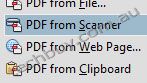
Scanning to PDF
Scan and convert paper documents and forms to PDF. Make scanned text searchable automatically with OCR, then check and fix suspected errors. Search and reuse document content.
Features
Convert or scan to PDF
No matter what type of content you need to convert or scan to PDF paper documents, email trails, photos, spreadsheets, websites, and more do it quickly and confidently with Adobe Acrobat X software. Use enhanced OCR capabilities to make scanned text searchable, allowing you to easily check and fix suspected errors.
PDF file conversion
Create PDF documents from within any application that prints, including one-button conversion from Microsoft Word, Excel, PowerPoint, Outlook, Publisher, and Access, as well as from Firefox and Lotus Notes without leaving your authoring application.
Scanning to PDF
Scan and convert paper documents and forms to PDF. Make scanned text searchable automatically with OCR, then check and fix suspected errors. Search and reuse document content.
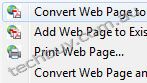
HTML to PDF
With a single click from within Internet Explorer or Firefox, capture web pages as PDF files, keeping all links intact. Convert only a portion of the page by selecting just the content you want.
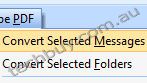
Email to PDF
Handle email-based communication more efficiently and simplify email search and retrieval. Archive emails or email folders from Microsoft Outlook or IBM Lotus Notes with one-button ease.
To the top
Export and edit PDF documents
Easily edit PDF documents and quickly export PDFs to Word or Excel files. Spend less time rekeying information and more time reusing content. Use Acrobat X to reduce errors, improve productivity, and finish projects faster.
PDF to Excel
Expedite reuse of content by converting PDF document data to Excel file formats. Even select a portion of a PDF page and export it to an editable format.
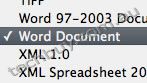
PDF to Word
Export PDF files to Word documentswith improved preservation of formatting and layouts. Relative positioning of tables, images, and even multicolumn text is preserved, as well as page, paragraph, and font attributes.
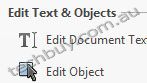
Editing PDF files
Quickly and easily edit PDF documents without going back to the original source files. Save time by making simple changes to text directly within PDF files, and remove, reorder, and rotate pages.
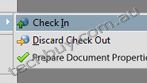
SharePoint integration
Work with PDF files in Microsoft SharePoint. Access SharePoint from any Acrobat Open or Save dialog box. Open PDF files from SharePoint for viewing. Check them out for editing, and then check them back in.
To the top
Combine files from multiple applications
No need to fill peoples inboxes with multiple emails and attachments. Create and deliver professional-looking PDF files that are simple to send, open, view, and navigate.
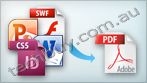
Document merge
Combine content from multiple sources including documents, spreadsheets, emails, web pages, scanned paper, and images into one compact PDF file that can be easily shared and viewed.
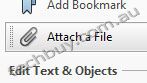
Attaching native files
Make sure source files are simple to locate, access, and archive. Attach them to any PDF document in their original, native formats, ensuring a more complete document of record.
Adding navigation
Add bookmarks, links, headers, footers, and numbering so your audience can navigate documents quickly and easily. Save your settings and apply them to other documents in the future.
To the top
Streamline online document reviews
Gather feedback efficiently, and accelerate approvals. Use shared online document reviews and commenting tools to get and keep everyone on the same page from project start to finish.
PDF commenting
Review and mark up PDF files using a complete set of familiar commenting tools, including sticky note and highlighter tools, lines, and stamps. Easily compile all documents in a single PDF document.
Commenting tool pane
Access markup tools and view comments from a single, unified tool pane. View all comments in a searchable list that can be filtered and sorted by page, author, and date.
Managing shared reviews
Gain the feedback you need, faster, through easy-to-manage, shared document reviews that allow participants to see and build on one anothers comments. Easily track progress and participation, add reviewers, and email updates or reminders.
To the top
Collect data with fillable PDF forms
Easily create, distribute, and track user-friendly, interactive PDF forms that look like familiar paper forms without asking IT for help.
Form Wizard
Easily create fillable PDF forms from paper or existing electronic files. Automatically convert static fields to fillable ones with the Form Wizard.
Saving forms with Reader
Enable Adobe Reader users to fill and save forms regardless of platform or operating system.
Distribution and tracking
Distribute forms, track status, and compile results to speed information collection. Use services at Acrobat.com to distribute and collect forms.
Analyzing data
Streamline data reporting and analysis. Automatically compile form data in a single document or view. Filter responses as required. Easily export data to a spreadsheet for analysis.
To the top
Protect PDF files and content
Simple-to-use PDF security features including PDF password protection, digital signatures, and sanitization enable you to protect sensitive information and build electronic processes you can trust.
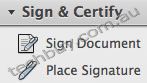
Digital signatures
Speed up approval processes and reduce paper use. Digitally sign and certify PDF documents using digital IDs. Enable recipients to validate document authenticity and integrity using certified documents.
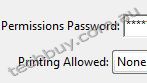
Passwords and permissions
Use passwords to help control access to your PDF documents. Apply permissions to restrict printing, copying, or altering. Save passwords and permissions as security policies that can be applied easily to new PDF files.
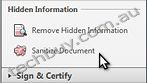
One-button sanitization
Easily find and delete hidden information with one click, including metadata, annotations, attachments, form fields, layers, and bookmarks.
View, search, and share PDF files
Enable anyone to view, search, and print PDF files using free Adobe Reader software. Share PDF files with confidence, knowing colleagues and customers will be able to view your work exactly as intended across file formats, platforms, browsers, and devices.

Reading Mode
Maximize your screen for optimal reading and presentation of PDF files with new Reading Mode. Menus and panels disappear, and a transparent floating toolbar helps you navigate PDF files more easily.
Online file sharing
Use services at Acrobat.com to store and share large files. Upload documents to your online Workspaces and alert individuals and teams inside and outside your organization.
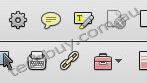
Quick Tools
Quickly access the tools you use most from your favorite PDF document editing tools to your most-often used comment and markup tools by adding them to the Quick Tools area.
Windows
- 1.3GHz or faster processor
- Microsoft Windows XP Home, Professional, or Tablet PC Edition with Service Pack 3 (32 bit and 64 bit); Windows Server 2003 (32 bit and 64 bit; Service Pack 2 required for 64 bit)*; Windows Server 2008 or 2008 R2 (32 bit and 64 bit); Windows Vista Home Basic or Premium, Business, Ultimate, or Enterprise with Service Pack 2 (32 bit and 64 bit); Windows 7 Starter, Home Premium, Professional, Ultimate, or Enterprise (32 bit and 64 bit)
- 512MB of RAM (1GB recommended)
- 1.1GB of available hard-disk space
- 1024x576 display
- DVD-ROM drive
- Internet Explorer 7 or 8; Firefox 3.5 or 3.6
- Video hardware acceleration (optional)
* Note: For Windows Server 2003 SP2, Microsoft Update KB930627 is required.
|
|
|
|
02/11
|
Adobe Acrobat X Professional - Windows, Retail Warning : Before Purchase Please Check OS Compatibility
What is Acrobat X Pro?
Adobe Acrobat X Pro software lets you deliver professional PDF communications. Create and edit PDF files with rich media included, share information more securely, and gather feedback more efficiently.
Top features in Acrobat Pro
PDF Portfolios
Combine a wide range of file types into a polished, organized PDF Portfolio. Apply professionally designed layouts, visual themes, and color palettes. Easily add corporate logos and colors to reflect your branding.
Action Wizard
Automate routine, multistep tasks into a guided Action. Create, manage, execute, and share a sequence of frequently used steps that can be applied to a single PDF or batches of files.
Interactive PDF forms
Easily convert existing forms to fillable PDF forms with intelligent form field recognition, or design them yourself using included templates. Collect data quickly and export to spreadsheets for analysis. Track and manage responses.
Streamlined document reviews
Provide team members with a complete set of comment and markup tools, so all can participate in shared document reviews using Adobe Reader X or Reader 9 software. See and build on each others comments. Track progress and participation.
Features
Convert or scan to PDF
No matter what type of content you need to convert or scan to PDF paper documents, email, photos, spreadsheets, websites,Adobe Flash Player compatible video, and more do it quickly and confidently with Adobe Acrobat X software. Create and share PDF files that can be viewed on mobile devices and smart phones.
PDF file conversion
Create PDF documents from any application that prints, including one-button conversion from Microsoft Word, Excel, PowerPoint, Outlook, Publisher, and Access, as well as Firefox and Lotus Notes without ever leaving your authoring application.
Scanning to PDF
Scan and convert paper documents and forms to PDF. Make scanned text searchable automatically with OCR, then check and fix suspected errors. Text can be exported for reuse in other applications.
HTML to PDF
With a single click from within Internet Explorer or Firefox, capture web pages as PDF files, keeping all links intact. Convert only a portion of the page by selecting just the content you want.
Email to PDF
Handle email-based communication more efficiently and simplify email search and retrieval. Archive emails or email folders from Microsoft Outlook or IBM Lotus Notes with one-button ease.
To the top
Export and edit PDF files
Easily edit PDF files and quickly export PDF to Word or Excel documents. Spend less time rekeying information and more time reusing content. Use Acrobat X to reduce errors, improve productivity, and finish projects faster.
PDF to Word
Save PDF files as Word documents with improved preservation of formatting and layouts. Relative positioning of tables, images, and even multicolumn text is preserved, as well as page, paragraph, and font attributes.
PDF to Excel
Expedite reuse of content by converting PDF document data to Excel file formats. Even select a portion of a PDF page and export it to an editable format.
Editing PDF files
Quickly and easily edit PDF documents without going back to the original source files. Save time by making simple changes to text and images directly within PDF files. Remove, reorder, and rotate PDF pages.
Printing preparation
Reduce errors and delays at the printer. Preview, preflight, correct, and prepare PDF files for high-end print production and digital publishing.
To the top
Combine files from multiple applications
No need to fill peoples inboxes with multiple emails and attachments. Create and deliver professional-looking PDF files that are simple to send, open, view, and navigate.
PDF Portfolio assembly
Quickly assemble a wide range of file types including audio, video, and rich media content into a polished, organized PDF Portfolio using the new PDF Portfolio Wizard.
PDF Portfolio customization
Easily customize PDF Portfolios with included layouts, visual themes, and color palettes. Add corporate logos and colors to reflect your branding. Import custom PDF Portfolio layouts and themes developed by third-party developers and designers.
Rich media
Quickly bring ideas to life through rich, interactive documents. Insert audio, Flash Player compatible video, and interactive media into PDF files, for seamless playback in Adobe Reader X or Reader 9.
Attaching native files
Make sure source files are simple to locate, access, and archive. Attach them to any PDF document in their original, native formats, ensuring a more complete document of record.
Adding navigation
Add bookmarks, links, headers, footers, and numbering so your audience can navigate documents quickly and easily. Save your settings and apply them to other documents in the future.
To the top
Increase productivity and process consistency
Use innovative productivity-enhancing software features to simplify complex projects, prepare and present high-quality content, and achieve better results.
Action Wizard
Automate routine, multistep tasks into a guided Action. Create, manage, execute, and share a sequence of frequently used steps that can be applied to a single PDF or batches of files.
Quick Tools
Quickly access the tools you use most from your favorite PDF document editing tools to your most-often used comment and markup tools by adding them to the Quick Tools area.
Version comparison
Eliminate confusion and improve version control. Easily identify differences between two versions of a PDF file by having Acrobat analyze both files and highlight changes to text and images.
Integration with Microsoft SharePoint
Work seamlessly with PDF files in Microsoft SharePoint. Access SharePoint from any Acrobat Open or Save dialog box. Open PDF files from SharePoint for viewing. Check them out for editing, and then check them back in (Windows only).
To the top
Streamline online document reviews
Gather feedback efficiently and accelerate approvals. Use shared online document reviews and PDF comments to get and keep everyone on the same page from project start to finish.
Commenting tools
Review and mark up PDF files using a complete set of familiar commenting tools, including sticky note and highlighter tools, lines, and stamps.
Online document reviews
Gain the feedback you need, faster, through easy-to-manage, shared document reviews that allow participants to see and build on one anothers comments. Easily track progress and participation, add reviewers, and email updates or reminders.
Extending Reader functionality
Enable Adobe Reader X or Reader 9 users to participate in shared reviews, fill and save forms, and digitally sign and approve PDF documents regardless of platform or operating system.
Commenting tool pane
Access markup tools and view comments from a single, unified tool pane. View all comments in a searchable list that can be filtered and sorted by page, author, and date.
To the top
Collect data with fillable PDF forms
Easily create, distribute, and track easy-to-use, interactive PDF forms that look like familiar paper forms without asking IT for help.
Form Wizard
Easily create dynamic, fillable PDF forms from paper or existing electronic files. Automatically convert static fields to fillable ones with the Form Wizard.
Adobe Reader support
Enable Adobe Reader users (Reader 9 or X only) to fill and save forms regardless of platform or operating system.
Custom form design
Create professional forms from out-of-the-box templates or design forms from scratch using Adobe LiveCycle Designer ES2 software, included as part of Acrobat X Pro (Windows only).
Distribution and tracking
Distribute forms, track status, and compile results to expedite more accurate information collection. Use services at Acrobat.com to distribute and collect forms.
Analyzing data
Streamline data reporting and analysis. Automatically compile form data in a single document or view. Filter responses as required. Easily export data to a spreadsheet for analysis.
To the top
Protect PDF files and documents
Simple-to-use security features enable you to protect sensitive information. Use PDF passwords, digital signatures, and redaction to build electronic processes you can trust.
Digital signatures
Digitally sign PDF documents, or add document timestamps. Add certified digital signatures to help recipients validate document authenticity and integrity.
Enabling Reader users to sign
Enable Adobe Reader X or Reader 9 users to digitally sign PDF documents and forms or add document timestamps.
Passwords and permissions
Use passwords to help control access to your PDF documents. Apply permissions to restrict printing, copying, or altering. Save passwords and permissions as security policies that can be easily applied to new PDF files.
Permanent information removal
Use redaction tools to permanently delete sensitive information, including specific text and illustrations. Easily sanitize documents with one click, finding and deleting hidden information such as metadata, annotations, attachments, form fields, layers, and bookmarks.
To the top
Comply with PDF and accessibility standards
Help ensure compliance with departmental, corporate, or government standards, as well as accessibility for people with disabilities.
Standards support
Comply with ISO standards for creating and validating PDF documents, including PDF/A for archiving, PDF/E for engineering, and PDF/X for print production. Fix those that do not conform.
Accessible PDF files
Check, adjust, and validate documents to ensure accessibility for people with disabilities such as blindness or low vision. Set high-contrast colors for better visibility, and enable large-type display.
Read about Acrobat accessibility
PAdES signatures
Comply with PDF digital signature standards, including ETSI PAdES (PDF Advanced Electronic Signatures) Parts 2, 3, and 4.
To the top
Read, search, and share PDF files
Enable anyone, anywhere, to view, search, and print PDF files using free Adobe Reader software. Share PDF files with confidence, knowing colleagues and customers will be able to view your work exactly as intended across file formats, platforms, browsers, and devices.
Optimized viewing mode
Maximize your screen for optimal reading and presentation of PDF files with the new Reading Mode. Menus and panels disappear, and a transparent floating toolbar appears, to help you navigate PDF files more easily.
Online file sharing
Use services at Acrobat.com to easily send large files with confidence. Upload documents into your online Workspaces at Acrobat.com to share files with individuals or teams inside and outside your organization.
Windows
- 1.3GHz or faster processor
- Microsoft Windows XP Home, Professional, or Tablet PC Edition with Service Pack 3 (32 bit and 64 bit); Windows Server 2003 (32 bit and 64 bit; Service Pack 2 required for 64 bit); Windows Server 2008 or 2008 R2 (32 bit and 64 bit); Windows Vista Home Basic or Premium, Business, Ultimate, or Enterprise with Service Pack 2 (32 bit and 64 bit); Windows 7 Starter, Home Premium, Professional, Ultimate, or Enterprise (32 bit and 64 bit)
- 512MB of RAM (1GB recommended)
- 1.9GB of available hard-disk space
- 1024x576 display
- DVD-ROM drive
- Internet Explorer 7 or 8; Firefox 3.5 or 3.6
- Video hardware acceleration (optional)
Note: For Windows Server 2003 SP2, Microsoft Update KB930627 is required.
|
|
|
|
Previous Page
|
Next Page
|
|