Camerafarm product archive #40293
| Image |
Date |
Product description |
Price |
Buy |
|
27/04
|
Adobe Flash Pro CS5 - Mac, Educational Only Warning : Before Purchase Please Check OS Compatibility
What is Flash Professional?
Create and deliver rich interactive content
Adobe Flash Professional CS5 software is the industry standard for interactive authoring and delivery of immersive experiences that present consistently across personal computers, mobile devices, and screens of virtually any size and resolution.

Create interactive experiences
Express your creative vision and attention to detail and design pixel-perfect interactive content with exceptional typography, flexible layouts, and incredibly smooth animation.
Build web applications
Develop cross-platform web applications and content with an integrated development environment that offers intelligent ActionScript coding tools.
Embed video
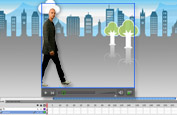
Wow your audience and produce engaging rich video content and interactivity that contains expressive, lifelike motion and animation.
Import your design from Adobe Photoshop CS5 Extended, Illustrator CS5, or InDesign CS5, and then add interactivity with Flash Professional CS5 to bring your work to life.
Use Adobe Flash Builder software as your primary ActionScript editor for Flash Professional projects. Streamline your workflow by testing, debugging, and publishing content in Flash Professional while editing code in Flash Builder.
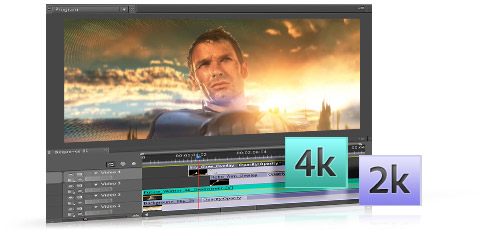
Easily edit, add effects and animation, encode, and deliver high-quality video with Adobe Premiere Pro and After Effects. Share concepts with clients, promote finished projects, or extend your story with FLV video.
Flash Professional features

Text engine new
Take complete control over your text with print-quality typography via the new Text Layout Framework. Work with columns and bidirectional text, and maintain layout and formatting with greater fidelity when importing from other Adobe products.
Creative Suite integration enhanced
Enhance productivity when working with Adobe Creative Suite components such as Adobe Photoshop, Illustrator, InDesign, and Flash Builder.
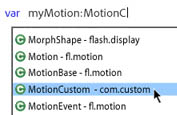
ActionScript editing enhanced
Increase development speed with an improved ActionScript editor, including custom class code hinting and code completion. Use Flash Builder as your primary ActionScript editor for Adobe Flash Professional projects.
Inverse kinematics enhanced
Take advantage of advanced motion capabilities and visually add realistic physics effects with new Strength and Damping settings for the Bones tool. Create natural, chainlike motion with a simple, familiar interface.

Video improvements enhanced
Streamline video embedding and encoding processes with on-stage video scrubbing and a new cue points property inspector. See and playback FLV components directly on the stage.
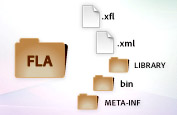
XML-based FLA source files new
Manage and modify projects using source control systems and collaborate on files more easily. An XML-based nonbinary implementation of the FLA format allows projects and associated assets to function as items in a directory or folder.
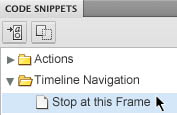
Code Snippets panel new
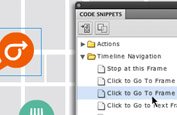
Reduce the ActionScript 3.0 learning curve and enable greater creativity by injecting prebuilt code into projects. Quickly include functional code for things like timeline navigation, actions, animation, audio and video, and event handlers.
Object-based animation model enhanced
Use object-based animation and visually achieve granular control over motion attributes with the Motion Editor. Develop interactive content more efficiently with the Motion Preset panel that offers prebuilt motion effects and lets you create, save, and share your own.
Advanced native drawing tools
Author expressive interactive content with easy-to-use tools. Draw stylized shapes and transform them into complex patterns and effects, and animate 2D objects through 3D space with 3D transformation tools.

Support for an extensive number of device runtimes
Deliver interactive content consistently for more runtimes across personal computers, mobile devices including the iPhone*, and screens of virtually any size and resolution, and leverage integration with Adobe Device Central for enhanced testing and debugging.
*Subject to Apple's current requirements and approval.
System requirements
Mac OS
- Multicore Intel processor
- Mac OS X v10.5.7 or v10.6
- 1GB of RAM
- 4GB of available hard-disk space for installation; additional free space required during installation (cannot install on a volume that uses a case-sensitive file system or on removable flash-based storage devices)
- 1024x768 display (1280x800 recommended) with 16-bit video card
- DVD-ROM drive
- QuickTime 7.6.2 software required for multimedia features
- Broadband Internet connection required for online services*
|


|
|
|
27/04
|
Adobe Flash Pro CS5 - Mac, Retail Warning : Before Purchase Please Check OS Compatibility
What is Flash Professional?
Create and deliver rich interactive content
Adobe Flash Professional CS5 software is the industry standard for interactive authoring and delivery of immersive experiences that present consistently across personal computers, mobile devices, and screens of virtually any size and resolution.
Create interactive experiences
Express your creative vision and attention to detail and design pixel-perfect interactive content with exceptional typography, flexible layouts, and incredibly smooth animation.
Build web applications
Develop cross-platform web applications and content with an integrated development environment that offers intelligent ActionScript coding tools.
Embed video
Wow your audience and produce engaging rich video content and interactivity that contains expressive, lifelike motion and animation.
Import your design from Adobe Photoshop CS5 Extended, Illustrator CS5, or InDesign CS5, and then add interactivity with Flash Professional CS5 to bring your work to life.
Use Adobe Flash Builder software as your primary ActionScript editor for Flash Professional projects. Streamline your workflow by testing, debugging, and publishing content in Flash Professional while editing code in Flash Builder.
Easily edit, add effects and animation, encode, and deliver high-quality video with Adobe Premiere Pro and After Effects. Share concepts with clients, promote finished projects, or extend your story with FLV video.
Flash Professional features
Text engine new
Take complete control over your text with print-quality typography via the new Text Layout Framework. Work with columns and bidirectional text, and maintain layout and formatting with greater fidelity when importing from other Adobe products.
Creative Suite integration enhanced
Enhance productivity when working with Adobe Creative Suite components such as Adobe Photoshop, Illustrator, InDesign, and Flash Builder.
ActionScript editing enhanced
Increase development speed with an improved ActionScript editor, including custom class code hinting and code completion. Use Flash Builder as your primary ActionScript editor for Adobe Flash Professional projects.
Inverse kinematics enhanced
Take advantage of advanced motion capabilities and visually add realistic physics effects with new Strength and Damping settings for the Bones tool. Create natural, chainlike motion with a simple, familiar interface.
Video improvements enhanced
Streamline video embedding and encoding processes with on-stage video scrubbing and a new cue points property inspector. See and playback FLV components directly on the stage.
XML-based FLA source files new
Manage and modify projects using source control systems and collaborate on files more easily. An XML-based nonbinary implementation of the FLA format allows projects and associated assets to function as items in a directory or folder.
Code Snippets panel new
Reduce the ActionScript 3.0 learning curve and enable greater creativity by injecting prebuilt code into projects. Quickly include functional code for things like timeline navigation, actions, animation, audio and video, and event handlers.
Object-based animation model enhanced
Use object-based animation and visually achieve granular control over motion attributes with the Motion Editor. Develop interactive content more efficiently with the Motion Preset panel that offers prebuilt motion effects and lets you create, save, and share your own.
Advanced native drawing tools
Author expressive interactive content with easy-to-use tools. Draw stylized shapes and transform them into complex patterns and effects, and animate 2D objects through 3D space with 3D transformation tools.
Support for an extensive number of device runtimes
Deliver interactive content consistently for more runtimes across personal computers, mobile devices including the iPhone*, and screens of virtually any size and resolution, and leverage integration with Adobe Device Central for enhanced testing and debugging.
*Subject to Apple's current requirements and approval.
System requirements
Mac OS
- Multicore Intel processor
- Mac OS X v10.5.7 or v10.6
- 1GB of RAM
- 4GB of available hard-disk space for installation; additional free space required during installation (cannot install on a volume that uses a case-sensitive file system or on removable flash-based storage devices)
- 1024x768 display (1280x800 recommended) with 16-bit video card
- DVD-ROM drive
- QuickTime 7.6.2 software required for multimedia features
- Broadband Internet connection required for online services*
|
|
|
|
27/04
|
Adobe Flash Pro CS5 - Windows, Educational Only Warning : Before Purchase Please Check OS Compatibility
What is Flash Professional?
Create and deliver rich interactive content
Adobe Flash Professional CS5 software is the industry standard for interactive authoring and delivery of immersive experiences that present consistently across personal computers, mobile devices, and screens of virtually any size and resolution.
Create interactive experiences
Express your creative vision and attention to detail and design pixel-perfect interactive content with exceptional typography, flexible layouts, and incredibly smooth animation.
Build web applications
Develop cross-platform web applications and content with an integrated development environment that offers intelligent ActionScript coding tools.
Embed video
Wow your audience and produce engaging rich video content and interactivity that contains expressive, lifelike motion and animation.
Import your design from Adobe Photoshop CS5 Extended, Illustrator CS5, or InDesign CS5, and then add interactivity with Flash Professional CS5 to bring your work to life.
Use Adobe Flash Builder software as your primary ActionScript editor for Flash Professional projects. Streamline your workflow by testing, debugging, and publishing content in Flash Professional while editing code in Flash Builder.
Easily edit, add effects and animation, encode, and deliver high-quality video with Adobe Premiere Pro and After Effects. Share concepts with clients, promote finished projects, or extend your story with FLV video.
Flash Professional features
Text engine new
Take complete control over your text with print-quality typography via the new Text Layout Framework. Work with columns and bidirectional text, and maintain layout and formatting with greater fidelity when importing from other Adobe products.
Creative Suite integration enhanced
Enhance productivity when working with Adobe Creative Suite components such as Adobe Photoshop, Illustrator, InDesign, and Flash Builder.
ActionScript editing enhanced
Increase development speed with an improved ActionScript editor, including custom class code hinting and code completion. Use Flash Builder as your primary ActionScript editor for Adobe Flash Professional projects.
Inverse kinematics enhanced
Take advantage of advanced motion capabilities and visually add realistic physics effects with new Strength and Damping settings for the Bones tool. Create natural, chainlike motion with a simple, familiar interface.
Video improvements enhanced
Streamline video embedding and encoding processes with on-stage video scrubbing and a new cue points property inspector. See and playback FLV components directly on the stage.
XML-based FLA source files new
Manage and modify projects using source control systems and collaborate on files more easily. An XML-based nonbinary implementation of the FLA format allows projects and associated assets to function as items in a directory or folder.
Code Snippets panel new
Reduce the ActionScript 3.0 learning curve and enable greater creativity by injecting prebuilt code into projects. Quickly include functional code for things like timeline navigation, actions, animation, audio and video, and event handlers.
Object-based animation model enhanced
Use object-based animation and visually achieve granular control over motion attributes with the Motion Editor. Develop interactive content more efficiently with the Motion Preset panel that offers prebuilt motion effects and lets you create, save, and share your own.
Advanced native drawing tools
Author expressive interactive content with easy-to-use tools. Draw stylized shapes and transform them into complex patterns and effects, and animate 2D objects through 3D space with 3D transformation tools.
Support for an extensive number of device runtimes
Deliver interactive content consistently for more runtimes across personal computers, mobile devices including the iPhone*, and screens of virtually any size and resolution, and leverage integration with Adobe Device Central for enhanced testing and debugging.
*Subject to Apple's current requirements and approval.
System requirements
Windows
- Intel Pentium 4 or AMD Athlon 64 processor
- Microsoft Windows XP with Service Pack 2 (Service Pack 3 recommended); Windows Vista Home Premium, Business, Ultimate, or Enterprise with Service Pack 1; or Windows 7
- 1GB of RAM
- 3.5GB of available hard-disk space for installation; additional free space required during installation (cannot install on removable flash-based storage devices)
- 1024x768 display (1280x800 recommended) with 16-bit video card
- DVD-ROM drive
- QuickTime 7.6.2 software required for multimedia features
- Broadband Internet connection required for online services*
|
|
|
|
27/04
|
Adobe Flash Pro CS5 - Windows, Retail Warning : Before Purchase Please Check OS Compatibility
What is Flash Professional?
Create and deliver rich interactive content
Adobe Flash Professional CS5 software is the industry standard for interactive authoring and delivery of immersive experiences that present consistently across personal computers, mobile devices, and screens of virtually any size and resolution.
Create interactive experiences
Express your creative vision and attention to detail and design pixel-perfect interactive content with exceptional typography, flexible layouts, and incredibly smooth animation.
Build web applications
Develop cross-platform web applications and content with an integrated development environment that offers intelligent ActionScript coding tools.
Embed video
Wow your audience and produce engaging rich video content and interactivity that contains expressive, lifelike motion and animation.
Import your design from Adobe Photoshop CS5 Extended, Illustrator CS5, or InDesign CS5, and then add interactivity with Flash Professional CS5 to bring your work to life.
Use Adobe Flash Builder software as your primary ActionScript editor for Flash Professional projects. Streamline your workflow by testing, debugging, and publishing content in Flash Professional while editing code in Flash Builder.
Easily edit, add effects and animation, encode, and deliver high-quality video with Adobe Premiere Pro and After Effects. Share concepts with clients, promote finished projects, or extend your story with FLV video.
Flash Professional features
Text engine new
Take complete control over your text with print-quality typography via the new Text Layout Framework. Work with columns and bidirectional text, and maintain layout and formatting with greater fidelity when importing from other Adobe products.
Creative Suite integration enhanced
Enhance productivity when working with Adobe Creative Suite components such as Adobe Photoshop, Illustrator, InDesign, and Flash Builder.
ActionScript editing enhanced
Increase development speed with an improved ActionScript editor, including custom class code hinting and code completion. Use Flash Builder as your primary ActionScript editor for Adobe Flash Professional projects.
Inverse kinematics enhanced
Take advantage of advanced motion capabilities and visually add realistic physics effects with new Strength and Damping settings for the Bones tool. Create natural, chainlike motion with a simple, familiar interface.
Video improvements enhanced
Streamline video embedding and encoding processes with on-stage video scrubbing and a new cue points property inspector. See and playback FLV components directly on the stage.
XML-based FLA source files new
Manage and modify projects using source control systems and collaborate on files more easily. An XML-based nonbinary implementation of the FLA format allows projects and associated assets to function as items in a directory or folder.
Code Snippets panel new
Reduce the ActionScript 3.0 learning curve and enable greater creativity by injecting prebuilt code into projects. Quickly include functional code for things like timeline navigation, actions, animation, audio and video, and event handlers.
Object-based animation model enhanced
Use object-based animation and visually achieve granular control over motion attributes with the Motion Editor. Develop interactive content more efficiently with the Motion Preset panel that offers prebuilt motion effects and lets you create, save, and share your own.
Advanced native drawing tools
Author expressive interactive content with easy-to-use tools. Draw stylized shapes and transform them into complex patterns and effects, and animate 2D objects through 3D space with 3D transformation tools.
Support for an extensive number of device runtimes
Deliver interactive content consistently for more runtimes across personal computers, mobile devices including the iPhone*, and screens of virtually any size and resolution, and leverage integration with Adobe Device Central for enhanced testing and debugging.
*Subject to Apple's current requirements and approval.
System requirements
Windows
- Intel Pentium 4 or AMD Athlon 64 processor
- Microsoft Windows XP with Service Pack 2 (Service Pack 3 recommended); Windows Vista Home Premium, Business, Ultimate, or Enterprise with Service Pack 1; or Windows 7
- 1GB of RAM
- 3.5GB of available hard-disk space for installation; additional free space required during installation (cannot install on removable flash-based storage devices)
- 1024x768 display (1280x800 recommended) with 16-bit video card
- DVD-ROM drive
- QuickTime 7.6.2 software required for multimedia features
- Broadband Internet connection required for online services*
|
|
|
|
27/04
|
Adobe Contribute CS5 - Mac, Educational Only Warning : Before Purchase Please Check OS Compatibility
What is Contribute?
Adobe Contribute CS5 software is a powerful web publishing and website management tool that integrates authoring, reviewing, and publishing in an easy-to-use WYSIWYG HTML editor. Increase web publishing productivity collaboratively while simplifying oversight and approval tasks.
What's new in Contribute
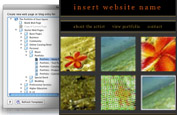
Predefined content types new
Create content types based on design templates, and review new pages or publish them directly.

XML editing new
Edit site-associated XML files natively, without opening an XML editor.
Contribute features
True WYSIWYG web authoring enhanced
Take advantage of enhanced CSS rendering, which enables content authors to edit without writing code and to see the results of their edits instantly. Adobe Contribute CS5 immediately updates edits to XML content and Spry widgets.
Predefined content types new
Define content types that specify the design template and review process that will be used automatically when a new page is created. Content type can be HTML or XML.
Rich media support enhanced
Easily drag and drop images, FLV and SWF files, or PDF documents into your web pages. Contribute automatically uploads the dependent files to the web server when the pages are published in predefined locations.
Cross-browser preview new
Verify the look and feel of updated pages in multiple browsers. Preview edited pages in any installed browser. Windows users can view three browsers simultaneously for side-by-side comparison.
In-browser editing enhanced
Allow authors to edit pages directly in a web browser with no need to open another application. The Contribute CS5 in-browser editor supports most browsers, including Firefox 33.6 and Internet Explorer 7 and 8.
Inline spelling checker
Reduce typos with the inline spelling checker. Potential errors are flagged as the contributor enters content for on-the-spot correction.
Collaborative publishing enhanced
Establish collaborative workflow processes to author, review, and publish content. Define different review paths at the template level, whether a single approval for an internal web page or multiple sign-offs for a public page.
XML editing new
Edit XML file content without opening an XML editor; insert and delete data without altering the document structure. Easily update Spry data sets and other pages that render content from XML files or dynamic XML-based sites.
Dynamic website editing enhanced
Add content to dynamic websites powered by Movable Type, TypePad, or WordPress. Simply define the Contribute connection with the proper settings, and site content is instantly available for updating.
Quick website and blog publishing
Publish with a single click to a wide variety of websites or blogs. Contribute is the one web authoring tool that supports FTP, SFTP, WebDAV, MetaWeblog, and Atom protocols.
Simultaneous shared reviews
Enable multiple reviewers to comment on drafts simultaneously with in-context collaboration tools for faster and more effective web publishing cycles.
System requirements
Mac OS
- Multicore Intel processor
- Mac OS X v10.5.7 or v10.6
- 512MB of RAM
- 1.4GB of available hard-disk space for installation; additional free space required during installation (cannot install on a volume that uses a case-sensitive file system or on removable flash-based storage devices)
- 1,024x768 display (1,280x800 recommended) with 16-bit video card
- DVD-ROM drive
- Firefox 3 or 3.5 required for the Contribute web browser plug-in
- Broadband Internet connection required for online services*
|
|
|
|
27/04
|
Adobe Contribute CS5 - Mac, Retail Warning : Before Purchase Please Check OS Compatibility
What is Contribute?
Adobe Contribute CS5 software is a powerful web publishing and website management tool that integrates authoring, reviewing, and publishing in an easy-to-use WYSIWYG HTML editor. Increase web publishing productivity collaboratively while simplifying oversight and approval tasks.
What's new in Contribute
Predefined content types new
Create content types based on design templates, and review new pages or publish them directly.
XML editing new
Edit site-associated XML files natively, without opening an XML editor.
Contribute features
True WYSIWYG web authoring enhanced
Take advantage of enhanced CSS rendering, which enables content authors to edit without writing code and to see the results of their edits instantly. Adobe Contribute CS5 immediately updates edits to XML content and Spry widgets.
Predefined content types new
Define content types that specify the design template and review process that will be used automatically when a new page is created. Content type can be HTML or XML.
Rich media support enhanced
Easily drag and drop images, FLV and SWF files, or PDF documents into your web pages. Contribute automatically uploads the dependent files to the web server when the pages are published in predefined locations.
Cross-browser preview new
Verify the look and feel of updated pages in multiple browsers. Preview edited pages in any installed browser. Windows users can view three browsers simultaneously for side-by-side comparison.
In-browser editing enhanced
Allow authors to edit pages directly in a web browser with no need to open another application. The Contribute CS5 in-browser editor supports most browsers, including Firefox 33.6 and Internet Explorer 7 and 8.
Inline spelling checker
Reduce typos with the inline spelling checker. Potential errors are flagged as the contributor enters content for on-the-spot correction.
Collaborative publishing enhanced
Establish collaborative workflow processes to author, review, and publish content. Define different review paths at the template level, whether a single approval for an internal web page or multiple sign-offs for a public page.
XML editing new
Edit XML file content without opening an XML editor; insert and delete data without altering the document structure. Easily update Spry data sets and other pages that render content from XML files or dynamic XML-based sites.
Dynamic website editing enhanced
Add content to dynamic websites powered by Movable Type, TypePad, or WordPress. Simply define the Contribute connection with the proper settings, and site content is instantly available for updating.
Quick website and blog publishing
Publish with a single click to a wide variety of websites or blogs. Contribute is the one web authoring tool that supports FTP, SFTP, WebDAV, MetaWeblog, and Atom protocols.
Simultaneous shared reviews
Enable multiple reviewers to comment on drafts simultaneously with in-context collaboration tools for faster and more effective web publishing cycles.
System requirements
Mac OS
- Multicore Intel processor
- Mac OS X v10.5.7 or v10.6
- 512MB of RAM
- 1.4GB of available hard-disk space for installation; additional free space required during installation (cannot install on a volume that uses a case-sensitive file system or on removable flash-based storage devices)
- 1,024x768 display (1,280x800 recommended) with 16-bit video card
- DVD-ROM drive
- Firefox 3 or 3.5 required for the Contribute web browser plug-in
- Broadband Internet connection required for online services*
|
|
|
|
27/04
|
Adobe Contribute CS5 - Windows, Educational Only Warning : Before Purchase Please Check OS Compatibility
What is Contribute?
Adobe Contribute CS5 software is a powerful web publishing and website management tool that integrates authoring, reviewing, and publishing in an easy-to-use WYSIWYG HTML editor. Increase web publishing productivity collaboratively while simplifying oversight and approval tasks.
What's new in Contribute
Predefined content types new
Create content types based on design templates, and review new pages or publish them directly.
XML editing new
Edit site-associated XML files natively, without opening an XML editor.
Contribute features
True WYSIWYG web authoring enhanced
Take advantage of enhanced CSS rendering, which enables content authors to edit without writing code and to see the results of their edits instantly. Adobe Contribute CS5 immediately updates edits to XML content and Spry widgets.
Predefined content types new
Define content types that specify the design template and review process that will be used automatically when a new page is created. Content type can be HTML or XML.
Rich media support enhanced
Easily drag and drop images, FLV and SWF files, or PDF documents into your web pages. Contribute automatically uploads the dependent files to the web server when the pages are published in predefined locations.
Cross-browser preview new
Verify the look and feel of updated pages in multiple browsers. Preview edited pages in any installed browser. Windows users can view three browsers simultaneously for side-by-side comparison.
In-browser editing enhanced
Allow authors to edit pages directly in a web browser with no need to open another application. The Contribute CS5 in-browser editor supports most browsers, including Firefox 33.6 and Internet Explorer 7 and 8.
Inline spelling checker
Reduce typos with the inline spelling checker. Potential errors are flagged as the contributor enters content for on-the-spot correction.
Collaborative publishing enhanced
Establish collaborative workflow processes to author, review, and publish content. Define different review paths at the template level, whether a single approval for an internal web page or multiple sign-offs for a public page.
XML editing new
Edit XML file content without opening an XML editor; insert and delete data without altering the document structure. Easily update Spry data sets and other pages that render content from XML files or dynamic XML-based sites.
Dynamic website editing enhanced
Add content to dynamic websites powered by Movable Type, TypePad, or WordPress. Simply define the Contribute connection with the proper settings, and site content is instantly available for updating.
Quick website and blog publishing
Publish with a single click to a wide variety of websites or blogs. Contribute is the one web authoring tool that supports FTP, SFTP, WebDAV, MetaWeblog, and Atom protocols.
Simultaneous shared reviews
Enable multiple reviewers to comment on drafts simultaneously with in-context collaboration tools for faster and more effective web publishing cycles.
System requirements
Windows
- Intel Pentium 4 or AMD Athlon 64 processor
- Microsoft Windows XP with Service Pack 3; Windows Vista Home Premium, Business, Ultimate, or Enterprise with Service Pack 1; or Windows 7
- 512MB of RAM
- 1GB of available hard-disk space for installation; additional free space required during installation (cannot install on removable flash-based storage devices)
- 1,024x768 display (1,280x800 recommended) with 16-bit video card
- DVD-ROM drive
- Internet Explorer 7 or 8 or Firefox 3 or 3.5 required for the Adobe Contribute web browser plug-in
- Office 2003 or 2007 required for the Microsoft Office plug-in
- Broadband Internet connection required for online services*
|
|
|
|
27/04
|
Adobe Contribute CS5 - Windows, Retail Warning : Before Purchase Please Check OS Compatibility
What is Contribute?
Adobe Contribute CS5 software is a powerful web publishing and website management tool that integrates authoring, reviewing, and publishing in an easy-to-use WYSIWYG HTML editor. Increase web publishing productivity collaboratively while simplifying oversight and approval tasks.
What's new in Contribute
Predefined content types new
Create content types based on design templates, and review new pages or publish them directly.
XML editing new
Edit site-associated XML files natively, without opening an XML editor.
Contribute features
True WYSIWYG web authoring enhanced
Take advantage of enhanced CSS rendering, which enables content authors to edit without writing code and to see the results of their edits instantly. Adobe Contribute CS5 immediately updates edits to XML content and Spry widgets.
Predefined content types new
Define content types that specify the design template and review process that will be used automatically when a new page is created. Content type can be HTML or XML.
Rich media support enhanced
Easily drag and drop images, FLV and SWF files, or PDF documents into your web pages. Contribute automatically uploads the dependent files to the web server when the pages are published in predefined locations.
Cross-browser preview new
Verify the look and feel of updated pages in multiple browsers. Preview edited pages in any installed browser. Windows users can view three browsers simultaneously for side-by-side comparison.
In-browser editing enhanced
Allow authors to edit pages directly in a web browser with no need to open another application. The Contribute CS5 in-browser editor supports most browsers, including Firefox 33.6 and Internet Explorer 7 and 8.
Inline spelling checker
Reduce typos with the inline spelling checker. Potential errors are flagged as the contributor enters content for on-the-spot correction.
Collaborative publishing enhanced
Establish collaborative workflow processes to author, review, and publish content. Define different review paths at the template level, whether a single approval for an internal web page or multiple sign-offs for a public page.
XML editing new
Edit XML file content without opening an XML editor; insert and delete data without altering the document structure. Easily update Spry data sets and other pages that render content from XML files or dynamic XML-based sites.
Dynamic website editing enhanced
Add content to dynamic websites powered by Movable Type, TypePad, or WordPress. Simply define the Contribute connection with the proper settings, and site content is instantly available for updating.
Quick website and blog publishing
Publish with a single click to a wide variety of websites or blogs. Contribute is the one web authoring tool that supports FTP, SFTP, WebDAV, MetaWeblog, and Atom protocols.
Simultaneous shared reviews
Enable multiple reviewers to comment on drafts simultaneously with in-context collaboration tools for faster and more effective web publishing cycles.
System requirements
Windows
- Intel Pentium 4 or AMD Athlon 64 processor
- Microsoft Windows XP with Service Pack 3; Windows Vista Home Premium, Business, Ultimate, or Enterprise with Service Pack 1; or Windows 7
- 512MB of RAM
- 1GB of available hard-disk space for installation; additional free space required during installation (cannot install on removable flash-based storage devices)
- 1,024x768 display (1,280x800 recommended) with 16-bit video card
- DVD-ROM drive
- Internet Explorer 7 or 8 or Firefox 3 or 3.5 required for the Adobe Contribute web browser plug-in
- Office 2003 or 2007 required for the Microsoft Office plug-in
- Broadband Internet connection required for online services*
|
|
|
|
27/04
|
Adobe Flash Catalyst CS5 - Windows/Mac, Educational Only Warning : Before Purchase Please Check OS Compatibility
What is Flash Catalyst?
Adobe Flash Catalyst CS5 software is an approachable new interaction design tool. Transform Adobe Photoshop, Illustrator, and Fireworks artwork into expressive, fully interactive projects without writing code, and leverage the reach and consistency of the Adobe Flash Platform.

Define a site navigation
Transform static comps into fully interactive website navigation elements complete with rollovers and smooth transitions.

Pitch an idea
Use Flash Catalyst to shorten the client pitch process. Whether you are selling your ideas to customers or to internal clients, you can rapidly show interactive projects without requiring development resources.
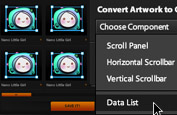
Present a portfolio
Quickly create video portfolios with navigation and playback controls that are ready to publish on the web.
Rapidly create interactive prototypes using wireframes or final artwork created in Illustrator, Photoshop, or Fireworks. Iterate on the design based on use feedback and then leverage the prototype directly in development.
Extend the functionality of your projects with Adobe Flash Builder and the Flex framework. Flash Builder can open project files created in Flash Catalyst to add functionality such as connectivity to servers and services while preserving your visual and interaction design.
Add immersive content or interactive video created with Adobe Flash Professional to your Flash Catalyst projects in order to provide a more compelling user experience.
Flash Catalyst features
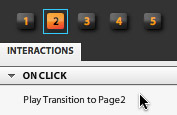
Approachable interaction design
Create expressive interfaces and interactive content without writing code. Designers can define behaviors and control sophisticated interactions with simple menu-based commands without requiring any development or coding skills.
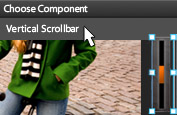
Interactive artwork
Turn static Adobe Illustrator and Photoshop artwork into interactive components and add interactions that respond to user input. Interfaces and interactive content can appear with a branded look and feel as the design requires.
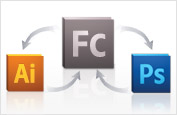
Roundtrip editing
Edit artwork in Illustrator or Photoshop at any time while preserving structure and interactions. Reduce the number of steps required to edit artwork with full fidelity by preserving all layers and visibility settings.
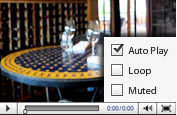
Video and dynamic media
Integrate video, sound effects, and dynamic media as easily as working with static artwork, and then add interactions to control their playback. Even import SWF files that you can play from a specific frame.
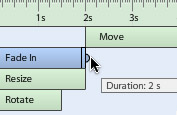
Smooth animated transitions
Edit and create animated transitions between pages or states of components. Designers can extend their creativity by creating engaging experiences with objects that move and smoothly fade in and out.
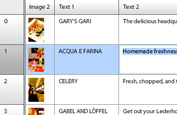
Design-time data
Define and preview the look and behavior of dynamic data without a database. Similar to using placeholder text or images, you can use mock data without having to actually connect to a back-end system.
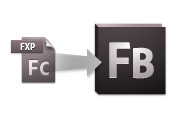
Flash Builder integration
Open Adobe Flash Catalyst projects with Adobe Flash Builder, making it easy to add connections to a database or web services while preserving the visual and interaction design.
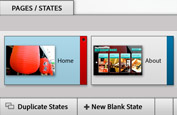
Pages and states
Use these building blocks to organize your projects and to control navigation and interactions. Create unique designs for rollovers and behaviors and visualize exactly how content will appear through different stages of user interaction.
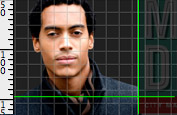
Powerful layout tools
Get the look you want quickly and precisely with sophisticated page layout tools and functions. Rulers, grids, and guides provide accurate placement of objects, while object arrangement tools group and align.
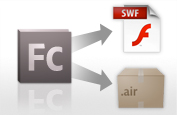
SWF and Adobe AIR publishing
Export projects to the web as a finished SWF file that leverages the ubiquity of the Adobe Flash Player 10 runtime, or directly to a customer as an Adobe AIR file that can run outside of the browser.
System requirements
Windows
- Intel Pentium 4 or AMD Athlon 64 processor
- Microsoft Windows XP with Service Pack 2; Windows Vista Home Premium, Business, Ultimate, or Enterprise with Service Pack 1; or Windows 7
- 1GB of RAM (2GB recommended)
- 1GB of available hard-disk space for installation; additional free space required during installation (cannot install on removable flash-based storage devices)
- 1024x768 display (1280x800 recommended) with 16-bit video card
- DVD-ROM drive
- Java Runtime Environment 1.5 (32 bit) or 1.6
- Broadband Internet connection required for online services*
Mac OS
- Intel processor
- Mac OS X v10.5.7 or v10.6
- 1GB of RAM (2GB recommended)
- 1GB of available hard-disk space for installation; additional free space required during installation (cannot install on a volume that uses a case-sensitive file system or on removable flash-based storage devices)
- 1024x768 display (1280x800 recommended) with 16-bit video card
- DVD-ROM drive
- Java Runtime Environment 1.5 or 1.6
- Broadband Internet connection required for online services*
|
|
|
|
27/04
|
Adobe Flash Catalyst CS5 - Windows/Mac, Retail Warning : Before Purchase Please Check OS Compatibility
What is Flash Catalyst?
Adobe Flash Catalyst CS5 software is an approachable new interaction design tool. Transform Adobe Photoshop, Illustrator, and Fireworks artwork into expressive, fully interactive projects without writing code, and leverage the reach and consistency of the Adobe Flash Platform.
Define a site navigation
Transform static comps into fully interactive website navigation elements complete with rollovers and smooth transitions.
Pitch an idea
Use Flash Catalyst to shorten the client pitch process. Whether you are selling your ideas to customers or to internal clients, you can rapidly show interactive projects without requiring development resources.
Present a portfolio
Quickly create video portfolios with navigation and playback controls that are ready to publish on the web.
Rapidly create interactive prototypes using wireframes or final artwork created in Illustrator, Photoshop, or Fireworks. Iterate on the design based on use feedback and then leverage the prototype directly in development.
Extend the functionality of your projects with Adobe Flash Builder and the Flex framework. Flash Builder can open project files created in Flash Catalyst to add functionality such as connectivity to servers and services while preserving your visual and interaction design.
Add immersive content or interactive video created with Adobe Flash Professional to your Flash Catalyst projects in order to provide a more compelling user experience.
Flash Catalyst features
Approachable interaction design
Create expressive interfaces and interactive content without writing code. Designers can define behaviors and control sophisticated interactions with simple menu-based commands without requiring any development or coding skills.
Interactive artwork
Turn static Adobe Illustrator and Photoshop artwork into interactive components and add interactions that respond to user input. Interfaces and interactive content can appear with a branded look and feel as the design requires.
Roundtrip editing
Edit artwork in Illustrator or Photoshop at any time while preserving structure and interactions. Reduce the number of steps required to edit artwork with full fidelity by preserving all layers and visibility settings.
Video and dynamic media
Integrate video, sound effects, and dynamic media as easily as working with static artwork, and then add interactions to control their playback. Even import SWF files that you can play from a specific frame.
Smooth animated transitions
Edit and create animated transitions between pages or states of components. Designers can extend their creativity by creating engaging experiences with objects that move and smoothly fade in and out.
Design-time data
Define and preview the look and behavior of dynamic data without a database. Similar to using placeholder text or images, you can use mock data without having to actually connect to a back-end system.
Flash Builder integration
Open Adobe Flash Catalyst projects with Adobe Flash Builder, making it easy to add connections to a database or web services while preserving the visual and interaction design.
Pages and states
Use these building blocks to organize your projects and to control navigation and interactions. Create unique designs for rollovers and behaviors and visualize exactly how content will appear through different stages of user interaction.
Powerful layout tools
Get the look you want quickly and precisely with sophisticated page layout tools and functions. Rulers, grids, and guides provide accurate placement of objects, while object arrangement tools group and align.
SWF and Adobe AIR publishing
Export projects to the web as a finished SWF file that leverages the ubiquity of the Adobe Flash Player 10 runtime, or directly to a customer as an Adobe AIR file that can run outside of the browser.
System requirements
Windows
- Intel Pentium 4 or AMD Athlon 64 processor
- Microsoft Windows XP with Service Pack 2; Windows Vista Home Premium, Business, Ultimate, or Enterprise with Service Pack 1; or Windows 7
- 1GB of RAM (2GB recommended)
- 1GB of available hard-disk space for installation; additional free space required during installation (cannot install on removable flash-based storage devices)
- 1024x768 display (1280x800 recommended) with 16-bit video card
- DVD-ROM drive
- Java Runtime Environment 1.5 (32 bit) or 1.6
- Broadband Internet connection required for online services*
Mac OS
- Intel processor
- Mac OS X v10.5.7 or v10.6
- 1GB of RAM (2GB recommended)
- 1GB of available hard-disk space for installation; additional free space required during installation (cannot install on a volume that uses a case-sensitive file system or on removable flash-based storage devices)
- 1024x768 display (1280x800 recommended) with 16-bit video card
- DVD-ROM drive
- Java Runtime Environment 1.5 or 1.6
- Broadband Internet connection required for online services*
|
|
|
|
27/04
|
Adobe Premiere Pro CS5 - Mac, Educational Only Warning : Before Purchase Please Check OS Compatibility
Bring high-performance editing to next-generation storytelling
Adobe Premiere Pro CS5 software offers breakthrough performance for video production, enabling you to work dramatically faster thanks to the revolutionary native 64-bit, GPU-accelerated Adobe Mercury Playback Engine. Work natively with the video formats you want and accelerate production from scriptwriting to editing, encoding, and final delivery.
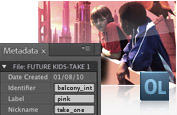
Tap the power of tapeless workflows
Save time with industry-leading native tapeless workflows, which eliminate transcoding and rewrapping, while preserving the pristine quality of your footage. Capture and log footage from virtually any camera including tapeless cameras with Adobe OnLocation CS5.
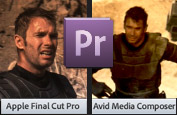
Work better with other NLEs
Import and export Apple Final Cut Pro and Avid projects in Adobe Premiere Pro so you can explore new possibilities with After Effects, Photoshop, and other Adobe software, bringing timesaving integration between Adobe tools to projects created in these other NLEs.
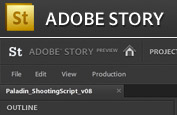
Move faster from script to screen
Move from script to screen faster with Adobe Story, a new Adobe CS Live online service* that integrates with Adobe Premiere Pro. Import scripts from Adobe Story to create shot lists, align scripts to footage and produce rough cuts, and then optimize video to create engaging online experiences. CS Live services are complimentary for a limited time.
Take advantage of direct-to-disk recording and monitoring with Adobe OnLocation CS5, which offers powerful support for metadata that can smooth your workflow throughout the complete post-production process.
Apply the power of Adobe Photoshop, After Effects, and other Adobe creative applications to your Final Cut and Avid projects more efficiently by bringing them into Adobe Premiere Pro, and then leveraging the tight integration between Adobe's creative tools.
Use Adobe Encore to deliver web DVDs complete with chapter menus and search capabilities thanks to metadata added throughout the post-production process in Adobe Premiere Pro. Or render video into web video formats with Adobe Media Encoder, and use the metadata-rich assets in an interactive online player for more engaging web experiences.
What's new in Adobe Premiere Pro CS5
Adobe Premiere Pro CS5 software improves every part of the video production process thanks to the revolutionary 64-bit, GPU-accelerated Adobe Mercury Playback Engine, a highly efficient script-to-screen workflow, and native support for the latest tapeless camera formats that lets you begin editing without delay.
Industry-leading performance with the new Mercury Playback Engine new
Work dramatically faster thanks to the revolutionary native 64-bit, GPU-accelerated Mercury Playback Engine. Open projects faster, scrub through HD and higher-resolution footage more fluidly, and play back complex long-format and effects-heavy projects more reliably.

Expanded native tapeless workflows enhanced
Edit video natively in the latest tapeless formats, including RED, AVCCAM, XDCAM HD 50, DPX, P2, XDCAM, and DSLR cameras, without transcoding or rewrapping. Do more with tapeless workflows
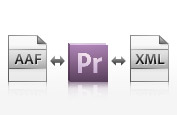
Open workflows with Final Cut Pro and Avid software enhanced
Bring the creative benefits of Adobe tools to your entire project by importing and exporting projects from these other NLEs. Do more with open workflows
Script-to-screen workflow new
Collaborate on scripts, automatically extract shot lists, and generate metadata-rich assets that speed up editing. Do more with script-to-screen workflows
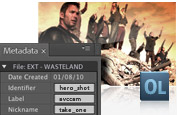
Tapeless camera support in Adobe OnLocation CS5 new
Use the powerful logging options in Adobe OnLocation when working with tapeless cameras. See all Adobe OnLocation CS5 features
Native support for DSLR cameras new
Edit native video from the latest DSLR cameras without transcoding or rewrapping.
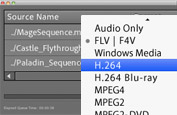
Streamlined encoding with revamped Adobe Media Encoder enhanced
Produce content in virtually any format, including DPX, FLV, F4V, H.264, MPEG-2, QT, WM, and more.
Client reviews made simple new
Gather feedback more efficiently by sharing work in progress with Adobe CS Review, a new Adobe CS Live online service.* CS Live services are complimentary for a limited time. (Integration with CS Review will not be available for Adobe Premiere Pro CS5 when the software initially ships. Integration capability is expected to be available for Adobe Premiere Pro users later in 2010.)
Eliminate intermediate rendering

Use Adobe Dynamic Link for tighter-than-ever integration and faster project workflows. Share content between Adobe After Effects, Adobe Premiere Pro, and Soundbooth, and see changes made in one component reflected immediately in the other, without rendering.
Do more with Creative Suite Production Premium

Faster editing with metadata enhanced
Gain greater efficiency with powerful new metadata features. Detect faces and turn spoken dialogue into searchable text faster and more accurately.

Dozens of timesaving improvements new
Boost productivity with workflow features and enhancements suggested by users like you. For example, use automatic scene detection to create separate clips from HDV tapes, import assets from DVDs, use new keyboard shortcuts, control keyframes with even more precision, and clean up sequences quickly with new commands for finding and removing gaps.

Ultra keyer new
Experience breakthrough performance and achieve fast, accurate chroma keying even on challenging HD footage with the Ultra keyer.

Searchable web DVDs with Adobe Encore CS5 new
Deliver interactive DVD experiences over the web, complete with chapter menus and search capabilities. See all Adobe Encore CS5 features
System requirements
Adobe Premiere Pro CS5 requires a 64-bit operating system.
Mac OS
- Multicore Intel processor with 64-bit support
- Mac OS X v10.5.7 or v10.6.3; Mac OS X v10.6.3 required for GPU-accelerated performance
- 2GB of RAM (4GB or more recommended)
- 10GB of available hard-disk space for installation; additional free space required during installation (cannot install on a volume that uses a case-sensitive file system or on removable flash-based storage devices)
- 7200 RPM hard drive for editing compressed video formats; RAID 0 for uncompressed
- 1280x900 display with OpenGL 2.0compatible graphics card
- Adobe-certified GPU card for GPU-accelerated performance
- Core Audiocompatible sound card
- DVD-ROM drive compatible with dual-layer DVDs (SuperDrive for burning DVDs; external Blu-ray burner for creating Blu-ray Disc media)
- QuickTime 7.6.2 software required for QuickTime features
- Broadband Internet connection required for online services*
Supported NVIDIA graphics cards for GPU acceleration
- Quadro FX 4800 (Mac OS)
- GeForce GTX 285 (Mac OS)
|
|
|
|
27/04
|
Adobe Premiere Pro CS5 - Mac, Retail Warning : Before Purchase Please Check OS Compatibility
Bring high-performance editing to next-generation storytelling
Adobe Premiere Pro CS5 software offers breakthrough performance for video production, enabling you to work dramatically faster thanks to the revolutionary native 64-bit, GPU-accelerated Adobe Mercury Playback Engine. Work natively with the video formats you want and accelerate production from scriptwriting to editing, encoding, and final delivery.
Tap the power of tapeless workflows
Save time with industry-leading native tapeless workflows, which eliminate transcoding and rewrapping, while preserving the pristine quality of your footage. Capture and log footage from virtually any camera including tapeless cameras with Adobe OnLocation CS5.
Work better with other NLEs
Import and export Apple Final Cut Pro and Avid projects in Adobe Premiere Pro so you can explore new possibilities with After Effects, Photoshop, and other Adobe software, bringing timesaving integration between Adobe tools to projects created in these other NLEs.
Move faster from script to screen
Move from script to screen faster with Adobe Story, a new Adobe CS Live online service* that integrates with Adobe Premiere Pro. Import scripts from Adobe Story to create shot lists, align scripts to footage and produce rough cuts, and then optimize video to create engaging online experiences. CS Live services are complimentary for a limited time.
Take advantage of direct-to-disk recording and monitoring with Adobe OnLocation CS5, which offers powerful support for metadata that can smooth your workflow throughout the complete post-production process.
Apply the power of Adobe Photoshop, After Effects, and other Adobe creative applications to your Final Cut and Avid projects more efficiently by bringing them into Adobe Premiere Pro, and then leveraging the tight integration between Adobe's creative tools.
Use Adobe Encore to deliver web DVDs complete with chapter menus and search capabilities thanks to metadata added throughout the post-production process in Adobe Premiere Pro. Or render video into web video formats with Adobe Media Encoder, and use the metadata-rich assets in an interactive online player for more engaging web experiences.
What's new in Adobe Premiere Pro CS5
Adobe Premiere Pro CS5 software improves every part of the video production process thanks to the revolutionary 64-bit, GPU-accelerated Adobe Mercury Playback Engine, a highly efficient script-to-screen workflow, and native support for the latest tapeless camera formats that lets you begin editing without delay.
Industry-leading performance with the new Mercury Playback Engine new
Work dramatically faster thanks to the revolutionary native 64-bit, GPU-accelerated Mercury Playback Engine. Open projects faster, scrub through HD and higher-resolution footage more fluidly, and play back complex long-format and effects-heavy projects more reliably.
Expanded native tapeless workflows enhanced
Edit video natively in the latest tapeless formats, including RED, AVCCAM, XDCAM HD 50, DPX, P2, XDCAM, and DSLR cameras, without transcoding or rewrapping. Do more with tapeless workflows
Open workflows with Final Cut Pro and Avid software enhanced
Bring the creative benefits of Adobe tools to your entire project by importing and exporting projects from these other NLEs. Do more with open workflows
Script-to-screen workflow new
Collaborate on scripts, automatically extract shot lists, and generate metadata-rich assets that speed up editing. Do more with script-to-screen workflows
Tapeless camera support in Adobe OnLocation CS5 new
Use the powerful logging options in Adobe OnLocation when working with tapeless cameras. See all Adobe OnLocation CS5 features
Native support for DSLR cameras new
Edit native video from the latest DSLR cameras without transcoding or rewrapping.
Streamlined encoding with revamped Adobe Media Encoder enhanced
Produce content in virtually any format, including DPX, FLV, F4V, H.264, MPEG-2, QT, WM, and more.
Client reviews made simple new
Gather feedback more efficiently by sharing work in progress with Adobe CS Review, a new Adobe CS Live online service.* CS Live services are complimentary for a limited time. (Integration with CS Review will not be available for Adobe Premiere Pro CS5 when the software initially ships. Integration capability is expected to be available for Adobe Premiere Pro users later in 2010.)
Eliminate intermediate rendering
Use Adobe Dynamic Link for tighter-than-ever integration and faster project workflows. Share content between Adobe After Effects, Adobe Premiere Pro, and Soundbooth, and see changes made in one component reflected immediately in the other, without rendering.
Do more with Creative Suite Production Premium
Faster editing with metadata enhanced
Gain greater efficiency with powerful new metadata features. Detect faces and turn spoken dialogue into searchable text faster and more accurately.
Dozens of timesaving improvements new
Boost productivity with workflow features and enhancements suggested by users like you. For example, use automatic scene detection to create separate clips from HDV tapes, import assets from DVDs, use new keyboard shortcuts, control keyframes with even more precision, and clean up sequences quickly with new commands for finding and removing gaps.
Ultra keyer new
Experience breakthrough performance and achieve fast, accurate chroma keying even on challenging HD footage with the Ultra keyer.
Searchable web DVDs with Adobe Encore CS5 new
Deliver interactive DVD experiences over the web, complete with chapter menus and search capabilities. See all Adobe Encore CS5 features
System requirements
Adobe Premiere Pro CS5 requires a 64-bit operating system.
Mac OS
- Multicore Intel processor with 64-bit support
- Mac OS X v10.5.7 or v10.6.3; Mac OS X v10.6.3 required for GPU-accelerated performance
- 2GB of RAM (4GB or more recommended)
- 10GB of available hard-disk space for installation; additional free space required during installation (cannot install on a volume that uses a case-sensitive file system or on removable flash-based storage devices)
- 7200 RPM hard drive for editing compressed video formats; RAID 0 for uncompressed
- 1280x900 display with OpenGL 2.0compatible graphics card
- Adobe-certified GPU card for GPU-accelerated performance
- Core Audiocompatible sound card
- DVD-ROM drive compatible with dual-layer DVDs (SuperDrive for burning DVDs; external Blu-ray burner for creating Blu-ray Disc media)
- QuickTime 7.6.2 software required for QuickTime features
- Broadband Internet connection required for online services*
Supported NVIDIA graphics cards for GPU acceleration
- Quadro FX 4800 (Mac OS)
- GeForce GTX 285 (Mac OS)
|
|
|
|
27/04
|
Adobe Premiere Pro CS5 - Windows, Retail Warning : Before Purchase Please Check OS Compatibility
Bring high-performance editing to next-generation storytelling
Adobe Premiere Pro CS5 software offers breakthrough performance for video production, enabling you to work dramatically faster thanks to the revolutionary native 64-bit, GPU-accelerated Adobe Mercury Playback Engine. Work natively with the video formats you want and accelerate production from scriptwriting to editing, encoding, and final delivery.
Tap the power of tapeless workflows
Save time with industry-leading native tapeless workflows, which eliminate transcoding and rewrapping, while preserving the pristine quality of your footage. Capture and log footage from virtually any camera including tapeless cameras with Adobe OnLocation CS5.
Work better with other NLEs
Import and export Apple Final Cut Pro and Avid projects in Adobe Premiere Pro so you can explore new possibilities with After Effects, Photoshop, and other Adobe software, bringing timesaving integration between Adobe tools to projects created in these other NLEs.
Move faster from script to screen
Move from script to screen faster with Adobe Story, a new Adobe CS Live online service* that integrates with Adobe Premiere Pro. Import scripts from Adobe Story to create shot lists, align scripts to footage and produce rough cuts, and then optimize video to create engaging online experiences. CS Live services are complimentary for a limited time.
Take advantage of direct-to-disk recording and monitoring with Adobe OnLocation CS5, which offers powerful support for metadata that can smooth your workflow throughout the complete post-production process.
Apply the power of Adobe Photoshop, After Effects, and other Adobe creative applications to your Final Cut and Avid projects more efficiently by bringing them into Adobe Premiere Pro, and then leveraging the tight integration between Adobe's creative tools.
Use Adobe Encore to deliver web DVDs complete with chapter menus and search capabilities thanks to metadata added throughout the post-production process in Adobe Premiere Pro. Or render video into web video formats with Adobe Media Encoder, and use the metadata-rich assets in an interactive online player for more engaging web experiences.
What's new in Adobe Premiere Pro CS5
Adobe Premiere Pro CS5 software improves every part of the video production process thanks to the revolutionary 64-bit, GPU-accelerated Adobe Mercury Playback Engine, a highly efficient script-to-screen workflow, and native support for the latest tapeless camera formats that lets you begin editing without delay.
Industry-leading performance with the new Mercury Playback Engine new
Work dramatically faster thanks to the revolutionary native 64-bit, GPU-accelerated Mercury Playback Engine. Open projects faster, scrub through HD and higher-resolution footage more fluidly, and play back complex long-format and effects-heavy projects more reliably.
Expanded native tapeless workflows enhanced
Edit video natively in the latest tapeless formats, including RED, AVCCAM, XDCAM HD 50, DPX, P2, XDCAM, and DSLR cameras, without transcoding or rewrapping. Do more with tapeless workflows
Open workflows with Final Cut Pro and Avid software enhanced
Bring the creative benefits of Adobe tools to your entire project by importing and exporting projects from these other NLEs. Do more with open workflows
Script-to-screen workflow new
Collaborate on scripts, automatically extract shot lists, and generate metadata-rich assets that speed up editing. Do more with script-to-screen workflows
Tapeless camera support in Adobe OnLocation CS5 new
Use the powerful logging options in Adobe OnLocation when working with tapeless cameras. See all Adobe OnLocation CS5 features
Native support for DSLR cameras new
Edit native video from the latest DSLR cameras without transcoding or rewrapping.
Streamlined encoding with revamped Adobe Media Encoder enhanced
Produce content in virtually any format, including DPX, FLV, F4V, H.264, MPEG-2, QT, WM, and more.
Client reviews made simple new
Gather feedback more efficiently by sharing work in progress with Adobe CS Review, a new Adobe CS Live online service.* CS Live services are complimentary for a limited time. (Integration with CS Review will not be available for Adobe Premiere Pro CS5 when the software initially ships. Integration capability is expected to be available for Adobe Premiere Pro users later in 2010.)
Eliminate intermediate rendering
Use Adobe Dynamic Link for tighter-than-ever integration and faster project workflows. Share content between Adobe After Effects, Adobe Premiere Pro, and Soundbooth, and see changes made in one component reflected immediately in the other, without rendering.
Do more with Creative Suite Production Premium
Faster editing with metadata enhanced
Gain greater efficiency with powerful new metadata features. Detect faces and turn spoken dialogue into searchable text faster and more accurately.
Dozens of timesaving improvements new
Boost productivity with workflow features and enhancements suggested by users like you. For example, use automatic scene detection to create separate clips from HDV tapes, import assets from DVDs, use new keyboard shortcuts, control keyframes with even more precision, and clean up sequences quickly with new commands for finding and removing gaps.
Ultra keyer new
Experience breakthrough performance and achieve fast, accurate chroma keying even on challenging HD footage with the Ultra keyer.
Searchable web DVDs with Adobe Encore CS5 new
Deliver interactive DVD experiences over the web, complete with chapter menus and search capabilities. See all Adobe Encore CS5 features
System requirements
Adobe Premiere Pro CS5 requires a 64-bit operating system.
Windows
- Intel Core2 Duo or AMD Phenom II processor; 64-bit support required
- 64-bit operating system required: Microsoft Windows Vista Home Premium, Business, Ultimate, or Enterprise with Service Pack 1 or Windows 7
- 2GB of RAM (4GB or more recommended)
- 10GB of available hard-disk space for installation; additional free space required during installation (cannot install on removable flash-based storage devices)
- 7200 RPM hard drive for editing compressed video formats; RAID 0 for uncompressed
- 1280x900 display with OpenGL 2.0compatible graphics card
- Adobe-certified GPU card for GPU-accelerated performance
- Adobe-certified card for capture and export to tape for SD/HD workflows
- OHCI-compatible IEEE 1394 port for DV and HDV capture, export to tape, and transmit to DV device
- Sound card compatible with ASIO protocol or Microsoft Windows Driver Model
- DVD-ROM drive compatible with dual-layer DVDs (DVD+-R burner for burning DVDs; Blu-ray burner for creating Blu-ray Disc media)
- QuickTime 7.6.2 software required for QuickTime features
- Broadband Internet connection required for online services*
Supported NVIDIA graphics cards for GPU acceleration
- Quadro CX
- Quadro FX 3800
- Quadro FX 4800
- Quadro FX 5800
- GeForce GTX 285
|
|
|
|
27/04
|
Adobe Premiere Pro CS5 - Windows, Educational Only Warning : Before Purchase Please Check OS Compatibility
Bring high-performance editing to next-generation storytelling
Adobe Premiere Pro CS5 software offers breakthrough performance for video production, enabling you to work dramatically faster thanks to the revolutionary native 64-bit, GPU-accelerated Adobe Mercury Playback Engine. Work natively with the video formats you want and accelerate production from scriptwriting to editing, encoding, and final delivery.
Tap the power of tapeless workflows
Save time with industry-leading native tapeless workflows, which eliminate transcoding and rewrapping, while preserving the pristine quality of your footage. Capture and log footage from virtually any camera including tapeless cameras with Adobe OnLocation CS5.
Work better with other NLEs
Import and export Apple Final Cut Pro and Avid projects in Adobe Premiere Pro so you can explore new possibilities with After Effects, Photoshop, and other Adobe software, bringing timesaving integration between Adobe tools to projects created in these other NLEs.
Move faster from script to screen
Move from script to screen faster with Adobe Story, a new Adobe CS Live online service* that integrates with Adobe Premiere Pro. Import scripts from Adobe Story to create shot lists, align scripts to footage and produce rough cuts, and then optimize video to create engaging online experiences. CS Live services are complimentary for a limited time.
Take advantage of direct-to-disk recording and monitoring with Adobe OnLocation CS5, which offers powerful support for metadata that can smooth your workflow throughout the complete post-production process.
Apply the power of Adobe Photoshop, After Effects, and other Adobe creative applications to your Final Cut and Avid projects more efficiently by bringing them into Adobe Premiere Pro, and then leveraging the tight integration between Adobe's creative tools.
Use Adobe Encore to deliver web DVDs complete with chapter menus and search capabilities thanks to metadata added throughout the post-production process in Adobe Premiere Pro. Or render video into web video formats with Adobe Media Encoder, and use the metadata-rich assets in an interactive online player for more engaging web experiences.
What's new in Adobe Premiere Pro CS5
Adobe Premiere Pro CS5 software improves every part of the video production process thanks to the revolutionary 64-bit, GPU-accelerated Adobe Mercury Playback Engine, a highly efficient script-to-screen workflow, and native support for the latest tapeless camera formats that lets you begin editing without delay.
Industry-leading performance with the new Mercury Playback Engine new
Work dramatically faster thanks to the revolutionary native 64-bit, GPU-accelerated Mercury Playback Engine. Open projects faster, scrub through HD and higher-resolution footage more fluidly, and play back complex long-format and effects-heavy projects more reliably.
Expanded native tapeless workflows enhanced
Edit video natively in the latest tapeless formats, including RED, AVCCAM, XDCAM HD 50, DPX, P2, XDCAM, and DSLR cameras, without transcoding or rewrapping. Do more with tapeless workflows
Open workflows with Final Cut Pro and Avid software enhanced
Bring the creative benefits of Adobe tools to your entire project by importing and exporting projects from these other NLEs. Do more with open workflows
Script-to-screen workflow new
Collaborate on scripts, automatically extract shot lists, and generate metadata-rich assets that speed up editing. Do more with script-to-screen workflows
Tapeless camera support in Adobe OnLocation CS5 new
Use the powerful logging options in Adobe OnLocation when working with tapeless cameras. See all Adobe OnLocation CS5 features
Native support for DSLR cameras new
Edit native video from the latest DSLR cameras without transcoding or rewrapping.
Streamlined encoding with revamped Adobe Media Encoder enhanced
Produce content in virtually any format, including DPX, FLV, F4V, H.264, MPEG-2, QT, WM, and more.
Client reviews made simple new
Gather feedback more efficiently by sharing work in progress with Adobe CS Review, a new Adobe CS Live online service.* CS Live services are complimentary for a limited time. (Integration with CS Review will not be available for Adobe Premiere Pro CS5 when the software initially ships. Integration capability is expected to be available for Adobe Premiere Pro users later in 2010.)
Eliminate intermediate rendering
Use Adobe Dynamic Link for tighter-than-ever integration and faster project workflows. Share content between Adobe After Effects, Adobe Premiere Pro, and Soundbooth, and see changes made in one component reflected immediately in the other, without rendering.
Do more with Creative Suite Production Premium
Faster editing with metadata enhanced
Gain greater efficiency with powerful new metadata features. Detect faces and turn spoken dialogue into searchable text faster and more accurately.
Dozens of timesaving improvements new
Boost productivity with workflow features and enhancements suggested by users like you. For example, use automatic scene detection to create separate clips from HDV tapes, import assets from DVDs, use new keyboard shortcuts, control keyframes with even more precision, and clean up sequences quickly with new commands for finding and removing gaps.
Ultra keyer new
Experience breakthrough performance and achieve fast, accurate chroma keying even on challenging HD footage with the Ultra keyer.
Searchable web DVDs with Adobe Encore CS5 new
Deliver interactive DVD experiences over the web, complete with chapter menus and search capabilities. See all Adobe Encore CS5 features
System requirements
Adobe Premiere Pro CS5 requires a 64-bit operating system.
Windows
- Intel Core2 Duo or AMD Phenom II processor; 64-bit support required
- 64-bit operating system required: Microsoft Windows Vista Home Premium, Business, Ultimate, or Enterprise with Service Pack 1 or Windows 7
- 2GB of RAM (4GB or more recommended)
- 10GB of available hard-disk space for installation; additional free space required during installation (cannot install on removable flash-based storage devices)
- 7200 RPM hard drive for editing compressed video formats; RAID 0 for uncompressed
- 1280x900 display with OpenGL 2.0compatible graphics card
- Adobe-certified GPU card for GPU-accelerated performance
- Adobe-certified card for capture and export to tape for SD/HD workflows
- OHCI-compatible IEEE 1394 port for DV and HDV capture, export to tape, and transmit to DV device
- Sound card compatible with ASIO protocol or Microsoft Windows Driver Model
- DVD-ROM drive compatible with dual-layer DVDs (DVD+-R burner for burning DVDs; Blu-ray burner for creating Blu-ray Disc media)
- QuickTime 7.6.2 software required for QuickTime features
- Broadband Internet connection required for online services*
Supported NVIDIA graphics cards for GPU acceleration
- Quadro CX
- Quadro FX 3800
- Quadro FX 4800
- Quadro FX 5800
- GeForce GTX 285
|
|
|
|
27/04
|
Adobe Fireworks CS5 - Mac, Educational Only Warning : Before Purchase Please Check OS Compatibility
What is Fireworks?
Adobe Fireworks CS5 software enables you to create expressive, highly optimized graphics for the web or virtually any device from smartphones to kiosks to embedded displays. Produce websites, user interfaces, and rich prototypes that are editable in both vector and bitmap modes.
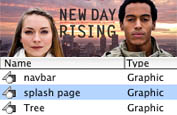
Wireframe websites
Quickly create wireframes from Fireworks templates. Add text, symbols, and imagery with the robust vector and bitmap toolset. Add pages and customize them quickly with Smart Guides, and export them as clickable PDF mock-ups for approval.
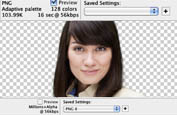
Deliver transparent web graphics
Create graphics with transparent alpha layers that will display correctly on any browser. Optimize your designs with Fireworks and export them as PNG-8 files for true cross-browser transparency.
Comp RIA interfaces
Use vector objects and imported bitmaps to prototype rich Internet application (RIA) interfaces. Apply behaviors to objects to simulate interactivity. Export as Adobe AIR applications or FXG files for development in Adobe Flash Catalyst and Flash Builder.
Export standards-compliant CSS layouts with external style sheets for completion into Adobe Dreamweaver. Take your design into Adobe Flash Professional and preserve layer states and symbols for animation interactivity development.
Open native Adobe Photoshop and Illustrator files with high fidelity of layers, effects, blend modes, up to 100 artboards, and even double-byte text. Your ability to edit vectors, bitmaps, and text objects remains intact.
Import objects, pages, or whole documents from Fireworks into Flash Catalyst. Leverage the accessible Fireworks API to create custom FXG export scripts for advanced batch processing. Create skin components such as buttons, menu types, and form elements for use in Flash Builder.
Features
Easy-to-use design tools for screen-based design enhanced
Create and edit vector and bitmap images, or import and modify native Adobe Photoshop and Illustrator files. Changes remain editable at any time, and final output is optimized for display resolutions.
Improved performance enhanced
Work faster with significant performance enhancements, including greater control over pixel placement of design elements, improved file opening and saving, updated symbol operation, and quicker bitmap and vector operations.
Optimization and scaling tools enhanced
Optimize graphics for a wide variety of screen types with preview, selective JPEG compression, and comprehensive export controls. Intelligently scale buttons and graphic symbols with 9-slice scaling to accelerate website and application prototyping.
CSS and HTML export enhanced
Design complete web pages in a robust graphic environment and then export standards-compliant, CSS-based layouts with external style sheets in one step. Integrate foreground and background graphics with distinct slice types, and utilize repeating images.
Improved type handling enhanced
Produce exceptional type designs with the enhanced Adobe text engine. Copy and paste double-byte characters from Illustrator and Photoshop without loss of fidelity. Float text inside a path, and take advantage of many other improvements.
Sophisticated prototyping enhanced
Design interactive layouts for websites and rich Internet applications (RIAs). Reduce development time by exporting multipage, clickable website comps as standards-compliant, CSS-based layouts, and bring RIA prototypes into the Adobe AIR runtime without writing code.
Intelligent integration enhanced
Import Photoshop and Illustrator files while maintaining color matching, element fidelity, and editing capability. Export Adobe Fireworks designs into applications in the Adobe Flash software family for advanced interactivity design. Copy and paste objects between Fireworks and Adobe Dreamweaver.
Effortless client collaboration enhanced
Demo with two-way video communication in real-time online meetings with the Adobe ConnectNow feature in Acrobat.com, part of Adobe CS Live online services.* CS Live services are complimentary for a limited time. Also, generate clickable PDF files or interactive HTML comps for review, and create Adobe AIR prototypes to run on any platform.
Customizable and reusable assets enhanced
Jump-start your design process with the Common Library of graphic symbols, form elements, text symbols, and animations. Design your own custom symbols and styles for continued rapid design and prototyping.
Developer productivity tools enhanced
Save time by quickly creating assets and optimizing images for use in development projects. Rely on Fireworks for batch processing of graphical elements.
System Requirements
Mac OS
- Multicore Intel processor
- Mac OS X v10.5.7 or v10.6
- 512MB of RAM (1GB recommended)
- 1GB of available hard-disk space for installation; additional free space required during installation (cannot install on a volume that uses a case-sensitive file system or on removable flash-based storage devices)
- 1280x1024 display with 16-bit video card
- DVD-ROM drive
- Broadband Internet connection required for online services*
|
|
|
|
27/04
|
Adobe Fireworks CS5 - Windows, Educational Only Warning : Before Purchase Please Check OS Compatibility
What is Fireworks?
Adobe Fireworks CS5 software enables you to create expressive, highly optimized graphics for the web or virtually any device from smartphones to kiosks to embedded displays. Produce websites, user interfaces, and rich prototypes that are editable in both vector and bitmap modes.
Wireframe websites
Quickly create wireframes from Fireworks templates. Add text, symbols, and imagery with the robust vector and bitmap toolset. Add pages and customize them quickly with Smart Guides, and export them as clickable PDF mock-ups for approval.
Deliver transparent web graphics
Create graphics with transparent alpha layers that will display correctly on any browser. Optimize your designs with Fireworks and export them as PNG-8 files for true cross-browser transparency.
Comp RIA interfaces
Use vector objects and imported bitmaps to prototype rich Internet application (RIA) interfaces. Apply behaviors to objects to simulate interactivity. Export as Adobe AIR applications or FXG files for development in Adobe Flash Catalyst and Flash Builder.
Export standards-compliant CSS layouts with external style sheets for completion into Adobe Dreamweaver. Take your design into Adobe Flash Professional and preserve layer states and symbols for animation interactivity development.
Open native Adobe Photoshop and Illustrator files with high fidelity of layers, effects, blend modes, up to 100 artboards, and even double-byte text. Your ability to edit vectors, bitmaps, and text objects remains intact.
Import objects, pages, or whole documents from Fireworks into Flash Catalyst. Leverage the accessible Fireworks API to create custom FXG export scripts for advanced batch processing. Create skin components such as buttons, menu types, and form elements for use in Flash Builder.
Features
Easy-to-use design tools for screen-based design enhanced
Create and edit vector and bitmap images, or import and modify native Adobe Photoshop and Illustrator files. Changes remain editable at any time, and final output is optimized for display resolutions.
Improved performance enhanced
Work faster with significant performance enhancements, including greater control over pixel placement of design elements, improved file opening and saving, updated symbol operation, and quicker bitmap and vector operations.
Optimization and scaling tools enhanced
Optimize graphics for a wide variety of screen types with preview, selective JPEG compression, and comprehensive export controls. Intelligently scale buttons and graphic symbols with 9-slice scaling to accelerate website and application prototyping.
CSS and HTML export enhanced
Design complete web pages in a robust graphic environment and then export standards-compliant, CSS-based layouts with external style sheets in one step. Integrate foreground and background graphics with distinct slice types, and utilize repeating images.
Improved type handling enhanced
Produce exceptional type designs with the enhanced Adobe text engine. Copy and paste double-byte characters from Illustrator and Photoshop without loss of fidelity. Float text inside a path, and take advantage of many other improvements.
Sophisticated prototyping enhanced
Design interactive layouts for websites and rich Internet applications (RIAs). Reduce development time by exporting multipage, clickable website comps as standards-compliant, CSS-based layouts, and bring RIA prototypes into the Adobe AIR runtime without writing code.
Intelligent integration enhanced
Import Photoshop and Illustrator files while maintaining color matching, element fidelity, and editing capability. Export Adobe Fireworks designs into applications in the Adobe Flash software family for advanced interactivity design. Copy and paste objects between Fireworks and Adobe Dreamweaver.
Effortless client collaboration enhanced
Demo with two-way video communication in real-time online meetings with the Adobe ConnectNow feature in Acrobat.com, part of Adobe CS Live online services.* CS Live services are complimentary for a limited time. Also, generate clickable PDF files or interactive HTML comps for review, and create Adobe AIR prototypes to run on any platform.
Customizable and reusable assets enhanced
Jump-start your design process with the Common Library of graphic symbols, form elements, text symbols, and animations. Design your own custom symbols and styles for continued rapid design and prototyping.
Developer productivity tools enhanced
Save time by quickly creating assets and optimizing images for use in development projects. Rely on Fireworks for batch processing of graphical elements.
System Requirements
Windows
- Intel Pentium 4 or AMD Athlon 64 processor
- Microsoft Windows XP with Service Pack 2 (Service Pack 3 recommended); Windows Vista Home Premium, Business, Ultimate, or Enterprise with Service Pack 1; or Windows 7
- 512MB of RAM (1GB recommended)
- 1GB of available hard-disk space for installation; additional free space required during installation (cannot install on removable flash-based storage devices)
- 1280x1024 display with 16-bit video card
- DVD-ROM drive
- Broadband Internet connection required for online services*
|
|
|
|
27/04
|
Adobe Fireworks CS5 - Mac, Retail Warning : Before Purchase Please Check OS Compatibility
What is Fireworks?
Adobe Fireworks CS5 software enables you to create expressive, highly optimized graphics for the web or virtually any device from smartphones to kiosks to embedded displays. Produce websites, user interfaces, and rich prototypes that are editable in both vector and bitmap modes.
Wireframe websites
Quickly create wireframes from Fireworks templates. Add text, symbols, and imagery with the robust vector and bitmap toolset. Add pages and customize them quickly with Smart Guides, and export them as clickable PDF mock-ups for approval.
Deliver transparent web graphics
Create graphics with transparent alpha layers that will display correctly on any browser. Optimize your designs with Fireworks and export them as PNG-8 files for true cross-browser transparency.
Comp RIA interfaces
Use vector objects and imported bitmaps to prototype rich Internet application (RIA) interfaces. Apply behaviors to objects to simulate interactivity. Export as Adobe AIR applications or FXG files for development in Adobe Flash Catalyst and Flash Builder.
Export standards-compliant CSS layouts with external style sheets for completion into Adobe Dreamweaver. Take your design into Adobe Flash Professional and preserve layer states and symbols for animation interactivity development.
Open native Adobe Photoshop and Illustrator files with high fidelity of layers, effects, blend modes, up to 100 artboards, and even double-byte text. Your ability to edit vectors, bitmaps, and text objects remains intact.
Import objects, pages, or whole documents from Fireworks into Flash Catalyst. Leverage the accessible Fireworks API to create custom FXG export scripts for advanced batch processing. Create skin components such as buttons, menu types, and form elements for use in Flash Builder.
Features
Easy-to-use design tools for screen-based design enhanced
Create and edit vector and bitmap images, or import and modify native Adobe Photoshop and Illustrator files. Changes remain editable at any time, and final output is optimized for display resolutions.
Improved performance enhanced
Work faster with significant performance enhancements, including greater control over pixel placement of design elements, improved file opening and saving, updated symbol operation, and quicker bitmap and vector operations.
Optimization and scaling tools enhanced
Optimize graphics for a wide variety of screen types with preview, selective JPEG compression, and comprehensive export controls. Intelligently scale buttons and graphic symbols with 9-slice scaling to accelerate website and application prototyping.
CSS and HTML export enhanced
Design complete web pages in a robust graphic environment and then export standards-compliant, CSS-based layouts with external style sheets in one step. Integrate foreground and background graphics with distinct slice types, and utilize repeating images.
Improved type handling enhanced
Produce exceptional type designs with the enhanced Adobe text engine. Copy and paste double-byte characters from Illustrator and Photoshop without loss of fidelity. Float text inside a path, and take advantage of many other improvements.
Sophisticated prototyping enhanced
Design interactive layouts for websites and rich Internet applications (RIAs). Reduce development time by exporting multipage, clickable website comps as standards-compliant, CSS-based layouts, and bring RIA prototypes into the Adobe AIR runtime without writing code.
Intelligent integration enhanced
Import Photoshop and Illustrator files while maintaining color matching, element fidelity, and editing capability. Export Adobe Fireworks designs into applications in the Adobe Flash software family for advanced interactivity design. Copy and paste objects between Fireworks and Adobe Dreamweaver.
Effortless client collaboration enhanced
Demo with two-way video communication in real-time online meetings with the Adobe ConnectNow feature in Acrobat.com, part of Adobe CS Live online services.* CS Live services are complimentary for a limited time. Also, generate clickable PDF files or interactive HTML comps for review, and create Adobe AIR prototypes to run on any platform.
Customizable and reusable assets enhanced
Jump-start your design process with the Common Library of graphic symbols, form elements, text symbols, and animations. Design your own custom symbols and styles for continued rapid design and prototyping.
Developer productivity tools enhanced
Save time by quickly creating assets and optimizing images for use in development projects. Rely on Fireworks for batch processing of graphical elements.
System Requirements
Mac OS
- Multicore Intel processor
- Mac OS X v10.5.7 or v10.6
- 512MB of RAM (1GB recommended)
- 1GB of available hard-disk space for installation; additional free space required during installation (cannot install on a volume that uses a case-sensitive file system or on removable flash-based storage devices)
- 1280x1024 display with 16-bit video card
- DVD-ROM drive
- Broadband Internet connection required for online services*
|
|
|
|
27/04
|
Adobe Fireworks CS5 - Windows, Retail Warning : Before Purchase Please Check OS Compatibility
What is Fireworks?
Adobe Fireworks CS5 software enables you to create expressive, highly optimized graphics for the web or virtually any device from smartphones to kiosks to embedded displays. Produce websites, user interfaces, and rich prototypes that are editable in both vector and bitmap modes.
Wireframe websites
Quickly create wireframes from Fireworks templates. Add text, symbols, and imagery with the robust vector and bitmap toolset. Add pages and customize them quickly with Smart Guides, and export them as clickable PDF mock-ups for approval.
Deliver transparent web graphics
Create graphics with transparent alpha layers that will display correctly on any browser. Optimize your designs with Fireworks and export them as PNG-8 files for true cross-browser transparency.
Comp RIA interfaces
Use vector objects and imported bitmaps to prototype rich Internet application (RIA) interfaces. Apply behaviors to objects to simulate interactivity. Export as Adobe AIR applications or FXG files for development in Adobe Flash Catalyst and Flash Builder.
Export standards-compliant CSS layouts with external style sheets for completion into Adobe Dreamweaver. Take your design into Adobe Flash Professional and preserve layer states and symbols for animation interactivity development.
Open native Adobe Photoshop and Illustrator files with high fidelity of layers, effects, blend modes, up to 100 artboards, and even double-byte text. Your ability to edit vectors, bitmaps, and text objects remains intact.
Import objects, pages, or whole documents from Fireworks into Flash Catalyst. Leverage the accessible Fireworks API to create custom FXG export scripts for advanced batch processing. Create skin components such as buttons, menu types, and form elements for use in Flash Builder.
Features
Easy-to-use design tools for screen-based design enhanced
Create and edit vector and bitmap images, or import and modify native Adobe Photoshop and Illustrator files. Changes remain editable at any time, and final output is optimized for display resolutions.
Improved performance enhanced
Work faster with significant performance enhancements, including greater control over pixel placement of design elements, improved file opening and saving, updated symbol operation, and quicker bitmap and vector operations.
Optimization and scaling tools enhanced
Optimize graphics for a wide variety of screen types with preview, selective JPEG compression, and comprehensive export controls. Intelligently scale buttons and graphic symbols with 9-slice scaling to accelerate website and application prototyping.
CSS and HTML export enhanced
Design complete web pages in a robust graphic environment and then export standards-compliant, CSS-based layouts with external style sheets in one step. Integrate foreground and background graphics with distinct slice types, and utilize repeating images.
Improved type handling enhanced
Produce exceptional type designs with the enhanced Adobe text engine. Copy and paste double-byte characters from Illustrator and Photoshop without loss of fidelity. Float text inside a path, and take advantage of many other improvements.
Sophisticated prototyping enhanced
Design interactive layouts for websites and rich Internet applications (RIAs). Reduce development time by exporting multipage, clickable website comps as standards-compliant, CSS-based layouts, and bring RIA prototypes into the Adobe AIR runtime without writing code.
Intelligent integration enhanced
Import Photoshop and Illustrator files while maintaining color matching, element fidelity, and editing capability. Export Adobe Fireworks designs into applications in the Adobe Flash software family for advanced interactivity design. Copy and paste objects between Fireworks and Adobe Dreamweaver.
Effortless client collaboration enhanced
Demo with two-way video communication in real-time online meetings with the Adobe ConnectNow feature in Acrobat.com, part of Adobe CS Live online services.* CS Live services are complimentary for a limited time. Also, generate clickable PDF files or interactive HTML comps for review, and create Adobe AIR prototypes to run on any platform.
Customizable and reusable assets enhanced
Jump-start your design process with the Common Library of graphic symbols, form elements, text symbols, and animations. Design your own custom symbols and styles for continued rapid design and prototyping.
Developer productivity tools enhanced
Save time by quickly creating assets and optimizing images for use in development projects. Rely on Fireworks for batch processing of graphical elements.
System Requirements
Windows
- Intel Pentium 4 or AMD Athlon 64 processor
- Microsoft Windows XP with Service Pack 2 (Service Pack 3 recommended); Windows Vista Home Premium, Business, Ultimate, or Enterprise with Service Pack 1; or Windows 7
- 512MB of RAM (1GB recommended)
- 1GB of available hard-disk space for installation; additional free space required during installation (cannot install on removable flash-based storage devices)
- 1280x1024 display with 16-bit video card
- DVD-ROM drive
- Broadband Internet connection required for online services*
|
|
|
|
27/04
|
Nikon FSB-5 Digital Camera Bracket - To Suit COOLPIX Series Each bracket enables you to connect a Nikon Fieldscope/Spotting Scope to the specified COOLPIX digital cameras.

Common features
|
Easy attachment to camera
Mount by fastening screw in the camera's tripod socket. (The FSB-6 is screwed into the camera's converter lens attachment.) With the Wide DS eyepiece, a Digital Camera Attachment FSA-1, 2, 3 is not necessary. With a conventional MC eyepiece, the bracket can only be attached using FSA-1, 2.
|
|
Camera battery can be changed even with bracket attached to the camera (except FSB-5)
|
|
Comes with FSB Cable Release-1 (length: 50cm) and non-skid pad |
FSB-5
|
For exclusive use with COOLPIX S series (S1, S3, S5, S6, S7, S7c, S8 and S9)
|
|
Comes with Digital Camera Bracket Ring FSBR-5 to prevent vignetting when using 16x/24x/30x Wide DS eyepiece
|
|
|
Specifications |
Dimensions (without screw): 126 (W) x 128 (H) x 46 (D) mm
Weight (without cable release): 235g
|
|
|
|
27/04
|
Nikon FSB-4 Digital Camera Bracket - To Suit COOLPIX Series
|
|
|
|
27/04
|
Nikon FSB-3 Digital Camera Bracket - To Suit COOLPIX Series
|
|
|
|
27/04
|
Nikon FSB-U1 Digital Camera Bracket - To Suit COOLPIX Series Universal digital camera bracket FSB-U1 connects a wide variety of Nikon COOLPIX* compact digital cameras to Nikon Fieldscopes, Spotting Scope RAIII and Fieldmicroscope EZ-Micro.
*See below for compatible models.
|
|
|
|
|
Specifications |
Dimensions (without screw):
155 (W) x 105 (H) x 95 (D) mm
Weight (without cable release): 340g
|
Combination example:
Fieldscope EDIII + 24x Wide DS Eyepiece + FSB-U1 + COOLPIX P6000
|
|
Viewing with the right eye is possible by moving the bracket without removing the camera.
|
Features
|
Universal digital camera bracket for digiscoping connects a wide variety of Nikon COOLPIX compact digital cameras to Nikon Fieldscopes, Spotting Scope RAIII and Fieldmicroscope EZ-Micro
|
|
Enables easy switching between observation and digiscoping without removing the digital camera
*
|
If the bracket is used to combine the Spotting Scope RAIII and DS Spotting Scope Eyepiece 20x/25x, only the shooting (closed) position should be used
|
|
|
Comes with cable release (approx. 50cm), which helps prevent camera shake during shooting
|

|
|
Digiscoping System Diagram
|
 Compatible Digital Cameras (COOLPIX) (as of April, 2010) Compatible Digital Cameras (COOLPIX) (as of April, 2010)
P series (P6000*1/P5100/P5000/P50/P4/P3/P2/P1)
S series (S4000*2/S3000*2/S710/S700/S640*3/S620/S610/S610c/S600/S570
/S520/S510/S500/S230/S220/S210/S200)
L series (L22/L21/L20/L19/L18/L16/L15/L14/L12/L11/L10/L6/L4/L3/L2)
*1
|
The combination of the COOLPIX P6000, FSB-U1 and EZ-Micro is not recommended in terms of the weight balance.
|
*2
|
Attaching a DS Spotting Scope zoom eyepiece to the COOLPIX S4000/S3000 is not recommended because of possible contact of the camera lens with the eyepiece lens.
|
*3
|
Only with EDG Fieldscope eyepieces. Attaching DS eyepieces to the S640 is not recommended because of vignetting
|
Notes
|
Vignetting may occur even with compatible models; occurrence of vignetting also depends on the subject and other shooting conditions
|
|
Camera position may become misaligned during camera operation or replacement of batteries or recording media; adjust the camera if necessary before releasing the shutter (Removing the camera is necessary when replacing batteries or recording media.)
|
|
If you notice external light on the monitor or picture image, we recommend that you use a shield such as a black cloth to prevent light entering between the mount and lens of the camera
|
|
Conventional MC eyepieces cannot be used; please use DS eyepieces for connection with the FSB-U1
|
|
Although the theoretical F-number obtained using the calculation above exceeds the camera's F-number, the actual F-number will not.
|
|
|
Occurrence of vignetting, based on the combination of eyepiece and COOLPIX digital camera (guidelines) |
| Example) when using P6000, S570 |
| |
P6000 |
S570 |
| W |
M |
T |
W |
M |
T |
| 16x/24x/30x Wide DS |
|
|
|
|
|
|
| 27x/40x/50x Wide DS |
|
|
|
|
|
|
| 40x/60x/75x Wide DS |
|
|
|
|
|
|
|
Click here for other combinations of eyepiece and COOLPIX digital camera
Click here for combinations of EDG Fieldscope eyepiece and COOLPIX digital camera
W: With wide setting M: With middle setting T: With telephoto setting
: Slight vignetting : Vignetting X: Heavy vignetting at the periphery
Note:
|
|
Depending on the type of camera, its position, or zoom setting, vignetting may occur. If vignetting does occur, carefully adjust the bracket position.
|
|
|
When a digital camera lens is used at wide setting, take care that the camera lens does not hit the eyepiece lens when zooming to telephoto setting.
|
|
|
Because it may be difficult to focus when using the camera's AF function with super-telephoto shooting, we recommend that you take a series of pictures of the same subject.
|
|
|
|
|
27/04
|
Nikon GP1-CA90 Accessory Cable - For GP-1 GP1-CA90 cable for connection to cameras with accessory terminals. Cable for connecting the GP-1 to a D90 or D5000.
|
|
|
|
27/04
|
Nikon GP1-CA10 10-Pin Cable - For GP-1 GP1-CA10 cable for connecting the GP-1 to a D3X, D3S, D3, D700, D300S, D300, D2X, D2XS, D2HS or D200.
|
|
|
|
27/04
|
Nikon LN-1 Wide Lens Strap The LN-1 Lens Strap is easily adjusted, enabling you to carry various telephoto lenses - even large, heavy ones - comfortably on your shoulder.
|
|
|
|
27/04
|
Nikon AN-CP19 Wrist Strap Wrist strap, helps to keep the camera secure during use.
|
|
|
|
27/04
|
Nikon SK-6 Power Bracket - Requires AA Batteries External power unit and mounting bracket combination. Reduces flash recycling time by half while nearly doubling the amount of available flashes. Offers convenient, adjustable side-mounted handle for entire camera/Speedlight system, or for creative lighting effects when unit is detached from camera. Camera, flash, and all other necessary connections made within this single unit. Requires four AA batteries. Compatible with SB-900, SB-800, SB-80, SB-28, SB-28DX, SB-26, SB-25, SB-24, SC-22, and D3X, D3S, D3, D700, D300S, D300, D90, D5000, D3000, D60, D40, D80, D70, D70S, D50, D40x, D2Xs, D2X, D2Hs, D2H, D200, D100, D1X, D1H, D100, D1, F6, F5, F100, N80, N75, and other camera models.
|
|
|
|
27/04
|
Nikon BS-2 Accessory Shoe Cap - To Suit Nikon DS3/D3X/D3 Digital SLR
|
|
|
|
27/04
|
Nikon ML-L4 Remote Control - To Suit Nikon CoolPix S1000pj The ML-L4 Remote Control is used to take still pictures and to start and end movie recording with the COOLPIX S1000pj camera. In projector mode, the remote control can be used to change the projected still pictures and to play back movies.
|
|
|
|
27/04
|
Nikon AR-7 Double Cable Release For all cameras with a cable release plug. Maintenance of the automatic diaphragm control between the camera and the bellow focusing attachment PB-6 release plug.
|
|
|
|
27/04
|
Creative Vado AV Cable / Vado HD AV Cable 1500mmCreative Vado AV Cable Creative Vado AV Cable VADO / VADO HD AV CABLE 1500MM
|
|
|
|
27/04
|
Team 4GB Flash Drive - Read 15MB/s, Write 5MB/s, USB2.0 - Green
Team 4GB Candy USB Drive Green
Features:
- Ultra Mini Size & Soft-color Appearance
- Colour: Mint Green
Description:
Color: Mint Green/White
Read (Max): 15MB/s
Write (Max): 5MB/s
Activity LED: No
Ready Boost: Yes
Team Retail Pack
Warranty: Lifetime
Dimensions: 33.0(L) x 15.0(W) x 7.5mm (H)
Weight: 3.6g
[TG004GSC901G]
|
|
|
|
Previous Page
|
Next Page
|
|