Camerafarm product archive #40258
| Image |
Date |
Product description |
Price |
Buy |
|
23/03
|
NEC Replacement Lamp - To Suit LT-75Z/150Z ProjectorNEC LT-51LP REPLACEMENT LAMP NEC LT-51LP REPLACEMENT LAMP For LT-75Z/150Z
|


|
|
|
23/03
|
Sony Leather Cover - With Stylus - Black Sony's Leather Cover with Stylus for use with select T Series Cyber-shot Digital Still Cameras - Black
LCJTHDB
Features:
Safeguard your Cyber-shot T Series digital camera with this flip-up, genuine leather cover. Enjoy quick access to the touch-screen on your T Series Cyber-shot digital camera while keeping it safe from scratches and dust with this innovative flip-up case. Designed to match the colour of your camera, this leather cover also holds an included stylus for easy navigation of the Cyber-shot LCD.  Elegant two-material design includes genuine leather for a sophisticated and stylish look
Flip-up style cover allows quick access to the LCD screen
Protects your camera from scratches, dust and small bumps
Variety of colours to match your camera perfectly!
Stylus included for easy touch panel operation
Elegant two-material design includes genuine leather for a sophisticated and stylish look
Flip-up style cover allows quick access to the LCD screen
Protects your camera from scratches, dust and small bumps
Variety of colours to match your camera perfectly!
Stylus included for easy touch panel operation
Weights and Measurements
Dimensions (Approx.)
104 x 76 x 23mm
Weight (Approx.)
60g
General
Material
Genuine Leather
Type of Use
Hand carrying case
Supplied Accessories
Stylus x 1
Compatible Products
- DSCTX1
- DSCT700
- DSCT90
- DSCT77
|
|
|
|
|
23/03
|
Panasonic DMW-RSL1 Remote Shutter - Cable For DMC-L1/FZ50 DMW-RSL1 - Shutter Remote
Compatible with: G1, L10, L1, FZ50
|
|
|
|
23/03
|
BenQ Replacement Remote - For The MP723BenQ replacement remote for the MP723
|

|
|
|
23/03
|
BenQ Remote - For MP611BenQ remote for the MP611
|
|
|
|
23/03
|
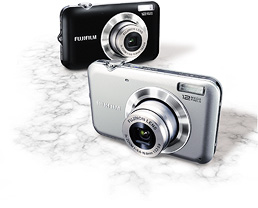
FujiFilm FinePix JV100 Digitcal Camera - Blue
- 12MP, 3xOptical Zoom, 2.7" LCD, SR Auto, HD Video, Smile/Face Detection
Features
Alluring Photos, Powerful HD
The high precision Fujinon Lens and 12 megapixels can provide you with an impressive quality.
SR AUTO & Face Detection
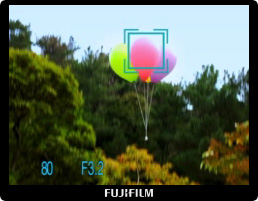
Equipped with the 6 scene SR AUTO (Scene Recognition Auto) and Face Detection, scenes and faces can be captured and optimized even more with the detection functions.
Easy-to-use Shooting Modes
Capture fascinating wide scale panoramic photos and natural optimized images according to the scene.
Post Capture Essentials
Playing back your photos is as simple as it can be! With the advanced picture search function, micro thumbnail and slideshow, enliven your captured memories.
Alluring Photos, Powerful HD
The high precision Fujinon Lens and 12 megapixels can provide you with an impressive quality.
Fujinon 3x Zoom Lens & 12 Megapixels
Regarded Highly by Professionals World-wide
Fujinon Lens, the high precision optic lens from Fujifilm has received positive praises, used in various industries - satellite in outer space, TV/film, security and compact cameras. The technology provides great 3x optical zoom.
Discover the flourishing performance of the top brand Fujinon Lens used widely in various areas.
- Fujinon Lens Special Site
12 Megapixels - With Vivid Colors and Clarity
An impressive 12 megapixels resolution won't miss the finest details of your subject. Images are captured sharp and clear, in vivid colors, even when printed at large sizes.
High Sensitivity ISO3200
With maximum sensitivity of ISO3200*, photos appear natural and more true to life even with limited available light. High sensitivity also stops the action of high-speed moving subjects.
- * At ISO3200, number of recorded pixels is limited to maximum 3 megapixels. At full resolution (12 megapixels), sensitivity is limited to a maximum ISO1600.
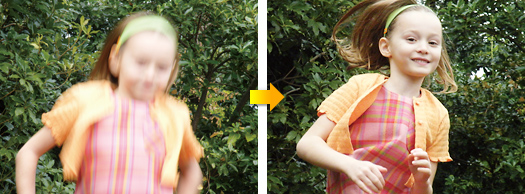
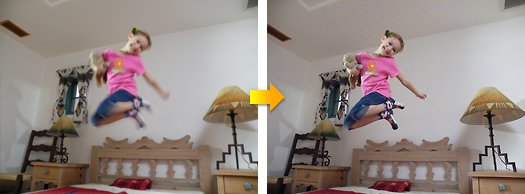
Digital Image Stabilization
Digital Image Stabilizer reduces blurs caused from camera shake using high sensitivity and fast shutter speed. Captures moments in motion with crisp and clear results.
- Conventional Digital Camera
HDTV-Compatible Photos & Video
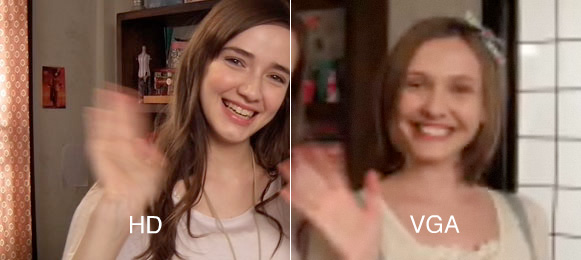
Able to capture both photos and movies in high-definition 16:9 format, the FinePix JV100 lets you discover the impact of full-screen HDTV image display.
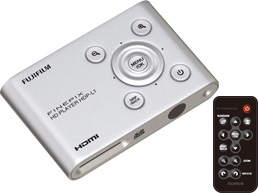
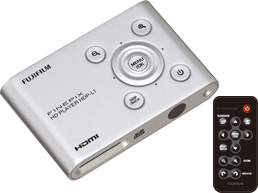
- *Optional HD Player HDP-L1 is required.
Photo Shooting
Capture high resolution images in 16:9 format. (4,000 x 2,248 pixels, 1,920 x 1,080 pixels)
Movie Shooting
Capture high resolution images in 16:9 format. 1,280 x 720 pixels [HD] (max. recording time: 15 min.) / 640 x 480 pixels / 320 x 240 pixels (30 frames/sec.)
Allow 3x zoom ups during your recordings.
Optional HDTV Connection Kit
Combining an HD card reader and a remote control, the optional connection kit makes it easy to display photos and movies on your HDTV.
Equipped with the 6 scene SR AUTO (Scene Recognition Auto) and Face Detection, scenes and faces can be captured and optimized even more with the detection functions.
6 Scene SR AUTO
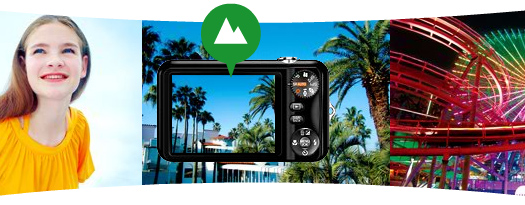
Framed scenes are automatically detected and selected into appropriate camera settings: Portrait, Landscape, Night, Macro, Night Portrait, and Backlit Portrait.
Portrait
Recognizes portraits by detecting the faces quickly in the frame and optimizing focus, brightness and white balance.
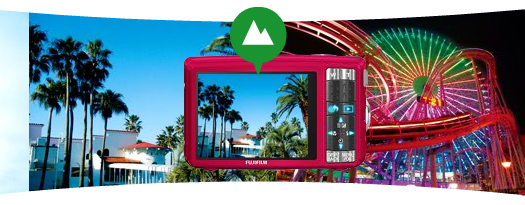
Landscape
Scenic shots such as mountains and buildings are automatically recognized. Colors of the sky, forests, and flower fields are captured in vivid colors and depth.
Night
For low-light and nighttime scenarios, shutter speed and sensitivity are automatically adjusted, producing blur-free pictures with minimal noise.
Macro
Macro mode sets the focusing position of the details of small flowers or tiny subjects accurately.
Night Portrait
When photographing people at night or in low light, SR AUTO optimizes flash range, shutter speed, and exposure of the portraits, while capturing smooth and luminous background.
Backlit Portrait
Optimizes brightness of the faces that usually end up in shadow and underexposure caused by the light behind.
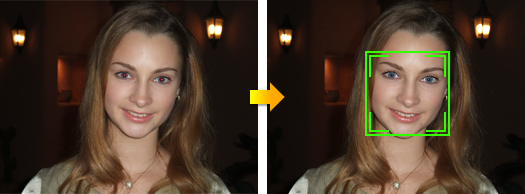
Face Detection
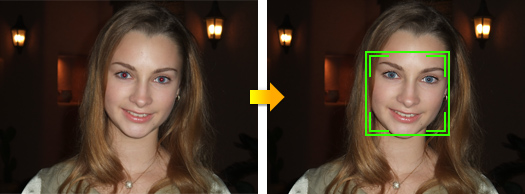
Face Detection optimizes people pictures by identifying faces and adjusting focus and exposure to ensure bright, clear results.
- Conventional Digital Camera
Red-eye Removal in Detected Faces
Red-eye removal automatically detects and corrects flash reflection for a perfect end result.
Instantly Detect up to 10 Faces!
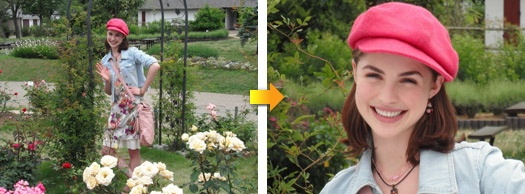
The Face Detection can simultaneously recognizes up to 10 faces in a photo. Share your group portraits using the Zoom Up function in playbacks, checking each detected face. Each priceless expression can be cropped and saved in clear high resolution results.
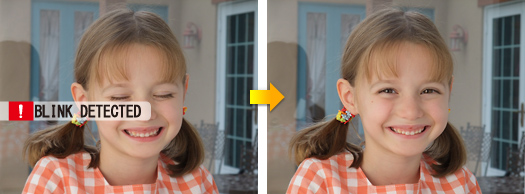
Blink Detection
The all new Blink Detection gives you the alert and the option of retaking the photo as the camera automatically detects a blink from the subject it detects.
- Conventional Digital Camera
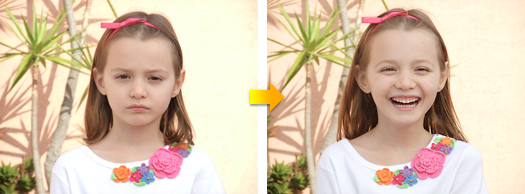
Smile Detection
The Smile detection function of Scene Position, automatically releases the shutter when the smile appears so you won't miss the adorable smile the moment they happen.
- Conventional Digital Camera
- FinePix JV100
Easy-to-use Shooting Modes
Capture fascinating wide scale panoramic photos and natural optimized images according to the scene.
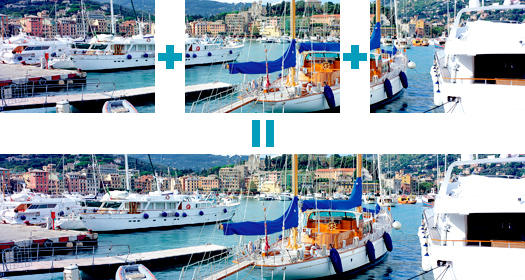
Panorama Shooting Mode
The Panorama Shooting Mode* makes it easy to create impressive panoramic photos. This mode captures and combines max 3 consecutive shots, that are saved to the memory card as a single panoramic picture.
- * Use a tripod or monopod for best results. Only the panoramic picture is saved; individual photos are not. Exposure and white balance are set with the first picture and flash is suppressed. Number of recorded pixels are limited to 3 megapixels.
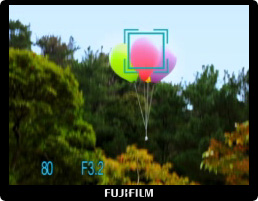
Tracking Auto Focus
Keeps fast moving subjects in the frame and in focus, even when the zoom is fully extended. Great for capturing dynamic close-ups.
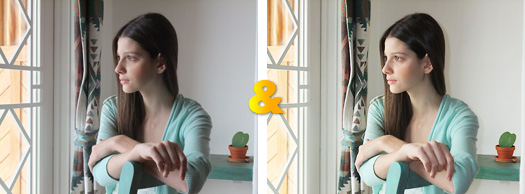
Natural Light and with Flash
Can't decide whether it's best to use flash? Choose this mode, press the shutter and automatically capture the same scene twice: once with high sensitivity and natural light, and the second time with Intelligent Flash. Later choose one or keep both!
Mode Dial & Scene Position
Easy-to-select Scene Position and Mode Dial. Simply choose the shooting mode that matches the scene, and every setting from shutter speed to white balance is optimized to capture an exceptional image.
Mode Dials
Scene Recognition Auto
Simply by pointing the camera at the subject, the camera automatically analyzes and selects the most appropriate setting using scene recognition.
Auto
The easiest mode for taking pictures. Use this for ordinary photography.
Natural Light & with Flash
Shoots 2 images continuously, without flash and with flash. Comes in great handy during marginal shooting situations.
Natural Light
Produces beautiful images that retain the natural ambience when shots are taken in low-light conditions.
Scene Position
Ensures the ideal camera settings to match the shooting scenes.
Movie
Records movies with sound.
Program Auto
Automatic mode to specify settings except shutter speed and aperture setting.
Scene Positions
Portrait
Set for shooting portraits. Skin tones are softened as it enhances the overall natural look.
Baby Mode
Function most suitable for taking pictures of young children.
Smile
Automatically triggers the shutter button and takes a photo only when smile is detected.
Landscape
Best for shooting scenery in daylight capturing clear and sharp shots of buildings and mountains effectively.
Panorama
Captures and combines max 3 consecutive shots, which are saved to the memory card as a panoramic picture.
Sport
A quick recognition of persons in motion or objects for a faster shutter speed to help you catch the perfect moment.
Night
Mode for shooting evening and night scenes. A picture is taken with a slow shutter.
Night (Tripod)
Clear shots of twilight scenes using tripod.
Fireworks
Effective for taking shots of fireworks with a slow shutter speed.
Sunset
Capture sunset scenes vivid in color.
Snow
Most adaptable to snow scenes without unnatural darkened images or where the whole screen appears white.
Beach
Clear shots of people without darkened images under strong sunlight.
Party
Best for shooting indoor weddings or parties. Retains the natural ambience in low-light conditions.
Flower
Capture a clear close-up shots of blooming flowers rich in color.
Text
Clear shots of letters on a document or white board.
Playing back your photos is as simple as it can be! With the advanced picture search function, micro thumbnail and slideshow, enliven your captured memories.
High Quality Finished Metal Body
Camera-for-everyone is veiled under an impressive metal finished body marking a new standard in high quality.
Image Search
With the convenient Image Search function, you can search pictures by Date, by Face, by Scene and by Type of Data.
By Date
Viewing your saved photo image by date, making it easy to locate specific events or occasions.
By Face
All your portraits can be selected and replayed based on composition: group photos, couple pictures, or solo portraits.
By Scene
Photos shot with Auto or SR AUTO mode can be replayed according to the type of scene: portrait, landscape, night scene, macro and more.
By Type of Data
Display the content of your image library according to the type of data: still photos, edited images, or movie footage.
Micro Thumbnail View
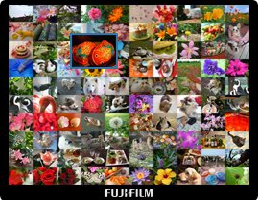
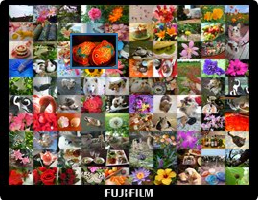
Up to 100 pictures can be viewed at a time in a 10x10 array of micro thumbnails. Convenient for smooth and comfortable playback.
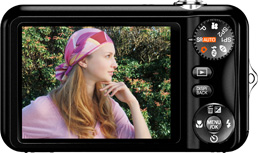
2.7-inch Monitor
The large, bright LCD display makes it easy to compose great photos. And sharing pictures is a pleasure, thanks to a high-impact 230,000-dot resolution.
Slideshow
Close-ups of detected faces are shown in slideshow style.
Red-eye Removal during Playback
This function corrects red-eyes while playback of close-ups and detected faces.
SD/SDHC Memory Card Slot
The versatile card slot is compatible with SD and high-capacity Secure Digital (SDHC) memory cards.
Specifications
| Model |
|
| Number of effective pixels*1 |
|
| CCD sensor |
|
| Storage media |
- Internal memory (Approx. 24MB)
- SD memory card
- SDHC memory card*2
|
| File format |
- Still image:
-
- Movie:
-
AVI (Motion JPEG) with sound
- Audio:
-
WAVE format, Monaural sound
(Design rule for Camera File system compliant / DPOF-compatible)
|
| Number of recorded pixels |
Still image: 4,000 x 3,000 (12M, 4:3 format) / 4,000 x 2,664 (11M, 3:2 format) / 4,000 x 2,248 (9M, 16:9 format) / 2,816 x 2,112 (6M, 4:3 format) / 2,048 x 1,536 (3M, 4:3 format) / 1,920 x 1,080 (2M, 16:9 format) / 1,600 x 1,200 (2M, 4:3 format) / 640 x 480 (0.3M, 4:3 format)
|
| Lens |
Fujinon 3x optical zoom lens, F3.2 (Wide) - F5.9 (Telephoto)
|
| Lens focal length |
f=6.6 - 19.8mm, equivalent to 37.0 - 111.0mm on a 35mm camera
|
| Digital zoom |
Approx. 6.3x (up to 18.9x when combined with optical zoom)
|
| Aperture |
Wide: F3.2 / F4.3, Telephoto: F5.9 / F8.0 with ND filter
|
Focus distance
(from lens surface) |
- Normal:
-
- Approx. 60cm / 2.0ft. to infinity
- Macro:
-
- Wide: Approx. 10cm - 70cm / 3.9in. - 2.3ft.
- Telephoto: Approx. 60cm - 100cm / 2.0ft. - 3.3ft.
|
| Sensitivity |
Auto / Equivalent to ISO 100 / 200 / 400 / 800 / 1600 / 3200* (Standard Output Sensitivity)
* 3M pixels or lower
|
| Exposure control |
|
| Exposure mode |
|
| Shooting modes |
- Mode Dial:
-
SR AUTO, AUTO, Natural Light, Natural Light & with Flash, SP1, SP2, Movie, P
- SP:
-
Portrait, Baby, Smile, Landscape, Panorama, Sport, Night, Night (Tripod), Fireworks, Sunset, Snow, Beach, Party, Flower, Text
|
| Image stabilizer |
Digital Image Stabilization
|
| Shutter speed |
(Auto mode) 1/4sec. to 1/2000sec.
(All other modes) 8sec. to 1/2000sec.
|
| Continuous shooting |
Top-3 (Up to 1.7fps; max. 3 frames)
|
| Focus |
Auto focus (Center) / Tracking AF
|
| White balance |
Automatic scene recognition
Preset: Fine, Shade, Fluorescent light (Daylight), Fluorescent light (Warm White), Fluorescent light (Cool White), Incandescent light
|
| Self-timer |
Approx. 10sec. / 2sec. delay
|
| Flash |
Auto flash
Effective range (ISO AUTO):
- Normal:
-
- Wide: Approx. 60cm - 3.5m / 2.0ft. - 11.5ft.
- Telephoto: Approx. 60cm - 2.0m / 2.0ft. - 6.6ft.
- Macro:
-
- Approx. 30cm - 80cm / 1.0ft. - 2.6ft.
Flash modes
Red-eye removal OFF: Auto, Forced Flash, Suppressed Flash, Slow Synchro.
Red-eye removal ON: Red-eye Reduction Auto, Red-eye Reduction & Forced Flash, Suppressed Flash, Red-eye Reduction & Slow Synchro.
|
| LCD monitor |
2.7-inch, Approx. 230,000 dots, color LCD monitor; frame coverage approx. 96%
|
| Movie recording |
1,280 x 720 pixels / 640 x 480 pixels / 320 x 240 pixels (30 frames/sec.) with monaural sound
|
| Photography functions |
SR AUTO, Face Detection, Auto red-eye removal, Framing guideline, Frame No. memory
|
| Playback functions |
Face Detection, Auto red-eye removal, Crop, Resize, Image rotate, Slideshow, Multi-frame playback (with Micro thumbnail), Sorting by date, Voice memo, Picture search, Blink Detection
|
| Video output |
|
| Digital interface |
|
| Power supply |
NP-45A Li-ion battery (included)
|
| Dimensions |
93.0 (W) x 55.0 (H) x 20.6 (D) mm / 3.7 (W) x 2.2 (H) x 0.8 (D) in. (excluding accessories and attachments)
|
| Weight |
Approx. 106g / 3.7oz. (excluding accessories, battery and memory card)
|
- *1 Number of effective pixels: The number of pixels on the image sensor which receive input light through the optical lens, and which are effectively reflected in the final output data of the still image.
- *2 Please see the Fujifilm website to check memory card compatibility.
- *3 Exif 2.2 is a digital camera file format that contains a variety of shooting information for optimal printing.
Memory Card Capacity and Image Quality / Size
Number of images
| Modes |
Still image |
| Number of recorded pixels |
4,000 x 3,000 (12M) |
4,000 x 2,666 (11M, 3:2) |
4,000 x 2,248 (9M, 16:9) |
2,816 x 2,112 (6M) |
| Quality |
JPEG FINE |
JPEG NORMAL |
JPEG FINE |
JPEG NORMAL |
JPEG FINE |
JPEG NORMAL |
JPEG FINE |
JPEG NORMAL |
| Internal memory (approx. 24MB) |
3 |
7 |
4 |
8 |
4 |
10 |
8 |
15 |
| SD memory card |
512 MB |
85 |
160 |
95 |
180 |
110 |
220 |
190 |
320 |
| 1 GB |
160 |
310 |
180 |
350 |
210 |
420 |
360 |
610 |
| 2 GB |
320 |
630 |
360 |
710 |
430 |
840 |
730 |
1230 |
| SDHC memory card |
4 GB |
650 |
1270 |
730 |
1430 |
860 |
1680 |
1470 |
2470 |
| 8 GB |
1300 |
2550 |
1460 |
2860 |
1730 |
3370 |
2940 |
4950 |
| Modes |
Still image |
| Number of recorded pixels |
2,048 x 1,536 (3M) |
1,920 x 1,080 (2M, 16:9) |
1,600 x 1,200 (2M) |
640 x 480 (VGA) |
| Quality |
JPEG FINE |
JPEG NORMAL |
JPEG FINE |
JPEG NORMAL |
JPEG FINE |
JPEG NORMAL |
JPEG FINE |
JPEG NORMAL |
| Internal memory (approx. 24MB) |
15 |
25 |
22 |
32 |
23 |
34 |
96 |
127 |
| SD memory card |
512 MB |
300 |
510 |
440 |
650 |
480 |
690 |
1910 |
2540 |
| 1 GB |
580 |
970 |
850 |
1230 |
920 |
1310 |
3650 |
4850 |
| 2 GB |
1170 |
1950 |
1710 |
2480 |
1850 |
2630 |
7310 |
9710 |
| SDHC memory card |
4 GB |
2350 |
3900 |
3430 |
4960 |
3700 |
5270 |
14620 |
19430 |
| 8 GB |
4700 |
7800 |
6870 |
9920 |
7400 |
10550 |
29250 |
38860 |
Recording time
| Modes |
Movie |
| Number of recorded pixels |
Movie recording time |
| Quality |
HD (30fps) |
VGA (30fps) |
QVGA (30fps) |
| Internal memory (approx. 24MB) |
5sec. |
19sec. |
41sec. |
| SD memory card |
512 MB |
2min. |
6min. |
14min. |
| 1 GB |
4min. |
13min. |
28min. |
| 2 GB |
8min. |
27min. |
57min. |
| SDHC memory card |
4 GB |
17min. |
54min. |
114min. |
| 8 GB |
35min. |
108min. |
228min. |
- Actual number of frames and recording time varies depending on the type of memory card or shooting conditions.
- In the case of extended movie shooting, recording will automatically stop when 2GB of data is recorded. In order to continue movie shooting after automatic termination, please press the shutter button again. Maximum recording time shown in the table is calculated based on the file size limit of approx. 2GB. When shooting HD movies, please use a memory card rated SD Speed Class 4 or higher to ensure minimum sustained data writes of 4MB/sec.
|
|
|
|
23/03
|
FujiFilm FinePix JV100 Digitcal Camera - Black
- 12MP, 3xOptical Zoom, 2.7" LCD, SR Auto, HD Video, Smile/Face Detection
Features
Alluring Photos, Powerful HD
The high precision Fujinon Lens and 12 megapixels can provide you with an impressive quality.
SR AUTO & Face Detection
Equipped with the 6 scene SR AUTO (Scene Recognition Auto) and Face Detection, scenes and faces can be captured and optimized even more with the detection functions.
Easy-to-use Shooting Modes
Capture fascinating wide scale panoramic photos and natural optimized images according to the scene.
Post Capture Essentials
Playing back your photos is as simple as it can be! With the advanced picture search function, micro thumbnail and slideshow, enliven your captured memories.
Alluring Photos, Powerful HD
The high precision Fujinon Lens and 12 megapixels can provide you with an impressive quality.
Fujinon 3x Zoom Lens & 12 Megapixels
Regarded Highly by Professionals World-wide
Fujinon Lens, the high precision optic lens from Fujifilm has received positive praises, used in various industries - satellite in outer space, TV/film, security and compact cameras. The technology provides great 3x optical zoom.
Discover the flourishing performance of the top brand Fujinon Lens used widely in various areas.
- Fujinon Lens Special Site
12 Megapixels - With Vivid Colors and Clarity
An impressive 12 megapixels resolution won't miss the finest details of your subject. Images are captured sharp and clear, in vivid colors, even when printed at large sizes.
High Sensitivity ISO3200
With maximum sensitivity of ISO3200*, photos appear natural and more true to life even with limited available light. High sensitivity also stops the action of high-speed moving subjects.
- * At ISO3200, number of recorded pixels is limited to maximum 3 megapixels. At full resolution (12 megapixels), sensitivity is limited to a maximum ISO1600.
Digital Image Stabilization
Digital Image Stabilizer reduces blurs caused from camera shake using high sensitivity and fast shutter speed. Captures moments in motion with crisp and clear results.
- Conventional Digital Camera
HDTV-Compatible Photos & Video
Able to capture both photos and movies in high-definition 16:9 format, the FinePix JV100 lets you discover the impact of full-screen HDTV image display.
- *Optional HD Player HDP-L1 is required.
Photo Shooting
Capture high resolution images in 16:9 format. (4,000 x 2,248 pixels, 1,920 x 1,080 pixels)
Movie Shooting
Capture high resolution images in 16:9 format. 1,280 x 720 pixels [HD] (max. recording time: 15 min.) / 640 x 480 pixels / 320 x 240 pixels (30 frames/sec.)
Allow 3x zoom ups during your recordings.
Optional HDTV Connection Kit
Combining an HD card reader and a remote control, the optional connection kit makes it easy to display photos and movies on your HDTV.
Equipped with the 6 scene SR AUTO (Scene Recognition Auto) and Face Detection, scenes and faces can be captured and optimized even more with the detection functions.
6 Scene SR AUTO
Framed scenes are automatically detected and selected into appropriate camera settings: Portrait, Landscape, Night, Macro, Night Portrait, and Backlit Portrait.
Portrait
Recognizes portraits by detecting the faces quickly in the frame and optimizing focus, brightness and white balance.
Landscape
Scenic shots such as mountains and buildings are automatically recognized. Colors of the sky, forests, and flower fields are captured in vivid colors and depth.
Night
For low-light and nighttime scenarios, shutter speed and sensitivity are automatically adjusted, producing blur-free pictures with minimal noise.
Macro
Macro mode sets the focusing position of the details of small flowers or tiny subjects accurately.
Night Portrait
When photographing people at night or in low light, SR AUTO optimizes flash range, shutter speed, and exposure of the portraits, while capturing smooth and luminous background.
Backlit Portrait
Optimizes brightness of the faces that usually end up in shadow and underexposure caused by the light behind.
Face Detection
Face Detection optimizes people pictures by identifying faces and adjusting focus and exposure to ensure bright, clear results.
- Conventional Digital Camera
Red-eye Removal in Detected Faces
Red-eye removal automatically detects and corrects flash reflection for a perfect end result.
Instantly Detect up to 10 Faces!
The Face Detection can simultaneously recognizes up to 10 faces in a photo. Share your group portraits using the Zoom Up function in playbacks, checking each detected face. Each priceless expression can be cropped and saved in clear high resolution results.
Blink Detection
The all new Blink Detection gives you the alert and the option of retaking the photo as the camera automatically detects a blink from the subject it detects.
- Conventional Digital Camera
Smile Detection
The Smile detection function of Scene Position, automatically releases the shutter when the smile appears so you won't miss the adorable smile the moment they happen.
- Conventional Digital Camera
- FinePix JV100
Easy-to-use Shooting Modes
Capture fascinating wide scale panoramic photos and natural optimized images according to the scene.
Panorama Shooting Mode
The Panorama Shooting Mode* makes it easy to create impressive panoramic photos. This mode captures and combines max 3 consecutive shots, that are saved to the memory card as a single panoramic picture.
- * Use a tripod or monopod for best results. Only the panoramic picture is saved; individual photos are not. Exposure and white balance are set with the first picture and flash is suppressed. Number of recorded pixels are limited to 3 megapixels.
Tracking Auto Focus
Keeps fast moving subjects in the frame and in focus, even when the zoom is fully extended. Great for capturing dynamic close-ups.
Natural Light and with Flash
Can't decide whether it's best to use flash? Choose this mode, press the shutter and automatically capture the same scene twice: once with high sensitivity and natural light, and the second time with Intelligent Flash. Later choose one or keep both!
Mode Dial & Scene Position
Easy-to-select Scene Position and Mode Dial. Simply choose the shooting mode that matches the scene, and every setting from shutter speed to white balance is optimized to capture an exceptional image.
Mode Dials
Scene Recognition Auto
Simply by pointing the camera at the subject, the camera automatically analyzes and selects the most appropriate setting using scene recognition.
Auto
The easiest mode for taking pictures. Use this for ordinary photography.
Natural Light & with Flash
Shoots 2 images continuously, without flash and with flash. Comes in great handy during marginal shooting situations.
Natural Light
Produces beautiful images that retain the natural ambience when shots are taken in low-light conditions.
Scene Position
Ensures the ideal camera settings to match the shooting scenes.
Movie
Records movies with sound.
Program Auto
Automatic mode to specify settings except shutter speed and aperture setting.
Scene Positions
Portrait
Set for shooting portraits. Skin tones are softened as it enhances the overall natural look.
Baby Mode
Function most suitable for taking pictures of young children.
Smile
Automatically triggers the shutter button and takes a photo only when smile is detected.
Landscape
Best for shooting scenery in daylight capturing clear and sharp shots of buildings and mountains effectively.
Panorama
Captures and combines max 3 consecutive shots, which are saved to the memory card as a panoramic picture.
Sport
A quick recognition of persons in motion or objects for a faster shutter speed to help you catch the perfect moment.
Night
Mode for shooting evening and night scenes. A picture is taken with a slow shutter.
Night (Tripod)
Clear shots of twilight scenes using tripod.
Fireworks
Effective for taking shots of fireworks with a slow shutter speed.
Sunset
Capture sunset scenes vivid in color.
Snow
Most adaptable to snow scenes without unnatural darkened images or where the whole screen appears white.
Beach
Clear shots of people without darkened images under strong sunlight.
Party
Best for shooting indoor weddings or parties. Retains the natural ambience in low-light conditions.
Flower
Capture a clear close-up shots of blooming flowers rich in color.
Text
Clear shots of letters on a document or white board.
Playing back your photos is as simple as it can be! With the advanced picture search function, micro thumbnail and slideshow, enliven your captured memories.
High Quality Finished Metal Body
Camera-for-everyone is veiled under an impressive metal finished body marking a new standard in high quality.
Image Search
With the convenient Image Search function, you can search pictures by Date, by Face, by Scene and by Type of Data.
By Date
Viewing your saved photo image by date, making it easy to locate specific events or occasions.
By Face
All your portraits can be selected and replayed based on composition: group photos, couple pictures, or solo portraits.
By Scene
Photos shot with Auto or SR AUTO mode can be replayed according to the type of scene: portrait, landscape, night scene, macro and more.
By Type of Data
Display the content of your image library according to the type of data: still photos, edited images, or movie footage.
Micro Thumbnail View
Up to 100 pictures can be viewed at a time in a 10x10 array of micro thumbnails. Convenient for smooth and comfortable playback.
2.7-inch Monitor
The large, bright LCD display makes it easy to compose great photos. And sharing pictures is a pleasure, thanks to a high-impact 230,000-dot resolution.
Slideshow
Close-ups of detected faces are shown in slideshow style.
Red-eye Removal during Playback
This function corrects red-eyes while playback of close-ups and detected faces.
SD/SDHC Memory Card Slot
The versatile card slot is compatible with SD and high-capacity Secure Digital (SDHC) memory cards.
Specifications
| Model |
|
| Number of effective pixels*1 |
|
| CCD sensor |
|
| Storage media |
- Internal memory (Approx. 24MB)
- SD memory card
- SDHC memory card*2
|
| File format |
- Still image:
-
- Movie:
-
AVI (Motion JPEG) with sound
- Audio:
-
WAVE format, Monaural sound
(Design rule for Camera File system compliant / DPOF-compatible)
|
| Number of recorded pixels |
Still image: 4,000 x 3,000 (12M, 4:3 format) / 4,000 x 2,664 (11M, 3:2 format) / 4,000 x 2,248 (9M, 16:9 format) / 2,816 x 2,112 (6M, 4:3 format) / 2,048 x 1,536 (3M, 4:3 format) / 1,920 x 1,080 (2M, 16:9 format) / 1,600 x 1,200 (2M, 4:3 format) / 640 x 480 (0.3M, 4:3 format)
|
| Lens |
Fujinon 3x optical zoom lens, F3.2 (Wide) - F5.9 (Telephoto)
|
| Lens focal length |
f=6.6 - 19.8mm, equivalent to 37.0 - 111.0mm on a 35mm camera
|
| Digital zoom |
Approx. 6.3x (up to 18.9x when combined with optical zoom)
|
| Aperture |
Wide: F3.2 / F4.3, Telephoto: F5.9 / F8.0 with ND filter
|
Focus distance
(from lens surface) |
- Normal:
-
- Approx. 60cm / 2.0ft. to infinity
- Macro:
-
- Wide: Approx. 10cm - 70cm / 3.9in. - 2.3ft.
- Telephoto: Approx. 60cm - 100cm / 2.0ft. - 3.3ft.
|
| Sensitivity |
Auto / Equivalent to ISO 100 / 200 / 400 / 800 / 1600 / 3200* (Standard Output Sensitivity)
* 3M pixels or lower
|
| Exposure control |
|
| Exposure mode |
|
| Shooting modes |
- Mode Dial:
-
SR AUTO, AUTO, Natural Light, Natural Light & with Flash, SP1, SP2, Movie, P
- SP:
-
Portrait, Baby, Smile, Landscape, Panorama, Sport, Night, Night (Tripod), Fireworks, Sunset, Snow, Beach, Party, Flower, Text
|
| Image stabilizer |
Digital Image Stabilization
|
| Shutter speed |
(Auto mode) 1/4sec. to 1/2000sec.
(All other modes) 8sec. to 1/2000sec.
|
| Continuous shooting |
Top-3 (Up to 1.7fps; max. 3 frames)
|
| Focus |
Auto focus (Center) / Tracking AF
|
| White balance |
Automatic scene recognition
Preset: Fine, Shade, Fluorescent light (Daylight), Fluorescent light (Warm White), Fluorescent light (Cool White), Incandescent light
|
| Self-timer |
Approx. 10sec. / 2sec. delay
|
| Flash |
Auto flash
Effective range (ISO AUTO):
- Normal:
-
- Wide: Approx. 60cm - 3.5m / 2.0ft. - 11.5ft.
- Telephoto: Approx. 60cm - 2.0m / 2.0ft. - 6.6ft.
- Macro:
-
- Approx. 30cm - 80cm / 1.0ft. - 2.6ft.
Flash modes
Red-eye removal OFF: Auto, Forced Flash, Suppressed Flash, Slow Synchro.
Red-eye removal ON: Red-eye Reduction Auto, Red-eye Reduction & Forced Flash, Suppressed Flash, Red-eye Reduction & Slow Synchro.
|
| LCD monitor |
2.7-inch, Approx. 230,000 dots, color LCD monitor; frame coverage approx. 96%
|
| Movie recording |
1,280 x 720 pixels / 640 x 480 pixels / 320 x 240 pixels (30 frames/sec.) with monaural sound
|
| Photography functions |
SR AUTO, Face Detection, Auto red-eye removal, Framing guideline, Frame No. memory
|
| Playback functions |
Face Detection, Auto red-eye removal, Crop, Resize, Image rotate, Slideshow, Multi-frame playback (with Micro thumbnail), Sorting by date, Voice memo, Picture search, Blink Detection
|
| Video output |
|
| Digital interface |
|
| Power supply |
NP-45A Li-ion battery (included)
|
| Dimensions |
93.0 (W) x 55.0 (H) x 20.6 (D) mm / 3.7 (W) x 2.2 (H) x 0.8 (D) in. (excluding accessories and attachments)
|
| Weight |
Approx. 106g / 3.7oz. (excluding accessories, battery and memory card)
|
- *1 Number of effective pixels: The number of pixels on the image sensor which receive input light through the optical lens, and which are effectively reflected in the final output data of the still image.
- *2 Please see the Fujifilm website to check memory card compatibility.
- *3 Exif 2.2 is a digital camera file format that contains a variety of shooting information for optimal printing.
Memory Card Capacity and Image Quality / Size
Number of images
| Modes |
Still image |
| Number of recorded pixels |
4,000 x 3,000 (12M) |
4,000 x 2,666 (11M, 3:2) |
4,000 x 2,248 (9M, 16:9) |
2,816 x 2,112 (6M) |
| Quality |
JPEG FINE |
JPEG NORMAL |
JPEG FINE |
JPEG NORMAL |
JPEG FINE |
JPEG NORMAL |
JPEG FINE |
JPEG NORMAL |
| Internal memory (approx. 24MB) |
3 |
7 |
4 |
8 |
4 |
10 |
8 |
15 |
| SD memory card |
512 MB |
85 |
160 |
95 |
180 |
110 |
220 |
190 |
320 |
| 1 GB |
160 |
310 |
180 |
350 |
210 |
420 |
360 |
610 |
| 2 GB |
320 |
630 |
360 |
710 |
430 |
840 |
730 |
1230 |
| SDHC memory card |
4 GB |
650 |
1270 |
730 |
1430 |
860 |
1680 |
1470 |
2470 |
| 8 GB |
1300 |
2550 |
1460 |
2860 |
1730 |
3370 |
2940 |
4950 |
| Modes |
Still image |
| Number of recorded pixels |
2,048 x 1,536 (3M) |
1,920 x 1,080 (2M, 16:9) |
1,600 x 1,200 (2M) |
640 x 480 (VGA) |
| Quality |
JPEG FINE |
JPEG NORMAL |
JPEG FINE |
JPEG NORMAL |
JPEG FINE |
JPEG NORMAL |
JPEG FINE |
JPEG NORMAL |
| Internal memory (approx. 24MB) |
15 |
25 |
22 |
32 |
23 |
34 |
96 |
127 |
| SD memory card |
512 MB |
300 |
510 |
440 |
650 |
480 |
690 |
1910 |
2540 |
| 1 GB |
580 |
970 |
850 |
1230 |
920 |
1310 |
3650 |
4850 |
| 2 GB |
1170 |
1950 |
1710 |
2480 |
1850 |
2630 |
7310 |
9710 |
| SDHC memory card |
4 GB |
2350 |
3900 |
3430 |
4960 |
3700 |
5270 |
14620 |
19430 |
| 8 GB |
4700 |
7800 |
6870 |
9920 |
7400 |
10550 |
29250 |
38860 |
Recording time
| Modes |
Movie |
| Number of recorded pixels |
Movie recording time |
| Quality |
HD (30fps) |
VGA (30fps) |
QVGA (30fps) |
| Internal memory (approx. 24MB) |
5sec. |
19sec. |
41sec. |
| SD memory card |
512 MB |
2min. |
6min. |
14min. |
| 1 GB |
4min. |
13min. |
28min. |
| 2 GB |
8min. |
27min. |
57min. |
| SDHC memory card |
4 GB |
17min. |
54min. |
114min. |
| 8 GB |
35min. |
108min. |
228min. |
- Actual number of frames and recording time varies depending on the type of memory card or shooting conditions.
- In the case of extended movie shooting, recording will automatically stop when 2GB of data is recorded. In order to continue movie shooting after automatic termination, please press the shutter button again. Maximum recording time shown in the table is calculated based on the file size limit of approx. 2GB. When shooting HD movies, please use a memory card rated SD Speed Class 4 or higher to ensure minimum sustained data writes of 4MB/sec.
|
|
|
|
23/03
|
FujiFilm FinePix JV100 Digitcal Camera - Pink
- 12MP, 3xOptical Zoom, 2.7" LCD, SR Auto, HD Video, Smile/Face Detection
Features
Alluring Photos, Powerful HD
The high precision Fujinon Lens and 12 megapixels can provide you with an impressive quality.
SR AUTO & Face Detection
Equipped with the 6 scene SR AUTO (Scene Recognition Auto) and Face Detection, scenes and faces can be captured and optimized even more with the detection functions.
Easy-to-use Shooting Modes
Capture fascinating wide scale panoramic photos and natural optimized images according to the scene.
Post Capture Essentials
Playing back your photos is as simple as it can be! With the advanced picture search function, micro thumbnail and slideshow, enliven your captured memories.
Alluring Photos, Powerful HD
The high precision Fujinon Lens and 12 megapixels can provide you with an impressive quality.
Fujinon 3x Zoom Lens & 12 Megapixels
Regarded Highly by Professionals World-wide
Fujinon Lens, the high precision optic lens from Fujifilm has received positive praises, used in various industries - satellite in outer space, TV/film, security and compact cameras. The technology provides great 3x optical zoom.
Discover the flourishing performance of the top brand Fujinon Lens used widely in various areas.
- Fujinon Lens Special Site
12 Megapixels - With Vivid Colors and Clarity
An impressive 12 megapixels resolution won't miss the finest details of your subject. Images are captured sharp and clear, in vivid colors, even when printed at large sizes.
High Sensitivity ISO3200
With maximum sensitivity of ISO3200*, photos appear natural and more true to life even with limited available light. High sensitivity also stops the action of high-speed moving subjects.
- * At ISO3200, number of recorded pixels is limited to maximum 3 megapixels. At full resolution (12 megapixels), sensitivity is limited to a maximum ISO1600.
Digital Image Stabilization
Digital Image Stabilizer reduces blurs caused from camera shake using high sensitivity and fast shutter speed. Captures moments in motion with crisp and clear results.
- Conventional Digital Camera
HDTV-Compatible Photos & Video
Able to capture both photos and movies in high-definition 16:9 format, the FinePix JV100 lets you discover the impact of full-screen HDTV image display.
- *Optional HD Player HDP-L1 is required.
Photo Shooting
Capture high resolution images in 16:9 format. (4,000 x 2,248 pixels, 1,920 x 1,080 pixels)
Movie Shooting
Capture high resolution images in 16:9 format. 1,280 x 720 pixels [HD] (max. recording time: 15 min.) / 640 x 480 pixels / 320 x 240 pixels (30 frames/sec.)
Allow 3x zoom ups during your recordings.
Optional HDTV Connection Kit
Combining an HD card reader and a remote control, the optional connection kit makes it easy to display photos and movies on your HDTV.
Equipped with the 6 scene SR AUTO (Scene Recognition Auto) and Face Detection, scenes and faces can be captured and optimized even more with the detection functions.
6 Scene SR AUTO
Framed scenes are automatically detected and selected into appropriate camera settings: Portrait, Landscape, Night, Macro, Night Portrait, and Backlit Portrait.
Portrait
Recognizes portraits by detecting the faces quickly in the frame and optimizing focus, brightness and white balance.
Landscape
Scenic shots such as mountains and buildings are automatically recognized. Colors of the sky, forests, and flower fields are captured in vivid colors and depth.
Night
For low-light and nighttime scenarios, shutter speed and sensitivity are automatically adjusted, producing blur-free pictures with minimal noise.
Macro
Macro mode sets the focusing position of the details of small flowers or tiny subjects accurately.
Night Portrait
When photographing people at night or in low light, SR AUTO optimizes flash range, shutter speed, and exposure of the portraits, while capturing smooth and luminous background.
Backlit Portrait
Optimizes brightness of the faces that usually end up in shadow and underexposure caused by the light behind.
Face Detection
Face Detection optimizes people pictures by identifying faces and adjusting focus and exposure to ensure bright, clear results.
- Conventional Digital Camera
Red-eye Removal in Detected Faces
Red-eye removal automatically detects and corrects flash reflection for a perfect end result.
Instantly Detect up to 10 Faces!
The Face Detection can simultaneously recognizes up to 10 faces in a photo. Share your group portraits using the Zoom Up function in playbacks, checking each detected face. Each priceless expression can be cropped and saved in clear high resolution results.
Blink Detection
The all new Blink Detection gives you the alert and the option of retaking the photo as the camera automatically detects a blink from the subject it detects.
- Conventional Digital Camera
Smile Detection
The Smile detection function of Scene Position, automatically releases the shutter when the smile appears so you won't miss the adorable smile the moment they happen.
- Conventional Digital Camera
- FinePix JV100
Easy-to-use Shooting Modes
Capture fascinating wide scale panoramic photos and natural optimized images according to the scene.
Panorama Shooting Mode
The Panorama Shooting Mode* makes it easy to create impressive panoramic photos. This mode captures and combines max 3 consecutive shots, that are saved to the memory card as a single panoramic picture.
- * Use a tripod or monopod for best results. Only the panoramic picture is saved; individual photos are not. Exposure and white balance are set with the first picture and flash is suppressed. Number of recorded pixels are limited to 3 megapixels.
Tracking Auto Focus
Keeps fast moving subjects in the frame and in focus, even when the zoom is fully extended. Great for capturing dynamic close-ups.
Natural Light and with Flash
Can't decide whether it's best to use flash? Choose this mode, press the shutter and automatically capture the same scene twice: once with high sensitivity and natural light, and the second time with Intelligent Flash. Later choose one or keep both!
Mode Dial & Scene Position
Easy-to-select Scene Position and Mode Dial. Simply choose the shooting mode that matches the scene, and every setting from shutter speed to white balance is optimized to capture an exceptional image.
Mode Dials
Scene Recognition Auto
Simply by pointing the camera at the subject, the camera automatically analyzes and selects the most appropriate setting using scene recognition.
Auto
The easiest mode for taking pictures. Use this for ordinary photography.
Natural Light & with Flash
Shoots 2 images continuously, without flash and with flash. Comes in great handy during marginal shooting situations.
Natural Light
Produces beautiful images that retain the natural ambience when shots are taken in low-light conditions.
Scene Position
Ensures the ideal camera settings to match the shooting scenes.
Movie
Records movies with sound.
Program Auto
Automatic mode to specify settings except shutter speed and aperture setting.
Scene Positions
Portrait
Set for shooting portraits. Skin tones are softened as it enhances the overall natural look.
Baby Mode
Function most suitable for taking pictures of young children.
Smile
Automatically triggers the shutter button and takes a photo only when smile is detected.
Landscape
Best for shooting scenery in daylight capturing clear and sharp shots of buildings and mountains effectively.
Panorama
Captures and combines max 3 consecutive shots, which are saved to the memory card as a panoramic picture.
Sport
A quick recognition of persons in motion or objects for a faster shutter speed to help you catch the perfect moment.
Night
Mode for shooting evening and night scenes. A picture is taken with a slow shutter.
Night (Tripod)
Clear shots of twilight scenes using tripod.
Fireworks
Effective for taking shots of fireworks with a slow shutter speed.
Sunset
Capture sunset scenes vivid in color.
Snow
Most adaptable to snow scenes without unnatural darkened images or where the whole screen appears white.
Beach
Clear shots of people without darkened images under strong sunlight.
Party
Best for shooting indoor weddings or parties. Retains the natural ambience in low-light conditions.
Flower
Capture a clear close-up shots of blooming flowers rich in color.
Text
Clear shots of letters on a document or white board.
Playing back your photos is as simple as it can be! With the advanced picture search function, micro thumbnail and slideshow, enliven your captured memories.
High Quality Finished Metal Body
Camera-for-everyone is veiled under an impressive metal finished body marking a new standard in high quality.
Image Search
With the convenient Image Search function, you can search pictures by Date, by Face, by Scene and by Type of Data.
By Date
Viewing your saved photo image by date, making it easy to locate specific events or occasions.
By Face
All your portraits can be selected and replayed based on composition: group photos, couple pictures, or solo portraits.
By Scene
Photos shot with Auto or SR AUTO mode can be replayed according to the type of scene: portrait, landscape, night scene, macro and more.
By Type of Data
Display the content of your image library according to the type of data: still photos, edited images, or movie footage.
Micro Thumbnail View
Up to 100 pictures can be viewed at a time in a 10x10 array of micro thumbnails. Convenient for smooth and comfortable playback.
2.7-inch Monitor
The large, bright LCD display makes it easy to compose great photos. And sharing pictures is a pleasure, thanks to a high-impact 230,000-dot resolution.
Slideshow
Close-ups of detected faces are shown in slideshow style.
Red-eye Removal during Playback
This function corrects red-eyes while playback of close-ups and detected faces.
SD/SDHC Memory Card Slot
The versatile card slot is compatible with SD and high-capacity Secure Digital (SDHC) memory cards.
Specifications
| Model
|
|
| Number of effective pixels*1
|
|
| CCD sensor
|
|
| Storage media
|
- Internal memory (Approx. 24MB)
- SD memory card
- SDHC memory card*2
|
| File format
|
- Still image:
-
- Movie:
-
AVI (Motion JPEG) with sound
- Audio:
-
WAVE format, Monaural sound
(Design rule for Camera File system compliant / DPOF-compatible)
|
| Number of recorded pixels
|
Still image: 4,000 x 3,000 (12M, 4:3 format) / 4,000 x 2,664 (11M, 3:2 format) / 4,000 x 2,248 (9M, 16:9 format) / 2,816 x 2,112 (6M, 4:3 format) / 2,048 x 1,536 (3M, 4:3 format) / 1,920 x 1,080 (2M, 16:9 format) / 1,600 x 1,200 (2M, 4:3 format) / 640 x 480 (0.3M, 4:3 format)
|
| Lens
|
Fujinon 3x optical zoom lens, F3.2 (Wide) - F5.9 (Telephoto)
|
| Lens focal length
|
f=6.6 - 19.8mm, equivalent to 37.0 - 111.0mm on a 35mm camera
|
| Digital zoom
|
Approx. 6.3x (up to 18.9x when combined with optical zoom)
|
| Aperture
|
Wide: F3.2 / F4.3, Telephoto: F5.9 / F8.0 with ND filter
|
Focus distance
(from lens surface)
|
- Normal:
-
- Approx. 60cm / 2.0ft. to infinity
- Macro:
-
- Wide: Approx. 10cm - 70cm / 3.9in. - 2.3ft.
- Telephoto: Approx. 60cm - 100cm / 2.0ft. - 3.3ft.
|
| Sensitivity
|
Auto / Equivalent to ISO 100 / 200 / 400 / 800 / 1600 / 3200* (Standard Output Sensitivity)
* 3M pixels or lower
|
| Exposure control
|
|
| Exposure mode
|
|
| Shooting modes
|
- Mode Dial:
-
SR AUTO, AUTO, Natural Light, Natural Light & with Flash, SP1, SP2, Movie, P
- SP:
-
Portrait, Baby, Smile, Landscape, Panorama, Sport, Night, Night (Tripod), Fireworks, Sunset, Snow, Beach, Party, Flower, Text
|
| Image stabilizer
|
Digital Image Stabilization
|
| Shutter speed
|
(Auto mode) 1/4sec. to 1/2000sec.
(All other modes) 8sec. to 1/2000sec.
|
| Continuous shooting
|
Top-3 (Up to 1.7fps; max. 3 frames)
|
| Focus
|
Auto focus (Center) / Tracking AF
|
| White balance
|
Automatic scene recognition
Preset: Fine, Shade, Fluorescent light (Daylight), Fluorescent light (Warm White), Fluorescent light (Cool White), Incandescent light
|
| Self-timer
|
Approx. 10sec. / 2sec. delay
|
| Flash
|
Auto flash
Effective range (ISO AUTO):
- Normal:
-
- Wide: Approx. 60cm - 3.5m / 2.0ft. - 11.5ft.
- Telephoto: Approx. 60cm - 2.0m / 2.0ft. - 6.6ft.
- Macro:
-
- Approx. 30cm - 80cm / 1.0ft. - 2.6ft.
Flash modes
Red-eye removal OFF: Auto, Forced Flash, Suppressed Flash, Slow Synchro.
Red-eye removal ON: Red-eye Reduction Auto, Red-eye Reduction & Forced Flash, Suppressed Flash, Red-eye Reduction & Slow Synchro.
|
| LCD monitor
|
2.7-inch, Approx. 230,000 dots, color LCD monitor; frame coverage approx. 96%
|
| Movie recording
|
1,280 x 720 pixels / 640 x 480 pixels / 320 x 240 pixels (30 frames/sec.) with monaural sound
|
| Photography functions
|
SR AUTO, Face Detection, Auto red-eye removal, Framing guideline, Frame No. memory
|
| Playback functions
|
Face Detection, Auto red-eye removal, Crop, Resize, Image rotate, Slideshow, Multi-frame playback (with Micro thumbnail), Sorting by date, Voice memo, Picture search, Blink Detection
|
| Video output
|
|
| Digital interface
|
|
| Power supply
|
NP-45A Li-ion battery (included)
|
| Dimensions
|
93.0 (W) x 55.0 (H) x 20.6 (D) mm / 3.7 (W) x 2.2 (H) x 0.8 (D) in. (excluding accessories and attachments)
|
| Weight
|
Approx. 106g / 3.7oz. (excluding accessories, battery and memory card)
|
- *1 Number of effective pixels: The number of pixels on the image sensor which receive input light through the optical lens, and which are effectively reflected in the final output data of the still image.
- *2 Please see the Fujifilm website to check memory card compatibility.
- *3 Exif 2.2 is a digital camera file format that contains a variety of shooting information for optimal printing.
Memory Card Capacity and Image Quality / Size
Number of images
| Modes
| Still image
|
| Number of recorded pixels
| 4,000 x 3,000 (12M)
| 4,000 x 2,666 (11M, 3:2)
| 4,000 x 2,248 (9M, 16:9)
| 2,816 x 2,112 (6M)
|
| Quality
| JPEG FINE
| JPEG NORMAL
| JPEG FINE
| JPEG NORMAL
| JPEG FINE
| JPEG NORMAL
| JPEG FINE
| JPEG NORMAL
|
| Internal memory (approx. 24MB)
| 3 |
7 |
4 |
8 |
4 |
10 |
8 |
15 |
| SD memory card
| 512 MB
| 85 |
160 |
95 |
180 |
110 |
220 |
190 |
320 |
| 1 GB
| 160 |
310 |
180 |
350 |
210 |
420 |
360 |
610 |
| 2 GB
| 320 |
630 |
360 |
710 |
430 |
840 |
730 |
1230 |
| SDHC memory card
| 4 GB
| 650 |
1270 |
730 |
1430 |
860 |
1680 |
1470 |
2470 |
| 8 GB
| 1300 |
2550 |
1460 |
2860 |
1730 |
3370 |
2940 |
4950 |
| Modes
| Still image
|
| Number of recorded pixels
| 2,048 x 1,536 (3M)
| 1,920 x 1,080 (2M, 16:9)
| 1,600 x 1,200 (2M)
| 640 x 480 (VGA)
|
| Quality
| JPEG FINE
| JPEG NORMAL
| JPEG FINE
| JPEG NORMAL
| JPEG FINE
| JPEG NORMAL
| JPEG FINE
| JPEG NORMAL
|
| Internal memory (approx. 24MB)
| 15 |
25 |
22 |
32 |
23 |
34 |
96 |
127 |
| SD memory card
| 512 MB
| 300 |
510 |
440 |
650 |
480 |
690 |
1910 |
2540 |
| 1 GB
| 580 |
970 |
850 |
1230 |
920 |
1310 |
3650 |
4850 |
| 2 GB
| 1170 |
1950 |
1710 |
2480 |
1850 |
2630 |
7310 |
9710 |
| SDHC memory card
| 4 GB
| 2350 |
3900 |
3430 |
4960 |
3700 |
5270 |
14620 |
19430 |
| 8 GB
| 4700 |
7800 |
6870 |
9920 |
7400 |
10550 |
29250 |
38860 |
Recording time
| Modes
| Movie
|
| Number of recorded pixels
| Movie recording time
|
| Quality
| HD (30fps)
| VGA (30fps)
| QVGA (30fps)
|
| Internal memory (approx. 24MB)
| 5sec. |
19sec. |
41sec. |
| SD memory card
| 512 MB
| 2min. |
6min. |
14min. |
| 1 GB
| 4min. |
13min. |
28min. |
| 2 GB
| 8min. |
27min. |
57min. |
| SDHC memory card
| 4 GB
| 17min. |
54min. |
114min. |
| 8 GB
| 35min. |
108min. |
228min. |
- Actual number of frames and recording time varies depending on the type of memory card or shooting conditions.
- In the case of extended movie shooting, recording will automatically stop when 2GB of data is recorded. In order to continue movie shooting after automatic termination, please press the shutter button again. Maximum recording time shown in the table is calculated based on the file size limit of approx. 2GB. When shooting HD movies, please use a memory card rated SD Speed Class 4 or higher to ensure minimum sustained data writes of 4MB/sec.
|
|
|
|
23/03
|
Panasonic AC Cable - To Suit Digital CameraPanasonic AC cable for digital camera
|
|
|
|
23/03
|
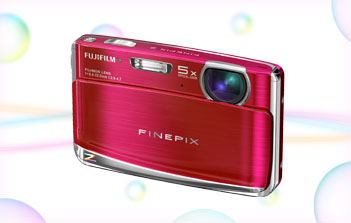
FujiFilm FinePix Z70 Digital Camera - Blue
- 12MP, 5xOptical Zoom, 2.7" LCD, Digital Image Stabilisation, SR Auto, HD Video
Features
Stylish Full Metal Body
Take this anywhere and everywhere you go. Colorful and stylish, this compact camera can give you the style with its full metal high quality body.
A Quality that Says it All
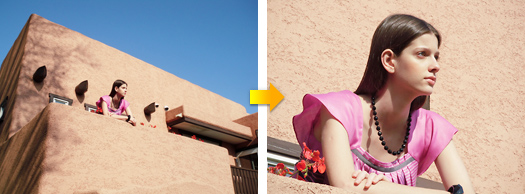
This metal body incorporates the award-winning Fujinon Lens of 5x zoom, 12 megapixels and image stability.
SR AUTO & Face Detection
Equipped with the 6 scene SR AUTO (Scene Recognition Auto) and Face Detection, scenes and faces can be captured and optimized even more with the detection functions.
Easy-to-use Shooting Modes
Capture natural optimized images regardless of the shooting conditions.
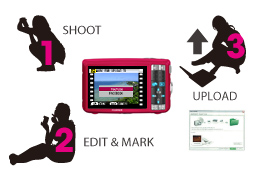
Editing, Uploading and Sharing for Everyone
Sharing your favorite pictures and videos online cannot be made any simpler - just shoot, edit, select, and upload.
Take this anywhere and everywhere you go. Colorful and stylish, this compact camera can give you the style with its full metal high quality body.
Advanced Full-metal High Quality Body
Improved overall body design and up-graded material. Thickness at the thinnest part reduced to 18.1mm.
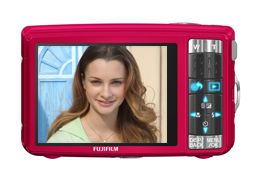
New Easy Navigation Operation Keys
Opening lens barrier will automatically light up the blue LED lights.
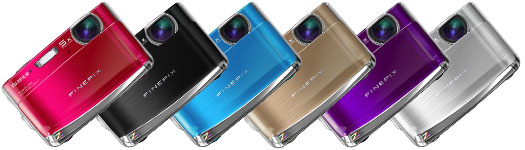
6 Color Variation
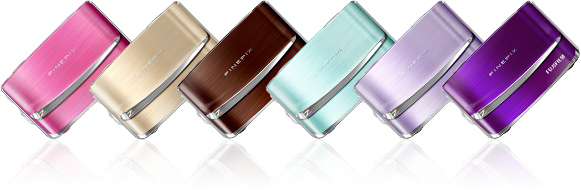
You have 6 colors to choose from! Pink, Black, Blue, Bronze, Purple and Silver. Simply choose the one that will fit your style.
A Quality that Says it All
This metal body incorporates the award-winning Fujinon Lens of 5x zoom, 12 megapixels and image stability.
Fujinon 5x Zoom Lens
Regarded Highly by Professionals World-wide
Fujinon Lens, the high precision optic lens from Fujifilm has received positive praises, used in various industries - satellite in outer space, TV/film, security and compact cameras. The technology provides great 5x optical zoom.
Discover the flourishing performance of the top brand Fujinon Lens used widely in various areas.
- Fujinon Lens Special Site
12 Megapixel Canvas
A powerful 12 megapixels resolution won't miss the finest details of your subject. Images are captured sharp and clear, in vivid colors, even when printed at large sizes.
Digital Image Stabilization
Automatically detects blurred subjects and instantaneously increases shutter speed to ensure crisp, sharp images.
- Conventional Digital Camera
High Sensitivity ISO1600
Indoors, at night, or in the midst of fast-moving action; high sensitivity (ISO1600) makes it easy to take bright, clear photos regardless of the conditions.
HDTV-Compatible Photos & Video
Able to capture both photos and movies in high-definition 16:9 format, the FinePix Z70 lets you discover the impact of full-screen HDTV image display.
Photo Shooting
Capture high resolution images in 16:9 format (4,000 x 2,248 pixels, 1,920 x 1,080 pixels).
Movie Shooting
Capture high resolution images in 16:9 format. 1,280 x 720 pixels [HD] (max. recording time: 12 min.) / 640 x 480 pixels / 320 x 240 pixels (30 frames/sec.). Allow 5x zoom ups during your recordings.
Equipped with the 6 scene SR AUTO (Scene Recognition Auto) and Face Detection, scenes and faces can be captured and optimized even more with the detection functions.
6 Scene SR AUTO
Framed scenes are automatically detected and selected into appropriate camera settings: Portrait, Landscape, Night, Macro, Night Portrait, and Backlit Portrait.
Portrait
Recognizes portraits by detecting the faces quickly in the frame and optimizing focus, brightness and white balance.
Landscape
Scenic shots such as mountains and buildings are automatically recognized. Colors of the sky, forests, and flower fields are captured in vivid colors and depth.
Night
For low-light and nighttime scenarios, shutter speed and sensitivity are automatically adjusted, producing blur-free pictures with minimal noise.
Macro
Macro mode sets the focusing position of the details of small flowers or tiny subjects accurately.
Night Portrait
When photographing people at night or in low light, SR AUTO optimizes flash range, shutter speed, and exposure of the portraits, while capturing smooth and luminous background.
Backlit Portrait
Optimizes brightness of the faces that usually end up in shadow and underexposure caused by the light behind.
Face Detection
Face Detection optimizes people pictures by identifying faces and adjusting focus and exposure to ensure bright, clear results.
- Conventional Digital Camera
Red-eye Removal in Detected Faces
Red-eye removal automatically detects and corrects flash reflection for a perfect end result.
Instantly Detect up to 6 Faces!
The Face Detection can simultaneously recognizes up to 6 faces in a photo. Share your group portraits using the Zoom Up function in playbacks, checking each detected face. Each priceless expression can be cropped and saved in clear high resolution results.
Face Detection Timer Function
The Face Detection Self-Timer automatically sets off after the number and position of faces in a scene are detected, snapping the photo at the right moment, with all the faces in focus and properly exposed.
Couple Timer
Just the two of you? Couple Timer waits until two faces are close together in the frame. Select Near, Close Up or Super Close depending on the level of intimacy you're aiming for!
Group Timer
Out and about with your friends? Group Timer mode gives you time to get into position as it waits until the number of faces are detected in the frame. You can select up to 4 faces and enjoy the moment ready to be captured!
Easy-to-use Shooting Modes
Capture natural optimized images regardless of the shooting conditions.
Tracking Auto Focus
Keeps fast moving subjects in the frame and in focus, even when the zoom is fully extended. Great for capturing dynamic close-ups.
Natural Light and with Flash
Can't decide whether it's best to use flash? Choose this mode, press the shutter and automatically capture the same scene twice: once with high sensitivity and natural light, and the second time with Intelligent Flash. Later choose one or keep both!
Versatile Shooting Modes
An extensive selection of pre-programmed shooting modes ensures great photos in various conditions, eliminating the need to fuss with camera settings while delivering optimum results.
SR AUTO
Frame your shot and SR AUTO intelligently recognizes the scene and selects the ideal settings.
Auto
The easiest mode for taking pictures. Use this for ordinary photography.
Program Auto
An automatic mode to specify the settings except for the shutter speed and aperture setting.
Digital Image Stabilizer
Prevents blurs caused by camera shake.
Natural Light & with Flash
Shoots 2 images continuously, without flash and with flash. Comes in great handy during marginal shooting situations.
Natural Light
Retains natural ambience of shots taken in low-light conditions.
Portrait
Best for capturing natural looks, as it softens the overall skin tone.
Portrait Enhancer
Enables automatic enhancements of skin tone.
Landscape
Best for shooting scenery in daylight capturing clear and sharp shots of buildings and mountains effectively.
Sport
A quick recognition of persons in motion or objects for a faster shutter speed to help you catch the perfect moment.
Night
Mode for shooting evening and night scenes. A picture is taken with a slow shutter.
Night (Tripod)
Clear shots of twilight scenes using tripod.
Sunset
Capture sunset scenes vivid in color.
Snow
Most adaptable to snow scenes without unnatural darkened images or where the whole screen appears white.
Beach
Clear shots of people without darkened images under strong sunlight.
Party
Best for shooting indoor weddings or parties. Retains the natural ambience in low-light conditions.
Flower
Capture a clear close-up shots of blooming flowers rich in color.
Text
Clear shots of letters on a document or white board.
Auction
Combines multiple photos into a single image ready for easy uploading to auction sites.
Successive Movie
Join a series of movie clips into a single movie.
Editing, Uploading and Sharing for Everyone
Sharing your favorite pictures and videos online cannot be made any simpler - just shoot, edit, select, and upload.
Easy Web Uploading to YouTube & FACEBOOK via MyFinePix Studio
The FinePix Z70 features image selection and editing functions that make it easier than ever to upload video clips or still photos to YouTube & FACEBOOK* sites.
- * This function is activated by automatic update after the beginning of March 2010. Update will take place automatically when MyFinePix Studio is launched if a PC is connected to internet.
In-camera Editing
In-camera Movie Edit and Edit for Blog functions let you edit captured images, which can then be marked with a touch of the convenient Upload button.
Upload
When the FinePix Z70 is connected to a PC, the marked images are uploaded to the designated site, eliminating the need for time-consuming PC-based image processing or selection.
MyFinePix Studio automatically searches for new images to upload for you
New MyFinePix Studio detects new images to upload. Finding new image to upload, uploader starts automatically.
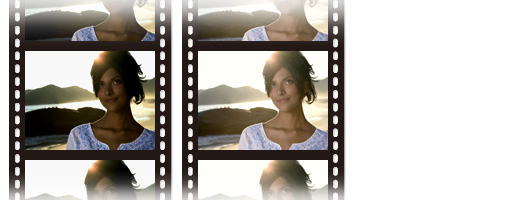
Post Capture Editing
Try our in-camera movie and image editing functions to artistically enliven photos, creating distinctive ambiances.
Movie Editing Modes
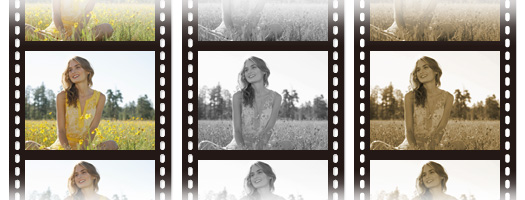
Edit for Blog
Add an artistic dimension to any recorded image in your camera with your choice of special effects.
Aspect Ratio
Images are trimmed to fit the ratio aspects provided below.
Horizontal Image: 4:1, 8:3, 16:9, 3:2, 4:3, 1:1, 3:4, 1:3
Vertical Image: 3:1, 4:3, 1:1, 3:4, 2:3, 9:16, 3:8, 1:4
Sepia
Adds tone effects of sepia that can be adjusted at 5 different levels.
Contrast
10 contrast levels can be selected from softening to sharpening controls.
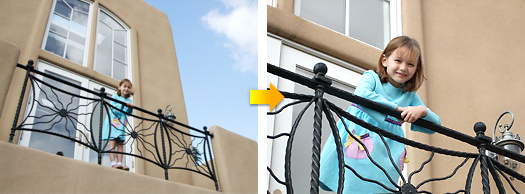
Cropping
Images can be cropped to fit your blog.
Color
Adds miniature effect to image.
Brightness
10 brightness levels can be adjusted to image.
Face Mosaic
Mosaic to faces can be applied.
Playback Functions
Various playback functions can be enjoyed after your shoot.
Image Search
With the convenient Image Search function, you can search pictures by Date, by Face, by Scene and by Type of Data.
By Date
Sort your photos by the date they were taken making it easier to locate specific events or occasions.
By Face
All your portraits can be selected and replayed based on composition: group photos, couple pictures, or solo portraits.
By Scene
Photos shot with Auto or SR AUTO mode can be replayed according to the type of scene: portrait, landscape, night scene, and macro.
By Type of Data
Display the content of your image library according to the type of data: still photos, edited images, or movie footage.
By Upload Destination
Images marked for upload to popular video-clip and blogging sites can be grouped and displayed together.
Micro Thumbnail View
Up to 100 pictures can be viewed at a time in a 10x10 array of micro thumbnails. Convenient for smooth and comfortable playback
Various Slideshows to Choose From!
- Slideshow with Music
- Scrapbook View Slideshow
- Close-up Slideshow
Red-eye Removal during Playback
This function corrects red-eyes while playback of close-ups and detected faces.
SD/SDHC Memory Card Slot
The versatile card slot is compatible with SD and high-capacity Secure Digital (SDHC) memory cards.
Specifications
| Model |
|
| Number of effective pixels *1 |
|
| CCD sensor |
|
| Storage media |
- Internal memory (Approx. 13MB)
- SD memory card
- SDHC memory card*2
|
| File format |
- Still image:
-
- Movie:
-
- Audio:
-
WAVE format, Monaural sound
(Design rule for Camera File system compliant / DPOF-compatible)
|
| Number of recorded pixels |
Still image: 4,000 x 3,000 (12M) / 3,984 x 2,656 (10M, 3:2) / 4,000 x 2,248 (9M, 16:9) / 2,816 x 2,112 (6M) / 2,048 x 1536 (3M) / 1,920 x 1,080 (2M, 16:9) / 1,600 x 1,200 (2M) / 640 x 480 (0.3M)
|
| Lens |
Fujinon 5x optical zoom lens, F4.0 (Wide) - F4.8 (Telephoto)
|
| Lens focal length |
f=6.4 - 32.0mm, equivalent to 36.0 - 180.0mm on a 35mm camera
|
| Digital zoom |
|
| Aperture |
Wide: F4.0 / F6.7, Telephoto: F4.8 / F8.0
|
Focus distance
(from lens surface) |
- Normal:
-
- Wide: Approx. 60cm / 2.0ft. to infinity
- Telephoto: Approx. 1.0m / 3.3ft. to infinity
- Macro:
-
- Wide: Approx. 9cm - 80cm / 3.5in. - 2.6ft.
- Telephoto: Approx. 1.0m - 3.0m / 3.3ft. - 9.8ft.
|
| Sensitivity |
Auto / Equivalent to ISO 100 / 200 / 400 / 800 / 1600 (Standard Output Sensitivity)
|
| Exposure control |
|
| Exposure mode |
|
| Shooting modes |
Natural Light, Natural Light & with Flash, Portrait, Landscape, Sport, Night, Beach, Snow, Sunset, Party, Museum, Flower, Text, Digital Image Stabilization, Auction, Successive Movie, SR AUTO (Scene Recognition Auto), Auto, Program, Night (Tripod), Portrait enhancer
|
| Image stabilizer |
Digital Image Stabilization
|
| Shutter speed |
1/4sec. to 1/2000sec., (with mechanical shutter)
|
| Focus |
Auto focus, TTL contrast AF, Tracking AF
|
| White balance |
Auto, Fine, Shade, Fluorescent light (Daylight), Fluorescent light (Warm White), Fluorescent light (Cool White), Incandescent light
|
| Self-timer |
Approx. 10sec. / 2sec. delay, Couple Timer, Group Timer
|
| Flash |
Auto flash
Effective range (ISO AUTO):
- Normal:
-
- Wide: Approx. 70cm - 3.1m / 2.3ft. - 10.2ft.
- Telephoto: Approx. 70cm - 2.7m / 2.3ft. - 8.9ft.
- Macro:
-
- Approx. 30cm - 80cm / 1.0ft. - 2.6ft.
Flash modes
Auto, Red-eye Reduction, Forced Flash, Suppressed Flash, Slow Synchro, Red-eye Reduction & Slow Synchro.
|
| LCD monitor |
2.7-inch, Approx. 230,000 dots, TFT color LCD monitor; frame coverage approx. 96%
|
| Movie recording |
1,280 x 720 pixels / 640 x 480 pixels / 320 x 240 pixels (30 frames/sec.) with monaural sound
*Optical zoom function can be selectable during movie recording
|
| Photography functions |
SR AUTO (Scene Recognition Auto), Face Detection (with Auto Red-eye reduction, on, off), Framing guide, Frame No. memory, Silent mode, FinePix color
|
| Playback functions |
Face Detection, EDIT FOR BLOG, Image Search, Crop, Image rotate, Slideshow, Multi-frame playback (2/5/9/100 frames), Sorting by date, Voice Memo, Movie Edit, Mark Upload
|
| Video output |
|
| Digital interface |
|
| Power supply |
NP-45A Li-ion battery (included)
|
| Dimensions |
91.0 (W) x 57.1 (H) x 20.1 (D) mm / 3.6 (W) x 2.2 (H) x 0.8 (D) in.
(excluding accessories and attachments)
|
| Weight |
Approx. 124.5g / 4.4oz.
(excluding accessories, battery and memory card)
|
- *1 Number of effective pixels: The number of pixels on the image sensor which receive input light through the optical lens, and which are effectively reflected in the final output data of the still image.
- *2 Please see the Fujifilm website to check memory card compatibility.
- *3 Exif 2.2 is a digital camera file format that contains a variety of shooting information for optimal printing.
Memory Card Capacity and Image Quality / Size
Number of images / recording time
| Modes |
Still image |
| Number of recorded pixels |
4,000 x 3,000 (12M) |
3,984 x 2,656 (10M) |
4,000 x 2,248 (9M) |
2,816 x 2,112 (6M) |
2,048 x 1,536 (3M) |
| Quality |
JPEG FINE |
JPEG FINE |
JPEG FINE |
JPEG FINE |
JPEG FINE |
| Internal memory (approx. 13MB) |
1 |
1 |
2 |
3 |
7 |
| SD memory card |
1 GB |
160 |
180 |
220 |
320 |
590 |
| 2 GB |
310 |
360 |
430 |
620 |
1,170 |
| SDHC memory card |
4 GB |
650 |
750 |
880 |
1,310 |
2,430 |
| 8 GB |
1,270 |
1,480 |
1,730 |
2,550 |
4,750 |
Number of images / recording time
| Modes |
Still image |
Movie |
| Number of recorded pixels |
1,600 x 1,200 (2M) |
1,920 x 1,080 (2M) |
640 x 480 (0.3M) |
Movie recording time |
| Quality |
JPEG FINE |
JPEG FINE |
JPEG FINE |
HD (30fps) |
VGA (30fps) |
QVGA (30fps) |
| Internal memory (approx. 13MB) |
12 |
11 |
43 |
2sec. |
10sec. |
20sec. |
| SD memory card |
1 GB |
960 |
890 |
3,250 |
6min. |
14min. |
30min. |
| 2 GB |
1,830 |
1,720 |
6,020 |
11min. |
28min. |
58min. |
| SDHC memory card |
4 GB |
3,770 |
3,540 |
12,410 |
24min. |
58min. |
120min. |
| 8 GB |
7,510 |
6,920 |
24,210 |
48min. |
116min. |
242min. |
- Actual number of frames and recording time varies depending on the type of memory card or shooting conditions.
- In the case of extended movie shooting, recording will automatically stop when 2GB of data is recorded. In order to continue movie shooting after automatic termination, please press the shutter button again. Maximum recording time shown in the table is calculated based on the file size limit of approx. 2GB. When shooting HD movies, please use a memory card rated SD Speed Class 4 or higher to ensure minimum sustained data writes of 4MB/sec.
|
|
|
|
23/03
|
FujiFilm FinePix Z70 Digital Camera - Bronze
- 12MP, 5xOptical Zoom, 2.7" LCD, Digital Image Stabilisation, SR Auto, HD Video
Features
Stylish Full Metal Body
Take this anywhere and everywhere you go. Colorful and stylish, this compact camera can give you the style with its full metal high quality body.
A Quality that Says it All
This metal body incorporates the award-winning Fujinon Lens of 5x zoom, 12 megapixels and image stability.
SR AUTO & Face Detection
Equipped with the 6 scene SR AUTO (Scene Recognition Auto) and Face Detection, scenes and faces can be captured and optimized even more with the detection functions.
Easy-to-use Shooting Modes
Capture natural optimized images regardless of the shooting conditions.
Editing, Uploading and Sharing for Everyone
Sharing your favorite pictures and videos online cannot be made any simpler - just shoot, edit, select, and upload.
Take this anywhere and everywhere you go. Colorful and stylish, this compact camera can give you the style with its full metal high quality body.
Advanced Full-metal High Quality Body
Improved overall body design and up-graded material. Thickness at the thinnest part reduced to 18.1mm.
New Easy Navigation Operation Keys
Opening lens barrier will automatically light up the blue LED lights.
6 Color Variation
You have 6 colors to choose from! Pink, Black, Blue, Bronze, Purple and Silver. Simply choose the one that will fit your style.
A Quality that Says it All
This metal body incorporates the award-winning Fujinon Lens of 5x zoom, 12 megapixels and image stability.
Fujinon 5x Zoom Lens
Regarded Highly by Professionals World-wide
Fujinon Lens, the high precision optic lens from Fujifilm has received positive praises, used in various industries - satellite in outer space, TV/film, security and compact cameras. The technology provides great 5x optical zoom.
Discover the flourishing performance of the top brand Fujinon Lens used widely in various areas.
- Fujinon Lens Special Site
12 Megapixel Canvas
A powerful 12 megapixels resolution won't miss the finest details of your subject. Images are captured sharp and clear, in vivid colors, even when printed at large sizes.
Digital Image Stabilization
Automatically detects blurred subjects and instantaneously increases shutter speed to ensure crisp, sharp images.
- Conventional Digital Camera
High Sensitivity ISO1600
Indoors, at night, or in the midst of fast-moving action; high sensitivity (ISO1600) makes it easy to take bright, clear photos regardless of the conditions.
HDTV-Compatible Photos & Video
Able to capture both photos and movies in high-definition 16:9 format, the FinePix Z70 lets you discover the impact of full-screen HDTV image display.
Photo Shooting
Capture high resolution images in 16:9 format (4,000 x 2,248 pixels, 1,920 x 1,080 pixels).
Movie Shooting
Capture high resolution images in 16:9 format. 1,280 x 720 pixels [HD] (max. recording time: 12 min.) / 640 x 480 pixels / 320 x 240 pixels (30 frames/sec.). Allow 5x zoom ups during your recordings.
Equipped with the 6 scene SR AUTO (Scene Recognition Auto) and Face Detection, scenes and faces can be captured and optimized even more with the detection functions.
6 Scene SR AUTO
Framed scenes are automatically detected and selected into appropriate camera settings: Portrait, Landscape, Night, Macro, Night Portrait, and Backlit Portrait.
Portrait
Recognizes portraits by detecting the faces quickly in the frame and optimizing focus, brightness and white balance.
Landscape
Scenic shots such as mountains and buildings are automatically recognized. Colors of the sky, forests, and flower fields are captured in vivid colors and depth.
Night
For low-light and nighttime scenarios, shutter speed and sensitivity are automatically adjusted, producing blur-free pictures with minimal noise.
Macro
Macro mode sets the focusing position of the details of small flowers or tiny subjects accurately.
Night Portrait
When photographing people at night or in low light, SR AUTO optimizes flash range, shutter speed, and exposure of the portraits, while capturing smooth and luminous background.
Backlit Portrait
Optimizes brightness of the faces that usually end up in shadow and underexposure caused by the light behind.
Face Detection
Face Detection optimizes people pictures by identifying faces and adjusting focus and exposure to ensure bright, clear results.
- Conventional Digital Camera
Red-eye Removal in Detected Faces
Red-eye removal automatically detects and corrects flash reflection for a perfect end result.
Instantly Detect up to 6 Faces!
The Face Detection can simultaneously recognizes up to 6 faces in a photo. Share your group portraits using the Zoom Up function in playbacks, checking each detected face. Each priceless expression can be cropped and saved in clear high resolution results.
Face Detection Timer Function
The Face Detection Self-Timer automatically sets off after the number and position of faces in a scene are detected, snapping the photo at the right moment, with all the faces in focus and properly exposed.
Couple Timer
Just the two of you? Couple Timer waits until two faces are close together in the frame. Select Near, Close Up or Super Close depending on the level of intimacy you're aiming for!
Group Timer
Out and about with your friends? Group Timer mode gives you time to get into position as it waits until the number of faces are detected in the frame. You can select up to 4 faces and enjoy the moment ready to be captured!
Easy-to-use Shooting Modes
Capture natural optimized images regardless of the shooting conditions.
Tracking Auto Focus
Keeps fast moving subjects in the frame and in focus, even when the zoom is fully extended. Great for capturing dynamic close-ups.
Natural Light and with Flash
Can't decide whether it's best to use flash? Choose this mode, press the shutter and automatically capture the same scene twice: once with high sensitivity and natural light, and the second time with Intelligent Flash. Later choose one or keep both!
Versatile Shooting Modes
An extensive selection of pre-programmed shooting modes ensures great photos in various conditions, eliminating the need to fuss with camera settings while delivering optimum results.
SR AUTO
Frame your shot and SR AUTO intelligently recognizes the scene and selects the ideal settings.
Auto
The easiest mode for taking pictures. Use this for ordinary photography.
Program Auto
An automatic mode to specify the settings except for the shutter speed and aperture setting.
Digital Image Stabilizer
Prevents blurs caused by camera shake.
Natural Light & with Flash
Shoots 2 images continuously, without flash and with flash. Comes in great handy during marginal shooting situations.
Natural Light
Retains natural ambience of shots taken in low-light conditions.
Portrait
Best for capturing natural looks, as it softens the overall skin tone.
Portrait Enhancer
Enables automatic enhancements of skin tone.
Landscape
Best for shooting scenery in daylight capturing clear and sharp shots of buildings and mountains effectively.
Sport
A quick recognition of persons in motion or objects for a faster shutter speed to help you catch the perfect moment.
Night
Mode for shooting evening and night scenes. A picture is taken with a slow shutter.
Night (Tripod)
Clear shots of twilight scenes using tripod.
Sunset
Capture sunset scenes vivid in color.
Snow
Most adaptable to snow scenes without unnatural darkened images or where the whole screen appears white.
Beach
Clear shots of people without darkened images under strong sunlight.
Party
Best for shooting indoor weddings or parties. Retains the natural ambience in low-light conditions.
Flower
Capture a clear close-up shots of blooming flowers rich in color.
Text
Clear shots of letters on a document or white board.
Auction
Combines multiple photos into a single image ready for easy uploading to auction sites.
Successive Movie
Join a series of movie clips into a single movie.
Editing, Uploading and Sharing for Everyone
Sharing your favorite pictures and videos online cannot be made any simpler - just shoot, edit, select, and upload.
Easy Web Uploading to YouTube & FACEBOOK via MyFinePix Studio
The FinePix Z70 features image selection and editing functions that make it easier than ever to upload video clips or still photos to YouTube & FACEBOOK* sites.
- * This function is activated by automatic update after the beginning of March 2010. Update will take place automatically when MyFinePix Studio is launched if a PC is connected to internet.
In-camera Editing
In-camera Movie Edit and Edit for Blog functions let you edit captured images, which can then be marked with a touch of the convenient Upload button.
Upload
When the FinePix Z70 is connected to a PC, the marked images are uploaded to the designated site, eliminating the need for time-consuming PC-based image processing or selection.
MyFinePix Studio automatically searches for new images to upload for you
New MyFinePix Studio detects new images to upload. Finding new image to upload, uploader starts automatically.
Post Capture Editing
Try our in-camera movie and image editing functions to artistically enliven photos, creating distinctive ambiances.
Movie Editing Modes
Edit for Blog
Add an artistic dimension to any recorded image in your camera with your choice of special effects.
Aspect Ratio
Images are trimmed to fit the ratio aspects provided below.
Horizontal Image: 4:1, 8:3, 16:9, 3:2, 4:3, 1:1, 3:4, 1:3
Vertical Image: 3:1, 4:3, 1:1, 3:4, 2:3, 9:16, 3:8, 1:4
Sepia
Adds tone effects of sepia that can be adjusted at 5 different levels.
Contrast
10 contrast levels can be selected from softening to sharpening controls.
Cropping
Images can be cropped to fit your blog.
Color
Adds miniature effect to image.
Brightness
10 brightness levels can be adjusted to image.
Face Mosaic
Mosaic to faces can be applied.
Playback Functions
Various playback functions can be enjoyed after your shoot.
Image Search
With the convenient Image Search function, you can search pictures by Date, by Face, by Scene and by Type of Data.
By Date
Sort your photos by the date they were taken making it easier to locate specific events or occasions.
By Face
All your portraits can be selected and replayed based on composition: group photos, couple pictures, or solo portraits.
By Scene
Photos shot with Auto or SR AUTO mode can be replayed according to the type of scene: portrait, landscape, night scene, and macro.
By Type of Data
Display the content of your image library according to the type of data: still photos, edited images, or movie footage.
By Upload Destination
Images marked for upload to popular video-clip and blogging sites can be grouped and displayed together.
Micro Thumbnail View
Up to 100 pictures can be viewed at a time in a 10x10 array of micro thumbnails. Convenient for smooth and comfortable playback
Various Slideshows to Choose From!
- Slideshow with Music
- Scrapbook View Slideshow
- Close-up Slideshow
Red-eye Removal during Playback
This function corrects red-eyes while playback of close-ups and detected faces.
SD/SDHC Memory Card Slot
The versatile card slot is compatible with SD and high-capacity Secure Digital (SDHC) memory cards.
Specifications
| Model |
|
| Number of effective pixels *1 |
|
| CCD sensor |
|
| Storage media |
- Internal memory (Approx. 13MB)
- SD memory card
- SDHC memory card*2
|
| File format |
- Still image:
-
- Movie:
-
- Audio:
-
WAVE format, Monaural sound
(Design rule for Camera File system compliant / DPOF-compatible)
|
| Number of recorded pixels |
Still image: 4,000 x 3,000 (12M) / 3,984 x 2,656 (10M, 3:2) / 4,000 x 2,248 (9M, 16:9) / 2,816 x 2,112 (6M) / 2,048 x 1536 (3M) / 1,920 x 1,080 (2M, 16:9) / 1,600 x 1,200 (2M) / 640 x 480 (0.3M)
|
| Lens |
Fujinon 5x optical zoom lens, F4.0 (Wide) - F4.8 (Telephoto)
|
| Lens focal length |
f=6.4 - 32.0mm, equivalent to 36.0 - 180.0mm on a 35mm camera
|
| Digital zoom |
|
| Aperture |
Wide: F4.0 / F6.7, Telephoto: F4.8 / F8.0
|
Focus distance
(from lens surface) |
- Normal:
-
- Wide: Approx. 60cm / 2.0ft. to infinity
- Telephoto: Approx. 1.0m / 3.3ft. to infinity
- Macro:
-
- Wide: Approx. 9cm - 80cm / 3.5in. - 2.6ft.
- Telephoto: Approx. 1.0m - 3.0m / 3.3ft. - 9.8ft.
|
| Sensitivity |
Auto / Equivalent to ISO 100 / 200 / 400 / 800 / 1600 (Standard Output Sensitivity)
|
| Exposure control |
|
| Exposure mode |
|
| Shooting modes |
Natural Light, Natural Light & with Flash, Portrait, Landscape, Sport, Night, Beach, Snow, Sunset, Party, Museum, Flower, Text, Digital Image Stabilization, Auction, Successive Movie, SR AUTO (Scene Recognition Auto), Auto, Program, Night (Tripod), Portrait enhancer
|
| Image stabilizer |
Digital Image Stabilization
|
| Shutter speed |
1/4sec. to 1/2000sec., (with mechanical shutter)
|
| Focus |
Auto focus, TTL contrast AF, Tracking AF
|
| White balance |
Auto, Fine, Shade, Fluorescent light (Daylight), Fluorescent light (Warm White), Fluorescent light (Cool White), Incandescent light
|
| Self-timer |
Approx. 10sec. / 2sec. delay, Couple Timer, Group Timer
|
| Flash |
Auto flash
Effective range (ISO AUTO):
- Normal:
-
- Wide: Approx. 70cm - 3.1m / 2.3ft. - 10.2ft.
- Telephoto: Approx. 70cm - 2.7m / 2.3ft. - 8.9ft.
- Macro:
-
- Approx. 30cm - 80cm / 1.0ft. - 2.6ft.
Flash modes
Auto, Red-eye Reduction, Forced Flash, Suppressed Flash, Slow Synchro, Red-eye Reduction & Slow Synchro.
|
| LCD monitor |
2.7-inch, Approx. 230,000 dots, TFT color LCD monitor; frame coverage approx. 96%
|
| Movie recording |
1,280 x 720 pixels / 640 x 480 pixels / 320 x 240 pixels (30 frames/sec.) with monaural sound
*Optical zoom function can be selectable during movie recording
|
| Photography functions |
SR AUTO (Scene Recognition Auto), Face Detection (with Auto Red-eye reduction, on, off), Framing guide, Frame No. memory, Silent mode, FinePix color
|
| Playback functions |
Face Detection, EDIT FOR BLOG, Image Search, Crop, Image rotate, Slideshow, Multi-frame playback (2/5/9/100 frames), Sorting by date, Voice Memo, Movie Edit, Mark Upload
|
| Video output |
|
| Digital interface |
|
| Power supply |
NP-45A Li-ion battery (included)
|
| Dimensions |
91.0 (W) x 57.1 (H) x 20.1 (D) mm / 3.6 (W) x 2.2 (H) x 0.8 (D) in.
(excluding accessories and attachments)
|
| Weight |
Approx. 124.5g / 4.4oz.
(excluding accessories, battery and memory card)
|
- *1 Number of effective pixels: The number of pixels on the image sensor which receive input light through the optical lens, and which are effectively reflected in the final output data of the still image.
- *2 Please see the Fujifilm website to check memory card compatibility.
- *3 Exif 2.2 is a digital camera file format that contains a variety of shooting information for optimal printing.
Memory Card Capacity and Image Quality / Size
Number of images / recording time
| Modes |
Still image |
| Number of recorded pixels |
4,000 x 3,000 (12M) |
3,984 x 2,656 (10M) |
4,000 x 2,248 (9M) |
2,816 x 2,112 (6M) |
2,048 x 1,536 (3M) |
| Quality |
JPEG FINE |
JPEG FINE |
JPEG FINE |
JPEG FINE |
JPEG FINE |
| Internal memory (approx. 13MB) |
1 |
1 |
2 |
3 |
7 |
| SD memory card |
1 GB |
160 |
180 |
220 |
320 |
590 |
| 2 GB |
310 |
360 |
430 |
620 |
1,170 |
| SDHC memory card |
4 GB |
650 |
750 |
880 |
1,310 |
2,430 |
| 8 GB |
1,270 |
1,480 |
1,730 |
2,550 |
4,750 |
Number of images / recording time
| Modes |
Still image |
Movie |
| Number of recorded pixels |
1,600 x 1,200 (2M) |
1,920 x 1,080 (2M) |
640 x 480 (0.3M) |
Movie recording time |
| Quality |
JPEG FINE |
JPEG FINE |
JPEG FINE |
HD (30fps) |
VGA (30fps) |
QVGA (30fps) |
| Internal memory (approx. 13MB) |
12 |
11 |
43 |
2sec. |
10sec. |
20sec. |
| SD memory card |
1 GB |
960 |
890 |
3,250 |
6min. |
14min. |
30min. |
| 2 GB |
1,830 |
1,720 |
6,020 |
11min. |
28min. |
58min. |
| SDHC memory card |
4 GB |
3,770 |
3,540 |
12,410 |
24min. |
58min. |
120min. |
| 8 GB |
7,510 |
6,920 |
24,210 |
48min. |
116min. |
242min. |
- Actual number of frames and recording time varies depending on the type of memory card or shooting conditions.
- In the case of extended movie shooting, recording will automatically stop when 2GB of data is recorded. In order to continue movie shooting after automatic termination, please press the shutter button again. Maximum recording time shown in the table is calculated based on the file size limit of approx. 2GB. When shooting HD movies, please use a memory card rated SD Speed Class 4 or higher to ensure minimum sustained data writes of 4MB/sec.
|
|
|
|
23/03
|
FujiFilm FinePix Z80 Digital Camera - Pink
- 14.2MP, 5x Optical Zoom, 2.7" LCD, Digital Image Stabilization, SR Auto, HD Video FinePix Z Series
FinePix Z80
Number of Effective Pixels - 14M CCD
Optical Zoom - 5.0x
LCD Monitor - 2.7-inch
Sensitivity - ISO 1600
SR AUTO
Digital Image Stabilization
Photobook Assist
Intelligent Flash
Features
Colorful Compact with Superb Image Quality
The stylish compact and colorful full metal body veils powerful image quality.
SR AUTO & Face Detection
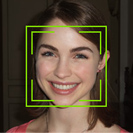
Equipped with the 6 scene SR AUTO (Scene Recognition Auto) and Face Detection, scenes and faces can be captured and optimized even more with the detection functions.
Easy-to-use Intelligent Shooting Modes

Simple shooting modes allow you to capture the best of any scene with versatility.
Editing, Uploading and Sharing for Everyone
Sharing your favorite pictures and videos online cannot be made any simpler - just shoot, edit, select, and upload.
Simple and Easy Playback Functions
Offering convenient image search and playback functions for you to share and view with your family and friends.
Feature 1Colorful Compact with Superb Image Quality
The stylish compact and colorful full metal body veils powerful image quality.
Stylish Full Metal Body in Six Colors
Rich in choice with six colors, the full metal stylish body brings out the luxurious texture in the FinePix Z80. Available in Pink, Purple, Mint, Lavender, Brown and Gold, simply choose the one that will fit your style.
Fujinon 5x Optical Zoom
Highly Regarded by Professionals World-wide
Fujinon Lens, the high precision optic lens from Fujifilm has received positive praises, used in various industries - satellite in outer space, TV/film, surveillance, and compact cameras. The technology provides great wide angle and 5x optical zoom.
- Wide Angle
- 5x Optical Zoom
Microsite
Discover the flourishing performance of the top brand Fujinon Lens used widely in various areas.
- Fujinon Lens Special Site
Digital Image Stabilization
Automatically detects blurred subjects and instantaneously increases shutter speed to ensure crisp, sharp images.

- Conventional Digital Camera
- FinePix Z80
High Sensitivity ISO1600
Indoors, at night, or in the midst of fast-moving action; high sensitivity (ISO1600) makes it easy to take bright, clear photos regardless of the conditions.
HDTV-Compatible Photos & Video
Able to capture both photos and movies in high-definition 16:9 format, the FinePix Z80 lets you discover the impact of full-screen HDTV image display.
- * Optional HD Player HDP-L1 is required.
Photo Shooting
Capture high resolution images in 16:9 format (4,320 x 2,432 pixels, 1,920 x 1,080 pixels).
Movie Shooting
Capture high resolution images in 16:9 format (1,280 x 720 pixels).
Optional HDTV Connection Kit
Combining an HD card reader and a remote control, the optional connection kit makes it easy to display photos and movies on your HDTV.
One Touch Movie Button
One Touch Movie button just for shooting movies! No settings. Just press, shoot, and enjoy the movie.
Specifications
| Model Name |
FinePix Z80 / Z81 |
| Number of effective pixels *1 |
14.2 million pixels |
| CCD sensor |
1/2.3-inch CCD |
| Storage media |
- Internal memory (Approx. 13MB)
- SD memory card / SDHC memory card *2
|
| File format |
- still image
- JPEG (Exif Ver 2.3 *3)
- movie
- AVI (Motion JPEG ) with sound
- sound
- WAVE format, Monaural sound
(Design rule for Camera File system compliant / DPOF-compatible)
|
| Number of recorded pixels |
Still image:
14M : (4:3) 4320 x 3240 / 12M : (3:2) 4320 x 2880 / 10M : (16:9) 4320 x 2432 /
7M : (4:3) 3072 x 2304 / 3M : (4:3) 2048 x 1536 / 2M : (16:9) 1920 x 1080 /
2M : (4:3) 1600 x 1200 / 0.3M : (4:3) 640 x 480 |
| Lens |
- name
- Fujinon 5x optical zoom lens
- focal length
- f=6.4 - 32.0mm, equivalent to 36-180mm on a 35mm camera
- full-aperture
- F4.0(Wide) / F4.8(Telephoto)
|
| Digital zoom |
Maximum approx 6.8x |
| Aperture |
F4.0 / F6.7 (Wide) F4.8 / F8.0 (Telephoto) |
Focus distance
(from lens surface) |
- Normal
-
- Wide : Approx. 60cm / 2.0ft. to infinity
- Telephoto : Approx. 1.0m / 3.3ft. to infinity
- Macro
-
- Wide : Approx. 9cm - 80cm / 3.5in.- 2.6ft.
- Telephoto : Approx. 1.0m - 3.0m / 3.3ft. - 9.8ft.
|
| Sensitivity |
Auto / Equivalent to ISO 100 / 200 / 400 / 800 / 1600 (Standard Output Sensitivity) |
| Exposure control |
TTL 256-zones metering |
| Exposure mode |
Programmed AE |
| Shooting modes |
Natural Light, Natural Light & with Flash, Portrait, Landscape, Sport, Night, Beach, Snow, Sunset,Party, Flower, Text, Auction, Successive Movie, SR AUTO (Scene Recognition),Auto, Program, Night(Tripod), Potrait enhancer, Motion Panorama |
| Image stabilizer |
Digital Image Stabilization |
| Face detection |
Yes |
| Exposure compensation |
-2.0EV - +2.0EV 1/3EV step |
| Shutter speed |
4sec. to 1/2000sec. with mechanical shutter |
| Continuous shooting |
max speed : Approx. 1frames/sec., max number of frame : 3frames |
| Auto bracketing |
- |
| Focus |
- mode
- Single AF
- type
- TTL contrast AF
- AF frame selection
- Center fixed, Tracking AF
|
| White balance |
Auto, Fine, Shade, Incandescent light, Fluorescent light 1(Daylight), Fluorescent light 2(Warm White), Fluorescent light 3(Cool White) |
| Self-timer |
10sec. / 2sec. delay / Couple Timer / Group Timer |
| Flash |
Pre-flash type by CCD sensor (i-flash)
Effective range (ISO AUTO)
- Normal
-
- Wide : Approx. 70cm - 3.1m / 2.3ft. - 10.2ft.
- Telephoto : Approx. 70cm - 2.7m / 2.3ft. - 8.9ft.
- Macro
-
- Approx. 30cm - 80cm / 1ft. - 2.6ft.
|
| Flash modes |
Auto, Red-eye Reduction, Forced Flash, Suppressed Flash, Slow Synchro, Red-eye Reduction & Slow Synchro. |
| Hot shoe |
- |
| Electronic Viewfinder |
- |
| LCD monitor |
2.7-inch, Approx. 230,000dots, TFT color LCD monitor, (live image approx. 96% coverage) |
| Movie recording |
1280 (1280x720 : HD) / 640 (640x480 : VGA) / 320 (320x240 : QVGA), 30frames/sec.
with monaural sound
- * Zoom function can be used during movie recording.
|
| Shooting functions |
SR AUTO (Scene Recognition Auto), Face Detection (with Auto Red-eye reduction,on,off), Framing guideline, Frame No. memory, Silent mode,FinePix color, Motion panorama |
| Playback functions |
Face Detection, Edit For Blog, Image Search, Crop, Image rotate, Slide show, Multi-frame playback (with microthumbnail), Voice Memo, Movie Edit, Mark Upload,Photobook assist, Favorites |
| Other functions |
PictBridge, PRINT Image Matching II, Time difference, Silent mode |
| Terminal |
- Video output
- NTSC/PAL selectable
- Digital interface
- USB 2.0 High-Speed
- HD output
- -
|
| Power supply |
NP-45A Li-ion battery (included) |
| Dimensions |
91.0(W) x 57.1(H) x 20.1(D) mm / 3.6(W) x 2.2(H) x 0.8(D) in. (Minimum thickness : 18.1mm / 0.7in) |
| Weight |
Approx. 128g / 4.5 oz. (excluding battery and memory card)
Approx. 145g / 5.1oz. (including accessories, battery and memory card) |
| Operating Temperature |
0C - 40C |
| Operating Humidity |
10 - 85% (no condensation) |
| Guide to the number of available frames for battery operation |
Approx. 180frames |
| Accessories included |
Li-ion battery NP-45A
Battery charger BC-45B
Hand strap
USB cable
CD-ROM |
| Optional accessories |
Li-ion battery NP-45/NP-45A
Battery charger BC-45W
HD player HDP-L1
A/V Cable AV-C1 |
- *1 Number of effective pixels: The number of pixels on the image sensor which receive input light through the optical lens, and which are effectively reflected in the final output data of the still image.
- *2 Please see the Fujifilm website to check memory card compatibility.
- *3 Exif 2.3 is a digital camera file format that contains a variety of shooting information for optimal printing.
Memory Card Capacity and Image Quality / Size
Number of images
| Modes |
Still image |
| Number of recorded pixels |
4320 x 3240 (4:3) |
4320 x 2880 (3:2) |
4320 x 2432 (16:9) |
3072 x 2304 (4:3) |
| Quality |
JPEG FINE |
JPEG NORMAL |
JPEG FINE |
JPEG NORMAL |
JPEG FINE |
JPEG NORMAL |
JPEG FINE |
JPEG NORMAL |
| Internal Memory (approx. 13MB) |
2 |
3 |
2 |
4 |
2 |
5 |
4 |
7 |
| SD memory card |
512 MB |
80 |
140 |
80 |
160 |
100 |
200 |
160 |
280 |
| 1 GB |
160 |
280 |
180 |
330 |
210 |
400 |
320 |
560 |
| 2 GB |
330 |
560 |
360 |
660 |
430 |
800 |
640 |
1130 |
| SDHC memory card |
4 GB |
640 |
1100 |
720 |
1280 |
830 |
1570 |
1260 |
2200 |
| 8 GB |
1290 |
2210 |
1400 |
2580 |
1680 |
3160 |
2540 |
4420 |
Number of images
| Modes |
Still image |
| Number of recorded pixels |
2048 x 1536 (4:3) |
1920 x 1080 (16:9) |
1600 x 1200 (4:3) |
640 x 480 (4:3) |
| Quality |
JPEG FINE |
JPEG NORMAL |
JPEG FINE |
JPEG NORMAL |
JPEG FINE |
JPEG NORMAL |
JPEG FINE |
JPEG NORMAL |
| Internal Memory (approx. 13MB) |
9 |
15 |
13 |
18 |
13 |
18 |
37 |
58 |
| SD memory card |
512 MB |
360 |
600 |
530 |
720 |
530 |
730 |
1490 |
2350 |
| 1 GB |
730 |
1200 |
1060 |
1450 |
1070 |
1470 |
3000 |
4710 |
| 2 GB |
1460 |
2410 |
2130 |
2910 |
2150 |
2950 |
6000 |
9430 |
| SDHC memory card |
4 GB |
2860 |
4700 |
4150 |
5670 |
4190 |
5760 |
11700 |
18380 |
| 8 GB |
5740 |
9450 |
8330 |
11390 |
8420 |
11560 |
23480 |
36900 |
Recording time
| Modes |
Movie |
| Number of recorded pixels |
Movie recording time |
| Quality |
HD |
VGA |
QVGA |
| Internal Memory (approx. 13MB) |
2sec. |
9sec. |
19sec. |
| SD memory card |
512 MB |
2min. |
7min. |
14min. |
| 1 GB |
5min. |
14min. |
30min. |
| 2 GB |
11min. |
28min. |
1hr. |
| SDHC memory card |
4 GB |
24min. |
58min. |
2hr. |
| 8 GB |
48min. |
1hr. 56min. |
4hr. 2min. |
- *Actual number of frames and recording time varies depending on the type of memory card or shooting conditions.
- *In the case of extended movie shooting, recording will automatically stop when 2GB of data is recorded. In order to continue movie shooting after automatic termination, please press the shutter button again. Maximum recording time shown in the table is calculated based on the file size limit of approx. 2GB. When shooting HD movies, please use a memory card rated SD Speed Class 4 or higher to ensure minimum sustained data writes of 4MB/sec.
|
|
|
|
23/03
|
FujiFilm FinePix Z70 Digital Camera - Black
- 12MP, 5xOptical Zoom, 2.7" LCD, Digital Image Stabilisation, SR Auto, HD Video
Features
Stylish Full Metal Body
Take this anywhere and everywhere you go. Colorful and stylish, this compact camera can give you the style with its full metal high quality body.
A Quality that Says it All
This metal body incorporates the award-winning Fujinon Lens of 5x zoom, 12 megapixels and image stability.
SR AUTO & Face Detection
Equipped with the 6 scene SR AUTO (Scene Recognition Auto) and Face Detection, scenes and faces can be captured and optimized even more with the detection functions.
Easy-to-use Shooting Modes
Capture natural optimized images regardless of the shooting conditions.
Editing, Uploading and Sharing for Everyone
Sharing your favorite pictures and videos online cannot be made any simpler - just shoot, edit, select, and upload.
Take this anywhere and everywhere you go. Colorful and stylish, this compact camera can give you the style with its full metal high quality body.
Advanced Full-metal High Quality Body
Improved overall body design and up-graded material. Thickness at the thinnest part reduced to 18.1mm.
New Easy Navigation Operation Keys
Opening lens barrier will automatically light up the blue LED lights.
6 Color Variation
You have 6 colors to choose from! Pink, Black, Blue, Bronze, Purple and Silver. Simply choose the one that will fit your style.
A Quality that Says it All
This metal body incorporates the award-winning Fujinon Lens of 5x zoom, 12 megapixels and image stability.
Fujinon 5x Zoom Lens
Regarded Highly by Professionals World-wide
Fujinon Lens, the high precision optic lens from Fujifilm has received positive praises, used in various industries - satellite in outer space, TV/film, security and compact cameras. The technology provides great 5x optical zoom.
Discover the flourishing performance of the top brand Fujinon Lens used widely in various areas.
- Fujinon Lens Special Site
12 Megapixel Canvas
A powerful 12 megapixels resolution won't miss the finest details of your subject. Images are captured sharp and clear, in vivid colors, even when printed at large sizes.
Digital Image Stabilization
Automatically detects blurred subjects and instantaneously increases shutter speed to ensure crisp, sharp images.
- Conventional Digital Camera
High Sensitivity ISO1600
Indoors, at night, or in the midst of fast-moving action; high sensitivity (ISO1600) makes it easy to take bright, clear photos regardless of the conditions.
HDTV-Compatible Photos & Video
Able to capture both photos and movies in high-definition 16:9 format, the FinePix Z70 lets you discover the impact of full-screen HDTV image display.
Photo Shooting
Capture high resolution images in 16:9 format (4,000 x 2,248 pixels, 1,920 x 1,080 pixels).
Movie Shooting
Capture high resolution images in 16:9 format. 1,280 x 720 pixels [HD] (max. recording time: 12 min.) / 640 x 480 pixels / 320 x 240 pixels (30 frames/sec.). Allow 5x zoom ups during your recordings.
Equipped with the 6 scene SR AUTO (Scene Recognition Auto) and Face Detection, scenes and faces can be captured and optimized even more with the detection functions.
6 Scene SR AUTO
Framed scenes are automatically detected and selected into appropriate camera settings: Portrait, Landscape, Night, Macro, Night Portrait, and Backlit Portrait.
Portrait
Recognizes portraits by detecting the faces quickly in the frame and optimizing focus, brightness and white balance.
Landscape
Scenic shots such as mountains and buildings are automatically recognized. Colors of the sky, forests, and flower fields are captured in vivid colors and depth.
Night
For low-light and nighttime scenarios, shutter speed and sensitivity are automatically adjusted, producing blur-free pictures with minimal noise.
Macro
Macro mode sets the focusing position of the details of small flowers or tiny subjects accurately.
Night Portrait
When photographing people at night or in low light, SR AUTO optimizes flash range, shutter speed, and exposure of the portraits, while capturing smooth and luminous background.
Backlit Portrait
Optimizes brightness of the faces that usually end up in shadow and underexposure caused by the light behind.
Face Detection
Face Detection optimizes people pictures by identifying faces and adjusting focus and exposure to ensure bright, clear results.
- Conventional Digital Camera
Red-eye Removal in Detected Faces
Red-eye removal automatically detects and corrects flash reflection for a perfect end result.
Instantly Detect up to 6 Faces!
The Face Detection can simultaneously recognizes up to 6 faces in a photo. Share your group portraits using the Zoom Up function in playbacks, checking each detected face. Each priceless expression can be cropped and saved in clear high resolution results.
Face Detection Timer Function
The Face Detection Self-Timer automatically sets off after the number and position of faces in a scene are detected, snapping the photo at the right moment, with all the faces in focus and properly exposed.
Couple Timer
Just the two of you? Couple Timer waits until two faces are close together in the frame. Select Near, Close Up or Super Close depending on the level of intimacy you're aiming for!
Group Timer
Out and about with your friends? Group Timer mode gives you time to get into position as it waits until the number of faces are detected in the frame. You can select up to 4 faces and enjoy the moment ready to be captured!
Easy-to-use Shooting Modes
Capture natural optimized images regardless of the shooting conditions.
Tracking Auto Focus
Keeps fast moving subjects in the frame and in focus, even when the zoom is fully extended. Great for capturing dynamic close-ups.
Natural Light and with Flash
Can't decide whether it's best to use flash? Choose this mode, press the shutter and automatically capture the same scene twice: once with high sensitivity and natural light, and the second time with Intelligent Flash. Later choose one or keep both!
Versatile Shooting Modes
An extensive selection of pre-programmed shooting modes ensures great photos in various conditions, eliminating the need to fuss with camera settings while delivering optimum results.
SR AUTO
Frame your shot and SR AUTO intelligently recognizes the scene and selects the ideal settings.
Auto
The easiest mode for taking pictures. Use this for ordinary photography.
Program Auto
An automatic mode to specify the settings except for the shutter speed and aperture setting.
Digital Image Stabilizer
Prevents blurs caused by camera shake.
Natural Light & with Flash
Shoots 2 images continuously, without flash and with flash. Comes in great handy during marginal shooting situations.
Natural Light
Retains natural ambience of shots taken in low-light conditions.
Portrait
Best for capturing natural looks, as it softens the overall skin tone.
Portrait Enhancer
Enables automatic enhancements of skin tone.
Landscape
Best for shooting scenery in daylight capturing clear and sharp shots of buildings and mountains effectively.
Sport
A quick recognition of persons in motion or objects for a faster shutter speed to help you catch the perfect moment.
Night
Mode for shooting evening and night scenes. A picture is taken with a slow shutter.
Night (Tripod)
Clear shots of twilight scenes using tripod.
Sunset
Capture sunset scenes vivid in color.
Snow
Most adaptable to snow scenes without unnatural darkened images or where the whole screen appears white.
Beach
Clear shots of people without darkened images under strong sunlight.
Party
Best for shooting indoor weddings or parties. Retains the natural ambience in low-light conditions.
Flower
Capture a clear close-up shots of blooming flowers rich in color.
Text
Clear shots of letters on a document or white board.
Auction
Combines multiple photos into a single image ready for easy uploading to auction sites.
Successive Movie
Join a series of movie clips into a single movie.
Editing, Uploading and Sharing for Everyone
Sharing your favorite pictures and videos online cannot be made any simpler - just shoot, edit, select, and upload.
Easy Web Uploading to YouTube & FACEBOOK via MyFinePix Studio
The FinePix Z70 features image selection and editing functions that make it easier than ever to upload video clips or still photos to YouTube & FACEBOOK* sites.
- * This function is activated by automatic update after the beginning of March 2010. Update will take place automatically when MyFinePix Studio is launched if a PC is connected to internet.
In-camera Editing
In-camera Movie Edit and Edit for Blog functions let you edit captured images, which can then be marked with a touch of the convenient Upload button.
Upload
When the FinePix Z70 is connected to a PC, the marked images are uploaded to the designated site, eliminating the need for time-consuming PC-based image processing or selection.
MyFinePix Studio automatically searches for new images to upload for you
New MyFinePix Studio detects new images to upload. Finding new image to upload, uploader starts automatically.
Post Capture Editing
Try our in-camera movie and image editing functions to artistically enliven photos, creating distinctive ambiances.
Movie Editing Modes
Edit for Blog
Add an artistic dimension to any recorded image in your camera with your choice of special effects.
Aspect Ratio
Images are trimmed to fit the ratio aspects provided below.
Horizontal Image: 4:1, 8:3, 16:9, 3:2, 4:3, 1:1, 3:4, 1:3
Vertical Image: 3:1, 4:3, 1:1, 3:4, 2:3, 9:16, 3:8, 1:4
Sepia
Adds tone effects of sepia that can be adjusted at 5 different levels.
Contrast
10 contrast levels can be selected from softening to sharpening controls.
Cropping
Images can be cropped to fit your blog.
Color
Adds miniature effect to image.
Brightness
10 brightness levels can be adjusted to image.
Face Mosaic
Mosaic to faces can be applied.
Playback Functions
Various playback functions can be enjoyed after your shoot.
Image Search
With the convenient Image Search function, you can search pictures by Date, by Face, by Scene and by Type of Data.
By Date
Sort your photos by the date they were taken making it easier to locate specific events or occasions.
By Face
All your portraits can be selected and replayed based on composition: group photos, couple pictures, or solo portraits.
By Scene
Photos shot with Auto or SR AUTO mode can be replayed according to the type of scene: portrait, landscape, night scene, and macro.
By Type of Data
Display the content of your image library according to the type of data: still photos, edited images, or movie footage.
By Upload Destination
Images marked for upload to popular video-clip and blogging sites can be grouped and displayed together.
Micro Thumbnail View
Up to 100 pictures can be viewed at a time in a 10x10 array of micro thumbnails. Convenient for smooth and comfortable playback
Various Slideshows to Choose From!
- Slideshow with Music
- Scrapbook View Slideshow
- Close-up Slideshow
Red-eye Removal during Playback
This function corrects red-eyes while playback of close-ups and detected faces.
SD/SDHC Memory Card Slot
The versatile card slot is compatible with SD and high-capacity Secure Digital (SDHC) memory cards.
Specifications
| Model |
|
| Number of effective pixels *1 |
|
| CCD sensor |
|
| Storage media |
- Internal memory (Approx. 13MB)
- SD memory card
- SDHC memory card*2
|
| File format |
- Still image:
-
- Movie:
-
- Audio:
-
WAVE format, Monaural sound
(Design rule for Camera File system compliant / DPOF-compatible)
|
| Number of recorded pixels |
Still image: 4,000 x 3,000 (12M) / 3,984 x 2,656 (10M, 3:2) / 4,000 x 2,248 (9M, 16:9) / 2,816 x 2,112 (6M) / 2,048 x 1536 (3M) / 1,920 x 1,080 (2M, 16:9) / 1,600 x 1,200 (2M) / 640 x 480 (0.3M)
|
| Lens |
Fujinon 5x optical zoom lens, F4.0 (Wide) - F4.8 (Telephoto)
|
| Lens focal length |
f=6.4 - 32.0mm, equivalent to 36.0 - 180.0mm on a 35mm camera
|
| Digital zoom |
|
| Aperture |
Wide: F4.0 / F6.7, Telephoto: F4.8 / F8.0
|
Focus distance
(from lens surface) |
- Normal:
-
- Wide: Approx. 60cm / 2.0ft. to infinity
- Telephoto: Approx. 1.0m / 3.3ft. to infinity
- Macro:
-
- Wide: Approx. 9cm - 80cm / 3.5in. - 2.6ft.
- Telephoto: Approx. 1.0m - 3.0m / 3.3ft. - 9.8ft.
|
| Sensitivity |
Auto / Equivalent to ISO 100 / 200 / 400 / 800 / 1600 (Standard Output Sensitivity)
|
| Exposure control |
|
| Exposure mode |
|
| Shooting modes |
Natural Light, Natural Light & with Flash, Portrait, Landscape, Sport, Night, Beach, Snow, Sunset, Party, Museum, Flower, Text, Digital Image Stabilization, Auction, Successive Movie, SR AUTO (Scene Recognition Auto), Auto, Program, Night (Tripod), Portrait enhancer
|
| Image stabilizer |
Digital Image Stabilization
|
| Shutter speed |
1/4sec. to 1/2000sec., (with mechanical shutter)
|
| Focus |
Auto focus, TTL contrast AF, Tracking AF
|
| White balance |
Auto, Fine, Shade, Fluorescent light (Daylight), Fluorescent light (Warm White), Fluorescent light (Cool White), Incandescent light
|
| Self-timer |
Approx. 10sec. / 2sec. delay, Couple Timer, Group Timer
|
| Flash |
Auto flash
Effective range (ISO AUTO):
- Normal:
-
- Wide: Approx. 70cm - 3.1m / 2.3ft. - 10.2ft.
- Telephoto: Approx. 70cm - 2.7m / 2.3ft. - 8.9ft.
- Macro:
-
- Approx. 30cm - 80cm / 1.0ft. - 2.6ft.
Flash modes
Auto, Red-eye Reduction, Forced Flash, Suppressed Flash, Slow Synchro, Red-eye Reduction & Slow Synchro.
|
| LCD monitor |
2.7-inch, Approx. 230,000 dots, TFT color LCD monitor; frame coverage approx. 96%
|
| Movie recording |
1,280 x 720 pixels / 640 x 480 pixels / 320 x 240 pixels (30 frames/sec.) with monaural sound
*Optical zoom function can be selectable during movie recording
|
| Photography functions |
SR AUTO (Scene Recognition Auto), Face Detection (with Auto Red-eye reduction, on, off), Framing guide, Frame No. memory, Silent mode, FinePix color
|
| Playback functions |
Face Detection, EDIT FOR BLOG, Image Search, Crop, Image rotate, Slideshow, Multi-frame playback (2/5/9/100 frames), Sorting by date, Voice Memo, Movie Edit, Mark Upload
|
| Video output |
|
| Digital interface |
|
| Power supply |
NP-45A Li-ion battery (included)
|
| Dimensions |
91.0 (W) x 57.1 (H) x 20.1 (D) mm / 3.6 (W) x 2.2 (H) x 0.8 (D) in.
(excluding accessories and attachments)
|
| Weight |
Approx. 124.5g / 4.4oz.
(excluding accessories, battery and memory card)
|
- *1 Number of effective pixels: The number of pixels on the image sensor which receive input light through the optical lens, and which are effectively reflected in the final output data of the still image.
- *2 Please see the Fujifilm website to check memory card compatibility.
- *3 Exif 2.2 is a digital camera file format that contains a variety of shooting information for optimal printing.
Memory Card Capacity and Image Quality / Size
Number of images / recording time
| Modes |
Still image |
| Number of recorded pixels |
4,000 x 3,000 (12M) |
3,984 x 2,656 (10M) |
4,000 x 2,248 (9M) |
2,816 x 2,112 (6M) |
2,048 x 1,536 (3M) |
| Quality |
JPEG FINE |
JPEG FINE |
JPEG FINE |
JPEG FINE |
JPEG FINE |
| Internal memory (approx. 13MB) |
1 |
1 |
2 |
3 |
7 |
| SD memory card |
1 GB |
160 |
180 |
220 |
320 |
590 |
| 2 GB |
310 |
360 |
430 |
620 |
1,170 |
| SDHC memory card |
4 GB |
650 |
750 |
880 |
1,310 |
2,430 |
| 8 GB |
1,270 |
1,480 |
1,730 |
2,550 |
4,750 |
Number of images / recording time
| Modes |
Still image |
Movie |
| Number of recorded pixels |
1,600 x 1,200 (2M) |
1,920 x 1,080 (2M) |
640 x 480 (0.3M) |
Movie recording time |
| Quality |
JPEG FINE |
JPEG FINE |
JPEG FINE |
HD (30fps) |
VGA (30fps) |
QVGA (30fps) |
| Internal memory (approx. 13MB) |
12 |
11 |
43 |
2sec. |
10sec. |
20sec. |
| SD memory card |
1 GB |
960 |
890 |
3,250 |
6min. |
14min. |
30min. |
| 2 GB |
1,830 |
1,720 |
6,020 |
11min. |
28min. |
58min. |
| SDHC memory card |
4 GB |
3,770 |
3,540 |
12,410 |
24min. |
58min. |
120min. |
| 8 GB |
7,510 |
6,920 |
24,210 |
48min. |
116min. |
242min. |
- Actual number of frames and recording time varies depending on the type of memory card or shooting conditions.
- In the case of extended movie shooting, recording will automatically stop when 2GB of data is recorded. In order to continue movie shooting after automatic termination, please press the shutter button again. Maximum recording time shown in the table is calculated based on the file size limit of approx. 2GB. When shooting HD movies, please use a memory card rated SD Speed Class 4 or higher to ensure minimum sustained data writes of 4MB/sec.
|
|
|
|
23/03
|
FujiFilm FinePix Z70 Digital Camera - Berry Red
- 12MP, 5xOptical Zoom, 2.7" LCD, Digital Image Stabilisation, SR Auto, HD Video
Features
Stylish Full Metal Body
Take this anywhere and everywhere you go. Colorful and stylish, this compact camera can give you the style with its full metal high quality body.
A Quality that Says it All
This metal body incorporates the award-winning Fujinon Lens of 5x zoom, 12 megapixels and image stability.
SR AUTO & Face Detection
Equipped with the 6 scene SR AUTO (Scene Recognition Auto) and Face Detection, scenes and faces can be captured and optimized even more with the detection functions.
Easy-to-use Shooting Modes
Capture natural optimized images regardless of the shooting conditions.
Editing, Uploading and Sharing for Everyone
Sharing your favorite pictures and videos online cannot be made any simpler - just shoot, edit, select, and upload.
Take this anywhere and everywhere you go. Colorful and stylish, this compact camera can give you the style with its full metal high quality body.
Advanced Full-metal High Quality Body
Improved overall body design and up-graded material. Thickness at the thinnest part reduced to 18.1mm.
New Easy Navigation Operation Keys
Opening lens barrier will automatically light up the blue LED lights.
6 Color Variation
You have 6 colors to choose from! Pink, Black, Blue, Bronze, Purple and Silver. Simply choose the one that will fit your style.
A Quality that Says it All
This metal body incorporates the award-winning Fujinon Lens of 5x zoom, 12 megapixels and image stability.
Fujinon 5x Zoom Lens
Regarded Highly by Professionals World-wide
Fujinon Lens, the high precision optic lens from Fujifilm has received positive praises, used in various industries - satellite in outer space, TV/film, security and compact cameras. The technology provides great 5x optical zoom.
Discover the flourishing performance of the top brand Fujinon Lens used widely in various areas.
- Fujinon Lens Special Site
12 Megapixel Canvas
A powerful 12 megapixels resolution won't miss the finest details of your subject. Images are captured sharp and clear, in vivid colors, even when printed at large sizes.
Digital Image Stabilization
Automatically detects blurred subjects and instantaneously increases shutter speed to ensure crisp, sharp images.
- Conventional Digital Camera
High Sensitivity ISO1600
Indoors, at night, or in the midst of fast-moving action; high sensitivity (ISO1600) makes it easy to take bright, clear photos regardless of the conditions.
HDTV-Compatible Photos & Video
Able to capture both photos and movies in high-definition 16:9 format, the FinePix Z70 lets you discover the impact of full-screen HDTV image display.
Photo Shooting
Capture high resolution images in 16:9 format (4,000 x 2,248 pixels, 1,920 x 1,080 pixels).
Movie Shooting
Capture high resolution images in 16:9 format. 1,280 x 720 pixels [HD] (max. recording time: 12 min.) / 640 x 480 pixels / 320 x 240 pixels (30 frames/sec.). Allow 5x zoom ups during your recordings.
Equipped with the 6 scene SR AUTO (Scene Recognition Auto) and Face Detection, scenes and faces can be captured and optimized even more with the detection functions.
6 Scene SR AUTO
Framed scenes are automatically detected and selected into appropriate camera settings: Portrait, Landscape, Night, Macro, Night Portrait, and Backlit Portrait.
Portrait
Recognizes portraits by detecting the faces quickly in the frame and optimizing focus, brightness and white balance.
Landscape
Scenic shots such as mountains and buildings are automatically recognized. Colors of the sky, forests, and flower fields are captured in vivid colors and depth.
Night
For low-light and nighttime scenarios, shutter speed and sensitivity are automatically adjusted, producing blur-free pictures with minimal noise.
Macro
Macro mode sets the focusing position of the details of small flowers or tiny subjects accurately.
Night Portrait
When photographing people at night or in low light, SR AUTO optimizes flash range, shutter speed, and exposure of the portraits, while capturing smooth and luminous background.
Backlit Portrait
Optimizes brightness of the faces that usually end up in shadow and underexposure caused by the light behind.
Face Detection
Face Detection optimizes people pictures by identifying faces and adjusting focus and exposure to ensure bright, clear results.
- Conventional Digital Camera
Red-eye Removal in Detected Faces
Red-eye removal automatically detects and corrects flash reflection for a perfect end result.
Instantly Detect up to 6 Faces!
The Face Detection can simultaneously recognizes up to 6 faces in a photo. Share your group portraits using the Zoom Up function in playbacks, checking each detected face. Each priceless expression can be cropped and saved in clear high resolution results.
Face Detection Timer Function
The Face Detection Self-Timer automatically sets off after the number and position of faces in a scene are detected, snapping the photo at the right moment, with all the faces in focus and properly exposed.
Couple Timer
Just the two of you? Couple Timer waits until two faces are close together in the frame. Select Near, Close Up or Super Close depending on the level of intimacy you're aiming for!
Group Timer
Out and about with your friends? Group Timer mode gives you time to get into position as it waits until the number of faces are detected in the frame. You can select up to 4 faces and enjoy the moment ready to be captured!
Easy-to-use Shooting Modes
Capture natural optimized images regardless of the shooting conditions.
Tracking Auto Focus
Keeps fast moving subjects in the frame and in focus, even when the zoom is fully extended. Great for capturing dynamic close-ups.
Natural Light and with Flash
Can't decide whether it's best to use flash? Choose this mode, press the shutter and automatically capture the same scene twice: once with high sensitivity and natural light, and the second time with Intelligent Flash. Later choose one or keep both!
Versatile Shooting Modes
An extensive selection of pre-programmed shooting modes ensures great photos in various conditions, eliminating the need to fuss with camera settings while delivering optimum results.
SR AUTO
Frame your shot and SR AUTO intelligently recognizes the scene and selects the ideal settings.
Auto
The easiest mode for taking pictures. Use this for ordinary photography.
Program Auto
An automatic mode to specify the settings except for the shutter speed and aperture setting.
Digital Image Stabilizer
Prevents blurs caused by camera shake.
Natural Light & with Flash
Shoots 2 images continuously, without flash and with flash. Comes in great handy during marginal shooting situations.
Natural Light
Retains natural ambience of shots taken in low-light conditions.
Portrait
Best for capturing natural looks, as it softens the overall skin tone.
Portrait Enhancer
Enables automatic enhancements of skin tone.
Landscape
Best for shooting scenery in daylight capturing clear and sharp shots of buildings and mountains effectively.
Sport
A quick recognition of persons in motion or objects for a faster shutter speed to help you catch the perfect moment.
Night
Mode for shooting evening and night scenes. A picture is taken with a slow shutter.
Night (Tripod)
Clear shots of twilight scenes using tripod.
Sunset
Capture sunset scenes vivid in color.
Snow
Most adaptable to snow scenes without unnatural darkened images or where the whole screen appears white.
Beach
Clear shots of people without darkened images under strong sunlight.
Party
Best for shooting indoor weddings or parties. Retains the natural ambience in low-light conditions.
Flower
Capture a clear close-up shots of blooming flowers rich in color.
Text
Clear shots of letters on a document or white board.
Auction
Combines multiple photos into a single image ready for easy uploading to auction sites.
Successive Movie
Join a series of movie clips into a single movie.
Editing, Uploading and Sharing for Everyone
Sharing your favorite pictures and videos online cannot be made any simpler - just shoot, edit, select, and upload.
Easy Web Uploading to YouTube & FACEBOOK via MyFinePix Studio
The FinePix Z70 features image selection and editing functions that make it easier than ever to upload video clips or still photos to YouTube & FACEBOOK* sites.
- * This function is activated by automatic update after the beginning of March 2010. Update will take place automatically when MyFinePix Studio is launched if a PC is connected to internet.
In-camera Editing
In-camera Movie Edit and Edit for Blog functions let you edit captured images, which can then be marked with a touch of the convenient Upload button.
Upload
When the FinePix Z70 is connected to a PC, the marked images are uploaded to the designated site, eliminating the need for time-consuming PC-based image processing or selection.
MyFinePix Studio automatically searches for new images to upload for you
New MyFinePix Studio detects new images to upload. Finding new image to upload, uploader starts automatically.
Post Capture Editing
Try our in-camera movie and image editing functions to artistically enliven photos, creating distinctive ambiances.
Movie Editing Modes
Edit for Blog
Add an artistic dimension to any recorded image in your camera with your choice of special effects.
Aspect Ratio
Images are trimmed to fit the ratio aspects provided below.
Horizontal Image: 4:1, 8:3, 16:9, 3:2, 4:3, 1:1, 3:4, 1:3
Vertical Image: 3:1, 4:3, 1:1, 3:4, 2:3, 9:16, 3:8, 1:4
Sepia
Adds tone effects of sepia that can be adjusted at 5 different levels.
Contrast
10 contrast levels can be selected from softening to sharpening controls.
Cropping
Images can be cropped to fit your blog.
Color
Adds miniature effect to image.
Brightness
10 brightness levels can be adjusted to image.
Face Mosaic
Mosaic to faces can be applied.
Playback Functions
Various playback functions can be enjoyed after your shoot.
Image Search
With the convenient Image Search function, you can search pictures by Date, by Face, by Scene and by Type of Data.
By Date
Sort your photos by the date they were taken making it easier to locate specific events or occasions.
By Face
All your portraits can be selected and replayed based on composition: group photos, couple pictures, or solo portraits.
By Scene
Photos shot with Auto or SR AUTO mode can be replayed according to the type of scene: portrait, landscape, night scene, and macro.
By Type of Data
Display the content of your image library according to the type of data: still photos, edited images, or movie footage.
By Upload Destination
Images marked for upload to popular video-clip and blogging sites can be grouped and displayed together.
Micro Thumbnail View
Up to 100 pictures can be viewed at a time in a 10x10 array of micro thumbnails. Convenient for smooth and comfortable playback
Various Slideshows to Choose From!
- Slideshow with Music
- Scrapbook View Slideshow
- Close-up Slideshow
Red-eye Removal during Playback
This function corrects red-eyes while playback of close-ups and detected faces.
SD/SDHC Memory Card Slot
The versatile card slot is compatible with SD and high-capacity Secure Digital (SDHC) memory cards.
Specifications
| Model |
|
| Number of effective pixels *1 |
|
| CCD sensor |
|
| Storage media |
- Internal memory (Approx. 13MB)
- SD memory card
- SDHC memory card*2
|
| File format |
- Still image:
-
- Movie:
-
- Audio:
-
WAVE format, Monaural sound
(Design rule for Camera File system compliant / DPOF-compatible)
|
| Number of recorded pixels |
Still image: 4,000 x 3,000 (12M) / 3,984 x 2,656 (10M, 3:2) / 4,000 x 2,248 (9M, 16:9) / 2,816 x 2,112 (6M) / 2,048 x 1536 (3M) / 1,920 x 1,080 (2M, 16:9) / 1,600 x 1,200 (2M) / 640 x 480 (0.3M)
|
| Lens |
Fujinon 5x optical zoom lens, F4.0 (Wide) - F4.8 (Telephoto)
|
| Lens focal length |
f=6.4 - 32.0mm, equivalent to 36.0 - 180.0mm on a 35mm camera
|
| Digital zoom |
|
| Aperture |
Wide: F4.0 / F6.7, Telephoto: F4.8 / F8.0
|
Focus distance
(from lens surface) |
- Normal:
-
- Wide: Approx. 60cm / 2.0ft. to infinity
- Telephoto: Approx. 1.0m / 3.3ft. to infinity
- Macro:
-
- Wide: Approx. 9cm - 80cm / 3.5in. - 2.6ft.
- Telephoto: Approx. 1.0m - 3.0m / 3.3ft. - 9.8ft.
|
| Sensitivity |
Auto / Equivalent to ISO 100 / 200 / 400 / 800 / 1600 (Standard Output Sensitivity)
|
| Exposure control |
|
| Exposure mode |
|
| Shooting modes |
Natural Light, Natural Light & with Flash, Portrait, Landscape, Sport, Night, Beach, Snow, Sunset, Party, Museum, Flower, Text, Digital Image Stabilization, Auction, Successive Movie, SR AUTO (Scene Recognition Auto), Auto, Program, Night (Tripod), Portrait enhancer
|
| Image stabilizer |
Digital Image Stabilization
|
| Shutter speed |
1/4sec. to 1/2000sec., (with mechanical shutter)
|
| Focus |
Auto focus, TTL contrast AF, Tracking AF
|
| White balance |
Auto, Fine, Shade, Fluorescent light (Daylight), Fluorescent light (Warm White), Fluorescent light (Cool White), Incandescent light
|
| Self-timer |
Approx. 10sec. / 2sec. delay, Couple Timer, Group Timer
|
| Flash |
Auto flash
Effective range (ISO AUTO):
- Normal:
-
- Wide: Approx. 70cm - 3.1m / 2.3ft. - 10.2ft.
- Telephoto: Approx. 70cm - 2.7m / 2.3ft. - 8.9ft.
- Macro:
-
- Approx. 30cm - 80cm / 1.0ft. - 2.6ft.
Flash modes
Auto, Red-eye Reduction, Forced Flash, Suppressed Flash, Slow Synchro, Red-eye Reduction & Slow Synchro.
|
| LCD monitor |
2.7-inch, Approx. 230,000 dots, TFT color LCD monitor; frame coverage approx. 96%
|
| Movie recording |
1,280 x 720 pixels / 640 x 480 pixels / 320 x 240 pixels (30 frames/sec.) with monaural sound
*Optical zoom function can be selectable during movie recording
|
| Photography functions |
SR AUTO (Scene Recognition Auto), Face Detection (with Auto Red-eye reduction, on, off), Framing guide, Frame No. memory, Silent mode, FinePix color
|
| Playback functions |
Face Detection, EDIT FOR BLOG, Image Search, Crop, Image rotate, Slideshow, Multi-frame playback (2/5/9/100 frames), Sorting by date, Voice Memo, Movie Edit, Mark Upload
|
| Video output |
|
| Digital interface |
|
| Power supply |
NP-45A Li-ion battery (included)
|
| Dimensions |
91.0 (W) x 57.1 (H) x 20.1 (D) mm / 3.6 (W) x 2.2 (H) x 0.8 (D) in.
(excluding accessories and attachments)
|
| Weight |
Approx. 124.5g / 4.4oz.
(excluding accessories, battery and memory card)
|
- *1 Number of effective pixels: The number of pixels on the image sensor which receive input light through the optical lens, and which are effectively reflected in the final output data of the still image.
- *2 Please see the Fujifilm website to check memory card compatibility.
- *3 Exif 2.2 is a digital camera file format that contains a variety of shooting information for optimal printing.
Memory Card Capacity and Image Quality / Size
Number of images / recording time
| Modes |
Still image |
| Number of recorded pixels |
4,000 x 3,000 (12M) |
3,984 x 2,656 (10M) |
4,000 x 2,248 (9M) |
2,816 x 2,112 (6M) |
2,048 x 1,536 (3M) |
| Quality |
JPEG FINE |
JPEG FINE |
JPEG FINE |
JPEG FINE |
JPEG FINE |
| Internal memory (approx. 13MB) |
1 |
1 |
2 |
3 |
7 |
| SD memory card |
1 GB |
160 |
180 |
220 |
320 |
590 |
| 2 GB |
310 |
360 |
430 |
620 |
1,170 |
| SDHC memory card |
4 GB |
650 |
750 |
880 |
1,310 |
2,430 |
| 8 GB |
1,270 |
1,480 |
1,730 |
2,550 |
4,750 |
Number of images / recording time
| Modes |
Still image |
Movie |
| Number of recorded pixels |
1,600 x 1,200 (2M) |
1,920 x 1,080 (2M) |
640 x 480 (0.3M) |
Movie recording time |
| Quality |
JPEG FINE |
JPEG FINE |
JPEG FINE |
HD (30fps) |
VGA (30fps) |
QVGA (30fps) |
| Internal memory (approx. 13MB) |
12 |
11 |
43 |
2sec. |
10sec. |
20sec. |
| SD memory card |
1 GB |
960 |
890 |
3,250 |
6min. |
14min. |
30min. |
| 2 GB |
1,830 |
1,720 |
6,020 |
11min. |
28min. |
58min. |
| SDHC memory card |
4 GB |
3,770 |
3,540 |
12,410 |
24min. |
58min. |
120min. |
| 8 GB |
7,510 |
6,920 |
24,210 |
48min. |
116min. |
242min. |
- Actual number of frames and recording time varies depending on the type of memory card or shooting conditions.
- In the case of extended movie shooting, recording will automatically stop when 2GB of data is recorded. In order to continue movie shooting after automatic termination, please press the shutter button again. Maximum recording time shown in the table is calculated based on the file size limit of approx. 2GB. When shooting HD movies, please use a memory card rated SD Speed Class 4 or higher to ensure minimum sustained data writes of 4MB/sec.
|
|
|
|
23/03
|
FujiFilm FinePix Z70 Digital Camera - Purple
- 12MP, 5xOptical Zoom, 2.7" LCD, Digital Image Stabilisation, SR Auto, HD Video
Features
Stylish Full Metal Body
Take this anywhere and everywhere you go. Colorful and stylish, this compact camera can give you the style with its full metal high quality body.
A Quality that Says it All
This metal body incorporates the award-winning Fujinon Lens of 5x zoom, 12 megapixels and image stability.
SR AUTO & Face Detection
Equipped with the 6 scene SR AUTO (Scene Recognition Auto) and Face Detection, scenes and faces can be captured and optimized even more with the detection functions.
Easy-to-use Shooting Modes
Capture natural optimized images regardless of the shooting conditions.
Editing, Uploading and Sharing for Everyone
Sharing your favorite pictures and videos online cannot be made any simpler - just shoot, edit, select, and upload.
Take this anywhere and everywhere you go. Colorful and stylish, this compact camera can give you the style with its full metal high quality body.
Advanced Full-metal High Quality Body
Improved overall body design and up-graded material. Thickness at the thinnest part reduced to 18.1mm.
New Easy Navigation Operation Keys
Opening lens barrier will automatically light up the blue LED lights.
6 Color Variation
You have 6 colors to choose from! Pink, Black, Blue, Bronze, Purple and Silver. Simply choose the one that will fit your style.
A Quality that Says it All
This metal body incorporates the award-winning Fujinon Lens of 5x zoom, 12 megapixels and image stability.
Fujinon 5x Zoom Lens
Regarded Highly by Professionals World-wide
Fujinon Lens, the high precision optic lens from Fujifilm has received positive praises, used in various industries - satellite in outer space, TV/film, security and compact cameras. The technology provides great 5x optical zoom.
Discover the flourishing performance of the top brand Fujinon Lens used widely in various areas.
- Fujinon Lens Special Site
12 Megapixel Canvas
A powerful 12 megapixels resolution won't miss the finest details of your subject. Images are captured sharp and clear, in vivid colors, even when printed at large sizes.
Digital Image Stabilization
Automatically detects blurred subjects and instantaneously increases shutter speed to ensure crisp, sharp images.
- Conventional Digital Camera
High Sensitivity ISO1600
Indoors, at night, or in the midst of fast-moving action; high sensitivity (ISO1600) makes it easy to take bright, clear photos regardless of the conditions.
HDTV-Compatible Photos & Video
Able to capture both photos and movies in high-definition 16:9 format, the FinePix Z70 lets you discover the impact of full-screen HDTV image display.
Photo Shooting
Capture high resolution images in 16:9 format (4,000 x 2,248 pixels, 1,920 x 1,080 pixels).
Movie Shooting
Capture high resolution images in 16:9 format. 1,280 x 720 pixels [HD] (max. recording time: 12 min.) / 640 x 480 pixels / 320 x 240 pixels (30 frames/sec.). Allow 5x zoom ups during your recordings.
Equipped with the 6 scene SR AUTO (Scene Recognition Auto) and Face Detection, scenes and faces can be captured and optimized even more with the detection functions.
6 Scene SR AUTO
Framed scenes are automatically detected and selected into appropriate camera settings: Portrait, Landscape, Night, Macro, Night Portrait, and Backlit Portrait.
Portrait
Recognizes portraits by detecting the faces quickly in the frame and optimizing focus, brightness and white balance.
Landscape
Scenic shots such as mountains and buildings are automatically recognized. Colors of the sky, forests, and flower fields are captured in vivid colors and depth.
Night
For low-light and nighttime scenarios, shutter speed and sensitivity are automatically adjusted, producing blur-free pictures with minimal noise.
Macro
Macro mode sets the focusing position of the details of small flowers or tiny subjects accurately.
Night Portrait
When photographing people at night or in low light, SR AUTO optimizes flash range, shutter speed, and exposure of the portraits, while capturing smooth and luminous background.
Backlit Portrait
Optimizes brightness of the faces that usually end up in shadow and underexposure caused by the light behind.
Face Detection
Face Detection optimizes people pictures by identifying faces and adjusting focus and exposure to ensure bright, clear results.
- Conventional Digital Camera
Red-eye Removal in Detected Faces
Red-eye removal automatically detects and corrects flash reflection for a perfect end result.
Instantly Detect up to 6 Faces!
The Face Detection can simultaneously recognizes up to 6 faces in a photo. Share your group portraits using the Zoom Up function in playbacks, checking each detected face. Each priceless expression can be cropped and saved in clear high resolution results.
Face Detection Timer Function
The Face Detection Self-Timer automatically sets off after the number and position of faces in a scene are detected, snapping the photo at the right moment, with all the faces in focus and properly exposed.
Couple Timer
Just the two of you? Couple Timer waits until two faces are close together in the frame. Select Near, Close Up or Super Close depending on the level of intimacy you're aiming for!
Group Timer
Out and about with your friends? Group Timer mode gives you time to get into position as it waits until the number of faces are detected in the frame. You can select up to 4 faces and enjoy the moment ready to be captured!
Easy-to-use Shooting Modes
Capture natural optimized images regardless of the shooting conditions.
Tracking Auto Focus
Keeps fast moving subjects in the frame and in focus, even when the zoom is fully extended. Great for capturing dynamic close-ups.
Natural Light and with Flash
Can't decide whether it's best to use flash? Choose this mode, press the shutter and automatically capture the same scene twice: once with high sensitivity and natural light, and the second time with Intelligent Flash. Later choose one or keep both!
Versatile Shooting Modes
An extensive selection of pre-programmed shooting modes ensures great photos in various conditions, eliminating the need to fuss with camera settings while delivering optimum results.
SR AUTO
Frame your shot and SR AUTO intelligently recognizes the scene and selects the ideal settings.
Auto
The easiest mode for taking pictures. Use this for ordinary photography.
Program Auto
An automatic mode to specify the settings except for the shutter speed and aperture setting.
Digital Image Stabilizer
Prevents blurs caused by camera shake.
Natural Light & with Flash
Shoots 2 images continuously, without flash and with flash. Comes in great handy during marginal shooting situations.
Natural Light
Retains natural ambience of shots taken in low-light conditions.
Portrait
Best for capturing natural looks, as it softens the overall skin tone.
Portrait Enhancer
Enables automatic enhancements of skin tone.
Landscape
Best for shooting scenery in daylight capturing clear and sharp shots of buildings and mountains effectively.
Sport
A quick recognition of persons in motion or objects for a faster shutter speed to help you catch the perfect moment.
Night
Mode for shooting evening and night scenes. A picture is taken with a slow shutter.
Night (Tripod)
Clear shots of twilight scenes using tripod.
Sunset
Capture sunset scenes vivid in color.
Snow
Most adaptable to snow scenes without unnatural darkened images or where the whole screen appears white.
Beach
Clear shots of people without darkened images under strong sunlight.
Party
Best for shooting indoor weddings or parties. Retains the natural ambience in low-light conditions.
Flower
Capture a clear close-up shots of blooming flowers rich in color.
Text
Clear shots of letters on a document or white board.
Auction
Combines multiple photos into a single image ready for easy uploading to auction sites.
Successive Movie
Join a series of movie clips into a single movie.
Editing, Uploading and Sharing for Everyone
Sharing your favorite pictures and videos online cannot be made any simpler - just shoot, edit, select, and upload.
Easy Web Uploading to YouTube & FACEBOOK via MyFinePix Studio
The FinePix Z70 features image selection and editing functions that make it easier than ever to upload video clips or still photos to YouTube & FACEBOOK* sites.
- * This function is activated by automatic update after the beginning of March 2010. Update will take place automatically when MyFinePix Studio is launched if a PC is connected to internet.
In-camera Editing
In-camera Movie Edit and Edit for Blog functions let you edit captured images, which can then be marked with a touch of the convenient Upload button.
Upload
When the FinePix Z70 is connected to a PC, the marked images are uploaded to the designated site, eliminating the need for time-consuming PC-based image processing or selection.
MyFinePix Studio automatically searches for new images to upload for you
New MyFinePix Studio detects new images to upload. Finding new image to upload, uploader starts automatically.
Post Capture Editing
Try our in-camera movie and image editing functions to artistically enliven photos, creating distinctive ambiances.
Movie Editing Modes
Edit for Blog
Add an artistic dimension to any recorded image in your camera with your choice of special effects.
Aspect Ratio
Images are trimmed to fit the ratio aspects provided below.
Horizontal Image: 4:1, 8:3, 16:9, 3:2, 4:3, 1:1, 3:4, 1:3
Vertical Image: 3:1, 4:3, 1:1, 3:4, 2:3, 9:16, 3:8, 1:4
Sepia
Adds tone effects of sepia that can be adjusted at 5 different levels.
Contrast
10 contrast levels can be selected from softening to sharpening controls.
Cropping
Images can be cropped to fit your blog.
Color
Adds miniature effect to image.
Brightness
10 brightness levels can be adjusted to image.
Face Mosaic
Mosaic to faces can be applied.
Playback Functions
Various playback functions can be enjoyed after your shoot.
Image Search
With the convenient Image Search function, you can search pictures by Date, by Face, by Scene and by Type of Data.
By Date
Sort your photos by the date they were taken making it easier to locate specific events or occasions.
By Face
All your portraits can be selected and replayed based on composition: group photos, couple pictures, or solo portraits.
By Scene
Photos shot with Auto or SR AUTO mode can be replayed according to the type of scene: portrait, landscape, night scene, and macro.
By Type of Data
Display the content of your image library according to the type of data: still photos, edited images, or movie footage.
By Upload Destination
Images marked for upload to popular video-clip and blogging sites can be grouped and displayed together.
Micro Thumbnail View
Up to 100 pictures can be viewed at a time in a 10x10 array of micro thumbnails. Convenient for smooth and comfortable playback
Various Slideshows to Choose From!
- Slideshow with Music
- Scrapbook View Slideshow
- Close-up Slideshow
Red-eye Removal during Playback
This function corrects red-eyes while playback of close-ups and detected faces.
SD/SDHC Memory Card Slot
The versatile card slot is compatible with SD and high-capacity Secure Digital (SDHC) memory cards.
Specifications
| Model |
|
| Number of effective pixels *1 |
|
| CCD sensor |
|
| Storage media |
- Internal memory (Approx. 13MB)
- SD memory card
- SDHC memory card*2
|
| File format |
- Still image:
-
- Movie:
-
- Audio:
-
WAVE format, Monaural sound
(Design rule for Camera File system compliant / DPOF-compatible)
|
| Number of recorded pixels |
Still image: 4,000 x 3,000 (12M) / 3,984 x 2,656 (10M, 3:2) / 4,000 x 2,248 (9M, 16:9) / 2,816 x 2,112 (6M) / 2,048 x 1536 (3M) / 1,920 x 1,080 (2M, 16:9) / 1,600 x 1,200 (2M) / 640 x 480 (0.3M)
|
| Lens |
Fujinon 5x optical zoom lens, F4.0 (Wide) - F4.8 (Telephoto)
|
| Lens focal length |
f=6.4 - 32.0mm, equivalent to 36.0 - 180.0mm on a 35mm camera
|
| Digital zoom |
|
| Aperture |
Wide: F4.0 / F6.7, Telephoto: F4.8 / F8.0
|
Focus distance
(from lens surface) |
- Normal:
-
- Wide: Approx. 60cm / 2.0ft. to infinity
- Telephoto: Approx. 1.0m / 3.3ft. to infinity
- Macro:
-
- Wide: Approx. 9cm - 80cm / 3.5in. - 2.6ft.
- Telephoto: Approx. 1.0m - 3.0m / 3.3ft. - 9.8ft.
|
| Sensitivity |
Auto / Equivalent to ISO 100 / 200 / 400 / 800 / 1600 (Standard Output Sensitivity)
|
| Exposure control |
|
| Exposure mode |
|
| Shooting modes |
Natural Light, Natural Light & with Flash, Portrait, Landscape, Sport, Night, Beach, Snow, Sunset, Party, Museum, Flower, Text, Digital Image Stabilization, Auction, Successive Movie, SR AUTO (Scene Recognition Auto), Auto, Program, Night (Tripod), Portrait enhancer
|
| Image stabilizer |
Digital Image Stabilization
|
| Shutter speed |
1/4sec. to 1/2000sec., (with mechanical shutter)
|
| Focus |
Auto focus, TTL contrast AF, Tracking AF
|
| White balance |
Auto, Fine, Shade, Fluorescent light (Daylight), Fluorescent light (Warm White), Fluorescent light (Cool White), Incandescent light
|
| Self-timer |
Approx. 10sec. / 2sec. delay, Couple Timer, Group Timer
|
| Flash |
Auto flash
Effective range (ISO AUTO):
- Normal:
-
- Wide: Approx. 70cm - 3.1m / 2.3ft. - 10.2ft.
- Telephoto: Approx. 70cm - 2.7m / 2.3ft. - 8.9ft.
- Macro:
-
- Approx. 30cm - 80cm / 1.0ft. - 2.6ft.
Flash modes
Auto, Red-eye Reduction, Forced Flash, Suppressed Flash, Slow Synchro, Red-eye Reduction & Slow Synchro.
|
| LCD monitor |
2.7-inch, Approx. 230,000 dots, TFT color LCD monitor; frame coverage approx. 96%
|
| Movie recording |
1,280 x 720 pixels / 640 x 480 pixels / 320 x 240 pixels (30 frames/sec.) with monaural sound
*Optical zoom function can be selectable during movie recording
|
| Photography functions |
SR AUTO (Scene Recognition Auto), Face Detection (with Auto Red-eye reduction, on, off), Framing guide, Frame No. memory, Silent mode, FinePix color
|
| Playback functions |
Face Detection, EDIT FOR BLOG, Image Search, Crop, Image rotate, Slideshow, Multi-frame playback (2/5/9/100 frames), Sorting by date, Voice Memo, Movie Edit, Mark Upload
|
| Video output |
|
| Digital interface |
|
| Power supply |
NP-45A Li-ion battery (included)
|
| Dimensions |
91.0 (W) x 57.1 (H) x 20.1 (D) mm / 3.6 (W) x 2.2 (H) x 0.8 (D) in.
(excluding accessories and attachments)
|
| Weight |
Approx. 124.5g / 4.4oz.
(excluding accessories, battery and memory card)
|
- *1 Number of effective pixels: The number of pixels on the image sensor which receive input light through the optical lens, and which are effectively reflected in the final output data of the still image.
- *2 Please see the Fujifilm website to check memory card compatibility.
- *3 Exif 2.2 is a digital camera file format that contains a variety of shooting information for optimal printing.
Memory Card Capacity and Image Quality / Size
Number of images / recording time
| Modes |
Still image |
| Number of recorded pixels |
4,000 x 3,000 (12M) |
3,984 x 2,656 (10M) |
4,000 x 2,248 (9M) |
2,816 x 2,112 (6M) |
2,048 x 1,536 (3M) |
| Quality |
JPEG FINE |
JPEG FINE |
JPEG FINE |
JPEG FINE |
JPEG FINE |
| Internal memory (approx. 13MB) |
1 |
1 |
2 |
3 |
7 |
| SD memory card |
1 GB |
160 |
180 |
220 |
320 |
590 |
| 2 GB |
310 |
360 |
430 |
620 |
1,170 |
| SDHC memory card |
4 GB |
650 |
750 |
880 |
1,310 |
2,430 |
| 8 GB |
1,270 |
1,480 |
1,730 |
2,550 |
4,750 |
Number of images / recording time
| Modes |
Still image |
Movie |
| Number of recorded pixels |
1,600 x 1,200 (2M) |
1,920 x 1,080 (2M) |
640 x 480 (0.3M) |
Movie recording time |
| Quality |
JPEG FINE |
JPEG FINE |
JPEG FINE |
HD (30fps) |
VGA (30fps) |
QVGA (30fps) |
| Internal memory (approx. 13MB) |
12 |
11 |
43 |
2sec. |
10sec. |
20sec. |
| SD memory card |
1 GB |
960 |
890 |
3,250 |
6min. |
14min. |
30min. |
| 2 GB |
1,830 |
1,720 |
6,020 |
11min. |
28min. |
58min. |
| SDHC memory card |
4 GB |
3,770 |
3,540 |
12,410 |
24min. |
58min. |
120min. |
| 8 GB |
7,510 |
6,920 |
24,210 |
48min. |
116min. |
242min. |
- Actual number of frames and recording time varies depending on the type of memory card or shooting conditions.
- In the case of extended movie shooting, recording will automatically stop when 2GB of data is recorded. In order to continue movie shooting after automatic termination, please press the shutter button again. Maximum recording time shown in the table is calculated based on the file size limit of approx. 2GB. When shooting HD movies, please use a memory card rated SD Speed Class 4 or higher to ensure minimum sustained data writes of 4MB/sec.
|
|
|
|
23/03
|
Boryeu PC-S830C Controller, 120K Card Capacity, 80,000 Event Storage, 6 Numerical Code Password, LCD Display, 16 KeysBoryeu PC-S830C Controller, 120K Card Capacity, 80,000 Event Storage, 6 Numerical Code Password, LCD Display, 16 Keys
|
|
|
|
23/03
|
Panasonic Replacement Lamp - To Suit PT-D4000E ProjectorPanasonic replacement lamp for Panasonic replacement lamp for PT-D4000E
|
|
|
|
23/03
|
Boryeu Long/Short Range 2 in 1 Card (For EM)Boryeu Long/Short Range 2 in 1 Card (for EM)
|
|
|
|
23/03
|
Boryeu PC-S350P Personal RFID Card, 1.8, 15m Range, Anti-UV, Heat Proof, 1 Year Battery LifeBoryeu PC-S350P Personal RFID Card, 1.8~15m Range, Anti-UV, Heat Proof, 1 Year Battery Life
|
|
|
|
23/03
|
Boryeu PC-S310P Long Range RFID Card, 3~6m range, 1 Year Battery life time, 1 Sec SensitivityBoryeu PC-S310P Long Range RFID Card, 3~6m range, 1 Year Battery life time, <1 Sec Sensitivity
|
|
|
|
23/03
|
Panasonic Long Life Replacement Lamp - To Suit D3500E ProjectorPanasonic LONG LIFE LAMP FOR D3500E Panasonic LONG LIFE LAMP FOR D3500E Projector
|
|
|
|
23/03
|
Panasonic Replacement Lamp - To Suit PT-DZ12000/PT-DW100E ProjectorsPanasonic Replacement lamp unit Panasonic Replacement lamp unit Optional accessory for PT-DZ12000/PT-DW100E
|
|
|
|
23/03
|
Panasonic Replacement Lamp - To Suit PT-D10000/PT-DW1000 ProjectorsPanasonic replacement lamp for Panasonic replacement lamp for PT-D10000 & PT-DW1000
|
|
|
|
23/03
|
Boryeu PC-AT100B Aluminium Antenna Support, Anodized, X,Y,Z Axes Adjustable, Wall Mounting and StandingBoryeu PC-AT100B Aluminium Antenna Support, Anodized, X,Y,Z Axes Adjustable, Wall Mounting and Standing
|
|
|
|
23/03
|
Boryeu PC-506CR RFID Long Range Reader, 3-6m Range, PC-506AT Antenna, PC-S310 Card Format, Built-in Speaker, 3 LED Boryeu PC-506CR RFID Long Range Reader, 3-6m Range, PC-506AT Antenna, PC-S310 Card Format, Built-in Speaker, 3 LED
Boryeu PC-506CR RFID Long Range Reader, 3-6m Range, PC-506AT Antenna, PC-S310 Card Format, Built-in Speaker, 3 LED, Two way RS-485/Wiegand 26bit, 4 sets Photocoupler, 125KHz, Anti-UV, Heat/Water Proof, ABS
|
|
|
|
23/03
|
Panasonic Replacement Lamp - To Suit PT-56/76/80 ProjectorsPanasonic LAMP to suit PT-56/76/80 Panasonic LAMP to suit PT-56/76/80 Projector [ET-LAC80]
|
|
|
|
23/03
|
Panasonic Replacement Lamp - To Suit PT-LC55/75 ProjectorPanasonic ET-LAC75 replacement lamp Panasonic ET-LAC75 replacement lamp for PT-LC55/75
|
|
|
|
23/03
|
Panasonic Replacement Lamp - To Suit PT-LC50/70 ProjectorsReplacement lamp unit for PT-LC50/70
|
|
|
|
23/03
|
Boryeu PC-310BH RFID Card Holder, Anti-UV, Heat ProofBoryeu PC-310BH RFID Card Holder, Anti-UV, Heat Proof
|
|
|
|
23/03
|
Panasonic Replacement Lamp - To Suit PT-L785E ProjectorPanasonic Replacement lamp for Panasonic Replacement lamp for PT-L785E Projector
|
|
|
|
23/03
|
Boryeu PC-180SCR RFID Mid-Range Reader - 1.8m Range PC-S350 Card Format, Duo Colour Light Bar Boryeu PC-180SCR RFID Mid-Range Reader, 1.8m Range, PC-S350 Card Format, Duo-Colour Light Bar
PC-180SCR RFID Mid-Range Reader, 1.8m Range, PC-S350 Card Format, Duo-Colour Light Bar, Frequency: 125KHz, Communication Format: RS485; Wiegand 26bit, Maximum Sensitivity: 20-30 Cards, Signal Input: 2 Sets of Photocoplers, Signal Output: 1 Set of Relay, DC12V/1.5A Operation Voltage
|
|
|
|
23/03
|
Panasonic Replacement Lamp - To Suit PT-L735E/L735NTE ProjectorsPanasonic LAMP FOR PT-L735E / L735NTE
|
|
|
|
23/03
|
Panasonic Replacement Lamp - To Suit ET-LA730/720/520 ProjectorPanasonic LAMP ET-LA730 Panasonic LAMP ET-LA730 To suite Projectors PT-L730NT/720/520
|
|
|
|
23/03
|
GeoVision GV-NVR-32CAM Network Video Recorder, support 3rd party Cameras, USB protection, Monitoring, Intelligent Recording & Playback  
INTRODUCTION
The GV-NVR (Network Video Recorder) records video and audio data over TCP/IP networks. With up to 32 channels of pure IP surveillance, the GV-NVR offers the same functions as GV-Series Surveillance System. From monitoring features to video analytics as well as integration with LPR, POS/ATM and Access Control systems, it stands as one of the most comprehensive IP surveillance software in the security market.
Combined with GeoVision IP camera, the GV-NVR takes advantage of a better image quality thanks to the progressive scan technology and allows advanced video features such as Picture-In-Picture and Picture-And-Picture. Compatibility with a wide range of third party IP cameras makes the GV-NVR the ultimate solution for pure IP surveillance environments.
Built upon comprehensive and easy-to-integrate hardware and supporting technologies, the GV-Surveillance and Video Management Platform is the core system platform that provides performance-optimized video monitoring and various advanced video analytics/control features to support many of enterprise’s management functions. It is a scalable, extensible platform that can be customized and seamlessly integrated with other security system applications, such as:
- POS/ ATM/ EAS for loss prevention
- Access Control for building automation
- License Plate Recognition system for law enforcement, entrance control and revenue collection
- Megapixel IP devices for critical area and mobile object monitoring
- Central Monitoring stations for high profile security areas in commercial, industrial and residential markets
In addition the remote management WebCam and versatile storage system framework offer high scalability and extensibility for future integration with other functions or systems at remote sites.
VERSION 8.3 KEY FEATURES
- Support for 32 channels in GV-System and CMS applications
- Support for two GV Video Capture Cards in GV-System
- New features to Main System:
- Digital Matrix
- Automatic adjustment for DST (Daylight Saving Time)
- Lost signal alarm
- Talkback support when IP cameras provide 2-way audio
- Windows-based direct POS integration (POS Text Sender)
- Crowd Detection (**)
- Advanced Scene Change Detection (**)
- Advanced Unattended Object Detection (**)
- Advanced Missing Object Detection (**)
- Single Camera Tracking
- Iris button added to the PTZ control panel
- Colorful Mode to enhance video color
- Support for new 3rd-party IP cameras:
| Arecont |
AV-3130, AV-8360 |
| Axis |
209FD, 209FD-R, 209MFD, 209MFD-R, 211M, 211W, 215, 216MFD, 216MFD-V, 241Q, 241S, P3301, Q7401 |
| Cannon |
VB-C50i, VB-C300 |
| IQEye |
IQEye 703, IQEye 705, IQEye 752, IQEye 753, IQEye 755 |
| JVC |
VN-V25U, VN-V26U, VN-V686U |
| Mobotix |
M12D Web, M12D IT-DNight, M12D Sec |
| Panasonic |
WV-NS202A, WV-NW484, WV-NW964 |
| Pelco |
IP110, IP3701 |
| SONY |
SNC-CM120, SNC-CS20, SNC-DM110, SNC-DM160, SNC-DS10, SNC-DS60, SNC-RX530N, SNC-RX530P, SNC-RX570N, SNC-RX570P |
Note: The feature with (**) mark needs to work with an AVP dongle which you need to purchase additionally.
- New features to ViewLog
- Support for Daylight Saving Time (DST)
- Playback of GPS tracks from GV-Compact DVR and GV-Video Server
- Colorful Mode to enhance video color for playback
- New features to WebCam:
- Multicast
- Audio Broadcast
- POS/Wiegand Live View option added to Single View
- New GUI for Remote Playback (RPB)
- Support for BlackBerry phones
- New features to SMS Server:
- Unlimited log retention time
- Support for new alert events, including Crowd Detection, Advanced Scene Change Detection, Advanced Unattended Detection and Advanced Missing Object Detection
- Support for Wavecom GPRS Modem
- New features to Center V2:
- Remote control of I/O devices from GV IP devices
- Unlimited log retention time
- Colorful Mode to enhance video color
- Assigning a NVR client to another Center V2
- New features to VSM:
- Remote control of I/O devices from GV IP devices
- Unlimited log retention time
- Automatic insertion of ID and Name to SMS messages
- Support for new alert events, including Crowd Detection, Advanced Scene Change Detection, Advanced Unattended Detection and Advanced Missing Object Detection
- New features to Dispatch Server:
- Unlimited log retention time
- Colorful Mode to enhance video color
- New features to Control Center:
- Support for new event settings in VMD, including Crowd Detection, Advanced Scene Change Detection, Advanced Unattended Detection and Advanced Missing Object Detection
- Colorful Mode to enhance video color
- GV-Keyboard support in Matrix
- QView in Matrix for channel display on another monitor
- Remote control of I/O devices from GV IP devices
- Pop-up live view upon input triggers in I/O Central Panel
- New applications:
- GV-GIS (Geographic Information System)
- Multicast
- Audio Broadcast
- New devices:
- GV-I/O Box 4 Ports
- GV-I/O Box 8 Ports
- GV-I/O Box 16 Ports
|
|
Monitoring |
- Support for 32 channels in GV-System and CMS applications
- Digital Matrix, support maximum 8 monitors display
- Higher Screen Resolutions (1920 x 1200, 1680 x 1050, 1600 x 1200, 1280 x 800, 1440 x 900 and 1920 x 1080)
- Noise Tolerance for Motion Detection
- Report Generator
- Support for Cardholder data from GV-Video Server
- Touch Screen Support
- Full screen view
- Dual display operation for live monitoring and ViewLog playback on two monitors
- Screen pop-ups on motion or alarm activation
- Advanced Motion Detection
- Digital watermark
- Video lost detection
- On screen video loss message
- Video de-interlace filter
- E-map
- Windows lockup
- Image size indicator
- Synchronized video an audio
- Backlight compensation
- Video scaling filter
- AVI repair utility
- System log
- Support 1,000 accounts for logins and passwords
- Multi level passwords protection
- Use Microsoft Remote Desktop to control another GV-System
- Twin DVR
- Embedded I/O devices control
- Embedded PTZ control panel
- Support dynamic IP address
- Password Expiration Management
- System Idle Protection
- Spot Monitor Controller
- POS Live Viewer
- Photo-ID Integration (GV-WT)
- Authentication Server
- Colorful Mode to enhance video color
|
|
|
Intelligent Recording & Playback |
- Recording trigger by round-the-clock, motion detection, alarm and schedule
- Adjustable recording quality and frame rate for each camera
- Pre-motion and post-motion recording
- Supports Windows XP / Server 2003 burning software
- Instant Playback
- Time Merge From Different Clips
- Splitting Files for Backup onto Multiple Discs
- Extracting Frames from a Video Clip During Playback
- Support for Daylight Saving Time (DST)
- Playback of GPS tracks from GV-Compact DVR and GV-Video Server
|
|
|
Audio |
- 32 channels of live audio streaming and recording
|
|
|
Video Analytics |
- Enhanced Object Counting
- People Counting
- Intrusion Alarm
- Face Detection
- Privacy Mask
- Unattended and Missing Object Detection
- Scene Change Detection
- Advanced Scene Change Detection(**)
- Advanced Unattended Object Detection(**)
- Advanced Missing Object Detection (**)
- Panorama View(**)
- Video Stabilization(**)
- Defog Function(**)
- Crowd Detection(**)
Note: The feature with (**) mark needs to work with an AVP dongle which you need to purchase additionally.
|
|
|
Smart Search & Ease Playback |
- Timeline Search
- Face Detection for Object Index
- Object search
- Index search
- Object Index
- Thumbnail browse for ease of search for specific frames within video footage
- Export a video footage within a specified time range
- Synchronized audio and video for both live and playback modes
- Continues playback of set frames A to B
- EXE format export, playable with any third-party players
- AVI format export in multiple screens mode
- DVD format export for Hybrid Card format files
- Option for recycling the input-triggered events (Never recycle function)
- Backup, save AVI and BMP functions accessible in LAN ViewLog
- Automatic refresh of the video event list in LAN ViewLog
|
|
|
Notification |
- E-mail notification with attached video images on motion and alarm activation
- E-mail or telephone notification on video lost or I/O error
- Directs PTZ dome to a preset location on motion and alarm activation
- SMS alerts available in Main System, Center V2 and Vital Sign Monitor
- Alarms on objects that pass between predefined regions
|
|
|
WebCam - Remote Surveillance |
- POS Live View via IE Browser
- 3G Mobile Phone Support (3GPP)
- SSL Encrypt Connection Support
- UPnP Support
- Control Panel on Single View to Provide Instant Information and Operation
- Support PIP, PAP, Defogging Live Videos, and Video Stabilizer in Single View
- Restricting Power User and User to Access WebCam Server at Specified Time Length
- Event List Query
- Download Center
- Drag-and-Drop Support for Camera, PTZ and I/O Icons on the 2 Windows of MPEG4 Encoder Viewer
- Remote E-Map
- Pop-up Live Images upon Input Trigger in Remote E-Map
- Multicast
- Audio Broadcast
|
|
|
Advanced I/O Control |
- Visual Automation
- Virtual I/O Control
- One-Click I/O Status Control
- Multiple I/O Types Selection
- Latch Trigger Feature
|
|
|
Mobile Phone Application |
- Support 4, 9, and 16 screen divisions
- PTZ control via directional buttons
- Channel switch via middle button
- Support for Nokia S60 3rd Edition
|
|
|
Profile Management |
- Selectable GUI Skin
- Custom Start-Up Splash Screen, Non-Active Video & Video Lost Screen
- Customizing System Features
- Easy Configuration Backup & Restore
- Custom DVR Setting's Template
|
|
|
Remote Monitoring Software |
- WebCam
- Remote Playback System
- G-View for WinCE PDA
- I-Mode
- BlackBerry phones
|
|
|
IT Technology |
- RSA Network Security
- Authentication Server: central control of password settings in local GV-DVRs
|
|
|
Central Monitoring Station (CMS) |
- Center V2
- Vital Sign Monitor
- Dispatch Server
- Control Center
- GV-GIS (Geographic Information System)
|
|
|
Integration Solution |
- Point-Of-Sale
- EAS Integration
- Access Control
- Megapixel Integration
- Licence Plate Recognition
- Central Monitoring Station
|
VERSION 8.3 GV-NVR Specifications
| Model |
GV-NVR (GV) |
GV-NVR |
| Video Input |
4, 8, 12, 16, 20, 24, 28, 32 |
1, 2, 4, 6, 8, 10, 12, 14, 16, 18, 20, 22, 24, 26, 28, 30, 32 |
| Audio Input |
4, 8, 12, 16, 20, 24, 28, 32 |
1, 2, 4, 6, 8, 10, 12, 14, 16, 18, 20, 22, 24, 26, 28, 30, 32 |
| Video Compression |
MJPEG, MPEG4, H.264 |
| Video Resolution |
From CIF to 5 Mega pixel |
| IP Camera |
| GeoVision |
|
|
GV-Mini Fixed Dome 1.3M H.264 (GV-MFD110),
GV-IPCAM VGA H.264
(GV-BX010D),
GV-IPCAM 1.3M H.264
(GV-BX110D) ,
GV-IP Speed Dome Indoor (GV-SD010),
GV-IP Speed Dome Outdoor (GV-SD010-S),
GV-IP CAM1.3M BOX CAM,
GV-IP CAM1.3M VARIFOCAL,
GV-IP CAM1.3M VANDAL PROOF DOME,
GV-IP CAM1.3M MINI FIXED DOME,
GV-Video Server(GV-VS02),
GV-Video Server
(GV-VS04A),
GV-H.264 Video Server
(GV-VS12),
GV-Compact DVR
|
|
| ACTi |
ACD-2100, ACD-2200, ACM-1011,
ACM-1231, ACM-1431N, ACM-1511,
ACM-3001, ACM-3011, ACM-3311,
ACM-3401, ACM-3411, ACM-3511,
ACM-3601, ACM-3701, ACM-4000,
ACM- 4101 , ACM-4200, ACM-4201,
ACM-5001, ACM-5601, ACM-5611,
ACM-5711, ACM-7411, ACM-8511N,
CAM-6510N, CAM-6610, TCM-4301,
TCM-5311 |
|
| Arecont Vision |
AV_1300, AV_1305, AV_1355, AV_2100,
AV_2105, AV_2155, AV_3100, AV_3105,
AV_3130, AV_3135, AV_3155, AV_5100, AV_5105, AV_5155, AV_8180, AV_8185, AV_8360, AV_8365 |
|
| AXIS |
206, 207, 210, 211, 212, 214, 215, 221,
207MW, 207W, 209FD, 209FD-R,
209MFD, 209MFD-R, 210A, 211A, 211M,
211W, *213, 216FD, 216FD-V, 216MFD,
216MFD-V, 223M, *225FD, 231D, 232D,
233D, 241Q, 241S, 243Q, M1031W,
P3301, Q7401 |
|
| BOSCH |
VIP X1, VIP X2 |
|
| Canon |
*VB-C300, *VB-C50i |
|
| GeoVision |
GV-Mini Fixed Dome 1.3M H.264
(GV-MFD110),
GV-IPCAM VGA H.264 (GV-BX010D),
GV-IPCAM 1.3M H.264 (GV-BX110D) ,
GV-IP Speed Dome Indoor (GV-SD010),
GV-IP Speed Dome Outdoor (GV-SD010-S), GV-IP CAM1.3M BOX CAM,
GV-IP CAM1.3M VARIFOCAL,
GV-IP CAM1.3M VANDAL PROOF DOME,
GV-IP CAM1.3M MINI FIXED DOME,
GV-Video Server(GV-VS02),
GV-Video Server (GV-VS04A),
GV-H.264 Video Server (GV-VS12),
GV-Compact DVR
|
|
| IQEye |
301, 302, 510, 511, 701, 702, 703, 705,
752, 753, 755, IQ041SI/IQD41SI,
IQ042SI/IQD42SI, IQ045SI/IQD40SI,
IQ540SI, IQ541SI, IQ542SI, IQ711/IQ751,
IQ802/IQ852, IQ803/IQ853, IQ805/IQ855,
IQ811/IQ851, IQA10S/IQA10N,
IQA11S/IQA11N, IQA12S/IQA12N,
IQA13S/IQA13N, IQA15S/IQA15N |
|
| JVC |
VN-C20U, VN-C205U, VN-C215U,
*VN-C625U, *VN-C655U, VN-V25, VN-V26,
*VN-V686 |
|
| Mobotix |
M12D_Sec_DNight, M12D_Web,
M12D_IT_DNight, M12D_Sec,
M12D_Sec_R8 |
|
| Panasonic |
BB-HCE481A, BB-HCM110, *BB-HCM311,
*BB-HCM331, BB-HCM371, *BB-HCM381,
*BB-HCM403, BL-C10, BL-C30,
WV-NF302, WV-NP1004, WV-NP304,
*WV-NS202A, WV-NW484, *WV-NW964 |
|
| Pelco |
IP110, IP3701, IXE20, Spectra4 |
|
| SONY |
SNC-CS10, SNC-CS11, SNC-CS20,
SNC-CS50N, SNC-CS50P,
SNC-CM120, SNC-DF40N,
SNC-DF40P, SNC-DF50N,
SNC-DF50P, SNC-DF70N,
SNC-DF70P, SNC-DF80N,
SNC-DF80P, SNC_DF85N,
SNC-DM110, SNC-DM160,
SNC-DS10, SNC-DS60, SNC-P1,
*SNC-P5, *SNC-RX530N,
*SNC-RX530P, *SNC-RX550N,
*SNC-RX550P, *SNC-RX570N,
*SNC-RX570P, *SNC-RZ25N,
*SNC-RZ25P, *SNC-RZ50N,
*SNC-RZ50P |
|
| Verient |
S1950e |
|
| VIVOTEK |
IP7161, FD7160 |
|
| * IP Cam with PTZ control |
|
| Networking |
TCP / IP, LAN, WAN, Internet, Modem Dial-up, Modem-to-Modem, ISDN |
| Backup Device |
HDD, NAS, CD-R / R-W, DVD+R / +RW, DVD+R (DL), ZIP, JAZ, Blu-ray |
| Language |
Czech / Danish / English / French / German / Hebrew / Hungarian / Italian / Japanese / Polish / Portuguese / Russian / Serbian / Simplified Chinese / Spanish / Traditional Chinese |
Minimum System Requirements
| Up to 4 Channels |
Up to 8 Channels |
Up to 16 Channels |
Up to 32 Channels |
| OS |
32-bit |
Windows XP, Windows Vista, Windows 7, Windows Server 2008 |
| 64-bit |
Windows 7, Windows Server 2008 |
| CPU |
Core 2 Duo, 2.4 GHz |
Core 2 Quad, 2.4 GHz |
Core i7, 2.8 GHz |
| RAM |
2 X 1 GB Dual Channels / 2 x 2 GB Dual Channels (see IMPORTANT 2) |
| VGA |
ATI X1300 |
| IMPORTANT: |
- To connect IP cameras with H.264 codec and GV-IP Speed Dome (no matter which codec you select), the minimum CPU requirement of Core 2 Quad can only support up to 8 channels. With CPU of Core i7 or higher, you can record up to 32 channels but note the following limit for live viewing:
|
- For live viewing of 32 channels, you need to lower resolution and change the codec to MPEG 4 or MJPEG
|
- For the users of 32-bit Windows, the memory limit of GV-NVR is 1.7 GB with 2 GB RAM. For the users of 64-bit Windows, the memory limit of GV-NVR is 1.7 GB with 2 GB RAM and 2.4 GB with 4 GB RAM. If the high memory issue persists, the GV-NVR will become unstable.
|
|
Frame Rate Limit in a Single Hard Disk
Since the size of transmitted data from IP cameras may be quite large and reach beyond the transfer rate of a hard disk, you should note the total of recording frame rates that you can assign to a single hard disk, as listed below:
| Video resolution |
Limit of total frame rates (FPS) |
| CIF (320 x 240) |
480 |
| D1 (720 x 480) |
240 |
| 1 Megapixel (1280 x 960) |
270 |
| 2 Megapixels (1600 x 1200) |
120 |
| 3 Megapixels (2048 x 1536) |
110 |
| 4 Megapixels (2560 x 1600) |
70 |
| 5 Megapixels (2592 x 1944) |
54 |
| The frame rate limit is based on the resolution of video sources. The higher video resolutions, the lower frame rates you can assign to a single hard disk. In other words, the higher frame rates you wish to record, the more hard disks you need to install. For the information of recording frame rates, you may consult the users manual of the IP camera that you wish to connect to. |
|
|
|
|
23/03
|
GeoVision GV-NVR-24CAM Network Video Recorder, Support 3rd Party Cameras, USB protection, Monitoring, Intelligent Recording & Playback  
INTRODUCTION
The GV-NVR (Network Video Recorder) records video and audio data over TCP/IP networks. With up to 32 channels of pure IP surveillance, the GV-NVR offers the same functions as GV-Series Surveillance System. From monitoring features to video analytics as well as integration with LPR, POS/ATM and Access Control systems, it stands as one of the most comprehensive IP surveillance software in the security market.
Combined with GeoVision IP camera, the GV-NVR takes advantage of a better image quality thanks to the progressive scan technology and allows advanced video features such as Picture-In-Picture and Picture-And-Picture. Compatibility with a wide range of third party IP cameras makes the GV-NVR the ultimate solution for pure IP surveillance environments.
Built upon comprehensive and easy-to-integrate hardware and supporting technologies, the GV-Surveillance and Video Management Platform is the core system platform that provides performance-optimized video monitoring and various advanced video analytics/control features to support many of enterprise’s management functions. It is a scalable, extensible platform that can be customized and seamlessly integrated with other security system applications, such as:
- POS/ ATM/ EAS for loss prevention
- Access Control for building automation
- License Plate Recognition system for law enforcement, entrance control and revenue collection
- Megapixel IP devices for critical area and mobile object monitoring
- Central Monitoring stations for high profile security areas in commercial, industrial and residential markets
In addition the remote management WebCam and versatile storage system framework offer high scalability and extensibility for future integration with other functions or systems at remote sites.
VERSION 8.3 KEY FEATURES
- Support for 32 channels in GV-System and CMS applications
- Support for two GV Video Capture Cards in GV-System
- New features to Main System:
- Digital Matrix
- Automatic adjustment for DST (Daylight Saving Time)
- Lost signal alarm
- Talkback support when IP cameras provide 2-way audio
- Windows-based direct POS integration (POS Text Sender)
- Crowd Detection (**)
- Advanced Scene Change Detection (**)
- Advanced Unattended Object Detection (**)
- Advanced Missing Object Detection (**)
- Single Camera Tracking
- Iris button added to the PTZ control panel
- Colorful Mode to enhance video color
- Support for new 3rd-party IP cameras:
| Arecont |
AV-3130, AV-8360 |
| Axis |
209FD, 209FD-R, 209MFD, 209MFD-R, 211M, 211W, 215, 216MFD, 216MFD-V, 241Q, 241S, P3301, Q7401 |
| Cannon |
VB-C50i, VB-C300 |
| IQEye |
IQEye 703, IQEye 705, IQEye 752, IQEye 753, IQEye 755 |
| JVC |
VN-V25U, VN-V26U, VN-V686U |
| Mobotix |
M12D Web, M12D IT-DNight, M12D Sec |
| Panasonic |
WV-NS202A, WV-NW484, WV-NW964 |
| Pelco |
IP110, IP3701 |
| SONY |
SNC-CM120, SNC-CS20, SNC-DM110, SNC-DM160, SNC-DS10, SNC-DS60, SNC-RX530N, SNC-RX530P, SNC-RX570N, SNC-RX570P |
Note: The feature with (**) mark needs to work with an AVP dongle which you need to purchase additionally.
- New features to ViewLog
- Support for Daylight Saving Time (DST)
- Playback of GPS tracks from GV-Compact DVR and GV-Video Server
- Colorful Mode to enhance video color for playback
- New features to WebCam:
- Multicast
- Audio Broadcast
- POS/Wiegand Live View option added to Single View
- New GUI for Remote Playback (RPB)
- Support for BlackBerry phones
- New features to SMS Server:
- Unlimited log retention time
- Support for new alert events, including Crowd Detection, Advanced Scene Change Detection, Advanced Unattended Detection and Advanced Missing Object Detection
- Support for Wavecom GPRS Modem
- New features to Center V2:
- Remote control of I/O devices from GV IP devices
- Unlimited log retention time
- Colorful Mode to enhance video color
- Assigning a NVR client to another Center V2
- New features to VSM:
- Remote control of I/O devices from GV IP devices
- Unlimited log retention time
- Automatic insertion of ID and Name to SMS messages
- Support for new alert events, including Crowd Detection, Advanced Scene Change Detection, Advanced Unattended Detection and Advanced Missing Object Detection
- New features to Dispatch Server:
- Unlimited log retention time
- Colorful Mode to enhance video color
- New features to Control Center:
- Support for new event settings in VMD, including Crowd Detection, Advanced Scene Change Detection, Advanced Unattended Detection and Advanced Missing Object Detection
- Colorful Mode to enhance video color
- GV-Keyboard support in Matrix
- QView in Matrix for channel display on another monitor
- Remote control of I/O devices from GV IP devices
- Pop-up live view upon input triggers in I/O Central Panel
- New applications:
- GV-GIS (Geographic Information System)
- Multicast
- Audio Broadcast
- New devices:
- GV-I/O Box 4 Ports
- GV-I/O Box 8 Ports
- GV-I/O Box 16 Ports
FULL FEATURE LIST
|
 Version V8.3.1 Version V8.3.1
|
|
|
<
|
|
Monitoring |
- Support for 32 channels in GV-System and CMS applications
- Digital Matrix, support maximum 8 monitors display
- Higher Screen Resolutions (1920 x 1200, 1680 x 1050, 1600 x 1200, 1280 x 800, 1440 x 900 and 1920 x 1080)
- Noise Tolerance for Motion Detection
- Report Generator
- Support for Cardholder data from GV-Video Server
- Touch Screen Support
- Full screen view
- Dual display operation for live monitoring and ViewLog playback on two monitors
- Screen pop-ups on motion or alarm activation
- Advanced Motion Detection
- Digital watermark
- Video lost detection
- On screen video loss message
- Video de-interlace filter
- E-map
- Windows lockup
- Image size indicator
- Synchronized video an audio
- Backlight compensation
- Video scaling filter
- AVI repair utility
- System log
- Support 1,000 accounts for logins and passwords
- Multi level passwords protection
- Use Microsoft Remote Desktop to control another GV-System
- Twin DVR
- Embedded I/O devices control
- Embedded PTZ control panel
- Support dynamic IP address
- Password Expiration Management
- System Idle Protection
- Spot Monitor Controller
- POS Live Viewer
- Photo-ID Integration (GV-WT)
- Authentication Server
- Colorful Mode to enhance video color
|
|
|
Intelligent Recording & Playback |
- Recording trigger by round-the-clock, motion detection, alarm and schedule
- Adjustable recording quality and frame rate for each camera
- Pre-motion and post-motion recording
- Supports Windows XP / Server 2003 burning software
- Instant Playback
- Time Merge From Different Clips
- Splitting Files for Backup onto Multiple Discs
- Extracting Frames from a Video Clip During Playback
- Support for Daylight Saving Time (DST)
- Playback of GPS tracks from GV-Compact DVR and GV-Video Server
|
|
|
Audio |
- 32 channels of live audio streaming and recording
|
|
|
Video Analytics |
- Enhanced Object Counting
- People Counting
- Intrusion Alarm
- Face Detection
- Privacy Mask
- Unattended and Missing Object Detection
- Scene Change Detection
- Advanced Scene Change Detection(**)
- Advanced Unattended Object Detection(**)
- Advanced Missing Object Detection (**)
- Panorama View(**)
- Video Stabilization(**)
- Defog Function(**)
- Crowd Detection(**)
Note: The feature with (**) mark needs to work with an AVP dongle which you need to purchase additionally.
|
|
|
Smart Search & Ease Playback |
- Timeline Search
- Face Detection for Object Index
- Object search
- Index search
- Object Index
- Thumbnail browse for ease of search for specific frames within video footage
- Export a video footage within a specified time range
- Synchronized audio and video for both live and playback modes
- Continues playback of set frames A to B
- EXE format export, playable with any third-party players
- AVI format export in multiple screens mode
- DVD format export for Hybrid Card format files
- Option for recycling the input-triggered events (Never recycle function)
- Backup, save AVI and BMP functions accessible in LAN ViewLog
- Automatic refresh of the video event list in LAN ViewLog
|
|
|
Notification |
- E-mail notification with attached video images on motion and alarm activation
- E-mail or telephone notification on video lost or I/O error
- Directs PTZ dome to a preset location on motion and alarm activation
- SMS alerts available in Main System, Center V2 and Vital Sign Monitor
- Alarms on objects that pass between predefined regions
|
|
|
WebCam - Remote Surveillance |
- POS Live View via IE Browser
- 3G Mobile Phone Support (3GPP)
- SSL Encrypt Connection Support
- UPnP Support
- Control Panel on Single View to Provide Instant Information and Operation
- Support PIP, PAP, Defogging Live Videos, and Video Stabilizer in Single View
- Restricting Power User and User to Access WebCam Server at Specified Time Length
- Event List Query
- Download Center
- Drag-and-Drop Support for Camera, PTZ and I/O Icons on the 2 Windows of MPEG4 Encoder Viewer
- Remote E-Map
- Pop-up Live Images upon Input Trigger in Remote E-Map
- Multicast
- Audio Broadcast
|
|
|
Advanced I/O Control |
- Visual Automation
- Virtual I/O Control
- One-Click I/O Status Control
- Multiple I/O Types Selection
- Latch Trigger Feature
|
|
|
Mobile Phone Application |
- Support 4, 9, and 16 screen divisions
- PTZ control via directional buttons
- Channel switch via middle button
- Support for Nokia S60 3rd Edition
|
|
|
Profile Management |
- Selectable GUI Skin
- Custom Start-Up Splash Screen, Non-Active Video & Video Lost Screen
- Customizing System Features
- Easy Configuration Backup & Restore
- Custom DVR Setting's Template
|
|
|
Remote Monitoring Software |
- WebCam
- Remote Playback System
- G-View for WinCE PDA
- I-Mode
- BlackBerry phones
|
|
|
IT Technology |
- RSA Network Security
- Authentication Server: central control of password settings in local GV-DVRs
|
|
|
Central Monitoring Station (CMS) |
- Center V2
- Vital Sign Monitor
- Dispatch Server
- Control Center
- GV-GIS (Geographic Information System)
|
|
|
Integration Solution |
- Point-Of-Sale
- EAS Integration
- Access Control
- Megapixel Integration
- Licence Plate Recognition
- Central Monitoring Station
|
| VERSION 8.3 GV-NVR Specifications |
| Model |
GV-NVR (GV) |
GV-NVR |
| Video Input |
4, 8, 12, 16, 20, 24, 28, 32 |
1, 2, 4, 6, 8, 10, 12, 14, 16, 18, 20, 22, 24, 26, 28, 30, 32 |
| Audio Input |
4, 8, 12, 16, 20, 24, 28, 32 |
1, 2, 4, 6, 8, 10, 12, 14, 16, 18, 20, 22, 24, 26, 28, 30, 32 |
| Video Compression |
MJPEG, MPEG4, H.264 |
| Video Resolution |
From CIF to 5 Mega pixel |
| IP Camera |
| GeoVision |
|
|
GV-Mini Fixed Dome 1.3M H.264 (GV-MFD110),
GV-IPCAM VGA H.264
(GV-BX010D),
GV-IPCAM 1.3M H.264
(GV-BX110D) ,
GV-IP Speed Dome Indoor (GV-SD010),
GV-IP Speed Dome Outdoor (GV-SD010-S),
GV-IP CAM1.3M BOX CAM,
GV-IP CAM1.3M VARIFOCAL,
GV-IP CAM1.3M VANDAL PROOF DOME,
GV-IP CAM1.3M MINI FIXED DOME,
GV-Video Server(GV-VS02),
GV-Video Server
(GV-VS04A),
GV-H.264 Video Server
(GV-VS12),
GV-Compact DVR
|
|
| ACTi |
ACD-2100, ACD-2200, ACM-1011,
ACM-1231, ACM-1431N, ACM-1511,
ACM-3001, ACM-3011, ACM-3311,
ACM-3401, ACM-3411, ACM-3511,
ACM-3601, ACM-3701, ACM-4000,
ACM- 4101 , ACM-4200, ACM-4201,
ACM-5001, ACM-5601, ACM-5611,
ACM-5711, ACM-7411, ACM-8511N,
CAM-6510N, CAM-6610, TCM-4301,
TCM-5311 |
|
| Arecont Vision |
AV_1300, AV_1305, AV_1355, AV_2100,
AV_2105, AV_2155, AV_3100, AV_3105,
AV_3130, AV_3135, AV_3155, AV_5100, AV_5105, AV_5155, AV_8180, AV_8185, AV_8360, AV_8365 |
|
| AXIS |
206, 207, 210, 211, 212, 214, 215, 221,
207MW, 207W, 209FD, 209FD-R,
209MFD, 209MFD-R, 210A, 211A, 211M,
211W, *213, 216FD, 216FD-V, 216MFD,
216MFD-V, 223M, *225FD, 231D, 232D,
233D, 241Q, 241S, 243Q, M1031W,
P3301, Q7401 |
|
| BOSCH |
VIP X1, VIP X2 |
|
| Canon |
*VB-C300, *VB-C50i |
|
| GeoVision |
GV-Mini Fixed Dome 1.3M H.264
(GV-MFD110),
GV-IPCAM VGA H.264 (GV-BX010D),
GV-IPCAM 1.3M H.264 (GV-BX110D) ,
GV-IP Speed Dome Indoor (GV-SD010),
GV-IP Speed Dome Outdoor (GV-SD010-S), GV-IP CAM1.3M BOX CAM,
GV-IP CAM1.3M VARIFOCAL,
GV-IP CAM1.3M VANDAL PROOF DOME,
GV-IP CAM1.3M MINI FIXED DOME,
GV-Video Server(GV-VS02),
GV-Video Server (GV-VS04A),
GV-H.264 Video Server (GV-VS12),
GV-Compact DVR
|
|
| IQEye |
301, 302, 510, 511, 701, 702, 703, 705,
752, 753, 755, IQ041SI/IQD41SI,
IQ042SI/IQD42SI, IQ045SI/IQD40SI,
IQ540SI, IQ541SI, IQ542SI, IQ711/IQ751,
IQ802/IQ852, IQ803/IQ853, IQ805/IQ855,
IQ811/IQ851, IQA10S/IQA10N,
IQA11S/IQA11N, IQA12S/IQA12N,
IQA13S/IQA13N, IQA15S/IQA15N |
|
| JVC |
VN-C20U, VN-C205U, VN-C215U,
*VN-C625U, *VN-C655U, VN-V25, VN-V26,
*VN-V686 |
|
| Mobotix |
M12D_Sec_DNight, M12D_Web,
M12D_IT_DNight, M12D_Sec,
M12D_Sec_R8 |
|
| Panasonic |
BB-HCE481A, BB-HCM110, *BB-HCM311,
*BB-HCM331, BB-HCM371, *BB-HCM381,
*BB-HCM403, BL-C10, BL-C30,
WV-NF302, WV-NP1004, WV-NP304,
*WV-NS202A, WV-NW484, *WV-NW964 |
|
| Pelco |
IP110, IP3701, IXE20, Spectra4 |
|
| SONY |
SNC-CS10, SNC-CS11, SNC-CS20,
SNC-CS50N, SNC-CS50P,
SNC-CM120, SNC-DF40N,
SNC-DF40P, SNC-DF50N,
SNC-DF50P, SNC-DF70N,
SNC-DF70P, SNC-DF80N,
SNC-DF80P, SNC_DF85N,
SNC-DM110, SNC-DM160,
SNC-DS10, SNC-DS60, SNC-P1,
*SNC-P5, *SNC-RX530N,
*SNC-RX530P, *SNC-RX550N,
*SNC-RX550P, *SNC-RX570N,
*SNC-RX570P, *SNC-RZ25N,
*SNC-RZ25P, *SNC-RZ50N,
*SNC-RZ50P |
|
| Verient |
S1950e |
|
| VIVOTEK |
IP7161, FD7160 |
|
| * IP Cam with PTZ control |
|
| Networking |
TCP / IP, LAN, WAN, Internet, Modem Dial-up, Modem-to-Modem, ISDN |
| Backup Device |
HDD, NAS, CD-R / R-W, DVD+R / +RW, DVD+R (DL), ZIP, JAZ, Blu-ray |
| Language |
Czech / Danish / English / French / German / Hebrew / Hungarian / Italian / Japanese / Polish / Portuguese / Russian / Serbian / Simplified Chinese / Spanish / Traditional Chinese |
|
|
Minimum System Requirements
|
| |
Up to 4 Channels |
Up to 8 Channels |
Up to 16 Channels |
Up to 32 Channels |
| OS |
32-bit |
Windows XP, Windows Vista, Windows 7, Windows Server 2008 |
| 64-bit |
Windows 7, Windows Server 2008 |
| CPU |
Core 2 Duo, 2.4 GHz |
Core 2 Quad, 2.4 GHz |
Core i7, 2.8 GHz |
| RAM |
2 X 1 GB Dual Channels / 2 x 2 GB Dual Channels (see IMPORTANT 2) |
| VGA |
ATI X1300 |
| IMPORTANT: |
- To connect IP cameras with H.264 codec and GV-IP Speed Dome (no matter which codec you select), the minimum CPU requirement of Core 2 Quad can only support up to 8 channels. With CPU of Core i7 or higher, you can record up to 32 channels but note the following limit for live viewing:
|
- For live viewing of 32 channels, you need to lower resolution and change the codec to MPEG 4 or MJPEG
|
- For the users of 32-bit Windows, the memory limit of GV-NVR is 1.7 GB with 2 GB RAM. For the users of 64-bit Windows, the memory limit of GV-NVR is 1.7 GB with 2 GB RAM and 2.4 GB with 4 GB RAM. If the high memory issue persists, the GV-NVR will become unstable.
|
|
|
|
Frame Rate Limit in a Single Hard Disk
|
Since the size of transmitted data from IP cameras may be quite large and reach beyond the transfer rate of a hard disk, you should note the total of recording frame rates that you can assign to a single hard disk, as listed below:
| Video resolution |
Limit of total frame rates (FPS) |
| CIF (320 x 240) |
480 |
| D1 (720 x 480) |
240 |
| 1 Megapixel (1280 x 960) |
270 |
| 2 Megapixels (1600 x 1200) |
120 |
| 3 Megapixels (2048 x 1536) |
110 |
| 4 Megapixels (2560 x 1600) |
70 |
| 5 Megapixels (2592 x 1944) |
54 |
| The frame rate limit is based on the resolution of video sources. The higher video resolutions, the lower frame rates you can assign to a single hard disk. In other words, the higher frame rates you wish to record, the more hard disks you need to install. For the information of recording frame rates, you may consult the users manual of the IP camera that you wish to connect to. |
|
|

|
|
|
|
Previous Page
|
Next Page
|
|